
Table Of Content
- Why Master Vercel Json-Render with Ollama
- Schema-first control
- Streaming and interactions
- Local setup for Master Vercel Json-Render with Ollama
- Project steps to Master Vercel Json-Render with Ollama
- Replace cloud API with Ollama in Master Vercel Json-Render with Ollama
- Running and validating Master Vercel Json-Render with Ollama
- Final thoughts on Master Vercel Json-Render with Ollama
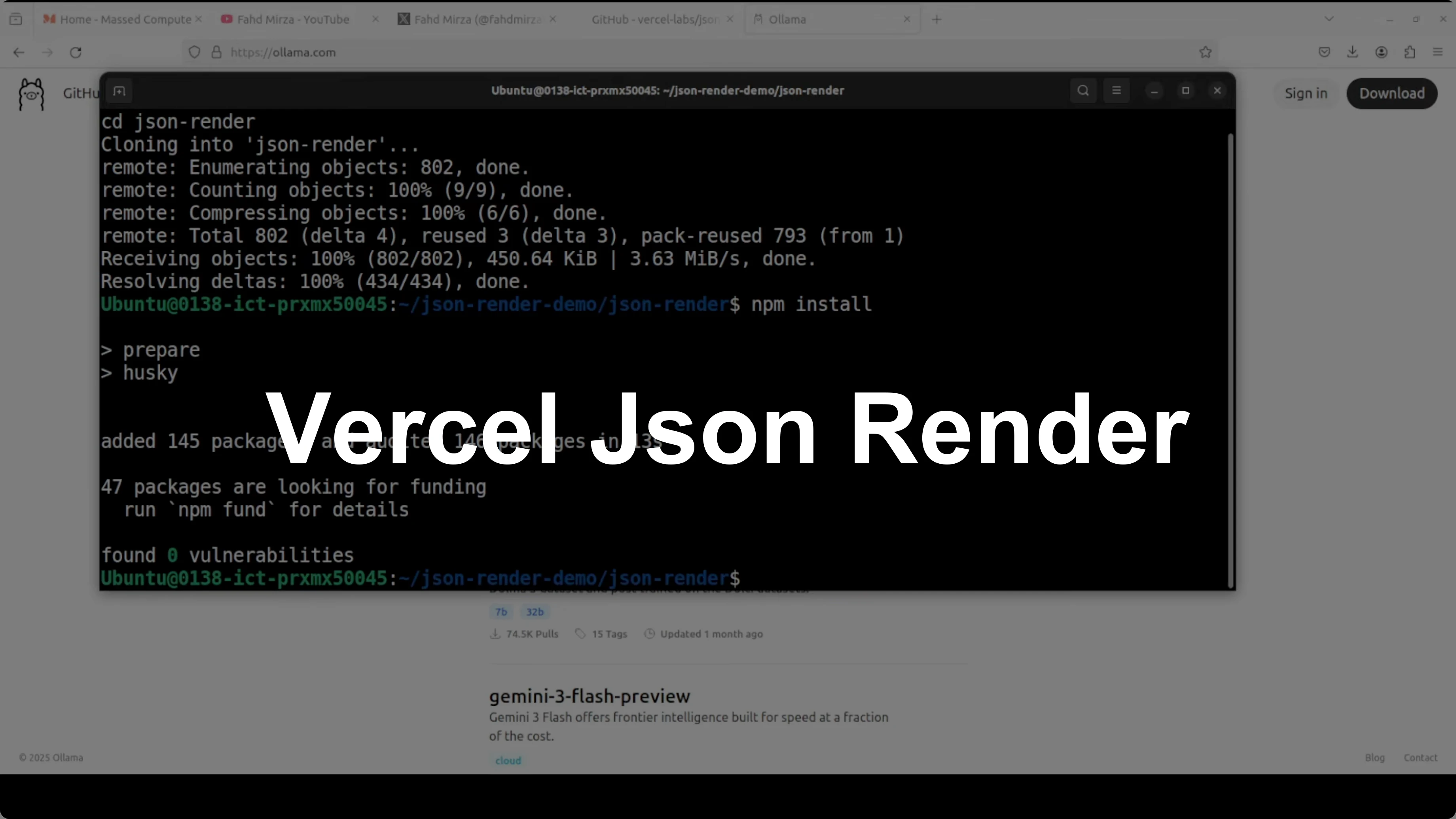
Master Vercel Json-Render with Ollama
Local LLM Hardware Calculator
Enter your GPU VRAM and system RAM to see which LLMs you can run in Ollama — at Q4, Q8, or full precision — with estimated tokens-per-second speed.
Table Of Content
- Why Master Vercel Json-Render with Ollama
- Schema-first control
- Streaming and interactions
- Local setup for Master Vercel Json-Render with Ollama
- Project steps to Master Vercel Json-Render with Ollama
- Replace cloud API with Ollama in Master Vercel Json-Render with Ollama
- Running and validating Master Vercel Json-Render with Ollama
- Final thoughts on Master Vercel Json-Render with Ollama
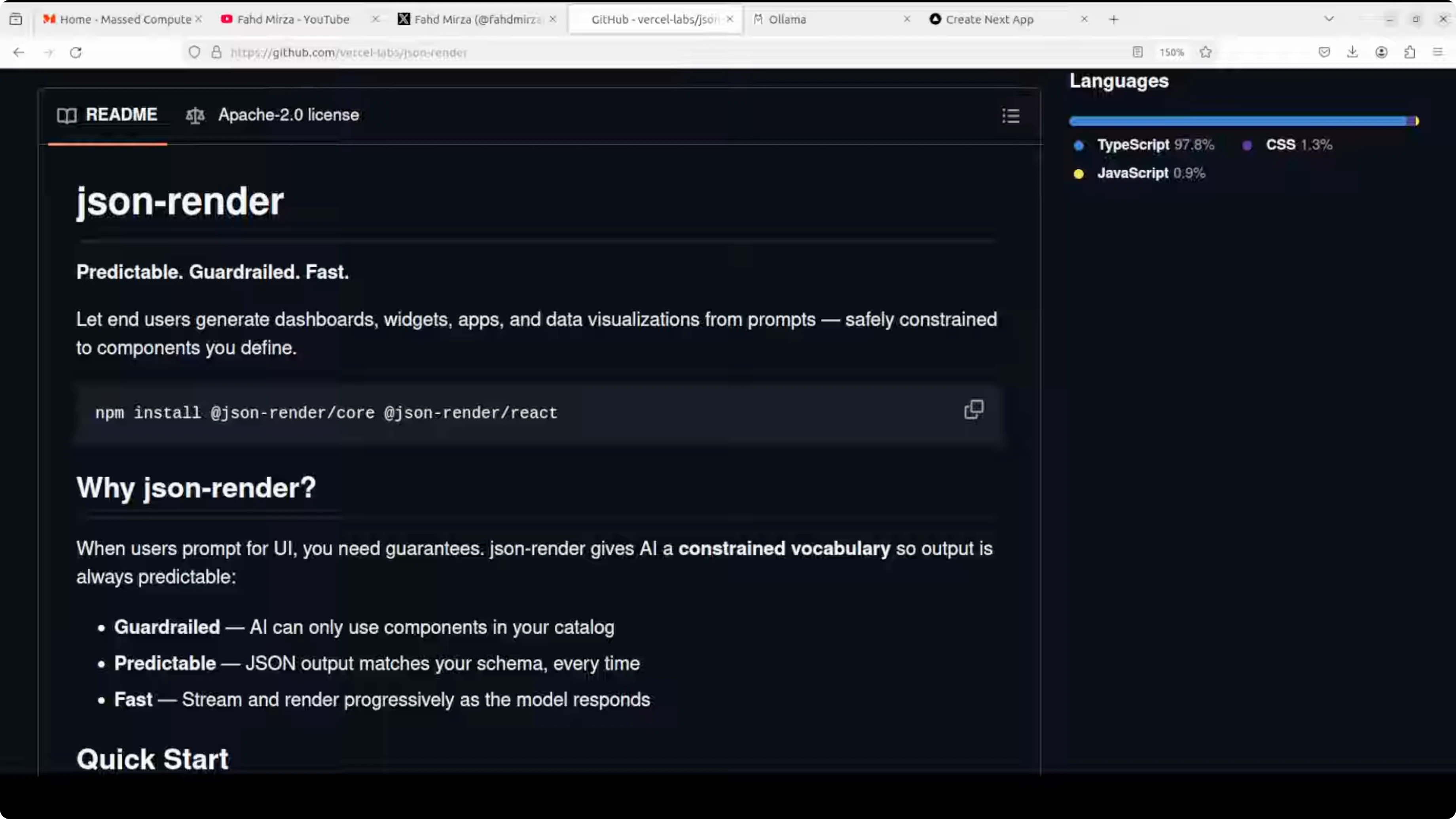
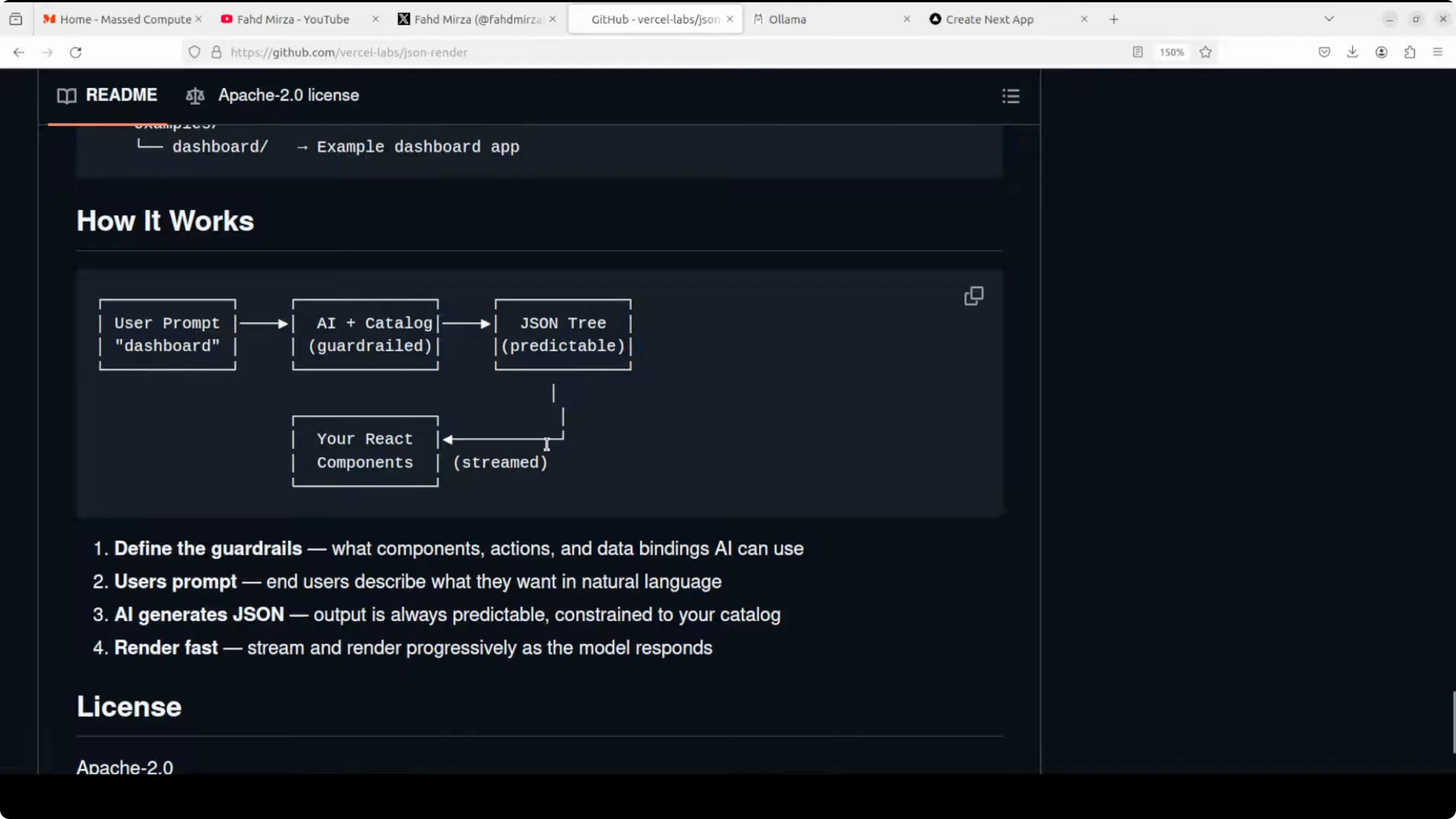
Vercel has open-sourced a tool called JSON Render, a framework that enables AI models to safely generate user interfaces by constraining them to a predefined component catalog. Instead of letting AI generate arbitrary HTML or React code which would be unsafe and unpredictable, you define a schema of allowed components, data bindings, and actions. The AI generates structured JSON that your application renders using your own React components.
This creates a guardrail system where end users can prompt for dashboards, widgets, and visualizations in natural language while you maintain complete control over what can be rendered. It ensures security, consistency, and predictability. It also supports progressive streaming, conditional visibility, validation, and rich interactions.
I installed it locally and integrated it with a local, free Ollama model. The setup ran on an Ubuntu system with an Nvidia RTX 6000 GPU with 48 GB of VRAM. Ollama was already installed and a GPT-OSS model was running.
I tested a basic prompt such as recent transaction table and JSON Render produced the structure that rendered into a usable UI. The model consumed around 13 GB of VRAM when loaded. For production-grade usage, I suggest a coding-focused model or an API model with strong tool support.
Claude Code is a helpful reference if you plan to swap cloud APIs for local models in your workflow.
Why Master Vercel Json-Render with Ollama
Instead of unpredictable HTML or React, you define a schema of components, props, bindings, and actions. The AI outputs a JSON tree matching the schema, and your React app renders it. You keep full control over what gets rendered.
You get progressive streaming so the UI appears as the model generates valid nodes. You can add conditional visibility and validations that the renderer respects. Interactions are expressed in the JSON spec and mapped to your own safe handlers.
Schema-first control
You whitelist allowed components and their props. The AI cannot escape into arbitrary code and must stay inside your schema. That keeps the output safe and consistent for production.
Your components can implement logic, styling, and security the way you need. The JSON simply instructs which allowed components to use and how to bind data.
Streaming and interactions
The renderer can stream partial UI as the model outputs structured JSON. Users see forms, tables, and widgets appear progressively.
Actions and events are bound to your handlers, not model-generated code. That separation lets you keep sensitive logic on your side.
Local setup for Master Vercel Json-Render with Ollama
I used Ubuntu, an Nvidia RTX 6000 (48 GB VRAM), and a locally running Ollama model. The model I used, GPT-OSS, is not a specialized coding model, but it handled basic UI generation tasks. For production, pick a stronger coding model or a reliable API model.
You can run this locally and privately with an Ollama-based model and let nontechnical teammates create dashboards and forms by describing the UI in plain English. They can get instant results without learning complex BI tools. You still govern components and data flows.
If you want a compact environment to test models and agents locally, see Gelab Zero.
Project steps to Master Vercel Json-Render with Ollama
Ensure Node.js and npm are installed.
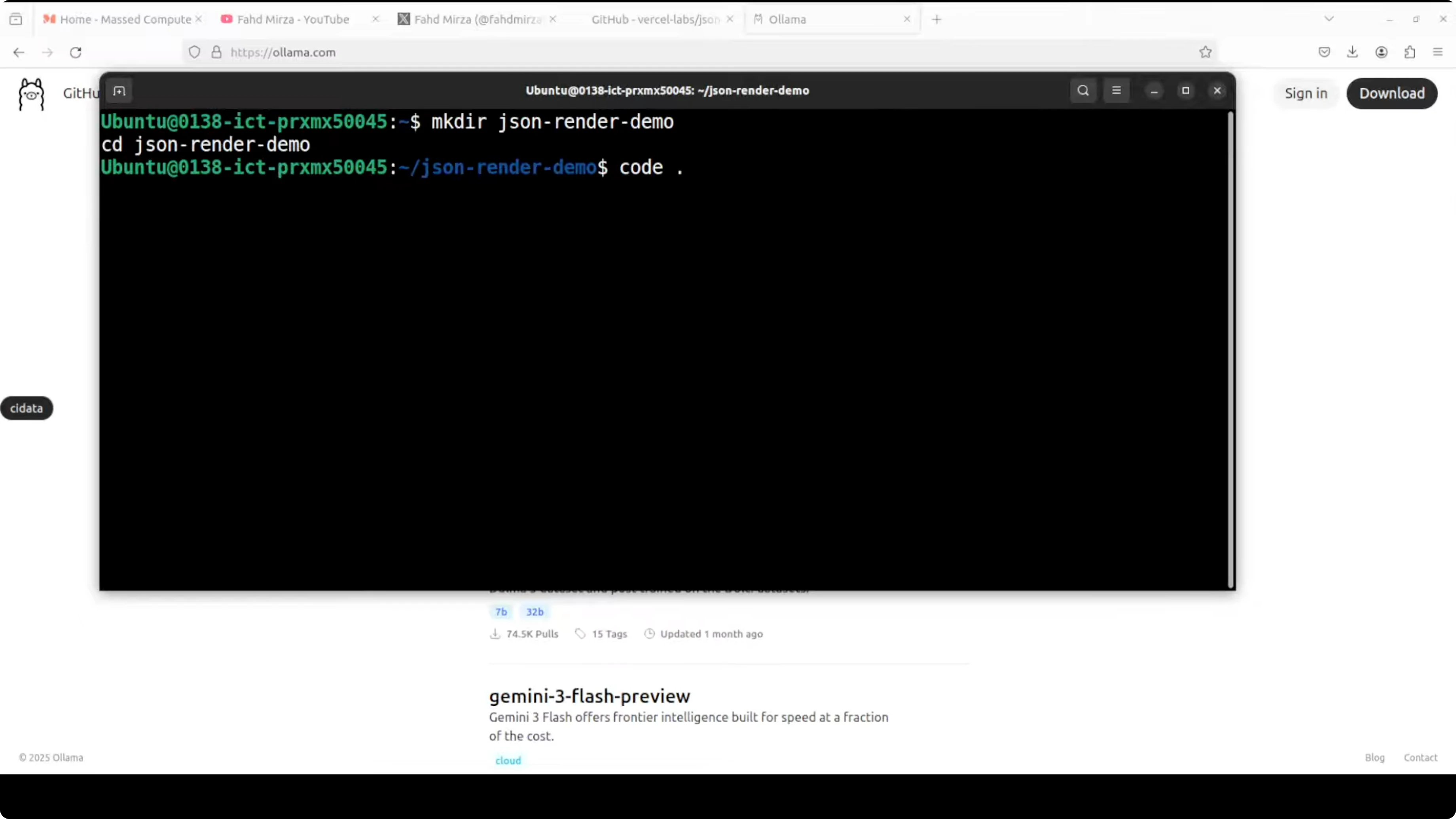
Create a working directory.
mkdir json-render-ollama-demo cd json-render-ollama-demo
Initialize a new Node project.
npm init -y
Install React and dependencies.
npm install react react-dom
Install Zod for schema validation.
npm install zod
Install the Ollama client for Node.js.
npm install ollama
Clone the JSON Render repository from Vercel.
Open the repo in your editor.
Install dependencies for the official demo (the demo uses pnpm).
npm install -g pnpm pnpm install
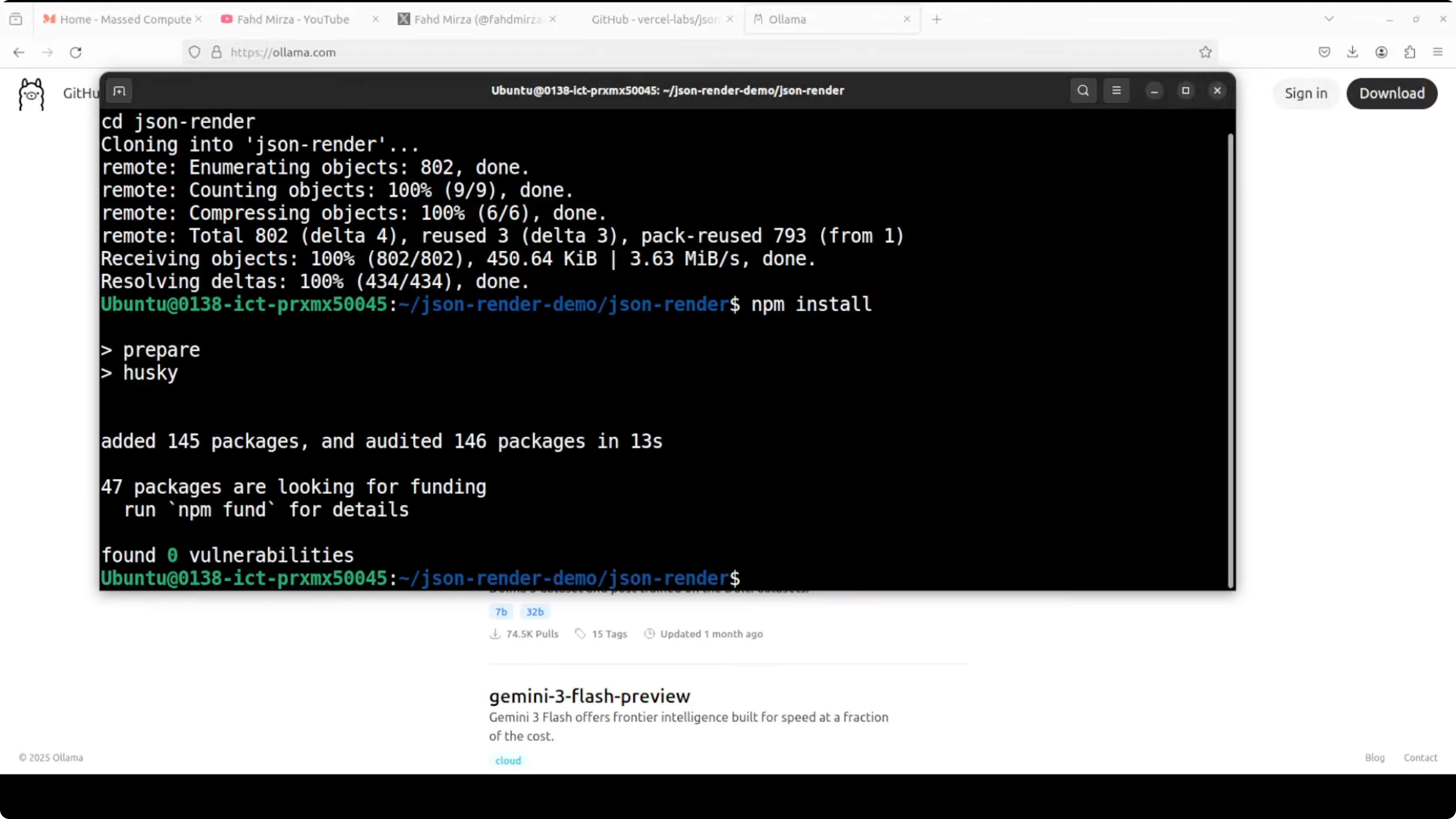
Run the demo.
pnpm run dev
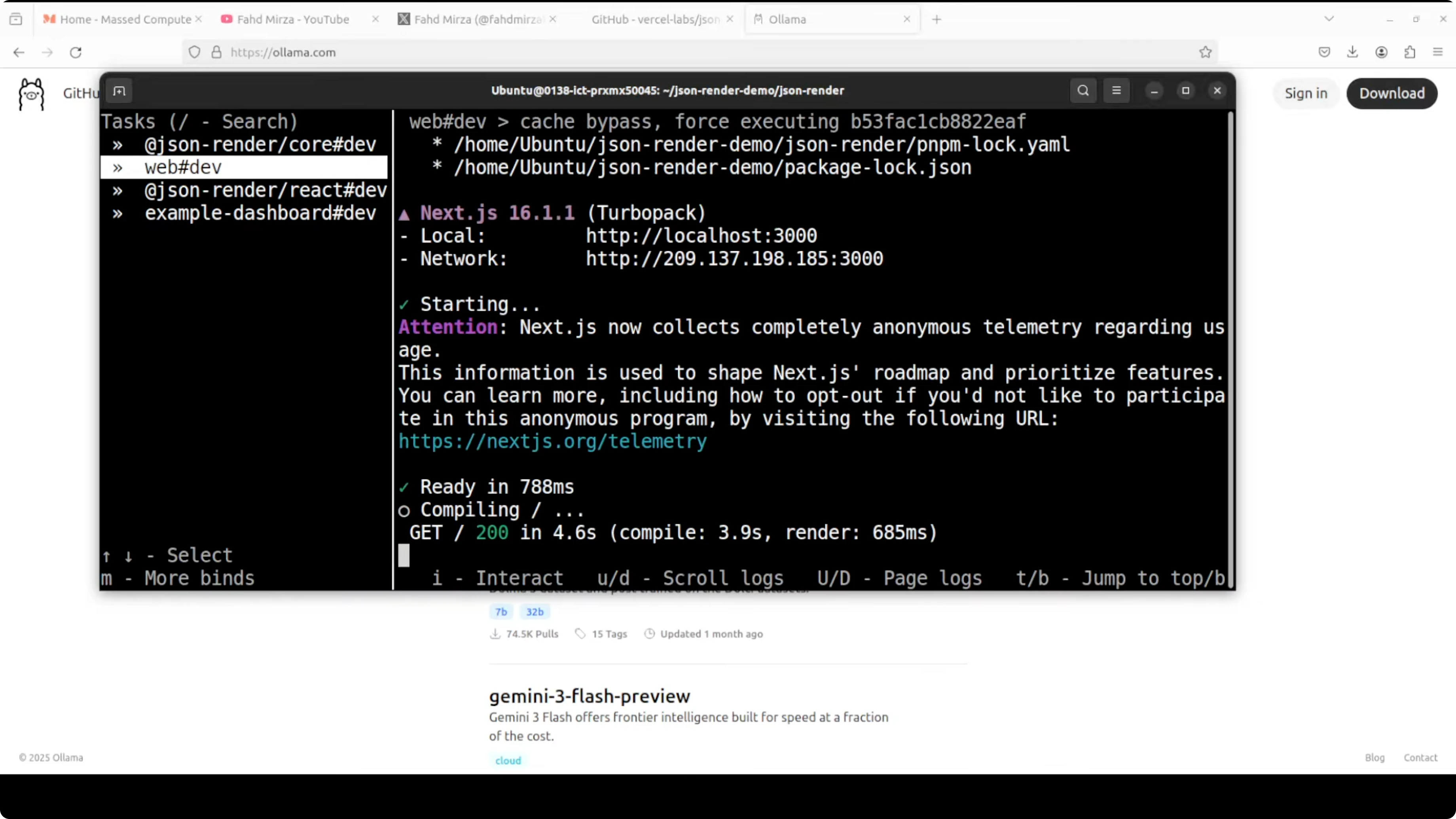
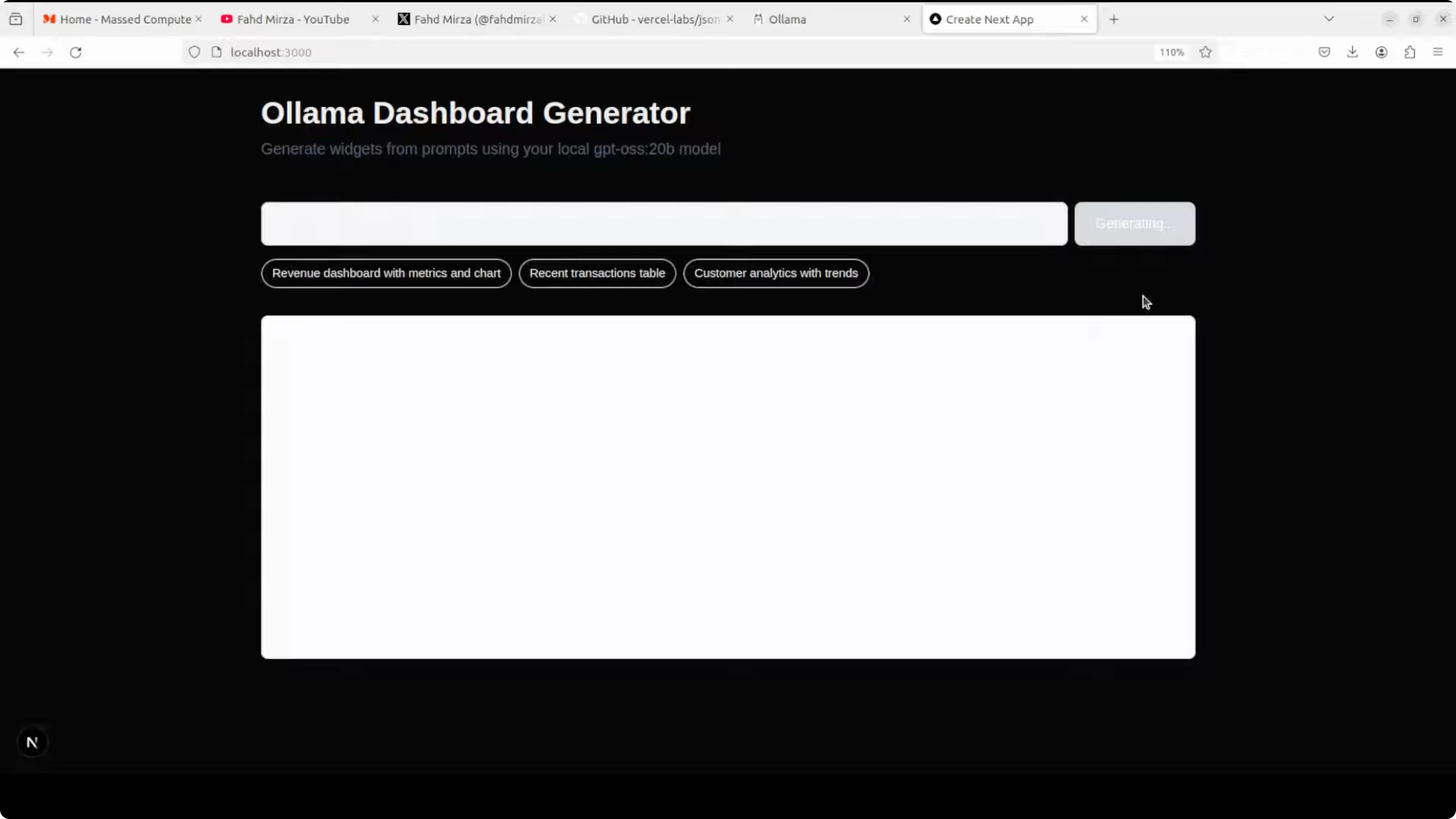
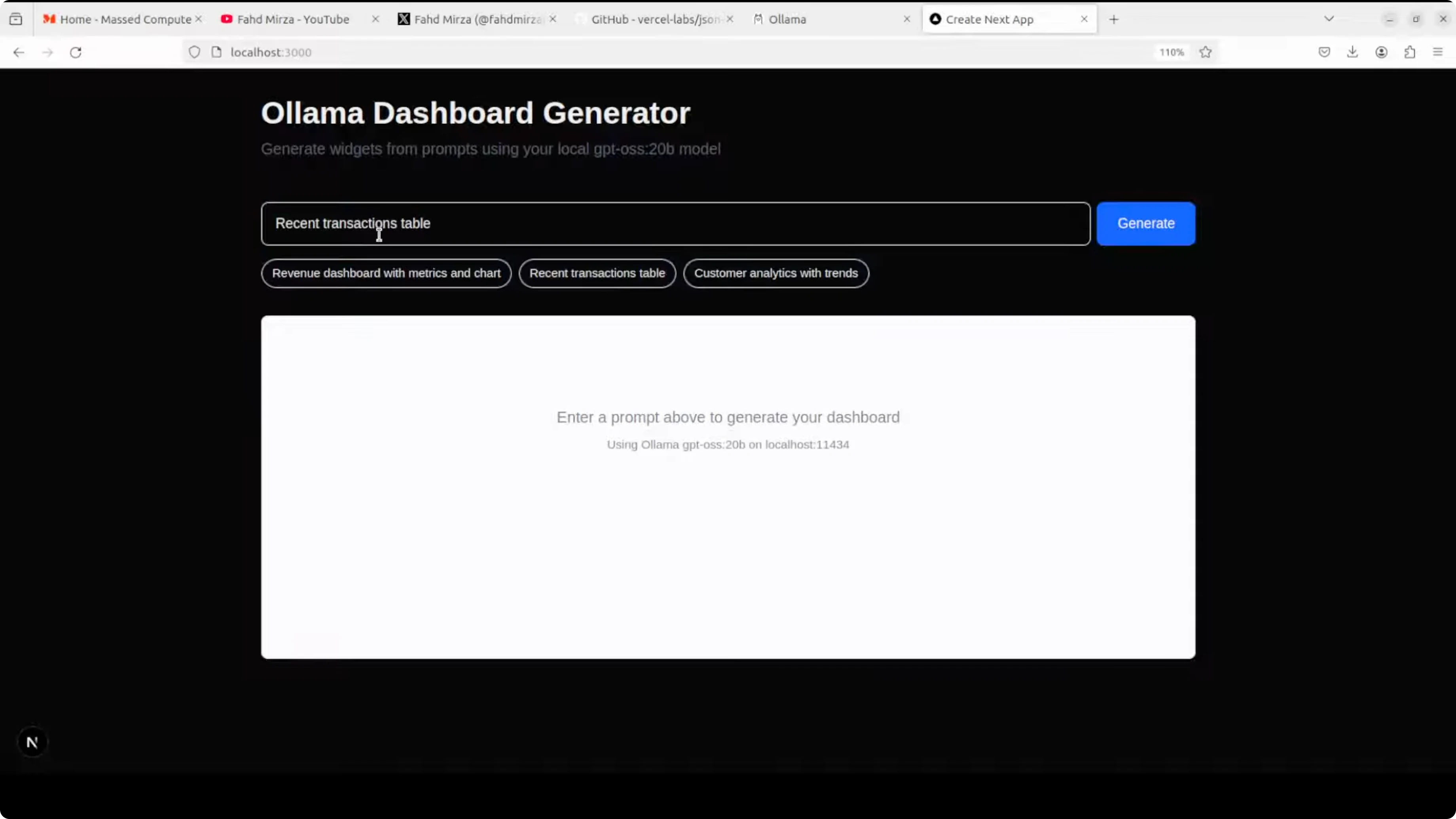
The demo runs on localhost:3000. You will see a prompt such as create a contact form with name and email, with the JSON tree on the left and the rendered UI on the right.
If you are exploring different coding-focused local models, you might also check Opencode for options aligned to code tasks.
Replace cloud API with Ollama in Master Vercel Json-Render with Ollama
The official demo uses a cloud model through an API. I swapped it to use my local Ollama model.
I wired the API route to call the Ollama server at the default localhost port. I kept a short system prompt and reused most of the structure from the repo, adapting only the model call.
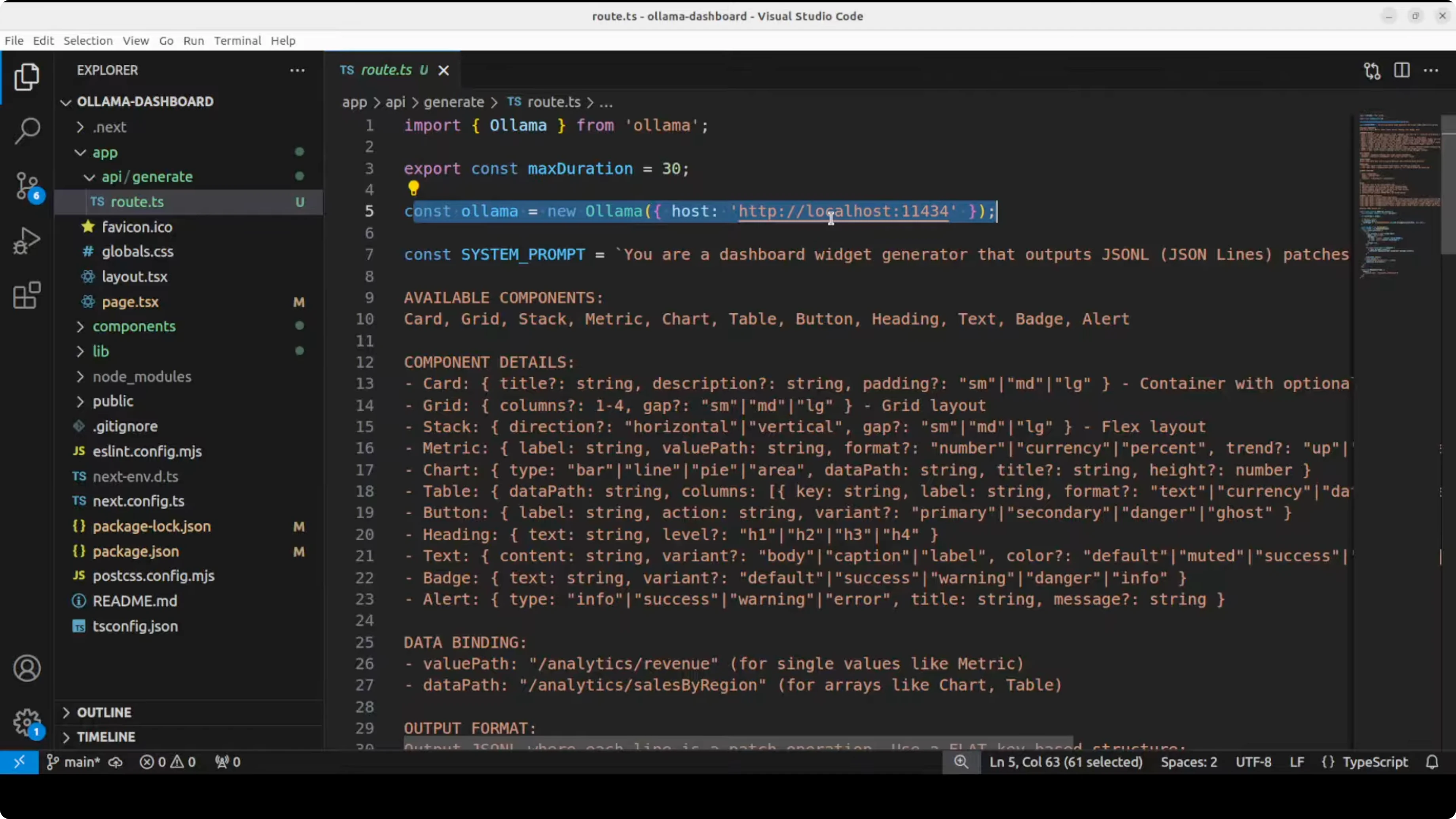
Here is a minimal Next.js route example (app/api/route.ts) pointing to Ollama’s default endpoint on localhost:11434. This example streams JSON Render content as the model responds.
// app/api/route.ts
import { NextRequest } from 'next/server';

export const runtime = 'nodejs';

async function streamToResponse(stream: ReadableStream) {
  return new Response(stream, {
    headers: {
      'Content-Type': 'text/event-stream; charset=utf-8',
      'Cache-Control': 'no-cache, no-transform',
      Connection: 'keep-alive',
    },
  });
}

export async function POST(req: NextRequest) {
  const { prompt } = await req.json();

  const system = `
You are a UI generator that outputs only valid JSON matching the allowed component schema.
Only use approved components, props, actions, and bindings.
Return strictly JSON that the renderer can stream progressively.
  `.trim();

  const body = {
    model: 'gpt-oss', // replace with your local model name in Ollama
    stream: true,
    messages: [
      { role: 'system', content: system },
      { role: 'user', content: prompt },
    ],
  };

  const controller = new AbortController();

  const reqInit: RequestInit = {
    method: 'POST',
    signal: controller.signal,
    headers: { 'Content-Type': 'application/json' },
    body: JSON.stringify(body),
  };

  const ollamaRes = await fetch('http://localhost:11434/api/chat', reqInit);

  if (!ollamaRes.ok || !ollamaRes.body) {
    const text = await ollamaRes.text().catch(() => 'Unknown error');
    return new Response(`Ollama error: ${text}`, { status: 500 });
  }

  // Directly return Ollama’s stream to the client for progressive rendering
  return streamToResponse(ollamaRes.body);
}
Keep your component schema strict and small to start. Expand only when you have tests that confirm correct rendering and safe behavior. That structure keeps the model inside safe boundaries while still giving useful UI.
If you want an alternative local stack or agents that pair well with Ollama, see Goose. For model experiments on interaction patterns, you can also look at Openclaw.
Running and validating Master Vercel Json-Render with Ollama
Start the dev server and open localhost:3000. You should see JSON on the left and your rendered UI on the right.
Test prompts like create a login form with email and password or build a recent transactions table. Watch the renderer stream components as the model outputs nodes that pass validation.
On the GPU side, I observed around 13 GB VRAM usage for the loaded Ollama model. Pick a model aligned to code and tool use if you need robust structure adherence in production.
Final thoughts on Master Vercel Json-Render with Ollama
JSON Render is a practical way to let AI create UIs while you keep control through a strict component schema. Progressive streaming, validations, and conditional visibility make it responsive and safe for real apps.
Running it locally with Ollama is straightforward. Start small with your schema, validate aggressively, and upgrade to stronger coding models or APIs for production workloads.
Subscribe to our newsletter
Get the latest updates and articles directly in your inbox.

Related Posts

8 Best Claude Code Plugins in 2026 (You Need to Know)
8 Best Claude Code Plugins in 2026 (You Need to Know)

7 Best Claude Code Skills (You Need to Know)
7 Best Claude Code Skills (You Need to Know)

Claude Code Desktop IDE Features (You Need to Know)
Claude Code Desktop IDE Features (You Need to Know)