
Table Of Content
- Quick start with MaxClaw: OpenClaw Instantly with AI Assistance
- Launch
- Connect Telegram
- Create a Telegram bot token
- Memory and reminders in MaxClaw: OpenClaw Instantly with AI Assistance
- Skills in MaxClaw: OpenClaw Instantly with AI Assistance
- Files and reuse in MaxClaw: OpenClaw Instantly with AI Assistance
- Documents and multimodal in MaxClaw: OpenClaw Instantly with AI Assistance
- Security and trade-offs in MaxClaw: OpenClaw Instantly with AI Assistance
- Final thoughts
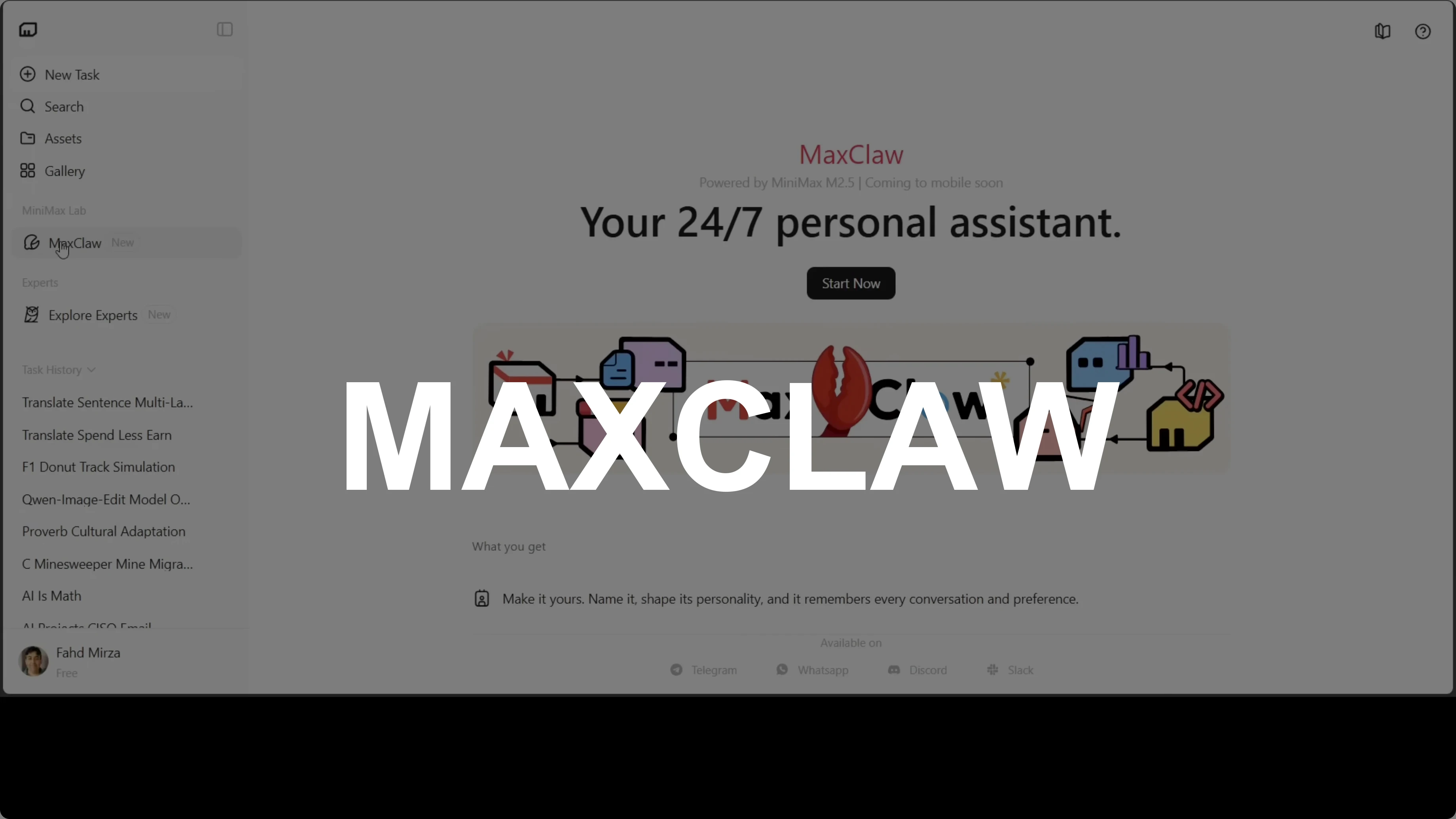
MaxClaw: OpenClaw Instantly with AI Assistance
OpenClaw Error Fixer
Paste any OpenClaw error and get the exact fix instantly — cause, steps, copy-ready commands, and related guides.
Table Of Content
- Quick start with MaxClaw: OpenClaw Instantly with AI Assistance
- Launch
- Connect Telegram
- Create a Telegram bot token
- Memory and reminders in MaxClaw: OpenClaw Instantly with AI Assistance
- Skills in MaxClaw: OpenClaw Instantly with AI Assistance
- Files and reuse in MaxClaw: OpenClaw Instantly with AI Assistance
- Documents and multimodal in MaxClaw: OpenClaw Instantly with AI Assistance
- Security and trade-offs in MaxClaw: OpenClaw Instantly with AI Assistance
- Final thoughts
OpenClaw keeps growing fast. More variants and flavors are showing up, some with no code and no configuration. MaxClaw from Minimax is the newest, and Minimax has effectively renamed or upgraded their own agent.
Every other OpenClaw setup I have covered used a terminal, a config file, and at least one error message. Here there is no terminal, no config file, no error message. You get a URL, one click, and you are in.
MaxClaw is Minimax’s fully managed take on the OpenClaw experience. I also covered KimiClaw, which is similar. Most tools ask you to bring your own server, GPU, API keys, and patience, but MaxClaw asks for none of that.
Go to agent.minimax.io. Launch your agent, connect Telegram, Discord, WhatsApp, or Slack, and your AI assistant is live in seconds. If you are new to agent patterns, check our agentic basics.
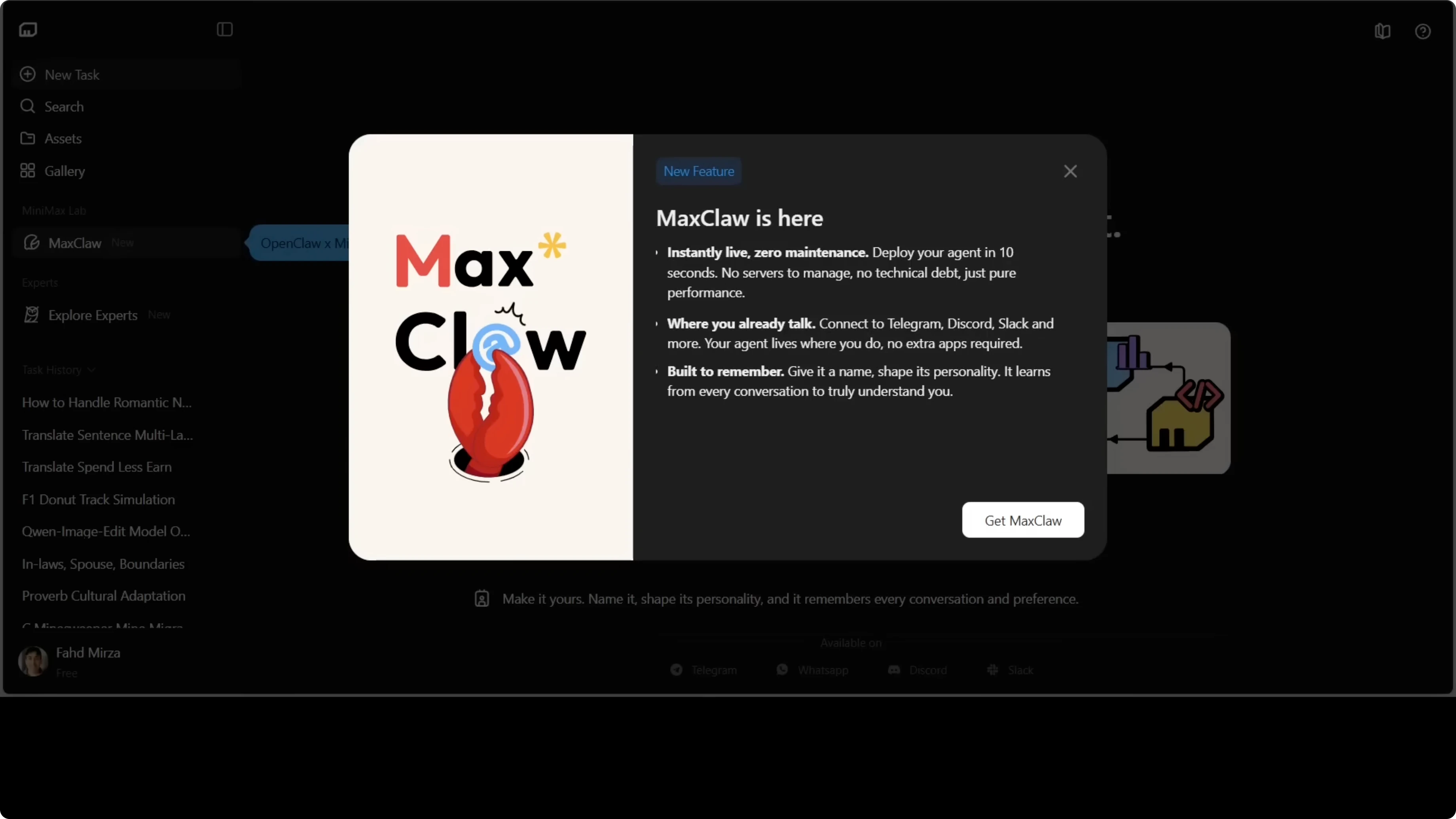
This agent runs 24x7 in the cloud with 10,000+ ready-made expert agents for coding, content, and research. It includes multimodal understanding, web search, and content generation at no extra cost. It is the same OpenClaw concept, a personal AI assistant that lives in the apps you already use, with every infrastructure decision already made for you.
The trade-off is simple: control or convenience. Pick what you value more. This is not sponsored by Minimax.
Quick start with MaxClaw: OpenClaw Instantly with AI Assistance
Launch
Go to agent.minimax.io.
Click MaxClaw on the left or click Start now.
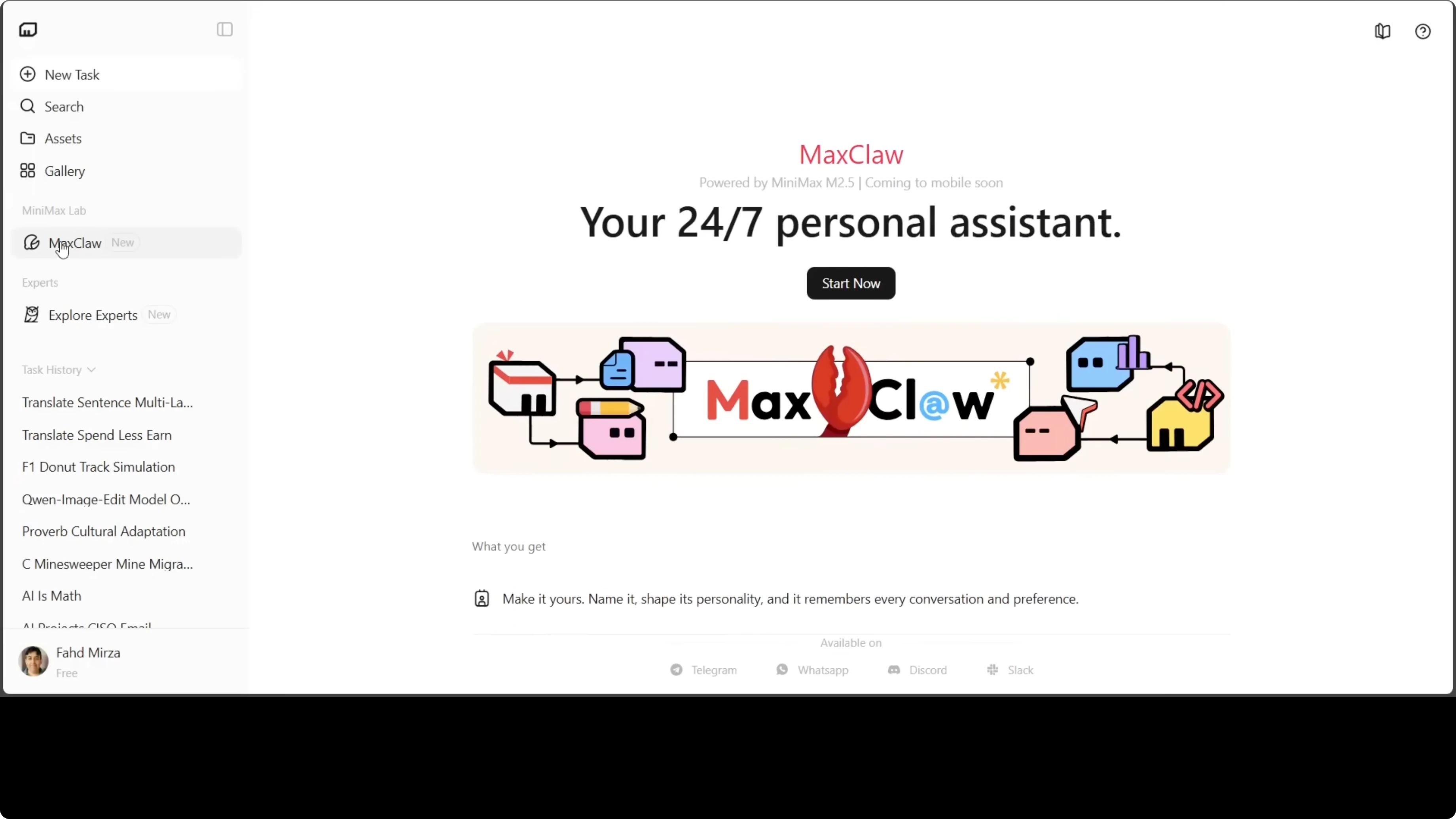
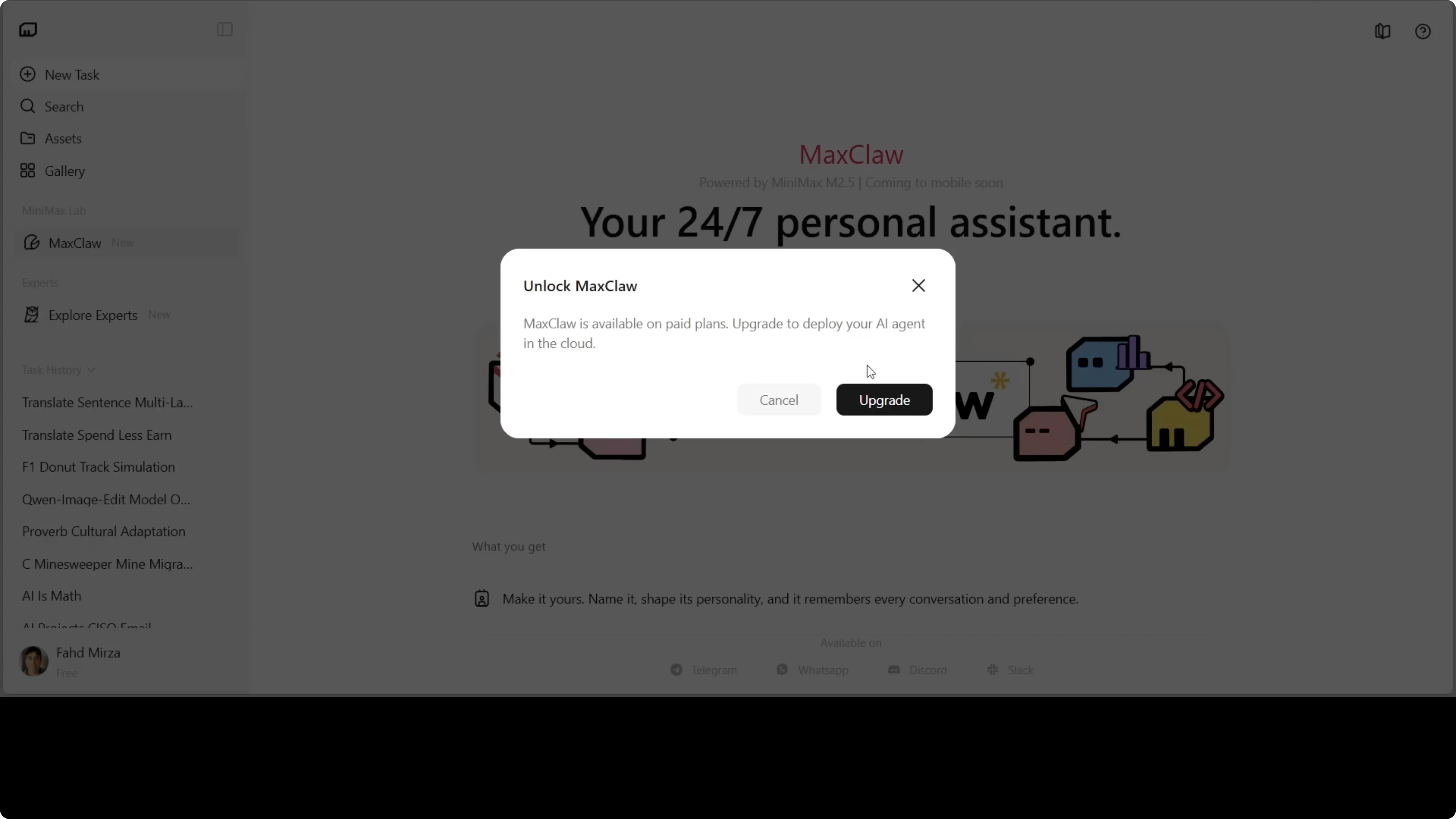
Upgrade to deploy your AI agent in the cloud.
On the first screen, choose Default for fast deployment and easy channel connection. You can also pick Image Generation or Trend Analysis. Click I am ready.
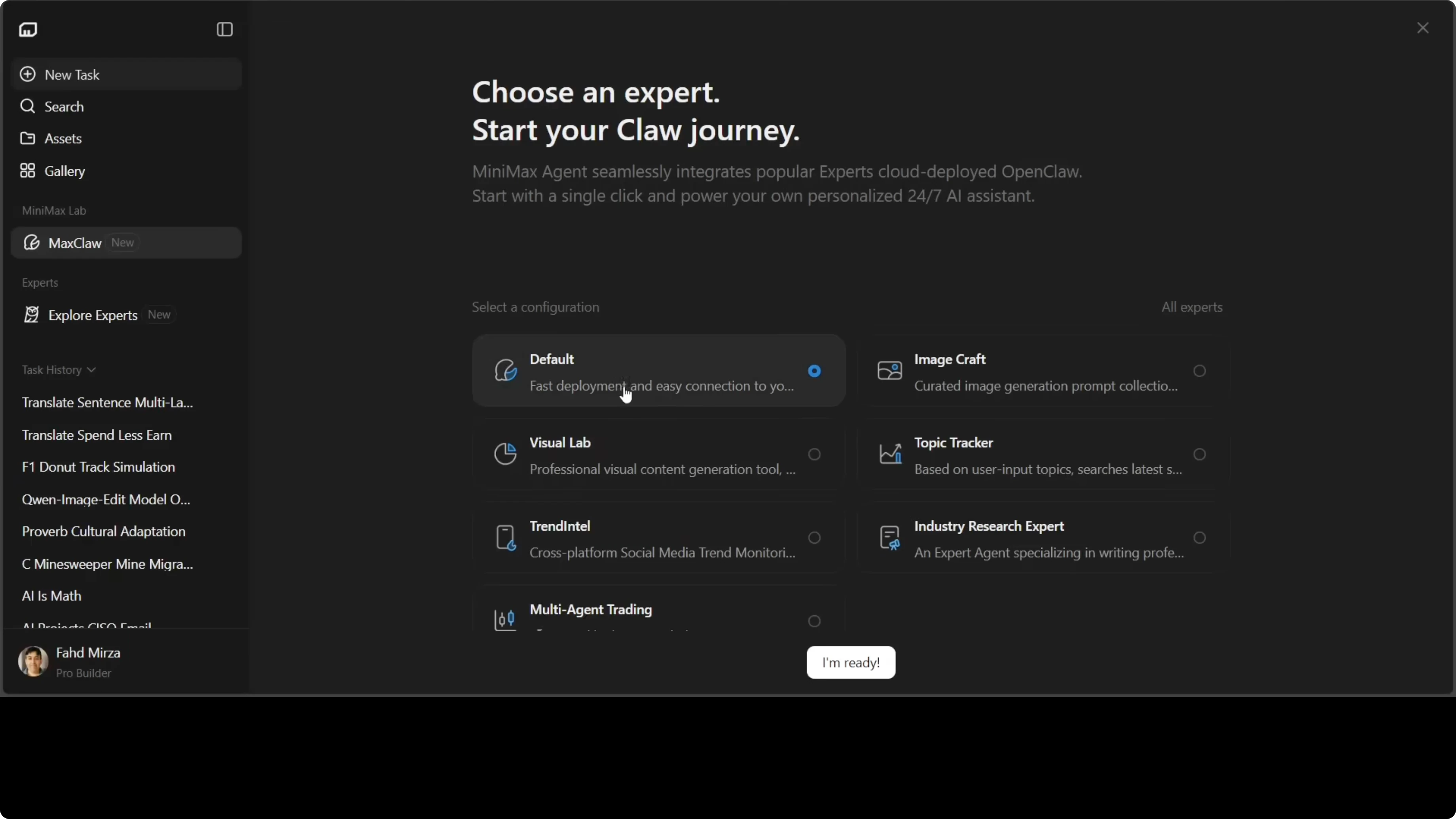
Deployment begins and finishes in a few seconds. MaxClaw opens directly in your browser with no installation, no terminal, and no config. The assistant is live and ready for your first message, similar to a browser agent.
Connect Telegram
Type this in the chat:
connect telegram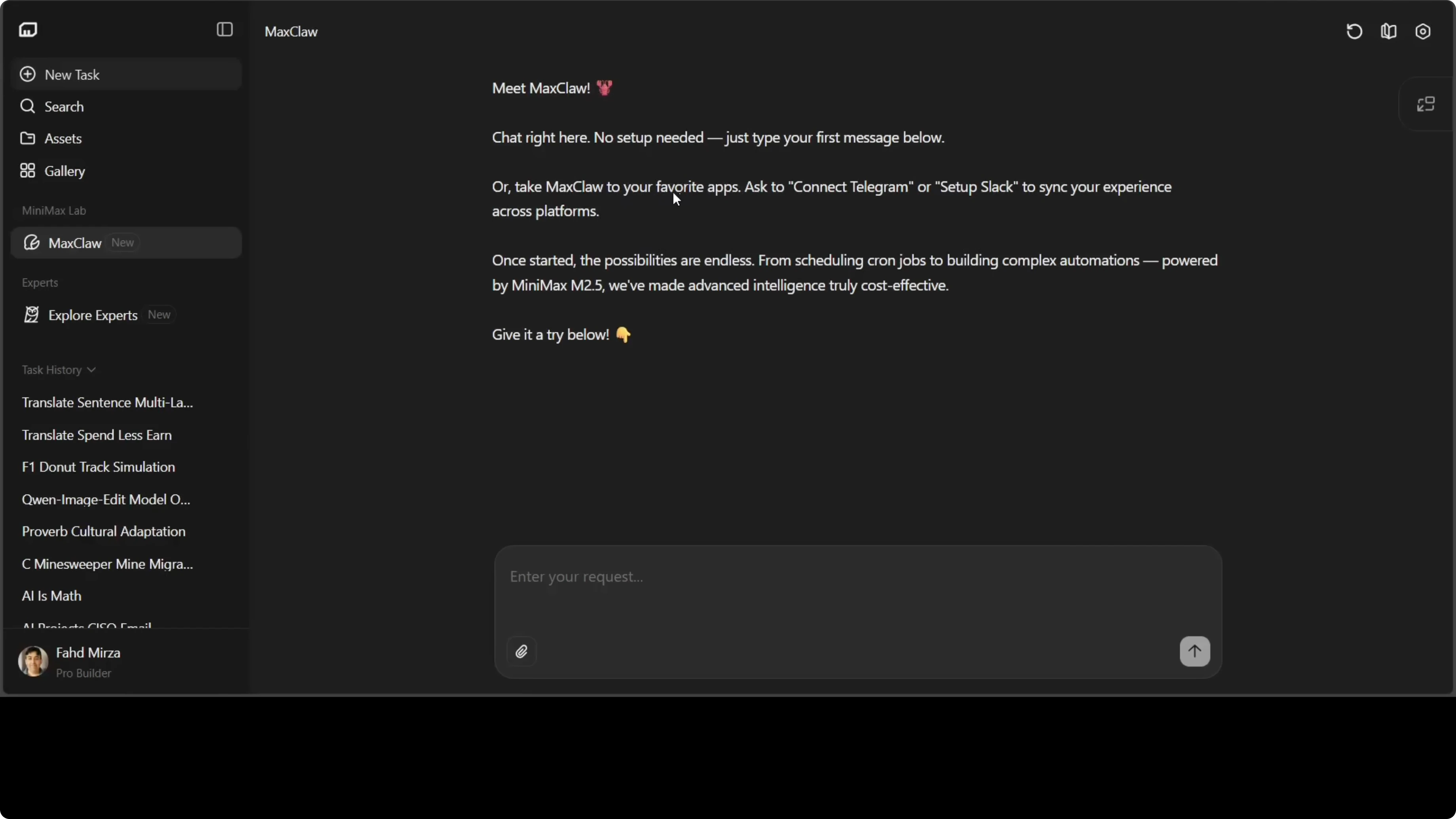
Log in again if prompted. You will be asked for your Telegram bot token.
Create a Telegram bot token
Open Telegram and search for @BotFather.
Type: /newbot
Enter a name, for example: fad maxclawbot
Enter a username that ends with bot, for example: fad_maxclawbot
Copy the token BotFather returns.
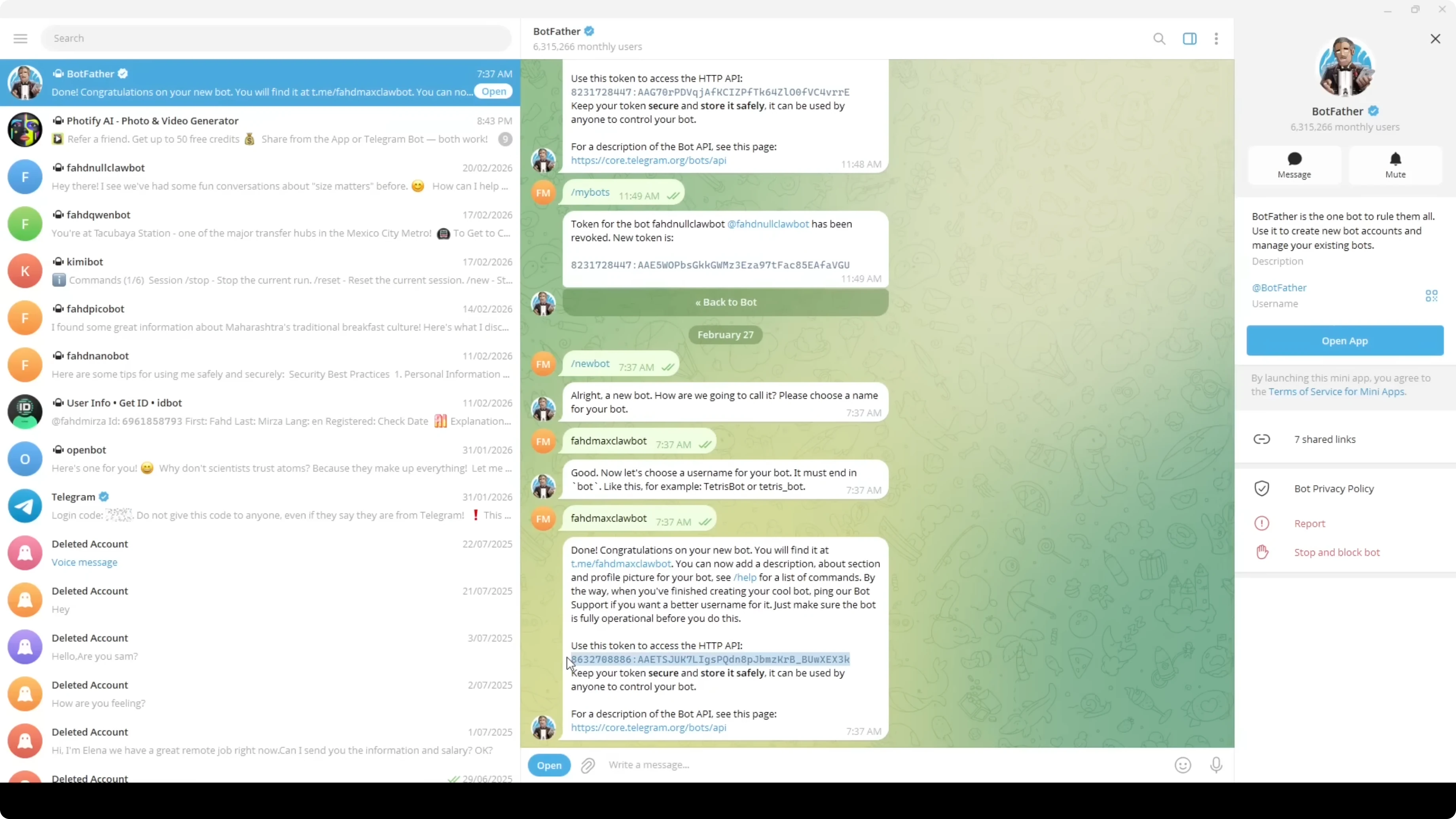
Paste the token into MaxClaw when prompted.
MaxClaw completes the gateway that bridges core OpenClaw to your Telegram channel. It restarts services, checks the schema, and shows connection status. You will see your ID and a pairing code.
Enter the pairing code to finish pairing. The system executes shell commands inside its own sandboxed container, and nothing runs on your local machine. Start your Telegram bot and say hello to confirm it is live.
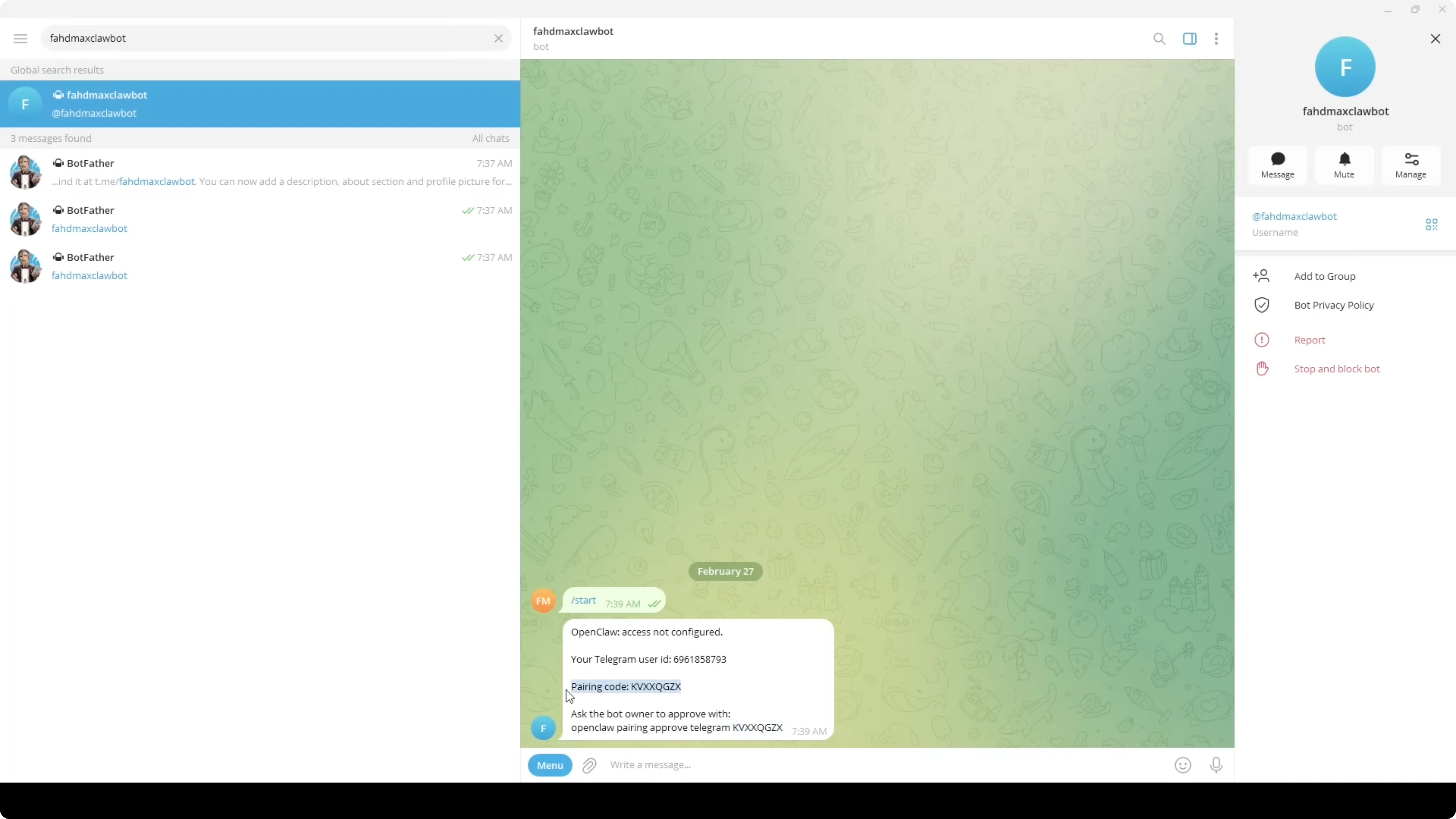
You can start chatting with it right away. Ask it to introduce itself or run a quick search. Messages appear both in Telegram and inside MaxClaw.
Memory and reminders in MaxClaw: OpenClaw Instantly with AI Assistance
You can restart your agent any time with the Restart button. MaxClaw supports long-term memory and scheduled tasks. Here is a quick example to set a daily reminder:
at 8 a.m. every morning search "AI YouTube channel" and give me link of latest video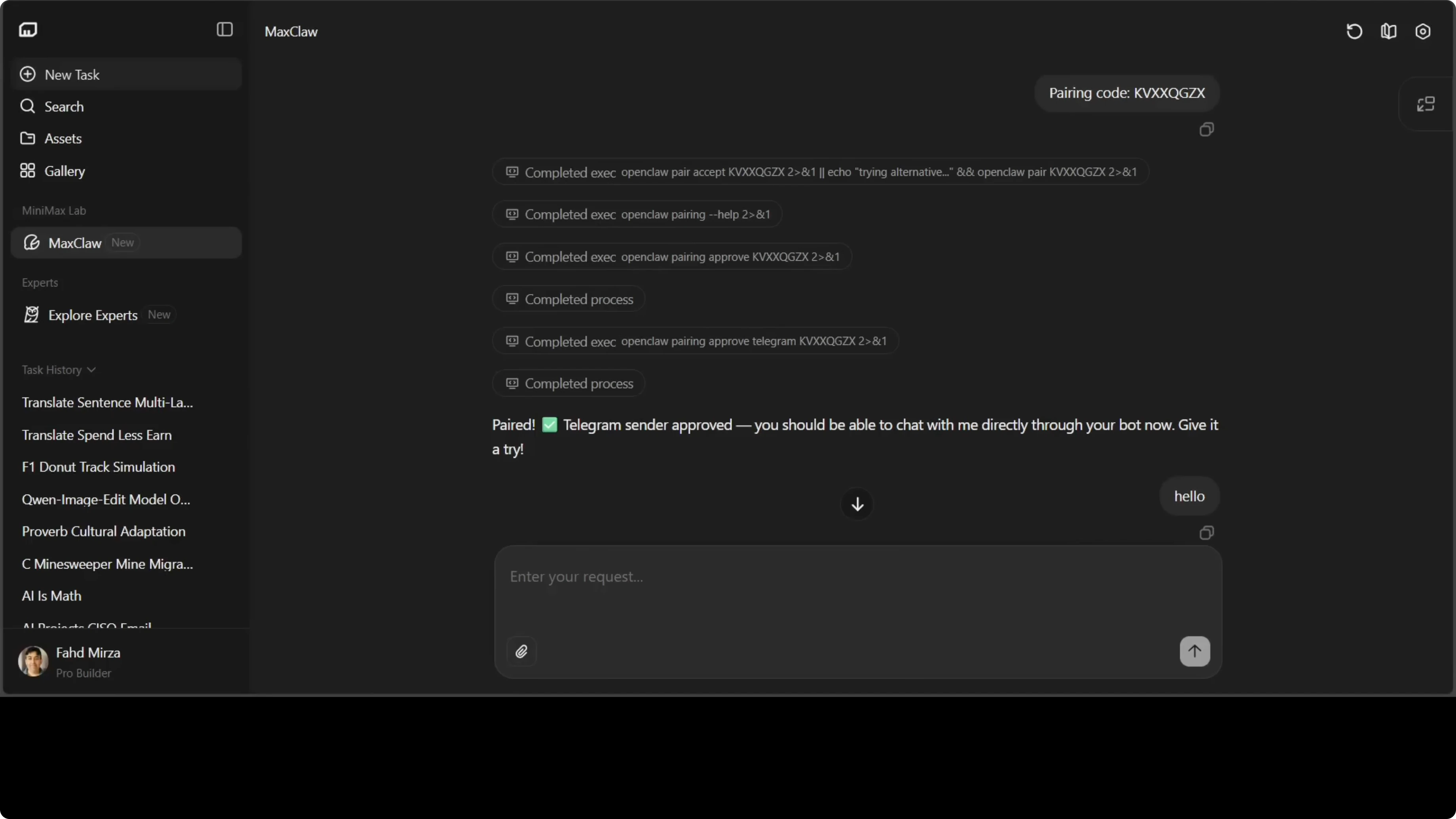
The agent remembers the instruction and sets up a daily schedule. You will see it listed as a cron task in the interface. The reminder will arrive in Telegram, and in Slack too if you connect it.
Skills in MaxClaw: OpenClaw Instantly with AI Assistance
Ask the agent to find and adopt a skill from the marketplace, install it, and then use it:
go to skill marketplace to find a stock analysis skill, install it, and then use it to find top ASX stock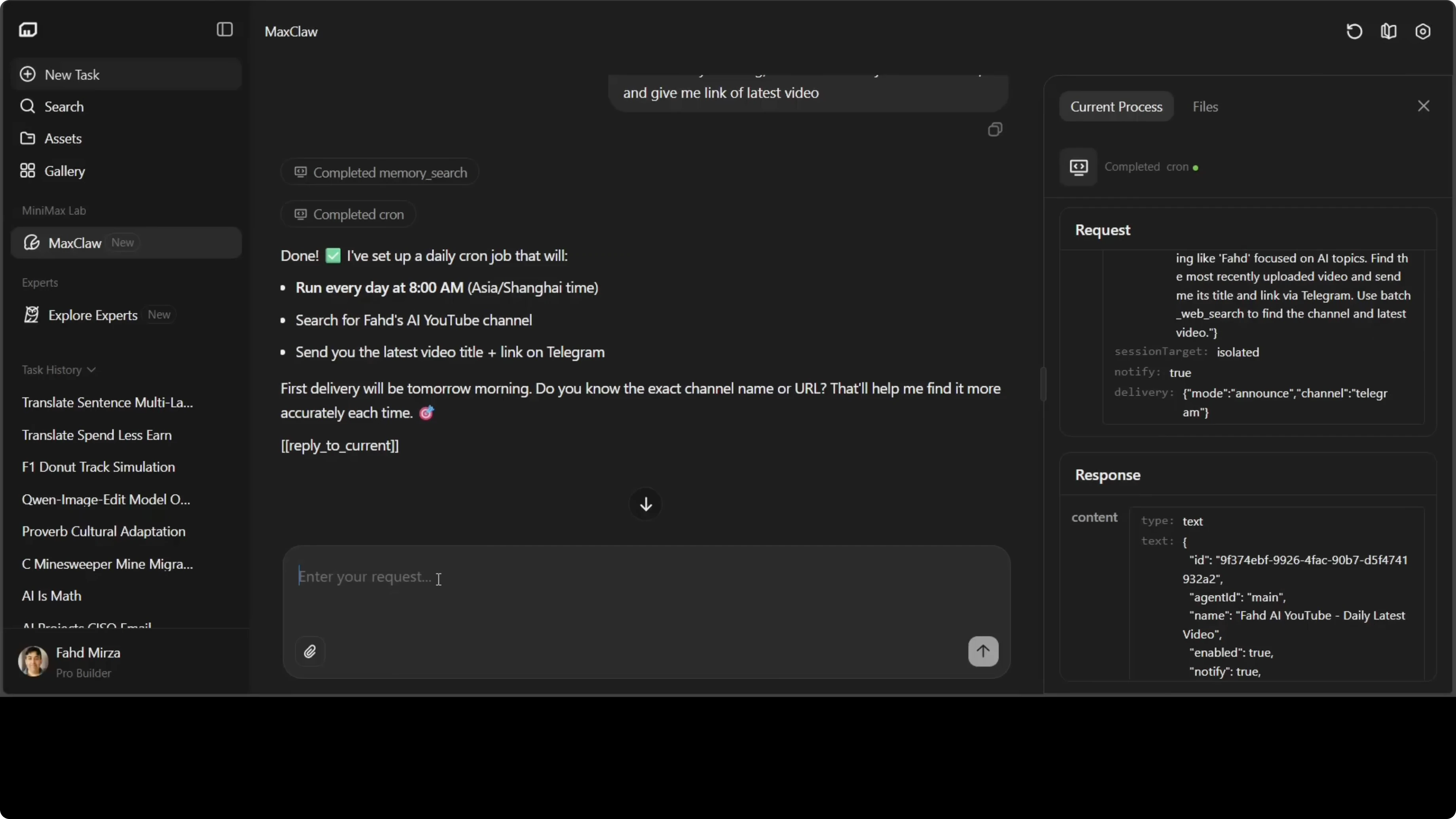
The agent searches the Claw Hub, installs a relevant stock analysis skill, and runs it. The result returned top Australian Securities Exchange stocks. No financial advice, always do your own research.
For related model explorations, see Step3 VL.
Files and reuse in MaxClaw: OpenClaw Instantly with AI Assistance
Open the Files view to inspect what the agent uses. You will find directories and files for users, agents, soul, tools, and more. It is transparent about the configuration it runs.
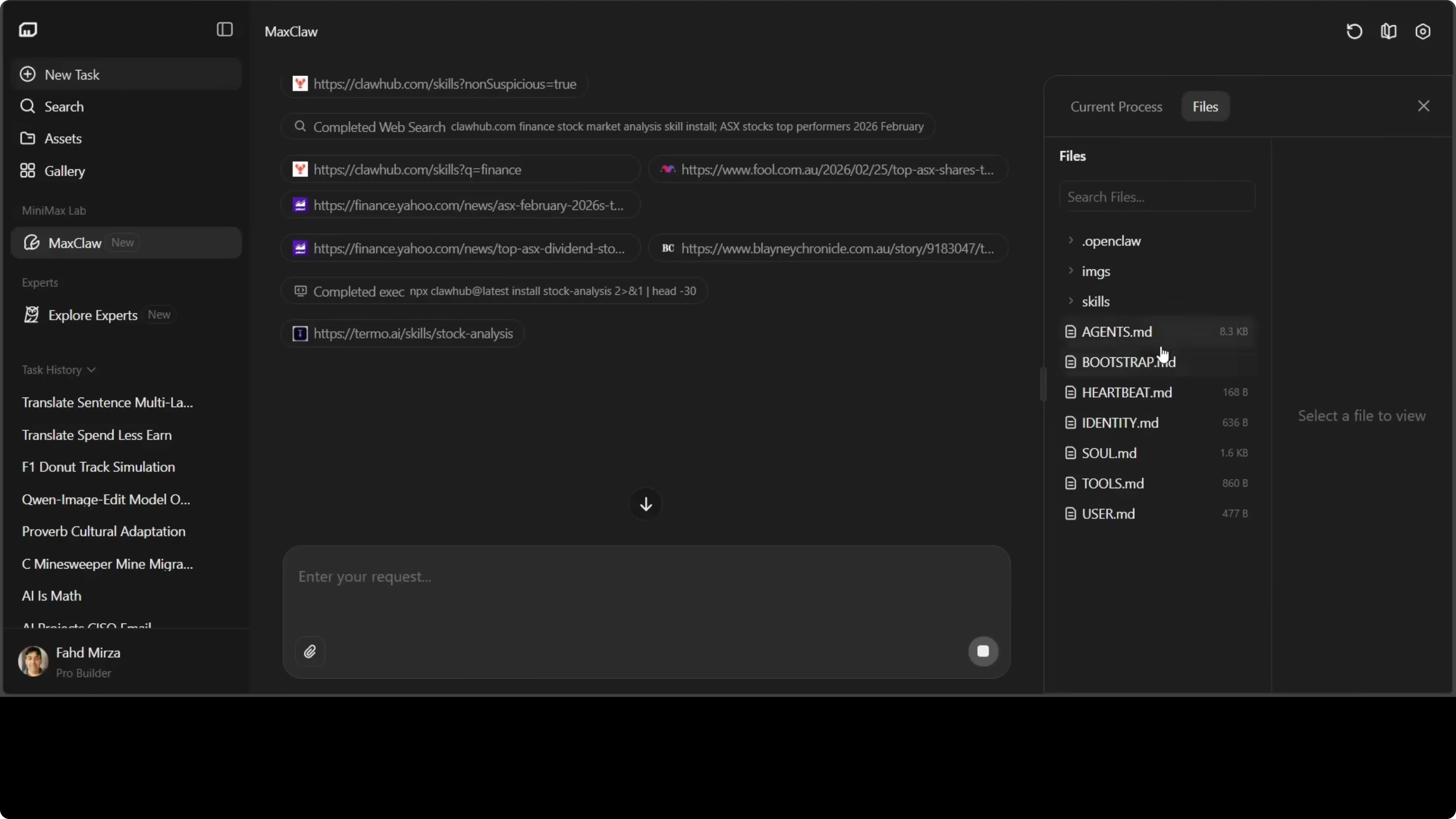
You can copy these files and reuse them in other OpenClaw variants. The memory.md file contains long-term memory entries that power the tasks you set. For a local setup, see OpenClaw local.
Documents and multimodal in MaxClaw: OpenClaw Instantly with AI Assistance
Document processing works here as it does in other OpenClaw variants. You also get multimodal understanding and web search as part of the package.
If you need OCR or robust text extraction for your workflows, check out text recognition to complement your agent pipeline.
Security and trade-offs in MaxClaw: OpenClaw Instantly with AI Assistance
Review security before connecting your agent to public channels. Keep tokens safe and rotate them if exposed.
If you want total control, run the agent stack on your own infra. If you want speed and zero setup, MaxClaw fits.
Final thoughts
MaxClaw gives you the OpenClaw experience with no setup, instant deployment, 24x7 uptime, and access to 10,000+ expert agents. You can connect channels like Telegram in minutes, set daily reminders with memory, and install skills from the marketplace.
You get the same OpenClaw feel without touching a terminal or config file. Choose control or convenience based on your needs, and move forward accordingly.
Subscribe to our newsletter
Get the latest updates and articles directly in your inbox.

Related Posts

8 Best Claude Code Plugins in 2026 (You Need to Know)
8 Best Claude Code Plugins in 2026 (You Need to Know)

7 Best Claude Code Skills (You Need to Know)
7 Best Claude Code Skills (You Need to Know)

Claude Code Desktop IDE Features (You Need to Know)
Claude Code Desktop IDE Features (You Need to Know)