
Table Of Content
- Fish Audio S2 Pro overview
- Fish Audio S2 Pro local install
- Requirements
- System packages you may need
- Create and activate a virtual environment
- Install PyTorch with CUDA (adjust CUDA version if needed)
- Optional but often required
- Get the repo
- Clone repo
- Install Python requirements
- Download the model
- Login to Hugging Face
- Download S2-Pro weights with Git LFS
- Fish Audio S2 Pro voice cloning with emotion control
- Step 1 - extract a reference voice
- Example: extract voice tokens from a reference WAV
- Adjust script path and checkpoint files to match the repo
- Step 2 - generate semantic tokens from text plus voice
- Example: create semantic tokens
- Watch GPU memory
- Step 3 - synthesize audio from tokens
- Example: decode to audio
- One-shot bash script
- 1) Extract reference voice tokens
- 2) Generate semantic tokens for target text
- 3) Decode to waveform
- German example
- Arabic example with expressive hints
- Fish Audio S2 Pro results and notes
- Pros and cons
- Use cases
- Resources
- Final thoughts

Fish Audio S2 Pro: Local Install & Voice Cloning with Emotion in 80+ Languages
Table Of Content
- Fish Audio S2 Pro overview
- Fish Audio S2 Pro local install
- Requirements
- System packages you may need
- Create and activate a virtual environment
- Install PyTorch with CUDA (adjust CUDA version if needed)
- Optional but often required
- Get the repo
- Clone repo
- Install Python requirements
- Download the model
- Login to Hugging Face
- Download S2-Pro weights with Git LFS
- Fish Audio S2 Pro voice cloning with emotion control
- Step 1 - extract a reference voice
- Example: extract voice tokens from a reference WAV
- Adjust script path and checkpoint files to match the repo
- Step 2 - generate semantic tokens from text plus voice
- Example: create semantic tokens
- Watch GPU memory
- Step 3 - synthesize audio from tokens
- Example: decode to audio
- One-shot bash script
- 1) Extract reference voice tokens
- 2) Generate semantic tokens for target text
- 3) Decode to waveform
- German example
- Arabic example with expressive hints
- Fish Audio S2 Pro results and notes
- Pros and cons
- Use cases
- Resources
- Final thoughts
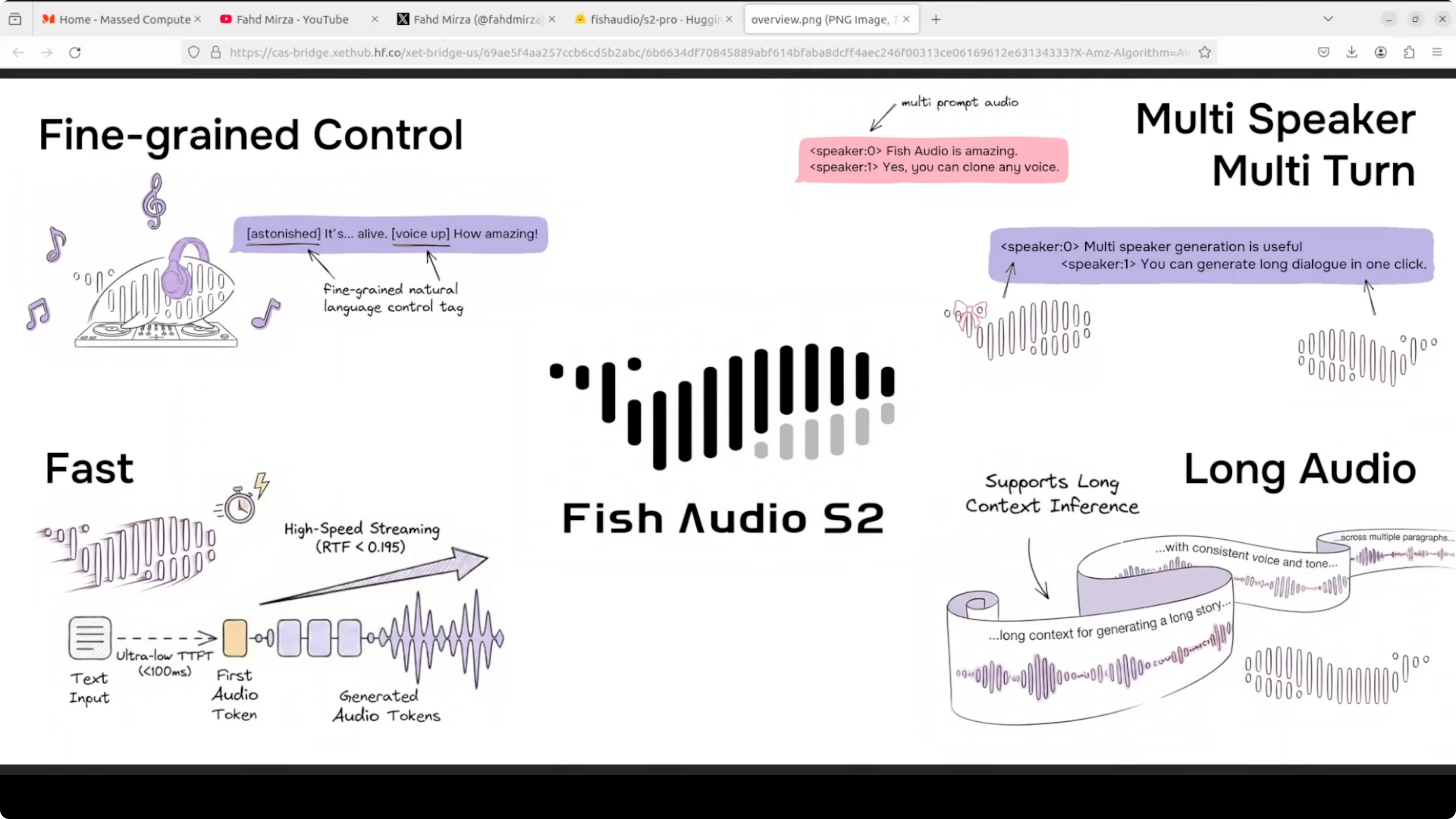
Fish Audio S2 Pro is a local text to speech model I can run on my own machine and test end to end. Text to speech has always had one problem. It sounds flat.
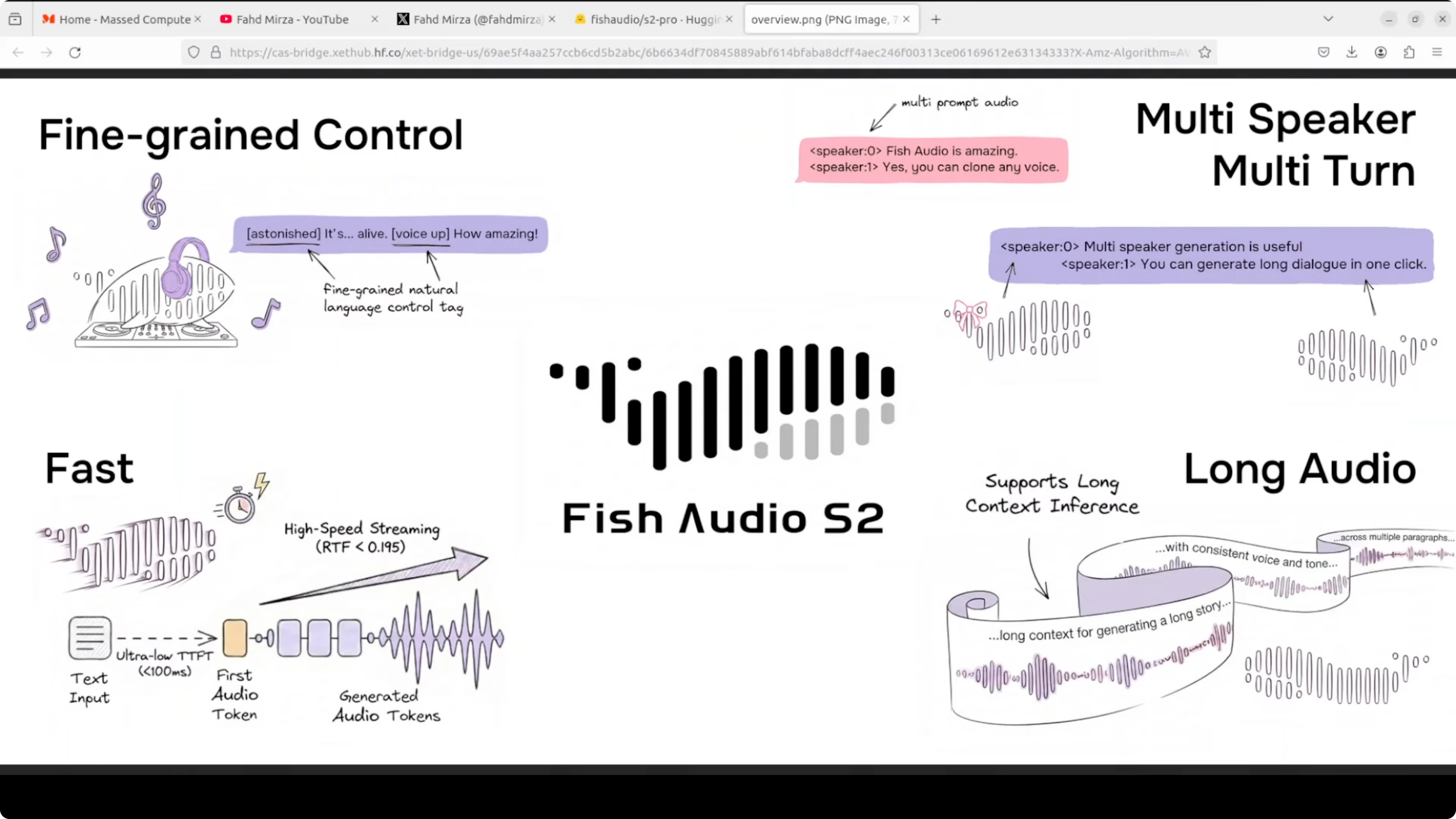
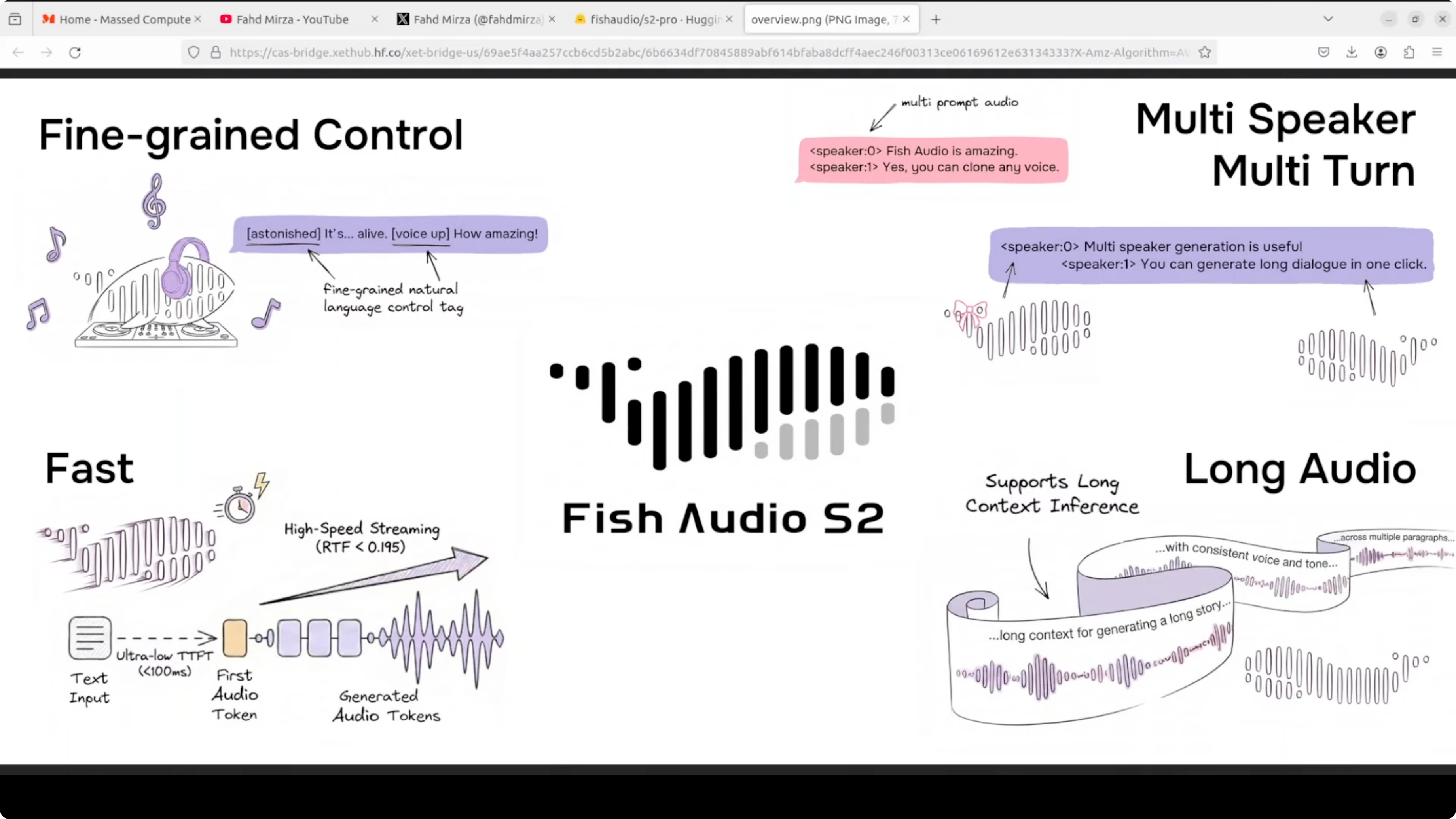
You cannot tell it's a machine or human in most cases. Fish Audio S2 Pro is trying to change that. It's an openweight TTS model trained on 10 million hours of audio across 80 languages and it lets you control exactly how the voice sounds by embedding tags directly in your text.
Let's say you write whisper and it whispers. There are 15,000 tags which are supported. Everything from laughing to professional broadcast tone to completely custom descriptions you can make up yourself.
Fish Audio S2 Pro overview
Under the hood, it runs a dual model architecture. First, a large 4 billion parameter model which handles timing and meaning or prosody. A small 400 million parameter model fills in the acoustic detail.
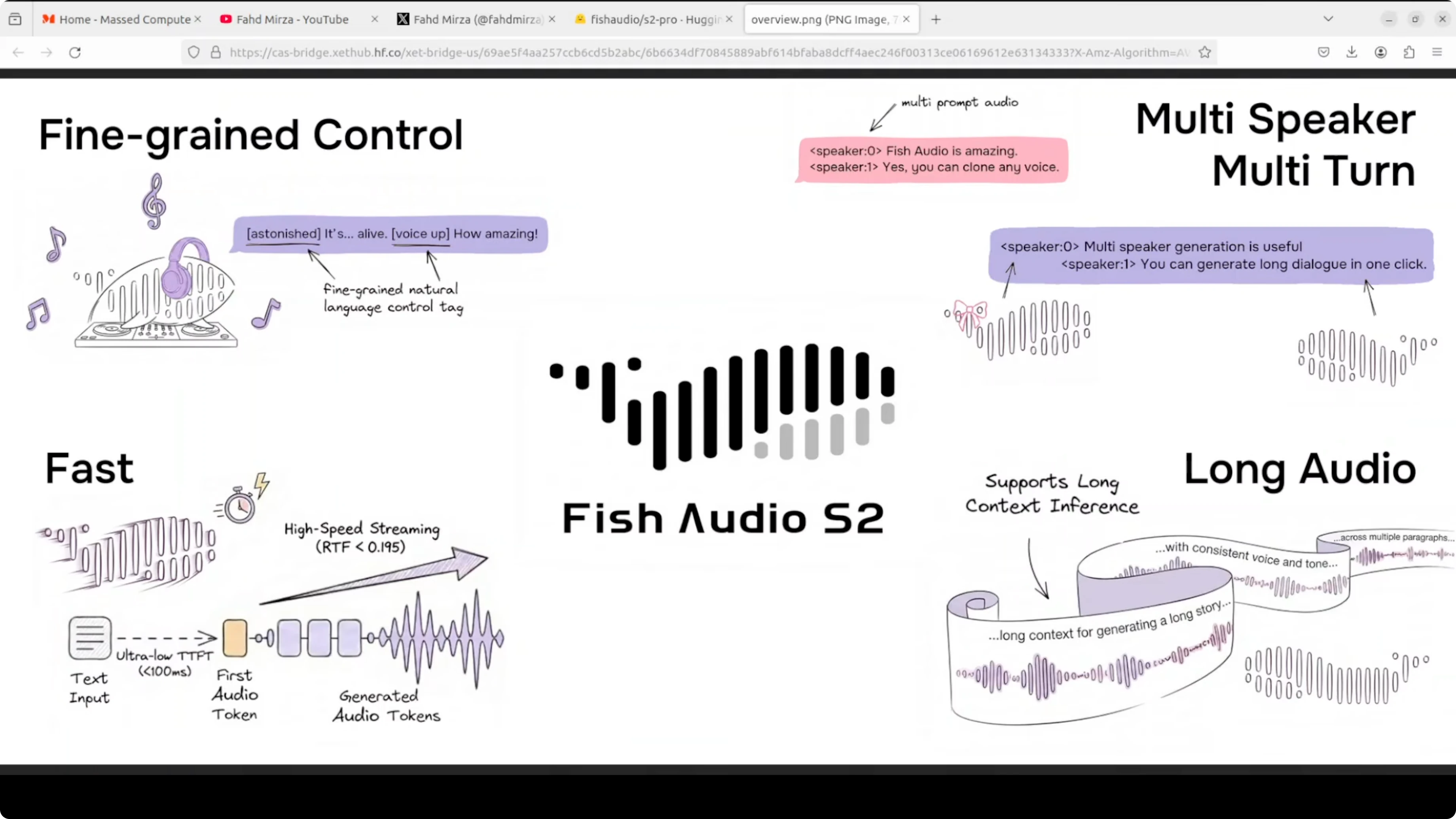
Together they produce high quality audio fast around 100 millisecond to first audio output. The inference engine is built on SGLang which is the same serving stack used for LLMs. It is production ready out of the box as far as I can see from the way they are building and encapsulating it.
They are using a dual autoregressive AR architecture on top of an RVQ audio codec with 10 code books at 21 kHz. Two models are working in tandem. Hopefully that makes sense.
If you track LLM stacks and want a broader context on serving and evaluation, see our comparison work in model benchmarks across vendors. For a focused look at a flagship model, you can also skim our Gemini 3.1 Pro notes for complementary insights on deployment choices.
Fish Audio S2 Pro local install
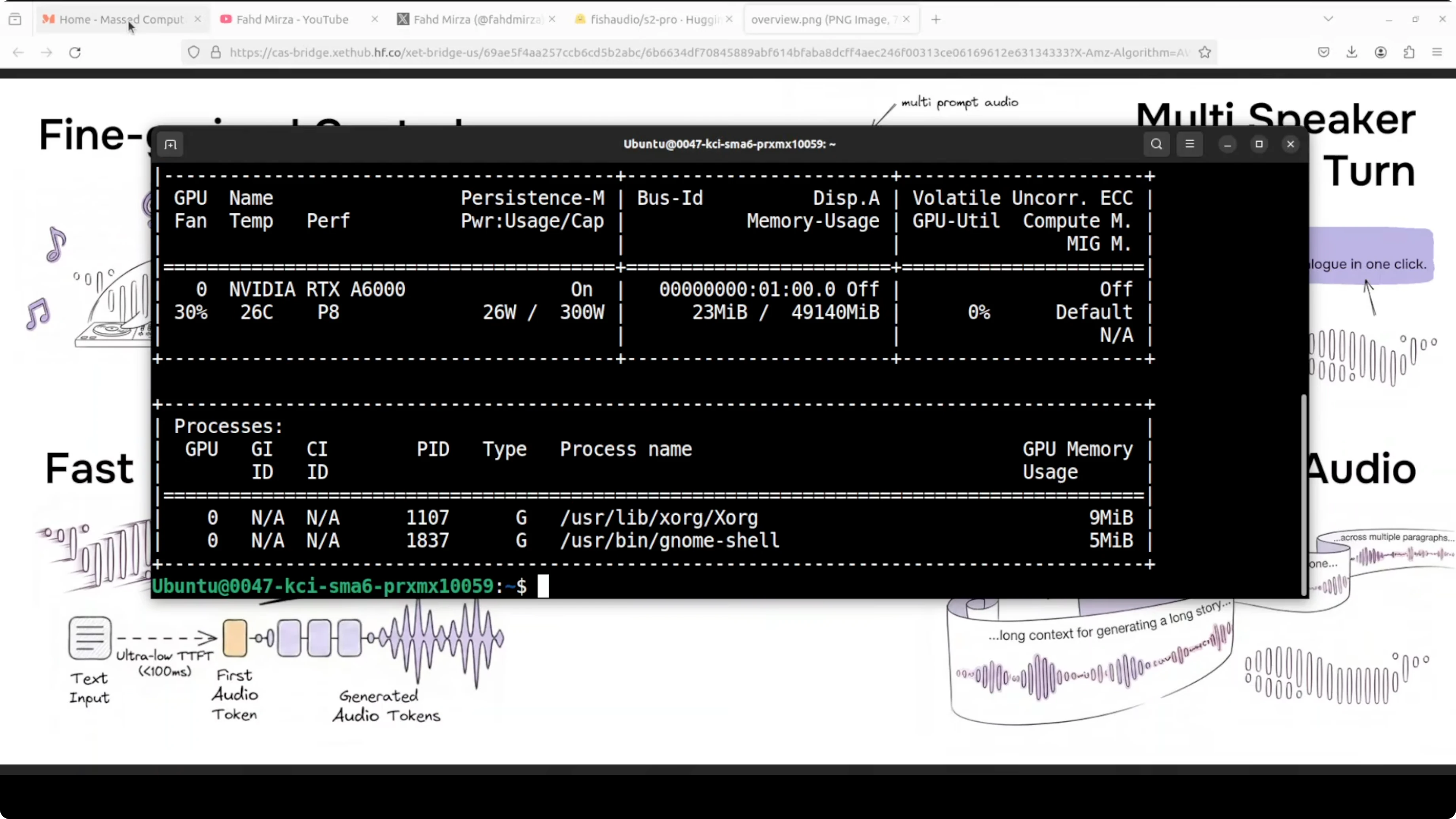
I am using an Ubuntu system with one GPU, an Nvidia RTX 6000 with 48 GB of VRAM. During inference, VRAM consumption reached close to 17 GB, so plan accordingly. You will also want recent CUDA drivers and Python 3.10 or later.
Requirements
Create an isolated environment and install dependencies. This keeps your Python site clean and reproducible.
# System packages you may need
sudo apt-get update
sudo apt-get install -y git git-lfs ffmpeg python3-venv

# Create and activate a virtual environment
python3 -m venv .venv
source .venv/bin/activate
python -m pip install --upgrade pip

# Install PyTorch with CUDA (adjust CUDA version if needed)
pip install torch torchvision torchaudio --index-url https://download.pytorch.org/whl/cu121

# Optional but often required
pip install sglang huggingface_hub soundfile numpy
git lfs install
If you are setting up containers for GPU workloads, issues often come from the base image or runtime flags. This Docker fix guide can save time when drivers or mounts get in the way: common Docker troubleshooting for AI stacks.
Get the repo
Clone the repo that includes the CLI utilities and install its requirements. The project name is fish-speech.
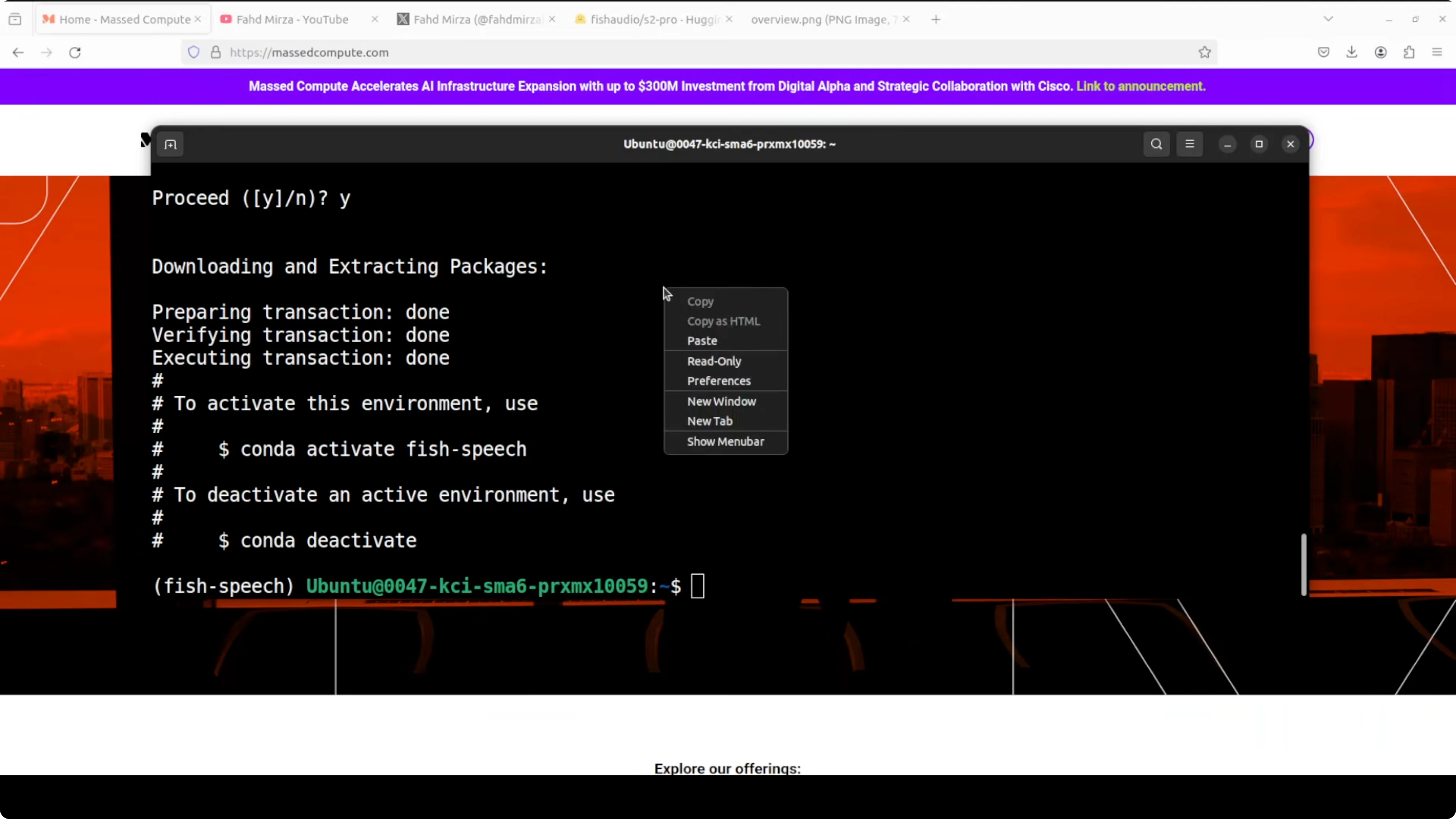
# Clone repo
git clone https://github.com/fishaudio/fish-speech.git
cd fish-speech

# Install Python requirements
pip install -r requirements.txt
Download the model
You need a Hugging Face token to access the model files. The checkpoint is sharded and around 9 GB total.
# Login to Hugging Face
huggingface-cli login

# Download S2-Pro weights with Git LFS
git lfs install
git clone https://huggingface.co/fishaudio/s2-pro models/s2-pro
You can review the model card and license before using it in your projects. License is not Apache or MIT, so it does not seem free for commercial use, check the licensing for your own use case.
Hugging Face model pageFor end to end audio content creation, pairing speech synthesis with a local music tool can be helpful. See how a local music workflow fits in with an on-device music generator.
Fish Audio S2 Pro voice cloning with emotion control
The web UI is still not working locally on my tests. CLI works and it follows three clear steps.
Step 1 - extract a reference voice
This step takes a reference audio file and compresses it into an NPY file called ref_voice. You can think of it like fingerprinting the voice.
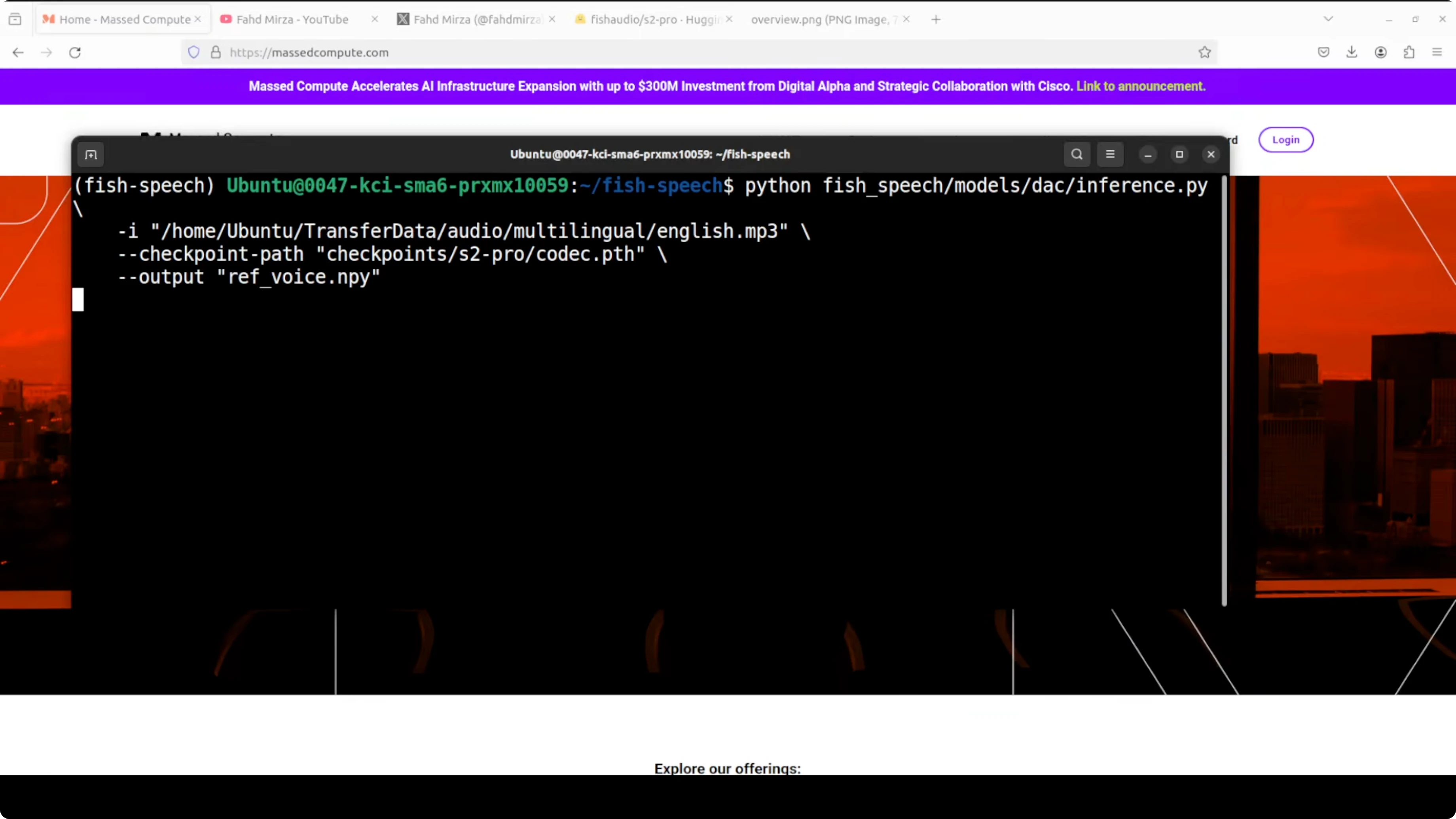
# Example: extract voice tokens from a reference WAV
# Adjust script path and checkpoint files to match the repo
python tools/tts/encode_reference.py \
  --input data/ref.wav \
  --output workdir/ref_voice.npy \
  --checkpoint_path models/s2-pro
The model breaks the audio down into numbers which are tokens that represent the unique characteristics of that voice. The tone, accent and texture are captured.
If you work across speech and code generation research, our short comparison on code model tradeoffs adds context on pipeline design choices that also show up in speech stacks.
Step 2 - generate semantic tokens from text plus voice
This step takes the input text plus the voice fingerprint and generates semantic tokens. These are not audio yet, just a numerical blueprint of what the speech should sound like.
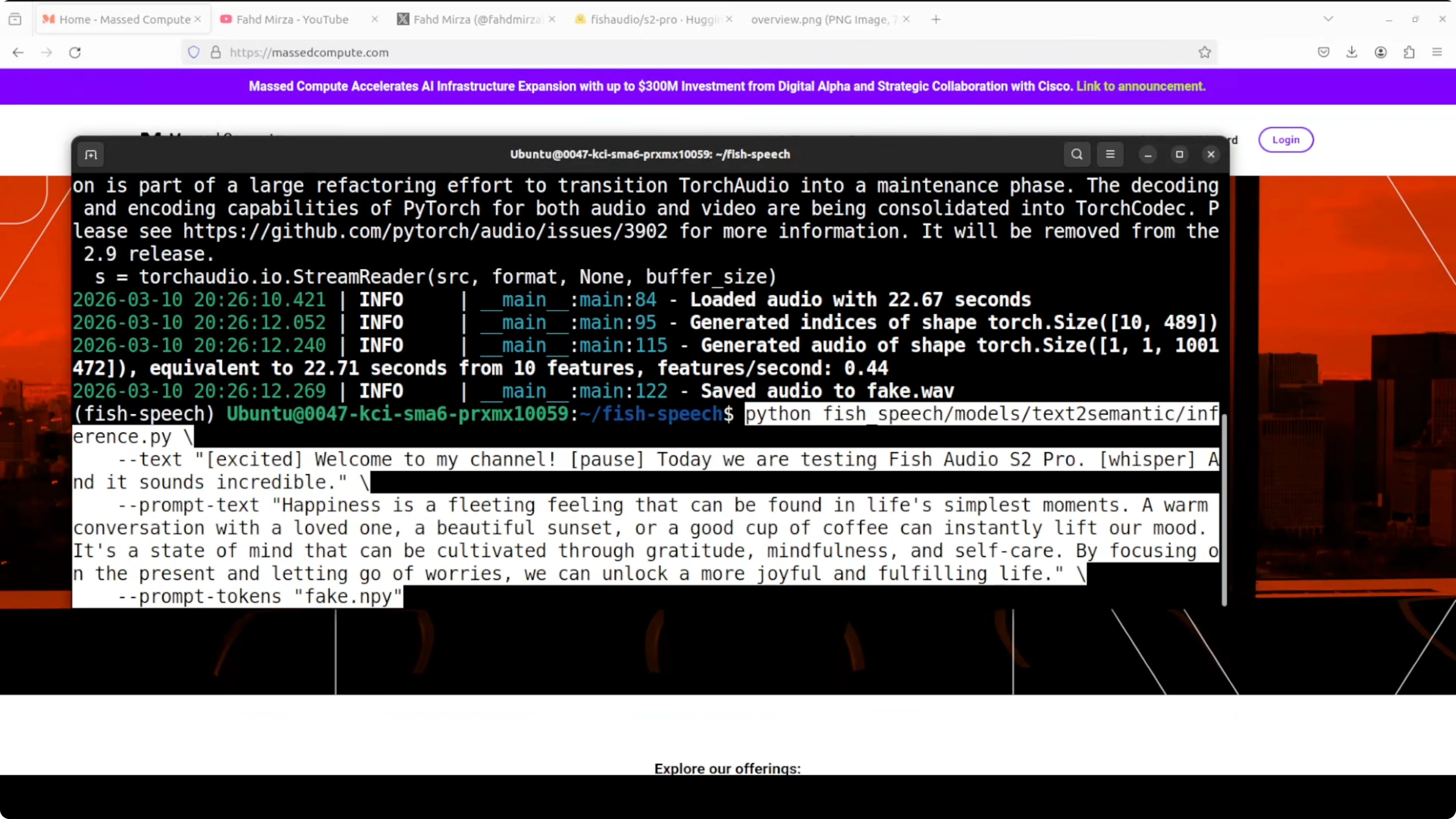
# Example: create semantic tokens
python tools/tts/generate_semantic.py \
  --text "Welcome to my channel. Today we are testing Fish Audio S2 Pro [whisper]." \
  --ref workdir/ref_voice.npy \
  --output workdir/code_0.spk \
  --checkpoint_path models/s2-pro
It is like the model writing sheet music. It knows what words to say, in what emotion, in whose voice, but it has not actually sung it yet.
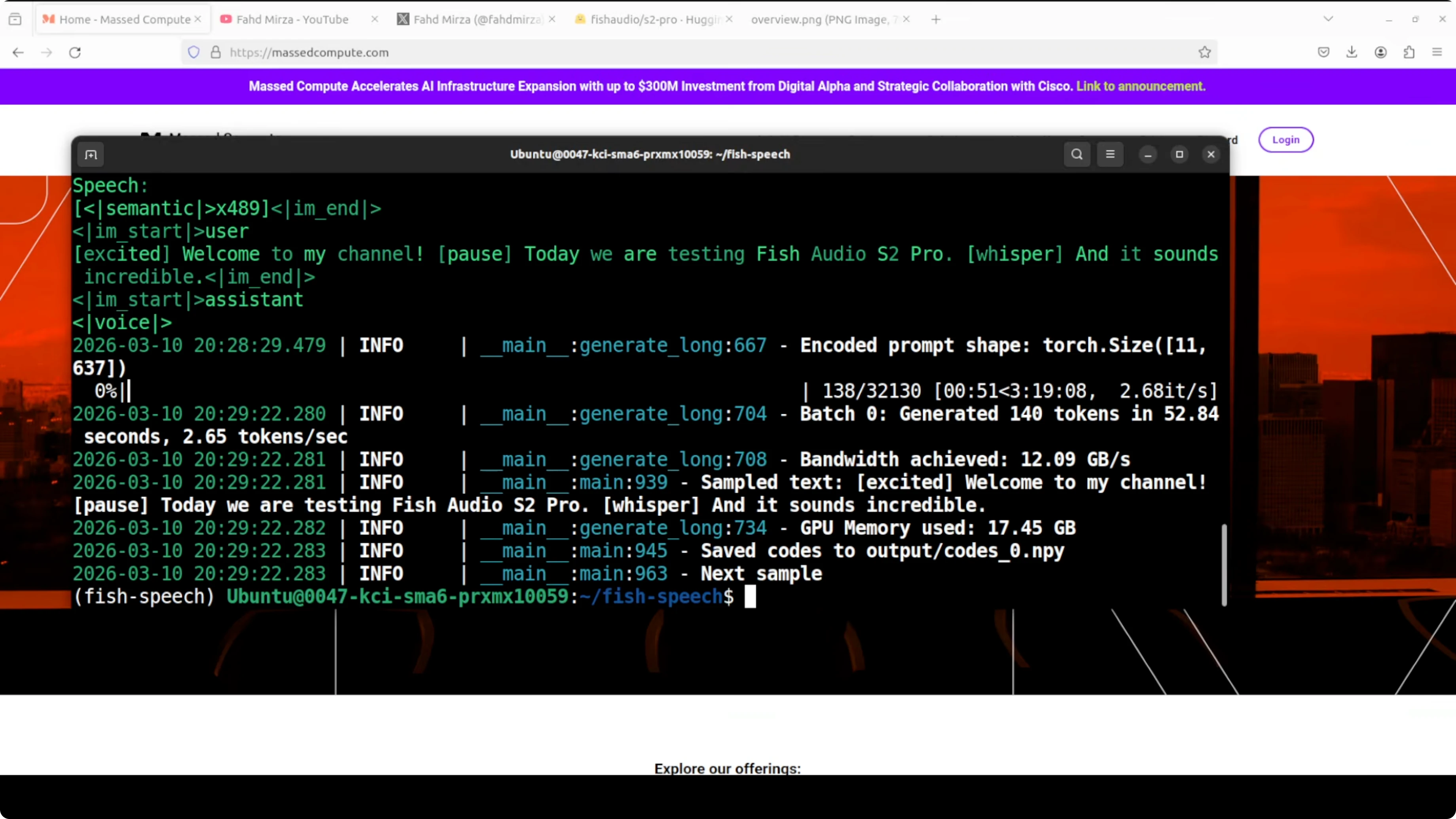
On my setup, generating semantic tokens took around 3 to 4 minutes. Monitor GPU memory with nvidia-smi if you need to keep a cap on VRAM.
# Watch GPU memory
watch -n 1 nvidia-smi
Step 3 - synthesize audio from tokens
Convert the tokens into audio and save a WAV. This is the final rendering stage.
# Example: decode to audio
python tools/tts/decode_audio.py \
  --codes workdir/code_0.spk \
  --output outputs/output.wav \
  --checkpoint_path models/s2-pro
It has saved the file, so you can play the result with your default player. You can script all three steps to run in one go.
One-shot bash script
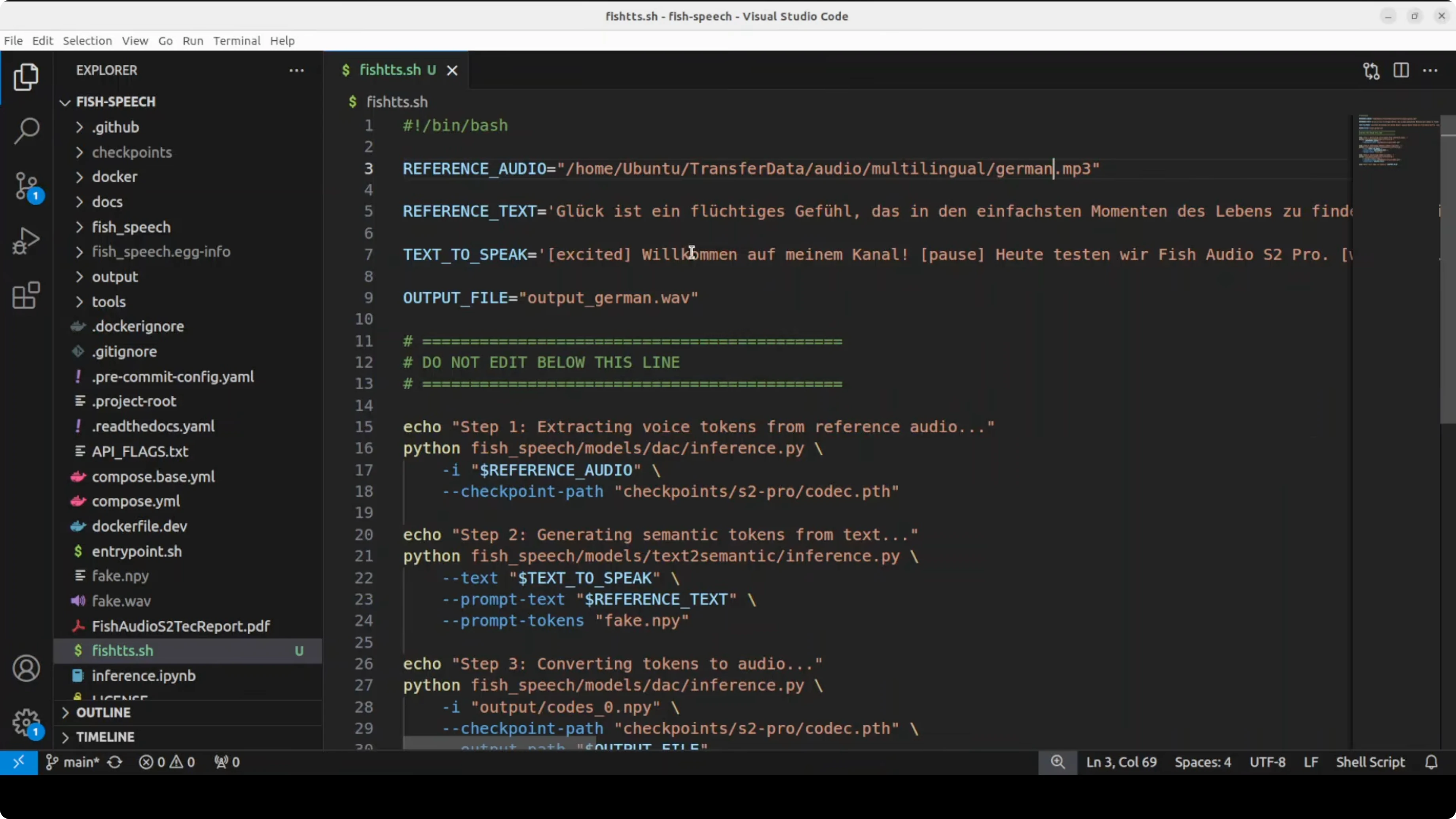
I put all steps into a simple bash script so I can swap language and text quickly. Replace the file paths as needed.
#!/usr/bin/env bash
set -euo pipefail

REF_WAV="data/ref.wav"
WORKDIR="workdir"
OUTDIR="outputs"
MODEL_DIR="models/s2-pro"

mkdir -p "$WORKDIR" "$OUTDIR"

# 1) Extract reference voice tokens
python tools/tts/encode_reference.py \
  --input "$REF_WAV" \
  --output "$WORKDIR/ref_voice.npy" \
  --checkpoint_path "$MODEL_DIR"

# 2) Generate semantic tokens for target text
TEXT="$1"  # pass the text as the first argument
python tools/tts/generate_semantic.py \
  --text "$TEXT" \
  --ref "$WORKDIR/ref_voice.npy" \
  --output "$WORKDIR/code_0.spk" \
  --checkpoint_path "$MODEL_DIR"

# 3) Decode to waveform
python tools/tts/decode_audio.py \
  --codes "$WORKDIR/code_0.spk" \
  --output "$OUTDIR/out.wav" \
  --checkpoint_path "$MODEL_DIR"

echo "Saved: $OUTDIR/out.wav"
Run it for German or Arabic by changing the input text. You can embed tags like whisper, laugh, excited, or pause directly in the text to nudge emotion.
# German example
bash run_tts.sh "Willkommen. Heute testen wir Fish Audio S2 Pro [whisper]."
# Arabic example with expressive hints
bash run_tts.sh "مرحبًا بكم [excited] في هذا الاختبار [pause] اليوم نجرب Fish Audio S2 Pro."Fish Audio S2 Pro results and notes
On English cloning, I used a line like this. Welcome to my channel. Today we are testing Fish Audio S2 Pro and it sounds incredible.
This produced a very strong clone of my reference voice. Voice cloning quality is very high, very very high.
It takes a long time to generate the audio on my machine. Expressions like laughing or whispering sometimes work and sometimes they are missed, including pauses.
Multilinguality is a bit shaky, especially on the local version. On the hosted version they expose today, I only saw Korean, Chinese and English. I ran a German prompt and an Arabic prompt as above and got mixed results on expressive tags.
If you are mapping model performance across tasks to pick the right stack for production, these cross vendor comparisons can help frame tradeoffs alongside S2 Pro’s behavior. See our short notes on Gemini 3.1 Pro and this additional Codex vs Gemini comparison for context.
Pros and cons
Voice cloning quality has improved a lot on this release. It matches the quality tier I expect from the top hosted tools in many cases.
Speed is the main drawback on my tests. Generating semantic tokens took minutes and full runs are not instant on a single GPU.
Expressive control is promising with 15,000 tags. It still misses some cues like whisper and laugh in non English prompts on local runs.
Multilingual support exists across 80 languages in training, but results feel uneven. The hosted endpoints I saw focus on three languages for now.
The codebase sits on SGLang, so serving design aligns with modern LLM stacks. That makes it easier to think about scaling and monitoring.
Use cases
Voice cloning for consistent narration across long form content is the first fit. You can keep tone and texture consistent while adding subtle emotion cues.
Localization workflows can benefit from structured tags, once multilingual stability improves. You can drive the same voice across markets with language specific scripts.
Prototyping assistants and IVR style systems that need control over prosody and pacing can use semantic tokens to plan delivery. Production teams can wrap these three CLI steps behind a service.
If you are comparing end to end stacks for AI features, our broader benchmark writeups offer perspective that complements a TTS pipeline. See this compact review on cross model tradeoffs to help with planning.
Resources
Model card and checkpoint downloads are here. Review the license before any commercial use.
Fish Audio S2 Pro on Hugging FaceFor readers planning model mixes across speech, chat, and code, this short overview can be useful. Check our concise take on Gemini 3.1 Pro as related reading.
Final thoughts
Fish Audio S2 Pro brings strong local voice cloning with fine control through text tags. The quality is high, VRAM needs are real, and generation speed plus multilingual stability still need work.
I expect the team to tighten the expressive controls and speed over time. For now, the three step CLI is the reliable path while the web UI matures.
Subscribe to our newsletter
Get the latest updates and articles directly in your inbox.

Related Posts

8 Best Claude Code Plugins in 2026 (You Need to Know)
8 Best Claude Code Plugins in 2026 (You Need to Know)

7 Best Claude Code Skills (You Need to Know)
7 Best Claude Code Skills (You Need to Know)

Claude Code Desktop IDE Features (You Need to Know)
Claude Code Desktop IDE Features (You Need to Know)