
Table Of Content
- Setup for How DeepSeek V4 Pro and OpenClaw Fix a Real Broken App?
- Example: set your key in a shell session
- Model config for How DeepSeek V4 Pro and OpenClaw Fix a Real Broken App?
- Example: restart the OpenClaw gateway service
- Channels and agents for How DeepSeek V4 Pro and OpenClaw Fix a Real Broken App?
- System packages for How DeepSeek V4 Pro and OpenClaw Fix a Real Broken App?
- Run How DeepSeek V4 Pro and OpenClaw Fix a Real Broken App?
- Use cases for How DeepSeek V4 Pro and OpenClaw Fix a Real Broken App?
- Troubleshooting for How DeepSeek V4 Pro and OpenClaw Fix a Real Broken App?
- Final thoughts on How DeepSeek V4 Pro and OpenClaw Fix a Real Broken App?
How DeepSeek V4 Pro and OpenClaw Fix a Real Broken App?
OpenClaw Error Fixer
Paste any OpenClaw error and get the exact fix instantly — cause, steps, copy-ready commands, and related guides.
Table Of Content
- Setup for How DeepSeek V4 Pro and OpenClaw Fix a Real Broken App?
- Example: set your key in a shell session
- Model config for How DeepSeek V4 Pro and OpenClaw Fix a Real Broken App?
- Example: restart the OpenClaw gateway service
- Channels and agents for How DeepSeek V4 Pro and OpenClaw Fix a Real Broken App?
- System packages for How DeepSeek V4 Pro and OpenClaw Fix a Real Broken App?
- Run How DeepSeek V4 Pro and OpenClaw Fix a Real Broken App?
- Use cases for How DeepSeek V4 Pro and OpenClaw Fix a Real Broken App?
- Troubleshooting for How DeepSeek V4 Pro and OpenClaw Fix a Real Broken App?
- Final thoughts on How DeepSeek V4 Pro and OpenClaw Fix a Real Broken App?
In 2023, a small Chinese lab called DeepSeek started challenging the assumption that only trillion dollar companies could build frontier models. Today, they have done it again with DeepSeek V4 Pro. It is a 1.6 trillion total parameter model with 49 billion activated and a 1 million token context window built for reasoning, coding, and long horizon agent workflows.
I have it installed locally, and I have worked with both flash and pro variants. For this guide I am integrating DeepSeek V4 Pro with OpenClaw, the open source agentic coding platform that turns a model into a fully autonomous coding agent with tools, file access, terminal execution, and a persistent workspace. We will connect to the DeepSeek API for this run because the full model is huge and not installable locally yet, and the API can be busy under global demand.
If you are deciding which large model to back for this kind of agent workflow, see this model comparison for context on price and capability tiers: compare DeepSeek V4 Pro with Claude Opus and Qwen3 6 Max.
Setup for How DeepSeek V4 Pro and OpenClaw Fix a Real Broken App?
OpenClaw runs fine on Ubuntu in my terminal. I start OpenClaw, let it bootstrap, and step through the setup prompts. I go to quick start, choose DeepSeek from the provider list, and proceed.
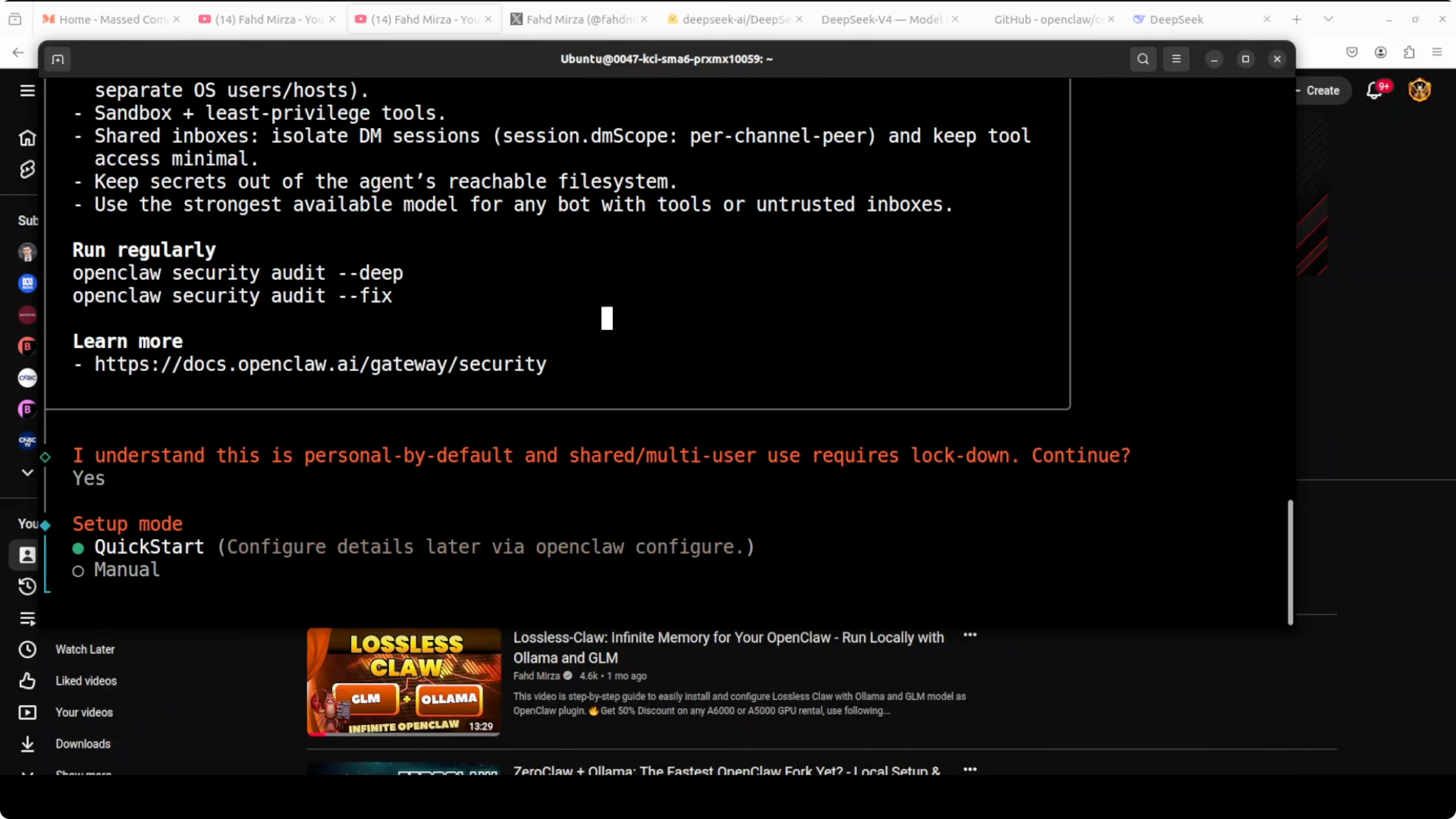
Enter your DeepSeek API key from the platform. I paste my key into the prompt, proceed, and clear the screen after the key is accepted. If the platform is busy, keep trying until it responds.
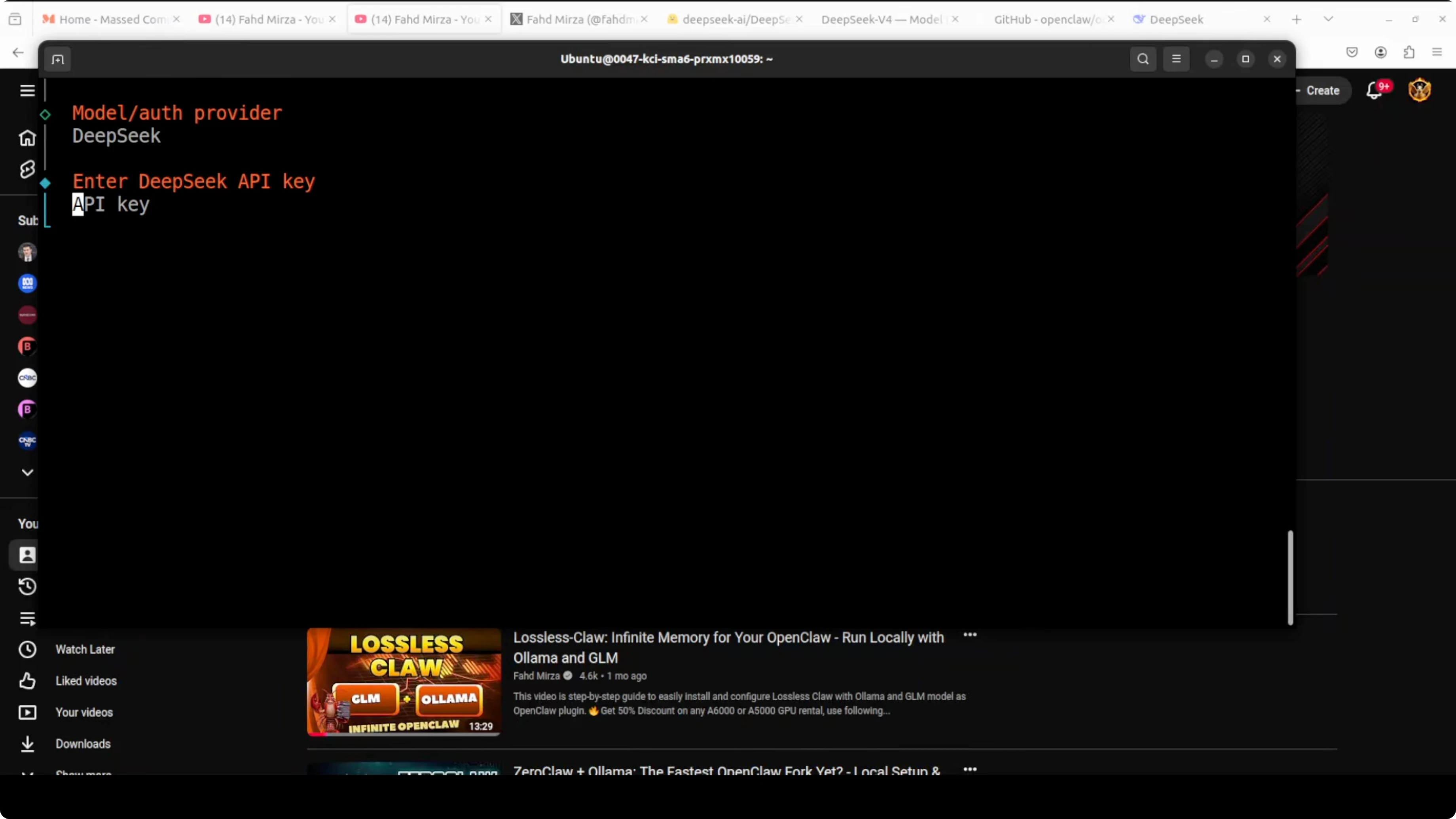
# Example: set your key in a shell session
export DEEPSEEK_API_KEY="your_api_key_here"
Model config for How DeepSeek V4 Pro and OpenClaw Fix a Real Broken App?
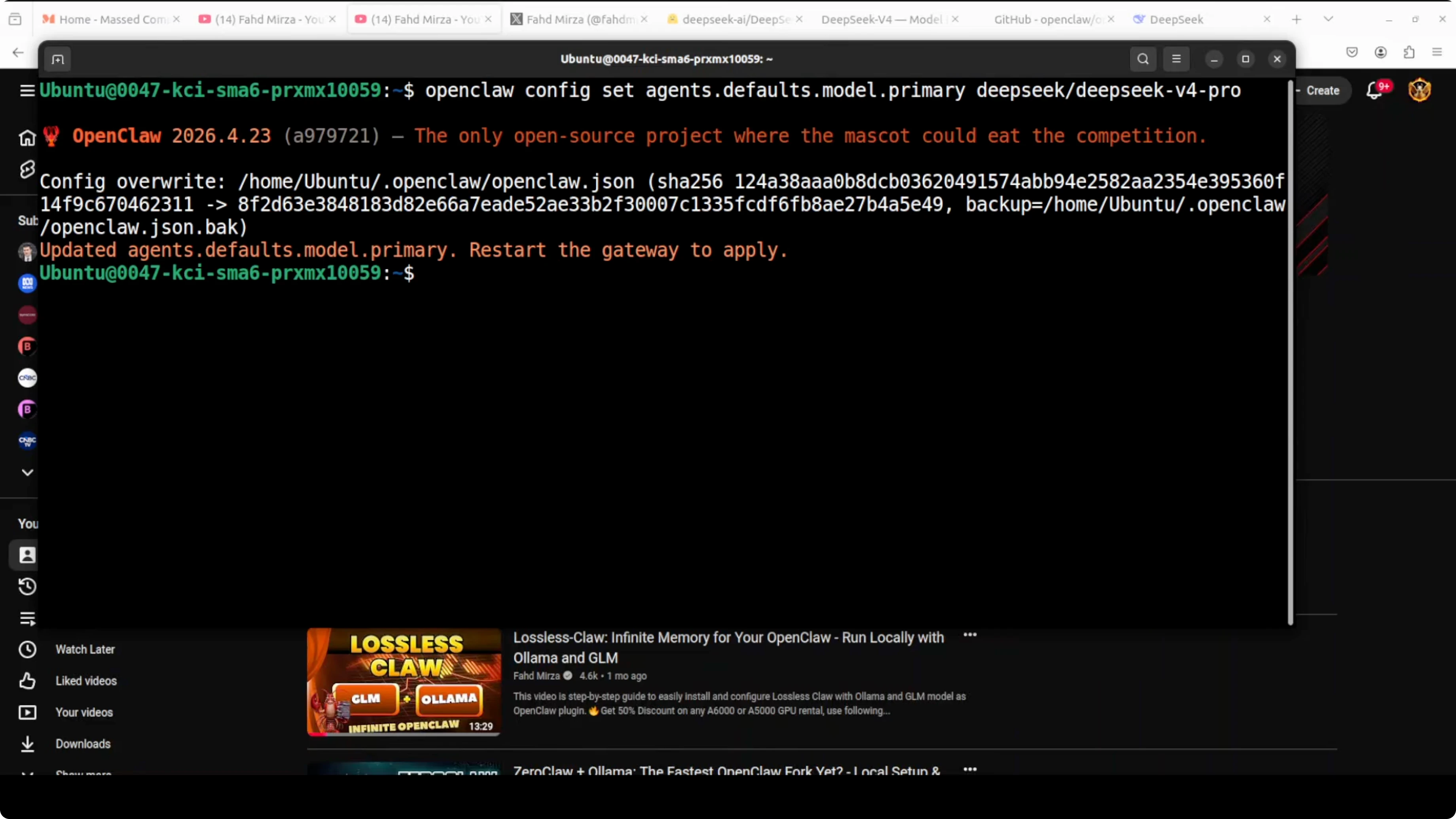
DeepSeek V4 Pro or Flash may not show up in OpenClaw menus yet because it is very new. I set the default model manually to V Pro, then perform one more step to point OpenClaw to the correct model identifier. You might see a message about the model being without provider, just proceed.
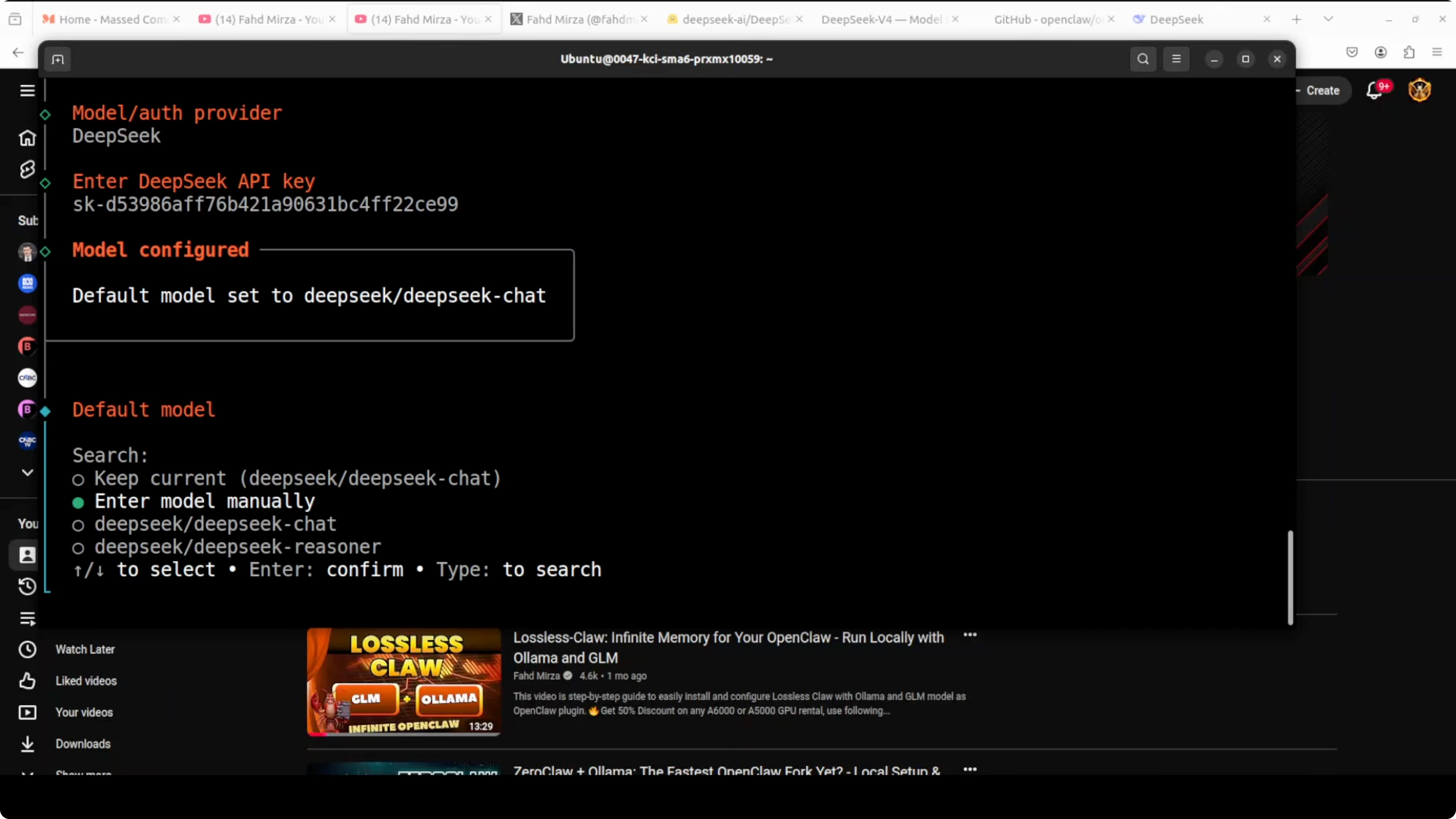
{
  "provider": "deepseek",
  "default_model": "deepseek-chat-v4-pro"
}
After updating the model, I restart the gateway so the change takes effect. Once the gateway restarts, the DeepSeek model is configured and set as default. If you hit a config load issue, this guide will help you get past it: fix read config errors in OpenClaw.
# Example: restart the OpenClaw gateway service
sudo systemctl restart openclaw-gateway
Channels and agents for How DeepSeek V4 Pro and OpenClaw Fix a Real Broken App?
OpenClaw lets you wire channels like Telegram. For this run I skip channel setup and use the terminal user interface. If you want a quick path to a Telegram based agent flow, see this walkthrough: Telegram agent bug fixing with DeepSeek V4 Pro.
System packages for How DeepSeek V4 Pro and OpenClaw Fix a Real Broken App?
Before you specify the exact model, install the required system and VM packages on Ubuntu. If you skip this, OpenClaw can error during DeepSeek integration. I install the packages first, let all dependencies resolve, and then continue.
If your OpenClaw Docker environment is not healthy, this guide covers the fastest fixes: repair a broken OpenClaw Docker install.
Run How DeepSeek V4 Pro and OpenClaw Fix a Real Broken App?
I launch the terminal user interface. The DeepSeek model is set as default, and a quick hello confirms it is responding without throttling at that moment. We are ready to attempt a real task.
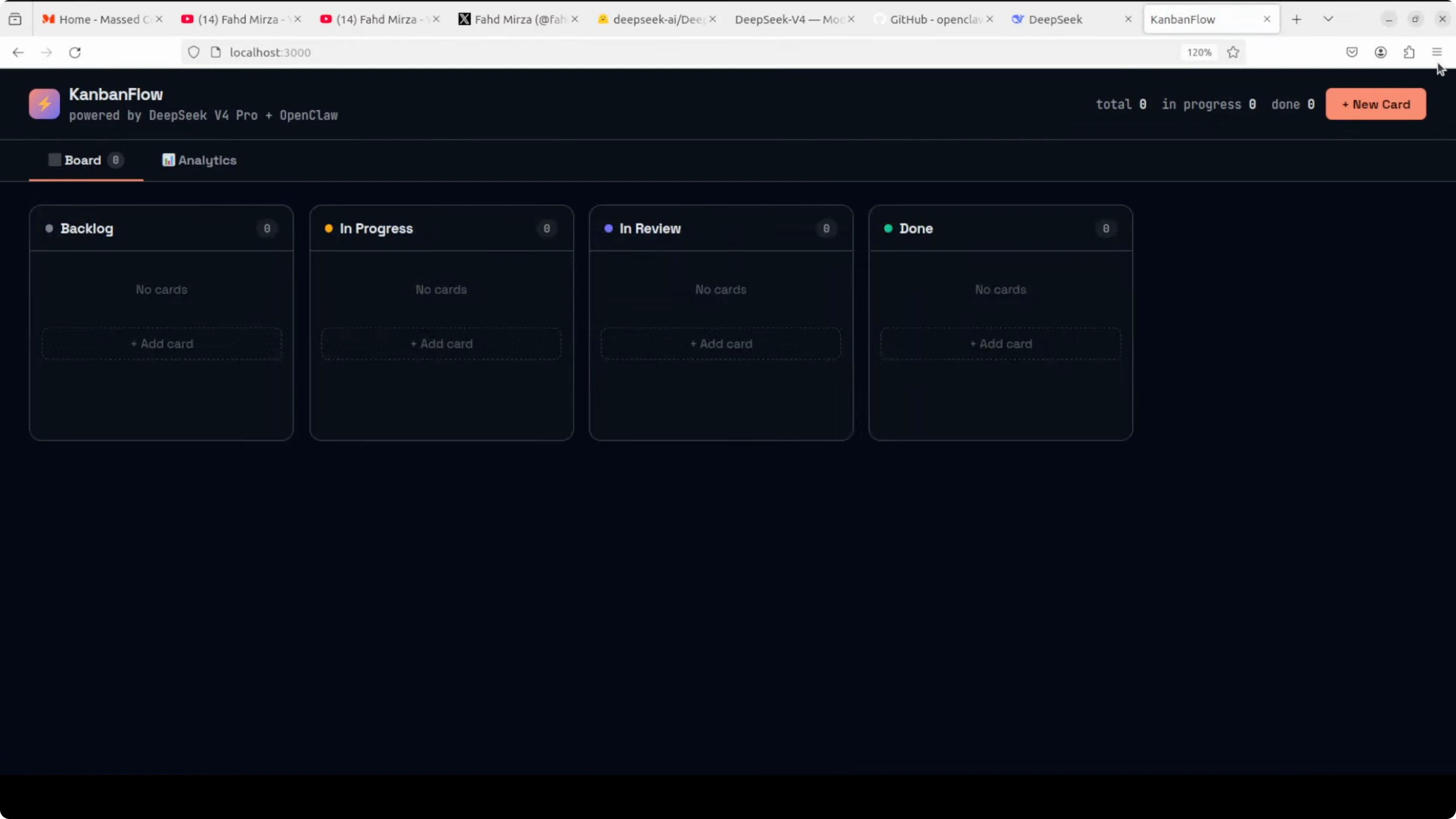
I built a broken Kanban flow application to test a real full stack fix. It is a project board with a FastAPI backend and a rich front end with drag and drop and an analytics view. I planted five non trivial bugs across four files, including the backend API, a database query, and the front end.
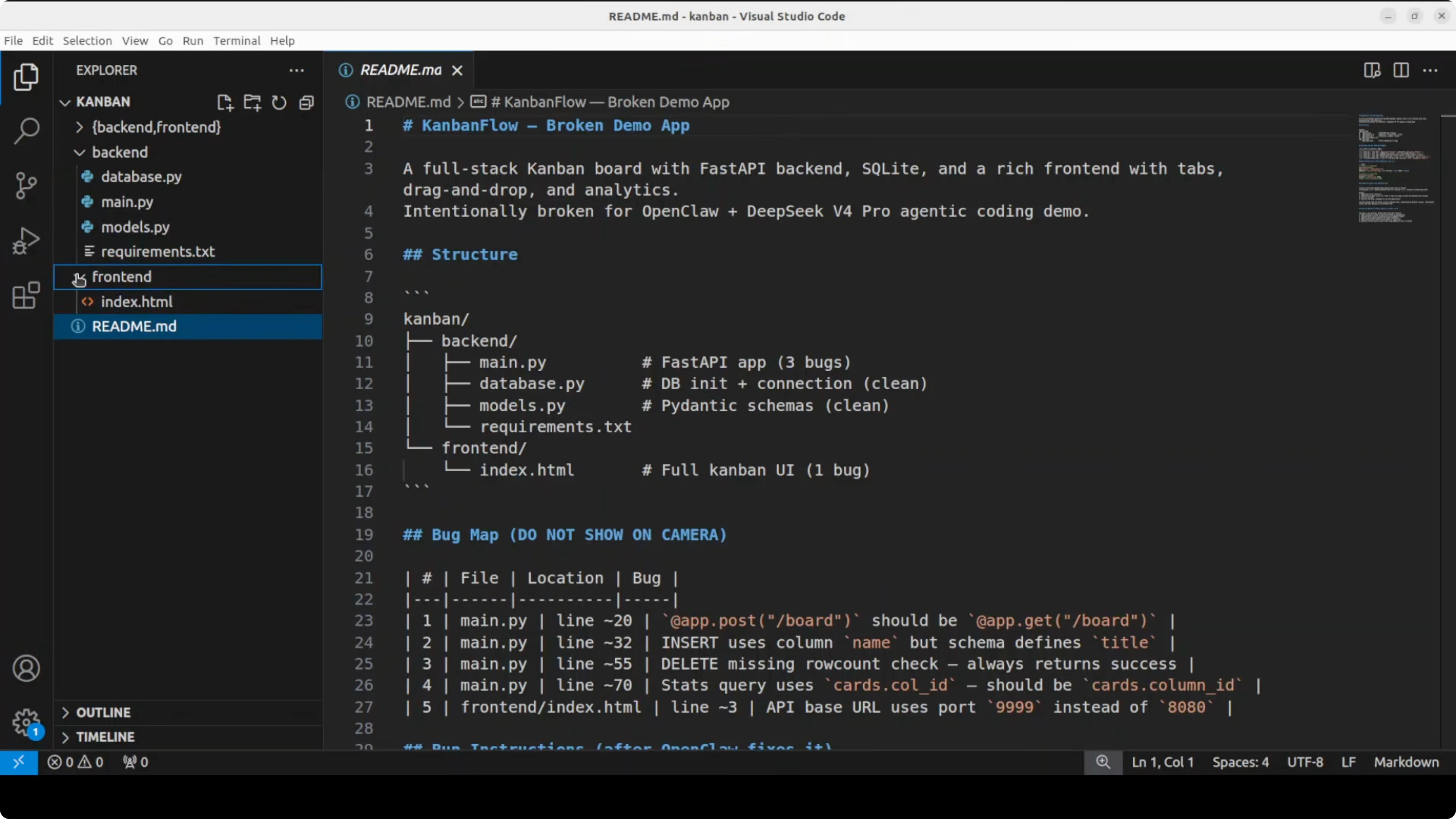
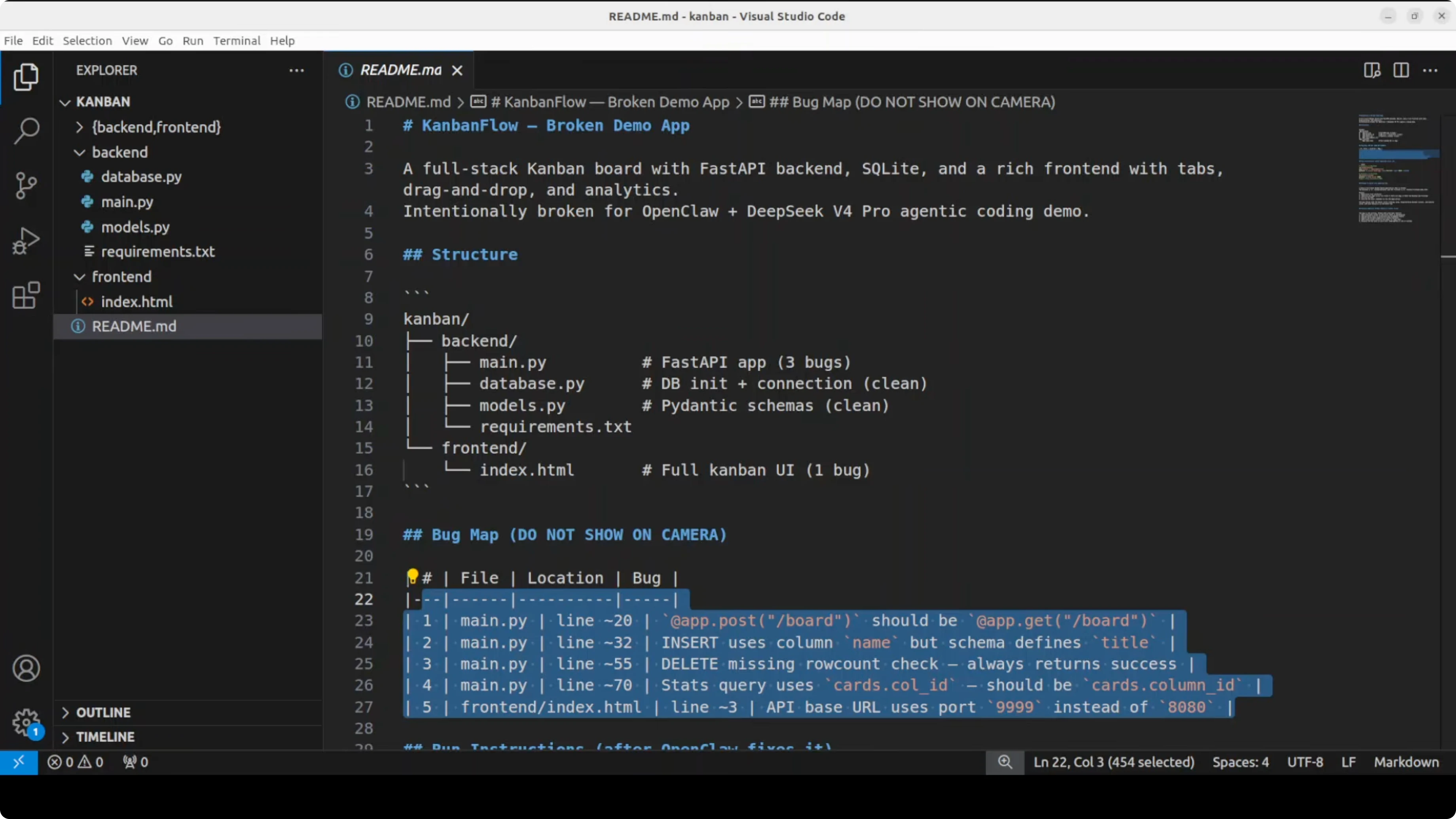
I drop the entire project into OpenClaw’s workspace and give DeepSeek V4 Pro a single prompt. OpenClaw lets the agent read every file, reason across the stack, and prepare edits. It found all five bugs at the exact locations and applied fixes.
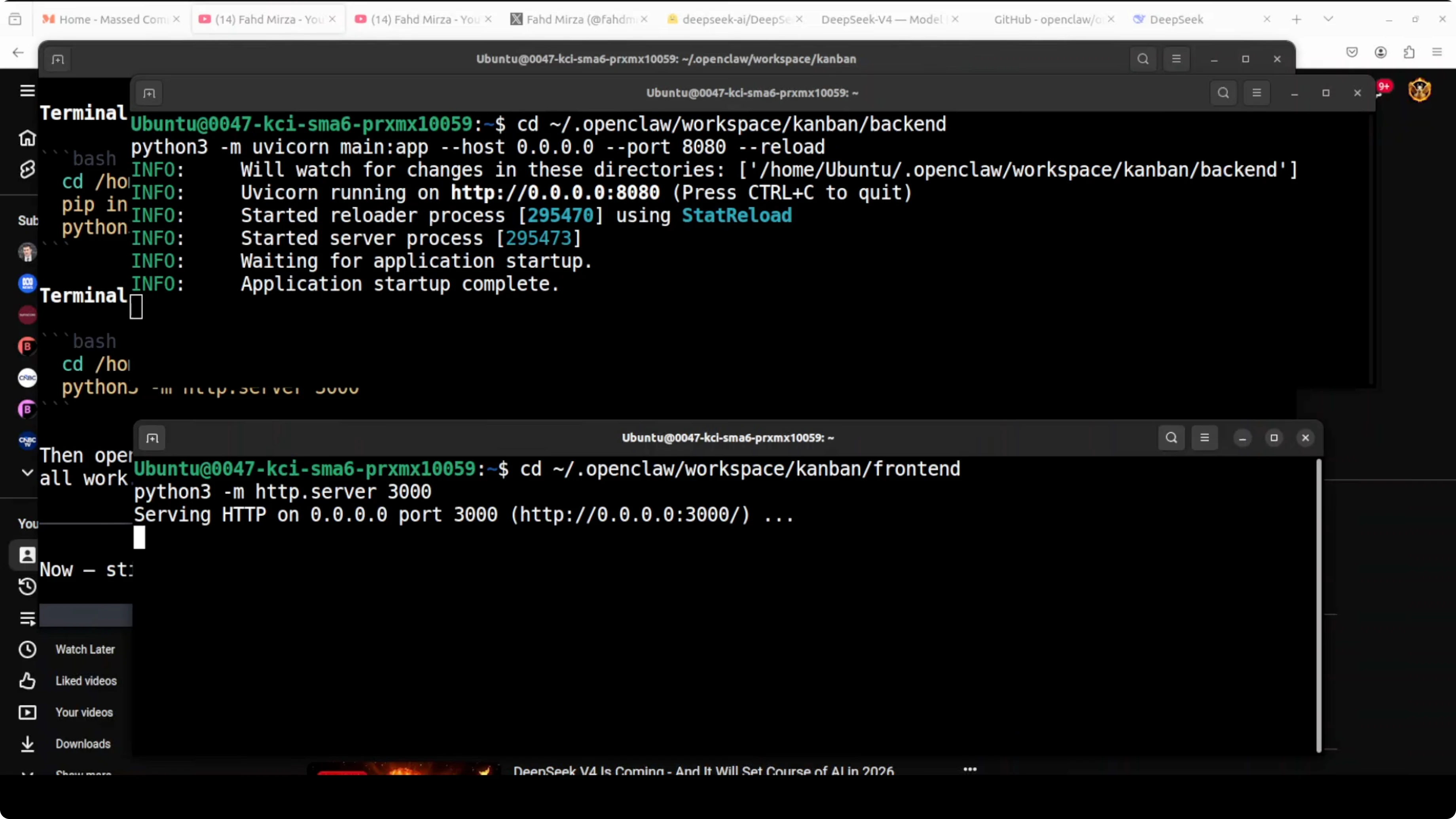
The agent asks me to run the backend in one terminal and the front end in another. I open two terminals, run the commands it suggests, and wait for both to come online. I open the app at localhost on port 3000 and confirm it is running as expected.
The board loads with all four columns and core interactions behave correctly. CRUD works, drag and drop works, and the analytics view updates in real time. This is a real world end to end fix from a single prompt.
Use cases for How DeepSeek V4 Pro and OpenClaw Fix a Real Broken App?
Multi file bug fixing across API, database, and client code where root causes span layers. Automated refactors for legacy services, including typing, linting, and structure clean up. Test generation with agent driven runs that validate endpoints and critical paths.
Data pipeline repair and schema drift correction with file scoped edits and migration scripts. Framework upgrades where the agent edits configs, adapters, and routes to move projects forward. Cross repo maintenance tasks that need reading and patching many files in one pass.
If you switch between providers during experiments, these notes help avoid odd state and version issues: fix issues when switching between Gemini model variants.
Troubleshooting for How DeepSeek V4 Pro and OpenClaw Fix a Real Broken App?
The DeepSeek API can be hammered and may time out. Keep trying until the request goes through or pause for a bit if rate limits persist. Short bursts of retries usually get through.
If OpenClaw throws config errors, correct the model identifier and restart the gateway to refresh state. For stubborn config load failures, follow this guide end to end: resolve OpenClaw read config failures. If Docker is the blocker or services refuse to start, apply the steps here: fix a broken Docker based OpenClaw setup.
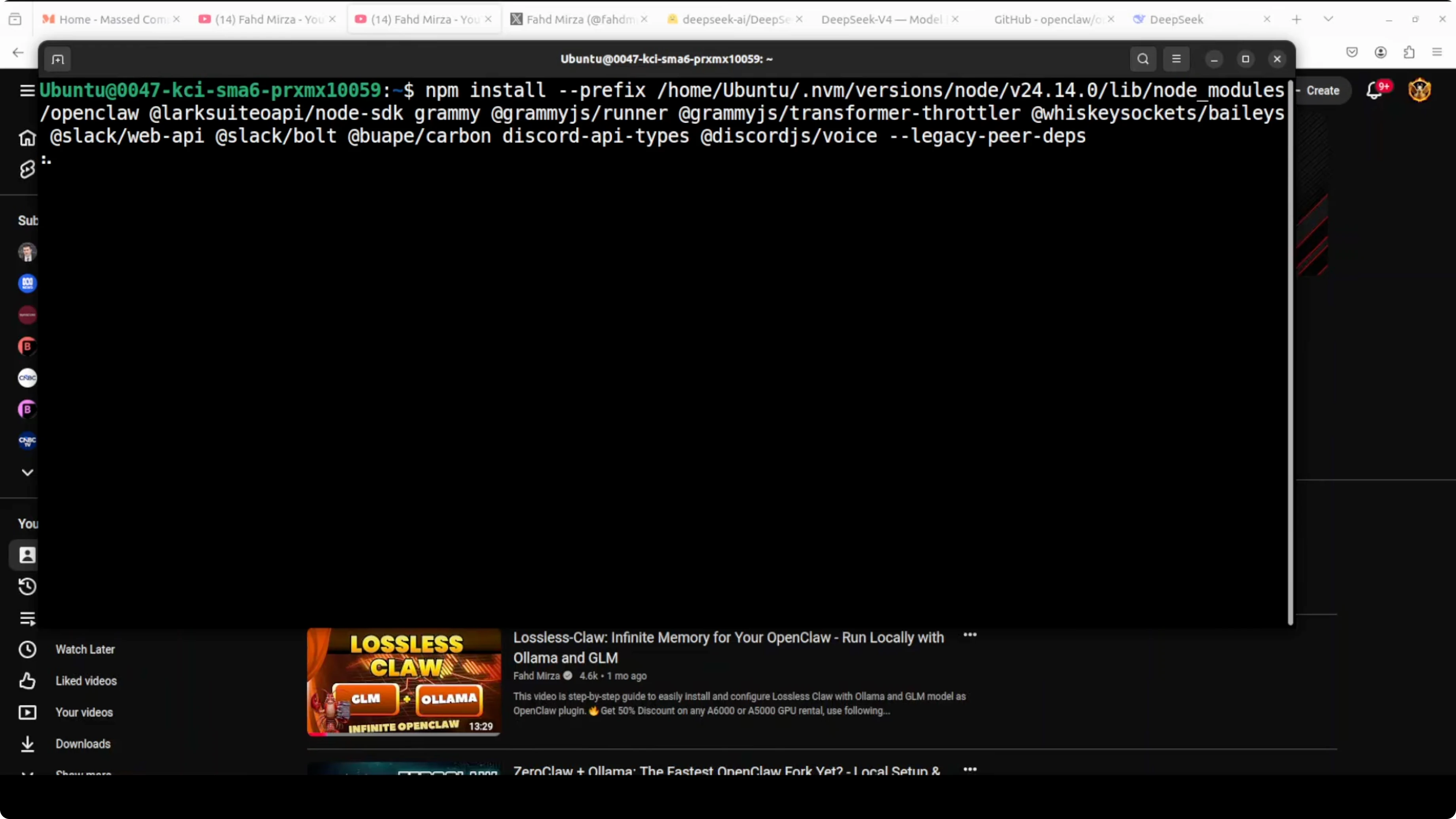
If your model is not listed in quick start, set the default to V Pro manually. Then apply the additional provider mapping and restart the gateway. After restart, confirm the terminal user interface shows DeepSeek as default.
Final thoughts on How DeepSeek V4 Pro and OpenClaw Fix a Real Broken App?
DeepSeek V4 Pro connected through OpenClaw read a real codebase, found five hidden bugs, and returned a working full stack app from a single prompt. The long context window and tool use through OpenClaw make this a practical coding agent that can repair projects with minimal guidance. This pairing delivers high value fixes at a fraction of typical cost and setup time.
Subscribe to our newsletter
Get the latest updates and articles directly in your inbox.

Related Posts

8 Best Claude Code Plugins in 2026 (You Need to Know)
8 Best Claude Code Plugins in 2026 (You Need to Know)

7 Best Claude Code Skills (You Need to Know)
7 Best Claude Code Skills (You Need to Know)

Claude Code Desktop IDE Features (You Need to Know)
Claude Code Desktop IDE Features (You Need to Know)