
DeepSeek V4 Pro, Hermes Agent & Telegram: Mobile Bug Fixing Guide
I am not done with DeepSeek V4 Pro, not even close. I wired it into OpenClaw and watched it fix a broken full stack app across multiple files. Today I am using the same model with a different agentic framework called Hermes Agent by Nous Research that lives in Telegram and adds a built in learning loop with skills that persist across sessions.
Hermes Agent brings an experience I can drive from my phone while the heavy work happens on a server or via API. I will install Hermes Agent, connect it to DeepSeek V4 Pro, and pair it with a Telegram bot. I will run a real coding task and show how the stack fixes a full stack expense tracker and gets it running.
See a comparison of frameworks and workflows if you want a direct take on OpenClaw and Hermes.
Setup
I am on Ubuntu for this run. DeepSeek V4 Pro is a 1.66 trillion parameter model with 49 billion activated, built for long horizon agent work. I am using the API because this machine does not have enough GPU.
Install Hermes Agent
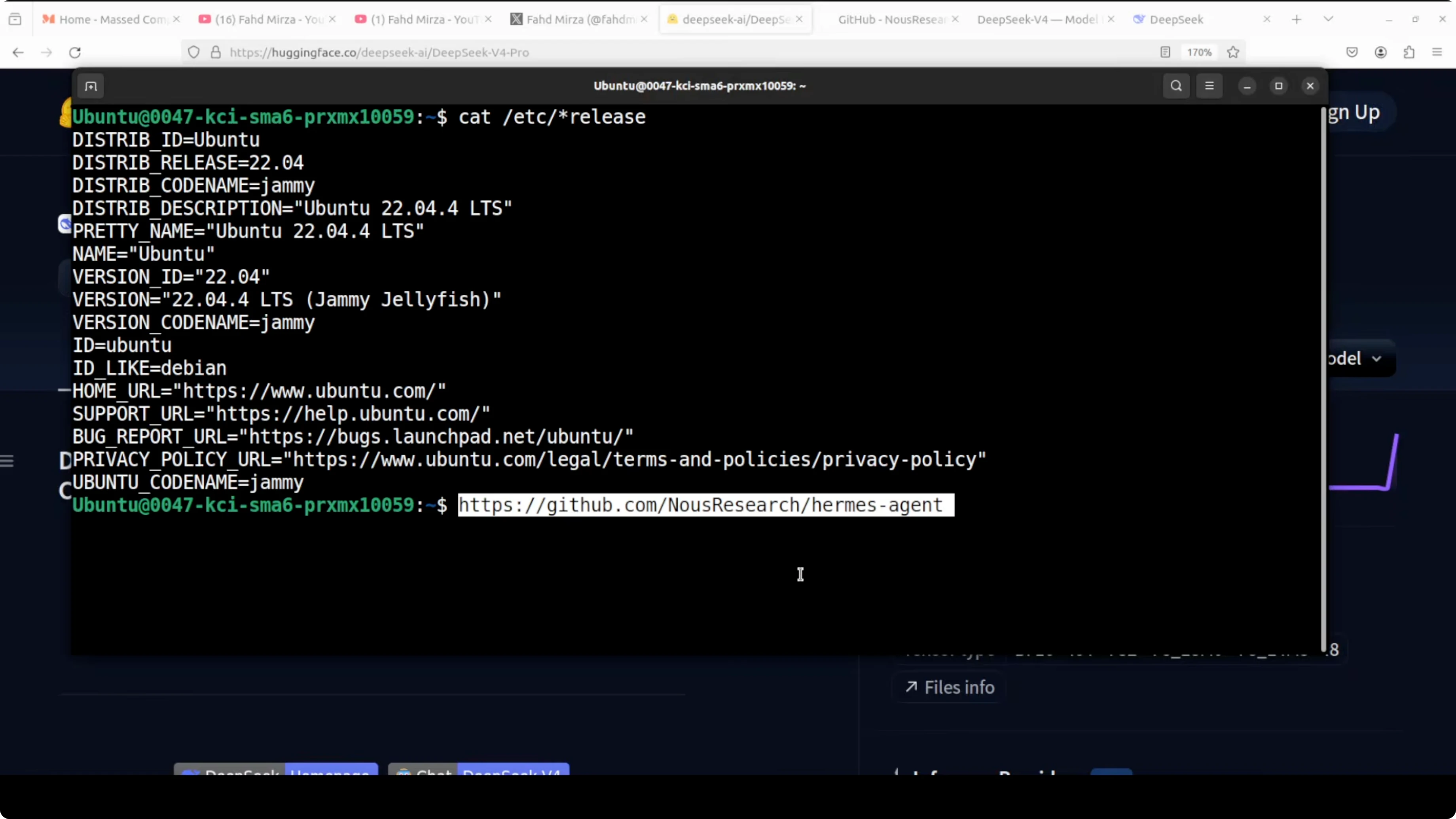
I installed Hermes Agent from its GitHub and used the quick setup. Installation is a one line flow like OpenClaw.
If you prefer a clean environment, create and activate it first.
python -m venv .venv
source .venv/bin/activate
If the project provides an installer script, run it and let the wizard guide you.
bash install.shVerify the CLI is on your path.
hermes --version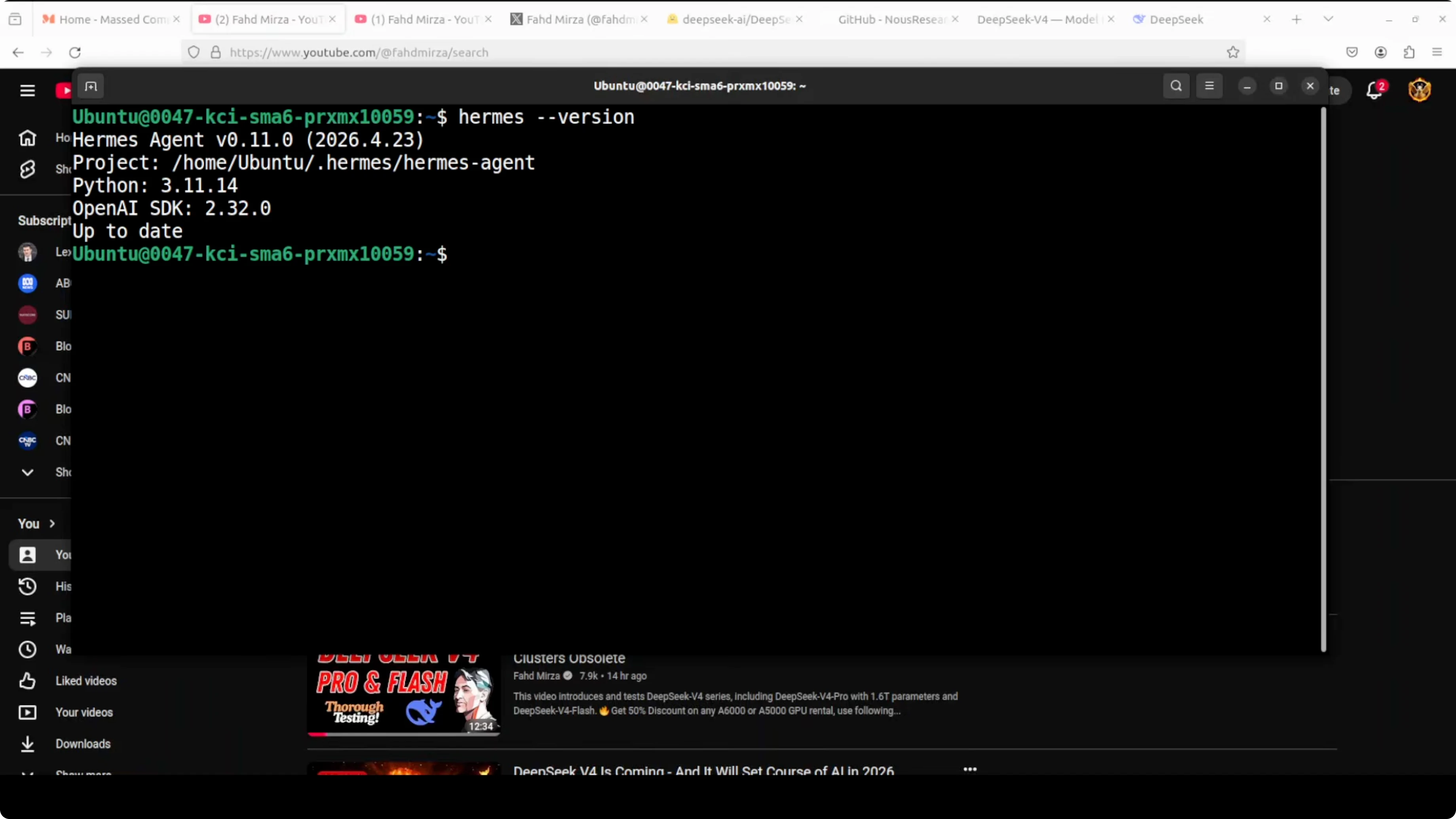
DeepSeek API config
I logged in to deepseek.com, added a small balance, and generated an API key. Throttling can happen because the service is new, so retry on rate limits. Keep your key secure and do not print it to screen.
Export the key and base URL for the session.
export DEEPSEEK_API_KEY="sk-your-key"
export HERMES_BASE_URL="https://api.deepseek.com"
If a model picker does not show V4 at first, finish the provider step and it appears as DeepSeek V4 Pro in the next screen. Select V4 Pro and continue.
For model context and pricing trade offs, check this model comparison that includes DeepSeek, Claude, and Qwen. Review a practical model comparison before you decide on API usage.
Telegram bot
I created a Telegram bot with BotFather. Create a new bot, give it a name, and get the token. Save the token safely.
Export the token for the Hermes service.
export TELEGRAM_BOT_TOKEN="123456:ABCDEF..."If Hermes prompts for the token in its setup, paste it there and confirm. Start a chat with your bot in Telegram and press Start to initiate the session.
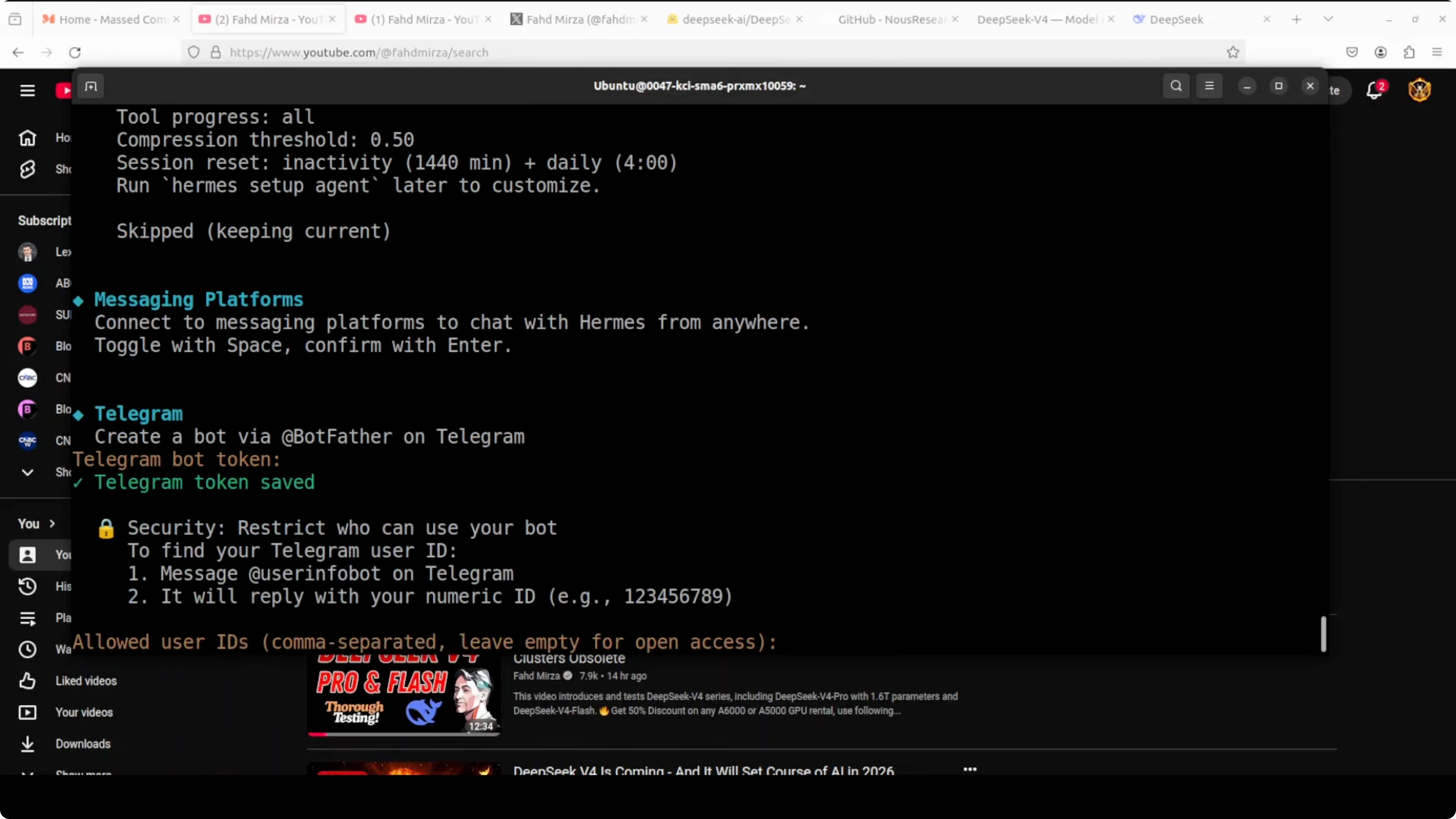
Service and pairing
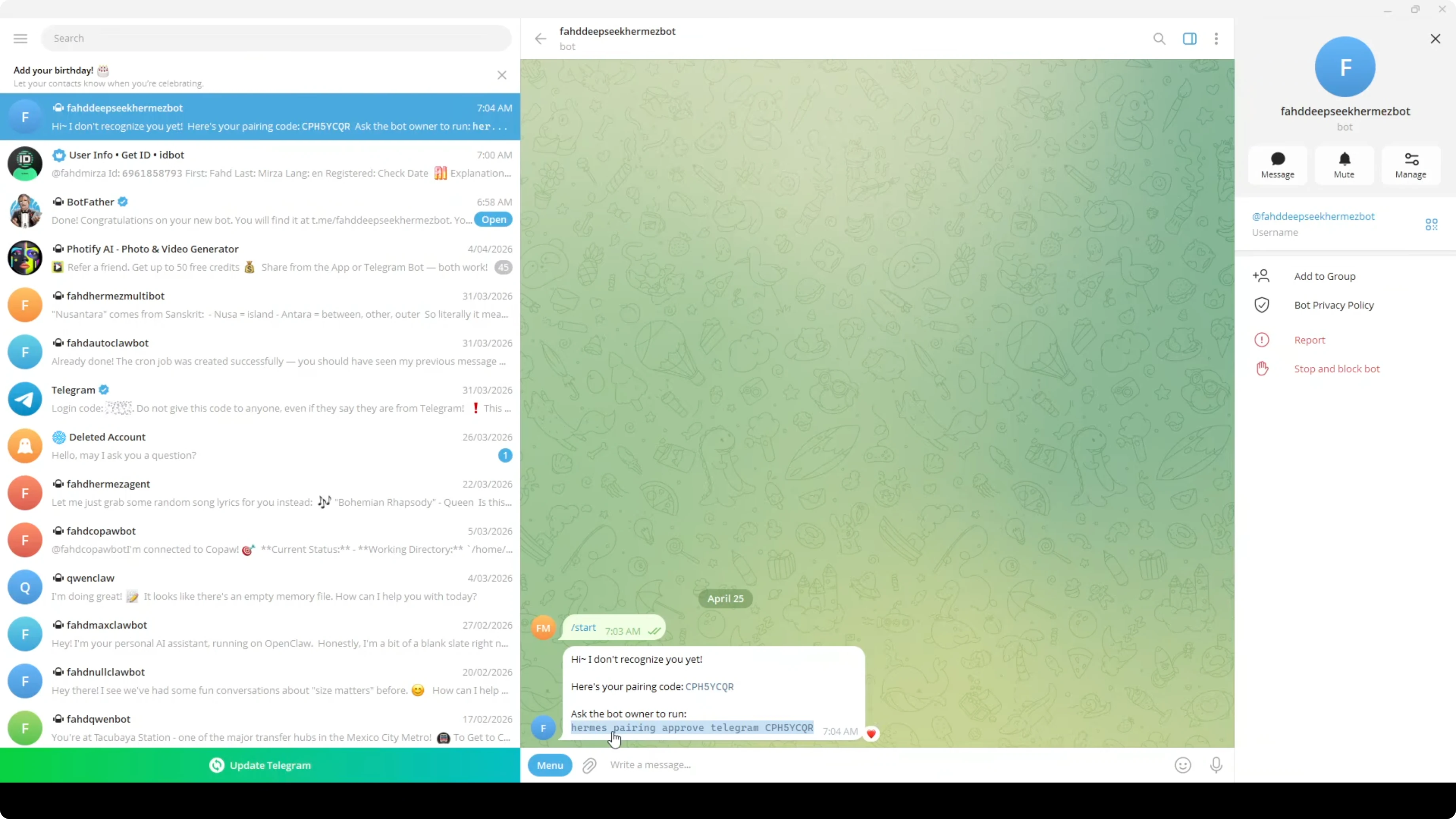
Hermes asked how to run and I picked user service for a single user setup. I started the service and paired it with Telegram. This is the bridge between your Telegram chat and the agent on your machine.
Use the pairing command when Hermes shows the code.
hermes pair ABC-123-PAIRConfirm the service is healthy.
hermes status
hermes --version
Send a hello in Telegram and wait for the agent to respond. All integrations are working once Telegram replies through Hermes.
If you plan to extend Hermes with different base models like Gemma, here is a walkthrough that keeps the same agent shape. Try Hermes with Gemma in a similar setup.
Fix a real app from Telegram
I am using a real expense tracker with a FastAPI backend and SQLite database. The frontend is a dashboard with charts, budget tracking, and multiple tabs. I removed any bug map to make the task harder and kept the project as is.
The prompt I sent
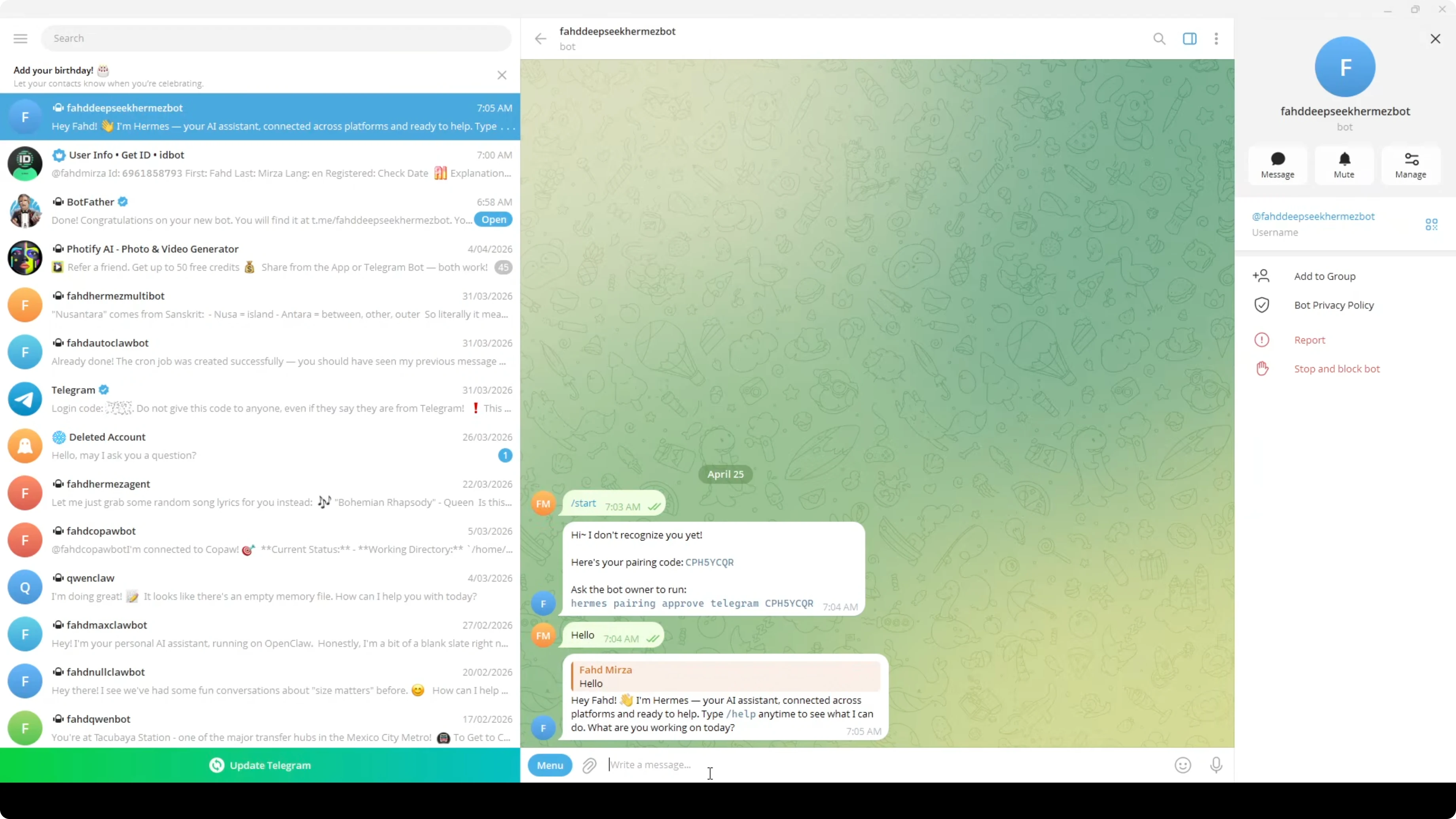
I prompted Hermes in Telegram to read the full project and fix the bugs across backend and frontend. I also told it to ensure the app runs end to end after fixes. Here is the shape of the prompt I used.
I have a full stack expense tracker app that is broken.
The backend is in ./backend with FastAPI and SQLite.
The frontend is in ./frontend with a dashboard and charts.

Read every file carefully.
Find all bugs across backend and frontend.
Propose a fix plan, apply changes, and verify by running the app.
Ask before running commands, then proceed.
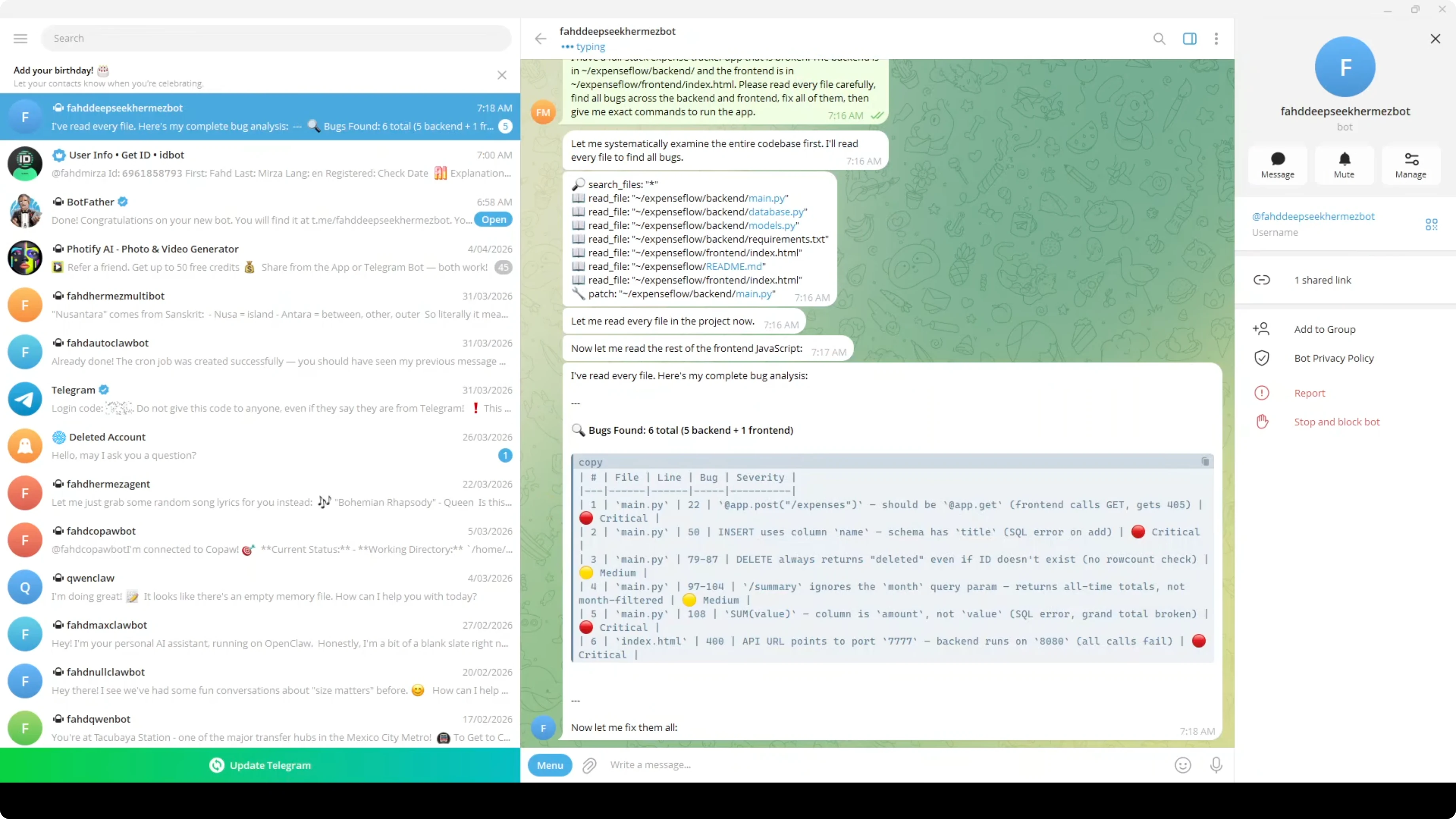
Hermes began reading files and inspecting both Python and JavaScript. It found the issues and applied fixes, then verified changes. This stack read the code, fixed the bugs, asked to run commands, and reported success.
If you need Hermes to orchestrate multiple workers locally, pairing it with an Ollama setup is another path. See a multi agent approach on Ollama with Hermes.
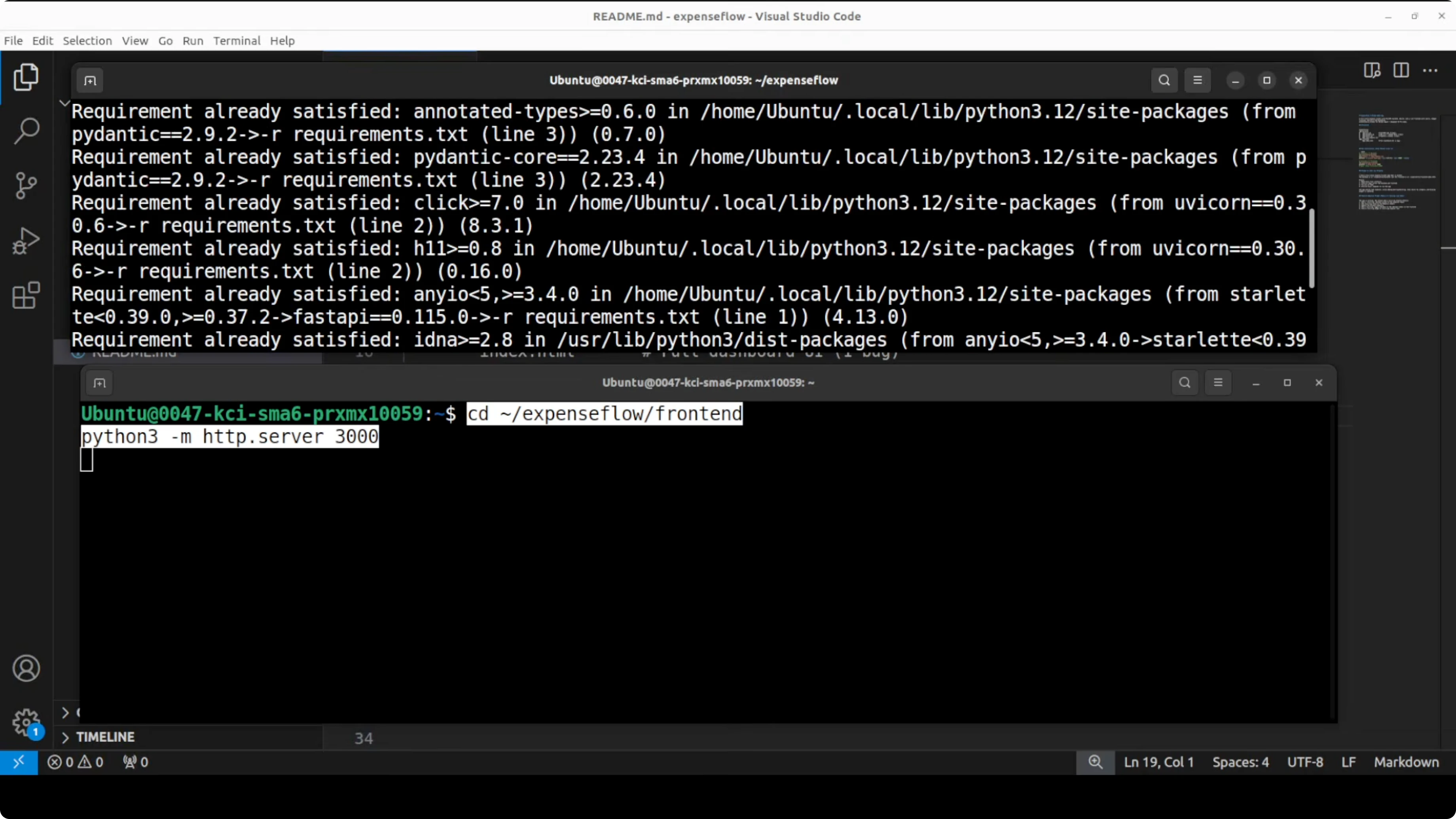
Run the backend
I opened a terminal for the backend. I ran the FastAPI server on port 8080.
cd backend
pip install -r requirements.txt
uvicorn app.main:app --host 0.0.0.0 --port 8080
Confirm the API is reachable at http://localhost:8080 or the docs at /docs. Keep the server running.
Run the frontend
I opened another terminal for the frontend. I installed dependencies and started the dev server.
cd frontend
npm install
npm run dev
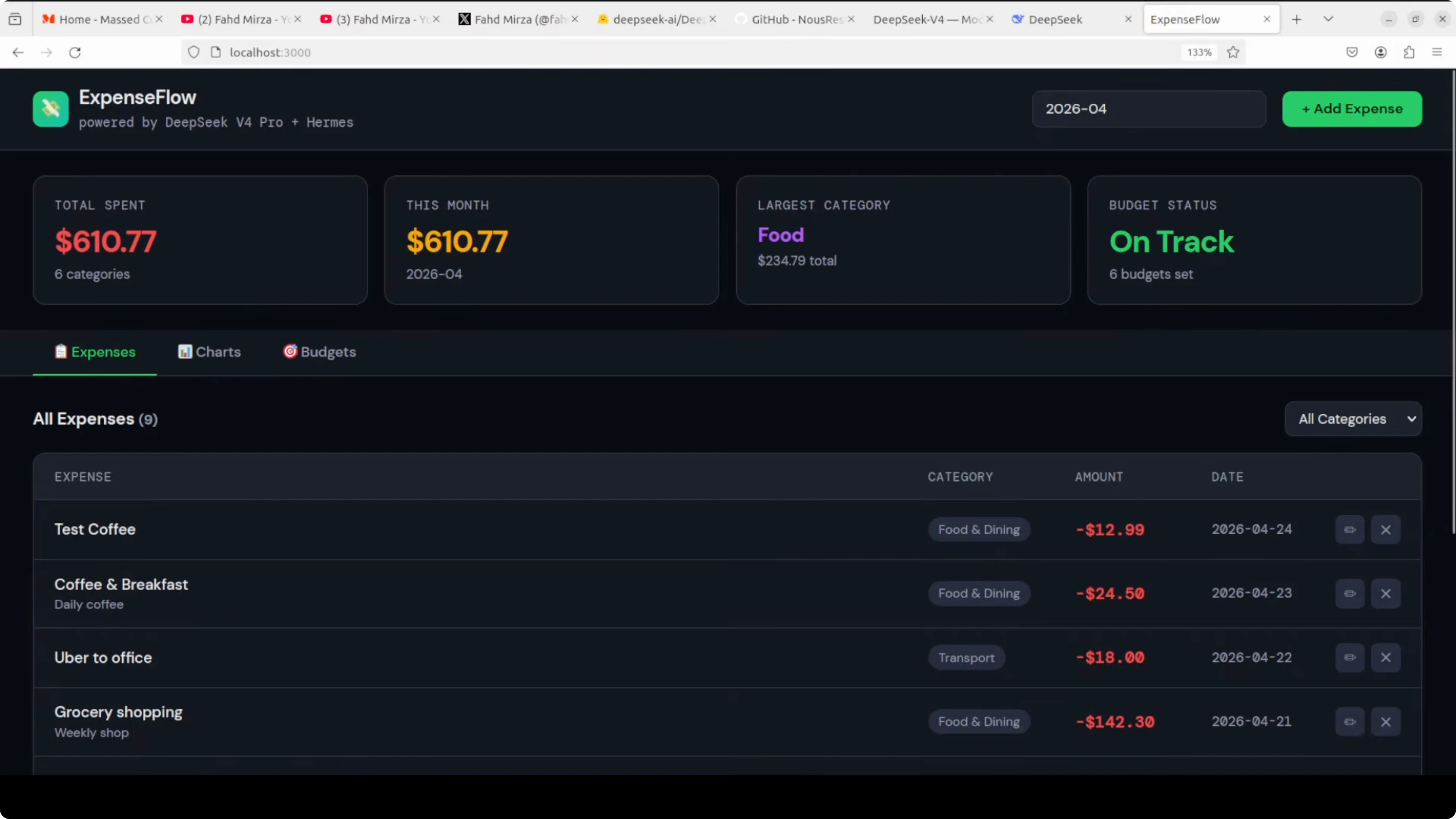
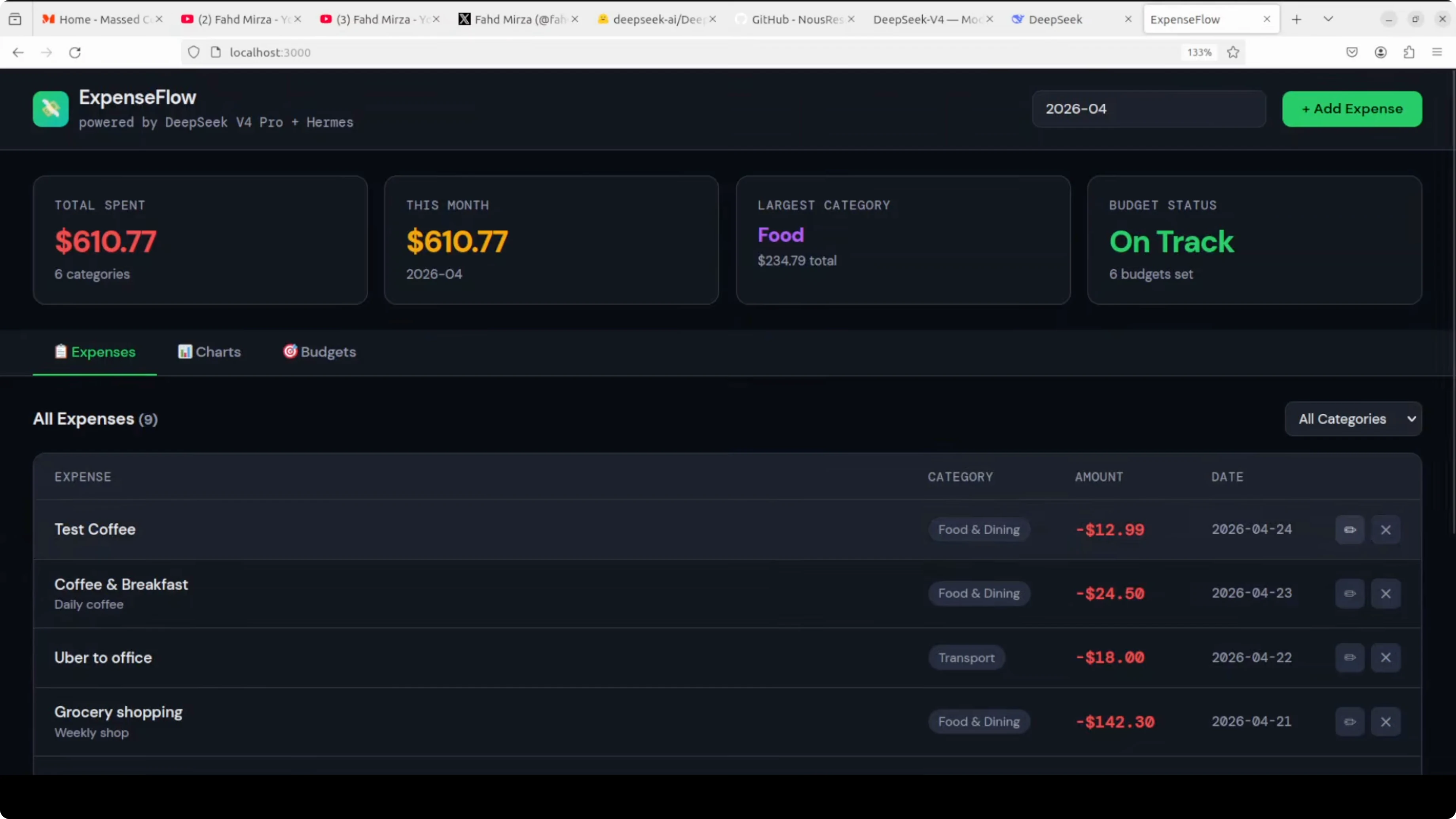
Open the dashboard at http://localhost:3000. You should see the cards, charts, budgets, and expenses available after the fixes land.
Tips and cautions
This DeepSeek API is new, and I did face throttling and rate limits. Retry when you see limits and keep the session warm to finish long jobs. Keep your prompts tight and ask the agent to propose a file by file plan.
When Hermes asks for permission to run shell commands, choose Always only if you trust the patch plan. For stricter control, confirm commands step by step. Keep a git diff open in another terminal so you can inspect changes quickly.
If you run into an agent execution terminated error or odd stops mid run, here is a reference you can use. Troubleshoot the agent execution terminated error.
Use cases
Fix a production bug on the go by typing a single prompt in Telegram and letting the agent patch and verify the app. Review and regenerate test snapshots while you commute, then ship when you are back at the desk. Kick off codebase wide audits where the agent proposes a plan, edits files, runs checks, and reports progress in chat.
If your workflow spans different agent frameworks, you may want a side by side take before you commit. Here is a deeper view that can help shape that choice. Compare OpenClaw and Hermes for agent skills and setup.
Final thoughts
DeepSeek V4 Pro with Hermes Agent in Telegram gives me a practical mobile first way to fix full stack code. I can stay out of the server, keep context in chat, and still get verifiable changes that run. This stack found the bugs, fixed them, and produced a working expense tracker with charts, budgets, and CRUD from a phone.
Subscribe to our newsletter
Get the latest updates and articles directly in your inbox.

Related Posts

8 Best Claude Code Plugins in 2026 (You Need to Know)
8 Best Claude Code Plugins in 2026 (You Need to Know)

7 Best Claude Code Skills (You Need to Know)
7 Best Claude Code Skills (You Need to Know)

Claude Code Desktop IDE Features (You Need to Know)
Claude Code Desktop IDE Features (You Need to Know)