
Table Of Content
How Hermes Agent’s New Multi-Agent Setup Works with Ollama?
Local LLM Hardware Calculator
Enter your GPU VRAM and system RAM to see which LLMs you can run in Ollama — at Q4, Q8, or full precision — with estimated tokens-per-second speed.
Table Of Content
Hermes Agent now supports multi-agent profiles, which means I can run separate AI agents for separate purposes without them interfering with each other. I set up three independent Hermes agents on the same Ubuntu machine at the same time. One runs GLM 5.1 in the cloud, one runs a local Qwen 3.5 27B with Ollama, and one runs MiniMax M2.7, with zero data leaving the machine.
Each agent gets its own memory, skills, bot, and configuration. This is what the future of local AI tools looks like. For a full walkthrough of setting up Hermes with Ollama, see this multi-agent with Ollama walkthrough.
How Hermes Agent’s New Multi-Agent Setup Works with Ollama?
I installed Hermes Agent on Ubuntu. The installer checks prerequisites, but it is a good idea to already have uv, Python 3.11 or newer, and Node.js on your system to speed things up.
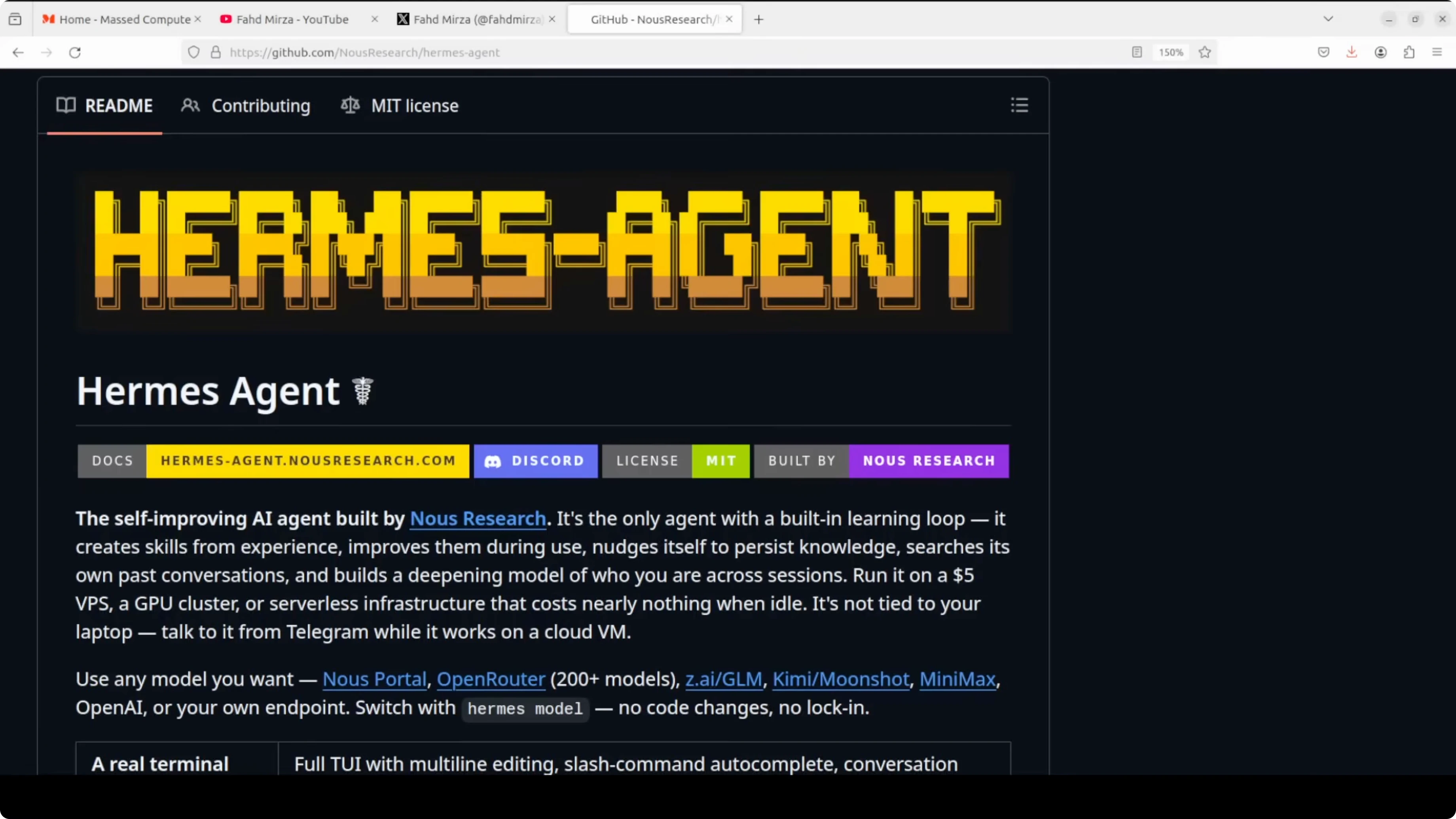
The installer prompted me for configuration immediately. I created a default cloud profile with GLM 5.1 from Zhipu AI by pasting the API key, skipping vision, selecting GLM 5.1, and accepting the defaults. I skipped bot setup for this first profile, since I planned to wire Telegram to a different one.
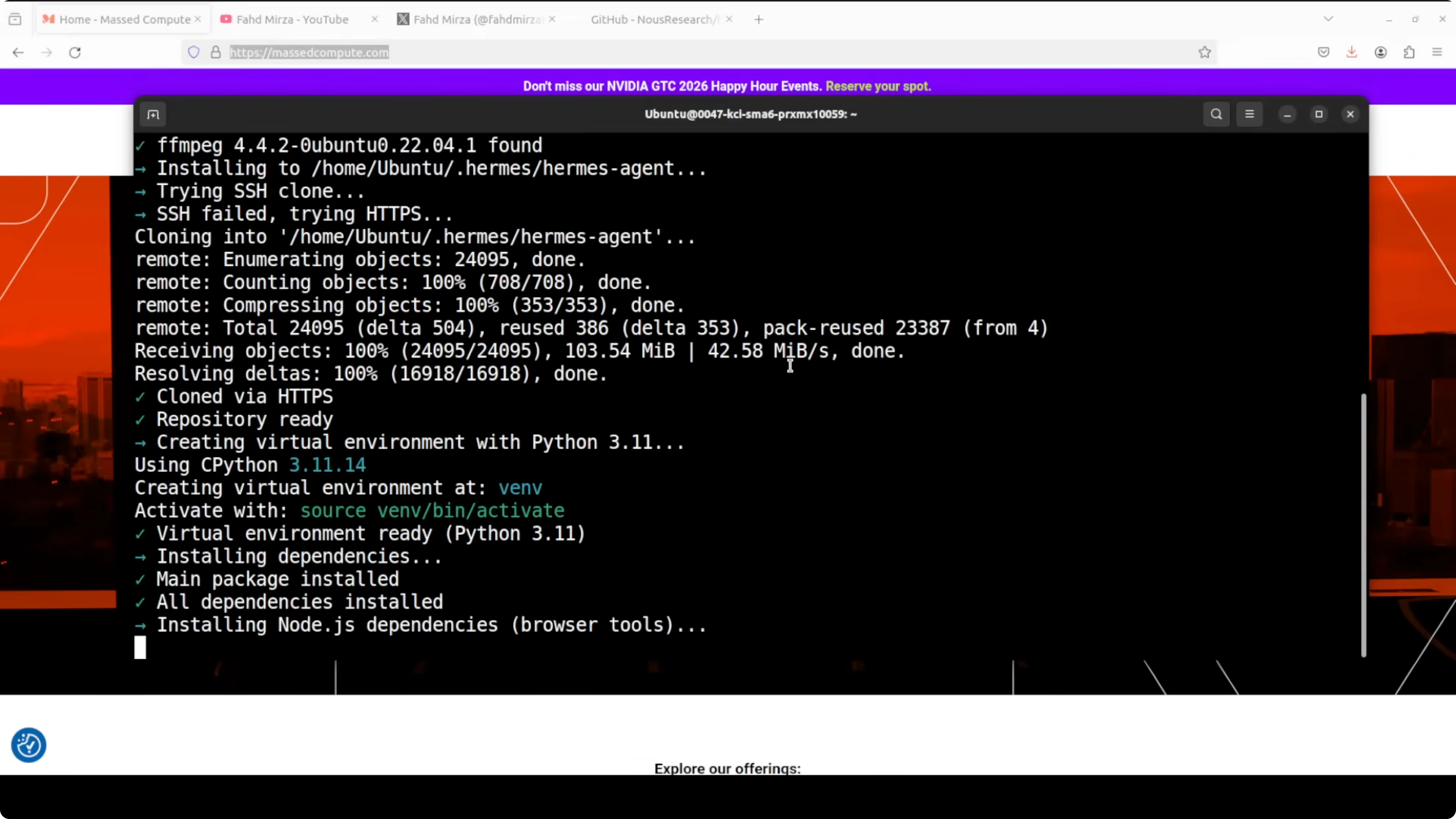
Source your shell so the CLI takes effect. Then verify your version.
source ~/.bashrc
hermes version
If you want a side-by-side view of Hermes versus Openclaw tradeoffs, check this comparison of Hermes and Openclaw.
Default profile - GLM 5.1
I used the default profile for Zhipu AI GLM. I pasted the GLM API key when asked, skipped vision, selected GLM 5.1, and kept all defaults. That was enough to get a solid coding-capable cloud agent running.
Create a MiniMax profile and wire Telegram
I created a second profile and called it researcher. Hermes shows that new profiles come bundled with dozens of skills out of the box.
Create the profile.
hermes profile create researcherSet up the provider to MiniMax global, paste your MiniMax API key, and choose the M2.7 model. The setup hides your API key in the terminal, which is a small but welcome detail.
List profiles to confirm default and researcher are present.
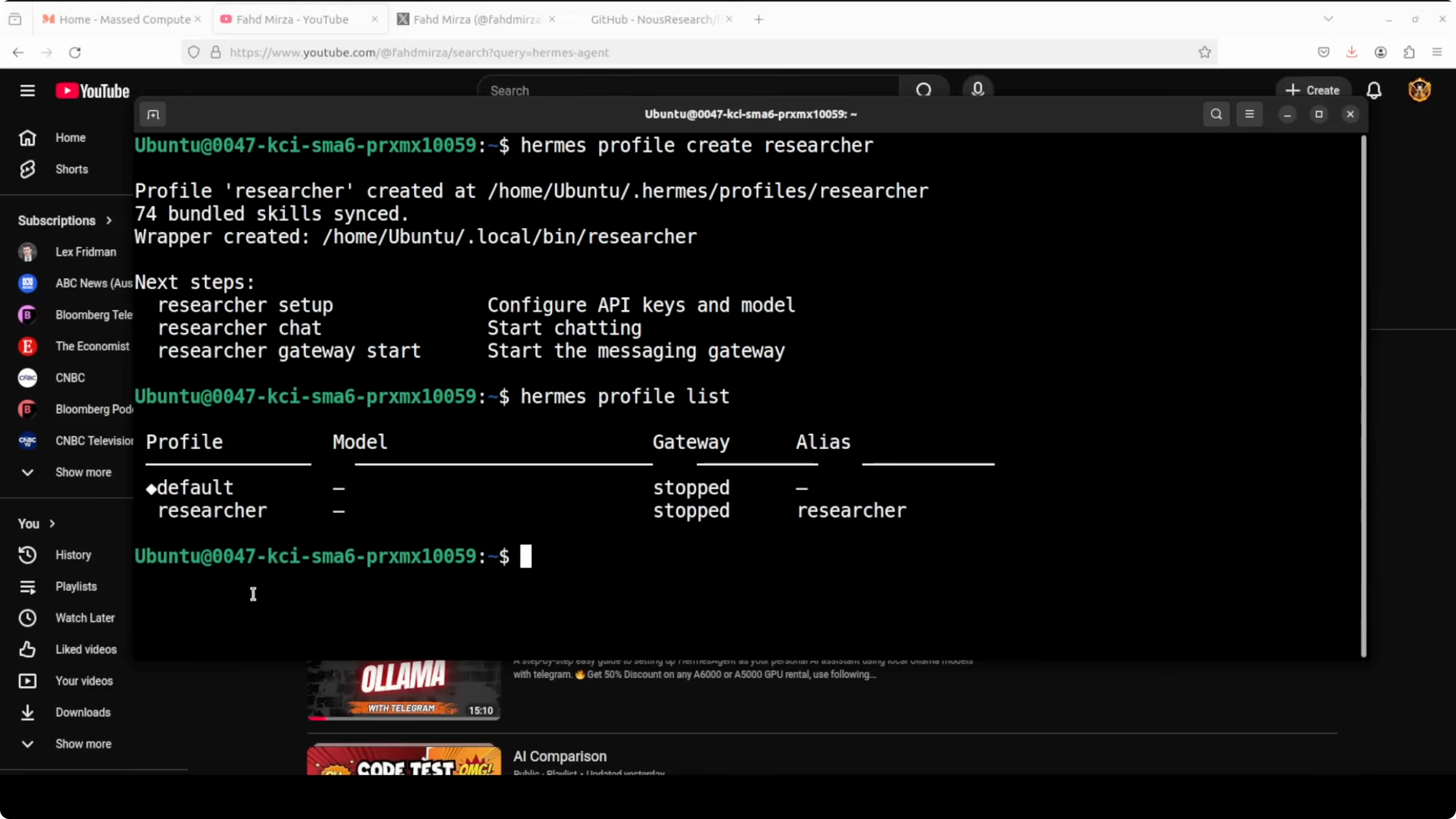
hermes profile listConnect Telegram using the per-profile alias. Hermes creates a shell alias for each profile name, so I used the researcher alias to set up the gateway.
researcher setup gatewayCreate a Telegram bot with BotFather, copy the token, and paste it when prompted. I kept open access during setup, but for production you should restrict to known user IDs. I skipped channel ID and other gateways like Discord, Slack, Matrix, Mattermost, and WhatsApp.
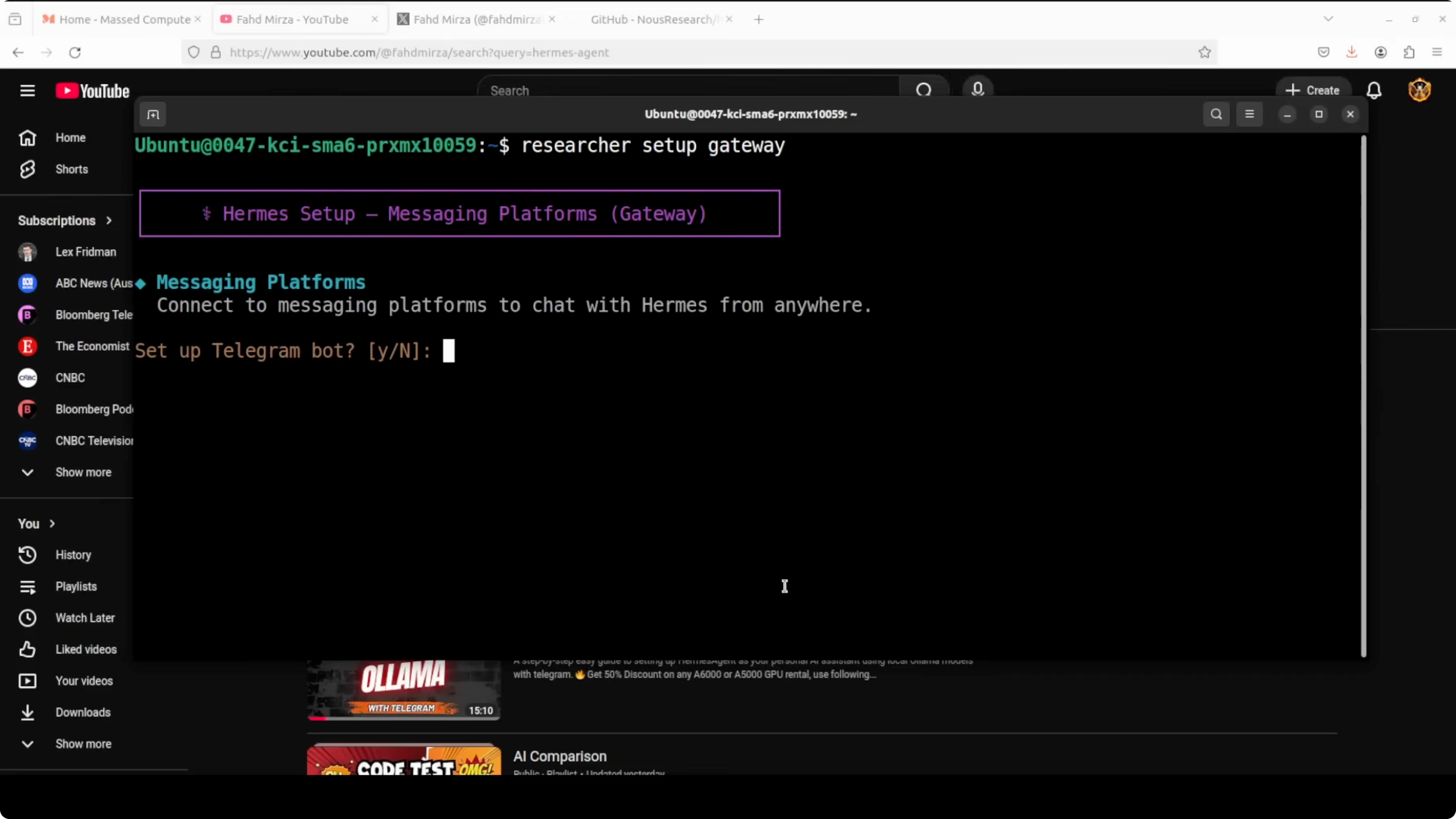
When prompted, install the gateway as a systemd service and start it. Pair the Telegram bot with the researcher profile by generating a pairing code from the bot chat and approving it.
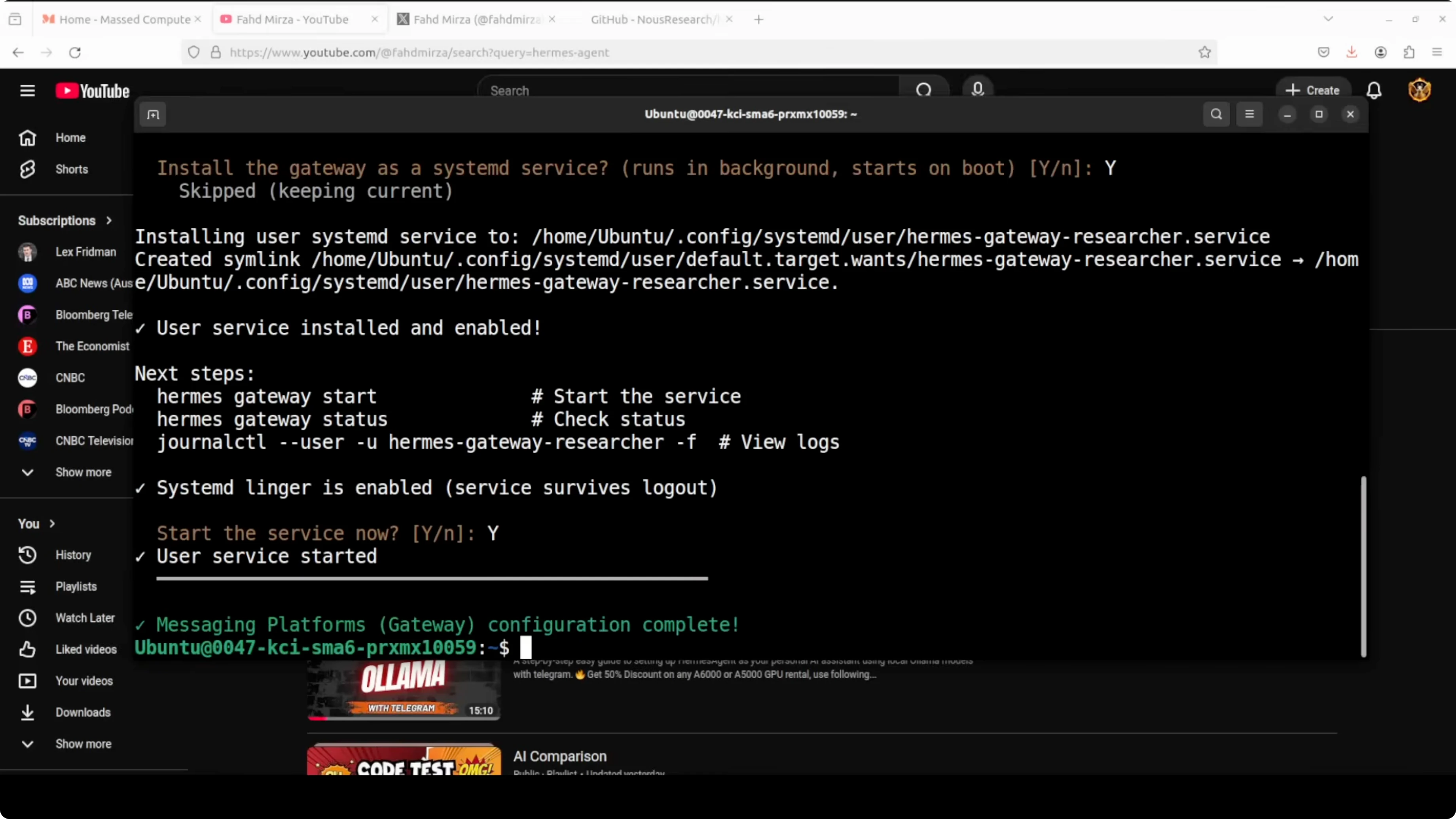
researcher pairing approve telegramCreate an Ollama-powered coder profile with Qwen
I already had Ollama installed with Qwen 3.5 27B downloaded and running on the GPU. I created a third profile called coder.
Create the profile.
hermes profile create coderDuring setup, select a Custom - OpenAI compatible provider. Set the endpoint to your local Ollama server with the v1 suffix for compatibility.
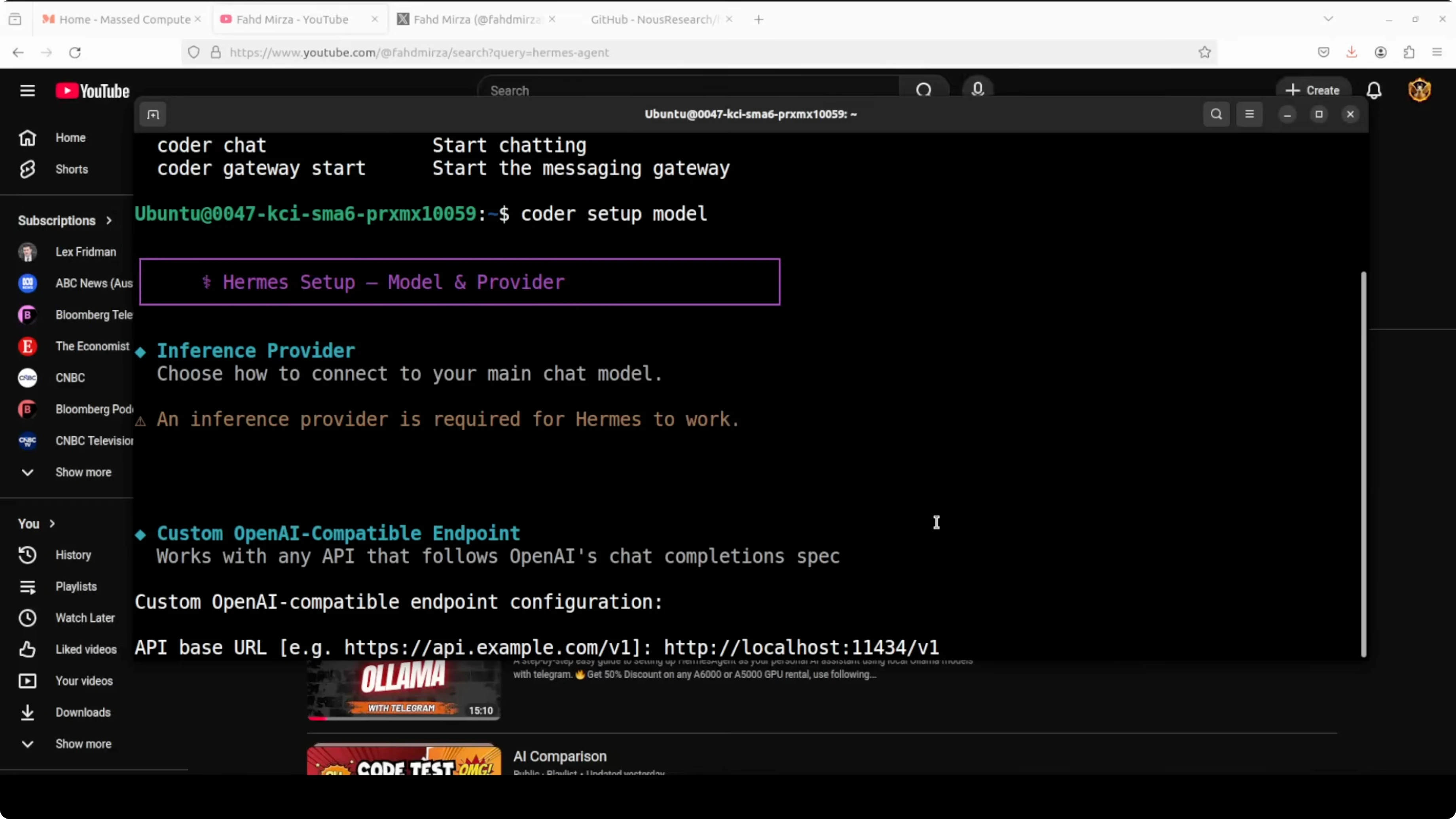
Endpoint: http://localhost:11434/v1
Leave the API key blank or enter any text, since Ollama does not require one. Enter the exact local model name you are running, for example qwen-3.5-27b.
After saving, Hermes shows the configuration for the Ollama-based coder profile. If you want a reference Openclaw fork that targets Ollama, here is an Openclaw fork setup that many people use alongside Hermes during migrations.
Verify and fix profile configs
Confirm all three profiles exist with their providers and models.
hermes profile listInspect a profile to see its current settings.
hermes profile show coder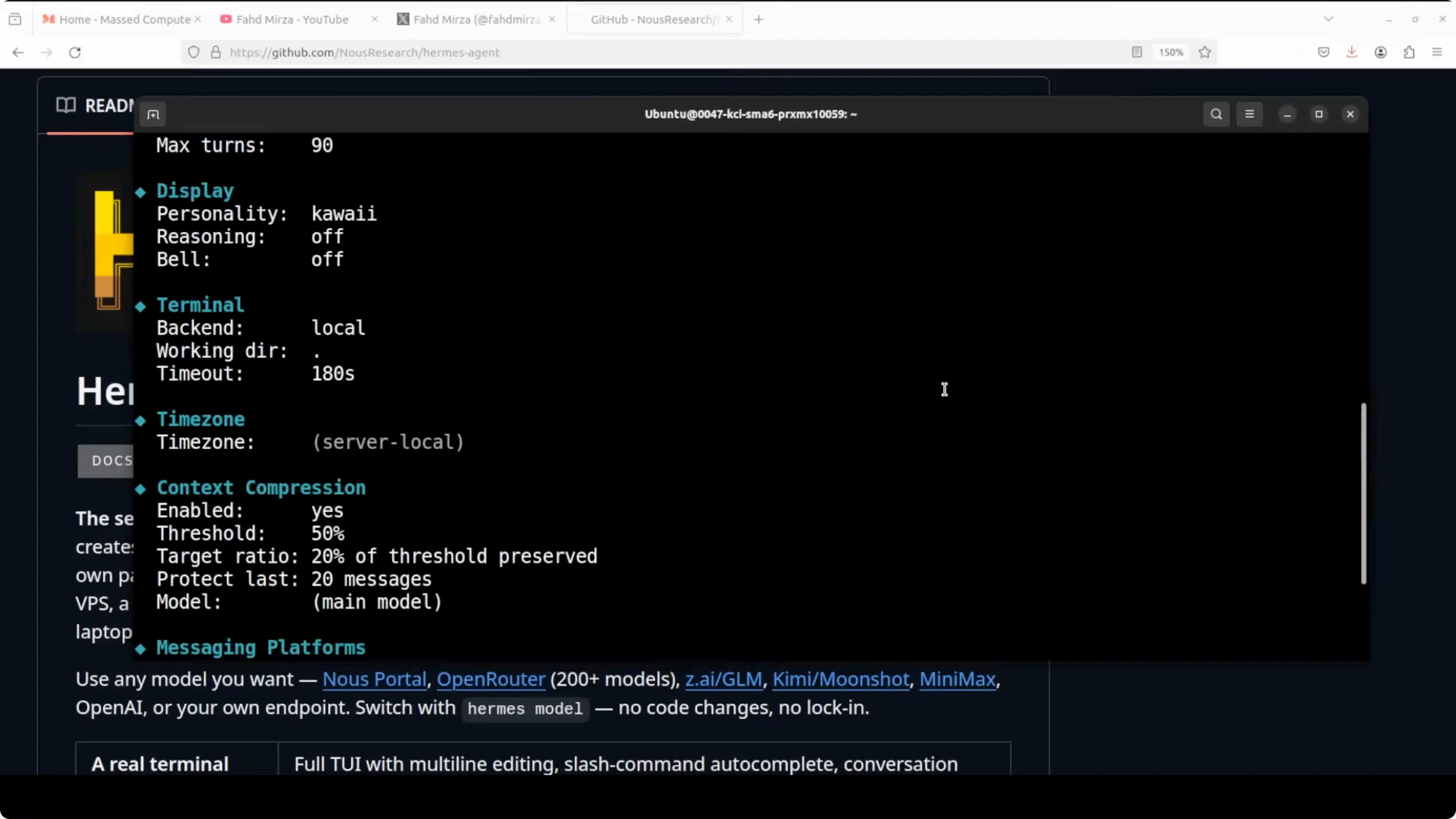
I noticed a known quirk where the coder profile sometimes shows an incorrect model like "claw opus" after setup. You can fix this by re-running the setup, or by setting the values directly with config commands.
coder config set provider custom
coder config set api_base http://localhost:11434/v1
coder config set model qwen-3.5-27b
hermes profile show coder
If you run into setup prompts not sticking or the model disappearing from the UI, see this guide on troubleshooting account setup or model issues.
Chat with each agent
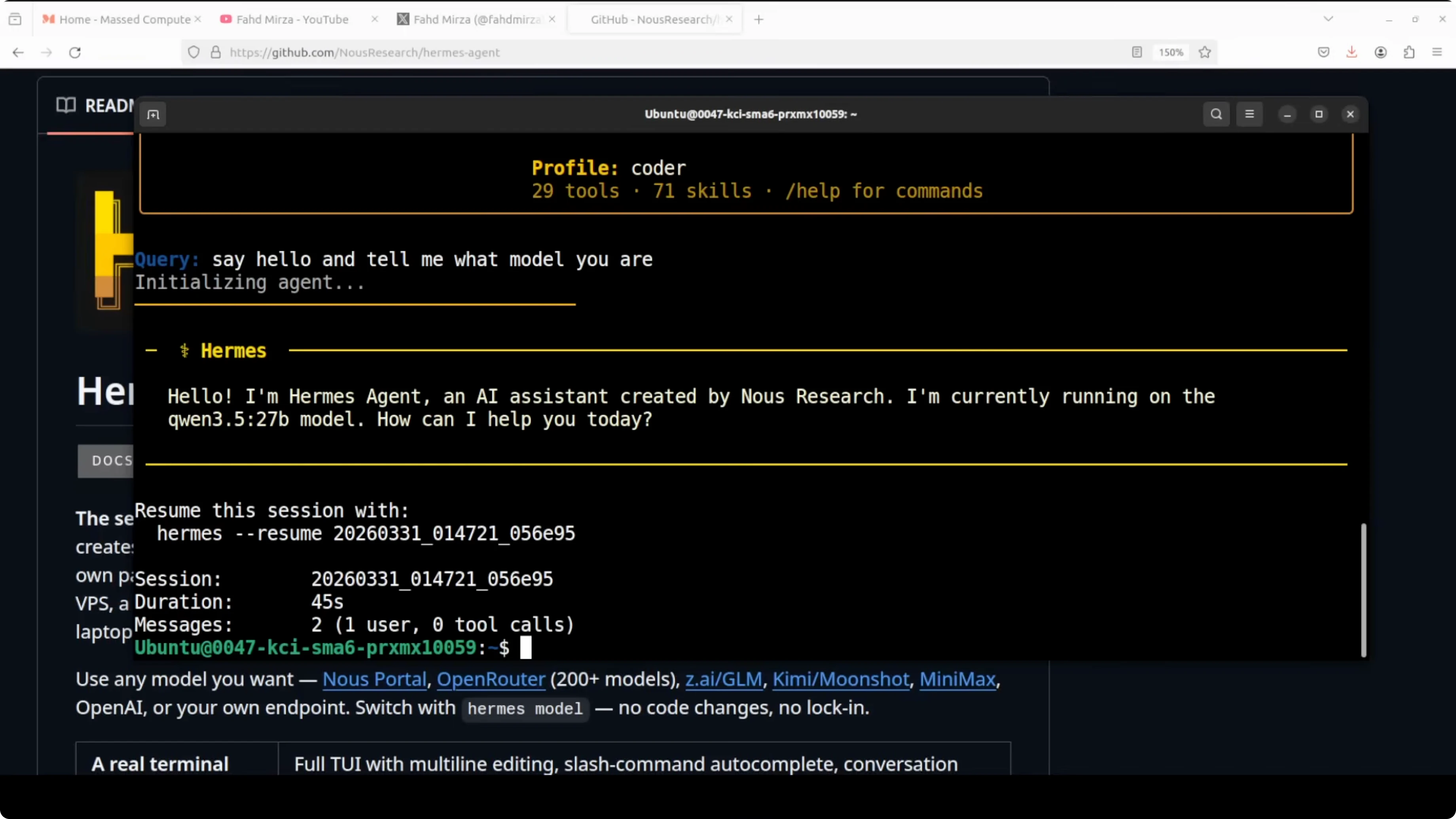
You can chat with the local coder agent and confirm it is using Qwen 3.5 27B.
coder chatChat with the researcher agent and confirm MiniMax M2.7 is active.
researcher chatUse the default profile for GLM 5.1.
hermes chat -p defaultAliases make it quick to switch contexts, and each profile keeps its own memory and tools. With Telegram paired to the researcher profile, I can chat from my phone and get MiniMax M2.7 responses directly.
Run all three at once
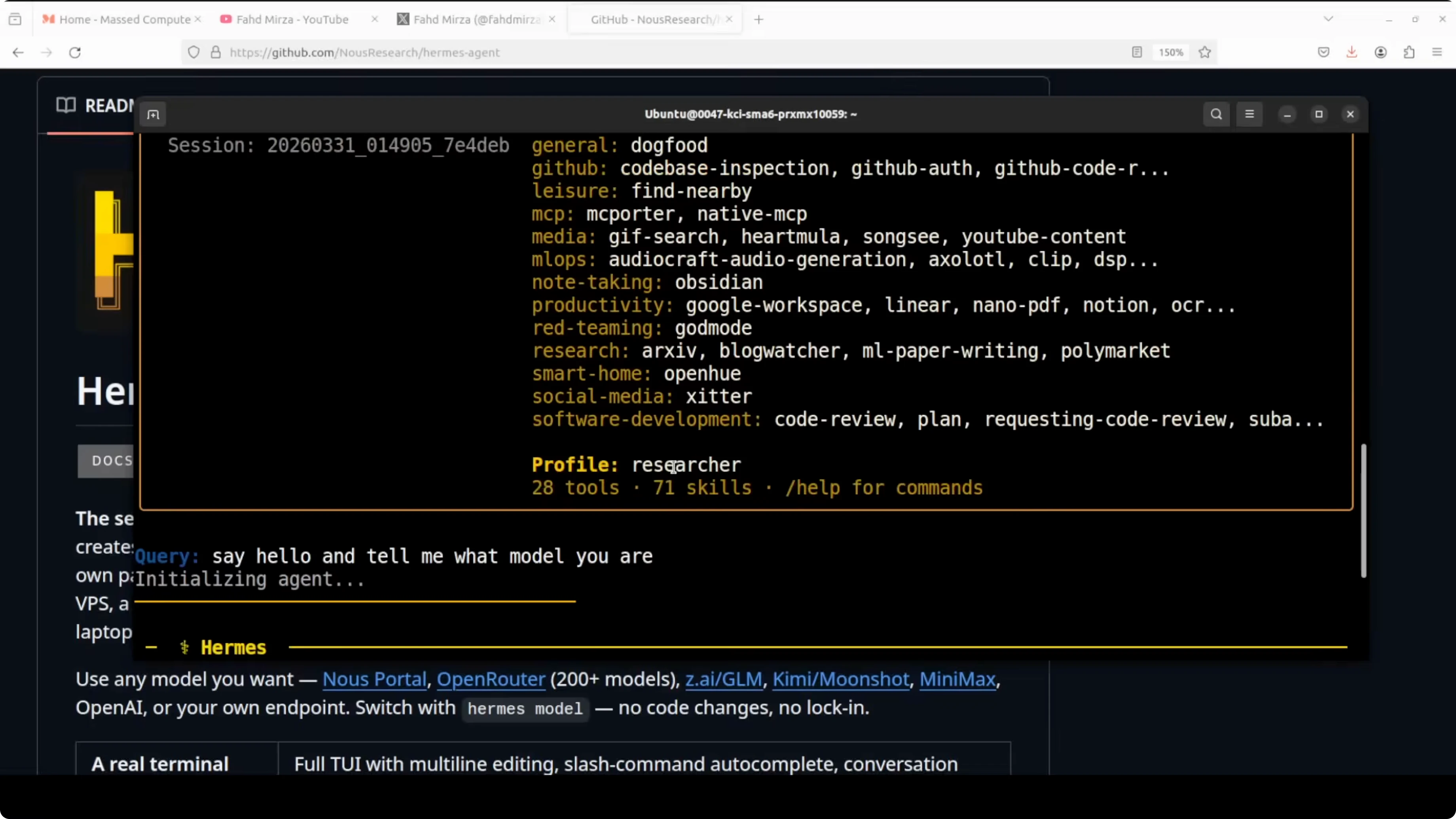
Open three terminals and start a chat in each profile. You will see GLM 5.1, MiniMax M2.7, and Qwen 3.5 27B running side by side on the same machine. Local and cloud agents can co-exist cleanly with separate states and gateways.
Orchestrating agents
Hermes can also make agents talk to each other for coordinated tasks. That topic needs a full walkthrough on orchestration patterns and routing. In the meantime, explore an Ollama-first approach to coordination in this primer on multi-agent orchestration with Deerflow.
Use cases
I keep GLM 5.1 as a general-purpose coder and writer, MiniMax M2.7 as a fast research assistant, and a local Qwen 3.5 27B for private work. That split keeps data-sensitive tasks local while still getting strong cloud results when I need them. It also prevents cross-contamination of memory or tools between roles.
Teams can dedicate one profile to code generation, one to retrieval or browsing, and one to structured data tasks. Each profile can have its own connector set, retention policy, and bot gateway. That separation makes audits and rotation of keys much simpler.
For on-prem environments, running Qwen on Ollama isolates data and keeps GPU workloads local. Cloud profiles can be throttled or scheduled, while the local agent stays always available. This pattern works well for labs, edge devices, and air-gapped workflows.
Final thoughts
Multi-agent profiles in Hermes Agent let you run multiple specialized agents at once on the same box. In this setup, GLM 5.1, MiniMax M2.7, and a local Qwen 3.5 27B each kept their own memory, tools, and gateways without conflicts. If you want a quick reference build tailored to Ollama, the Hermes multi-agent with Ollama guide will help you get there fast.
Subscribe to our newsletter
Get the latest updates and articles directly in your inbox.

Related Posts

8 Best Claude Code Plugins in 2026 (You Need to Know)
8 Best Claude Code Plugins in 2026 (You Need to Know)

7 Best Claude Code Skills (You Need to Know)
7 Best Claude Code Skills (You Need to Know)

Claude Code Desktop IDE Features (You Need to Know)
Claude Code Desktop IDE Features (You Need to Know)