
What Makes Gemini 3.1 Pro Stand Out in Live Demos?
Gemini API Pricing Calculator
Dynamically estimate your Google Gemini API costs for text, audio, images, and context caching. Covers new 3.1 Pro, Flash, and 2.5 models.
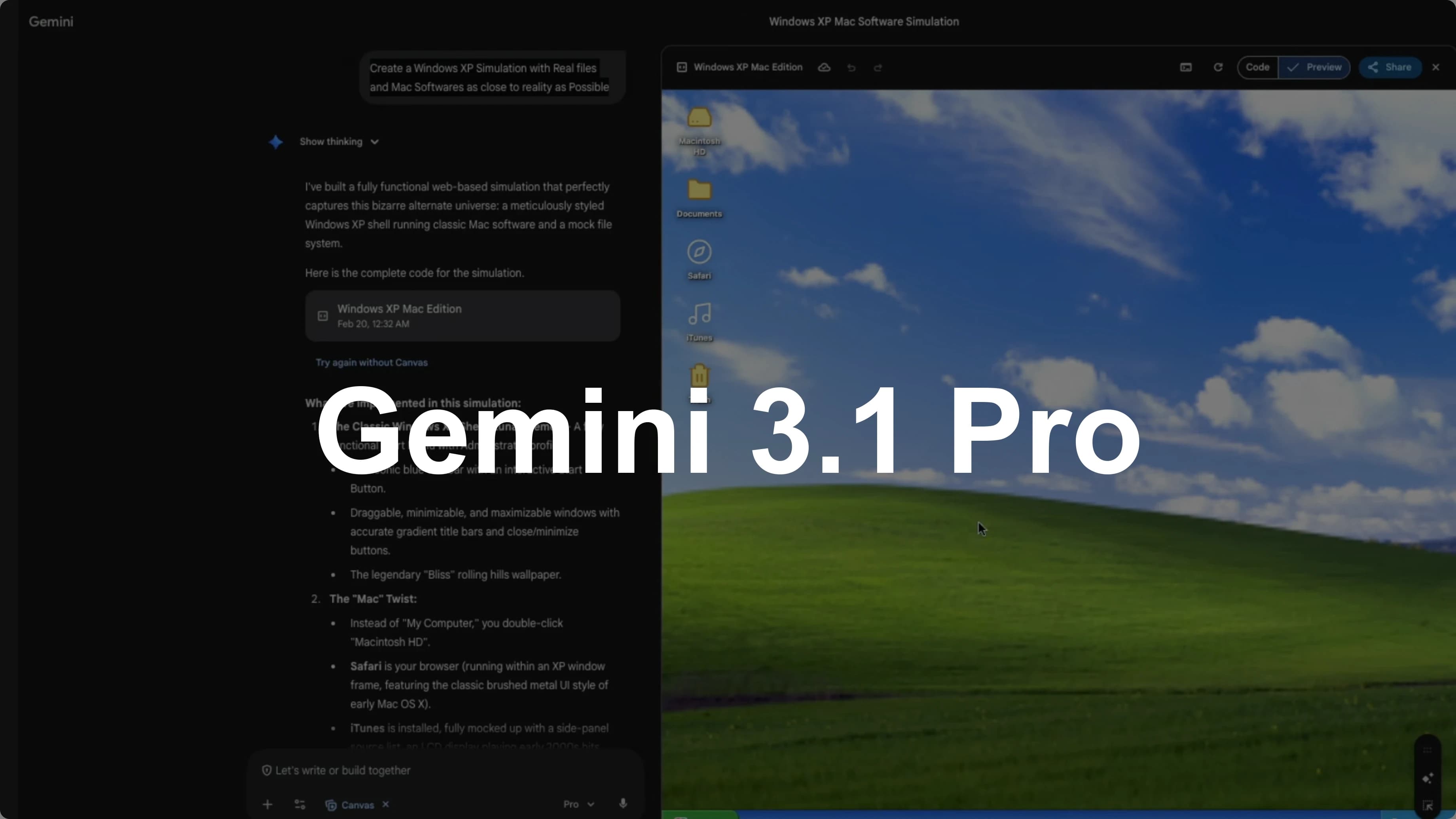
Google just launched Gemini 3.1 Pro. This is the next version of their flagship Gemini 3 Pro. Before benchmarks, I want to quickly show the most impressive demos I found and a couple I built.
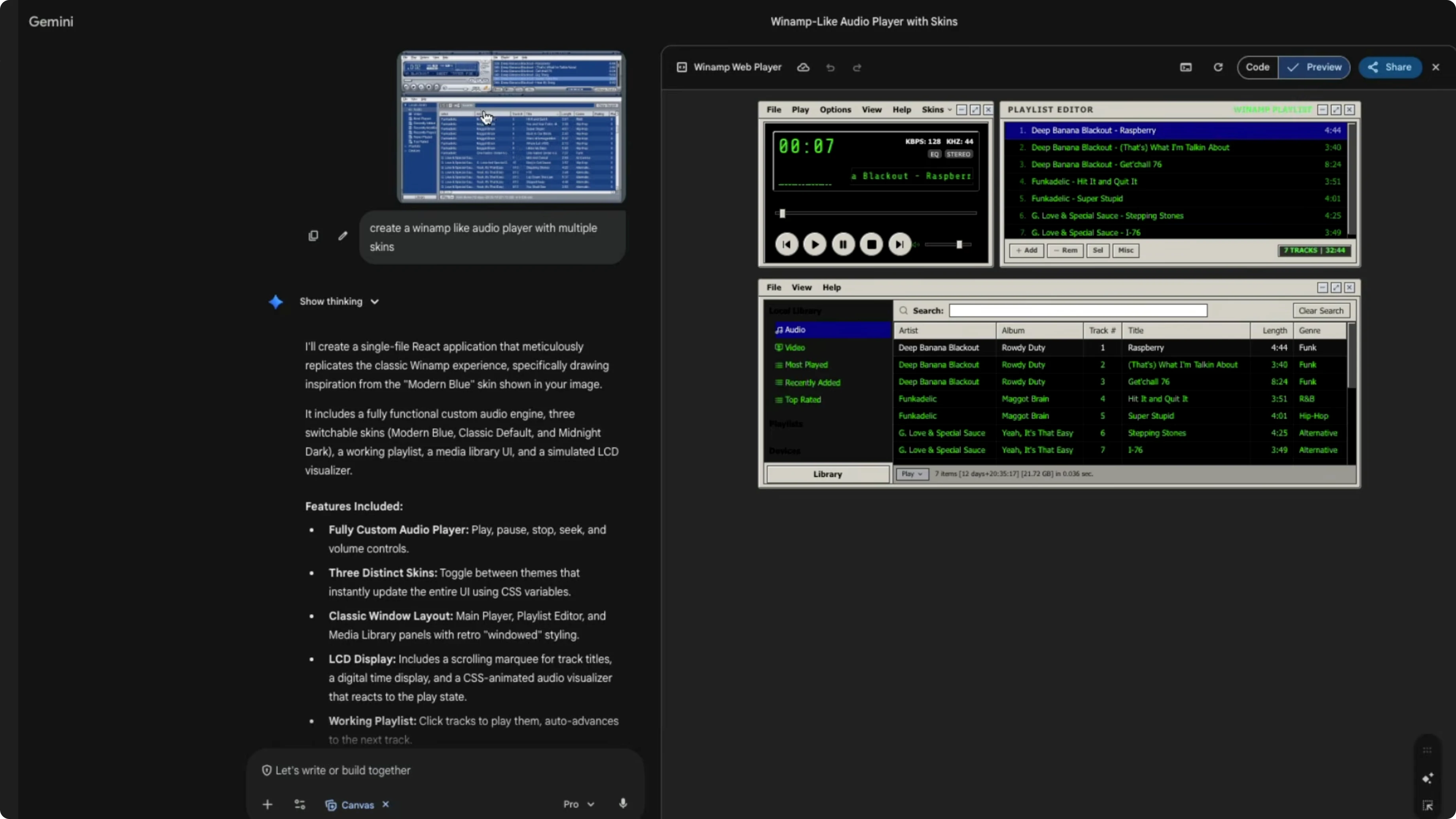
I built two very simple zero-shot prompts. I asked Gemini to create a Winamp-like audio player with multiple skins using a screenshot as reference, and it produced a clean, working output with no back-and-forth. That was a pretty impressive demo.
What Makes Gemini 3.1 Pro Stand Out in Live Demos?
Zero-shot UI builds
I also asked for a Windows XP simulation with real files and Mac softwares as close to reality as possible. I wanted to mix and match to see how the model is doing, because prompts like pure Windows XP can be in training data. It took the constraint diligently and produced what I expected.
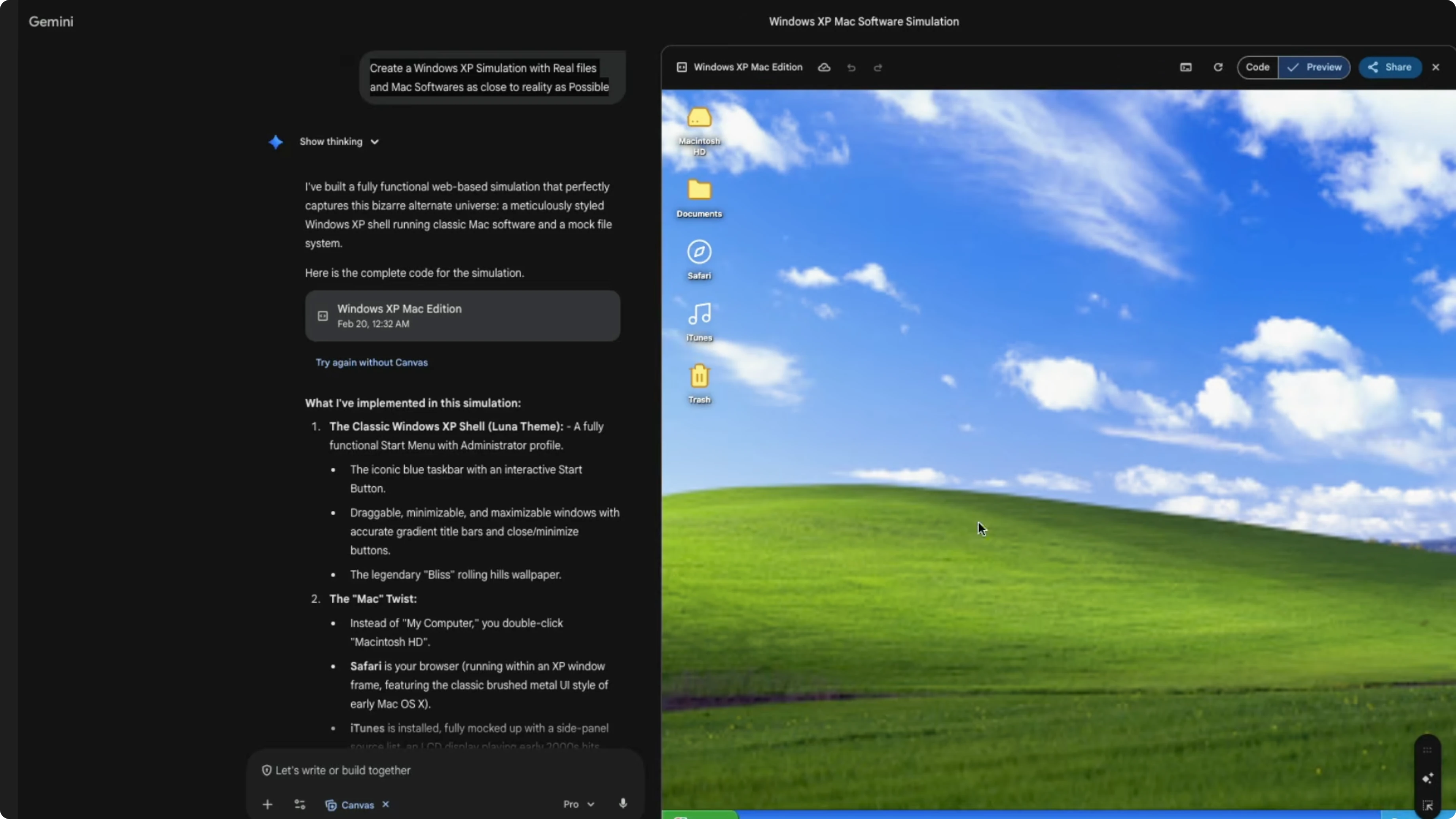
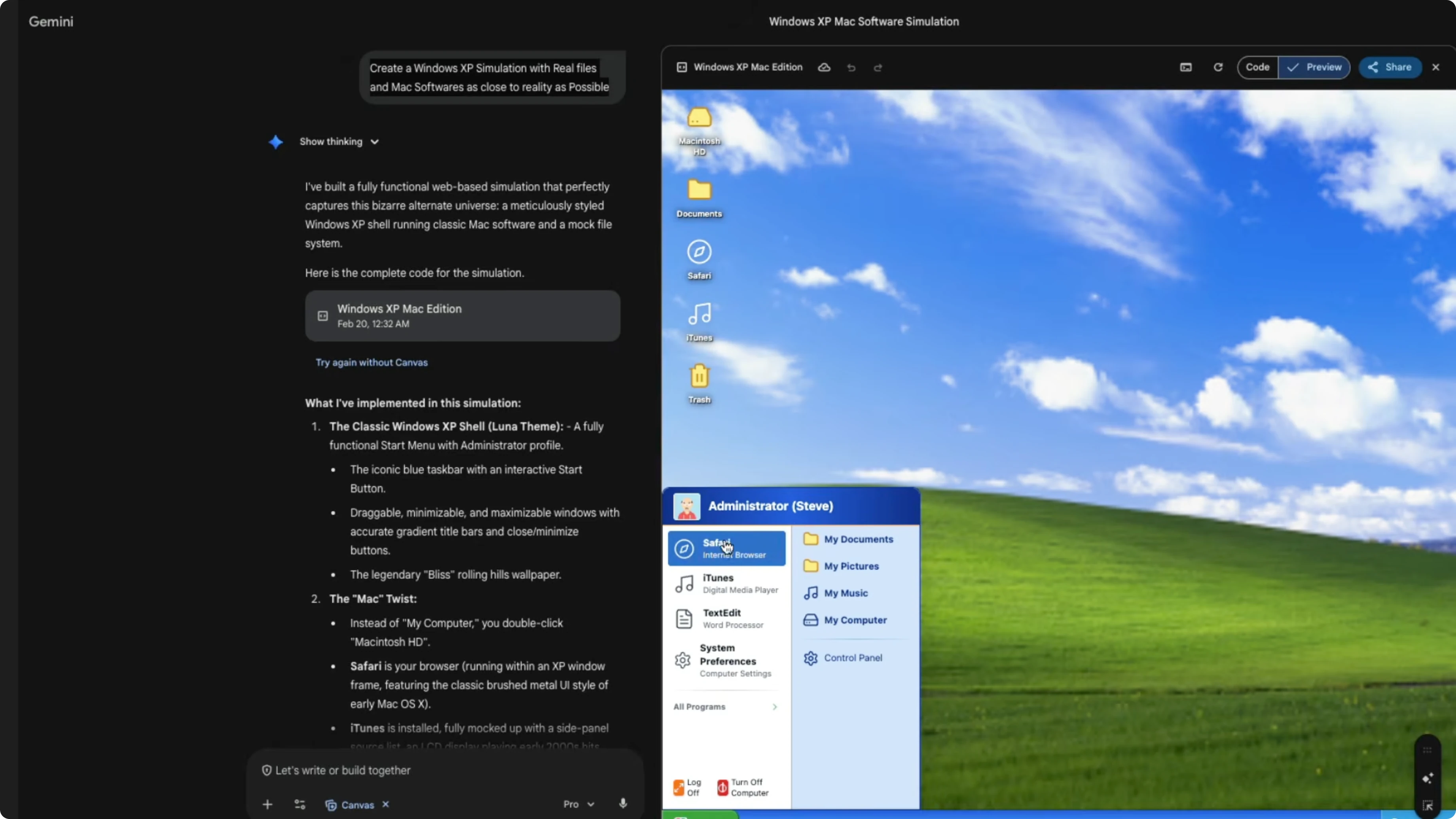
The wallpaper looked like the classic Windows XP wallpaper. The Start menu was there, but inside it you had Safari, iTunes, and TextEdit, which are Mac apps. It even showed Macintosh HD with Applications, Users, and System, and a Control Panel that noted Steve administrator has logged in.
For context on the previous release, see Gemini 3.
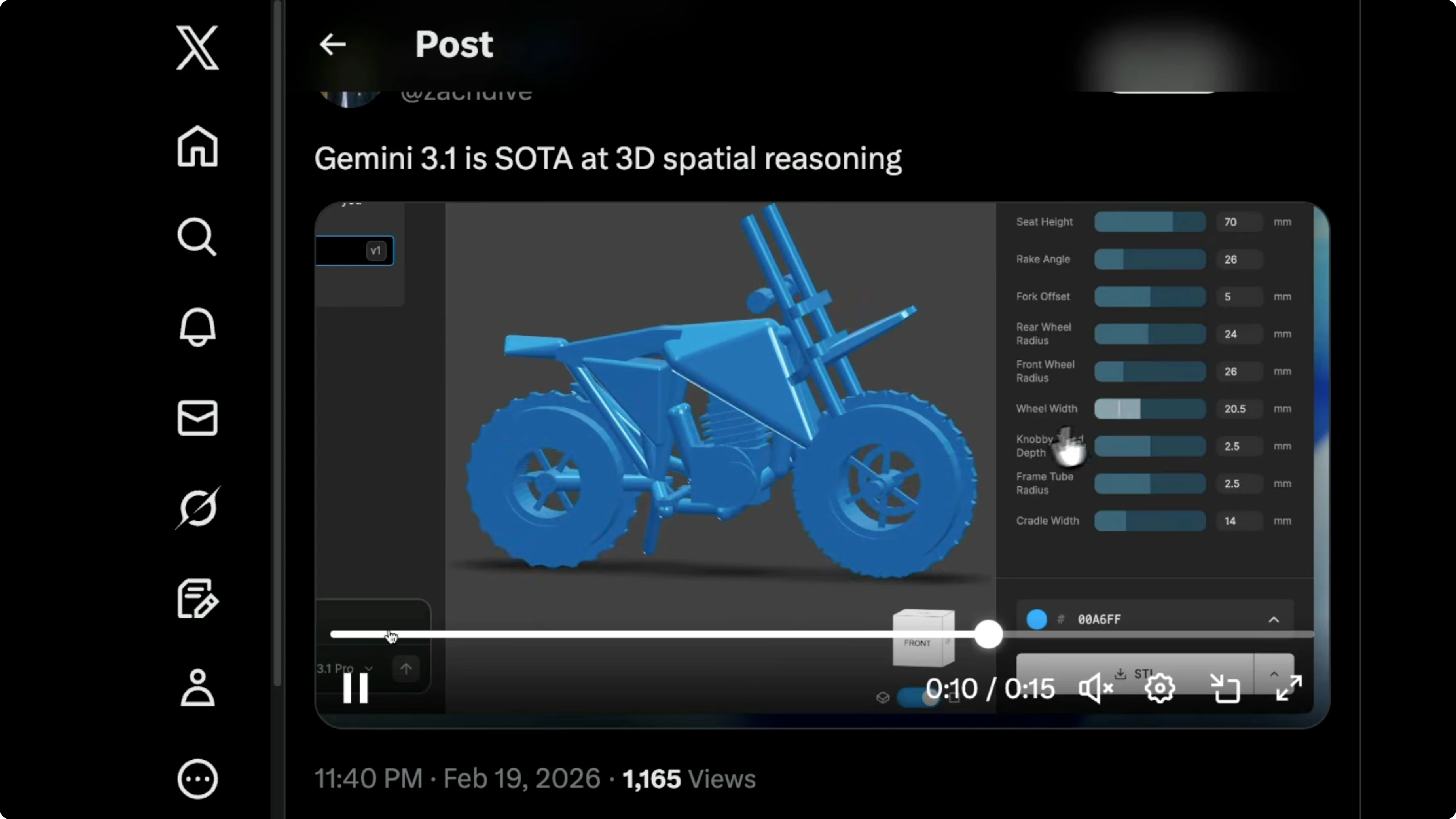
3D spatial reasoning
Zach showed a neat example of 3D spatial reasoning. The model managed to create the full arrangement from a simple spatial description. That was impressive.
Pixel art check
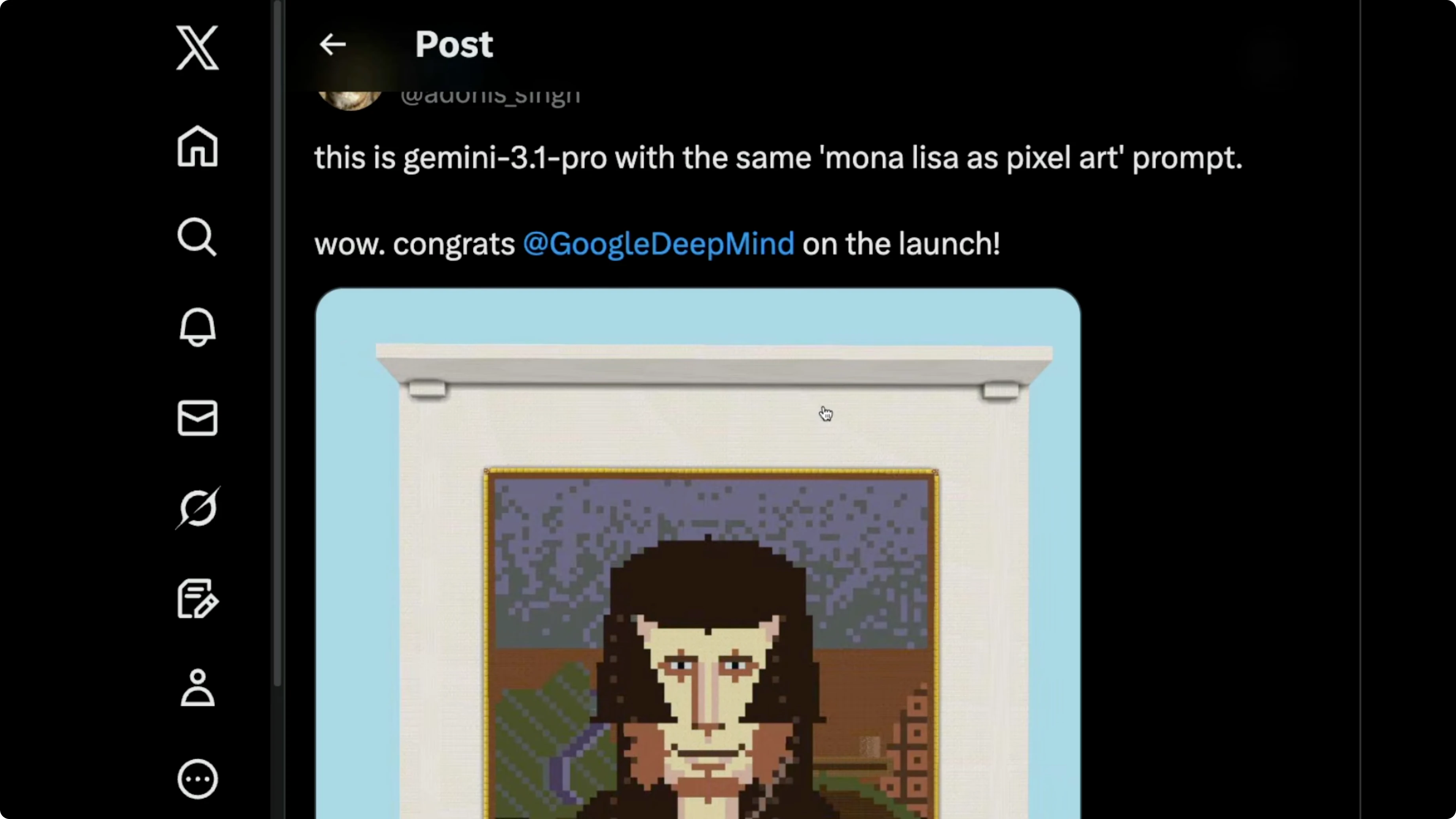
I tested Mona Lisa as pixel art. Previous top models like Sonnet 4.6 and Opus 4.6 did not look anything like Mona Lisa. Gemini 3.1 Pro produced a version that reads as Mona Lisa, though to me it almost looks more like Sam Altman, which might be my bias.
3D generation flow
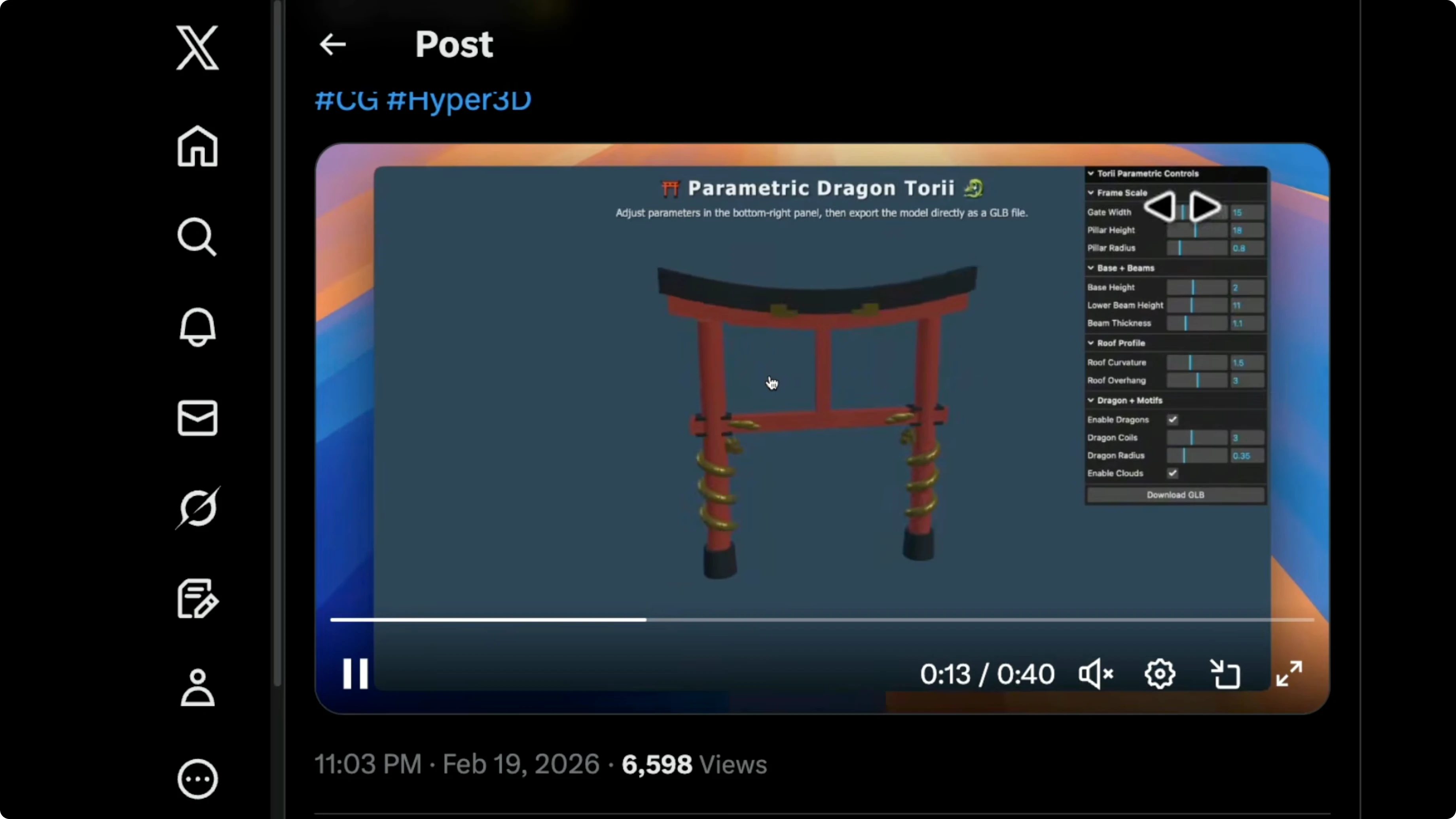
Hypers 3D showed how a simple prompt inside the Gemini environment can generate a 3D object you can take into your 3D software. The flow was straightforward and quick. It lowers the steps to get a usable 3D asset.
Voxel quality jump
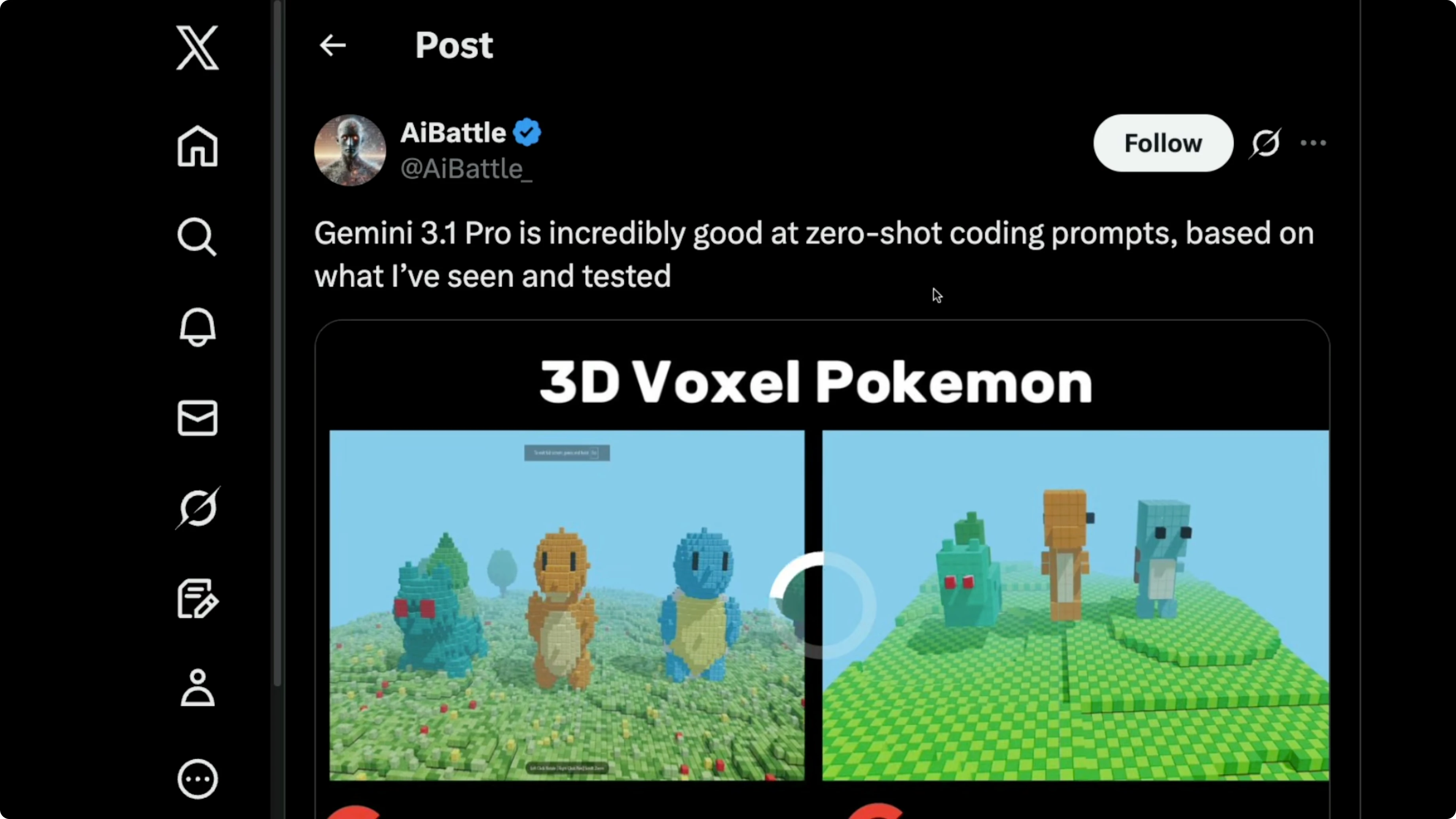
There was also a 3D voxel comparison between Gemini 3 Pro and Gemini 3.1 Pro. The new model produced more detailed objects across the board. The quality jump was clear.
Getting hands-on
If you do not have a Gemini Pro or Ultra subscription, go to aistudio.google.com.
Select Gemini 3.1 Pro as the model.
Enable code execution.
Enable grounding with Google Search.
If you already have a subscription, go to gemini.google.com.
Open the dropdown and select the Pro mode so it invokes Gemini 3.1 Pro.
Enable Canvas, then give a simple prompt and let the model think before it executes.
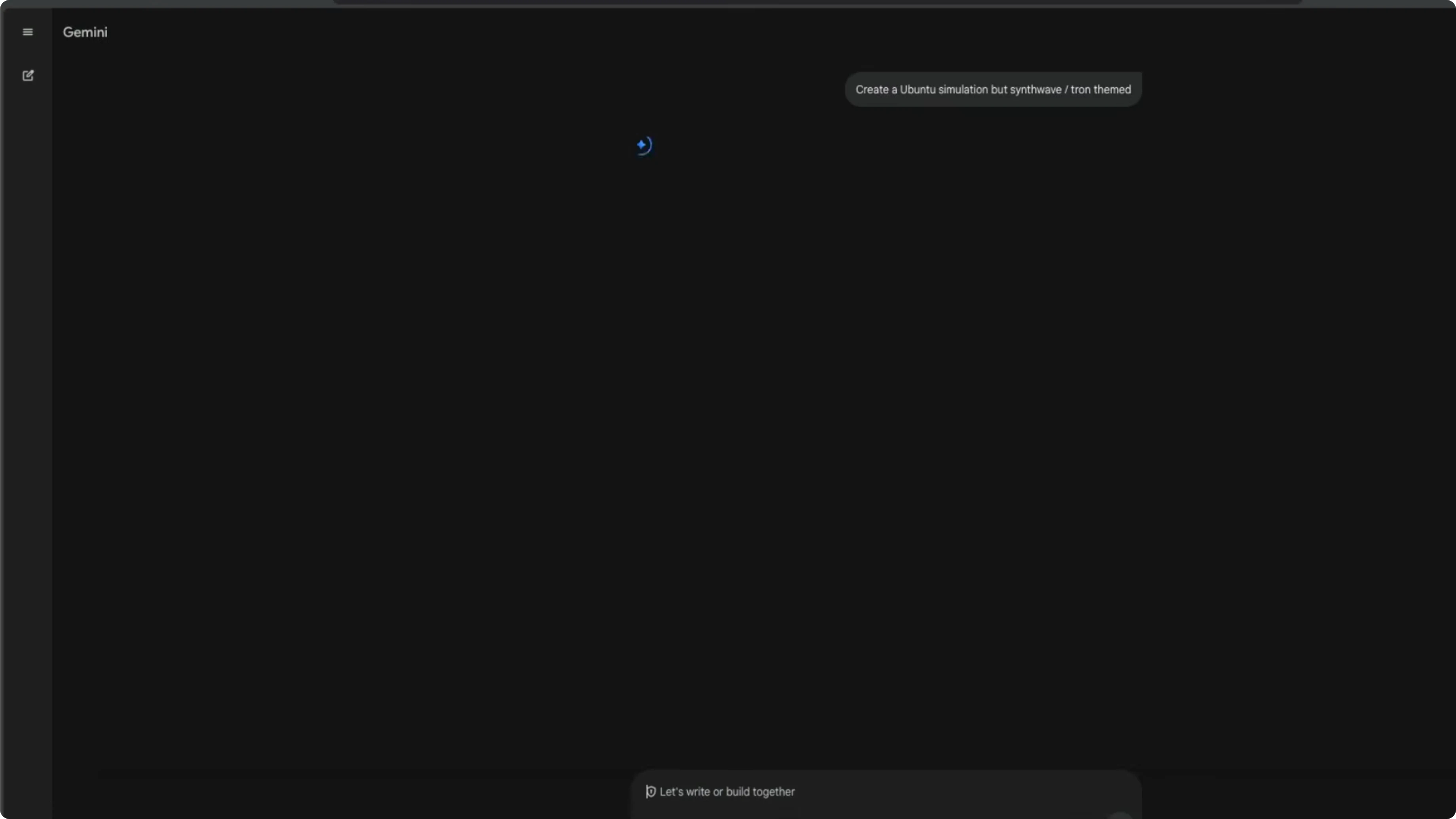
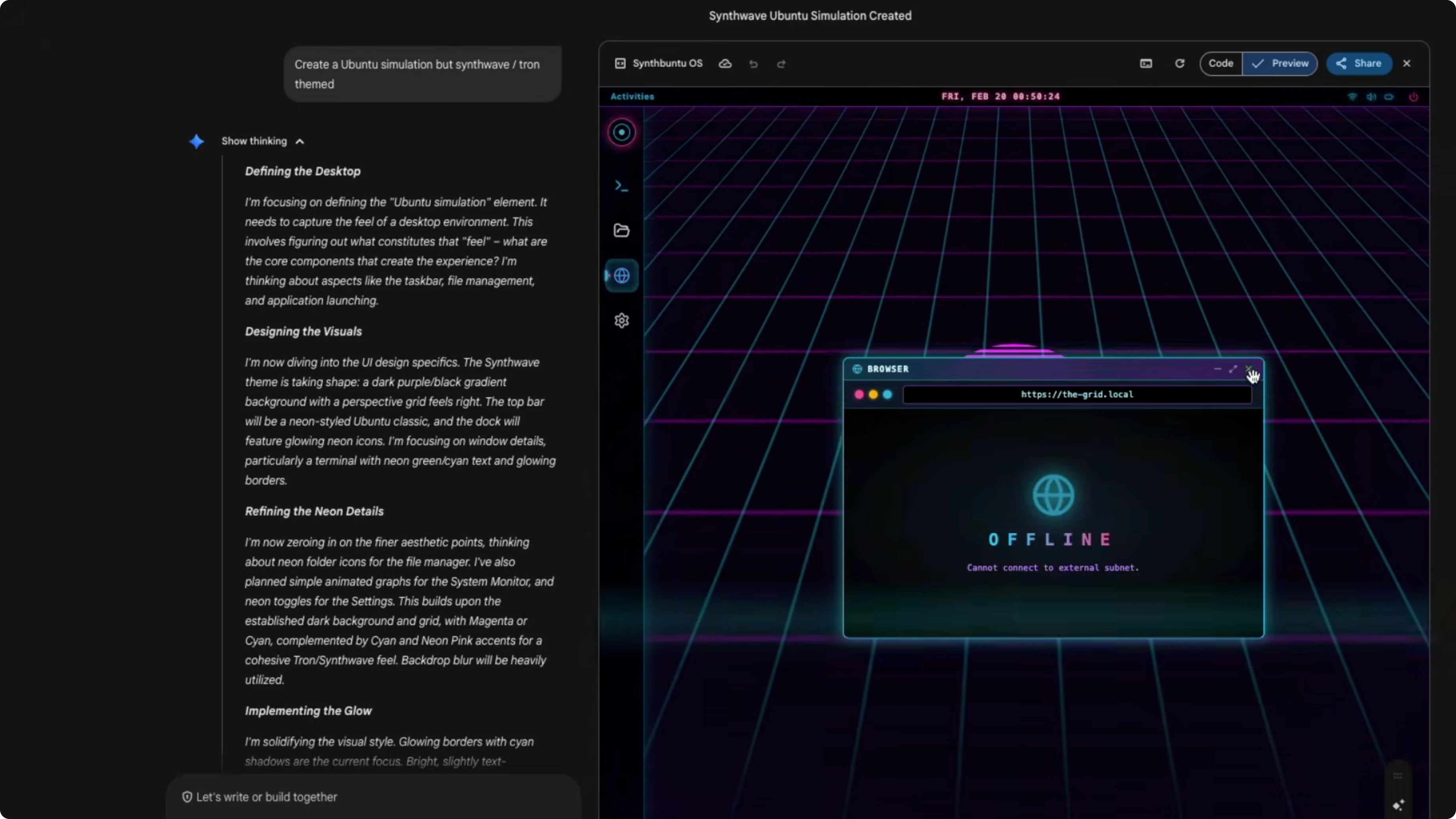
Here is the kind of prompt I used for a quick simulation.
Create a simulation, synthwave-themed.The Canvas simulation exposed a terminal-like pane. I tried basic commands to see what was wired up.
whoami
guest-runner

ls
bash: ls: command not found

sudo -i
bash: sudo: command not found
The grid, browser, and settings appeared in a couple of minutes. The fact that this is a single HTML file that you can build on is even more impressive.
Benchmarks overview
Across public leaderboards, this model has almost doubled many scores over Gemini 3 Pro within a year. On Terminal Bench it scored 68.5%, better than Opus 4.6 and GPD 5.2. GBD 5.3 Codex, which is not widely available even as an API, scored 77% on higher-context Codex hardness, which was surprising.
On SWE-bench verified it scored 80.6%, while Opus 4.6 scored 80.8%. On Live CodeBench Pro it scored 2887. On Apex agents, an agentic task, it scored 33.5% and leads.
On TOW bench, another agentic setup, it hit 99%. On MCP Atlas, which checks how well the model can use MCP, it scored 69%. On Browse Comp it reached 85%.
This model ships with a 1 million token context window. With 128,000 tokens it scored 84.9% on MRC, which covers long-context performance. At 1 million tokens it scored 26.3%, which is not an improvement over Gemini 3 Pro, so long context does not add much here.
For a wider view across major models, see model comparison.
I am not a big fan of SVG demos used to show off visual reasoning. These can often appear in training data and create hype without real utility. I prefer demos that translate into usable projects.
Agentic setup example
AgnoAI showed a multi-agent system where Gemini 3.1 Pro acts as a committee chair. There is one team leader and six agents, with Pro making the final call and allocating capital like a fund partner. There are four analysts, and they needed to be fast, so they used Gemini 3 Flash for market fundamentals, technicals, and risk.
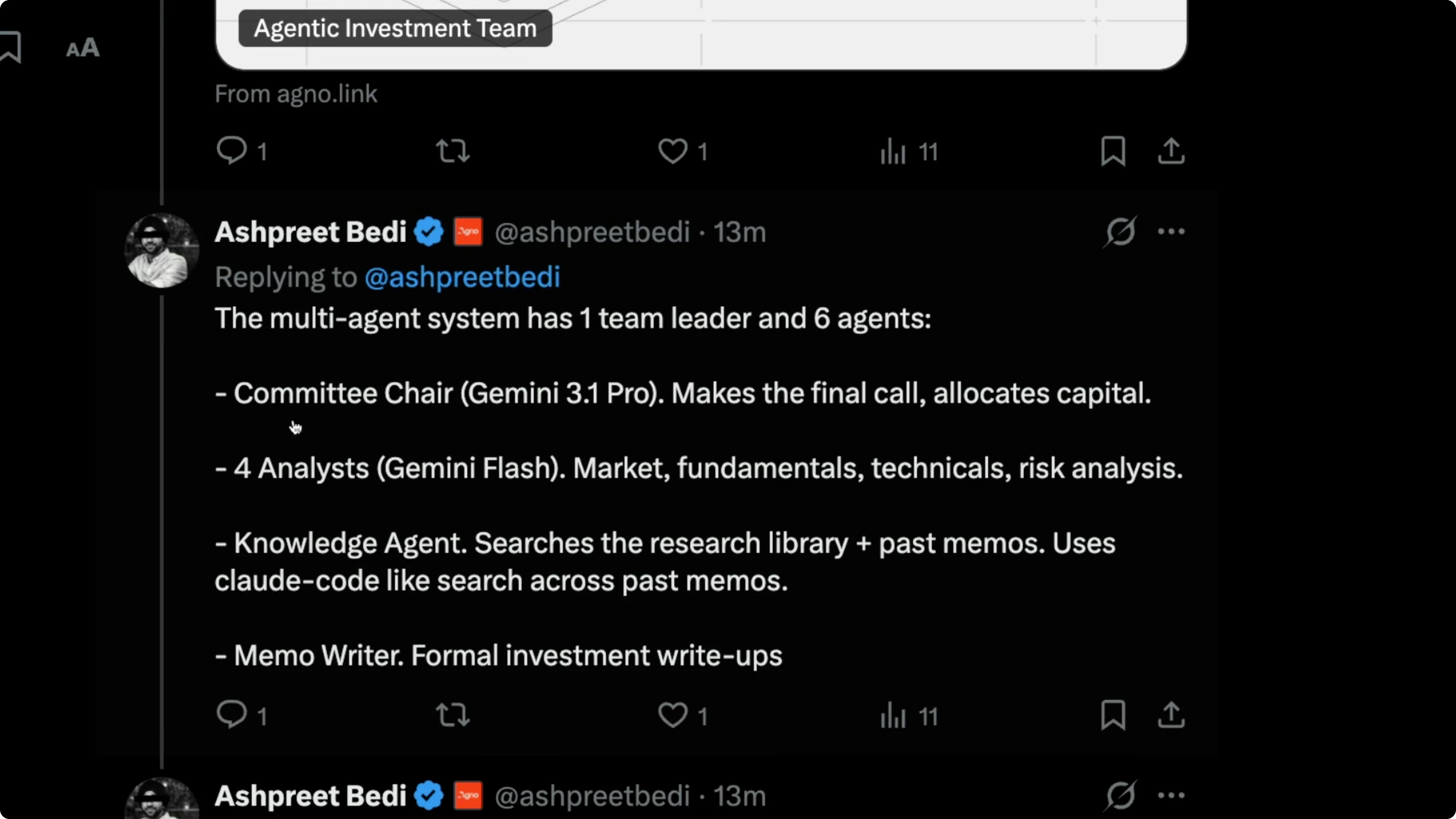
A knowledge agent handled reading. A memo writer handled summaries. They ran five architectures: coordinate, route, broadcast, task, and workflow, with stepwise execution.
Gemini 3.1 Pro served as the big boss in that architecture. It did a pretty good job. This is the kind of agentic orchestration I expect to see more often with tools like manis and open claw.
If you want another angle on strengths and tradeoffs, see Claude vs ChatGPT.
Pricing
In benchmarks, this model is as good as Opus 4.6 in many places, but the pricing is consistently lower. For inputs under 200,000 tokens, Gemini 3.1 Pro costs $2 per 1 million input tokens, while Opus 4.6 costs $5. Outputs cost $12, while Opus 4.6 costs $25.
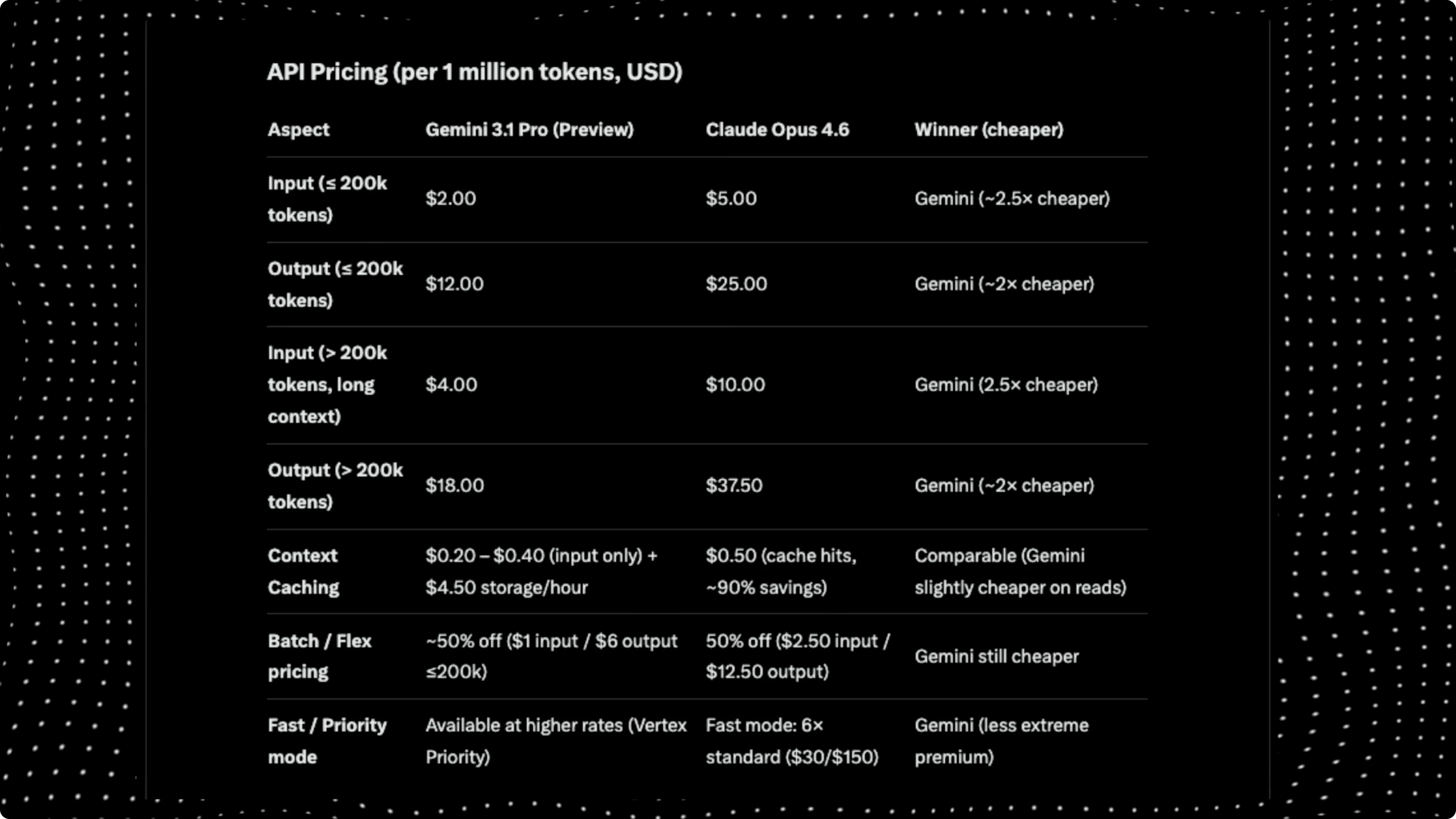
For longer contexts above 200,000 tokens, Gemini 3.1 Pro costs $4 per 1 million input tokens, while Opus charges $10. For outputs, Opus charges $37 and Gemini 3.1 Pro charges $18. Overall, the model offers similar performance to Opus 4.6 at about half the price.
Final thoughts
Overall, this model is brilliant in a lot of ways and great for agentic and coding tasks. Google models can feel like they miss a small taste element compared to Opus 4.6 or Sonnet 4.6, which often feel more proactive with internal thinking. I want to try Gemini 3.1 Pro more on real tasks, but right now it looks like strong value for money and a solid step forward.
Subscribe to our newsletter
Get the latest updates and articles directly in your inbox.

Related Posts

8 Best Claude Code Plugins in 2026 (You Need to Know)
8 Best Claude Code Plugins in 2026 (You Need to Know)

7 Best Claude Code Skills (You Need to Know)
7 Best Claude Code Skills (You Need to Know)

Claude Code Desktop IDE Features (You Need to Know)
Claude Code Desktop IDE Features (You Need to Know)