
Table Of Content
- What is Voicebox?
- Install Voicebox: A Free ElevenLabs Alternative That Runs Locally on Windows
- Download and install
- First launch and update
- CPU-only performance
- Create a voice profile in Voicebox: A Free ElevenLabs Alternative That Runs Locally on Windows
- 30 second limit and trimming
- Trim to first 29.5 seconds and re-encode
- Or stream copy when input is compatible
- Generate speech with Qwen3-TTS in Voicebox: A Free ElevenLabs Alternative That Runs Locally on Windows
- Multilingual tests
- Features of Voicebox: A Free ElevenLabs Alternative That Runs Locally on Windows
- Voice cloning with Qwen3-TTS
- Voice profile management
- Speech generation
- Stories editor
- Recording and transcription
- Generation history
- Flexible deployment
- Notes and observations
- Final thoughts
Voicebox: A Free ElevenLabs Alternative That Runs Locally on Windows
Table Of Content
- What is Voicebox?
- Install Voicebox: A Free ElevenLabs Alternative That Runs Locally on Windows
- Download and install
- First launch and update
- CPU-only performance
- Create a voice profile in Voicebox: A Free ElevenLabs Alternative That Runs Locally on Windows
- 30 second limit and trimming
- Trim to first 29.5 seconds and re-encode
- Or stream copy when input is compatible
- Generate speech with Qwen3-TTS in Voicebox: A Free ElevenLabs Alternative That Runs Locally on Windows
- Multilingual tests
- Features of Voicebox: A Free ElevenLabs Alternative That Runs Locally on Windows
- Voice cloning with Qwen3-TTS
- Voice profile management
- Speech generation
- Stories editor
- Recording and transcription
- Generation history
- Flexible deployment
- Notes and observations
- Final thoughts
I installed Voicebox on Windows and put it through its paces on a CPU-only machine. The goal was to clone voices from short audio samples and generate speech without sending data to any external API. Here is the setup, the workflow, and what worked well.
What is Voicebox?
Voicebox is an open-source local voice cloning and text-to-speech app that runs entirely on your machine on Mac or Windows. Linux support is not there yet. It positions itself as a self-hosted alternative to services like ElevenLabs, with similar functionality and no subscription.
It includes a timeline editor for multi-voice projects like podcasts or dialogues, an in-app recorder with Whisper-powered transcription, and a REST API for integration on Windows. It runs on a PyTorch backend with CUDA acceleration if you have a compatible GPU, and CPU-only is supported at the cost of speed. The desktop app is built with Tauri, which keeps the footprint reasonably small for a very early stage project.
You can find the source and releases on the Voicebox GitHub. For another solid local TTS option, see Kokoro TTS.
Install Voicebox: A Free ElevenLabs Alternative That Runs Locally on Windows
Download and install
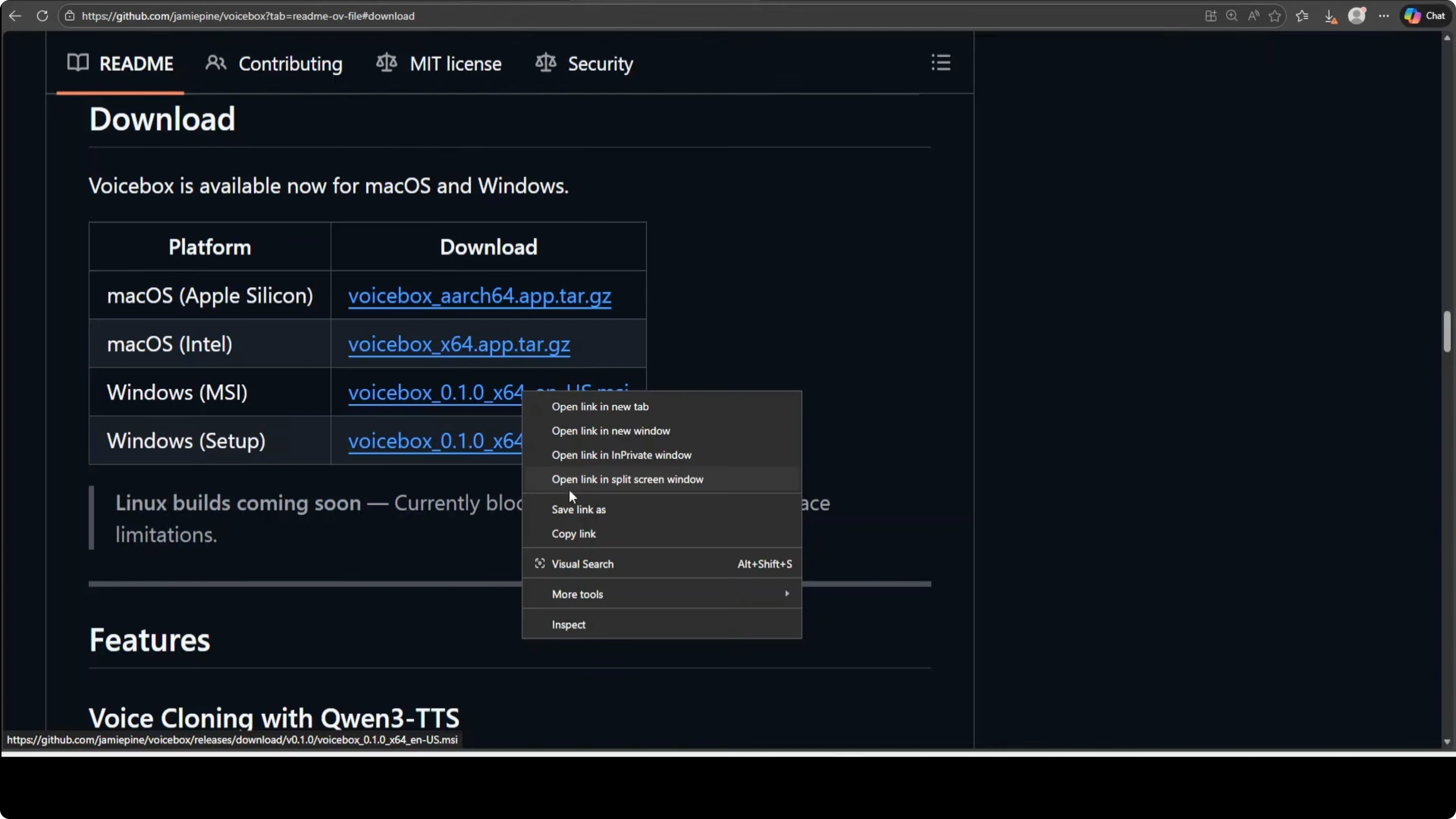
Open the download page and choose the MSI installer for Windows. I prefer MSI over a setup exe because MSI is a proper Windows installer package and the setup exe is typically just a wrapper around the MSI.
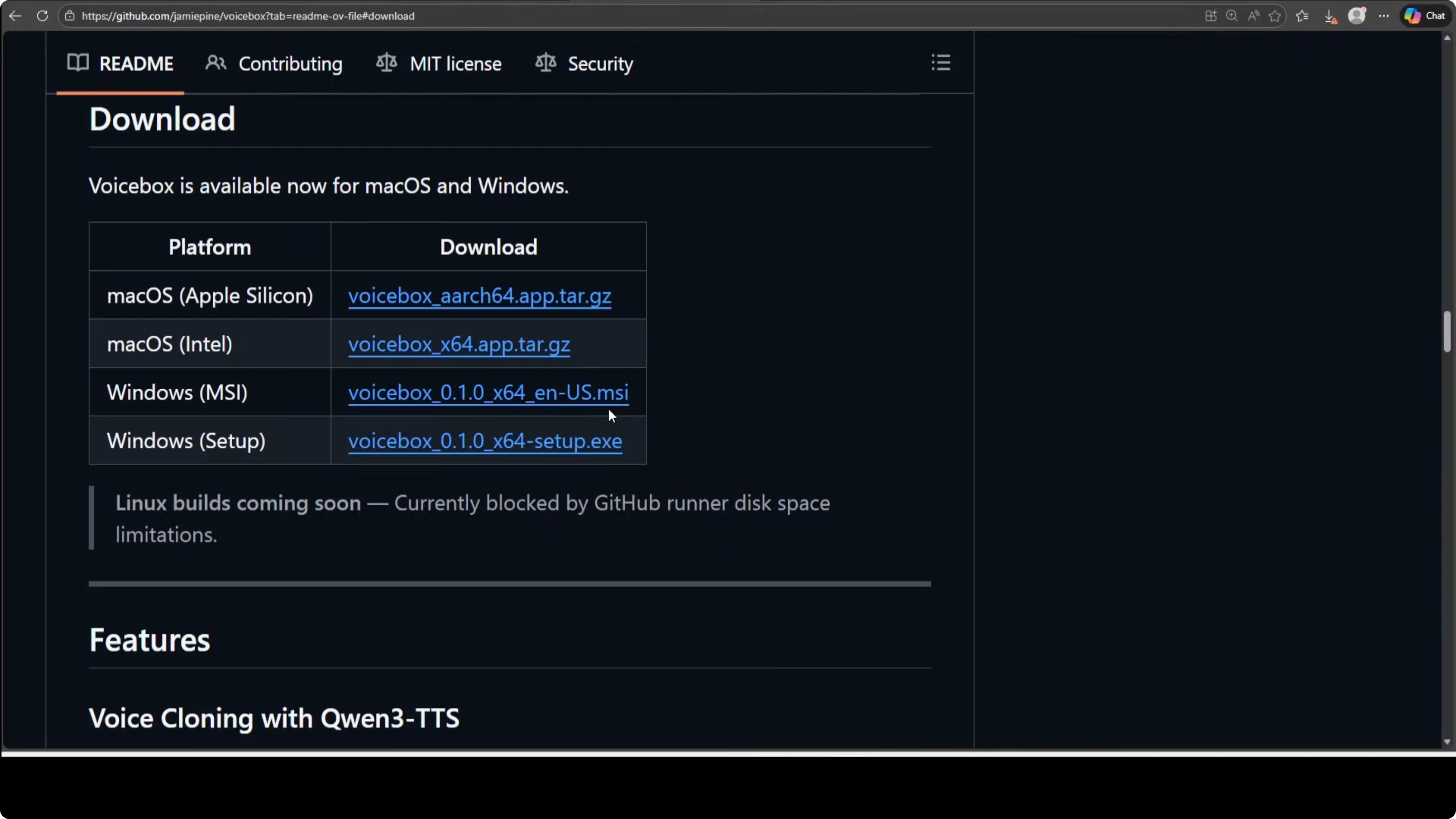
Right click the MSI link and choose Save link as, then save it to a local folder. If the browser flags the file, click Keep.
Double click the downloaded MSI to launch the Microsoft Installer. Click Next through the standard prompts to finish installation.
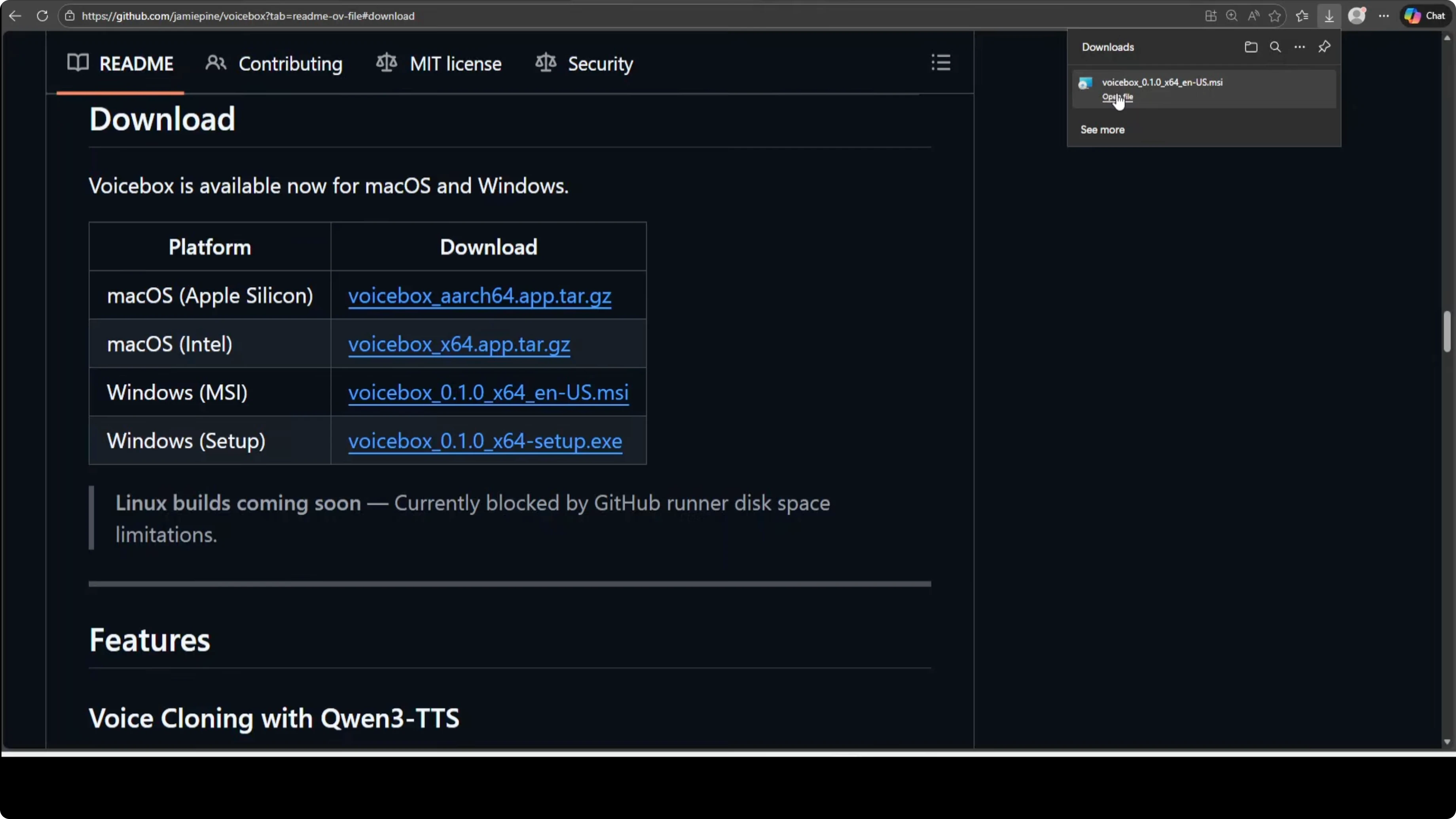
First launch and update
Launch Voicebox after installation. It warms up the system, calibrates, and becomes ready.
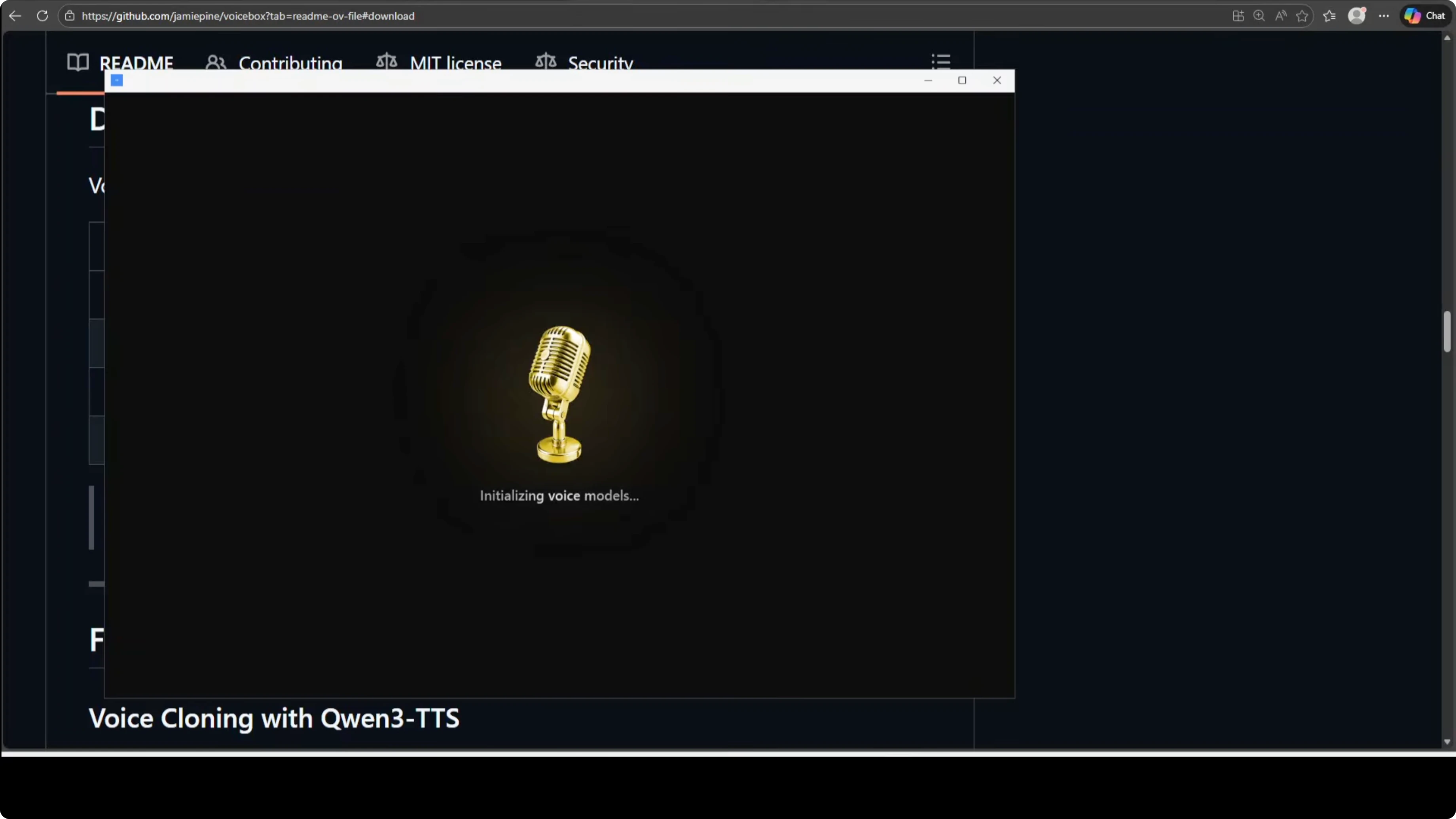
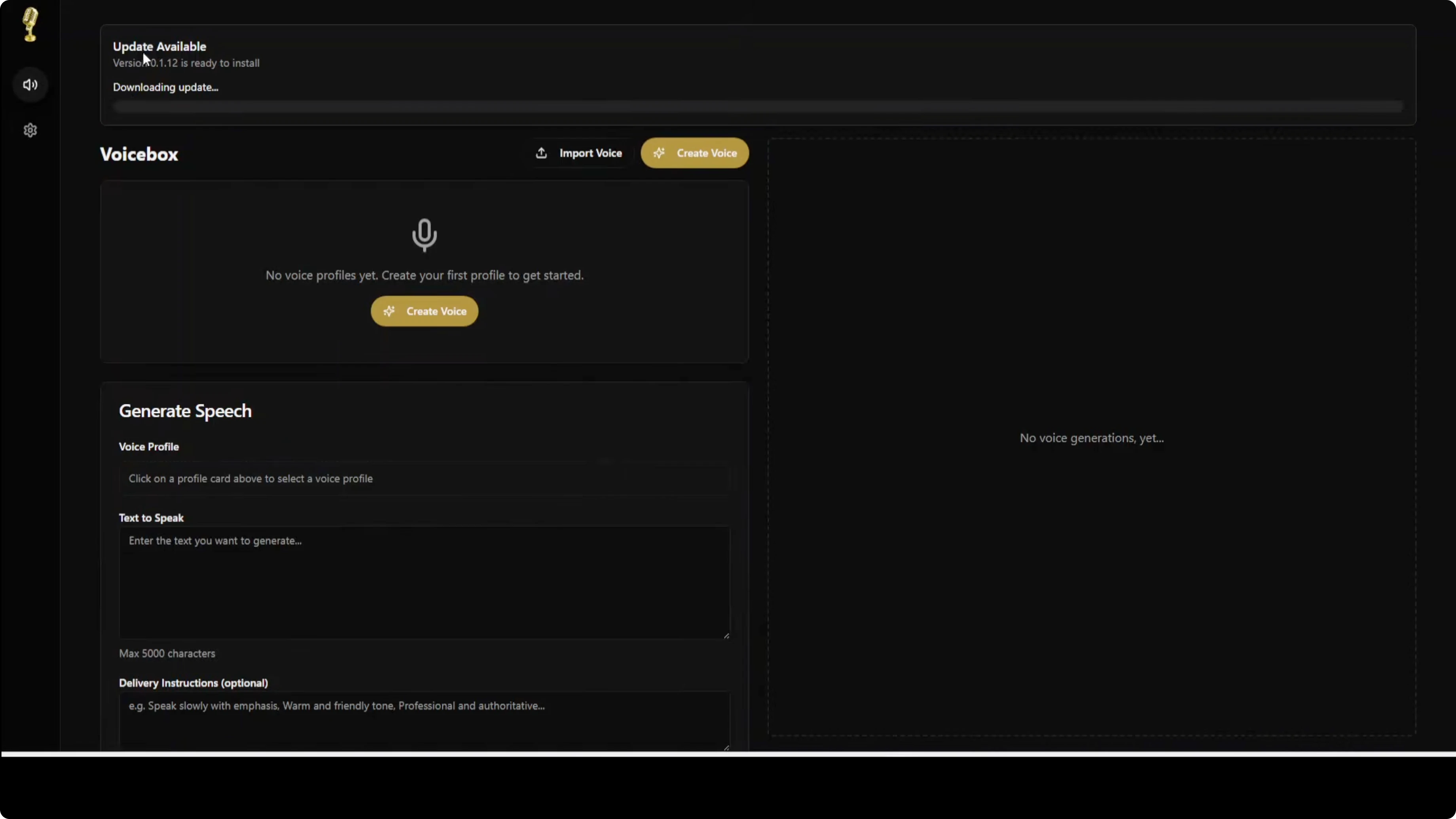
It showed an update available on first launch, so I downloaded it. The app restarted after applying the update and even rebooted my machine, after which I logged back in and launched Voicebox again.
CPU-only performance
On second launch, load time was long on my CPU-only box. It took about 10 minutes.
This appears to be model downloads on first run, as Voicebox uses Qwen3-TTS behind the scenes. The app aims to provide similar functionality to ElevenLabs without sending audio to any API or paying a subscription.

If you are exploring more local model setups on Windows, also see GLM 5.
Create a voice profile in Voicebox: A Free ElevenLabs Alternative That Runs Locally on Windows
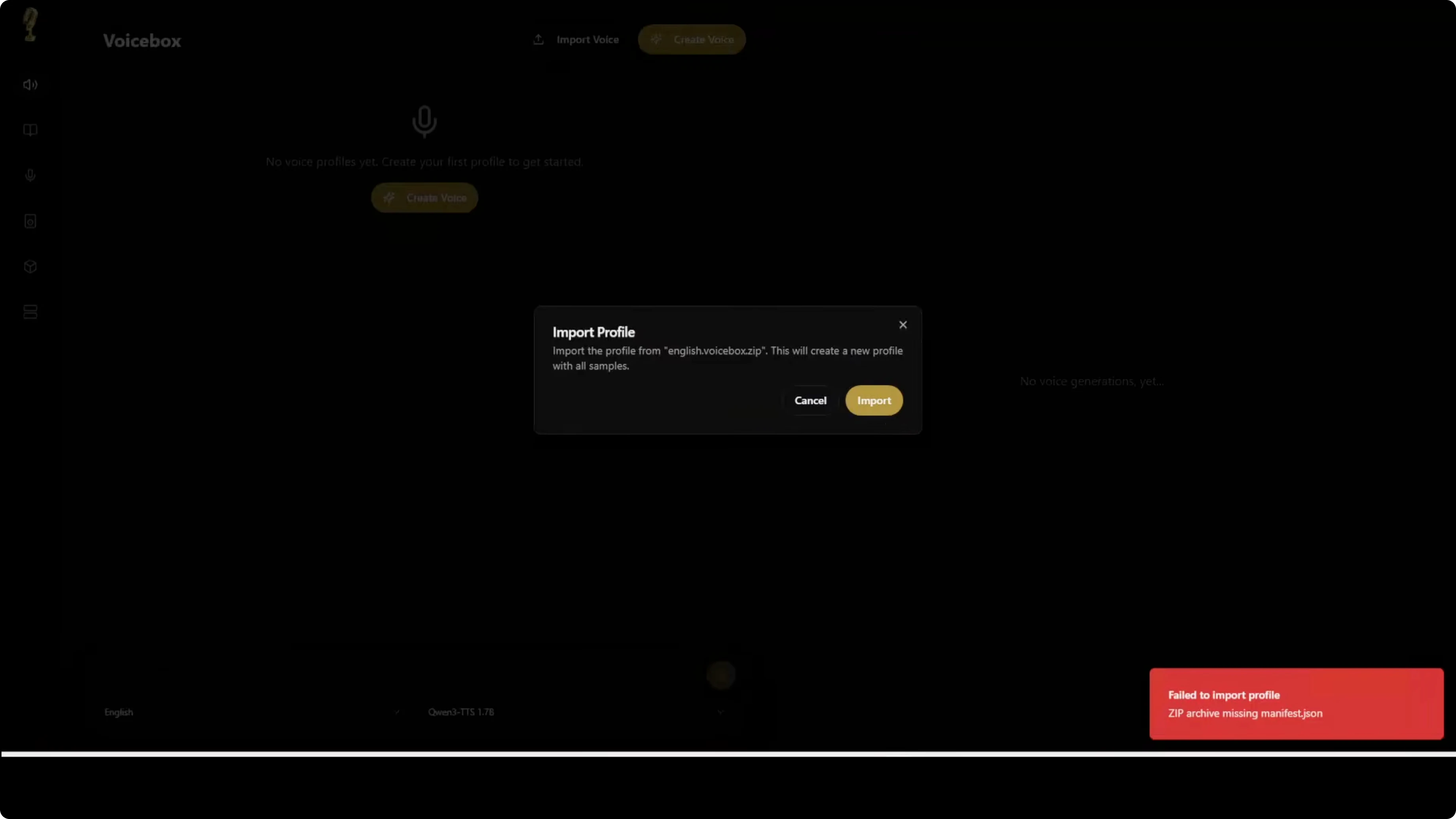
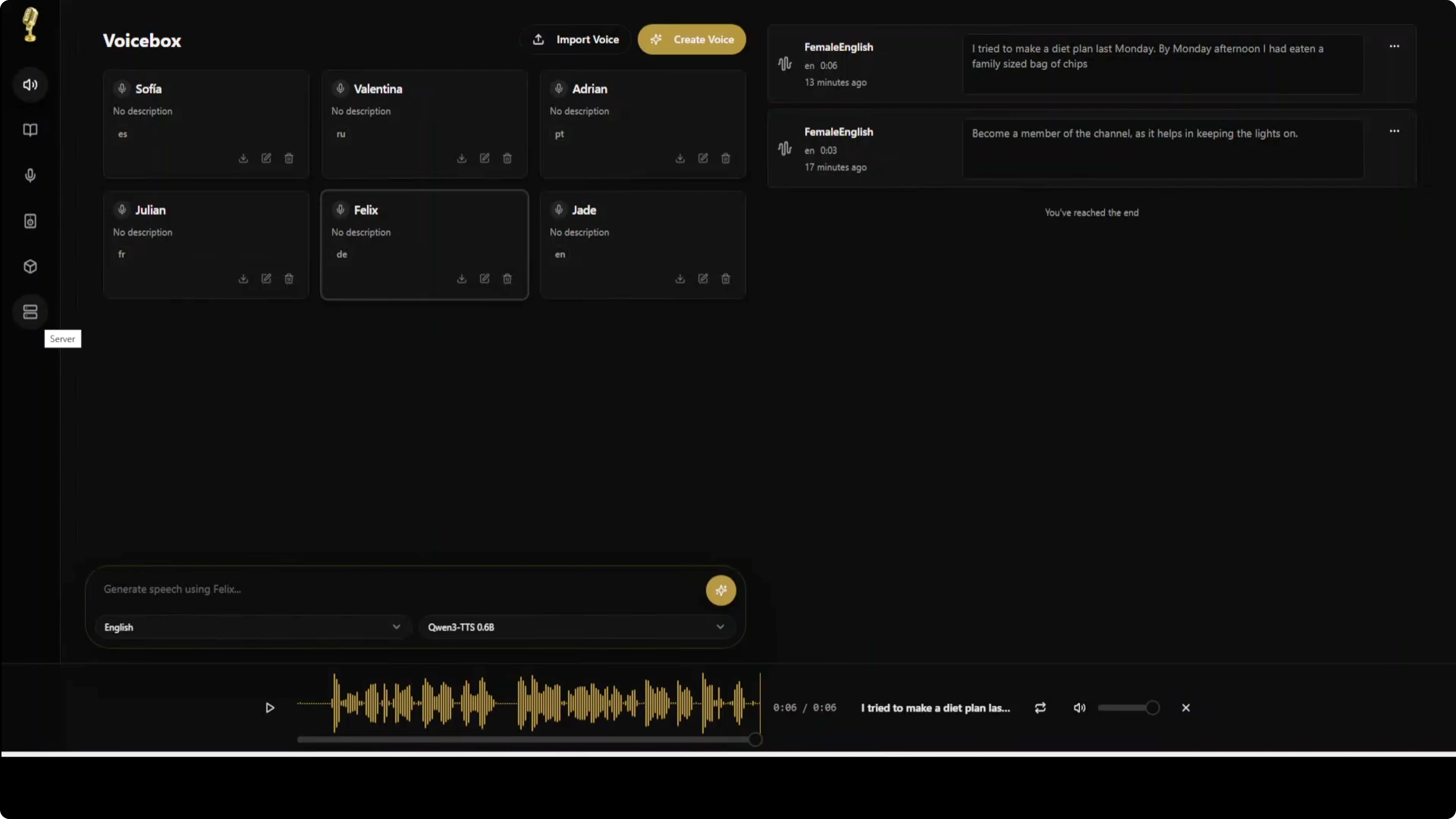
I first tried importing a voice as a zip, but it failed due to a missing manifest.json. From what I can tell, you need to create the voice profile inside Voicebox, then export it to be able to import it later.
Click Create voice and upload your reference audio file. Give it a name like Female English, choose the language, and click Transcribe to run Whisper and generate the reference text.
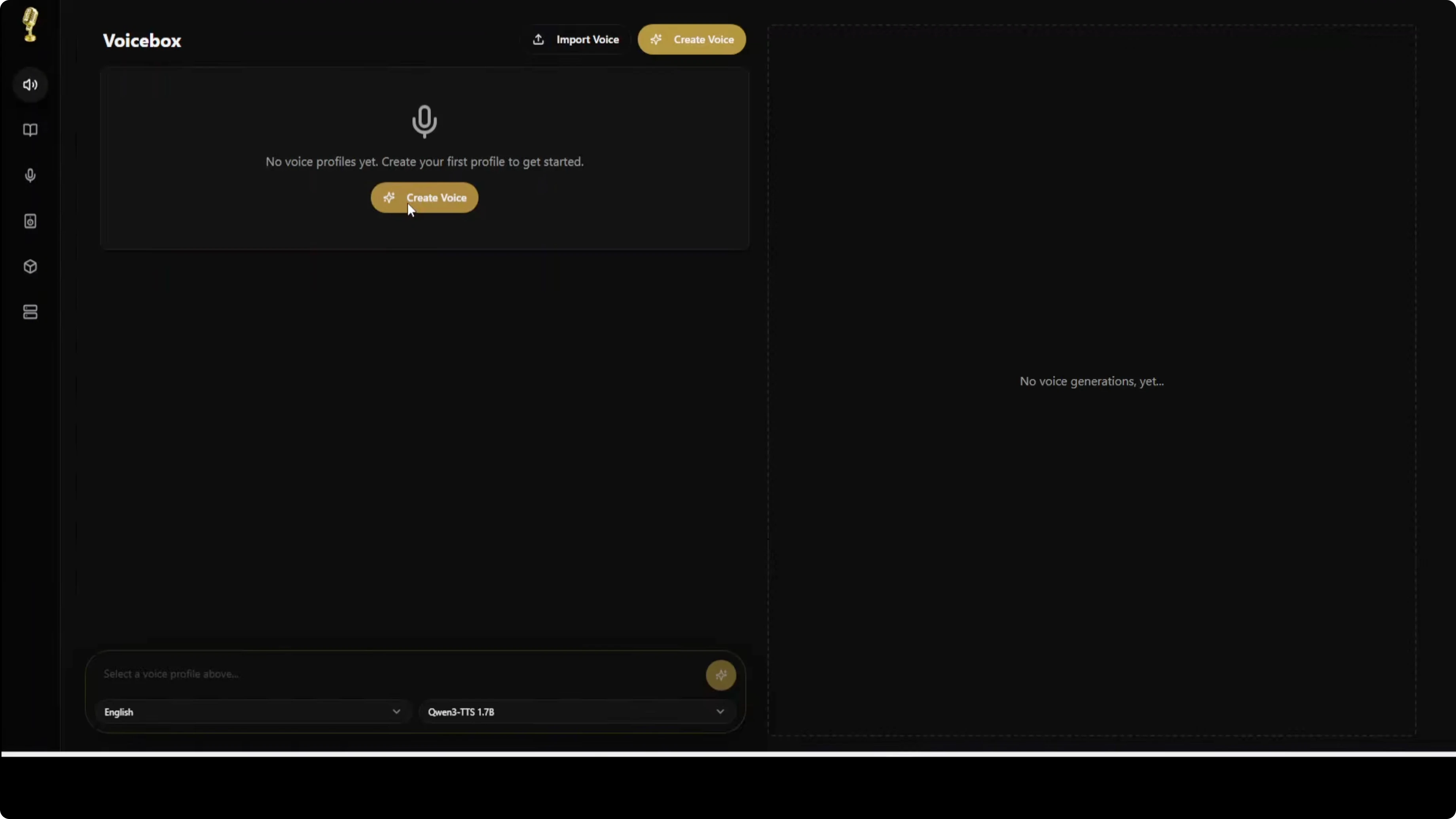
Click Create profile to save the voice profile. This process worked reliably.
30 second limit and trimming
One limitation is you cannot upload a reference file longer than 30 seconds. I trimmed my samples with ffmpeg to fit under the limit.
Example commands:
# Trim to first 29.5 seconds and re-encode
ffmpeg -i input.wav -t 29.5 -ar 16000 -ac 1 -c:a pcm_s16le output.wav

# Or stream copy when input is compatible
ffmpeg -i input.mp3 -t 29.5 -c copy output.mp3
Generate speech with Qwen3-TTS in Voicebox: A Free ElevenLabs Alternative That Runs Locally on Windows
The TTS backend is Qwen3-TTS with 1.7B and 6B options. I selected the 6B model for English on CPU.
On first generation it downloaded models. Even though I chose 6B, it downloaded the 1.7B model first and then the 6B model, which looks like a bug.
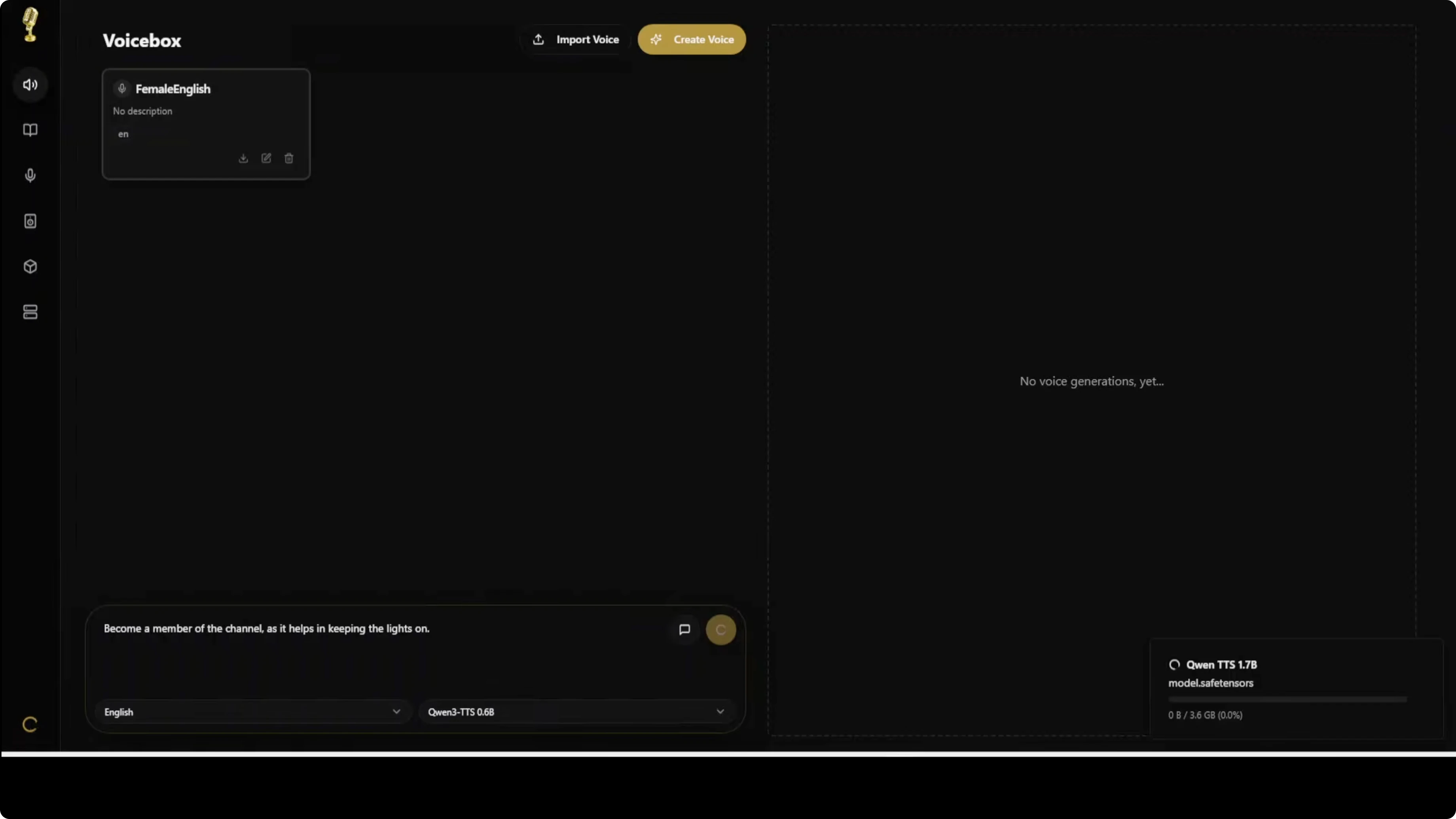
After downloads, a short English sentence generated in about 1 minute on CPU. Quality was solid and natural in English.
Long passages failed with an error, so I shortened the text. With shorter inputs, it generated reliably.
Multilingual tests
I created profiles for Spanish, Russian, Portuguese, French, and German in addition to English. For each profile I uploaded a trimmed sample, set the language, and created the profile.
Spanish took about 5 to 6 minutes to generate on CPU. The cloning carried over the voice tone and character, and quality was good for a local setup.
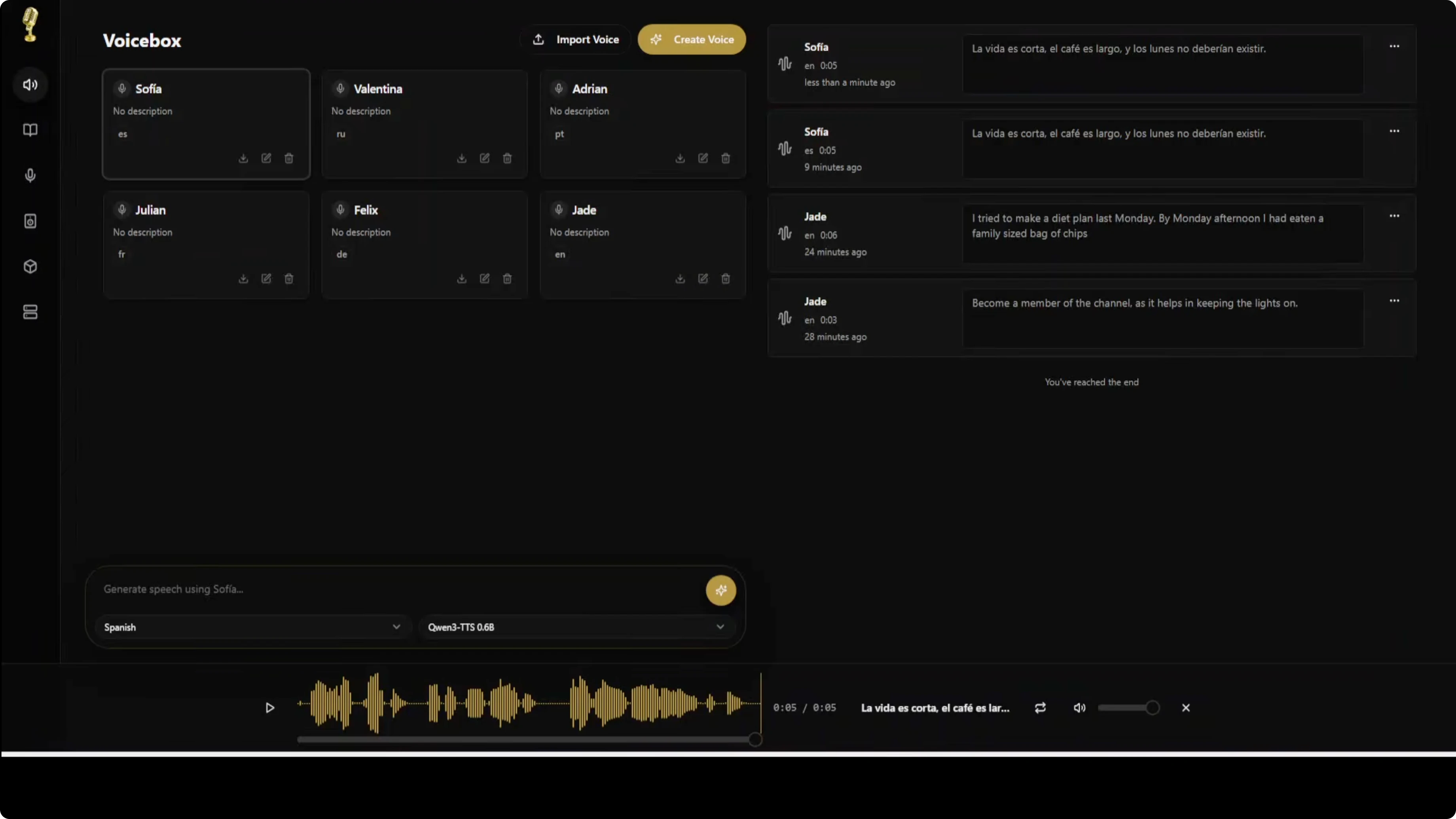
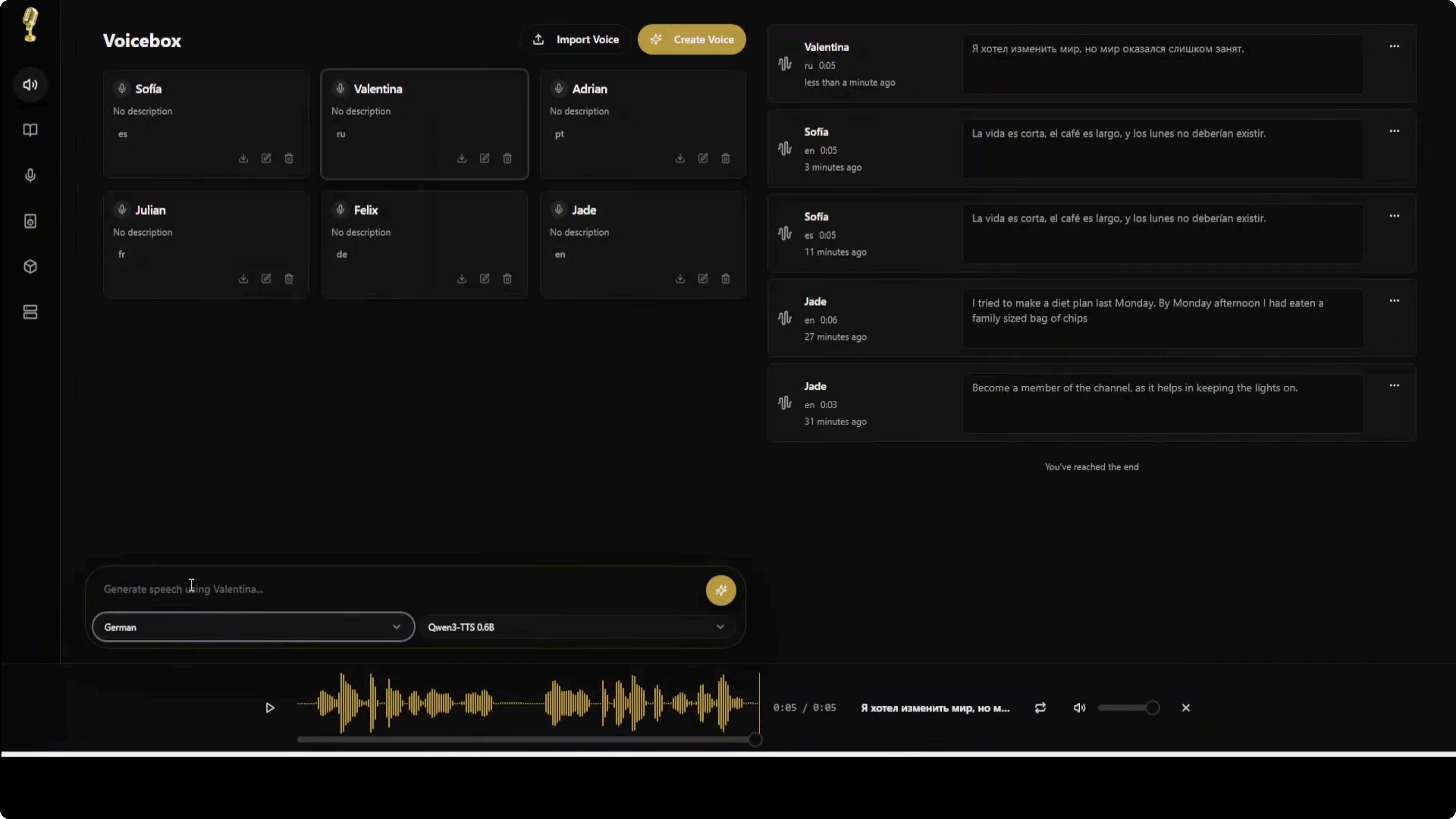
I also tested a Russian profile and a German profile. The German profile used a voice I initially named Felix, which I misnamed for gender, but the test still worked.
Features of Voicebox: A Free ElevenLabs Alternative That Runs Locally on Windows
Voice cloning with Qwen3-TTS
Voicebox uses Alibaba's Qwen3-TTS, which can produce high quality voice cloning from a few seconds of audio. You can upload a short sample to create a voice profile and get strong prosody, emotion, and cadence. English and Chinese are supported, with more languages in progress, and Mac users get very fast generation with the MLX backend that uses Apple Silicon's Neural Engine.
Voice profile management
You can create profiles from audio files or record directly in the app. Profiles can be imported or exported to share or back up. Multiple samples can be combined for higher quality cloning, and you can organize profiles with descriptions and language tags.
Speech generation
You can run text to speech with any cloned voice. Batch generation helps with longer content, and smart caching lets you regenerate instantly when the same prompt appears. This speeds up iteration.
Stories editor
There is a timeline-based editor for creating multi-voice narratives, podcasts, and conversations. You can arrange multiple tracks in a single project, trim or split clips inline, and use auto-playback to preview with a synchronized playhead. Voice mixing helps build conversations with multiple participants.
Recording and transcription
The in-app recorder shows a waveform while recording. System audio capture works on macOS and Windows, and transcription is powered by Whisper. You can export recordings in multiple formats.
Generation history
Voicebox keeps a full history of generated audio. You can search and filter by voice, text, or date, and re-generate any past item with one click. This is handy for revisions.
Flexible deployment
Local mode keeps everything on your machine. Remote mode connects to a GPU server on your network, and a one-click server can turn any machine into a Voicebox server. For building related local workflows, check out Ace Step.
Notes and observations
CPU-only on Windows is slow but workable. The first-run downloads of Qwen3-TTS models took a long time and both 1.7B and 6B were fetched even when I selected 6B.
English output quality was very good for short inputs. Non-English outputs took longer to generate on CPU.
The update process forced an app restart and even rebooted my machine once. The app is early stage, and there are some rough edges, but the core cloning and TTS workflow is functional.
Final thoughts
Voicebox delivers local voice cloning and text-to-speech on Windows and Mac with strong results, especially in English. The workflow of creating a profile, transcribing with Whisper, and generating speech works well, though CPU-only users should expect long waits and large model downloads.
If you want local control with no data sent to external services, Voicebox is a solid option to try. Also explore Kokoro TTS and GLM 5 for more local AI tooling.
Subscribe to our newsletter
Get the latest updates and articles directly in your inbox.

Related Posts

8 Best Claude Code Plugins in 2026 (You Need to Know)
8 Best Claude Code Plugins in 2026 (You Need to Know)

7 Best Claude Code Skills (You Need to Know)
7 Best Claude Code Skills (You Need to Know)

Claude Code Desktop IDE Features (You Need to Know)
Claude Code Desktop IDE Features (You Need to Know)