
Table Of Content
- How Claude Code and Nano Banana 2 Create Ideal AI Images?
- Setup
- Keys
- Folder structure
- JSON over plain text
- Using the Nano Banana Ultimate skill
- Generate
- Edit
- Compose
- Batch
- Diagrams
- Presets and models
- Outputs and paths
- Change your Gemini key
- Logo workflow example
- Prompting tips for higher accuracy
- Final thoughts
How Claude Code and Nano Banana 2 Create Ideal AI Images?
Table Of Content
- How Claude Code and Nano Banana 2 Create Ideal AI Images?
- Setup
- Keys
- Folder structure
- JSON over plain text
- Using the Nano Banana Ultimate skill
- Generate
- Edit
- Compose
- Batch
- Diagrams
- Presets and models
- Outputs and paths
- Change your Gemini key
- Logo workflow example
- Prompting tips for higher accuracy
- Final thoughts
Nano Banana 2 just came out and it is the best AI image generation model in the world right now. Average users pass plain text and usually get poor accuracy. Nano Banana 2 prefers JSON.
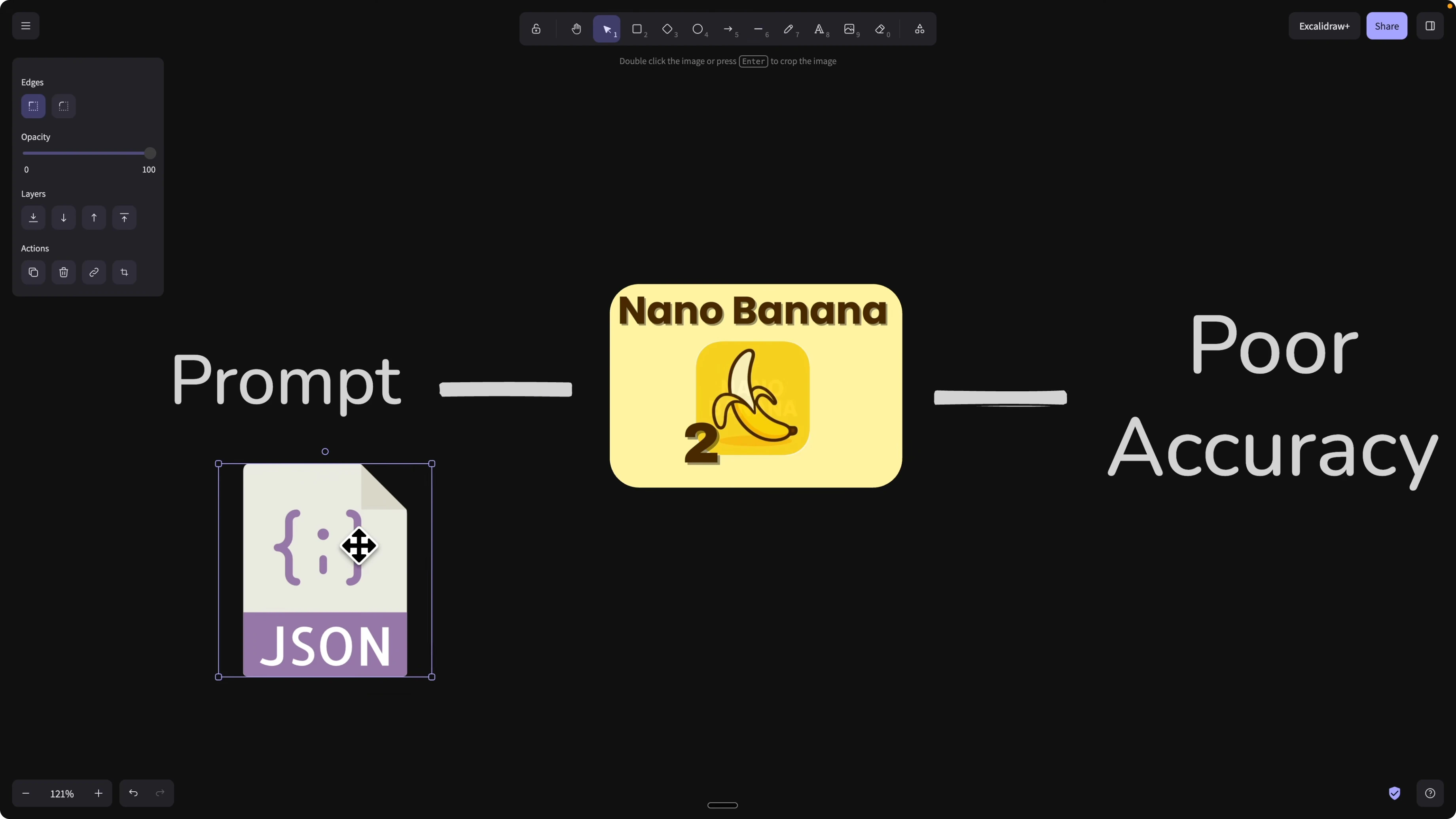
If you provide a structured JSON prompt object and pass it to Nano Banana 2, you usually get much higher accuracy. Most of us still want to write in natural text and avoid over explaining context. I built a Claude skill that makes this easy and dramatically improves accuracy across generation, edit, compose, batch, and diagram tasks.
For a quick primer on the model itself, check out this overview of Nano Banana 2 and why it excels at structured prompts.
How Claude Code and Nano Banana 2 Create Ideal AI Images?
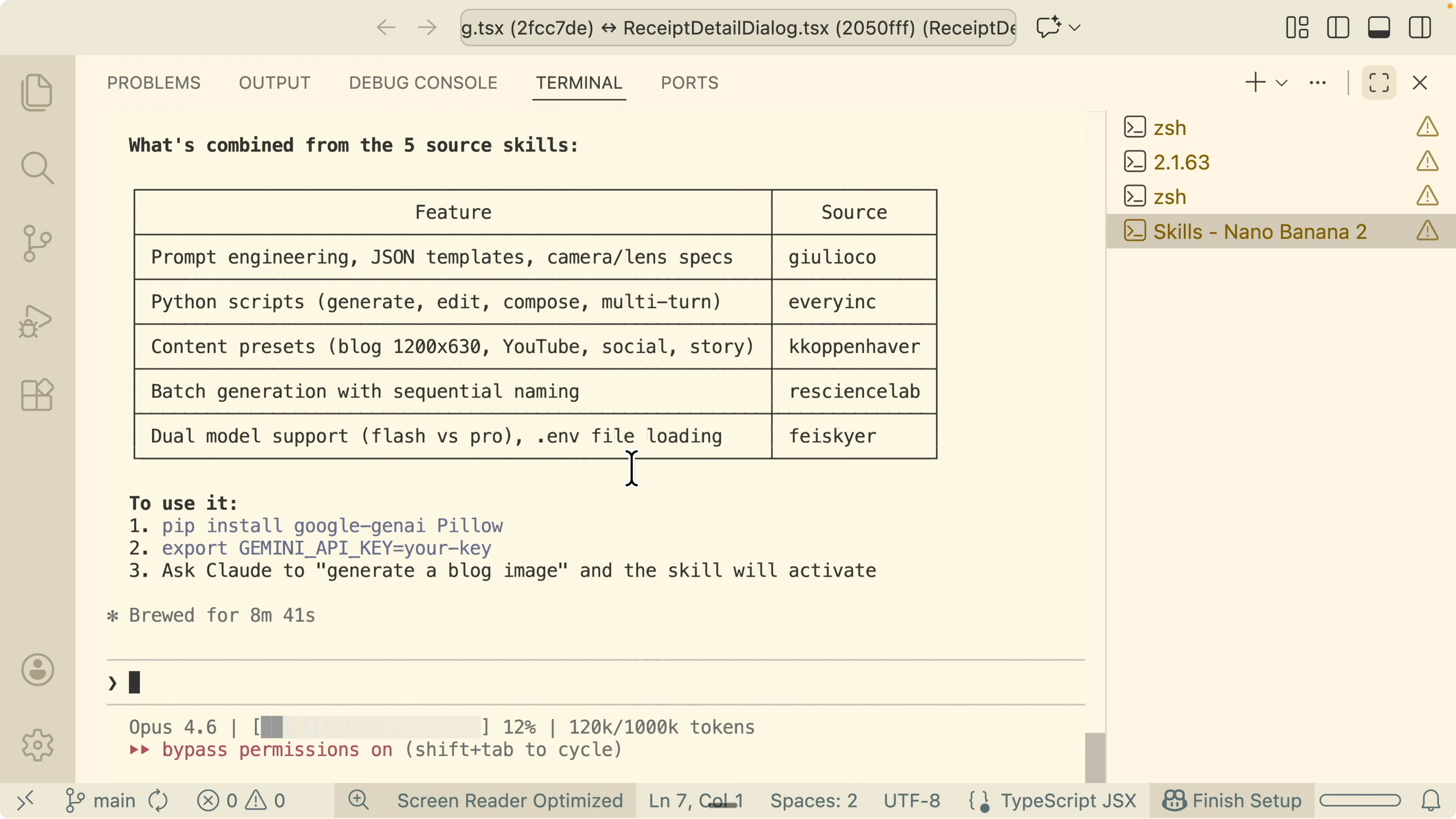
I asked Claude to explore top public skills built for Nano Banana 2 and to combine their strengths. I scored each skill on accuracy, resolution handling, specialized commands for diagrams and icons, and prompt engineering. The result is a single Nano Banana Ultimate skill that is strong across all workflows.
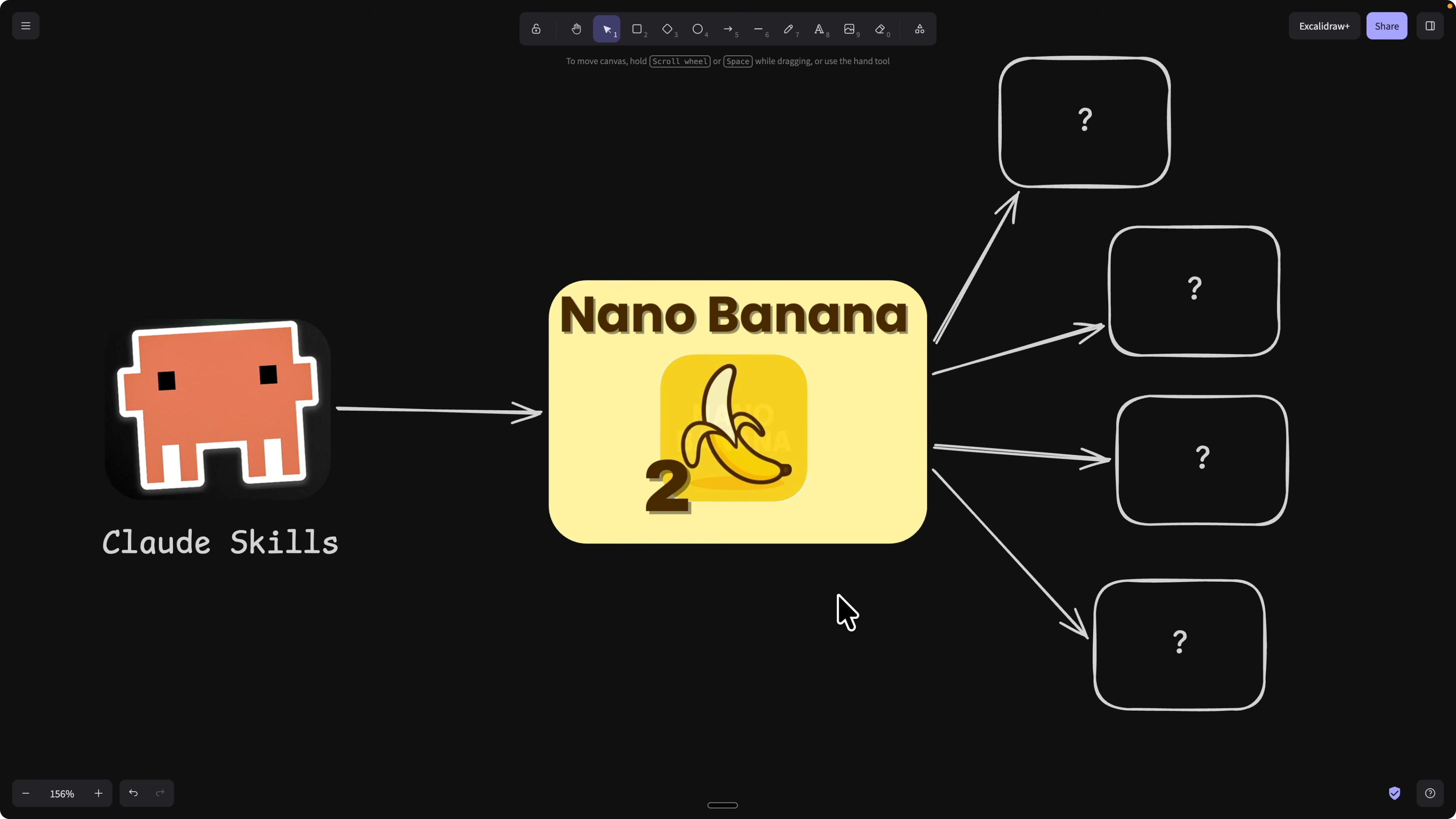
Some skills were excellent at raw generation and upscaling. Some shined at specialized commands for diagrams, flowcharts, and app icons. The most valuable capability was prompt engineering that converts vague text into a concise, specific JSON with style, mood, and clarifying questions to lock in accuracy.
I merged those traits into one unified skill. It converts text to JSON, adds the right context, references up to 14 images, and supports generation, editing, composition, batch runs, and diagram creation. Claude handles the structure and hands Nano Banana 2 exactly what it needs.
If you like structured planning for these multi step builds, see how automated boards help Claude work in a focused loop in this guide to Kanban style planning with Claude.
Setup
You will install the Claude skill locally, set a Gemini API key, and start prompting. After install, grab your Gemini API key from Google AI Studio. Set the key inside the skill config so the scripts can call the model.
If you need help getting Claude ready on your machine, follow this practical Claude Code setup guide.
Keys
Create a Gemini API key in Google AI Studio. Copy the key. Set it in the skill config file as an environment variable.
Example config snippet:
GEMINI_API_KEY=your_gemini_key_hereAfter saving, Claude can use the key immediately for image tasks. You only edit one file to change the key.
Folder structure
After install, you will see a Claude folder named skills with the Nano Banana Ultimate skill inside. Here is the structure for clarity:
/claude
/claude/skills
/claude/skills/nano-banana-ultimate
/claude/skills/nano-banana-ultimate/.env
/claude/skills/nano-banana-ultimate/skill.md
/claude/skills/nano-banana-ultimate/scripts
/claude/skills/nano-banana-ultimate/references
/claude/skills/nano-banana-ultimate/requirements.txt
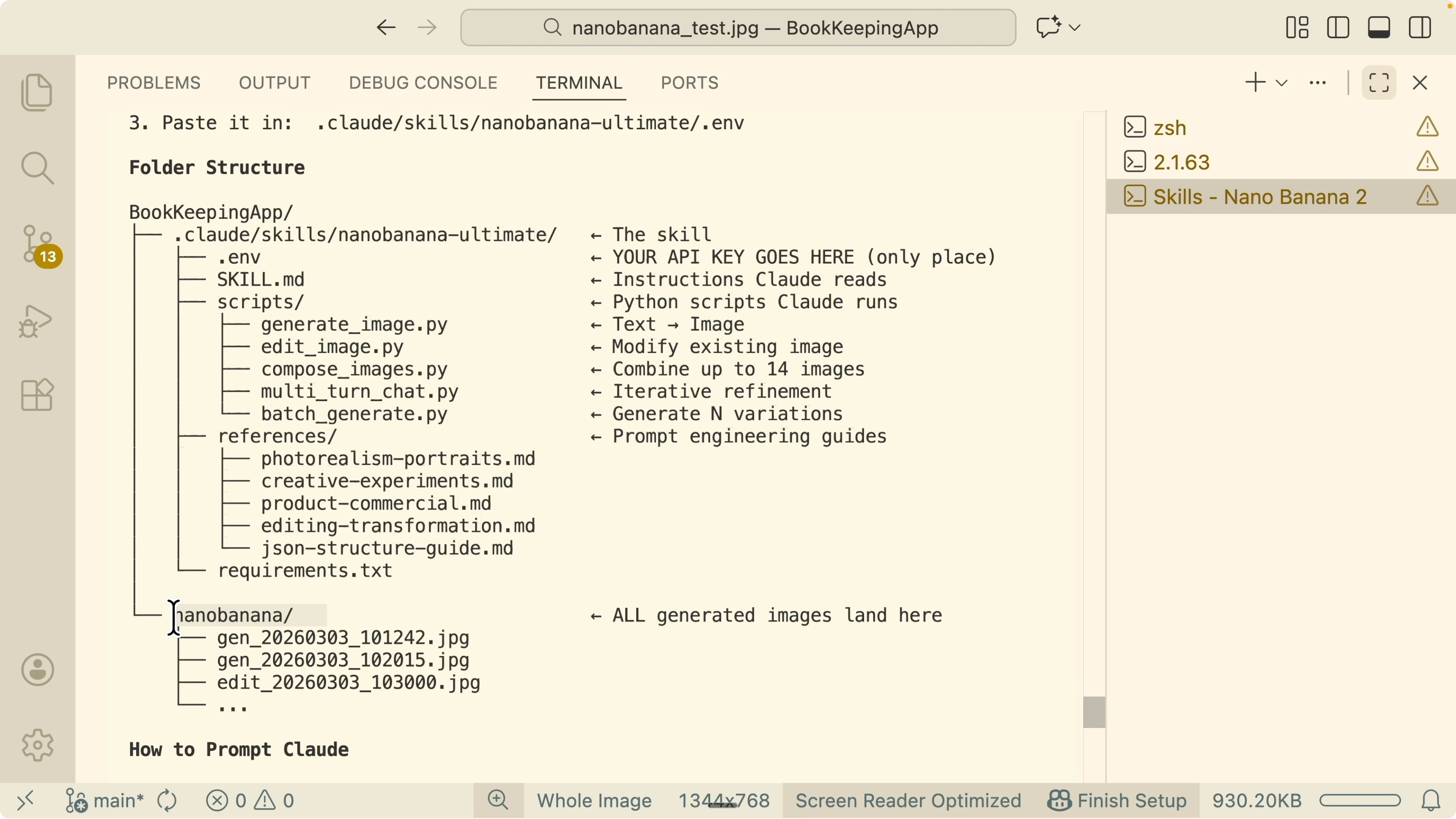
/project-root/nano-banana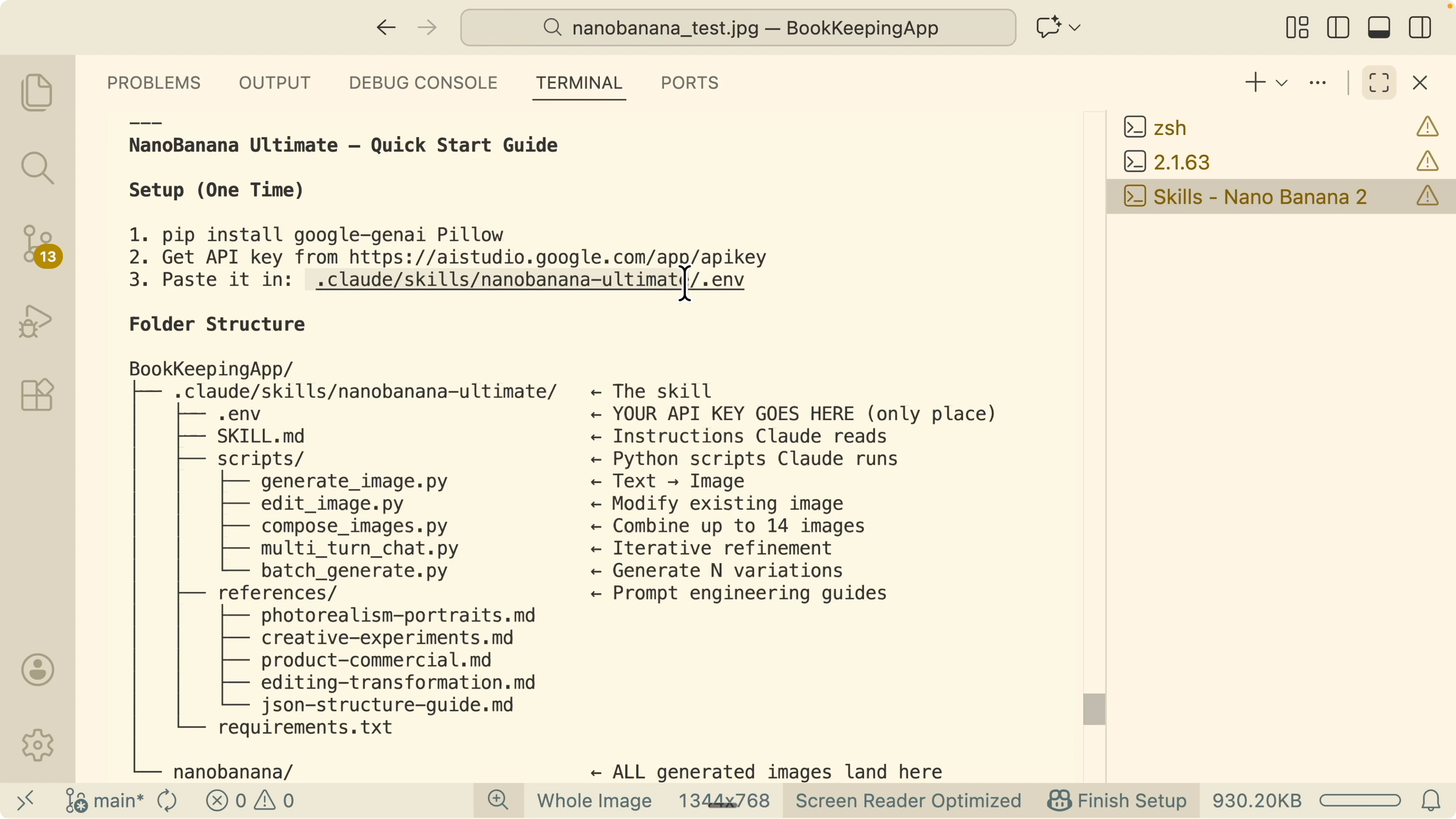
The .env file stores your API key. The skill.md contains instructions for Claude. The scripts folder contains tools for converting text to JSON, editing, composing, referencing multiple images, and diagram generation.
Outputs are saved to project root inside nano banana. Filenames include a prefix that identifies the action such as generated or edited. Everything lands in one place for quick review.
If you plan to extend the toolchain with external tools or automation runners, the approach pairs well with the ideas in this Claude Code MCP integration example.
JSON over plain text
Nano Banana 2 does not like unstructured text. It prefers a compact JSON object that encodes subject, composition, style, constraints, and references. The skill converts your text into this structure, or you can craft JSON directly.
Here is a minimal example Claude will generate and pass to Nano Banana 2:
{
  "task": "generate",
  "subject": "modern blog header about small business tax tips",
  "composition": "clean centered title space with soft abstract shapes",
  "style": {
    "palette": ["#0EA5E9", "#F1F5F9", "#111827"],
    "mood": "trustworthy and friendly",
    "finish": "vector flat with subtle gradients"
  },
  "resolution": "2048x1152",
  "constraints": {
    "no_text": true,
    "safe_area_top": 160
  },
  "refs": []
}
For a diagram request, the structure includes node items and edges:
{
  "task": "diagram",
  "diagram_type": "flowchart",
  "nodes": [
    {"id": "upload", "label": "Upload Receipt"},
    {"id": "ocr", "label": "OCR Extraction"},
    {"id": "review", "label": "Review and Approve"},
    {"id": "export", "label": "Export CSV"}
  ],
  "edges": [
    {"from": "upload", "to": "ocr"},
    {"from": "ocr", "to": "review"},
    {"from": "review", "to": "export"}
  ],
  "style": {"theme": "clean", "accent": "#0EA5E9"},
  "resolution": "1600x900"
}
The skill prompts Claude to ask clarifying questions when the text is vague, so the final JSON is precise before sending to Nano Banana 2.
Using the Nano Banana Ultimate skill
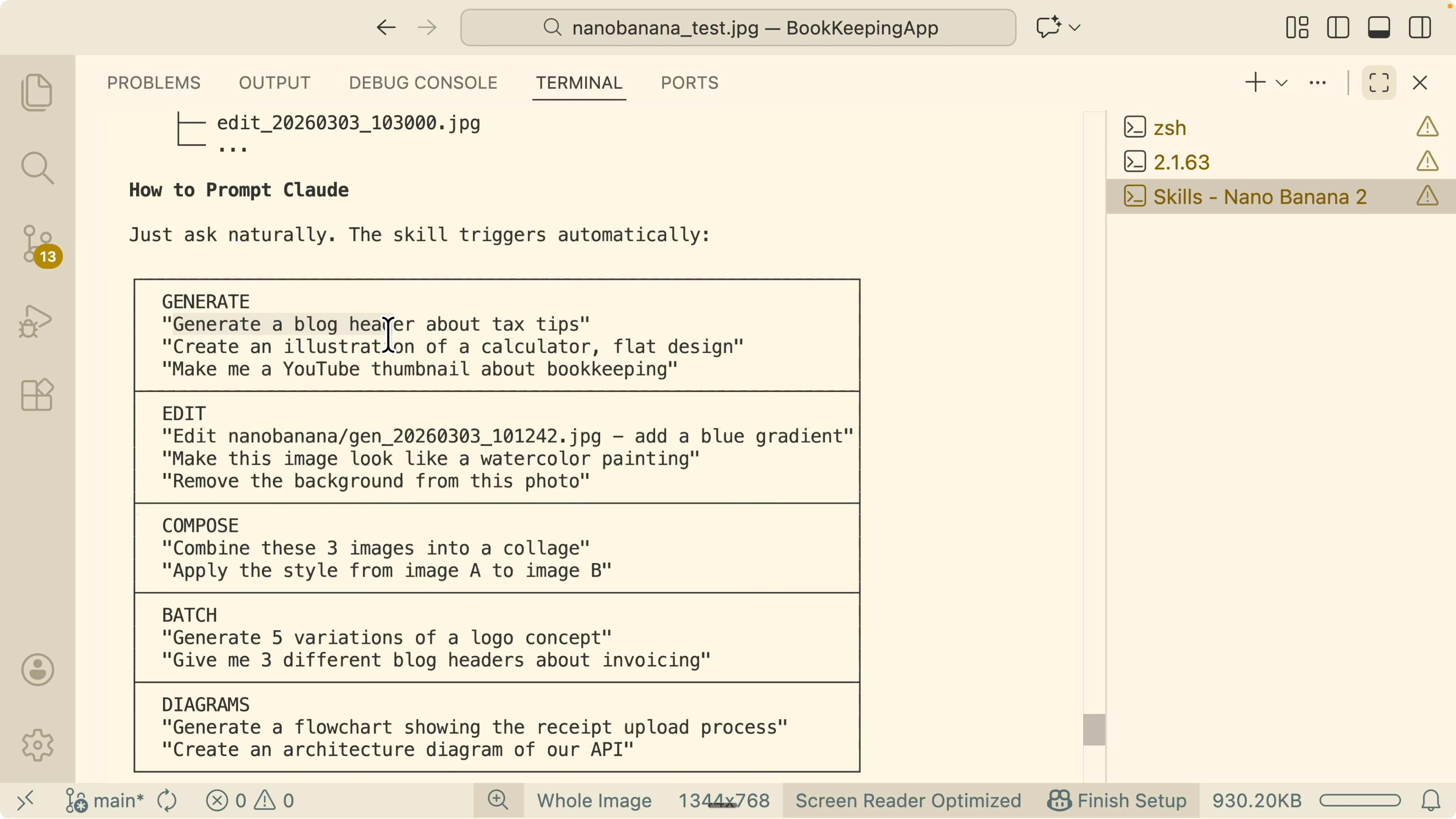
You can ask Claude to generate images for blog headers, social posts, thumbnails, or product visuals. Paste a block of content and say what you want from it, for example a header, a conceptual illustration, or a flow diagram. Claude turns your request into structured JSON and passes it to Nano Banana 2.
Generate
Provide a clear intent such as generate a blog header about tax tips. Paste optional content to guide symbols and composition. The skill outputs the image to the nano banana folder with a generated prefix.
Edit
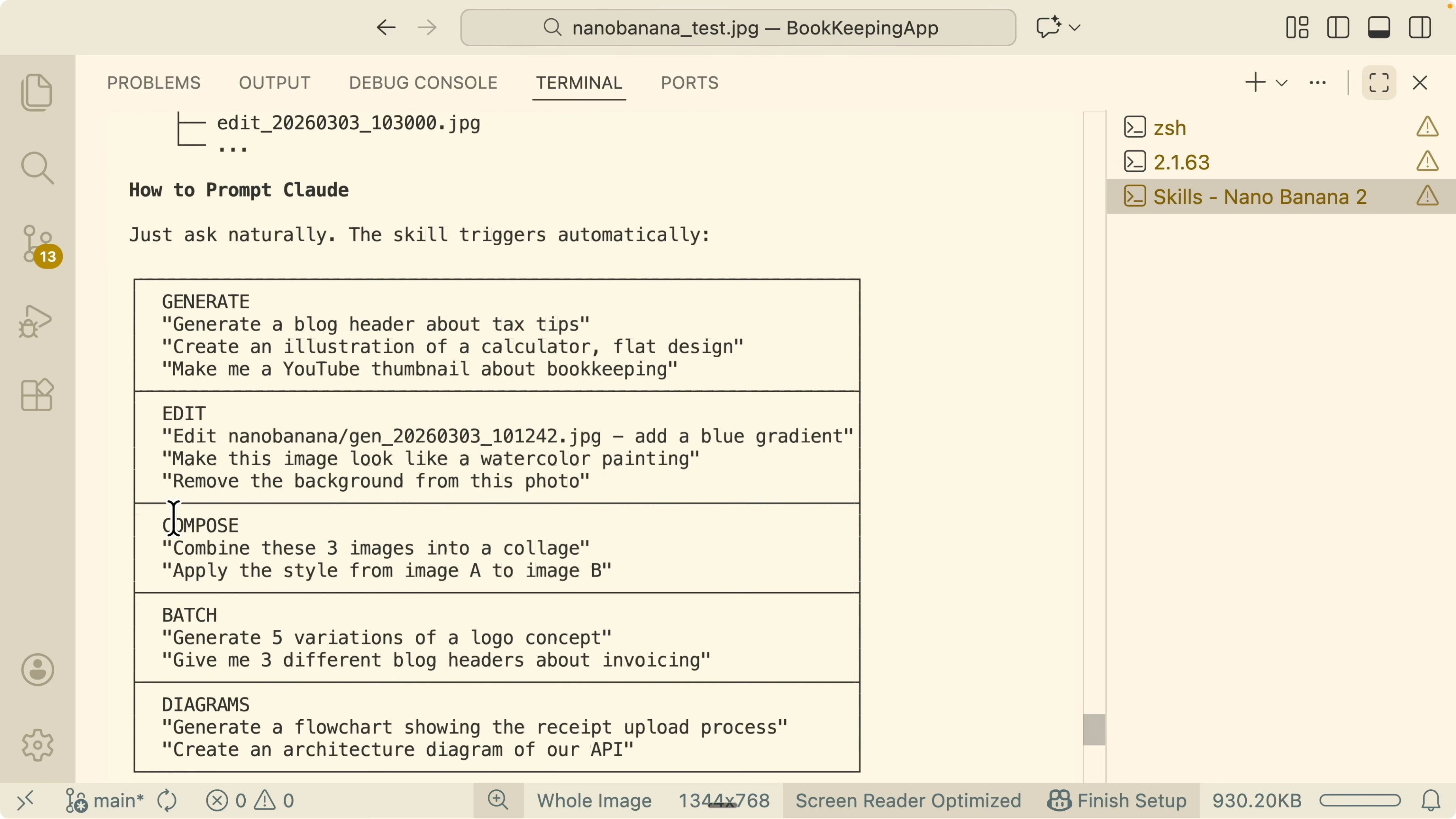
Tell Claude the edit you want for an existing image. You can add a blue gradient, switch to watercolor style, or remove the background. The output is saved with an edited prefix.
Example edit payload the skill issues:
{
  "task": "edit",
  "source_image": "nano-banana/generated_blog_header_001.jpg",
  "operations": [
    {"type": "style", "value": "watercolor"},
    {"type": "background", "value": "remove"}
  ],
  "resolution": "2048x1152"
}
Compose
Combine multiple images or apply the style of image A to image B. Provide file names or let Claude search recent outputs. Output is saved with a compose prefix.
Example:
{
  "task": "compose",
  "base_image": "nano-banana/logo_base.jpg",
  "style_reference": "nano-banana/style_source.jpg",
  "blend": 0.65,
  "resolution": "1024x1024"
}
Batch
Ask for multiple variants in one shot, such as generate five logo ideas or three style directions. Batch mode is ideal for brand exploration. Outputs follow a numeric suffix.
Example:
{
  "task": "batch",
  "count": 5,
  "subject": "clean monogram logo for bookkeeping app using letter B",
  "style": {"finish": "flat vector", "palette": ["#0EA5E9", "#111827"]},
  "resolution": "1024x1024"
}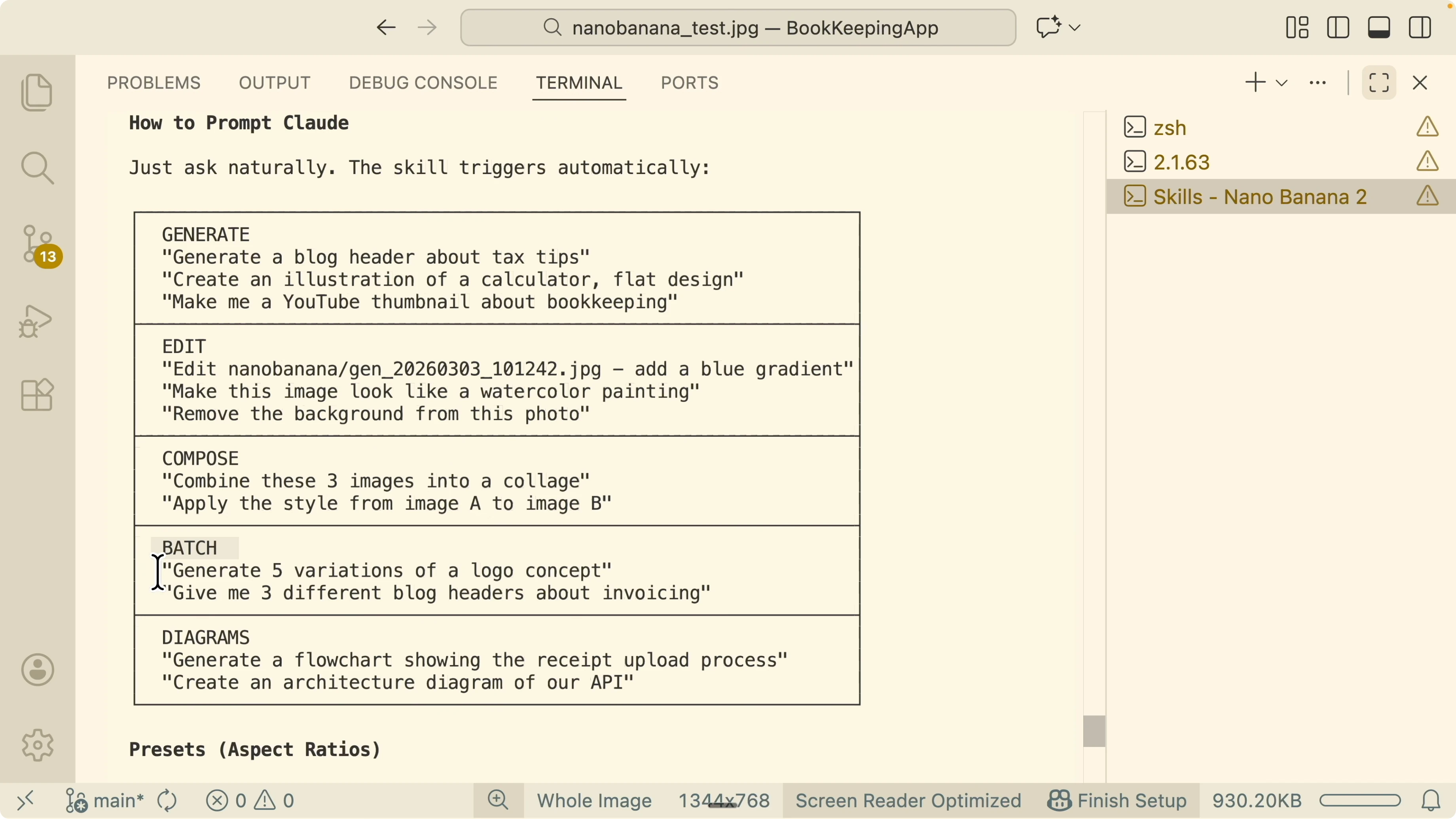
Diagrams
Request flowcharts and architecture visuals with precise node and edge lists. Provide short labels and the skill will handle layout hints. This is great for product docs and onboarding.
If you see Claude stall on plan or multi step prompts, a simple retry often fixes it. For deeper diagnostics, here is practical help for Claude internal server errors.
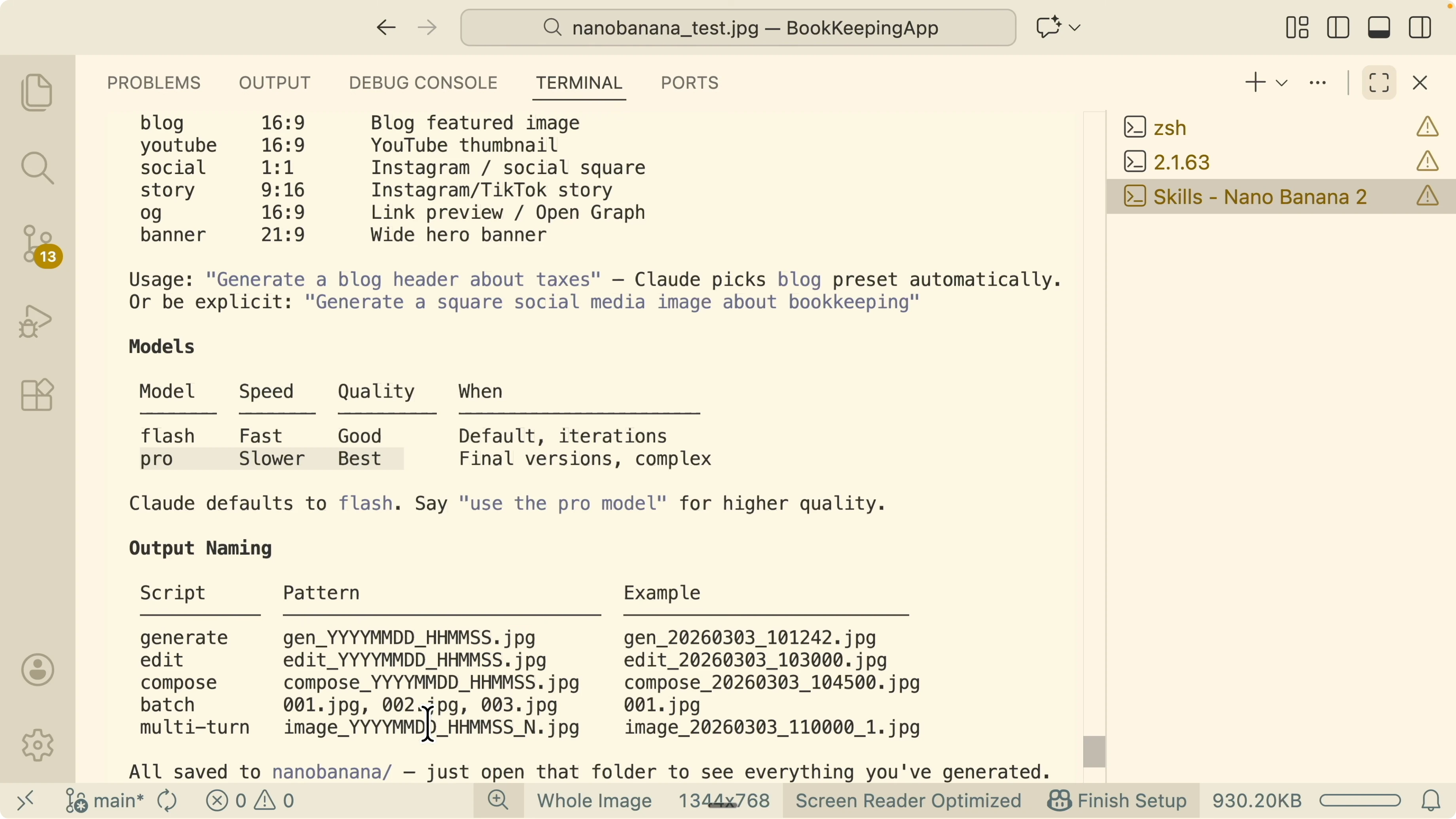
Presets and models
The skill supports presets for blog, YouTube, social, and story. Tell Claude the preset and it sets sensible resolution and composition defaults. You can still override any field.
By default it uses Flash for speed and budget. Ask to use the Pro model if you want maximum quality at slower speed. Claude will switch models before executing the request.
Outputs and paths
Images are saved under the project root in a folder named nano banana. Filenames start with a clear action prefix such as generated, edited, compose, batch, or multi turn. Open the folder to review all JPEGs in one place.
Change your Gemini key
Open the Nano Banana Ultimate skill folder. Edit the .env file and set the new key. Save and continue generating.
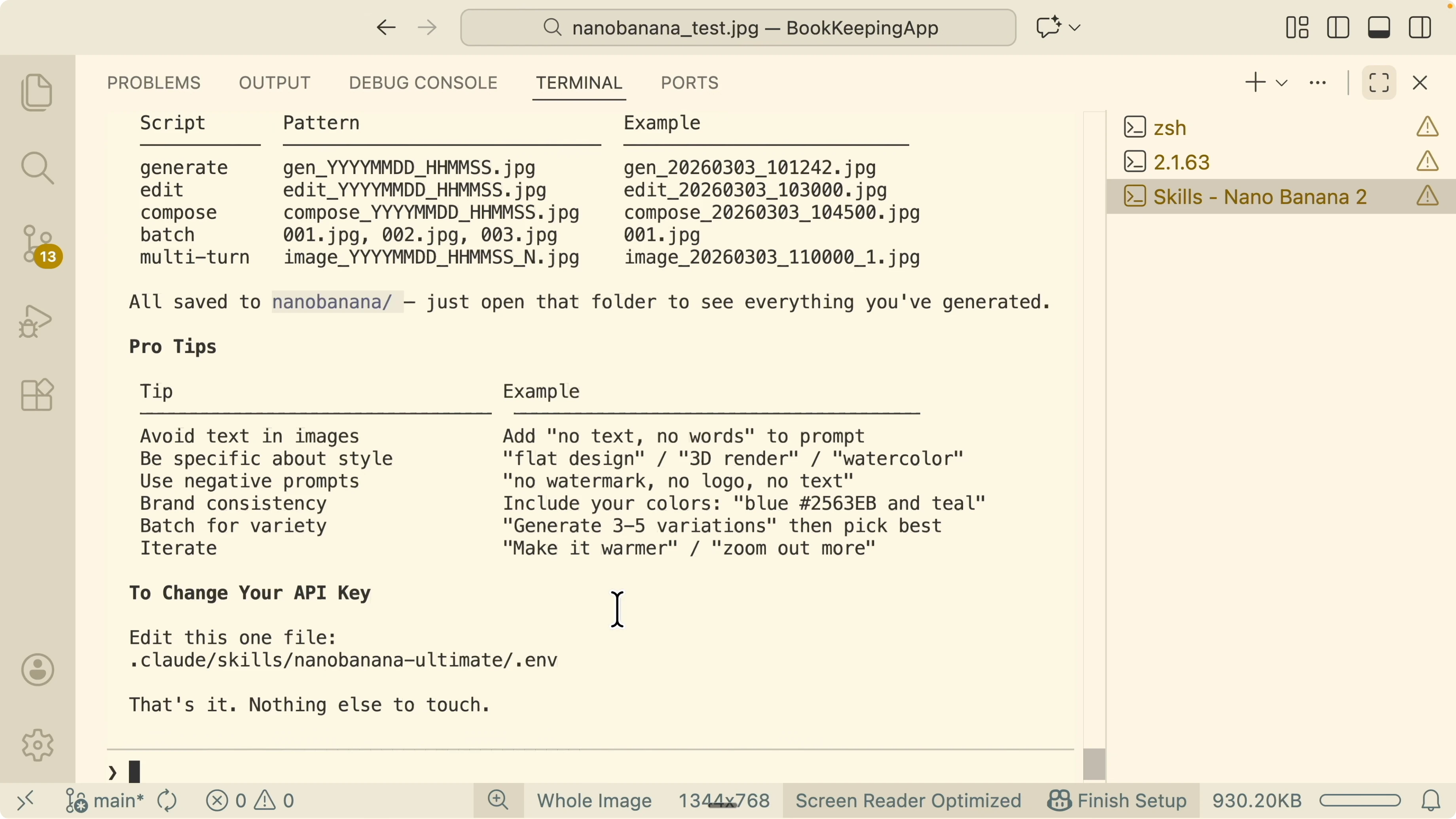
Example:
GEMINI_API_KEY=new_key_from_google_ai_studioIf you want a deeper automation workflow around these skills, see this hands on pattern for MCP and tool integrations with Claude Code.
Logo workflow example
I used the Nano Banana Ultimate skill to redesign a logo set for my bookkeeping app. I triggered two Claude skills together, the Nano Banana Ultimate and a front end design helper. The process first inspected current logo assets and the landing page, then pulled competitor logo references for direction.
Claude asked which directions to explore and I chose three, Open Ledger, Smart Receipts, and a B letterform. It generated four variations for each direction, all exported into the nano banana folder. I then requested a second pass focusing on the B letterform to refine toward a final mark.
The second pass produced options like an abstract dollar shape, a book motif, a folded receipt shape, and a shield with directional arrows. I reviewed each set inside the output folder and asked for adjustments to weight, curvature, and icon balance. Batch mode made it fast to compare sets side by side.
If you want Claude to plan this kind of multi step run, using structured task boards helps keep prompts crisp and auditable. See how that looks in this piece on Kanban flows for Claude planning.
Prompting tips for higher accuracy
Be explicit about subject, composition, palette, and finish. Tell Claude the preset and resolution early in the request. Ask it to confirm JSON fields if your idea is not fully specified.
If Nano Banana 2 is new to you and you want a quick refresher on strengths and input shape, here is a friendly overview of Nano Banana 2. For workspace prep and editor setup, this practical Claude Code setup is a solid start.
Final thoughts
Nano Banana 2 prefers structured JSON and rewards it with higher accuracy. Claude does the heavy lifting by converting your text into the exact JSON that Nano Banana 2 expects. With generate, edit, compose, batch, and diagram flows in one place, you get fast iterations and reliable outputs.
Subscribe to our newsletter
Get the latest updates and articles directly in your inbox.

Related Posts

8 Best Claude Code Plugins in 2026 (You Need to Know)
8 Best Claude Code Plugins in 2026 (You Need to Know)

7 Best Claude Code Skills (You Need to Know)
7 Best Claude Code Skills (You Need to Know)

Claude Code Desktop IDE Features (You Need to Know)
Claude Code Desktop IDE Features (You Need to Know)