
Table Of Content
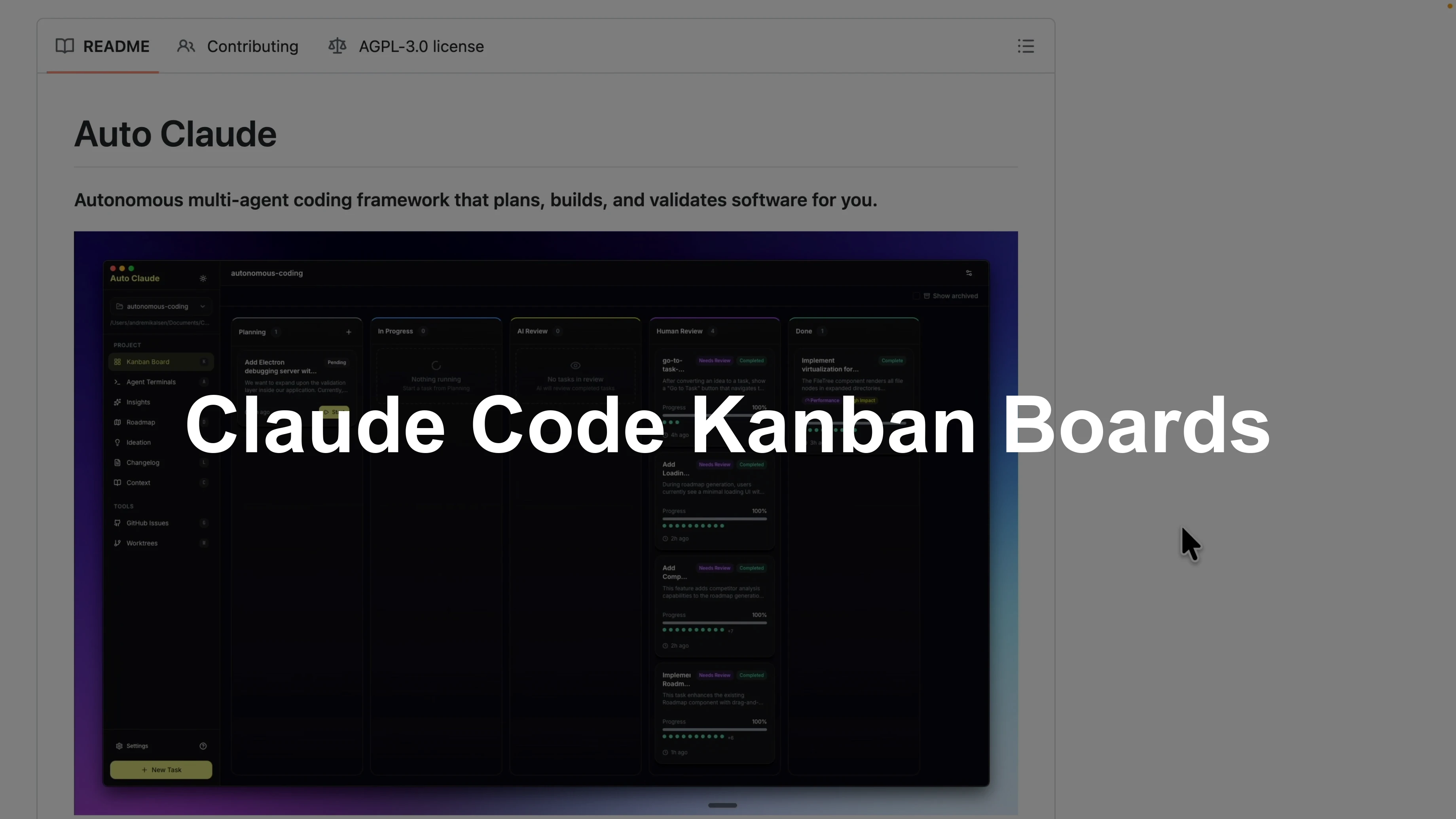
How Auto Claude Kanban Boards Elevate Claude Code?
Table Of Content
If you are tired of running Claude Code in the terminal, there is a desktop tool that makes everything visual with a Kanban board. It keeps track of tasks, runs multiple agents at the same time, and follows a spec-first development flow that plans before implementation and QA. You can run multiple tasks across multiple Claude Code sessions, use a roadmap for comparative analysis and idea generation, visualize context from memory, and manage work trees, Git pull requests, and TCP servers in one GUI.
This is Auto Claude, and it lets you build applications with a visual project workflow instead of only relying on the terminal. I will walk through how I set it up locally and used it to redesign a page in my Bookkeeper application. The goal was to plan, implement, and review a feature with clean visibility from start to finish.
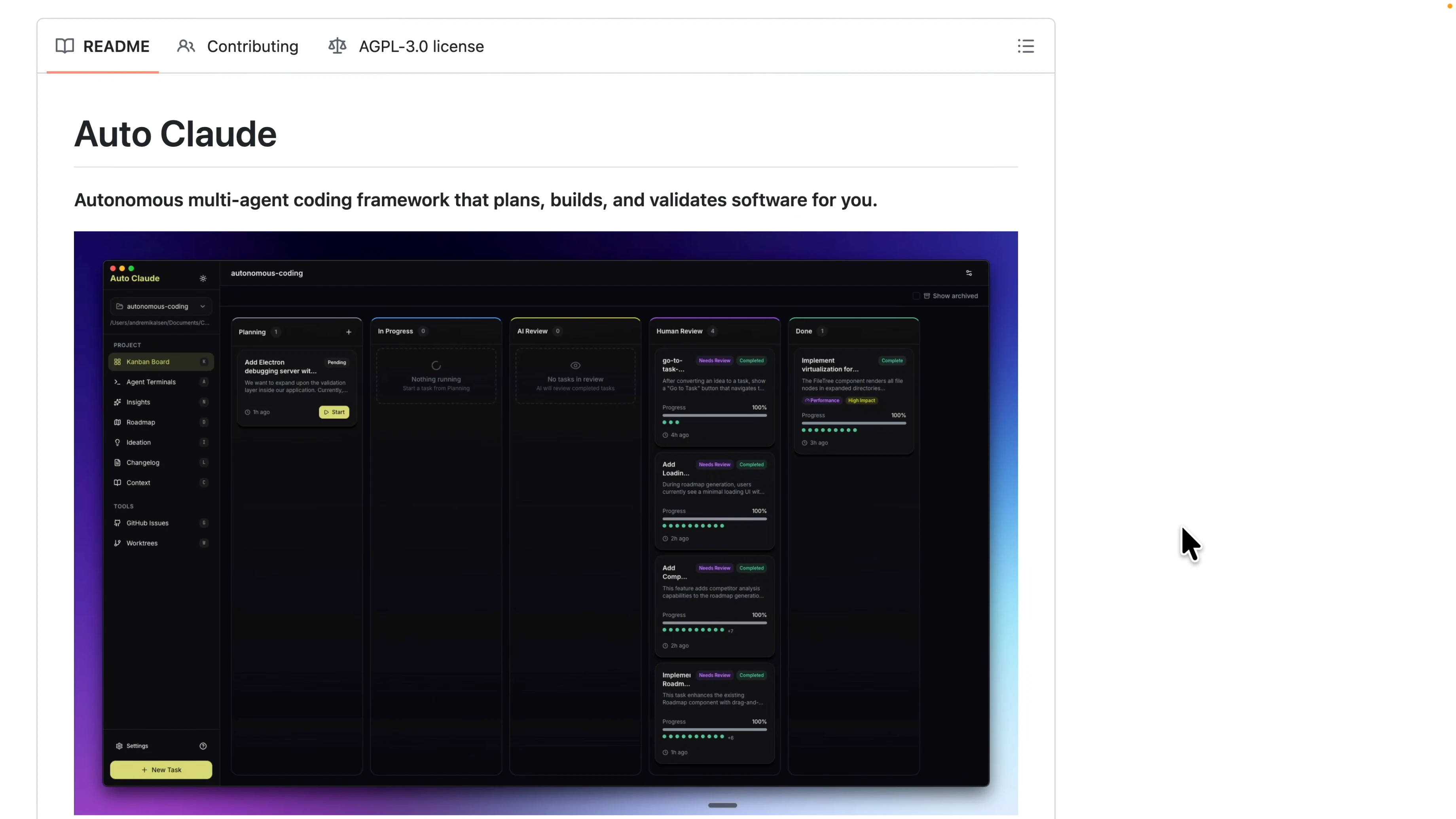
Setup for How Auto Claude Kanban Boards Elevate Claude Code?
To get started, navigate to the Auto Claude repository and download the stable release for your operating system. I am on macOS, so I downloaded the macOS build and installed it like a regular app. After installation, launching the app opens a clean Kanban interface with columns for different development statuses.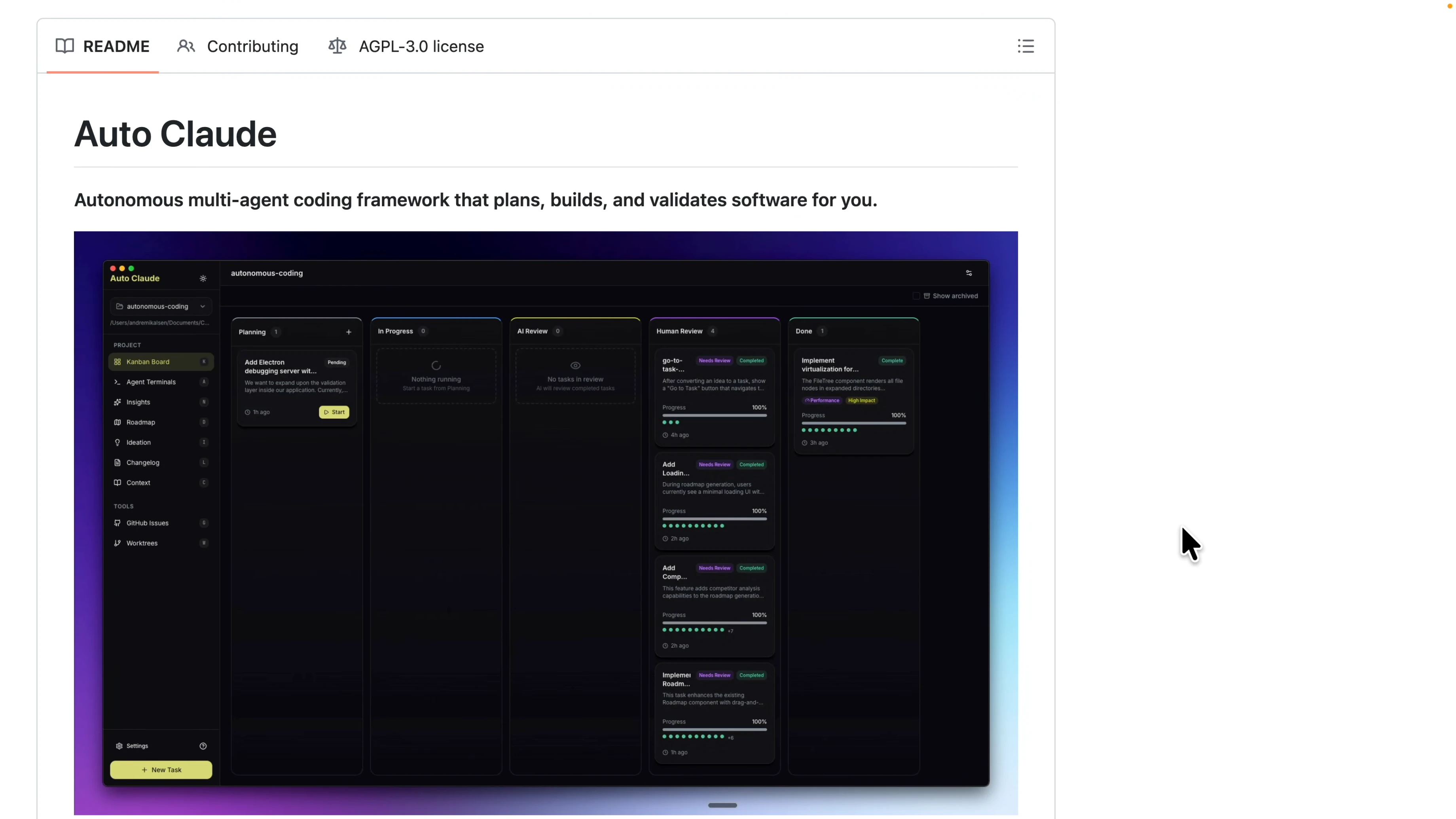
If you have not configured your Claude Code environment yet, check the setup guide for a smooth first run of Claude Code. Claude Code setup guide.
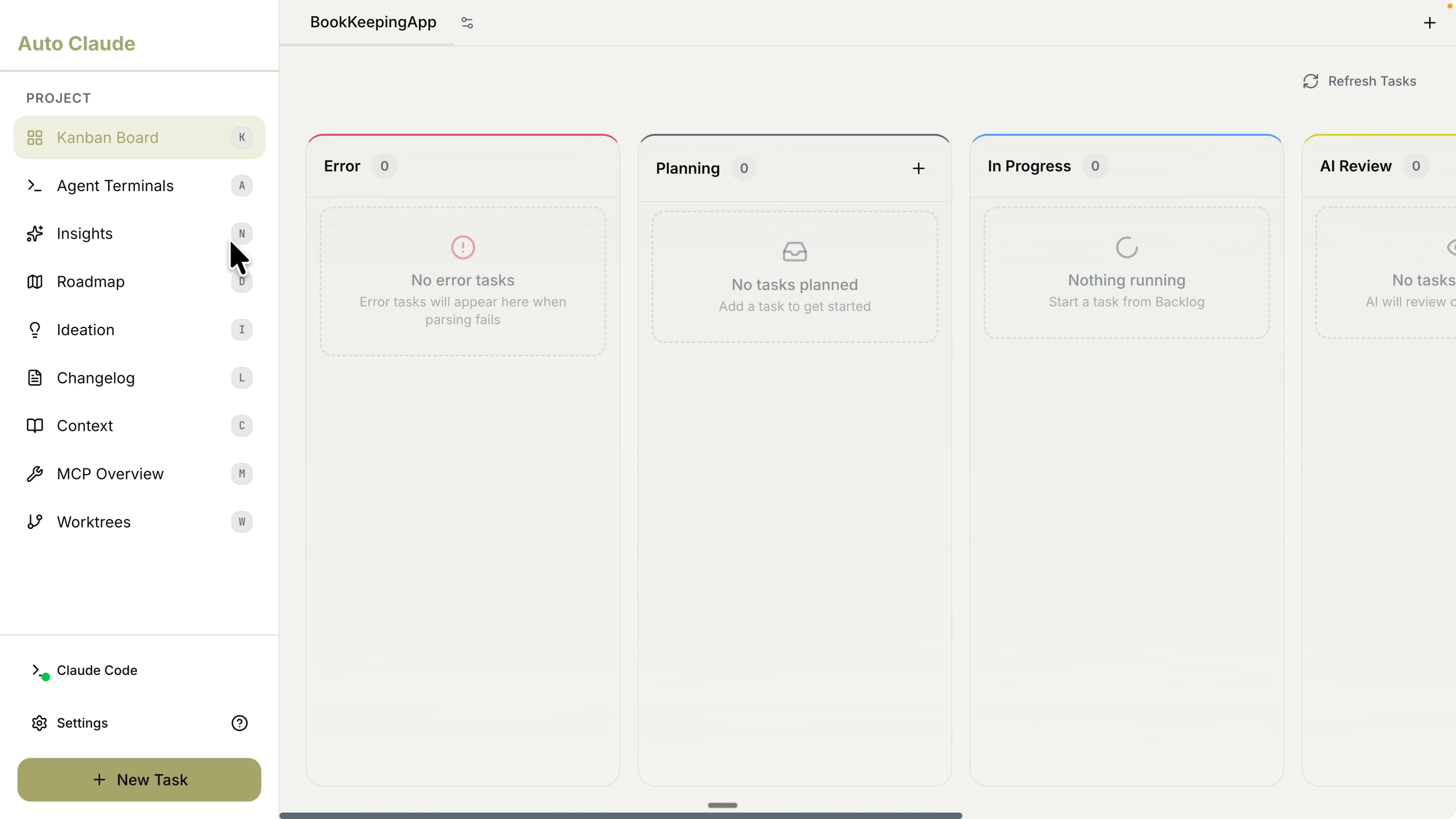
Open a project
Click the plus icon to open an existing project or create a new one. I opened an existing project called the Bookkeeper application. The board shows columns like In Progress, AI Review, and Planning mapped to the development workflow.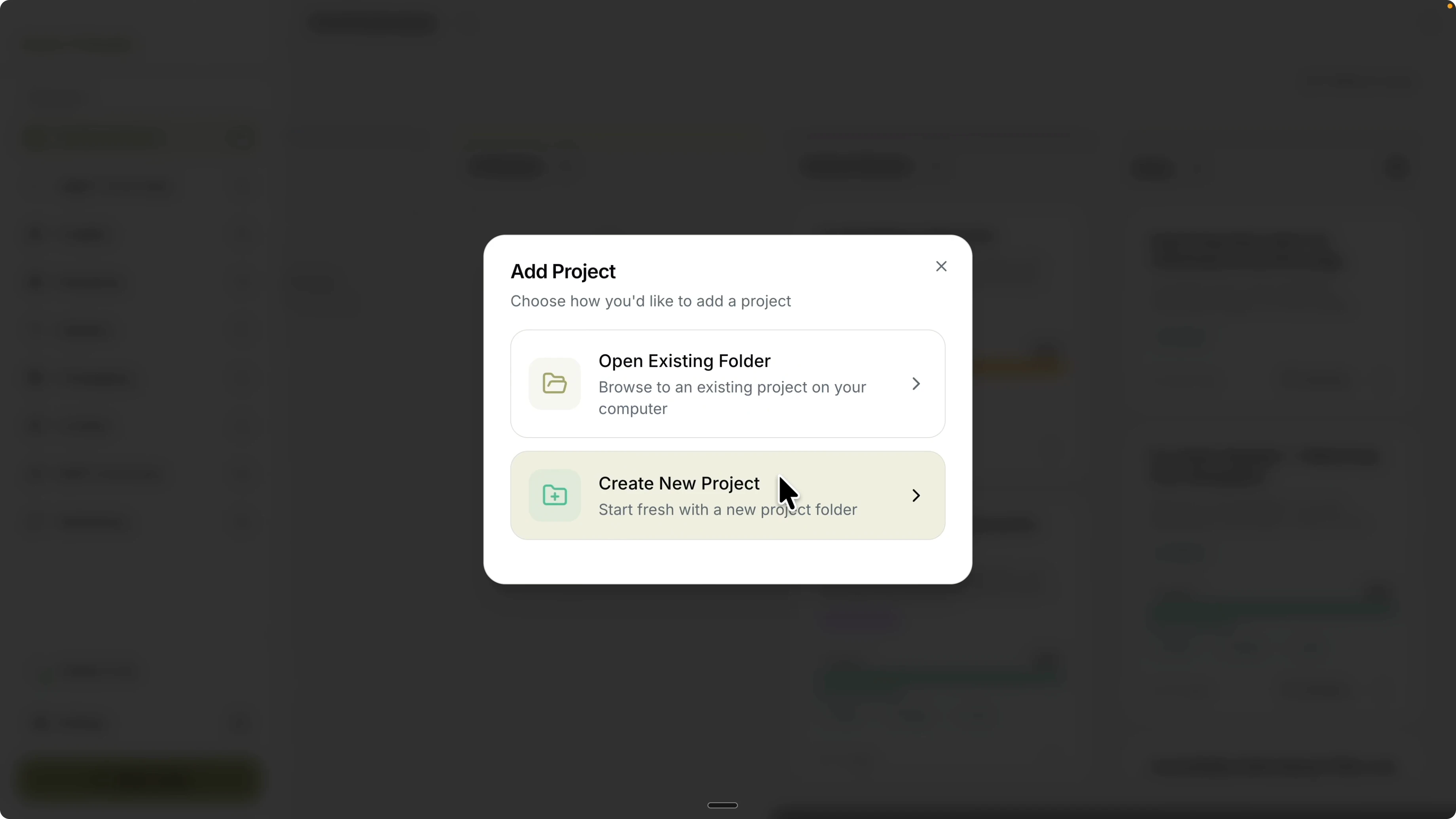
If your project is a web app and you want a reliable local environment, see this web coding setup that pairs nicely with Claude Code. Web coding setup for Claude Code.
Kanban flow in How Auto Claude Kanban Boards Elevate Claude Code?
I started by creating a task with the plus icon. The task captures what I want to change and includes context like screenshots and a detailed description. I used it to plan a redesign for the matched transactions page in my Bookkeeper app.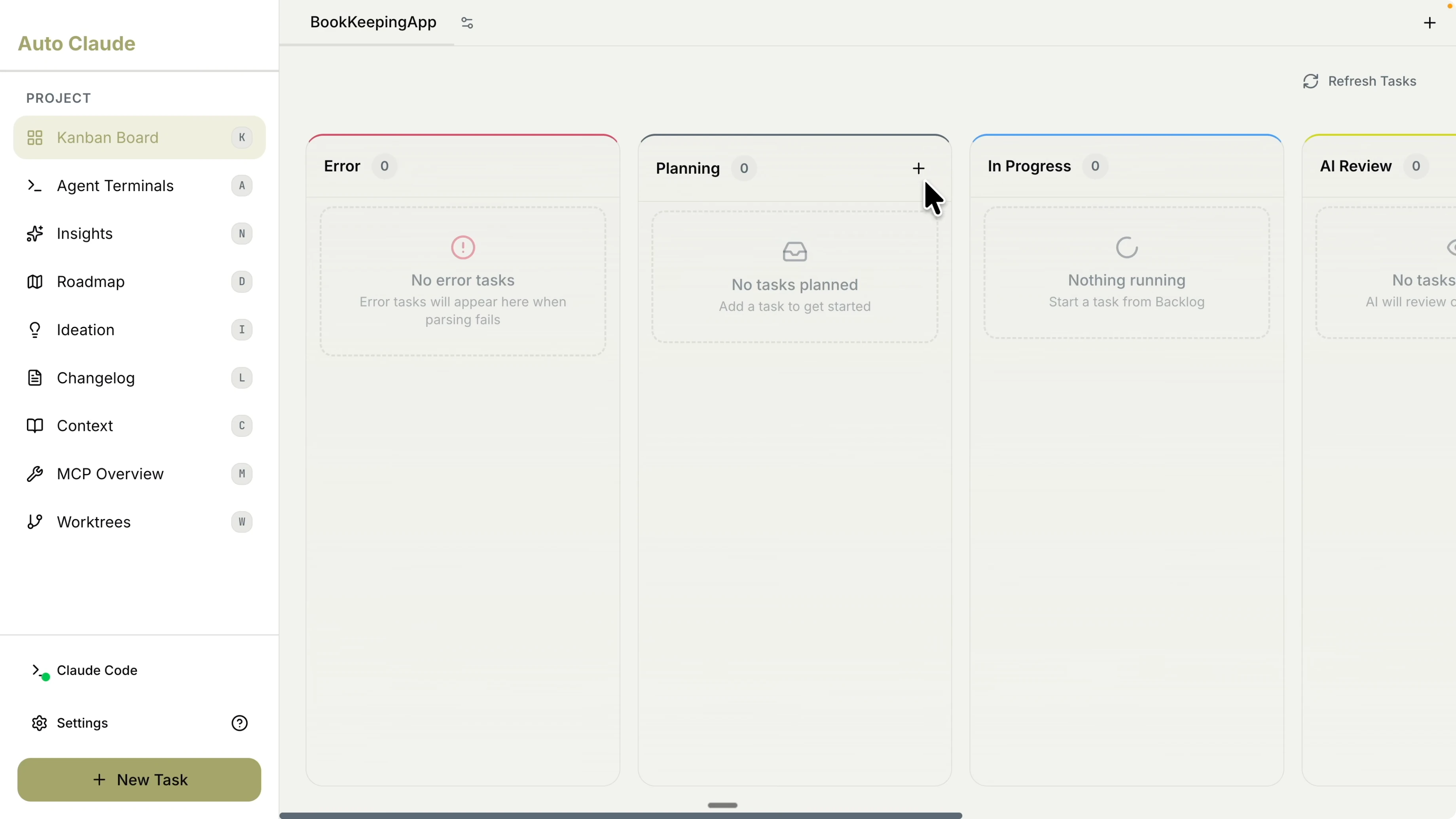
Create a planning task
I ran the Bookkeeper app to confirm the current UI for the matched transactions page. The page had a date filter, stat cards, auto match, match slider, and a filter component that forced users to scroll to see the full table. I wanted to use front end design and a spec-first plan to restructure the layout and improve the user experience.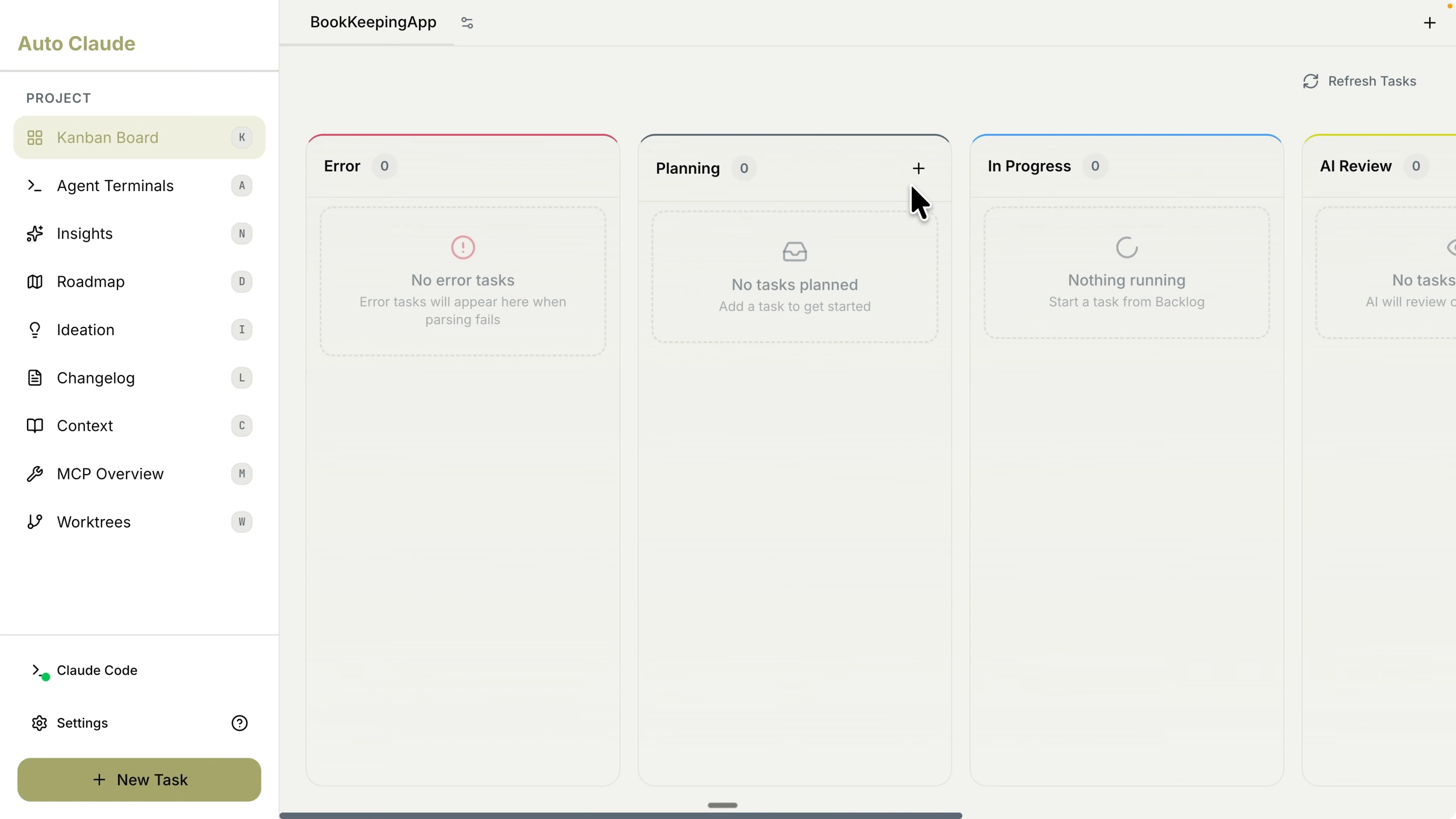
I took a screenshot of the current page and dragged it into the task prompt. I added a clear description of the issue and the proposed direction to clean up the layout. Then I set the task title to “Improving the Match Transaction Page.”
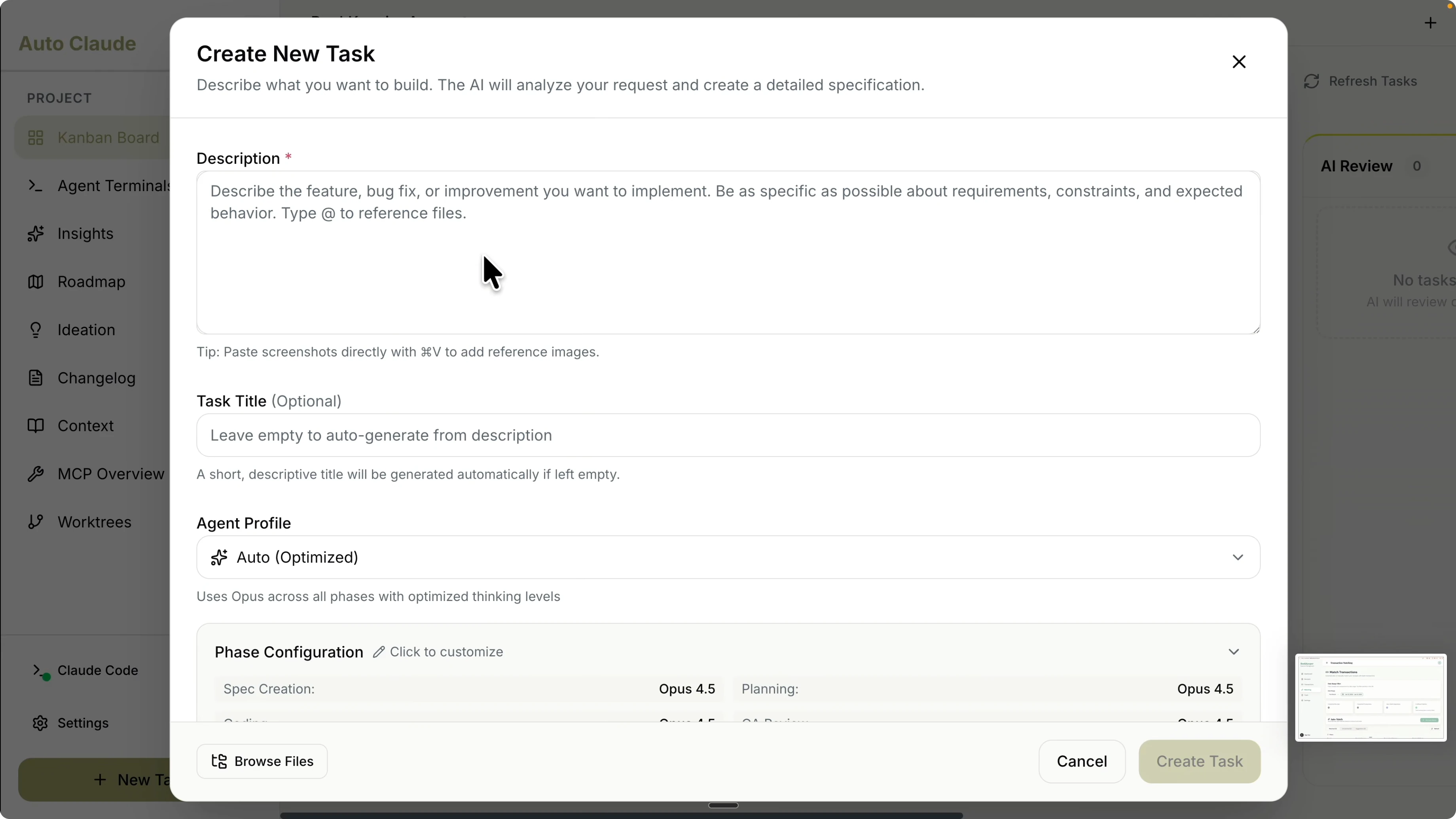
Here is the exact prompt I used for the task description:
Based on the current transaction page, there is the date range, the cards for the stats, the auto complete, the match slider, and also the filter. There are five sections that force users to scroll to see the entire matched transactions table. Trigger the front end design skill and spec planning to clean this up and propose a better layout for the matched transactions page that reduces scrolling and improves clarity.Agent profile and settings
There is an agent profile configuration that controls how the agent approaches the task. I marked it as a complex task and selected Opus 4.5 with Ultra thinking to maximize planning quality. I left human review before coding unchecked to allow Auto Claude to plan, implement, and QA in one flow.You can also customize models by phase for spec, planning, and coding. You can change the thinking level to medium or low in coding to reduce cost while keeping high-quality thinking in planning. If you prefer running local models with Ollama without an Anthropic API key, here is a helpful walkthrough. Run Claude Code with Ollama models.
Start and track
I started the task and the status switched to Planning. It automatically created a feature branch so changes are isolated in a clean branch for this task. You can see logs, files, and subtasks with color-coded output, which is far easier to follow than a raw CLI.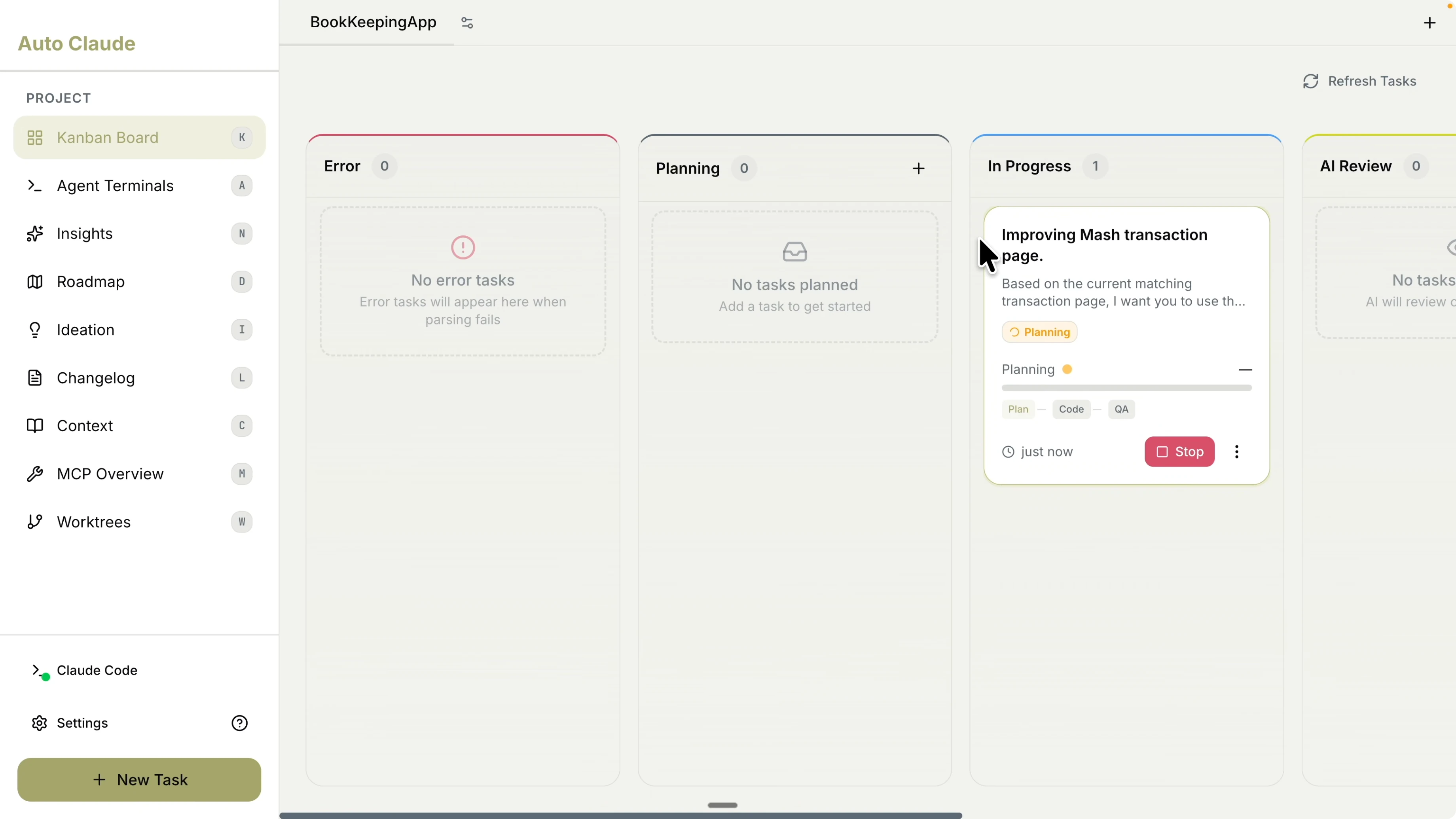
This visibility helps you understand exactly what Claude Code is doing in context. You can follow planning decisions and ongoing actions without losing your place. For a deeper look at how Claude Code organizes and presents output, see this workflow and output guide. Claude Code workflow and output.
Results on the Bookkeeper app
The task completed and was ready for human review. I ran the application to evaluate the redesigned matched transactions page and the changes were immediately visible. Selecting a date range like the last 30 days shows a compact header with an icon and removes the need to scroll just to reach the table.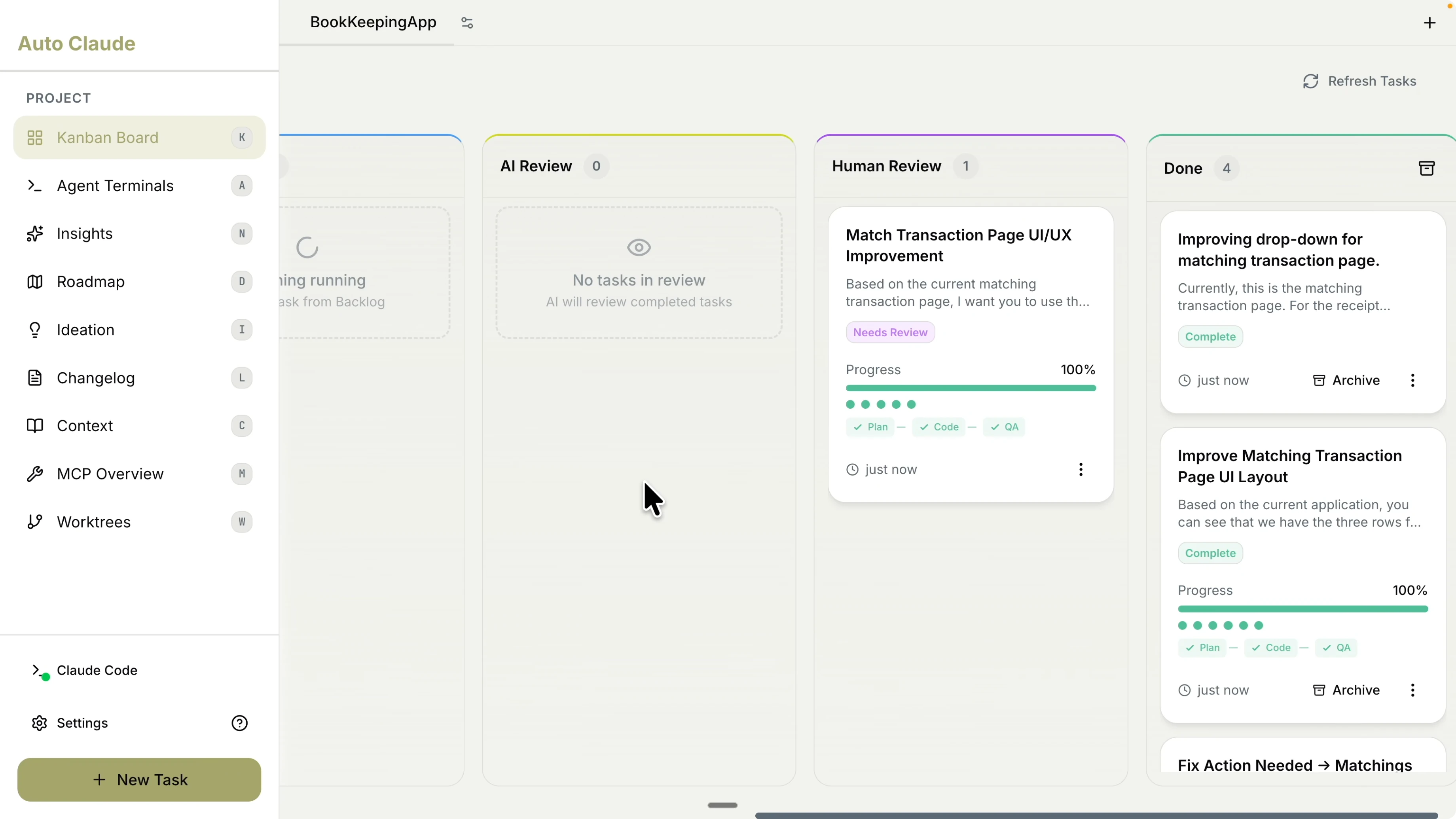
I can see all categories and transaction categories right away. There are options for payments, downloads, selecting columns, pagination, and refresh. The cards summarize counts like total transactions, total receipts, matched items, and unmatched receipts, and I saw eight unmatched receipts in this example.
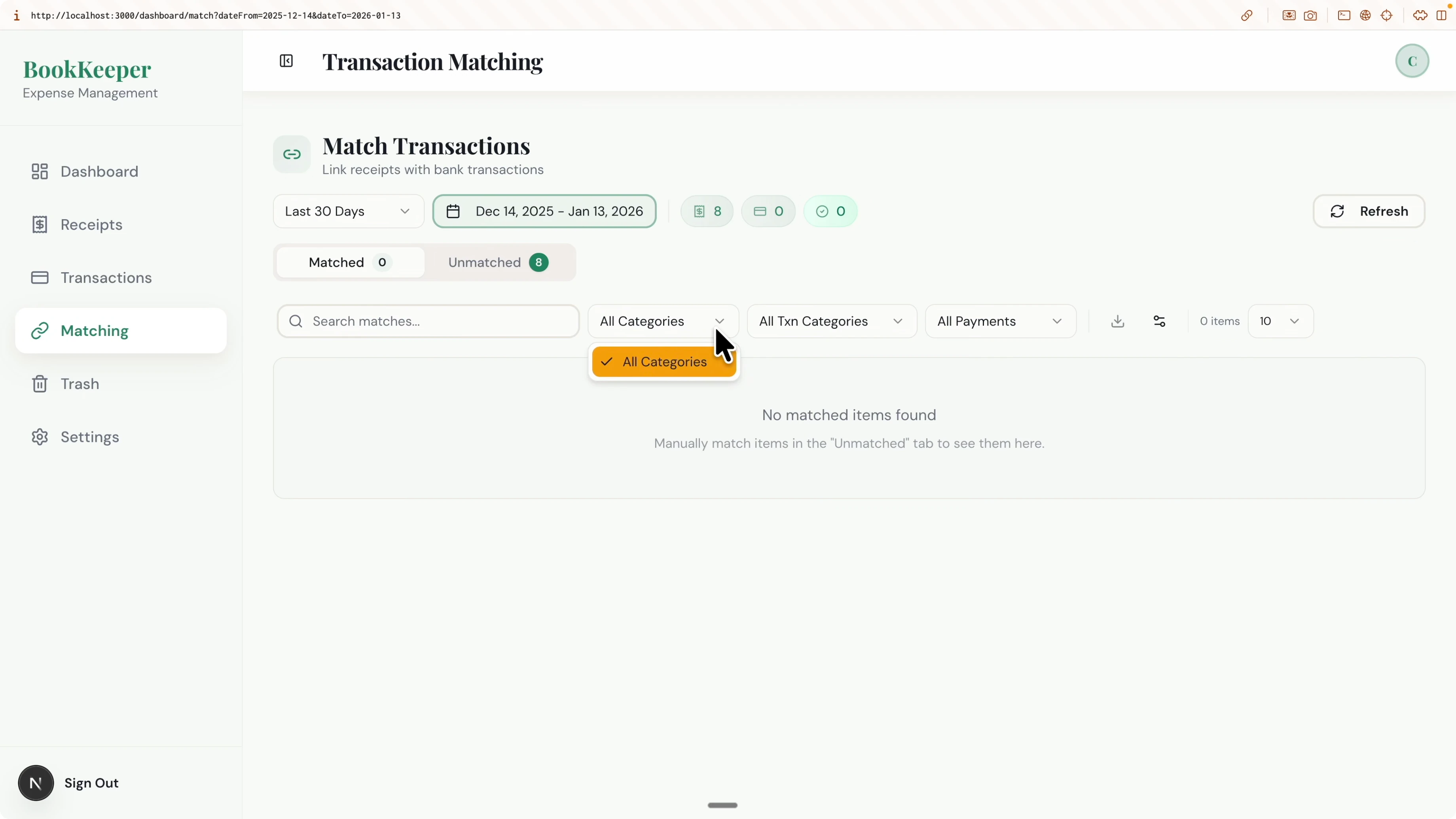
Clicking an info card opens full receipt details including purchase date, category, payment method, location, and item details. The date selector updates both the dropdown and the range, and refresh shows a clear loading animation. The page is more concise and easier to use, and the table is visible without extra scrolling.
More in How Auto Claude Kanban Boards Elevate Claude Code?
You can request additional changes on a task, generate a pull request, and check conflicts with the main branch. This keeps the feature lifecycle contained inside the app with clear checkpoints. The Git integration with branches and PRs is built-in and visual.If you need automated browser tests driven by Claude Code, you can bring in Playwright through MCP integration to validate flows during or after PRs. Here is a practical integration to get that running. Playwright MCP integration for Claude Code.
Agent terminal
The agent terminal lets you spin up multiple terminals and Claude Code sessions at once. I had four Claude Code sessions open and can run up to 12 terminals in parallel inside Auto Claude. You can expand, collapse, invoke Auto Claude, and open new terminal sessions to handle multi task development in one place.Insights chat
Insights lets you ask questions about your codebase while an agent works. You can ask about architecture, request suggestions to improve code quality, and keep the context grounded in the current project. You can also switch the model and agent profile based on complexity to fit the conversation.Roadmap research
The roadmap feature runs a comparative analysis and market research to see what competitors offer and what your app currently supports. It first reads your codebase to understand the current project type, then explores sources like app stores and forums to propose features to add. It builds a clear view of must haves and nice to haves for your next phases.Must have ideas included API rate limiting and duplicate detection for receipts and transactions. Nice to have ideas included smart category learning that automatically categorizes receipts as the dataset grows, enhanced matching algorithm, clear sync, and Google Drive, Dropbox, and S3 imports. You can group features into phases or manage them straight from the Kanban board with all features and tickets listed for selection.
Testing agent note
There is also an AI testing agent called Test Sprite with an MCP integration you can add to your IDE. It reads through your codebase, understands documentation, validates results from AI agents, generates a test plan from a PRD, creates test cases, and executes tests with detailed reports. Teams have reported a significant boost in feature delivery accuracy when pairing agents with Test Sprite’s MCP.Final thoughts on How Auto Claude Kanban Boards Elevate Claude Code?
Auto Claude brings Kanban structure, spec planning, and multi agent orchestration to Claude Code with a clear visual workflow. Creating tasks with context, tuning agent profiles, and reviewing logs in one UI makes planning, implementation, and QA far easier to follow. The extras like the multi terminal view, insights chat, and roadmap research help you ship better features with clarity and speed.Subscribe to our newsletter
Get the latest updates and articles directly in your inbox.

Related Posts

8 Best Claude Code Plugins in 2026 (You Need to Know)
8 Best Claude Code Plugins in 2026 (You Need to Know)

7 Best Claude Code Skills (You Need to Know)
7 Best Claude Code Skills (You Need to Know)

Claude Code Desktop IDE Features (You Need to Know)
Claude Code Desktop IDE Features (You Need to Know)