
Table Of Content
- What is Vision Banana by Google DeepMind
- Vision Banana by Google DeepMind Overview
- Vision Banana by Google DeepMind Key Features
- Vision Banana by Google DeepMind Use Cases
- Performance and Showcases
- Semantic segmentation examples
- Instance segmentation examples
- Referring expression segmentation examples
- Monocular metric depth examples
- Surface normal examples
- How Vision Banana works in simple terms
- The technology behind it
- Getting started
- Practical tips for better results
- FAQs
- Is the model open for download
- Who is Vision Banana for
- Can I change the colors used in masks
- Does it work on any image
- How is it different from regular segmentation tools
Vision Banana by Google DeepMind
Table Of Content
- What is Vision Banana by Google DeepMind
- Vision Banana by Google DeepMind Overview
- Vision Banana by Google DeepMind Key Features
- Vision Banana by Google DeepMind Use Cases
- Performance and Showcases
- Semantic segmentation examples
- Instance segmentation examples
- Referring expression segmentation examples
- Monocular metric depth examples
- Surface normal examples
- How Vision Banana works in simple terms
- The technology behind it
- Getting started
- Practical tips for better results
- FAQs
- Is the model open for download
- Who is Vision Banana for
- Can I change the colors used in masks
- Does it work on any image
- How is it different from regular segmentation tools
What is Vision Banana by Google DeepMind
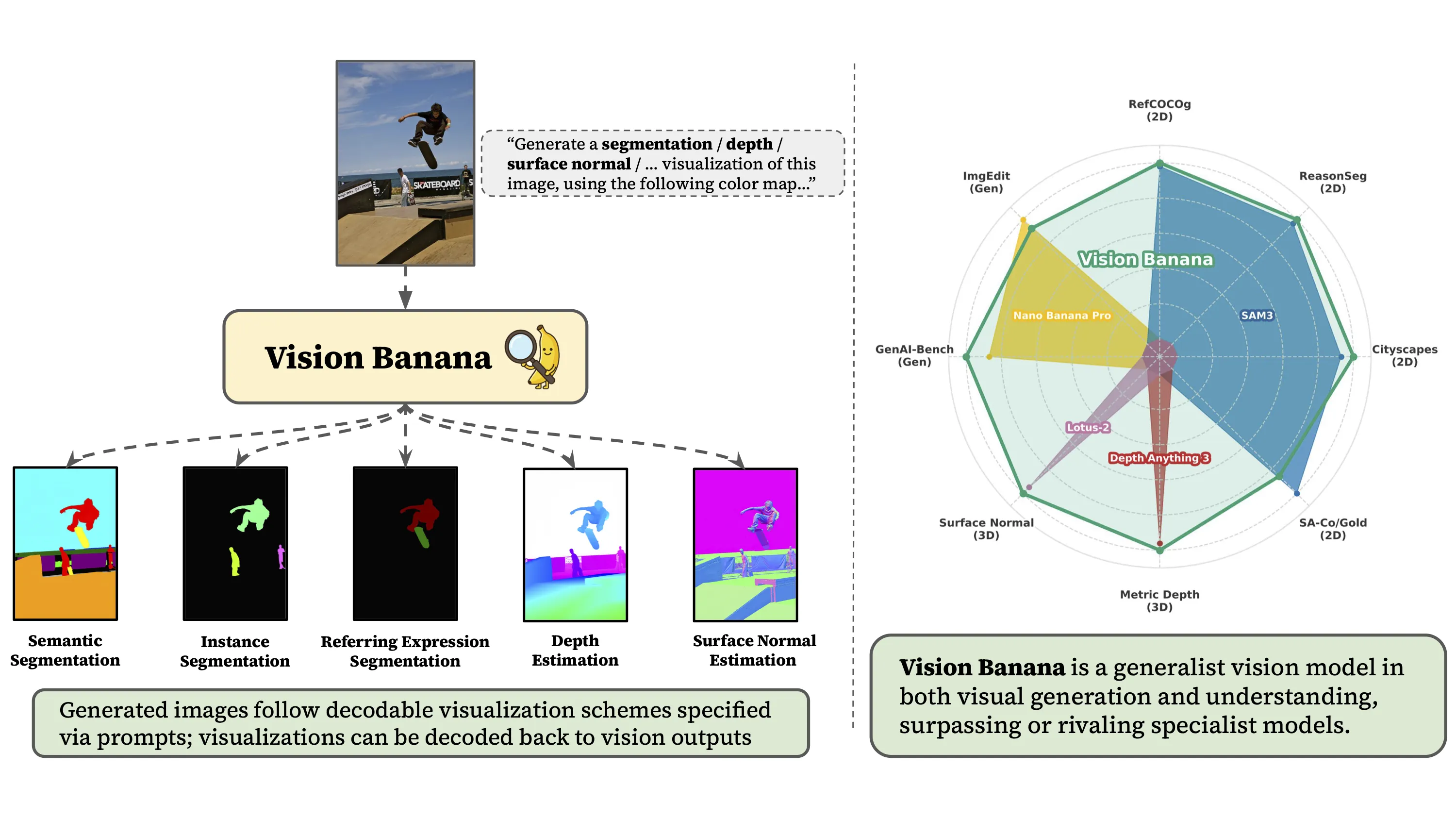
Vision Banana is a research project from Google DeepMind that shows how a single image generator can learn many vision skills. With the right text prompts, the same model can create outputs like segmentation maps, depth maps, and more.

Instead of training a different tool for each task, Vision Banana uses the power of image generation and teaches it to answer many vision questions. It takes an input image and a short prompt, then produces a new image that holds the answer.
Vision Banana by Google DeepMind Overview
Vision Banana turns a text to image generator into a general vision learner. It covers tasks such as semantic segmentation, instance segmentation, referring expression segmentation, metric depth, and surface normals. You control what it draws by changing the prompt.
Project Overview
| Item | Details |
|---|---|
| Name | Vision Banana by Google DeepMind |
| Type | Research project and demo |
| Core idea | Use an image generator as a general vision learner |
| Inputs | An image plus a short text prompt |
| Outputs | Images that show answers such as masks, depth, or normals |
| Main features | Semantic segmentation, instance segmentation, referring expression segmentation, monocular metric depth, surface normals, prompt based control |
| Who made it | Google DeepMind |
| Access | Public website demo on the project page |
| Best for | Researchers, engineers, and teams who want many vision skills from one model |
| Project page | vision banana dot github dot io |
Read More: Account Restricted Google Ai Ultra Openclaw
Vision Banana by Google DeepMind Key Features
-
One model for many tasks
-
Do semantic segmentation, instance segmentation, and referring expression segmentation.
-
Get monocular metric depth and surface normal maps from the same setup.
-
No task switch needed. Just change the prompt.
-
Prompt controlled outputs
-
Tell the model which classes to color and which colors to use.
-
Point to objects using plain words like the man in pink shirt or the pig not in the glass.
-
Ask for specific color palettes for depth maps.
-
Image in and image out workflow
-
You upload an image and write a prompt.
-
The output is also an image that holds the answer such as masks or depth.
-
This keeps things easy to inspect and share.
-
Flexible masking and layout
-
Color each instance differently.
-
Set the background to a solid color.
-
Create clear masks for editing or measurement.

Read More: Fix Google Ai Studio Failed To Generate Content Permission Denied
Vision Banana by Google DeepMind Use Cases
-
Data labeling and mask creation
-
Speed up mask creation for products, people, and scenes.
-
Define colors per class to match your dataset rules.
-
Content editing and design
-
Create clean masks for cutouts and composites.
-
Set backgrounds or per object colors for quick edits.
-
Robotics and navigation
-
Get metric depth to judge distance from a single image.
-
Create surface normal maps to understand shapes.
-
Retail and industry
-
Mark all price tags and draw each one in a different color.
-
Spot objects on shelves for audits.
-
Research and teaching
-
Test many vision tasks with one model.
-
Show how prompts change the output.
Performance and Showcases
The project site shows many live examples you can explore. Hover on desktop or tap on mobile to flip between the input image and the model output. You will see how a short prompt makes the model draw the right masks, depth maps, or normal maps.
Semantic segmentation examples
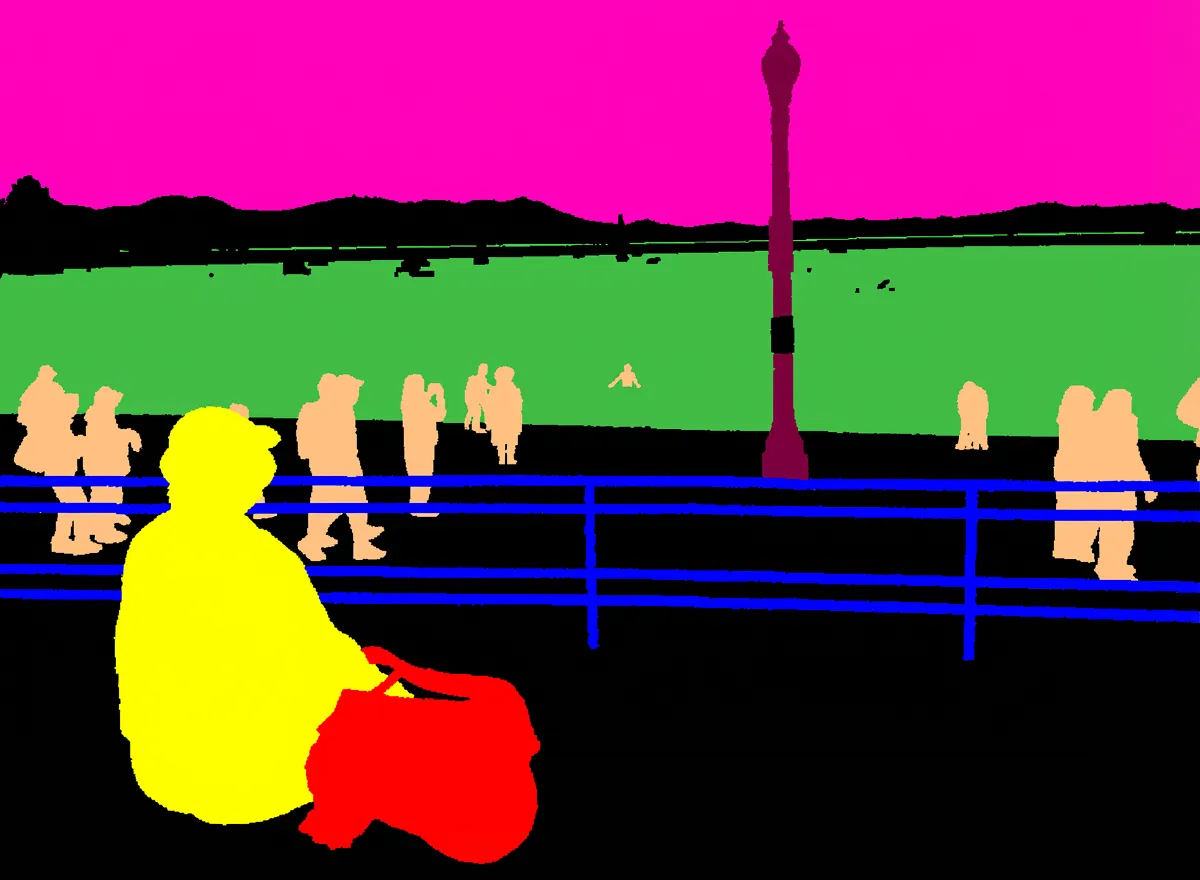
You can tell the model which classes to include and exact colors to use. It draws a per pixel class map that follows your color choices.
Sample prompts you can try
Prompt: Generate a ization image of semantic segmentation, using this color mapping: {"cat ears": <255, 165, 0>, "exit sign": <0, 0, 255>, "background": <125, 0, 125>}Prompt: This image is a per-pixel class labeling of the input. The macaron cakes are represented by (255, 255, 0). The round plates are represented by (255, 192, 128). The slice cakes are depicted in (64, 192, 64). The flowers are shown in (128, 0, 64). The tongs are (255, 0, 192).Prompt: Conduct per-class semantic segmentation for the given image. The sitting person are represented by (255, 255, 0). The standing and walking people are represented by (255, 192, 128). The ocean is depicted in (64, 192, 64). The street lights are in (128, 0, 64). The sky is in (255, 0, 192). The fence is in (0, 0, 255). The backpack is in (255, 0, 0).Instance segmentation examples
You can ask for instance masks with different colors per object. This is helpful for counting and editing.
Sample prompts you can try
Prompt: Generate an instance segmentation ization of the input image. Segment all the price on the price tags, color them differently.Prompt: Generate an instance segmentation ization of this image. Each price tag is colored differently.Prompt: This image shows segmentation masks for the basketballs from the input image. The background is set to #10aa05. Each basketball instance is represented by a solid circular mask, and a different color is used for each mask.Prompt: Generate an instance segmentation ization of this image. Each piece of garlic is colored differently.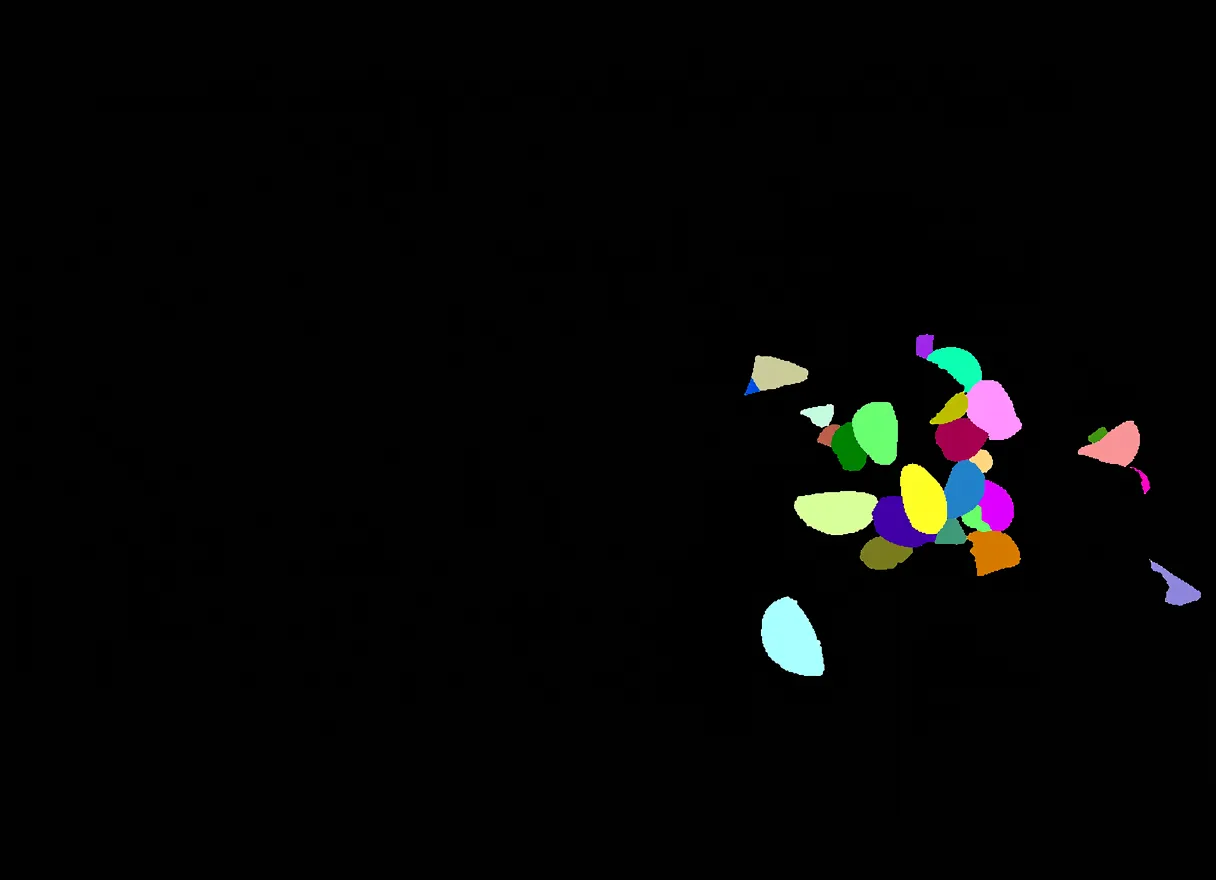
Referring expression segmentation examples
You can target a specific object with words. The model highlights only the part you describe.
Sample prompts you can try
Prompt: This image shows segmentation masks from the given image. The background is black color. The game control device is represented by a solid yellow.Prompt: A segmentation map of the input image. The pig not in the glass is rendered cyan, and the pig in the glass reflection is rendered yellow.Prompt: A segmentation map image. The stretching cat is rendered in green, the cat that is cleaning itself is in cyan.Prompt: A segmentation map image. The area that corresponds to the man in pink t shirt is rendered solid white; the other man is rendered in green.Prompt: This image shows segmentation masks from the given image. The background is black color. The chef's names in both Chinese and English are rendered as cyan color.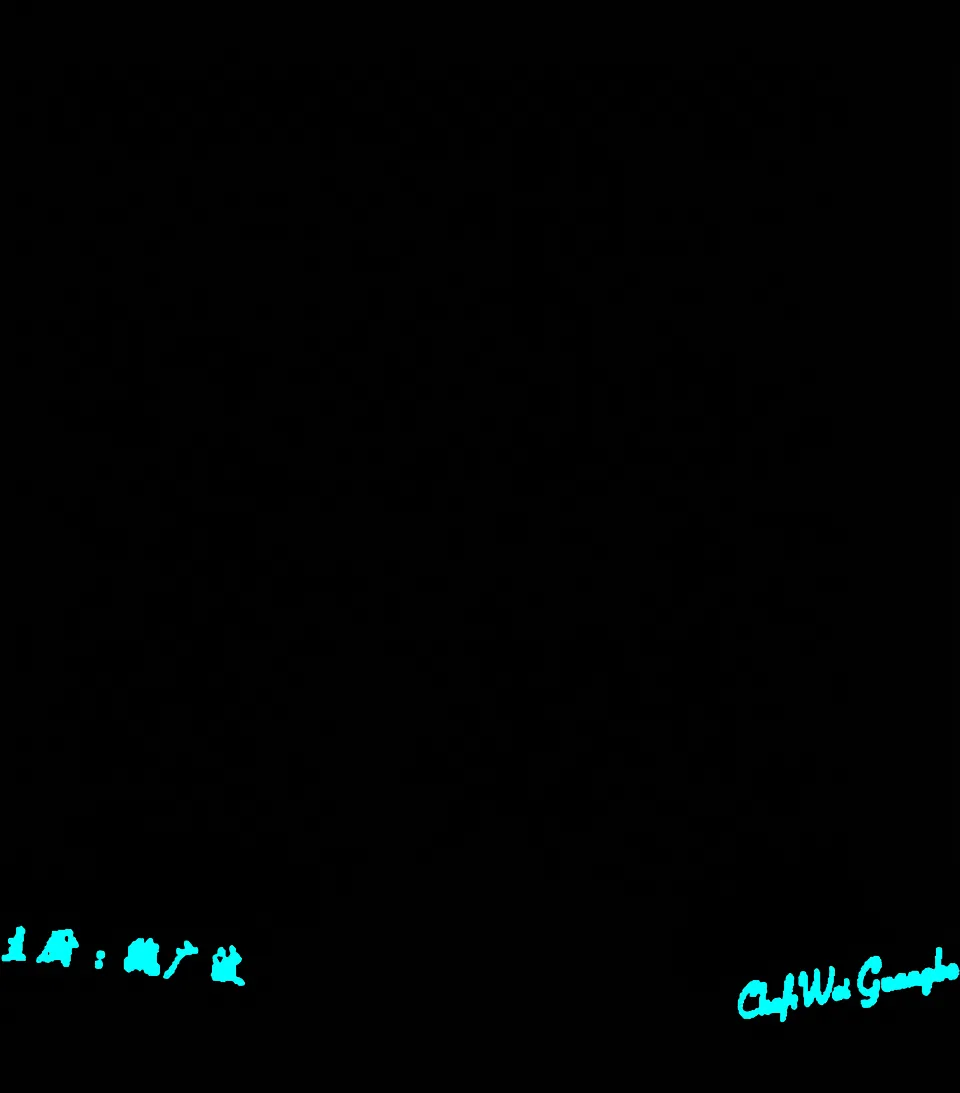
Monocular metric depth examples
Ask for a metric depth map in a clear color palette. This helps with distance and scene layout.
Sample prompts you can try
Prompt: Predict the metric depth of this scene as an image. ized in the rainbow (black-red-yellow-green-cyan-blue-violet-white) color palette.Prompt: Generate a metric depth map of the input image.Prompt: Predict the metric depth of this scene as an image. ized in the rainbow colormap.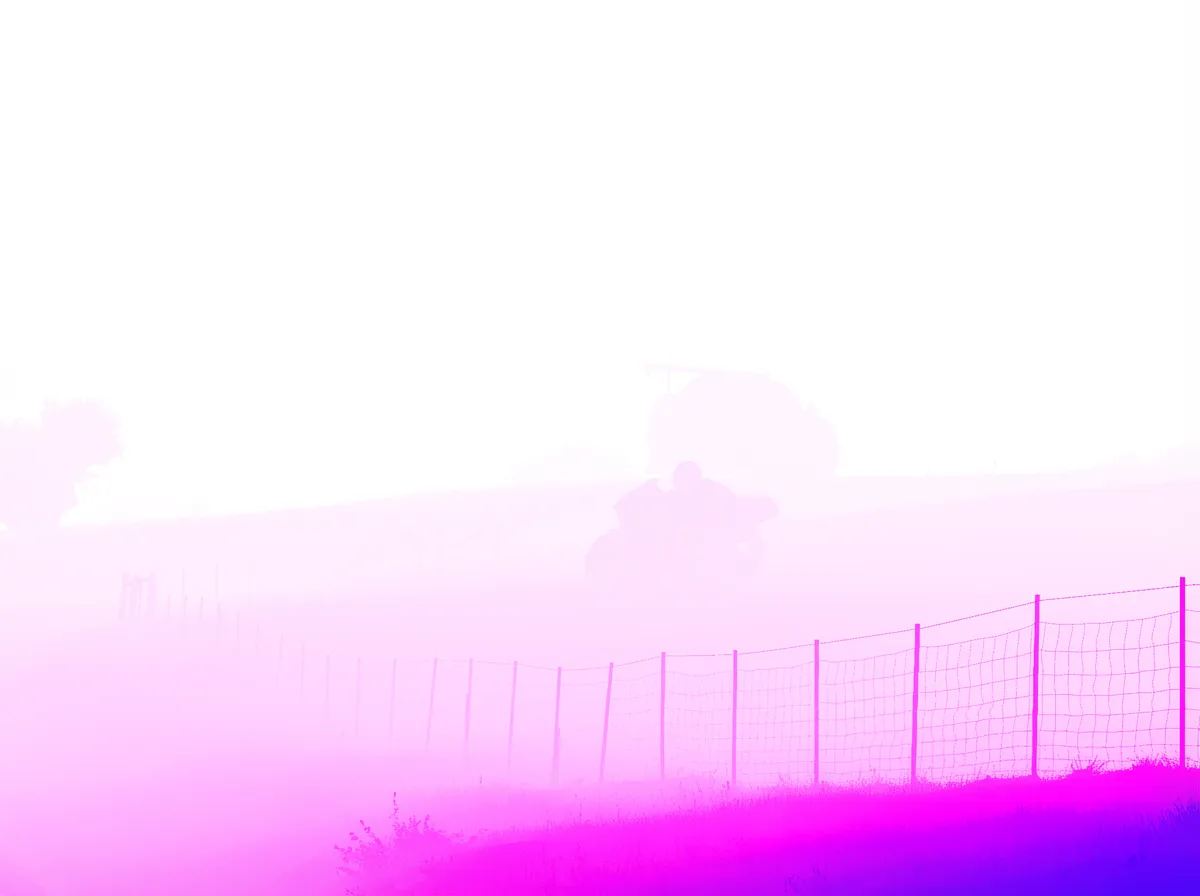
Surface normal examples
Surface normals show how each tiny patch points in 3D. This is great for shape and light reasoning.
Sample prompts you can try
Prompt: Generate a surface normal map of the input image.Prompt: Predict the surface normal of this scene.Read More: Fix Google Ai Studio Permission Denied Error
How Vision Banana works in simple terms
- It starts from a strong image generator. This model can draw images from text.
- The team teaches it to draw answers for many vision tasks. Your prompt tells it what answer style to draw.
- The output is still an image, but it now holds masks, depth, or normals.
This design cuts the need for a different model per task. The same skills carry over to many goals. Clear prompts guide what the model should show.
The technology behind it
-
Generative pretraining
-
The model first learns to draw from a huge set of images and text.
-
This builds general knowledge about objects, shapes, and scenes.
-
Prompt guided outputs
-
You write class names, target objects, and colors.
-
The model draws the final answer image that follows these rules.
-
Many tasks in one
-
Semantic masks use one color per class.
-
Instance masks use a unique color per object.
-
Depth and normals come out as color coded maps.
Getting started
There is no install step needed to try the public demo on the project site. Follow these steps.
- Open the project page on your browser.
- Hover over any image to reveal the generated result. On mobile, tap to toggle.
- Read the prompt under each example to see how it changes the output.
- Copy a prompt style you like and adjust the class names and colors for your own case.
Tip for prompts
- Keep colors clear and simple. Use RGB values in the format shown in the examples or plain words like green or cyan.
- Be direct when you point to an object. For example, the man in pink shirt or the cat that is cleaning itself.
Practical tips for better results
-
Be clear with class names
-
Use words that match what you want shown.
-
Add details if two things look similar.
-
Be exact with colors
-
Use RGB numbers or hex values for fixed color control.
-
If unsure, pick safe colors with strong contrast.
-
Keep the background in mind
-
You can set the background to a solid color like black or green.
-
This helps you cut out objects later.
FAQs
Is the model open for download
The project page shares a public demo and many examples. It does not list a direct download link for the model.
Who is Vision Banana for
It is great for teams that need masks, depth, or normals without building many tools. It is also useful for learning how prompts can shape answers.
Can I change the colors used in masks
Yes. You can set exact RGB or hex values in your prompt. The examples on the site show the right format.
Does it work on any image
The demo shows a wide range of scenes. Try your own images on the site to see how it responds.
How is it different from regular segmentation tools
Here, one system can draw many kinds of answers based on your prompt. You do not need to switch models for each task.
Image source: Vision Banana by Google DeepMind
Subscribe to our newsletter
Get the latest updates and articles directly in your inbox.

Related Posts
Relit-LiVE: Enhancing Videos by Learning Environment Together
Relit-LiVE: Enhancing Videos by Learning Environment Together
CausalCine: Real-Time Video Narratives with Autoregression
CausalCine: Real-Time Video Narratives with Autoregression
DreamX-World: The Future of Interactive World Models
DreamX-World: The Future of Interactive World Models