
Table Of Content
- Run GLM-5.1 Locally on CPU and GPU? overview
- Run GLM-5.1 Locally on CPU and GPU? hardware plan
- Increase swap to 64 GB
- Run GLM-5.1 Locally on CPU and GPU? get the quantized model
- Run GLM-5.1 Locally on CPU and GPU? build llama.cpp
- Run GLM-5.1 Locally on CPU and GPU? serve the model
- Run GLM-5.1 Locally on CPU and GPU? OpenAI-compatible client
- Measure TTFT with streaming
- Estimate tokens per second based on chunks if server usage is unavailable
- Run GLM-5.1 Locally on CPU and GPU? performance notes
- Run GLM-5.1 Locally on CPU and GPU? use cases
- Final thoughts
How to Run GLM-5.1 Locally on CPU and GPU?
Table Of Content
- Run GLM-5.1 Locally on CPU and GPU? overview
- Run GLM-5.1 Locally on CPU and GPU? hardware plan
- Increase swap to 64 GB
- Run GLM-5.1 Locally on CPU and GPU? get the quantized model
- Run GLM-5.1 Locally on CPU and GPU? build llama.cpp
- Run GLM-5.1 Locally on CPU and GPU? serve the model
- Run GLM-5.1 Locally on CPU and GPU? OpenAI-compatible client
- Measure TTFT with streaming
- Estimate tokens per second based on chunks if server usage is unavailable
- Run GLM-5.1 Locally on CPU and GPU? performance notes
- Run GLM-5.1 Locally on CPU and GPU? use cases
- Final thoughts
GLM 5.1 is finally here as an open-source release. The team had previously shipped it only on their API and there was anxiety in the community about a public model release. They kept their promise and released it openly.
GLM 5.1 is a next generation agentic model that beats GLM 5 by a wide margin on SWE-bench, NL2 repo, and various other benchmarks. I am going to run it locally on my server using Unsloth’s quantized GGUF and serve it with llama.cpp. I will share every command I used.
If you want a primer on the prior series and local setup basics, see this GLM 5 local guide. For broader context on capability tiers across families, check these comparisons of GLM 4.7, Opus 4.5, and GPT 5.2. You can also study multi-model head-to-heads that include DeepSeek and Codex in this roundup.
Run GLM-5.1 Locally on CPU and GPU? overview
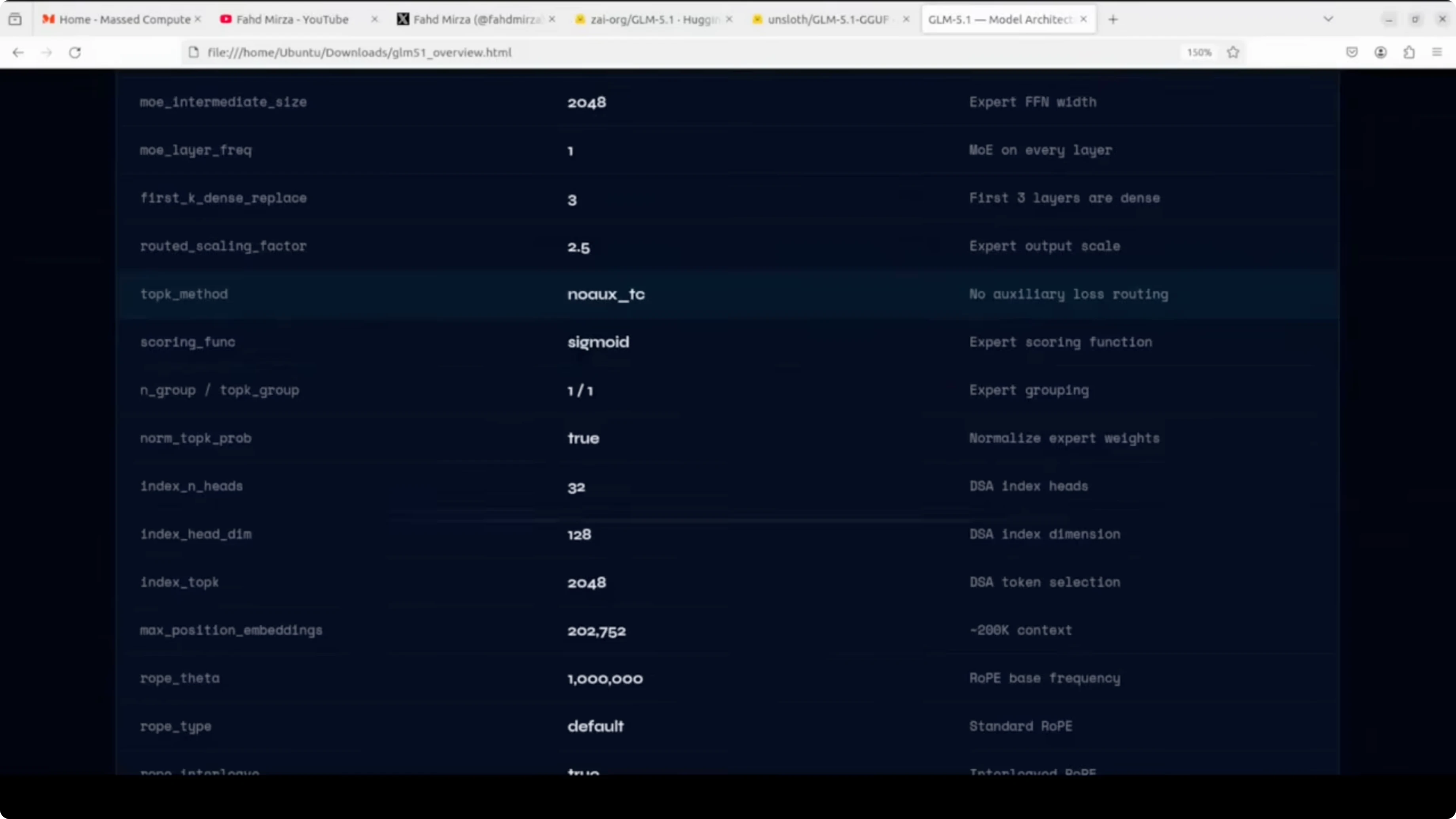
Under the hood, GLM 5.1 is a mixture-of-experts model with 744 billion total parameters, but only about 40 billion are active per forward pass. It has 78 hidden layers and the MoE is active on every layer except the first three, which are dense. There are 256 experts in total and eight experts are selected per token.
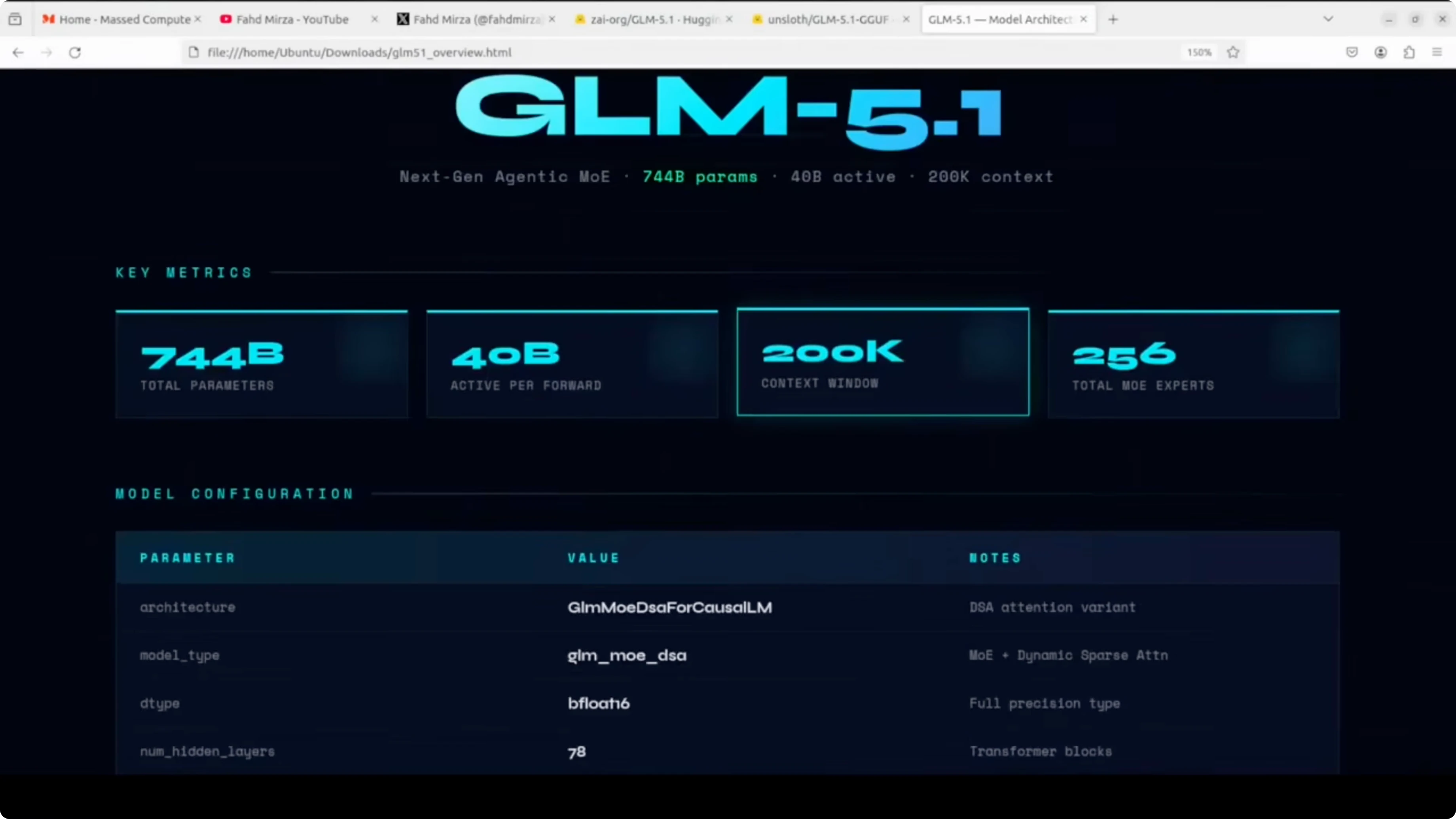
It uses a dynamic sparse attention mechanism with a 200k context window. Full precision is bfloat16, which means the raw model needs around 1.65 TB of disk space. That scale is why a carefully chosen quantization format matters for local runs.
Run GLM-5.1 Locally on CPU and GPU? hardware plan
I am using an Ubuntu server with a single NVIDIA H100 80 GB GPU. System RAM is about 125 GB, giving roughly 205 GB of total usable memory across VRAM and RAM. The Unsloth quantized format I am using is UD-IQ2_M, which is about 236 GB on disk.
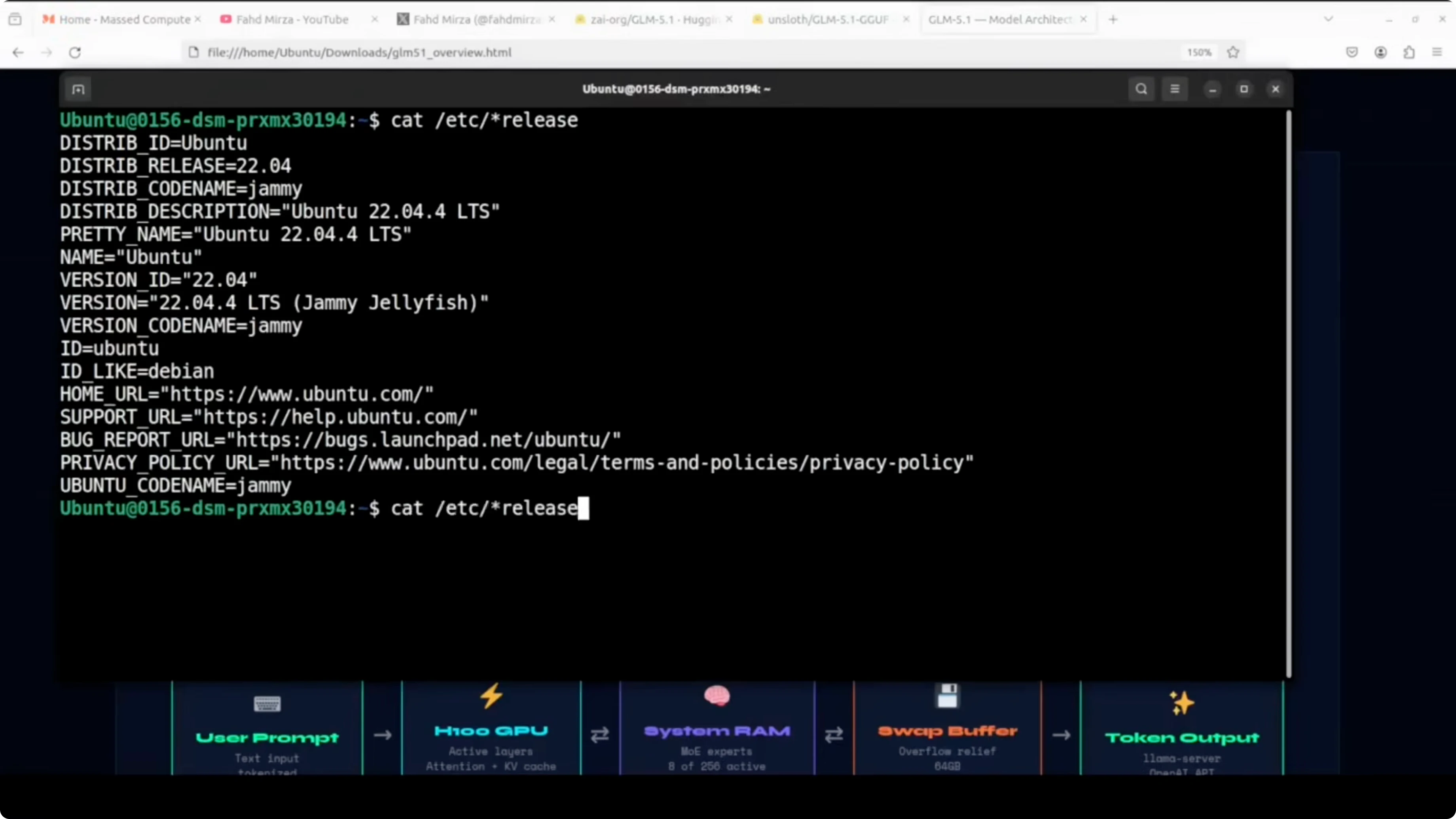
This means we are about 31 GB short if we tried to fit everything purely into VRAM plus RAM. llama.cpp will offload as many layers as possible to the H100 and spill the rest into system RAM. Swap space acts as a safety buffer for the remaining gap.
Increase swap to 64 GB
First check memory and swap so you have a baseline.
free -h
swapon --show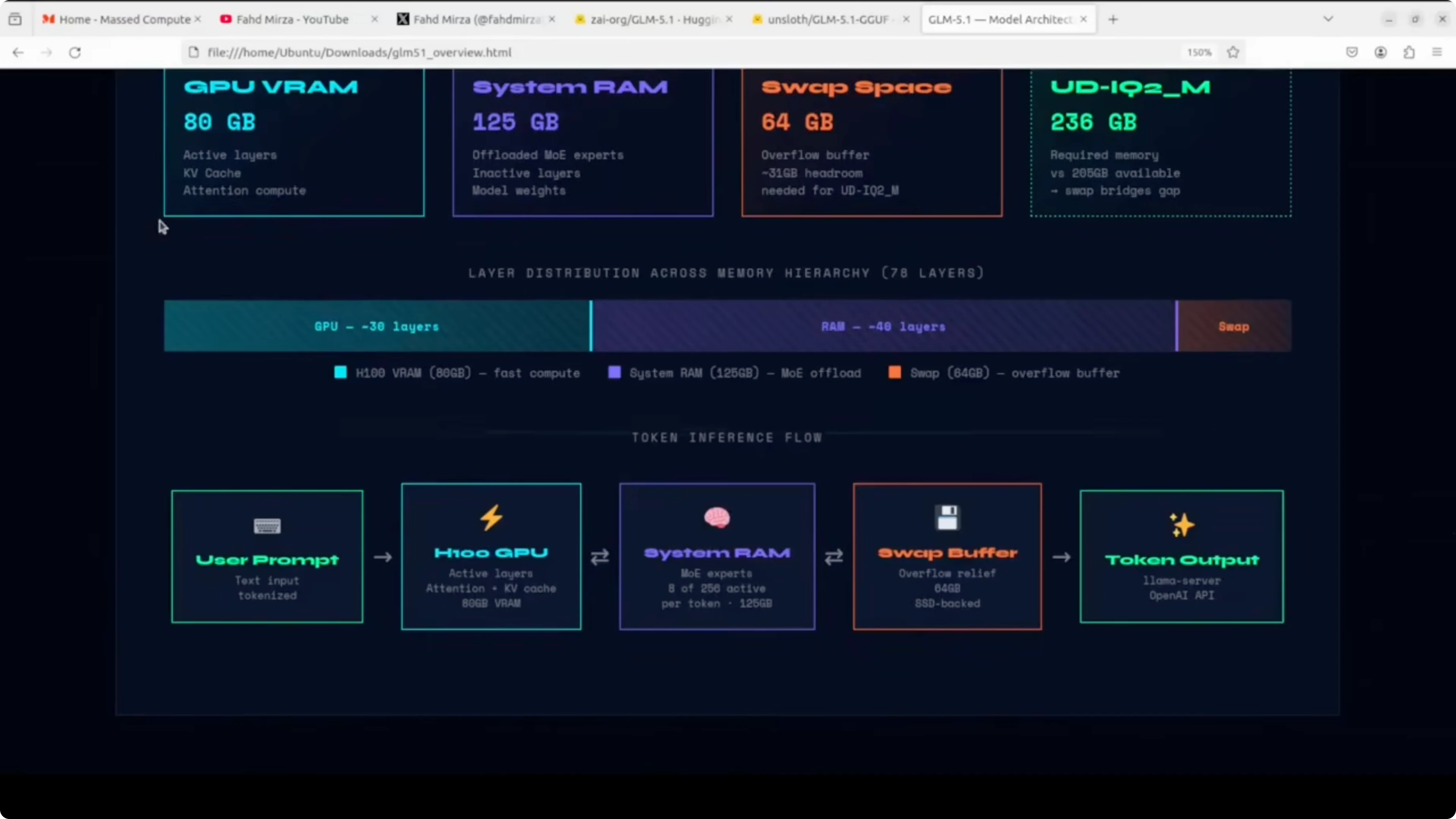
Create a 64 GB swapfile.
sudo fallocate -l 64G /swapfile
sudo chmod 600 /swapfile
sudo mkswap /swapfile
sudo swapon /swapfile
Make it persistent across reboots.
echo '/swapfile none swap sw 0 0' | sudo tee -a /etc/fstabVerify the new totals.
free -h
swapon --show
Run GLM-5.1 Locally on CPU and GPU? get the quantized model
We will use Unsloth’s GGUF for GLM 5.1 in UD-IQ2_M. UD-IQ2_M is a dynamic 2-bit quantization format that identifies critical layers and upcasts them to 8-bit or 16-bit to preserve accuracy. You get a major size reduction from roughly 1.65 TB to about 236 GB, while keeping quality much closer to full precision than a naive 2-bit pass.
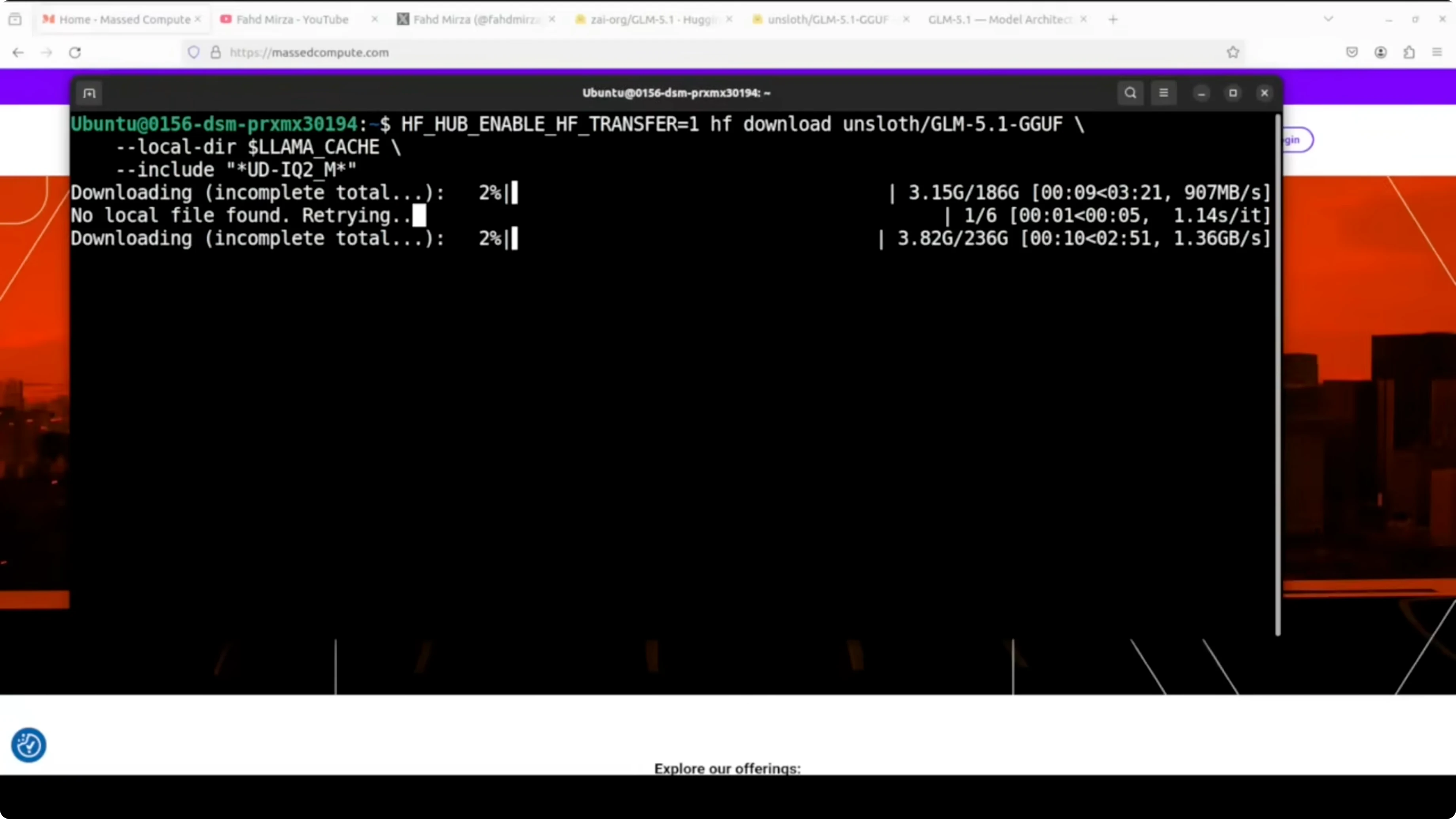
Install the Hugging Face tools.
python3 -m venv .venv
source .venv/bin/activate
pip install -U huggingface_hub
Log in to Hugging Face to speed up the download.
huggingface-cli loginDownload the GGUF file from Unsloth’s repository.
mkdir -p ./models/glm5.1
huggingface-cli download \
  unsloth/GLM-5.1-GGUF \
  GLM-5.1-UD-IQ2_M.gguf \
  --local-dir ./models/glm5.1 \
  --local-dir-use-symlinks False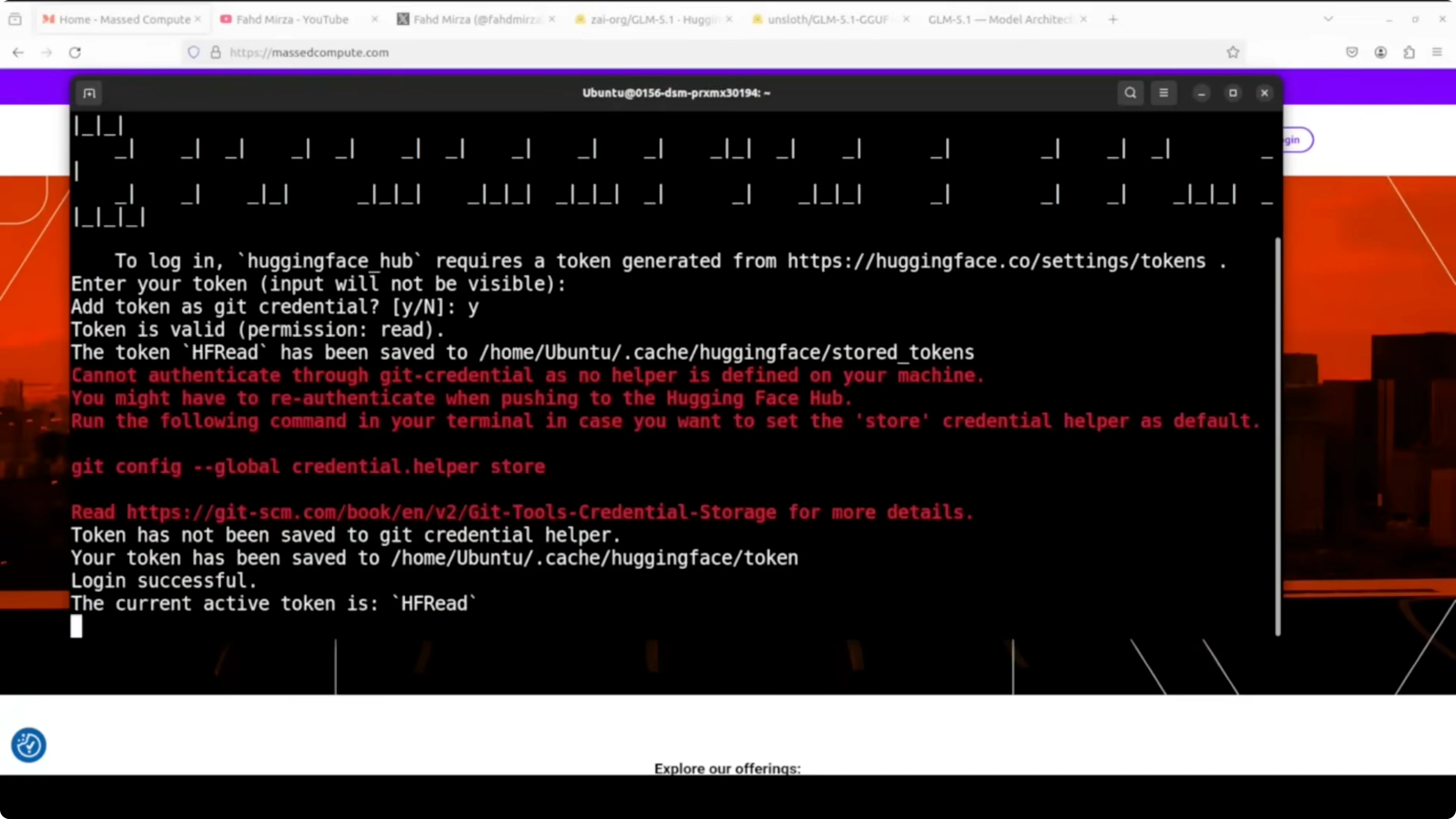
Resource: https://huggingface.co/unsloth/GLM-5.1-GGUF
Run GLM-5.1 Locally on CPU and GPU? build llama.cpp
If you already have llama.cpp with CUDA support, skip to serving. I am using the CUDA build to offload as many layers as possible to the GPU.
Clone and build with cuBLAS.
git clone https://github.com/ggerganov/llama.cpp.git
cd llama.cpp
LLAMA_CUBLAS=1 make -j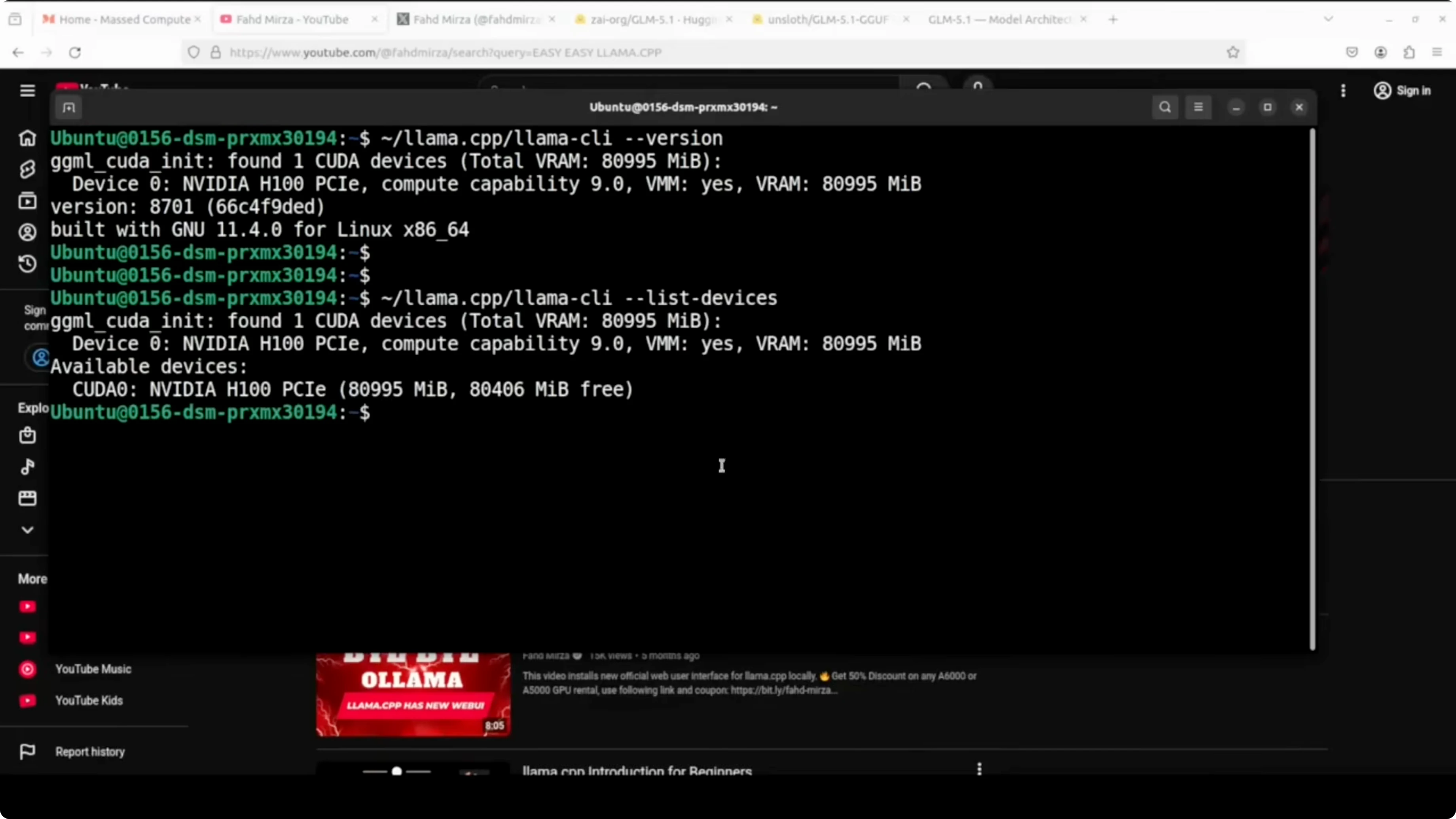
List devices to confirm the GPU is visible.
./llama-server --list-devicesYou can also confirm driver and VRAM with nvidia-smi.
nvidia-smiRun GLM-5.1 Locally on CPU and GPU? serve the model
Start the server with a 16k context window and GPU offloading. I am setting a friendly alias, sampling parameters, a high process priority, and the HTTP port.
./llama-server \
  -m ./models/glm5.1/GLM-5.1-UD-IQ2_M.gguf \
  --alias glm5p1 \
  -c 16384 \
  -ngl 999 \
  --temp 1.0 \
  --top-p 0.95 \
  --port 801 \
  --prio 2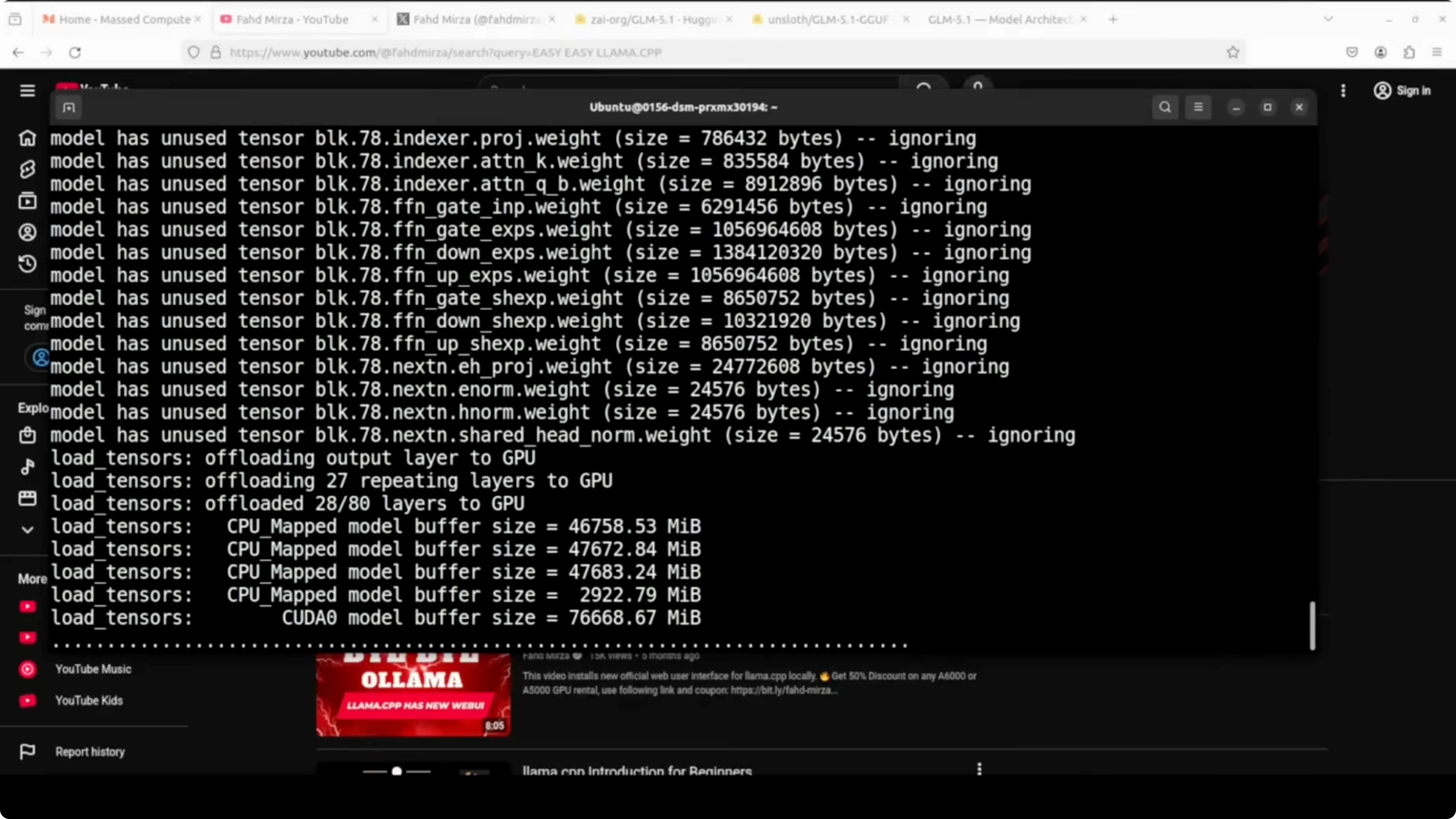
llama.cpp will offload as many layers as possible to the H100 and run the rest on CPU. Keep an eye on VRAM, RAM, and swap usage during the first load.
nvidia-smi
free -h
If you are focused on code-heavy workloads and want model-side comparisons, here is a helpful coding model comparison.
Run GLM-5.1 Locally on CPU and GPU? OpenAI-compatible client
You can query the local server with an OpenAI-compatible client. The snippet below measures time to first token and estimates tokens per second.
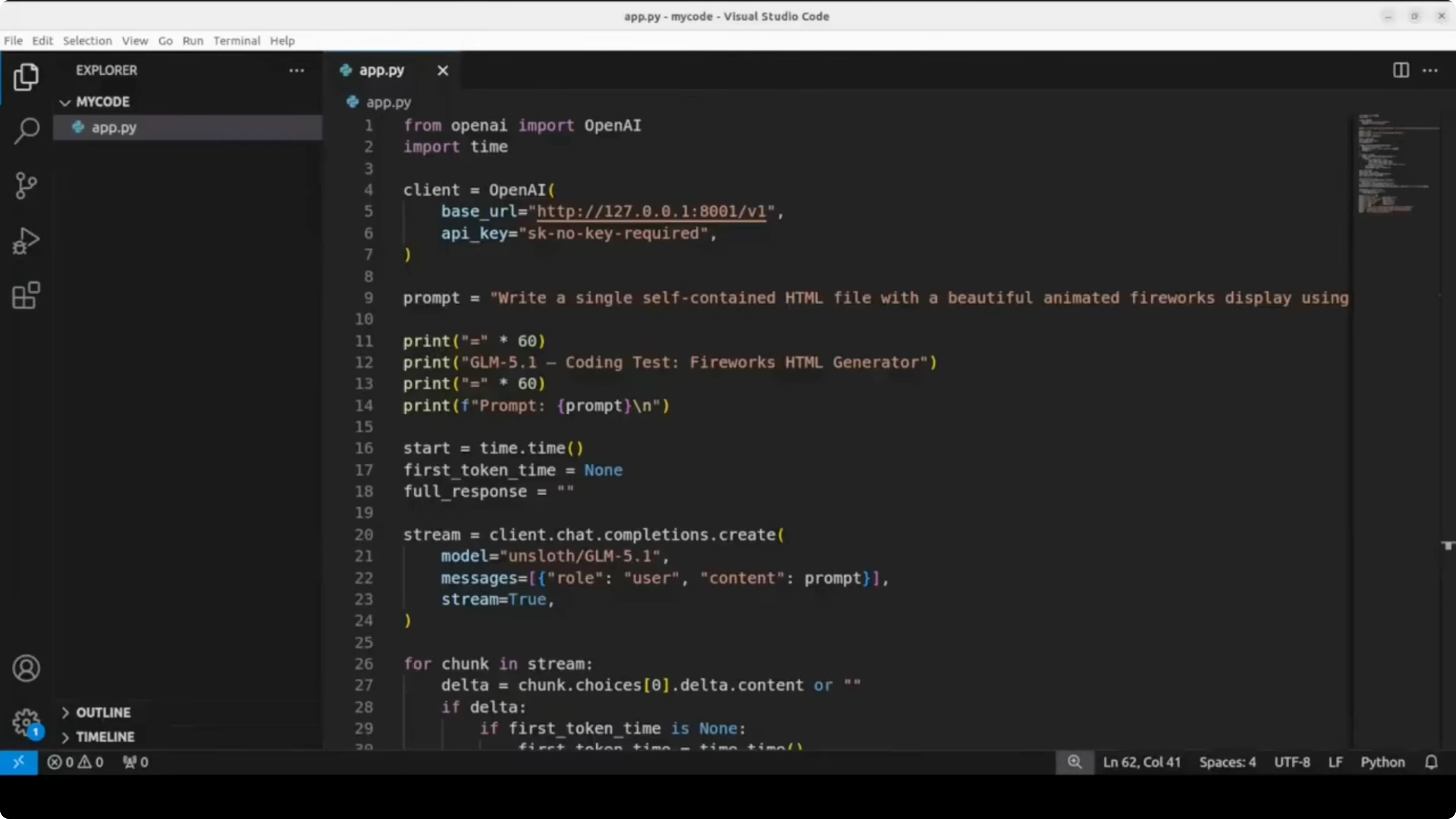
Install the client library.
pip install -U openaiUse this Python script to test the endpoint.
import time
from openai import OpenAI

client = OpenAI(base_url="http://127.0.0.1:801/v1", api_key="sk-local")

prompt = "Create a single self-contained HTML file that displays fireworks on a dark canvas background."

# Measure TTFT with streaming
start = time.time()
ttft = None
tokens = 0
content_parts = []

with client.chat.completions.create(
    model="glm5p1",
    messages=[{"role": "user", "content": prompt}],
    temperature=1.0,
    top_p=0.95,
    stream=True,
) as stream:
    for event in stream:
        if hasattr(event, "choices") and event.choices:
            delta = event.choices[0].delta
            if delta and delta.content:
                if ttft is None:
                    ttft = time.time() - start
                content_parts.append(delta.content)
                tokens += 1  # token approximation per chunk

total_time = time.time() - start
generated = "".join(content_parts)

# Estimate tokens per second based on chunks if server usage is unavailable
gen_time = max(1e-6, total_time - (ttft or 0.0))
tps_est = tokens / gen_time

print(f"Total time: {total_time:.2f}s")
print(f"Time to first token: {ttft:.2f}s" if ttft else "Time to first token: n/a")
print(f"Approx tokens per second: {tps_est:.2f}")
print(f"Chars generated: {len(generated)}")
If you prefer a non-streaming call that returns usage for exact token counts, switch stream=False and read completion_tokens from the response. Compute tokens per second as completion_tokens divided by generation_time. Keep the base_url and model alias the same.
Run GLM-5.1 Locally on CPU and GPU? performance notes
On my run the time to first token was long. After the first token, throughput was reported around tens of tokens per second on my setup. The memory profile showed heavy GPU usage near 79 GB of VRAM, high CPU utilization, and significant RAM plus swap consumption.
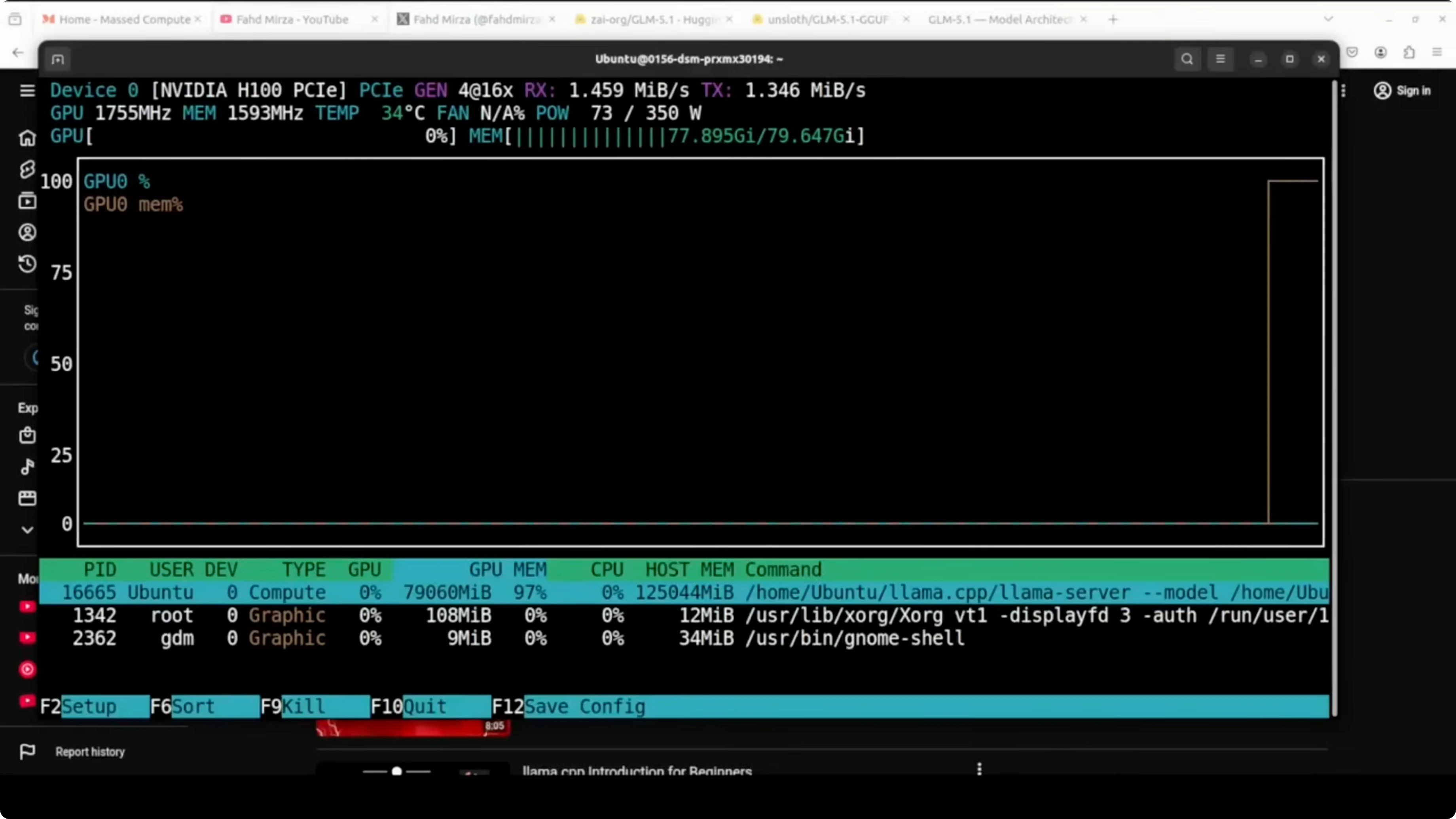
This configuration runs a 744B-parameter MoE locally by activating about 40B parameters per token. The quantized format plus GPU offload and CPU fallback make it feasible on a single H100 with large RAM. It is slow to start but it works end-to-end.
If you plan to fine-tune a smaller assistant for local workflows, consider this guide to fine-tune Qwen 3.5 8B locally. That approach pairs well with a big MoE model for analysis while a smaller model handles fast iteration.
Run GLM-5.1 Locally on CPU and GPU? use cases
Prototyping complex agents that benefit from routing capacity across experts. Running large-context research assistants where the 200k window is valuable for long documents. High-quality code scaffolding for web apps and data tools when GPU memory is limited but you can offload to CPU and swap.
Batch inference for planning or multi-step tool-use flows where latency is acceptable. Private RAG over large corpora with a local endpoint that never leaves your network. Hybrid stacks that keep a small fast model for chat and a large MoE for heavy reasoning.
For more model comparisons across families, see this analysis of DeepSeek, GPT 5.1 Codex, Max, and Opus 4.5. If you need a refresher on GLM series practical setups, here is the earlier how-to for running GLM 5.
Final thoughts
GLM 5.1 as an open-source release is a big step for local AI enthusiasts. With Unsloth’s UD-IQ2_M and llama.cpp offloading, you can run it on a single H100 plus large RAM and a healthy swap. Expect a slow first token, solid throughput after that, and working code generation on a local endpoint.
Subscribe to our newsletter
Get the latest updates and articles directly in your inbox.

Related Posts

8 Best Claude Code Plugins in 2026 (You Need to Know)
8 Best Claude Code Plugins in 2026 (You Need to Know)

7 Best Claude Code Skills (You Need to Know)
7 Best Claude Code Skills (You Need to Know)

Claude Code Desktop IDE Features (You Need to Know)
Claude Code Desktop IDE Features (You Need to Know)