
Table Of Content
- Qwen3.5 Models Compared: Choosing Between 0.8B, 2B, 4B, and 9B
- Shared architecture
- Benchmarks and what stands out
- Agent tasks and long context jumps
- Reasoning-heavy categories
- 4B vs 9B gap
- Head-to-head matchups
- Practical guidance: which model to use when
- Quick VRAM check to guide your pick
- The surprise result
- Model-by-model verdict
- 0.8B verdict
- 2B verdict
- 4B verdict
- 9B verdict
- Step-by-step: make your pick
- Final thoughts
Qwen3.5 Models Compared: Choosing Between 0.8B, 2B, 4B, and 9B
Qwen Model Recommender
Not sure which Qwen model fits your GPU? Pick your VRAM, use case, and task type — get matched to the right model instantly. Covers Qwen3, QwQ, QVQ, Qwen2.5-VL, Qwen3-Coder, Qwen3-TTS, and 80+ models.
Table Of Content
- Qwen3.5 Models Compared: Choosing Between 0.8B, 2B, 4B, and 9B
- Shared architecture
- Benchmarks and what stands out
- Agent tasks and long context jumps
- Reasoning-heavy categories
- 4B vs 9B gap
- Head-to-head matchups
- Practical guidance: which model to use when
- Quick VRAM check to guide your pick
- The surprise result
- Model-by-model verdict
- 0.8B verdict
- 2B verdict
- 4B verdict
- 9B verdict
- Step-by-step: make your pick
- Final thoughts
Qwen3.5 is ruling the AI scene at the moment. I have locally installed and thoroughly tested the 0.8B, 2B, 4B, and 9B models. This guide compares their specs, benchmark scores, direct head-to-head results, real world use case guidance, and one result that genuinely surprised me.
You will see exactly which one belongs on your machine.
The most interesting bit is that all four share the same architecture, the same 262K context window that can extend to 1 million tokens, native support for text, images, and video, and 201 languages. The key differences are size, VRAM requirement, and one critical setting.
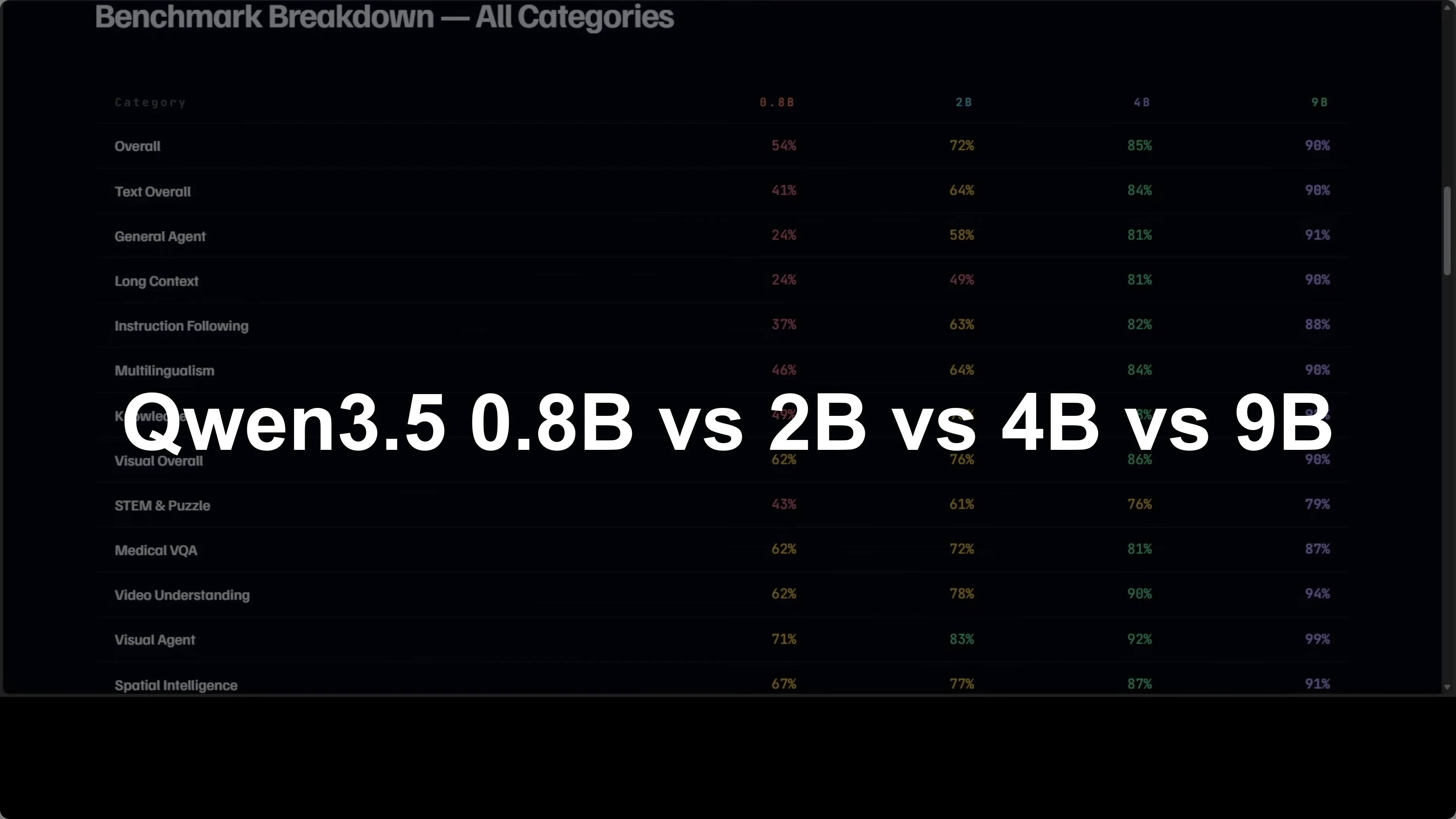
Qwen3.5 Models Compared: Choosing Between 0.8B, 2B, 4B, and 9B
Here is a side-by-side snapshot to ground the discussion.
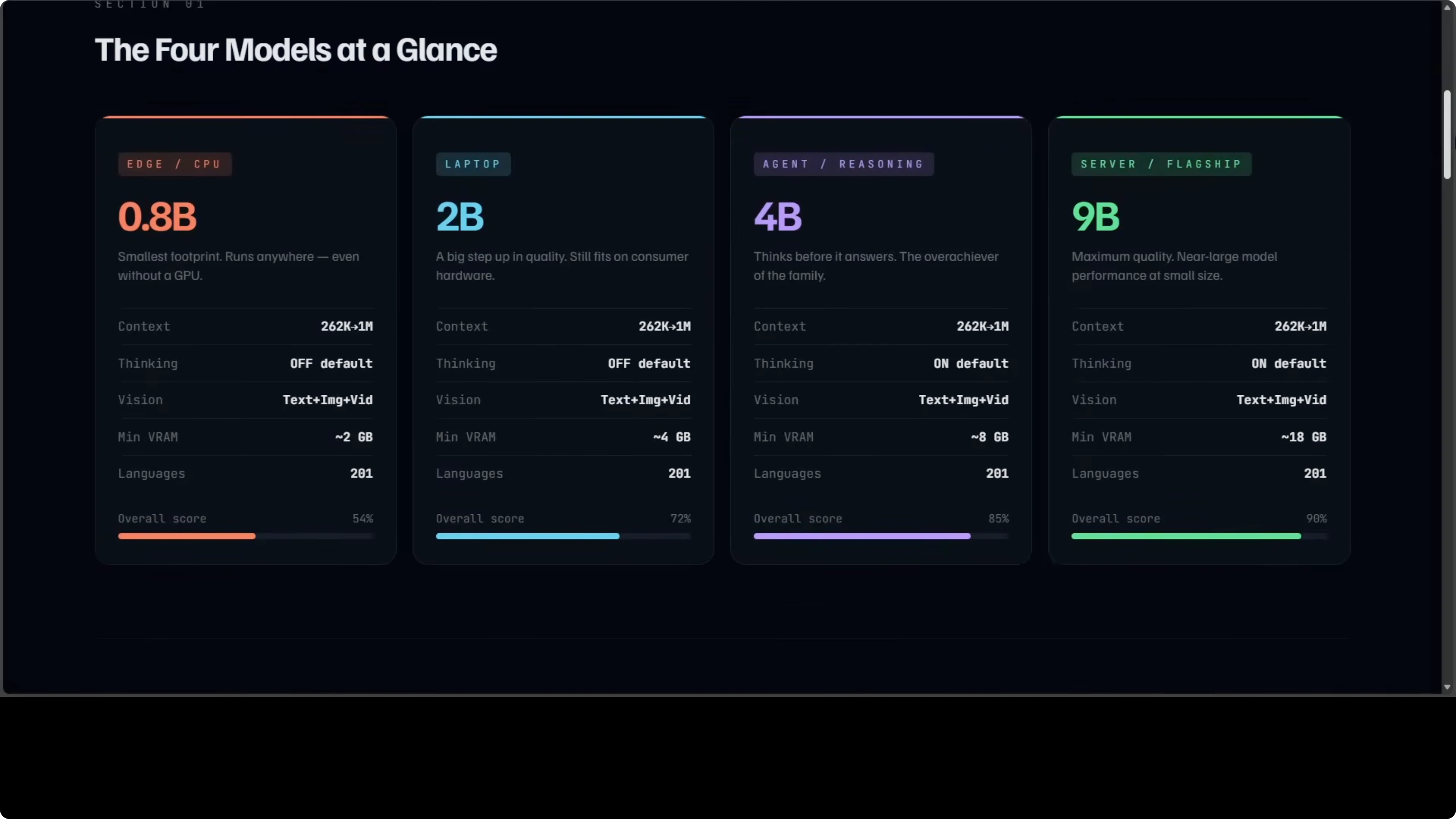
| Model | Parameters | Default thinking | Approx VRAM or hardware | Context window | Modalities | Overall score vs 397B |
|---|---|---|---|---|---|---|
| 0.8B | 0.8B | Off | Runs on CPU | 262K (extendable to 1M) | Text, images, video | ~54% |
| 2B | 2B | Off | Consumer laptop or GTX 1060-class GPU | 262K (extendable to 1M) | Text, images, video | Not stated here |
| 4B | 4B | On | Around 8 GB GPU | 262K (extendable to 1M) | Text, images, video | ~85% (about 5% behind 9B) |
| 9B | 9B | On | Around 18 GB GPU | 262K (extendable to 1M) | Text, images, video | ~90% |
Shared architecture
All four models share the same core design, the same long context capacity, and native multimodal support across text, images, and video.
They support 201 languages and run fully local. For a quick look at how Qwen3.5 handles video, images, code, and text in practice, see this overview of capabilities: modalities breakdown.
The 0.8B and 2B variants have thinking mode off by default, while the 4B and 9B think before they answer.
The overall score ranges from about 54% on the 0.8B up to about 90% on the 9B, measured against the flagship 397B model.
Benchmarks and what stands out
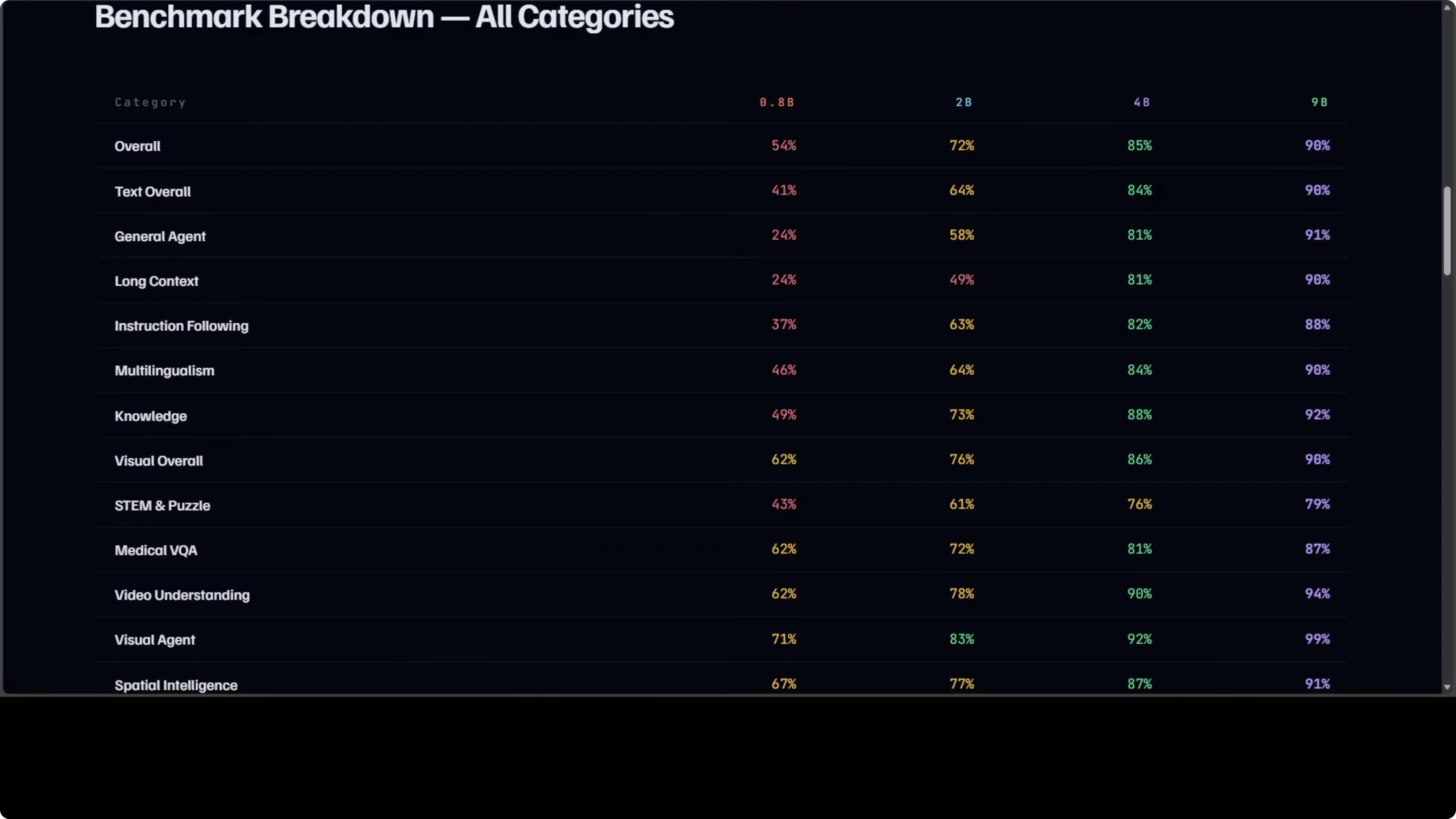
The internal table I used covers 15 categories. It spans general agent tasks and long context all the way to medical, visual QA, video understanding, and document recognition. A few things stand out very clearly.
Agent tasks and long context jumps
The jump from 0.8B to 2B is the biggest in agent tasks and long context. That is where the extra parameters really show up. If you are choosing between these two for any kind of agent workflow, 2B is the first real step up.
Reasoning-heavy categories
The 4B pulls ahead of the 2B most dramatically in reasoning-heavy categories. Thinking mode being on by default changes the texture of answers. It consistently shows up in chain-of-thought and multi-step instructions.
4B vs 9B gap
The gap between 4B and 9B is actually the smallest in the family at roughly 5% overall. That makes 4B very compelling if your GPU has around 8 GB of VRAM. The difference often comes down to 8 GB VRAM vs 18 GB VRAM more than anything else.
Head-to-head matchups
0.8B vs 2B is not close. The 2B wins across every category and the gap in agent tasks alone is 34 points. If you can run the 2B, it is the smarter pick over 0.8B for everyday use.
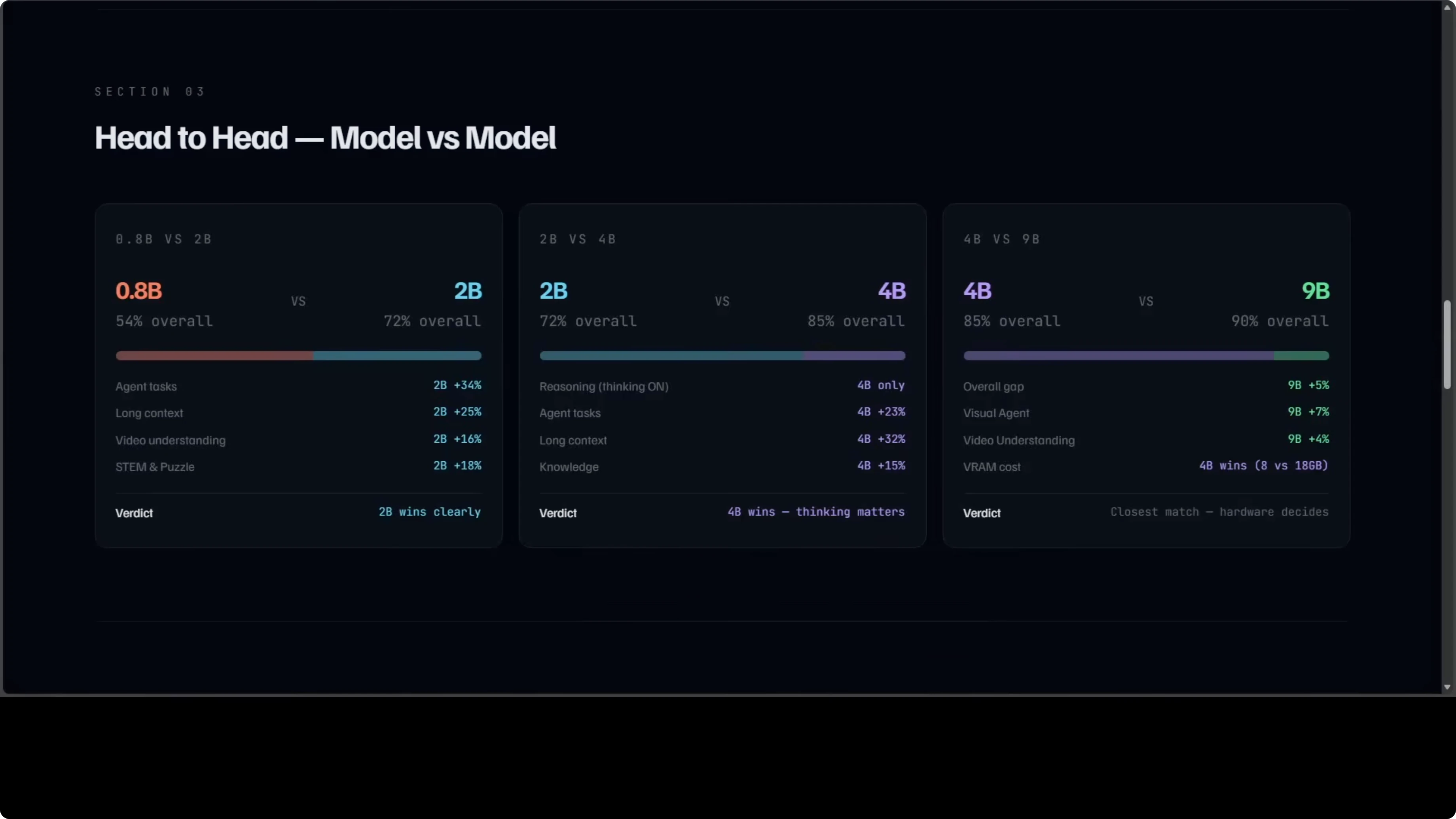
2B vs 4B is where thinking mode changes everything. The 4B is 23 points ahead on agents and 32 points ahead on long context. If you need reasoning and tool use that feel deliberate, 4B is where that shift becomes obvious.
The closest fight is 4B vs 9B. Only about 5% separates them overall and that gap largely comes down to 8 GB of VRAM vs 18 GB of VRAM. If you are tight on hardware, 4B gets you most of the way there.
If you want a focused breakdown of the 2B specifically, see this compact overview: Qwen3.5 2B notes.
Practical guidance: which model to use when
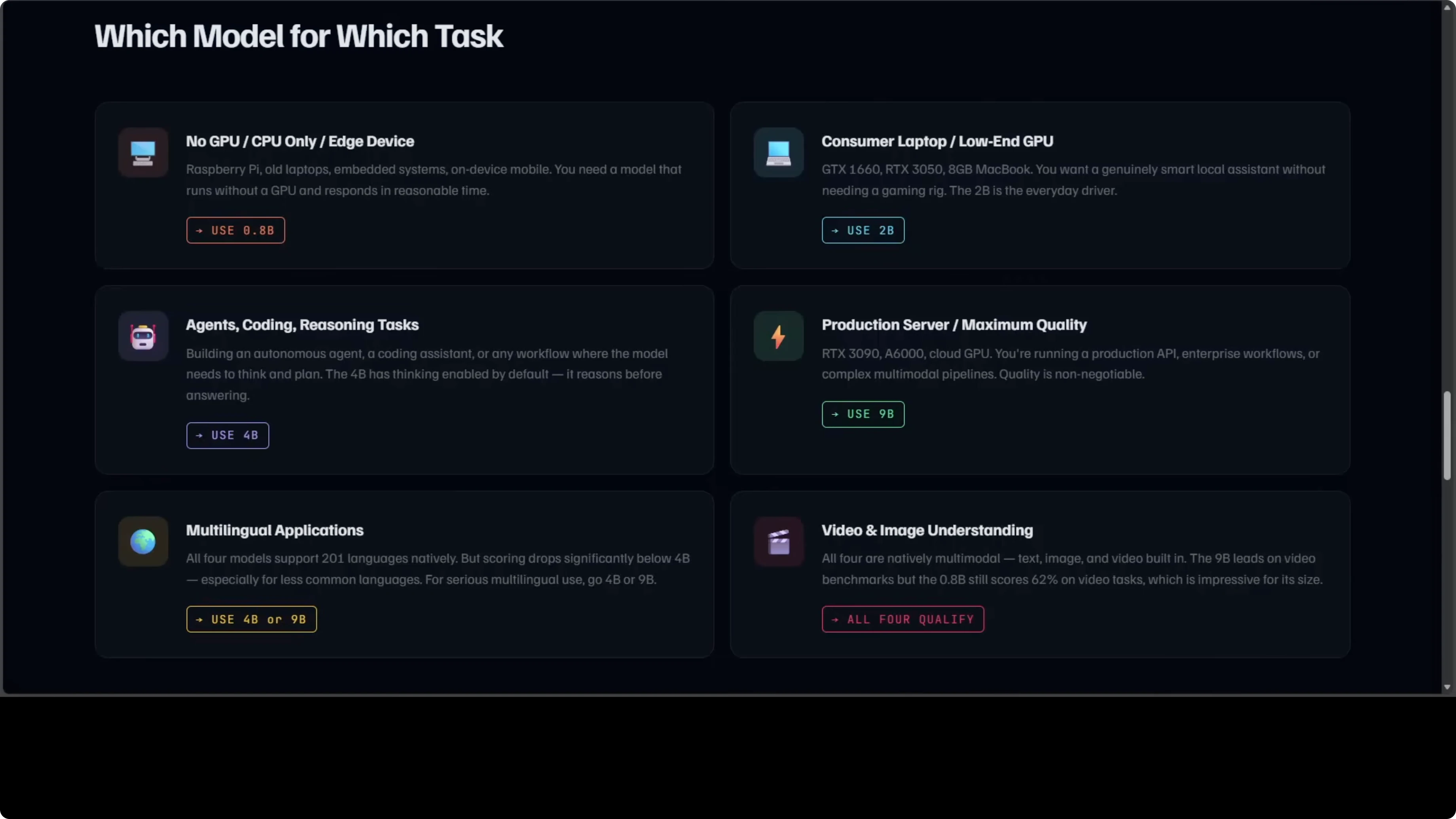
If you do not have any GPU or your VRAM is very limited, use the 0.8B. It runs on CPU and still gives you the family’s features. I have shown this repeatedly on regular consumer machines.
If you are on a consumer laptop or a GTX 1060-class GPU, use the 2B. It is the everyday driver in my opinion and a meaningful jump over the 0.8B in intelligence. It covers the vast majority of day-to-day prompts.
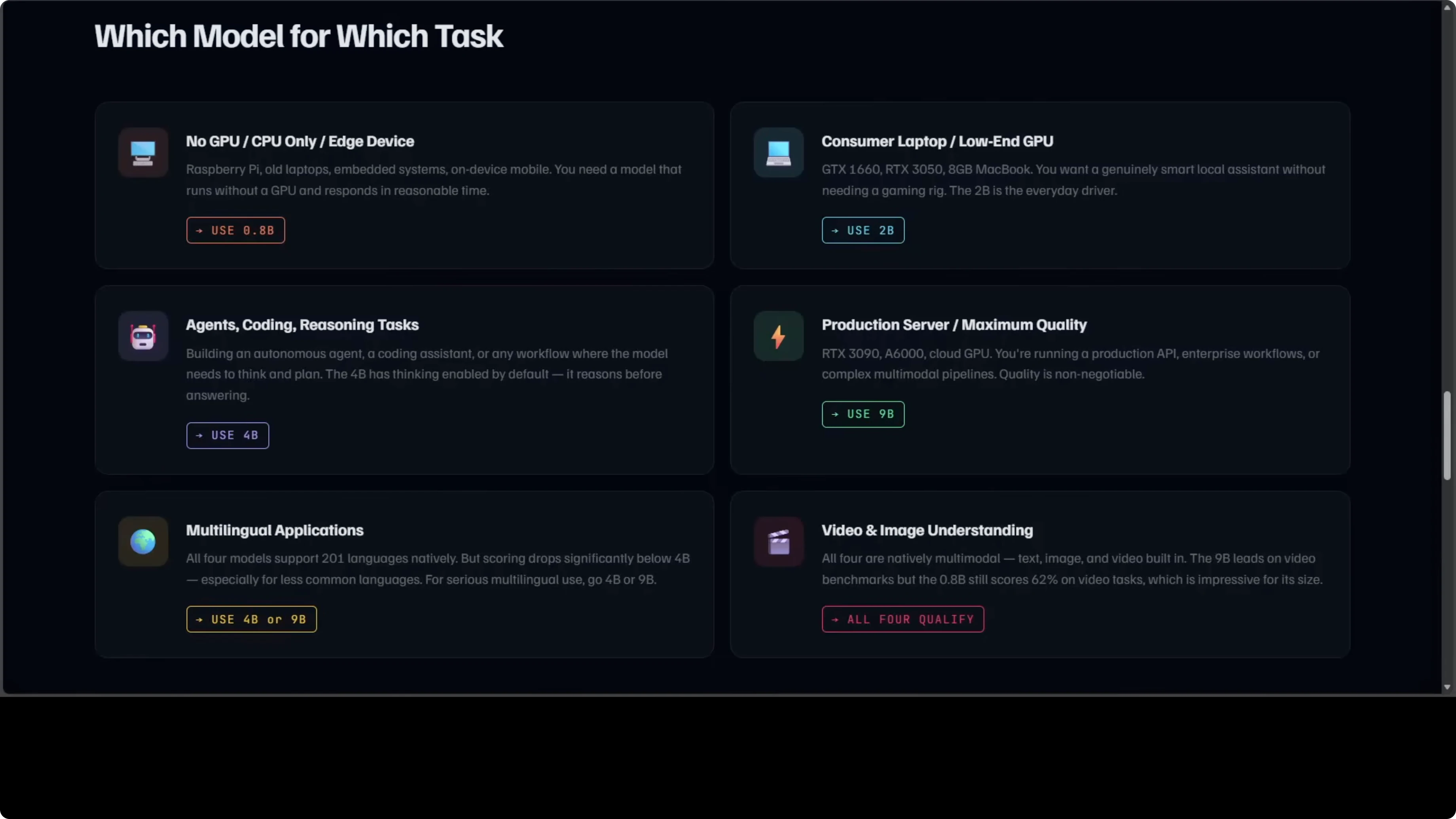
If you are building an agent, a coding assistant, or anything that needs to reason, pick 4B or above. Thinking is on by default and it shows in multi-step tasks. If you are running a production server and need maximum quality, go for 9B.
For multilingual work, the 4B and 9B are the serious choices. All four handle video and images natively, which is very unusual for models this small. I am saying this from experience after testing thousands of these models.
If you need a quick local setup path, here is a starter guide to run these models on your machine with community tooling: local install with Ollama or OpenClaw.
Quick VRAM check to guide your pick
You can quickly check your available VRAM in Python and match your choice to your hardware.
import torch

if not torch.cuda.is_available():
    print("No GPU detected. Qwen3.5 0.8B will run on CPU.")
else:
    vram_gb = torch.cuda.get_device_properties(0).total_memory / (1024 ** 3)
    print(f"Detected VRAM: {vram_gb:.1f} GB")
    if vram_gb < 6:
        print("Suggested: Qwen3.5 2B (or 0.8B on CPU if needed).")
    elif vram_gb < 12:
        print("Suggested: Qwen3.5 4B (thinking on by default).")
    else:
        print("Suggested: Qwen3.5 9B for maximum quality.")
The surprise result
A 4B open-source model running locally on an 8 GB GPU was judged against GPT-4o by Claude Opus across 1,000 prompts per category. The 4B wins overall 50 to 43. It wins STEM, roleplay, chat, and general knowledge, while GPT-4o only wins creative writing.
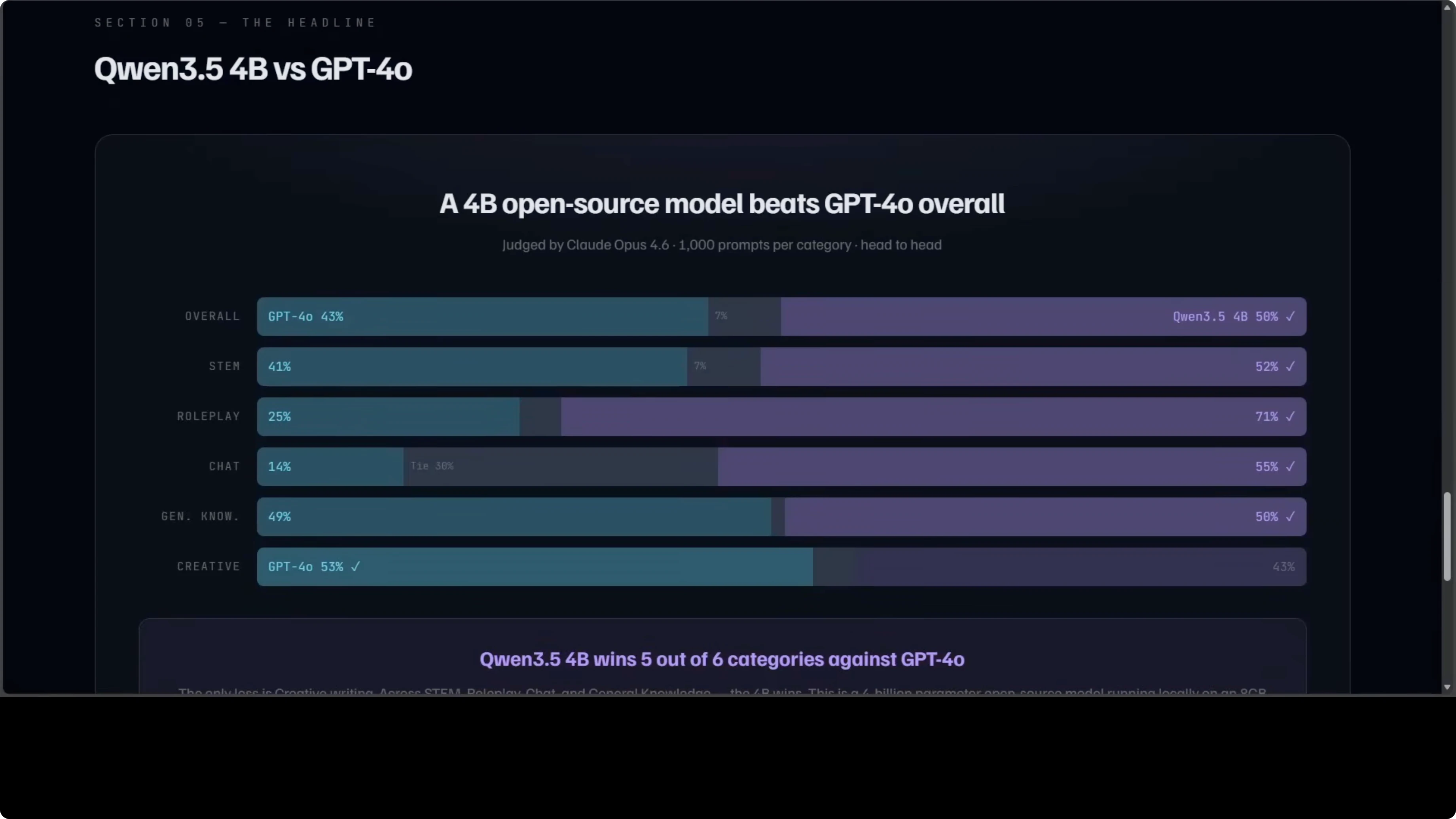
I have tested 4B on roleplay personally and it is amazing. This is not a cherry-picked benchmark. It is a broad head-to-head across six categories with a thousand prompts each.
If you want the specific 4B setup and observations in one place, see this focused write-up: Qwen3.5 4B workflow.
Model-by-model verdict
0.8B verdict
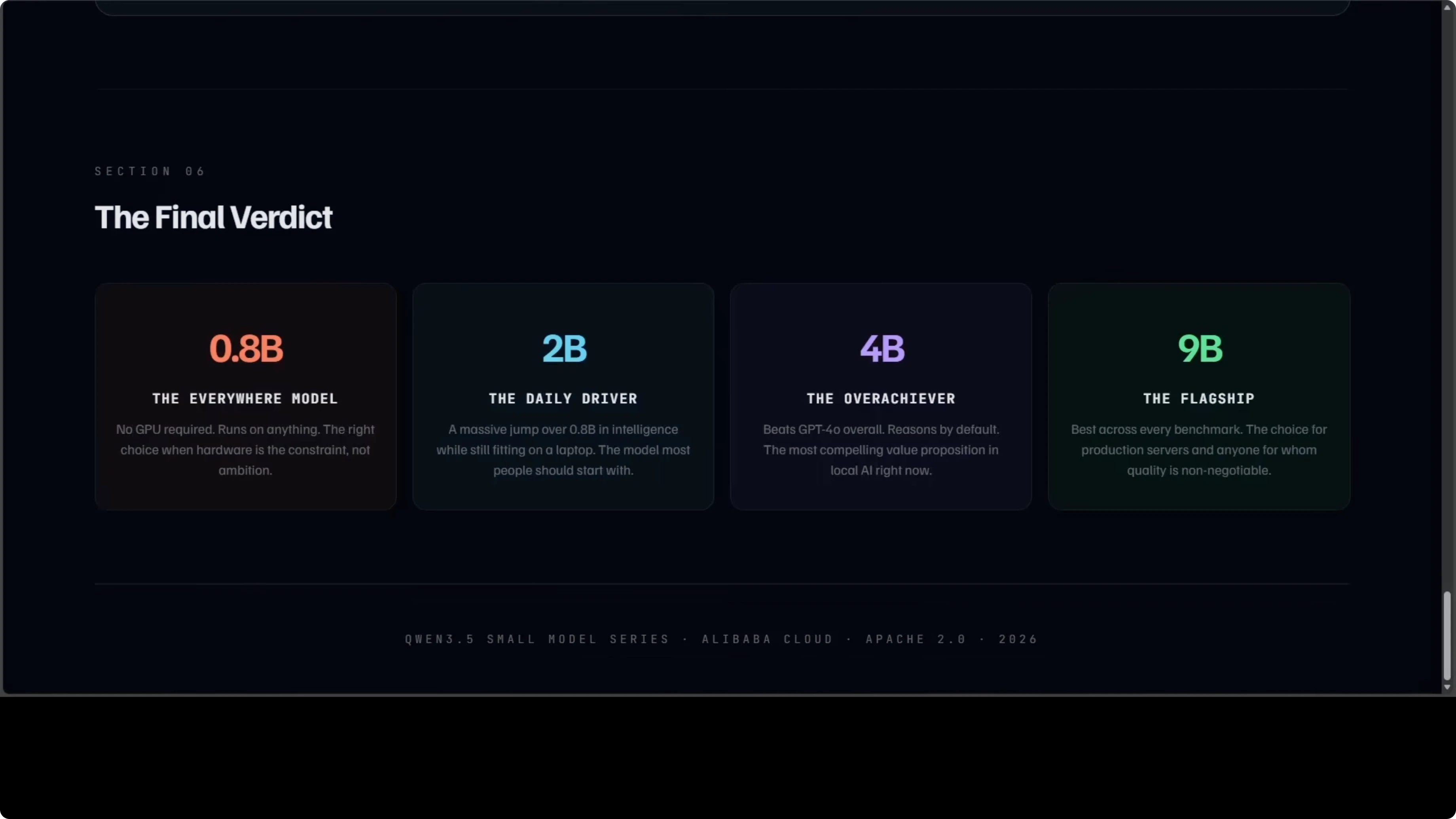
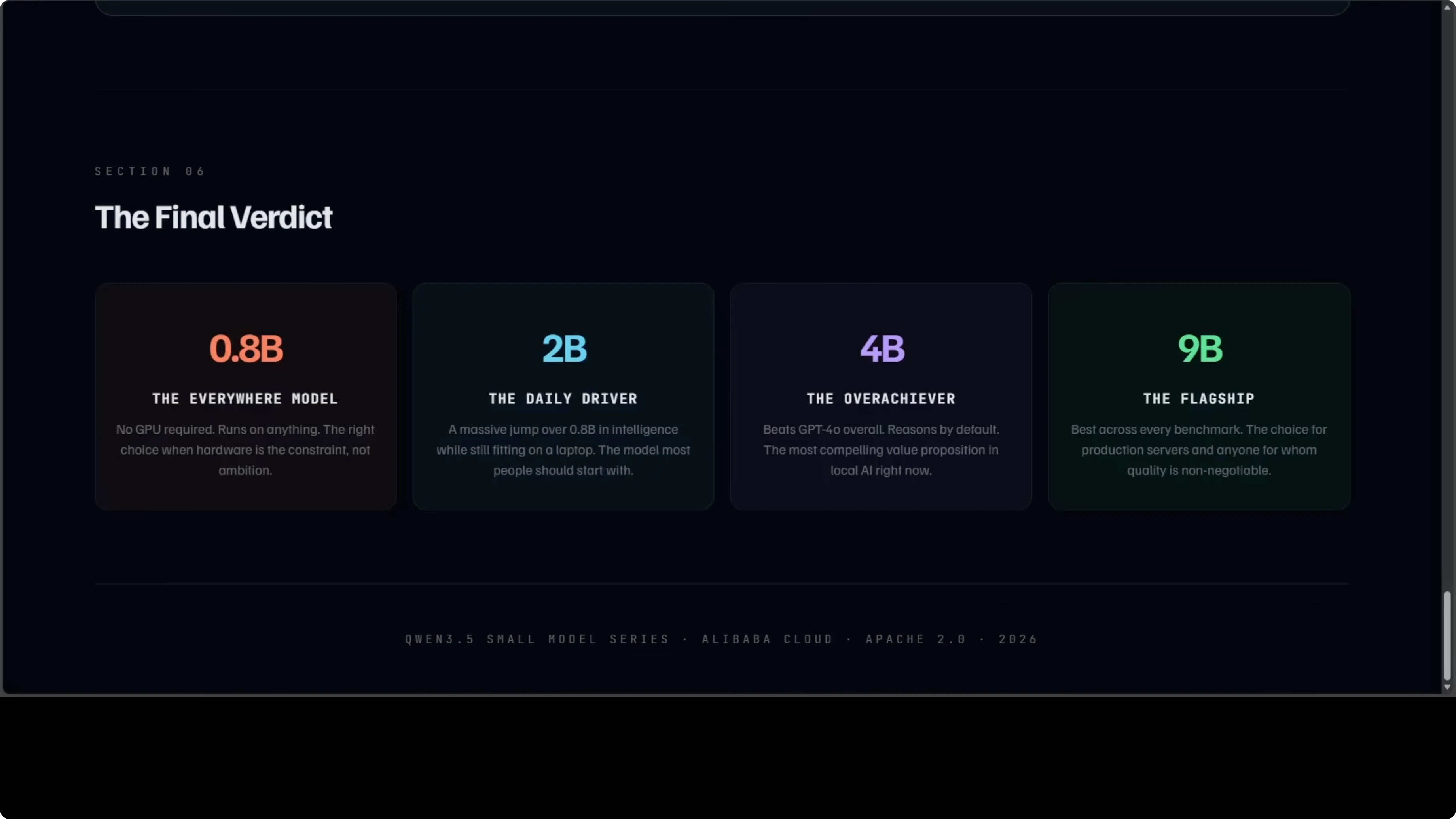
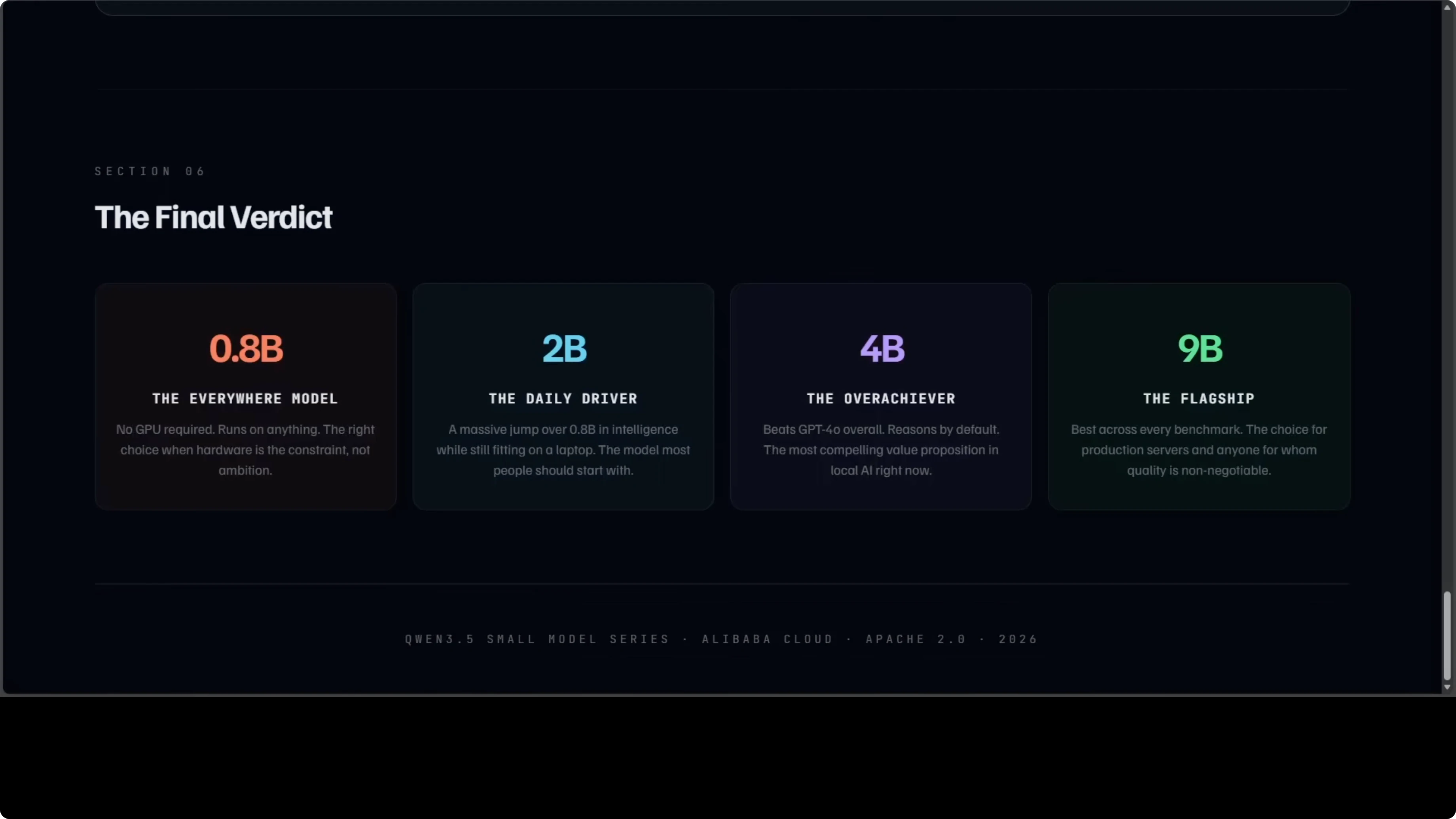
0.8B is the model that runs everywhere. No GPU is required, and it will not blow you away on reasoning tasks, but for edge devices and embedded systems it is the most accessible. For local AI on any machine you own, nothing in this family comes close on accessibility.
Use cases: edge devices, offline note-taking, quick lightweight chat where latency and footprint matter more than deep reasoning.
Pros: runs on CPU, smallest footprint, same context and modality support.
Cons: weakest reasoning and agent performance in the family.
If you want to adapt the 0.8B to a custom domain, here is a step-by-step finetune path that stays local: fine-tune the 0.8B locally.
2B verdict
2B is the model most people should probably start with. It is a meaningful jump over 0.8B in intelligence and fits on a consumer laptop. It covers the vast majority of everyday prompts without breaking a sweat.
Use cases: daily chat, summarization, light coding help, simple tool use, long context reading.
Pros: big bump over 0.8B, still easy to run locally, strong showing in agent tasks vs 0.8B.
Cons: reasoning trails 4B and 9B, thinking off by default.
4B verdict
4B is the one that keeps surprising me. It thinks before it answers, it runs on 8 GB GPUs that many people already have, and it beats GPT-4o overall in a thousand-prompt head-to-head judged by Claude Opus. If you are building an agent, a coding assistant, or a local tool, 4B is where the value proposition is strongest right now.
Use cases: multi-step agents, coding assistants, document analysis, multilingual tasks with strong reasoning.
Pros: thinking on by default, excellent balance of quality and hardware needs, tiny gap to 9B on many tasks.
Cons: not the absolute top scores in visual and video, still behind 9B at the margin.
9B verdict
9B is the flagship in this small series and it earns that title. It posts the best scores across every single category, is the strongest on video and visual tasks, and is the right choice for production servers and serious workloads. If you can budget around 18 GB of VRAM, this is the quality maximizer.
Use cases: production agents, high-stakes reasoning, video analysis, complex multimodal pipelines.
Pros: best-in-family scores, strongest visual and video results, thinking on by default.
Cons: higher VRAM requirement, slower and heavier than 4B on modest hardware.
Step-by-step: make your pick
Step 1: Check your hardware. If you have no GPU, start with 0.8B; if you have a consumer laptop or GTX 1060-class GPU, start with 2B.
Step 2: If your tasks are reasoning heavy or agent based, move to 4B. Thinking on by default makes a visible difference.
Step 3: If you are running production workloads and need the best scores across the board, choose 9B. Budget for around 18 GB of VRAM.
Step 4: For multilingual projects, default to 4B or 9B. For multimodal projects with heavy video or visual tasks, 9B leads.
If you want a ready-made local workflow to install and run these models end to end, start here: local Qwen3.5 with Ollama or OpenClaw.
Final thoughts
The big picture is that this entire family is Apache-2.0, fully open, runs locally, supports 201 languages, and handles video and images natively. The smallest member costs nothing to run on hardware you already own, and the 4B in particular punches far above its size. I hope the Qwen team keeps delivering these gems, because the curve here is only getting more capable from here.
Subscribe to our newsletter
Get the latest updates and articles directly in your inbox.

Related Posts

8 Best Claude Code Plugins in 2026 (You Need to Know)
8 Best Claude Code Plugins in 2026 (You Need to Know)

7 Best Claude Code Skills (You Need to Know)
7 Best Claude Code Skills (You Need to Know)

Claude Code Desktop IDE Features (You Need to Know)
Claude Code Desktop IDE Features (You Need to Know)