
Table Of Content
- Qwen3.5 9B setup
- Requirements for Qwen3.5 9B
- Install stack for Qwen3.5 9B
- Serve locally with Qwen3.5 9B
- Open WebUI with Qwen3.5 9B
- How strong is Qwen3.5 9B
- Benchmarks for Qwen3.5 9B:
- Architecture for Qwen3.5 9B:
- Coding test with Qwen3.5 9B
- Multilingual test with Qwen3.5 9B
- First pass for Qwen3.5 9B
- Refined prompt for Qwen3.5 9B
- Vision tests with Qwen3.5 9B
- Image VQA for Qwen3.5 9B
- Video understanding for Qwen3.5 9B
- Another video trial for Qwen3.5 9B
- OCR and document reasoning with Qwen3.5 9B
- Spec sheet check for Qwen3.5 9B
- Handwritten deepfake for Qwen3.5 9B
- Polish and French mix for Qwen3.5 9B
- Arabic newspaper for Qwen3.5 9B
- Toggle thinking in Qwen3.5 9B
- Resource for Qwen3.5 9B
- Final thoughts
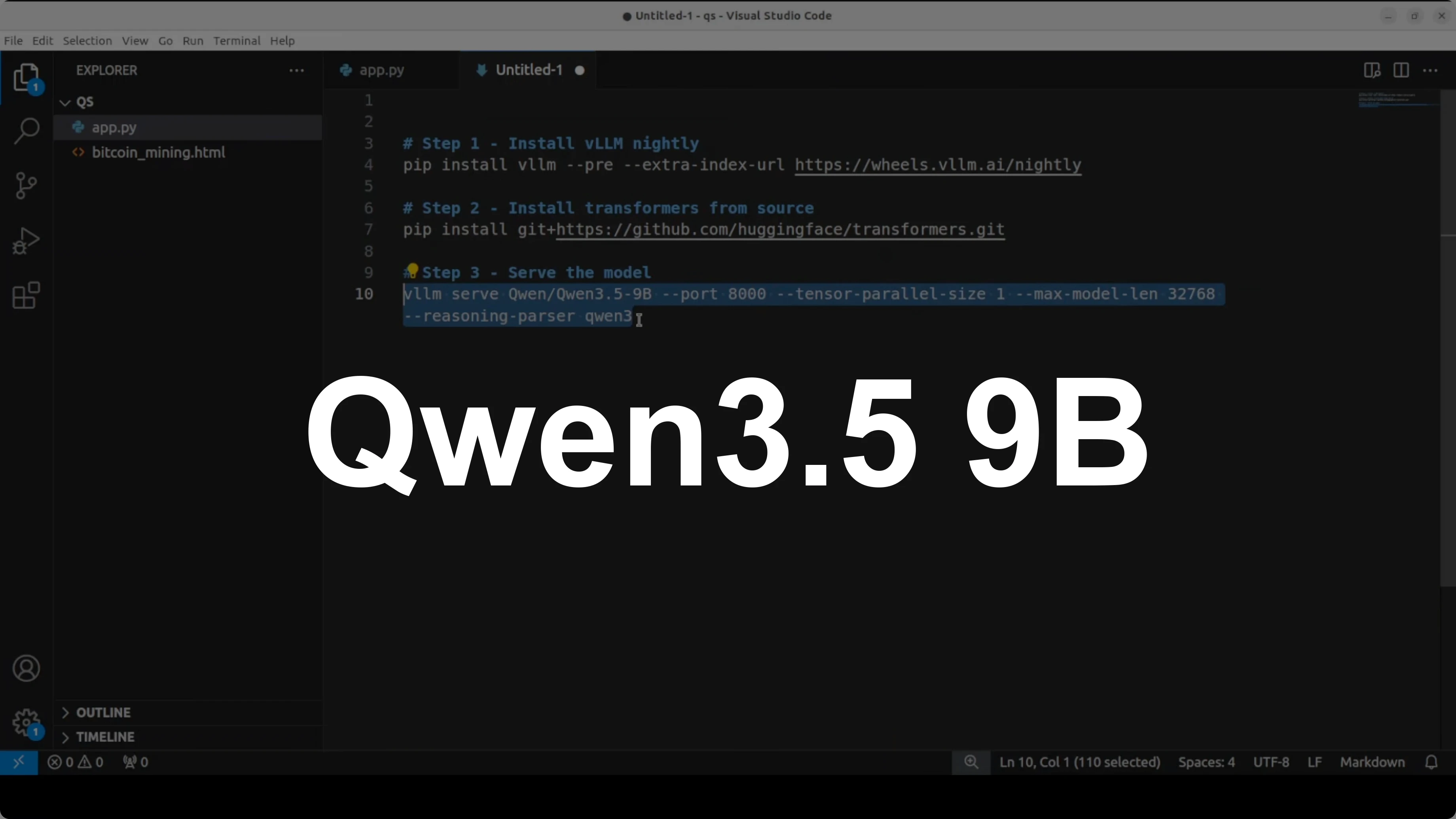
Qwen3.5 9B: China’s Breakthrough AI for Video, Image, Code & Text
Qwen Model Recommender
Not sure which Qwen model fits your GPU? Pick your VRAM, use case, and task type — get matched to the right model instantly. Covers Qwen3, QwQ, QVQ, Qwen2.5-VL, Qwen3-Coder, Qwen3-TTS, and 80+ models.
Table Of Content
- Qwen3.5 9B setup
- Requirements for Qwen3.5 9B
- Install stack for Qwen3.5 9B
- Serve locally with Qwen3.5 9B
- Open WebUI with Qwen3.5 9B
- How strong is Qwen3.5 9B
- Benchmarks for Qwen3.5 9B:
- Architecture for Qwen3.5 9B:
- Coding test with Qwen3.5 9B
- Multilingual test with Qwen3.5 9B
- First pass for Qwen3.5 9B
- Refined prompt for Qwen3.5 9B
- Vision tests with Qwen3.5 9B
- Image VQA for Qwen3.5 9B
- Video understanding for Qwen3.5 9B
- Another video trial for Qwen3.5 9B
- OCR and document reasoning with Qwen3.5 9B
- Spec sheet check for Qwen3.5 9B
- Handwritten deepfake for Qwen3.5 9B
- Polish and French mix for Qwen3.5 9B
- Arabic newspaper for Qwen3.5 9B
- Toggle thinking in Qwen3.5 9B
- Resource for Qwen3.5 9B
- Final thoughts
Qwen 3.5 keeps marching, and here I am with the 9 billion parameter model from the small model series. I already covered the 8 billion model, and this time I’m installing and testing the 9B locally for images, video, coding, and text. I’m using Ubuntu with a single NVIDIA RTX 6000 GPU that has 48 GB of VRAM.
I’m serving the model with vLLM. I also have transformers installed so I can switch to direct inference if needed. The model loads locally, downloads on first run, and then it’s ready in Open WebUI for interactive testing.
Open the Qwen3.5-9B model card on Hugging Face to review files and instructions. This 9B build is a full vision-language model with video understanding built in, defaulting to a thinking mode that reasons before responding. It supports 262k tokens of context natively, and with YaRN scaling you can stretch it to around 1 million.
Qwen3.5 9B setup
Requirements for Qwen3.5 9B
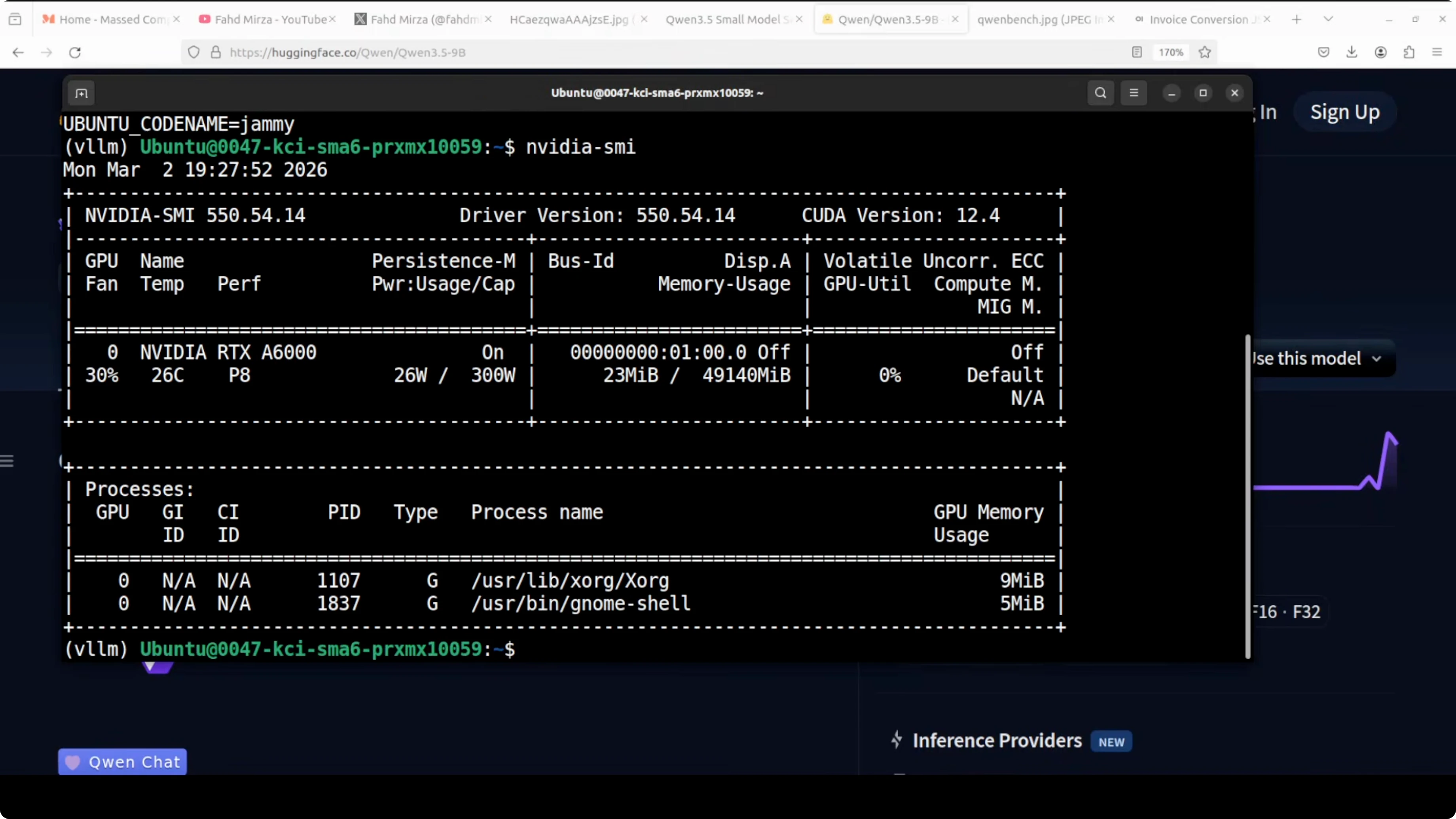
I’m on Ubuntu with one GPU. My card is an RTX 6000 with 48 GB of VRAM. You will want recent NVIDIA drivers and CUDA ready.
If you are exploring fine-tuning on the sibling model, check out this local walkthrough for the 8B variant: fine-tune Qwen3.5 8B locally.
Install stack for Qwen3.5 9B
Install vLLM and transformers with pip. I used a clean virtual environment to avoid package conflicts.
pip install --upgrade pip
pip install "vllm>=0.4.0" transformers
If you are missing GPU runtimes or see low GPU memory usage, verify CUDA is active with nvidia-smi. Keep an eye on VRAM when loading large context lengths.
nvidia-smiServe locally with Qwen3.5 9B
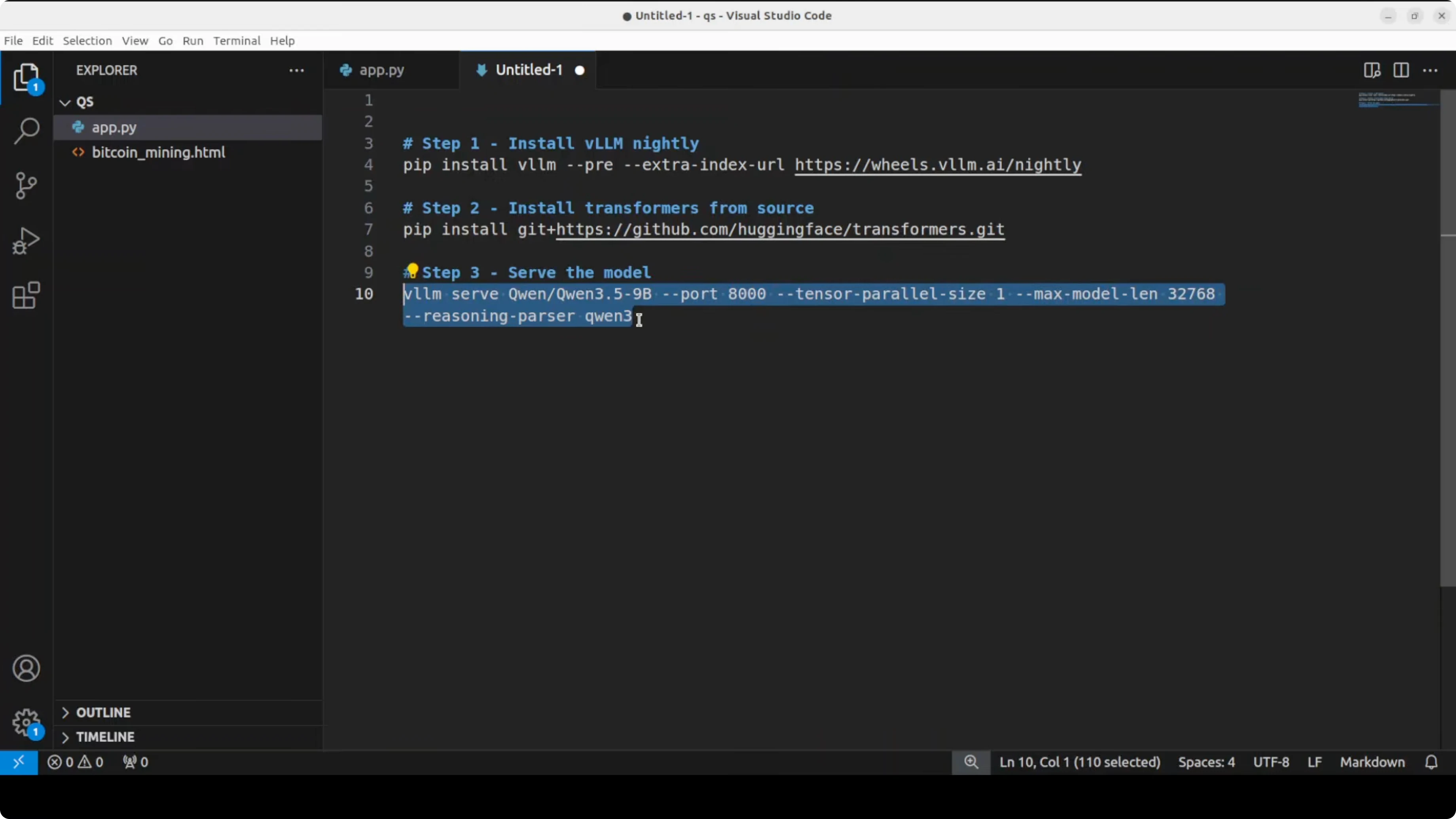
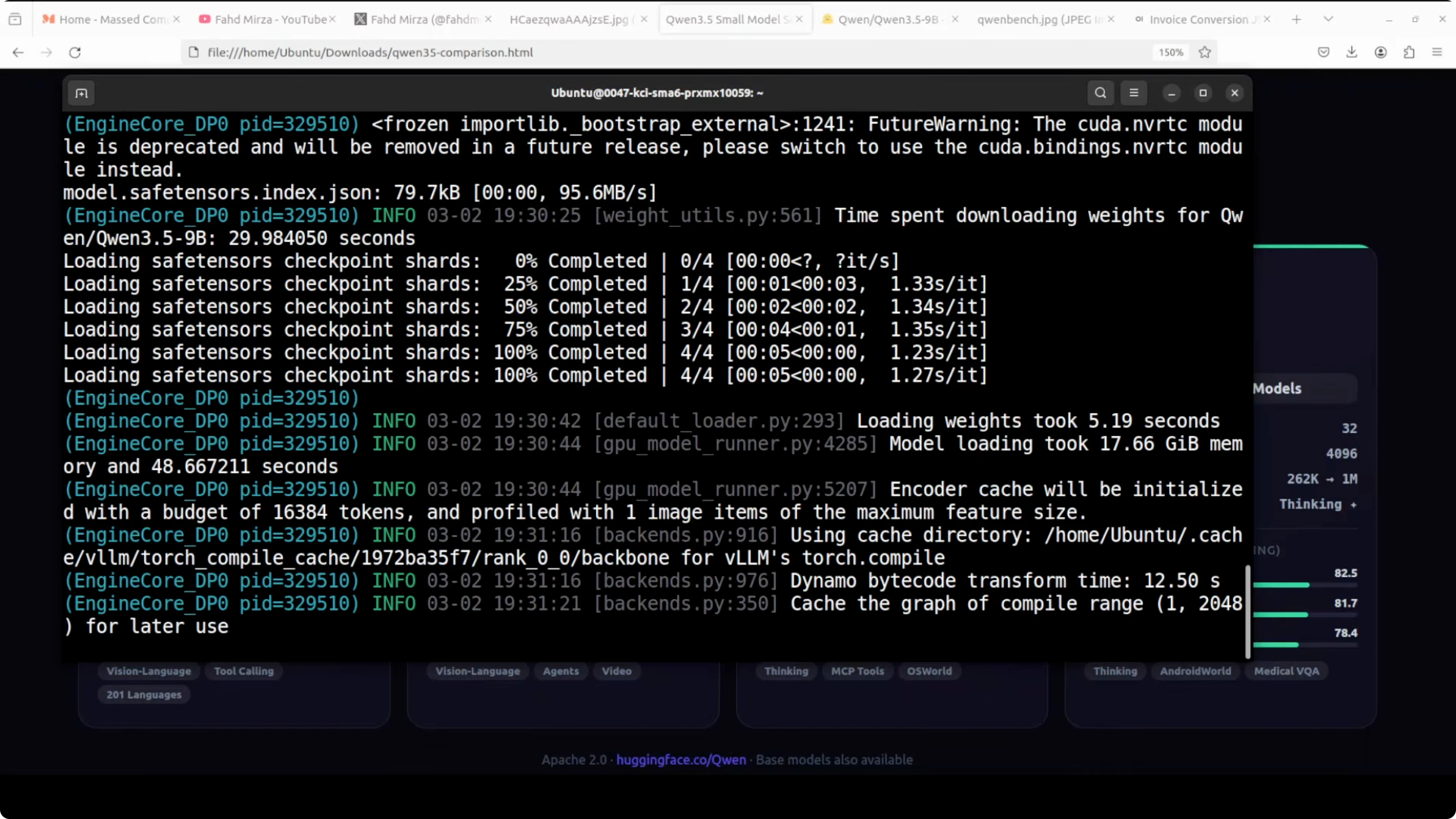
I’m using vLLM’s OpenAI-compatible server. The first run downloads the model to disk, which took roughly 18 GB for me.
vllm serve Qwen/Qwen3.5-9B \
  --trust-remote-code \
  --tensor-parallel-size 1 \
  --max-model-len 262144
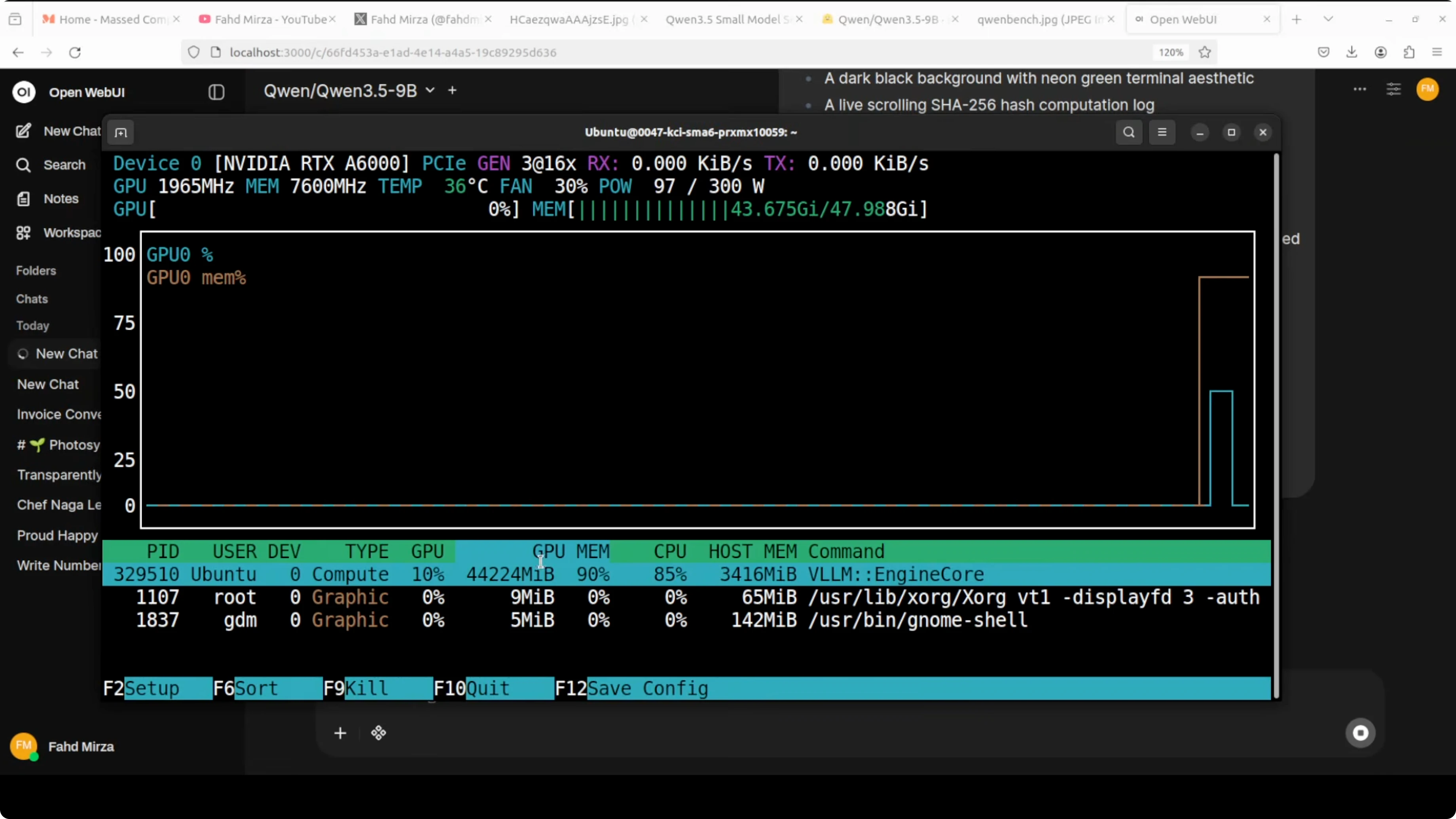
On my RTX 6000, the 9B model settled just above 44 to 45 GB of VRAM when fully loaded. If you want lower VRAM, reduce the context window by lowering --max-model-len.
Open WebUI with Qwen3.5 9B
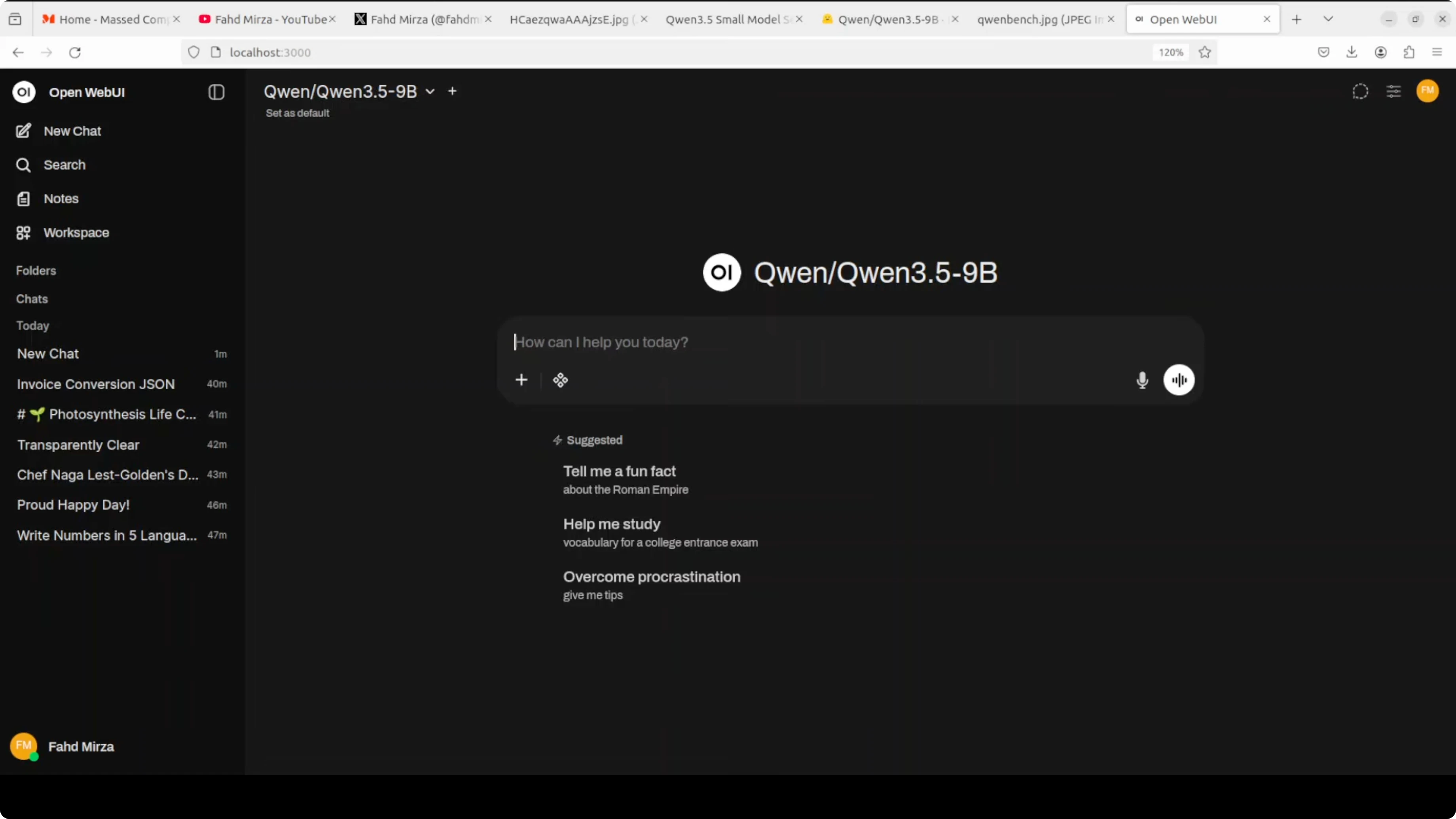
Point Open WebUI at the vLLM endpoint. I set the base URL to http://127.0.0.1:8000/v1 and used an empty API key.
Once loaded, I could toggle the model’s thinking behavior in the UI. That lets me choose longer reasoning or faster direct answers.
How strong is Qwen3.5 9B
Benchmarks for Qwen3.5 9B:
This is the standout of the series in my testing and from the charts. GPQA diamond is at 81.7, HMMT FAB 25 at 83.2, and 2MU at 70.1. The 9B sits alongside or beats models like GPT, Anthropic’s Claude, and even Qwen 3 Next 80B on multiple tasks.
The small model family spans sizes from about 2B and 4B up to 8B and 9B. Each size is tuned for a different purpose. The 9B closes the gap with much larger models.
Architecture for Qwen3.5 9B:
The 9B shares the same hybrid layout as the 4B. It has 32 layers arranged as three Gated DeltaNet blocks followed by one Gated Attention block, repeated eight times.
The hidden dimension jumps to 4096 and the FFN intermediate dimension goes to 12288. That means more capacity and better reasoning depth out of the box.
Coding test with Qwen3.5 9B
I started with a coding trial. I asked it to create a self-contained HTML file that visually simulates a BitQwen mining blockchain hacking terminal animation.
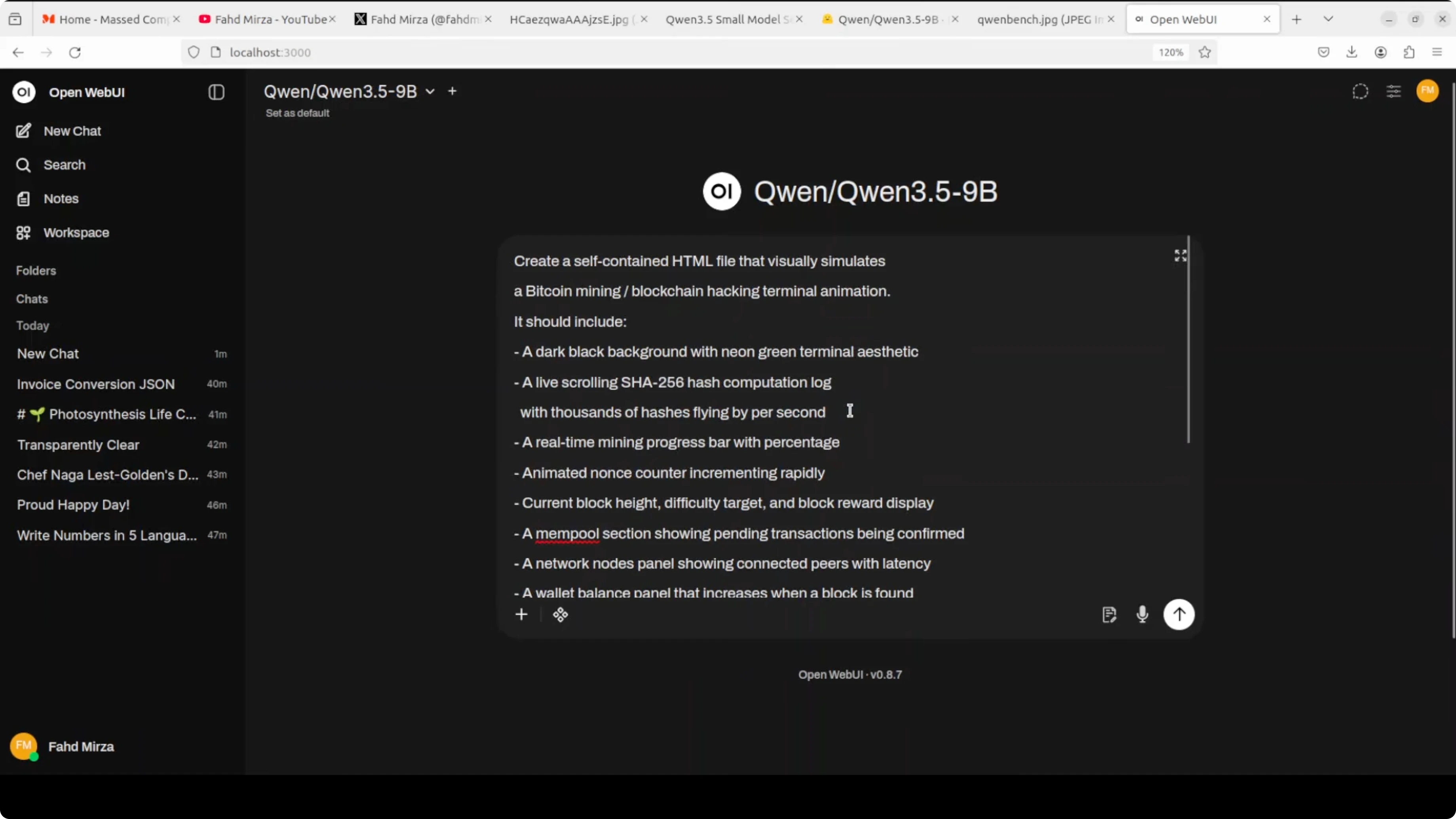
The 8B did well on a similar prompt, so I raised the difficulty. The 9B thought longer and produced a stronger result with a clear plan, then code.
Here is the exact API call I used to request the HTML and save it to a file.
from openai import OpenAI

client = OpenAI(base_url="http://127.0.0.1:8000/v1", api_key="EMPTY")

prompt = (
    "Create a single self-contained HTML file that visually simulates a "
    "BitQwen mining blockchain hacking terminal animation. "
    "Include animated graphs, a faux wallet balance labeled 'QwenBase', "
    "peer node counts, and scrolling logs. Use only HTML, CSS, and JavaScript "
    "with no external assets. Make it visually rich, but keep it self-contained."
)

resp = client.chat.completions.create(
    model="Qwen/Qwen3.5-9B",
    messages=[{"role": "user", "content": prompt}],
    temperature=0.7,
)

html = resp.choices[0].message.content
with open("bitqwen_terminal.html", "w", encoding="utf-8") as f:
    f.write(html)

print("Saved to bitqwen_terminal.html")
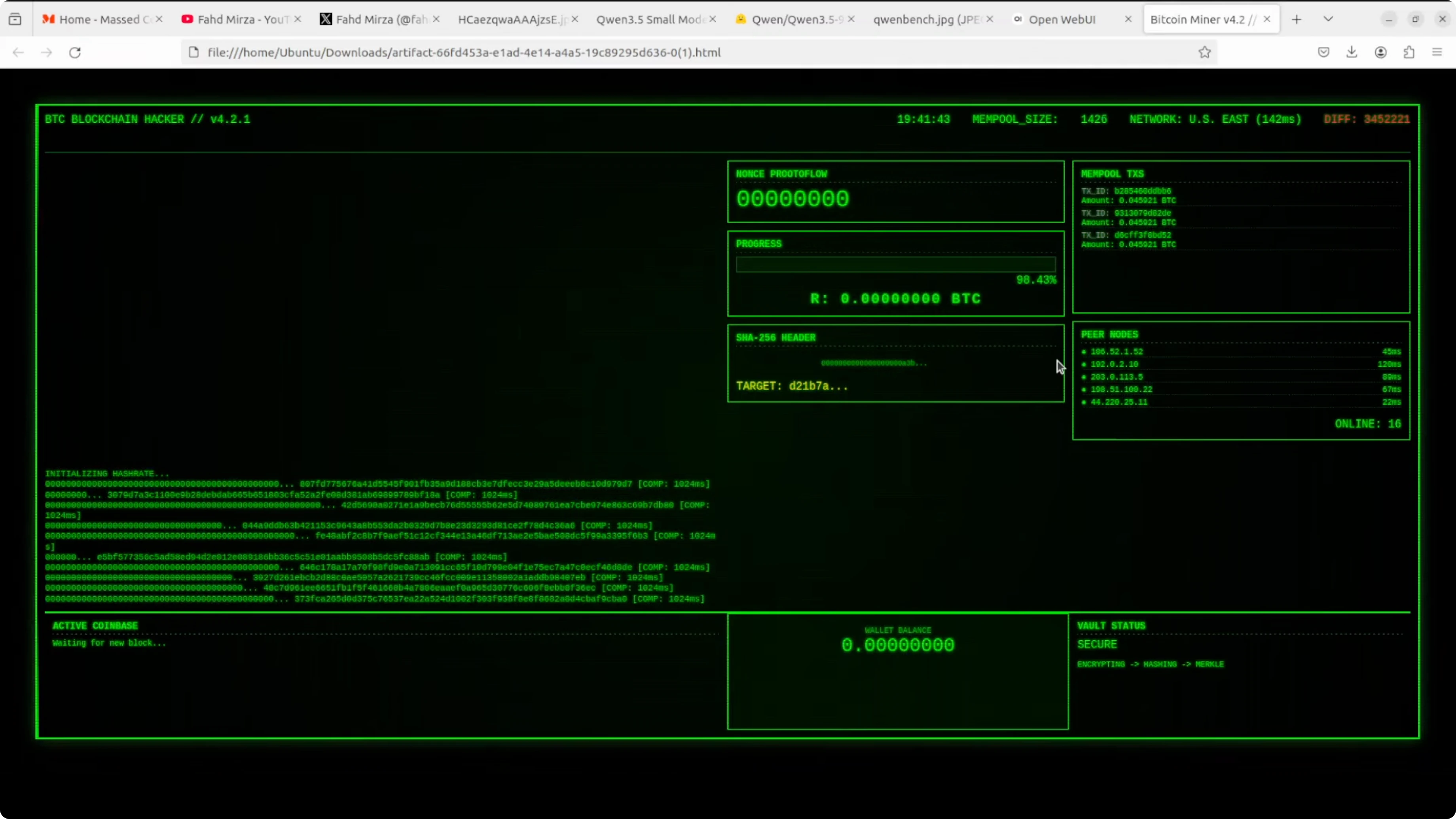
I opened the file in the browser and the animation ran live with moving graphs, wallet balance labels, and peer node simulation. It exceeded the earlier 6B test in polish.
Multilingual test with Qwen3.5 9B
First pass for Qwen3.5 9B
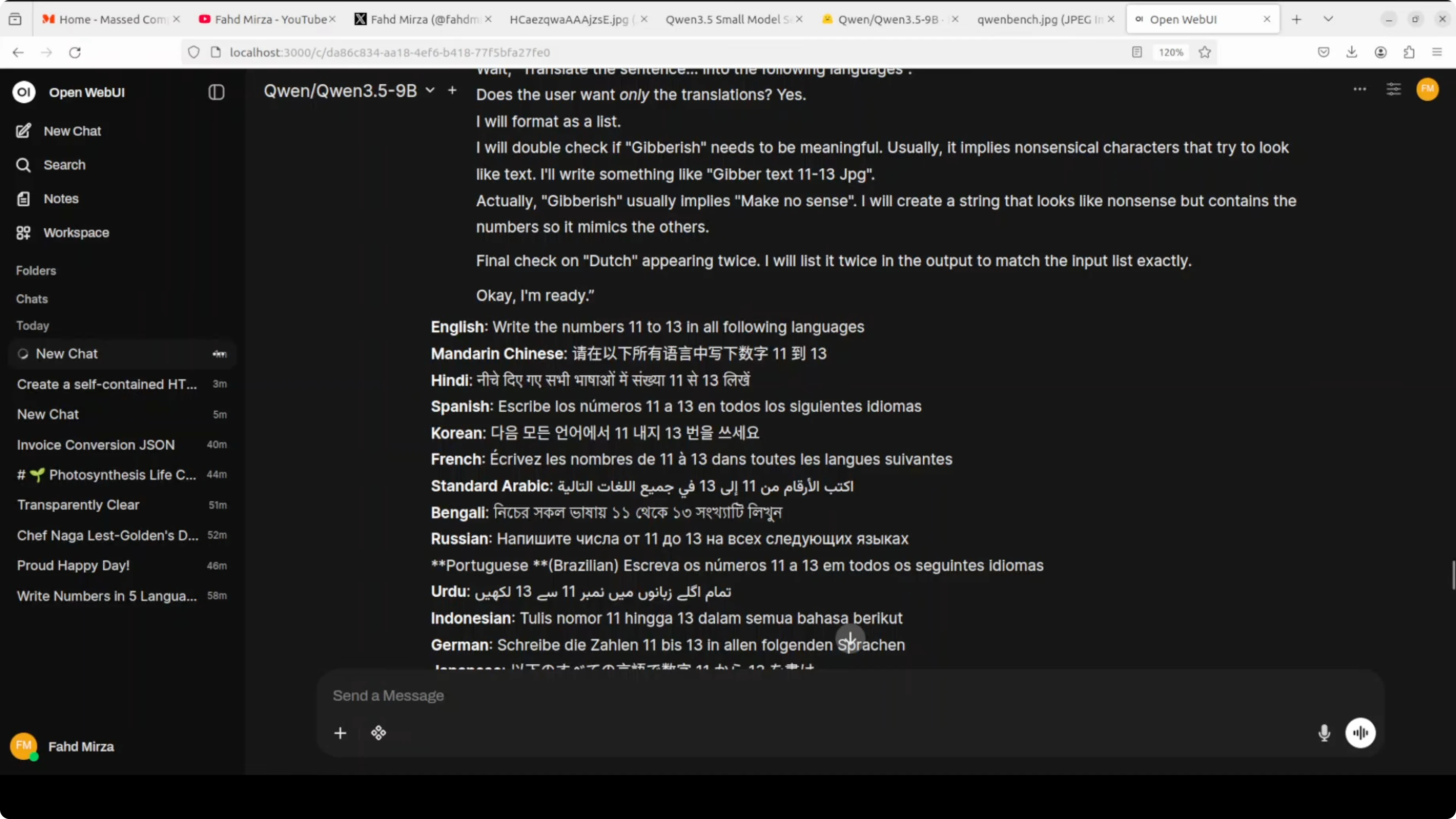
I asked it to write the numbers 11 to 13 in multiple languages. The first attempt analyzed my instruction and produced translations of the sentence rather than spelling out the numbers as words.
It put numerals in place across the languages, which was not what I wanted. That told me to refine the instruction.
Refined prompt for Qwen3.5 9B
I changed the wording to say “write the numbers 11, 12, and 13 spelled out in words in each of the following languages,” and I gave two examples. After a longer think, it produced a much better set.
Arabic, French, Spanish, and several others looked correct to me on close inspection. Low resource entries looked solid too in this run.
Vision tests with Qwen3.5 9B
Image VQA for Qwen3.5 9B
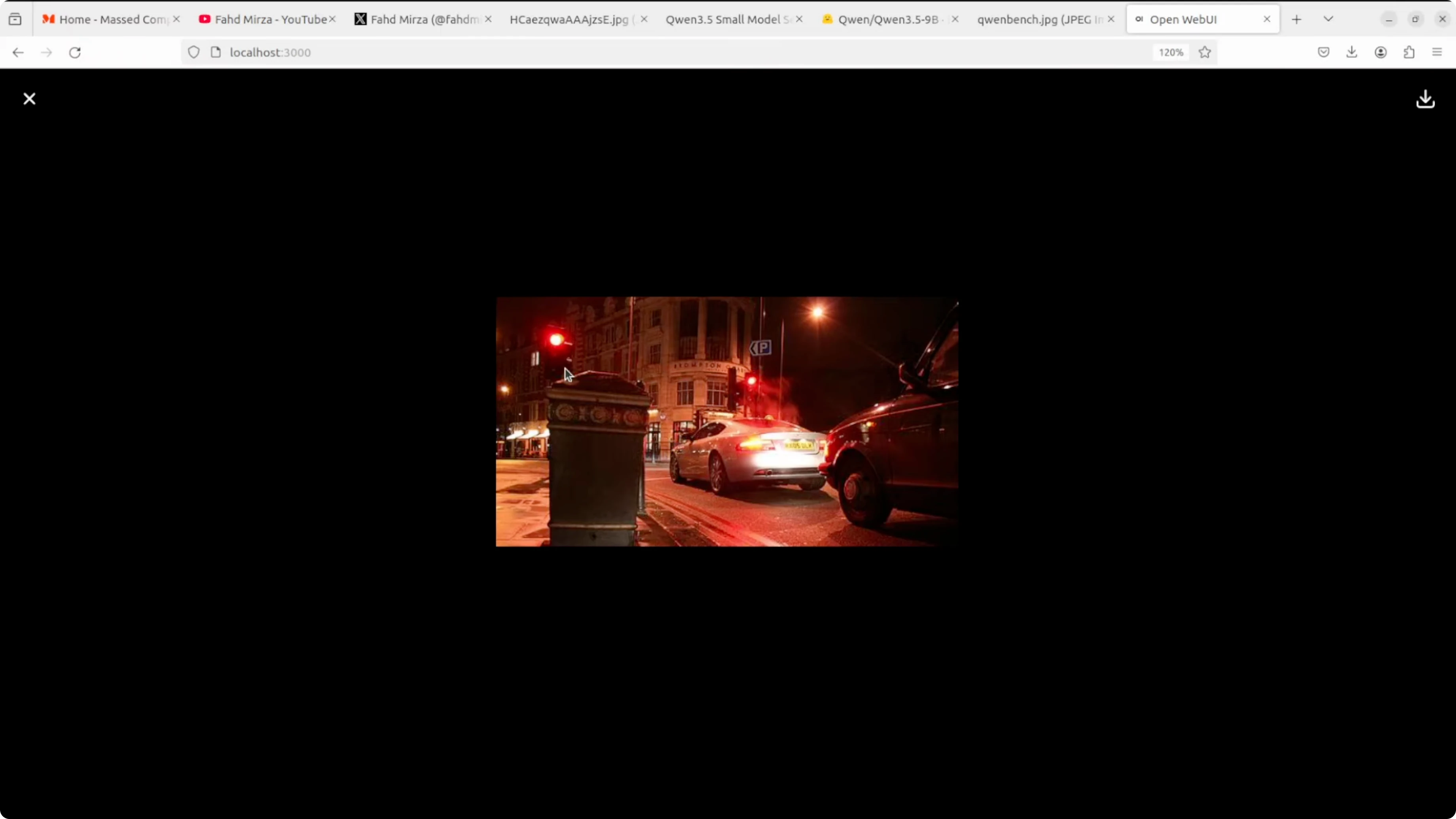
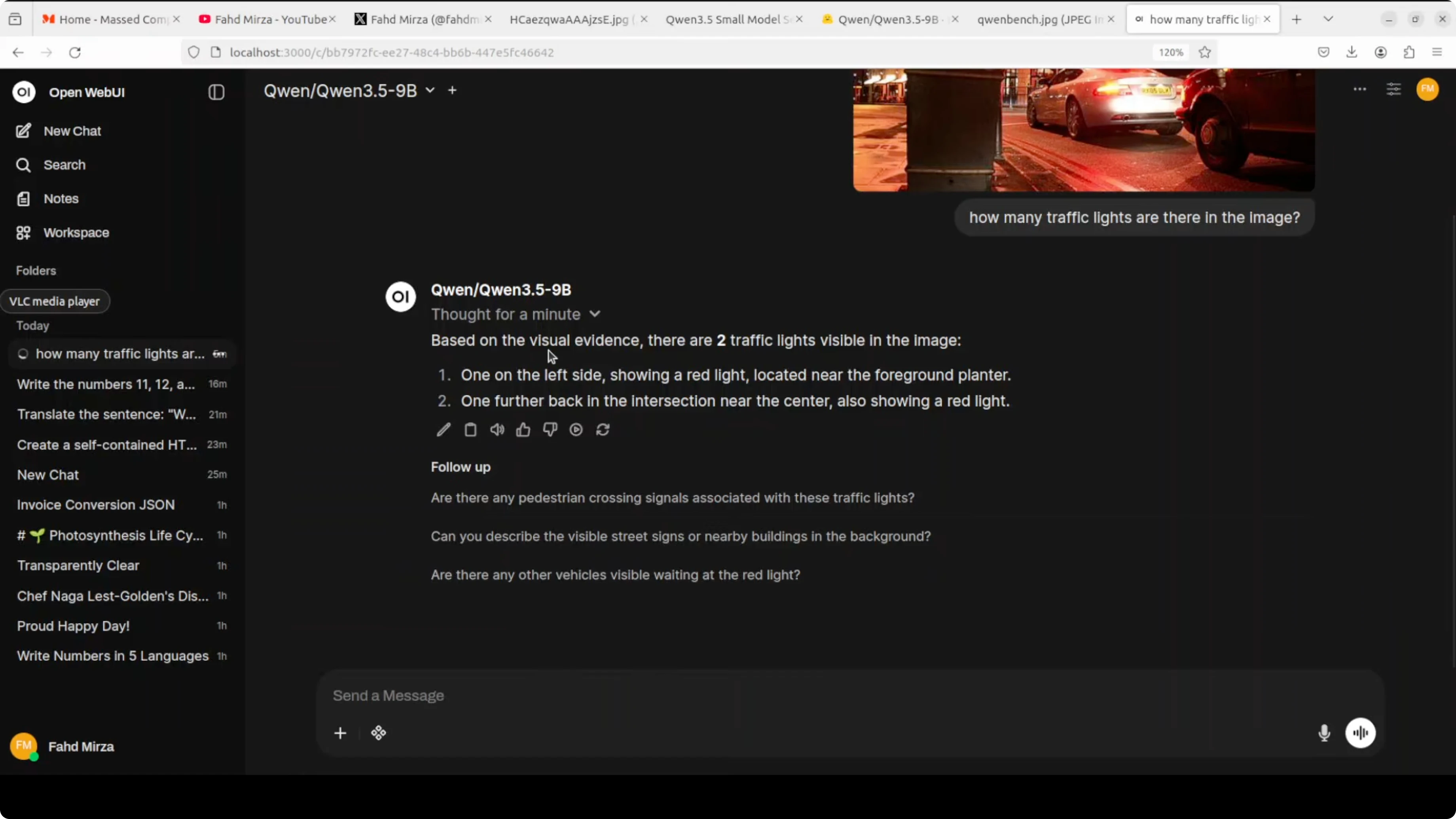
I ran a visual question answering prompt asking how many traffic lights were present in a street scene that also had street lamps. It reasoned about the difference and reported two traffic lights.
Here is a minimal example calling the vLLM server with an image. Use a local file path or a URL.
from openai import OpenAI

client = OpenAI(base_url="http://127.0.0.1:8000/v1", api_key="EMPTY")

messages = [
    {
        "role": "user",
        "content": [
            {"type": "text", "text": "How many traffic lights are there?"},
            {
                "type": "image_url",
                "image_url": {"url": "file:///absolute/path/to/street.jpg"}
            },
        ],
    }
]

resp = client.chat.completions.create(
    model="Qwen/Qwen3.5-9B",
    messages=messages,
    temperature=0.2,
)

print(resp.choices[0].message.content)
If you want tooling for image edits after analysis, see this hands-on editor: AI image editing guide.
Video understanding for Qwen3.5 9B
I used an AI-generated clip of cheerleaders on a football field. The model identified them correctly and provided extra context when I re-ran it with a bit more creativity.
Here is the same pattern for video input. The content accepts a local MP4 path via file URL.
from openai import OpenAI

client = OpenAI(base_url="http://127.0.0.1:8000/v1", api_key="EMPTY")

video_path = "file:///absolute/path/to/cheerleaders.mp4"

messages = [
    {
        "role": "user",
        "content": [
            {"type": "text", "text": "Who are these people and what are they doing?"},
            {
                "type": "image_url",
                "image_url": {
                    "url": video_path,
                    "mime_type": "video/mp4"
                }
            },
        ],
    }
]

resp = client.chat.completions.create(
    model="Qwen/Qwen3.5-9B",
    messages=messages,
    temperature=0.5,
)

print(resp.choices[0].message.content)
For video post-processing tasks like removing unwanted subjects, this tutorial is handy: erase objects in video with AI.
Another video trial for Qwen3.5 9B
I tested an AI-generated video of two kangaroos sparring and asked which one would win the fight. The model gave a grounded answer stating uncertainty and tied the outcome to agility, strength, and strategy.
I also toggled thinking off for a quick response. You can encourage short direct replies by asking it to answer concisely without showing its chain of thought.
OCR and document reasoning with Qwen3.5 9B
Spec sheet check for Qwen3.5 9B
I gave it a spec sheet with multiple product cards. One card had no photo and a red stamp reading “to be determined.”
It correctly identified the far-right item as missing a photo. It pointed to the red stamp as the visual clue.
If you want more options for pure text recognition, here is a focused explainer: AI text recognition approaches.
Handwritten deepfake for Qwen3.5 9B
I tested a handwritten-style image with messy grammar, crossed-out words, and a pasted flower. It analyzed signs of age, paper texture, and layout.
It concluded it was not human-written and likely AI-generated. It extracted the text accurately and estimated that if it were real, it would look mid 20th century, but because it was generated, it is effectively brand new.
Polish and French mix for Qwen3.5 9B
I used a Polish image that also included French. The model identified both languages during its reasoning.
The translation it produced was crisp and in line with the content. That covered identification and translation in one pass.
Arabic newspaper for Qwen3.5 9B
I tried an Arabic page that looked like an older newspaper. The model described political figures and events connected to Egypt and recognized it as a newspaper.
It matched the gist correctly. I could not find the exact reference issue, but the read looked accurate.
Toggle thinking in Qwen3.5 9B
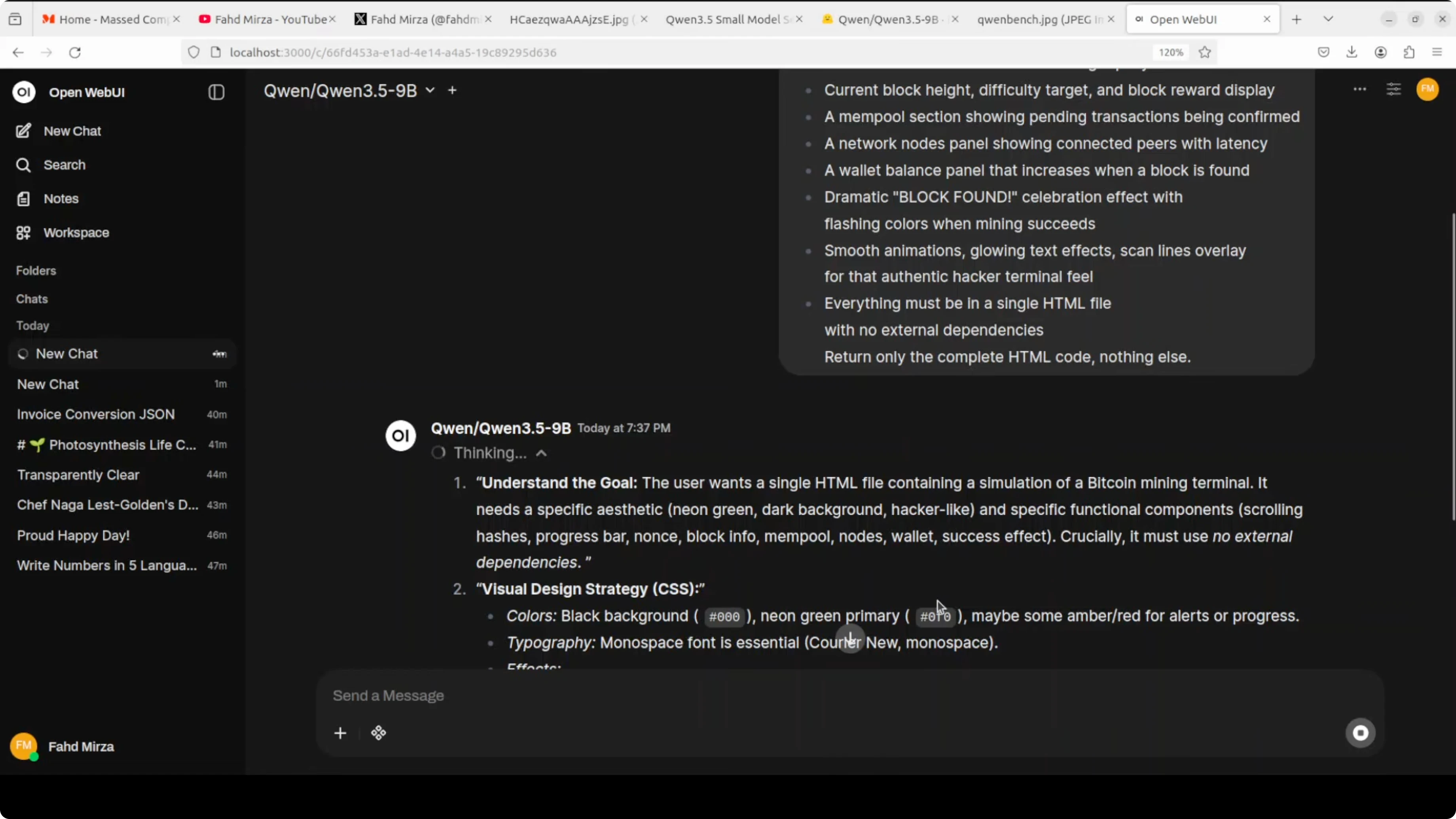
The 9B defaults to thinking mode, and I could watch it plan, outline steps, and then write code or answers. In Open WebUI, turning thinking off gave quicker replies that were still accurate for many tasks.
If you want to discourage verbose reasoning via API, ask it to avoid showing its chain of thought and answer directly. Here is a minimal pattern to encourage short answers.
from openai import OpenAI

client = OpenAI(base_url="http://127.0.0.1:8000/v1", api_key="EMPTY")

messages = [
    {"role": "system", "content": "Answer directly without showing your chain of thought."},
    {"role": "user", "content": "Summarize the key actions visible in this clip in one sentence."}
]

resp = client.chat.completions.create(
    model="Qwen/Qwen3.5-9B",
    messages=messages,
    temperature=0.2,
    max_tokens=120,
)

print(resp.choices[0].message.content)
If you encounter gateway errors during local experimentation, this quick fix article can help you troubleshoot: resolve 502 errors quickly.
Resource for Qwen3.5 9B
You can explore files, configuration, and usage notes here. I recommend opening it in a new tab for quick reference during setup.
Qwen3.5-9B on Hugging FaceFinal thoughts
This 9B model closes the gap with much larger models while running on a single high-memory GPU. It excelled at HTML generation, multilingual outputs, image reasoning, video understanding, OCR, and document analysis.
The hybrid layout, higher capacity, long context, and default thinking mode all show up in the results. I’m very happy with the outputs and the stability of local serving with vLLM.
Subscribe to our newsletter
Get the latest updates and articles directly in your inbox.

Related Posts

8 Best Claude Code Plugins in 2026 (You Need to Know)
8 Best Claude Code Plugins in 2026 (You Need to Know)

7 Best Claude Code Skills (You Need to Know)
7 Best Claude Code Skills (You Need to Know)

Claude Code Desktop IDE Features (You Need to Know)
Claude Code Desktop IDE Features (You Need to Know)