
OpenClaw-RL: How Talking Enables Smarter Training
OpenClaw Error Fixer
Paste any OpenClaw error and get the exact fix instantly — cause, steps, copy-ready commands, and related guides.
Every claw variant we have used so far has one thing in common. It is static. You use it today, you use it tomorrow, and it is exactly the same thing.
OpenClaw-RL tries to change that by turning everyday conversations into training signals. You chat, you give a thumbs up, a correction, a concrete instruction like "you should have checked that file first," and in the background the model updates.
OpenClaw-RL: How Talking Enables Smarter Training
What it is
OpenClaw-RL is a fully asynchronous reinforcement learning framework that adapts to your habits, your preferences, and your way of working. This is not fine-tuning on a dataset someone else collected. This is your model trained on your conversations on your infrastructure, never leaving your server.
For more on related work, see Openclaw.
Asynchronous architecture
It is a four independent asynchronous component model that never block one another. OpenClaw sits on the left as your assistant running on any device and sends conversations to a model server, which serves the live agent as an OpenAI-compatible API on port 30000. The same model server feeds trajectories to a PRM server, a process reward model that evaluates each turn and scores it.
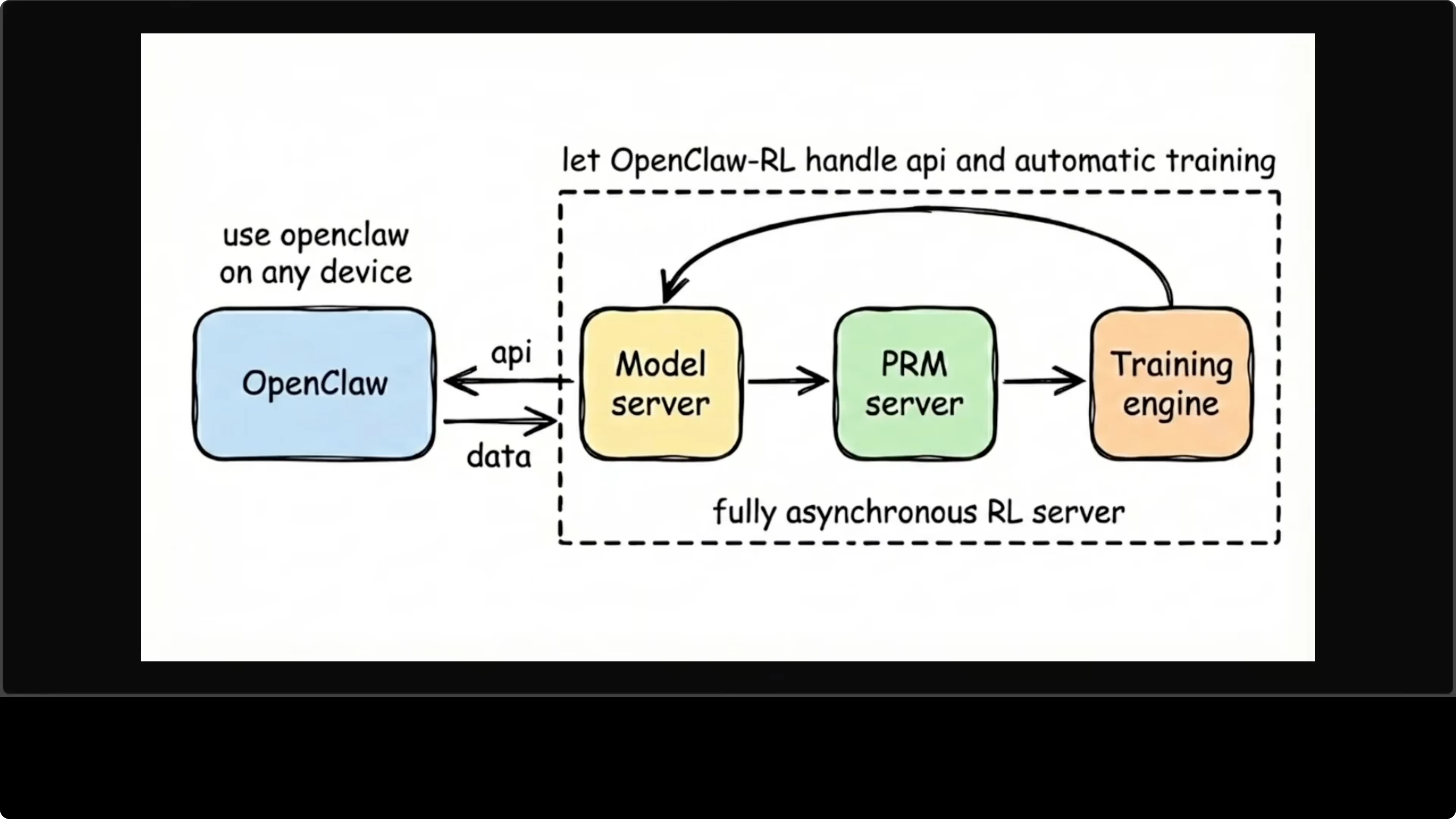
Those scores flow into a training engine that runs gradient updates in the background, and the weights are updated and flow back into the model server. The whole loop is continuous. You are chatting with the agent while it is training, and neither interrupts the other.
Explore the repo here: OpenClaw-RL on GitHub.
Read More: How To Fix Openclaw Broken Docker Install
Training methods
Binary RL (GRPO + PPO)
The first method is binary RL using GRPO. For every turn in your conversation, the system records what the model said and what you said next and treats your next message as feedback on the previous response. A process reward model votes on whether that response was good, bad, or neutral.
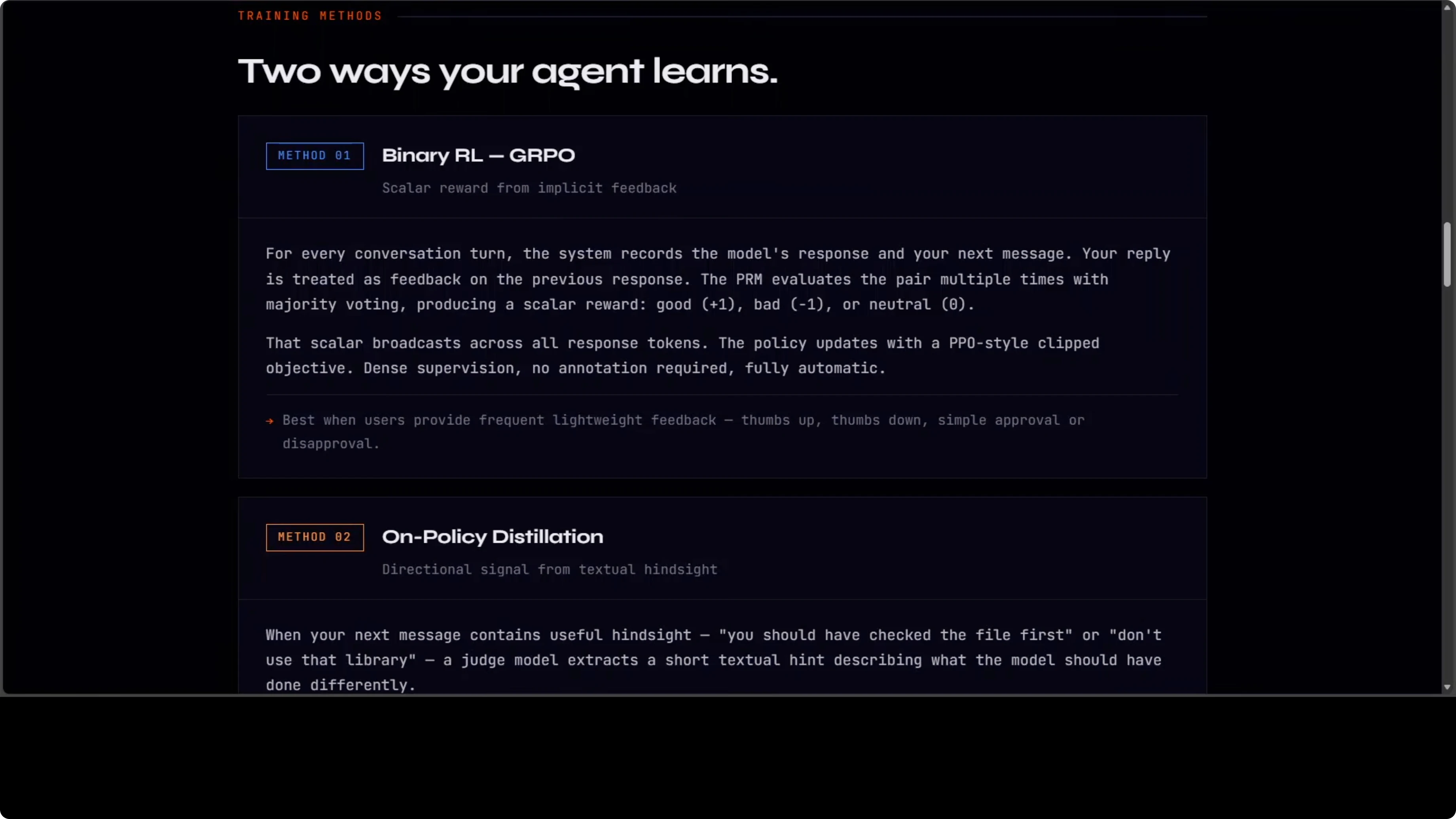
That scalar reward gets broadcast across all response tokens, and the policy updates using a PPO-style clipped objective. It is simple, dense, automatic, and requires no annotation. It turns natural chat flow into steady learning signals.
Read More: Fix Openclaw Bot Nodejs Error
Directional hints
The second method is more interesting and powerful when your next message contains useful hindsight. When you tell the model what it should have done differently, a judge model extracts a short textual hint from that feedback. It appends the hint to the original prompt to create an enhanced teacher prompt.
It runs the original response under the enhanced context and uses the token-level log probability gap between teacher and student as a directional training signal. Not just good or bad, but exactly what to change and how. This is richer than any scalar reward and works best when you give concrete feedback.
Hardware reality
What you need to know before installing is the hardware reality. It requires eight GPUs by default, with four for the training actor, two for rollout generation, and two for PRM. It needs CUDA 12, and this is not something you run on a laptop or a single-GPU server.
This is research infrastructure. The OpenClaw config is straightforward, and you point your OpenClaw JSON at the RL server on port 30000. Everything else happens automatically, hopefully.
Read More: Fix Openclaw Disconnected 1006 No Reason
Config setup
You point your OpenClaw client to the RL server that is serving an OpenAI-compatible API on port 30000. Here is a minimal example of an OpenClaw JSON config pointing to the RL server.
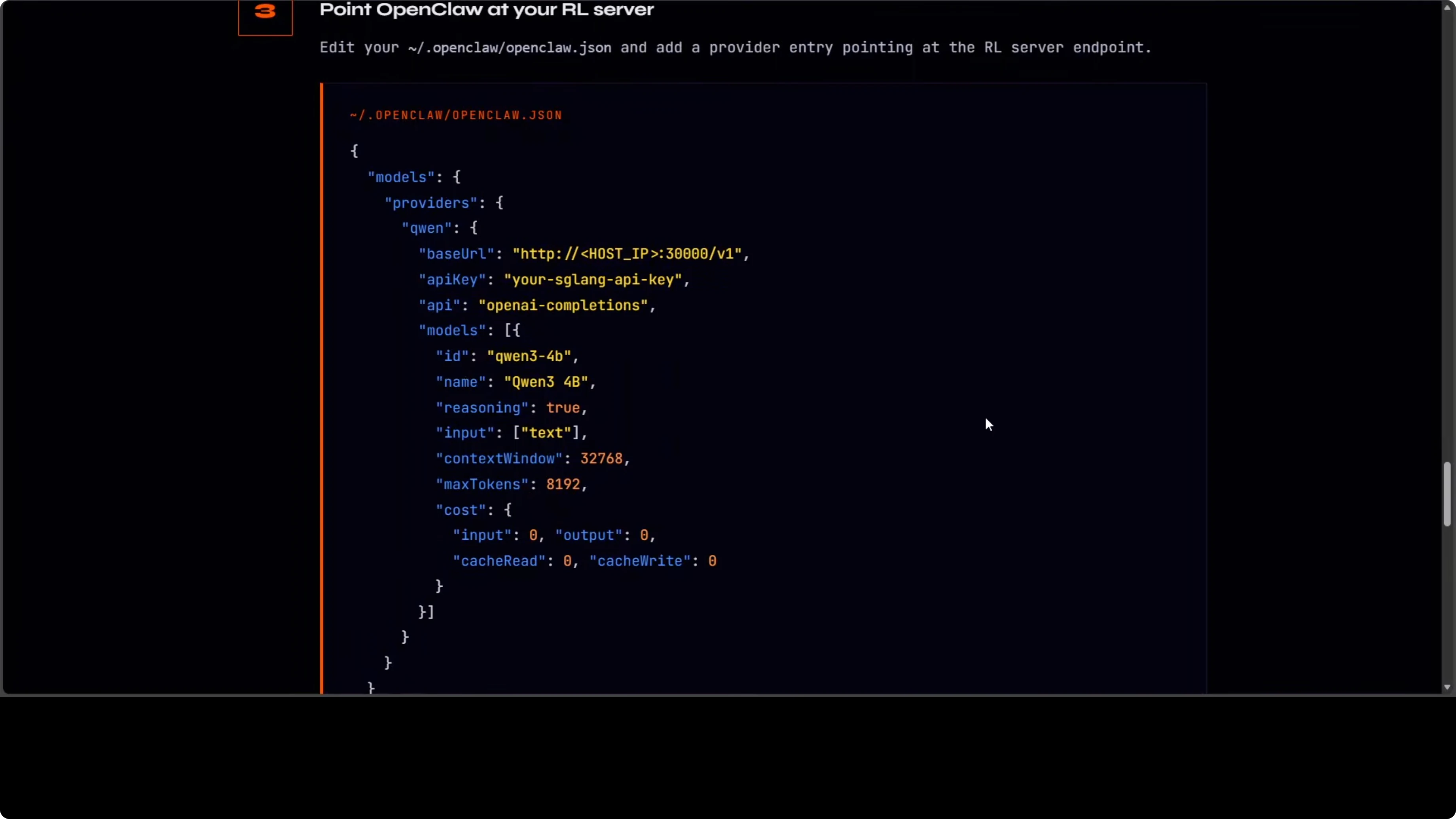
{
  "openai": {
    "base_url": "http://localhost:30000/v1",
    "api_key": "sk-your-local-key"
  }
}
Step-by-step: Create or update your OpenClaw config file to set base_url to http://localhost:30000/v1. Restart your assistant client to pick up the new endpoint. Chat with the agent and provide feedback while training proceeds in the background.
If you have the eight GPUs, you will see the policy, PRM, and training engine working while you continue chatting. The loop is continuous and self-contained. OpenClaw never knows training is happening; it just gets a response.
Read More: Fix Openclaw Not Responding
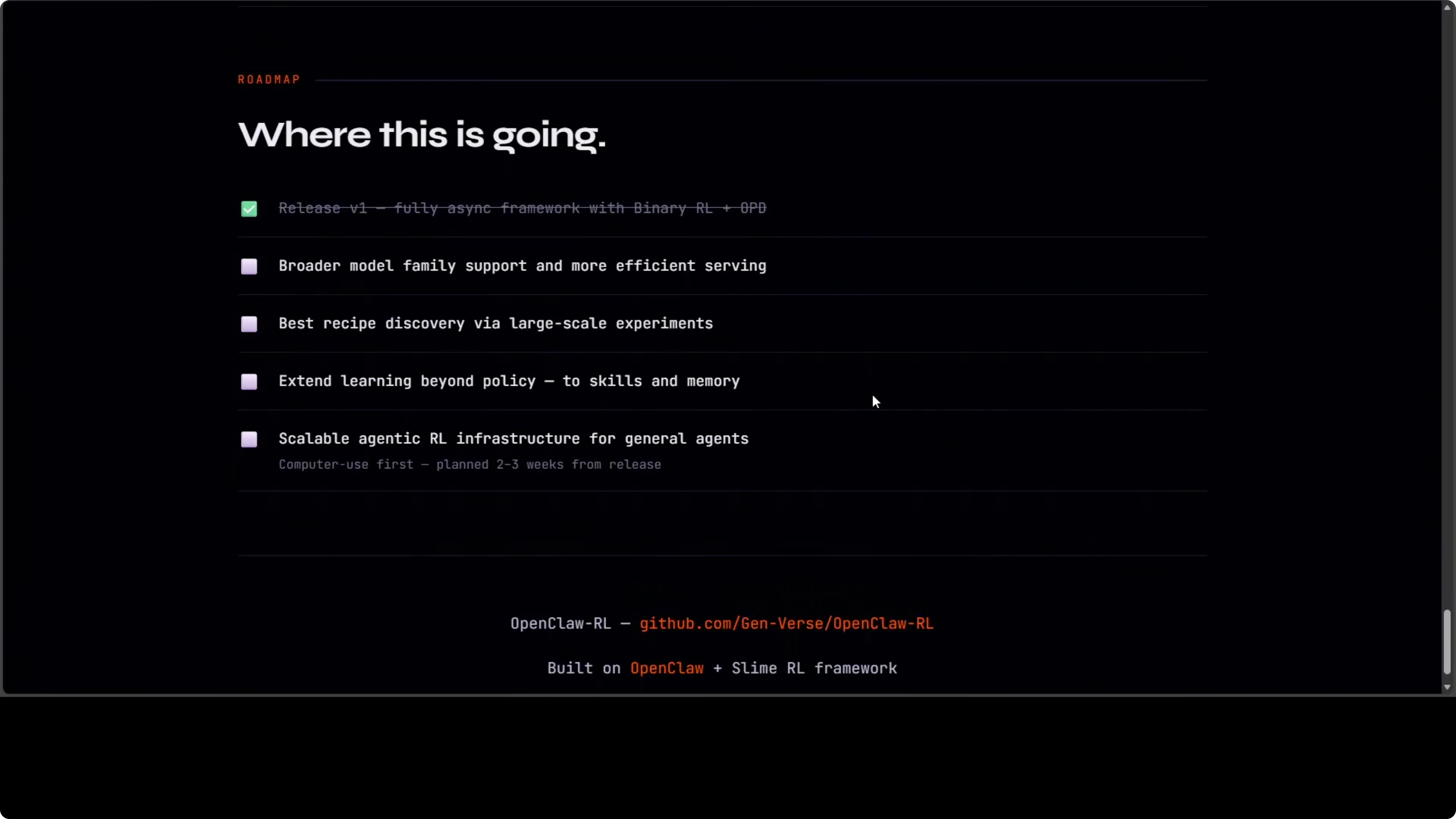
Roadmap
There are two tracks. The first is personal agent optimization, making your specific agent better from your specific usage. The second is general agentic RL infra for computer use agents at scale, planned for the next release.
Why this matters
This is where the OpenClaw ecosystem is heading, not just an assistant that responds. This will be an assistant that learns. The golden point is the continuous, asynchronous loop that keeps serving while improving.
Read More: Openclaw
Final thoughts
OpenClaw-RL turns natural conversation into practical training signals while you work. You get a model that adapts to your habits on your own infrastructure and improves without interrupting service. If the hardware fits your setup, this is a clear step toward assistants that truly learn in the loop.
Subscribe to our newsletter
Get the latest updates and articles directly in your inbox.

Related Posts

8 Best Claude Code Plugins in 2026 (You Need to Know)
8 Best Claude Code Plugins in 2026 (You Need to Know)

7 Best Claude Code Skills (You Need to Know)
7 Best Claude Code Skills (You Need to Know)

Claude Code Desktop IDE Features (You Need to Know)
Claude Code Desktop IDE Features (You Need to Know)