
Table Of Content
- Run a Multi-Agent AI Team Locally with HiClaw and Ollama?
- Installer flow
- First login
- Quick test
- Multi-agent orchestration with the manager
- Models for this setup
- Local Ollama models
- Hosted API models
- Configuration snippets
- Base URL in the installer prompt
- Optional - bind Ollama to localhost:11434
- Find your exact model identifier
- Pull a model if needed
- Tips and notes
- Final thoughts
How to Run a Multi-Agent AI Team Locally with HiClaw and Ollama?
Local LLM Hardware Calculator
Enter your GPU VRAM and system RAM to see which LLMs you can run in Ollama — at Q4, Q8, or full precision — with estimated tokens-per-second speed.
Table Of Content
- Run a Multi-Agent AI Team Locally with HiClaw and Ollama?
- Installer flow
- First login
- Quick test
- Multi-agent orchestration with the manager
- Models for this setup
- Local Ollama models
- Hosted API models
- Configuration snippets
- Base URL in the installer prompt
- Optional - bind Ollama to localhost:11434
- Find your exact model identifier
- Pull a model if needed
- Tips and notes
- Final thoughts
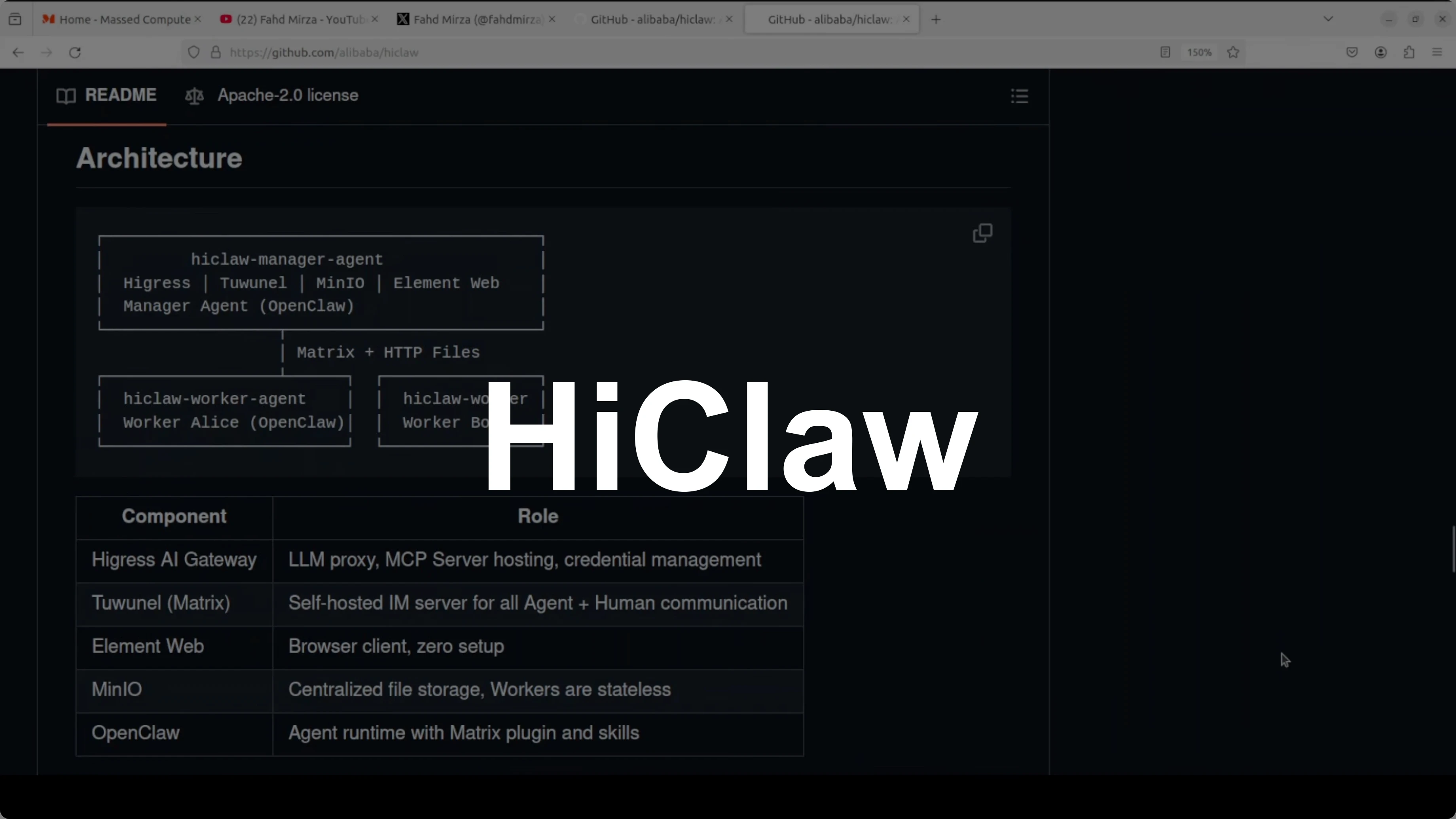
What if your AI agent could manage other AI agents and you could watch every conversation in real time from your phone, intervene any time, and none of your API keys would ever be exposed. That is HiClaw. I am going to install HiClaw with local models and show exactly how this works.
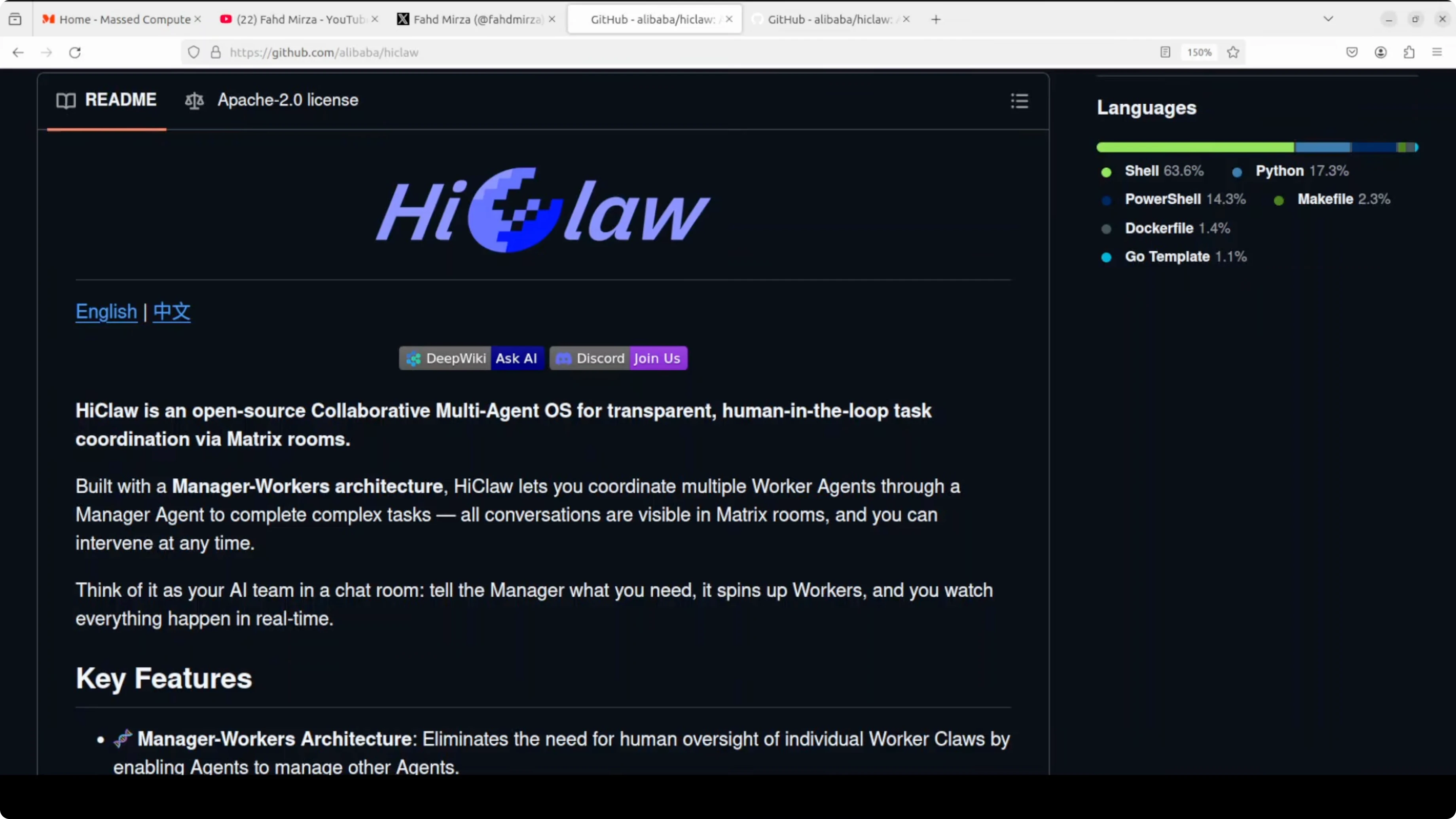
I have been covering not only OpenClaw but also variants that are appearing every day. Not everything is useful, and that is why I only select projects that make sense. HiClaw is an open-source multi-agent operating system built on top of OpenClaw.
The problem it solves is simple. Single agents hit walls on complex tasks. HiClaw introduces a manager-worker architecture where a manager agent coordinates multiple worker agents through Matrix chat rooms.
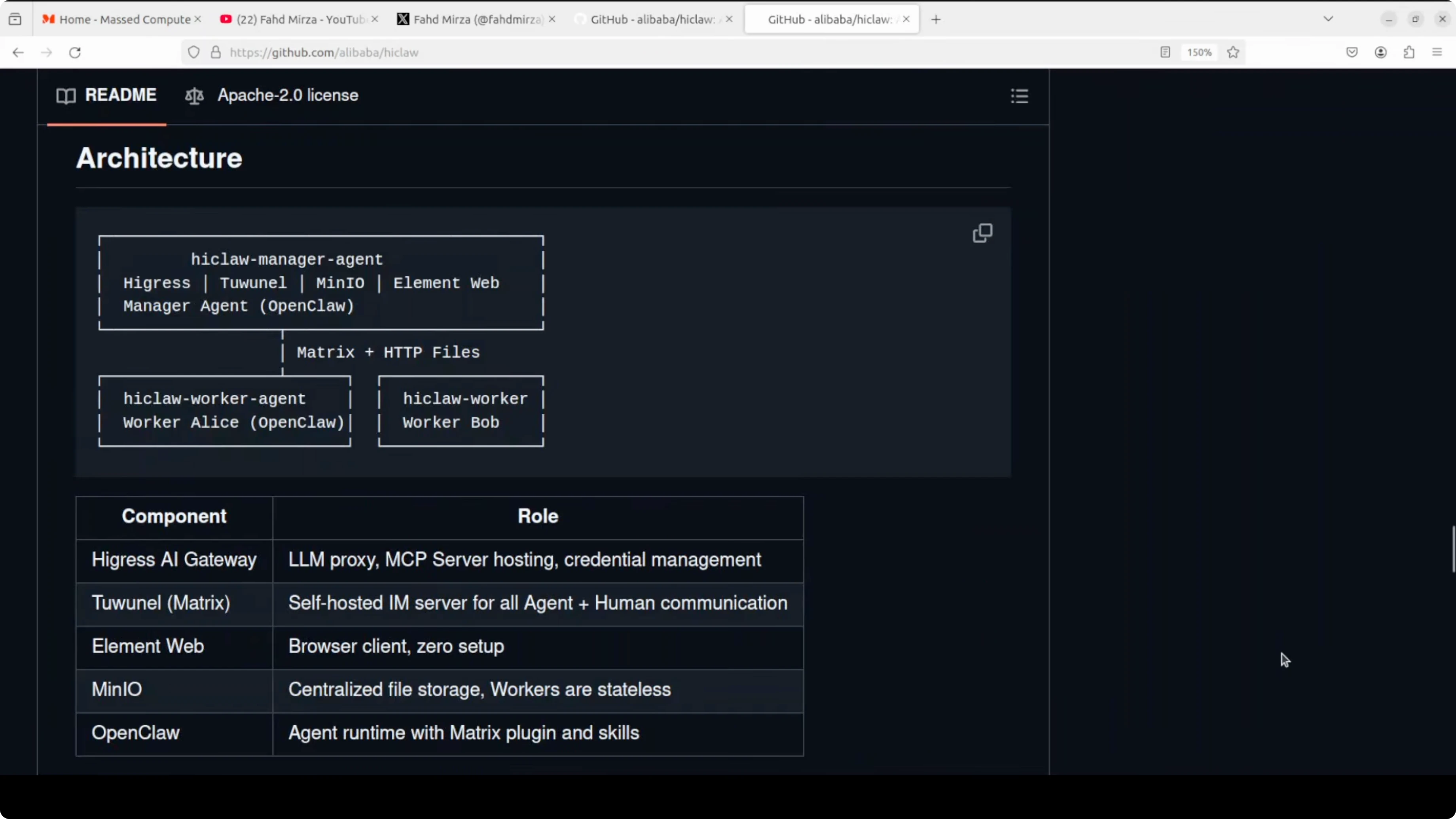
You watch every agent conversation in real time and jump in wherever you want. The security model is solid - workers never see your real API keys. Agents and the manager in HiClaw only hold consumer tokens, and your actual credentials never leave the Higress gateway.
One command installs everything, including an AI gateway, Matrix chat server, file storage, web client, and the manager agent. Your entire AI team runs on your own machine. If you are new to agent setups, check out more hands-on posts in the AI agent tutorials.
Run a Multi-Agent AI Team Locally with HiClaw and Ollama?
I am using an Ubuntu system with an NVIDIA RTX 6000 GPU and 48 GB of VRAM. I am running an Ollama model called GLM 4.7 Flash, and that is what I am going to use. You need Docker installed.
You can verify Docker with:
docker --versionIf you have NVIDIA drivers and CUDA installed, you can check the GPU with:
nvidia-smiIf you are using Ollama locally, make sure it is running and that you know your model ID. You can list available models with:
ollama listIf you expose the OpenAI-compatible API for Ollama, the default base URL is usually:
http://localhost:11434Installer flow
I run the installer shell script that installs HiClaw and all of its components. The wizard asks for a few inputs, and I pick the manual route.
Select English for language. Choose Manual setup instead of Quick Start, and skip their paid coding plan. Pick the OpenAI-compatible API option.
When asked for the base URL, I enter my Ollama OpenAI-compatible endpoint. If you are running it on another port or URL, replace accordingly.
Enter your Ollama model ID. Since Ollama does not require an API key locally, I put any random value for the key field.
Set a username and password. I go with admin and let it autogenerate the password.
Keep the deployment local for your own use so you do not expose it to your network. For Docker containers and the Higress console, accept the default ports, though you can change them if you need to.
You will see a local domain entry and an ECS deployment option. In simple words, that is for custom domains across the services, but for local runs I just accept the defaults.
Skip the GitHub token. Accept the default Docker volume locations.
For integration, there are two options. One is with OpenClaw, and the other is Copa. I go with OpenClaw because that is what gives the full experience at the moment.
Skip E2E for now. Keep default values and the home directory path, then let the installer pull images and start containers.
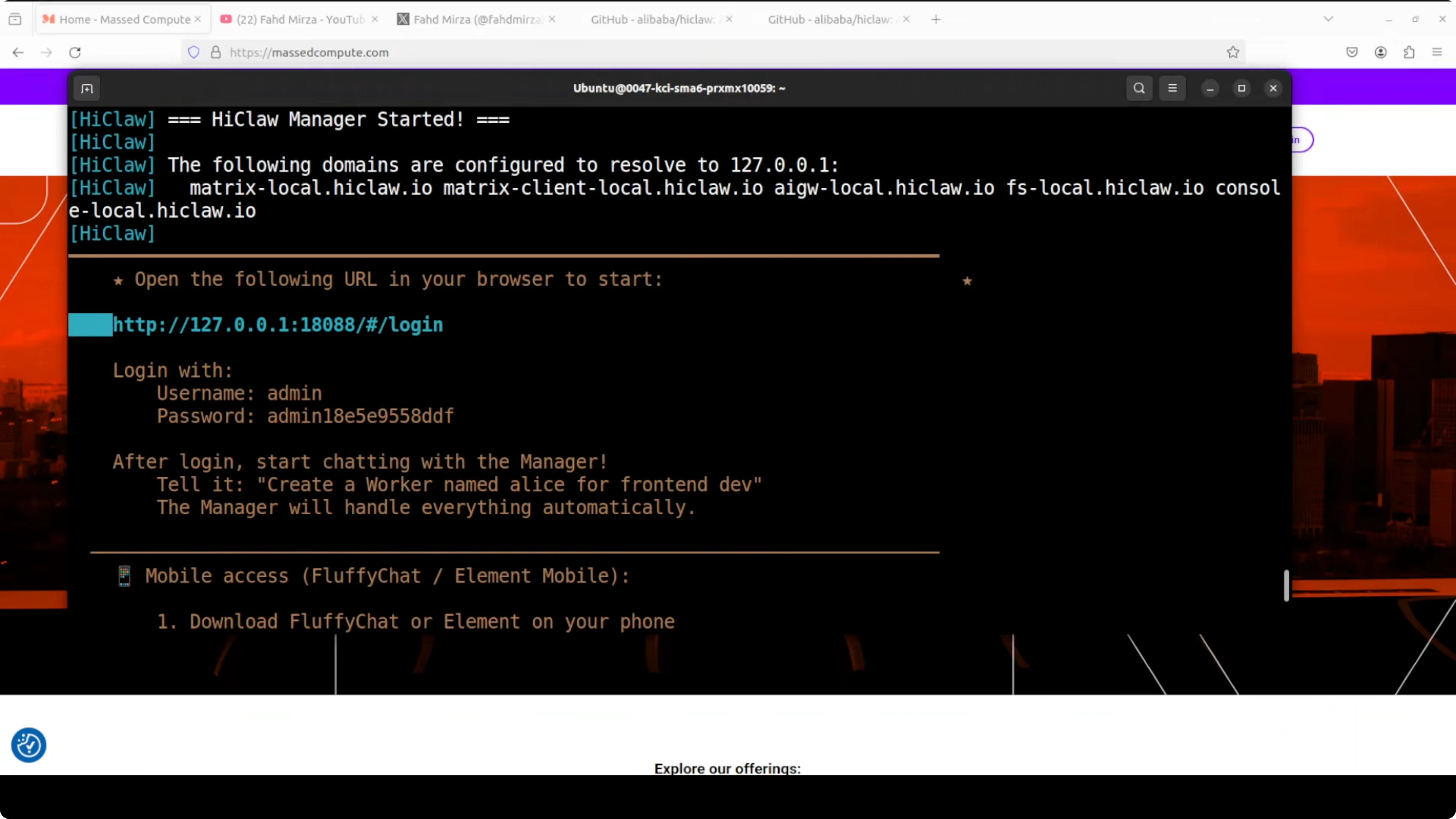
The script pulls a lot of Docker images and takes some time. After the downloads finish, the manager container starts and the login page appears with the autogenerated credentials.
First login
Open the login page in your browser, enter the credentials, and sign in. The welcome screen shows a Manager section where you can chat with the manager agent. It is already connected to OpenClaw.
You can deploy it on your LAN. You can also connect it with Copa, which is another agent framework. From here the experience matches what you see in OpenClaw and similar projects.
If you want a deeper OpenClaw walkthrough side-by-side with local models, read the OpenClaw local setup guide.
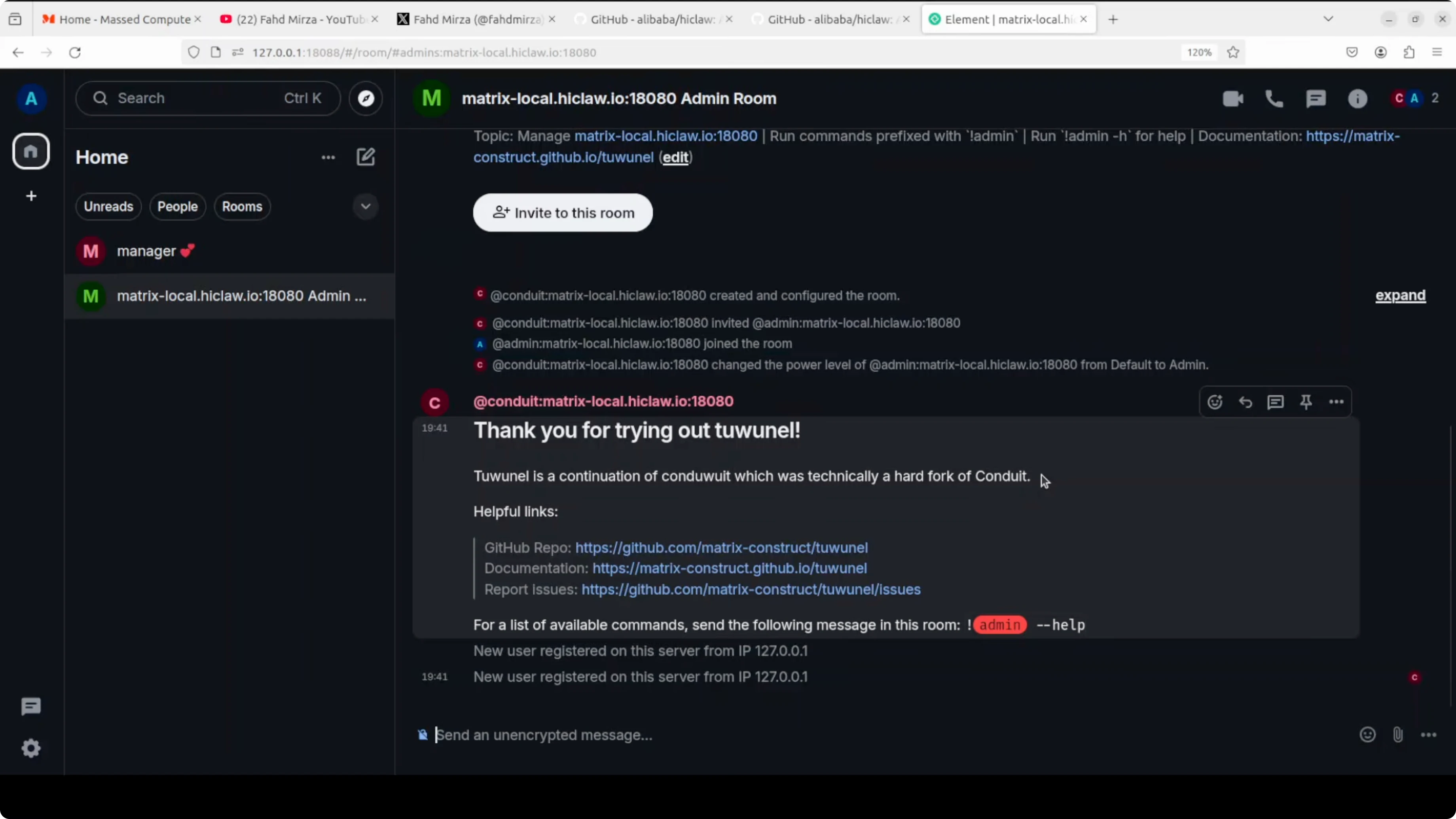
You can create multiple rooms and assign different agents to different rooms. For that, I would not recommend base local models in production. Use hosted API models from OpenAI or Alibaba Model Studio if you need speed and reliability at scale.
Quick test
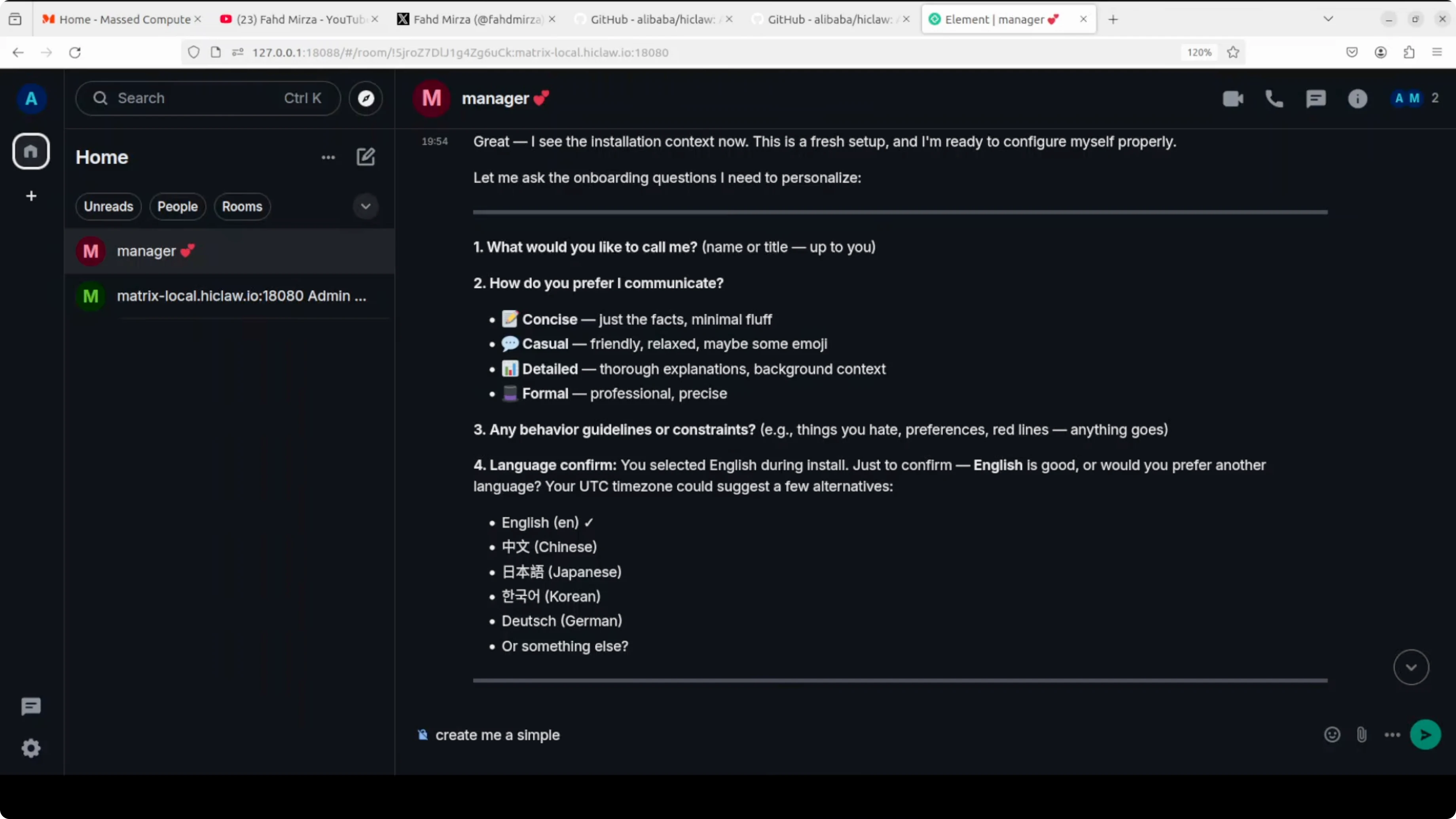
I ask the manager to create a simple Hello World program just to show how it works. It replies with the code and documentation. You can see it is using OpenClaw at the back end.
Multi-agent orchestration with the manager
The real beauty of HiClaw is multi-agent orchestration and coordination. I ask it to create a worker named Alice for front-end development and a worker named Bob for back-end development. I assign them a shared task to build a self-contained to-do app.
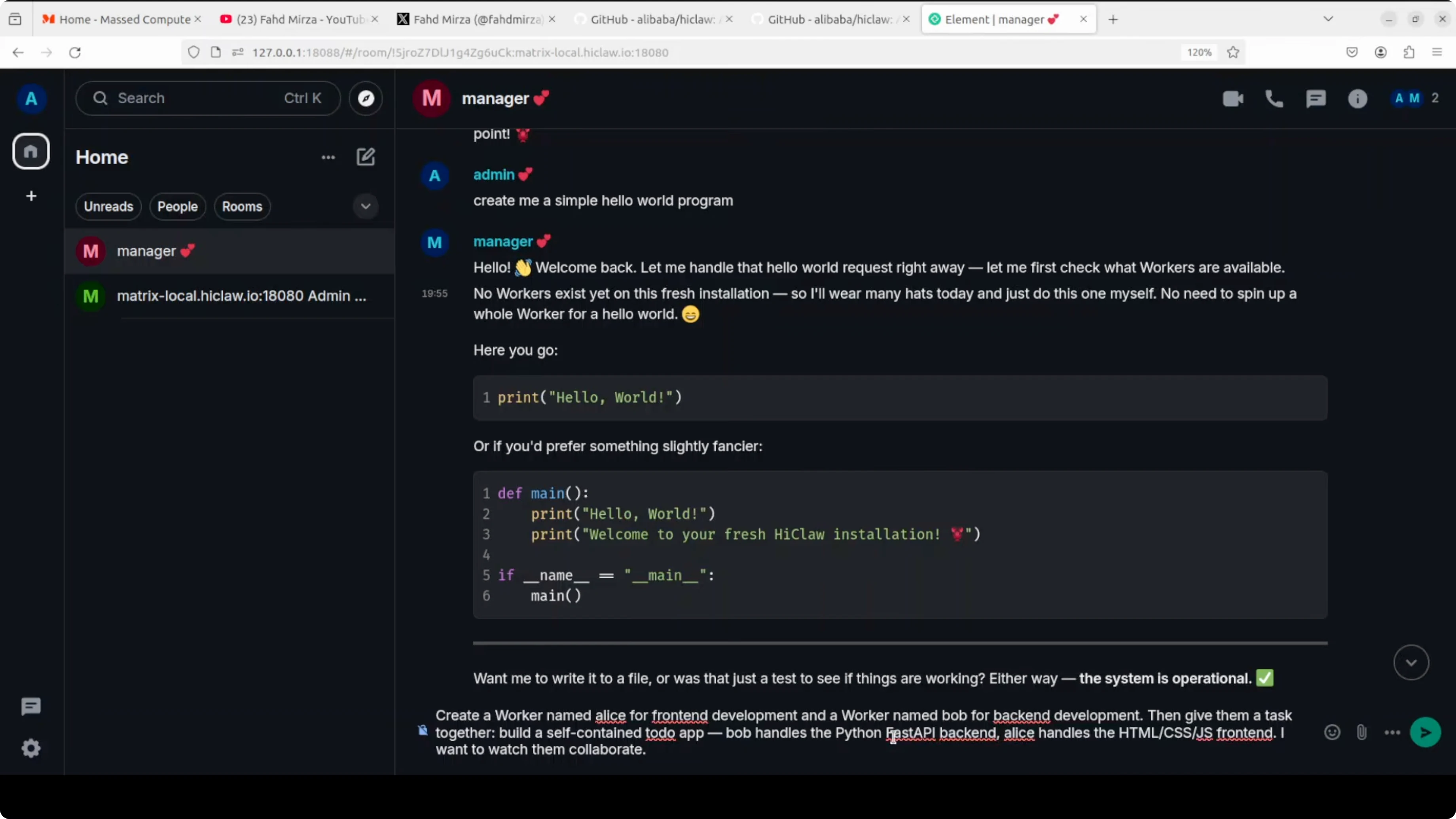
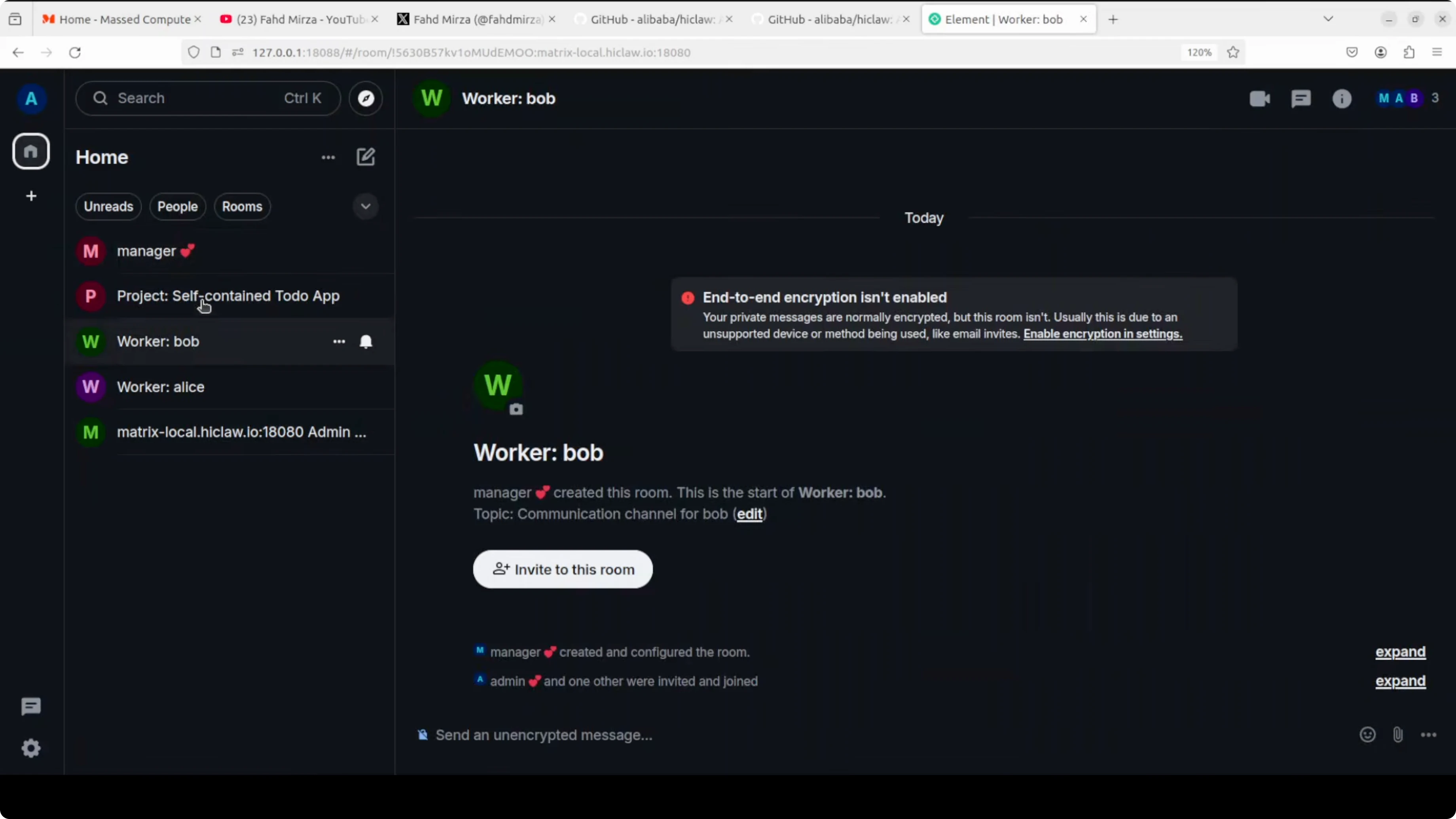
Bob handles a Python FastAPI back-end and Alice handles the front-end. I want them to collaborate. On the left side of the UI, the workers appear, and I join their rooms.
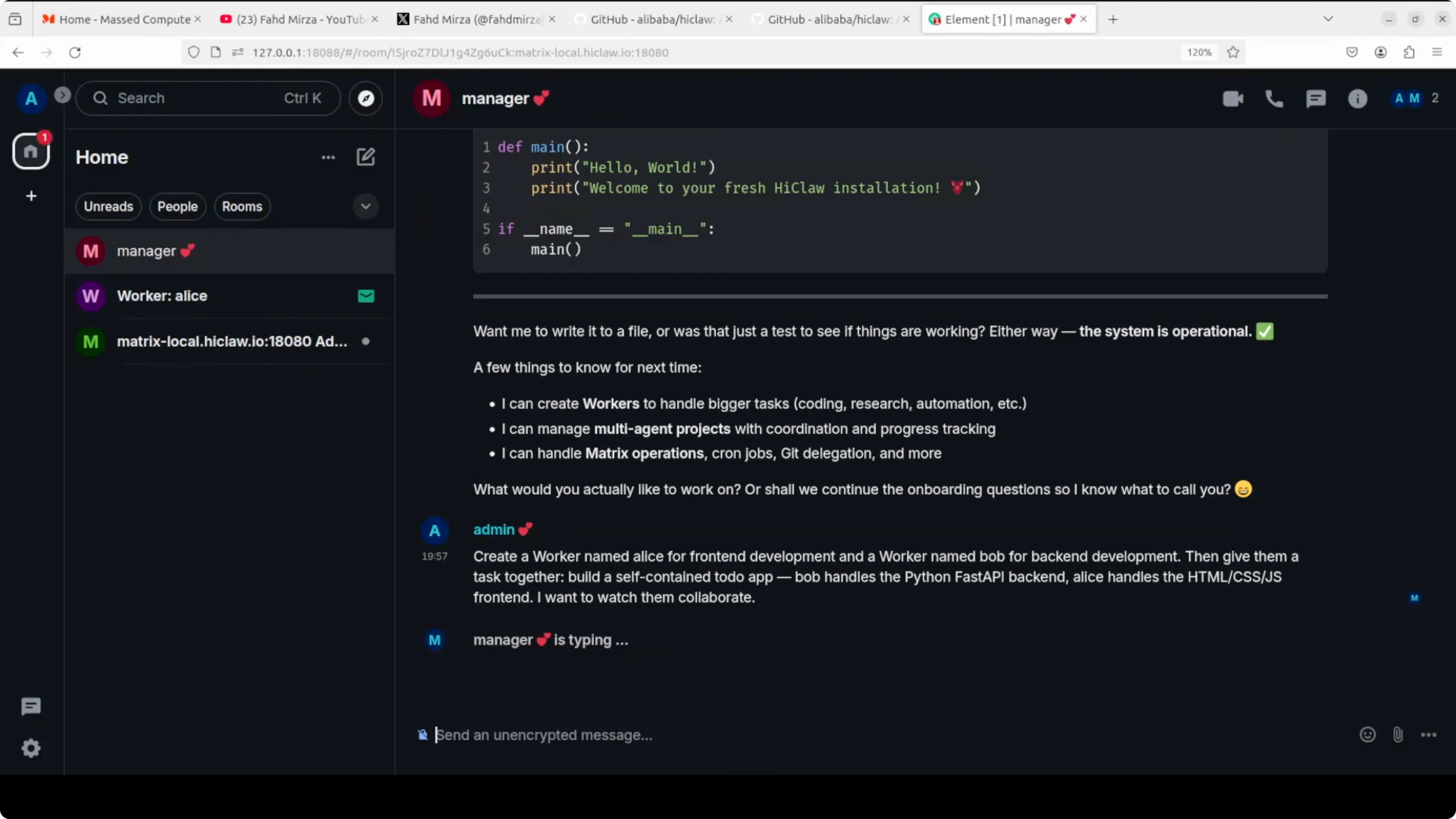
The manager explains that it can create workers and manage multi-agent projects. For production and deep work I suggest API-based models due to performance. It then creates the project tasks and workflows and asks me to confirm.
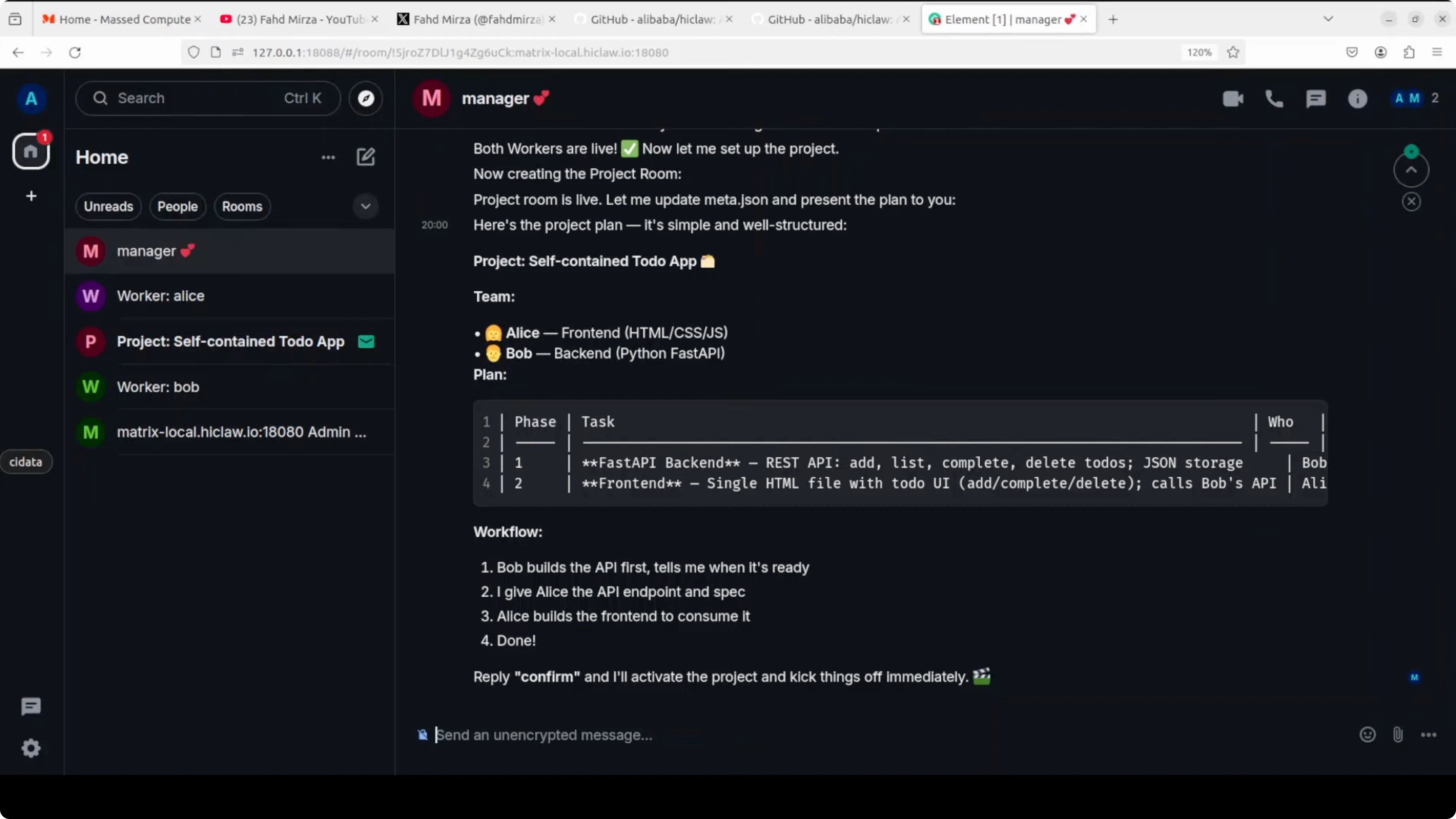
I confirm, and the project spins up. The manager assigns Bob back-end tasks and tags him in the project room. The same happens for Alice on the front-end tasks, and updates start to pour in across rooms.
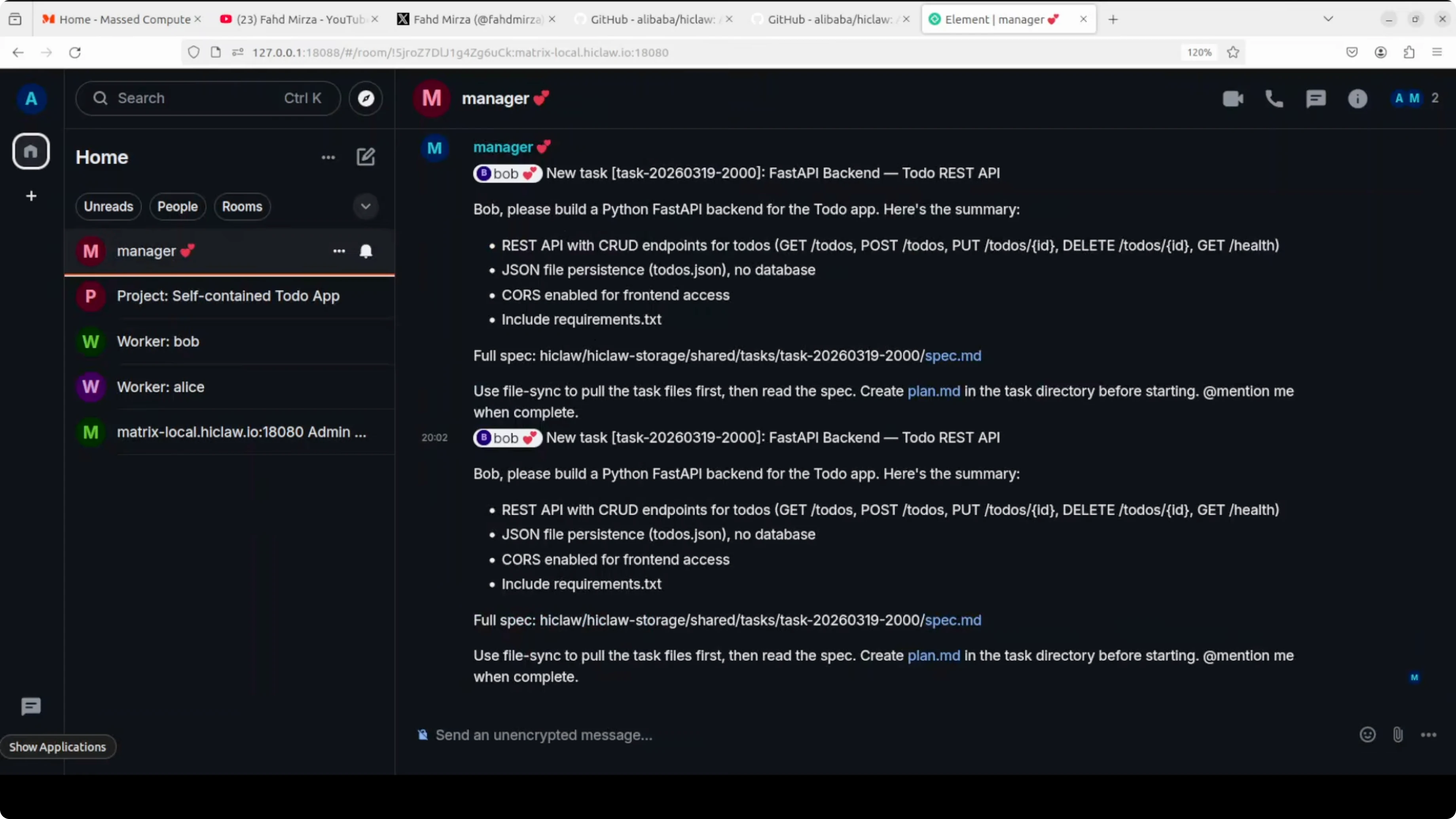
There is a manager room, a Bob room, and a project room where agents talk to each other. Complex projects take longer, and if you are using API models, watch your cost and tokens. The speed is a bit slow on my end, but the coordination features are strong on top of OpenClaw.
If your agents need to control the browser for web workflows, see this hands-on example of a browser-use agent.
Models for this setup
Local Ollama models
Local models are great for privacy and full control. They are good for prototyping, internal tools, and controlled experiments where you want to keep data local.
Pros: no external API keys, full data control, and predictable cost. Cons: slower responses, higher VRAM requirements, and weaker reasoning on complex tasks compared to top hosted models.
If you plan to run Qwen 3.5 variants locally for reasoning-heavy agents, this distilled checkpoint is a useful reference: Qwen3.5 9B Claude 4.6 Opus Reasoning Distilled.
For a full local tutorial that pairs Qwen 3.5 with OpenClaw and Ollama, check out this step-by-step build: Qwen 3.5 with OpenClaw and Ollama.
Hosted API models
Hosted models from providers like OpenAI and Alibaba Model Studio work well for production multi-agent projects. They shine on complex planning, tool use, and team coordination.
Pros: faster responses, better reliability, and stronger output quality. Cons: ongoing cost, token limits, and you must handle API key security.
If you are exploring additional local agent frameworks to compare against this stack, this guide is a solid place to start: run ace step locally.
Configuration snippets
If your integration asks for an OpenAI-compatible base URL for Ollama, this is the typical local value:
# Base URL in the installer prompt
http://localhost:11434
If you want to force Ollama to listen on a specific interface and port before running the installer:
# Optional - bind Ollama to localhost:11434
export OLLAMA_HOST=127.0.0.1:11434
ollama serve
To confirm your model ID for the installer:
# Find your exact model identifier
ollama list
# Pull a model if needed
ollama pull <your_ollama_model_id>
Tips and notes
Workers only hold consumer tokens. Your real credentials stay behind the Higress gateway, which is the right security posture for multi-agent setups.
You can monitor every conversation in real time and step in when needed. Projects with more rooms and long task threads will take more time to converge.
If you prefer a local OpenClaw-first path to build on, here is a focused tutorial to get you moving faster: OpenClaw local setup guide. For broader ideas across projects, browse more experiments in the AI agent tutorials.
Final thoughts
HiClaw brings a manager-worker pattern to multi-agent projects and makes the full workflow visible and interactive. The one-step installer sets up the gateway, Matrix chat, storage, web client, and manager so your team runs fully local.
Use local Ollama models for demos and private tests, and switch to hosted APIs when you need speed and reliability for production multi-agent coordination. For browser-based tasks or alternate local stacks, see the browser-use agent example and this guide to run ace step locally.
Subscribe to our newsletter
Get the latest updates and articles directly in your inbox.

Related Posts

8 Best Claude Code Plugins in 2026 (You Need to Know)
8 Best Claude Code Plugins in 2026 (You Need to Know)

7 Best Claude Code Skills (You Need to Know)
7 Best Claude Code Skills (You Need to Know)

Claude Code Desktop IDE Features (You Need to Know)
Claude Code Desktop IDE Features (You Need to Know)