
Table Of Content
- GPT-5.1 Codex vs GPT-5 Codex: Key Build Differences Revealed
- What changed
- Accuracy on hard tasks
- Habit tracker results
- GPT-5 Codex build
- GPT-5.1 Codex build
- Avoid-the-box game results
- GPT-5 Codex version
- GPT-5.1 Codex version
- Comparison overview
- Use cases
- Pros and cons
- GPT-5 Codex
- GPT-5.1 Codex
- Step-by-step: reproduce the habit tracker test
- Code example: accurate weekly completion and today checks
- Final thoughts
GPT-5.1 Codex vs GPT-5 Codex: Key Build Differences Revealed
Table Of Content
- GPT-5.1 Codex vs GPT-5 Codex: Key Build Differences Revealed
- What changed
- Accuracy on hard tasks
- Habit tracker results
- GPT-5 Codex build
- GPT-5.1 Codex build
- Avoid-the-box game results
- GPT-5 Codex version
- GPT-5.1 Codex version
- Comparison overview
- Use cases
- Pros and cons
- GPT-5 Codex
- GPT-5.1 Codex
- Step-by-step: reproduce the habit tracker test
- Code example: accurate weekly completion and today checks
- Final thoughts
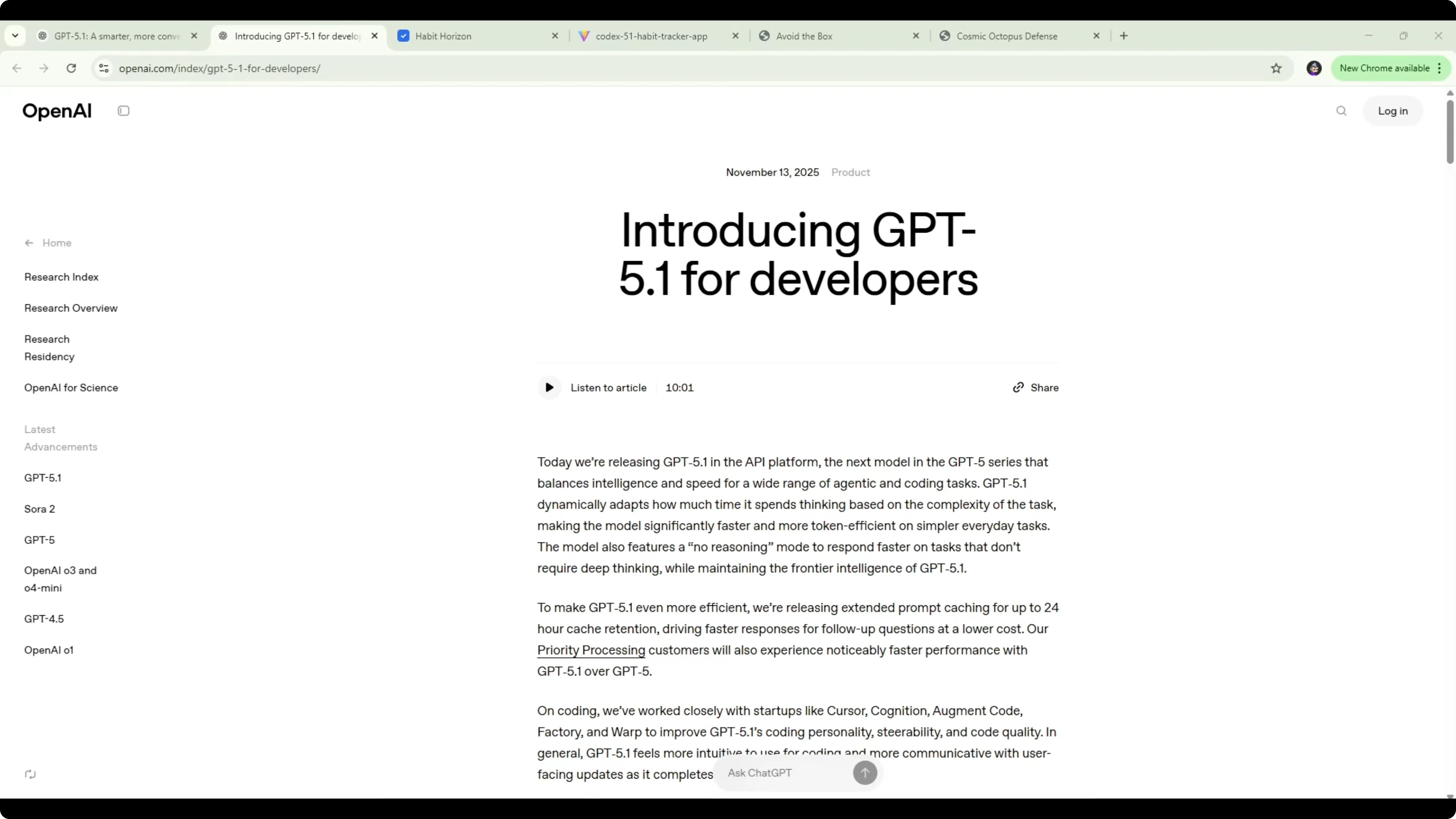
OpenAI released GPT-5.1, and I wanted to show the improvements against GPT-5 Codex using the exact same build tests. I asked both models to create two things: a habit tracking app and an avoid-the-box game. GPT-5.1 Codex one-shotted both with cleaner UI, accurate tracking, and no bugs found in my runs, which is a big step up from GPT-5 Codex.
I’ll walk through what changed in the model, then show the side-by-side results from both builds. I’ll also include a quick guide to reproduce the tests yourself, along with a code snippet for accurate weekly progress tracking.
GPT-5.1 Codex vs GPT-5 Codex: Key Build Differences Revealed
What changed
GPT-5.1 Codex is designed to be more efficient and more communicative while coding. It ships with extended prompt caching with up to 24-hour cache retention, which keeps follow-up responses fast at a lower cost. It also feels more steerable with less overthinking and improved code quality in my tests.
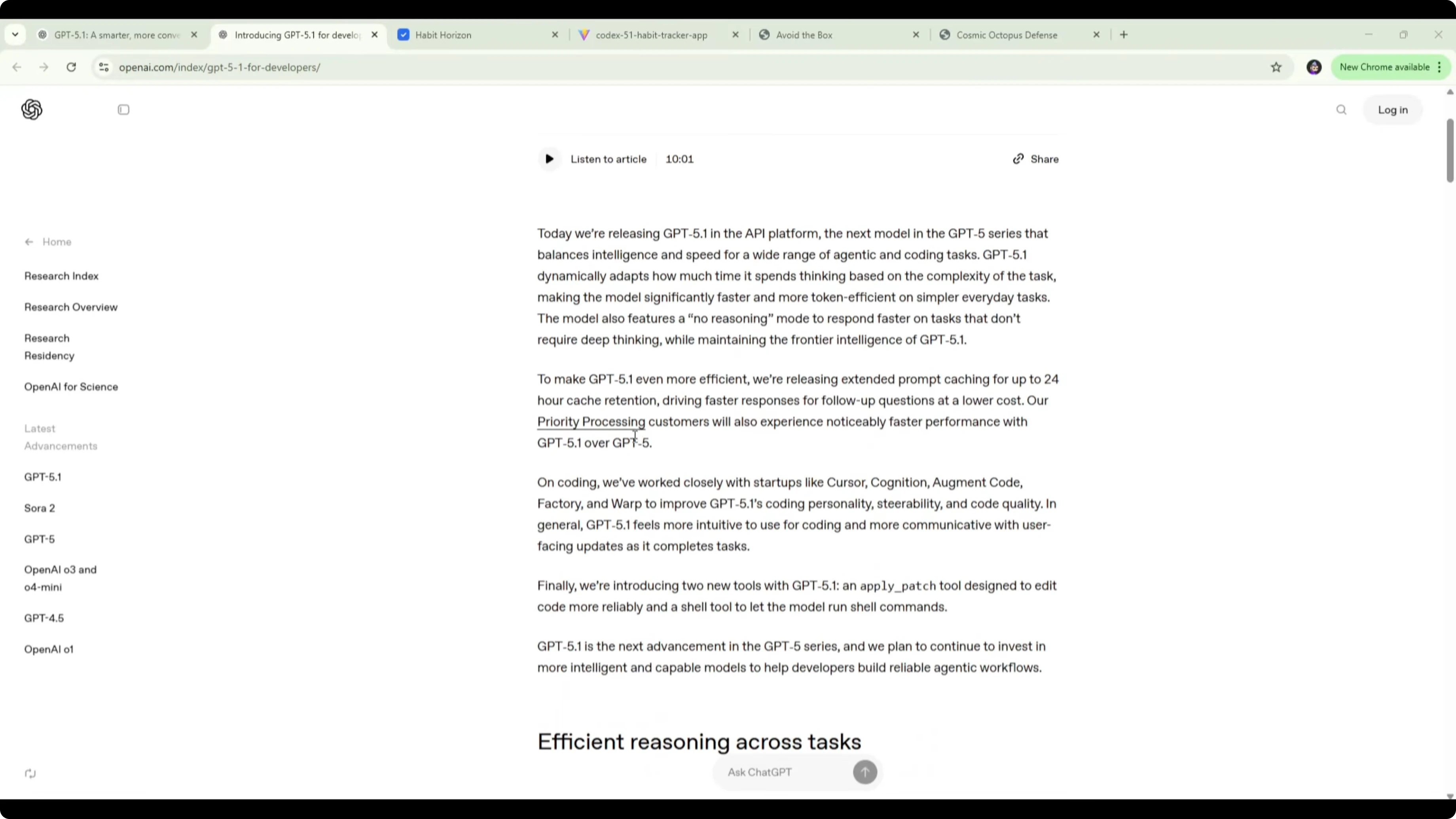
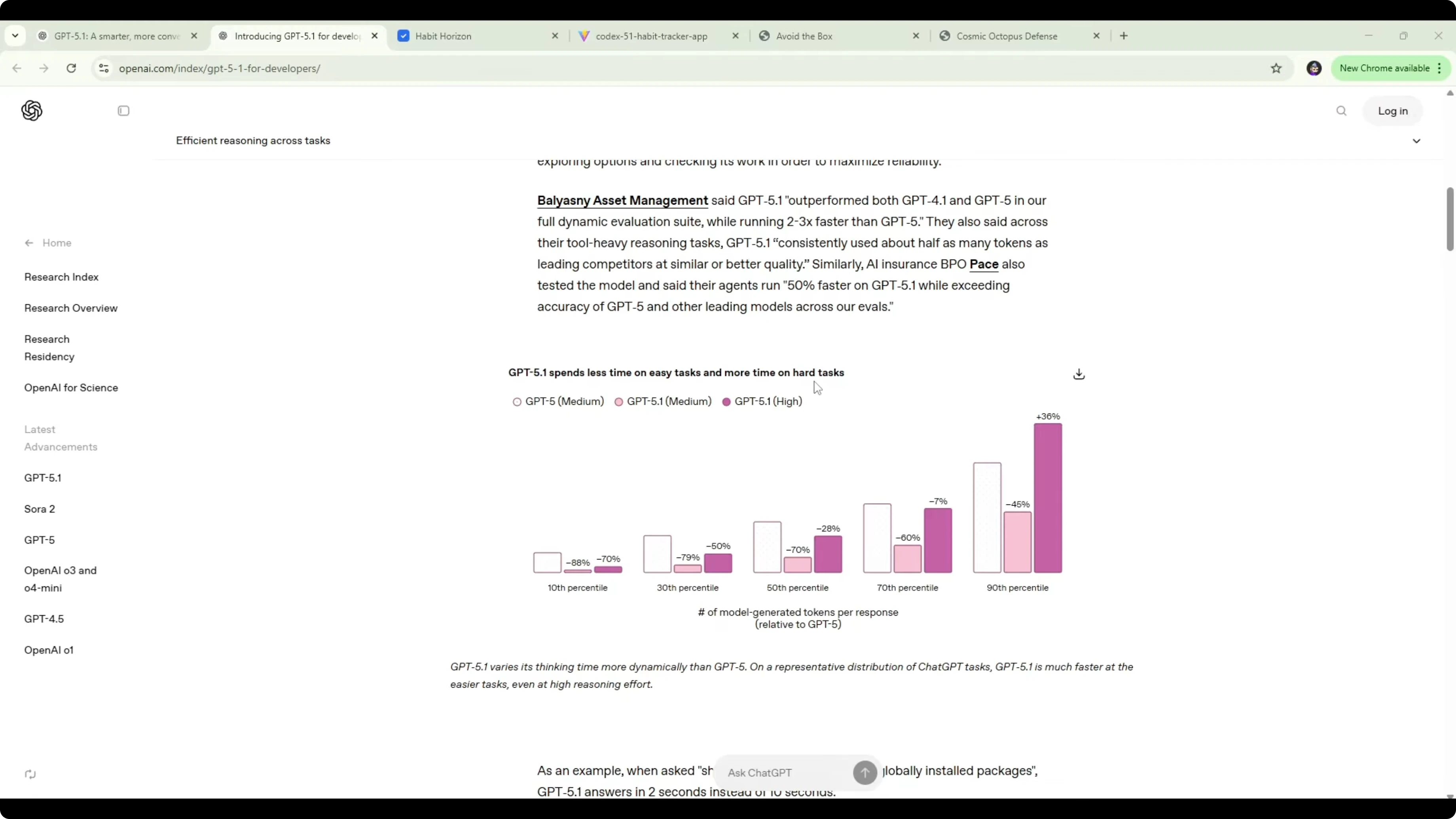
On coding, OpenAI worked with teams like Cursor, Cognition, Augment Code, Factory, and Warp to improve personality and output. In my hands-on runs, it produced higher quality code and one-shotted full apps and games more often than GPT-5 Codex. It also spends less time on easy tasks and more time on hard tasks, which is visible in how it manages tokens.
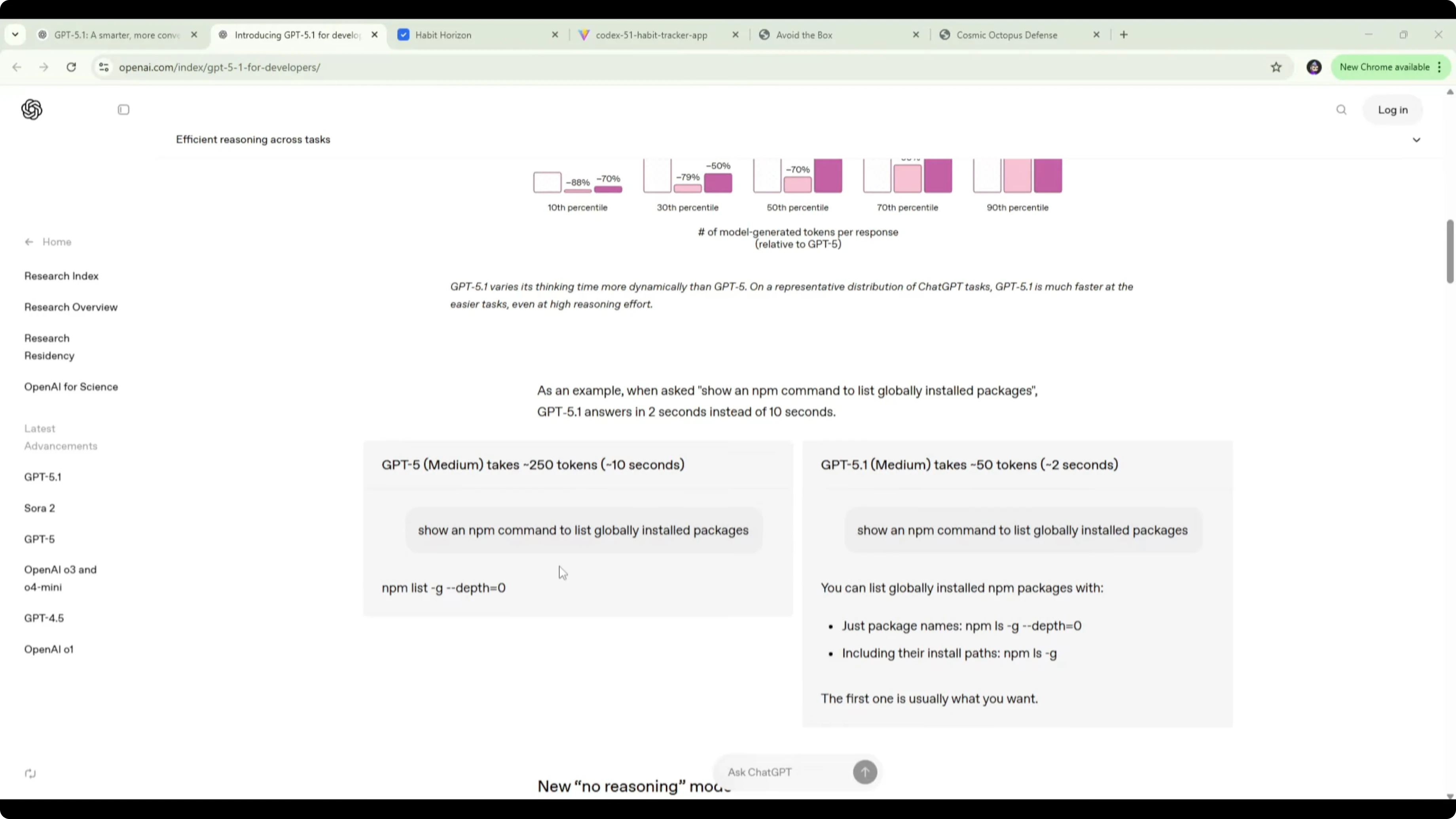
I’ve seen it cut token use on simple prompts dramatically and return results faster. A rough example given was GPT-5 using around 250 tokens for a trivial task, while GPT-5.1 handles it with about 50 tokens and responds in around 2 seconds instead of 10. For pricing and build notes tied to token behavior, see this cost-focused write-up: cost and build comparison.
Accuracy on hard tasks
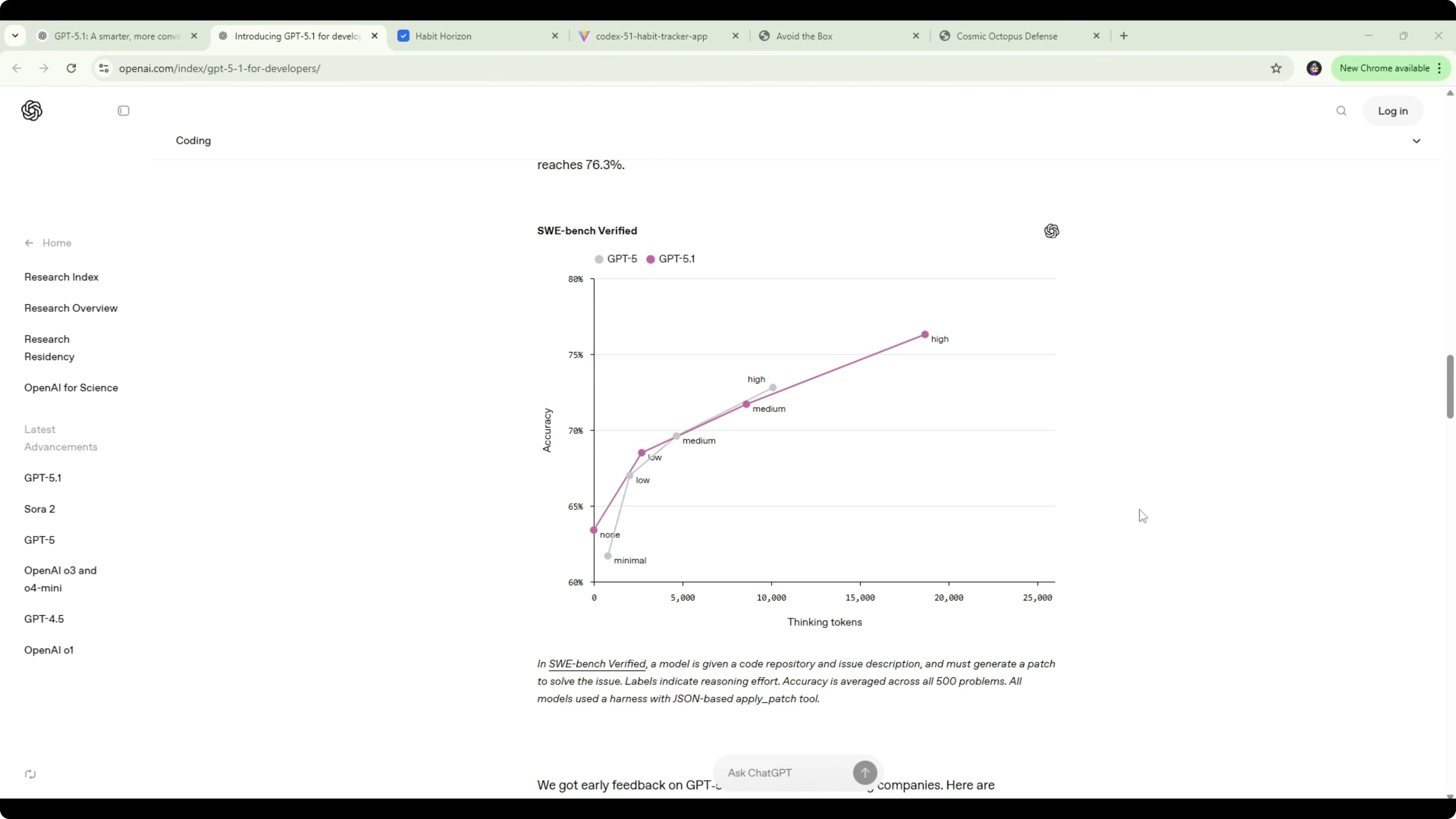
On SWE-bench Verified, GPT-5.1 works longer on challenging prompts and hits 76.3% accuracy. GPT-5 Codex High sat around 73% at about 10,000 tokens, while GPT-5.1 reached roughly 76% with around 18,681 tokens. The increase might look small on paper, but for software tasks it adds up, and you can feel that bump in real builds.
For a broader cross-model look that includes DeepSeek and others, see these wider benchmarks: wider accuracy comparisons.
Habit tracker results
GPT-5 Codex build
GPT-5 Codex produced a feature-rich habit tracker with light and dark mode, add-habit forms, streaks, and a progress view. It needed a few follow-up prompts from me to fix bugs, and some issues still remained.
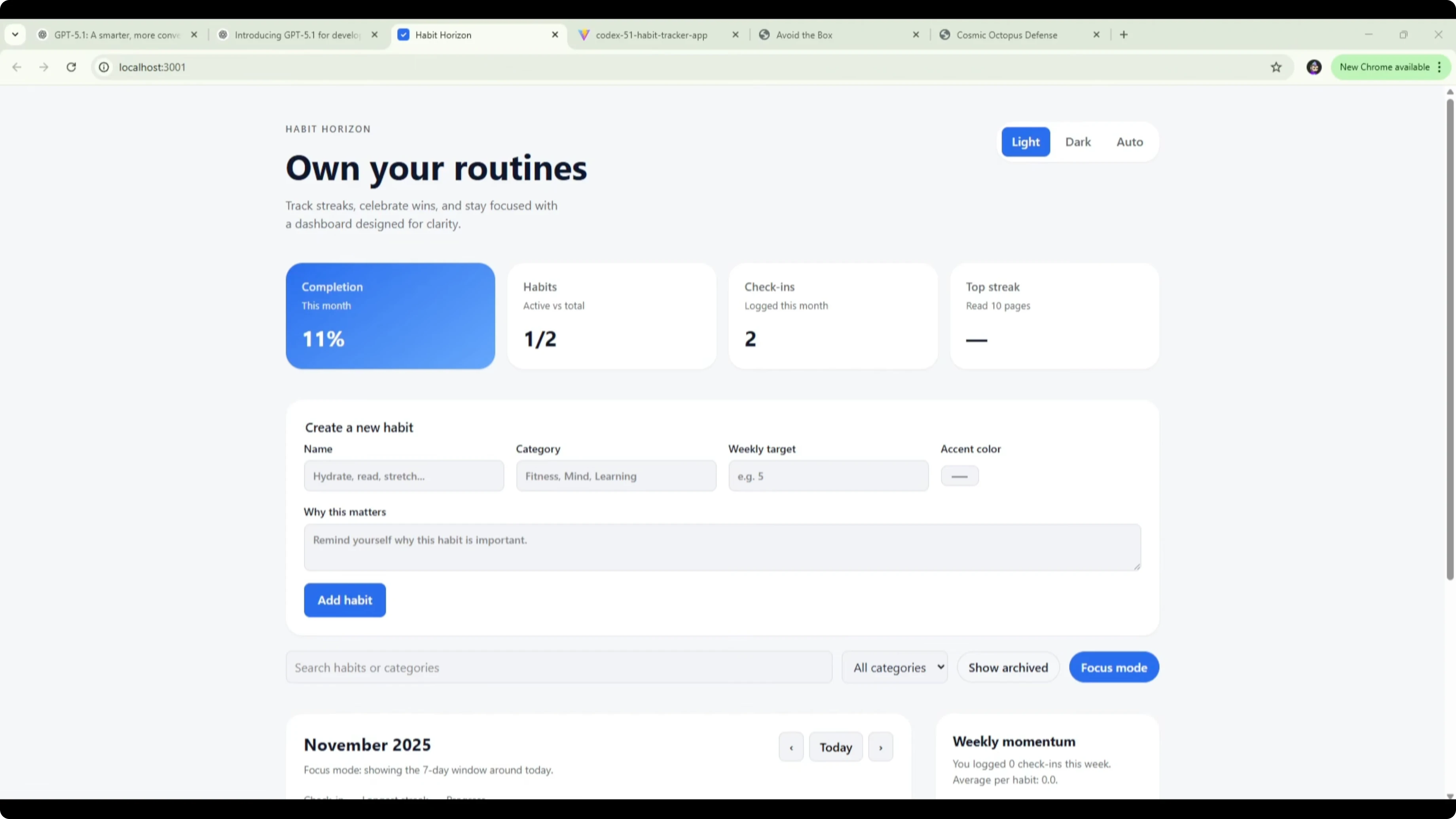
The biggest issues were progress accuracy and the calendar mapping. The grid didn’t line up clearly with dates, and there were cases where I could only tick one day or a few days before it blocked additional check-ins. The monthly progress bar showed inconsistent percentages, and the streak logic was also off.
GPT-5.1 Codex build
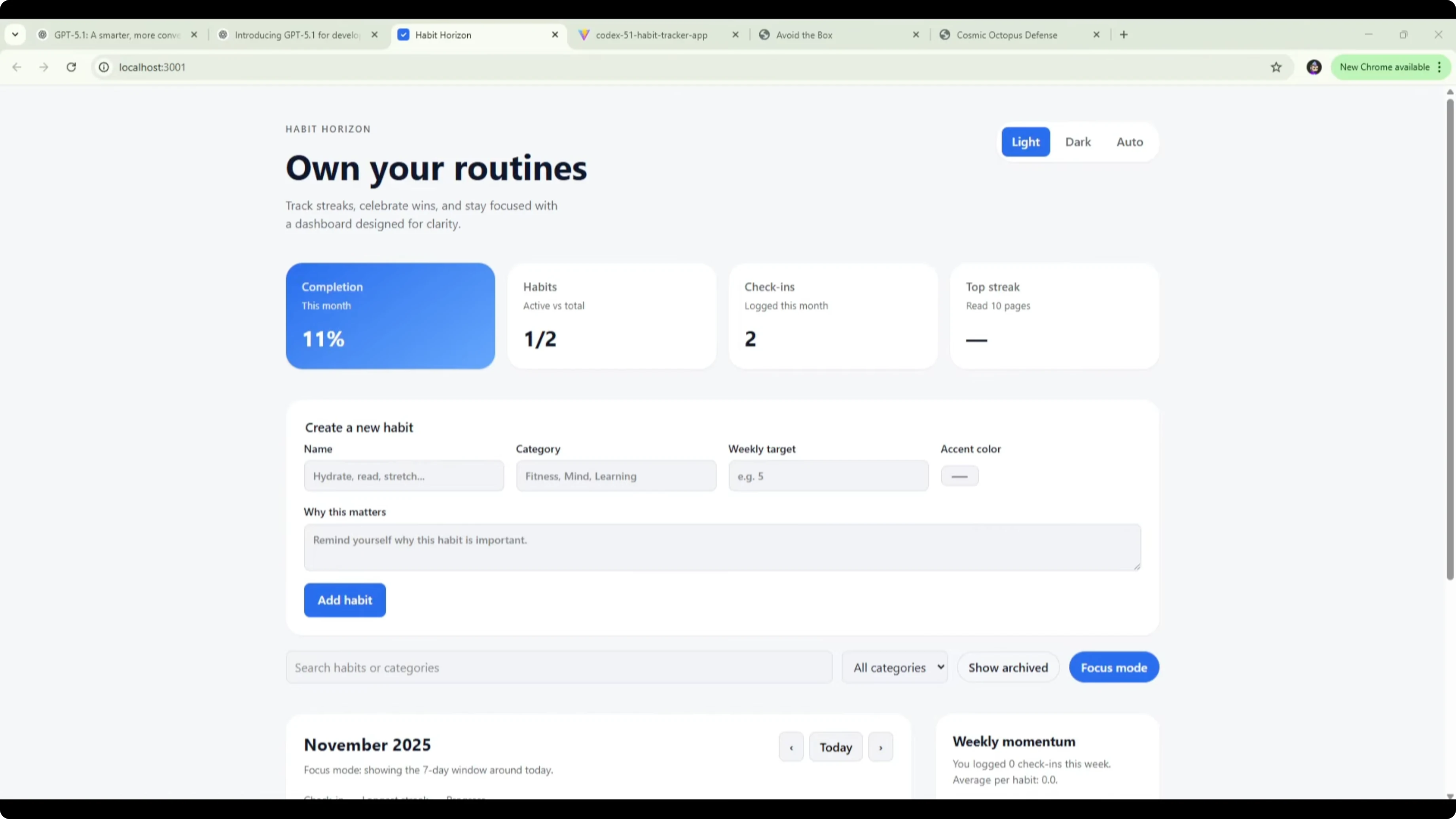
GPT-5.1 Codex one-shotted the habit tracker with a cleaner layout and no bug fixes needed. It included dark mode, a weekly completion tracker, a today tracker, momentum with streaks, and a clearer habit list where each day box is labeled and hoverable with the exact date.
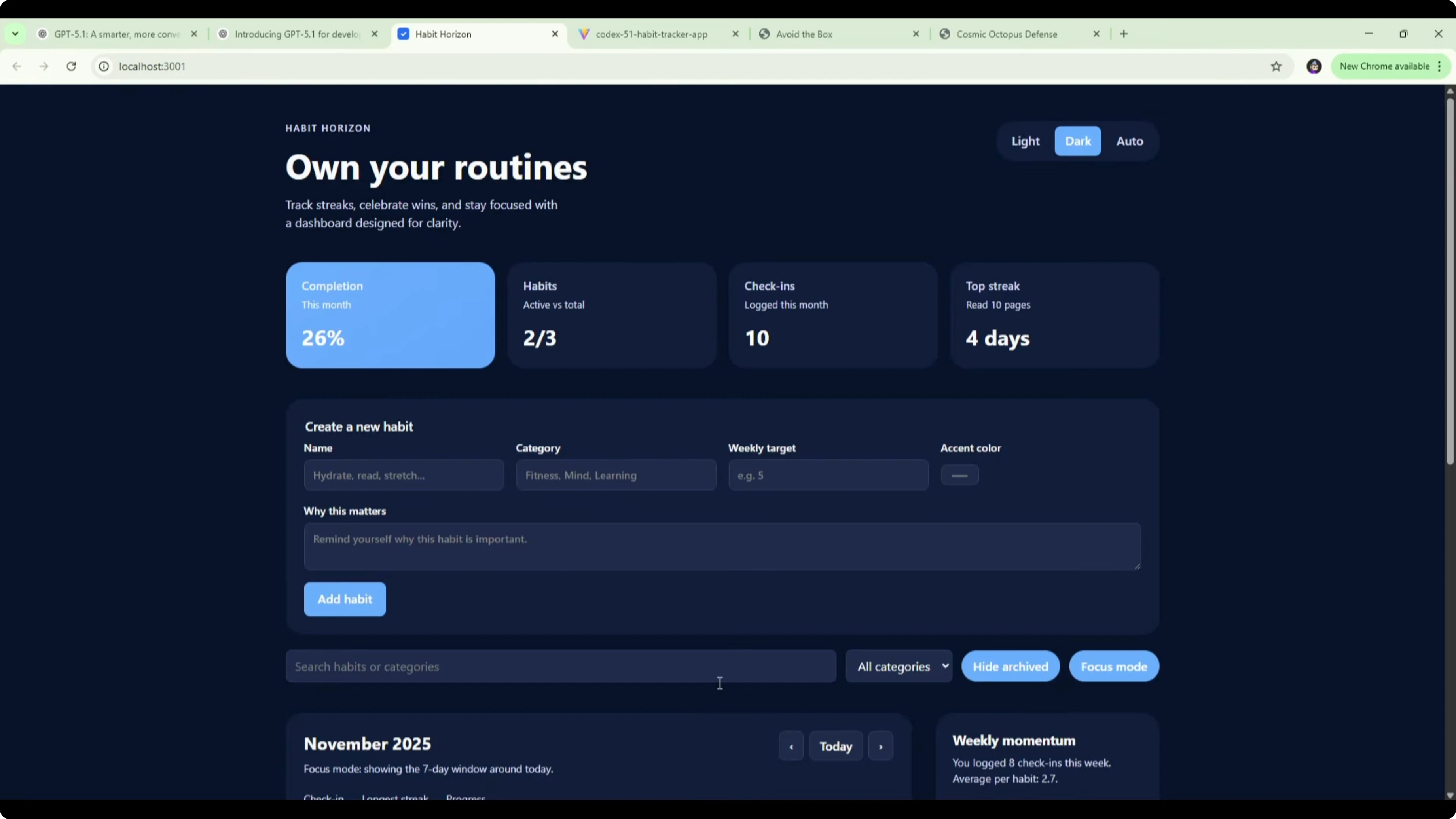
Ticking a single day updated the weekly completion to 14%, which matches 1 out of 7 days. Ticking Thursday on two habits kept weekly completion at 14% because it correctly treats 2 of 14 habit-day slots as complete. Today updated accurately once I checked the correct current date, and streaks reflected the right counts, including a 7-day streak once I completed the run.
This version made it obvious what to tick and when, and the progress bars stayed accurate across the board. For broader head-to-heads that include other models in the same class, take a look at this comparison set: multi-model benchmarks.
Avoid-the-box game results
GPT-5 Codex version
The GPT-5 Codex game loaded, began with a simple start, and spawned falling boxes. I could move the character left and right, and I found a shield power-up that wrapped the player.
The objects sped up, but the pattern stayed mostly vertical with fewer elements on screen than I’d like for difficulty scaling. It worked, but it lacked variety and needed bug-fixing prompts to reach this state.
GPT-5.1 Codex version
GPT-5.1 Codex shipped a nicer UI out of the gate with a full background and a clean start panel. During runs, a lightning-like effect added atmosphere, and a wind indicator in the top left introduced lateral forces that pushed objects left and right.
There were more objects, more power-ups, and a step-up in challenge. It one-shotted the build and felt more engaging immediately. For a look at how GPT-5.1 Codex stacks up against top-tier reasoning peers, see this match-up: how it compares to Opus 4.5 Max.
Comparison overview
| Dimension | GPT-5 Codex | GPT-5.1 Codex | Notes from tests |
|---|---|---|---|
| One-shot builds | Often needed follow-ups | Frequently one-shots | Both apps were one-shotted by GPT-5.1 in my runs |
| Bug count | Needed fixes, lingering issues | No bugs found so far | Especially visible in progress and streak logic |
| UI clarity | Functional but harder to read | Cleaner layout, clearer state | Day labels and hover dates helped a lot |
| Progress accuracy | Inconsistent percentages | Accurate weekly/today metrics | Habit tracker showed correct 14%, 64%, 93% states |
| Difficulty in game | Mostly vertical falls | Wind, more objects, effects | Added mechanics increased challenge and polish |
| Token use on easy tasks | ~250 tokens, ~10s | ~50 tokens, ~2s | Shaves latency on simple edits |
| Token use on hard tasks | ~10k tokens, ~73% SWE-bench | ~18,681 tokens, ~76.3% SWE-bench | Longer thinking improves accuracy |
| Coding personality | Good, but more overthinking | More steerable, fewer tangents | Better user-facing update messages |
| Front-end at low reasoning | Serviceable | More functional and polished | Notable in both UI examples |
Use cases
If you need quick edits or small utilities, GPT-5.1 Codex is faster and more responsive on short prompts. It tends to spend fewer tokens and return results in a couple of seconds.
If you are building something harder, GPT-5.1 Codex will stick with the task longer and improve accuracy. That showed up in SWE-bench numbers and in practical builds like the accurate trackers and more capable game.
I’m also preparing a broader comparison against Google’s latest. If you want that head-to-head across tasks, here is the in-depth look: comparison with Gemini 3 Pro.
Pros and cons
GPT-5 Codex
Pros: It can produce working apps and games with a rich feature set. It handled basic UI, dark mode, forms, and simple game logic.
Cons: It needed more prompting to correct bugs. Progress and streak logic were off, and the game lacked variation and polish out of the box.
GPT-5.1 Codex
Pros: One-shotted full builds with accurate progress tracking and cleaner UI. Faster on easy prompts and more accurate on hard prompts, with clearer user-facing updates.
Cons: On challenging prompts it may spend more tokens by design. You should account for that in longer sessions and cost controls.
For cross-family roundups that also include Gemini and others, this consolidated view is helpful: comparative findings across leading models.
Step-by-step: reproduce the habit tracker test
Open GPT-5 Codex and GPT-5.1 Codex in separate sessions so you can run identical prompts. Paste the same build brief asking for a habit tracker with light and dark mode, add-habit form, weekly view, today metrics, streaks, and accurate progress bars. Run each model once without any follow-ups and deploy or preview the result.
Add a few habits with categories and colors so you can test visibility and mapping. Tick a single day and confirm the weekly percentage shows 14% for one of seven days. Hover day boxes to confirm date labels and check that today recognizes the current date.
Tick multiple days across multiple habits and confirm weekly completion increments correctly. Verify streaks update as you complete or uncheck days. Write down any bugs, response times, and token usage for each run so you can compare.
Code example: accurate weekly completion and today checks
// Example helpers for a habit tracker

// logs: { [habitId]: { [isoDate]: true | false } }
// weekDays: array of 7 ISO date strings for the current week
function weeklyCompletion(logs, weekDays) {
  let total = weekDays.length;
  let done = 0;
  for (const d of weekDays) {
    if (logs[d]) done += 1;
  }
  const percent = Math.round((done / total) * 100);
  return { done, total, percent };
}

function isToday(dateStr) {
  const today = new Date();
  const d = new Date(dateStr);
  return d.getFullYear() === today.getFullYear()
    && d.getMonth() === today.getMonth()
    && d.getDate() === today.getDate();
}

// Streak: count consecutive true values ending at the most recent date in weekDays
function streakCount(logs, weekDays) {
  let count = 0;
  for (let i = weekDays.length - 1; i >= 0; i--) {
    const d = weekDays[i];
    if (logs[d]) count += 1;
    else break;
  }
  return count;
}
Final thoughts
GPT-5.1 Codex is a clear improvement over GPT-5 Codex in one-shot reliability, UI clarity, progress accuracy, and coding feel. It is faster on simple asks and more accurate on complex ones, which lined up with both SWE-bench numbers and what I saw in real builds.
If you care about speed on small edits and reliable outcomes on full builds, GPT-5.1 Codex will likely be the default pick. For broader pricing notes and build-time considerations, you can also review this cost guide: pricing and build notes.
Subscribe to our newsletter
Get the latest updates and articles directly in your inbox.

Related Posts

8 Best Claude Code Plugins in 2026 (You Need to Know)
8 Best Claude Code Plugins in 2026 (You Need to Know)

7 Best Claude Code Skills (You Need to Know)
7 Best Claude Code Skills (You Need to Know)

Claude Code Desktop IDE Features (You Need to Know)
Claude Code Desktop IDE Features (You Need to Know)