
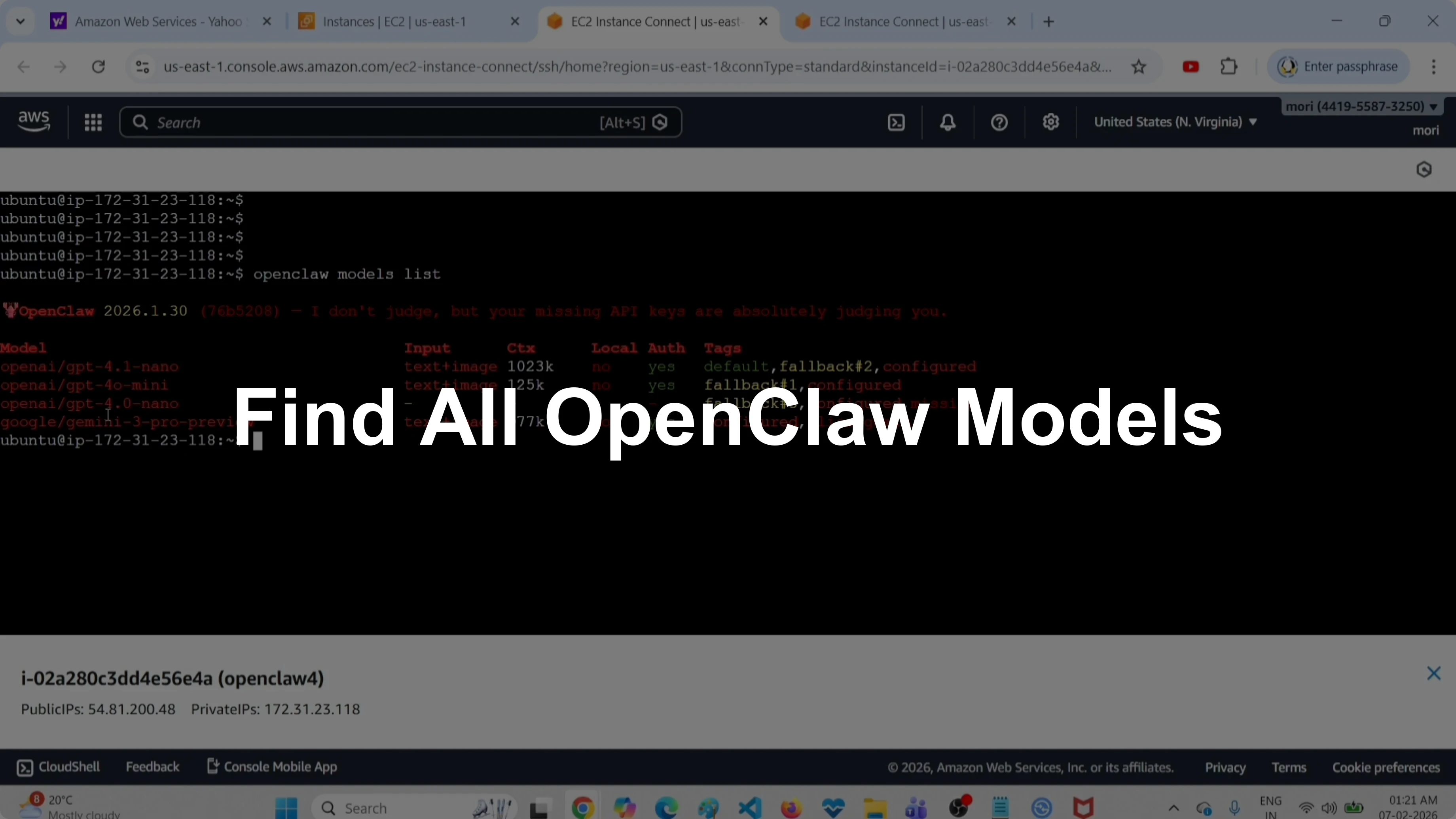
How to Find All Added Models in OpenClaw: Primary, Default & Fallback
OpenClaw Error Fixer
Paste any OpenClaw error and get the exact fix instantly — cause, steps, copy-ready commands, and related guides.
I am showing two methods to list all configured OpenClaw models. The first method uses simple commands, and the second method checks the configuration file. Both will help you see the primary model and the fallback models.
Commands in OpenClaw
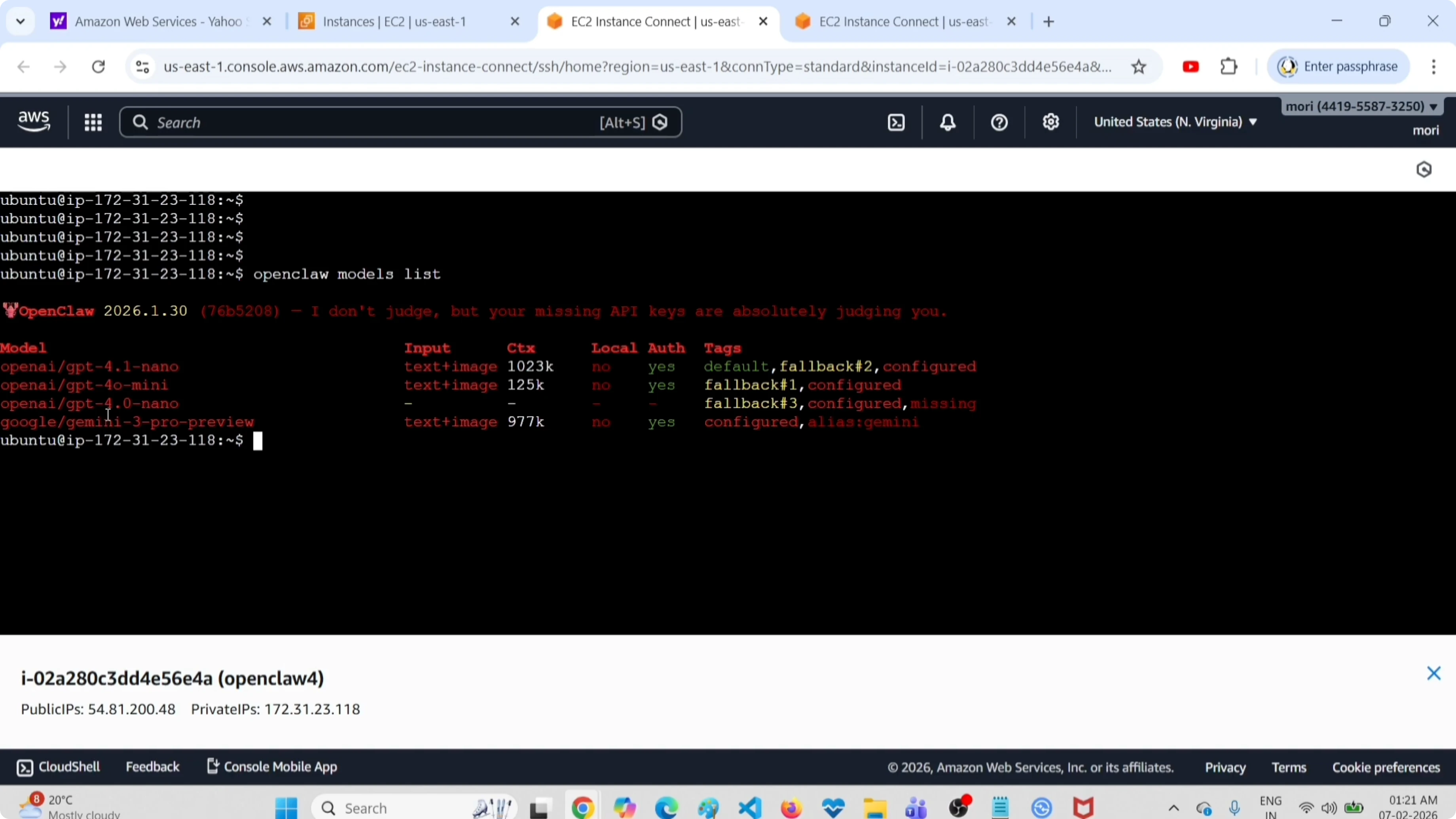
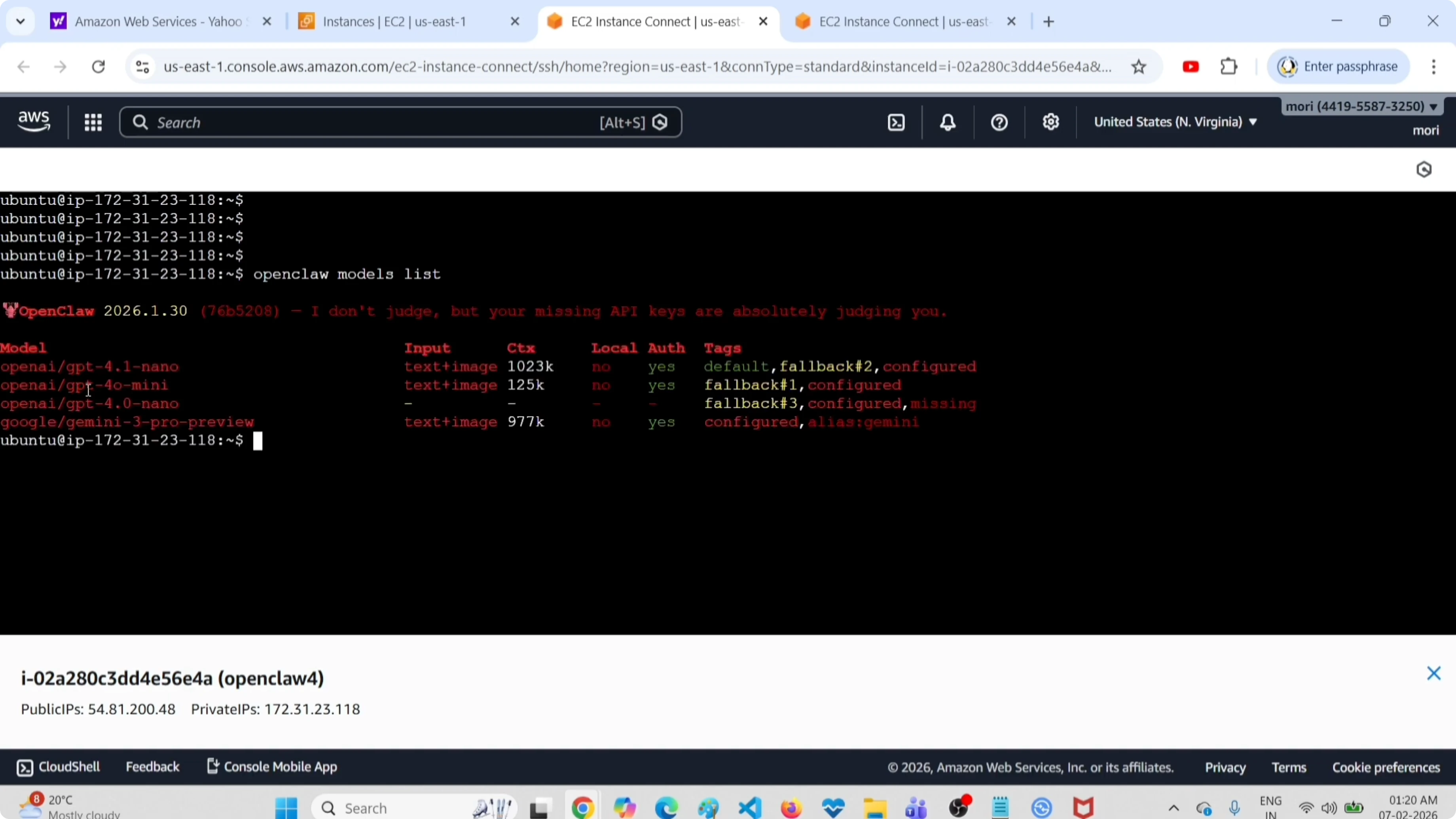
List added models
Run this command.
openclaw models listYou will see the list of models configured. I have configured four models: OpenAI GPT-4.1 Nano, GPT-4.0 Mini, GPT-4.0 Nano, and Google Gemini Pro (preview). If you only need to check which fallbacks are currently enabled, see how to check enabled fallback models.
Status: primary and fallback tags
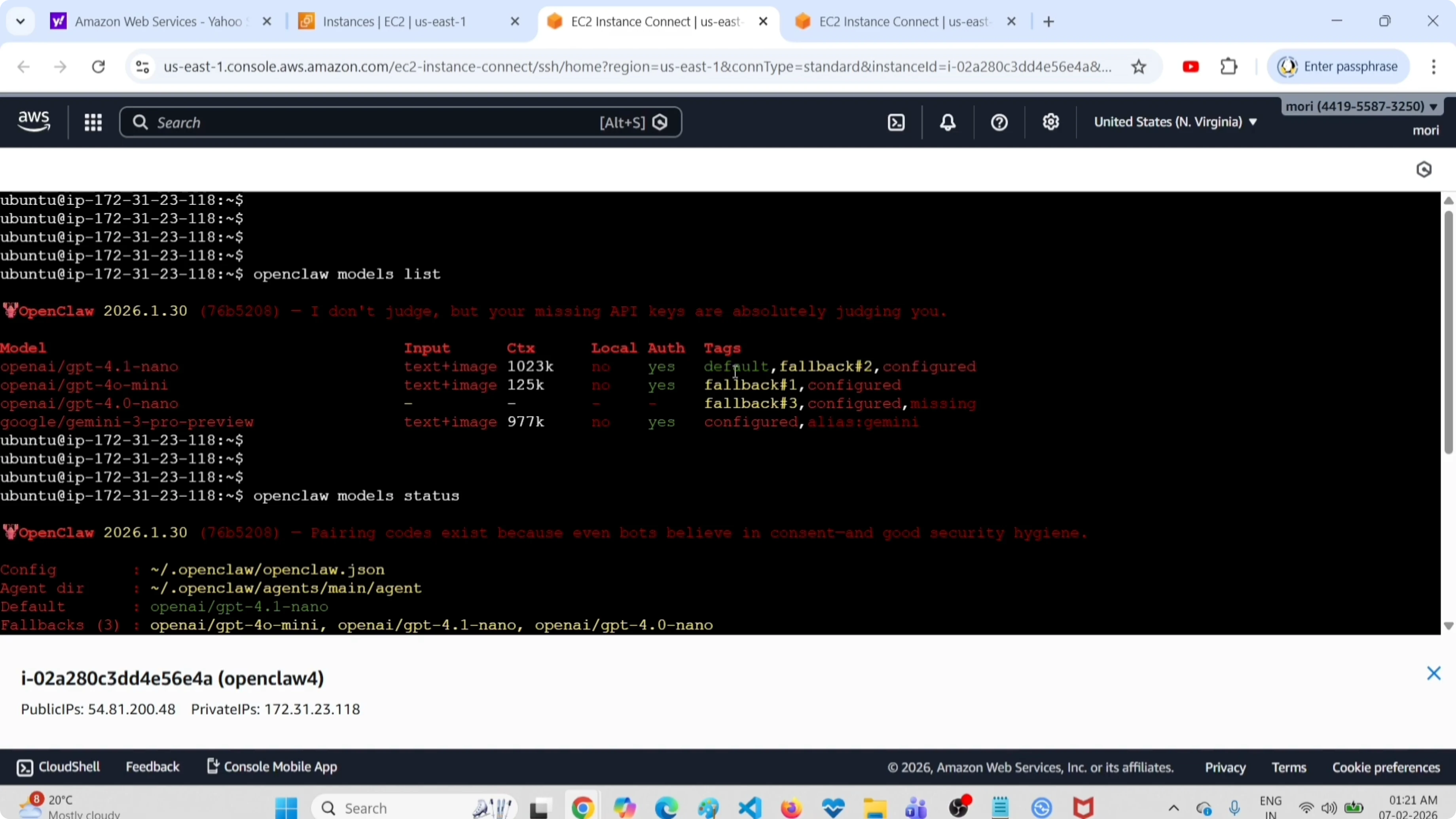
Run this to see status tags.
openclaw models statusThe output shows the default primary model tagged as default, and all other models tagged as fallback. It also prints the location of the config file and lists all configured models. If you are looking for free providers to plug in here, check this list of free APIs and models for OpenClaw Tools.
Config file method
Open the file
Open the configuration file.
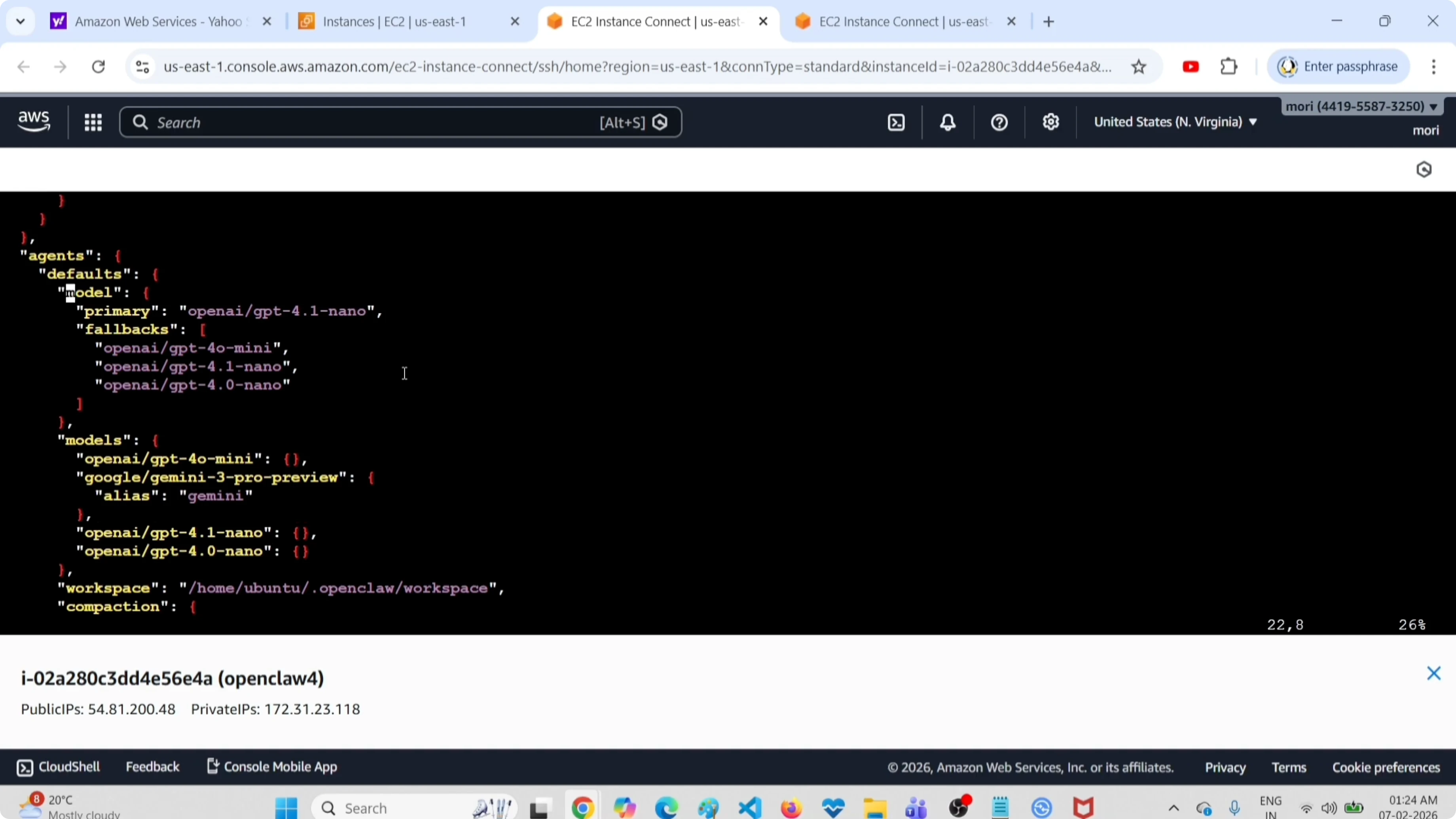
vim ~/.openclaw/openclaw.jsonYou can also use nano if you prefer.
nano ~/.openclaw/openclaw.json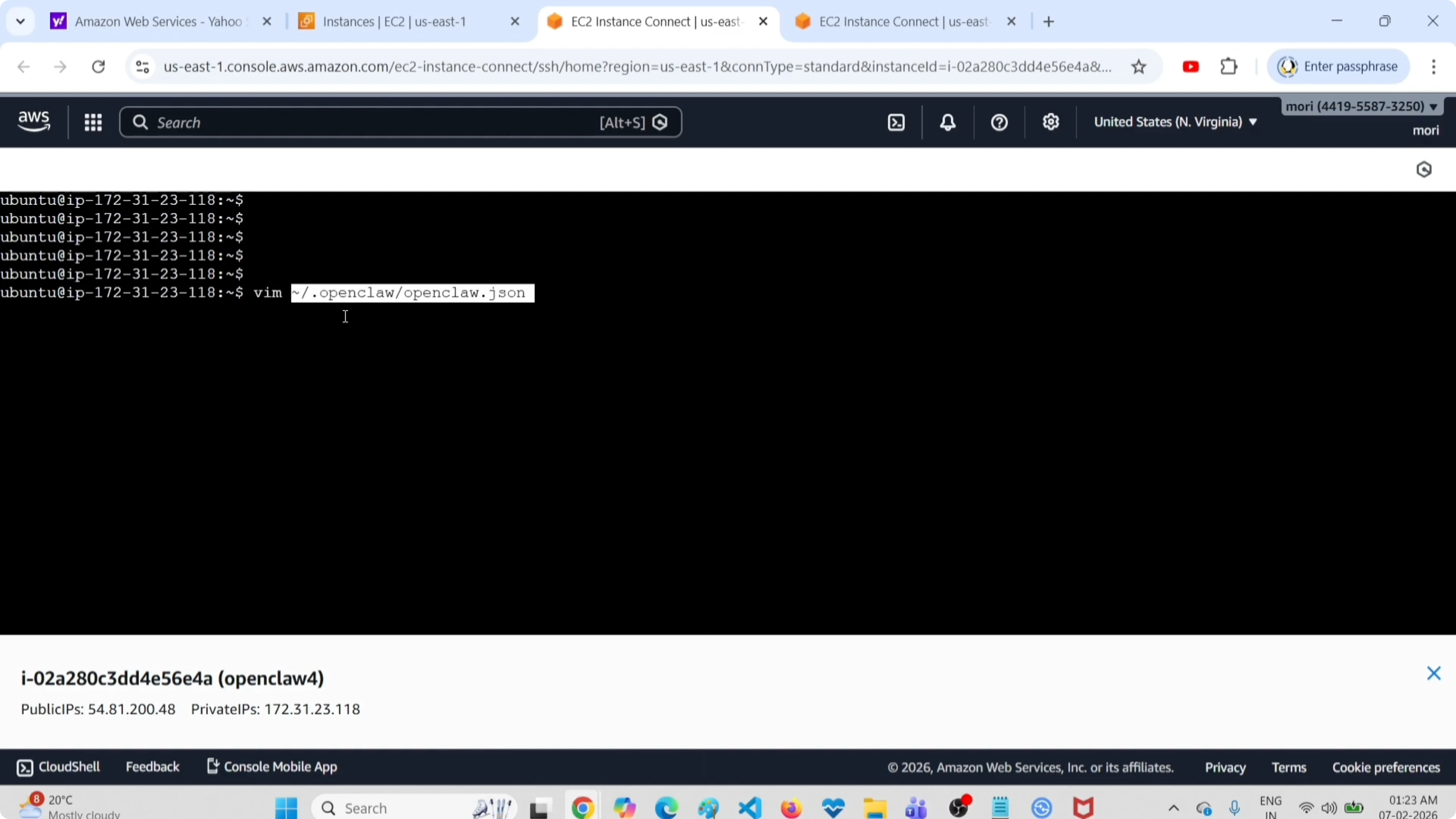
Identify primary and fallback
Search for model. You will see a models section that includes the primary model. You will also see three fallback models configured.
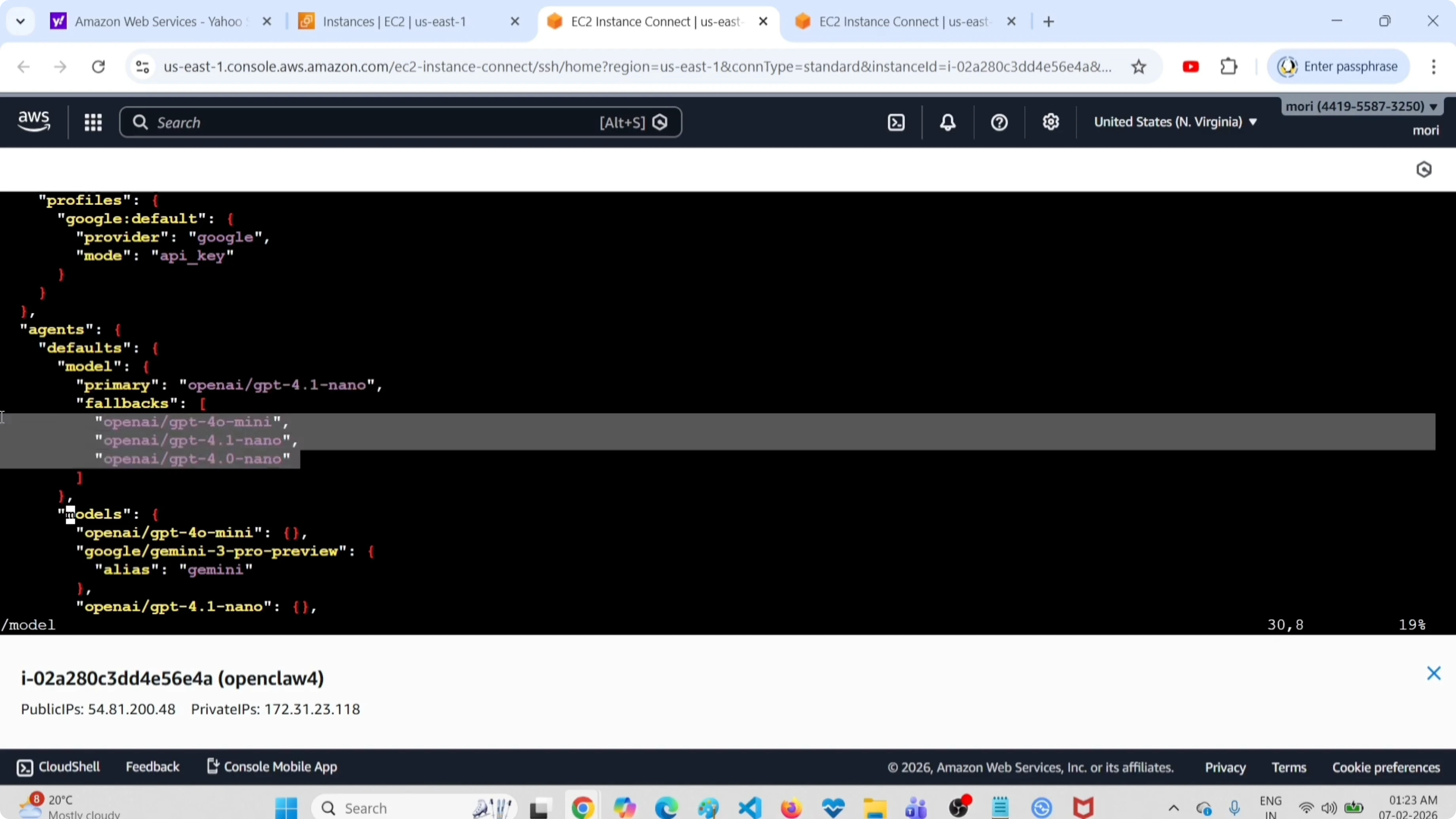
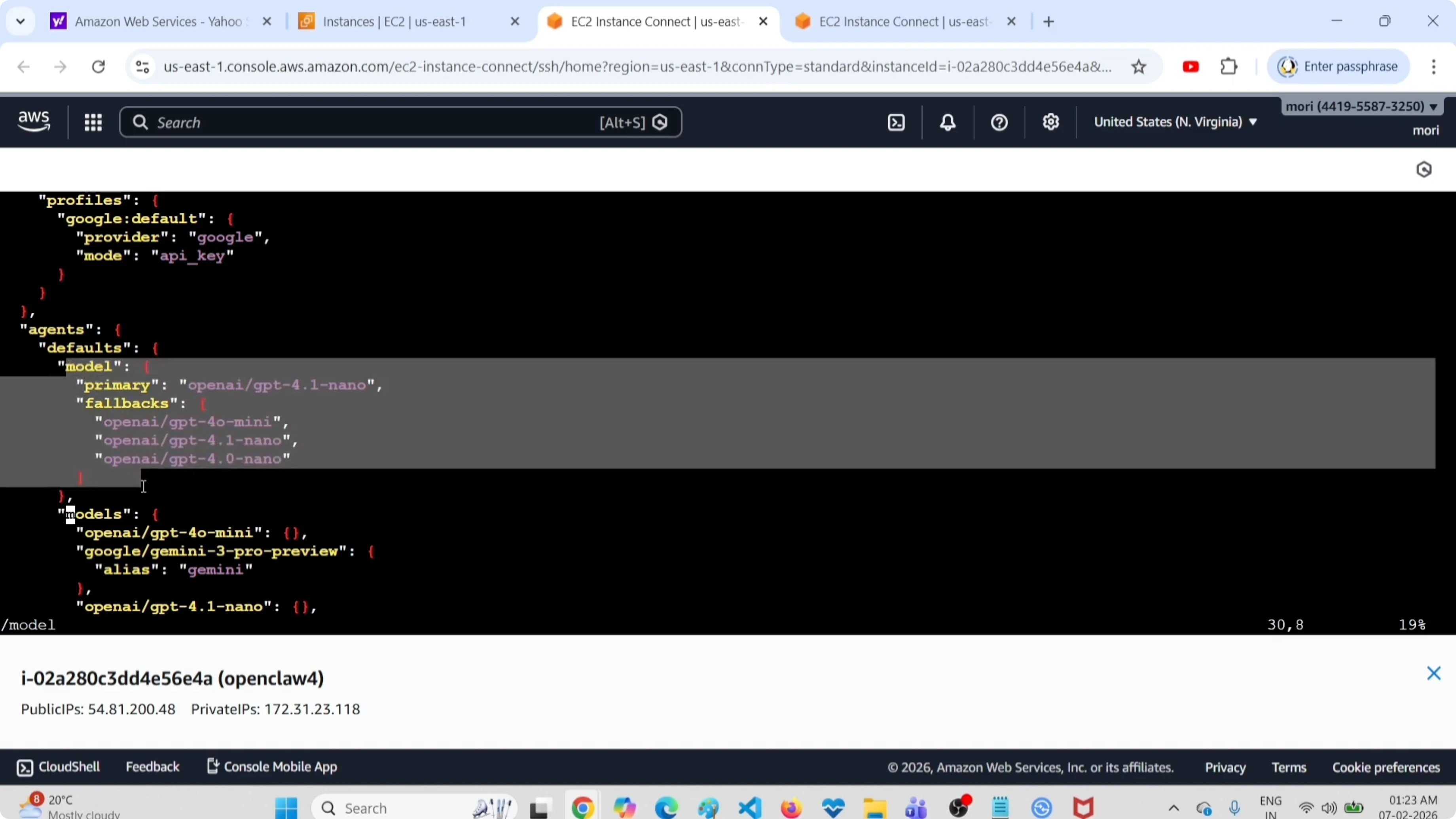
If the primary model is not reachable, it will try the fallback models in sequence. Scroll further to see all models configured in this OpenClaw setup. This view mirrors what you saw in the status output.
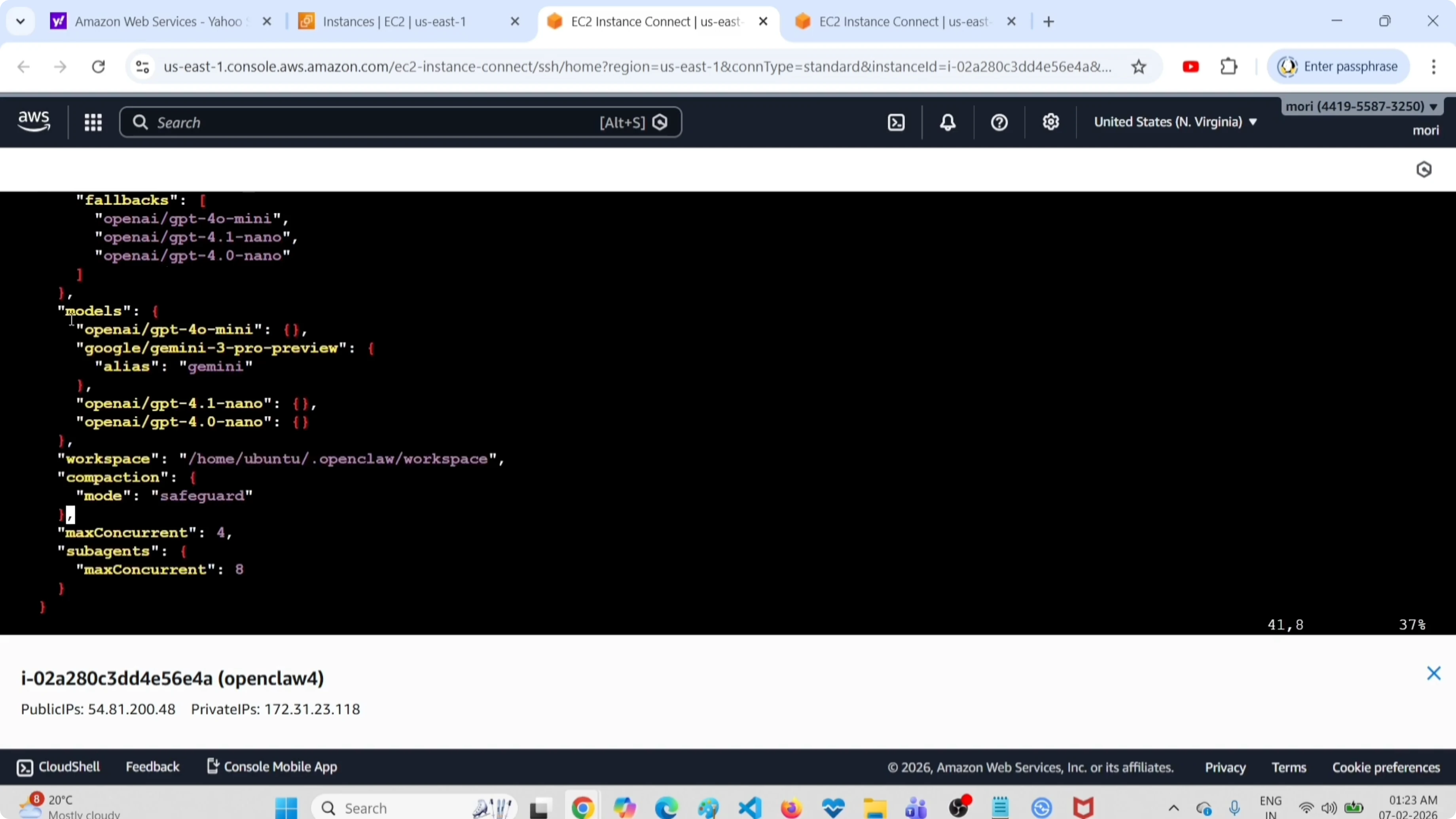
Edit and restart
You can edit this file to add or delete models. Save the file, then restart the OpenClaw gateway service to apply changes.
openclaw gateway restartTo add a new fallback cleanly, follow this guide on adding a fallback model in OpenClaw. To remove or reset fallbacks quickly, use this fallback clearing tool.
Final thoughts
These are the two ways to list all configured OpenClaw models. One is via commands, and the other is by opening the configuration file. For a zero cost setup to experiment with models, see this guide to setting up OpenClaw with free models and APIs.
Subscribe to our newsletter
Get the latest updates and articles directly in your inbox.

Related Posts

8 Best Claude Code Plugins in 2026 (You Need to Know)
8 Best Claude Code Plugins in 2026 (You Need to Know)

7 Best Claude Code Skills (You Need to Know)
7 Best Claude Code Skills (You Need to Know)

Claude Code Desktop IDE Features (You Need to Know)
Claude Code Desktop IDE Features (You Need to Know)