
How to Delete a Model from OpenClaw, ClawdBot, and MoltBot?
OpenClaw Error Fixer
Paste any OpenClaw error and get the exact fix instantly — cause, steps, copy-ready commands, and related guides.
I will show two methods to delete a model. I start by listing all models configured in my OpenClaw setup so you can see the current state. This applies to OpenClaw, ClawdBot, and MoltBot.
For a deeper walkthrough of removals, see this guide to deleting models.
Delete a Model from OpenClaw, ClawdBot, and MoltBot? methods
List current models
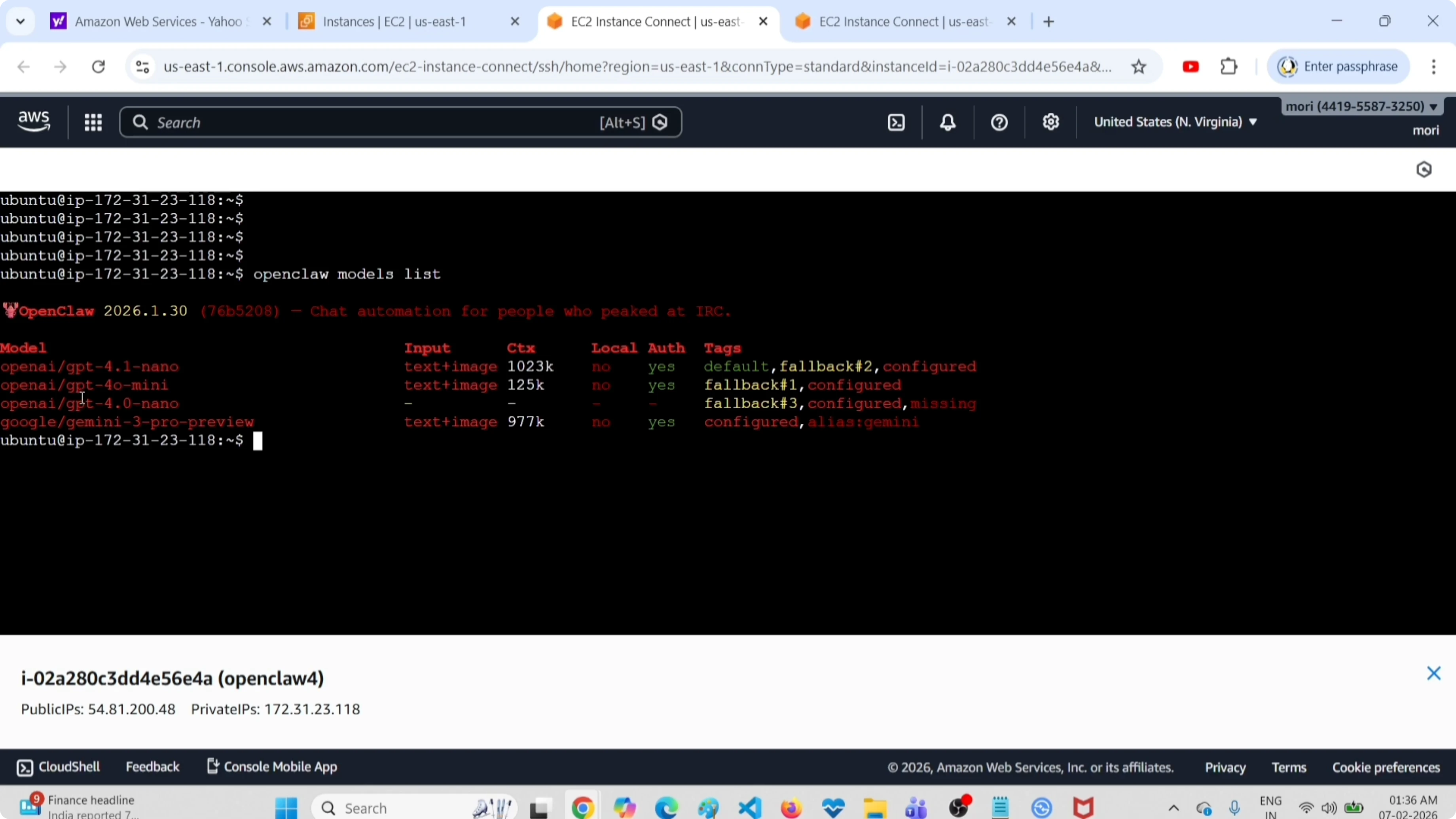
I first list all models so I know what is configured. Run:
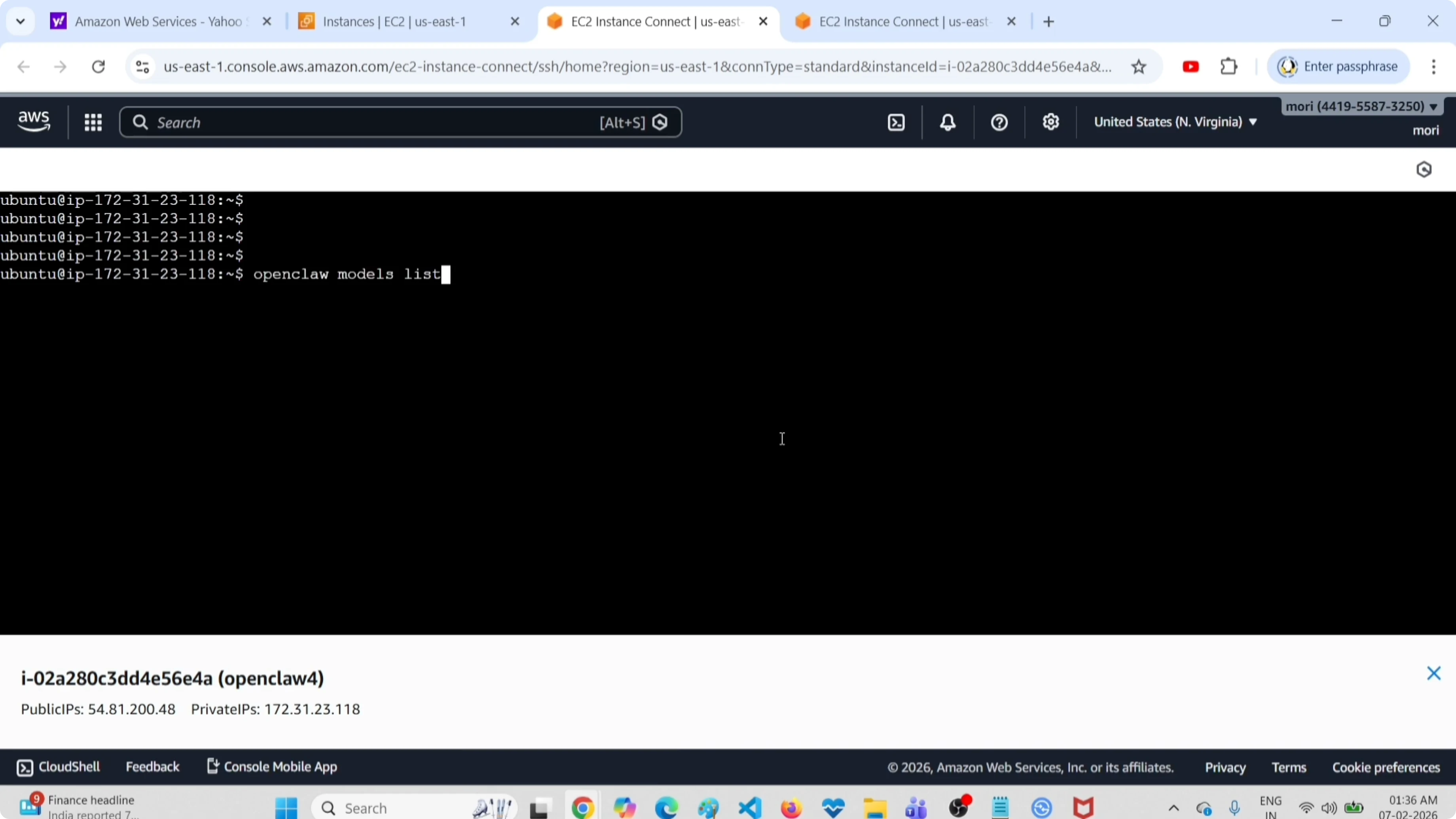
openclaw models listYou will see the configured models, for example gpt-4.1-nano, gpt-4o-mini, gpt-4o-nano, and Gemini.
If you work with local backends, here is a helpful reference on using Ollama models with OpenClaw.
Method 1: edit the configuration file
I open the configuration file in vim or nano and delete the model entry from there. Then I restart the OpenClaw gateway service.
Open the config file:
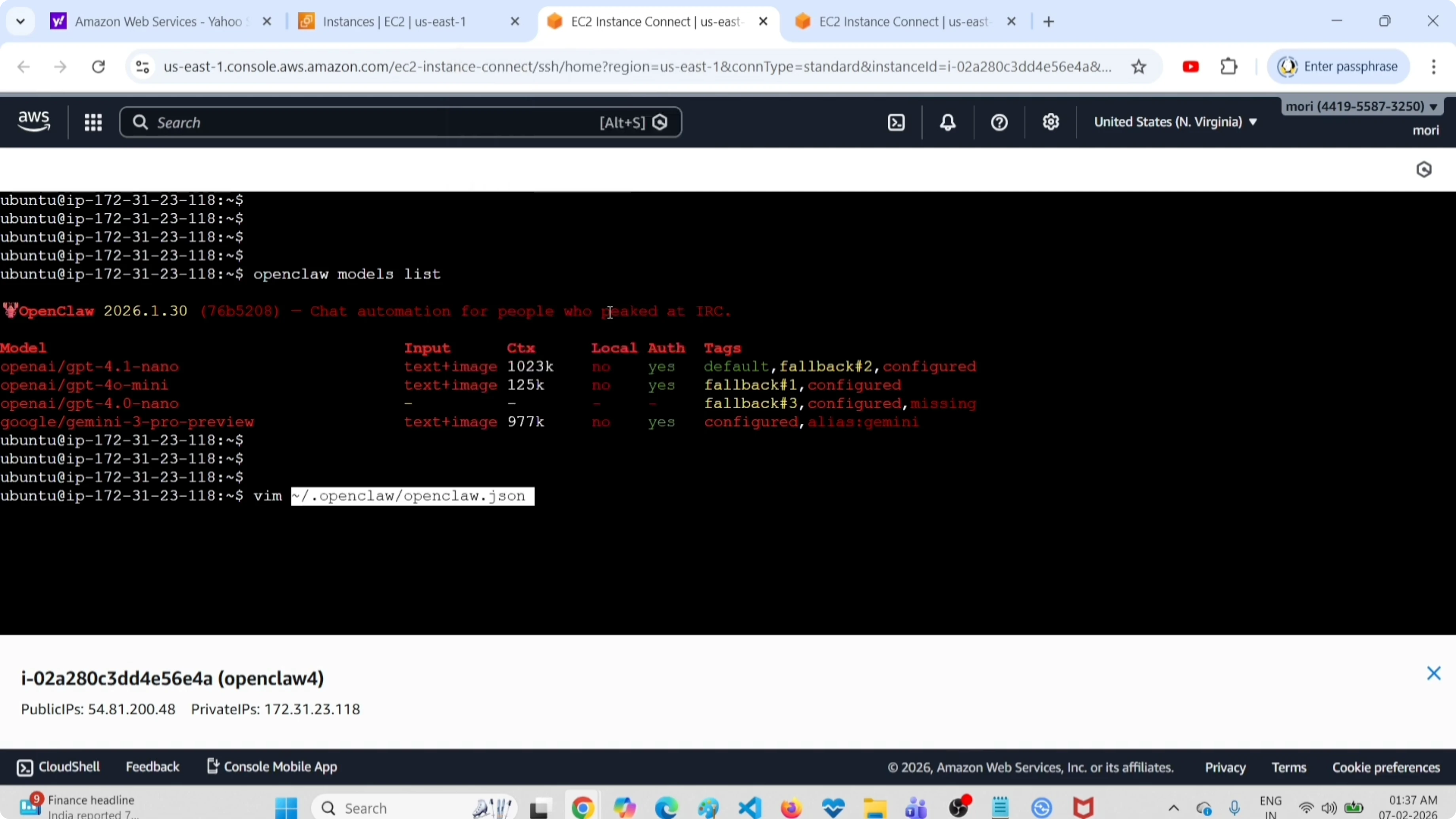
vim openclaw.jsonOr:
nano openclaw.jsonFind the models section. From this section you can delete the model, for example the gpt-4o-nano model, wherever it appears in the models list.
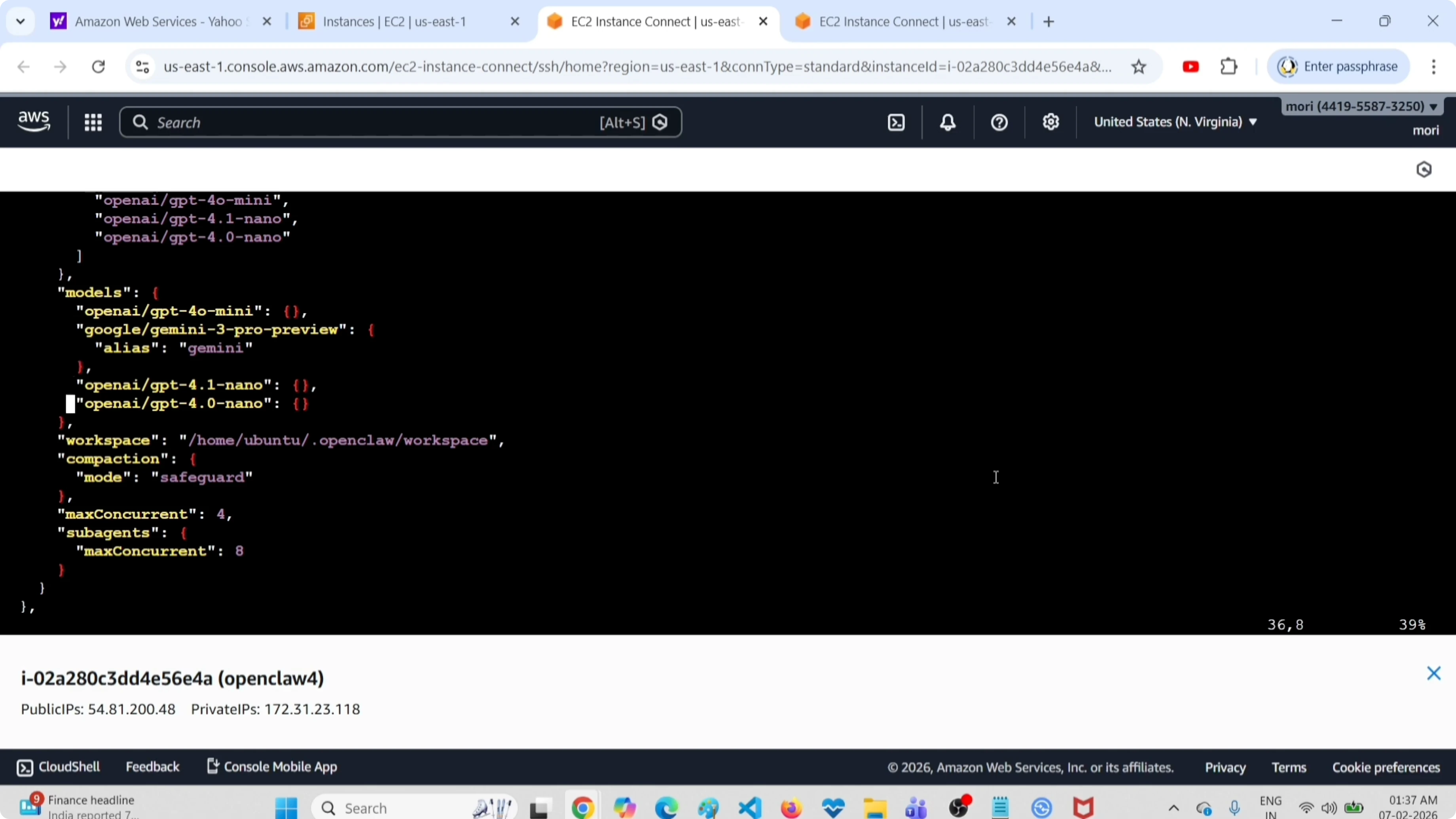
Save the file. Then restart the gateway service:
openclaw gateway restart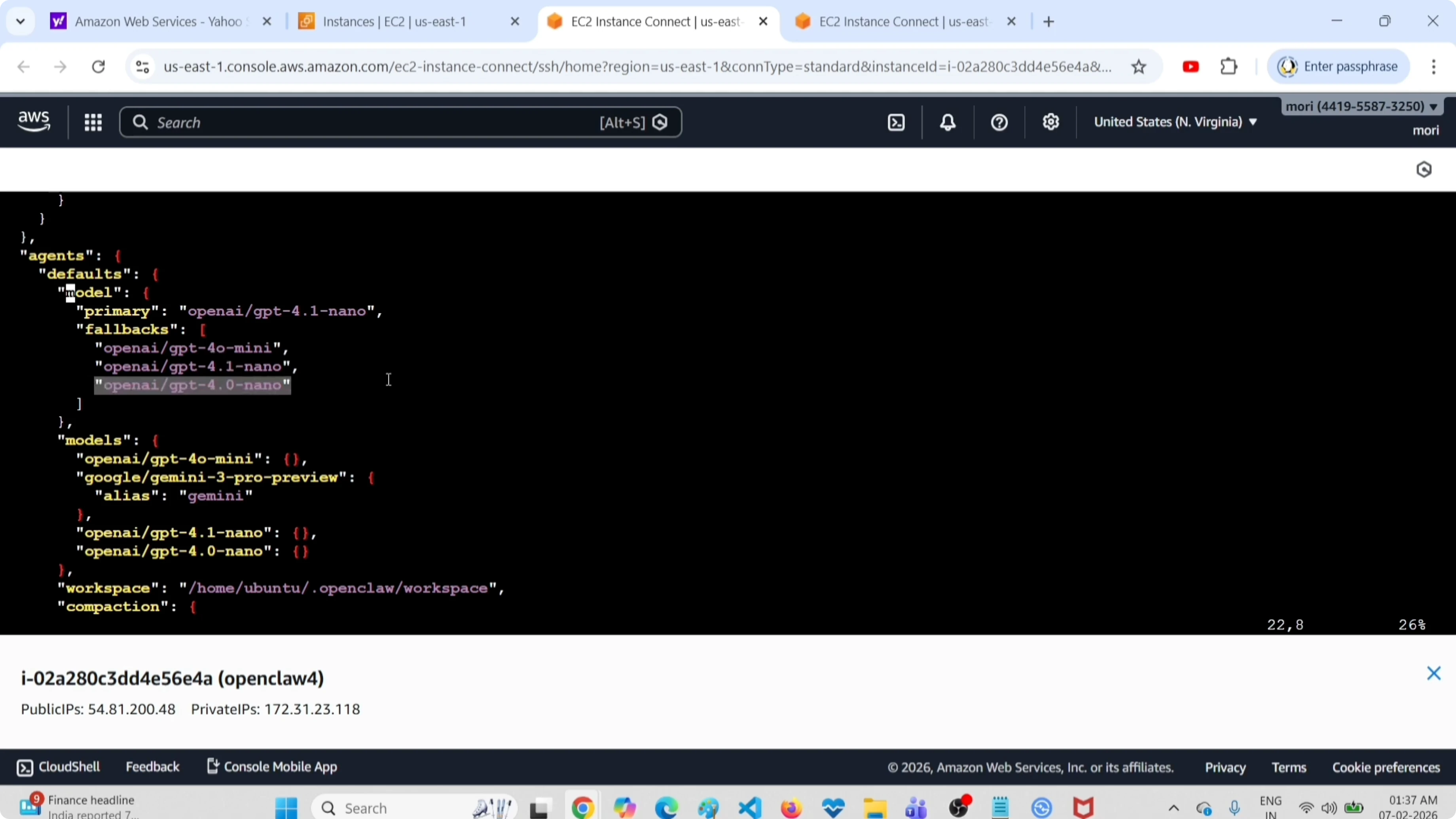
After restarting, list models again to confirm the removal:
openclaw models listIf the service fails to restart or changes do not apply, use this troubleshooting guide for OpenClaw errors.
Method 2: remove a fallback model
I first list all models again to confirm what is marked as fallback:
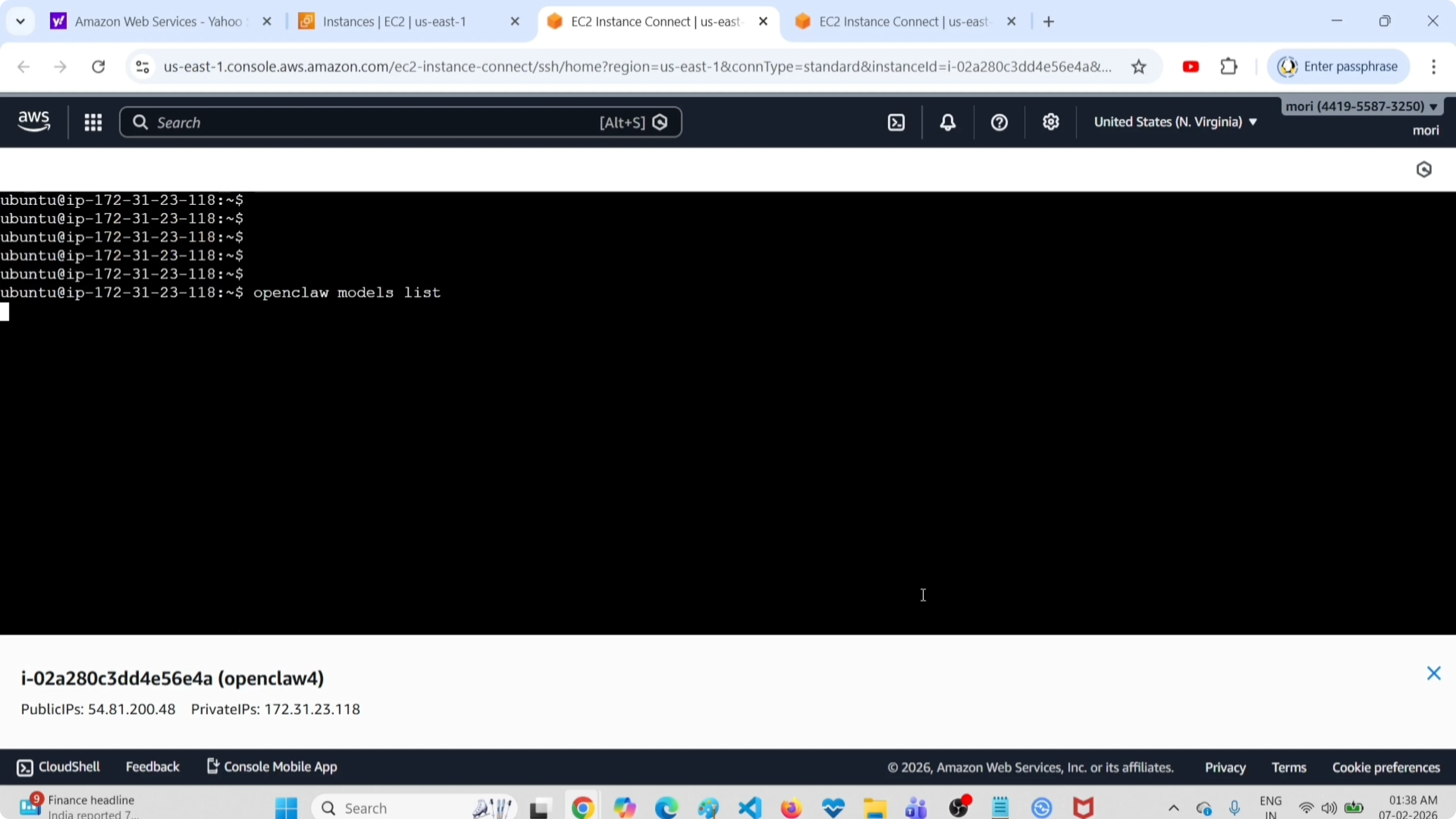
openclaw models listHere I remove the fallback model gpt-4o-nano. Run:
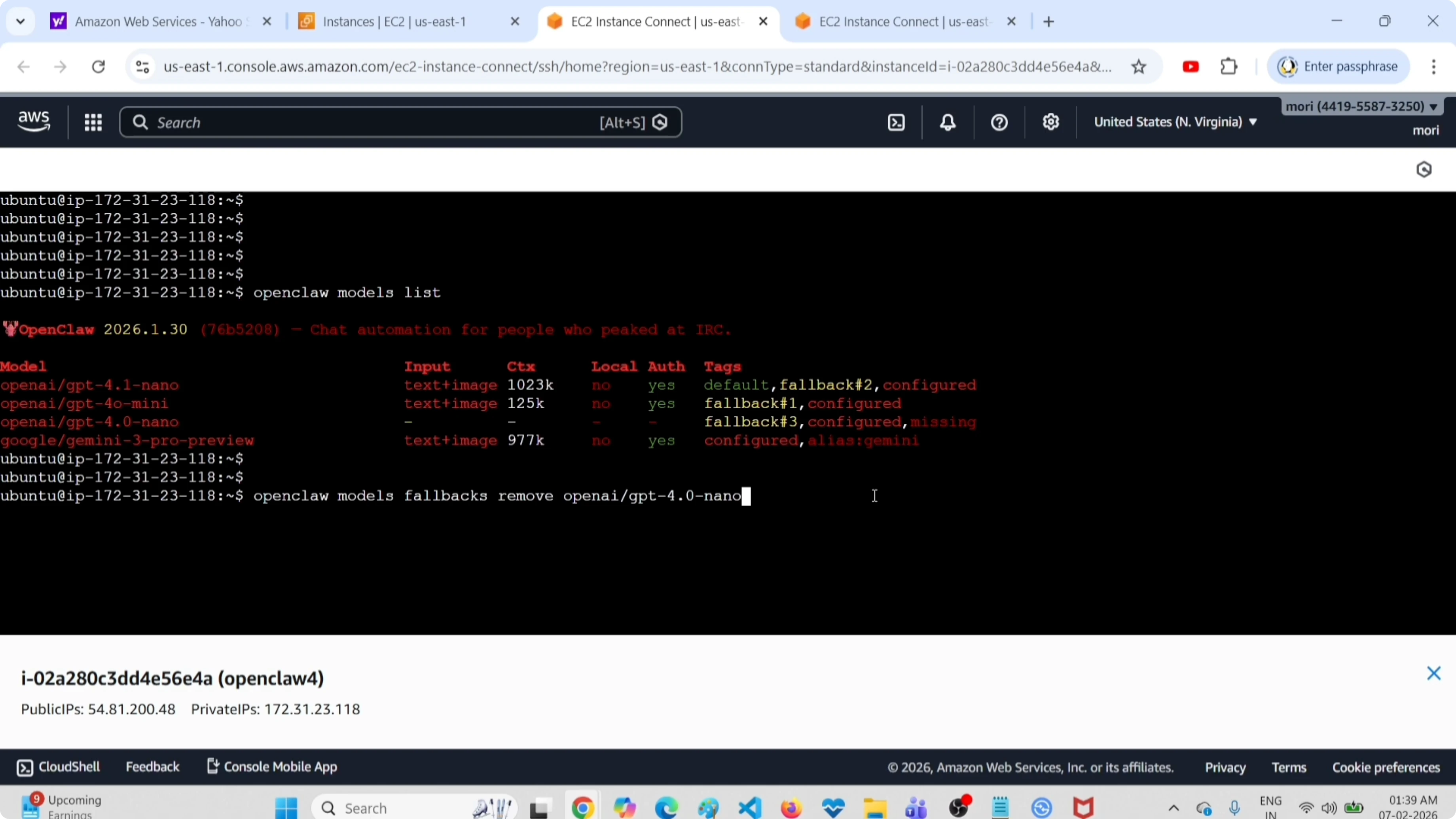
openclaw models fallbacks remove openai.gpt-4o-nanoAfter remove, specify the exact model name you need to delete from the fallback list. You will see a message that openclaw.json was updated and the fallback model has been deleted.
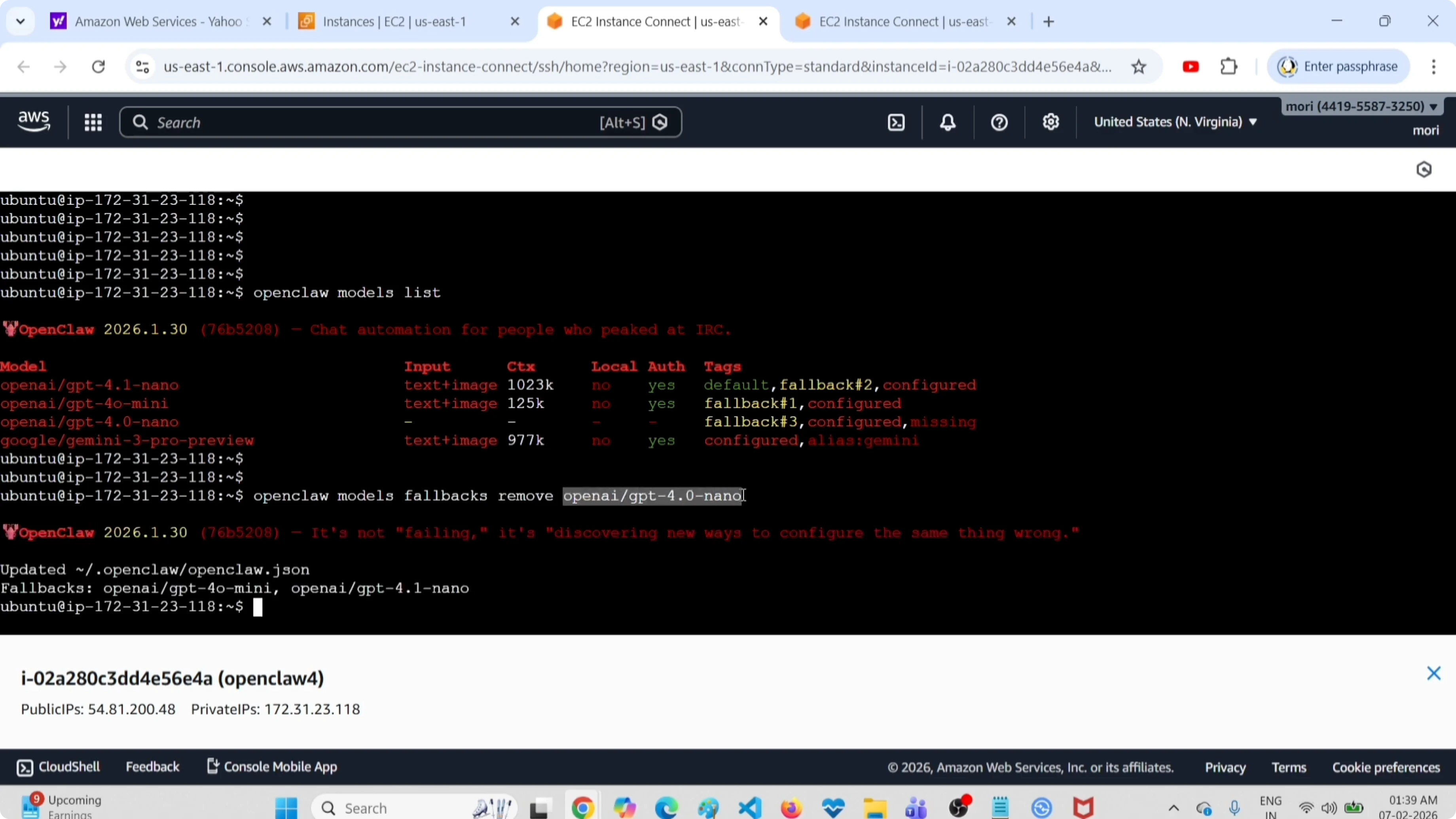
Verify by listing models again:
openclaw models listYou will still see that model in the list, but it no longer has the fallback tag. List only fallback models to confirm the change:
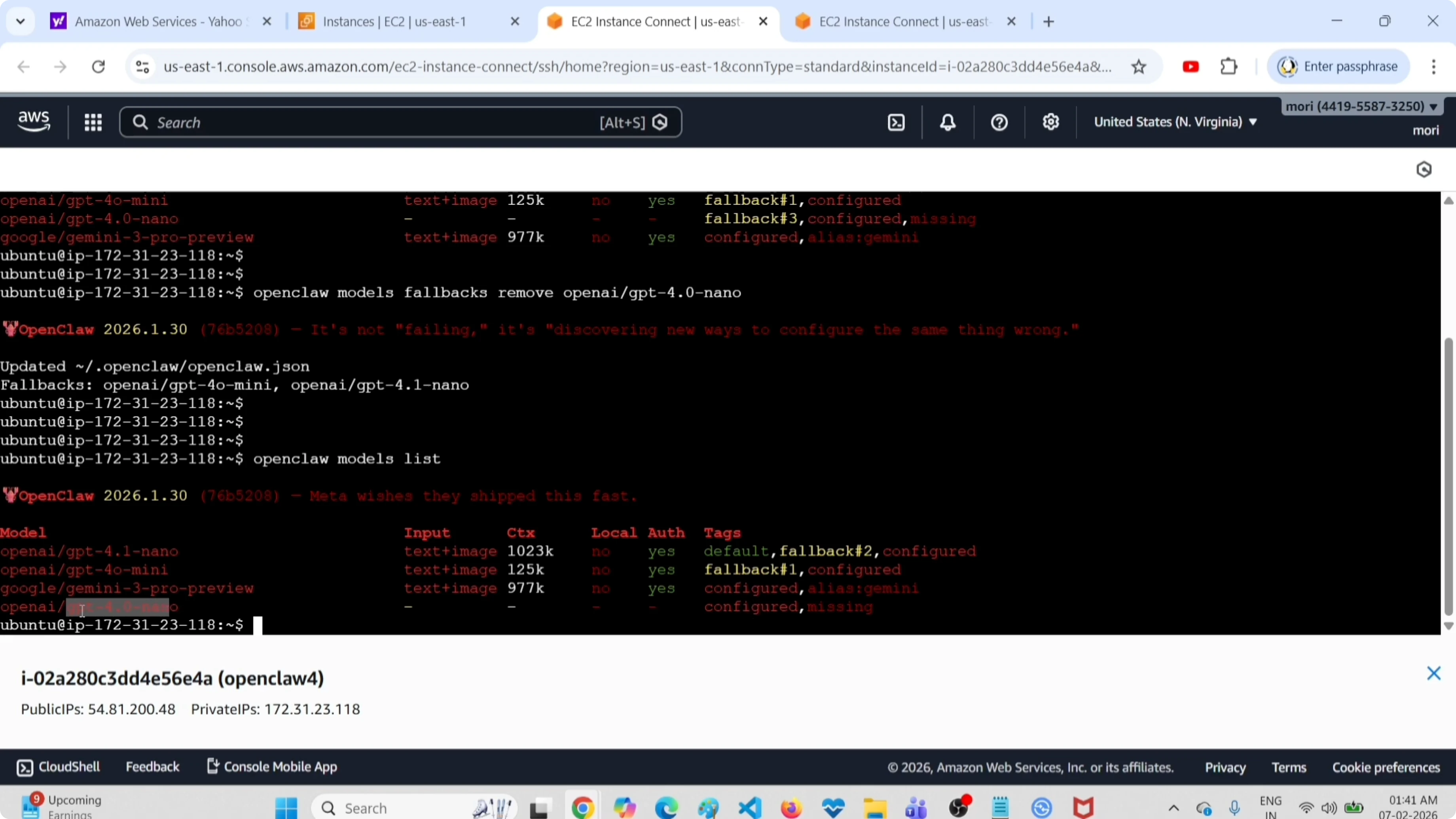
openclaw models fallbacks listYou will now see fewer fallback models because one was removed. Check the configuration file to see the fallback section updated:
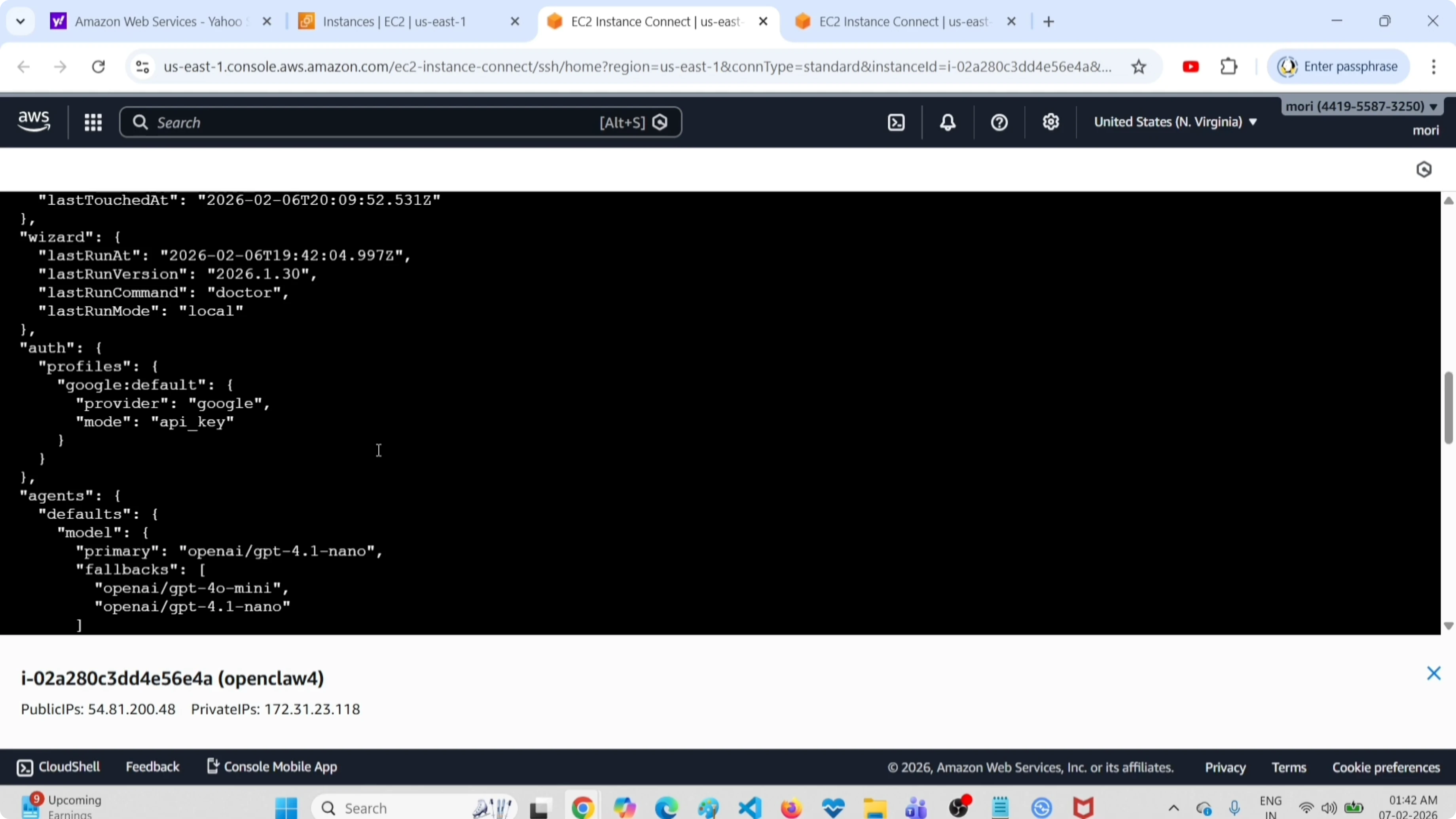
cat openclaw.jsonYou can see it has removed that fallback model from the fallback section, while the model still exists under the models section. If you want to delete it completely, remove it from the models section as in Method 1 and restart the gateway service.
If you later want to reintroduce a backup option, here is a guide on adding fallback models in OpenClaw.
Final thoughts
These are the two ways I delete a model in OpenClaw, ClawdBot, and MoltBot. Method 1 removes the model entirely from the config and needs a gateway restart, and Method 2 only removes the fallback flag. Use Method 2 when you want to keep the model but stop it from being used as a fallback.
If you are building a chat workflow for messaging, you might also find this helpful: set up OpenClaw with a Telegram bot.
Subscribe to our newsletter
Get the latest updates and articles directly in your inbox.

Related Posts

8 Best Claude Code Plugins in 2026 (You Need to Know)
8 Best Claude Code Plugins in 2026 (You Need to Know)

7 Best Claude Code Skills (You Need to Know)
7 Best Claude Code Skills (You Need to Know)

Claude Code Desktop IDE Features (You Need to Know)
Claude Code Desktop IDE Features (You Need to Know)