
Table Of Content
- Delete a Model in OpenClaw, ClawdBot & MoltBot: List models
- Delete a Model in OpenClaw, ClawdBot & MoltBot: Edit configuration
- Delete a Model in OpenClaw, ClawdBot & MoltBot: remove from models
- Delete a Model in OpenClaw, ClawdBot & MoltBot: remove from fallbacks
- Delete a Model in OpenClaw, ClawdBot & MoltBot: save and restart
- Delete a Model in OpenClaw, ClawdBot & MoltBot: Verify
- Final thoughts
How to Delete a Model in OpenClaw, ClawdBot & MoltBot
OpenClaw Error Fixer
Paste any OpenClaw error and get the exact fix instantly — cause, steps, copy-ready commands, and related guides.
Table Of Content
- Delete a Model in OpenClaw, ClawdBot & MoltBot: List models
- Delete a Model in OpenClaw, ClawdBot & MoltBot: Edit configuration
- Delete a Model in OpenClaw, ClawdBot & MoltBot: remove from models
- Delete a Model in OpenClaw, ClawdBot & MoltBot: remove from fallbacks
- Delete a Model in OpenClaw, ClawdBot & MoltBot: save and restart
- Delete a Model in OpenClaw, ClawdBot & MoltBot: Verify
- Final thoughts
This guide shows how to delete a model. I will demonstrate by removing one model from my configured list and verifying the change. The same steps apply to ClawdBot and MoltBot because they read the same OpenClaw configuration.
If you manage your Telegram Clawdbot models through OpenClaw, these edits affect what Clawdbot can use. For setup tips on the bot side, see this quick guide on connecting OpenClaw to Telegram Clawdbot.
Delete a Model in OpenClaw, ClawdBot & MoltBot: List models
First, let me list all models configured in this OpenClaw setup. Run this command:
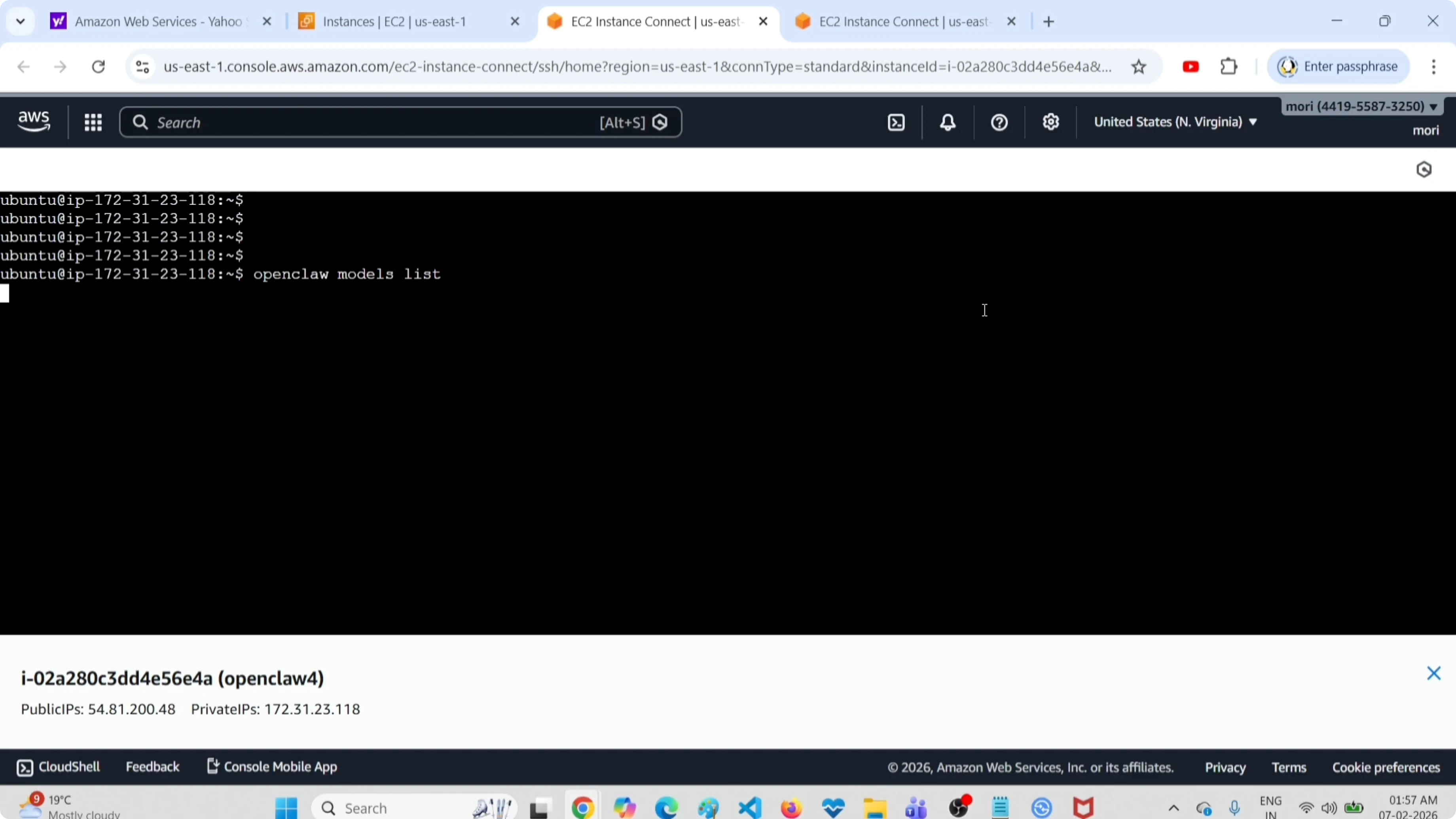
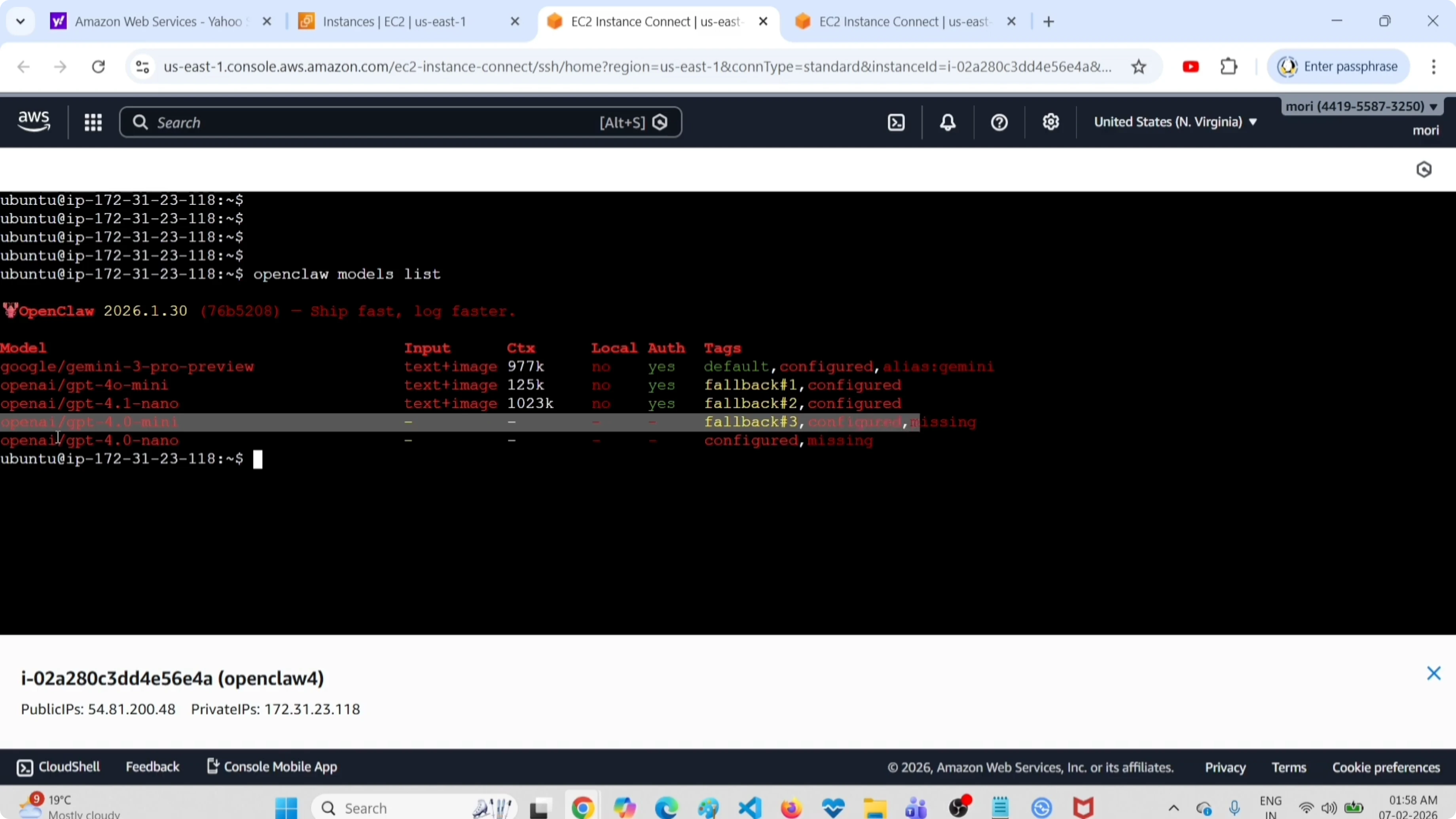
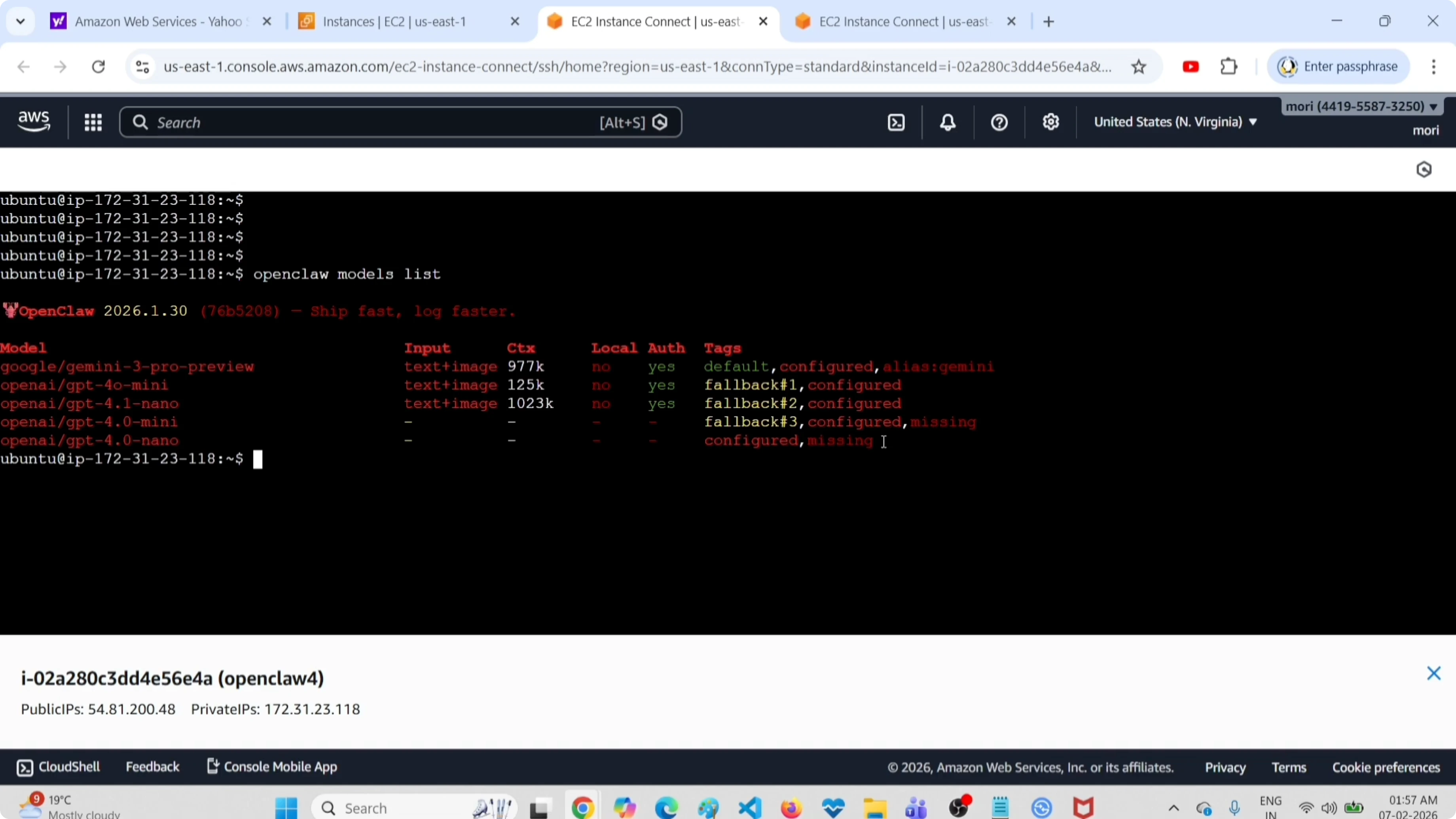
openclaw models listThis will list all models configured in this setup. Here you can see five models. I am going to delete one model from this list, openai gpt-4o-mini, which is a fallback 3 model.
Delete a Model in OpenClaw, ClawdBot & MoltBot: Edit configuration
Open the OpenClaw configuration file at ~/.openclaw/openclaw.json. Use any editor you like.
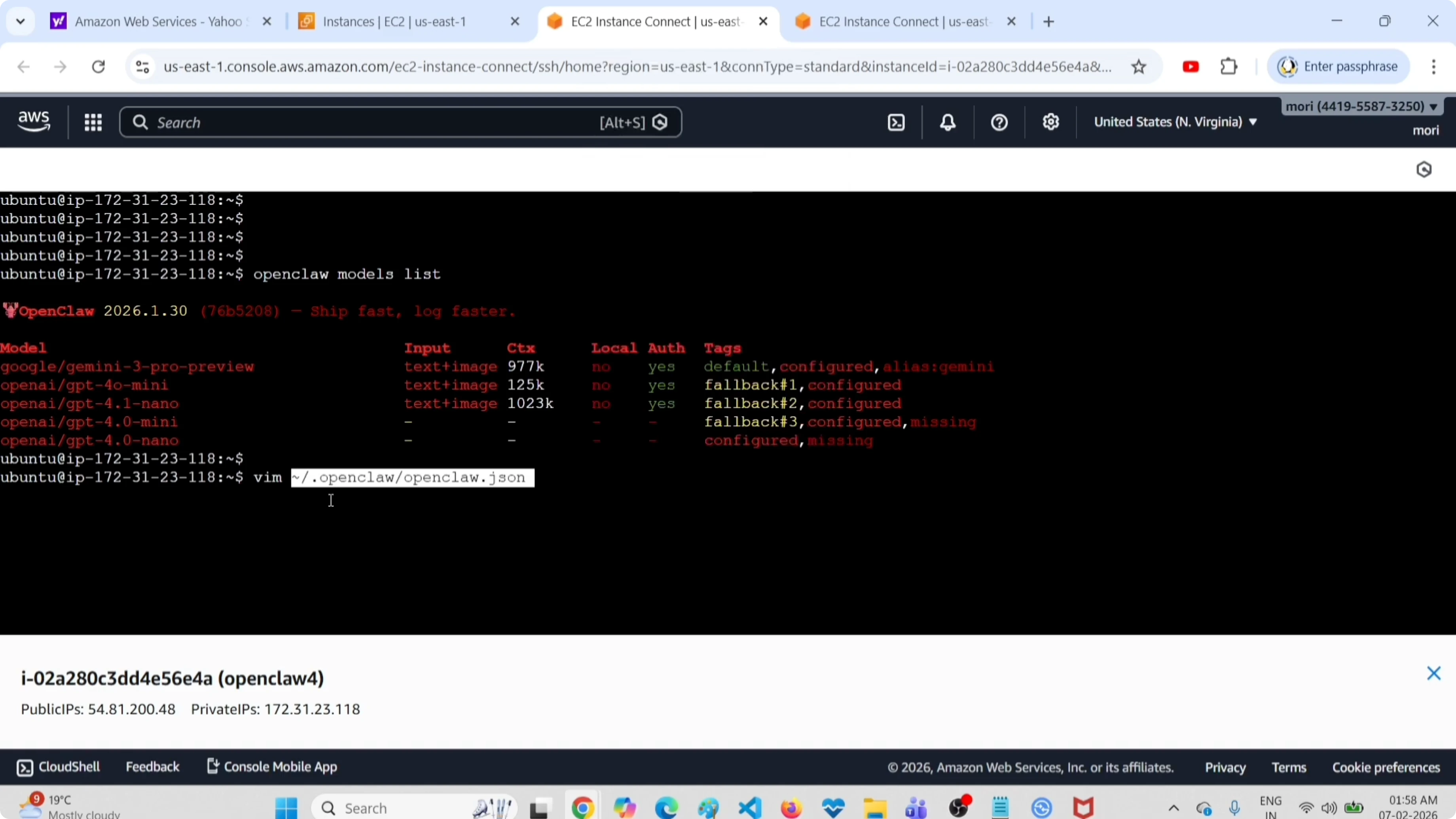
vim ~/.openclaw/openclaw.jsonOr:
nano ~/.openclaw/openclaw.jsonDelete a Model in OpenClaw, ClawdBot & MoltBot: remove from models
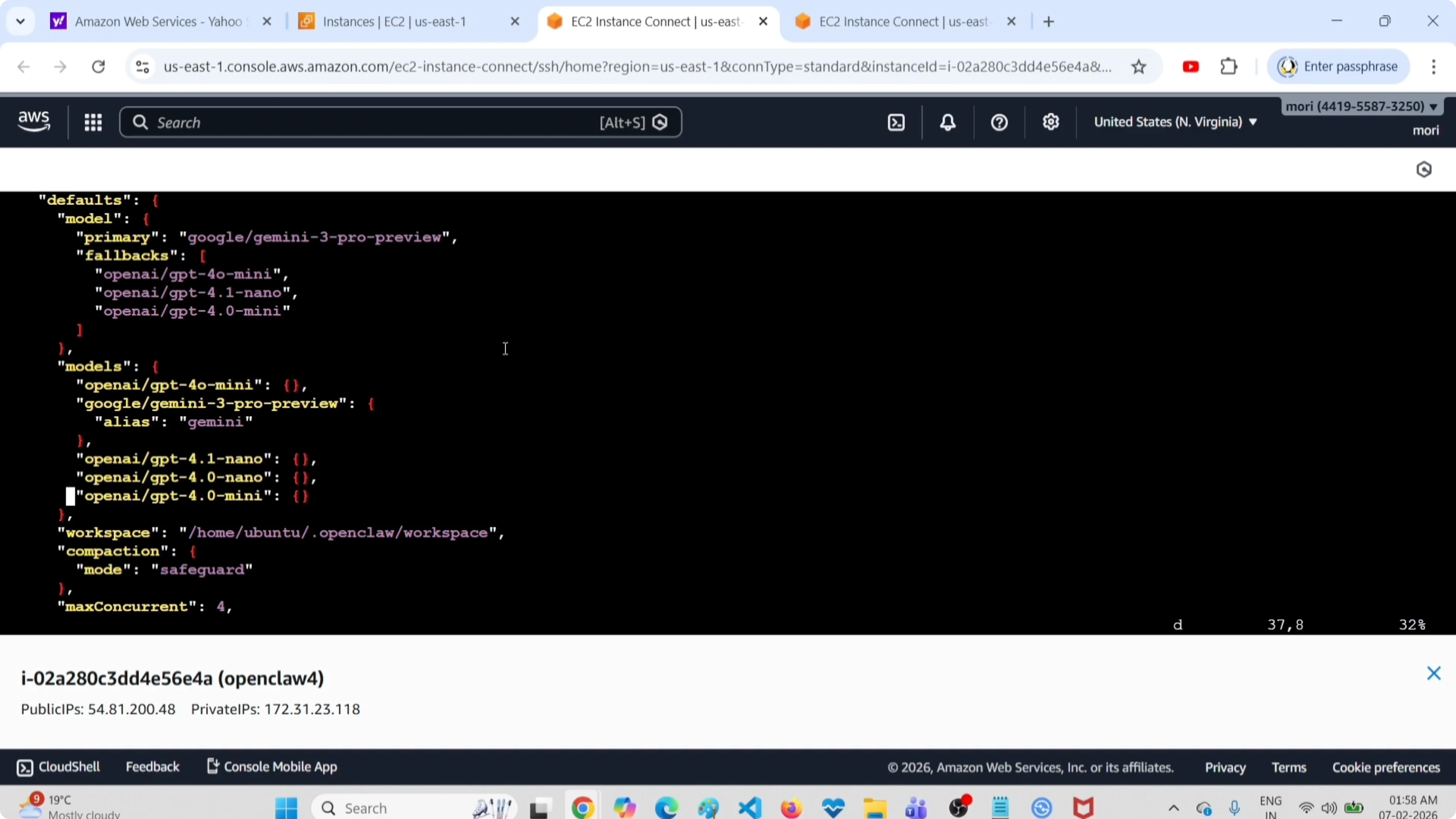
Search for the models section. Delete the entry for the target model from this models section.
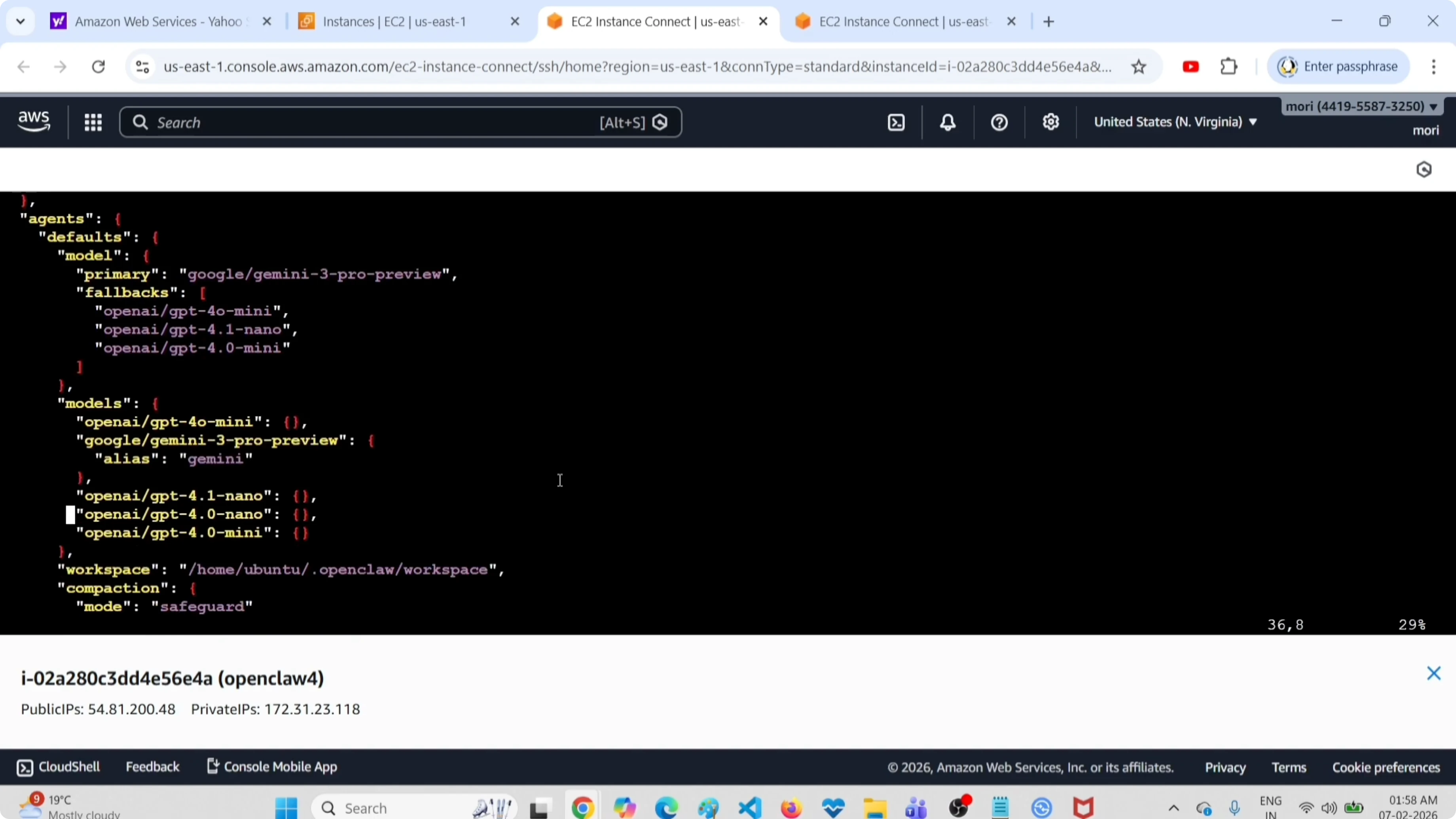
If you are using vim, place the cursor on the line and press dd to delete the line. In nano, delete the block for that model manually.
Read More: OpenClaw with Ollama models
Delete a Model in OpenClaw, ClawdBot & MoltBot: remove from fallbacks
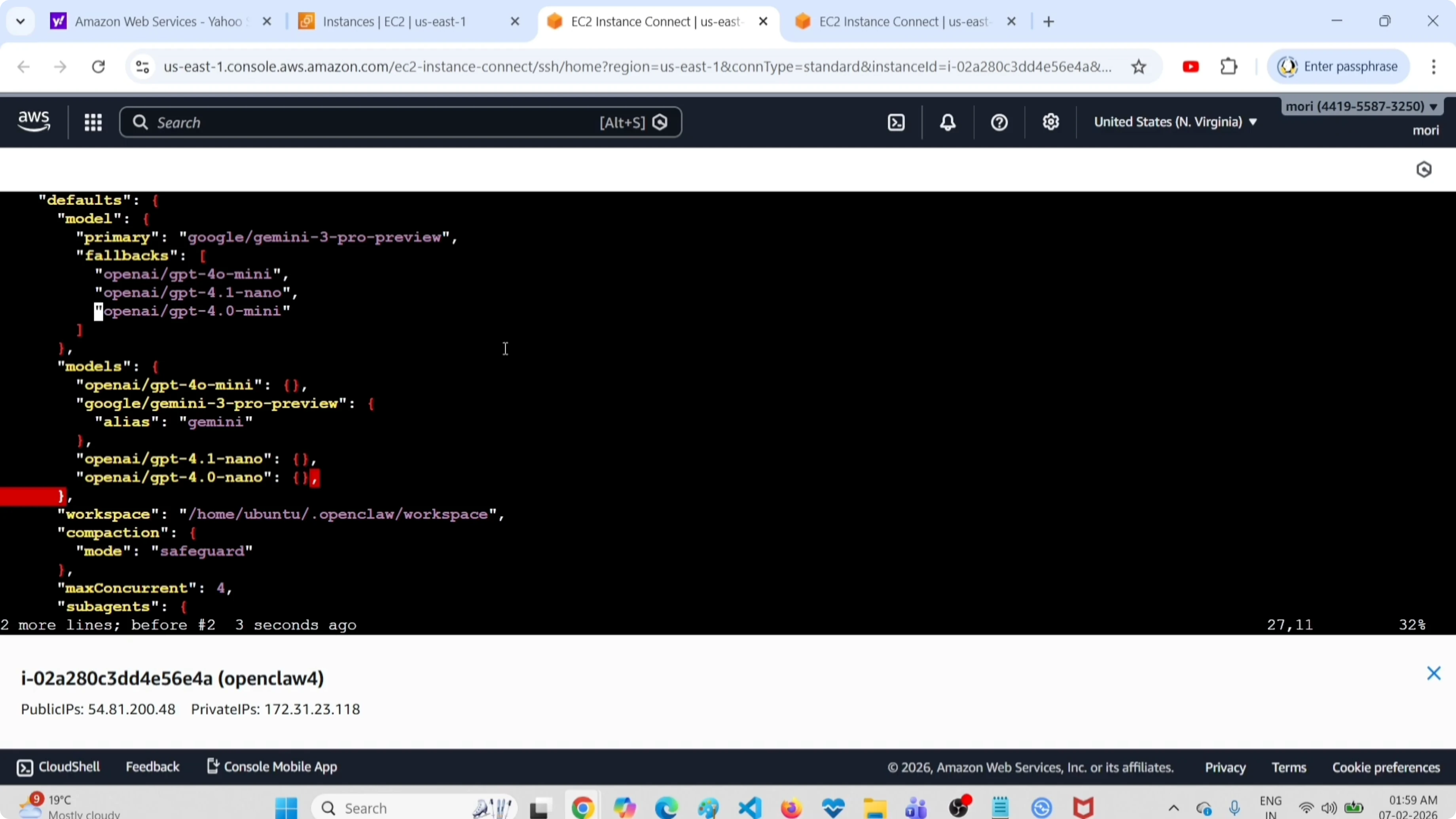
Delete the same model from the fallbacks section as well. Remove it under fallback 3 if that is where it appears. This ensures the gateway does not reference a model you just removed.
Read More: Access the OpenClaw AI dashboard
Delete a Model in OpenClaw, ClawdBot & MoltBot: save and restart
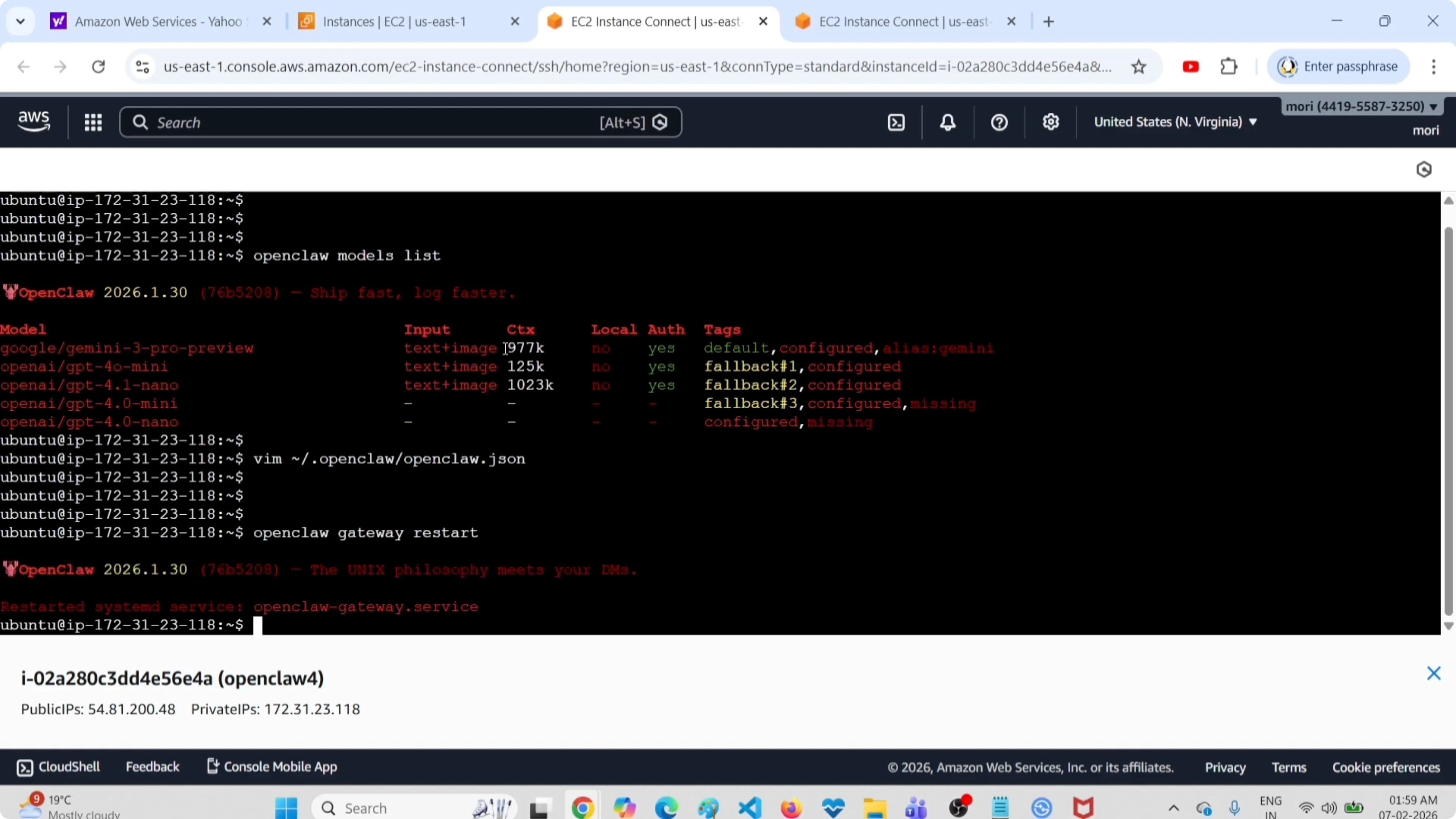
Save the file. After that, restart the OpenClaw gateway service:
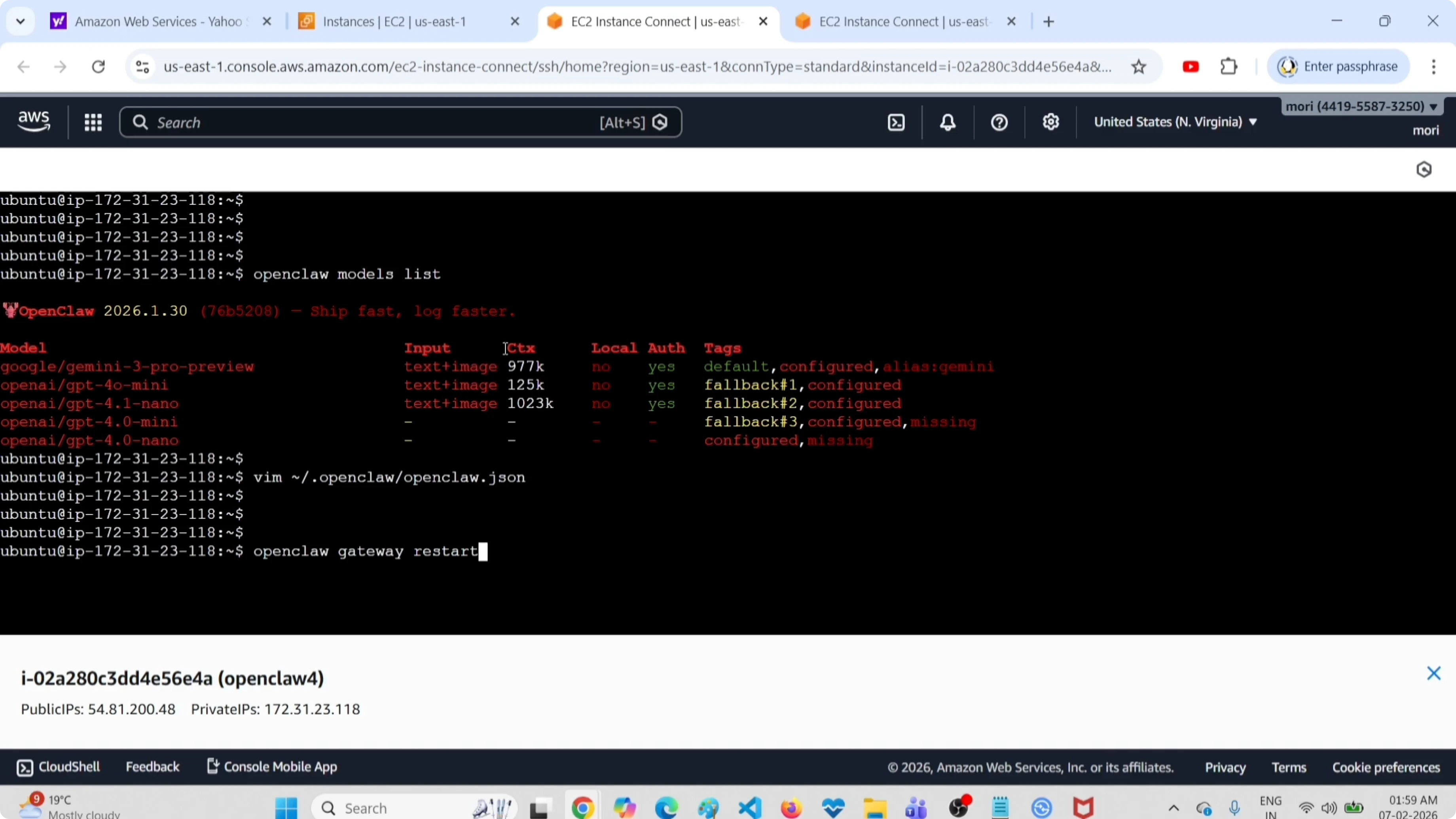
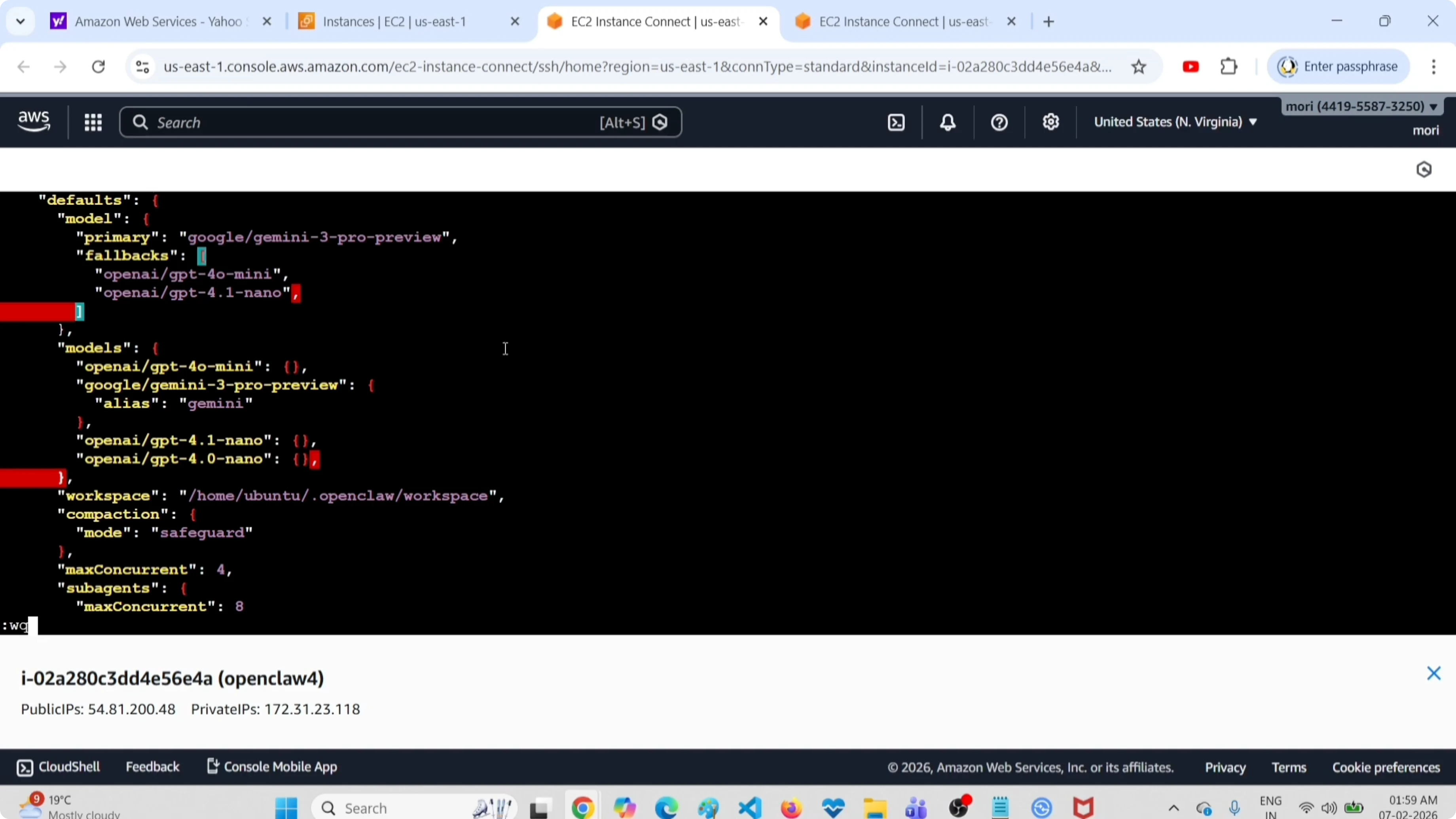
openclaw gateway restartIf the restart shows errors or the service will not come up, see these notes on fixing OpenClaw and Clawdbot errors.
Delete a Model in OpenClaw, ClawdBot & MoltBot: Verify
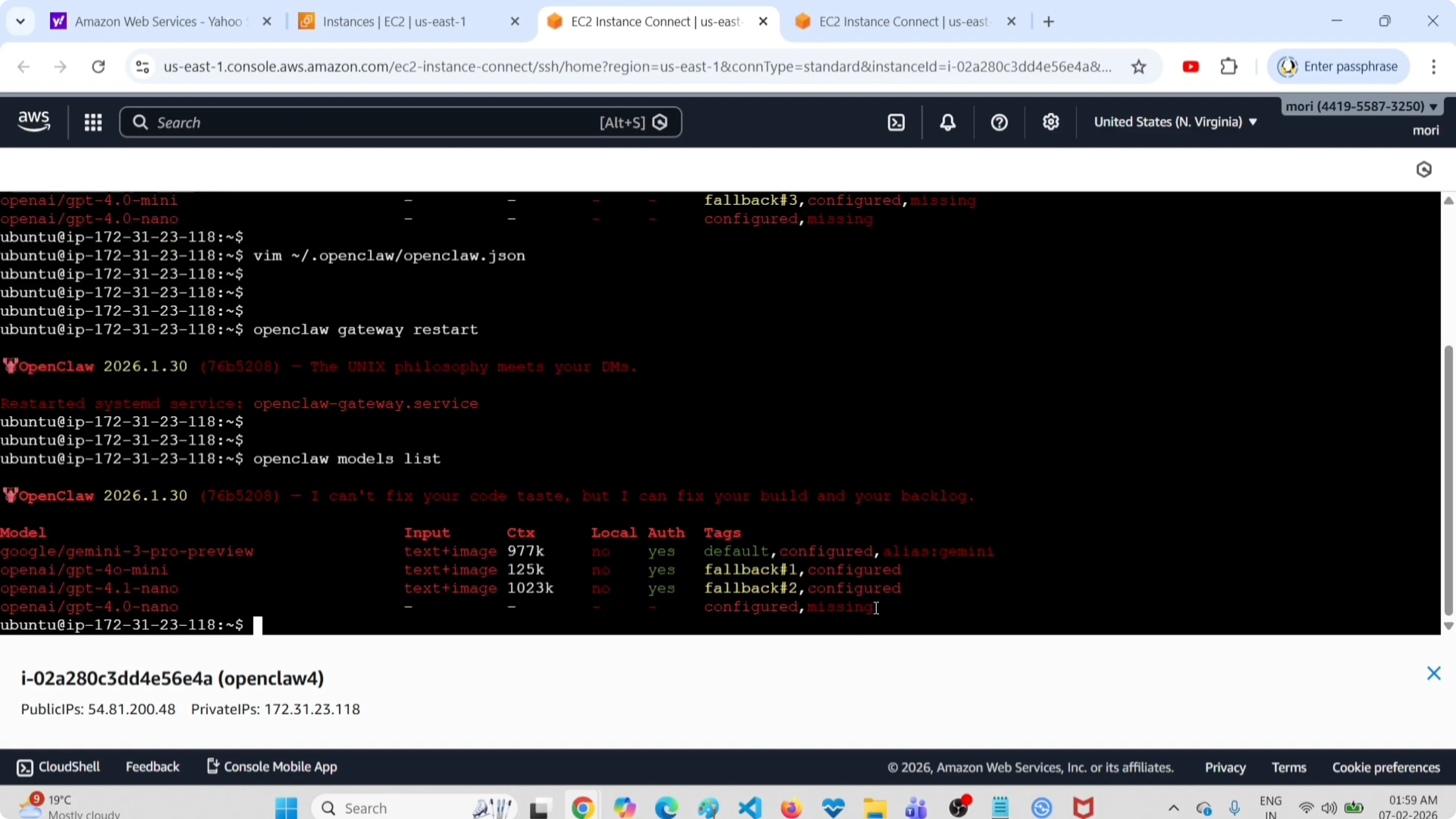
Run the models list command again:
openclaw models listCheck the output. Now it shows only four models, whereas earlier it was five. This is how to delete one model.
If you are pruning models to make room for a new OCR option, here is a brief reference to help you pick the best OCR model for your setup.
Final thoughts
I listed the models to confirm the starting point, removed the target model from both the models and fallbacks sections, saved the file, and restarted the gateway. Listing the models again confirmed the deletion. Apply the same process across OpenClaw, ClawdBot, and MoltBot to keep your configuration clean.
Subscribe to our newsletter
Get the latest updates and articles directly in your inbox.

Related Posts

8 Best Claude Code Plugins in 2026 (You Need to Know)
8 Best Claude Code Plugins in 2026 (You Need to Know)

7 Best Claude Code Skills (You Need to Know)
7 Best Claude Code Skills (You Need to Know)

Claude Code Desktop IDE Features (You Need to Know)
Claude Code Desktop IDE Features (You Need to Know)