
Table Of Content
- Turbovec: Exploring Google's TurboQuant with Ollama setup
- Install
- Quick RAG refresher
- Turbovec: Exploring Google's TurboQuant with Ollama integration
- Full script
- rag_turbovec_ollama.py
- Turbovec imports
- These names reflect the library's compressed index and an adapter for LlamaIndex.
- If you use a newer version, check the library docs for updated class names.
- 1) Configure models
- Ollama must have these models pulled: `nomic-embed-text` and `gemma:7b`.
- 2) Load local document
- Replace with the path to your own file containing personal or project info
- 3) Create a Turbovec index and wrap it for LlamaIndex
- Turbovec uses 768 dims for nomic-embed-text and 4-bit compression by default here.
- 4) Build the index (chunk -> embed -> compress -> store)
- 5) Create a query engine and ask a few questions
- 6) Show compression stats for a single 768-d vector
- Float32: 4 bytes per dim. 4-bit quant: 0.5 bytes per dim.
- What to expect
- Turbovec: Exploring Google's TurboQuant with Ollama configuration notes
- Turbovec: Exploring Google's TurboQuant with Ollama queries
- Use cases
- Troubleshooting
- Final thoughts
Turbovec: Exploring Google's TurboQuant with Ollama
Local LLM Hardware Calculator
Enter your GPU VRAM and system RAM to see which LLMs you can run in Ollama — at Q4, Q8, or full precision — with estimated tokens-per-second speed.
Table Of Content
- Turbovec: Exploring Google's TurboQuant with Ollama setup
- Install
- Quick RAG refresher
- Turbovec: Exploring Google's TurboQuant with Ollama integration
- Full script
- rag_turbovec_ollama.py
- Turbovec imports
- These names reflect the library's compressed index and an adapter for LlamaIndex.
- If you use a newer version, check the library docs for updated class names.
- 1) Configure models
- Ollama must have these models pulled: `nomic-embed-text` and `gemma:7b`.
- 2) Load local document
- Replace with the path to your own file containing personal or project info
- 3) Create a Turbovec index and wrap it for LlamaIndex
- Turbovec uses 768 dims for nomic-embed-text and 4-bit compression by default here.
- 4) Build the index (chunk -> embed -> compress -> store)
- 5) Create a query engine and ask a few questions
- 6) Show compression stats for a single 768-d vector
- Float32: 4 bytes per dim. 4-bit quant: 0.5 bytes per dim.
- What to expect
- Turbovec: Exploring Google's TurboQuant with Ollama configuration notes
- Turbovec: Exploring Google's TurboQuant with Ollama queries
- Use cases
- Troubleshooting
- Final thoughts
Someone just took Google's Turbo paper and built a fully working pip installable vector search library out of it. It is called Turbovec. It is open source and we can use it to build a fully local RAG pipeline with Ollama and LlamaIndex running entirely on our own system.
Nothing leaves your server. This new library seems quite promising. It is all free.
If you do not know what Turbo is, here is a quick recap. Turbo is Google's new compression algorithm. It takes the vectors your AI stores in memory and shrinks them by roughly six times using two tricks.
PolarK converts coordinates into a more compact angle based format. QGL uses a single bit to correct any leftover error. The result is the same accuracy at a fraction of the memory, and that is what Turbovec implements.
For a deeper explainer on TurboQuant and why memory compression matters in vector search, see this guide on Turboquant memory.
Turbovec: Exploring Google's TurboQuant with Ollama setup
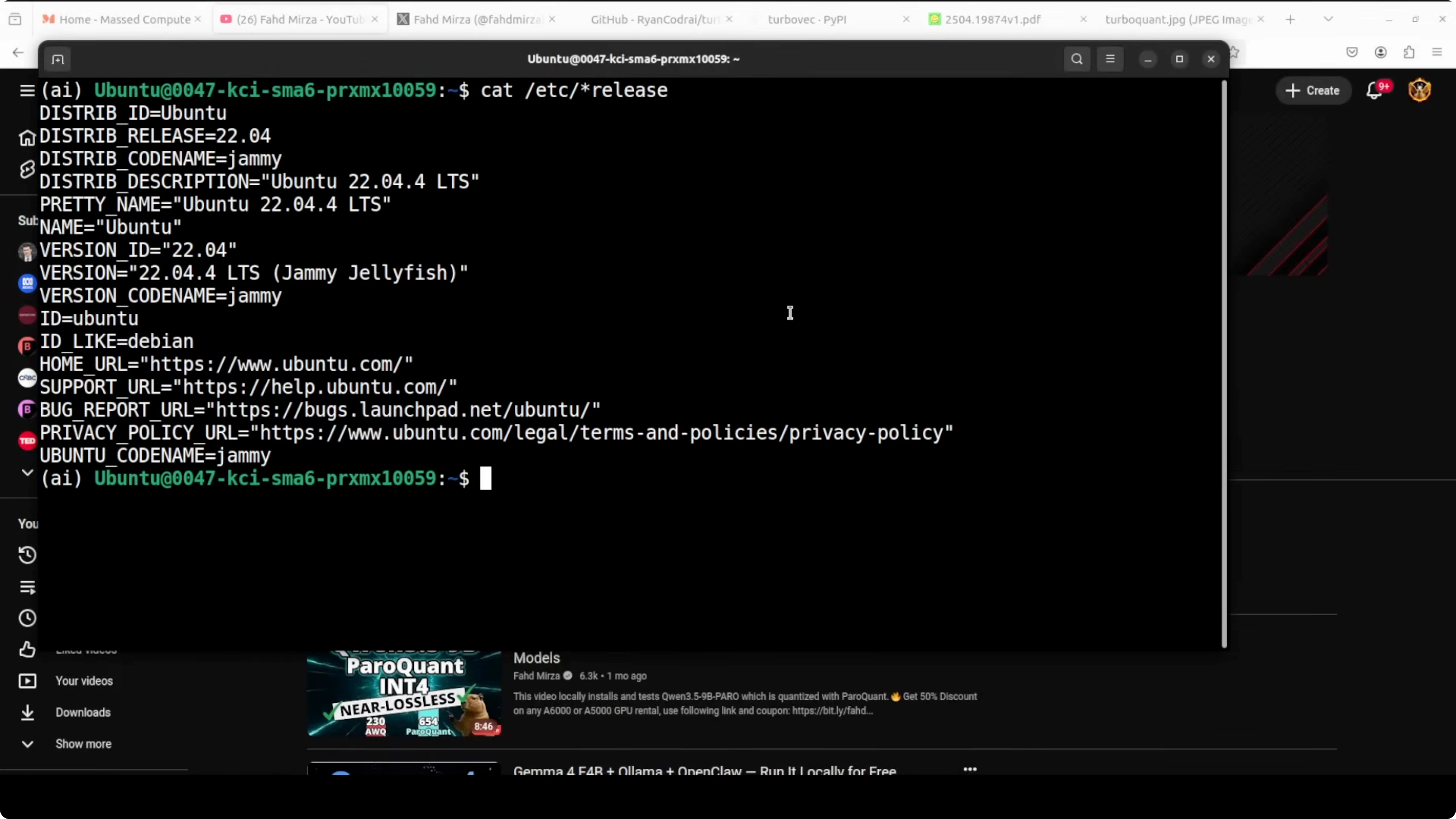
I am using Ubuntu with a GPU and two Ollama models. Nomic Embed converts our text into numerical representation. For the LLM I will use a local Gemma model.
Everything runs locally with no external APIs. The pipeline loads a local text file, compresses its embeddings into a Turbovec index, connects to a local LLM through Ollama, and answers questions about the document. I also added a few personal question answer pairs that are only present in the file to verify locality.
Install
Install the libraries and set up Ollama models.
pip install turbovec llama-index llama-index-llms-ollama llama-index-embeddings-ollama numpy
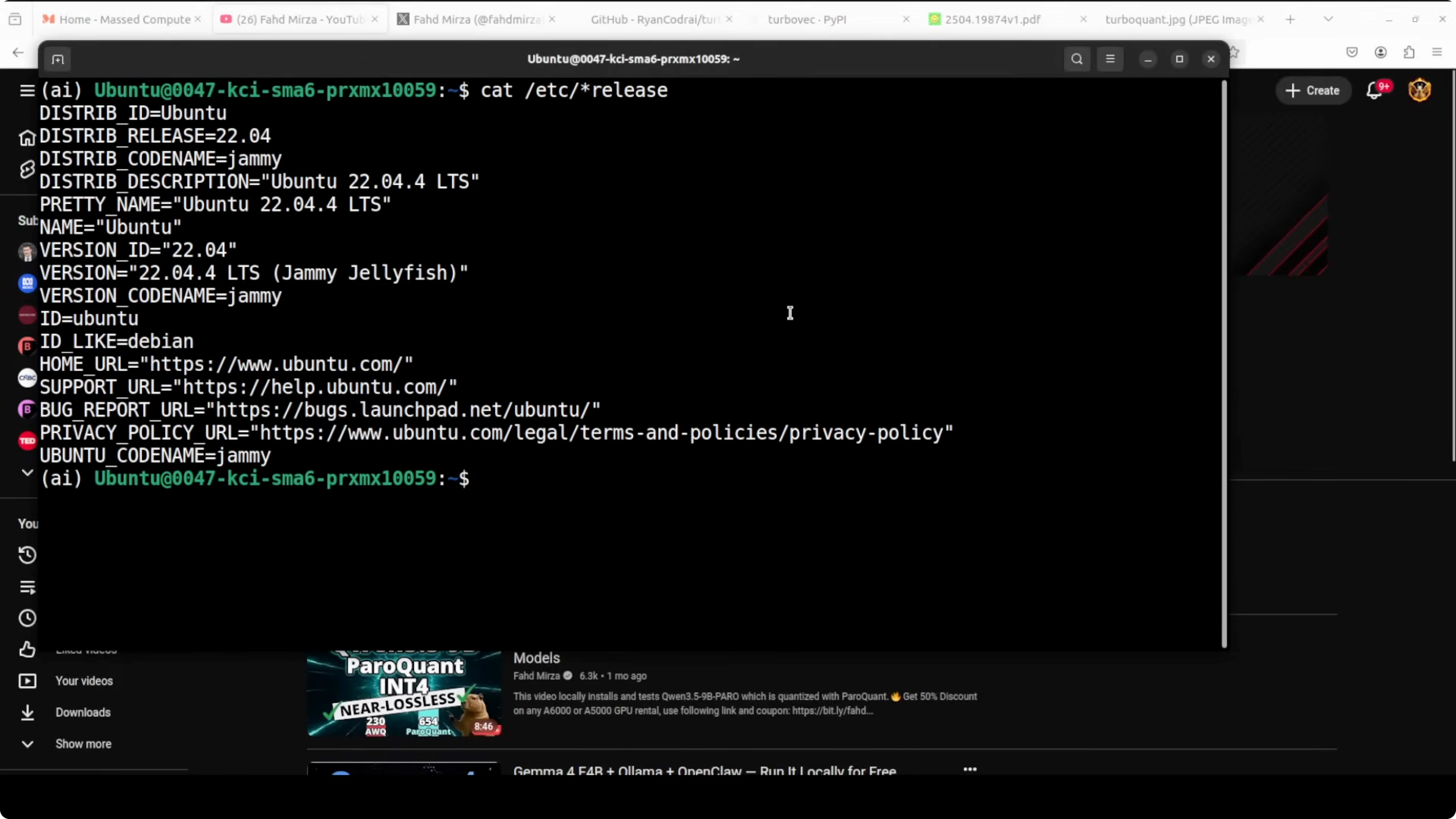
ollama pull nomic-embed-text ollama pull gemma:7b
If you prefer Claude style coding workflows on Ollama, you can also set that up separately with this walkthrough: Claude code on Ollama without an API key.
Quick RAG refresher
RAG is retrieval augmented generation. LLMs do not know about our private data out of the box.
You either fine tune, train from scratch, or provide context at runtime. We will use runtime context. We chunk a document, embed the chunks, store them in a vector store, retrieve similar chunks for a query, append those chunks to the prompt, and send it to the model.
Turbovec: Exploring Google's TurboQuant with Ollama integration
We will load a local text file with personal details. We will embed with Nomic running in Ollama, compress the vectors into a 4 bit Turbovec index with 768 dimensions, and expose it to LlamaIndex as a drop in vector store.
LlamaIndex will handle chunking, embedding, storage into the Turbovec index, and querying. The query engine will then call the local Gemma model via the Ollama connector. Answers will be grounded in the retrieved chunks from the compressed index.
Full script
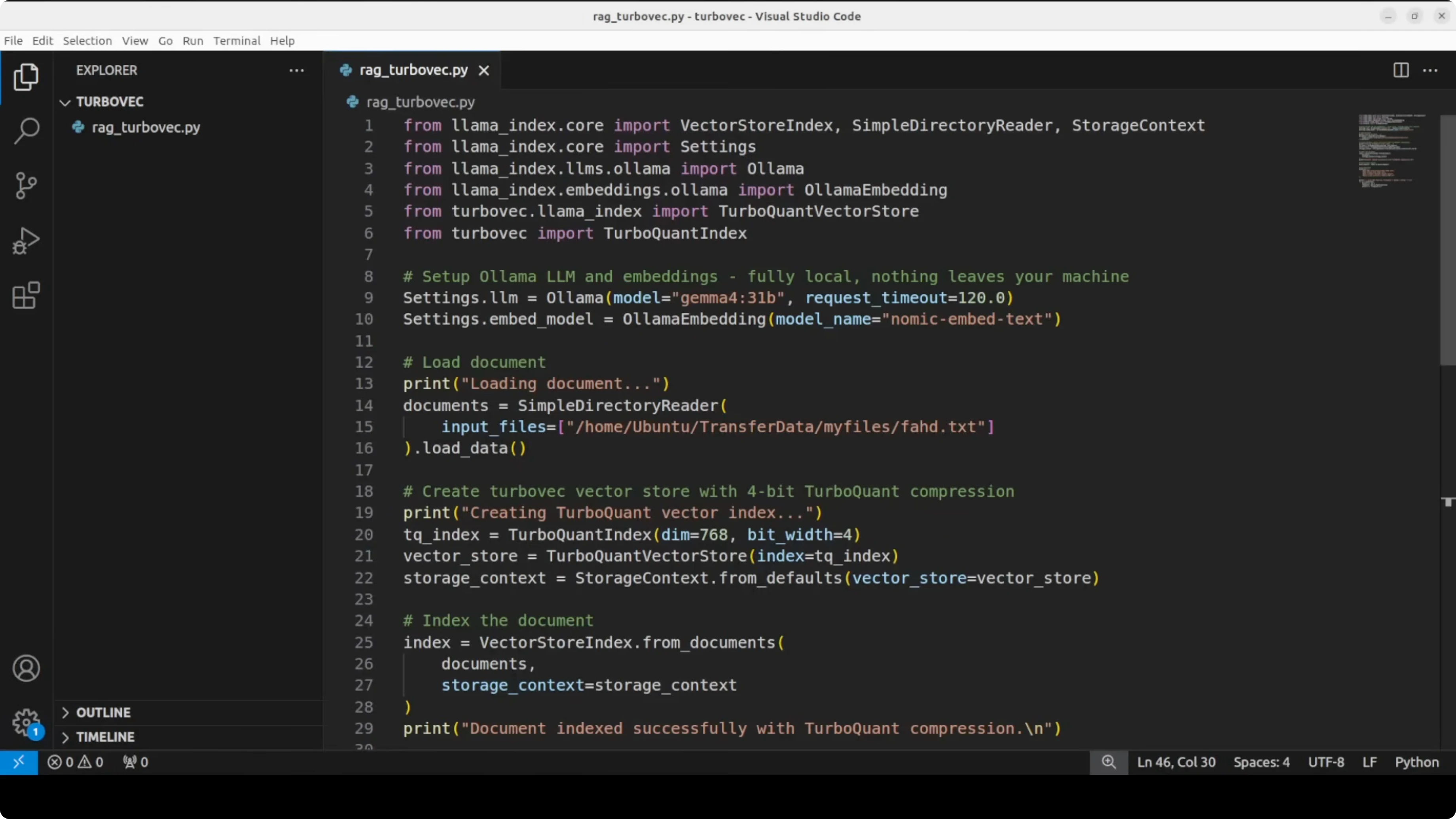
The following script shows the complete flow end to end. It loads a document, builds a compressed index with Turbovec, and answers a few questions using a local LLM via Ollama.
# rag_turbovec_ollama.py
import os
import json
from pathlib import Path
import numpy as np
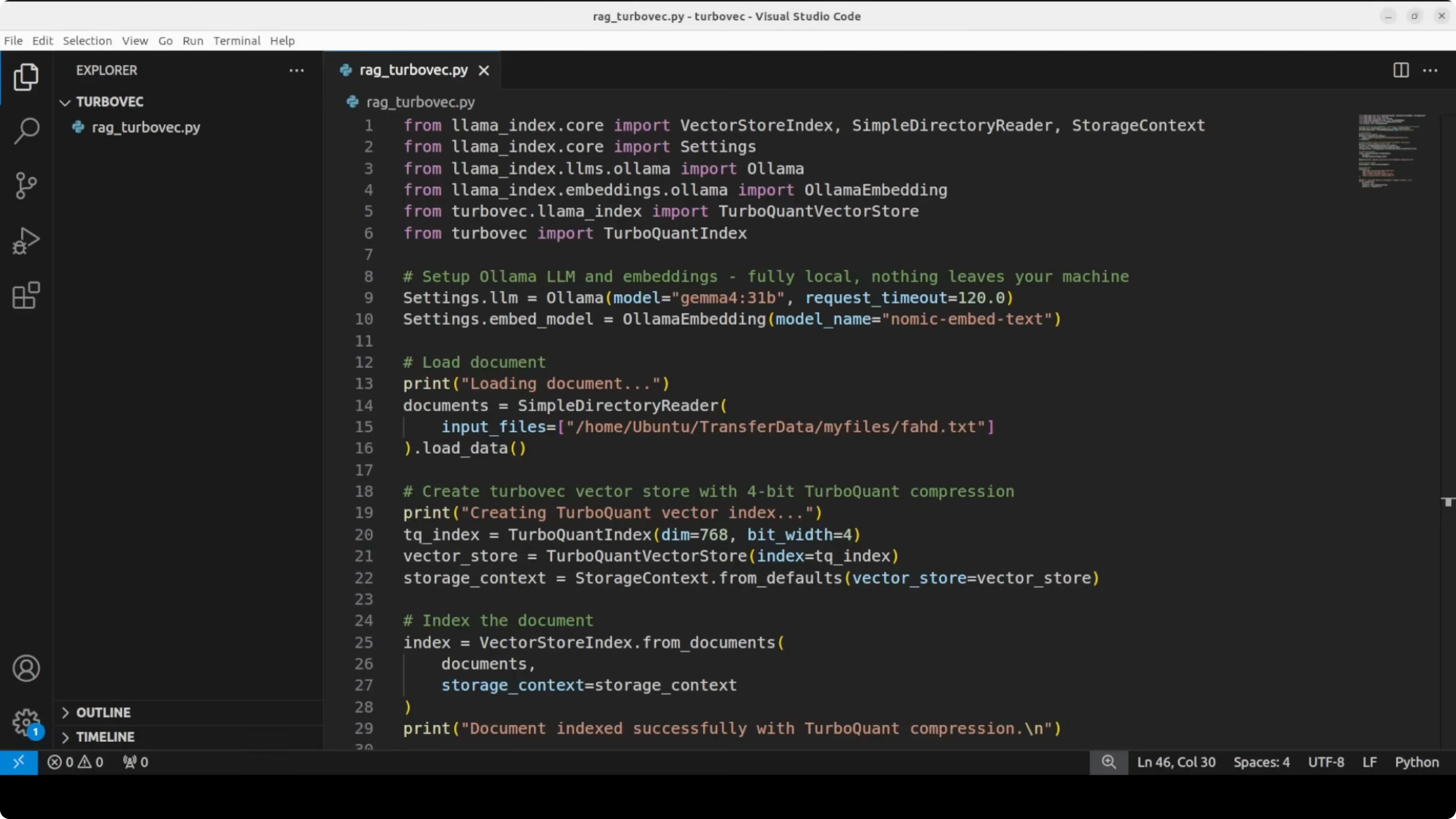
from llama_index.core import Document, VectorStoreIndex, StorageContext, Settings, SimpleDirectoryReader
from llama_index.llms.ollama import Ollama
from llama_index.embeddings.ollama import OllamaEmbedding
# Turbovec imports
# These names reflect the library's compressed index and an adapter for LlamaIndex.
# If you use a newer version, check the library docs for updated class names.
from turbovec import TurboIndex, TurboVectorStore
# 1) Configure models
# Ollama must have these models pulled: `nomic-embed-text` and `gemma:7b`.
EMBED_MODEL = "nomic-embed-text"
LLM_MODEL = "gemma:7b"
llm = Ollama(model=LLM_MODEL, request_timeout=120.0)
embed_model = OllamaEmbedding(model_name=EMBED_MODEL)
Settings.llm = llm
Settings.embed_model = embed_model
# 2) Load local document
# Replace with the path to your own file containing personal or project info
DOC_PATH = "data/profile.txt"
os.makedirs("data", exist_ok=True)
if not Path(DOC_PATH).exists():
with open(DOC_PATH, "w", encoding="utf-8") as f:
f.write(
"Name: Alex Doe\n"
"Company: StartClaw\n"
"Channel: TechNotes\n"
"Platform: YouTube and blog\n"
"Focus: local AI, RAG, and vector databases\n"
"Fun fact: I prefer local workflows with Ollama and LlamaIndex.\n"
)
documents = [Document(text=Path(DOC_PATH).read_text(encoding="utf-8"), metadata={"source": DOC_PATH})]
# 3) Create a Turbovec index and wrap it for LlamaIndex
# Turbovec uses 768 dims for nomic-embed-text and 4-bit compression by default here.
turbo_index = TurboIndex(dim=768, bits=4)
turbo_vector_store = TurboVectorStore(turbo_index=turbo_index)
storage_context = StorageContext.from_defaults(vector_store=turbo_vector_store)
# 4) Build the index (chunk -> embed -> compress -> store)
index = VectorStoreIndex.from_documents(documents, storage_context=storage_context)
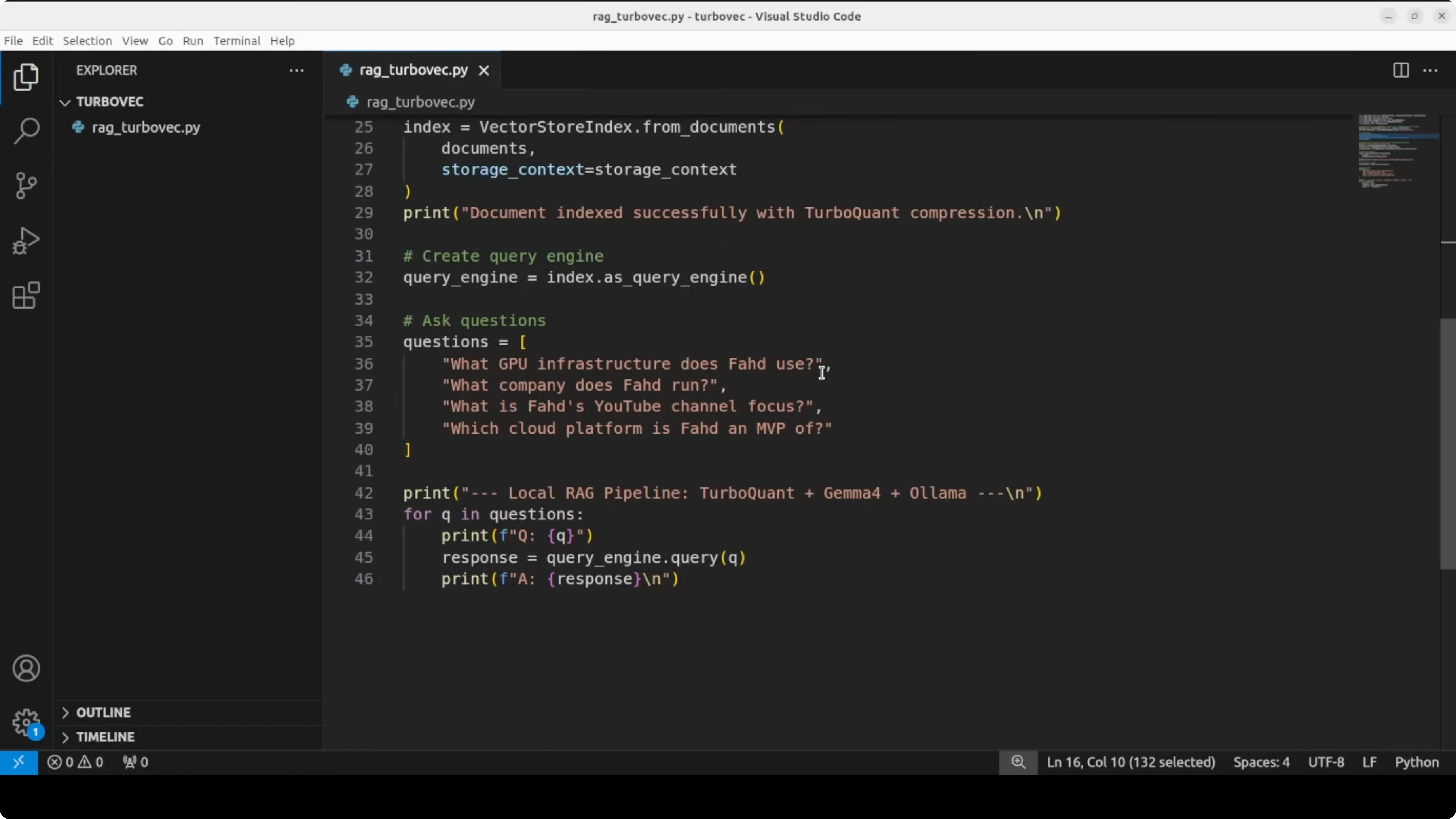
# 5) Create a query engine and ask a few questions
query_engine = index.as_query_engine(similarity_top_k=3)
questions = [
"What company does Alex use?",
"What is the channel name and which platform does it run on?",
"Summarize the focus areas in one sentence.",
"Share the fun fact mentioned in the profile."
]
for q in questions:
ans = query_engine.query(q)
print(f"\nQ: {q}\nA: {ans}\n")
# 6) Show compression stats for a single 768-d vector
# Float32: 4 bytes per dim. 4-bit quant: 0.5 bytes per dim.
float_bytes = 768 * 4
quant_bytes = 768 * (4 / 8)
kb = lambda b: round(b / 1024, 2)
print("\nCompression check:")
print(f"Float32 size: {kb(float_bytes)} KB")
print(f"Turbovec 4-bit size: {kb(quant_bytes)} KB")
print(f"Approx reduction: {round(float_bytes / quant_bytes, 1)}x smaller")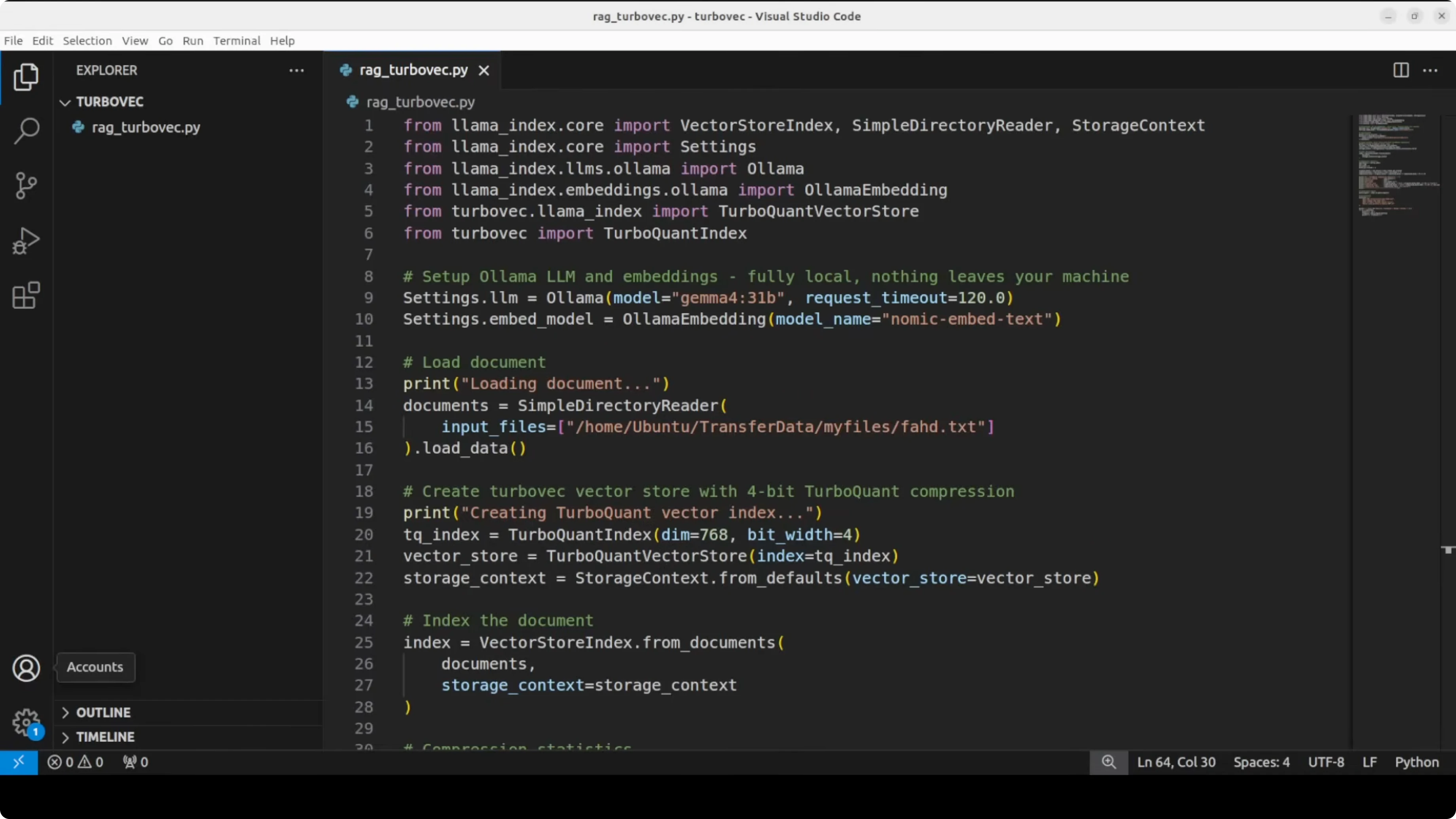
What to expect
The document is indexed very quickly. The answers show that the model can identify the company, channel name, and platform from the context. It stays on topic without hallucination.
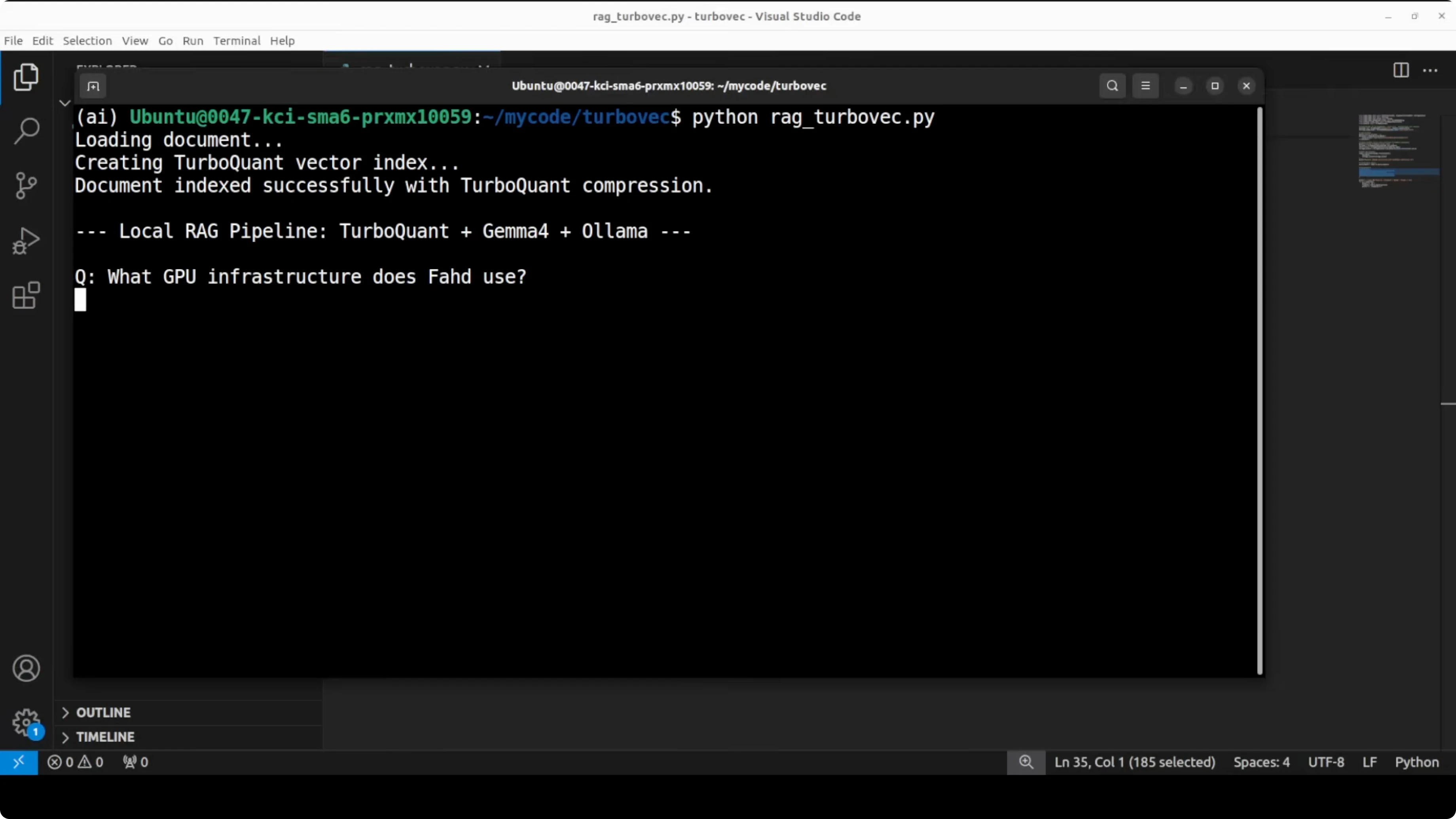
The compression check demonstrates the memory reduction. One 768 dimensional vector goes from 3 KB down to about 0.4 KB, which is roughly 8 times smaller. That aligns with the reduction reported in the paper.
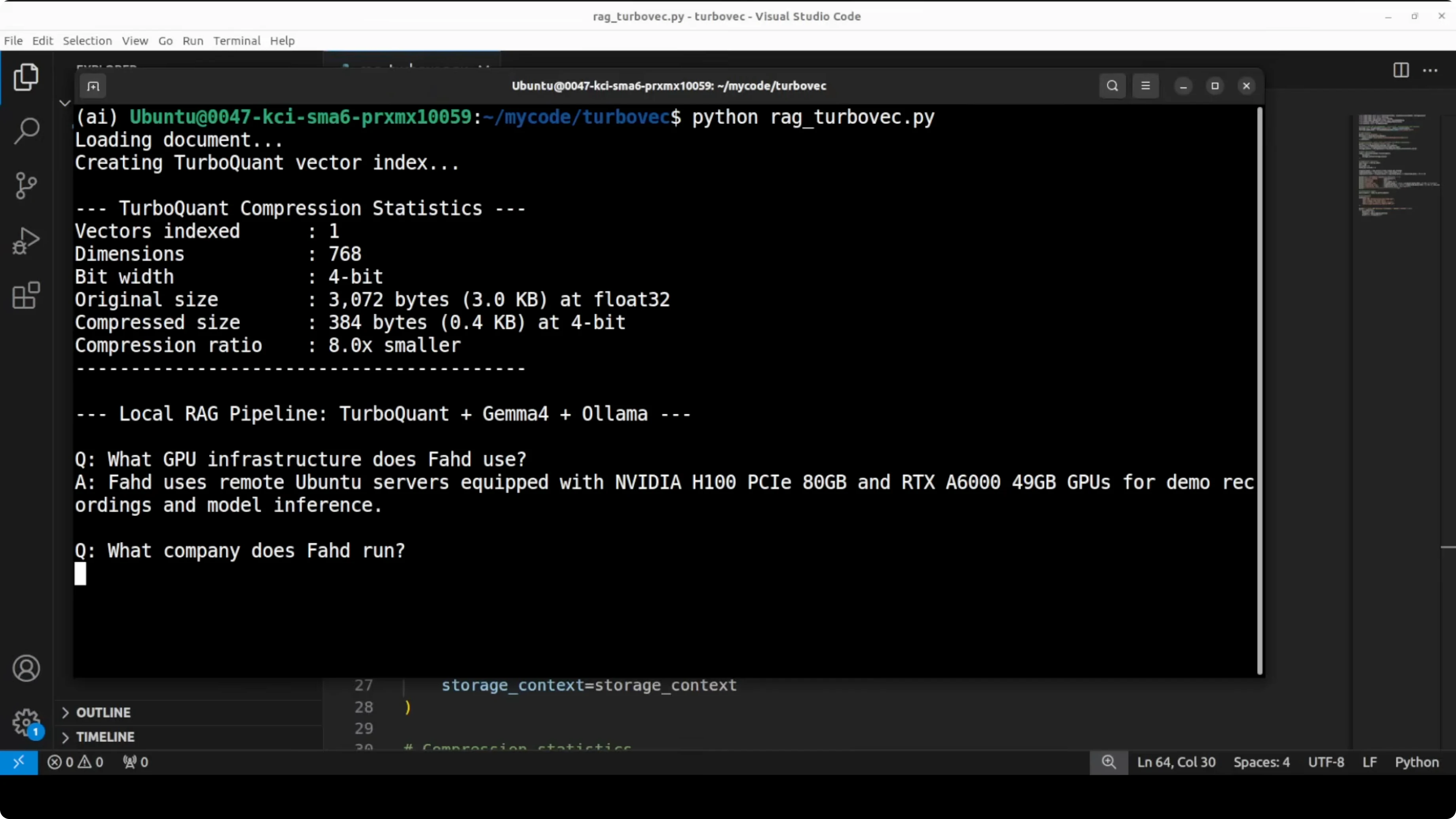
TurboQuant uses four bits per coordinate after a random rotation plus PolarK compression. The paper proves distortion within about 2.7 times of the absolute mathematical limit for any compression at a given bit budget. In plain terms, you cannot compress much better than this with similar accuracy.
If you run into provider limits while working with Google AI tools, see this fix for restricted access issues: account restrictions on Google AI Ultra.
Turbovec: Exploring Google's TurboQuant with Ollama configuration notes
I imported two classes from Turbovec. TurboIndex holds the compressed vectors in memory. TurboVectorStore wraps it so LlamaIndex can treat it like a vector database.
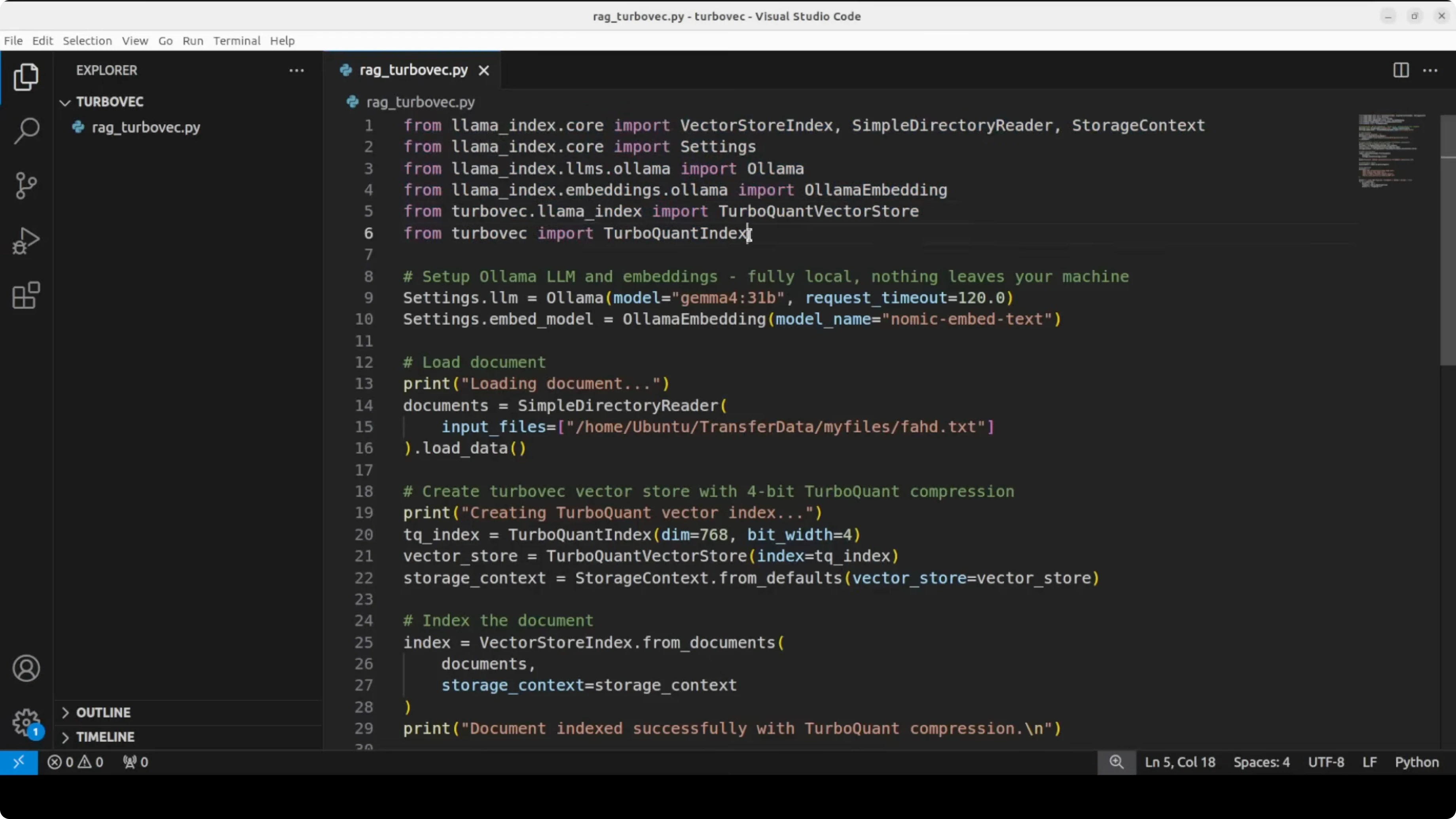
You can pipe the compressed vectors to any external store if you prefer. The example keeps everything in memory for clarity. The embedding dimension of 768 matches nomic-embed-text.
The index uses 4 bit compression. That is where the memory savings happen. You can adjust the bit depth if you want a different tradeoff.
Turbovec: Exploring Google's TurboQuant with Ollama queries
The questions include a personal detail that the base model does not know by default. The correct answer confirms that context retrieval is working. It also shows that the quality is intact under compression.
I like this setup for local evaluations. It costs nothing in API calls. It is simple to replicate on another machine.
For larger projects, you can wire the same index into a multi tool agent running locally. A reference build that extends Ollama into a full agent stack is here: a super agent with Ollama.
Use cases
Local knowledge bases for teams or creators with private docs. Compressed indexes reduce RAM usage on small servers. This setup helps you answer support or ops questions without sending data out.
On device or edge use where memory is tight. Turbovec reduces vector memory while keeping accuracy. You can fit more data on the same box.
Fast iteration cycles for prototyping RAG ideas. Everything runs on your machine. You can test prompts and retrieval quality quickly.
If you test Google AI Studio alongside this and hit permission errors, this guide covers the fix: Google AI Studio permission denied.
Troubleshooting
Ollama model names must match what you pulled. Use ollama list to verify the tags. If embeddings fail, confirm that nomic-embed-text is present.
If the Turbovec API changes, check the library docs for updated class names. The idea stays the same. Embed, compress, store, and query.
For security, keep your data local and audit any file paths. Logs can expose content if you print raw chunks. Scrub outputs before sharing them.
Final thoughts
Turbovec turns Google's TurboQuant into a practical library with a simple Python interface. You get the same accuracy at a fraction of the memory, and the RAG flow remains straightforward with LlamaIndex and Ollama.
The paper’s claim about being near the theoretical limit looks consistent with the results here. This is not an official implementation, but multiple independent efforts are already shipping and the early outcomes look strong.
If you need a quick backgrounder on Turbo and memory compression tradeoffs, this primer helps set the stage: Turboquant memory explainer. If you run hybrid setups that include Claude style tooling on Ollama, this walkthrough is also handy: Claude coding on Ollama.
Subscribe to our newsletter
Get the latest updates and articles directly in your inbox.

Related Posts

8 Best Claude Code Plugins in 2026 (You Need to Know)
8 Best Claude Code Plugins in 2026 (You Need to Know)

7 Best Claude Code Skills (You Need to Know)
7 Best Claude Code Skills (You Need to Know)

Claude Code Desktop IDE Features (You Need to Know)
Claude Code Desktop IDE Features (You Need to Know)