
How TinyClaw and ClawRouter Transform Multi-Agent AI Routing?
The OpenClaw ecosystem is growing fast because it solves a clear problem. People want a personal AI assistant that runs on their own hardware, integrates with the apps they already use, and keeps their data under their control. They also want it powerful and customizable, which has spawned a family of tools taking different angles on the same vision. For a practical overview, see OpenClaw.
Two projects stand out in this family: TinyClaw and ClawRouter. I am going to explain what makes them interesting and show exactly how you would set them up.
How TinyClaw and ClawRouter Transform Routing
TinyClaw at a glance
TinyClaw is the most conceptually different tool in the OpenClaw family. Every other tool we covered is a single personal assistant, one agent responding to your messages. TinyClaw throws that model out entirely.
It lets you run multiple agents simultaneously with specialized roles like coder, writer, and reviewer. Agents can hand off work to each other in chains or fan out in parallel, and you can watch them collaborate in real time on a live terminal dashboard. It supports Telegram, Discord, and WhatsApp.
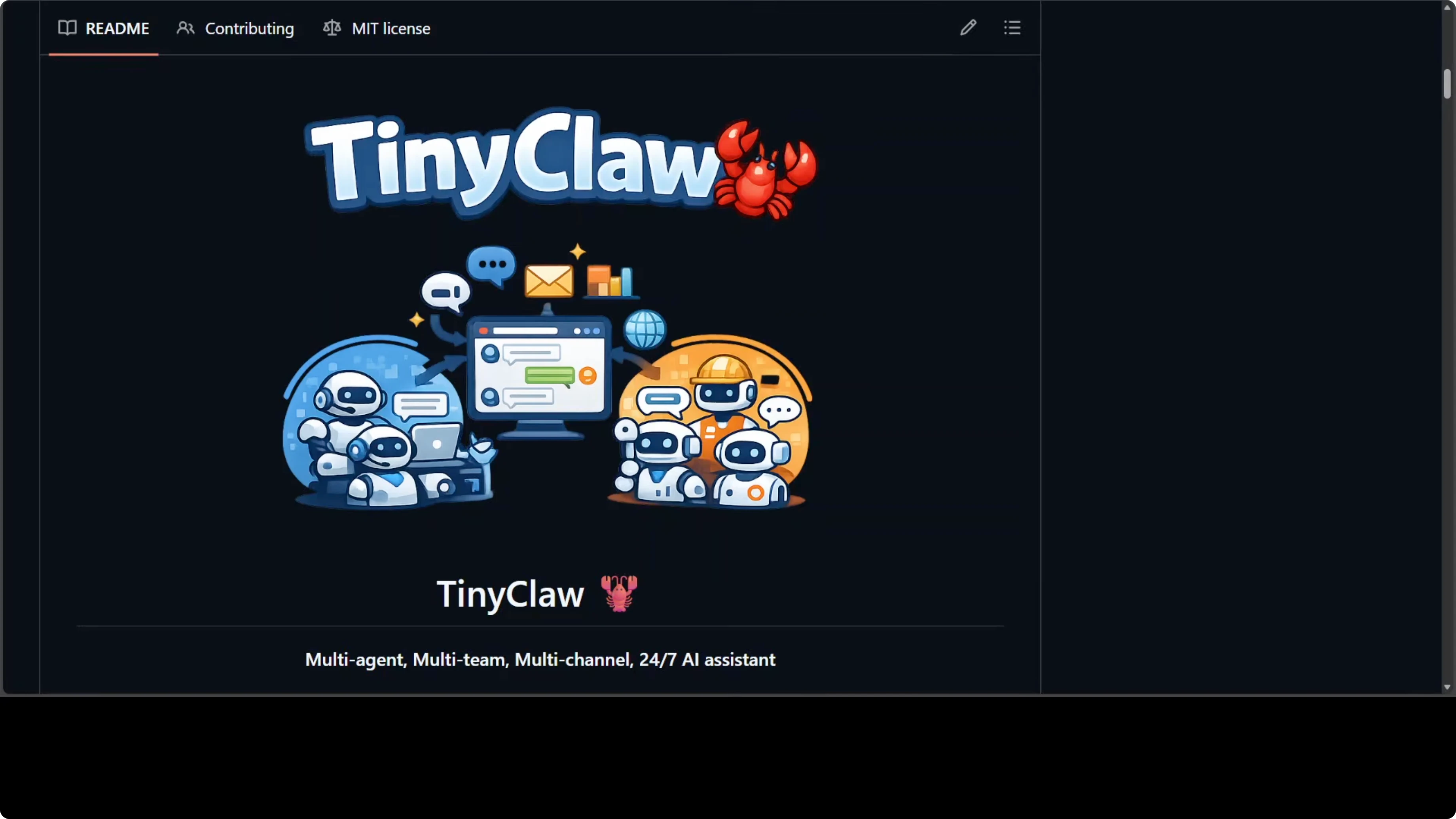
The architecture uses a file-based message queue to avoid race conditions, and each agent gets an isolated workspace and conversation history. The provider requirement is strict. TinyClaw does not support Ollama, OpenRouter, or local models, and it only works with Anthropic Claude or OpenAI, which means you need an active Anthropic or OpenAI subscription.
Running three to five agents in parallel means multiple API calls happening at once. Costs can add up quickly, you can get throttled by Anthropic, and in extreme cases accounts can be flagged. Factor that in before trying TinyClaw.
ClawRouter at a glance
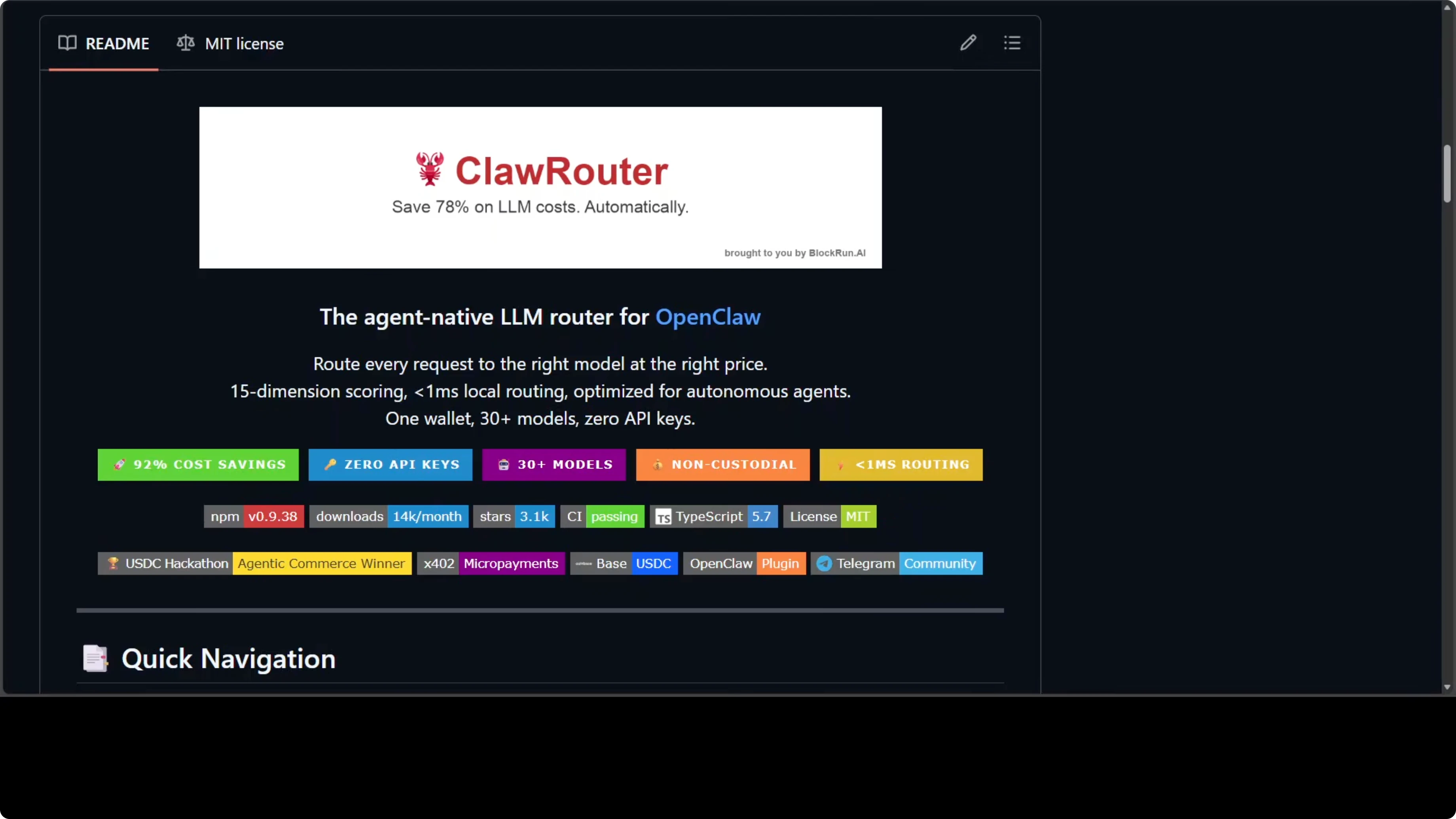
ClawRouter tackles the cost problem from a different angle. It is a smart local router that sits between your OpenClaw instance and the model and scores every incoming request across 15 dimensions in under a millisecond, routing it to the cheapest model capable of handling it. The blended average cost comes out to around $2 per million tokens compared to $25 per million if you were using Claude Opus directly.
It supports 30 plus models across seven providers. There are no API keys. Profiles let you balance savings and quality per request pattern.
Read More: Browser Use Ai Agent
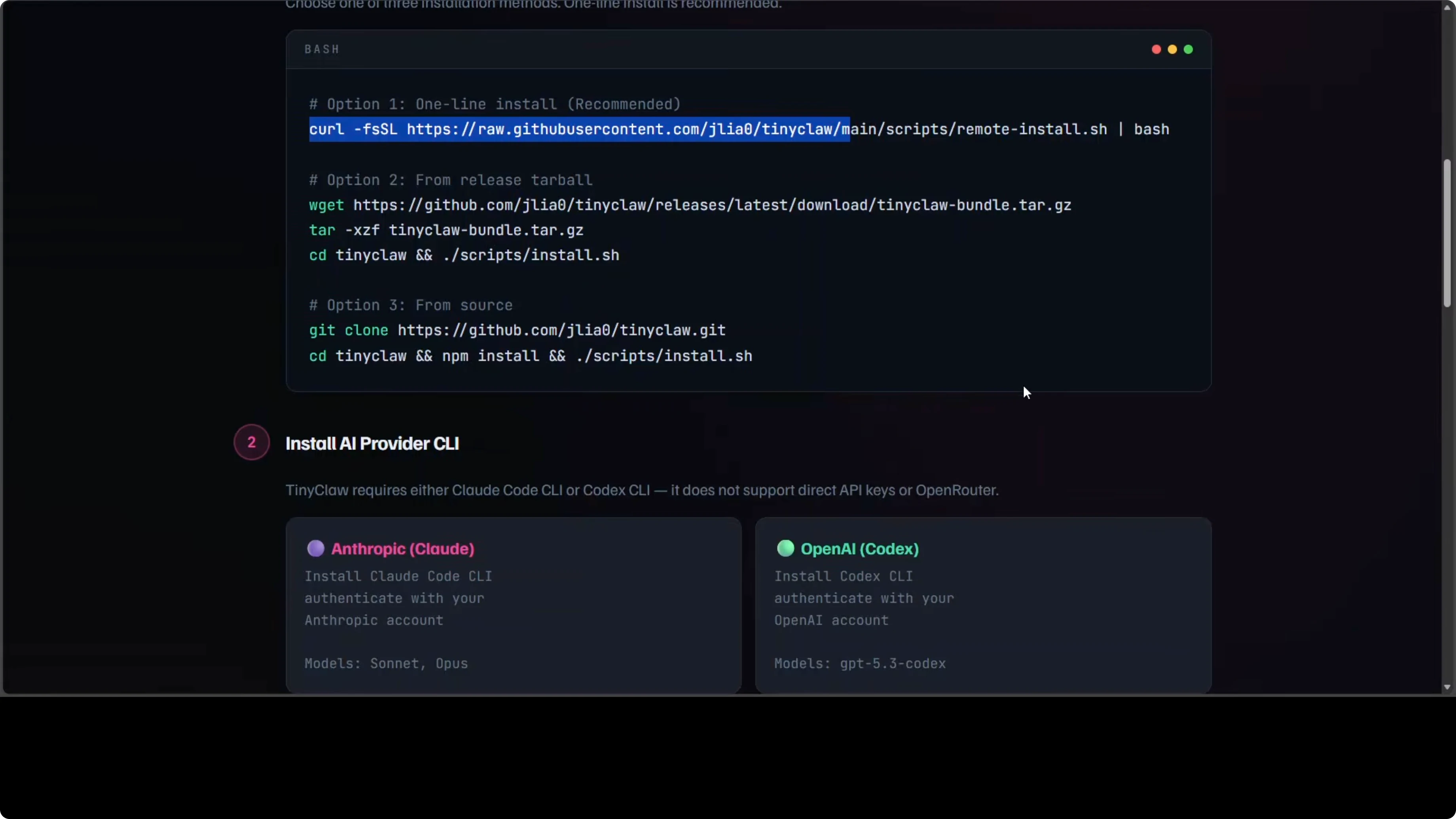
Install TinyClaw
Make sure you have Node.js, tmux, and jq installed. Install and authenticate the Anthropic or OpenAI CLI with a valid API key. Use the one-line curl installer provided by the project, then launch the setup wizard.
Run the interactive wizard to choose your channel, bot token, workspace name, AI provider, and model.
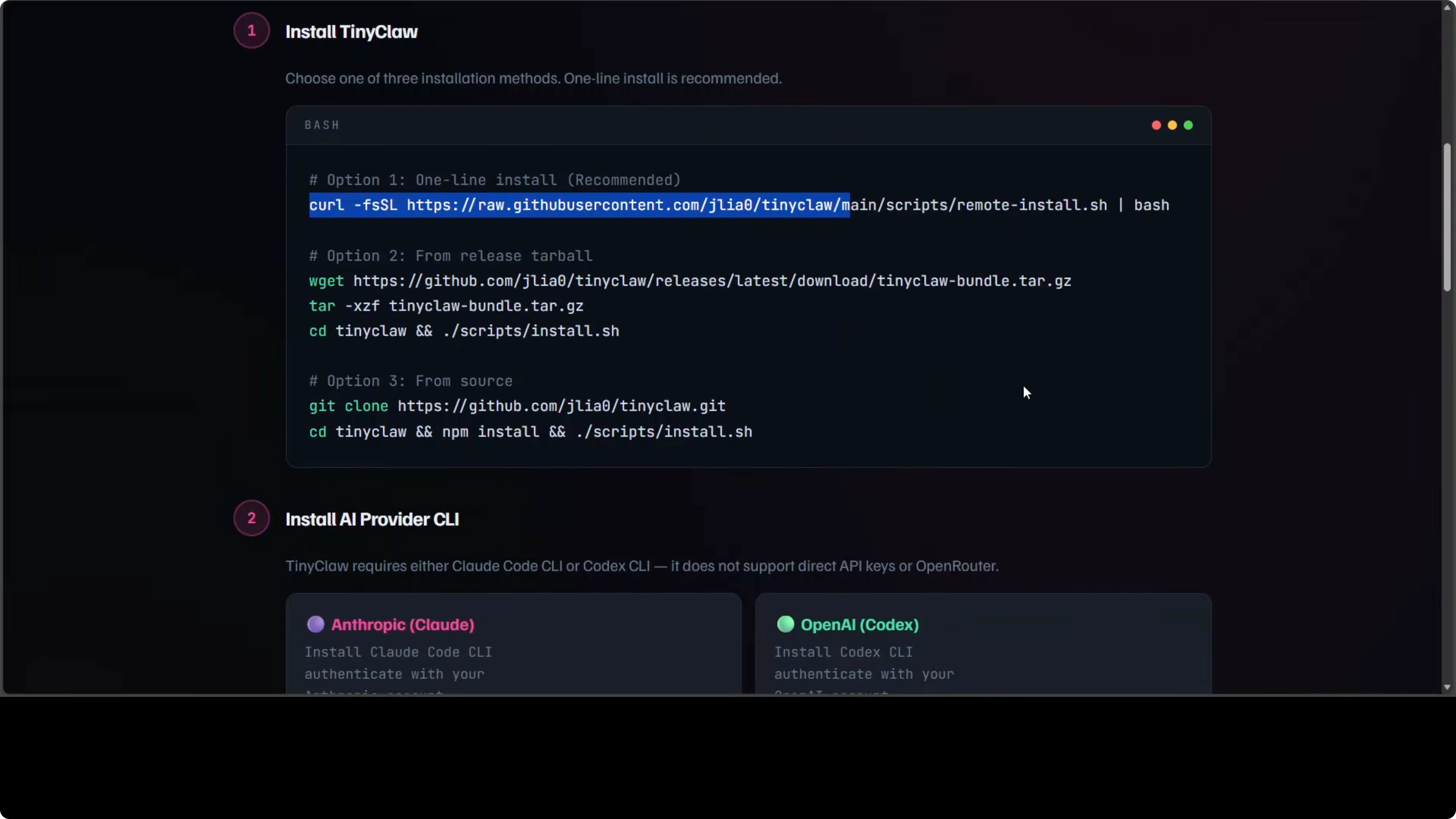
tinyclaw startDefine agents and teams
Define your agents and teams in a settings.json file. Assign each agent a role, provider, and model, then group them into teams for collaborative runs.
{
  "agents": [
    { "name": "@coder", "role": "Coder", "provider": "anthropic", "model": "claude-3" },
    { "name": "@writer", "role": "Writer", "provider": "openai", "model": "gpt-4" },
    { "name": "@reviewer", "role": "Reviewer", "provider": "openai", "model": "gpt-4" }
  ],
  "teams": [
    { "name": "dev-team", "members": ["@coder", "@writer", "@reviewer"] }
  ]
}
Route messages to specific agents using the @ prefix in your chat, and visualize live collaboration in your terminal.
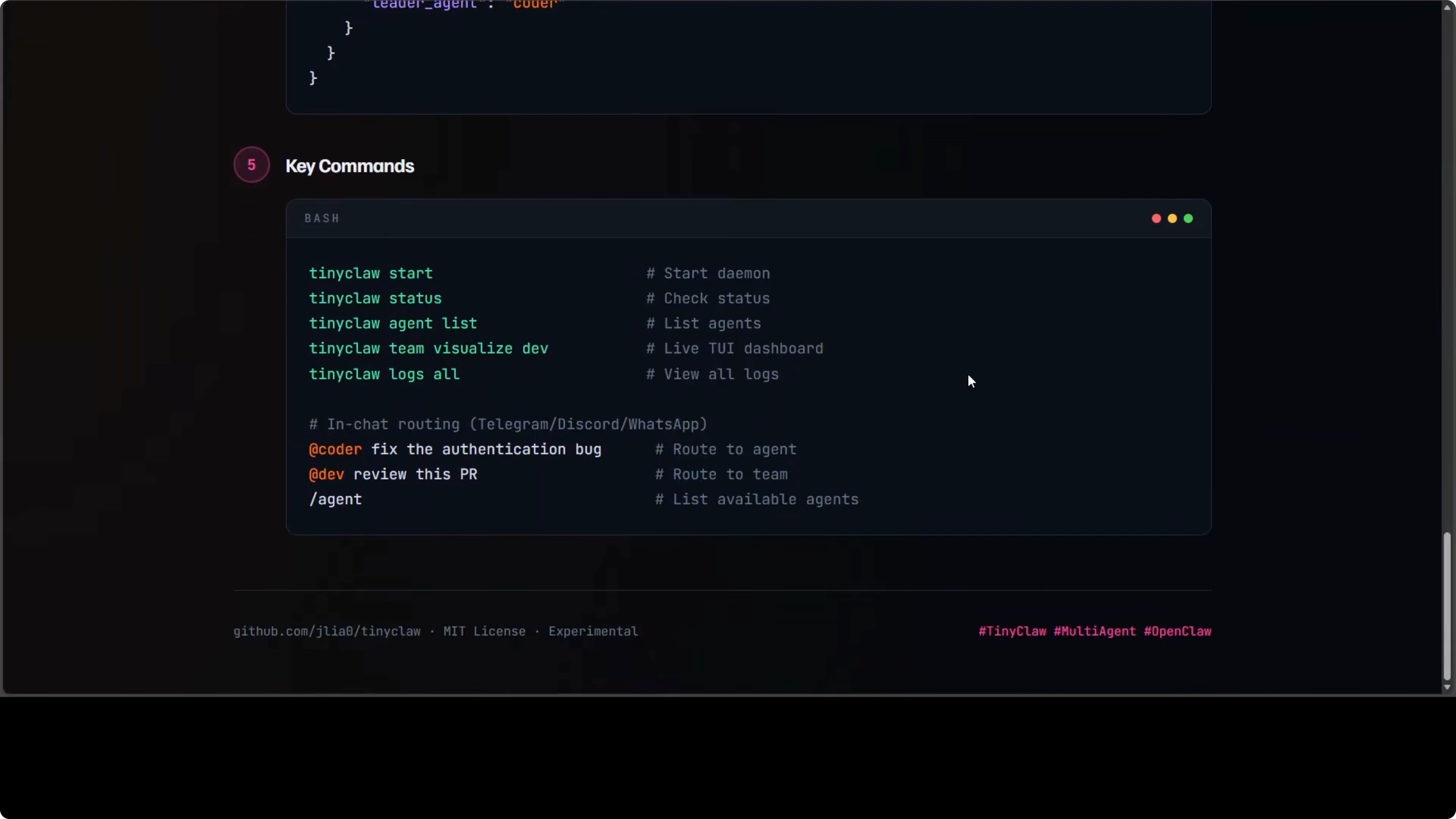
# In chat:  @coder build the API; @writer draft docs; @reviewer audit PRs
tinyclaw team visualize
Read More: Ui Tars Ai Browser Agent
Install ClawRouter
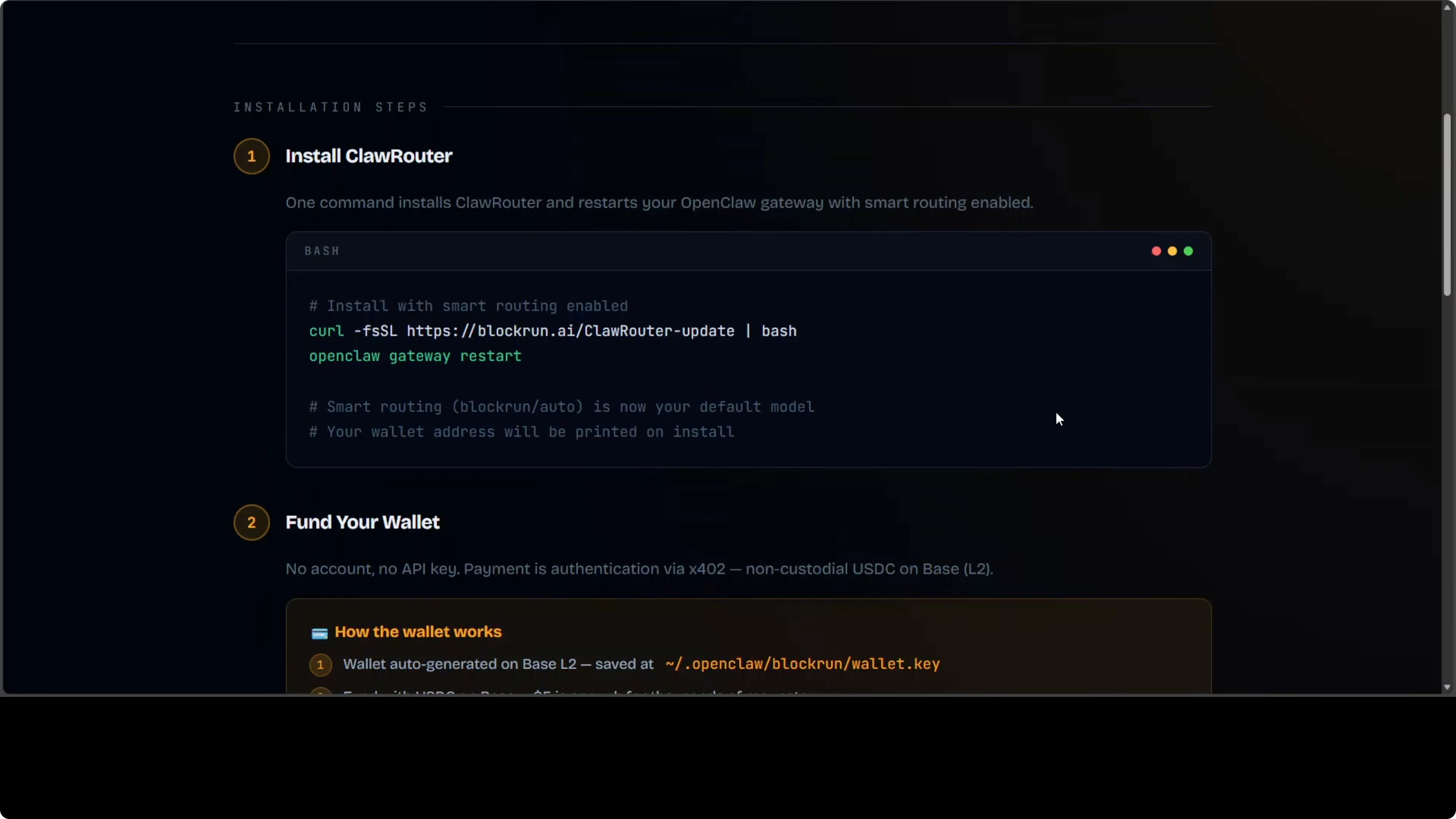
Once your system is ready, a single curl command installs ClawRouter and restarts your OpenClaw gateway. Smart routing becomes the default mode immediately, so requests are scored and sent to the best value model without extra work on your part. This swap alone can reduce average per-token cost dramatically for mixed workloads.
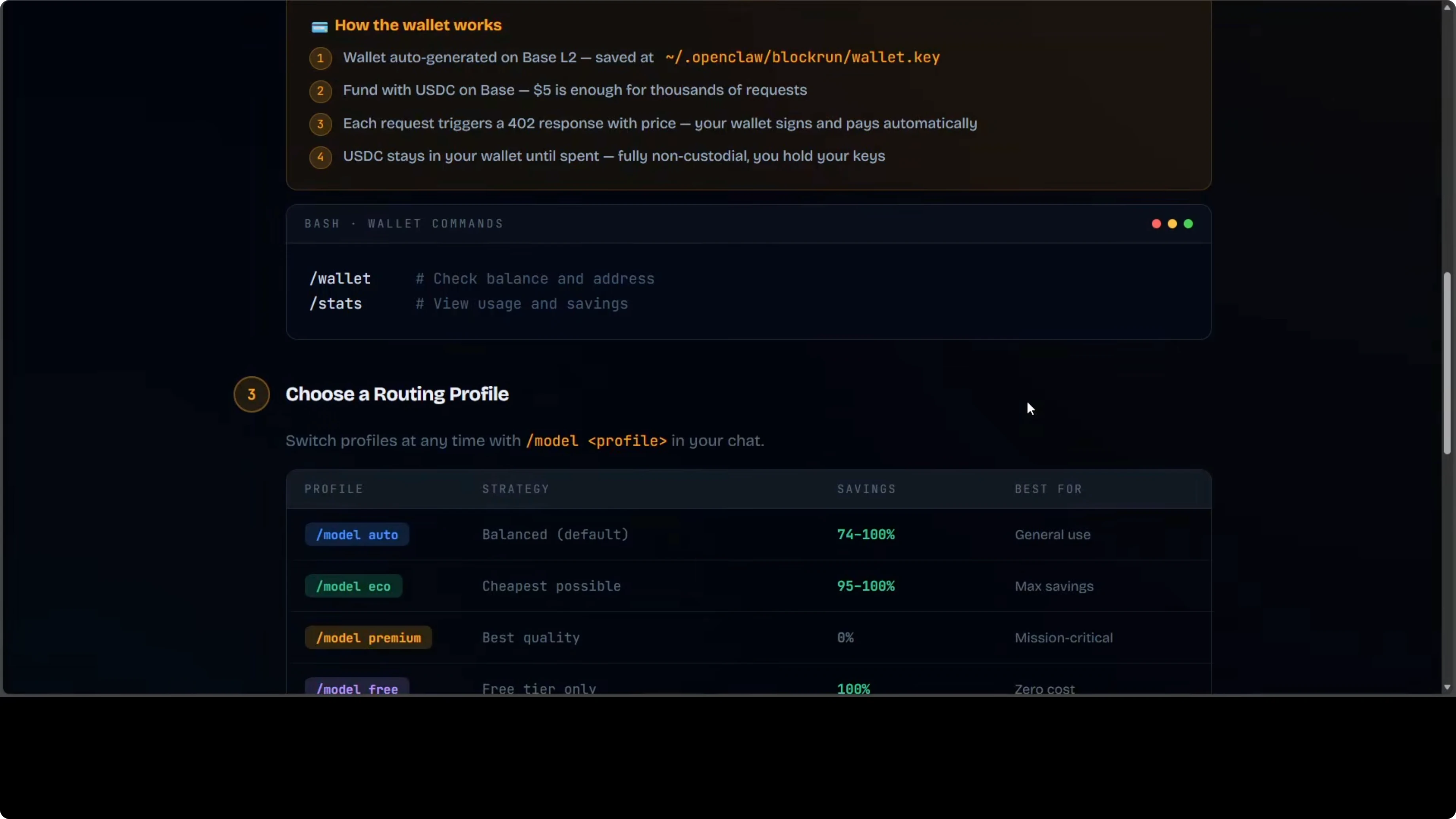
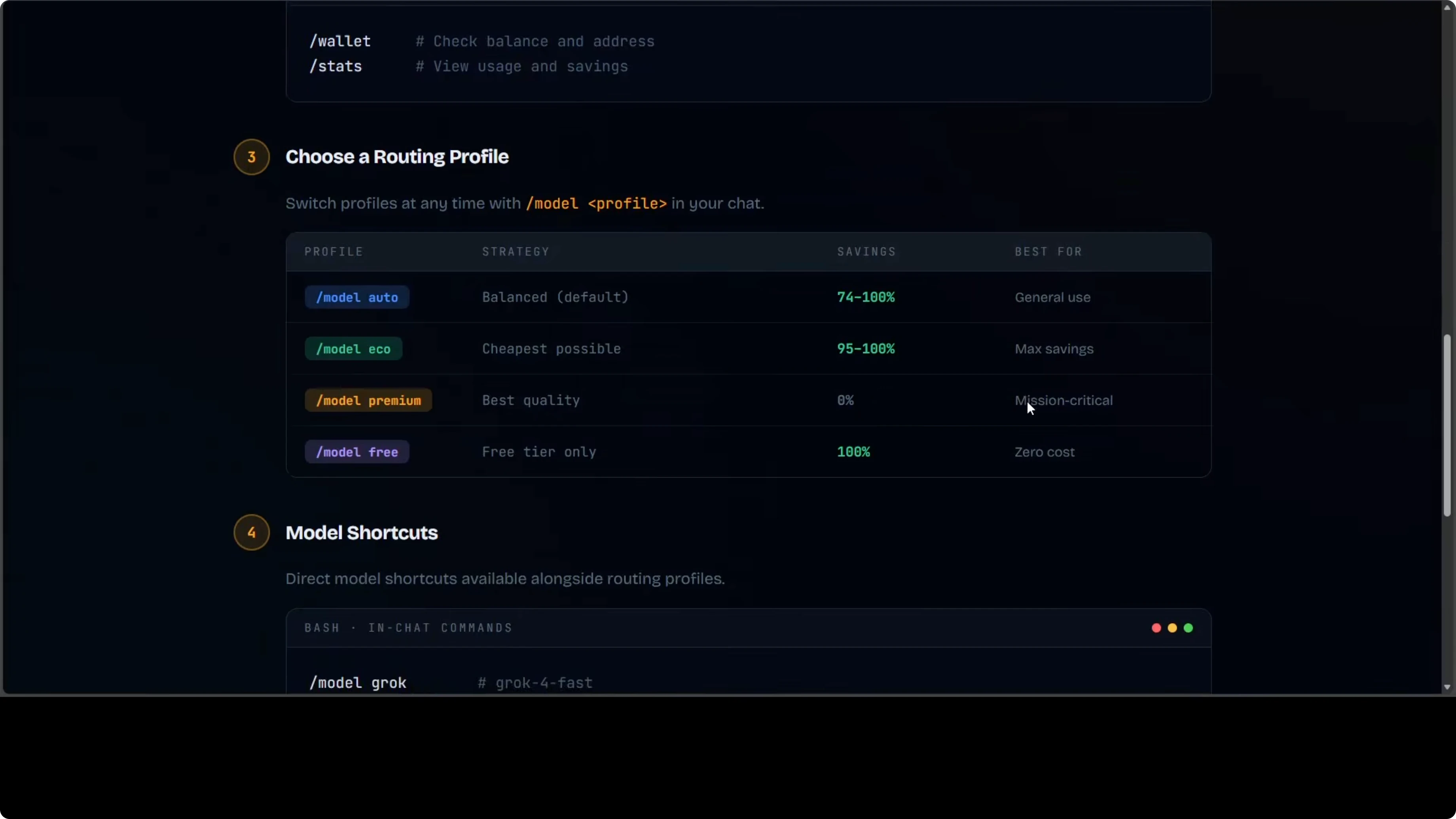
You can switch profiles as needed. Use Eco for maximum savings, Auto for balanced performance, Premium when you need the best model, and Free to run entirely on the free tier using GPT-OSS 120B as a fallback. No further app reconfiguration is required after install.
Who should pick what
TinyClaw is for people who want to move beyond a single assistant and into multi-agent workflow. It is experimental and it will cost you in API credits, but watching a team of agents collaborate on a task in real time is exciting and nothing else in this family does it like this.
ClawRouter is for people already running OpenClaw who want to stop overpaying for every request. If you are comfortable with its setup, the cost savings are significant on blended workloads.
Final thoughts
Two very different tools solve two very different problems. TinyClaw expands capability through parallel agents, and ClawRouter cuts costs by routing traffic intelligently. Be aware of security issues before you deploy in production and audit your configurations regularly.
Subscribe to our newsletter
Get the latest updates and articles directly in your inbox.

Related Posts

8 Best Claude Code Plugins in 2026 (You Need to Know)
8 Best Claude Code Plugins in 2026 (You Need to Know)

7 Best Claude Code Skills (You Need to Know)
7 Best Claude Code Skills (You Need to Know)

Claude Code Desktop IDE Features (You Need to Know)
Claude Code Desktop IDE Features (You Need to Know)