
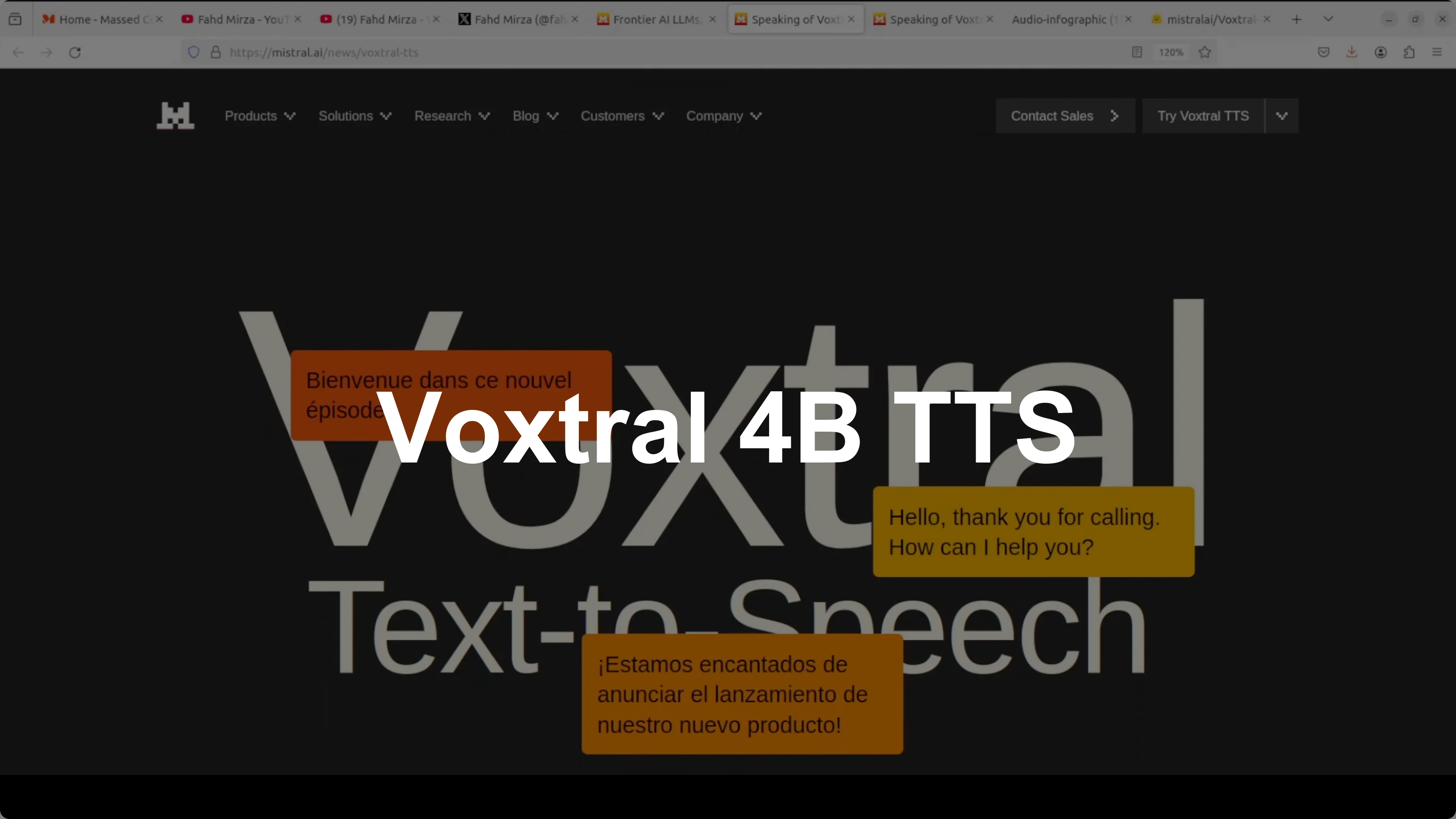
How to Install Voxtral 4B TTS 2603 with 9-Language Demo?
I installed and tested Voxtral 4B TTS 2603 locally from Hugging Face and ran it through a set of checks. I will explain its architecture and features in simple words. I used an Ubuntu system with an NVIDIA RTX 6000 48 GB GPU.
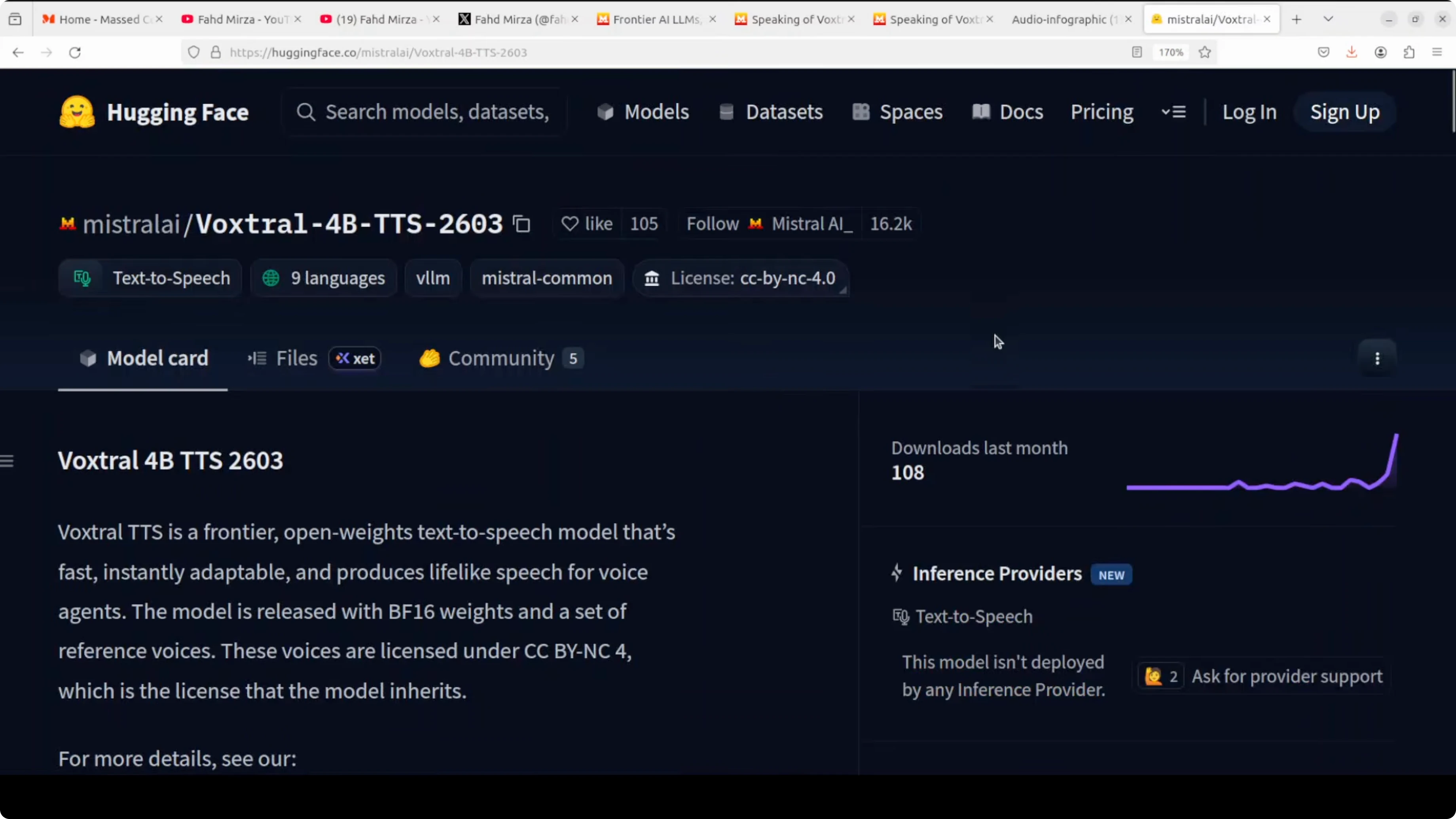
The runtime was light in practice. The model used just over 3 GB of VRAM during synthesis. You can also run it on a capable CPU with 16 to 32 GB RAM.
Voxtral is a 4 billion parameter text to speech model with open weights built for production voice agents. It supports nine languages: English, French, Spanish, German, Italian, Portuguese, Dutch, Arabic, and Hindi. It ships with 20 preset voices and allows easy adaptation to custom voices.
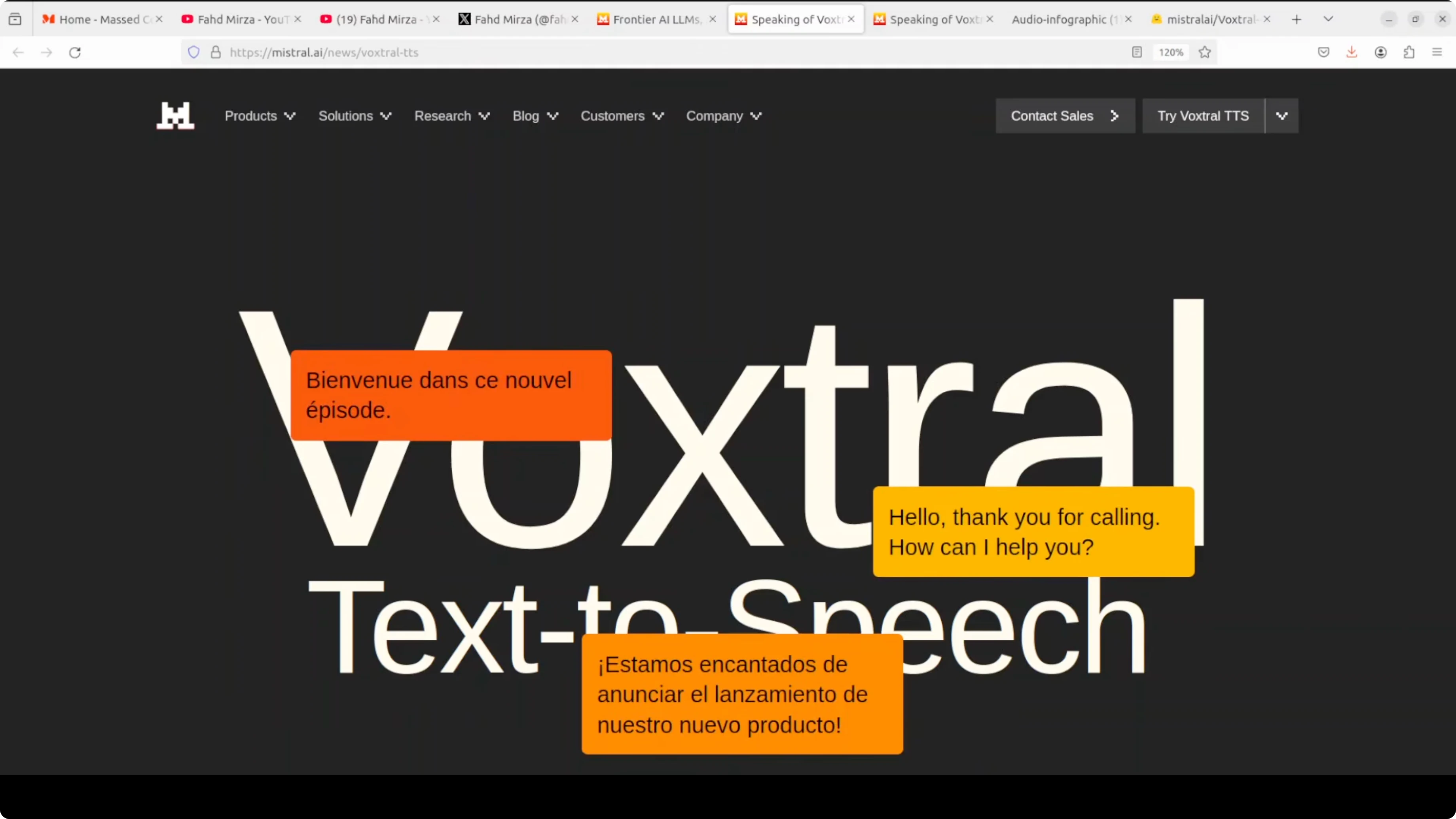
It outputs around 24 kHz audio in WAV, MP3, and Opus. I checked real time viability for contact center style applications. The team also reports it beats ElevenLabs on various benchmarks.
Install Voxtral 4B TTS 2603 with 9-Language Demo?
System and dependencies
I ran everything on Ubuntu with a single NVIDIA GPU, but memory use stayed around 3 GB VRAM. A CPU setup with 16 to 32 GB RAM also works for local testing. I used the uv package manager for Python to keep the environment clean.
If you prefer a UI oriented setup flow for creative pipelines, see this step-by-step pattern in how to install Flux 2 in ComfyUI. It maps well to repeatable local installs.
Get the code
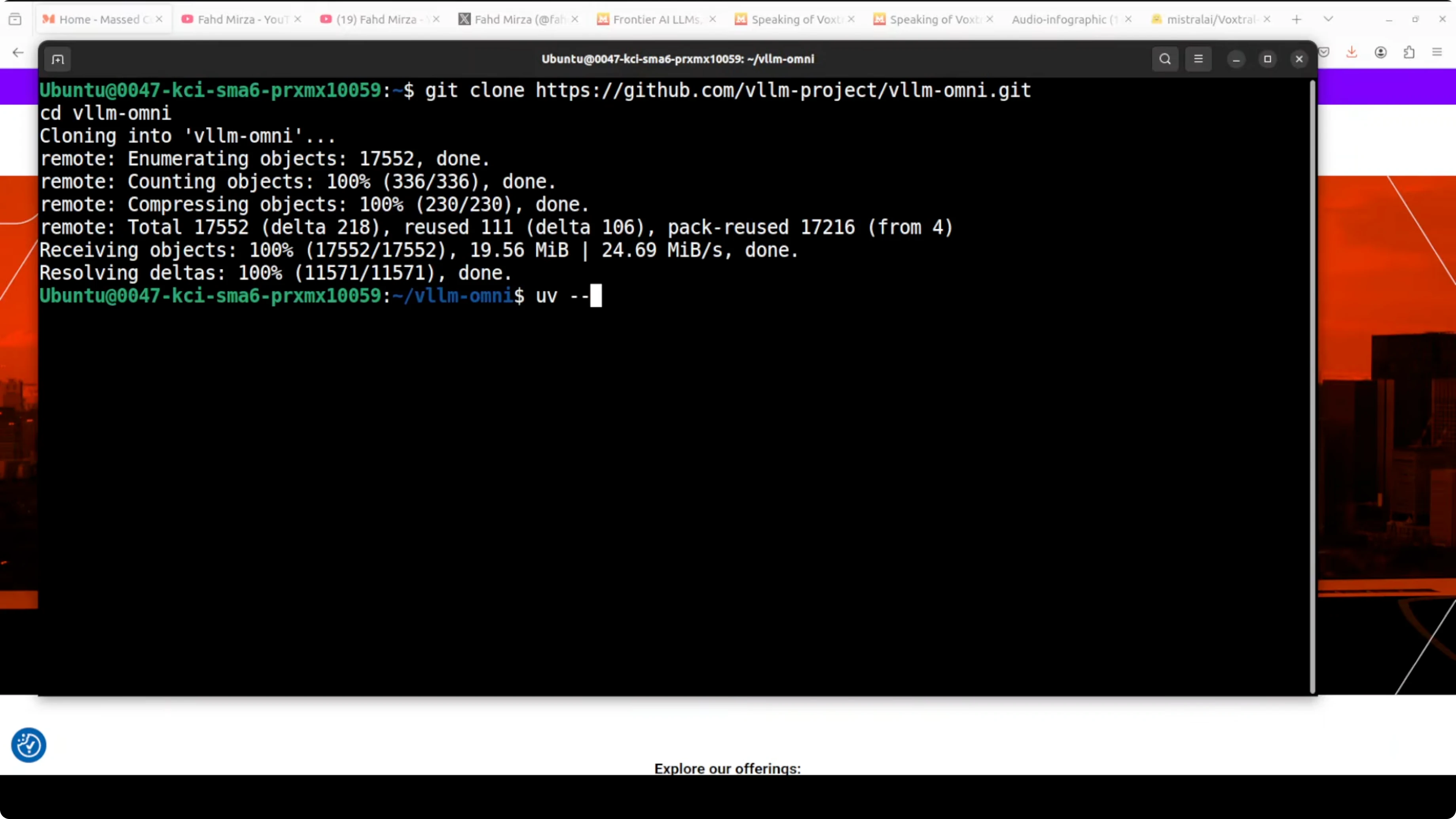
Clone the runner and prepare a uv environment. Then install requirements and start the Gradio app provided in the repository.
git clone https://github.com/vllm-project/vllm-omni.git
cd vllm-omni
# Create and activate a local virtual environment managed by uv
uv venv
source .venv/bin/activate
# Install Python dependencies
uv pip install -r requirements.txt
# Launch the Gradio demo
uv run python demos/gradio_app.py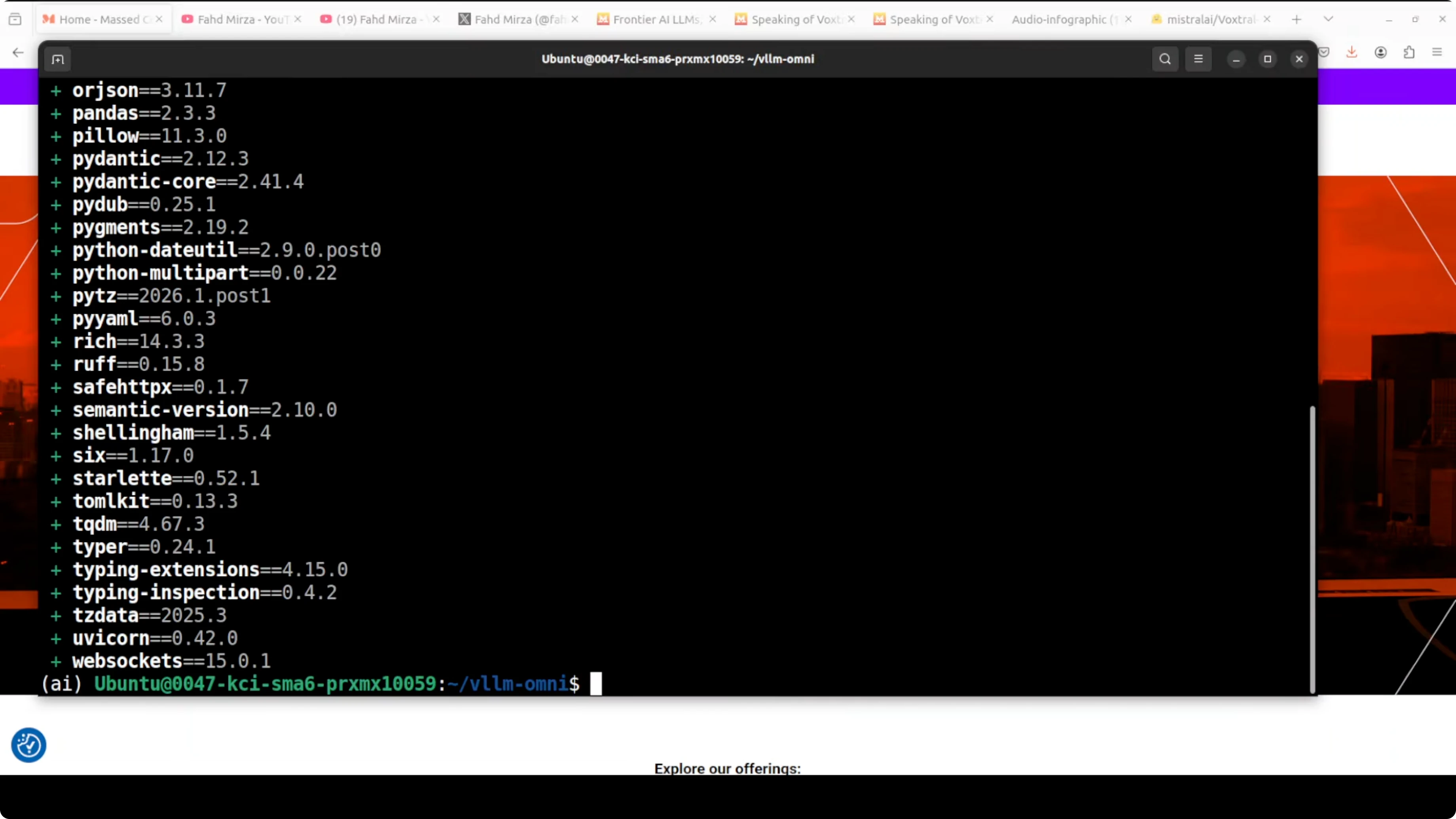
Open the app at http://127.0.0.1:7860. The demo exposes voice presets, language selection, and synthesis controls.
If you run containerized and hit GPU or base image issues, see these fixes in how to fix broken Docker installs. It covers common CUDA and device mapping problems.
Model weights
Pull the Voxtral 4B TTS 2603 weights from Hugging Face and point the Gradio app to the local path or repo ID. The interface lets you choose one of the 20 voices or upload a short voice reference to adapt speaking style. For a WebUI centric TTS workflow, you can also follow a similar approach shown in this Kokoro TTS WebUI local install.
Features
The main thing I focus on is natural prosody and emotional range in all tests. Prosody is the rhythmic, intonational, and pacing variety in speech that makes it sound human, not robotic. Emotional range is the ability to convey different feelings like joy, sadness, and urgency through tone, pitch, and emphasis.
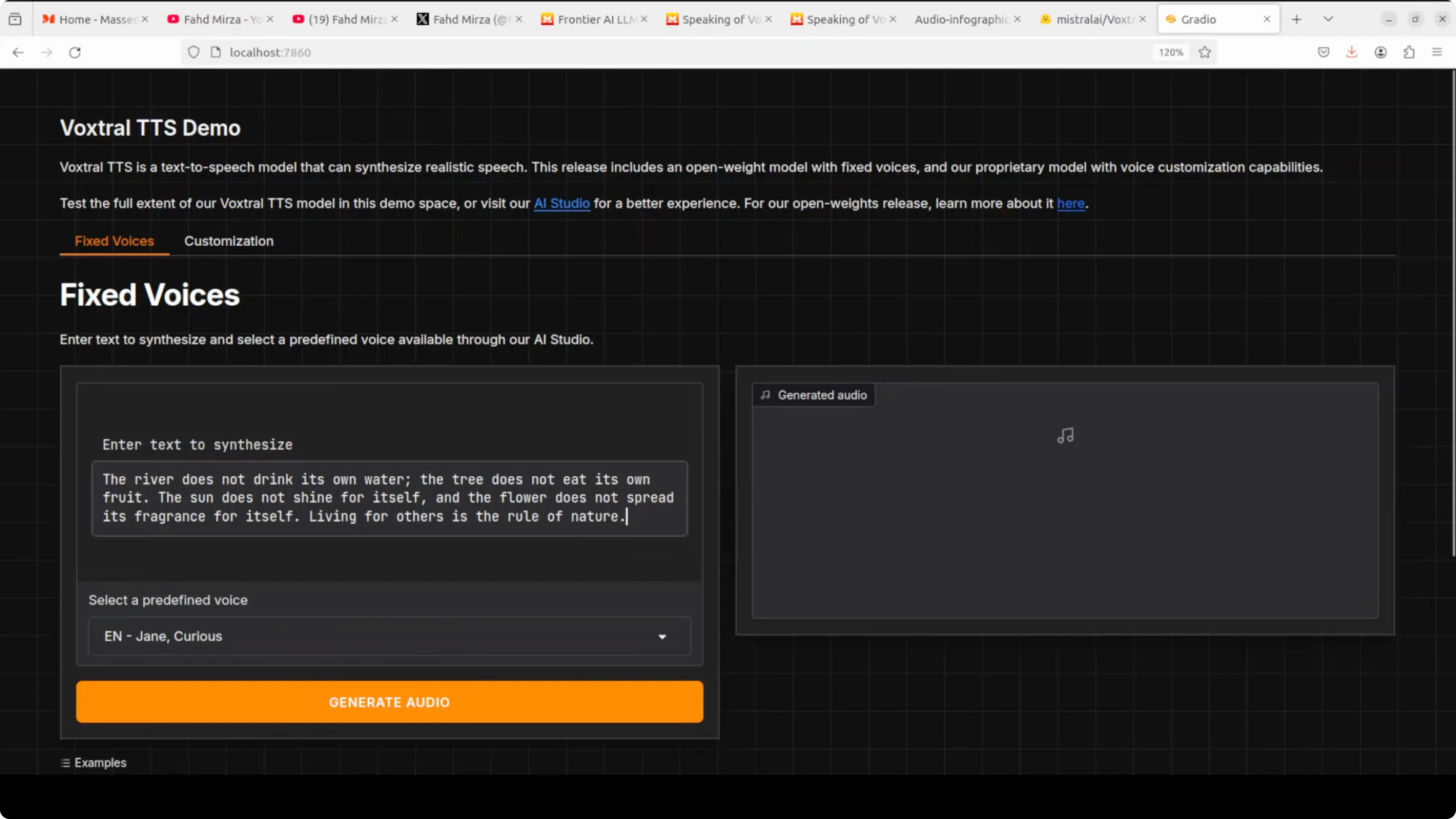
Voxtral supports English, French, Spanish, German, Italian, Portuguese, Dutch, Arabic, and Hindi. It includes 20 preset voices and can adapt to custom voices with a short reference clip. Output is around 24 kHz audio with WAV, MP3, and Opus options.
If you are exploring other TTS stacks for comparison, see GLM TTS for a different design and synthesis trade-offs. It helps frame strengths and gaps across engines.
Architecture
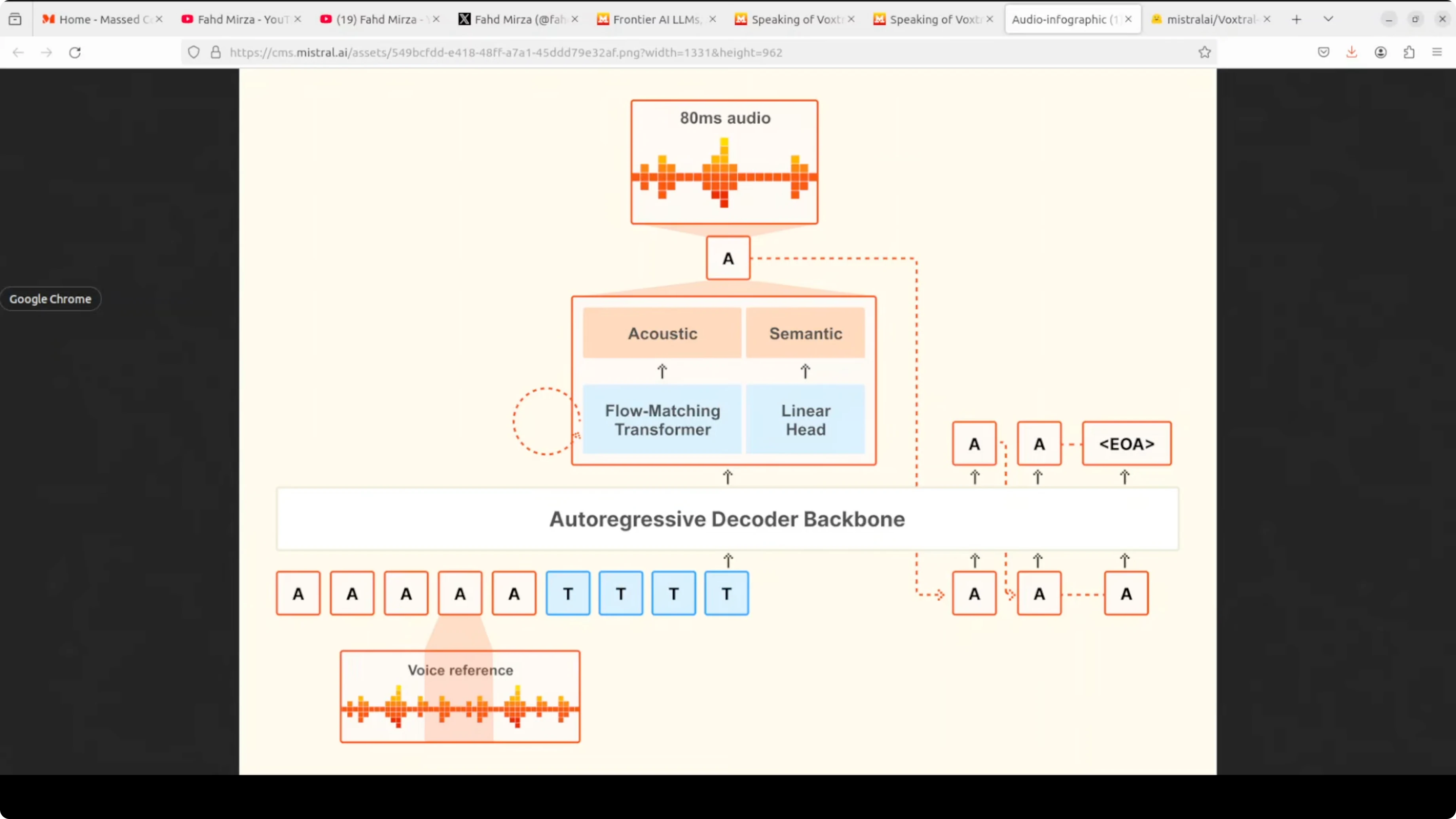
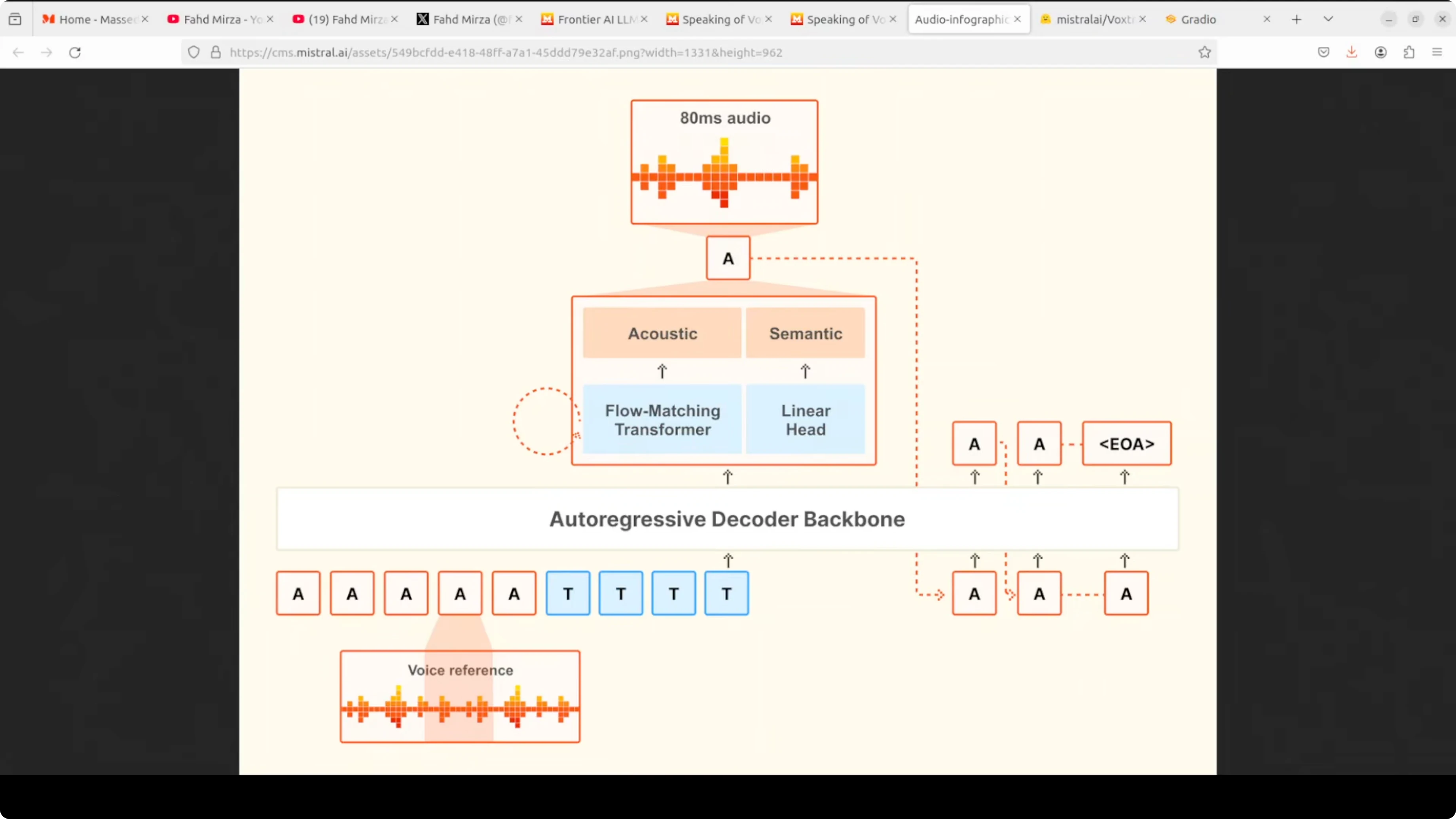
The model takes two inputs: a voice reference audio that defines the speaking style and the text tokens you want spoken. It feeds both into a single autoregressive decoder backbone that processes everything together. This unified setup keeps latency low and preserves prosody.
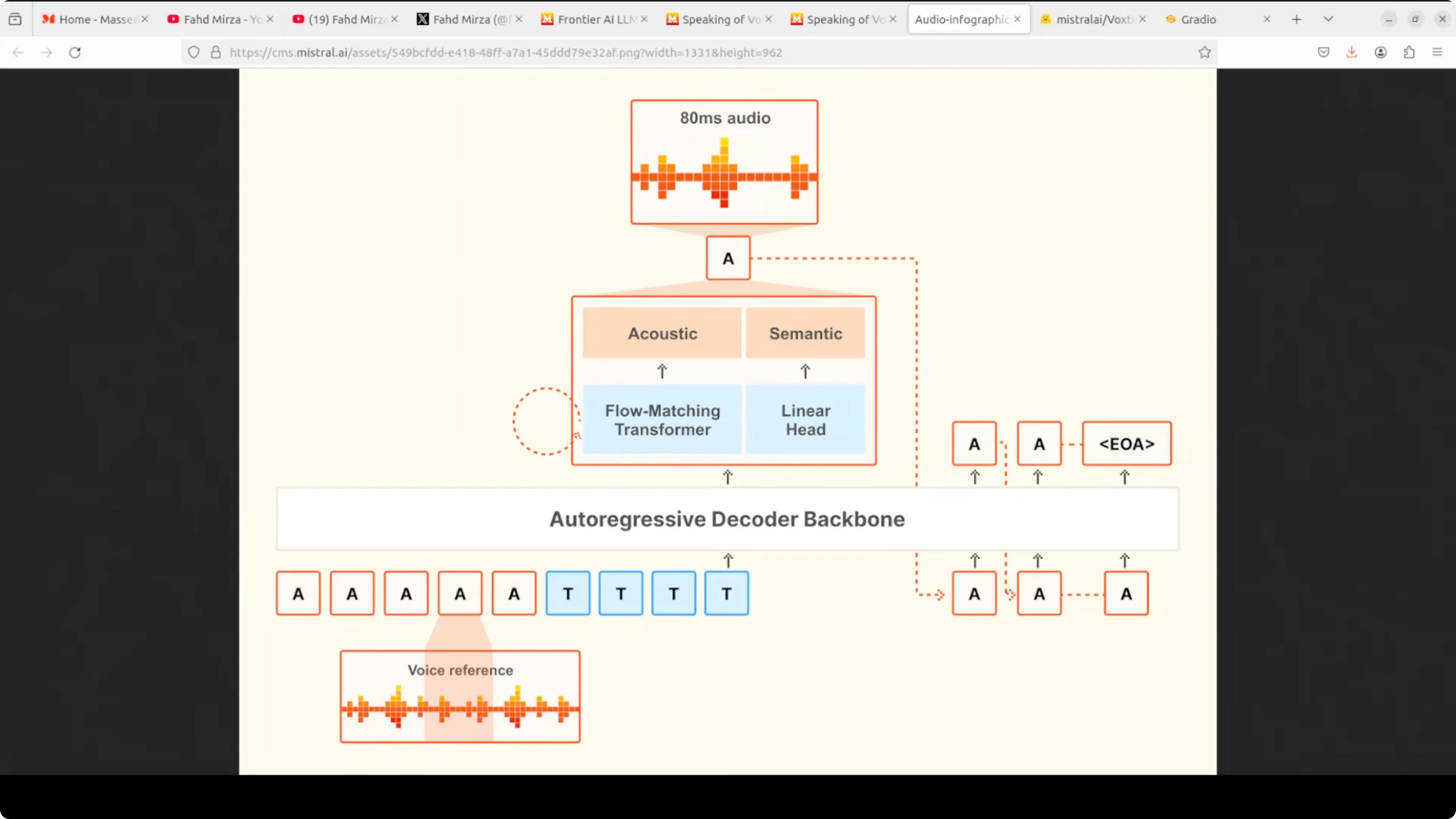
At each step, the decoder runs two heads in parallel. A linear head handles the semantic prediction of what comes next. A flow matching transformer refines that prediction into detailed acoustic features, which are then decoded into 80 millisecond audio chunks.
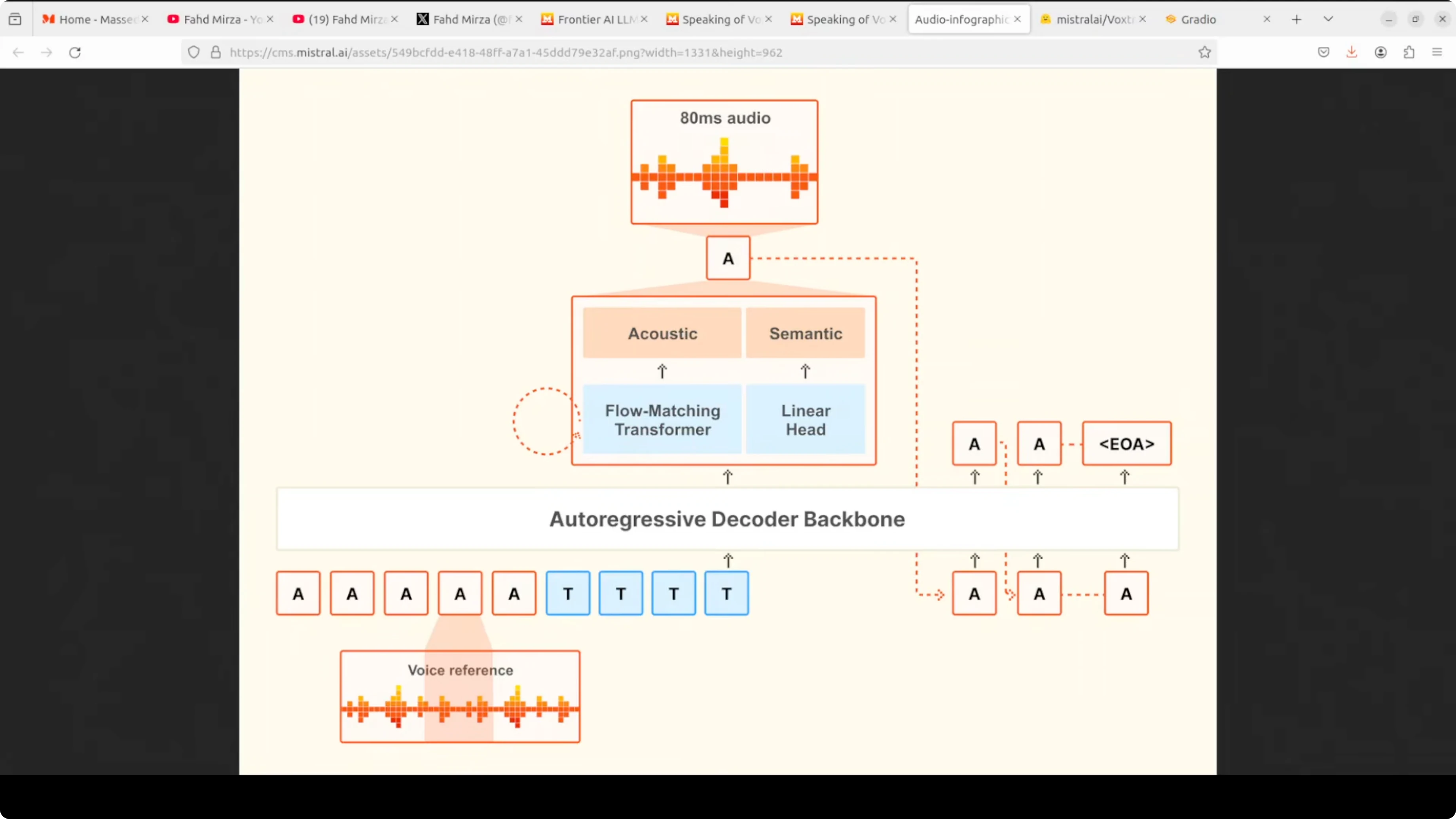
The process loops autoregressively. Each generated audio token is fed back as context for the next step until the model emits an end to end token. This single model design, rather than stitching separate stages, is what gives Voxtral its low latency and natural prosody.
Performance and results
VRAM use sat just over 3 GB during synthesis on my setup. That lines up well with real time agents for customer support and similar workloads. Voice cloning quality and naturalness were strong in testing across the nine supported languages.
Presets cover different speaking styles, and custom adaptation captured tone and pacing convincingly. The synthesis speed felt responsive enough for live applications. The team also reports stronger benchmark results than ElevenLabs for multiple tests.
If you want to compare with another compact model class, check out Chroma 4B. It provides a good reference point for size, latency, and quality discussions around 4B class models.
Use cases
Production voice agents and contact center assistants are a clear fit. The latency profile and voice cloning make it useful for IVR trees and live agent augmentation. Language coverage supports localization and dubbing for product videos and support content.
It also fits accessibility tools that need expressive, clear speech generation. Interactive apps, virtual characters, and education tools benefit from prosody control and voice styles. On device or edge setups become more practical given the modest VRAM footprint.
Final thoughts
Voxtral 4B TTS 2603 is a solid step up over earlier Voxtral releases. Size has come down while quality, prosody, and emotion generation have improved. The direction is clear: smaller models with better sound and faster response for real time voice applications.
Subscribe to our newsletter
Get the latest updates and articles directly in your inbox.

Related Posts

8 Best Claude Code Plugins in 2026 (You Need to Know)
8 Best Claude Code Plugins in 2026 (You Need to Know)

7 Best Claude Code Skills (You Need to Know)
7 Best Claude Code Skills (You Need to Know)

Claude Code Desktop IDE Features (You Need to Know)
Claude Code Desktop IDE Features (You Need to Know)