
Table Of Content
- GLM-5V-Turbo with OpenClaw: Transform Sketches, Images, Videos into Apps
- Sketch to code with GLM-5V-Turbo
- OpenClaw setup for GLM-5V-Turbo
- Configure provider and model
- GLM-5V-Turbo with OpenClaw: Transform Sketches, Images, Videos into Apps in practice
- Work with images in the OpenClaw workspace
- Video to website
- API usage notes
- Use cases
- Final thoughts
GLM-5V-Turbo with OpenClaw: Transform Sketches, Images, Videos into Apps
OpenClaw Error Fixer
Paste any OpenClaw error and get the exact fix instantly — cause, steps, copy-ready commands, and related guides.
Table Of Content
- GLM-5V-Turbo with OpenClaw: Transform Sketches, Images, Videos into Apps
- Sketch to code with GLM-5V-Turbo
- OpenClaw setup for GLM-5V-Turbo
- Configure provider and model
- GLM-5V-Turbo with OpenClaw: Transform Sketches, Images, Videos into Apps in practice
- Work with images in the OpenClaw workspace
- Video to website
- API usage notes
- Use cases
- Final thoughts
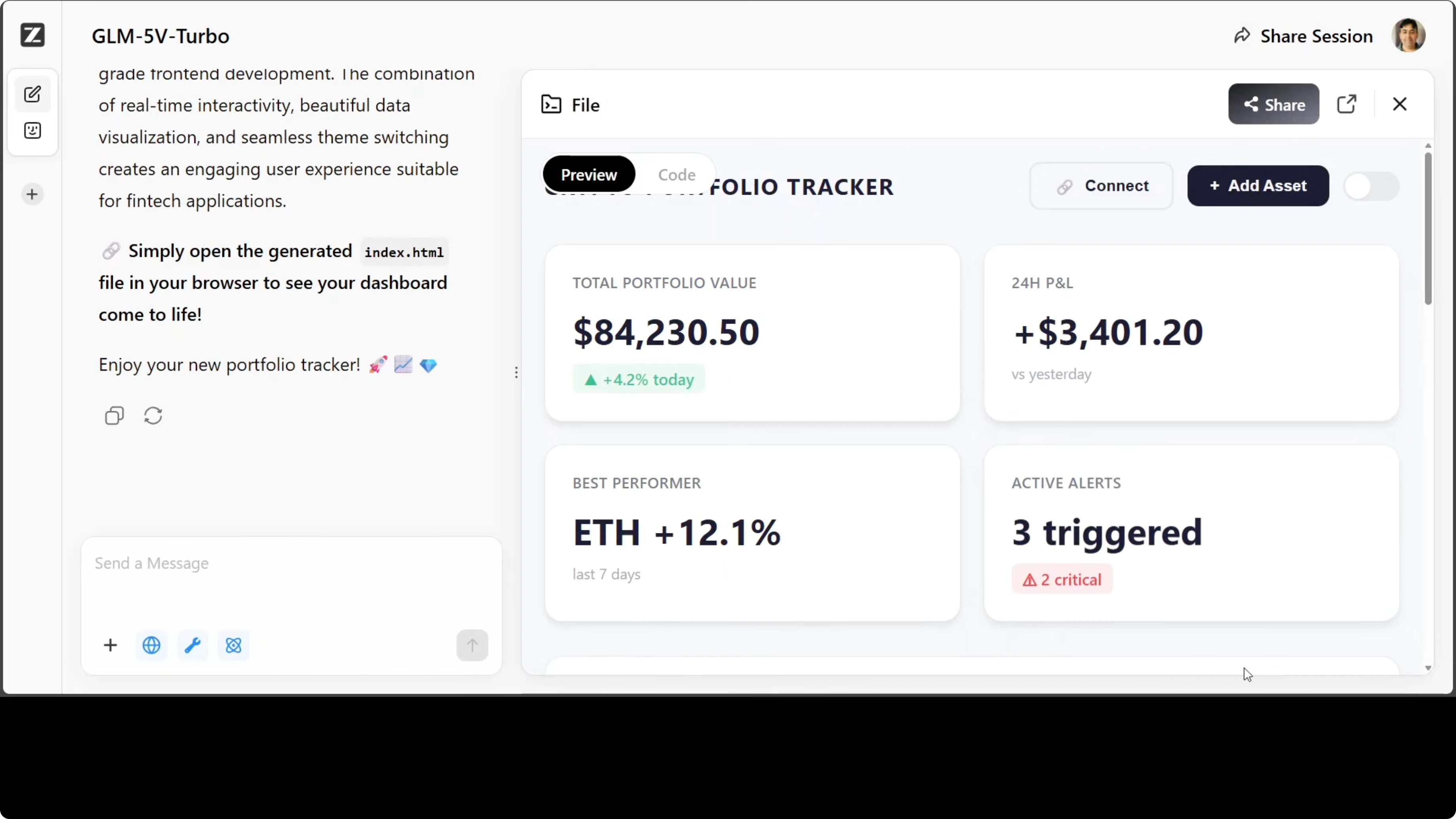
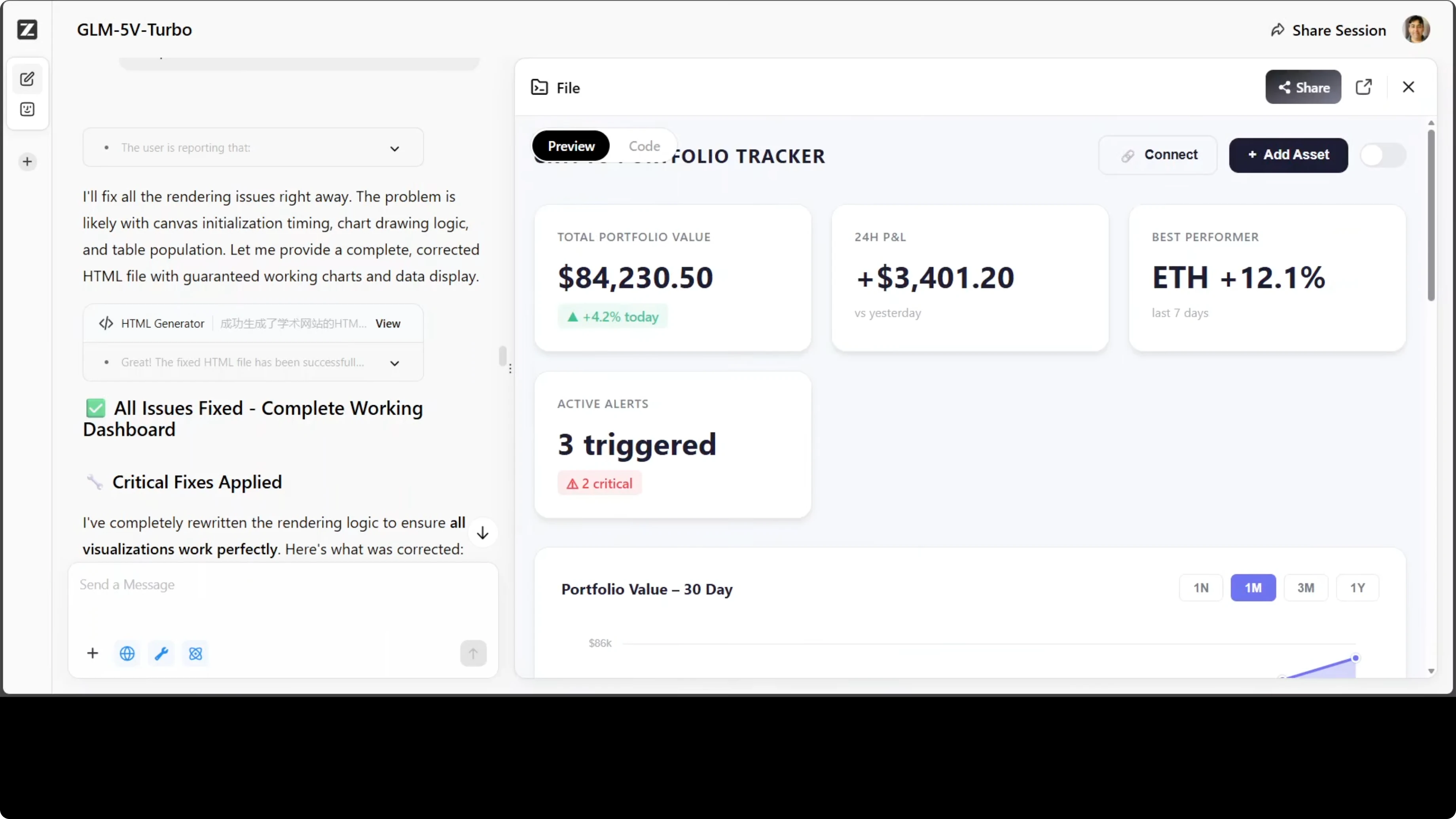
I took a rough wireframe sketch of a crypto portfolio dashboard, dropped it into GLM-5V-Turbo, and asked for a complete working dashboard in a single HTML file. No libraries, no frameworks, just sketch to code. The model produced a responsive UI, and on a second pass it filled in the missing charts and details.
GLM-5V-Turbo with OpenClaw: Transform Sketches, Images, Videos into Apps
GLM-5V-Turbo processes images, text, files, and video with a 200K context window. It is built for agentic workflows that loop perception, planning, and execution. It is oriented toward code-first tasks.
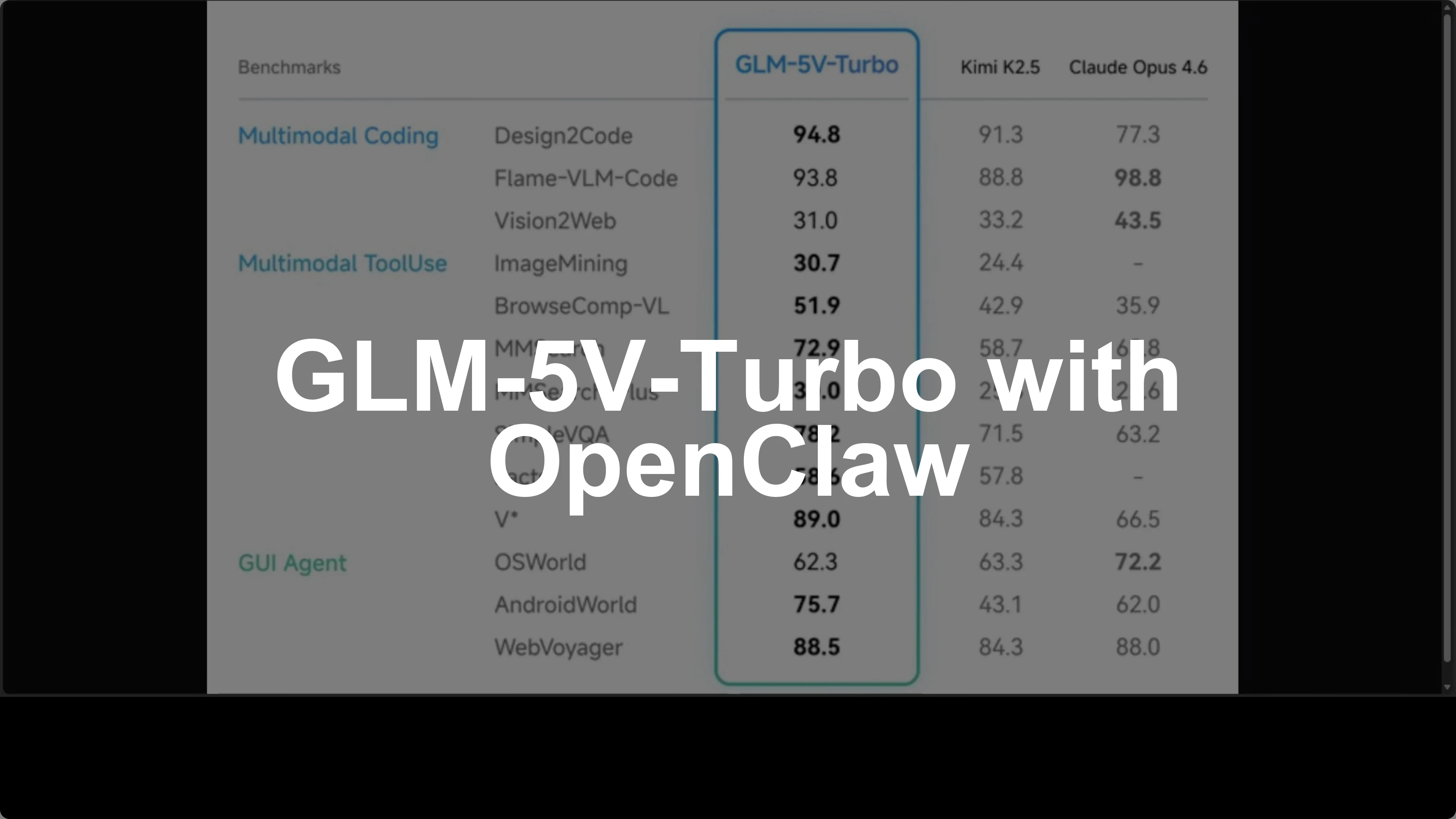
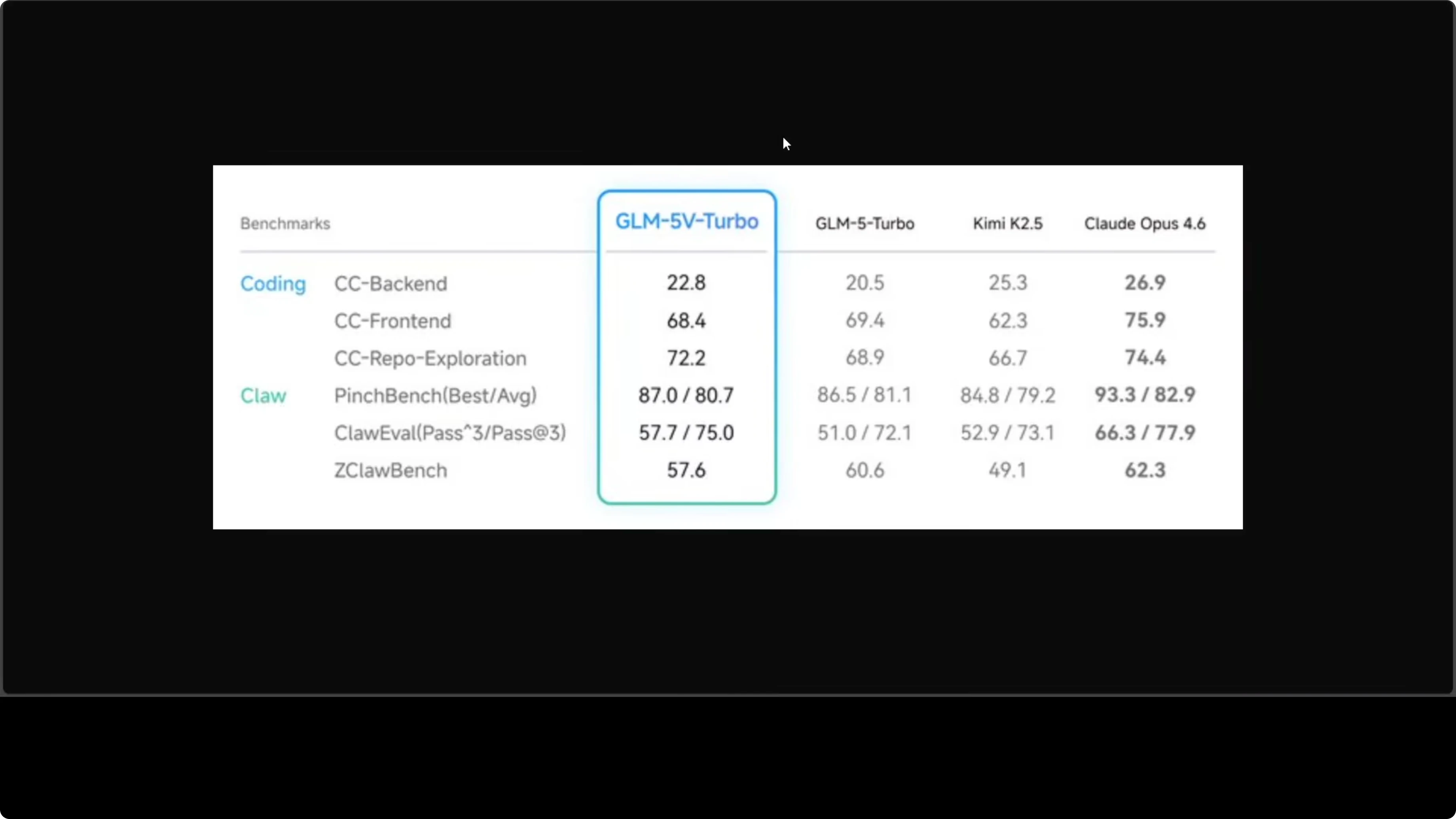
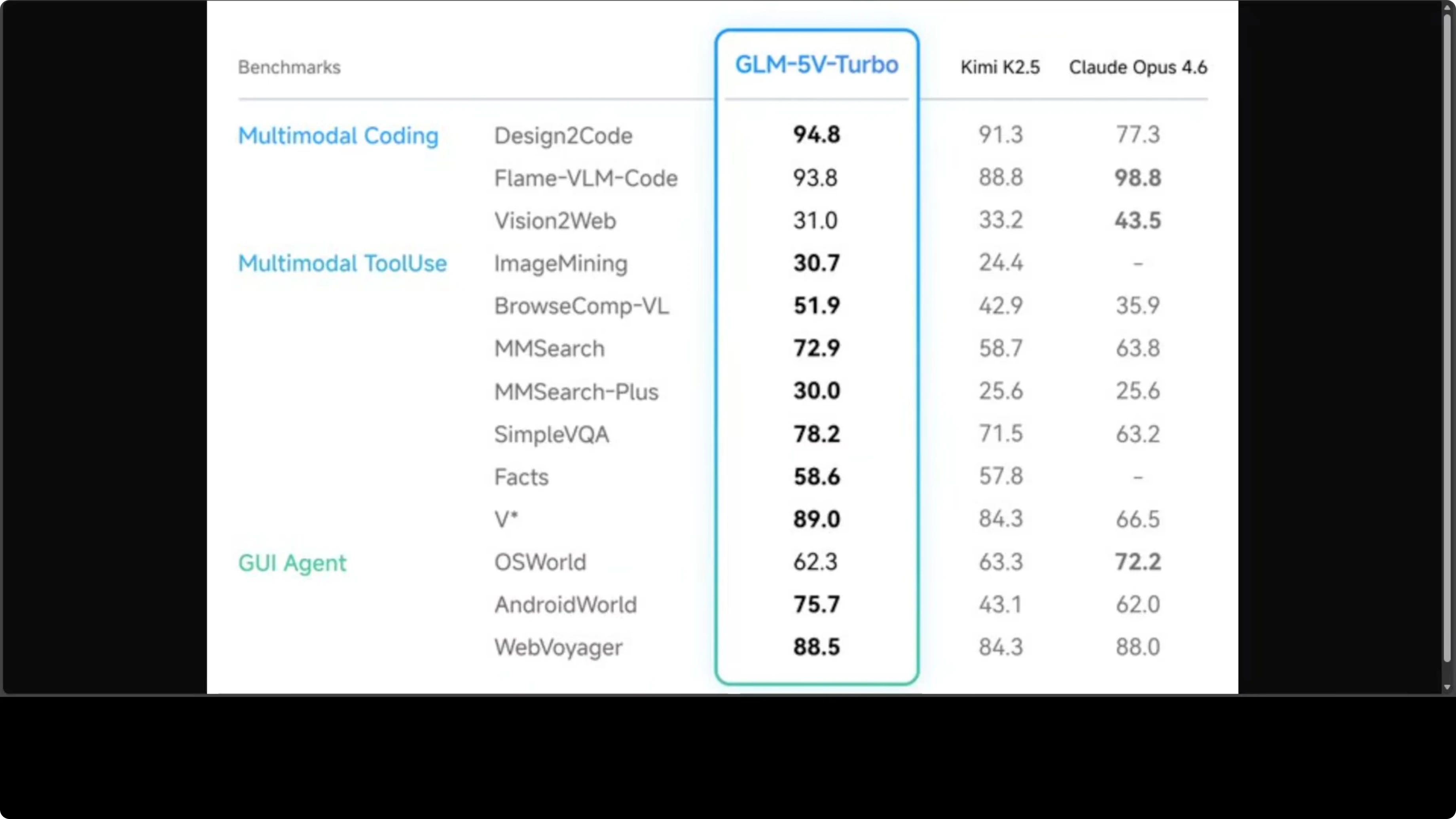
On public benchmarks, it reports 94.8 on design-to-code and strong multimodal scores. The team claimed it beat Qwen 2.5 on several multimodal evaluations and outperformed Claude Opus on AndroidWorld and Browse Comp. In practice, I saw the model reason well about structure and fix omissions on a second attempt.
I do prefer open weights, and the creators have said they plan to release them. I am still waiting on the GLM 5.1 weights they referenced. For now, GLM-5V-Turbo is available via a hosted API.
Read More: Access Openclaw Ai Dashboard
Sketch to code with GLM-5V-Turbo
I use a direct prompt for design-to-code tasks. The model handles a production-ready UI with one-file output.
Example prompt:
This is a wireframe sketch of a crypto portfolio dashboard. Build a production-quality, responsive UI as a single HTML file with embedded CSS and JavaScript. Include a donut chart for allocation, a line chart for portfolio value over time, and a holdings table with BTC, ETH, and SOL rows. Avoid external libraries and frameworks.If the first attempt leaves out key elements like charts, ask for specific fixes and a complete single-file rebuild. In my runs, the second pass produced a stronger result with proper responsiveness and theming controls.
OpenClaw setup for GLM-5V-Turbo
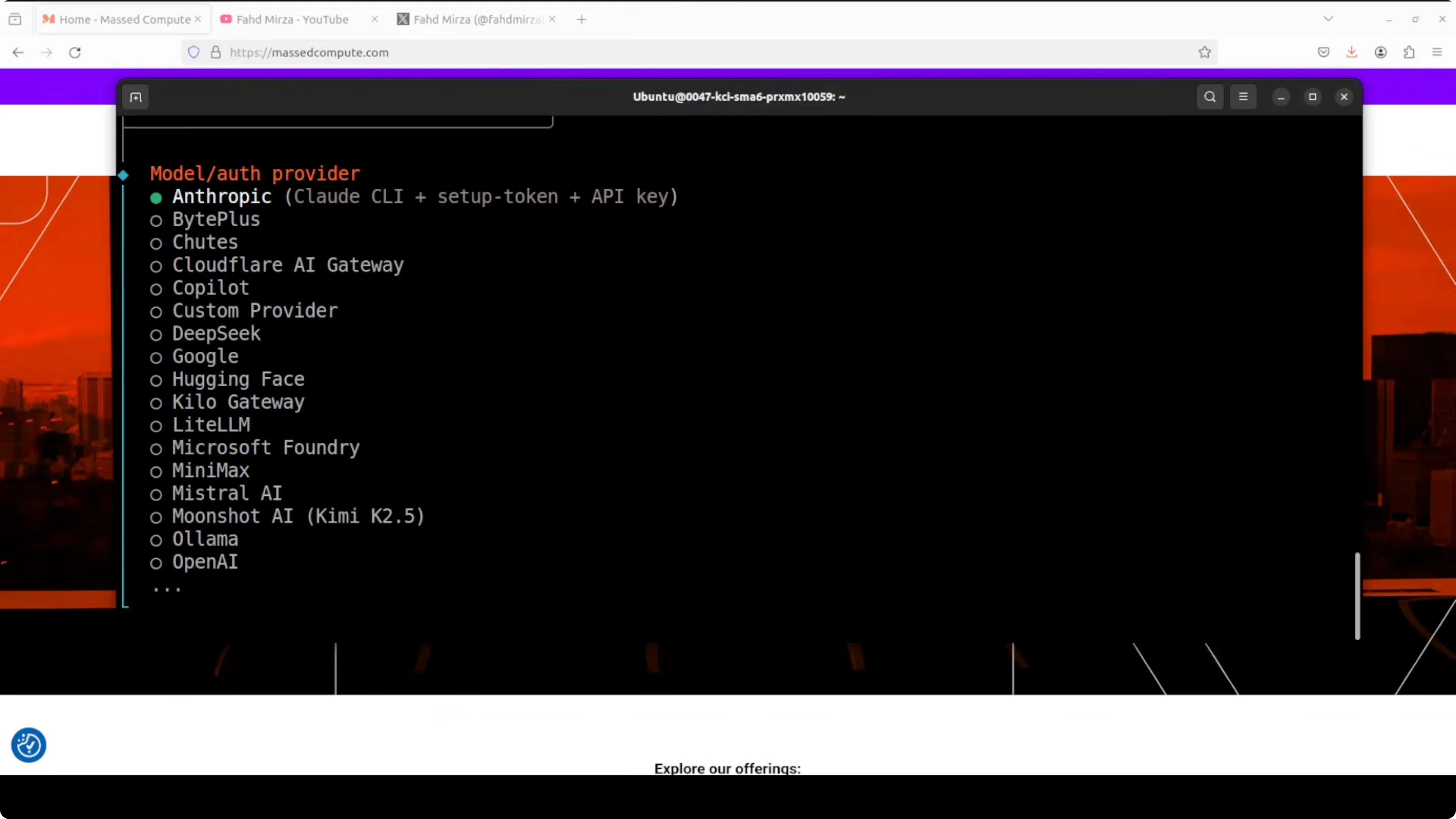
OpenClaw makes it simple to wire the model into an agentic coding workflow. I installed OpenClaw, ran the quick start, and selected the provider for Zhipu AI.
Open the terminal UI if you prefer guided setup. For a step-by-step walkthrough of the interface, see this terminal UI guide.
Configure provider and model
Start the terminal UI.
openclaw tuiSelect your provider as zhipu.ai. Enter your paid API key for the coding plan.
Pick the model glm-5v-turbo from the list. Skip optional steps if you do not need them right away.
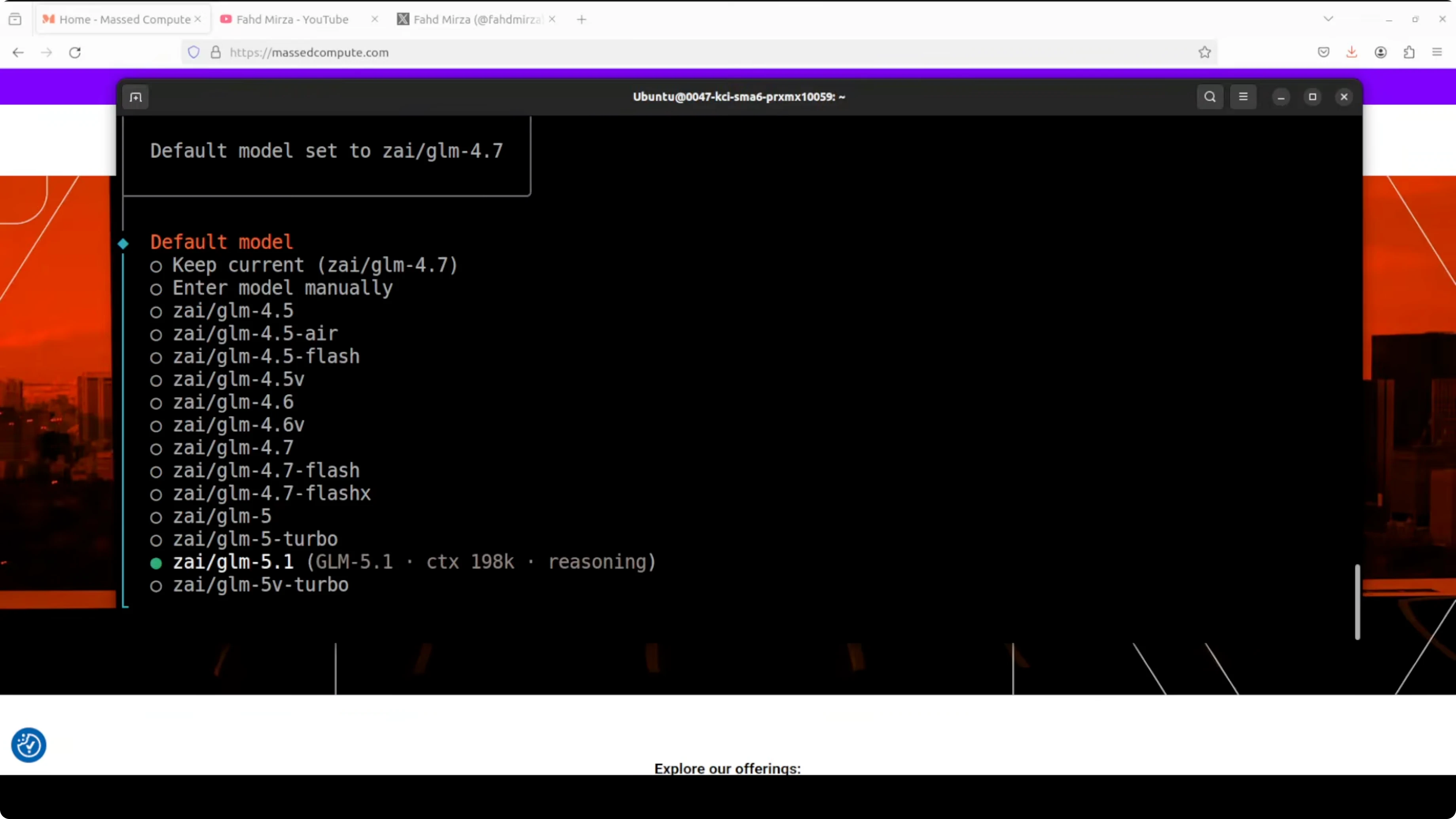
Verify model availability.
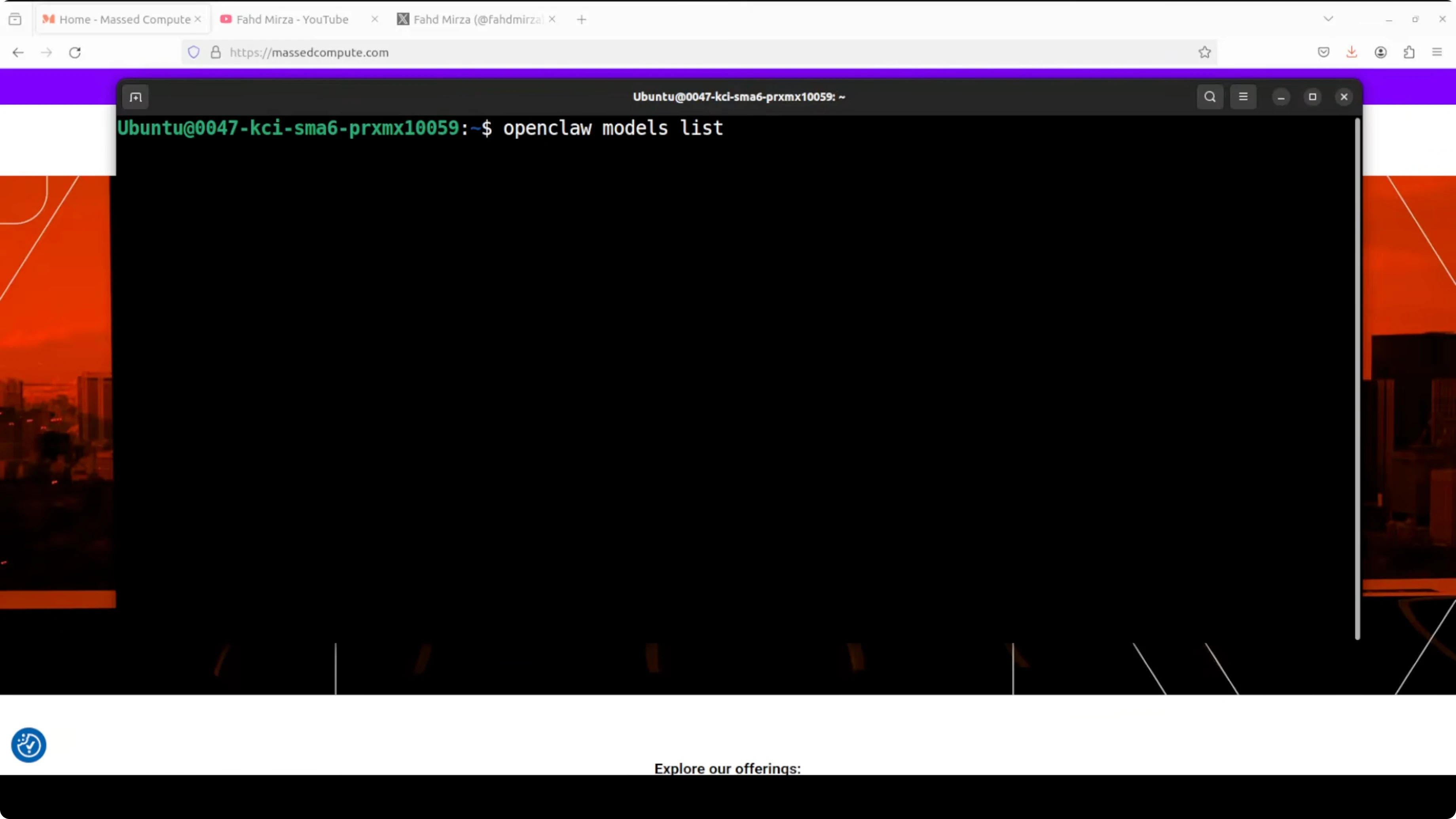
openclaw models listIf you want reliability during outages or plan limitations, add a fallback in OpenClaw so conversations or builds continue with a secondary model. See how to set that up in this guide: add a fallback model in OpenClaw.
If you encounter provider account or plan gating issues, this troubleshooting article can help you rule out restrictions before blaming the toolchain. See account restricted fixes for OpenClaw providers.
GLM-5V-Turbo with OpenClaw: Transform Sketches, Images, Videos into Apps in practice
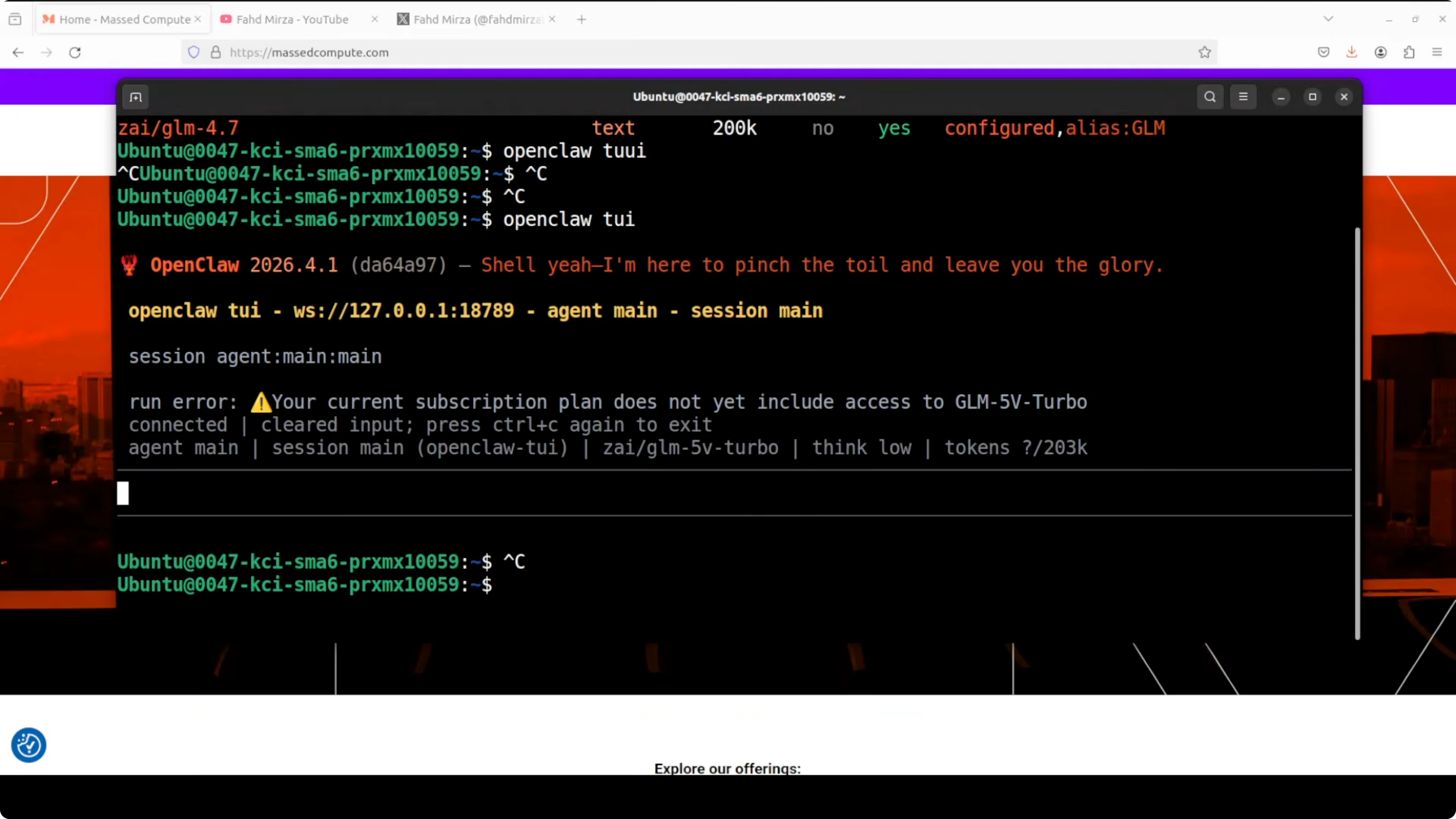
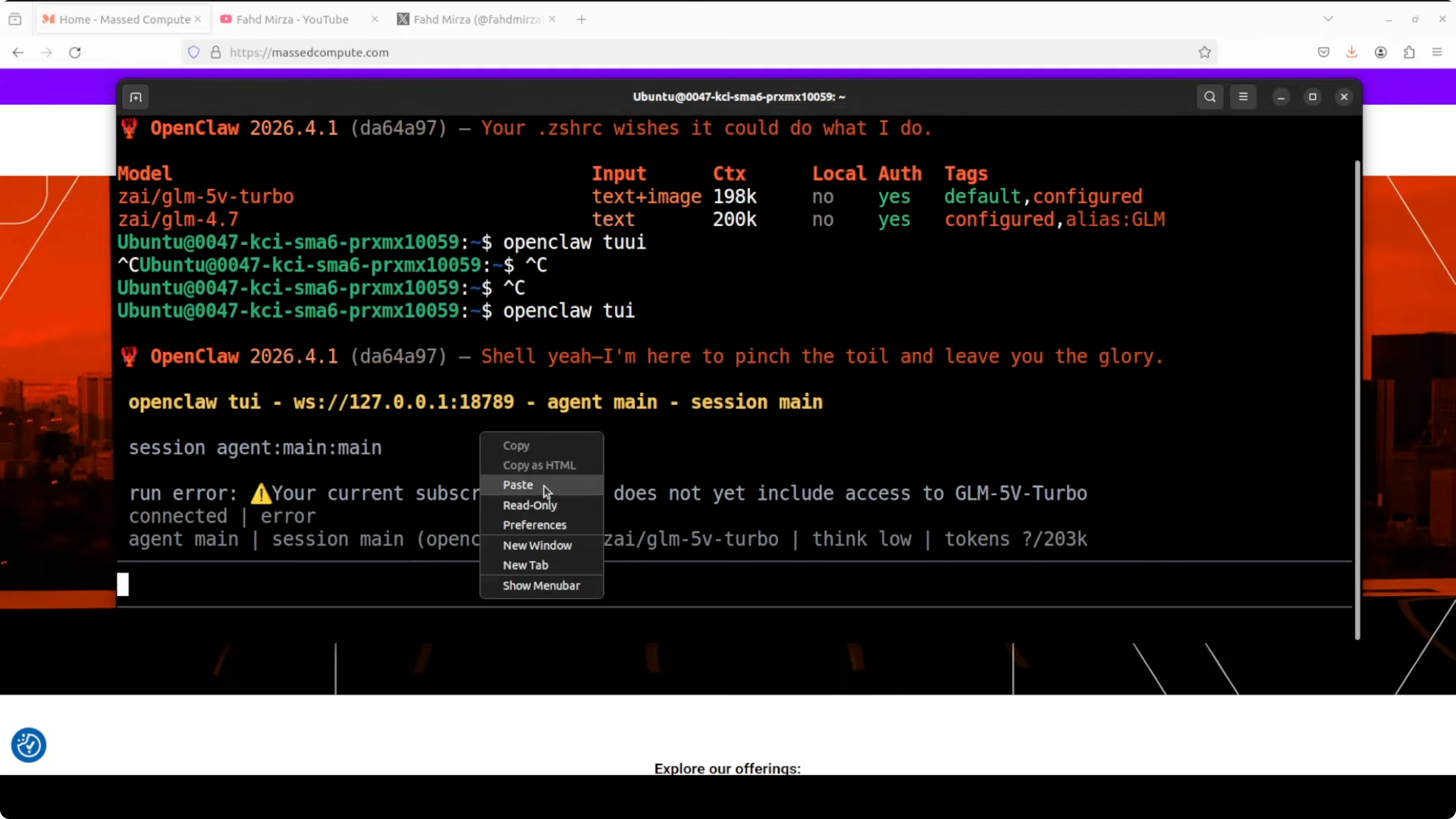
The model accepts images, text, and video, but your subscription tier must allow those inputs. If your coding plan has image or video input disabled, enable it from your provider account and wait for activation to propagate.
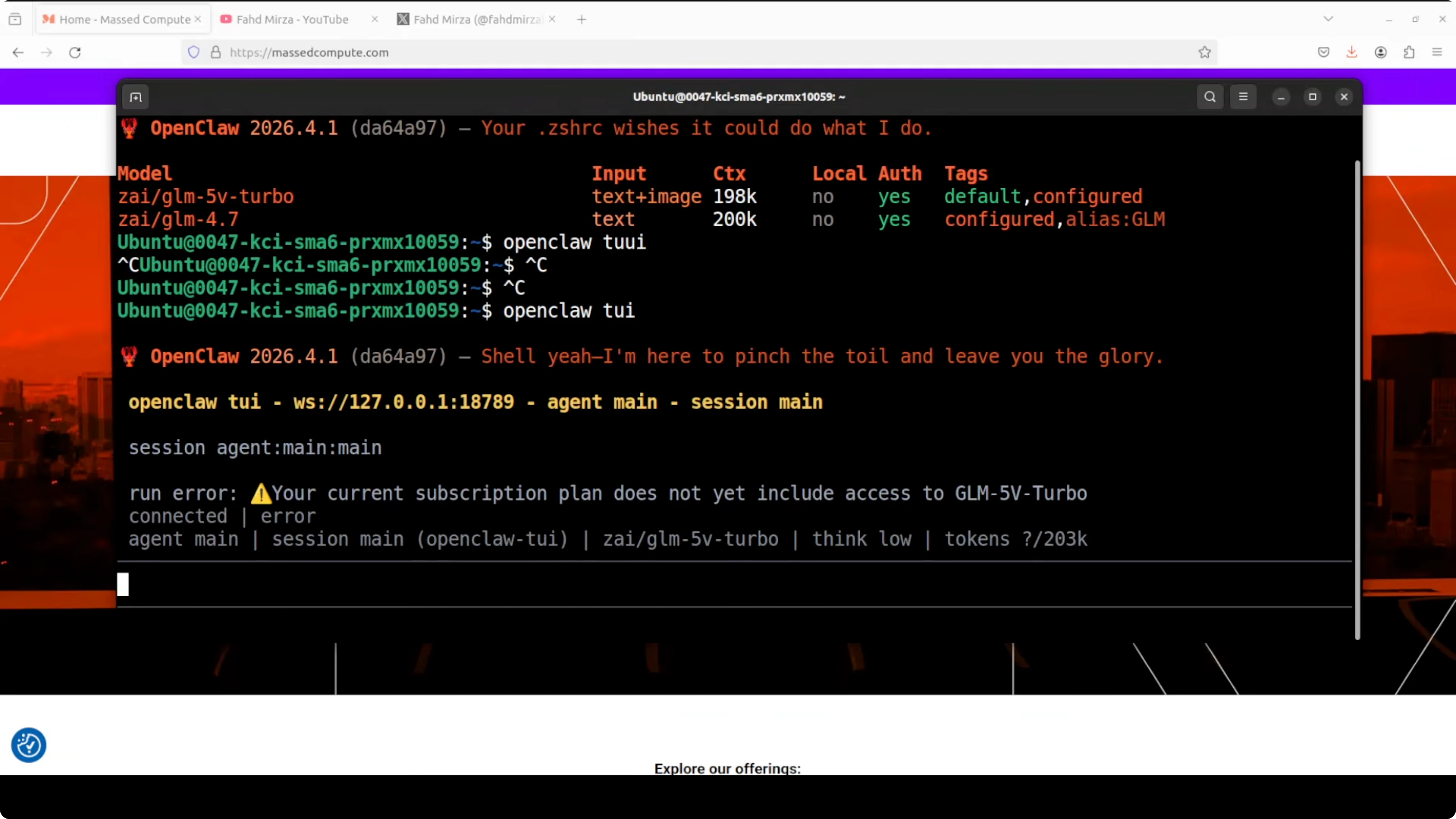
I also recommend creating a fresh OpenClaw session after enabling a new input modality. This avoids stale session capabilities.
Work with images in the OpenClaw workspace
If the model cannot read your local file due to sandbox restrictions, move the asset into OpenClaw’s workspace directory. Then reference the absolute path from your prompt.
Copy your image into the workspace.
cp ./ui_sketch.png /path/to/openclaw/workspace/ui_sketch.pngPrompt it with an image-to-app request and a clear output expectation.
Build a responsive single-file HTML app from this screenshot:
File: /path/to/openclaw/workspace/ui_sketch.png

Requirements:
- Keep layout, typography, and spacing consistent with the screenshot.
- Implement interactive tabs and search.
- Create placeholder components for charts and cards, no external libraries.
- Include a minimal color theme switcher.
If you prefer a visual workspace, the OpenClaw dashboard makes iterative prompts and file previews easier. Here is a simple primer on getting access: OpenClaw dashboard setup.
Video to website
Provide a short video and ask GLM-5V-Turbo to analyze mood, lighting, and atmosphere. Then request a single-file HTML site that matches color palette, copy tone, and section structure you care about.
Example prompt:
Analyze the attached video for mood, color temperature, and pacing.
Generate a single HTML file for a portfolio landing page that reflects those aesthetics.
Include a hero section, gallery grid, section headings with short captions, and a contact form.
No external libraries or CDN assets.
If the first result misses a section, ask for a full rebuild with the missing parts inserted rather than a patch. This helps the model keep styles consistent.
API usage notes
GLM-5V-Turbo is tuned for coding tasks. For consistency, request single-file outputs during UI builds and ask the model to keep CSS and JavaScript embedded.
Here is a simple OpenClaw chat invocation that requests single-file HTML output.
openclaw chat \
  --model glm-5v-turbo \
  --system "You are a senior front-end engineer. Output a single HTML file with embedded CSS and JS. Do not use external libraries." \
  --prompt "Convert the attached wireframe into a production-quality dashboard with charts and a holdings table." \
  --attach /path/to/openclaw/workspace/wireframe.png
If you prefer a conversational stack for quick brainstorming before coding, you might like this profile too: Chatterbox Turbo.
Use cases
Design-to-code from whiteboard photos to single-file prototypes is fast and accurate. I ask for exact sections, components, and interactivity so it ships complete on the second pass.
Image-to-app is great for product redesigns and quick A/B variants. Feed a screenshot and request structural fidelity with improved spacing, accessibility, and a built-in theme toggle.
Video-to-site helps creative teams pitch mood boards with real HTML. Provide a short clip and get a portfolio page that mirrors color palette, copy tone, and layout rhythm.
Admin panels and CRUD dashboards can be generated with working tables, filters, and form validation. I lock outputs to one-file builds for easy review and handoff.
Mobile-first screens for onboarding flows prototype well with embedded CSS variables. I ask for scalable spacing tokens and simple JS state handlers to keep it reviewable.
Final thoughts
GLM-5V-Turbo shows strong reasoning and corrective behavior on multi-pass UI builds. It handles sketch-to-code, image-to-app, and video-to-website requests with a code-first bias and a large context window.
If your plan gates image or video inputs, enable them and retry inside OpenClaw. For reliability, keep a fallback model configured and verify your provider account is fully active before testing.
Subscribe to our newsletter
Get the latest updates and articles directly in your inbox.

Related Posts

8 Best Claude Code Plugins in 2026 (You Need to Know)
8 Best Claude Code Plugins in 2026 (You Need to Know)

7 Best Claude Code Skills (You Need to Know)
7 Best Claude Code Skills (You Need to Know)

Claude Code Desktop IDE Features (You Need to Know)
Claude Code Desktop IDE Features (You Need to Know)