
Table Of Content
- Wan Move - Motion Controllable Video Generation with Latent Trajectory Guidance
- Drawing Motion to Direct Movement
- Multiple Object Motion Control
- Camera Control, Motion Transport, and Prompt Visibility
- Video Editing and First Frame Editing
- Open Source Release and Model Availability
- Quick Start - Using Wan Move
- Introduction to Wan Move
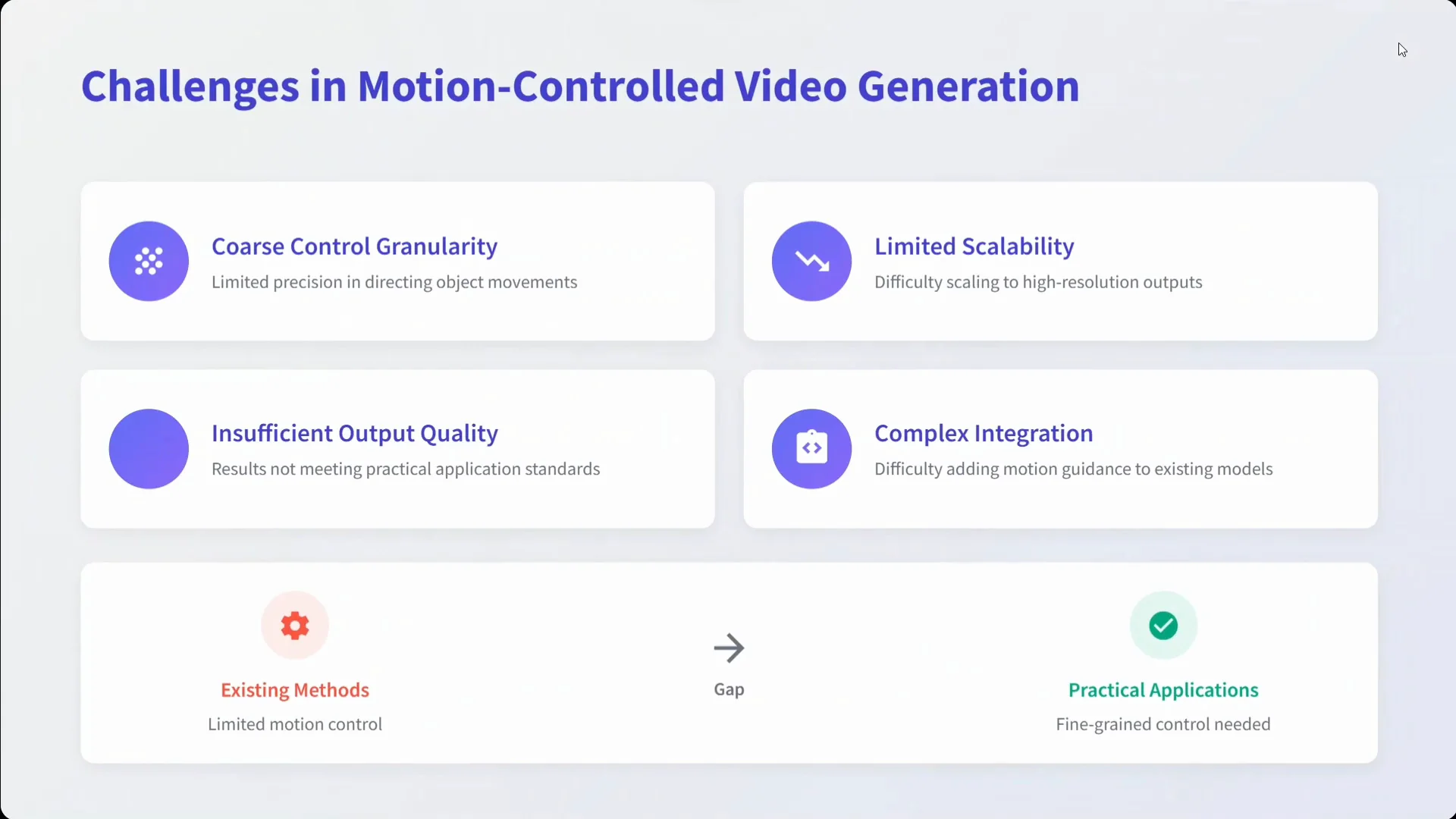
- Challenges in Motion Control Video Generation
- Wan Move Framework
- Motion Guidance Injection
- Training Pipeline
- Key Features in Wan Move
- MoveBench Benchmark
- MoveBench Summary
- Results and Comparisons
- Applications Highlighted
- Camera and Motion Controls in Practice
- Video Editing Capabilities
- How Wan Move Works - A Closer Look
- What You Can Expect
- Setup and Usage Guide
- Installation Steps
- Tips for Better Control
- Model Details
- Availability
- Summary of Capabilities
- Feature Snapshot
- Conclusion
Wan-Move: Motion Controllable Video Generation
Table Of Content
- Wan Move - Motion Controllable Video Generation with Latent Trajectory Guidance
- Drawing Motion to Direct Movement
- Multiple Object Motion Control
- Camera Control, Motion Transport, and Prompt Visibility
- Video Editing and First Frame Editing
- Open Source Release and Model Availability
- Quick Start - Using Wan Move
- Introduction to Wan Move
- Challenges in Motion Control Video Generation
- Wan Move Framework
- Motion Guidance Injection
- Training Pipeline
- Key Features in Wan Move
- MoveBench Benchmark
- MoveBench Summary
- Results and Comparisons
- Applications Highlighted
- Camera and Motion Controls in Practice
- Video Editing Capabilities
- How Wan Move Works - A Closer Look
- What You Can Expect
- Setup and Usage Guide
- Installation Steps
- Tips for Better Control
- Model Details
- Availability
- Summary of Capabilities
- Feature Snapshot
- Conclusion
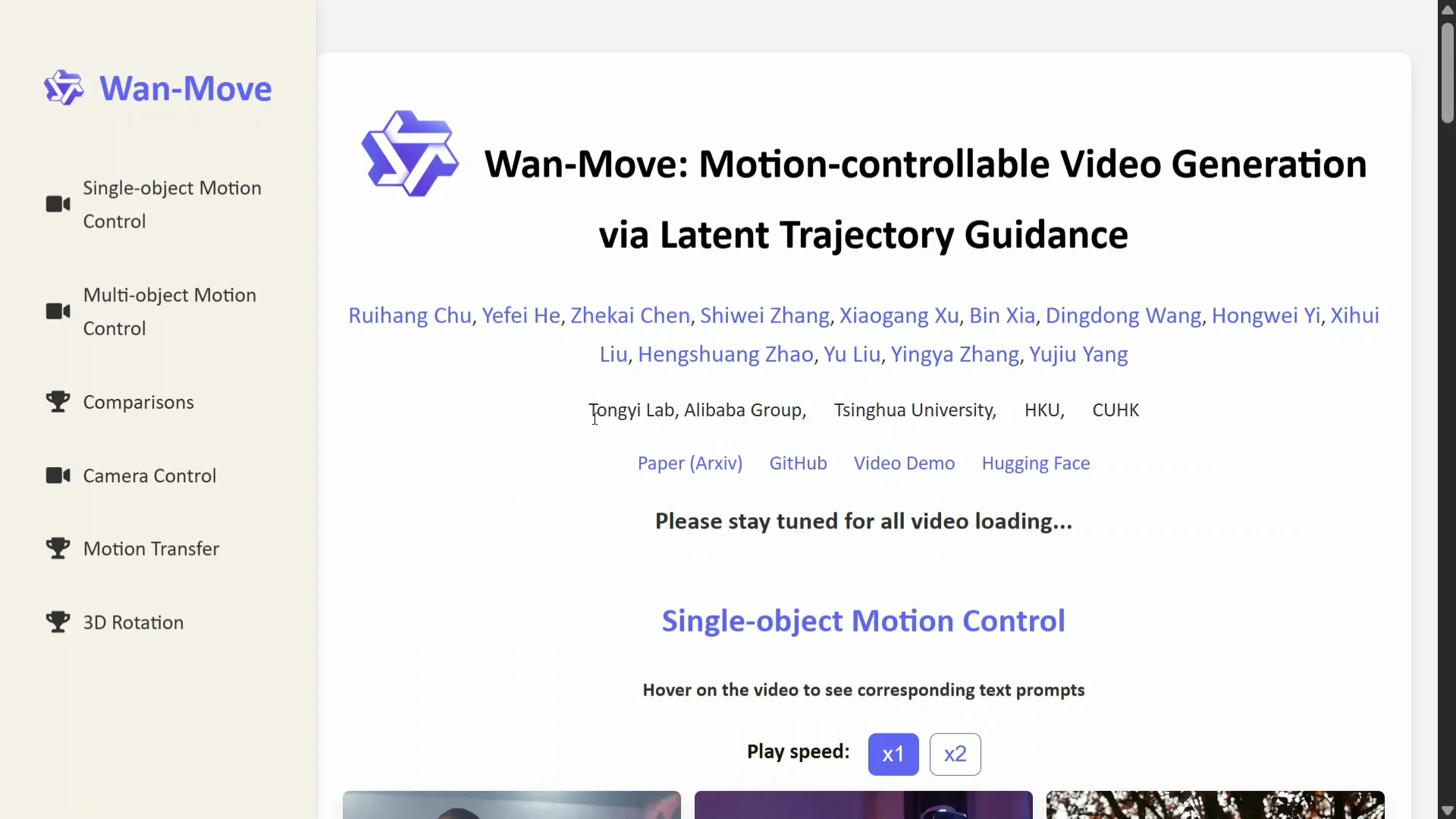
Wan Move - Motion Controllable Video Generation with Latent Trajectory Guidance
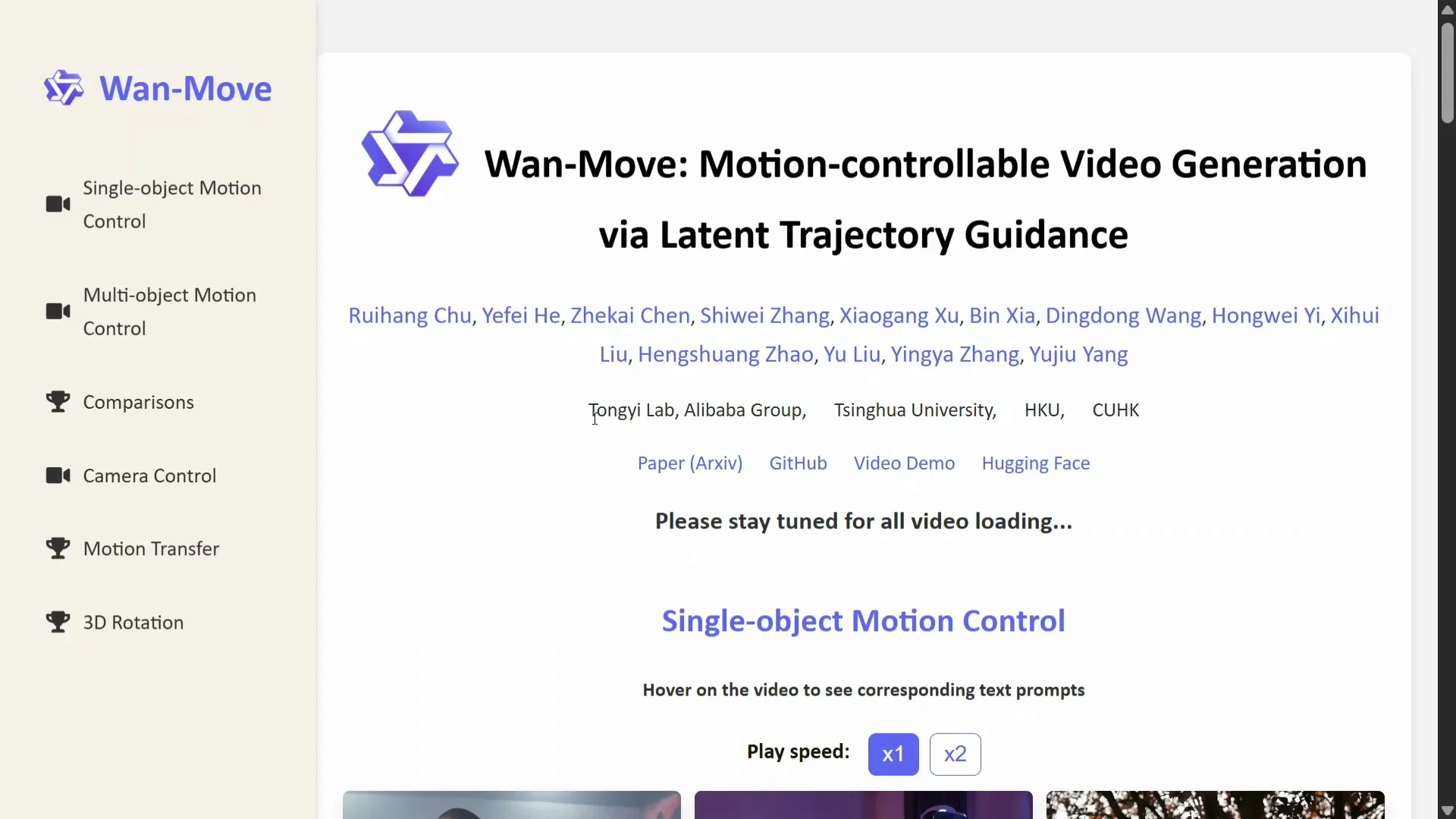
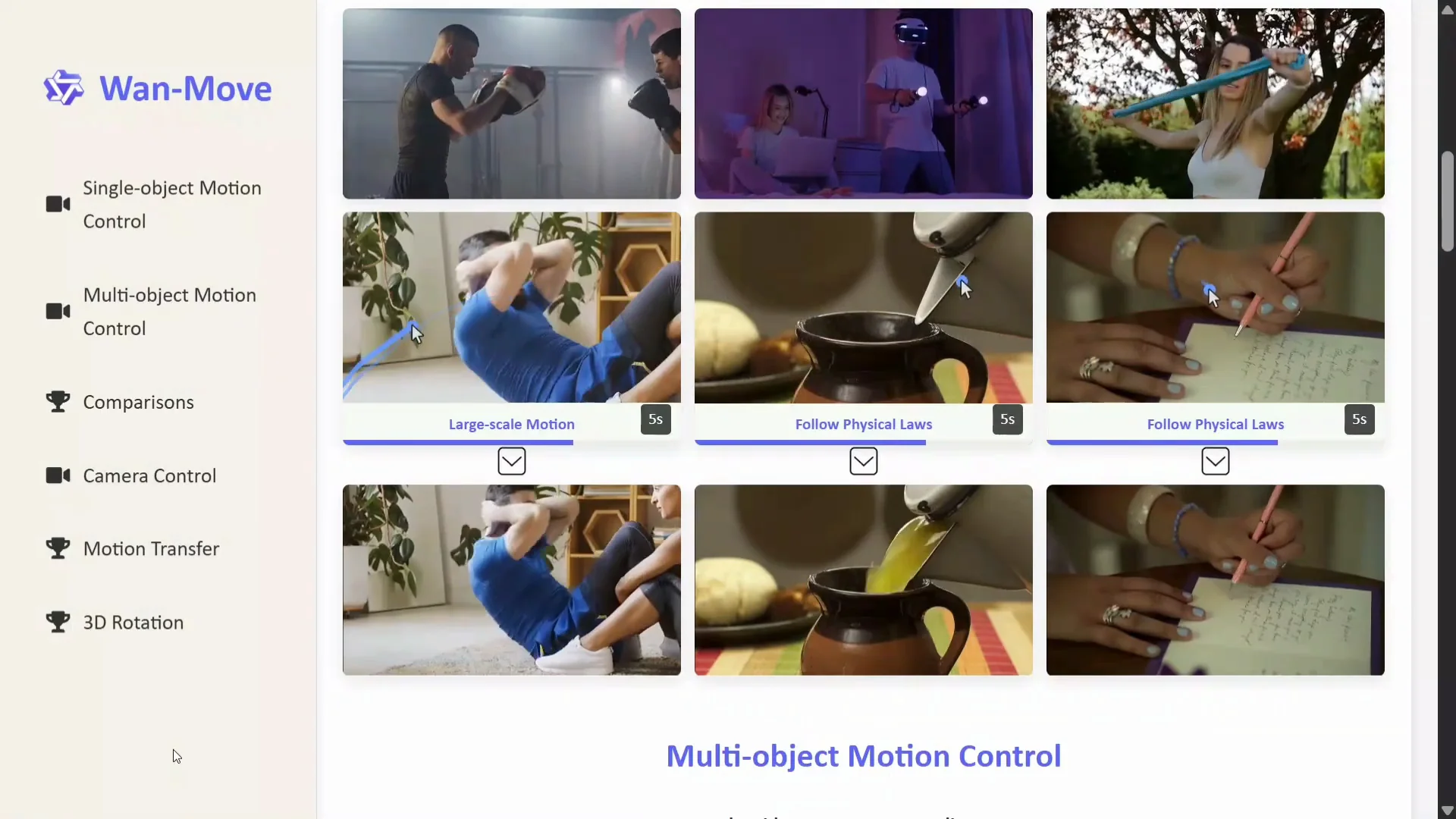
Wan team has released Wan Move, a motion controllable video generation model with latent trajectory guidance. You draw a trajectory, and the video changes in that direction. The idea is straightforward and powerful: sketch motion, and the model animates the subject accordingly.
The examples show how drawing specific motion paths drives characters to move in that direction. Prompts accompany each case, and the motion follows as intended. The approach looks precise and responsive across different scenes.
Drawing Motion to Direct Movement
- Draw the motion path, and the subject moves as sketched.
- In one case, a kettle is guided to pour water by drawing the trajectory, and the result follows expected physics.
- Hand gesture control works by sketching the motion, and the hand follows the trajectory.
These cases demonstrate a consistent mapping between user-specified trajectories and the resulting motion.
Multiple Object Motion Control
Multiple object motion control is included. You can move multiple objects in the same video with separate trajectories. This expands control to multi-character or multi-part scenes.
- Moving both legs is supported, and they move as instructed.
- Trajectories can be applied to four characters in a single scene, each following its path.
- Motion can be coordinated across multiple regions, such as both feet receiving adjustments simultaneously.
The model handles multiple independent motion paths within a single clip and keeps them coherent.
Camera Control, Motion Transport, and Prompt Visibility
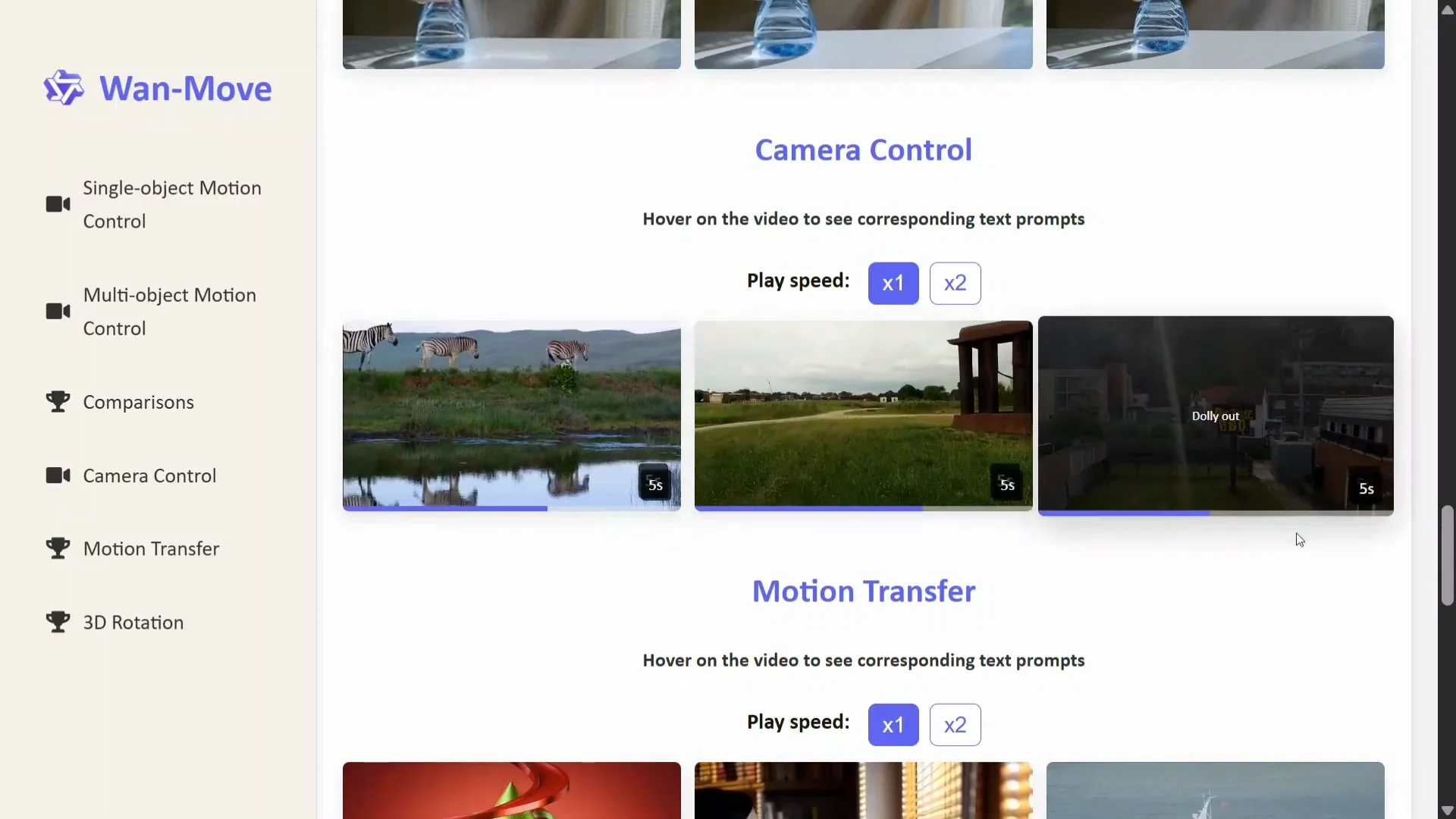
Wan Move includes camera control. You can hover on the video in the demo to see the corresponding text prompts used for generation. The system supports linear displacement, dolly in, and dolly out.
Motion transport is available. Hover on the video in the demo to see the text that matches each operation, making it easy to understand which prompt or trajectory produced the result. Dense motion copy is shown as well, indicating the system can capture and transfer complex motion patterns.
Video Editing and First Frame Editing
Wan Move supports dense motion copy and first frame editing. For example, if you change the color of clothes to yellow in the first frame, the model edits the video so the clothes appear yellow throughout. This is direct, precise, and useful for targeted edits.
This is video editing at its best in this context. You can call it a video editing model by Wan, given how it supports copy motion plus first frame editing. What AI is coming next, I am not sure, but the editing results here are strong.
Hover on the object in the demo to see the corresponding text prompts. 3D rotation is included, along with multiple related controls that expand the editing toolset.
Open Source Release and Model Availability
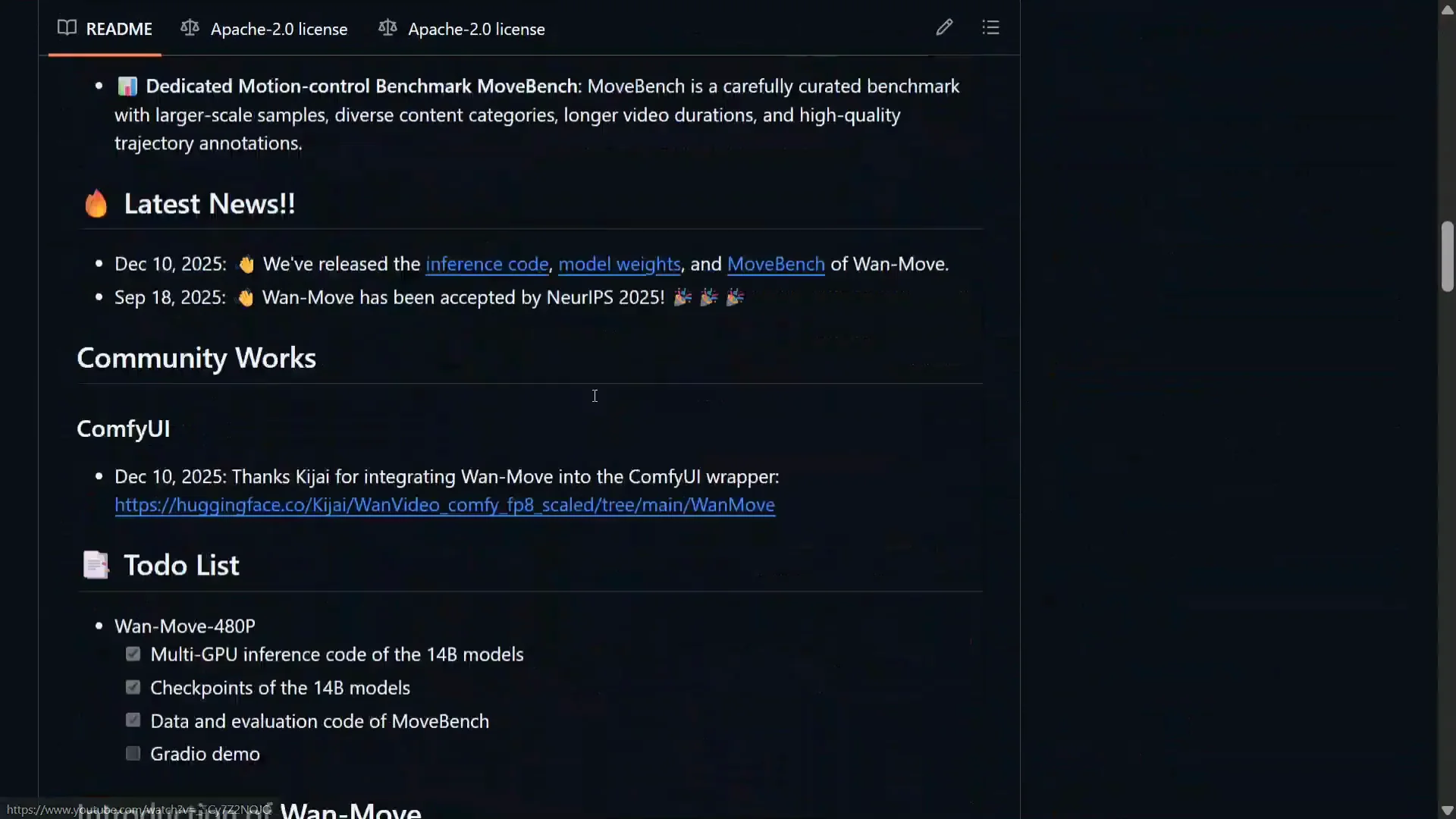
The model has been open sourced by the Wan team. The release aims to make high quality motion control video generation broadly accessible.
Key points visible in the materials:
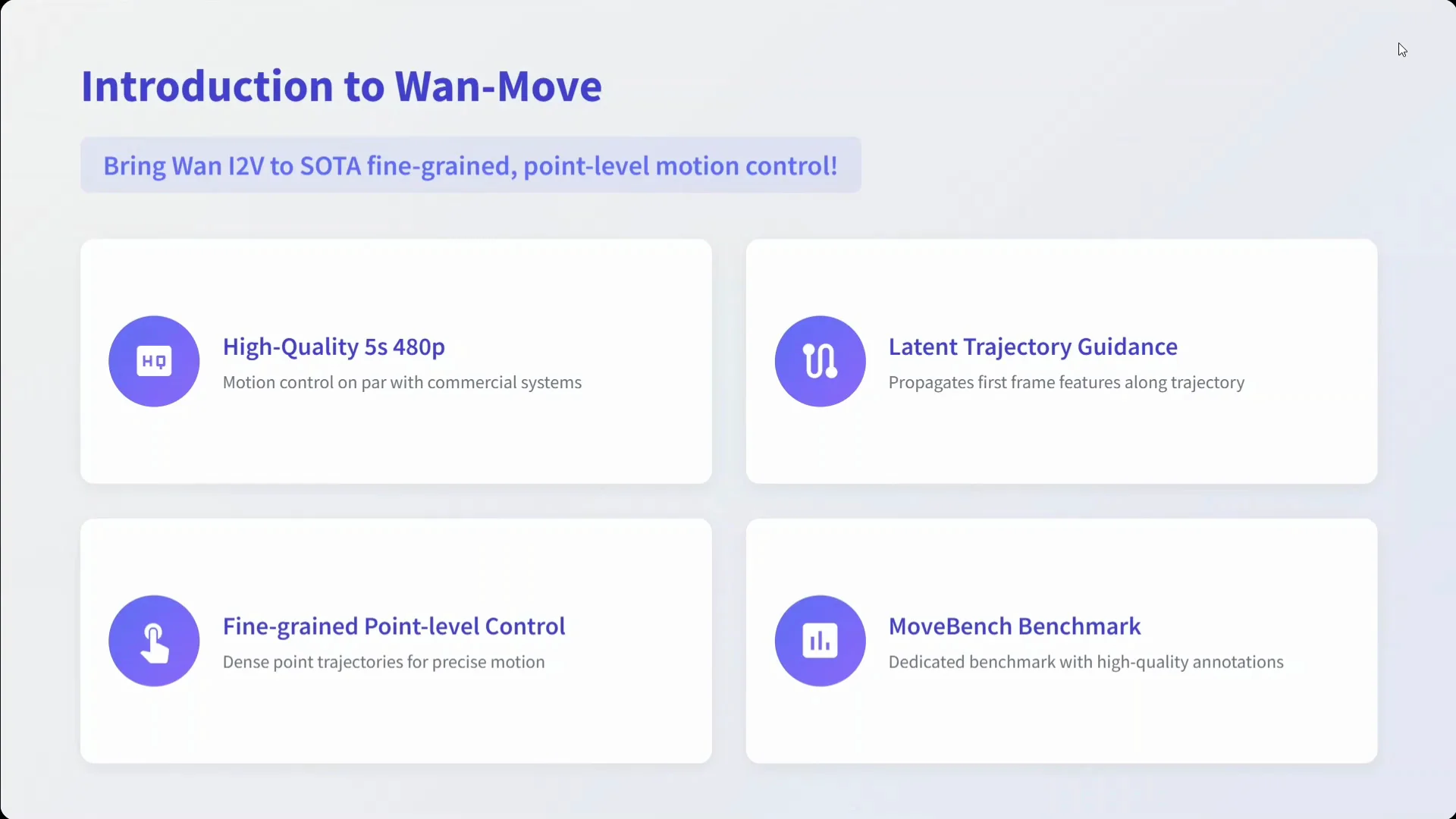
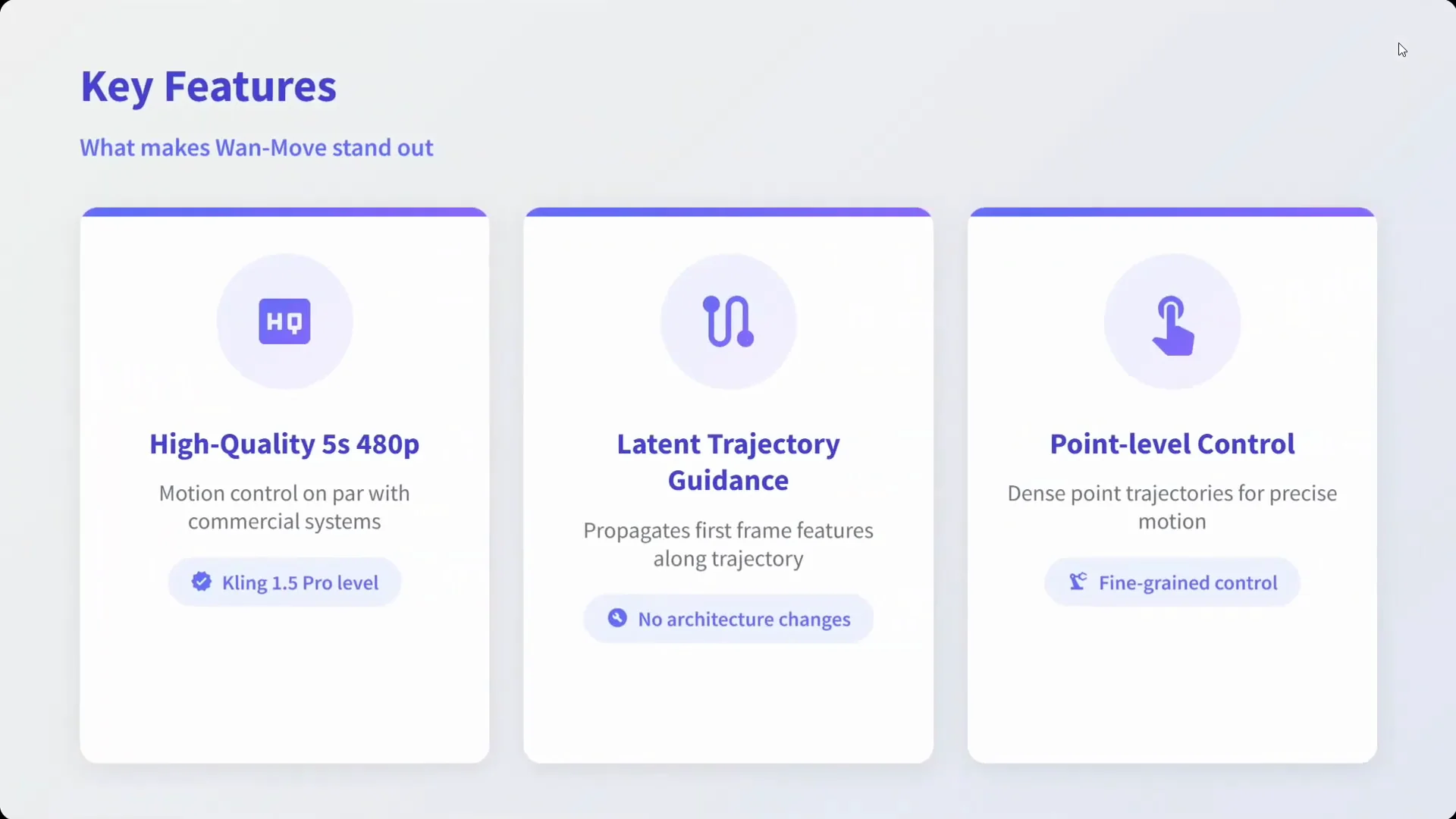
- High quality 5 second 480p motion control
- Fine grained point level control
- Novel latent trajectory guidance
- Dedicated motion control design
Multiple diagrams are shared to illustrate how to use the model and how the framework works. Setup is straightforward: clone the repository, install requirements, and start. It is a 14B parameter model, which is substantial but still practical to work with using the right hardware.
Quick Start - Using Wan Move
Follow these steps to get started:
- Clone the repository.
- Install the Python requirements.
- Prepare the input image and prompts.
- Define motion trajectories for key points you want to animate.
- Run inference to generate a 5 second 480p video.
If you are using the demo, hovering on videos or objects shows the corresponding prompts, which helps understand which instructions produce which results.
Introduction to Wan Move
Wan Move brings Wan Image to Video capabilities into fine grained, point level motion control. It is an image to video model that takes a prompt and produces high quality 5 second 480p videos while following user specified trajectories.
Latent trajectory guidance enables precise control of motion. Fine grained point level control means specific parts of the subject can be directed individually. MoveBench, a dedicated benchmark with high quality annotations, is introduced to evaluate the quality of motion control.
Challenges in Motion Control Video Generation
Wan Move addresses common challenges in controllable video generation:
- Coarse control granularity
- Limited precision in directing object movement
- Limited scalability and difficulty scaling to higher resolution
- Insufficient output quality that does not meet practical applications
- Complex integration
These are the typical barriers that make motion control unreliable or too rigid. The model aims to improve granularity, precision, scalability, and output quality while maintaining a usable pipeline.
Wan Move Framework
The Wan Move framework centers on motion guidance injection, supported by a training pipeline that integrates motion aware features.
Motion Guidance Injection
- Inputs: an image and a motion trajectory
- Latent space projection aligns the trajectory with the model's internal representations
- Feature propagation applies motion guidance throughout the frame sequence
This alignment in latent space allows point level motion paths to influence how features evolve over time.
Training Pipeline
- Base model: Wan Image to Video 14B
- Motion aware features are introduced on top of the base model
- Video generation is conditioned on the trajectory and prompt
The design separates trajectory conditioning, feature propagation, and final generation, which helps preserve both motion fidelity and visual quality.
Key Features in Wan Move
Wan Move offers a specific set of capabilities centered on controllable motion and targeted edits:
- Point level control for fine adjustments
- Latent trajectory guidance to align motion paths with generation
- High quality 5 second 480p outputs
- MoveBench benchmark for evaluation
These features are oriented toward practical motion control in short video clips with clear, annotated evaluation.
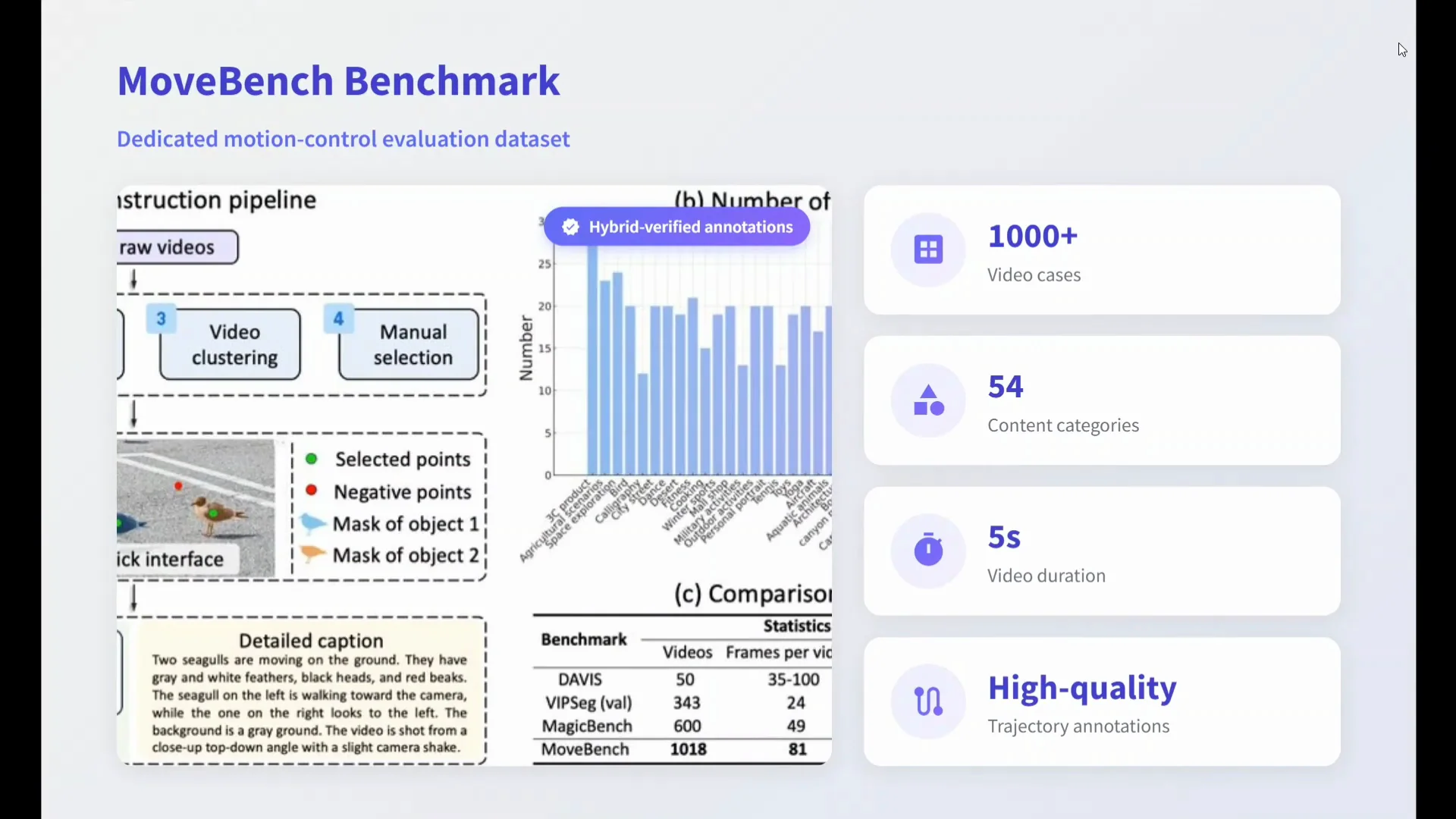
MoveBench Benchmark
MoveBench is introduced as a dedicated benchmark with high quality annotations to support consistent measurement of motion control quality.
- 1,000 plus video cases
- 54 content categories
- 5 second video duration
- High quality trajectory annotations are used for comparison
The benchmark establishes a common basis for evaluating motion precision and trajectory alignment.
MoveBench Summary
| Aspect | Detail |
|---|---|
| Total video cases | 1,000 plus |
| Content categories | 54 |
| Duration per clip | 5 seconds |
| Resolution | 480p |
| Annotations | High quality trajectory annotations |
Results and Comparisons
The model looks strong in the provided results. A comparison with Kling 1.5 Pro is shown, which is closed source. Wan Move remains open source in contrast. The examples suggest robust performance on motion control features.
Academic methods, commercial solutions, and Wan Move are all noted in context, with Wan Move positioned as an open source approach. The focus is on delivering controllable motion with accessible tooling and reproducible benchmarks.
Applications Highlighted
Applications visible in the examples include:
- Single object motion control
- Multiple object motion control
- Camera control
- Motion transfer
- 3D rotation
Across these, the results shown appear consistent and well aligned with the input trajectories.
Camera and Motion Controls in Practice
Camera control includes linear displacement, dolly in, and dolly out. Motion transport supports transferring motion patterns across subjects or scenes. Dense motion copy suggests the model can reproduce complex movement captured in the trajectory data.
In the demo, hovering over the video or specific objects reveals the corresponding text prompts. This makes it easier to understand how prompts and trajectories combine to produce the final output.
Video Editing Capabilities
First frame editing lets you modify attributes at the start of the clip and carry those changes through. For instance, changing the color of clothes to yellow in the first frame results in the edited color across the generated video.
Copy motion plus first frame editing expands control by allowing motion replication while adjusting appearance or properties frame by frame at the start. Together, these features make Wan Move a capable video editing model.
How Wan Move Works - A Closer Look
The core concept is motion guidance injection. You provide an input image and a trajectory for one or more points. The system projects that trajectory into latent space and conditions the generation process with motion aware features. The result is a 5 second 480p video that follows your motion plan.
The training pipeline builds on Wan Image to Video 14B, which handles base generation quality and temporal consistency. Motion aware components then adapt the features so the video follows point level controls without losing visual quality.
What You Can Expect
- Fine grained control over specific points or regions
- Precise trajectory following in short videos
- Editing operations that stick to your first frame changes
- Camera motion options integrated alongside subject motion
- A benchmark and open source code to validate results
These expectations match the examples demonstrated in the release materials.
Setup and Usage Guide
Here is a simple usage pattern based on the provided instructions.
Installation Steps
- Clone the repository.
- Install requirements with your preferred Python environment.
- Prepare inputs: one image, a text prompt, and trajectories for target points.
- Run the generation script to produce a 5 second 480p video.
- Review results and iterate on trajectories or prompts as needed.
Tips for Better Control
- Keep trajectories clear and intentional for each point.
- Use distinct paths for multiple objects to avoid overlap.
- Align first frame edits with your final goal before running generation.
- Pair camera control with subject motion for coherent shots.
These steps reflect how the examples achieve their results and keep motion aligned with the intent.
Model Details
Wan Move is a 14B parameter model. The chosen resolution is 480p for 5 seconds by default in the release materials. The codebase shows how to inject motion guidance and run inference. Diagrams in the repository describe how features propagate and how trajectory guidance is applied.
The open source release includes instructions to reproduce the showcased features. The repository and documentation include visual aids to clarify the framework and pipeline.
Availability
- GitHub repository: open sourced by the Wan team
- Model availability: also on Hugging Face
This makes the system accessible for research, experimentation, and integration into workflows.
Summary of Capabilities
Wan Move covers several motion and editing use cases in a single framework:
- Point level motion control
- Multiple object control in the same scene
- Camera control with linear displacement, dolly in, and dolly out
- Motion transport and dense motion copy
- First frame editing for attribute changes across the clip
- 3D rotation where demonstrated
The examples illustrate these features and the alignment between trajectory inputs and outputs.
Feature Snapshot
| Category | Capability |
|---|---|
| Motion control | Point level control, multiple object control |
| Camera | Linear displacement, dolly in, dolly out |
| Transfer | Motion transport, dense motion copy |
| Editing | First frame editing, color and attribute adjustments |
| 3D | 3D rotation shown in examples |
| Benchmark | MoveBench with 1,000 plus cases and 54 categories |
Conclusion
Wan Move presents a simple and scalable framework for controllable video generation. MoveBench provides a dedicated benchmark with high quality annotations to assess motion precision and control quality. The release is open source and targets commercial grade use cases.
The GitHub repository and Hugging Face availability make it straightforward to try the model. From single object motion to multiple object coordination, camera control, motion transfer, and 3D rotation, the examples look cohesive and aligned with the input trajectories.
Subscribe to our newsletter
Get the latest updates and articles directly in your inbox.

Related Posts

8 Best Claude Code Plugins in 2026 (You Need to Know)
8 Best Claude Code Plugins in 2026 (You Need to Know)

7 Best Claude Code Skills (You Need to Know)
7 Best Claude Code Skills (You Need to Know)

Claude Code Desktop IDE Features (You Need to Know)
Claude Code Desktop IDE Features (You Need to Know)