
Table Of Content
- How Microsoft VibeVoice-ASR Manages 60-Minute Audio Seamlessly
- Quick start: transcribing audio and video with VibeVoice-ASR
- Multilingual checks with VibeVoice-ASR
- How Microsoft VibeVoice-ASR Manages 60-Minute Audio Seamlessly: Architecture Overview
- Encoder-decoder on a language model backbone
- Structured output with multiple heads
- Context, hot words, and long-form handling
- Hot words in VibeVoice-ASR
- Hardware needs for VibeVoice-ASR
- Final Thoughts
How Microsoft VibeVoice-ASR Manages 60-Minute Audio Seamlessly
Table Of Content
- How Microsoft VibeVoice-ASR Manages 60-Minute Audio Seamlessly
- Quick start: transcribing audio and video with VibeVoice-ASR
- Multilingual checks with VibeVoice-ASR
- How Microsoft VibeVoice-ASR Manages 60-Minute Audio Seamlessly: Architecture Overview
- Encoder-decoder on a language model backbone
- Structured output with multiple heads
- Context, hot words, and long-form handling
- Hot words in VibeVoice-ASR
- Hardware needs for VibeVoice-ASR
- Final Thoughts
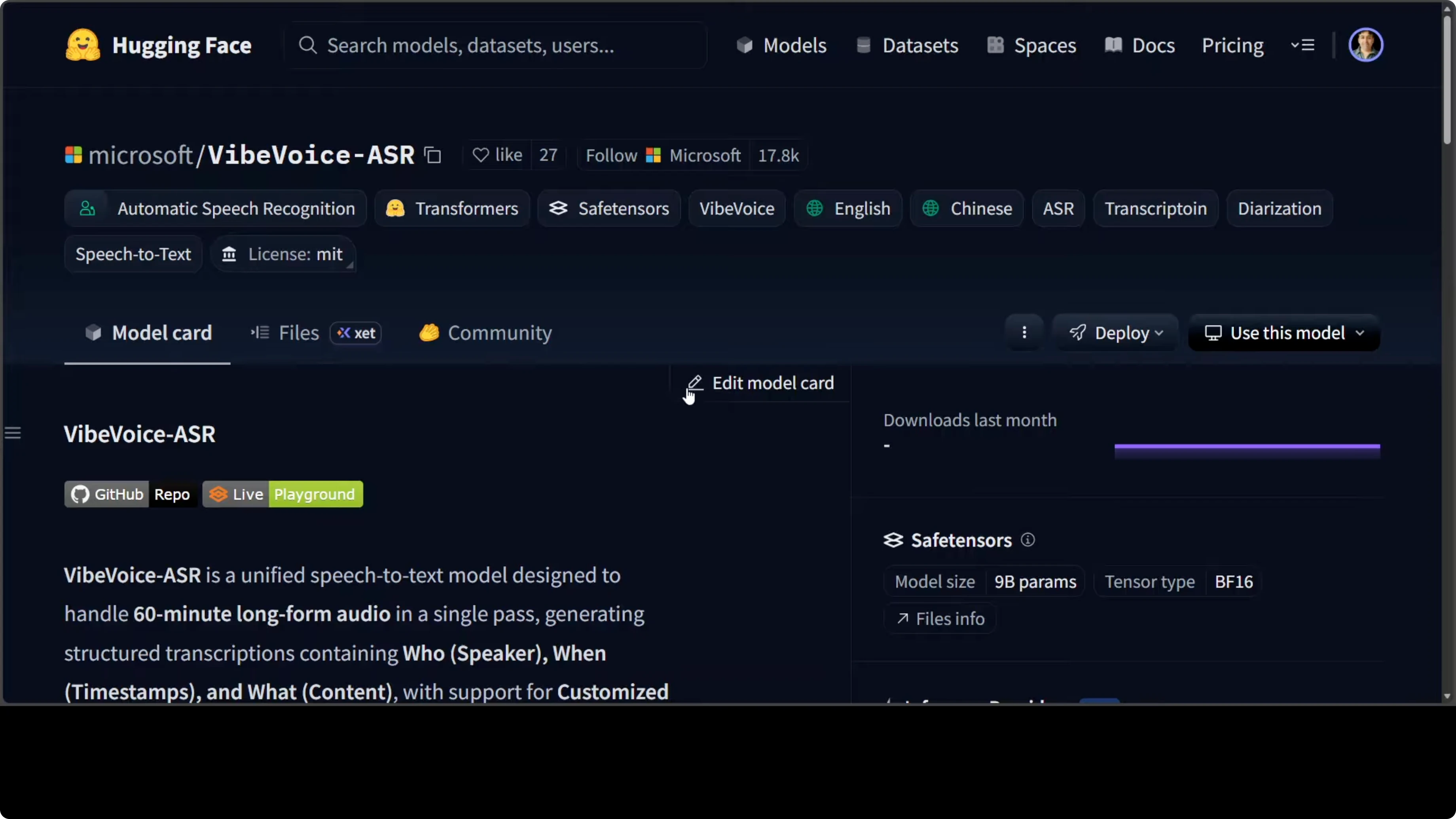
Instead of buying stuff, Microsoft has started to release some solid models. They have just released VibeVoice-ASR, which tackles one of the most frustrating limitations in speech recognition: the inability to process long recordings without chopping them into disconnected chunks. This Microsoft Research model can ingest up to 60 minutes of continuous audio in a single forward pass, producing structured transcriptions that tell you who spoke, when they spoke, and what they said, while maintaining coherent speaker tracking across the entire recording.
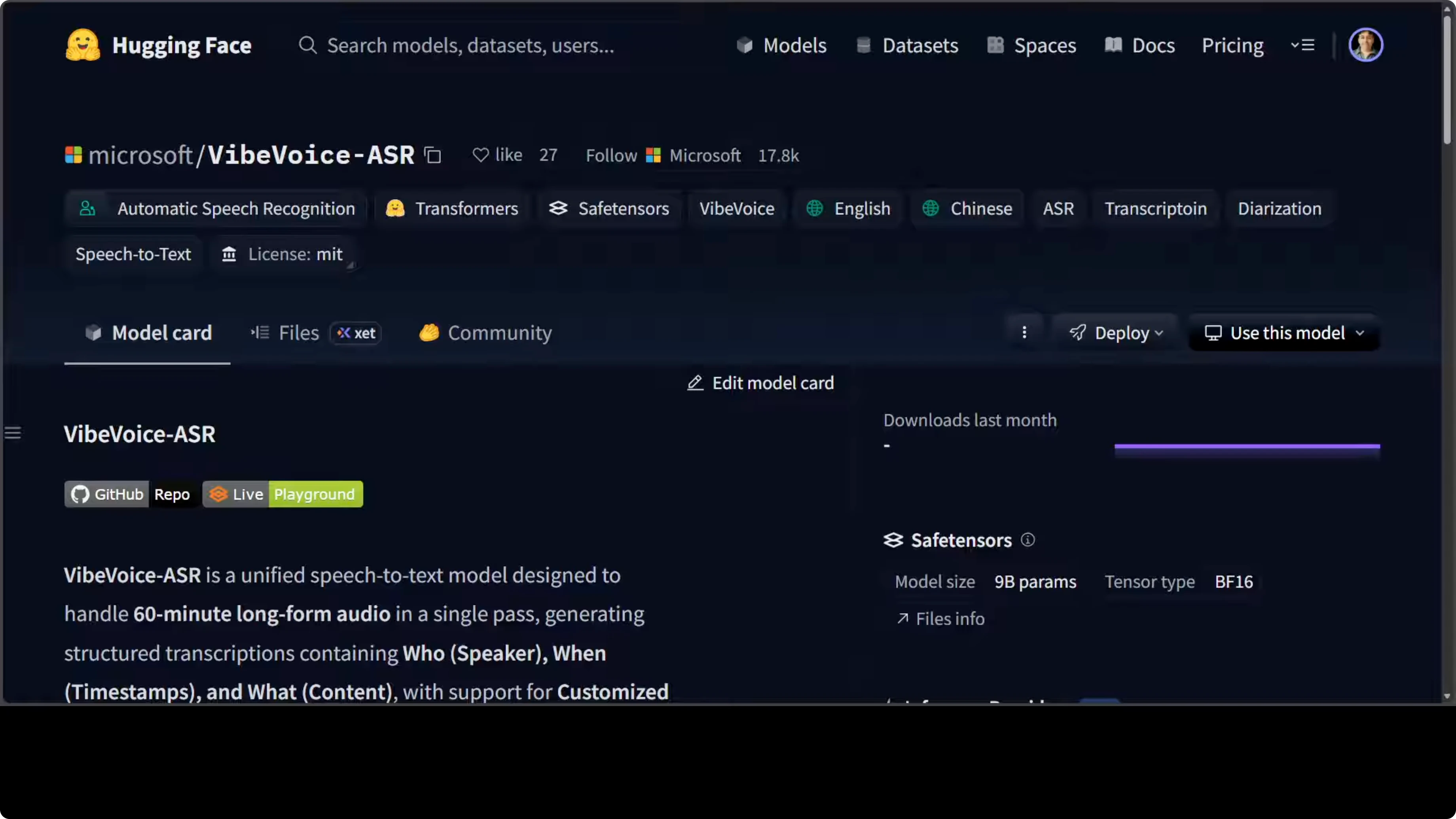
One of the things with this model is that it is a 9 billion parameter model, which is quite huge for just an ASR model. The quality looks pretty good.
If you are looking to get it installed on your local system, follow your usual setup and replace the model ID with VibeVoice-ASR.
How Microsoft VibeVoice-ASR Manages 60-Minute Audio Seamlessly
Quick start: transcribing audio and video with VibeVoice-ASR
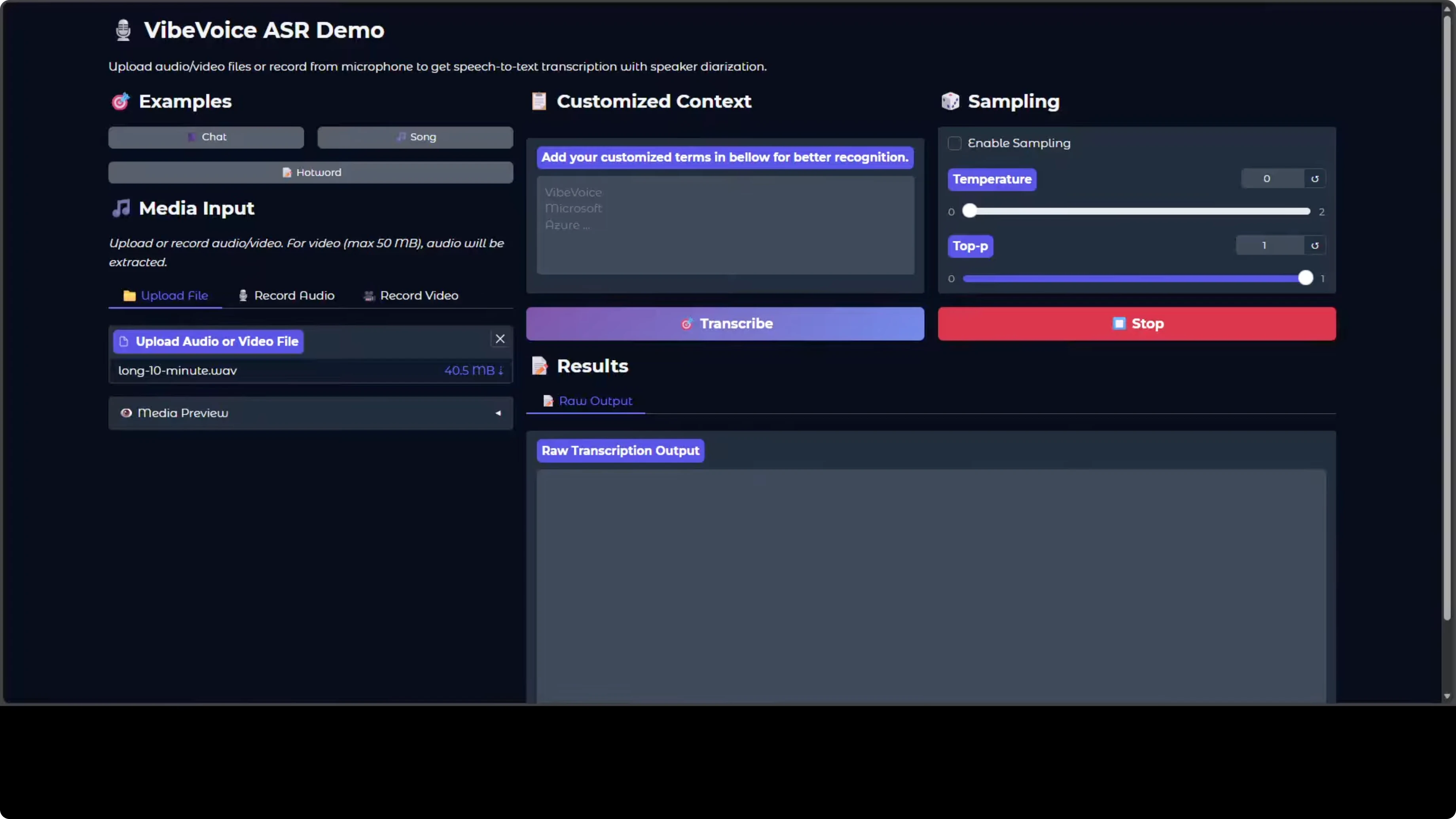
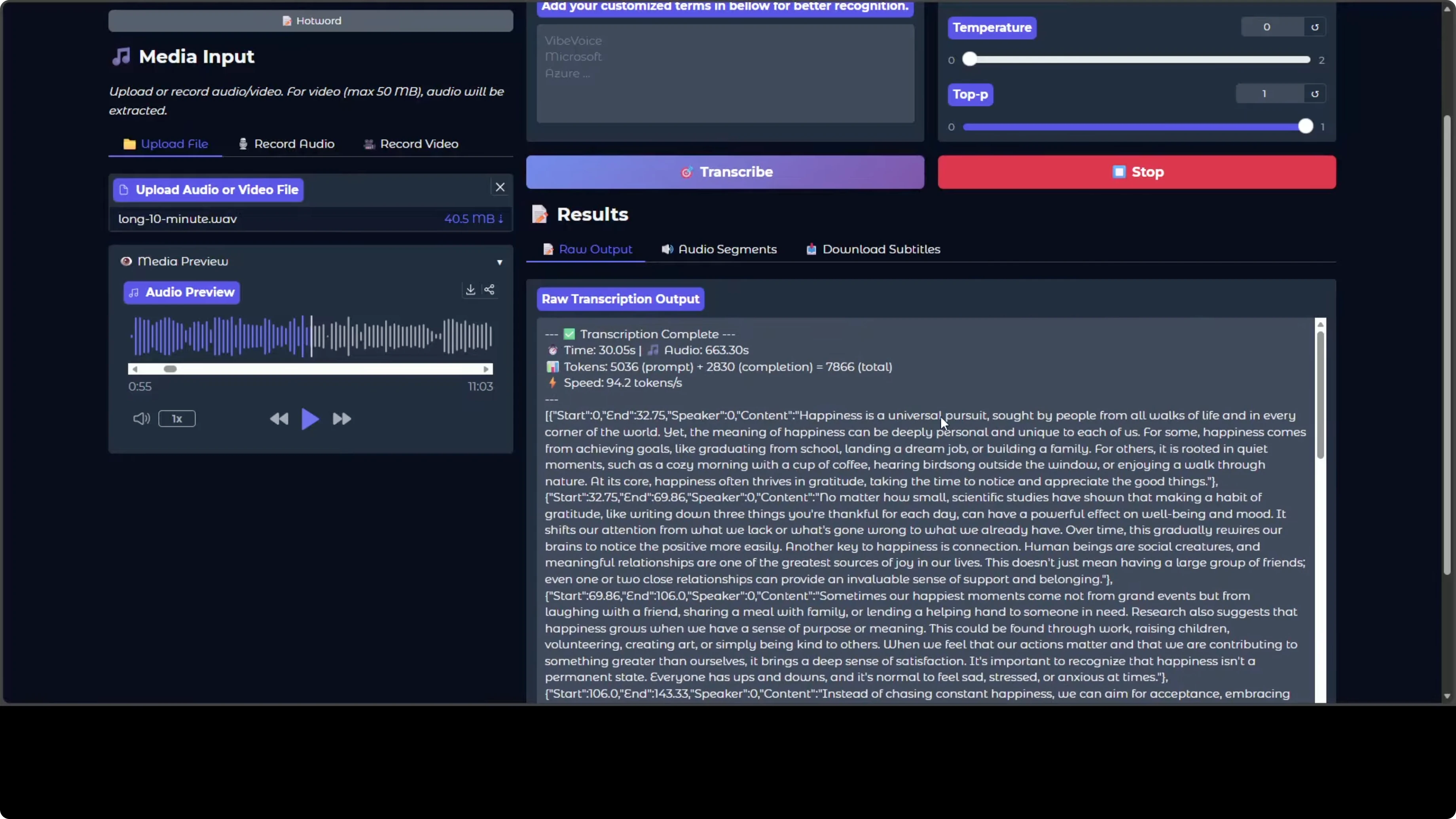
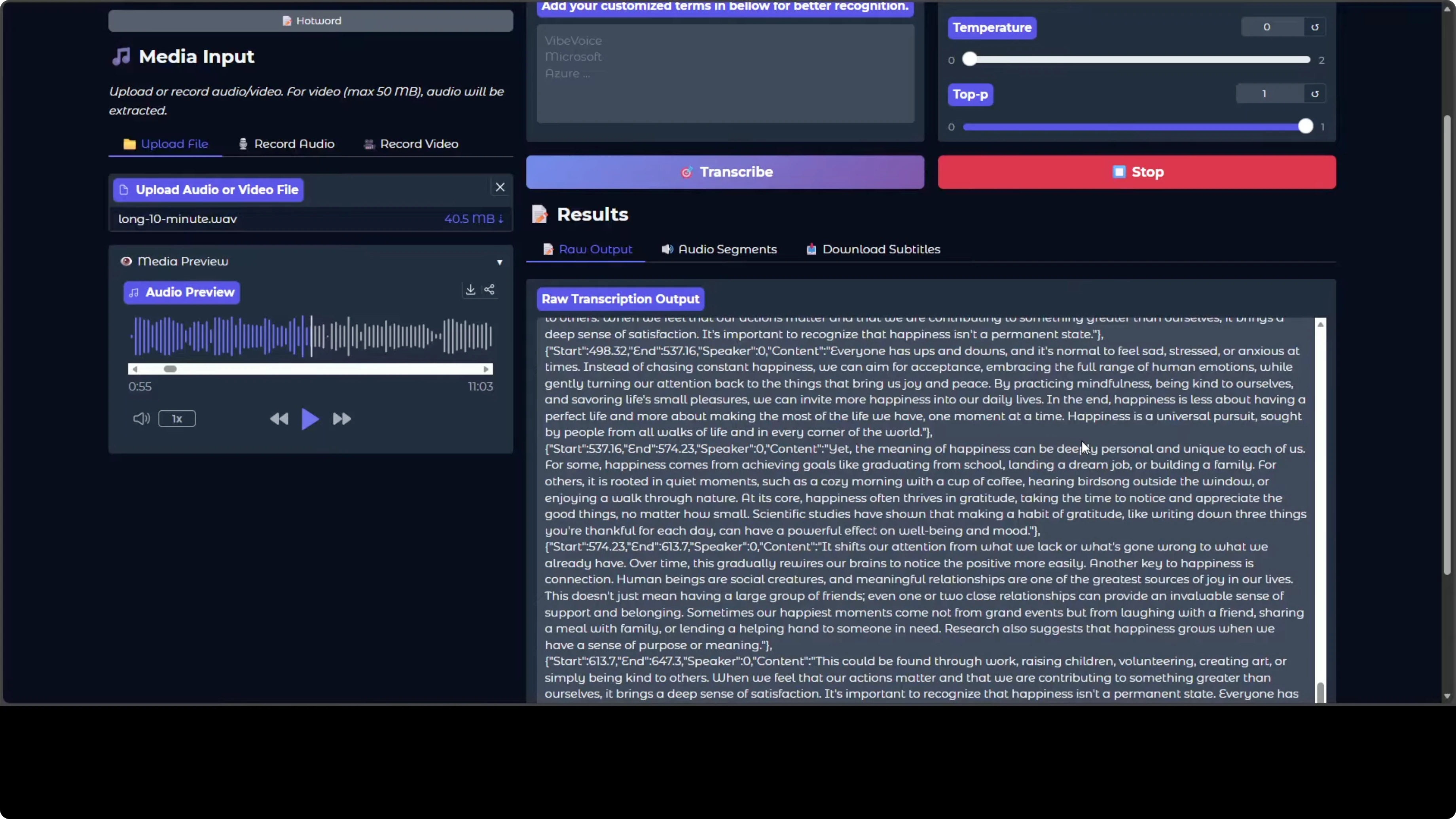
- Upload an audio file from your local system. I used a 10 minute audio.
- Click Transcribe. It is fast.
- The preview shows strong speaker diarization. You can tell who spoke, when, and what they said, plus there are audio segments that make navigation easy.
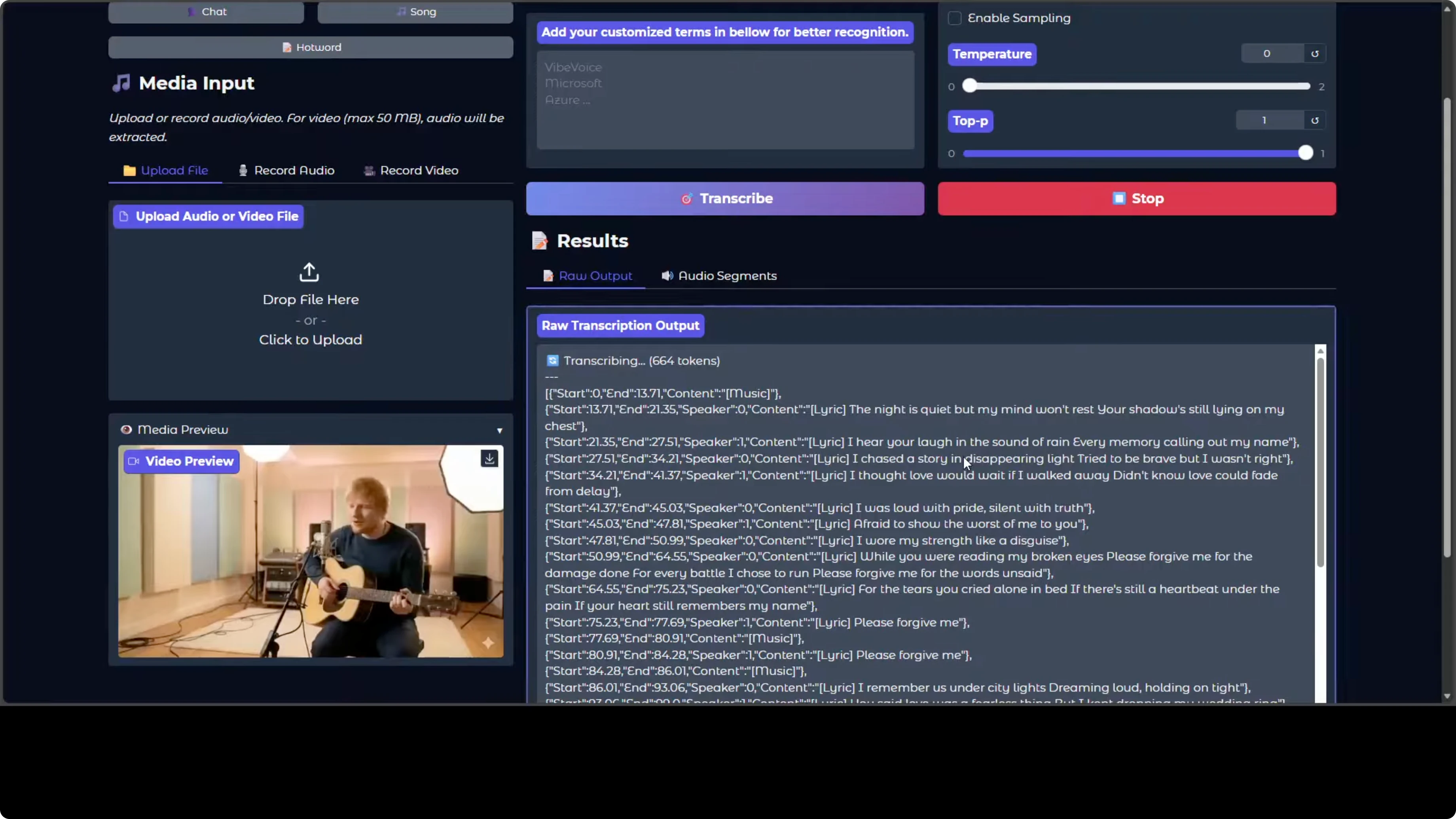
- You can also transcribe a video. The speaker diarization and all the lyrics are there.
- You can record audio directly if you like.
Multilingual checks with VibeVoice-ASR
The model card does not say if it is multilingual. I tested a few languages to see how it behaves:
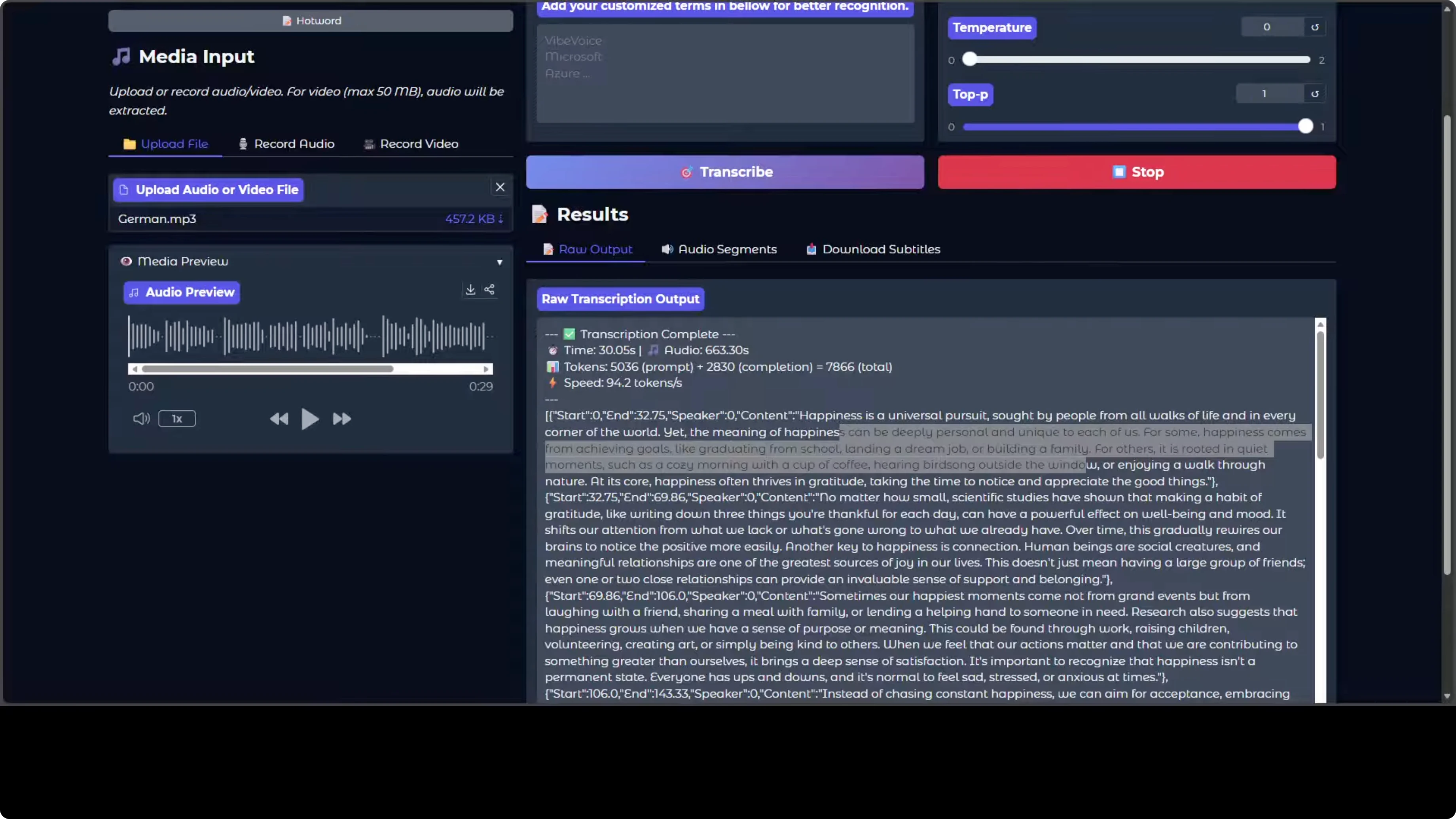
- German: as far as I can tell, looks good.
- Spanish: lyrics from a song were transcribed well, and an AI-generated Spanish song also looked good.
- Arabic: looks great.
- Hindi: I wanted to check more, but did not run a detailed test.
- Urdu: the transcript is not correct.
- Polish: pretty good.
- Indonesian: worked.
- Portuguese: worked.
How Microsoft VibeVoice-ASR Manages 60-Minute Audio Seamlessly: Architecture Overview
I will keep it simple so that we can all understand what is happening.
Encoder-decoder on a language model backbone
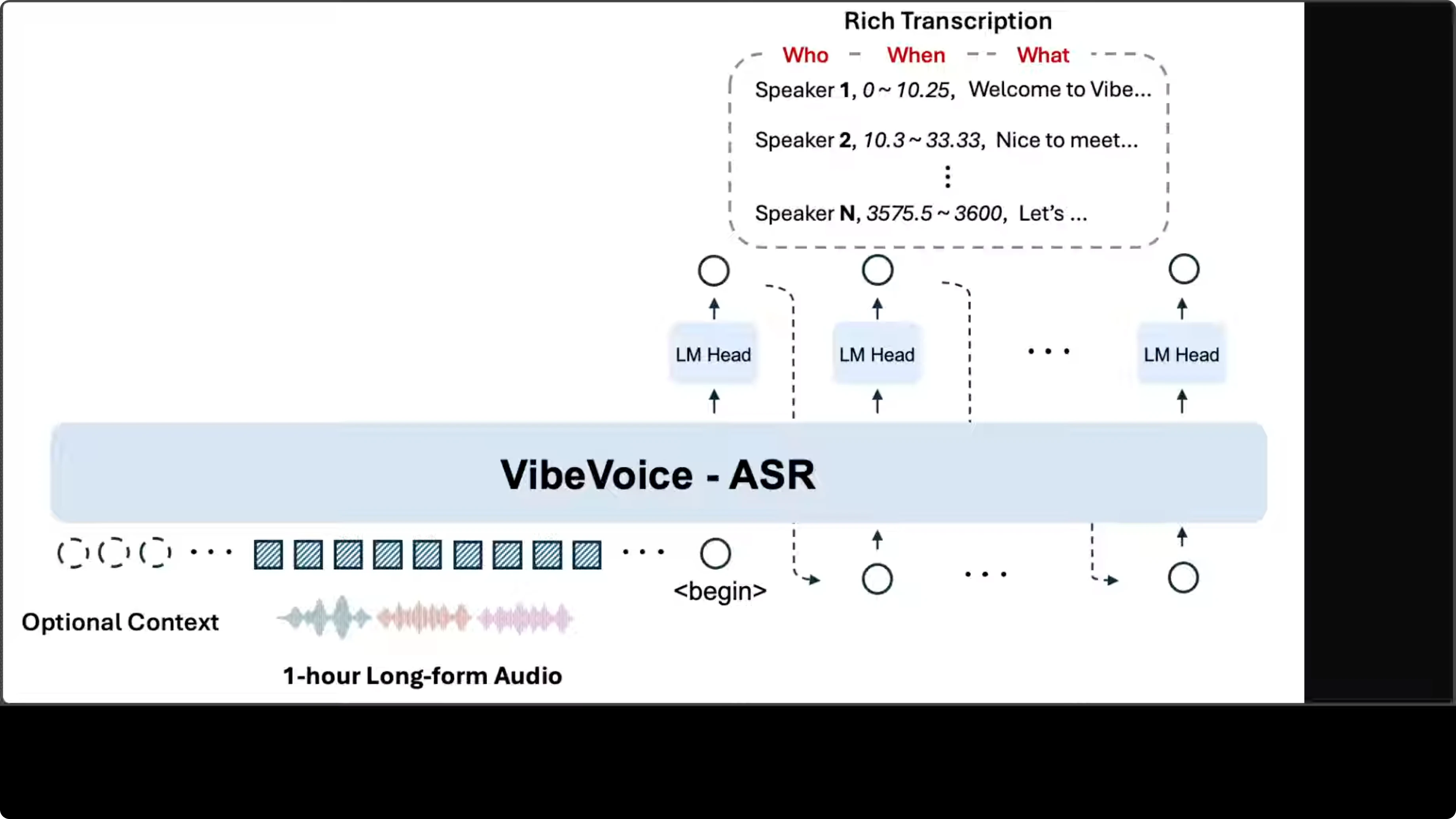
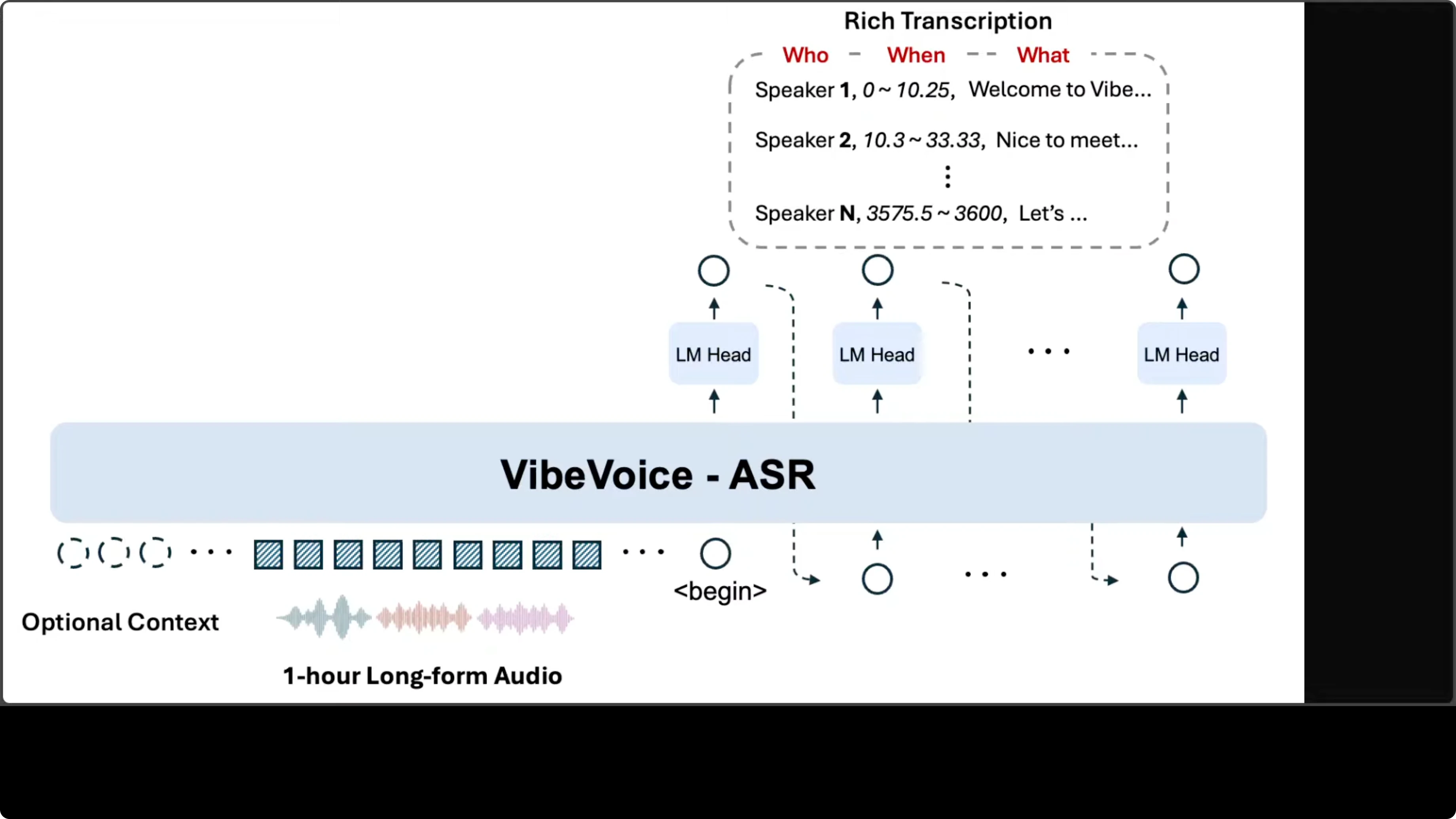
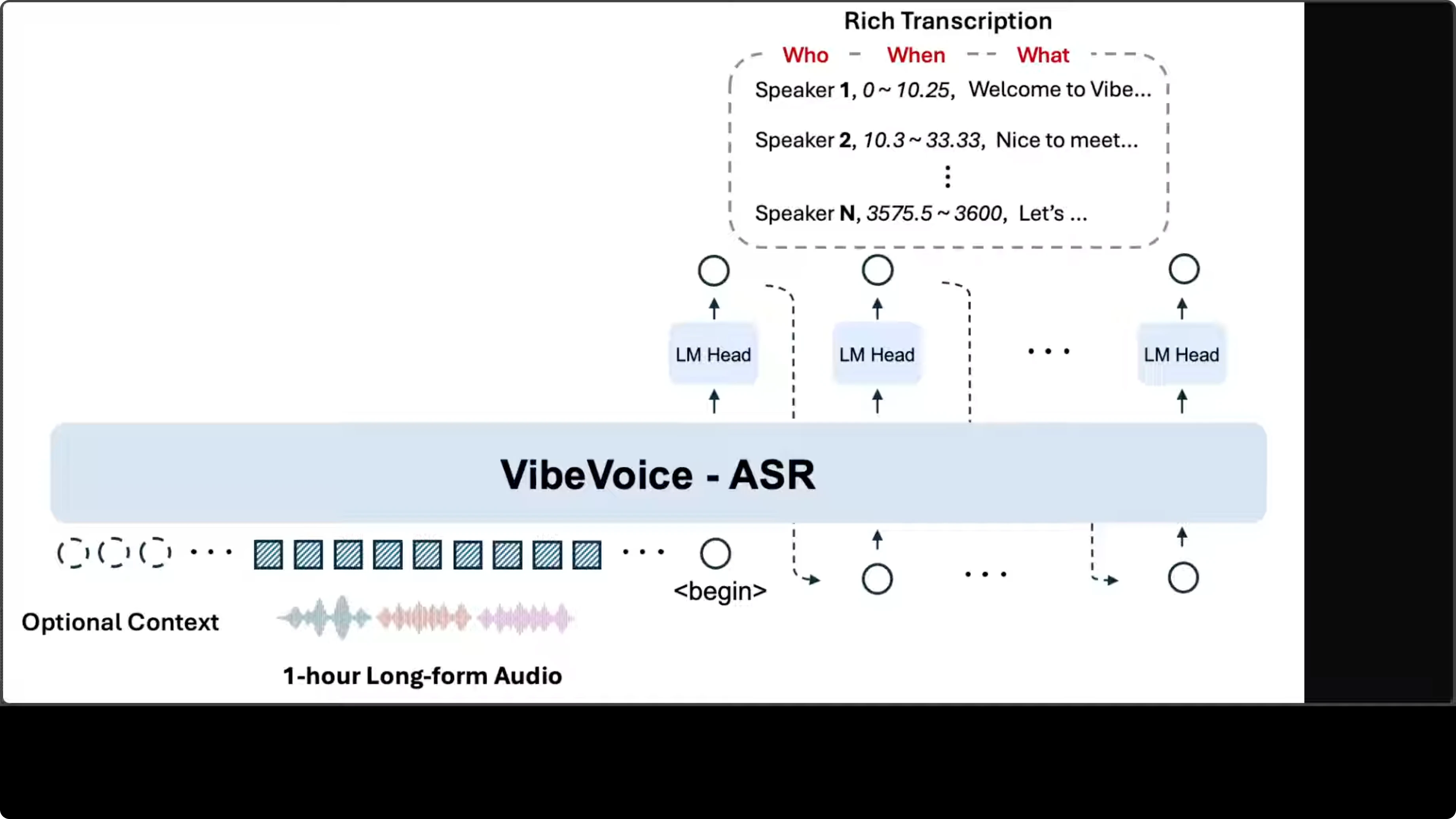
The architecture follows an encoder-decoder pattern built on top of a language model backbone. Audio input gets converted into a sequence of acoustic embeddings, which are then processed by the core VibeVoice-ASR module.
Structured output with multiple heads
Rather than generating a flat text stream, the model uses multiple language model heads in an autoregressive fashion, each producing tokens that encode a three-part structure:
- Speaker identity
- Timestamp range
- Transcribed content
Context, hot words, and long-form handling
The system accepts an optional context input, which enables the customized hot word feature for injecting domain specific vocabulary or speaker names to improve recognition accuracy. The design choice to fit everything within a 64k token context window is what enables single-pass processing of long audio. The design looks pretty solid to me.
Hot words in VibeVoice-ASR
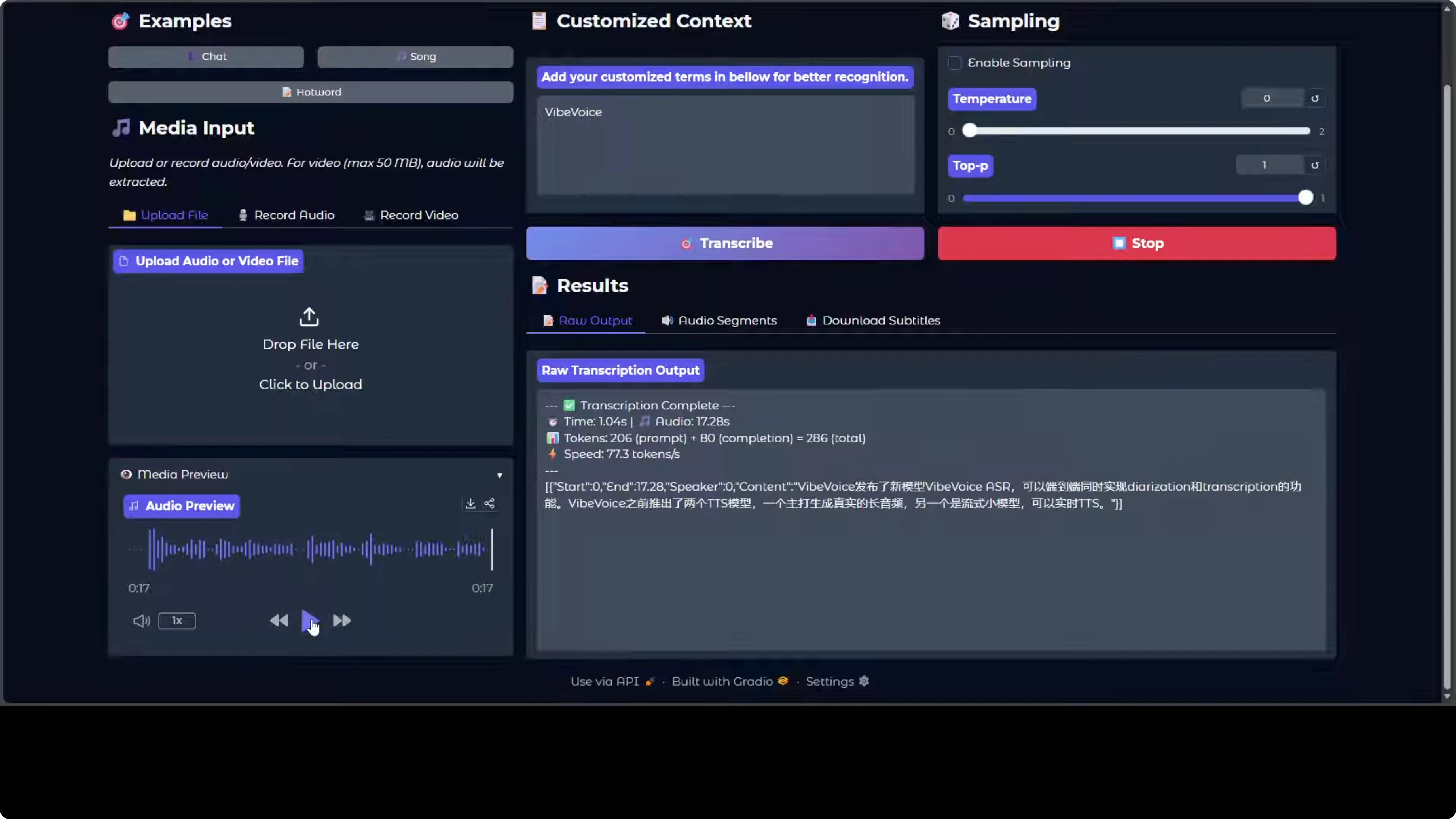
Another cool feature of the model is that it supports hot words. Hot words are custom vocabulary terms you provide to the model, like a specific name, acronym, or technical jargon that it should prioritize during recognition. They primarily act as hints to improve accuracy on domain specific content that the model otherwise misrecognizes.
On a Chinese audio sample, it was able to recognize the hot word nicely.
Hardware needs for VibeVoice-ASR
You would need around 16 GB to 24 GB of VRAM in order to run this locally.
Final Thoughts
Microsoft has done a wonderful job here. The speed is very fast, the speaker diarization is strong, and the model produces structured transcripts with speaker identity and timestamps. The architecture choice, including multiple heads and a 64k token context window, enables single-pass processing of long audio. Hot words work well for domain terms. Multilingual performance looks good across several languages, with gaps like Urdu.

Subscribe to our newsletter
Get the latest updates and articles directly in your inbox.

Related Posts

8 Best Claude Code Plugins in 2026 (You Need to Know)
8 Best Claude Code Plugins in 2026 (You Need to Know)

7 Best Claude Code Skills (You Need to Know)
7 Best Claude Code Skills (You Need to Know)

Claude Code Desktop IDE Features (You Need to Know)
Claude Code Desktop IDE Features (You Need to Know)