
Table Of Content
- ResilientLLM - LLM Integration Layer For Production
- What Resilient LLM Is
- Why Resilience Matters
- Installing ResilientLLM - LLM
- Step-by-Step Setup
- Project Initialization
- Provider Keys
- Building a Small Resilient Demo
- What the Script Does
- Running the Script
- Resilience Primitives in ResilientLLM - LLM
- Feature Overview
- How Each Feature Helps
- Feature Summary Table
- Circuit Breaker Behavior in ResilientLLM - LLM
- Circuit States and Transitions
- Circuit Table
- Rate Limiting With a Token Bucket
- Token Bucket Snapshot
- Token Control Table
- Handling Provider Errors and Rate Limits
- Error Control Flow
- Observed Run Behavior
- Multi-Provider Setup in ResilientLLM - LLM
- Keys and Configuration
- Import Style
- Running on Ubuntu With Node and npm
- Script Execution Steps
- Notes on Providers
- What You See During a Run
- Typical Sequence
- What Matters Most
- Practical Notes on ResilientLLM - LLM
- Improvements and Wishes
- Key Takeaways
- Quick Start Checklist
- Troubleshooting Notes
- Conclusion

Make LLM Apps Production-Ready with a Resilient Integration Layer
Local LLM Hardware Calculator
Enter your GPU VRAM and system RAM to see which LLMs you can run in Ollama — at Q4, Q8, or full precision — with estimated tokens-per-second speed.
Table Of Content
- ResilientLLM - LLM Integration Layer For Production
- What Resilient LLM Is
- Why Resilience Matters
- Installing ResilientLLM - LLM
- Step-by-Step Setup
- Project Initialization
- Provider Keys
- Building a Small Resilient Demo
- What the Script Does
- Running the Script
- Resilience Primitives in ResilientLLM - LLM
- Feature Overview
- How Each Feature Helps
- Feature Summary Table
- Circuit Breaker Behavior in ResilientLLM - LLM
- Circuit States and Transitions
- Circuit Table
- Rate Limiting With a Token Bucket
- Token Bucket Snapshot
- Token Control Table
- Handling Provider Errors and Rate Limits
- Error Control Flow
- Observed Run Behavior
- Multi-Provider Setup in ResilientLLM - LLM
- Keys and Configuration
- Import Style
- Running on Ubuntu With Node and npm
- Script Execution Steps
- Notes on Providers
- What You See During a Run
- Typical Sequence
- What Matters Most
- Practical Notes on ResilientLLM - LLM
- Improvements and Wishes
- Key Takeaways
- Quick Start Checklist
- Troubleshooting Notes
- Conclusion
ResilientLLM - LLM Integration Layer For Production
Building LLM applications that survive production is hard. Flaky networks, inconsistent provider errors, and moving rate limits turn simple model calls into a thicket of retries, backoff, and bookkeeping.
Teams often reimplement these patterns per provider such as OpenAI, Anthropic, Gemini, or local models. That leads to duplicated logic, brittle error handling, and surprise 429 or 500 errors that take systems down or degrade user experience, which gives AI a bad name.
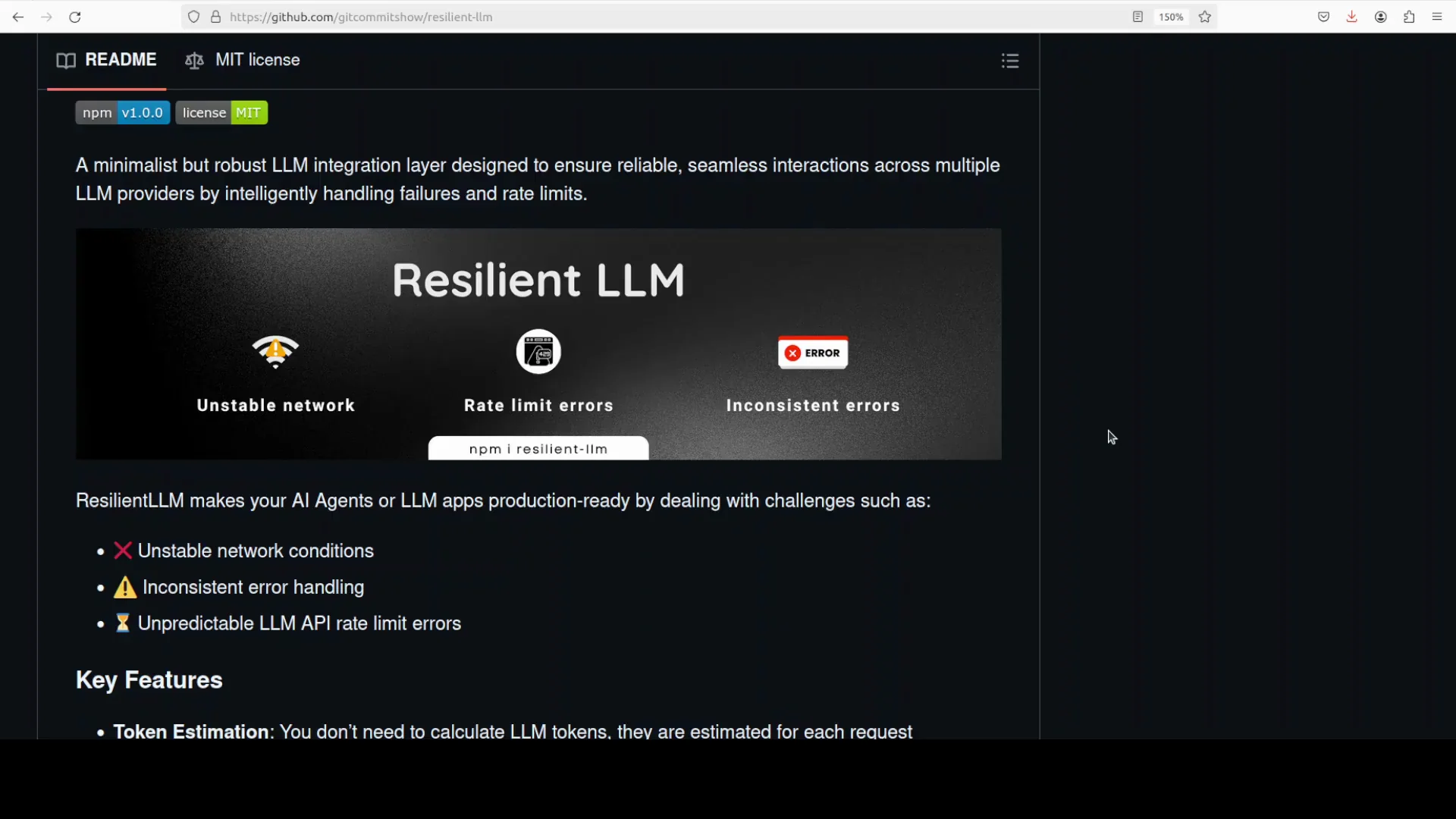
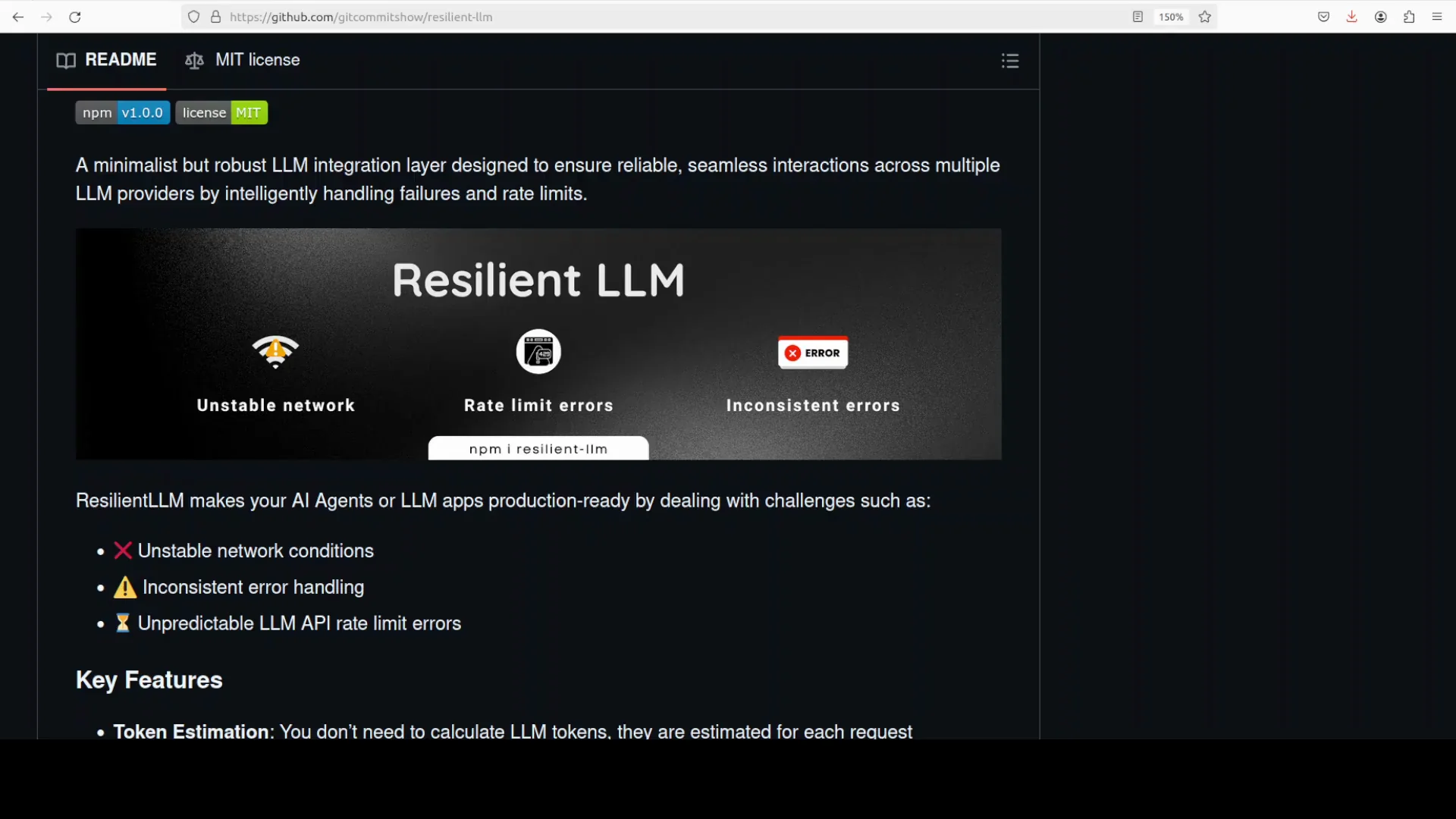
Resilient LLM is a minimalist but robust layer that absorbs those failure modes for you. It estimates tokens, applies token bucket rate limits, and wraps calls with retries.
It enables exponential backoff and a circuit breaker while honoring provider hints like retry-after. You get one consistent interface across providers.
What Resilient LLM Is
Resilient LLM is a production-minded integration layer, an MIT open source project that standardizes how your app talks to multiple LLM providers while making those calls resilient by default.
If you have used or built production-grade AI applications and run into 400 or 500 errors or too much latency, this tool helps. It replaces ad hoc retries and sleeps with structured, provider-agnostic resilience.
The net effect is fewer pages and more predictable response time percentiles, which matters.
Why Resilience Matters
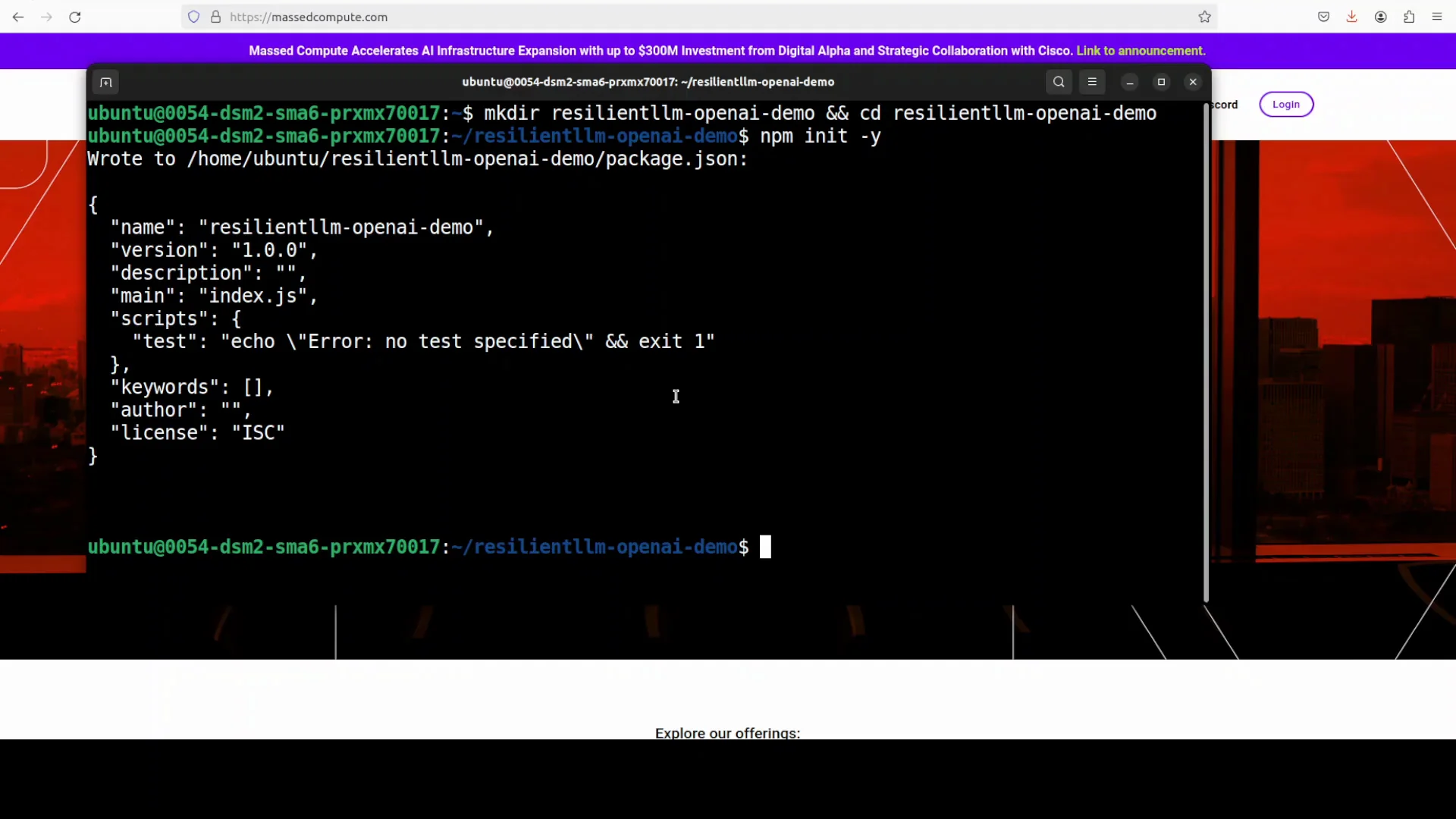
Instead of sprinkling retries or rate limit sleeps throughout your code, you use a single interface that estimates tokens, throttles fairly with a token bucket, and degrades gracefully when providers have issues.
This approach reduces duplicated code and centralizes error control. It also reduces surprise rate-limit events and improves predictability under load.
Installing ResilientLLM - LLM
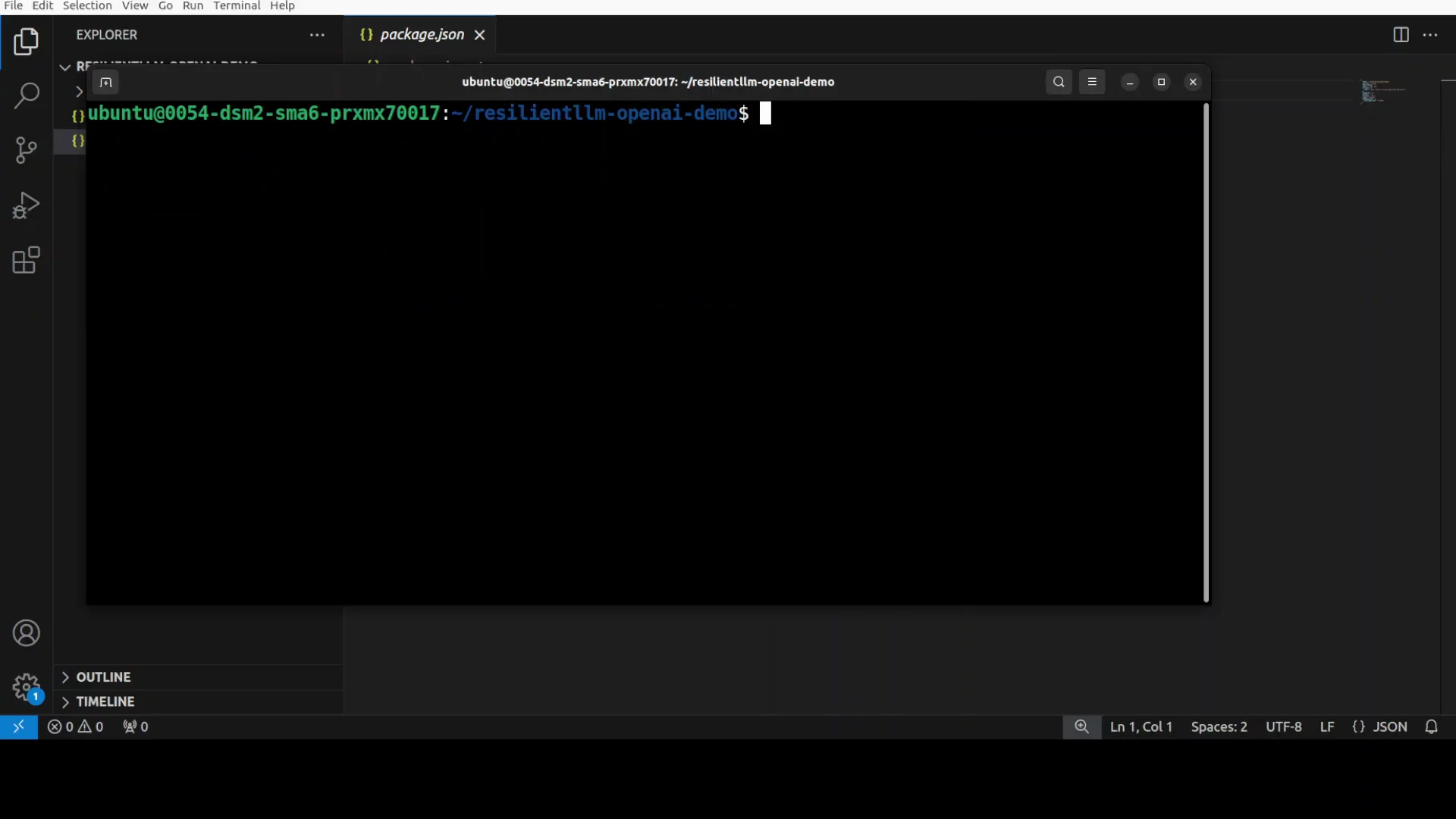
I am using an Ubuntu system and will demonstrate with an OpenAI model, though you can use any provider. The goal is to control calls so the application remains resilient even under provider stress.
One prerequisite is Node installed, along with npm. Make sure both are installed before proceeding.
The steps below set up a simple project so you can embed Resilient LLM in your own code.
Step-by-Step Setup
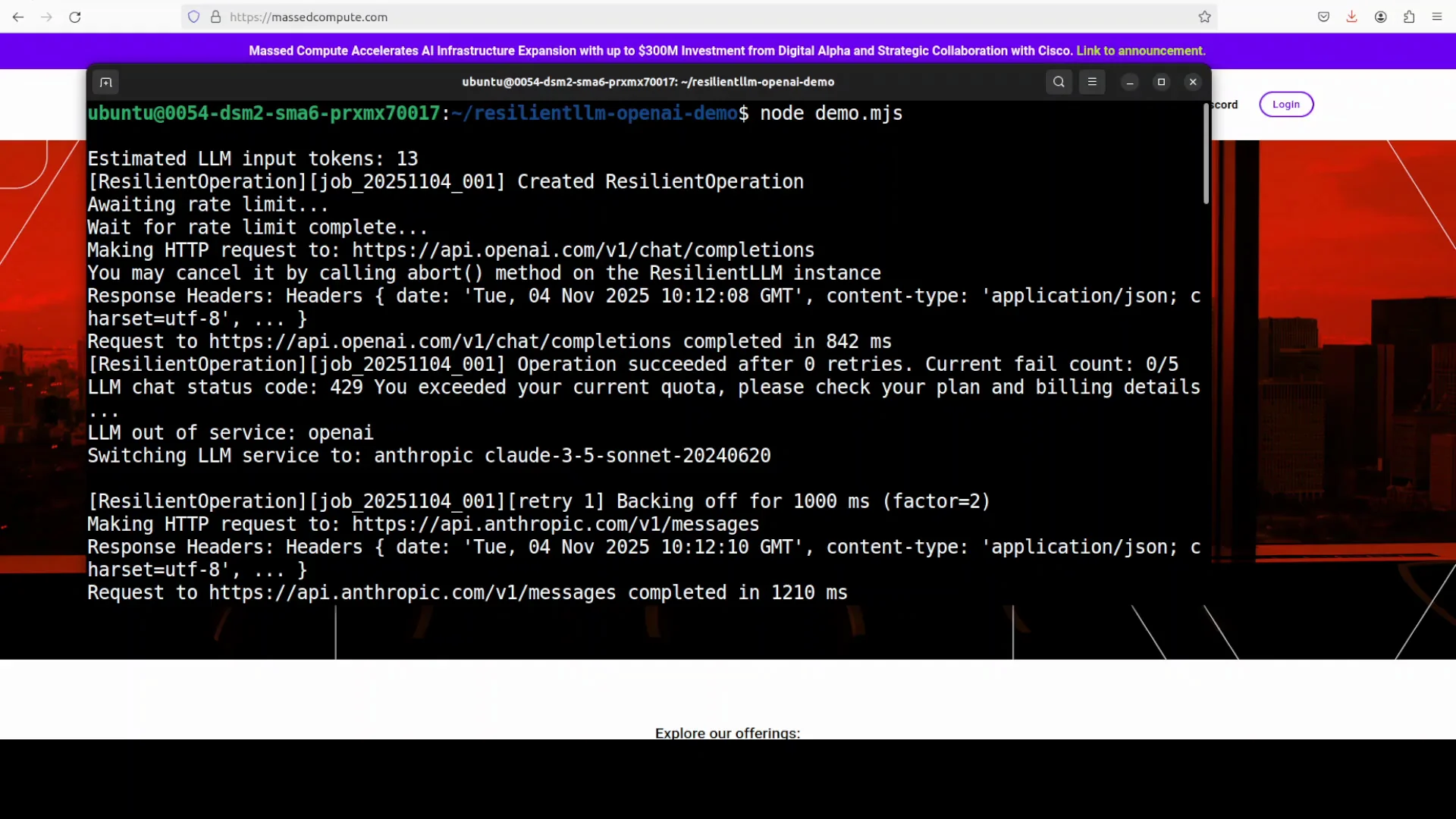
- Create a new directory for the project.
- Initialize the project with npm.
- Set ESM to match the library import style.
- Open the project in your editor.
- Set your provider keys.
- Add a simple script to call providers through Resilient LLM.
- Run the script from your terminal.
These steps mirror a minimal workflow and keep configuration simple and explicit.
Project Initialization
- Create a directory and run npm init to create package.json.
- Set the project to ESM by adding type set to module in package.json.
- Open the project in your editor to add the script file.
The ESM setting matches the library import style and avoids friction when importing packages.
Provider Keys
Set your OpenAI API key. You can also use keys for Anthropic or third party providers like OpenRouter or Grok. The procedure is the same no matter the provider.
If you are using OpenAI, get your key from the provider dashboard. This is a paid option.
Building a Small Resilient Demo
The demo calls an OpenAI chat model through Resilient LLM and also calls an Anthropic model. The code imports the library in a way that is compatible with different package export styles.
It performs token estimation and rate limiting. It runs bounded retries with exponential backoff and supports an optional overall timeout.
It can address multiple models across providers, which makes it easy to expand as needs grow.
What the Script Does
- Calls an OpenAI chat model via Resilient LLM.
- Calls an Anthropic model as a fallback or alternative path.
- Uses token estimation to plan usage.
- Applies a token bucket to rate limit fairly.
- Wraps calls with bounded retries and exponential backoff.
- Supports an optional timeout to bound total wait time.
All of this runs behind a consistent interface, so calls look similar across providers.
Running the Script
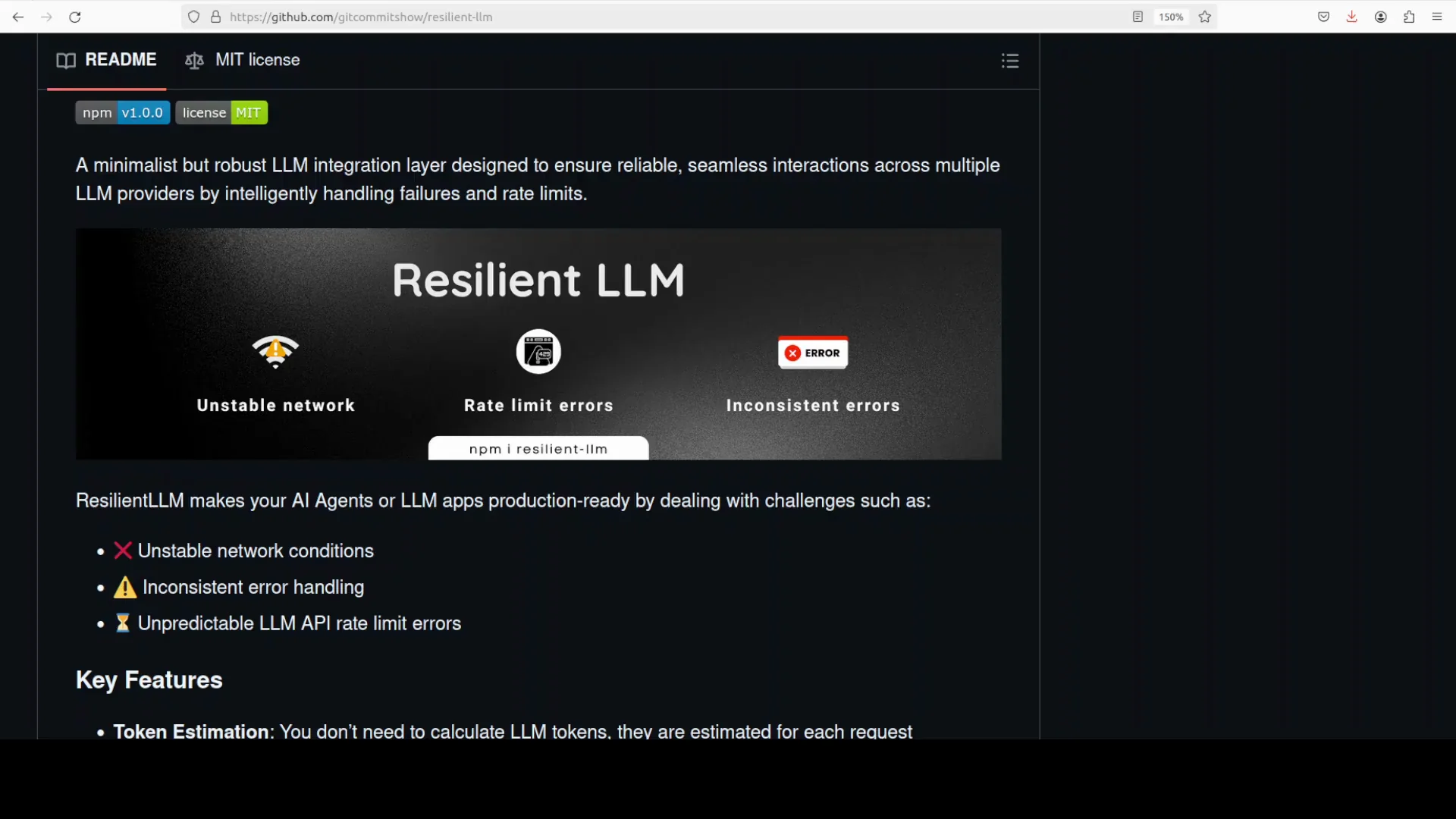
Run the .mjs file from your terminal. The run shows Resilient LLM orchestrating calls across providers with resilience primitives.
It starts with OpenAI, then hits a 429, which marks OpenAI out of service and switches to Anthropic. Anthropic returns Paris as the capital of France, which matches the prompt.
Subsequent requests that encounter overload apply exponential backoff. After crossing a failure threshold, the circuit breaker opens and traffic shifts to Google Gemini, which succeeds with a concise comparison of Paris vs Lyon.
Resilience Primitives in ResilientLLM - LLM
Resilient LLM brings a set of resilience features into one place. These are designed to address common provider and network issues.
It focuses on token awareness, rate control, retries, and circuit management. It also respects provider guidance to reduce unnecessary retries.
Feature Overview
- Token estimation
- Token bucket rate limiting
- Bounded retries
- Exponential backoff
- Circuit breaker
- Provider hints (retry-after)
- Consistent interface
- Optional overall timeout
These features are coordinated so the system can absorb errors and maintain predictable behavior.
How Each Feature Helps
- Token estimation - Approximates token usage per request to plan capacity and avoid overload.
- Token bucket - Applies a fair throttle on requests so bursts do not breach limits.
- Bounded retries - Caps the number of attempts to avoid unbounded waiting.
- Exponential backoff - Spaces retries with increasing delays to reduce contention.
- Circuit breaker - Moves a provider into an out-of-service state after repeated failures.
- Provider hints - Honors retry-after guidance to align with provider rate limits.
- Consistent interface - Unifies call patterns across multiple providers.
- Optional timeout - Prevents a request from waiting too long overall.
Feature Summary Table
| Feature | Purpose | Notes |
|---|---|---|
| Token estimation | Plan requests and limit token usage | Helps avoid token overruns |
| Token bucket | Enforce fair request rate | Smooths bursts and controls Q length |
| Bounded retries | Limit attempts on failure | Prevents infinite retry loops |
| Exponential backoff | Reduce retry contention | Uses increasing delays between attempts |
| Circuit breaker | Isolate failing provider | Supports closed, open, half-open transitions |
| Provider hints | Align with provider limits | Honors retry-after headers |
| Consistent interface | Simplify multi-provider code | One API across OpenAI, Anthropic, Gemini |
| Optional overall timeout | Bound total request time | Avoids long tail latency |
Circuit Breaker Behavior in ResilientLLM - LLM
The circuit breaker monitors failures and controls traffic to providers. It protects the system from repeated errors and slowdowns.
When a provider fails repeatedly or returns rate limit responses, the breaker opens and the system routes requests to other providers.
Circuit States and Transitions
- Closed - Normal operation, all calls flow to the provider.
- Open - Provider is marked out of service after repeated failures or rate limits.
- Half-open - The system probes the provider with limited traffic to test recovery.
If the half-open probe succeeds, the circuit closes and traffic resumes. If it fails, the circuit returns to open.
Circuit Table
| State | Condition to Enter | Behavior | Condition to Exit |
|---|---|---|---|
| Closed | Normal error rates | All requests sent | Threshold exceeded |
| Open | Failure or rate limit threshold exceeded | Requests blocked or rerouted | Cooldown expires |
| Half-open | Cooldown ended | Limited test requests allowed | Success closes, failure reopens |
Rate Limiting With a Token Bucket
Resilient LLM uses a token bucket to control rate and manage bursts. This keeps request flow within configured limits.
It also tracks queue length and refill time so you can see how the system behaves under load.
Token Bucket Snapshot
- Requests used
- Estimated tokens
- Queue length
- Refill time
These metrics give a view into current load and how the limiter is contributing to stability.
Token Control Table
| Metric | Meaning |
|---|---|
| Requests used | Count of requests that consumed capacity |
| Estimated tokens | Tokens forecast for each request |
| Queue length | Requests waiting for capacity |
| Refill time | Time until capacity is refilled |
Handling Provider Errors and Rate Limits
The system coordinates retries, backoff, and circuit changes to handle provider-side issues. It responds to rate limit signals and errors with controlled behavior.
When a request hits a 429, it can back off and respect retry-after hints. If a provider repeatedly fails, the circuit opens and traffic shifts to another provider.
Error Control Flow
- Detect error or rate limit.
- Apply exponential backoff for retries.
- Check failure thresholds.
- Open circuit if needed.
- Shift traffic to another provider.
- Probe original provider later via half-open.
This flow reduces user-facing errors and avoids retry storms.
Observed Run Behavior
In the demo, the initial call goes to OpenAI. A 429 marks OpenAI out of service, and the system switches to Anthropic, which returns Paris as the capital of France.
Subsequently, after overload, exponential backoff applies and the circuit opens. Traffic shifts to Google Gemini, which returns a concise comparison of Paris vs Lyon.
This demonstrates provider switch over, backoff timing, circuit transitions, and final token bucket reporting.
Multi-Provider Setup in ResilientLLM - LLM
Resilient LLM uses one interface to coordinate across OpenAI, Anthropic, and Google Gemini. It applies the same resilience primitives in each path.
You need to set keys for each provider you plan to call. That includes OpenAI, Anthropic, and Google.
Keys and Configuration
- Set environment variables for each provider key.
- Configure model names for each provider.
- Ensure rate limits reflect your actual quotas.
With keys set, you can add providers to the same routine and rely on the library to balance resilience.
Import Style
The import pattern is compatible with different export styles. This reduces friction when integrating with various packages.
By keeping imports consistent, your code remains clean and easier to read.
Running on Ubuntu With Node and npm
I am using Ubuntu along with Node and npm. Any system that supports Node will work.
The goal is to keep installation and execution predictable so the focus stays on resilience and provider behavior.
Script Execution Steps
- Ensure Node and npm are installed.
- Initialize the project and set ESM.
- Add the script file with calls through Resilient LLM.
- Set provider keys in your environment.
- Run the .mjs file from the terminal.
This keeps the demo fast to run and easy to repeat.
Notes on Providers
I used an OpenAI model for the initial call path. You can use any provider without changing the resilience approach.
Set keys for Anthropic and Google if you want those paths active in the same run.
What You See During a Run
Resilient LLM orchestrates calls across providers with resilience primitives. It logs how it applies rate limits, retries, and circuit changes.
You will see providers marked out of service when they hit repeated failures or 429s. The system then routes traffic to available providers.
Typical Sequence
- Initial call goes to the primary provider.
- A 429 or repeated errors trigger exponential backoff.
- The circuit opens after threshold crossings.
- Traffic shifts to a secondary provider.
- On recovery, the half-open probe closes the circuit and restores traffic.
At the end, you can inspect token bucket metrics that summarize rate control behavior.
What Matters Most
This setup maintains uptime and predictable behavior. It centralizes care for rate limits and error handling.
It reduces duplicate logic and protects your user experience from provider instability.
Practical Notes on ResilientLLM - LLM
The project focuses on a small, robust core that addresses high-impact failure modes. It keeps the interface simple and the operational behavior explicit.
It is well suited for teams that call multiple providers and want consistent reliability controls.
Improvements and Wishes
There is room for improvement, and a Python version would be valuable. I use Python mostly in my projects instead of Node.
A native Python implementation would widen adoption and make integration easier for Python-focused teams.
Key Takeaways
- Production-grade resilience should be part of the integration layer.
- Token awareness, rate control, retries, and circuit breakers belong together.
- A consistent interface across providers reduces complexity and risk.
Quick Start Checklist
- Install Node and npm.
- Initialize a new project and set ESM.
- Add Resilient LLM and any client SDKs you plan to call.
- Set environment variables for OpenAI, Anthropic, and Google keys.
- Write a small script that:
- Estimates tokens per request
- Applies token bucket rate limits
- Uses bounded retries with exponential backoff
- Enables a circuit breaker
- Honors retry-after hints
- Supports an optional overall timeout
- Run the script and observe:
- Provider switch over after failures
- Circuit transitions: closed, open, half-open
- Final token bucket snapshot with requests used, estimated tokens, queue length, and refill time
Troubleshooting Notes
- If you see 429s, confirm your token bucket settings and retry-after handling.
- If a provider remains open-circuited too long, review thresholds and cooldowns.
- If calls time out, adjust the overall timeout and backoff settings.
These adjustments help match behavior to your quotas and latency goals.
Conclusion
Building LLM applications that hold up in production requires a focus on rate limits, retries, and error isolation. Resilient LLM provides a minimalist but robust layer that standardizes calls across providers and applies resilience by default.
It estimates tokens, applies a token bucket, runs bounded retries with exponential backoff, and opens a circuit breaker when needed. It respects provider hints and exposes a consistent interface so your code stays clean.
In a simple demo, it routed calls from OpenAI to Anthropic after a 429, then shifted to Google Gemini when the circuit opened, returning correct and concise outputs. It also reported token bucket metrics such as requests used, estimated tokens, queue length, and refill time.
I am impressed by the uptime and predictable behavior. There is room to grow, and a Python version would be welcome for projects that center on Python rather than Node.
Subscribe to our newsletter
Get the latest updates and articles directly in your inbox.

Related Posts

8 Best Claude Code Plugins in 2026 (You Need to Know)
8 Best Claude Code Plugins in 2026 (You Need to Know)

7 Best Claude Code Skills (You Need to Know)
7 Best Claude Code Skills (You Need to Know)

Claude Code Desktop IDE Features (You Need to Know)
Claude Code Desktop IDE Features (You Need to Know)