
Table Of Content
- RAG-Anything All-in-One RAG: Install and Test
- System Setup and Installation on Ubuntu
- Environment Preparation
- Install RAG-Anything
- Configure OpenAI
- RAG-Anything All-in-One RAG: What It Is
- Install Recap
- Test 1: Business Report With Tables and Charts
- Configuration Used
- Running the Script
- Results
- Test 2: Multimodal Spec Sheet With Images and Tables
- Architecture Overview
- Processing and Output
- Key Capabilities Highlight
- Practical Notes
- Step-by-Step Guide
- Troubleshooting Pointers
- Summary
RAG-Anything Quickstart: Install and Test the RAG Toolkit
Table Of Content
- RAG-Anything All-in-One RAG: Install and Test
- System Setup and Installation on Ubuntu
- Environment Preparation
- Install RAG-Anything
- Configure OpenAI
- RAG-Anything All-in-One RAG: What It Is
- Install Recap
- Test 1: Business Report With Tables and Charts
- Configuration Used
- Running the Script
- Results
- Test 2: Multimodal Spec Sheet With Images and Tables
- Architecture Overview
- Processing and Output
- Key Capabilities Highlight
- Practical Notes
- Step-by-Step Guide
- Troubleshooting Pointers
- Summary
RAG-Anything All-in-One RAG: Install and Test
After working hands-on on dozens of AI projects across the globe, I can safely say that retrieval augmented generation is the best way to extract business value from AI models and tooling. Not every company wants to or can or should fine-tune or retrain a model from scratch. If they want to provide the context of their own data to AI, retrieval augmented generation remains the most effective path.
With retrieval augmented generation, you take your data, convert it into a numerical representation, retrieve relevant chunks based on the semantics of the query, and the model returns responses grounded in the question and the company’s data. That is what retrieval augmented generation is. Whenever I find a new or mature tool in this area, I cover it because there is still a lot of room for improvement.
RAG-Anything is the tool I install and test here on a real use case. Heads up: it does not work with Ollama. If you plan to use Ollama or another local model, this project does not support it natively. You could fork the project and try to integrate it, but expect issues. For this walkthrough, I use OpenAI’s model. You will need an API key from platform.openai.com, which is a paid option.
I will also explain what this project is and how it works.
System Setup and Installation on Ubuntu
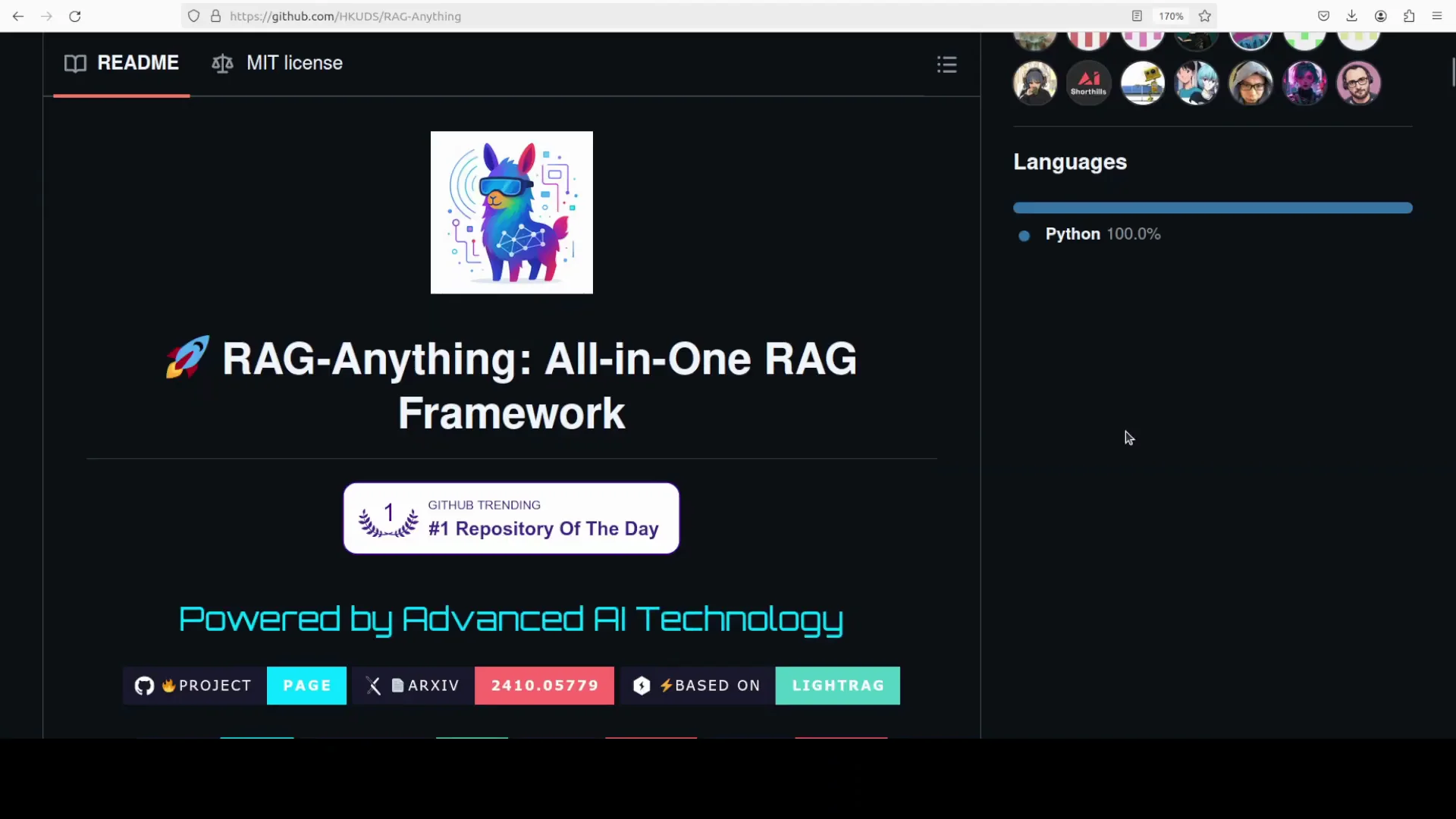
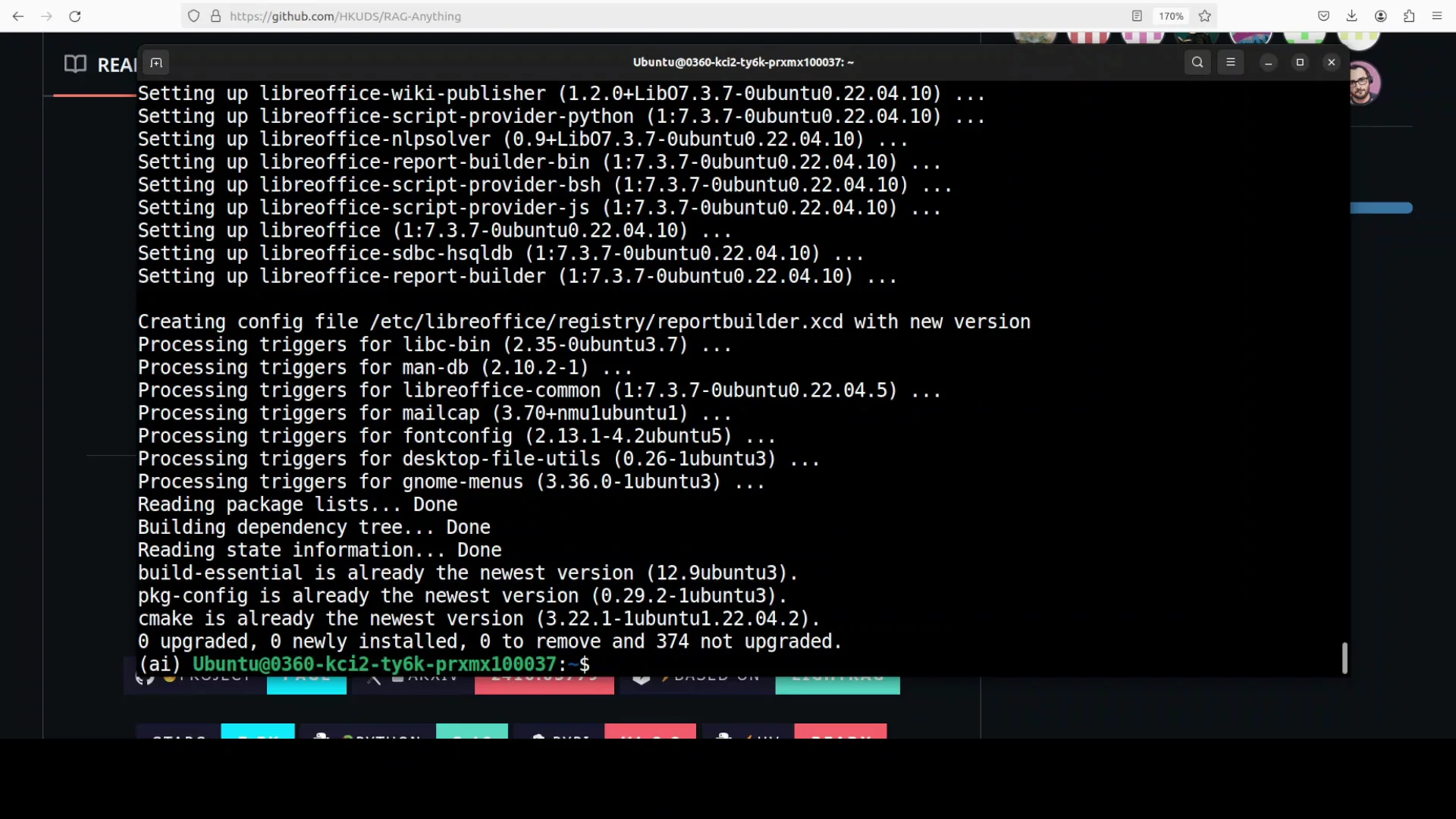
I use an Ubuntu system and create a virtual environment with conda. Then I update the system and install prerequisites. After that, I install the project, set the API key, and run a couple of tests on real documents.
Environment Preparation
- Create a Python virtual environment with conda.
- Update the system and install required prerequisites.
Keep your environment clean and isolated so you can track dependencies and avoid conflicts.
Install RAG-Anything
- Install the core project.
- Install RAG-Anything with all optional dependencies. You can install only text or image support, but I install all to enable multimodal features.
Configure OpenAI
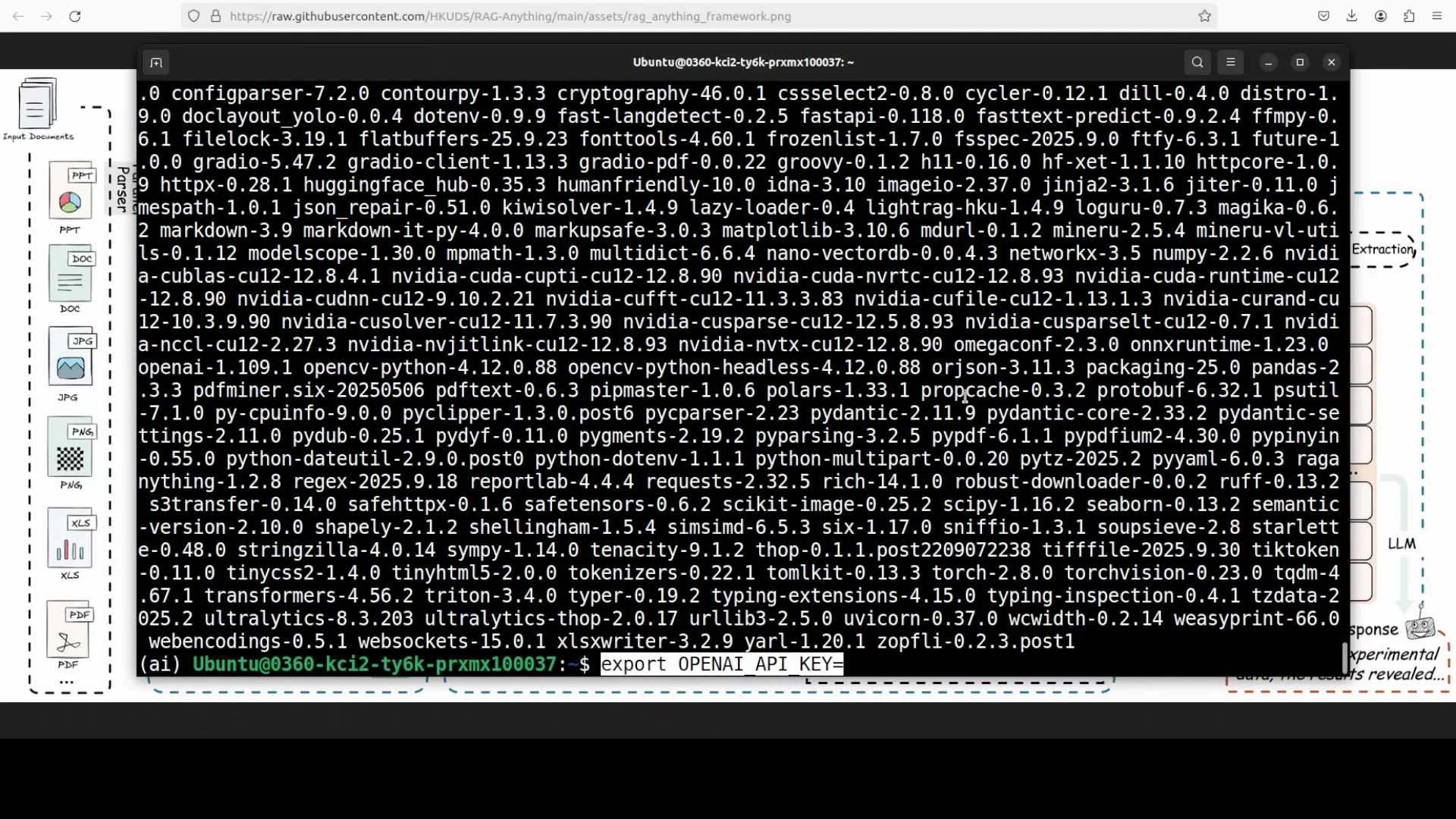
- Set your OpenAI API key as an environment variable or in an .env file. I set it in the environment.
At this point the installation is complete and the key is configured.
RAG-Anything All-in-One RAG: What It Is
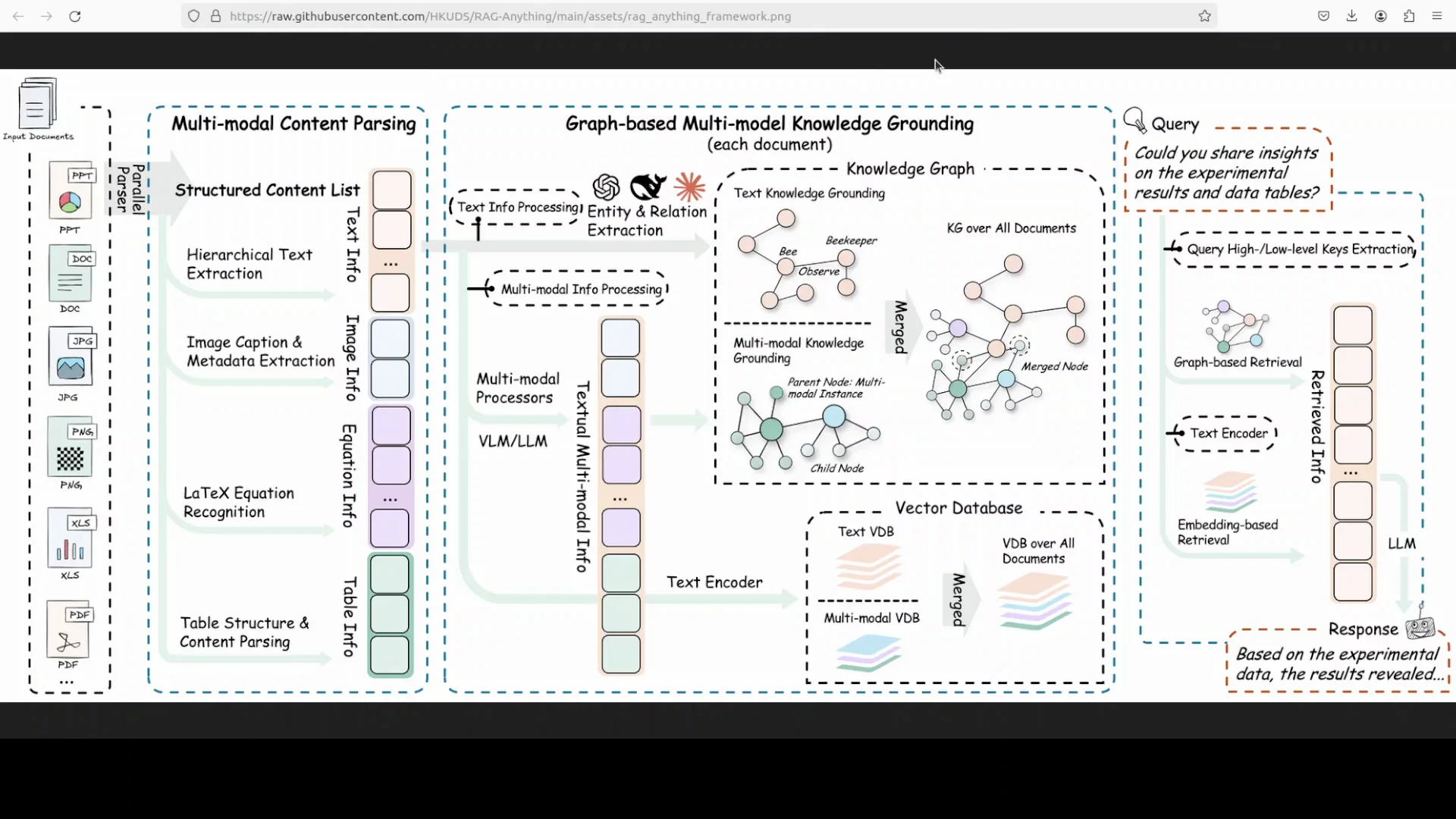
RAG-Anything is an all-in-one multimodal framework for retrieval augmented generation designed to handle modern documents that mix text, images, tables, equations, and charts. It is built on top of LightRAG, which I have covered before. RAG-Anything inherits LightRAG’s fast retrieval pipeline and optional server web UI support, and it adds end-to-end ingestion and querying across modalities in a single toolkit.
Recent updates introduced a VLM enhanced query mode so answers can jointly reason over extracted text and embedded visuals when documents contain figures or scans.
If you search for LightRAG, you will find it, and you can install it with Ollama. LightRAG is a very good project.
Under the hood, RAG-Anything relies on MinerU for robust document parsing. I have covered MinerU extensively and recently covered a latest version. RAG-Anything brings together strong components and aims to enable retrieval across different modalities. That is what I test here.
Install Recap
- The system is prepared and the project is installed.
- I install RAG-Anything with all dependencies to enable multimodal processing.
- I set the OpenAI API key in the environment and clear the screen.
- Everything is now ready to run.
Test 1: Business Report With Tables and Charts
I use a business document that includes a table of contents, business reporting, number charts, and other structured data. It is a large report with a lot of content. I use RAG-Anything to ask grounded questions.
Configuration Used
- I import the required libraries.
- I set the index directory where the index and vectorization artifacts will be stored.
- I use OpenAI’s LLM and OpenAI’s embedding model, specifically text-embedding-3-large.
- I provide the business document as the source for ingestion.
- I ask questions:
- What are the main revenue figures?
- Show tables or charts comparing growth in different divisions.
Running the Script
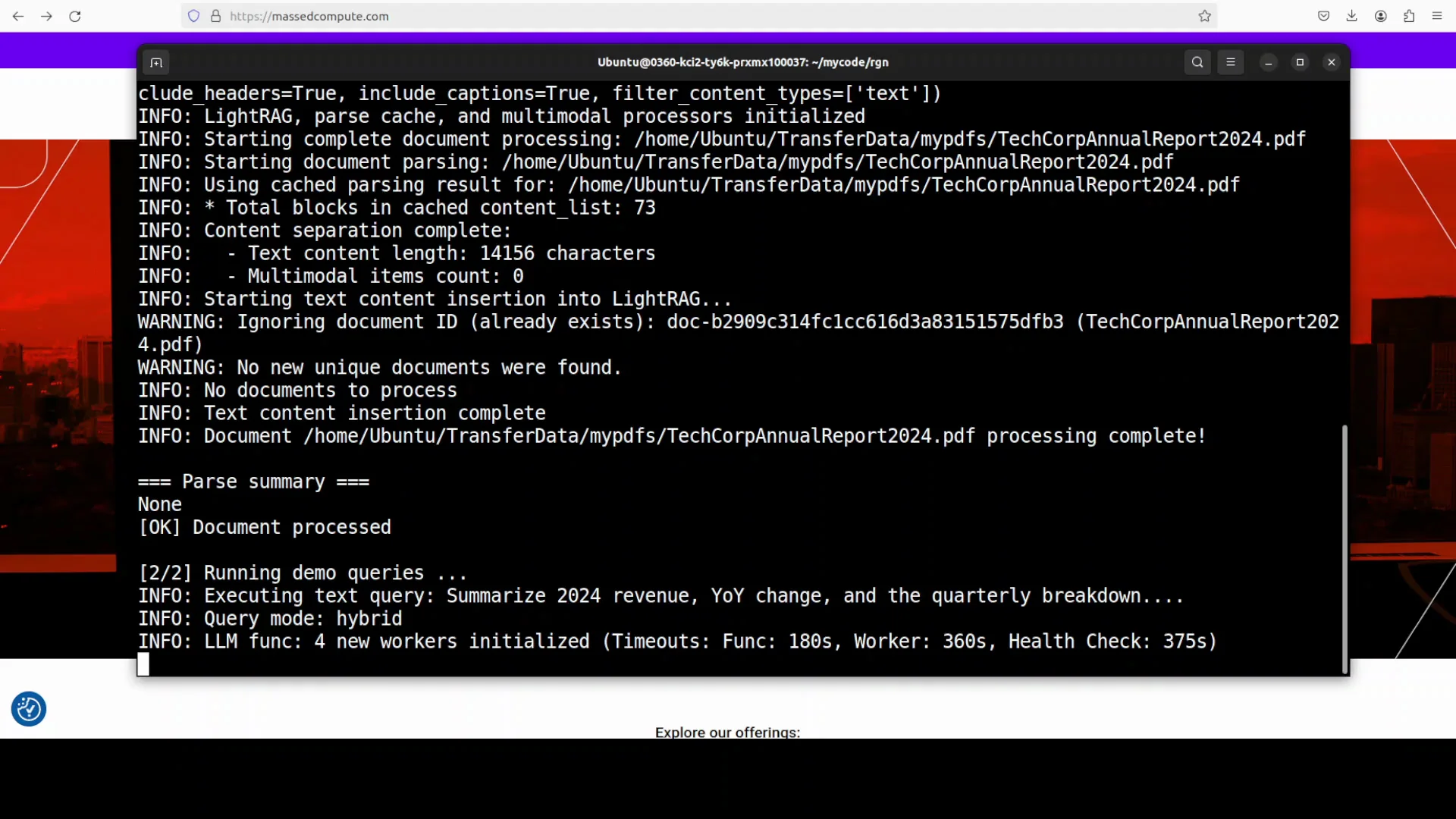
- I run the script from the root of the repository.
- The tool creates a working directory named rag_storage.
- It processes the document.
- It checks multiple processors, including multimodal and text paths.
- It uses LightRAG and reads the document locally.
- It uses MinerU to parse the PDF file.
After chunking, embedding, and retrieval, it starts returning answers.
Results
- It shows the queries and then provides Answer 1.
- Compared to the document, the answer is accurate.
- It provides not only the answer extracted from the document but also uses the model’s reasoning to contextualize the data. That is the essence of retrieval augmented generation: the model uses its reasoning to deliver context from your data from different angles.
- It also provides references.
- You can use multiple documents.
- Answer 2 is also correct and pulls from various tables and charts. It is detailed and precise.
Since this run uses an API-based model, be aware of cost and throttling.
Test 2: Multimodal Spec Sheet With Images and Tables
In the next example, I use a more multimodal document with many images, some unstructured content, tabular data, and image-based specifications. It is a spec sheet from Sparkle for the Intel Arc Pro B60 GPU.
I update the code for this document and run the script. It processes the documents, chunks them, and takes some time due to the content size and multimodal parsing.
Architecture Overview
RAG-Anything performs multimodal parsing and retrieval. It also builds and uses a graph. The output identifies different entities and their relationships. From there, it uses graph-based retrieval to provide grounded responses.
It brings together strong ideas from several projects and concepts. It supports PDFs and images, as well as various office documents like Excel sheets and PowerPoint slides.
Processing and Output
- It chunks the content and stores it in the working directory.
- The documents are processed with clear logging.
- The answer to the first question is correct.
- It also provides additional information about architecture, driver support, and memory size. This is a spec sheet, so such details are expected.
- It includes references.
- It lists different models and variants around the Intel Arc Pro B60, with the relevant details.
The results look good but are not cheap. Processing these two rich documents cost just under 2 USD. It would be helpful if tools like this add native support for local models and local embeddings.
Key Capabilities Highlight
- Multimodal ingestion and querying across text, images, tables, equations, and charts.
- Built on LightRAG for a fast retrieval pipeline and optional server web UI.
- VLM enhanced query mode that reasons jointly over text and visuals in documents with figures or scans.
- Robust document parsing with MinerU.
- Graph-based retrieval that identifies entities and relationships to ground answers.
- Support for PDFs, images, and common office documents such as Excel sheets and PowerPoint slides.
- Works with OpenAI’s models out of the box. Local models like Ollama are not supported natively.
Practical Notes
- Use a dedicated virtual environment to avoid dependency conflicts.
- Keep an eye on API usage, cost, and throttling.
- The working directory rag_storage stores indexes and artifacts.
- You can query multiple documents. The tool returns answers with references and uses model reasoning to contextualize results.
Step-by-Step Guide
Follow the same flow used in the tests:
- Prepare the environment
- Create a conda virtual environment.
- Update the system and install prerequisites.
- Install the toolkit
- Install the core RAG-Anything package.
- Install RAG-Anything with all optional dependencies for multimodal support.
- Configure the model
- Set the OpenAI API key in your environment variables or an .env file.
- Use OpenAI’s LLM and text-embedding-3-large embeddings.
- Choose your documents
- Start with a business document that includes tables and charts.
- Optionally add a multimodal spec sheet with images and tables.
-
Write or adapt a script
- Import the required libraries.
- Set the index directory for storage.
- Provide the document paths for ingestion.
- Define your questions:
- Ask for main revenue figures.
- Ask to show tables or charts comparing growth across divisions.
- For the spec sheet, ask about architecture, driver support, memory size, and model variants.
-
Run from the project root
- Execute the script from the root of the repository so paths resolve correctly.
- Let the tool parse, chunk, embed, and index the content.
- Review results
- Inspect the answers and references.
- Compare answers to the source documents to confirm accuracy.
- Monitor cost and rate limits if using an API-based model.
Troubleshooting Pointers
- If the tool cannot find documents, check file paths and run from the repository root as used in the tests.
- If parsing fails on PDFs, ensure the document is accessible locally and confirm MinerU is available through the installation with all dependencies.
- If responses seem incomplete, verify that all modalities required by the document are enabled and that the embeddings and LLM are correctly configured.
- If you need local model support, be aware that native integration is not available. You could fork and attempt custom integration, but expect complications.
Summary
RAG-Anything All-in-One RAG provides end-to-end ingestion and querying across text and visual modalities, built on LightRAG with MinerU handling parsing. The VLM enhanced query mode can reason over both extracted text and visuals. It uses a graph-based approach to identify entities and relationships, then retrieves grounded results. It supports PDFs, images, and common office formats.
In practice, it produced accurate, detailed answers on a business report with tables and charts and on a multimodal spec sheet for the Intel Arc Pro B60 GPU. It returned references and contextualized results using model reasoning. The tradeoff is cost when using API-based models. Native support for local models like Ollama is not available, and while you can try to adapt it through a fork, you should expect issues.
If your goal is to ground LLM answers in your organization’s data across text and visuals, RAG-Anything All-in-One RAG is a promising toolkit to install, configure with OpenAI models, and test on real documents.
Subscribe to our newsletter
Get the latest updates and articles directly in your inbox.

Related Posts

8 Best Claude Code Plugins in 2026 (You Need to Know)
8 Best Claude Code Plugins in 2026 (You Need to Know)

7 Best Claude Code Skills (You Need to Know)
7 Best Claude Code Skills (You Need to Know)

Claude Code Desktop IDE Features (You Need to Know)
Claude Code Desktop IDE Features (You Need to Know)