
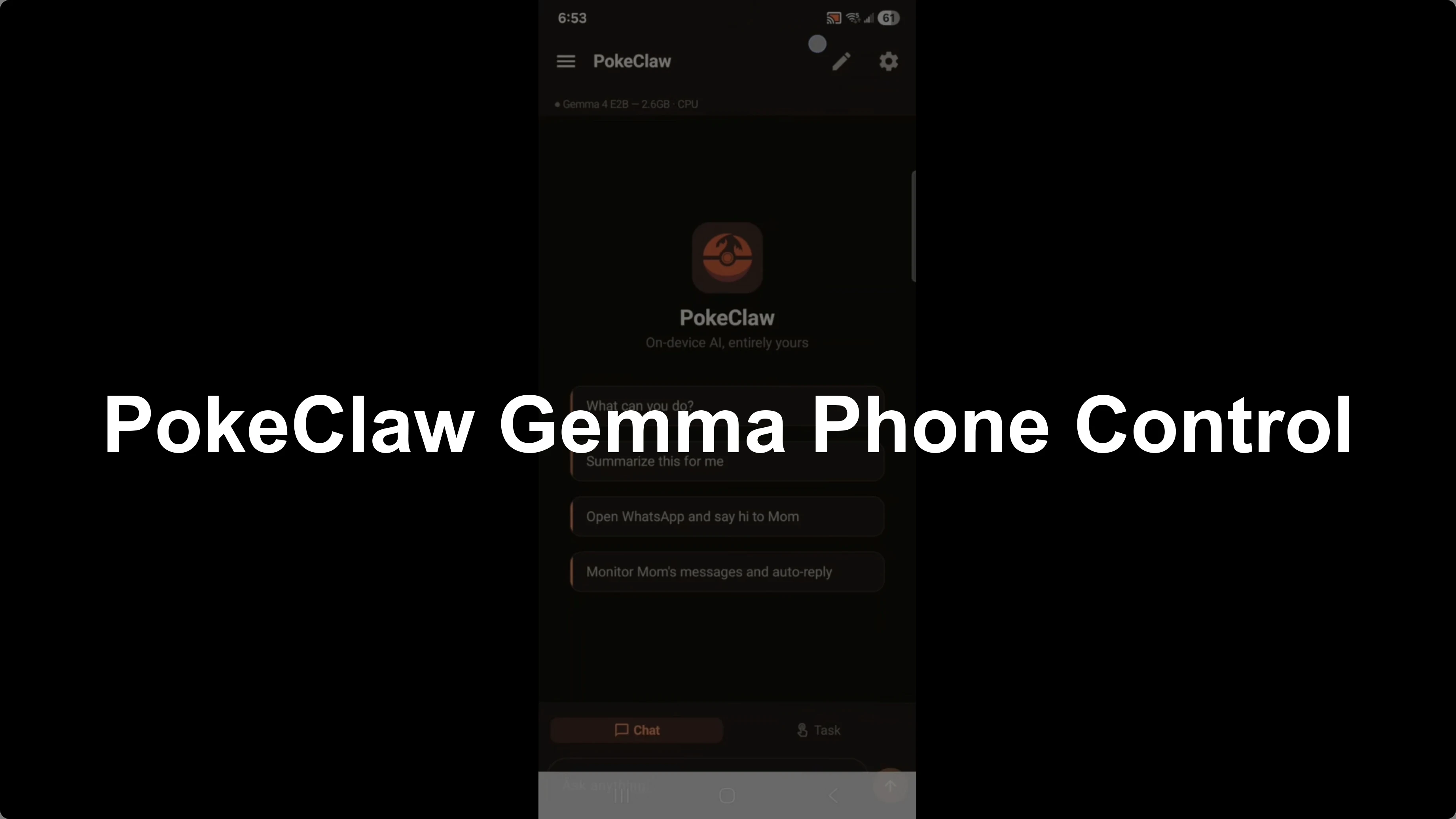
How PokeClaw and Gemma 4 Transform Local Phone Control?
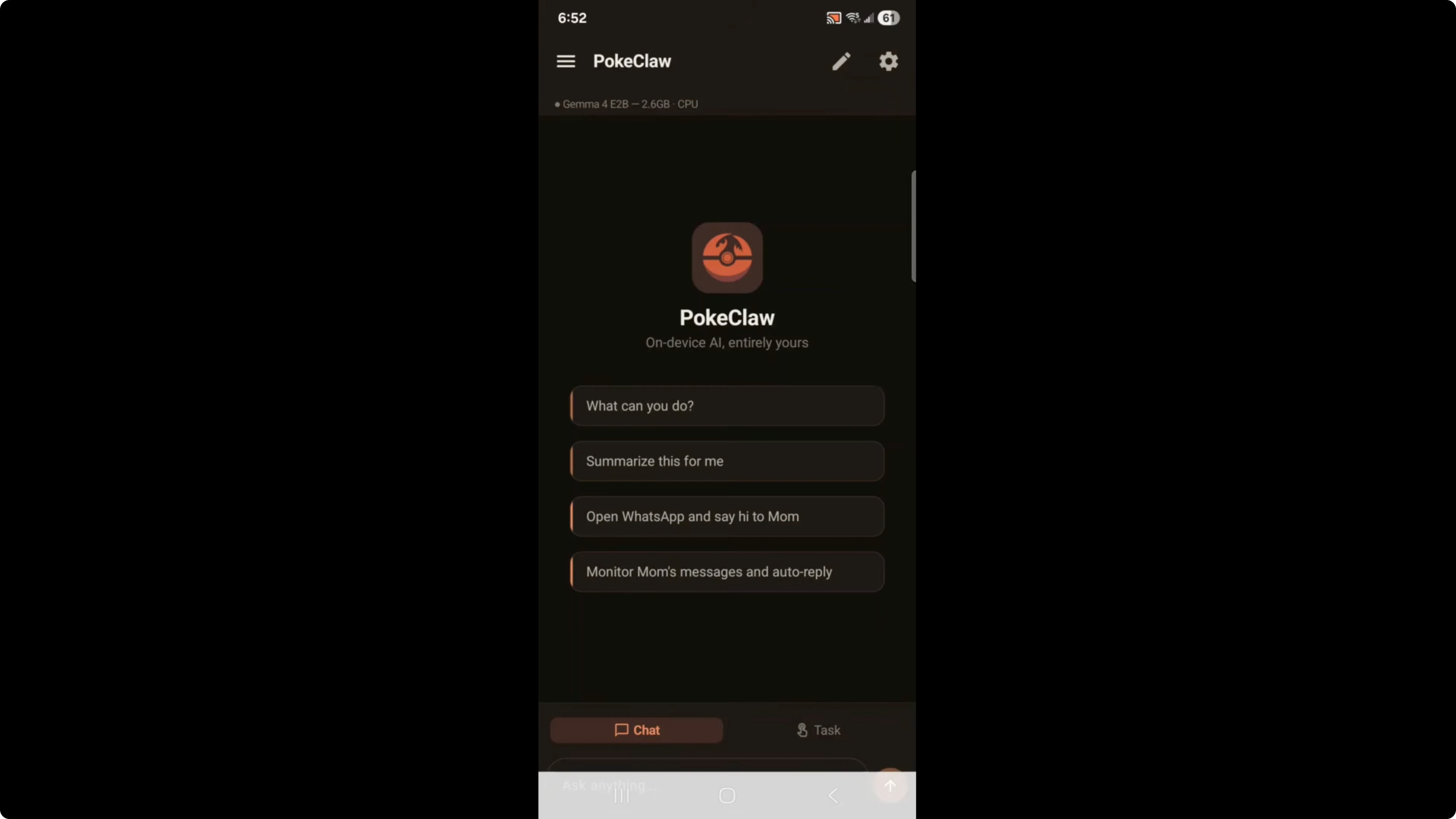
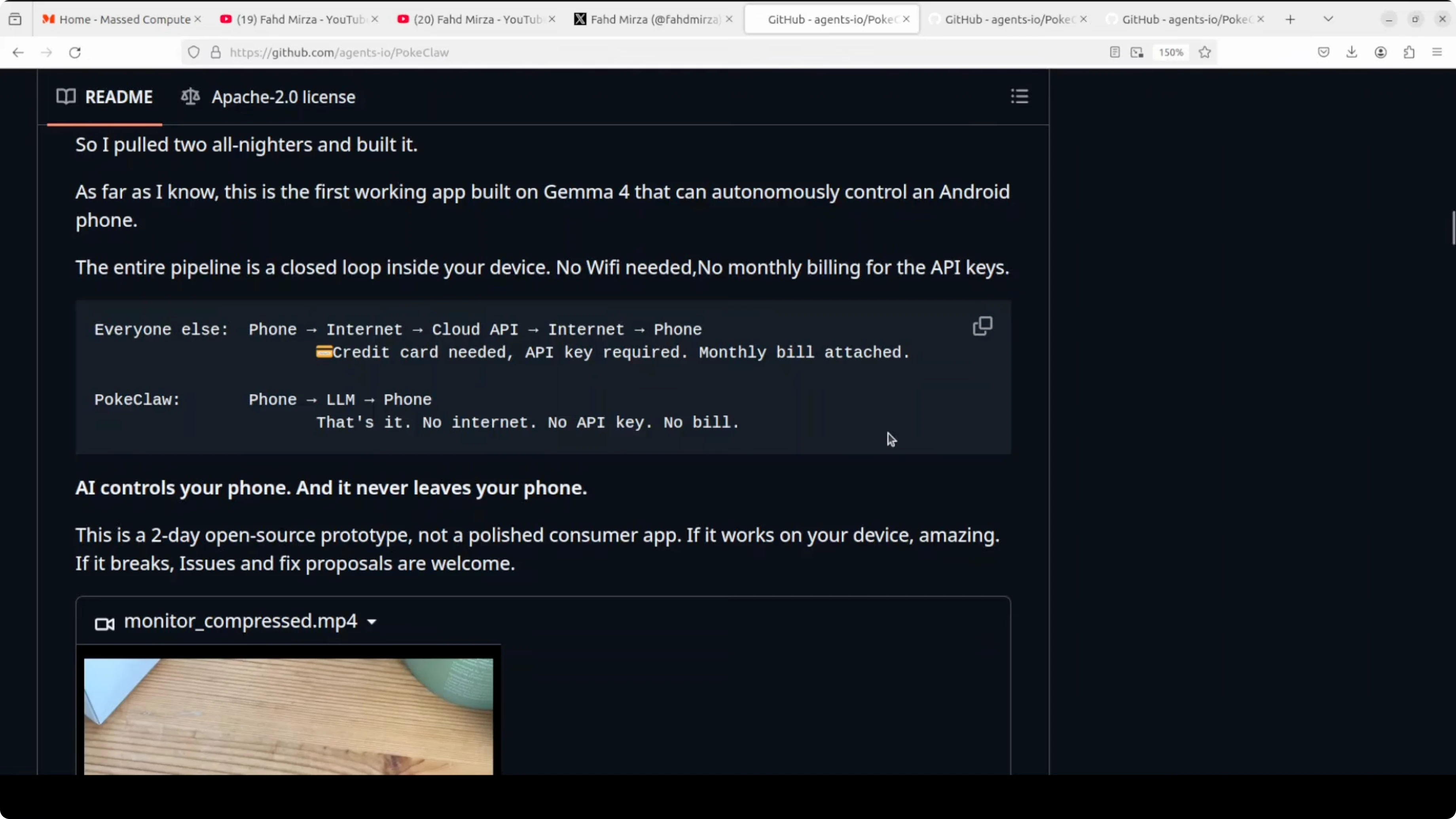
PokeClaw or Pocket Claw is an open-source Android app running locally on device, using a Gemma 4 E2B model. This is an open-source solo developer task completed in just two nights. It is completely on device, no internet required, and you do not need any API keys.
It is not an official Play Store app, so be aware of security considerations. It is also totally insecure, and I will explain why later. For a broader view of model choices, see this comparison of Gemma 4 and Qwen 3.5.
How PokeClaw and Gemma 4 Transform Local Phone Control?
PokeClaw controls your phone and can perform actions like calling people, reading emails, and writing emails. It can send messages to your contacts and access your bank information through your bank app. A common use case is to auto reply to your boss after 5:00 p.m. saying it is your off time, or to auto reply to Mom.
Setup
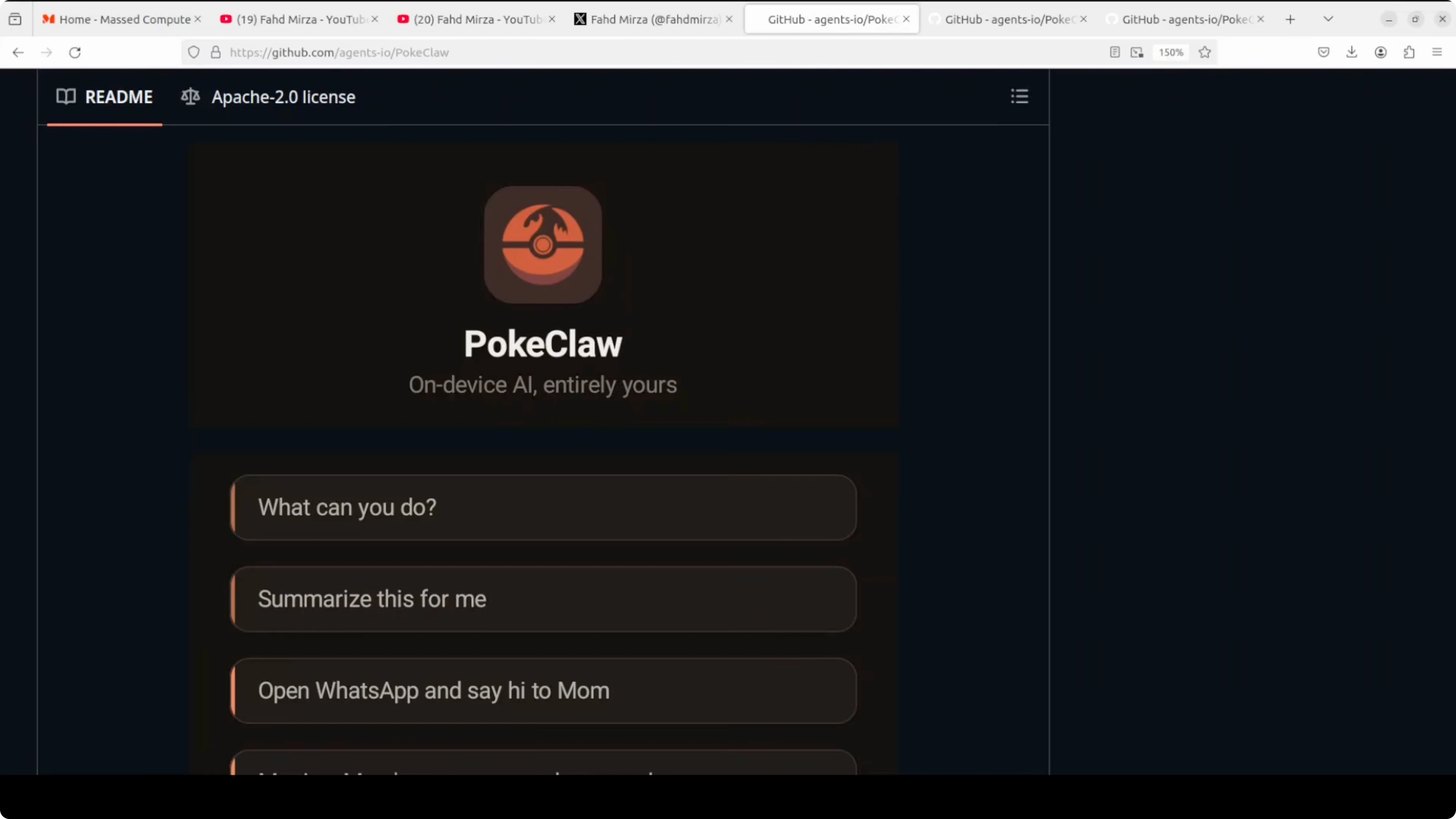
Get the APK from the official repository at github.com/agents-io/PokeClaw.
Install the APK on your Android device and open the app.
Tap the settings icon, go to LLM config, and download Gemma 4 E2B.
You can go with the higher version, the E4B, and then select it for use.
Enable the required permissions, including Accessibility Service, System Window, and file access.
The Gemma 4 E2B package is about 2.6 GB and runs locally without any API calls leaving the device.
If you need a cloud model reference point for reasoning quality and scale, review this overview of Claude Opus.
That context helps explain the tradeoffs between on-device execution and very large hosted models.
Keep this in mind as you decide how to deploy tasks.
Security
This app requires Accessibility Service permissions, which is one of the most powerful permissions on Android. It can read everything on your screen and simulate taps and inputs, which is exactly how it controls your phone. Only run this on a device you trust, and be mindful of what apps and data are visible while it is active.
This is an open-source project, and the code is fully available. As with any tool at this level of access, use it responsibly. Your data, your device, your responsibility.
Personally, I will not be using it long term. I prefer reputable sources and vetted apps on Play Store and iOS. Innovation is important, and this project is innovative, but caution is essential.
Interface
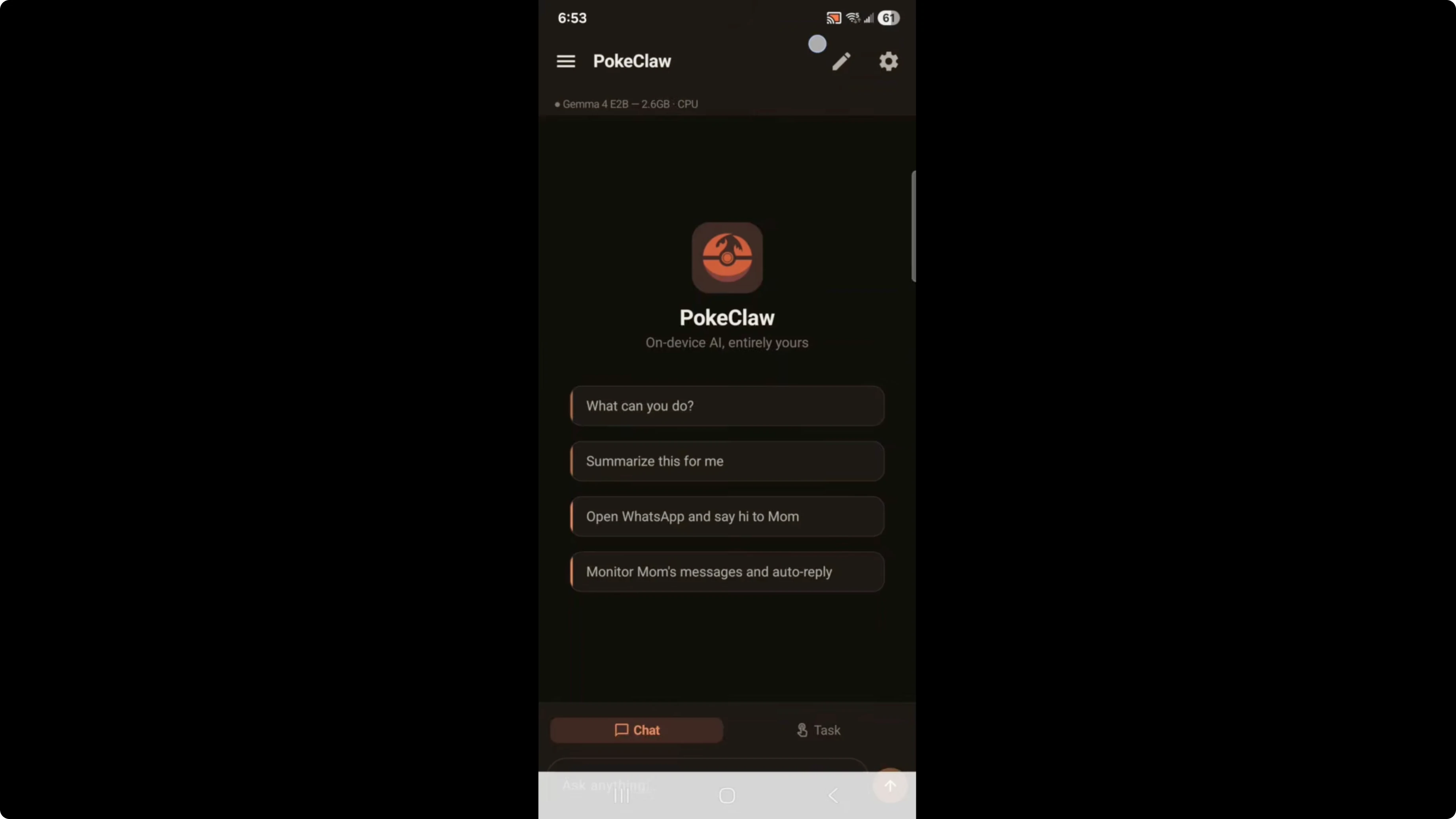
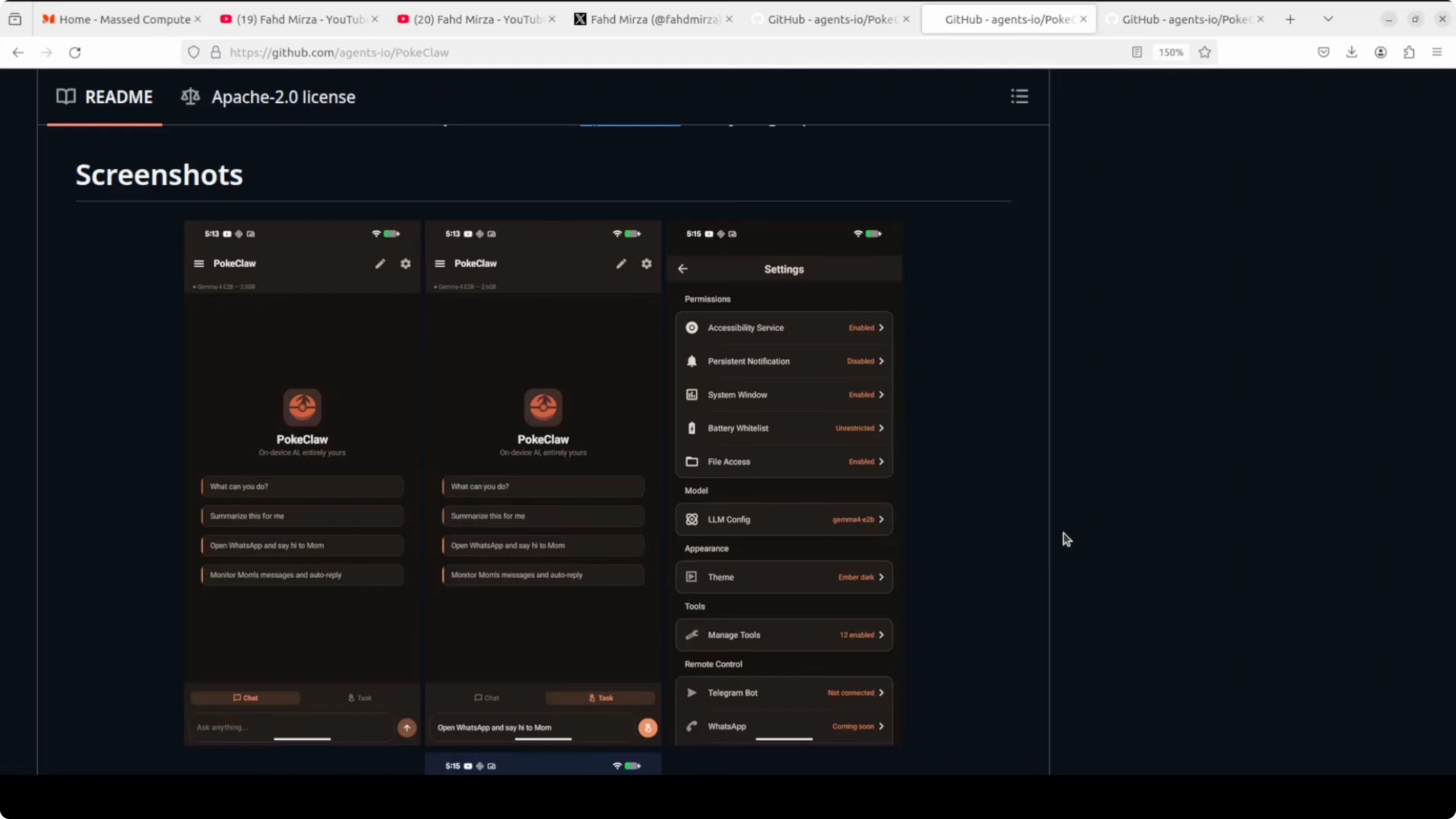
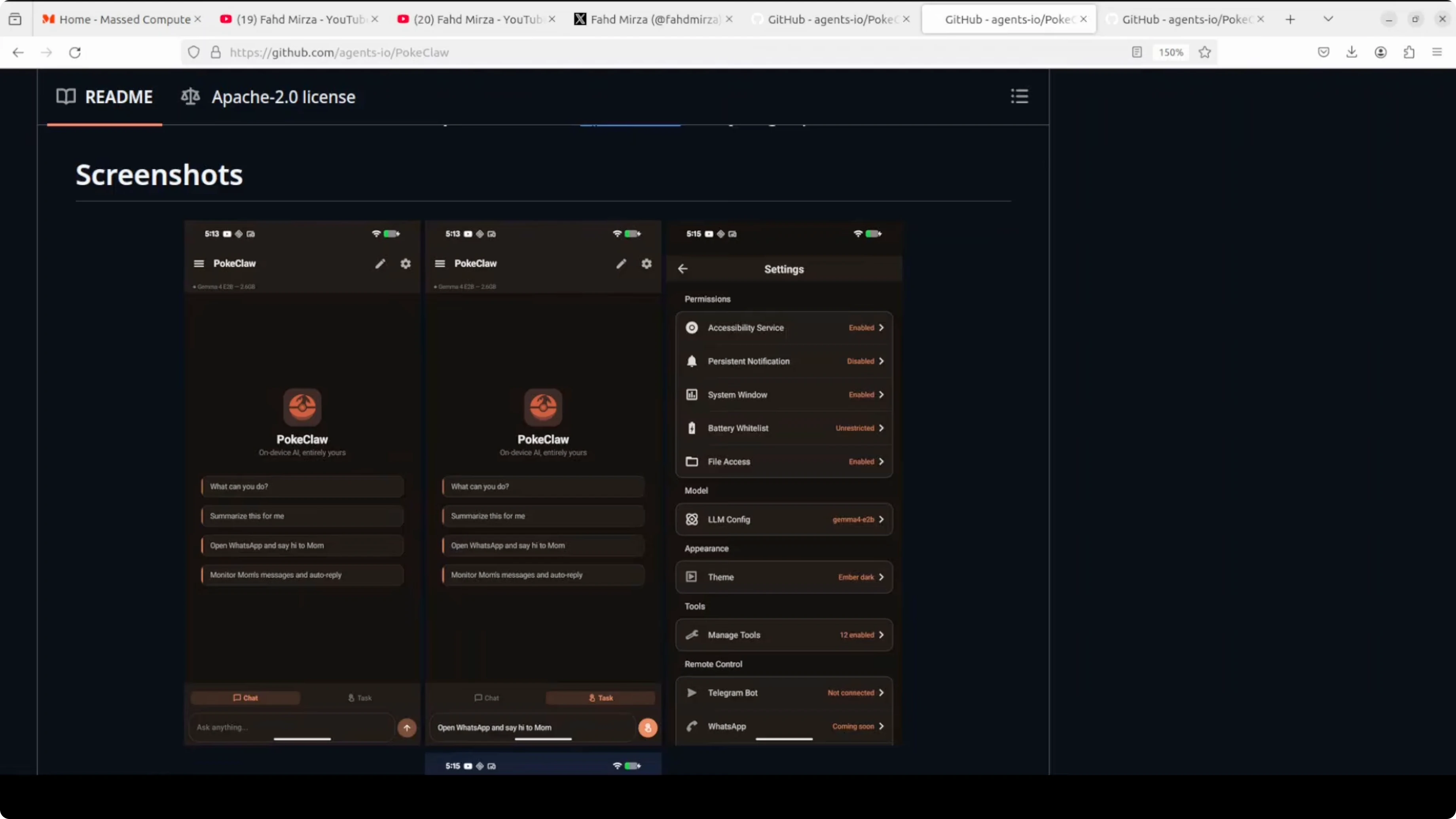
The interface is clean and minimal. There are two modes, chat and task, and suggested prompts show what it can do out of the box. In settings you can see all the permissions it uses, like Accessibility Service, System Window, and file access.
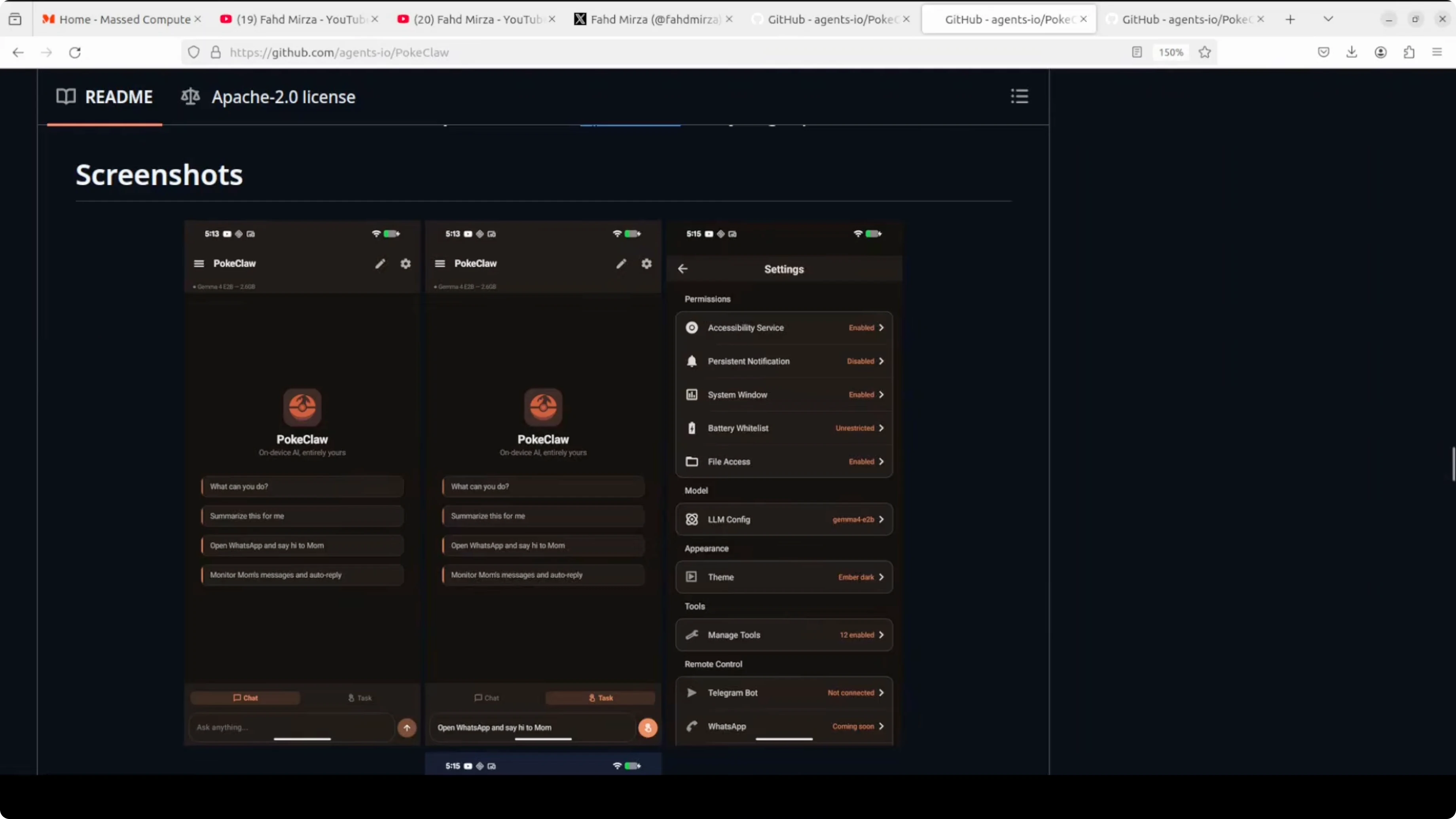
There is a Telegram bot integration for remote control, and WhatsApp remote control is listed as coming soon. It is only a day or two old and on its second version, so there are a lot of bugs and it crashes a lot. Twelve tools are enabled by default, but that list is not exposed yet.
If you are exploring other phone agents with similar goals, check this overview of a related approach in the Autoglm phone agent.
Comparing agent designs can clarify what you want to prioritize in reliability, latency, and local privacy.
Use that lens to evaluate PokeClaw’s current feature set.
How it works
PokeClaw uses a set of generic tools: tap, swipe, type, open app, send message, take screenshot, and tweet screen. The LLM sees a text representation of your current screen, picks the right tool, fills in parameters, executes it, observes the result, and picks the next action. It is a closed loop, because a 2.3 billion parameter model is not GPT-4 or Anthropic’s Claude.
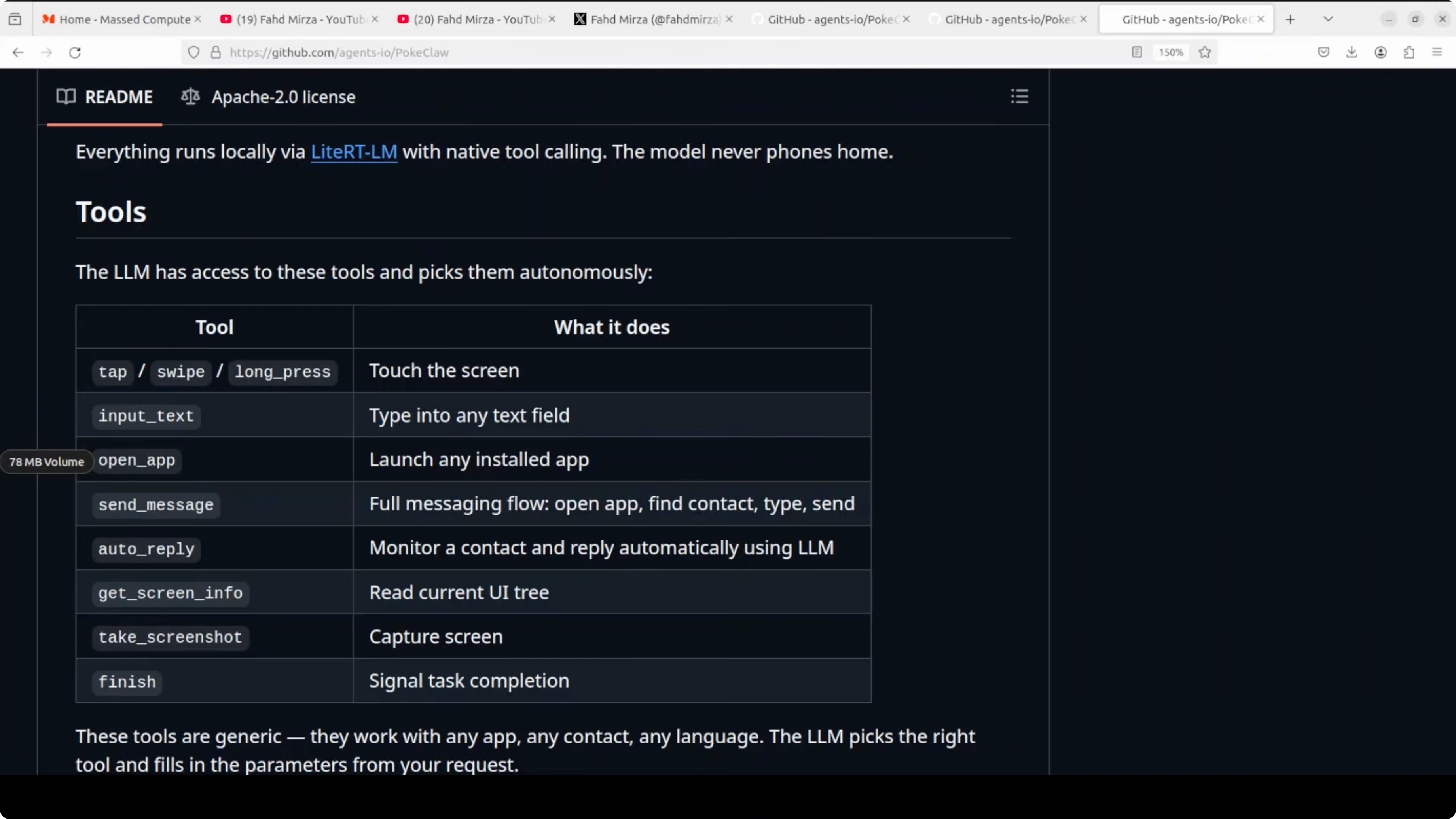
The developer introduced skills, which are predefined workflows that chain multiple tools together. Instead of the model figuring out on its own how to reply to a message, there is a playbook like open chat, read conversation, generate reply, send, go home. The model follows the recipe rather than improvising, and as on-device models get smarter, skills may become less necessary, but right now they make complex tasks reliable.
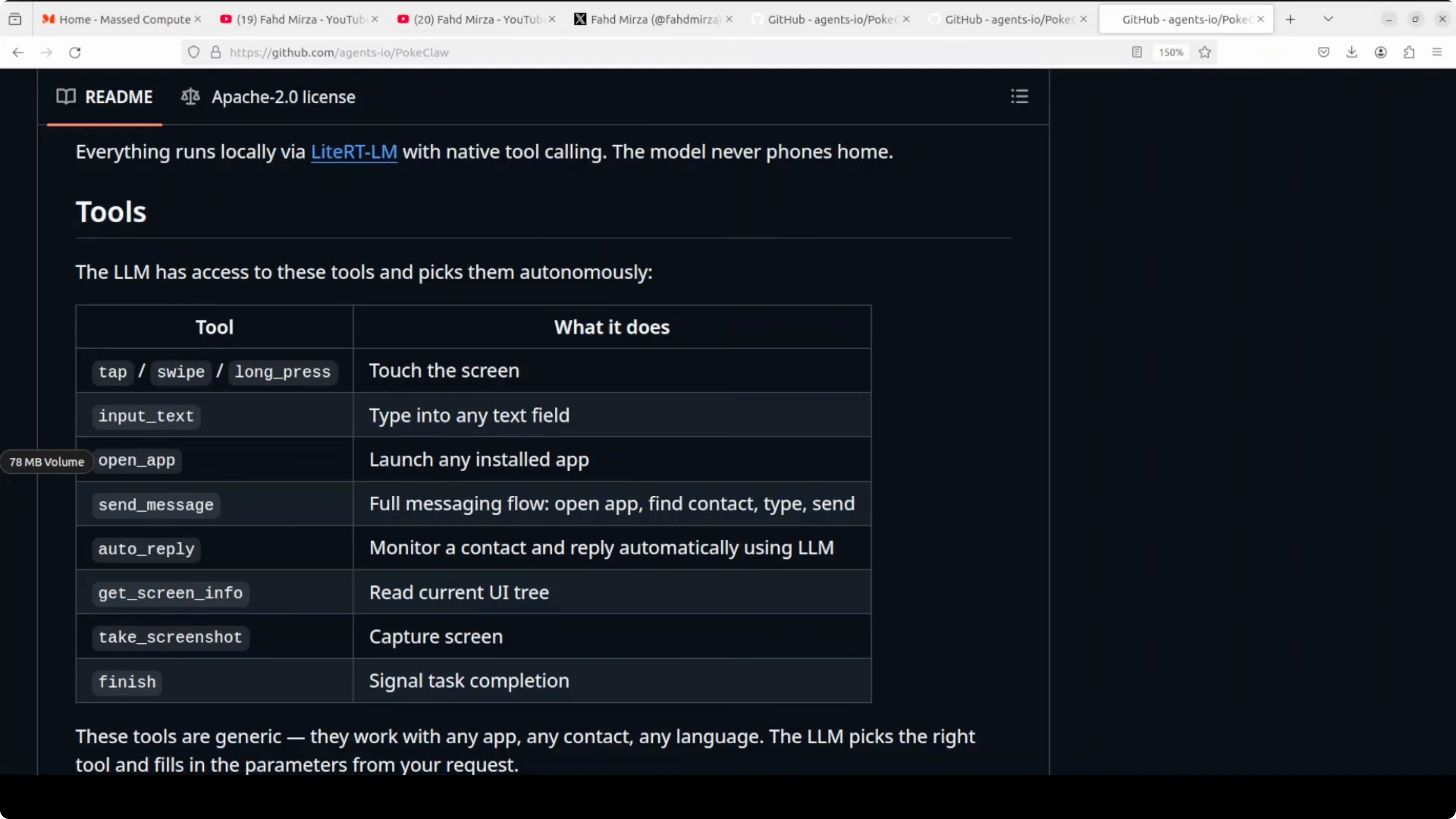
Everything runs through what the project calls a light on-device inference runtime from Google that enables native tool calling directly on the phone. There is no server, no middleware, and no API gateway. The pipeline is phone, LLM, phone, with the model reading the UI accessibility tree as text, reasoning about actions, calling tools, observing outcomes, and looping until the task is done.
If you want a deeper breakdown of model reasoning and tool-use behavior at larger scales, see this in-depth analysis of Claude Opus tool use.
That perspective helps explain why PokeClaw relies on skills to constrain multi-step tasks on-device.
It is the same perceive, reason, act, observe loop you see in desktop frameworks like Open Claw or Claude Code, scaled down for a phone.
For context on how cloud model iterations compare, review this quick comparison of Opus 4.6 vs 4.5.
That kind of delta often maps to fewer retries, better parsing of UI trees, and improved action selection.
On-device, those gains will matter even more.
Skills example
Here is a simple skill that reflects the reply-after-hours idea the app highlights:
{
  "name": "auto_reply_after_hours",
  "trigger": {
    "time_after": "17:00",
    "contacts": ["boss", "mom"]
  },
  "steps": [
    { "tool": "open_app", "args": { "package": "com.whatsapp" } },
    { "tool": "read_conversation", "args": { "participants": ["boss", "mom"] } },
    { "tool": "type", "args": { "text": "I am offline after 5 p.m. and will get back to you tomorrow." } },
    { "tool": "tap", "args": { "target": "send_button" } },
    { "tool": "go_home" }
  ]
}
The point is to chain atomic tools into a reliable, testable flow.
You can adapt this pattern for other apps by swapping package names and targets.
Keep skills narrow to reduce error rates on smaller models.
Install from a computer
If you prefer sideloading from a computer, you can install the APK with adb.
First enable USB debugging on your phone and connect it.
adb install PokeClaw.apkOpen the app, download Gemma 4 E2B or E4B in LLM config, and enable Accessibility Service.
Confirm System Window and file access if required by your Android version.
Run a small task first to validate tool permissions before creating longer skills.
Use cases
After-hours auto replies to specific contacts with guardrails around language and timing.
Inbox triage that opens your email, reads subject lines, drafts replies, and saves for review.
Calendar-aware actions like launching navigation 15 minutes before the next meeting.
Expense capture using your bank app by opening it, taking a screenshot, and filing it to a folder.
Content capture that takes a screenshot and tweets the screen through the tweet screen tool.
Remote triggers via the Telegram bot integration for starting predefined skills while away from the device.
Naming note
If this project survives, the name might need to change. The Poki Claw name and the Poki Ball logo look close to Nintendo’s intellectual property, and Nintendo has a strong legal history in this area. The developer says Poki is short for pocket, inspired by Open Claw, but how Nintendo views it is a different story.
Final thoughts
PokeClaw shows a local model reading your screen and taking actions entirely on device. It is quick to set up, works without internet, and its skill system makes multi-step tasks reliable enough for daily routines. Use it with care, because Accessibility Service grants full visibility into your screen and inputs, and that level of access demands responsible use.
Subscribe to our newsletter
Get the latest updates and articles directly in your inbox.

Related Posts

8 Best Claude Code Plugins in 2026 (You Need to Know)
8 Best Claude Code Plugins in 2026 (You Need to Know)

7 Best Claude Code Skills (You Need to Know)
7 Best Claude Code Skills (You Need to Know)

Claude Code Desktop IDE Features (You Need to Know)
Claude Code Desktop IDE Features (You Need to Know)