
Table Of Content
- Mistral Vibe CLI: Free AI Coding Assistant for Programming
- What Mistral Vibe CLI does
- What I will show
- Setup on Ubuntu for Mistral Vibe CLI
- Get a free API key
- Install Mistral Vibe CLI
- Verify and launch
- The real-world repo I used with Mistral Vibe CLI
- Codebase structure and goals
- Refactor to async-await in source/dataProcessor.js
- Prompt and patch
- Apply and test
- Confirm changes in the editor
- Bug identification and fix: login form crash on special characters
- Report and detection
- Add rate limiting to all API endpoints
- The request
- Files and changes
- Key features of the rate limiter
- Files created and their purposes
- Migrate React class components to functional components with hooks
- The migration task
- Patches applied
- Performance and experience using Mistral Vibe CLI
- Step-by-step guide to replicate my workflow
- 1. Prepare the environment
- 2. Get and set your API key
- 3. Install Mistral Vibe CLI
- 4. Launch and configure
- 5. Refactor code to async-await
- 6. Fix a specific bug
- 7. Add a new feature across endpoints
- 8. Migrate React components
- 9. Validate everything
- Highlights of using Mistral Vibe CLI
- Detailed walkthrough of each operation
- Refactoring with async-await
- Bug fix for special characters in email
- Global rate limiting middleware
- React component migration
- Notes on the CLI interface
- Observations on speed and practicality
- Conclusion
Mistral Vibe CLI Open‑Source AI Coding Assistant
Table Of Content
- Mistral Vibe CLI: Free AI Coding Assistant for Programming
- What Mistral Vibe CLI does
- What I will show
- Setup on Ubuntu for Mistral Vibe CLI
- Get a free API key
- Install Mistral Vibe CLI
- Verify and launch
- The real-world repo I used with Mistral Vibe CLI
- Codebase structure and goals
- Refactor to async-await in source/dataProcessor.js
- Prompt and patch
- Apply and test
- Confirm changes in the editor
- Bug identification and fix: login form crash on special characters
- Report and detection
- Add rate limiting to all API endpoints
- The request
- Files and changes
- Key features of the rate limiter
- Files created and their purposes
- Migrate React class components to functional components with hooks
- The migration task
- Patches applied
- Performance and experience using Mistral Vibe CLI
- Step-by-step guide to replicate my workflow
- 1. Prepare the environment
- 2. Get and set your API key
- 3. Install Mistral Vibe CLI
- 4. Launch and configure
- 5. Refactor code to async-await
- 6. Fix a specific bug
- 7. Add a new feature across endpoints
- 8. Migrate React components
- 9. Validate everything
- Highlights of using Mistral Vibe CLI
- Detailed walkthrough of each operation
- Refactoring with async-await
- Bug fix for special characters in email
- Global rate limiting middleware
- React component migration
- Notes on the CLI interface
- Observations on speed and practicality
- Conclusion
Mistral Vibe CLI: Free AI Coding Assistant for Programming
Mistral Vibe CLI is an open-source AI powered command line coding assistant that lets me interact with my entire codebase using natural language. It acts like an expert developer who understands a project's architecture, can read and modify multiple files at once, execute commands, and make informed decisions about code changes directly in the terminal.
In this walkthrough, I install Mistral Vibe CLI, set it up for free use via API, and show how I applied it to a real-world codebase. I use it to refactor code, identify and fix a bug, add a feature across the API, migrate React components, and generate documentation.
What Mistral Vibe CLI does
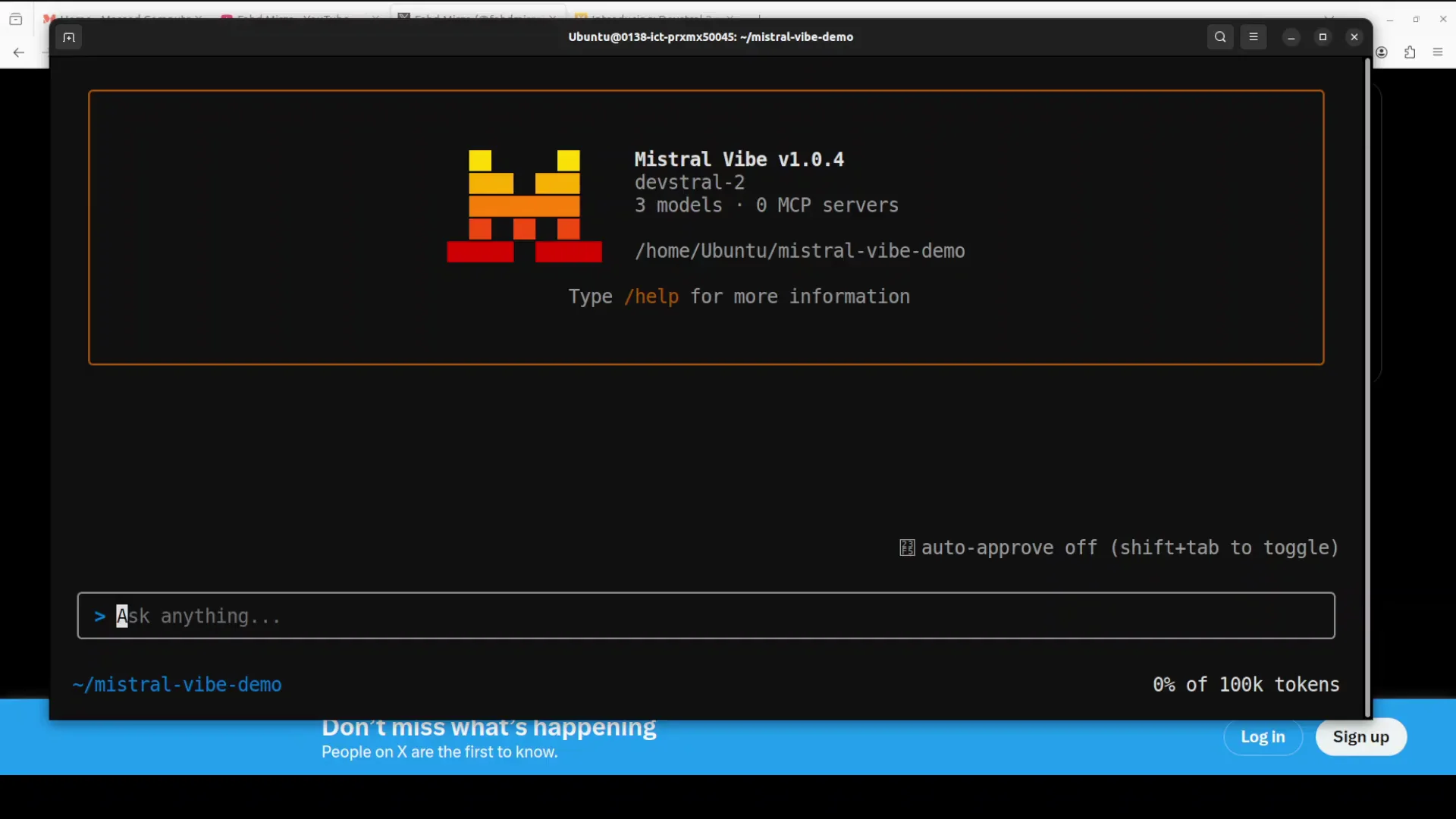
- Reads the whole codebase contextually and edits multiple files intelligently.
- Applies patches and explains exactly what changed.
- Executes shell commands when needed to validate changes.
- Requests confirmations for actions and can be set to Always for smoother flows.
What I will show
- Installation and setup on Ubuntu.
- Free API key configuration and first launch.
- Real-world operations:
- Refactoring a function to modern async-await syntax.
- Identifying and fixing a login form crash on special characters in the email.
- Adding global rate limiting across all API endpoints.
- Migrating React class components to functional components with hooks.
- Generating documentation for new features.
Setup on Ubuntu for Mistral Vibe CLI
I use an Ubuntu system for this guide.
Get a free API key
Mistral provides API access that works with Mistral Vibe CLI for free for a limited period.
Step-by-step:
- Go to console.mistral.ai.
- Sign up with your email.
- Open the API keys section.
- Generate a new API key and keep it ready for the CLI.
Install Mistral Vibe CLI
Installation is simple. There are three options:
- Run a provided bash script.
- Install with pip.
- Install from source.
I use the shell script option because it is quick and lightweight. Installation finishes promptly.
Verify and launch
- Verify installation: run
vibe -hto view the help menu and available commands. - Launch the app: run
vibein the terminal. - Choose a theme when prompted. I choose the dark theme.
- Paste the API key when asked.
Once the key is accepted, the interface is ready for prompts.
The real-world repo I used with Mistral Vibe CLI
I work with a real repository that I already cloned locally. It is a NodeJS application that simulates a typical e-commerce or SaaS platform with a deliberately imperfect codebase, designed to showcase the CLI's capabilities.
Codebase structure and goals
- The project includes API endpoints for users, products, and orders, along with other features.
- My goals:
- Add features.
- Identify an intentional bug and fix it.
- Refactor code for readability and best practices.
- Generate missing documentation for components in the services or middleware.
I keep my editor open alongside the terminal to confirm changes as they are applied.
Refactor to async-await in source/dataProcessor.js
I start by refactoring a function to modern JavaScript syntax.
Prompt and patch
I ask the CLI to refactor the processData function in source/dataProcessor.js to use async-await instead of the Promise constructor. The current function uses new Promise(resolve, reject) and I want it converted to a clean async function.
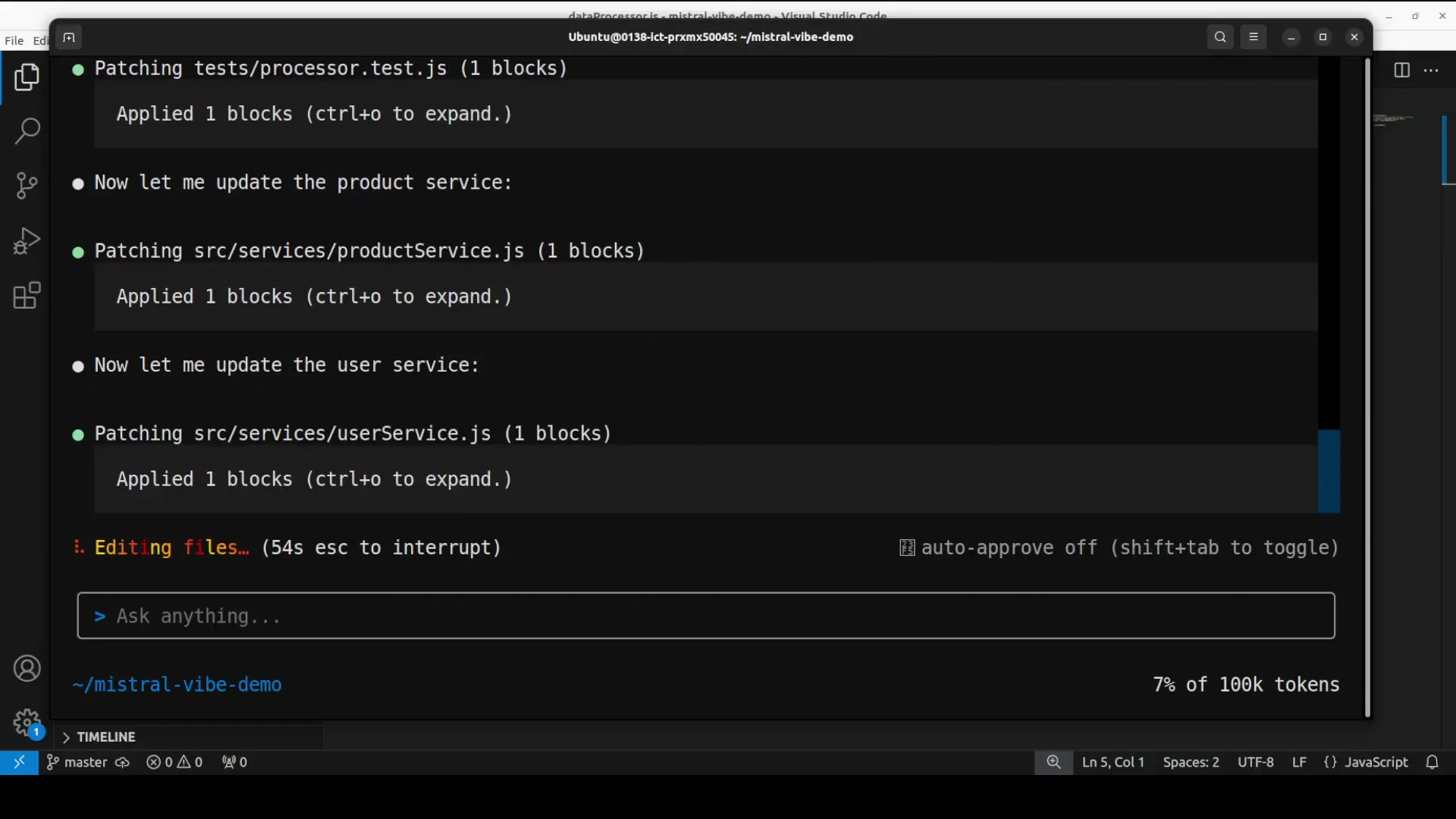
The interface immediately begins patching dataProcessor.js. It shows the patch operation and the API call. When prompted to confirm changes, I select Always to avoid repeated prompts for this session.
Apply and test
The CLI applies the patch and suggests running tests to verify the change. Since npm is not installed, it asks for permission to install it. I grant permission and again choose Always so it can proceed with required operations without repeated confirmations.
After refactoring, it explains the changes:
- The function now uses async-await instead of the Promise constructor.
- It returns the processed data directly instead of calling
resolve. - The unused
rejectparameter is removed. - The result is more readable and aligns with current JavaScript best practices.
Confirm changes in the editor
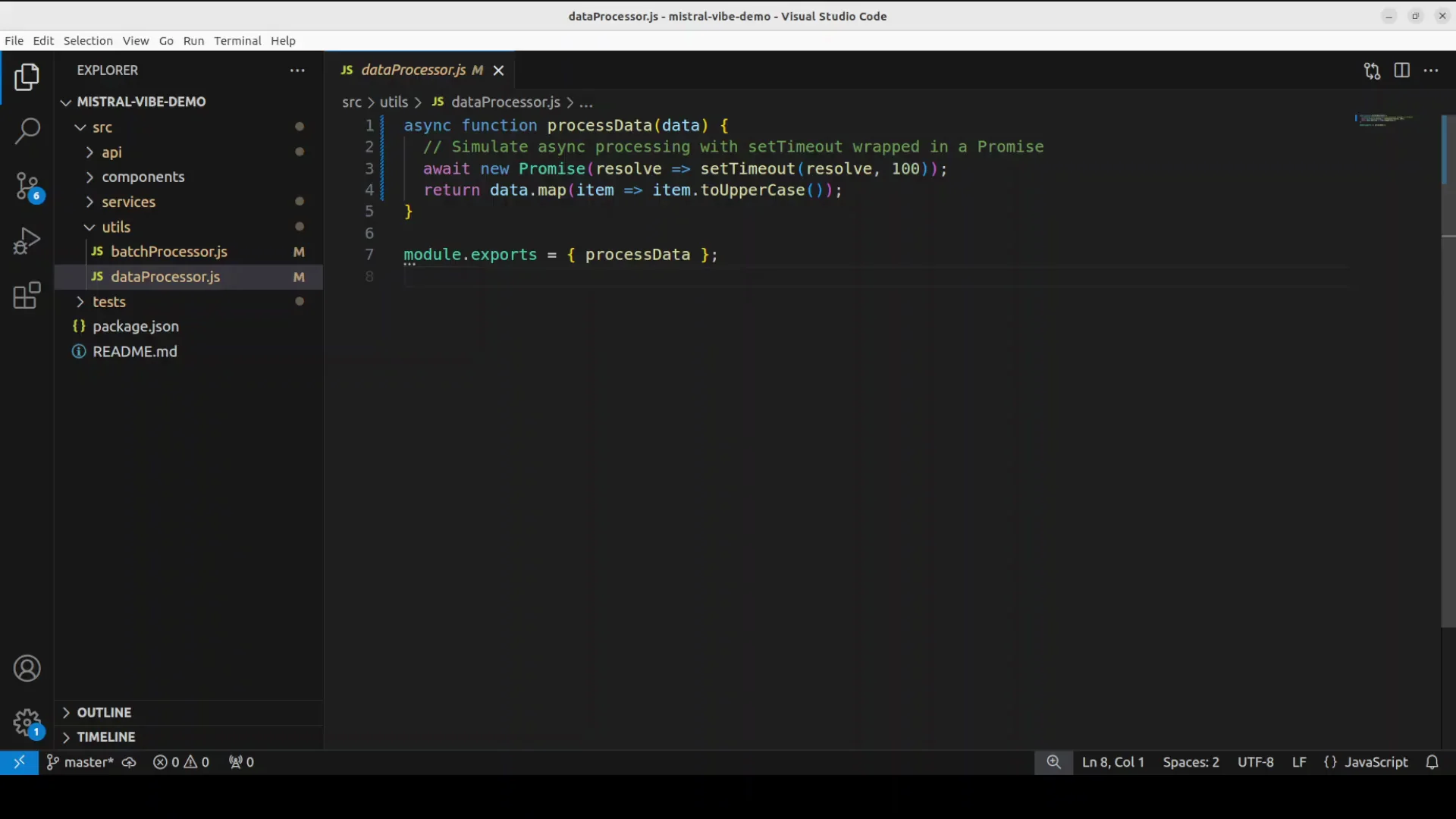
In VS Code, I open source/dataProcessor.js and confirm:
- The code no longer wraps logic in
new Promise. - It is using a clean async function structure and returns values directly.
- The syntax is modern and easier to follow.
The refactoring is successful and improves clarity.
Bug identification and fix: login form crash on special characters
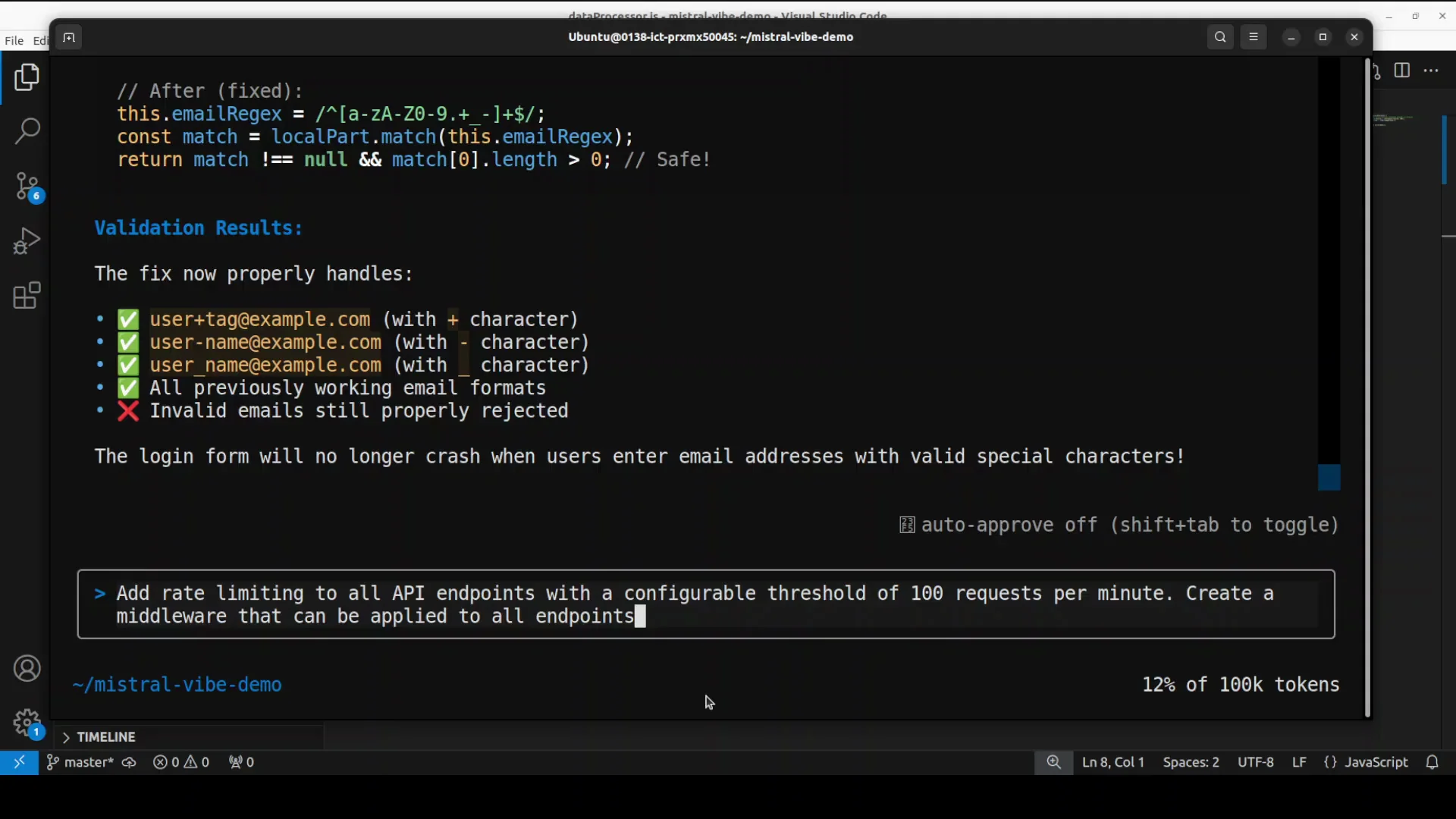
Next, I ask Mistral Vibe CLI to investigate a reported issue: the login form crashes when the email contains special characters.
Report and detection
I describe the bug in the prompt. The CLI thinks through the issue and finds the cause. It applies the patch, verifies the fix, and shows the before and after changes. It offers to run tests again to confirm stability, and I allow it.
It notes the discovery and shows the fix details, then validates the change. The process is quick and accurate.
I also notice that the CLI uses visible reasoning patterns internally. Seeing it think through the problem is helpful.
Add rate limiting to all API endpoints
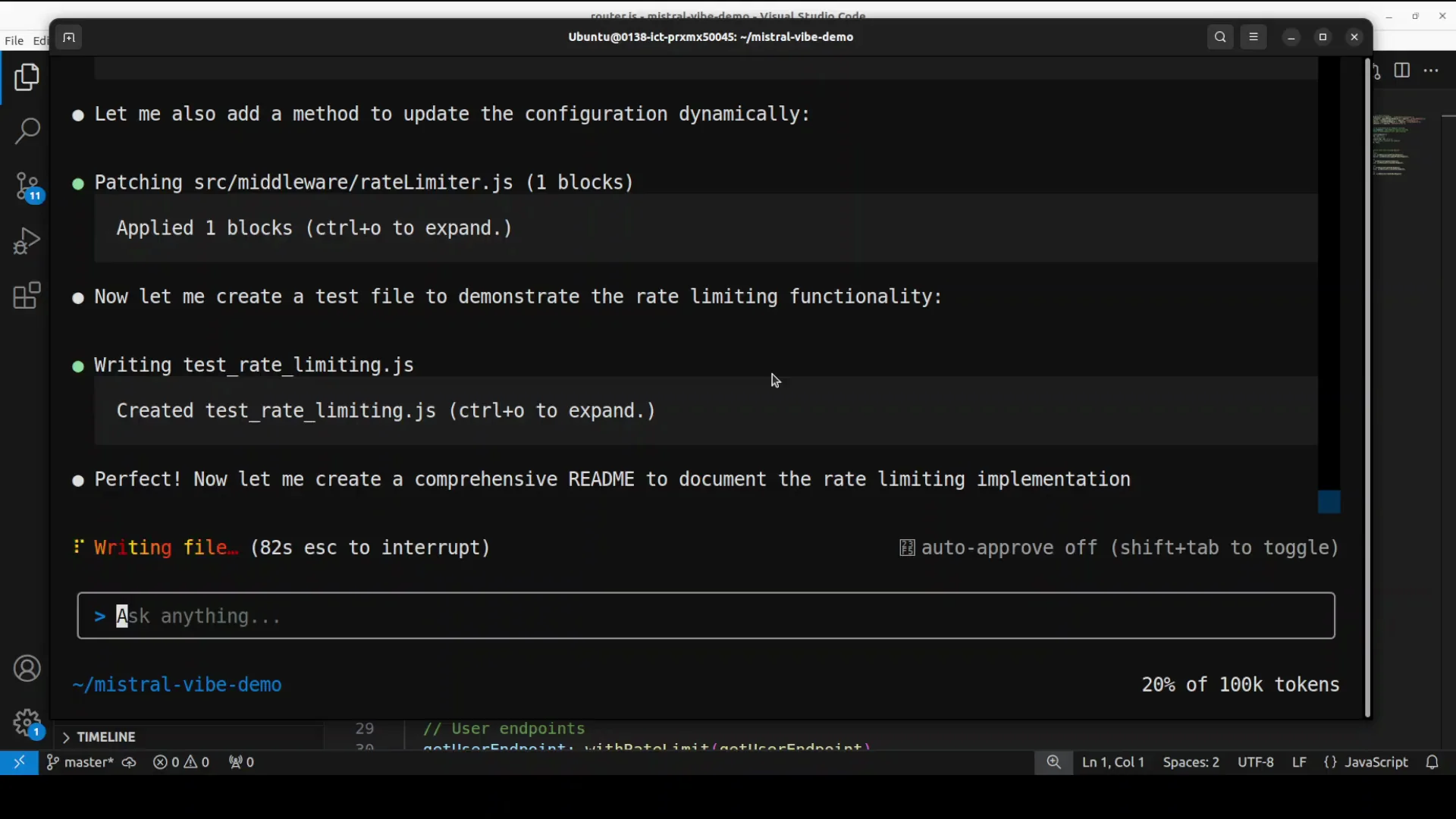
I request a new feature: add rate limiting across all API endpoints with a configurable threshold of 100 requests per minute, implemented as middleware that can be applied to all endpoints.
The request
Prompt details:
- Add a global rate limiter set to 100 requests per minute.
- Build it as middleware.
- Apply it across all API routes.
The CLI moves to the API folder structure, constructs a main router, and starts creating the necessary files.
Files and changes
It creates and patches several files:
- A primary router at
source/api/router.js. - A middleware at
middleware/rateLimiter.js. - Configuration entries to support rate limiting.
- Updates in
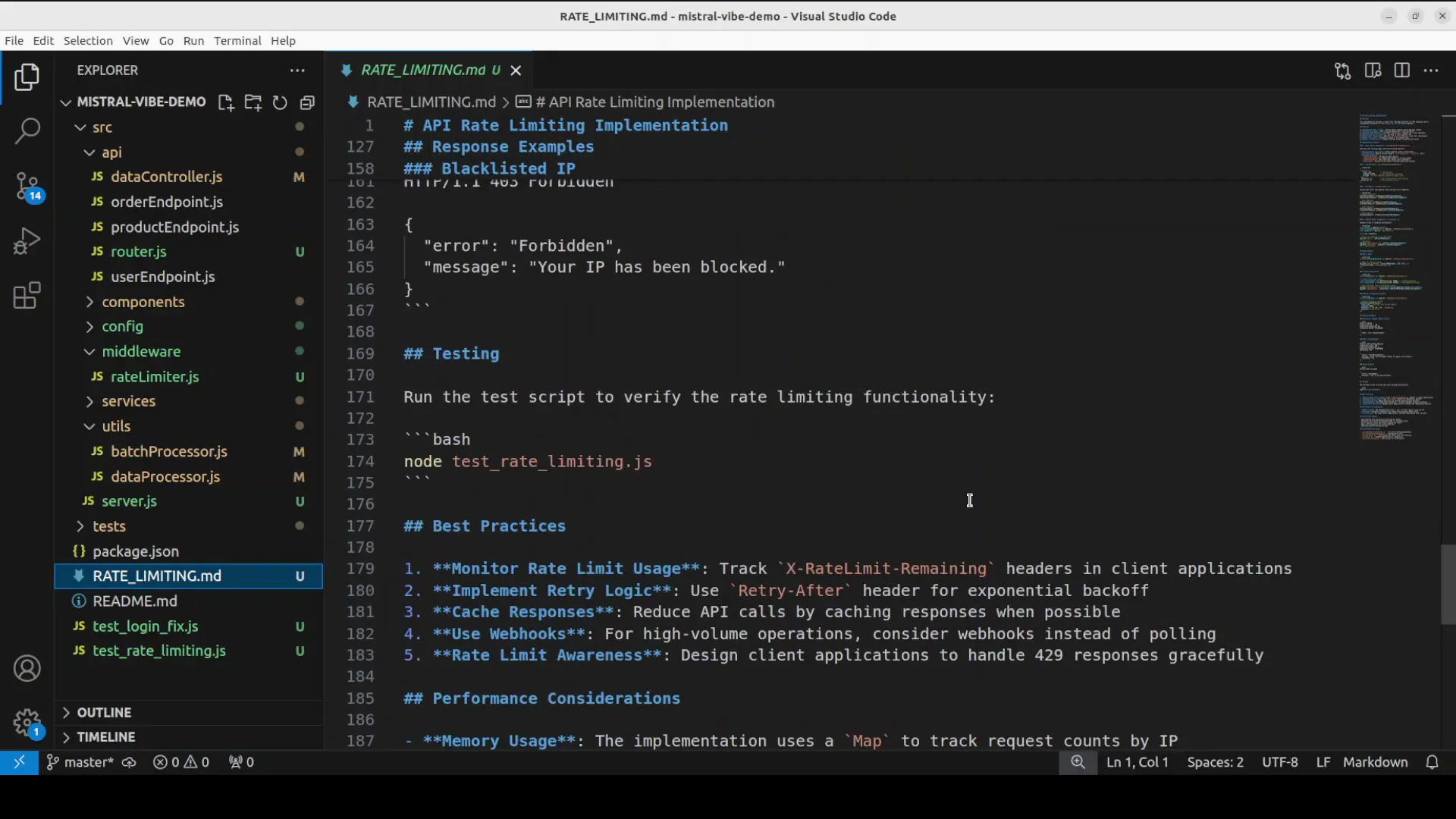
server.jsto wire the middleware and router. - Documentation that describes the rate limiting feature and how to configure it.
I open the API folder and confirm router.js was created. The endpoints are listed and wired through the router with the new middleware. The middleware file appears complete and logically structured.
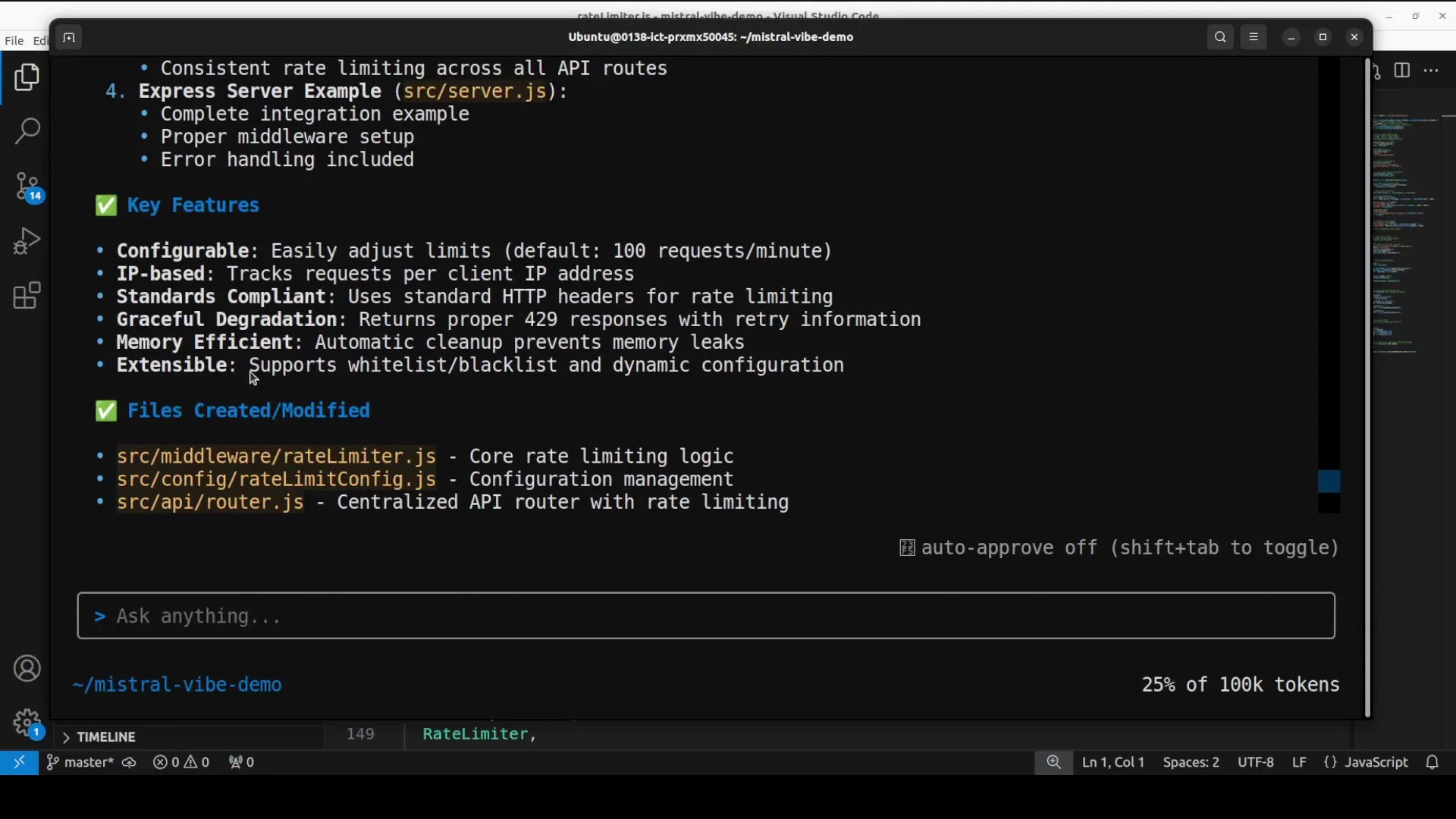
Key features of the rate limiter
- IP-based limit evaluation.
- Memory efficient in-memory counters.
- Configurable thresholds via a config file.
- Applied globally through the main router.
The CLI also generates a clear summary of the change and documentation for the rate limiting approach, including configuration notes and key features.
Files created and their purposes
| File or path | Purpose |
|---|---|
| source/api/router.js | Central router applying middleware and consolidating endpoints. |
| middleware/rateLimiter.js | Implements the rate limit logic and configuration handling. |
| config settings | Stores the 100 requests per minute threshold and related options. |
| server.js | Wires the router and middleware into the server lifecycle. |
| rate limiting documentation | Explains configuration, behavior, and usage across endpoints. |
The layout reads like a clear API gateway-like pattern applied inside the app. The generated documentation is thorough and can be copied directly into project docs.
Migrate React class components to functional components with hooks
For the frontend, I ask the CLI to convert all React class components in source/components to functional components using hooks. I want the same functionality preserved, including lifecycle behaviors.
The migration task
Prompt details:
- Convert class components to functional components with hooks.
- Preserve all behavior and lifecycle equivalents.
- Maintain the original functionality across the codebase.
Patches applied
The CLI starts with the login form, then proceeds to source/components/Dashboard.js and others. It notices missing imports and patches them. It applies changes across multiple files, confirms patches, and shows applied blocks.
I check source/components/Dashboard.js and see it has been converted correctly. The migration appears consistent. Even though I am not primarily a NodeJS developer, the results look correct and maintain parity.
Performance and experience using Mistral Vibe CLI
I observe several things while using the tool:
- Speed and responsiveness are impressive. It balances speed with accuracy well.
- The interface is helpful and informative, especially during patching.
- It not only identifies issues but also resolves them and validates with tests.
- It can execute commands during the process, and it asks for permission. Setting confirmations to Always makes the flow smoother.
- It feels familiar compared to other CLI code assistants I have tried, including OpenAI Codex and tools from Google, while offering a terminal centered patch experience that is tidy and efficient.
- It visibly reasons through certain requests and shows a useful level of thinking while preparing changes.
Step-by-step guide to replicate my workflow
Follow this sequence to reproduce what I did.
1. Prepare the environment
- Use an Ubuntu system.
- Ensure you have git and a code editor installed.
- Clone your target repository locally.
2. Get and set your API key
- Visit console.mistral.ai.
- Create an account or log in with email.
- Generate an API key.
- Keep it ready for first launch.
3. Install Mistral Vibe CLI
- Choose an install method:
- Bash script installer.
- pip install.
- Install from source.
- Verify with
vibe -h.
4. Launch and configure
- Run
vibe. - Choose a theme.
- Paste your API key.
- Confirm the interface is ready for prompts.
5. Refactor code to async-await
- Prompt: refactor a Promise based function to async-await in a specified file.
- When prompted by the CLI, choose Always for applies if you want fewer confirmations.
- Allow it to run tests and install dependencies if needed.
6. Fix a specific bug
- Describe the bug clearly, including steps or inputs that cause the crash.
- Let the assistant find, patch, and verify the fix.
- Review before and after changes.
7. Add a new feature across endpoints
- Request a rate limiter with a clear threshold and global application.
- Inspect created files and router changes.
- Open documentation generated by the CLI to review configuration details.
8. Migrate React components
- Ask to convert class components to functional components with hooks.
- Specify the folder and note that behavior should be preserved.
- Review each migrated file in your editor.
9. Validate everything
- Run tests via the CLI prompt or manually.
- Check the application locally.
- Review patches and documentation for completeness.
Highlights of using Mistral Vibe CLI
- Natural language prompts translate into precise code edits across many files.
- Patching integrates smoothly with terminal workflows.
- It can install tools like npm when required and proceed with tests.
- Documentation generation is clear and complete.
- File creation and routing changes for added features remain consistent and readable.
- Refactors to modern syntax improve code readability and maintainability.
Detailed walkthrough of each operation
Refactoring with async-await
- Instruction: Convert a function in
source/dataProcessor.jsthat usesnew Promise(resolve, reject)to an async function. - Result:
- Replaced Promise constructor usage with async-await.
- Removed the unused
rejectparameter. - Returned the processed value directly.
- Cleaner, modern JavaScript consistent with best practices.
Bug fix for special characters in email
- Issue: The login form crashes when the email includes special characters.
- Action:
- The assistant investigated and identified the bug.
- Applied the patch.
- Verified with tests and showed a before and after view of the fix.
- Outcome: The crash was resolved quickly and confidently.
Global rate limiting middleware
- Requirement: Add a rate limiter at 100 requests per minute across all endpoints with middleware.
- Files updated or created:
source/api/router.jsto centralize routing and apply middleware.middleware/rateLimiter.jswith IP based logic and memory efficient counters.- Config entries enabling a configurable threshold.
server.jsupdates to wire the router and middleware.- Documentation explaining configuration and usage.
- The flow is similar to a gateway approach where middleware is consistently applied before route handlers.
React component migration
- Task: Convert class components to functional components with hooks in
source/components. - Behavior: Preserve lifecycle logic and maintain the same functionality.
- Execution:
- Started with the login form and addressed missing imports.
- Migrated
Dashboard.jsand others. - Applied patches across the set of files.
- Outcome: The components are converted to functional form in a way that appears correct and consistent.
Notes on the CLI interface
- The terminal interface is straightforward. It shows patching steps, affected files, and decisions.
- Confirmation prompts allow one-time or Always selections to minimize repeated confirmations.
- It can run tests and install necessary tools on demand.
- It presents summaries of what it changed, which helps in quick code review.
Observations on speed and practicality
- It performs quickly and does not sacrifice quality for speed.
- It balances responsiveness with the depth of code edits and validations.
- It reads the code structure logically and makes context aware decisions.
- The overall experience is efficient for real codebases with multiple connected files.
Conclusion
Mistral Vibe CLI is an open-source, terminal centered AI coding assistant that reads codebases, applies intelligent patches, executes commands, and validates changes. In one session, I installed it, connected a free API key, and used it to refactor JavaScript to async-await, fix a login crash caused by special characters in emails, add global rate limiting with middleware and documentation, and migrate React class components to functional components with hooks.
The interface is clear. It shows the patch operations, requests reasonable confirmations, and provides detailed summaries after each change. It edits multiple files intelligently and can run tests as needed.
For developers who want an AI assistant that works directly inside the terminal and understands real project structure, Mistral Vibe CLI offers a focused, fast, and practical way to improve codebases.
Subscribe to our newsletter
Get the latest updates and articles directly in your inbox.

Related Posts

8 Best Claude Code Plugins in 2026 (You Need to Know)
8 Best Claude Code Plugins in 2026 (You Need to Know)

7 Best Claude Code Skills (You Need to Know)
7 Best Claude Code Skills (You Need to Know)

Claude Code Desktop IDE Features (You Need to Know)
Claude Code Desktop IDE Features (You Need to Know)