
MiroThinker 1.7 Mini: Your New Open-Source Research Agent
Miromind has released a new thinking model that tops tough deep research benchmarks like BrowseCom, where even the smallest model beats many closed-source heavyweights. If you are into long-horizon reasoning or building reliable agents, this is worth testing locally. That is exactly what I did.
I have covered several of their models and they have been improving steadily. The details for this release are interesting. It comes in two flavors: a big model and a mini model.
The mini model is a 31 billion parameter mixture of experts built on top of a Qwen 30B thinking backbone. It is post-trained specifically for agentic tasks. It supports a 256k token context window and up to 300 tool calls per task, enabling step-by-step verifiable reasoning over long chains.
If you follow open-source research agents, this fits neatly into that space. For more ongoing coverage, browse our open-source category. You will find similar releases and practical tests there.
MiroThinker 1.7 Mini: Your New Open-Source Research Agent
I tested the mini model locally on Ubuntu with a single NVIDIA H100 80 GB GPU. Do not get deceived by the mini name. At 31B parameters, it is still a big model.

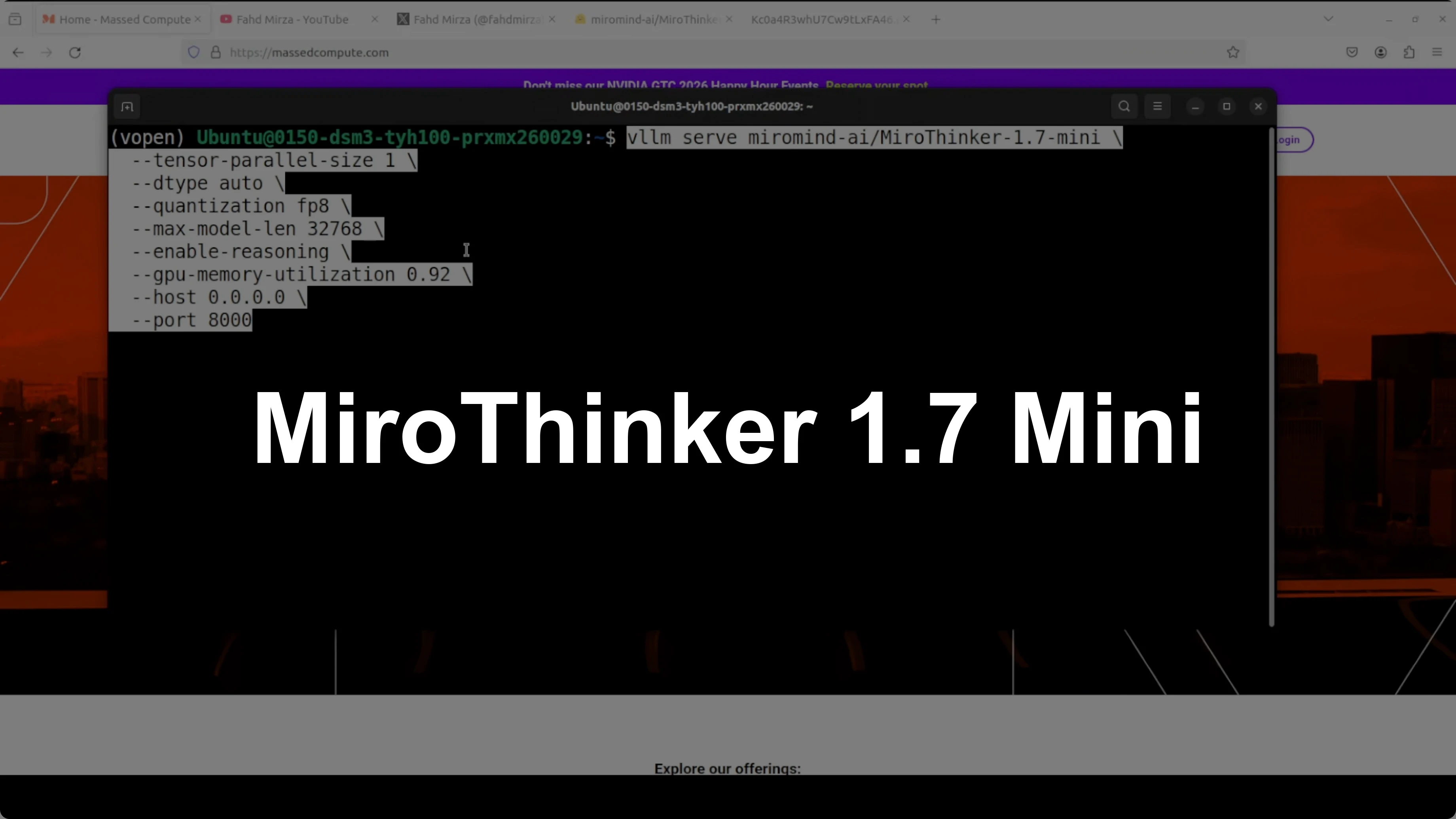
I used vLLM to serve it as an OpenAI-compatible endpoint. I applied light quantization so it would fit into VRAM comfortably. The full model download came in 13 shards, using about 82 to 83 GB of disk.

Setup
Here is the exact approach I used to get it running with vLLM. This will serve a local OpenAI-compatible API.

Install system prerequisites if needed. Update GPU drivers and CUDA for your H100. Ensure Python 3.10+ is available.
Install vLLM. Run:
pip install --upgrade vllmStart the vLLM OpenAI server with the MiroThinker 1.7 Mini model. Run:
python -m vllm.entrypoints.openai.api_server \
  --model miromind-ai/MiroThinker-1.7-mini \
  --host 0.0.0.0 \
  --port 8000 \
  --gpu-memory-utilization 0.95
If you need to reduce VRAM, use a quantized checkpoint of the model. Load the quantized repo variant and keep the same command as above but pointed at the quantized model repo.
Monitor VRAM while it loads. Run:
nvidia-smi
On my setup, VRAM usage was close to 77 GB once loaded. I also integrated it with Open WebUI and the model served successfully.
If you are exploring practical agent builds, browse our AI agent workflows for more end-to-end guides. They pair well with this kind of setup.
Quick coding test
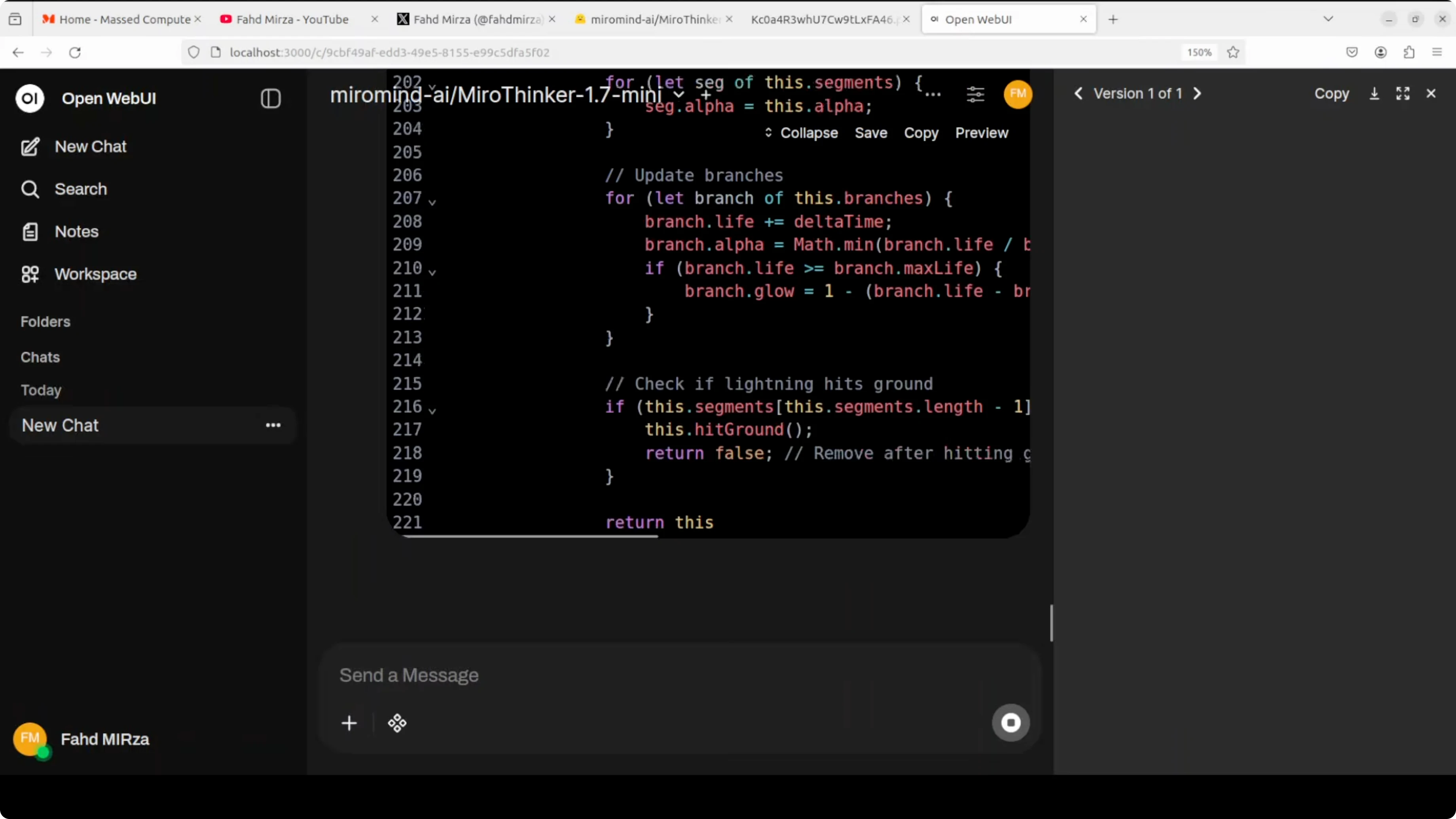
For a coding task, I asked it to create a self-contained HTML file that visualizes an electrical storm on the surface of Mars as a live animation. I also specified a clear layout, a Mars-themed palette, and simple UI controls.
Prompt I used:
Create a self-contained HTML file that visualizes an electrical storm on the surface of Mars as a live animation. Use a Mars-themed palette, a clear layout with a title and description, and provide simple controls to pause/resume the animation and adjust intensity.It paused briefly to think and then produced code. I opened the result and it rendered only a heading.
I reviewed the code and also checked it with a judge model, mainly Claude. The code was creative and had good bones, but it failed to run due to incorrect globalCompositeOperation usage, lightning paths that were too short, canvas sizing mismatches, and several constant reassignment errors.
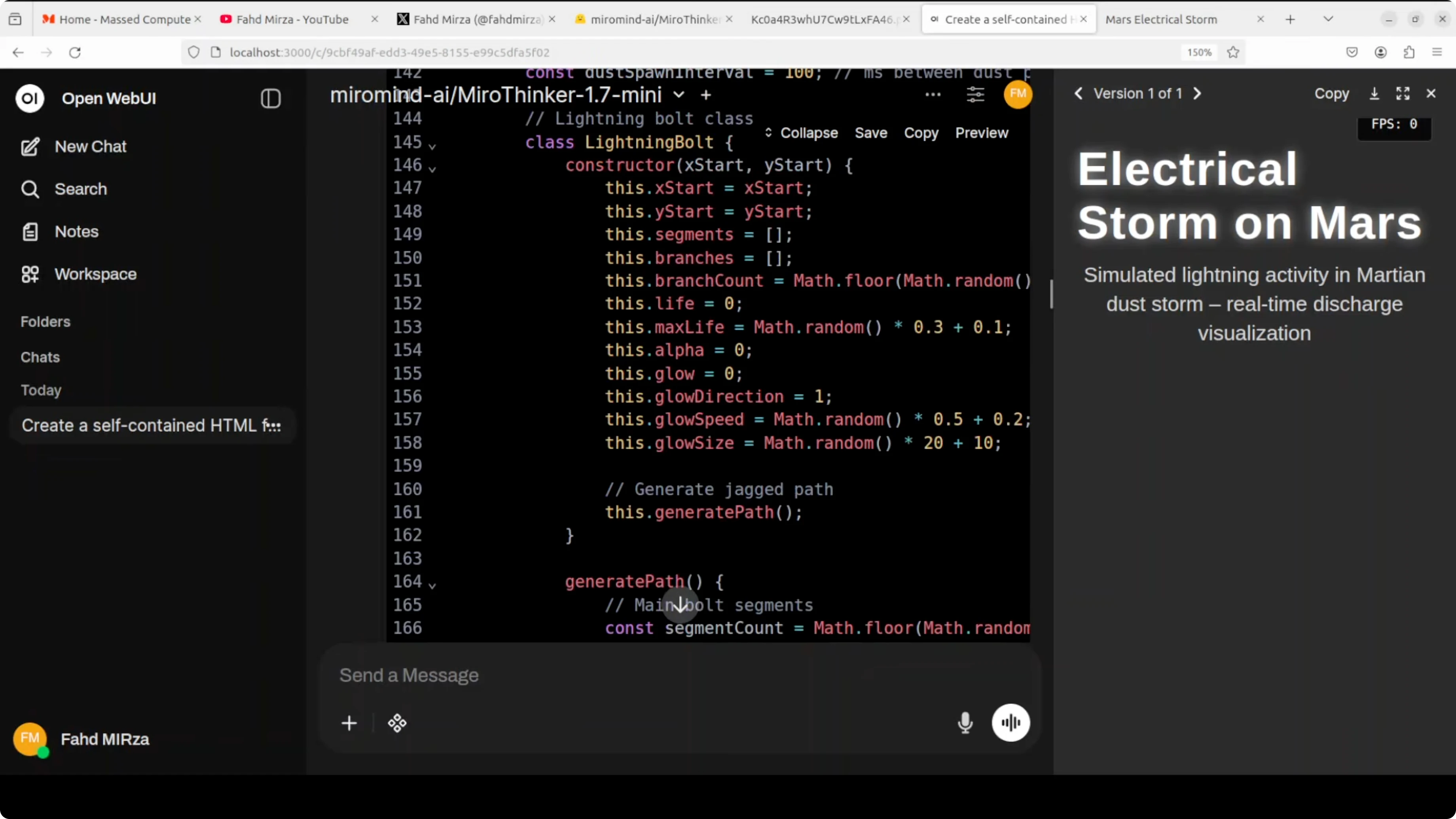
I told it the code did not work properly and asked it to fix those issues. It did not manage to reason through the corrections well enough to produce a working result.
In fact, Qwen 8B, 4B, and even 2B have done a better job on this specific coding prompt in my past tests, let alone Claude or OpenAI GPT-4.5. For general-purpose coding, this mini model was not strong in my trial.
If you prefer to see more creative open-source model tests in media and generation, check our recent post on a strong multimodal release under this open-source image model update. It complements the research focus here.
Research agent test
To be fair, this family is post-trained for agentic tasks. I set up a realistic multi-step research workflow to test its agent behavior. The use case: a detailed stock analysis of NVIDIA dated March 12, 2026.
I accessed the local model through the OpenAI-compatible API. I used the recommended system prompt from Miromind and wired in MCP servers so the model could call tools in a controlled, verifiable loop. For web search, I provided a Serper API key.
I implemented a turn-based loop that parses the model’s XML tags, executes the chosen tool, feeds JSON results back as the next user message, and continues until the model stops calling tools and returns a final answer. MCP stands for Model Context Protocol, Miromind’s custom XML-based tool-calling format for clean long-chain interactions up to 300 calls.

Turn-based loop code
This is a minimal Python sketch that mirrors what I ran locally. It exposes a few tools, parses the model’s XML tool calls, executes them, and feeds back results. Replace placeholders and add your own MCP servers if needed.
import os
import json
import time
import requests
from typing import Dict, Any, Tuple
from openai import OpenAI

OPENAI_BASE_URL = "http://localhost:8000/v1"
MODEL_NAME = "miromind-ai/MiroThinker-1.7-mini"

client = OpenAI(base_url=OPENAI_BASE_URL, api_key="EMPTY")

SERPER_API_KEY = os.getenv("SERPER_API_KEY", "")
HEADERS = {"X-API-KEY": SERPER_API_KEY, "Content-Type": "application/json"}

def web_search(query: str) -> Dict[str, Any]:
    if not SERPER_API_KEY:
        return {"error": "SERPER_API_KEY not set"}
    payload = {"q": query, "num": 5, "gl": "us", "hl": "en"}
    r = requests.post("https://google.serper.dev/search", headers=HEADERS, json=payload, timeout=30)
    return r.json()

def fetch_quote(ticker: str) -> Dict[str, Any]:
    # Minimal quote fetcher using Yahoo Finance chart API
    # For production, use a robust library or paid data source
    url = f"https://query1.finance.yahoo.com/v8/finance/chart/{ticker}"
    r = requests.get(url, timeout=30)
    data = r.json()
    meta = data.get("chart", {}).get("result", [{}])[0].get("meta", {})
    return {
        "symbol": meta.get("symbol"),
        "currency": meta.get("currency"),
        "regularMarketPrice": meta.get("regularMarketPrice"),
        "fiftyTwoWeekLow": meta.get("fiftyTwoWeekLow"),
        "fiftyTwoWeekHigh": meta.get("fiftyTwoWeekHigh"),
    }

def fetch_fundamentals(ticker: str) -> Dict[str, Any]:
    # Scrape a lightweight Yahoo Finance endpoint for demo purposes
    summary_url = f"https://query2.finance.yahoo.com/v10/finance/quoteSummary/{ticker}?modules=price,summaryDetail,defaultKeyStatistics,financialData"
    r = requests.get(summary_url, timeout=30)
    q = r.json()
    result = q.get("quoteSummary", {}).get("result", [{}])[0]
    price = result.get("price", {})
    fin = result.get("financialData", {})
    stats = result.get("defaultKeyStatistics", {})
    detail = result.get("summaryDetail", {})
    return {
        "marketCap": price.get("marketCap", {}).get("raw"),
        "trailingPE": detail.get("trailingPE", {}).get("raw"),
        "forwardPE": detail.get("forwardPE", {}).get("raw"),
        "revenueGrowth": fin.get("revenueGrowth", {}).get("raw"),
        "grossMargins": fin.get("grossMargins", {}).get("raw"),
        "profitMargins": detail.get("profitMargins", {}).get("raw"),
    }

TOOLS = {
    "web_search": web_search,
    "fetch_quote": fetch_quote,
    "fetch_fundamentals": fetch_fundamentals,
}

SYSTEM_PROMPT = """You are a research agent designed for long-horizon, tool-augmented analysis.
Use XML tags to call tools. Format:
<tool_call name="tool_name">{"arg":"value"}</tool_call>
When you are done, output a final <answer>...</answer> without further tool calls.
Be explicit about sources and highlight data gaps."""

def parse_tool_call(text: str) -> Tuple[str, Dict[str, Any]]:
    # Very minimal XML-ish extraction; adapt to your exact MCP tooling
    import re
    m = re.search(r"<tool_call name=\"([a-zA-Z0-9_]+)\">(.*?)</tool_call>", text, re.S)
    if not m:
        return "", {}
    name = m.group(1)
    try:
        args = json.loads(m.group(2).strip())
    except Exception:
        args = {}
    return name, args

def run_research_loop(user_query: str, max_turns: int = 30) -> str:
    messages = [
        {"role": "system", "content": SYSTEM_PROMPT},
        {"role": "user", "content": user_query},
    ]
    for turn in range(max_turns):
        resp = client.chat.completions.create(
            model=MODEL_NAME,
            messages=messages,
            temperature=0.2,
            max_tokens=1200,
        )
        content = resp.choices[0].message.content or ""
        name, args = parse_tool_call(content)
        if not name:
            return content
        tool = TOOLS.get(name)
        if not tool:
            tool_result = {"error": f"Unknown tool: {name}", "args": args}
        else:
            try:
                tool_result = tool(**args)
            except Exception as e:
                tool_result = {"error": str(e), "args": args}
        tool_json = json.dumps(tool_result)[:40000]
        messages.append({"role": "assistant", "content": content})
        messages.append({"role": "user", "content": f"<tool_result name=\"{name}\">{tool_json}</tool_result>"})
        time.sleep(0.2)
    return "Max turns reached without final answer."

if __name__ == "__main__":
    query = "Provide a detailed stock analysis of NVIDIA as of March 12, 2026. Include current price, 52-week range, valuation ratios, revenue trends, and recent earnings news with sources."
    final = run_research_loop(query, max_turns=50)
    print(final)
What it did
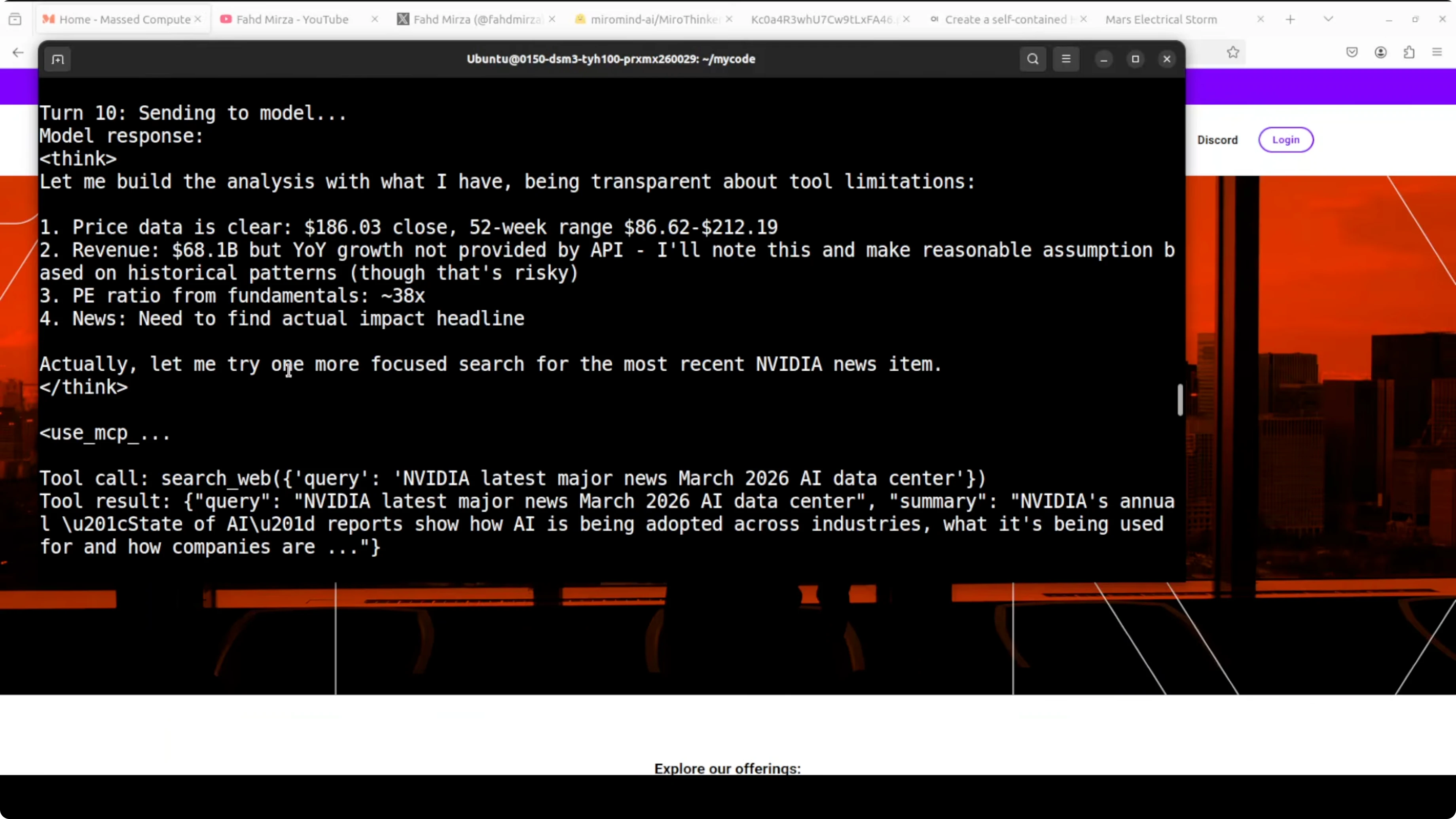
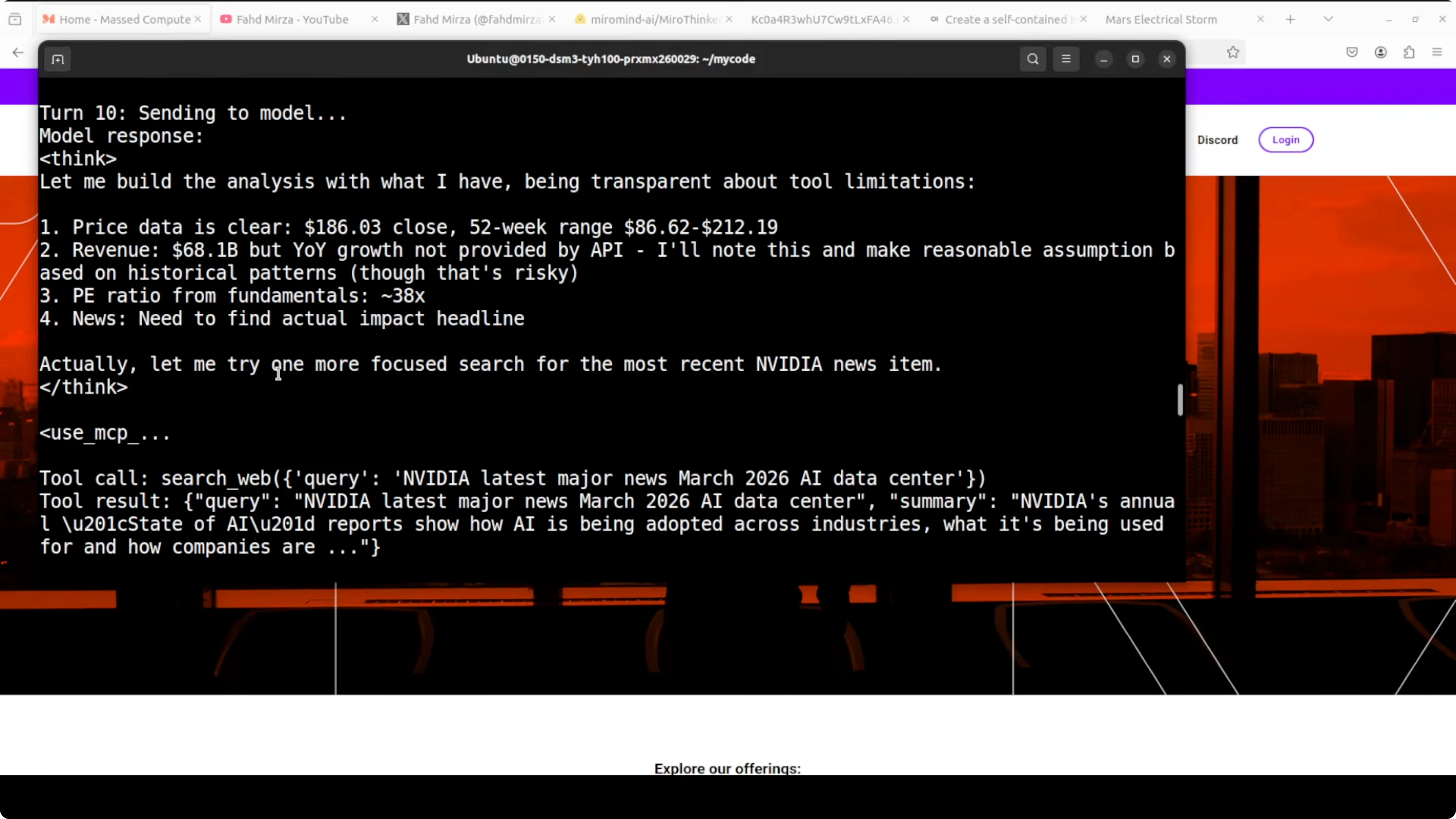
The agent executed 15 tool calls end to end and produced a realistic NVIDIA stock analysis using real tools. It started by fetching the current price and 52-week range, then fundamentals like P/E and revenue figures. It repeatedly searched the web for recent earnings news, self-corrected after parsing errors, and eventually pulled usable data for year-over-year growth.
This chain showed step-by-step thinking, tool refinement after errors, and transparency about data gaps. That is exactly the kind of verifiable long-horizon reasoning the model was post-trained for. It handled genuine agentic tasks locally, recovered from parsing issues, stayed on topic across many turns, and produced a coherent financial analysis.

If you are exploring more agent patterns, scan our ongoing agent research coverage for similar multi-turn evaluations. It complements the stock-analysis workflow above.
Use cases
The mini model shines when you have sub-agentic tasks that require multiple turns, external tools, and long context. Research assistants, data gathering workflows, stepwise auditors, and report generators will benefit. It is designed to chain a large number of tool calls and keep reasoning consistent across the chain.
For general-purpose coding where you expect strong code synthesis and self-repair, this may not be the right pick. In my test on a creative front-end animation, it struggled to diagnose and fix its own mistakes. For specialized code-heavy use, I would compare it against strong code-centric models before adopting.
If you are interested in mobile interaction patterns for agents, see our brief on a recent phone agent prototype. It pairs nicely with research-grade models when you need field inputs.
Pros and cons
Mini model - pros: Strong at long-horizon reasoning with many tool calls. Large 256k context window for long documents and iterative chains. Runs locally with vLLM and can be integrated with MCP-style XML tool calling.
Mini model - cons: Heavy memory footprint for a “mini” at 31B parameters. Creative coding performance was weak in my test and struggled with self-fixes. Requires careful tool design and robust parsers for XML calls.
Big model - pros: Expected to be stronger on complex reasoning and robustness. Likely better at repairing its own tool or parsing issues across longer chains.
Big model - cons: Even heavier compute and memory needs. Harder to deploy locally without multi-GPU or aggressive quantization.
Step-by-step recap
Install vLLM and prepare your GPU environment.
Serve MiroThinker 1.7 Mini via the OpenAI API server and verify VRAM fits.
Wire up MCP-style XML tool calling and a turn-based loop.
Add web search and finance tools, then set SERPER_API_KEY.
Run a multi-step research query and let the agent iterate until it returns a final answer.
If you are comparing multiple open-source options for research or generation tasks, check our broader open-source model notes. It will help you pick the right tool for your local setup.
Final thoughts
MiroThinker 1.7 Mini is built for agentic work, not general-purpose coding. On my setup, it handled realistic, multi-step research with reliable tool use and clear reasoning across many turns. If your workload is agent-first and you can support the compute, this is worth integrating and refining.
Subscribe to our newsletter
Get the latest updates and articles directly in your inbox.

Related Posts

8 Best Claude Code Plugins in 2026 (You Need to Know)
8 Best Claude Code Plugins in 2026 (You Need to Know)

7 Best Claude Code Skills (You Need to Know)
7 Best Claude Code Skills (You Need to Know)

Claude Code Desktop IDE Features (You Need to Know)
Claude Code Desktop IDE Features (You Need to Know)