
Table Of Content
- Exploring HeartMula Music AI Model Integration in ComfyUI: What You Get
- Exploring HeartMula Music AI Model Integration in ComfyUI: Installation and Setup
- Step-by-step installation
- Launch and verify ComfyUI
- Example workflows included
- Exploring HeartMula Music AI Model Integration in ComfyUI: Music Generation
- Exploring HeartMula Music AI Model Integration in ComfyUI: Lyrics Transcription
- Exploring HeartMula Music AI Model Integration in ComfyUI: Model Files and Folder Structure
- Required components
- Folder setup and downloading
- Exploring HeartMula Music AI Model Integration in ComfyUI: Integrating Into Existing Workflows
- Final Thoughts

Exploring HeartMula Music AI Model Integration in ComfyUI
Table Of Content
- Exploring HeartMula Music AI Model Integration in ComfyUI: What You Get
- Exploring HeartMula Music AI Model Integration in ComfyUI: Installation and Setup
- Step-by-step installation
- Launch and verify ComfyUI
- Example workflows included
- Exploring HeartMula Music AI Model Integration in ComfyUI: Music Generation
- Exploring HeartMula Music AI Model Integration in ComfyUI: Lyrics Transcription
- Exploring HeartMula Music AI Model Integration in ComfyUI: Model Files and Folder Structure
- Required components
- Folder setup and downloading
- Exploring HeartMula Music AI Model Integration in ComfyUI: Integrating Into Existing Workflows
- Final Thoughts
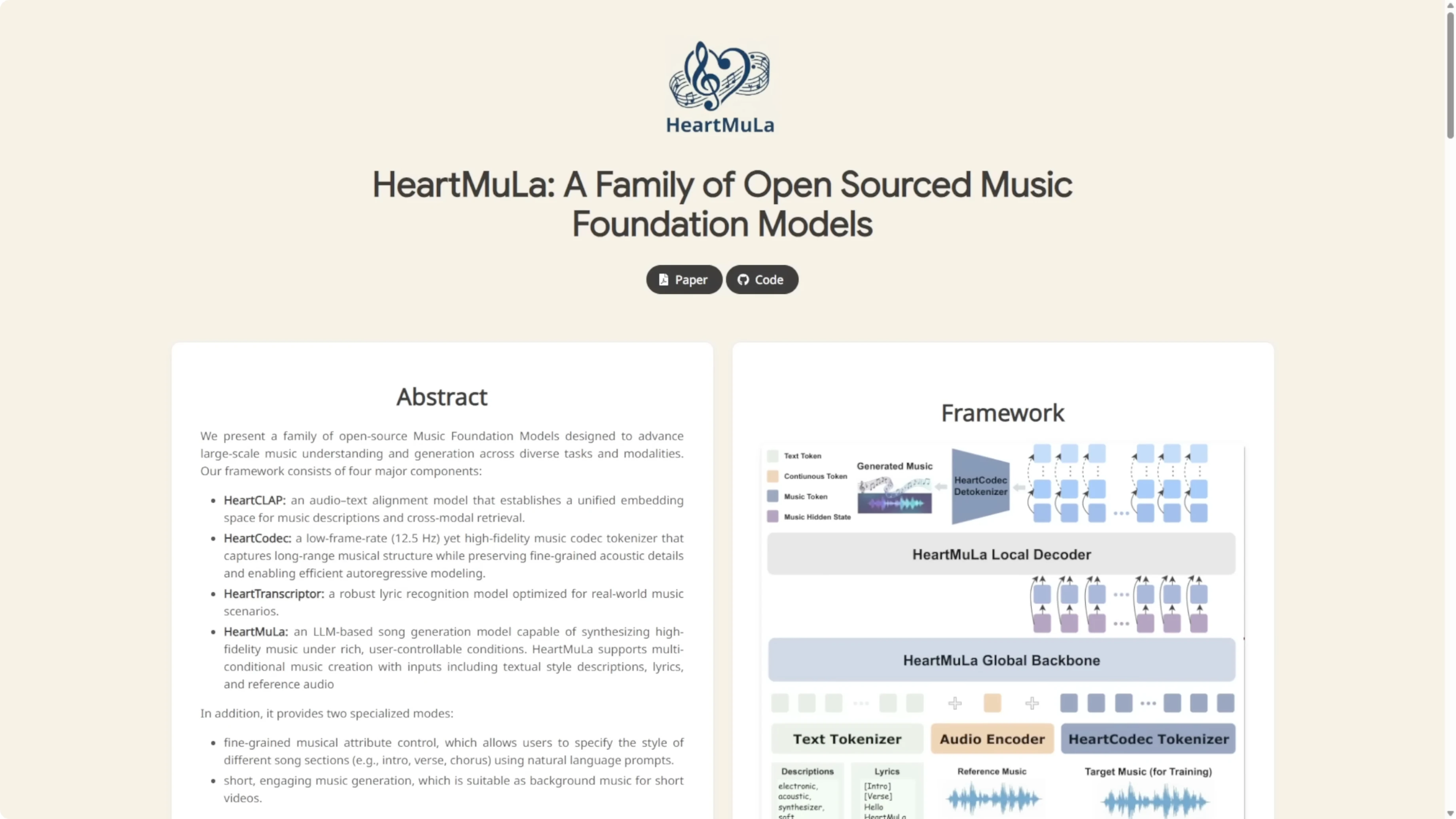
HeartMula. Let's talk about AI audio models today. Holy smokes, you won't believe this open-source music AI that just dropped in January 2026. HeartMula is basically the academic slayer turning your craziest lyrics and style tags into high fidelity bangers in seconds. All offline and free to tinker with. This family of music foundation models has a powerful three billion parameter LLM at its heart, generating stunning high fidelity songs from just lyrics plus simple style tags. Think warm reflective pop cafe vibe or energetic electronic self-discovery anthem.
It speaks multiple languages fluently, lets you control different sections of a track individually, and excels at creating those perfect short catchy pieces for videos. Under the hood, Heart Codec delivers amazing sound quality at super efficient 12.5 hertz while Heart Transcriptor nails lyrics recognition and Heart Clap ties everything together with smart audio text understanding.
And the best part for creators, ComfyUI gets a custom node that brings all this magic straight into your favorite workflow. You can combine AI music generation with images, video, and more, all in one node-based playground.
Exploring HeartMula Music AI Model Integration in ComfyUI: What You Get
- Two custom-node features:
- Music generation
- Lyrics transcription
- Minimalist inputs on both sides
- Backend logic packs the complexity so the front end stays simple for users
I created these custom nodes so you can run inference in ComfyUI with the most minimalist setup possible. I followed how the model weights are structured and packed as much logic as I could into the backend. Up front, it’s easy to input your stuff into the custom nodes.
Exploring HeartMula Music AI Model Integration in ComfyUI: Installation and Setup
Step-by-step installation
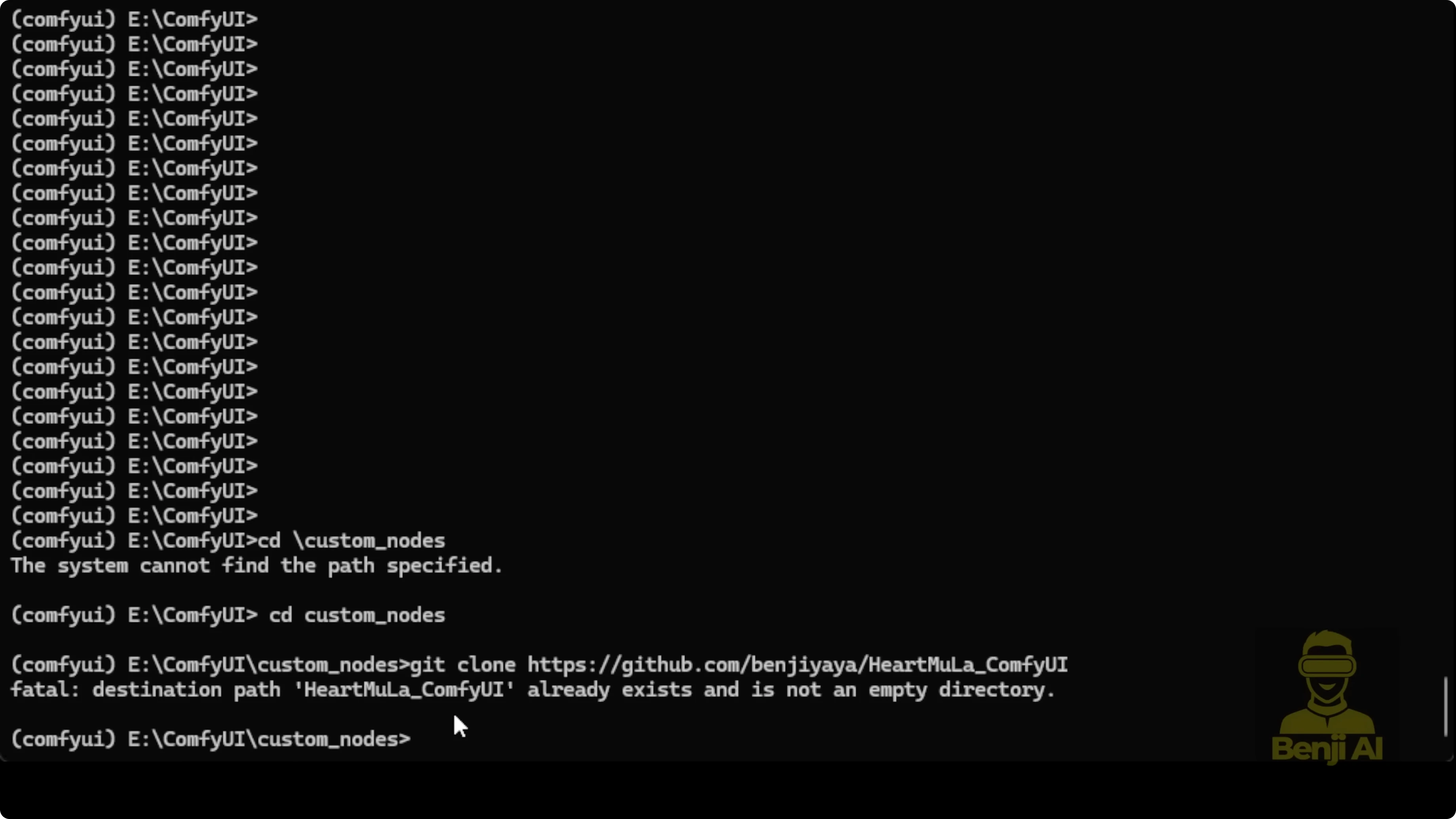
- Open a command prompt in the main ComfyUI directory.
- Go into the custom_nodes folder.
- Run git clone for the HeartMula custom nodes repository.
- Inside the newly created HeartMula custom nodes directory, run:
- pip install -r requirements.txt

Launch and verify ComfyUI
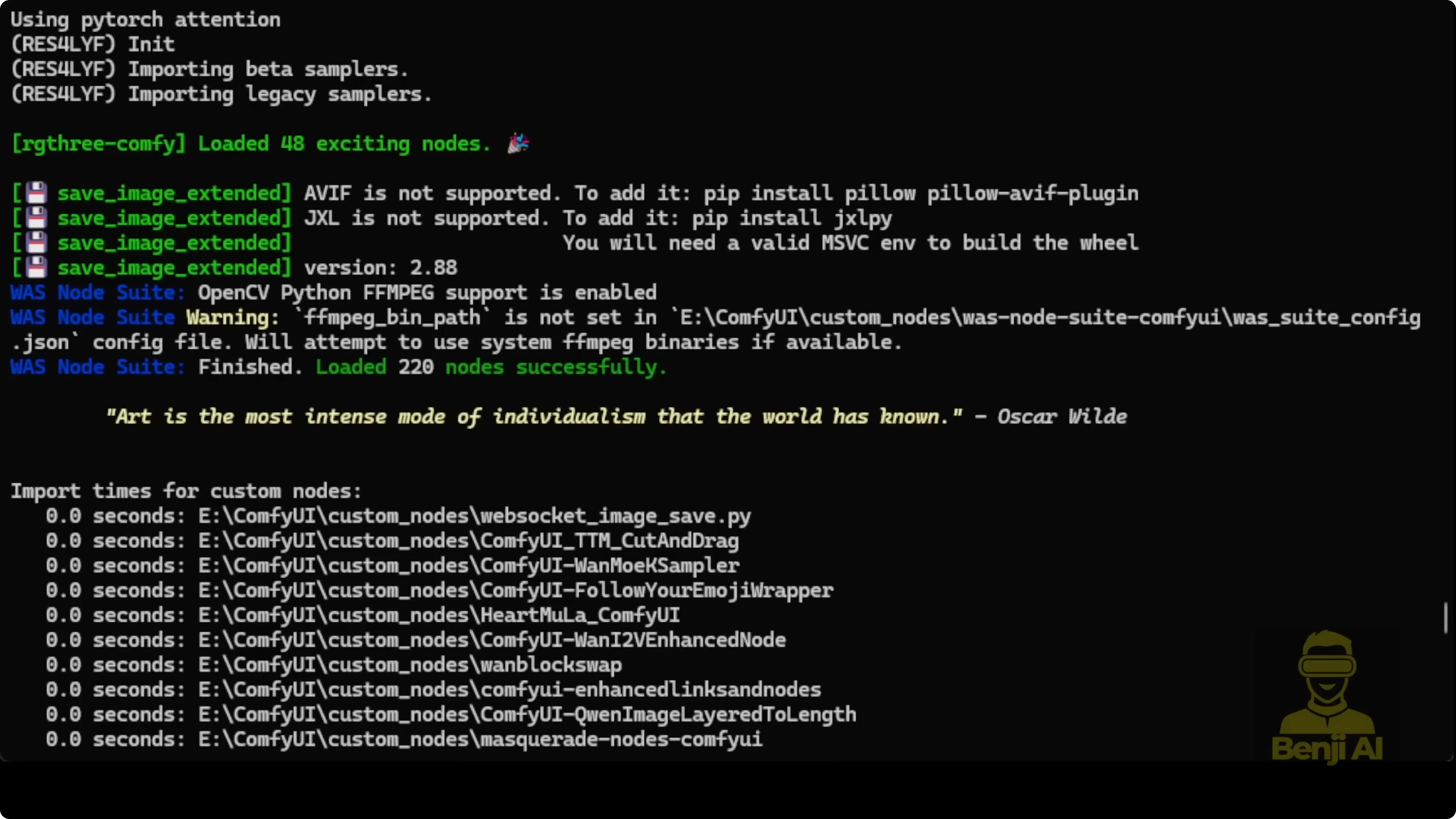
- Start ComfyUI:
- python main.py
- Wait for loading to finish, then confirm the custom nodes import message in the command prompt.
- Open the ComfyUI web interface in your browser.
Example workflows included
- In the custom nodes folder, open examples_workflow:
- One workflow for lyrics transcription
- One workflow for music generation
- Both are very simple. Load and run them after checking connections.
Exploring HeartMula Music AI Model Integration in ComfyUI: Music Generation
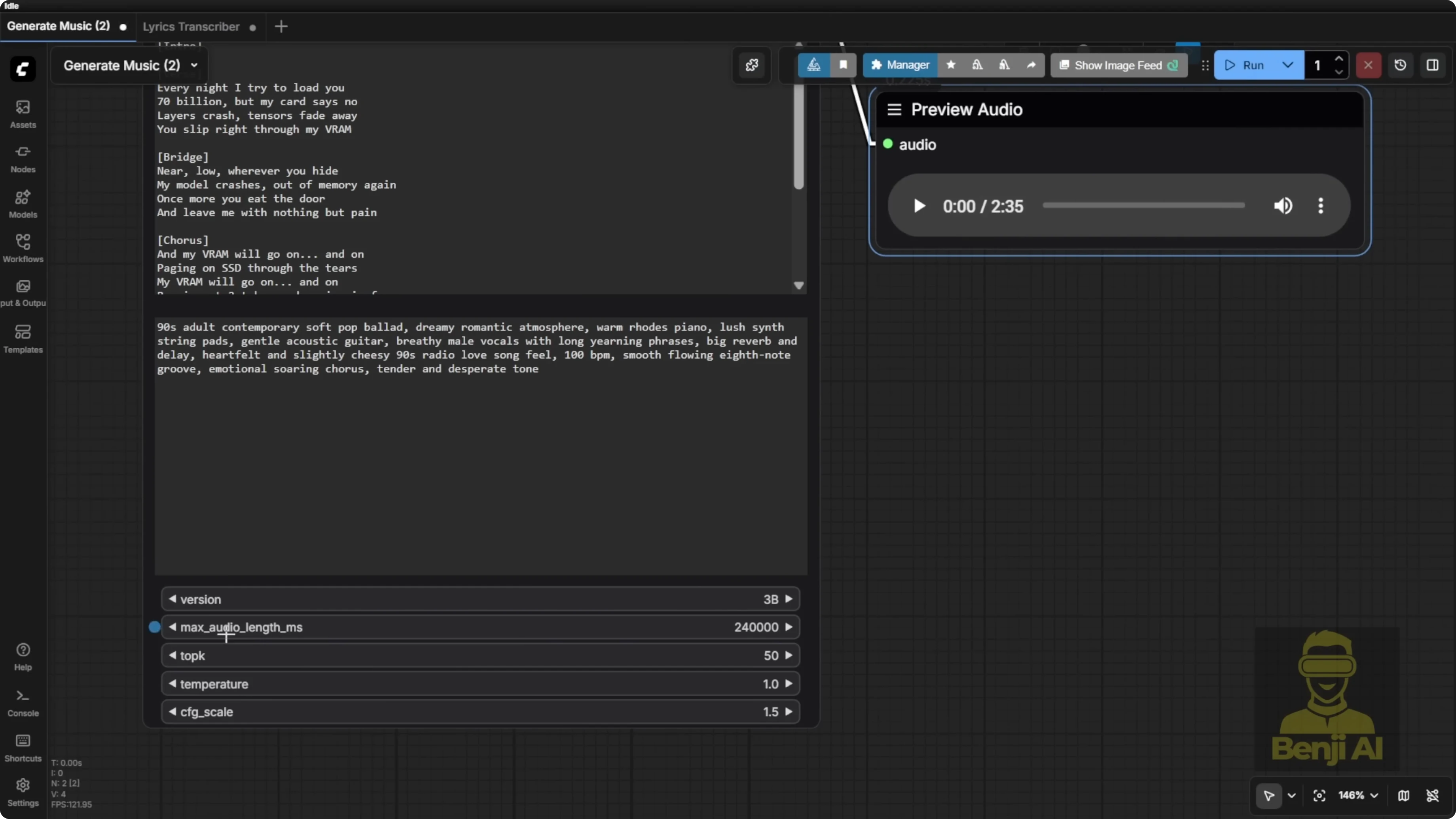
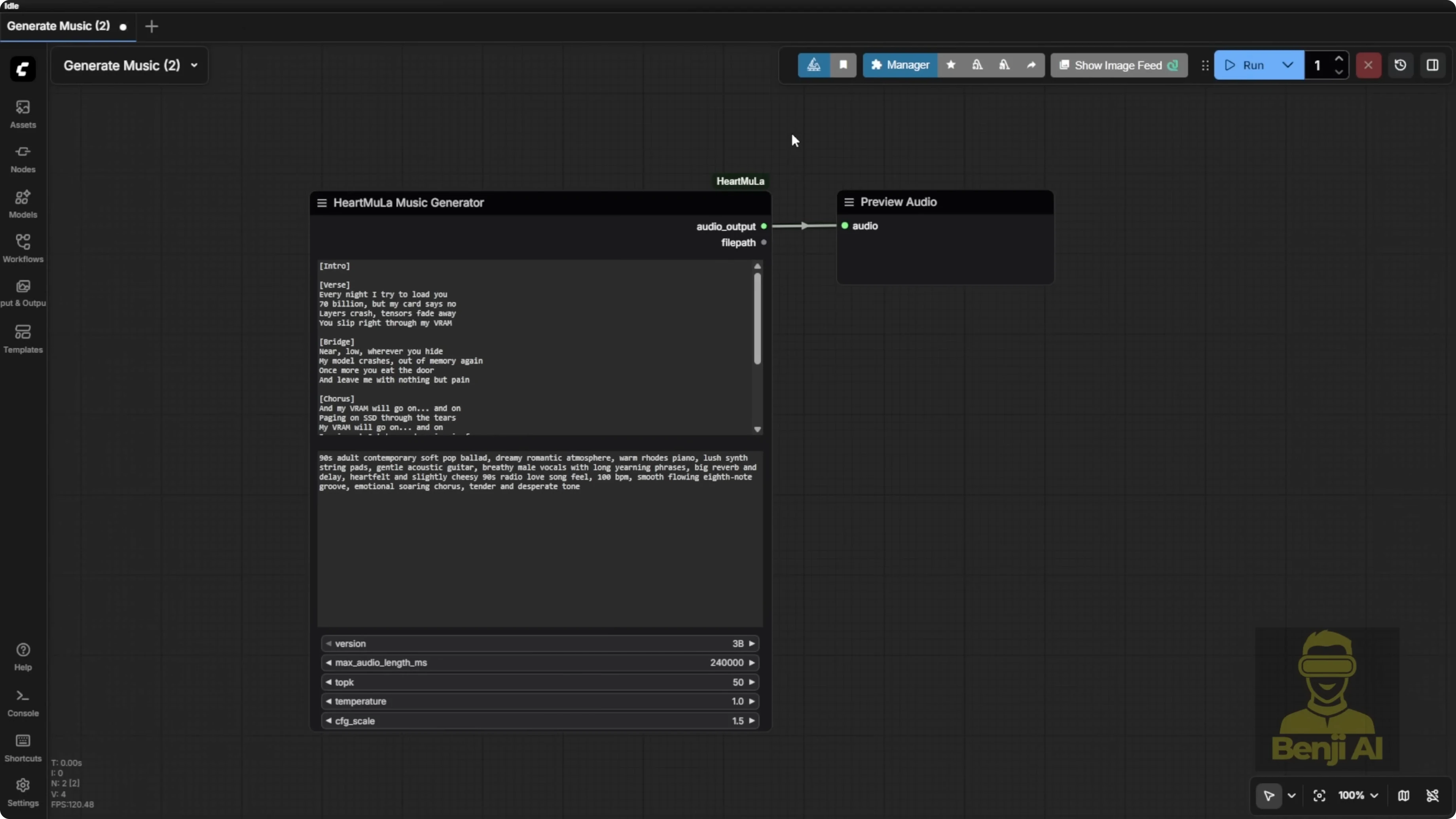
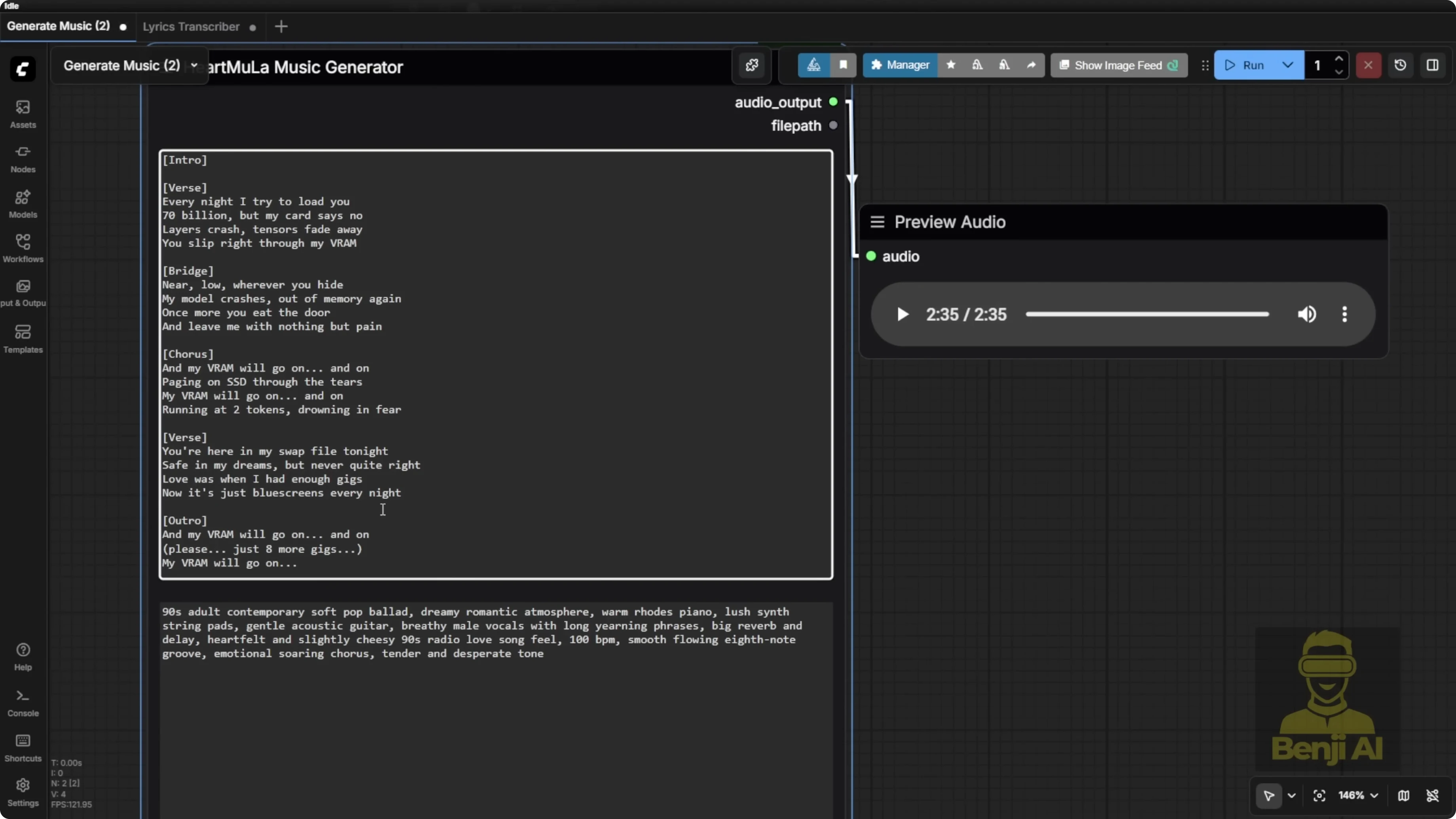
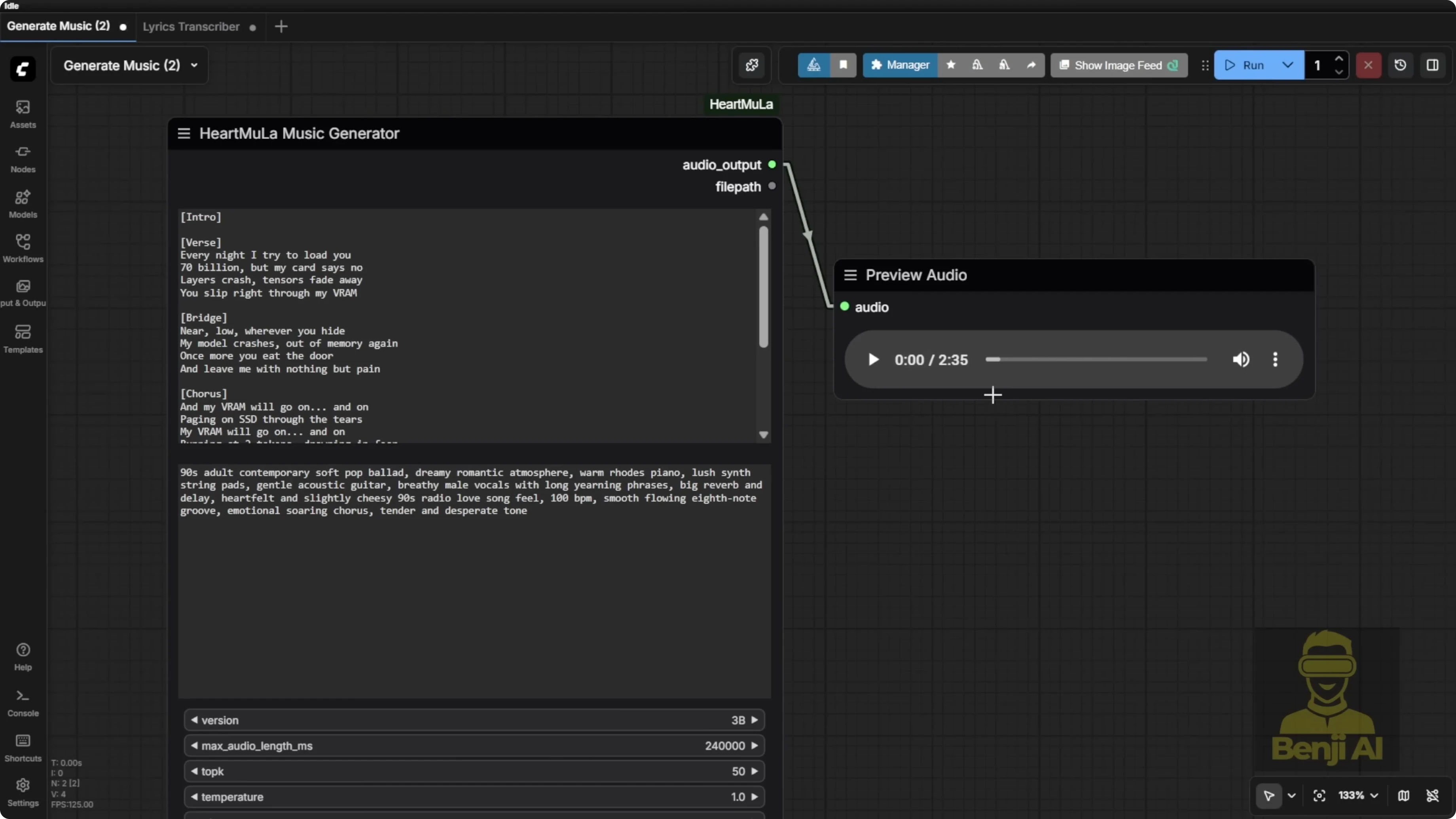
The music generation node uses a minimalist input:
- Enter your lyrics.
- Add comma-separated style tags for the music type. Examples:
- piano, happy wedding
- heavy metal, bass guitar
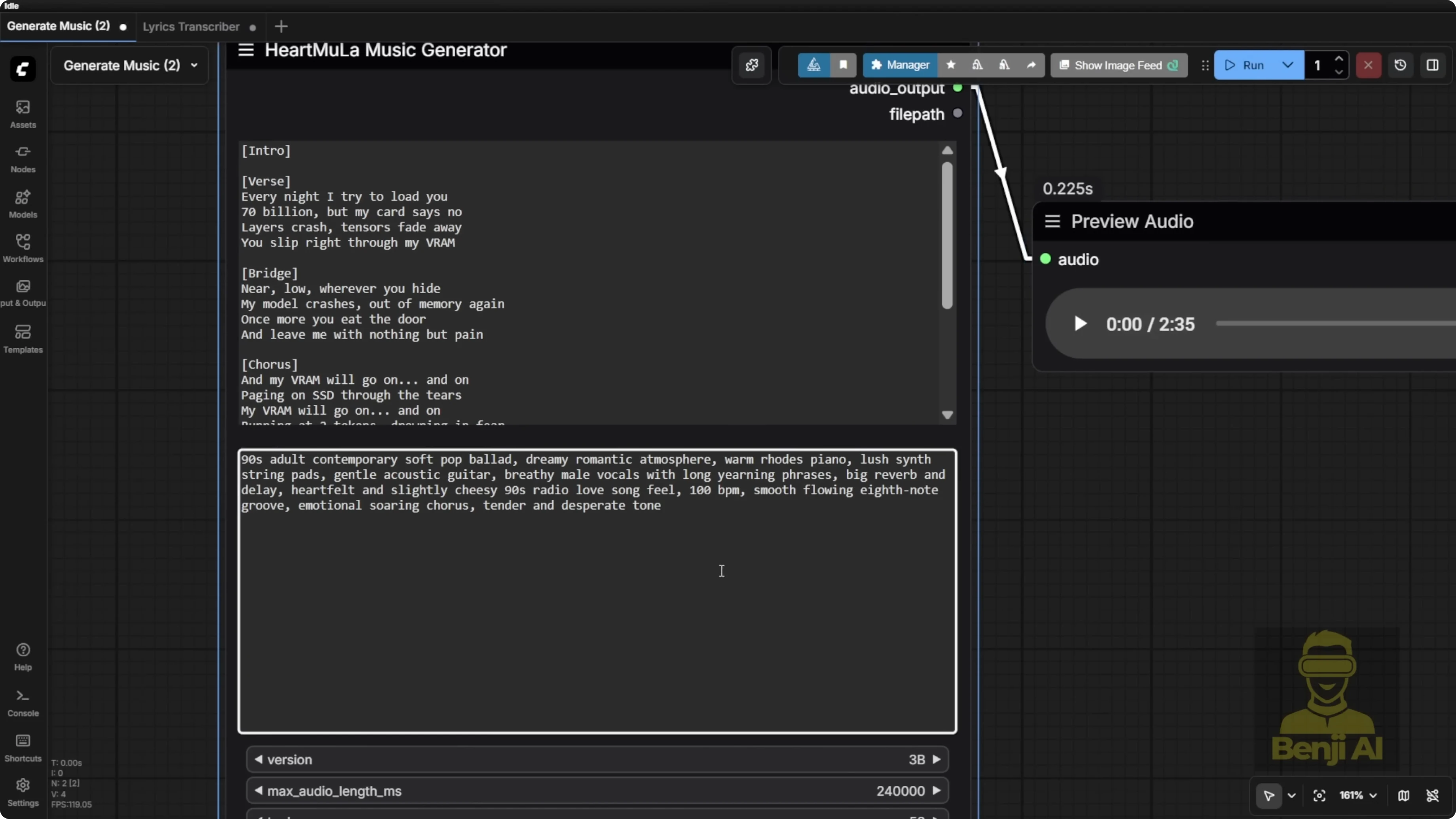
Length control:
- Maximum audio length the model can generate is 6 minutes.
- The node defaults to 240000 milliseconds.
- You can change the value up to the max. I generated a 2 minute 35 second clip based on my lyrics and style prompt.
Expressiveness:
- Brackets in the lyrics can make the AI vocal voice switch into a kind of talking effect in parts, which sounds different from the normal singing sections. That’s a pretty cool built-in effect.
I’ve tried other open-source tools like Stable Audio and Stepfun Adios S, but they don’t produce this level of expressiveness. This AI model is pretty cool in some ways.
Exploring HeartMula Music AI Model Integration in ComfyUI: Lyrics Transcription
How to use it:
- Connect the node to an audio input.
- Output strings can be attached to any text display node.
- You don’t have to use my exact input-output nodes. Load your audio and display the transcribed text however you like.
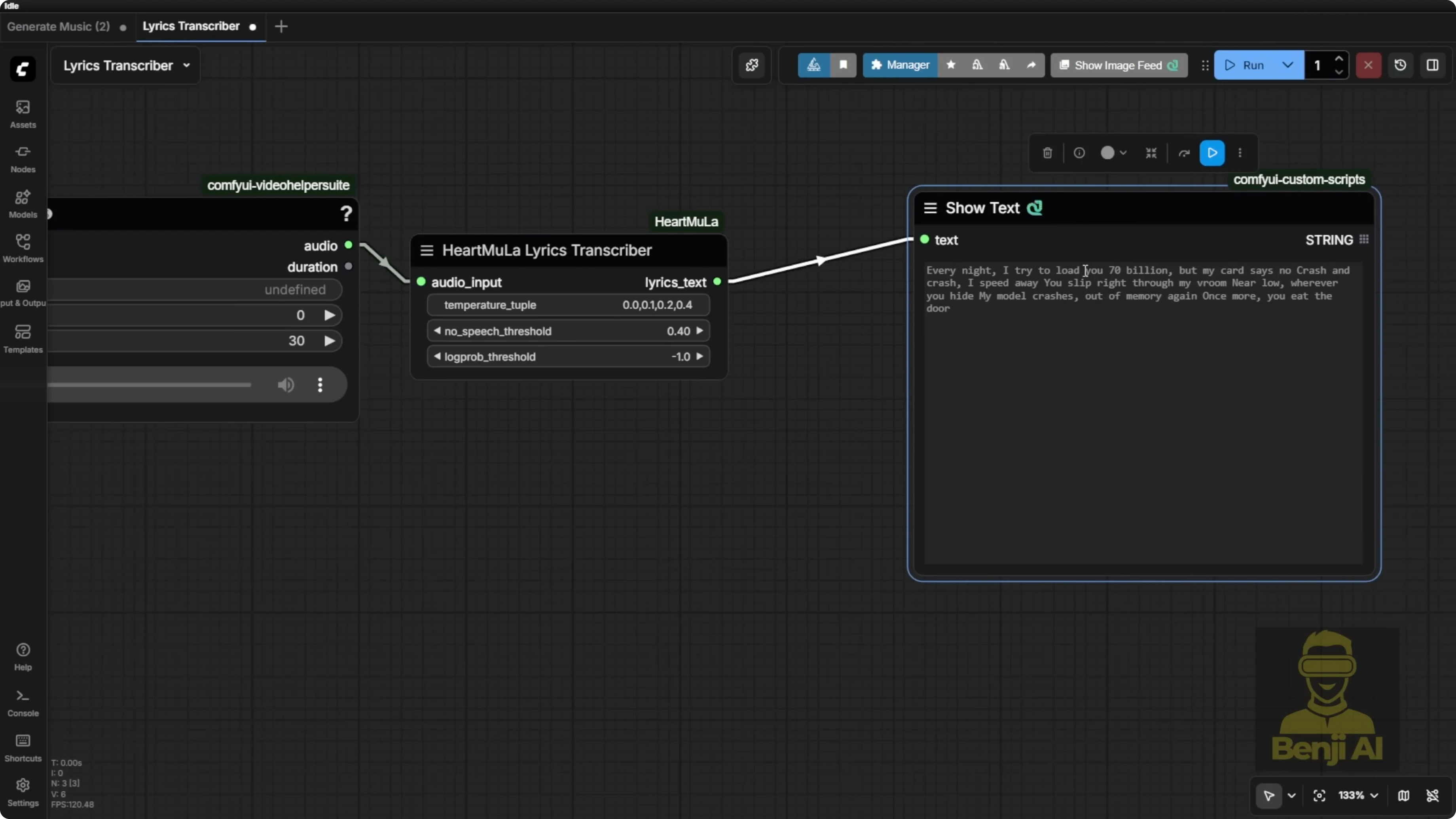
Controls:
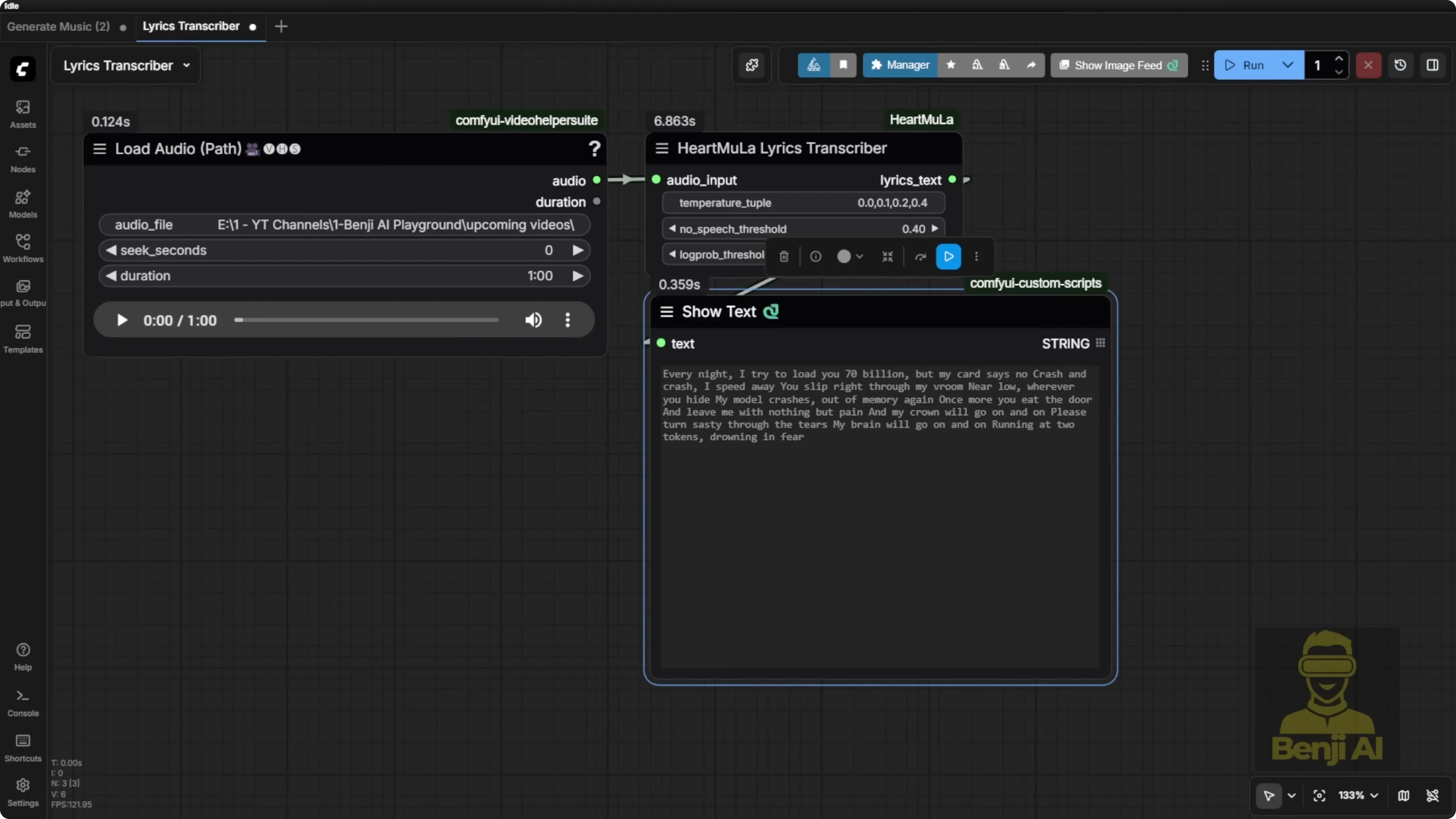
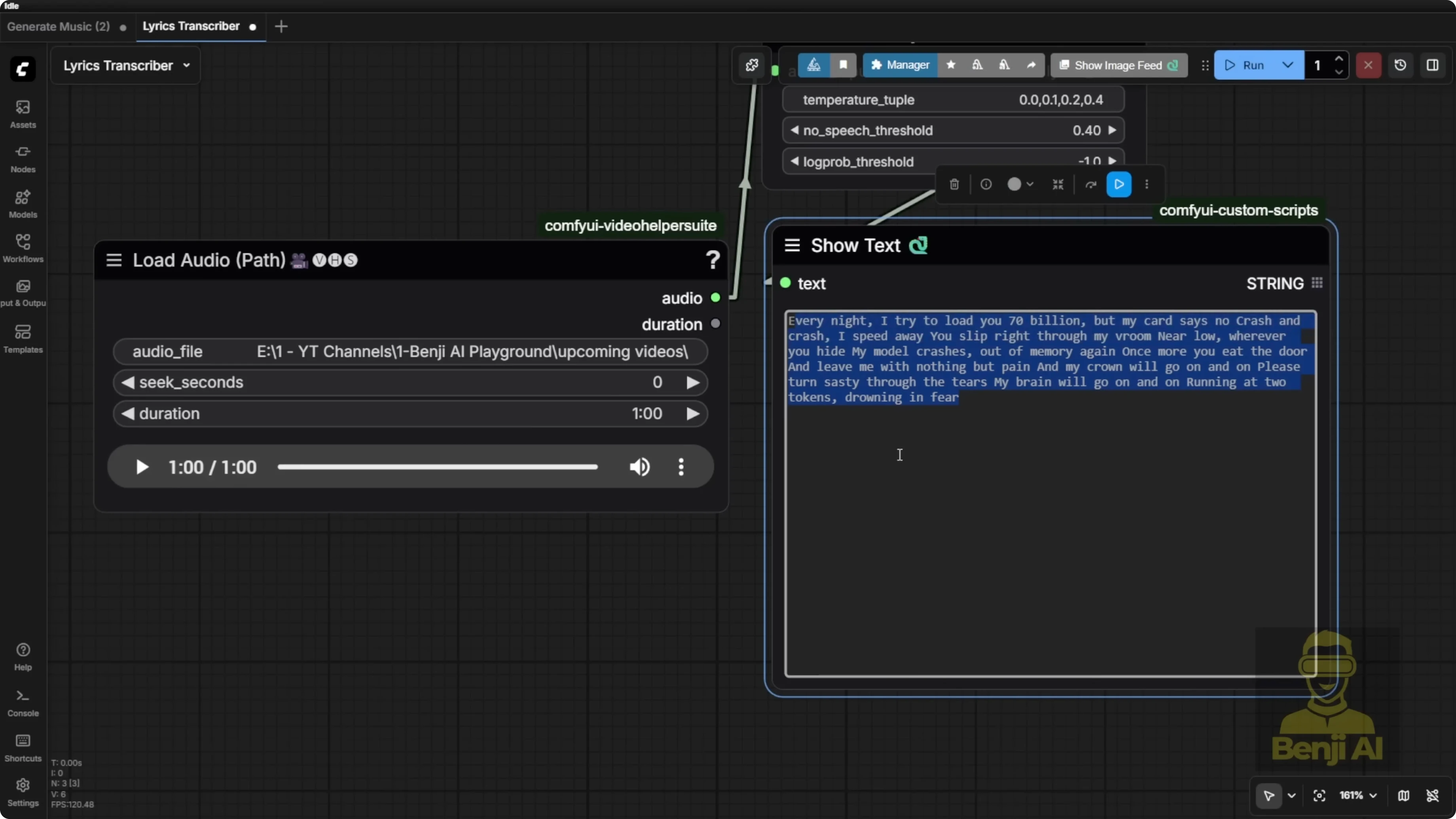
- You can set audio duration and other parameters. For example, transcribe a 60-second clip.
Quality notes:
- High-pitched parts with unclear words can lead to hits and misses.
- Special terms can be phonetically misheard. For example, VRAM came out as VROM because that’s how it sounded.
Use cases:
- Feed lyrics back into audio for characters to speak or sing.
- On-screen text.
- It’s not just for songs. A clean narrator voice for a product commercial transcribed accurately in a 30-second clip. Honestly, that’s way easier than singing since the pronunciation is much clearer. It nailed the entire transcript. It should be called an audio transcriptor because it can handle any spoken audio file, not just songs.
Exploring HeartMula Music AI Model Integration in ComfyUI: Model Files and Folder Structure
There are multiple model components. I included the file structure and model download instructions in the GitHub repo for implementing this in ComfyUI. Once you download the custom nodes, the folder structure is created for you when you run git clone.
Required components
- Main HeartMula gen repo
- Three billion parameter model files:
- Transformer files
- Tokenizer files
- Heart Codec for encoding and decoding audio
- Heart Transcriptor for audio-to-text transcription
Folder setup and downloading
- Go into your ComfyUI models folder.
- Create a subfolder named heart moola if it doesn’t exist.
- Use the Hugging Face CLI to download:
- Tokenizer.json and basic files
- The 3B model files into the designated folder
- The Heart Codec folder
- The Heart Transcriptor
- Hugging Face CLI tips:
- Using hf download is the easiest way.
- It can create subfolders automatically when you copy-paste the commands.
- Your Comfy should already have the Hugging Face CLI installed if you’re on an updated version.
Manual downloading each file is slower. Use hf download in the command prompt to place files into the correct folder structure automatically.
Note:
- The 7 billion parameter model hasn’t been released publicly yet as of January 2026. It might drop soon. I’ll update the workflow as soon as the 7B model is publicly available.
Exploring HeartMula Music AI Model Integration in ComfyUI: Integrating Into Existing Workflows
Lyrics transcription integration:
- Replace your existing audio-to-text node with the HeartMula Lyrics Transcriptor node.
- Same tasks, fewer settings, cleaner layout in the custom node group.
Vox CPMTTS notes:
- Some reported issues exist, but in my setup it works if configured correctly.
- For this workflow, you don’t need Vox CPMTTS. Use the HeartMula Lyrics Transcriptor instead.
Testing approach:
- Bypass video generation if needed and focus on testing audio scripts.
- Load an audio file, run the transcription, and verify it in your existing pipeline. It works cleanly.
Final Thoughts
HeartMula brings a powerful music foundation model into ComfyUI with two minimalist custom nodes for generation and transcription. The music generator can produce up to 6-minute tracks from lyrics and simple style tags, with expressive vocal effects. The transcription node is accurate on spoken audio and useful for lyric extraction, lip-sync text, and on-screen captions. Installation is straightforward, and the Hugging Face CLI makes model downloads much easier. The 7B model isn’t public yet, but the 3B setup already delivers impressive results.
Subscribe to our newsletter
Get the latest updates and articles directly in your inbox.

Related Posts

8 Best Claude Code Plugins in 2026 (You Need to Know)
8 Best Claude Code Plugins in 2026 (You Need to Know)

7 Best Claude Code Skills (You Need to Know)
7 Best Claude Code Skills (You Need to Know)

Claude Code Desktop IDE Features (You Need to Know)
Claude Code Desktop IDE Features (You Need to Know)