
Table Of Content
- Setup and Installation Plan
- Step-by-step setup
- Google Drops FunctionGemma: What It Is
- FunctionGemma at a glance
- Launching the Notebook and Downloading the Model
- Function Calling With Google Drops FunctionGemma
- What function calling means
- A weather query using a function schema
- Step-by-step function calling process
- A Practical Example: Generating and Executing a Function Call
- Example components summarized
- How the Function Calling Setup Works
- Inputs and roles
- Schema and matching
- Execution and results
- Architecture and Training Details
- Why it is easy to run
- Installation Recap and Notes
- Environment checklist
- Model download and resource usage
- Minimal steps to get started
- Building Agents With Google Drops FunctionGemma
- Recommended approach
- Use cases aligned with the model’s focus
- What Google Drops FunctionGemma Is and Is Not
- Quick Reference
- Feature summary
- Function calling steps
- Final Notes
How to Run Google FunctionGemma locally?
Table Of Content
- Setup and Installation Plan
- Step-by-step setup
- Google Drops FunctionGemma: What It Is
- FunctionGemma at a glance
- Launching the Notebook and Downloading the Model
- Function Calling With Google Drops FunctionGemma
- What function calling means
- A weather query using a function schema
- Step-by-step function calling process
- A Practical Example: Generating and Executing a Function Call
- Example components summarized
- How the Function Calling Setup Works
- Inputs and roles
- Schema and matching
- Execution and results
- Architecture and Training Details
- Why it is easy to run
- Installation Recap and Notes
- Environment checklist
- Model download and resource usage
- Minimal steps to get started
- Building Agents With Google Drops FunctionGemma
- Recommended approach
- Use cases aligned with the model’s focus
- What Google Drops FunctionGemma Is and Is Not
- Quick Reference
- Feature summary
- Function calling steps
- Final Notes
AI is moving toward specialization. Google Drops FunctionGemma is a clear step in that direction. It is a brand new, lightweight, open model from Google built specifically for tool use. This is not a typical chat model. It is designed as a foundation for creating specialized agents that translate natural language into structured function calls.
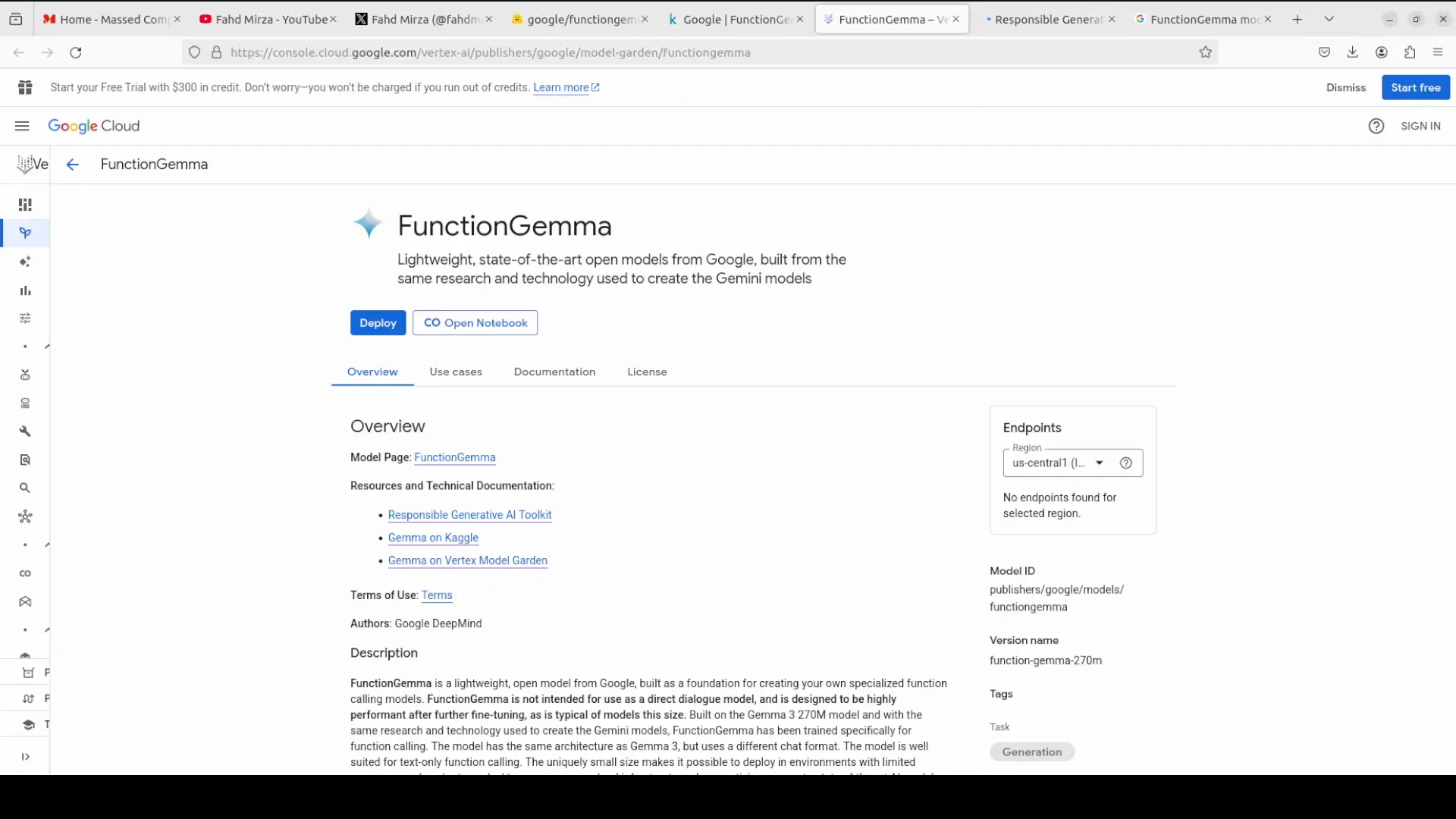
The model is based on Gemma 3 architecture with about 270 million parameters. I will install it on a local system and show how to do function calling with natural language using a text widget. I will also cover its architecture and key points from the training set.
Setup and Installation Plan
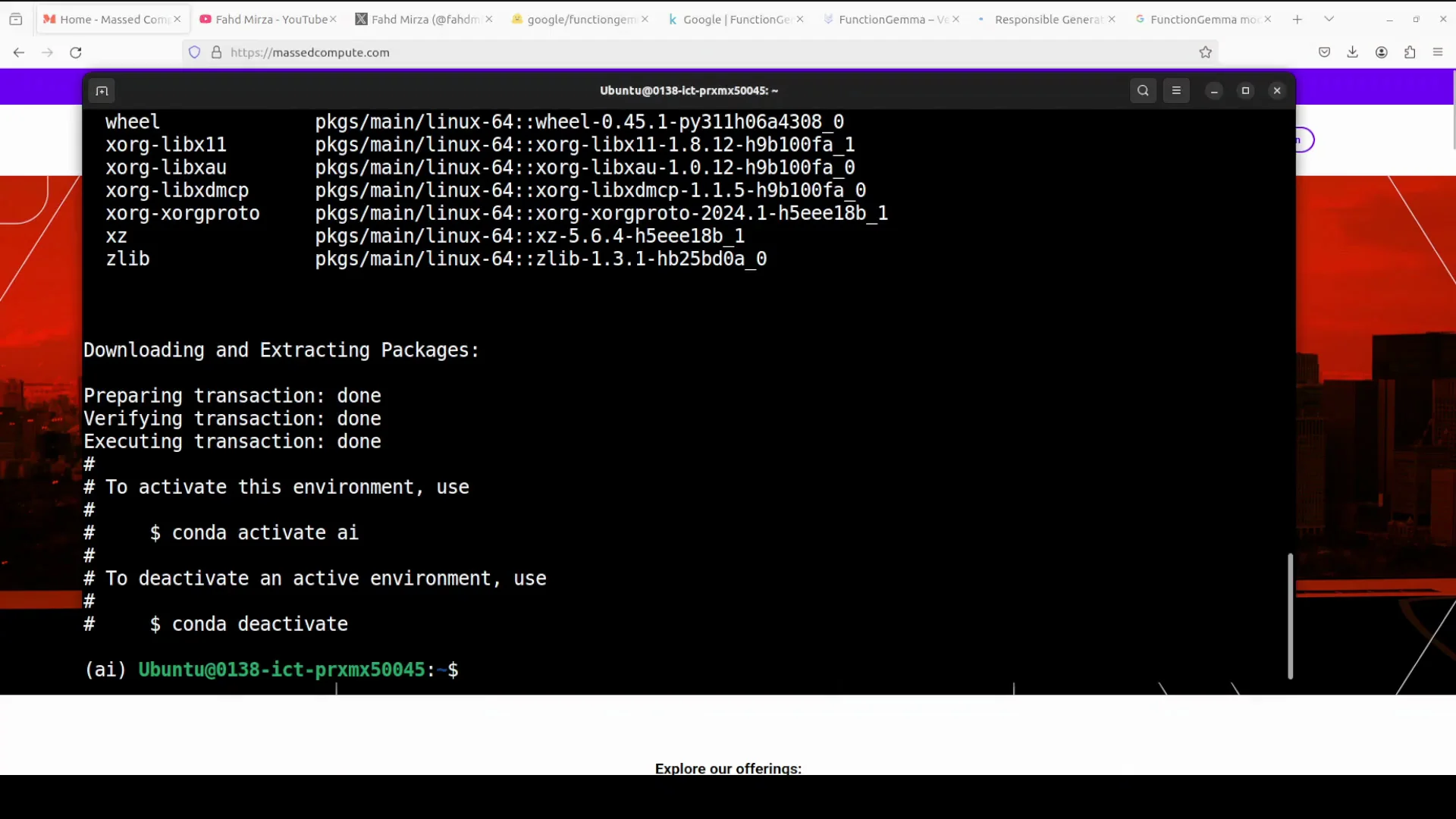
We will start with installation, then walk through the model. I am using an Ubuntu system with one GPU card, Nvidia RTX 6000 with 48 GB of VRAM.
At the terminal, I created a virtual environment and installed Torch and Transformers, which are needed. Then I launched a Jupyter notebook.
Step-by-step setup
- Create a virtual environment.
- Install Torch and Transformers.
- Launch Jupyter Notebook.
While the installation runs, here is more about the model.
Google Drops FunctionGemma: What It Is
FunctionGemma is based on the Gemma 3 architecture and has about 270 million parameters. Google built it with the same research and tech that powers the Gemini models, but it is trained specifically for function calling tasks.
The architecture is a simple decoder-only transformer. It uses a chat format optimized for function calling. You can run it on laptops, desktops, or edge devices with limited resources.
What makes FunctionGemma stand out is how well it performs after fine tuning on specific tasks. Google showcased this with two demos in the AI Edge Gallery app and on Google Cloud in Model Garden.
Even with its very small size, it supports a 32k token context for both inputs and outputs. It was trained on 6 trillion tokens up to August 2024. The dataset includes public APIs and a large volume of tool use interactions, including prompts, calls, and similar structured exchanges. The model is built with safety in mind using Google’s responsible generative AI toolkit. If you plan to fine tune it, follow the same approach.
FunctionGemma at a glance
| Item | Detail |
|---|---|
| Model family | Gemma 3 |
| Parameter count | About 270 million |
| Architecture | Decoder-only transformer |
| Primary purpose | Function calling for tool use |
| Context length | 32k tokens for input and output |
| Training tokens | 6 trillion, up to August 2024 |
| Training data highlights | Public APIs and tool-use interactions |
| Safety | Built with responsible generative AI toolkit |
| Typical hardware | Laptop, desktop, edge devices |
| Footprint | Download size about 536 MB |
Launching the Notebook and Downloading the Model
With the environment ready, I launched the Jupyter notebook and downloaded the model. It is very lightweight. The download size is about 536 MB. After downloading, I put the model into action.
Function Calling With Google Drops FunctionGemma
What function calling means
Function calling lets models produce structured outputs that trigger specific actions or tools instead of only generating text. When you provide a model with a defined function schema, the model can identify when a user’s question requires that function. Rather than guessing an answer, it outputs a precise, machine readable call with the required parameters.
This connects language understanding to real actions, such as:
- Fetching data from APIs
- Controlling devices
- Running code
All of this happens in a safe and structured way.
A weather query using a function schema
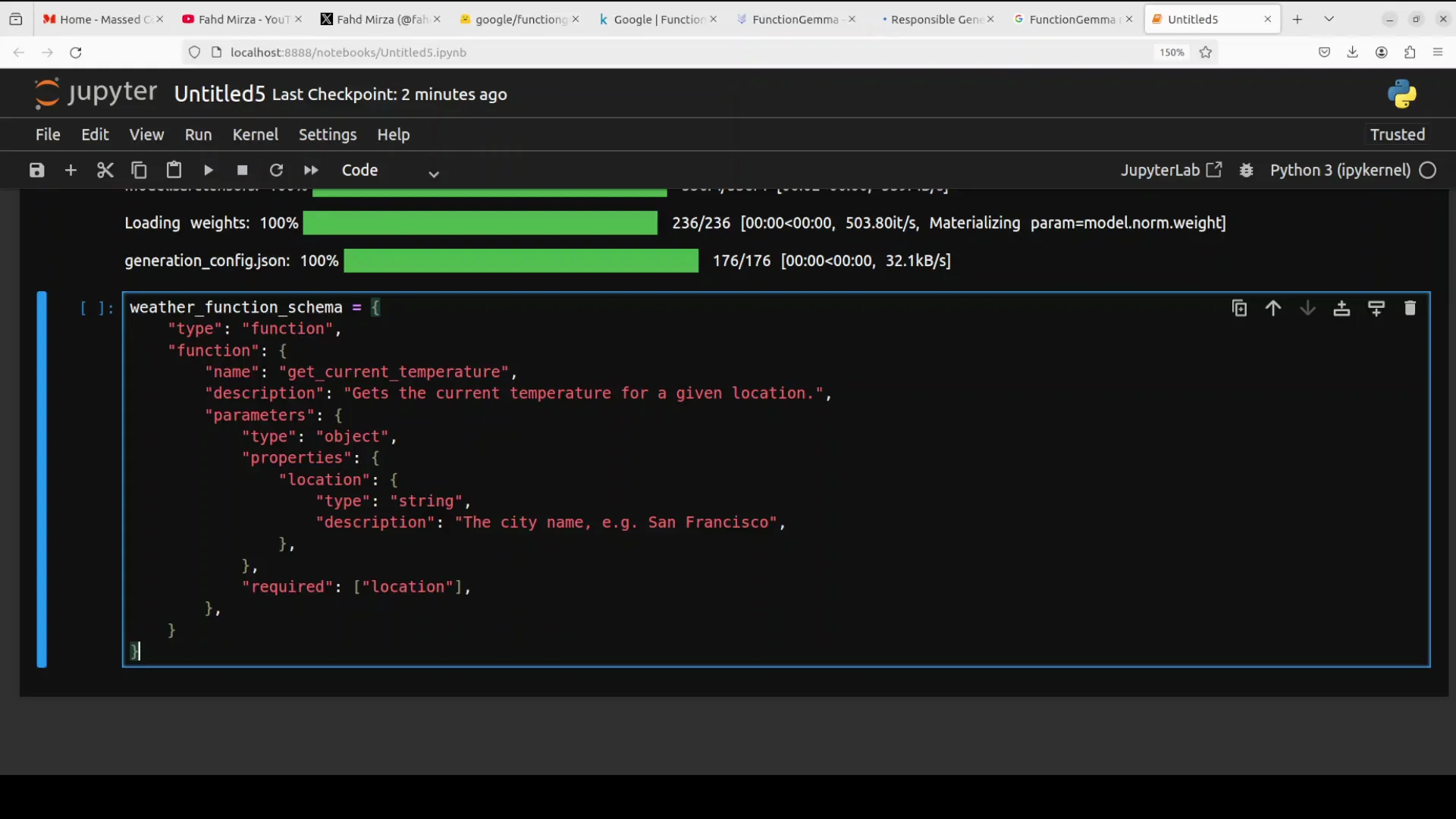
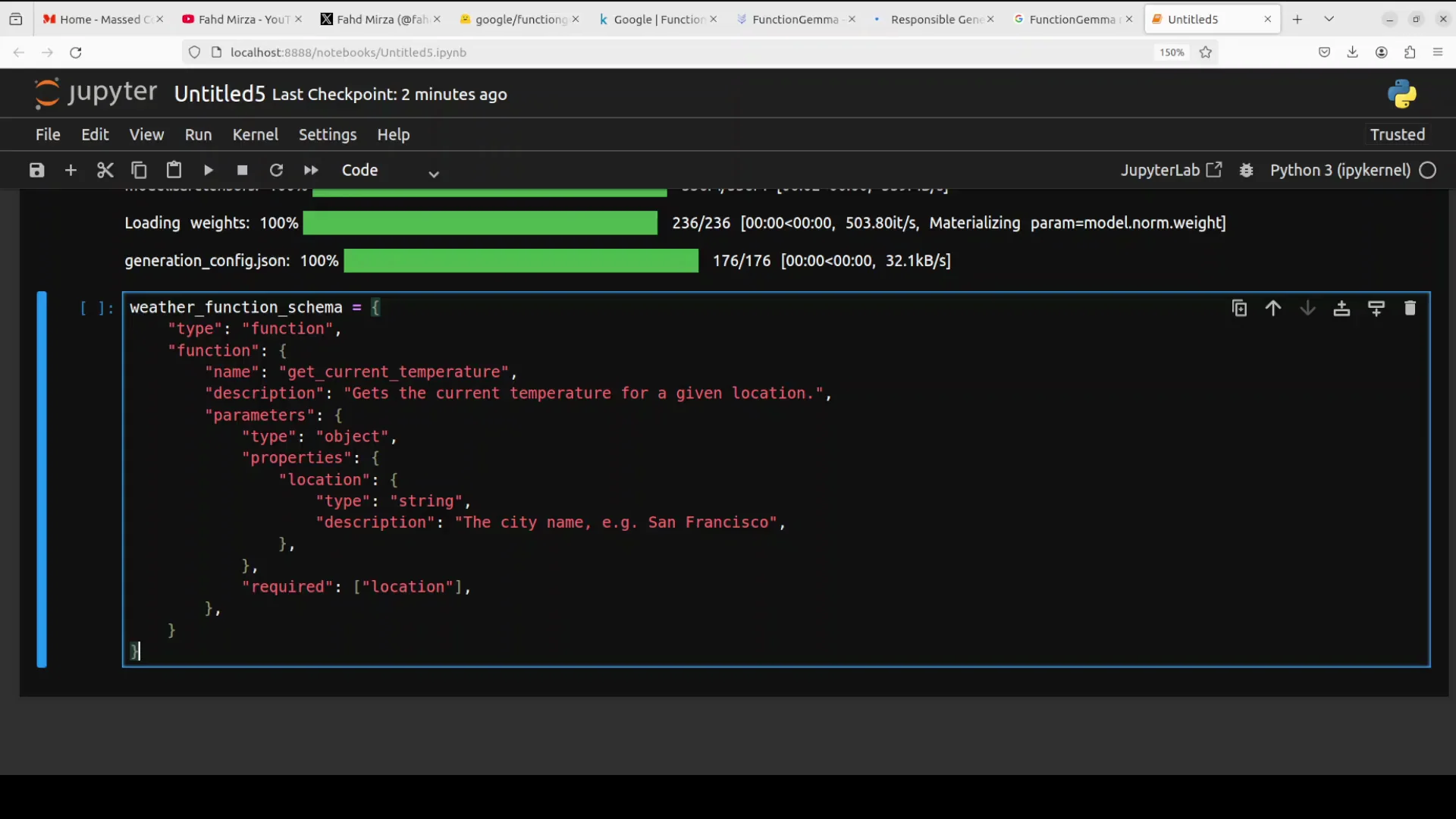
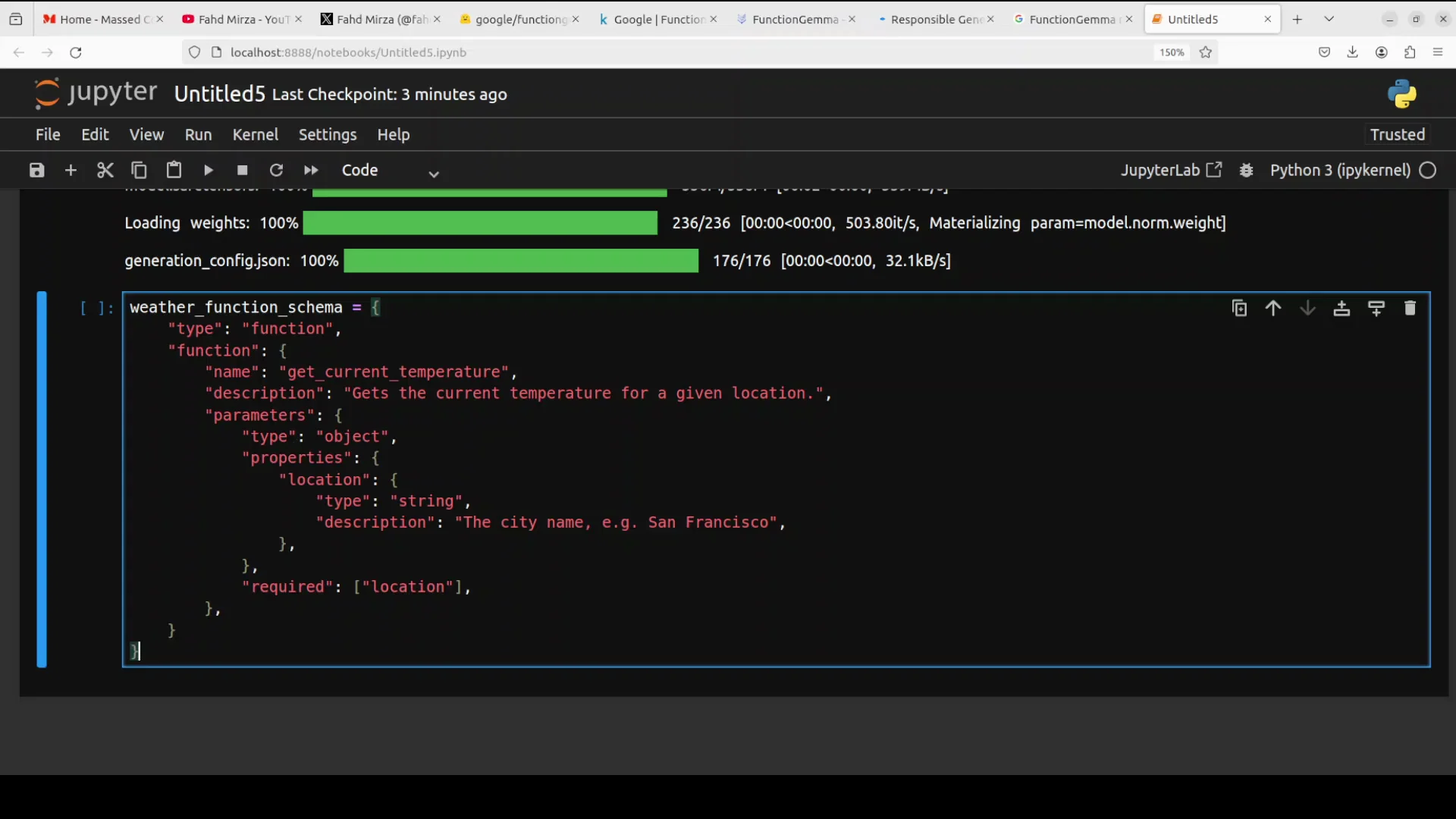
I set up FunctionGemma to handle a simple weather query. The JSON schema defined a function call named get_current_temperature that takes a required location parameter. The schema includes the function name, a description, and parameter definitions.
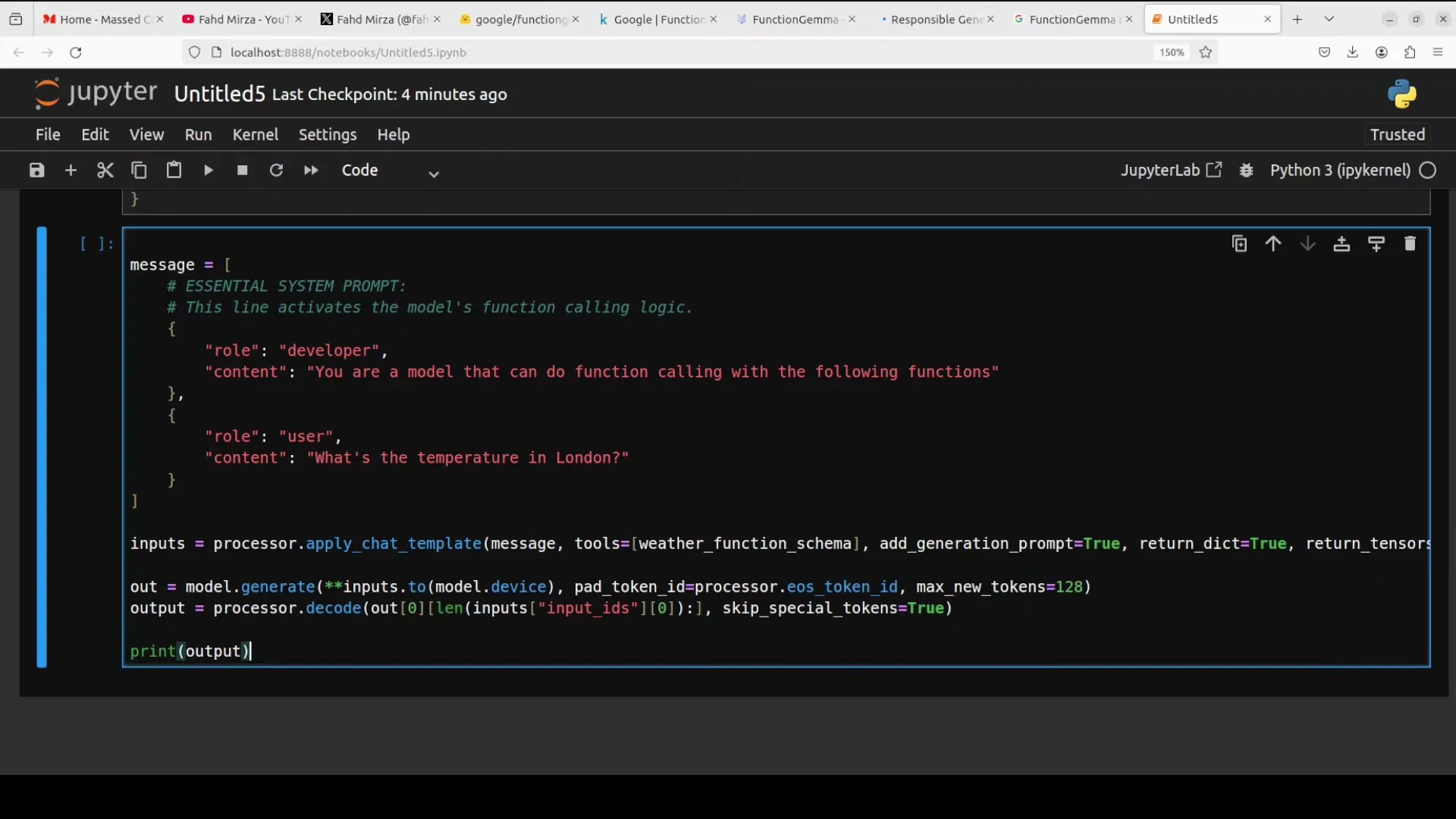
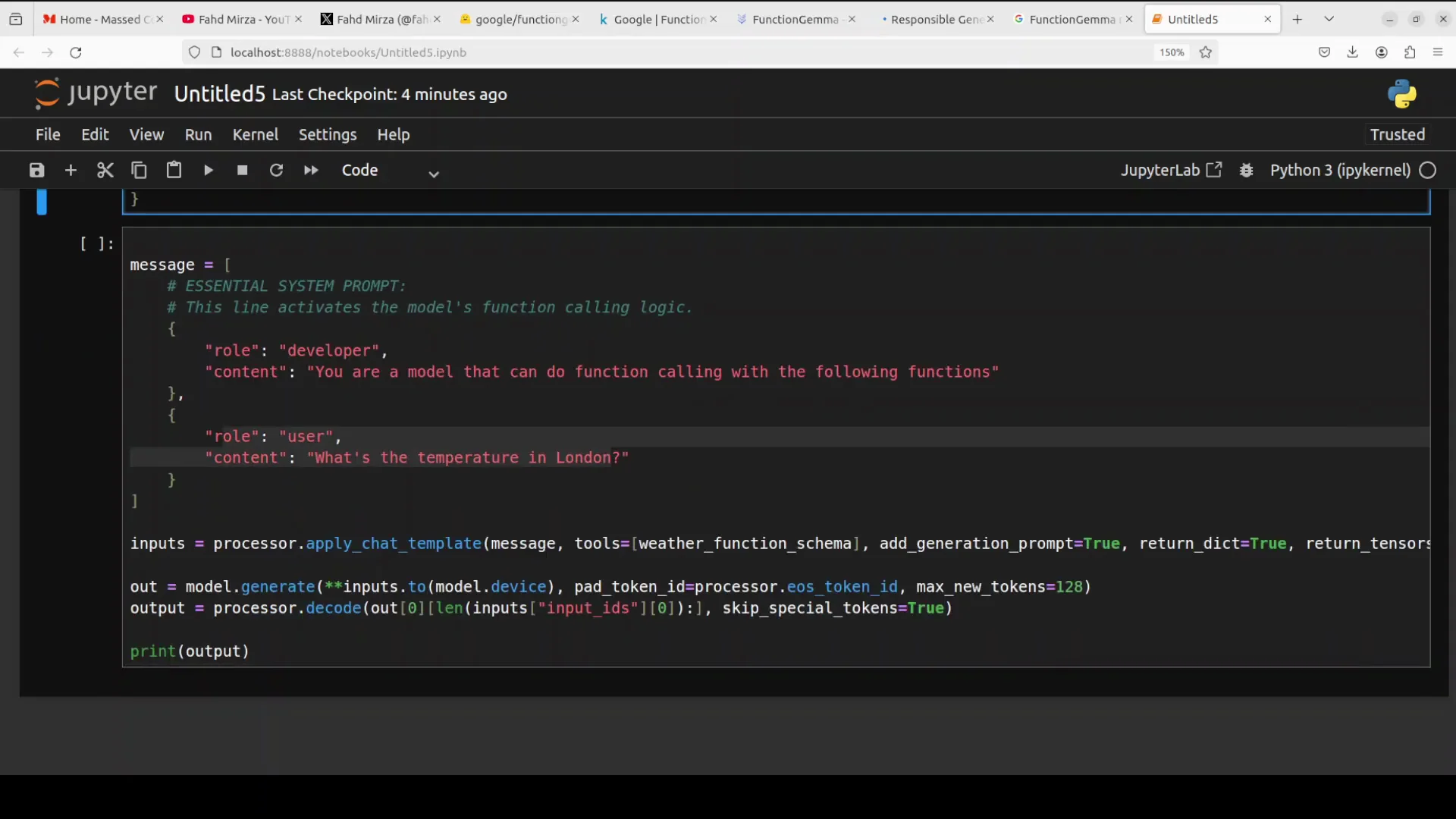
A message is created with a special developer role prompt. You must provide this developer role prompt when you want FunctionGemma to do a tool call. It activates the model’s function calling mode. Then comes the user’s question in natural language.
Here is the flow:
- The user asks a natural language question.
- The processor formats the input using the function schema you defined.
- The model compares the schema with the question and returns a structured function call.
An important point: the model does not execute the function. It creates a function call for your code to execute. The output is a structured call that tells your system exactly which function to run and with which arguments. In this example, the location argument is London. The value is placed into the schema, and the model generates the function call. Your application then runs the call. You can have many functions that call external APIs or access external data sources. The model generates the calls, and your code executes them.
Step-by-step function calling process
- Define a JSON function schema with name, description, and parameters.
- Provide a developer role prompt that activates function calling mode.
- Accept a user question in plain language.
- Format the input with the schema and send it to the model.
- Read the structured function call from the model output.
- Execute the function from your code with the provided arguments.
- Return and present the result.
A Practical Example: Generating and Executing a Function Call
Now a real world example where the model generates the function call and the code executes it.
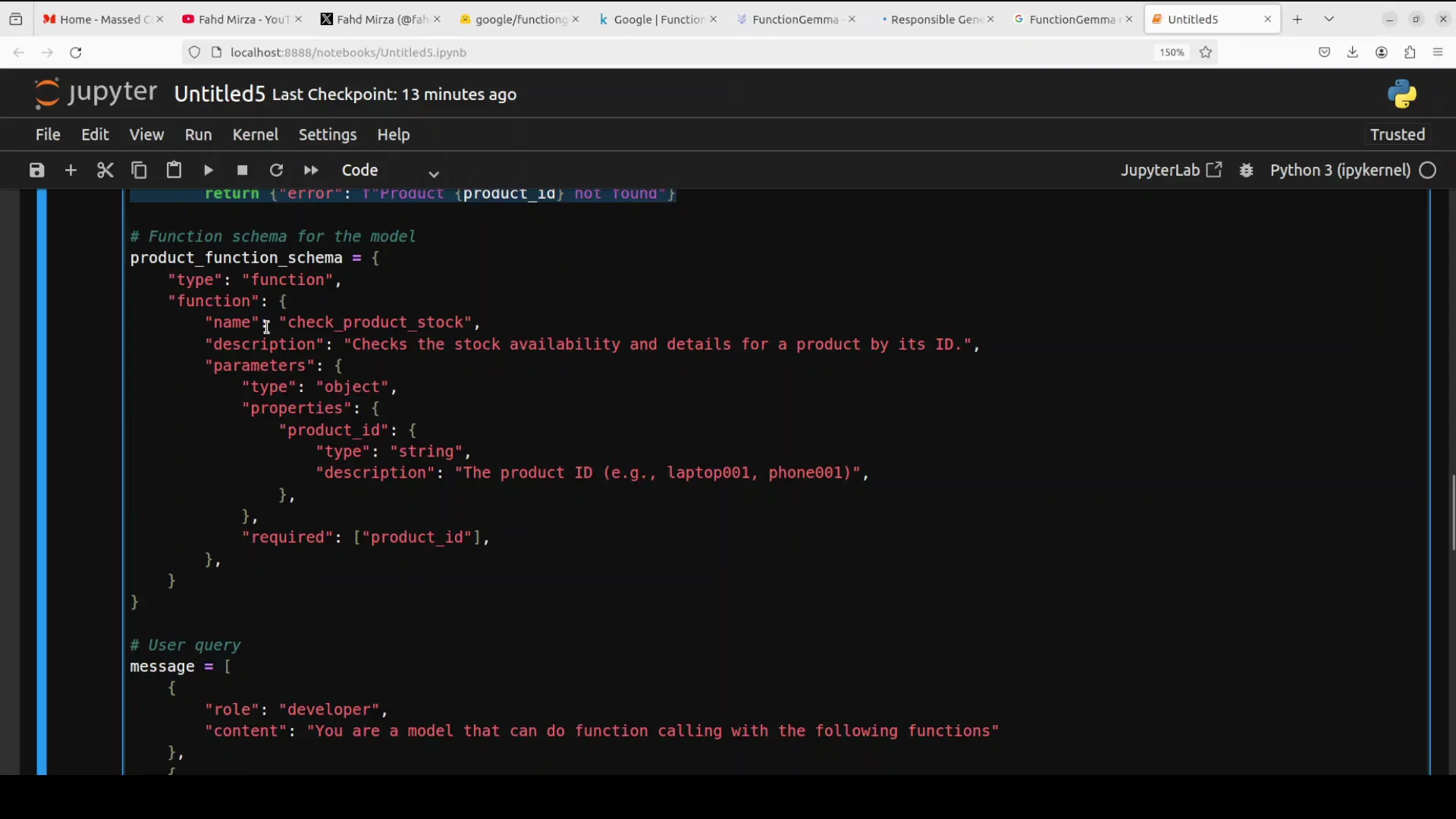
I import the required libraries. I define a basic database object. You can use your own database and run SQL queries as needed. I define the function that checks a product ID in the inventory.
I provide the function schema with the function name and parameters. I write the query that triggers model function calling. The query is: check the stock for product laptop 001.
I use the chat template tokenizer and send the input to the model. The model generates the output. I match the output to the schema. This is where the actual function call happens after the model has generated it. The code calls the function and prints the result.
I also check GPU memory usage. The model consumes about 848 MB of VRAM in this setup. It is a small model. The model generates the function call correctly. The argument is laptop 001. The function runs and returns the result. That is how to do function calling with this model.
Example components summarized
- Imports: required Python libraries.
- Data layer: a simple database object for queries.
- Business function: a function that checks an inventory by product ID.
- Function schema: JSON with function name, description, and parameters.
- Prompting: a developer role prompt to activate function calling.
- User query: check the stock for product laptop 001.
- Tokenization and model call: using the chat template tokenizer to pass input to the model.
- Parse and execute: read the structured function call, run the corresponding function, and print the result.
- Resource check: about 848 MB VRAM usage in this setup.
How the Function Calling Setup Works
Inputs and roles
- Developer role prompt: required for FunctionGemma to enter function calling mode.
- User message: plain language input describing the task or question.
Schema and matching
- The schema defines the function name, purpose, and parameters.
- The processor formats the user input and schema for the model.
- The model returns a structured function call that matches the schema and the user’s request.
Execution and results
- The application reads the structured call and executes it.
- The result is returned to the user or system.
- You can scale this to many functions that call external APIs or query internal systems.
Architecture and Training Details
- Architecture: decoder-only transformer with a chat format tailored for function calling.
- Parameter count: about 270 million.
- Context window: 32k tokens for both input and output.
- Training tokens: 6 trillion tokens up to August 2024.
- Training data: includes public APIs and many tool use interactions, such as prompts and calls.
- Safety: built with Google’s responsible generative AI toolkit. Follow similar practices when fine tuning.
Why it is easy to run
- Small footprint: about 536 MB download.
- Efficient: suitable for laptops, desktops, and edge devices with limited compute.
- Strong after fine tuning: excels when adapted to specific function calling tasks.
- Demonstrations: highlighted in AI Edge Gallery and Model Garden.
Installation Recap and Notes
Environment checklist
- OS: Ubuntu.
- GPU: Nvidia RTX 6000 with 48 GB VRAM.
- Python environment: virtual environment created.
- Libraries: Torch and Transformers installed.
- Interface: Jupyter Notebook launched.
Model download and resource usage
- Download size: about 536 MB.
- Runtime memory: about 848 MB of VRAM observed in this example.
Minimal steps to get started
- Set up a Python environment with Torch and Transformers.
- Download FunctionGemma.
- Prepare a developer role prompt to activate function calling.
- Define a JSON function schema.
- Send a user query in plain language.
- Parse the structured function call from the model.
- Execute the function in your application.
- Return the result to the user.
Building Agents With Google Drops FunctionGemma
FunctionGemma is built for creating specialized agents that turn language into structured actions. By defining clear schemas and keeping function execution in your application, you get predictable, machine readable calls that connect natural language to real operations.
Recommended approach
- Keep function schemas explicit and strict.
- Always provide the developer role prompt when tool use is required.
- Log function calls for observability and safety.
- Validate arguments before execution.
- Fine tune on your own function calling data as needed.
Use cases aligned with the model’s focus
- Fetch data from public or internal APIs.
- Control devices through predefined functions.
- Run code paths that require strict inputs and outputs.
What Google Drops FunctionGemma Is and Is Not
FunctionGemma is a function calling model. It is not an instruction tuned general model. It is optimized for being tuned on your own function calling needs.
- Purpose: produce structured calls that your code executes.
- Not its focus: open ended instruction following like a general chat model.
- Best results: set clear schemas, craft the developer role prompt, and wire execution in your application.
Quick Reference
Feature summary
- Gemma 3 based
- About 270 million parameters
- Decoder-only transformer
- Chat format focused on tool use
- 32k token context window
- Trained on 6 trillion tokens up to August 2024
- Data includes public APIs and tool interactions
- Safety supported by responsible generative AI toolkit
- Runs on laptops, desktops, and edge devices
- Download size about 536 MB
- About 848 MB VRAM in the shown setup
Function calling steps
- Define schema
- Supply developer role prompt
- Accept user query
- Format and send input
- Read structured call
- Execute function
- Return result
Final Notes
AI is moving toward specialization, and Google Drops FunctionGemma reflects that shift. It is small, focused, and built to connect natural language to tools through structured function calls. Set up the environment, define strict schemas, activate function calling with the developer role prompt, and let your application execute the results. With fine tuning on your own tasks, it can become a reliable foundation for building specialized agents that act through well defined functions.
Subscribe to our newsletter
Get the latest updates and articles directly in your inbox.

Related Posts

8 Best Claude Code Plugins in 2026 (You Need to Know)
8 Best Claude Code Plugins in 2026 (You Need to Know)

7 Best Claude Code Skills (You Need to Know)
7 Best Claude Code Skills (You Need to Know)

Claude Code Desktop IDE Features (You Need to Know)
Claude Code Desktop IDE Features (You Need to Know)