
Table Of Content
- FreeFuse: Multi-Character LoRAs for Z-Image Turbo & More in ComfyUI
- Single LoRA tests before FreeFuse
- Two LoRAs together without FreeFuse
- Setting up FreeFuse: Multi-Character LoRAs for Z-Image Turbo & More in ComfyUI
- Reconditioning for FreeFuse: Multi-Character LoRAs for Z-Image Turbo & More in ComfyUI
- Collect mask
- Apply mask and sample
- Upscaling with FreeFuse: Multi-Character LoRAs for Z-Image Turbo & More in ComfyUI
- A simpler standalone FreeFuse: Multi-Character LoRAs for Z-Image Turbo & More in ComfyUI workflow
- Final Thoughts
FreeFuse: Multi-Character LoRAs for Z-Image Turbo & More in ComfyUI
Table Of Content
- FreeFuse: Multi-Character LoRAs for Z-Image Turbo & More in ComfyUI
- Single LoRA tests before FreeFuse
- Two LoRAs together without FreeFuse
- Setting up FreeFuse: Multi-Character LoRAs for Z-Image Turbo & More in ComfyUI
- Reconditioning for FreeFuse: Multi-Character LoRAs for Z-Image Turbo & More in ComfyUI
- Collect mask
- Apply mask and sample
- Upscaling with FreeFuse: Multi-Character LoRAs for Z-Image Turbo & More in ComfyUI
- A simpler standalone FreeFuse: Multi-Character LoRAs for Z-Image Turbo & More in ComfyUI workflow
- Final Thoughts
I am looking at FreeFuse in ComfyUI. If you have ever wanted to use more than one subject LoRA and found that results fell apart and your best attempts came from regional prompting with manually masked areas, then adaptive token level routing from FreeFuse is exactly what you need to easily use multiple character LoRAs in your image generations. The team shows examples with Flux and SDXL, and my model of choice thanks to its excellent license is Z-Image.
FreeFuse: Multi-Character LoRAs for Z-Image Turbo & More in ComfyUI
I trained a couple of Z-Image LoRAs so I actually had two characters to test with. The first one is this guy, just seven images, so a really small data set. I created them with my Quen Image Edit 2511 workflow, a few from the side, in an office, different backgrounds, and a silly expression because why not.
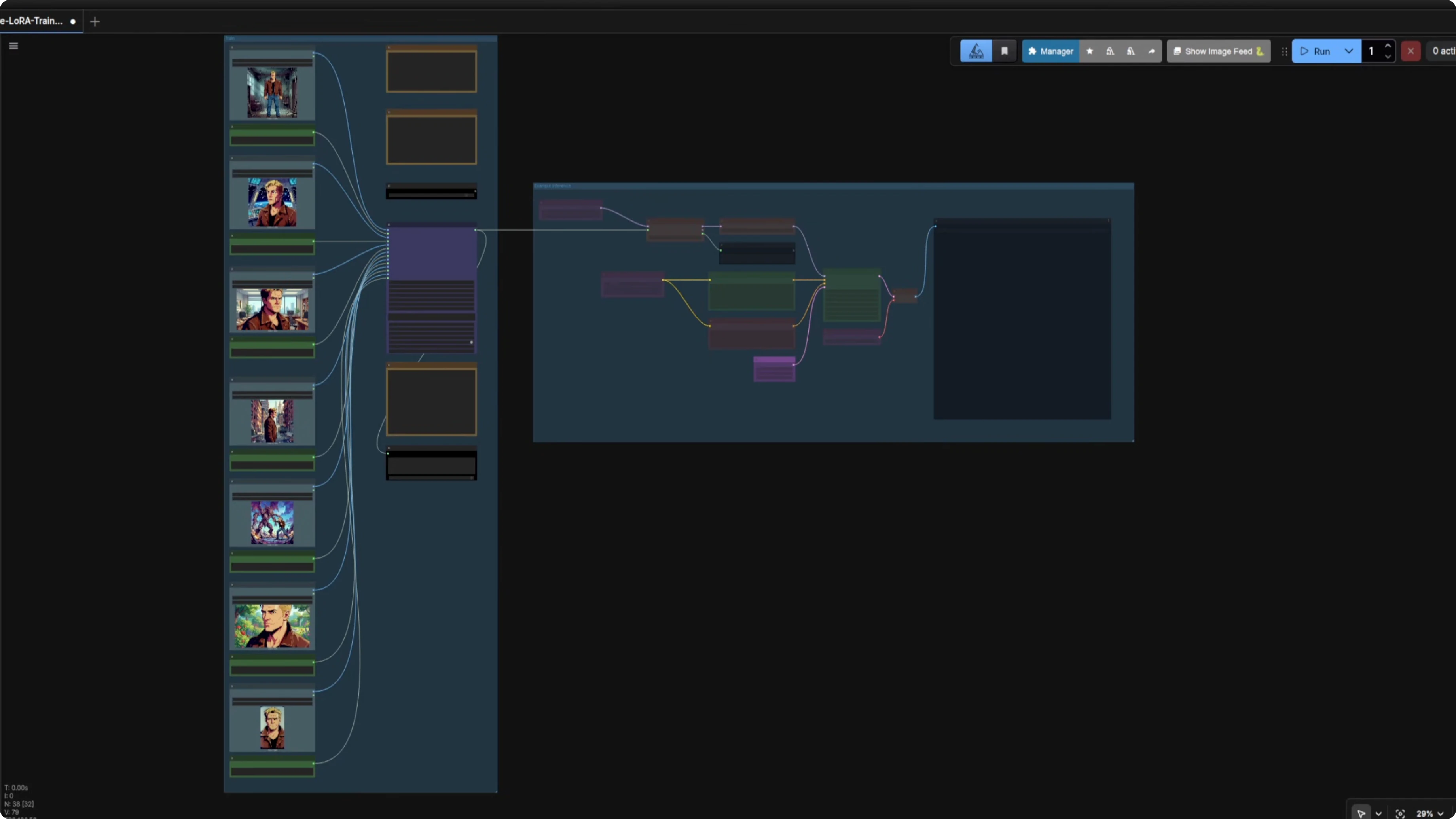
Like I did when I was training a style, I used the base model for these. Lots of steps, I know, but I like testing things to see how many you actually need. For my second character I created this lady with only six images, including a closeup of her face and a few others like reading a magical book.
For her training I went with 800 steps and a slightly higher learning rate. Over in my ComfyUI Z-Image workflow I added another LoRA loader as I wanted to see what came out without using FreeFuse. I am not using the Z-Image base for these either, so I have those bypassed for the time being.
I like to use the rodent method because I think colorful little groups make things neater and easier to understand and update. Half the fun is making these workflows, and installing some custom nodes generally helps as they provide features you will not find native to ComfyUI. I will not go over everything in this particular workflow again as I have already covered that elsewhere.
Single LoRA tests before FreeFuse
Testing time with just a single LoRA to start with. Was 800 steps and that higher learning rate enough, going in at strength 1. The prompt I used was this.
A modern looking luxury apartment room with a painting of a rodent on the wall. The character is on the left.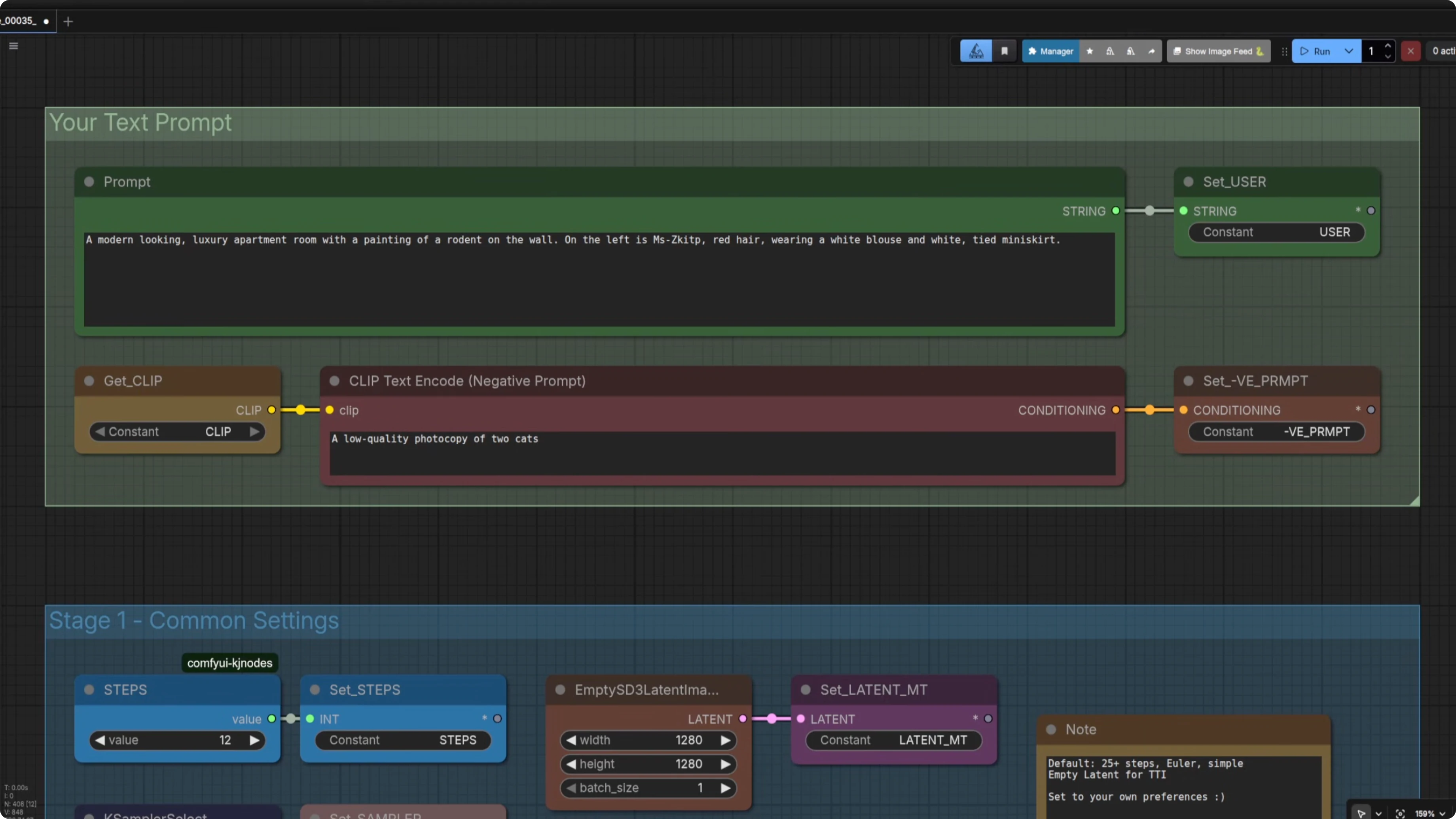
It did not turn out too well. It looked a little bit photographic or perhaps like a 3D model rather than cartoony. Six images and 800 steps probably was not enough when using the base model to create a LoRA for this character, so if you are training a similar cartoony style I would start with at least 1000 steps.
How far undertrained was she, and would a higher strength fix it. I loaded the LoRA at strength 1.4 and that was much better, with the cartoon style coming through a bit. Next I tried 1500 steps.
Even 1500 steps was not really enough. I had to be a bit more descriptive in my prompt by adding the style directly. Here is the adjusted prompt.
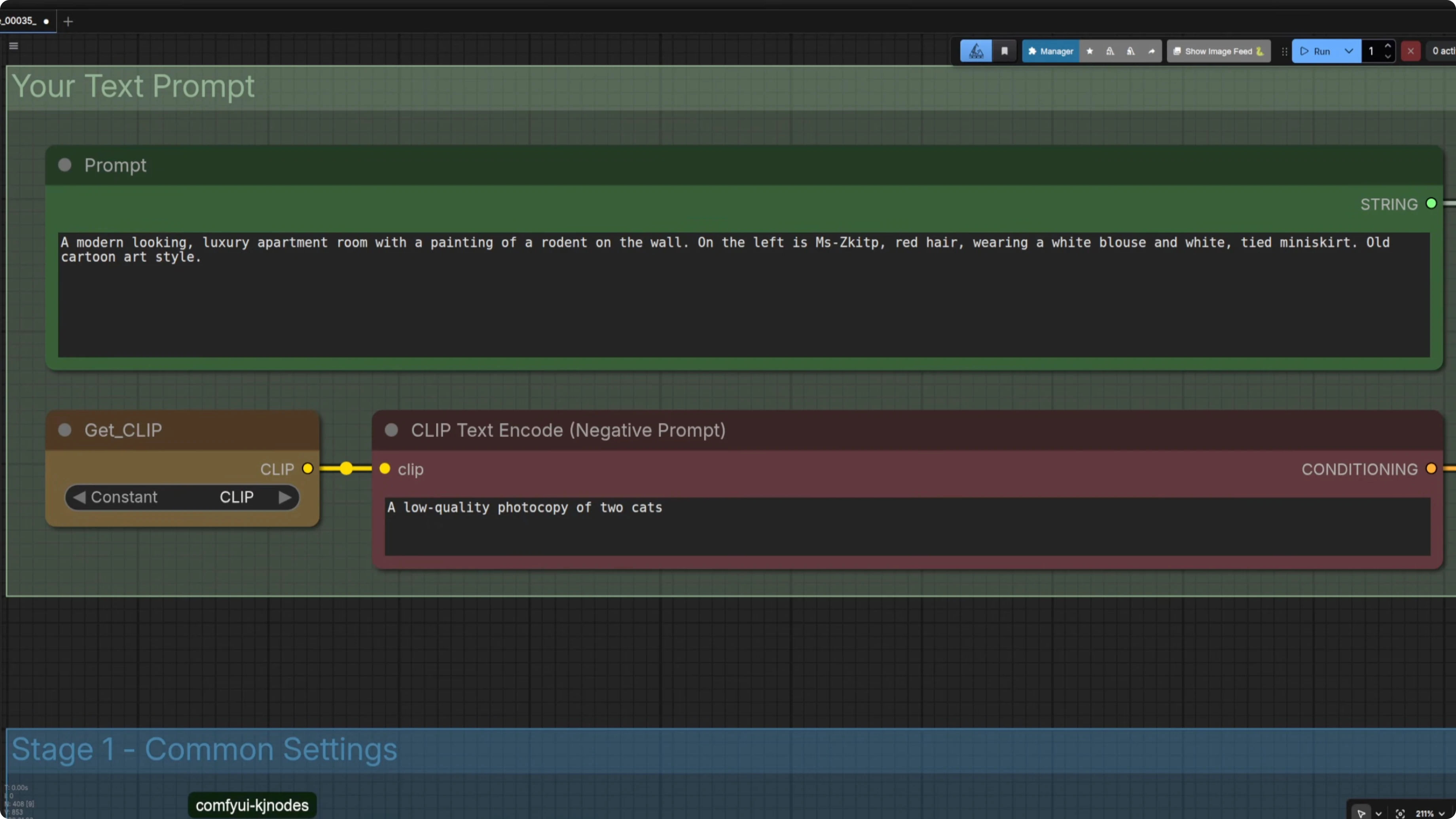
A modern looking luxury apartment room with a painting of a rodent on the wall, old cartoon art style.That helped a lot. A decent prompt can help even with a 1500 step six image LoRA. I will go for more images and steps next time for this cartoony look.
Two LoRAs together without FreeFuse
I wanted the two characters together in that same luxury apartment room, the lady on the left and the guy on the right. I included the old cartoon style and their outfits. Fingers crossed was not enough.
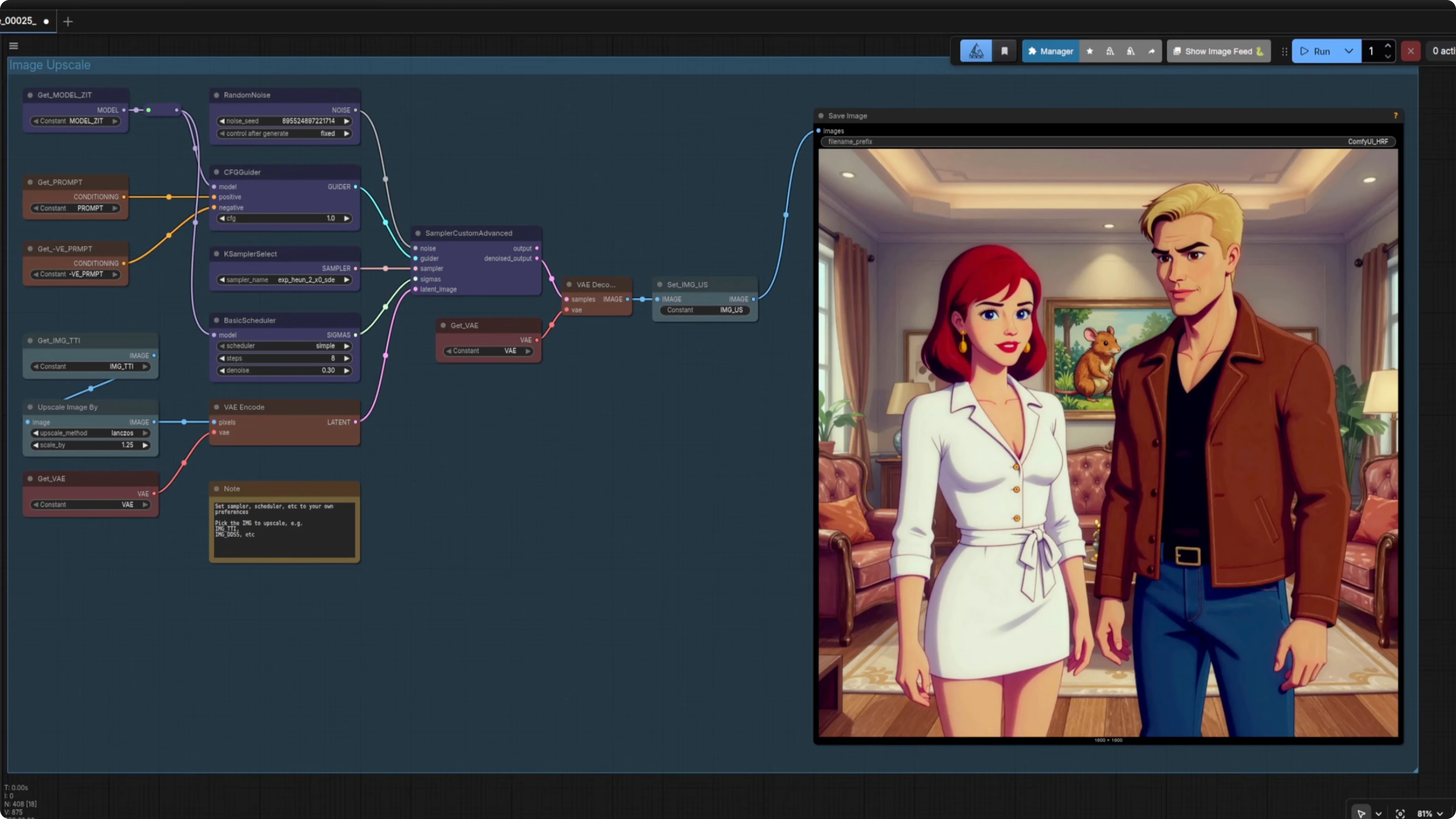
In the standard text to image group, it kind of worked because both are there, but the guy's face had something not quite right about it. Upscaling made it clear we were getting facial crossover, and my guy was not looking all that rugged. The latent upscale showed lipstick and mingled features, so the faces were fusing together.
Setting up FreeFuse: Multi-Character LoRAs for Z-Image Turbo & More in ComfyUI
I set up the FreeFuse group. I take the standard Z-Image Turbo model before it has gone through the LoRAs, the same with the CLIP.
I use the FreeFuse ComfyUI LoRA loaders and chain multiple loaders together. The adapter name must match the concept name in the FreeFuse concept map for the mask application to work. I added small boxes for adapter names that also feed into a concept mapping node so names are always the same.
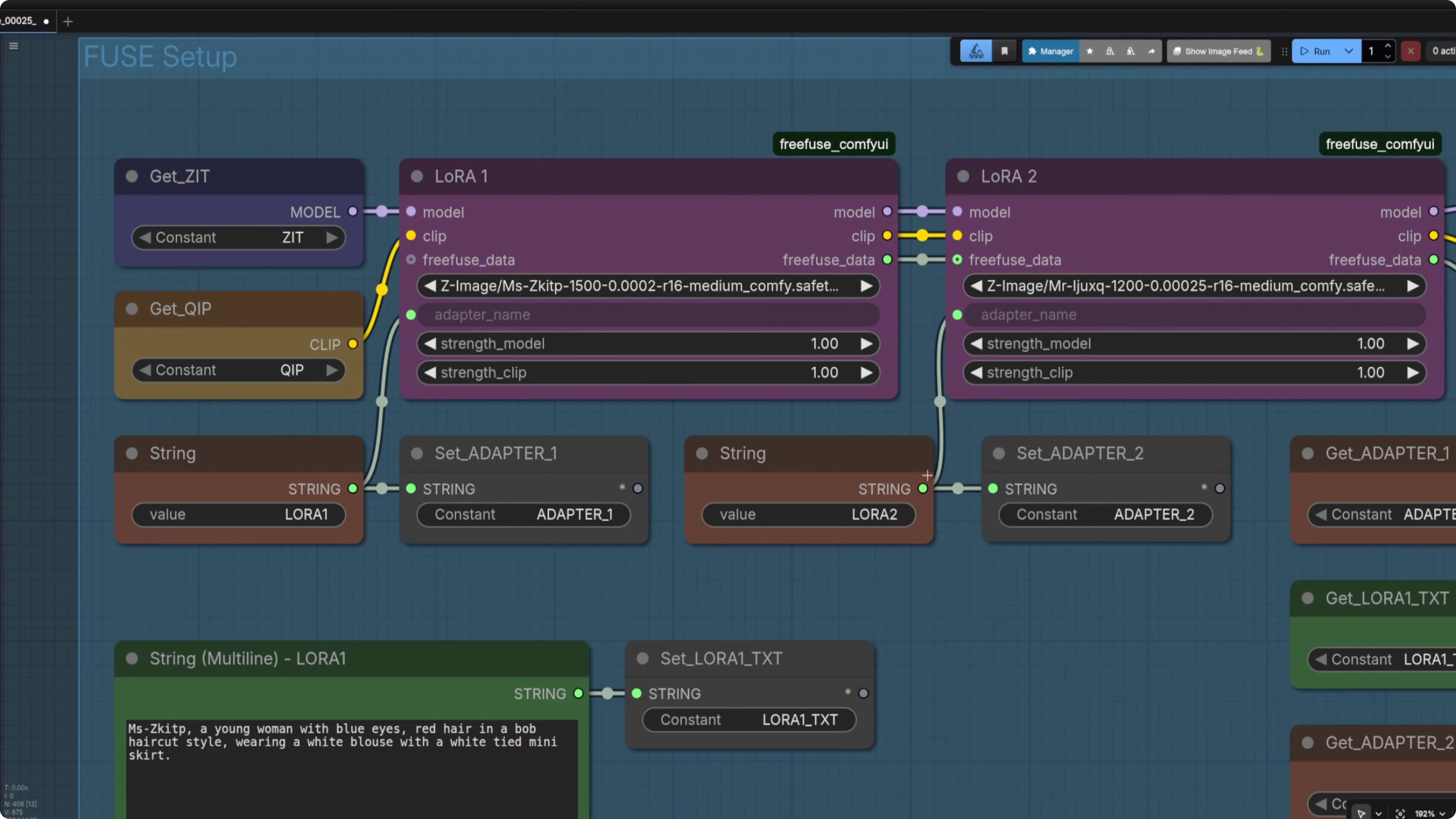
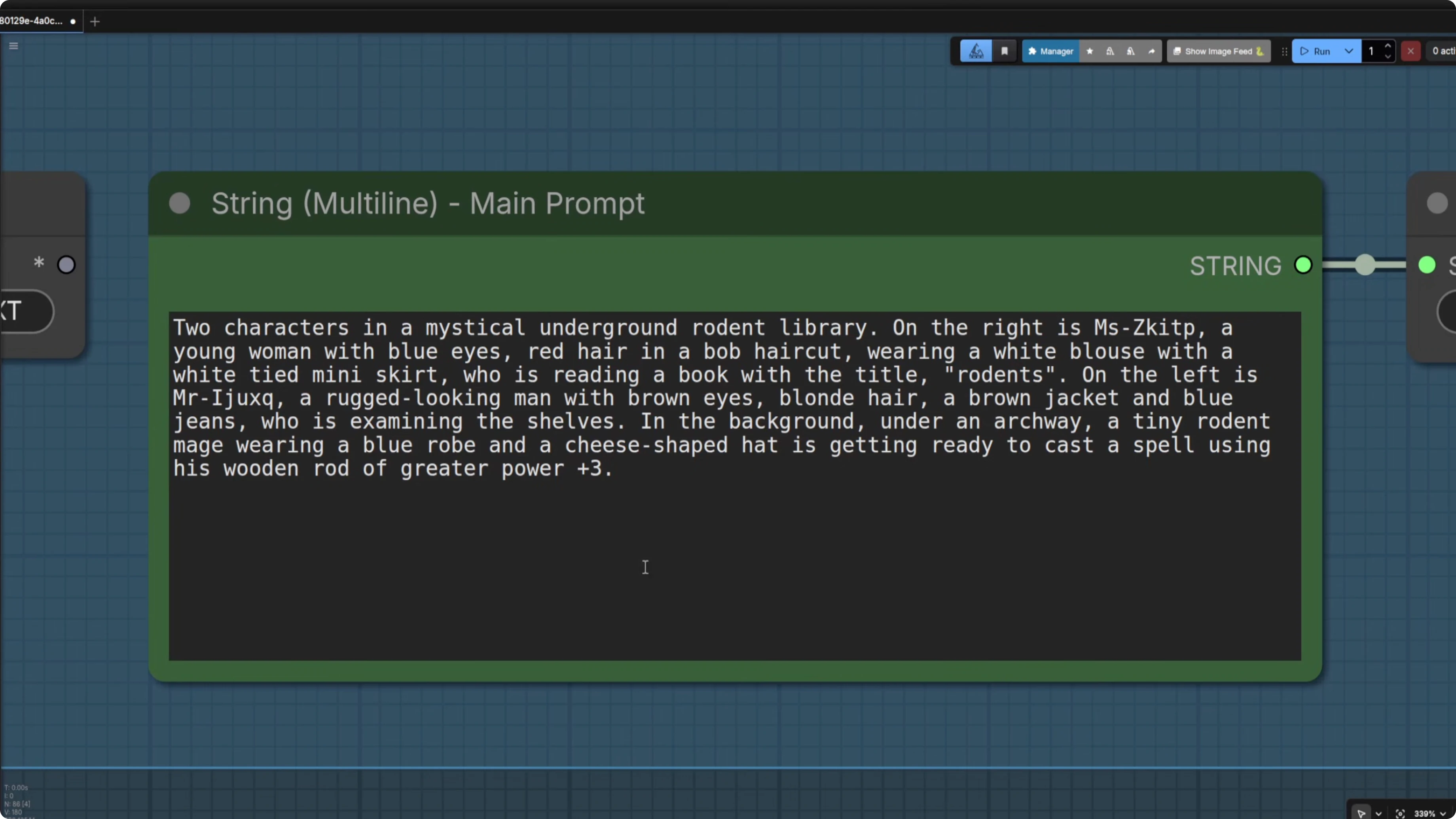
You can use small text boxes, but I prefer slightly larger ones because sometimes you want to type a large prompt. When you have the characters in there, copy and paste your character descriptions into the main prompt so they match. I also include a background description because it helps the masking.
From this group, I output the model, the CLIP, the FreeFuse data, and the prompt. Those feed the next stages. Here is how the rest of the workflow runs.
Reconditioning for FreeFuse: Multi-Character LoRAs for Z-Image Turbo & More in ComfyUI
I start with a ComfyUI native String Concatenate to control what CLIP is going to do. I feed in the prompt start to build the positive conditioning. Then I use the FreeFuse ComfyUI custom node Compute Token Positions.
It has helpful options like Filter meaningless and Filter single character, and that passes to the FreeFuse data. I also create a negative prompt, again using a prompt start directive. You do not need to change those bits, they stay static and handle the logic.
Collect mask
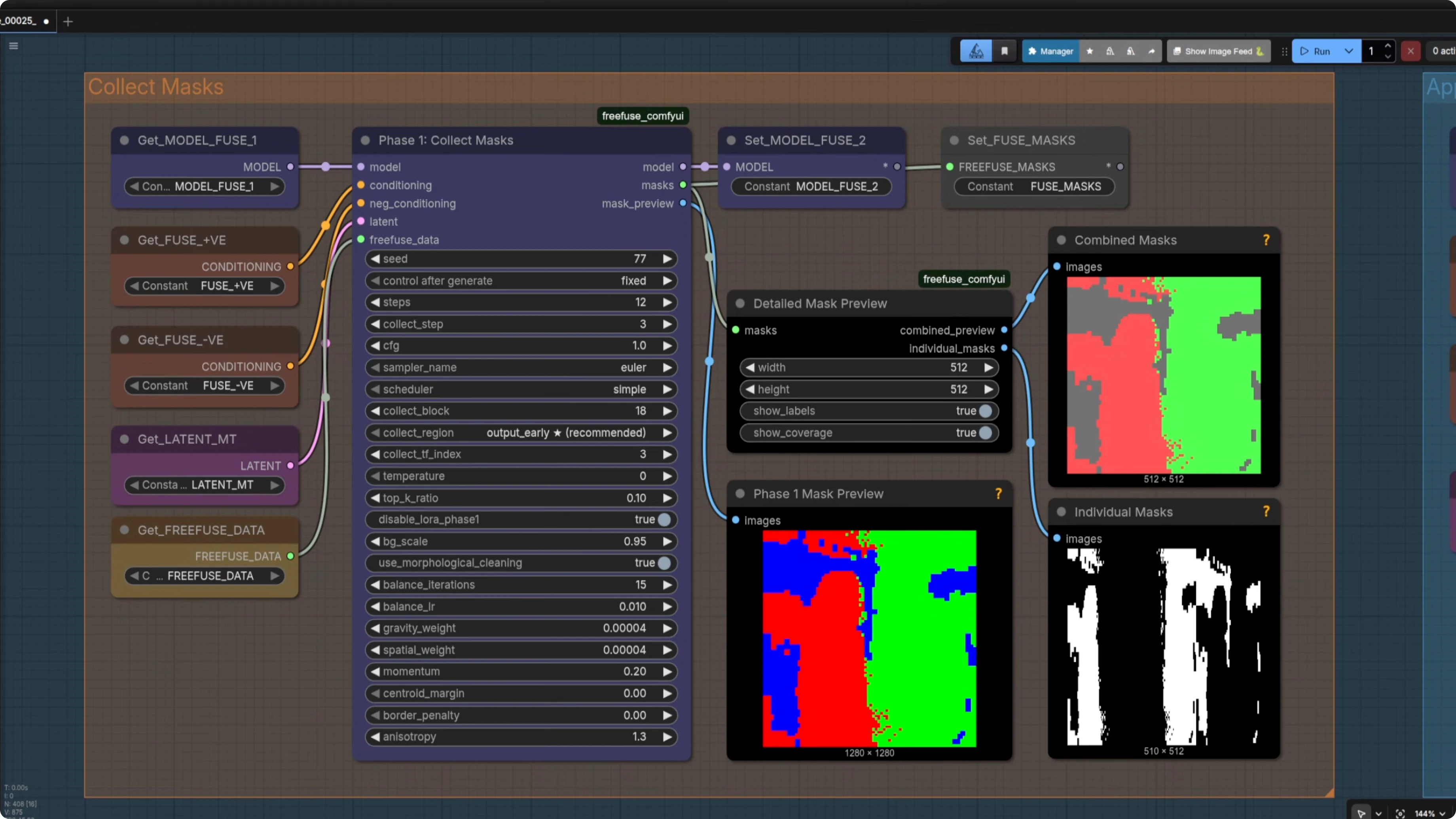
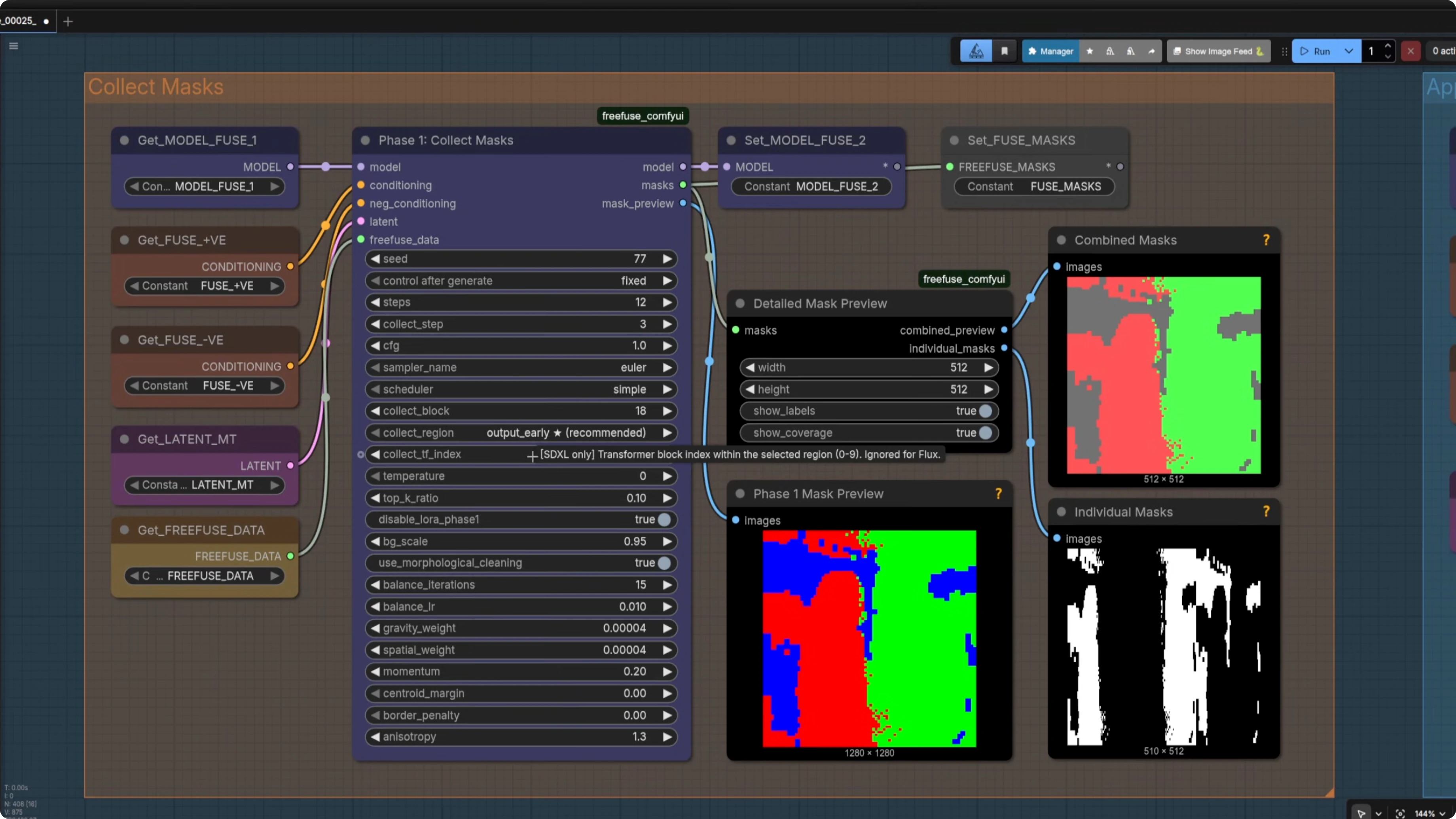
I pass in the model, positive and negative conditioning, the latent, and the FreeFuse data to a mask collection node. It is effectively a sampler that generates the masks and has a number of steps. Defaults are solid.
I keep Detail Combine Mask nodes visible so I can see whether the mask worked. You get red on the left for one character and green on the right for the other. There are a lot of settings in there, and some are model specific, but for Z-Image you can ignore the ones marked for other models.
Apply mask and sample
I apply the masks using the FreeFuse ComfyUI node. It has settings like bias scale, the strength of the negative bias, and suppress cross LoRA attention. I mostly leave them as is.
Then I run a standard K-Sampler. The result is a night and day difference. The faces do not merge and the guy keeps his rugged expression.
If you want two character LoRAs together without facial mingling, FreeFuse is an excellent option. I added the FreeFuse group into my main Z-Image workflow, so I also tested upscaling. Here is how those behaved.
Upscaling with FreeFuse: Multi-Character LoRAs for Z-Image Turbo & More in ComfyUI
With Image Upscale, I sent in the fused image and upscaled it 1.25x with a small denoise of 0.24. I still saw face merging and the transfer of smoother features, even with masks bypassed. Re-enabling Apply Masks on the same model output and prompts did not really help for that method.
Using High-Res Fix, the latent upscale was worse. His face degraded further. Latent upscaling here is not ideal.
Ultimate Upscale did much better. I used a 4x UltraSharp model and a very low denoise of 0.18. It upscaled to 1600x600 cleanly without facial feature transfer.
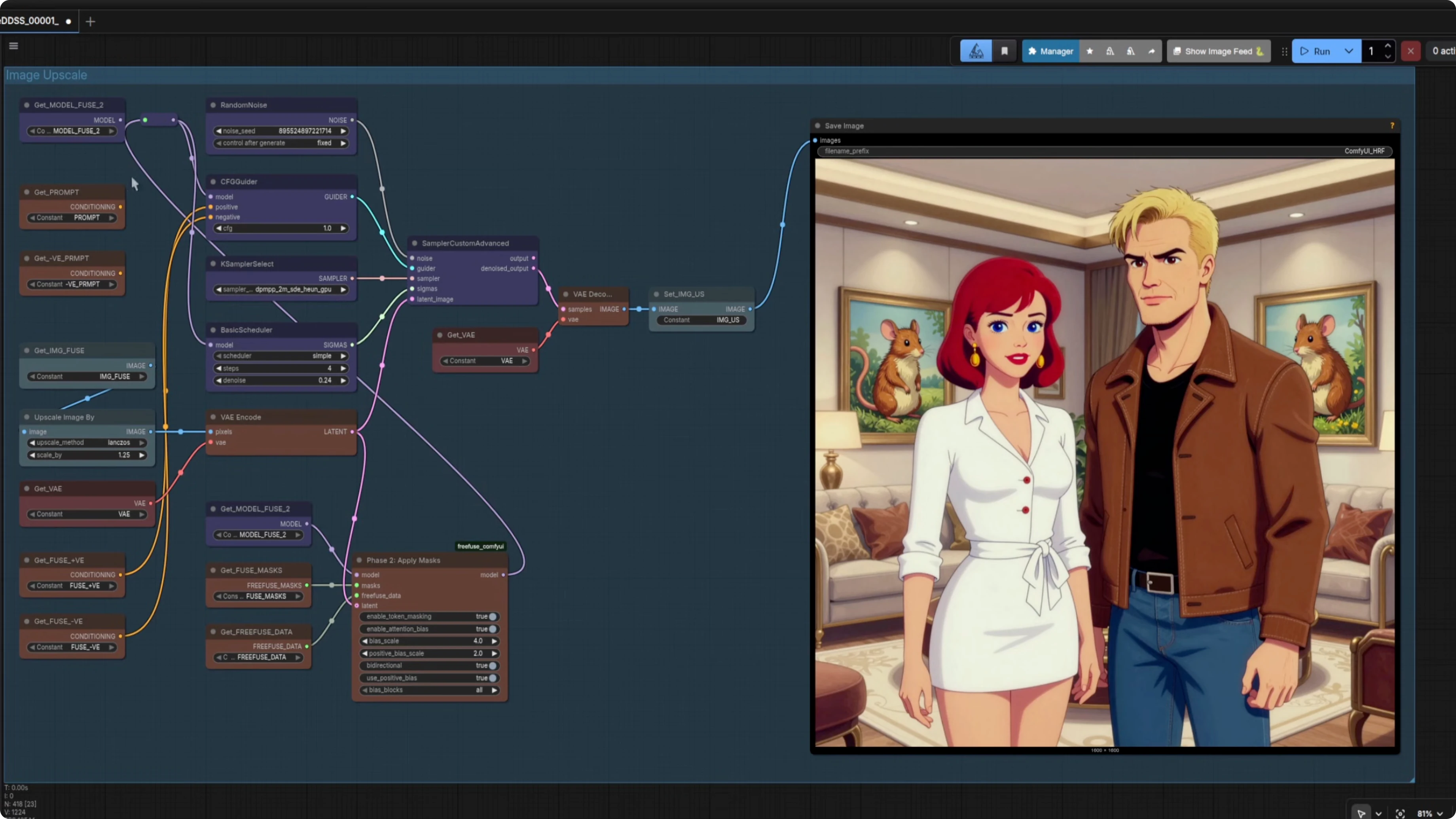
If you do not care about maintaining the colors, Seed VR2 is another option. I went to 1600x600 again with a brighter, super sharp image. It is a solid choice if color shifts are acceptable.
A simpler standalone FreeFuse: Multi-Character LoRAs for Z-Image Turbo & More in ComfyUI workflow
You can use FreeFuse by itself. You just need the model group, and Z-Image Turbo works best here.
I tested with base and it did not work all that well. There may be settings to make it work, but Turbo is the safer bet. Use a standard model loader and in common settings just set steps, an empty SD3 latent, and a random seed if you want that.
In the FreeFuse setup, point the loaders to the new model. CLIP can be the standard CLIP. Keep adapter names consistent with the concept mapping and connect steps if you want to tweak them.
The standalone version works very well. The two characters appear together in a room and their faces do not merge. That is a win.
Final Thoughts
FreeFuse solves the face fusion problem when combining multiple character LoRAs in ComfyUI. It pairs especially well with Z-Image Turbo and benefits from clear, matching character descriptions and a background in the prompt. For upscaling, Ultimate Upscale with a 4x model and low denoise preserved features best, and Seed VR2 is a strong alternative if color shifts are fine.
Subscribe to our newsletter
Get the latest updates and articles directly in your inbox.

Related Posts

8 Best Claude Code Plugins in 2026 (You Need to Know)
8 Best Claude Code Plugins in 2026 (You Need to Know)

7 Best Claude Code Skills (You Need to Know)
7 Best Claude Code Skills (You Need to Know)

Claude Code Desktop IDE Features (You Need to Know)
Claude Code Desktop IDE Features (You Need to Know)