
Table Of Content
- Flux 2 Klein Install and Run Locally
- Model at a glance
- System setup and prerequisites
- Installation steps
- Running locally and performance notes
- Flux 2 Klein Install and Run Locally - Benchmarks and Prompts
- Text-to-image: realism and speed
- Materials and textures
- Complex scene composition
- Challenging subjects
- Image editing and multi-reference behavior
- Distilled vs base comparison on technical photography
- Flux 2 Klein Install and Run Locally - VRAM and Speed
- Final Thoughts
Flux 2 Klein Install and Run Locally
Local LLM Hardware Calculator
Enter your GPU VRAM and system RAM to see which LLMs you can run in Ollama — at Q4, Q8, or full precision — with estimated tokens-per-second speed.
Table Of Content
- Flux 2 Klein Install and Run Locally
- Model at a glance
- System setup and prerequisites
- Installation steps
- Running locally and performance notes
- Flux 2 Klein Install and Run Locally - Benchmarks and Prompts
- Text-to-image: realism and speed
- Materials and textures
- Complex scene composition
- Challenging subjects
- Image editing and multi-reference behavior
- Distilled vs base comparison on technical photography
- Flux 2 Klein Install and Run Locally - VRAM and Speed
- Final Thoughts
No disrespect to GLM image or Qwen image, but when Flux gets released it stays released. The realism here is strong, with vivid images generated either from a text prompt or by amalgamating different images.
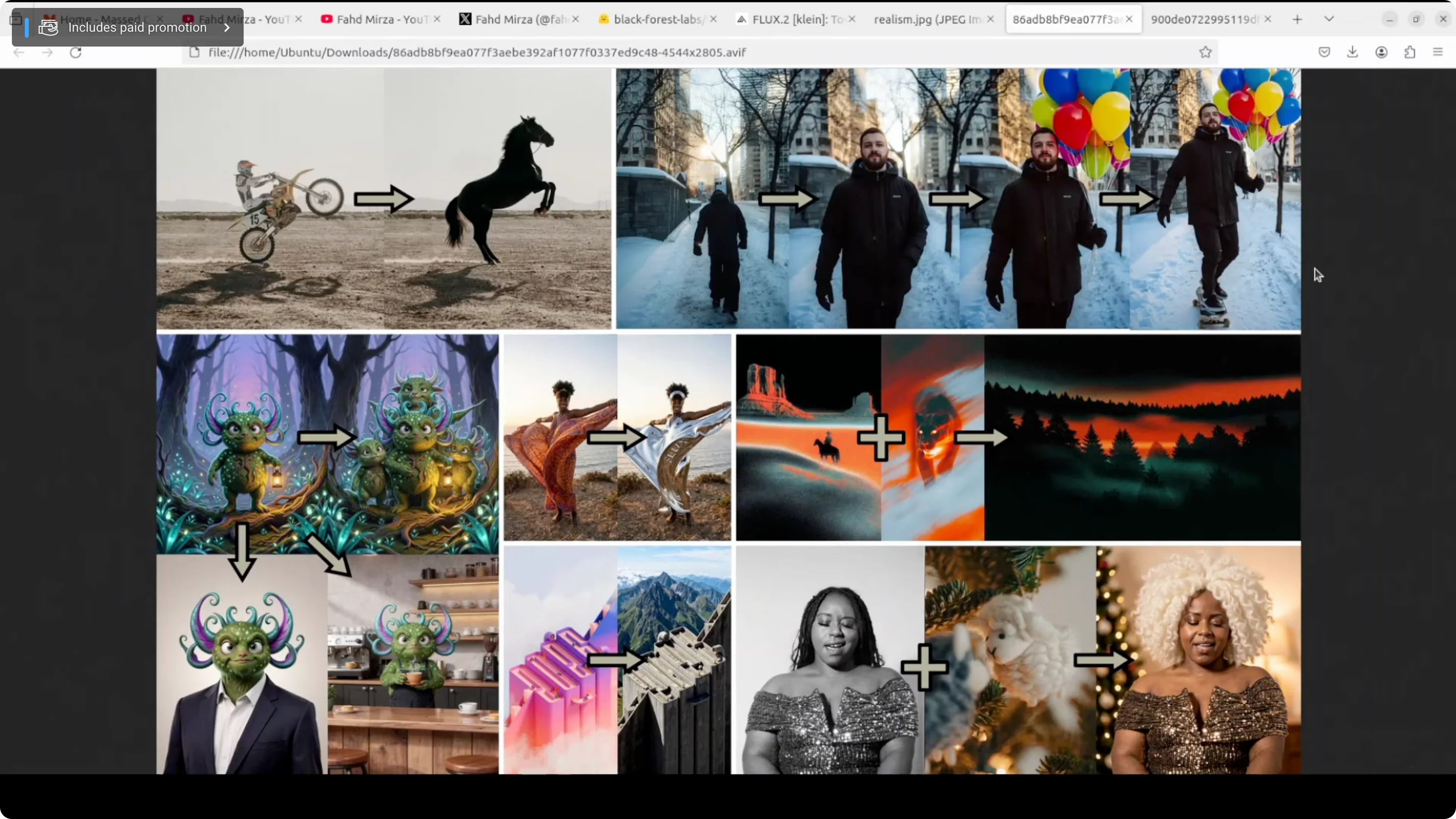
This is a new model from Black Forest Labs: Flux 2 Klein 9 billion. It represents a genuine inflection point in generative AI. It doesn't just claim to be fast and good, it actually delivers on both through fundamental architectural innovation. I installed it locally and tested it on various benchmarks and prompts to see if that holds up.
Flux 2 Klein Install and Run Locally
Model at a glance
- 9 billion parameter rectified flow transformer, step distilled down to just four inference steps.
- Variants include a 4 billion model.
- Enables subsecond image generation on consumer hardware like RTX 4090.
- Matches or exceeds models five times its size while running in under half a second, based on benchmarks.
- Unifies text-to-image generation and multi-reference editing in a single architecture, so you are not switching between different systems if you are creating from scratch or modifying existing images.
System setup and prerequisites
I used an Ubuntu system. I started with an Nvidia RTX 6000 with 48 GB of VRAM. The model card says it takes around 29 GB VRAM, yet I still hit out-of-memory after the initial download stage. I upgraded to a new server with an Nvidia H100 and reran everything. VRAM consumption on heavy runs went up to around 72 GB, but the speed was excellent.
Installation steps
- Install the Torch stack.
- Clone the Flux tool repository.
- From the scripts directory, run the app script. I modified their CLI to app.py to expose a Gradio interface.
- On first run, the script downloads the model.
- This is a gated model. Go to Hugging Face, log in, and accept the terms and conditions.
Running locally and performance notes
- The Gradio demo ran smoothly in the browser with Flux 2 Klein 9B.
- Speed is the standout - very fast generations with the distilled 4-step setting.
- VRAM usage can be high on the base model and long-step runs, peaking around 72 GB in my tests.
Flux 2 Klein Install and Run Locally - Benchmarks and Prompts
Text-to-image: realism and speed
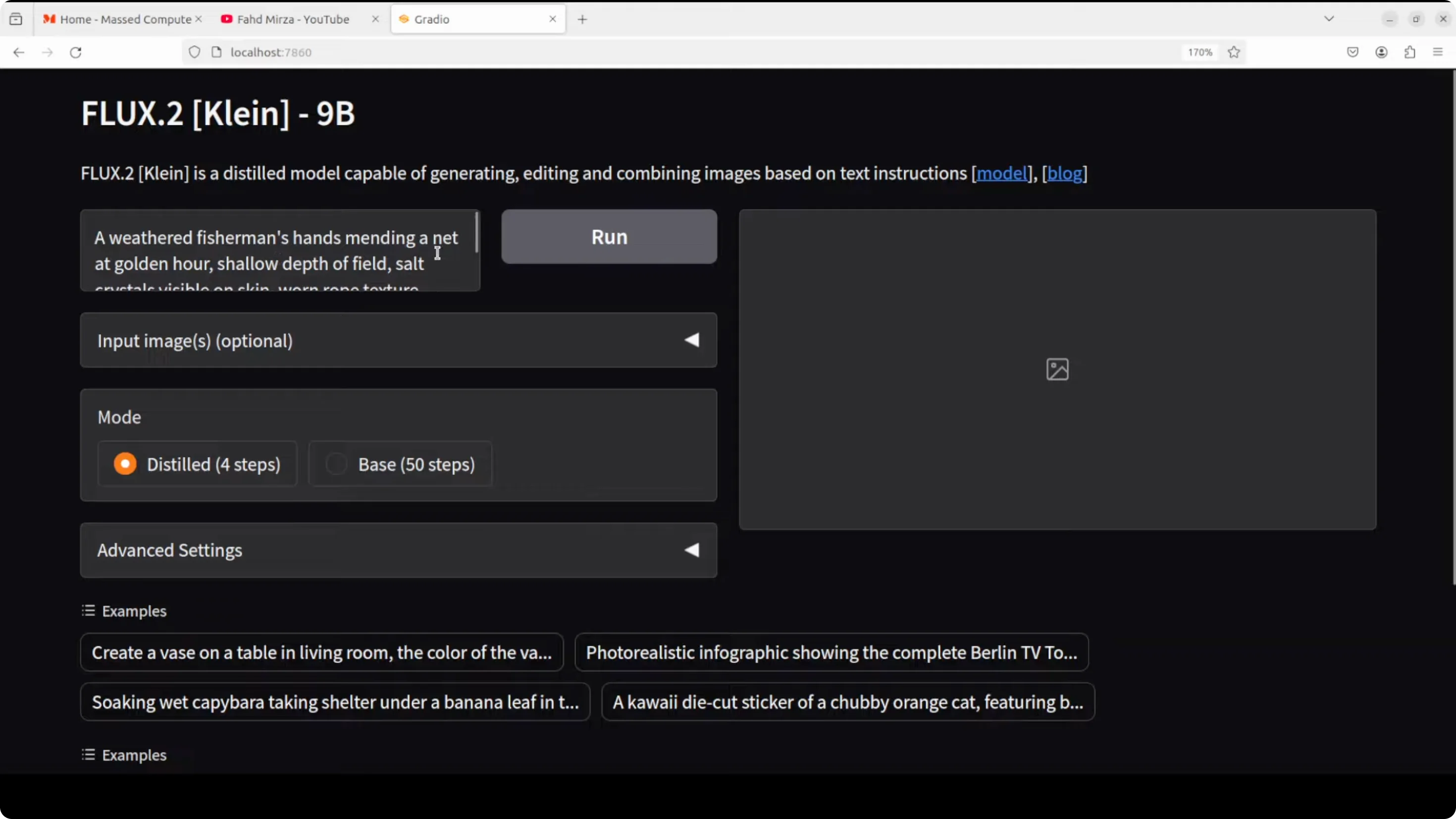
- Prompt: a weathered fisherman's hand mending a net at golden hour, shallow depth of field, salt crystals on skin, worn rope texture, backlit fingers.
- Result: Speed was great. The quality, golden hour lighting, visible crystals on skin, and worn rope texture all matched the prompt strongly.
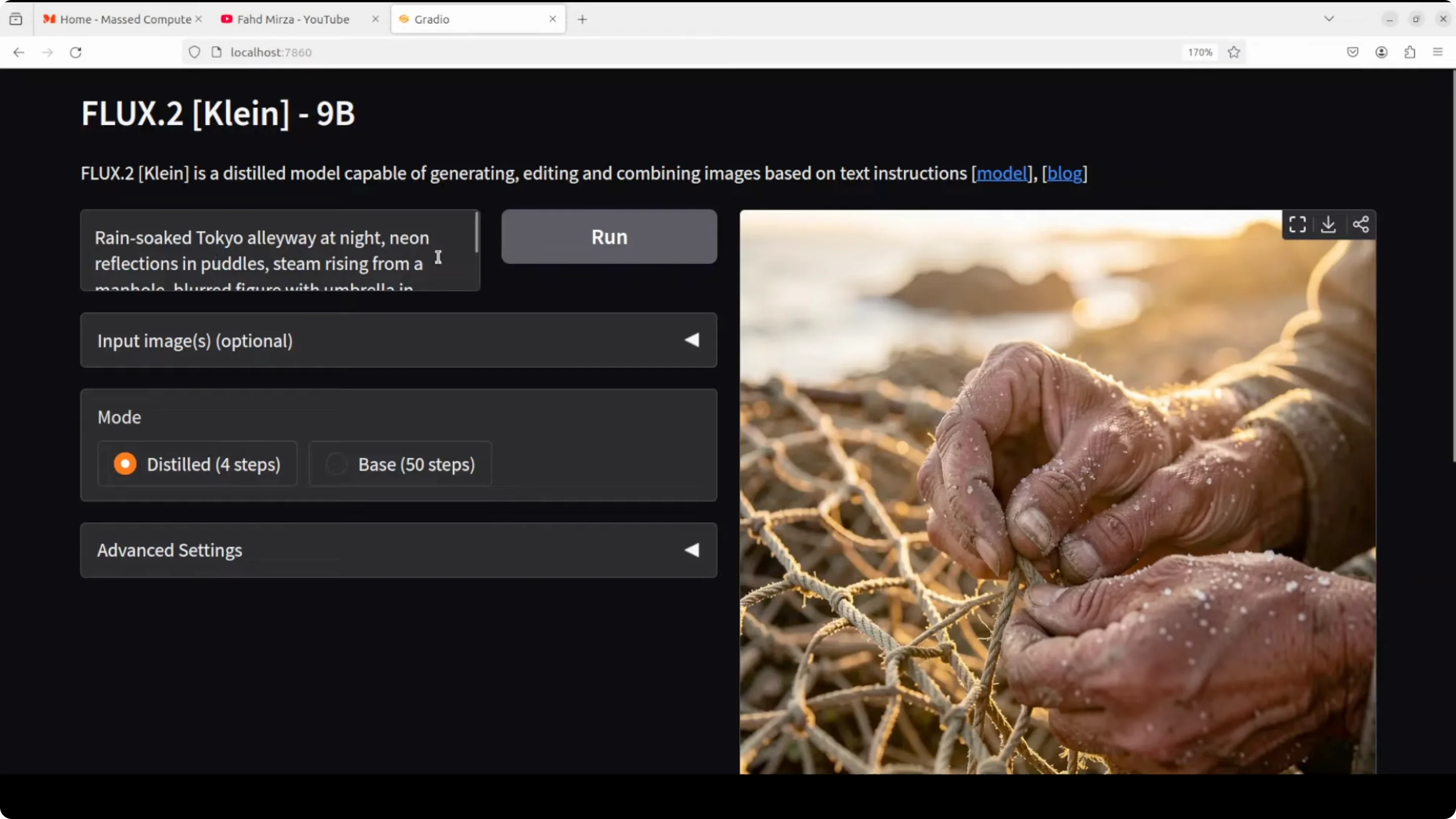
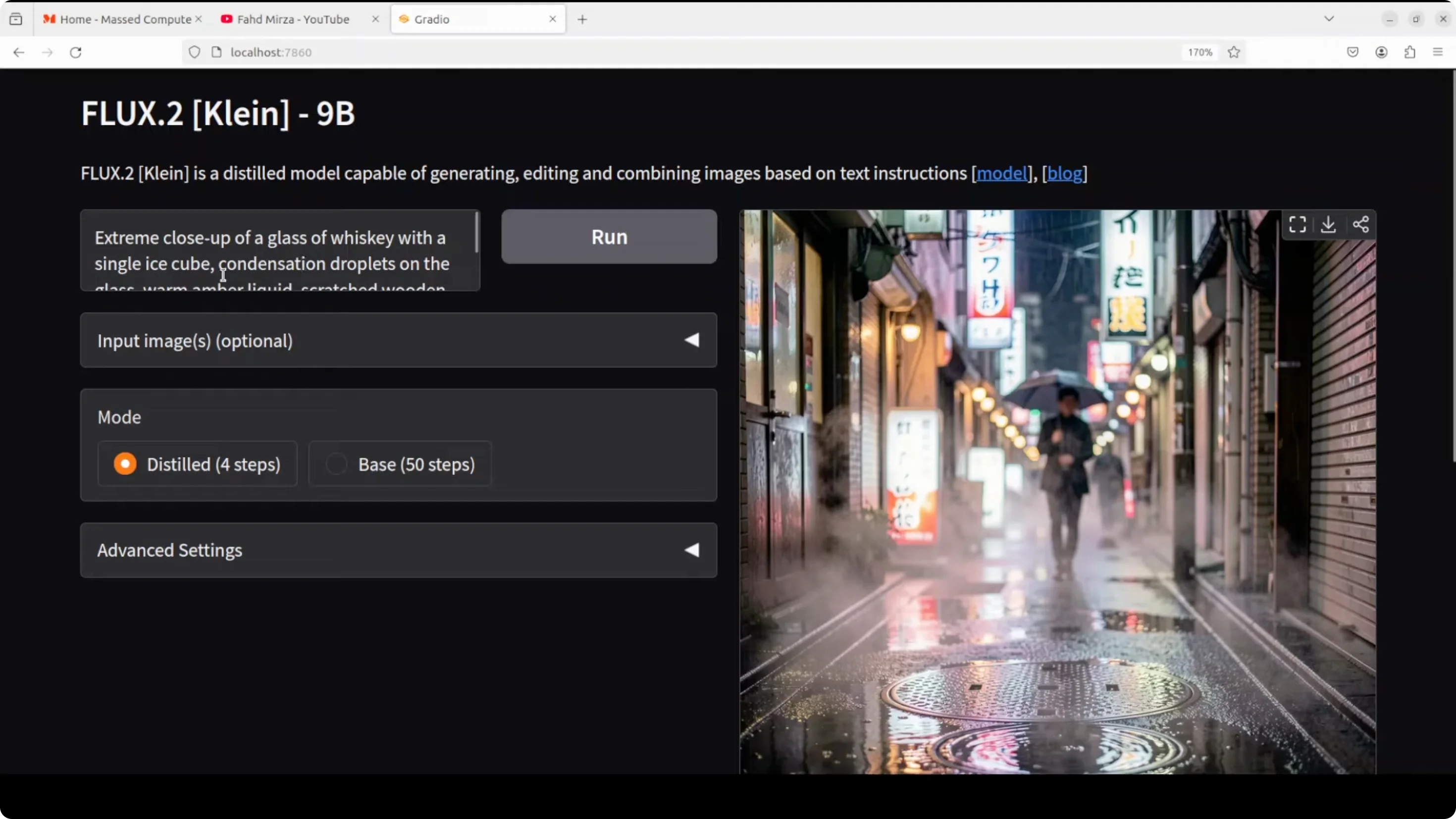
- Prompt: rain-soaked Tokyo alleyway at night, neon reflections in puddles, steam rising from manhole.
- Result: Very fast. Instruction following was excellent, with crisp reflections and atmosphere.
Materials and textures
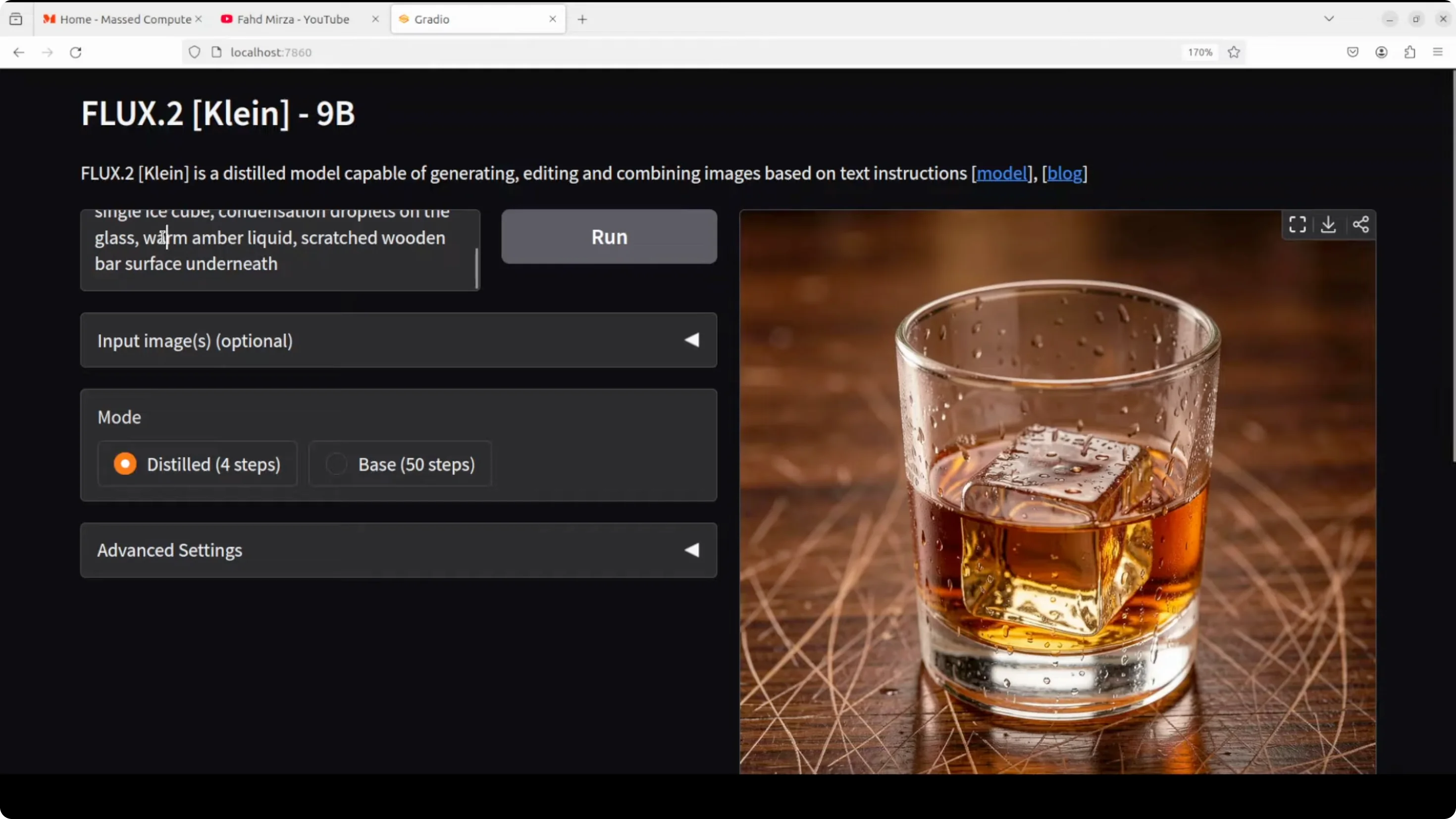
- Prompt: extreme close-up of a glass of whiskey with a single ice cube, condensation droplets on the glass, scratched wooden bar surface.
- Result: Condensation droplets and surface textures looked excellent.
Complex scene composition
- Prompt: a busy mechanics workshop, tools scattered on the workbench.
- Result: Strong realism. Tools and shapes held up without malformation. Lighting and shadows, including a tube light, looked convincing.
Challenging subjects
- Prompt: a photojournalistic shot of a street musician, worn leather boot tapping rhythm, motion blur.
- Result: The scene conveyed the subject clearly through details like the boot, coins, and stand. Motion and context read well.
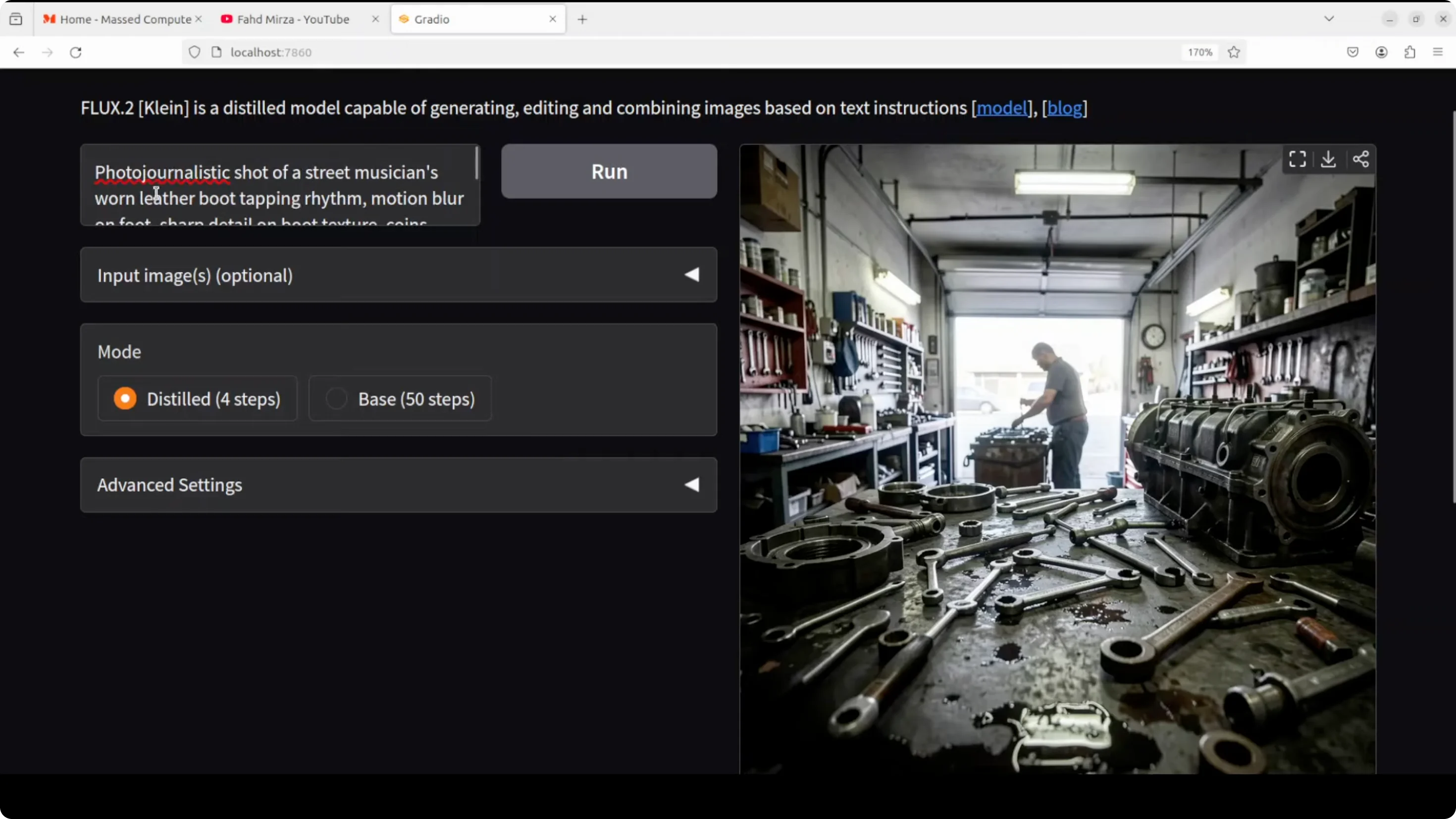
Image editing and multi-reference behavior
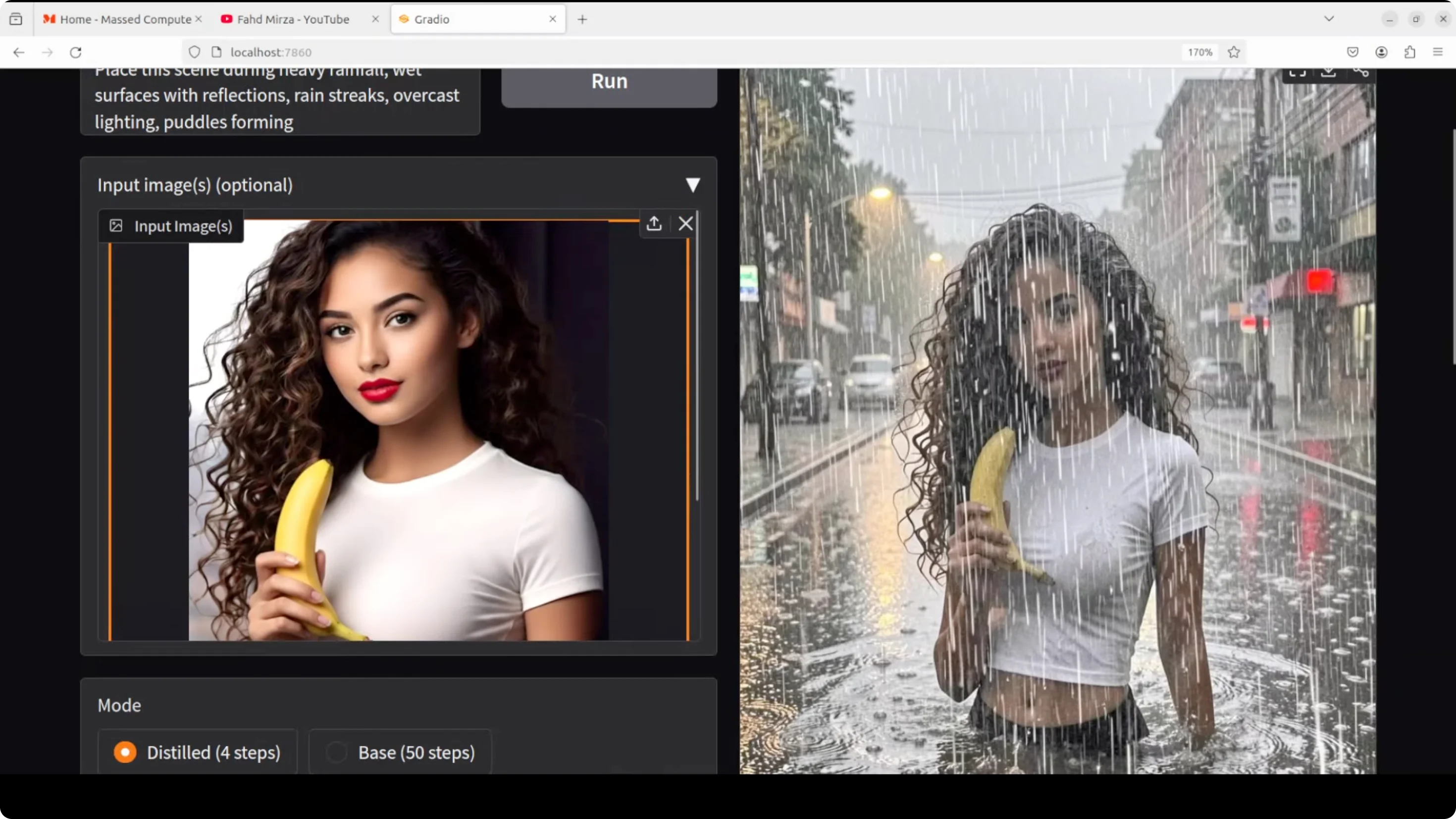
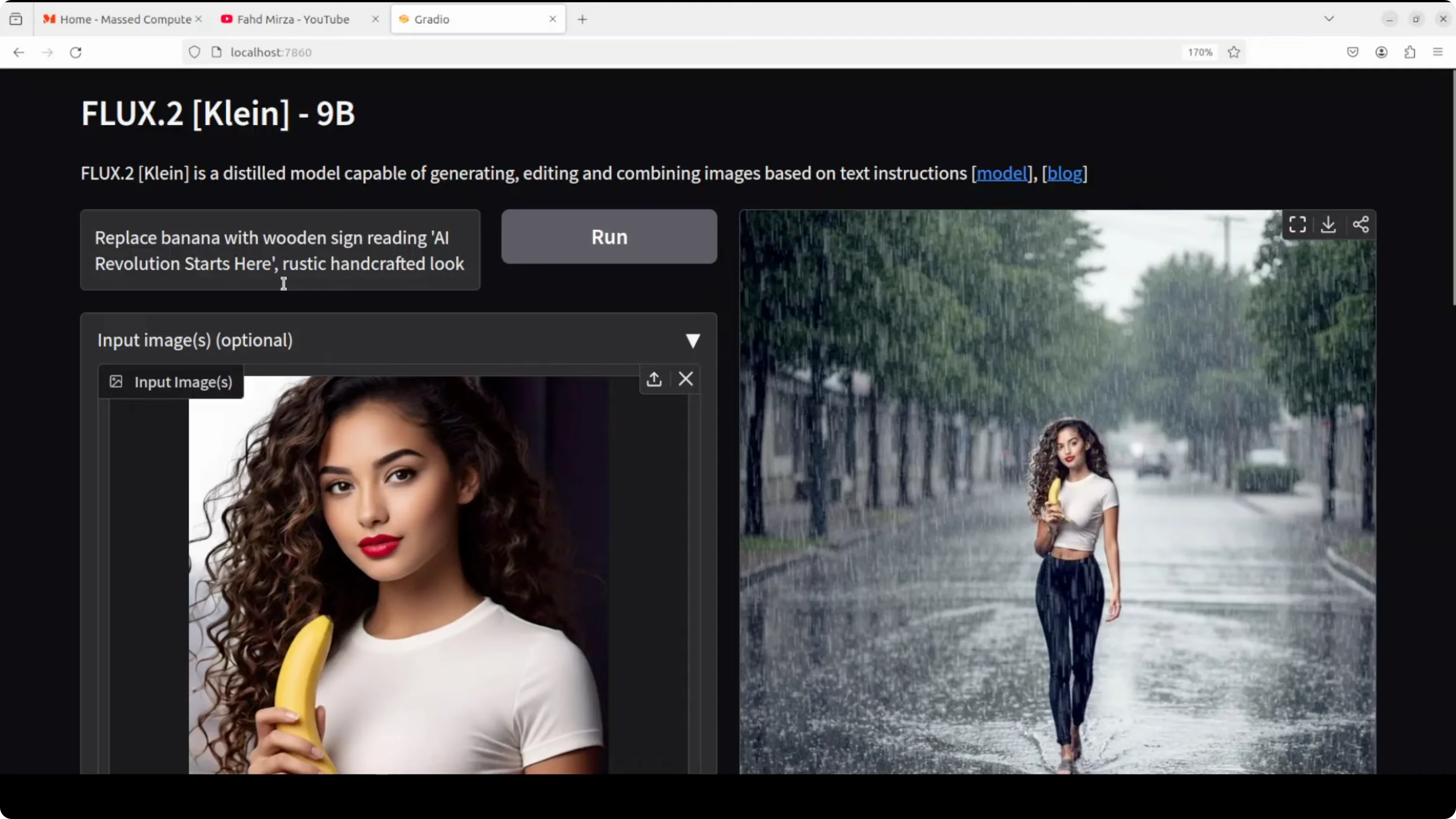
- Input image edit: place the scene during heavy rainfall with wet surfaces and reflections.
- Distilled 4-step result: Okay but not at the level of the best text-to-image outputs.
- Base 50-step result: Took longer and looked worse than the distilled output in this case.
- VRAM during 50 steps: around 72 GB.
- Edit: replace banana with a wooden sign reading "a revolution starts here", rustic handcrafted look.
- Result: The distilled output was better. Spellings were good, which is typically solid with Flux.
- Edits on a portrait:
- Change lipstick color to black: worked well.
- Change t-shirt color to red: worked well.
- Replace t-shirt with a business shirt: worked well and stayed safe.
- Change eye color to blue: introduced an AI look that did not feel as natural.
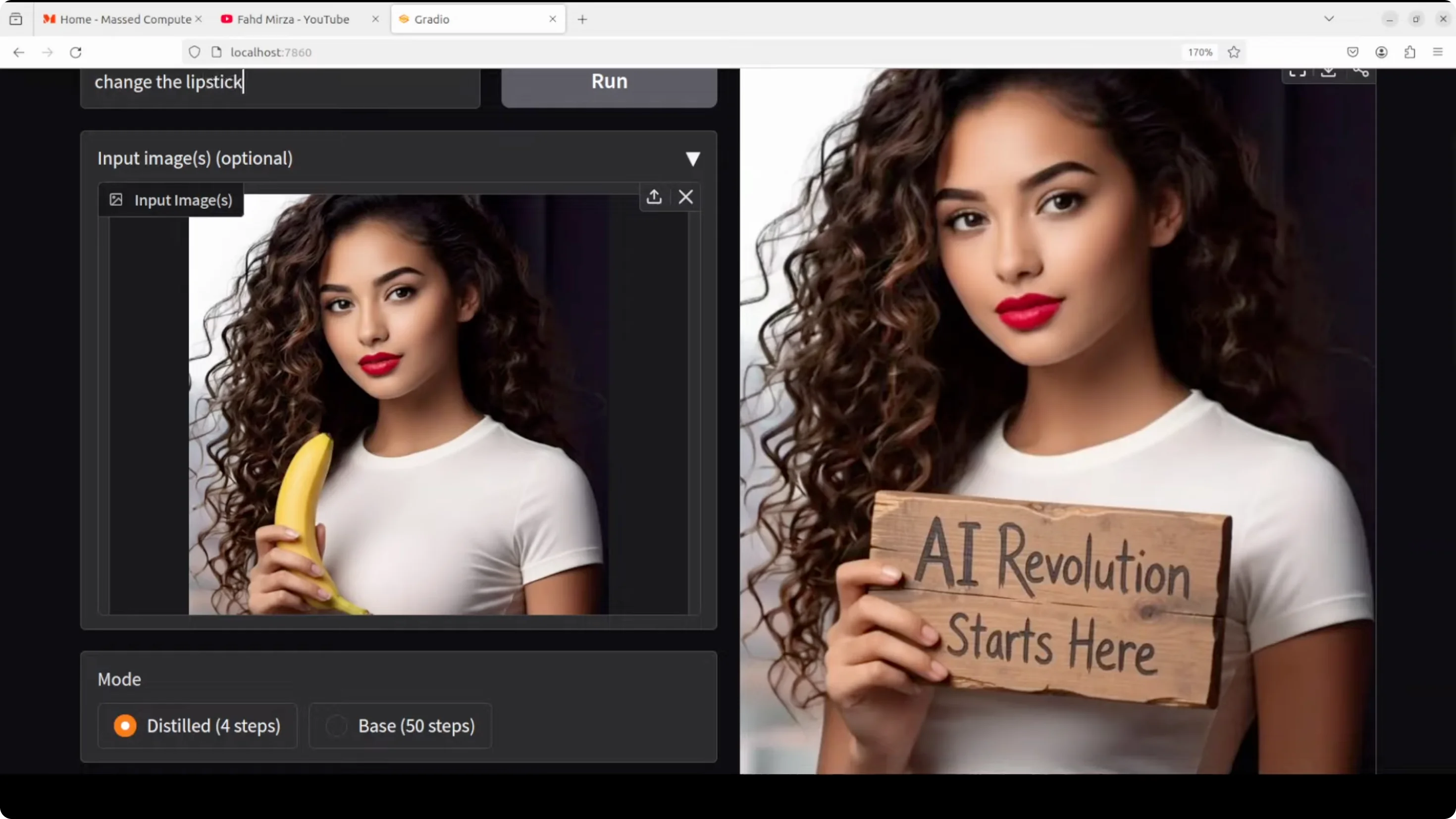
Overall, editing is good with targeted changes, but text-to-image is the standout.
Distilled vs base comparison on technical photography
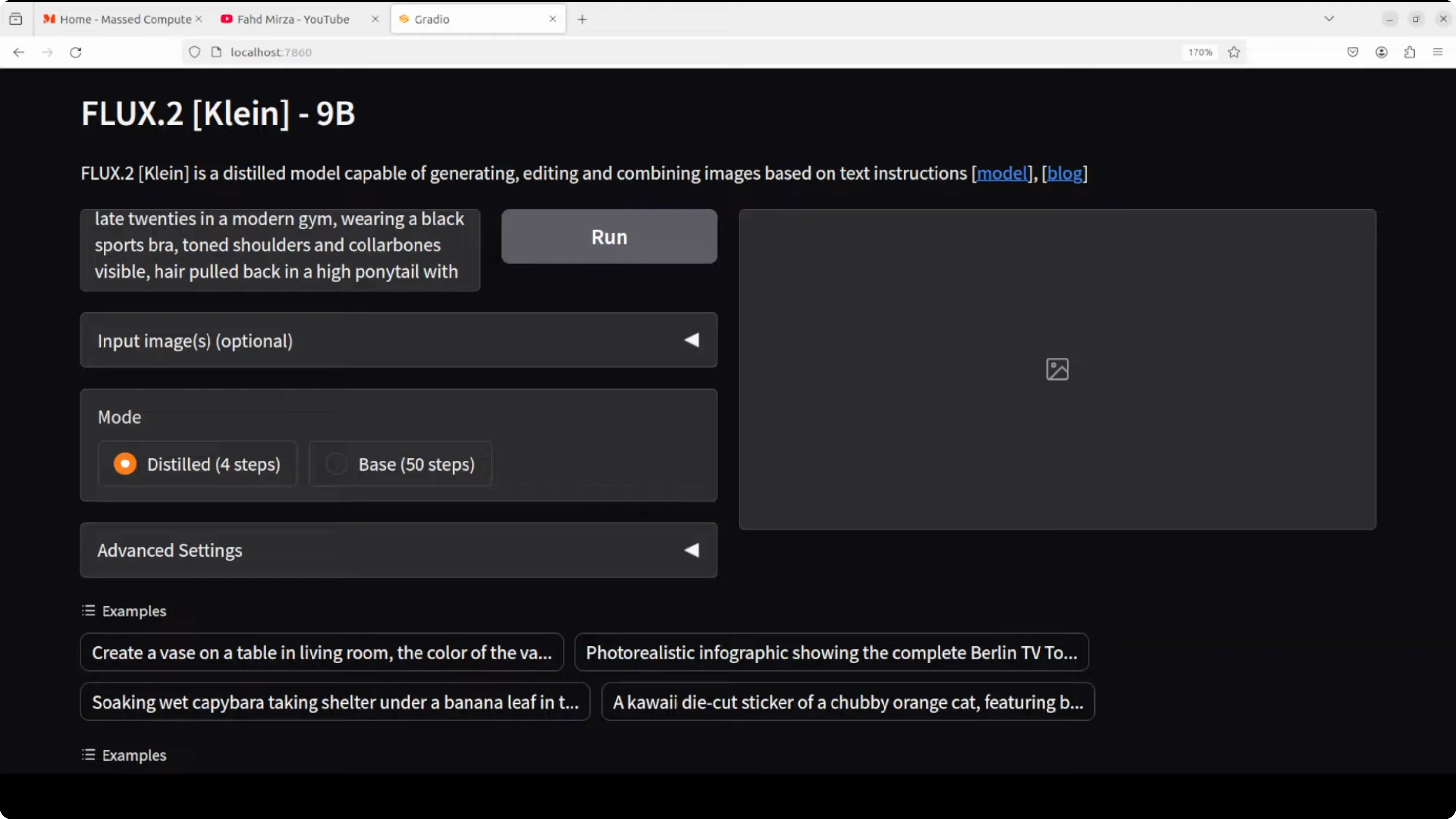
- Prompt: technical fitness photography - lens and lighting control, realistic physical characteristics like perspiration and skin texture, gym setting, natural lighting, strong composition.
- Distilled result: Quite good.
- Base result with more steps: In this prompt, the distilled image looked better. The base showed a plasticky look. I asked for perspiration - the distilled output delivered more convincingly. In many AI images you still see some plasticky look one way or another, but this is much improved.
Flux 2 Klein Install and Run Locally - VRAM and Speed
- Distilled 4-step runs: remarkably fast, often subsecond on strong consumer GPUs.
- Base high-step runs: can be heavy. I observed around 72 GB VRAM usage during a 50-step test.
- I hit out-of-memory on a 48 GB RTX 6000 during initial attempts, even though the model card listed ~29 GB, and then moved to a larger GPU.
Final Thoughts
Flux 2 Klein 9B is fast and produces high-quality images, especially in text-to-image generation. Instruction following is strong, materials and complex scenes hold up, and speed is a clear highlight. Image editing works well for many targeted modifications, though some cases introduce an AI look. In several head-to-head prompts, the distilled 4-step model produced results I preferred over the base with more steps.
If you have the VRAM headroom, the 9B distilled model is the go-to. Subsecond generations with realistic lighting, textures, and composition make it a compelling local setup.
Subscribe to our newsletter
Get the latest updates and articles directly in your inbox.

Related Posts

8 Best Claude Code Plugins in 2026 (You Need to Know)
8 Best Claude Code Plugins in 2026 (You Need to Know)

7 Best Claude Code Skills (You Need to Know)
7 Best Claude Code Skills (You Need to Know)

Claude Code Desktop IDE Features (You Need to Know)
Claude Code Desktop IDE Features (You Need to Know)