
Table Of Content
- Devstral 2 Small is here
- Devstral 2 Small performance, context window, and licensing
- Local setup for Devstral 2 Small
- Vision and agentic features in Devstral 2 Small
- Launching the interface
- Image supported coding with Devstral 2 Small
- Complex code generation - a front end security dashboard
- VRAM usage snapshot
- OCR and image understanding - invoice to HTML
- Summary of what I tested with Devstral 2 Small
- What stood out
- Model variants and licensing
- Step by step - how I ran Devstral 2 Small locally
- 1. Prepare the environment
- 2. Choose the serving stack
- 3. Download and serve the model
- 4. Launch a GUI
- 5. Run tasks
- Practical notes on using Devstral 2 Small
- Final thoughts and next steps
What is Devstral 2? & Vision-Powered Agentic Coding (24B) Demo
Table Of Content
- Devstral 2 Small is here
- Devstral 2 Small performance, context window, and licensing
- Local setup for Devstral 2 Small
- Vision and agentic features in Devstral 2 Small
- Launching the interface
- Image supported coding with Devstral 2 Small
- Complex code generation - a front end security dashboard
- VRAM usage snapshot
- OCR and image understanding - invoice to HTML
- Summary of what I tested with Devstral 2 Small
- What stood out
- Model variants and licensing
- Step by step - how I ran Devstral 2 Small locally
- 1. Prepare the environment
- 2. Choose the serving stack
- 3. Download and serve the model
- 4. Launch a GUI
- 5. Run tasks
- Practical notes on using Devstral 2 Small
- Final thoughts and next steps
Devstral 2 Small is here
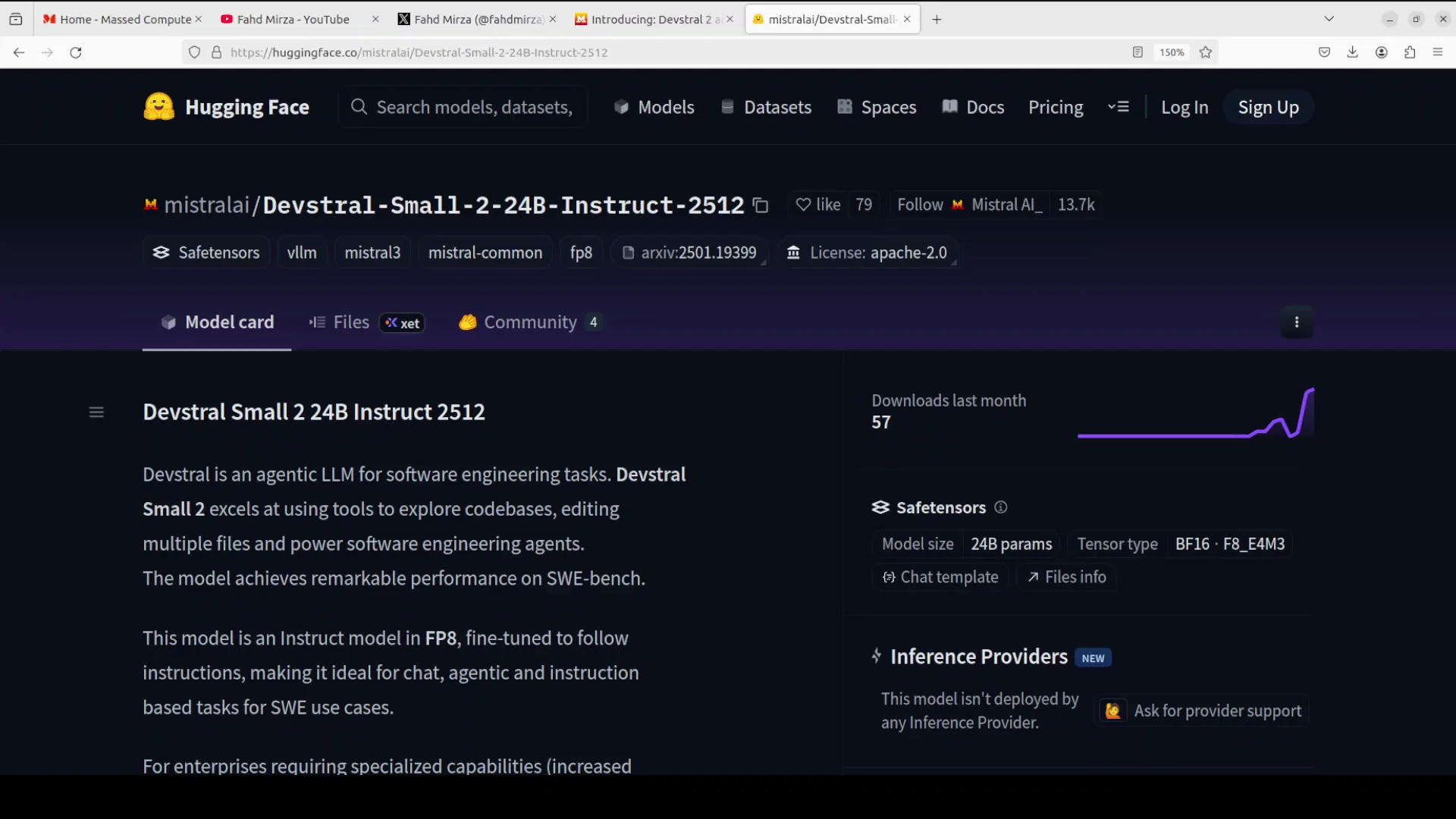
A brand new Devstral is here. The Devstral 2 model family includes two versions: a 123 billion parameter flagship model and a 24 billion parameter compact variant. Both are optimized for coding tasks.
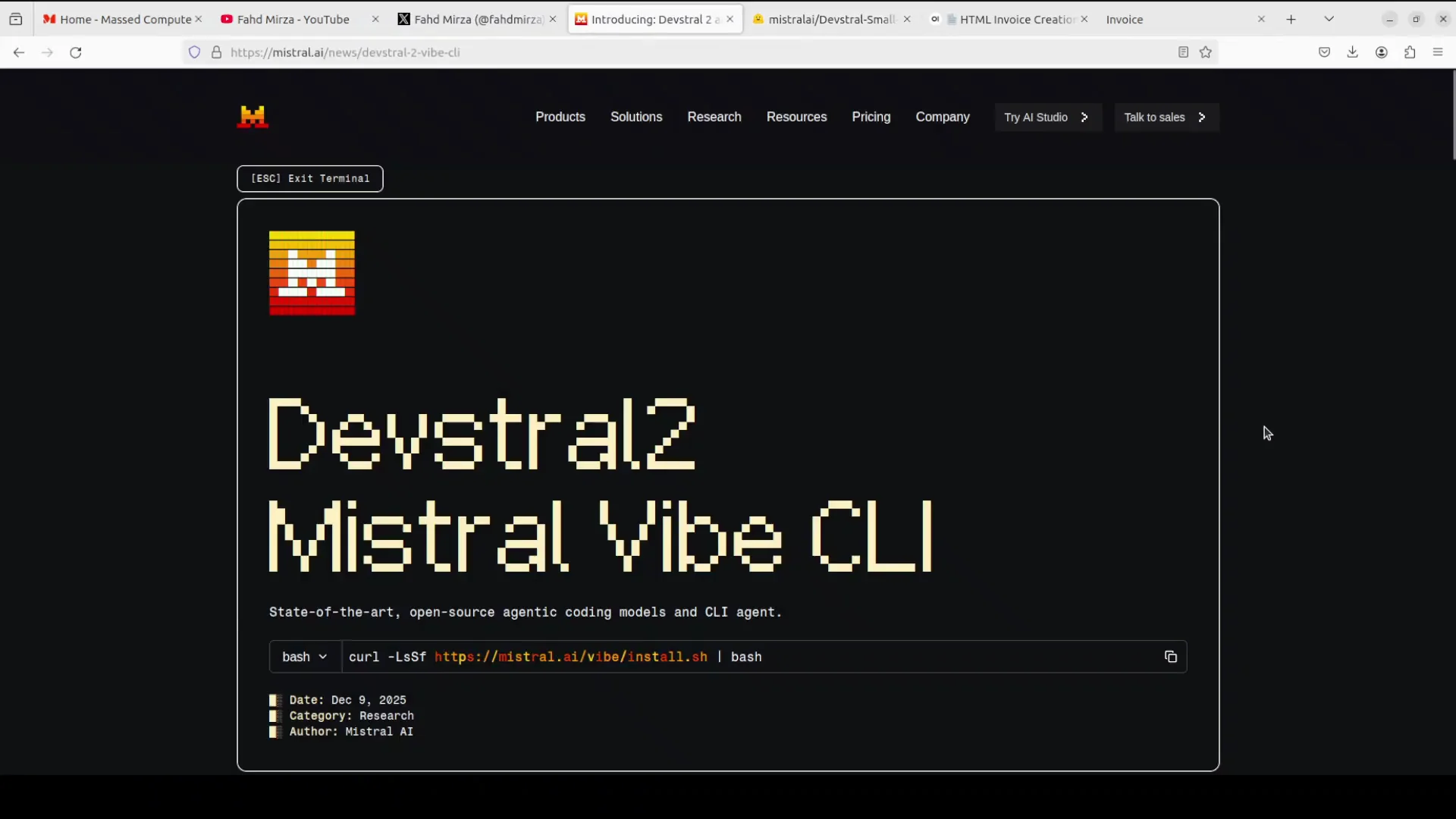
In this article, I install the compact version - Devstral 2 Small at 24 billion parameters - locally on my system and test it. You can also use the larger flagship 123 billion model through something called Mistral Vibe CLI, which I will cover in another video. You can grab your API key from the website and start using this model.
For this walkthrough, I focus on Devstral 2 Small 2, which is a lightweight, float 8 optimized model fine-tuned for instruction following and agentic coding.
I have been covering Devstral models for quite some time and they have been evolving nicely and steadily in a typical Mistral style.
Devstral 2 Small performance, context window, and licensing

For its size, the model performs well on benchmarks. The team has shared detailed results showing it beating models that are about five times larger. The context window of 256K is strong for large code bases. It is released under the Apache 2 license.
I do not think the flagship model is released under Apache. I think that is MIT, but you would need to check. In any case, the license for Devstral 2 Small is very permissive.
Local setup for Devstral 2 Small
I am installing it on my local system. I am running Ubuntu with an Nvidia RTX A6000 and 48 GB of VRAM. It should work with that.
The tool I use is VLM. You can also run it with Transformers, but I am going to serve it with VLM on one GPU. I have enabled tools so the model can call external functionality, and the tool parser is set to miss.
I run the command to download the model, and the model starts downloading.
Vision and agentic features in Devstral 2 Small
While it downloads, a bit more about the model. This is the instruct model in the small variant. It is an agentic coding model. You can use it with images, and you can take advantage of rope scaling.
One of the key features is the ability to analyze images and provide insights based on visual content in addition to text. You can embed not only code but also images.
The model finishes downloading and is now being served locally.
Launching the interface
I also launch Open WebUI for a GUI so I can access the model in the browser. The application starts, and the model is served.
Image supported coding with Devstral 2 Small
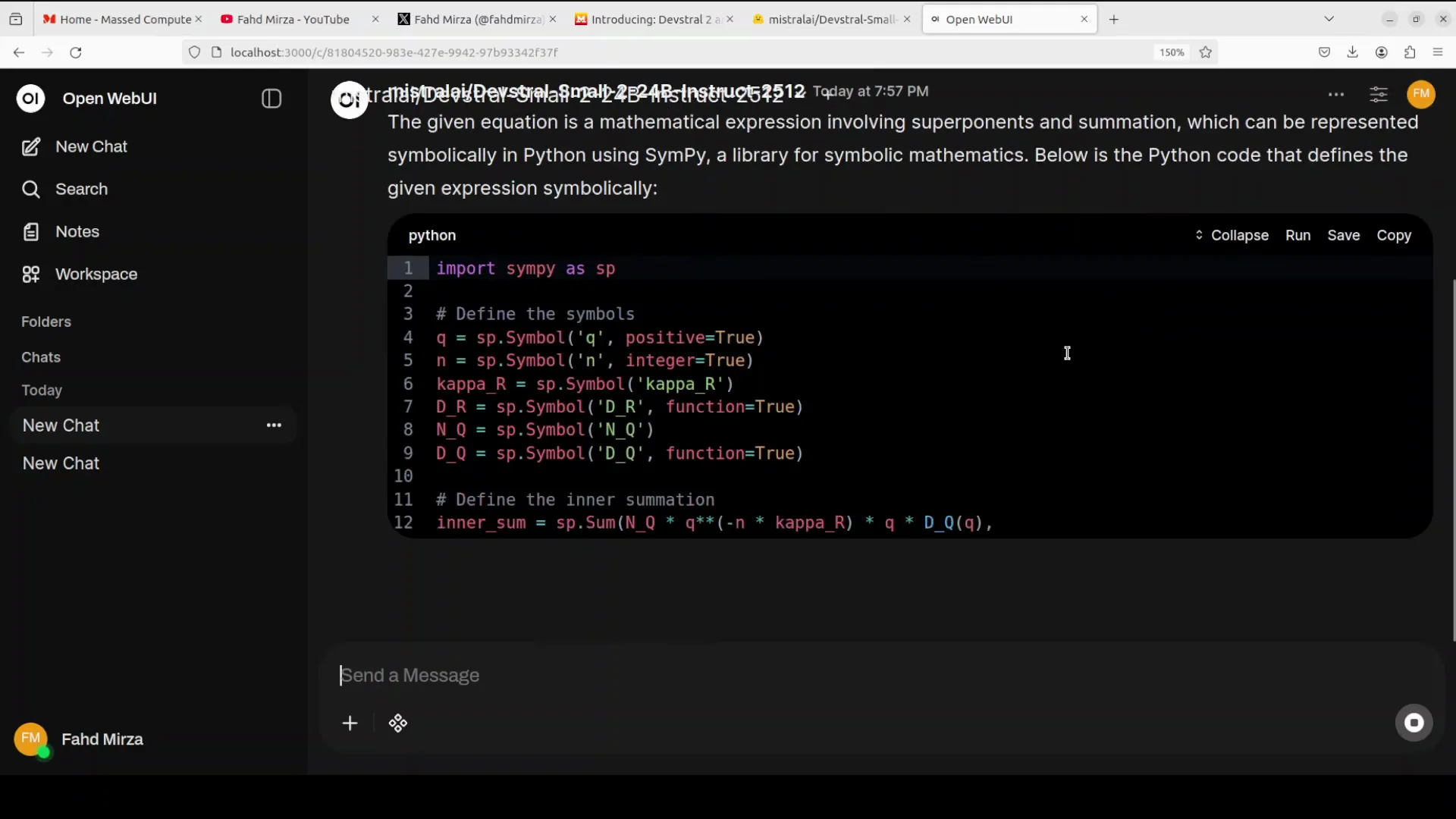
I begin with an image supported coding task. I select an equation image from my local system and ask the model to give me Python code to solve the equation in the image.
The model immediately identifies the expression as a mathematical formula involving exponents and summation, which can be represented symbolically in Python using SymPy. It provides the code and does it quickly. The speed is impressive, and it feels efficient and lightweight.
I will share memory usage shortly, but based on the response and correctness, it did well. The answer is spot on.
Complex code generation - a front end security dashboard
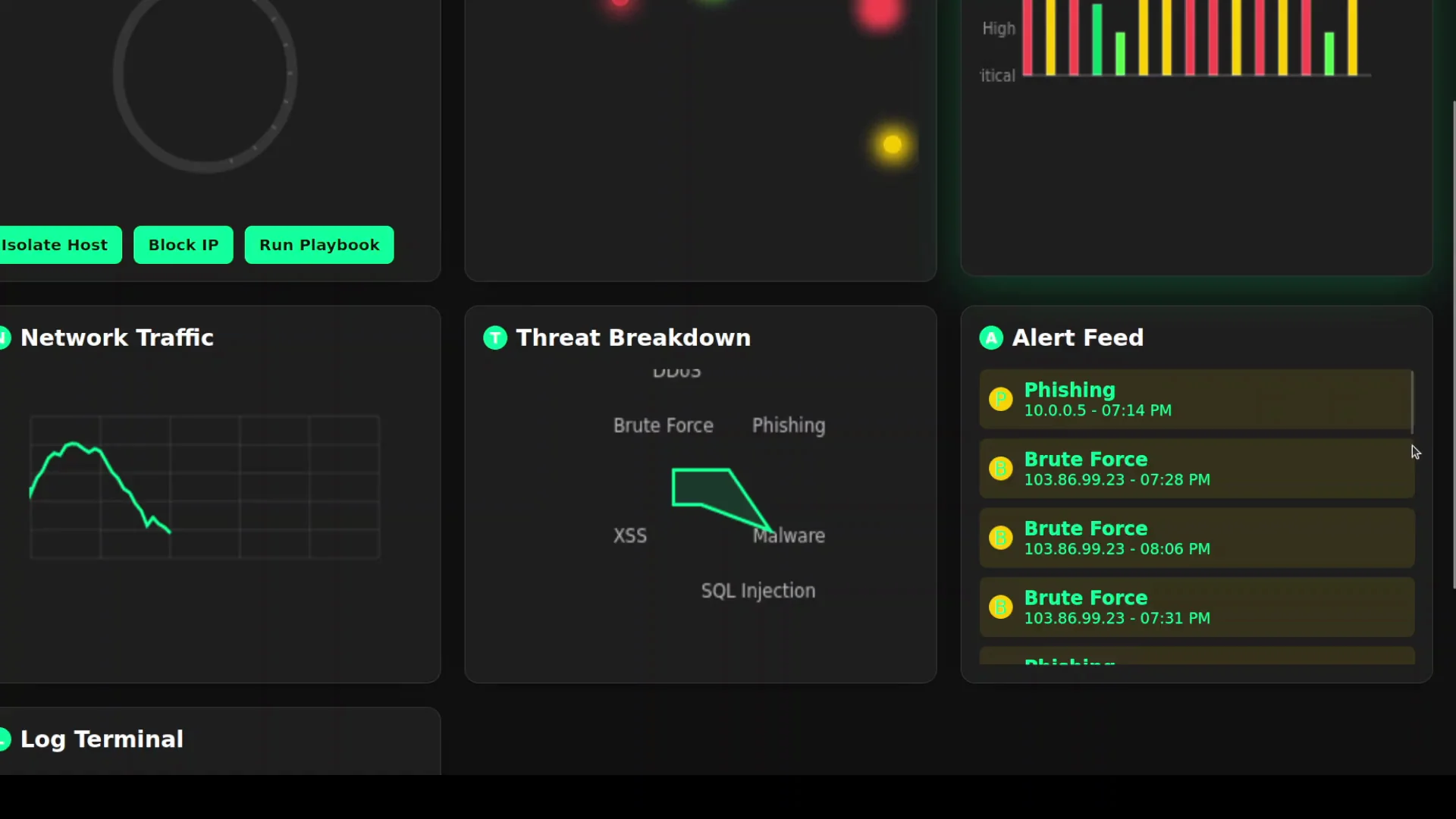
Next, I try a harder code generation task. I ask it to act as a senior front end engineer specializing in cyber security visualization. The instruction is to create a self contained, responsive HTML file with many UI requirements around responsiveness. The theme should be dark and futuristic. It should include graphs, lines, and related elements.
The model begins generating quickly. I check VRAM consumption. It is just over 45 GB of VRAM. For a 24 billion parameter model, that is decent for this workload.
I wait for it to finish and then check the result in the browser. It produces over 900 lines of code. The code looks good, so I test the output.
The first attempt looks solid. The interface is responsive. A world map renders. There is a threat score. There are graphs including a network traffic graph. A log terminal is designed to be filled when log streaming starts. The threat breakdown looks interesting. There is an alerts field.
There is no scroll behavior where I expected one. When I click Run Playbook, nothing happens, so that action is not wired up. I could iterate on this and refine the prompt. For a first attempt from a 24 billion parameter model, this is fairly good.
VRAM usage snapshot
- GPU: Nvidia RTX A6000 - 48 GB VRAM
- Observed VRAM use: just over 45 GB during the large front end generation task
OCR and image understanding - invoice to HTML
For the next task, I provide an invoice image and ask the model to convert it into a single HTML file. I want to see if it can perform OCR, extract structure, and reproduce the invoice.
It completes the conversion. I paste the result into the browser and compare it side by side with the original. The header shows a placeholder like logo goes here. Line by line, the OCR looks good. The billing fields are correct. The numbers match. Parts are captured. Notes are present. Overall, it does a really good job.
OCR and image understanding are strong with this model. I am not sure which vision encoder they are using. It looks good. It might be the same one used with Pixall, but I will check.
Summary of what I tested with Devstral 2 Small
- Image supported coding from an equation image to Python code using symbolic math
- Complex front end generation for a cyber security dashboard in a single HTML file
- OCR based invoice conversion to a single HTML file with structured fields and values
What stood out
- Speed: prompt responses during interactive use
- Accuracy: correct recognition of math expressions and solid OCR
- Usability: workable first pass for a complex UI without extensive prompt engineering
- VRAM: around 45 GB used for the large code generation task on a 24 billion parameter model
Model variants and licensing
Here is a concise view based on what I covered.
-
Devstral 2 Small - 24B
- Optimized for coding tasks
- Float 8 optimized
- Instruction following and agentic coding
- Vision input support
- Rope scaling support
- 256K context window
- Apache 2 license
-
Devstral 2 Flagship - 123B
- Optimized for coding tasks
- Available through Mistral Vibe CLI
- License is likely MIT, but confirm
Step by step - how I ran Devstral 2 Small locally
These are the steps I followed in order, matching the process I described.
1. Prepare the environment
- OS: Ubuntu
- GPU: Nvidia RTX A6000 - 48 GB VRAM
- Ensure GPU drivers and CUDA stack are set up
- Confirm enough disk space to download and serve the 24B model
2. Choose the serving stack
- Serving tool: VLM on a single GPU
- Alternative: Transformers is also possible
- Enable tools for external functionality
- Set the tool parser to miss
3. Download and serve the model
- Run the serving command to fetch the Devstral 2 Small weights
- Wait for the download to complete
- Start the server so the model is available locally
4. Launch a GUI
- Start Open WebUI for a browser based interface
- Confirm the model appears in the UI and is ready to receive prompts
5. Run tasks
- Image to code: upload an equation image and request Python code to solve it
- Front end generation: instruct the model to build a self contained HTML file for a security dashboard with a dark theme and charts
- OCR conversion: upload an invoice image and request a single file HTML replica
Practical notes on using Devstral 2 Small
- The model responds quickly and produces workable outputs for both coding and vision tasks.
- The 256K context window is suitable for large code bases and multi file prompts.
- Licensing under Apache 2 makes it straightforward for many usage scenarios.
- For heavier prompts and larger generations, VRAM usage can climb into the mid 40 GB range on a 24B model.
Final thoughts and next steps
I am impressed by the model. I will also show in a separate video how to use the Mistral Vibe CLI. It looks interesting, and you can integrate it with coding agents and run it in the terminal easily.
Thank you for all the support.
Subscribe to our newsletter
Get the latest updates and articles directly in your inbox.

Related Posts

8 Best Claude Code Plugins in 2026 (You Need to Know)
8 Best Claude Code Plugins in 2026 (You Need to Know)

7 Best Claude Code Skills (You Need to Know)
7 Best Claude Code Skills (You Need to Know)

Claude Code Desktop IDE Features (You Need to Know)
Claude Code Desktop IDE Features (You Need to Know)