
Table Of Content
- Apple Surprises with CLaRa-7B: A Useful RAG Model You Can Install Locally
- Quick Overview of How CLaRa Works
- System and Hardware Setup
- At a Glance
- Installation Steps for Apple CLaRa-7B
- Install Transformers From Source
- Download CLaRa-7B From Hugging Face
- Launch Jupyter and Load the Model
- Apple CLaRa-7B: What Happens Inside
- Running a Simple Check in the Notebook
- Why Apple with CLaRa-7B Matters for RAG
- SCP - Salient Compressor Pre-training
- Practical Implications of SCP
- Compact Memory Tokens and Efficiency
- Final Thoughts
How to setup Apple CLaRa‑7B: Local RAG and Demo
Table Of Content
- Apple Surprises with CLaRa-7B: A Useful RAG Model You Can Install Locally
- Quick Overview of How CLaRa Works
- System and Hardware Setup
- At a Glance
- Installation Steps for Apple CLaRa-7B
- Install Transformers From Source
- Download CLaRa-7B From Hugging Face
- Launch Jupyter and Load the Model
- Apple CLaRa-7B: What Happens Inside
- Running a Simple Check in the Notebook
- Why Apple with CLaRa-7B Matters for RAG
- SCP - Salient Compressor Pre-training
- Practical Implications of SCP
- Compact Memory Tokens and Efficiency
- Final Thoughts
Apple Surprises with CLaRa-7B: A Useful RAG Model You Can Install Locally
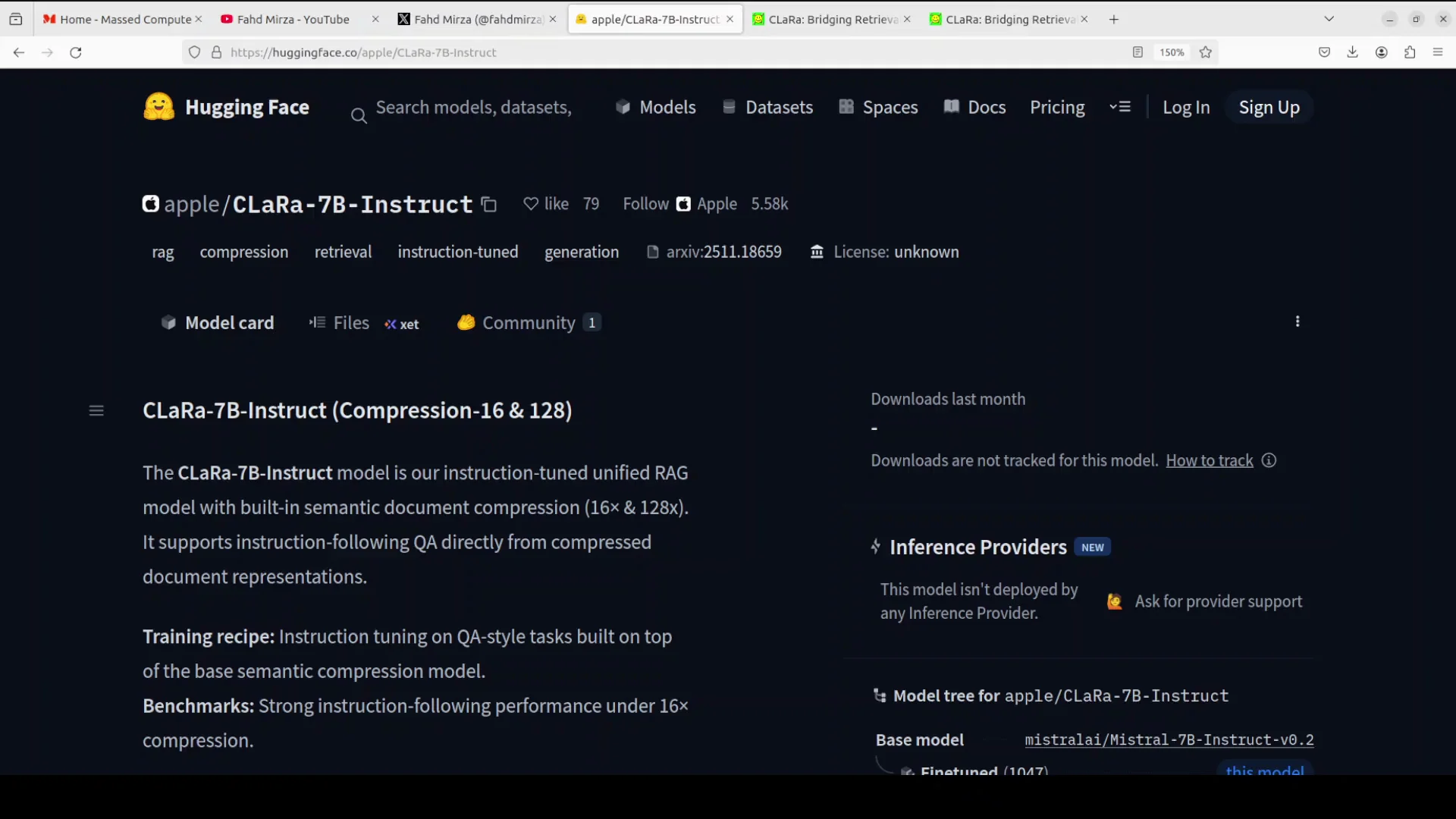
Apple has released CLaRa, which stands for continuous latent reasoning. It is a unified RAG framework designed to bridge the gap between document retrieval and answer generation. I am going to install it locally and test it on a few examples.
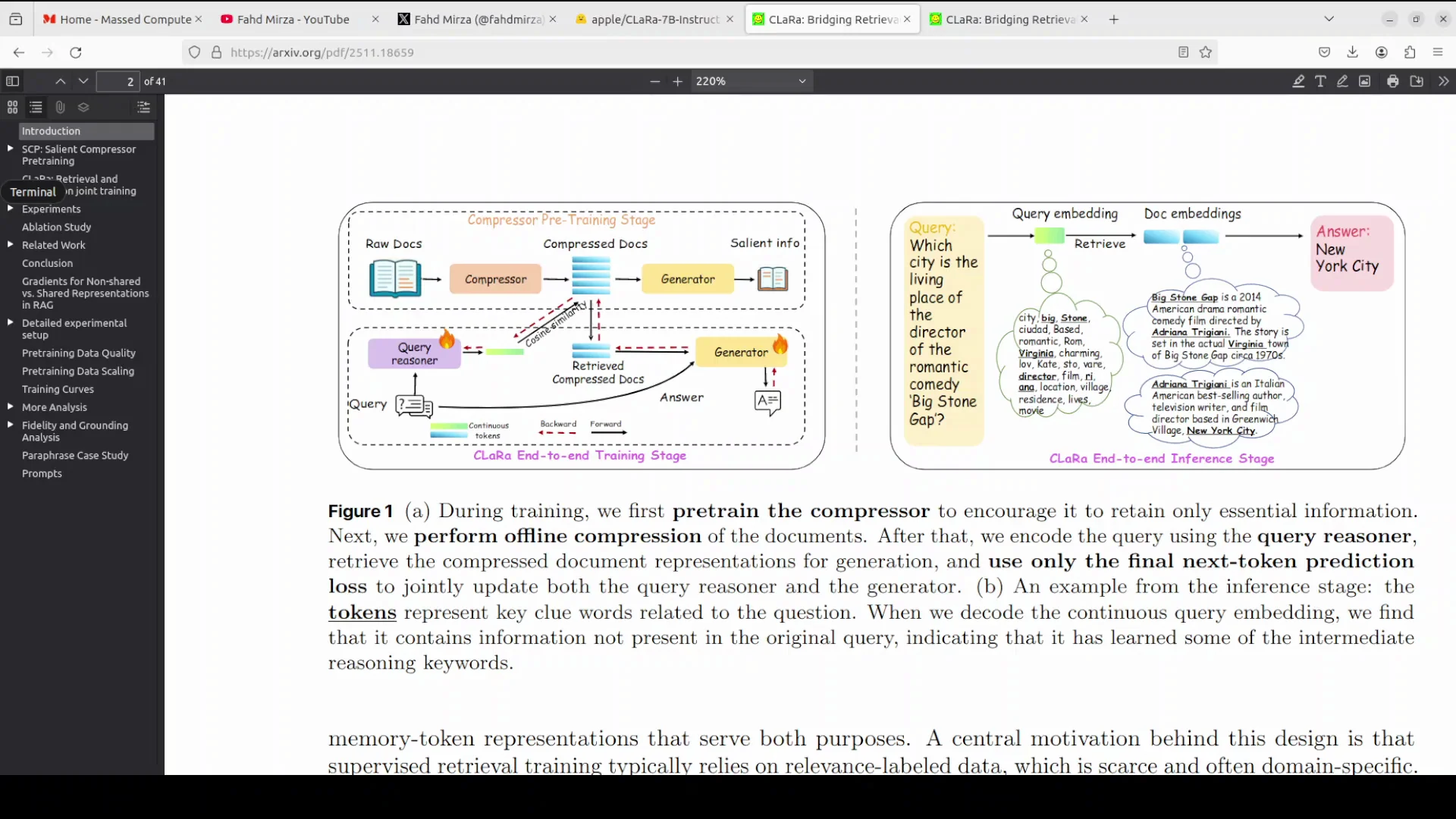
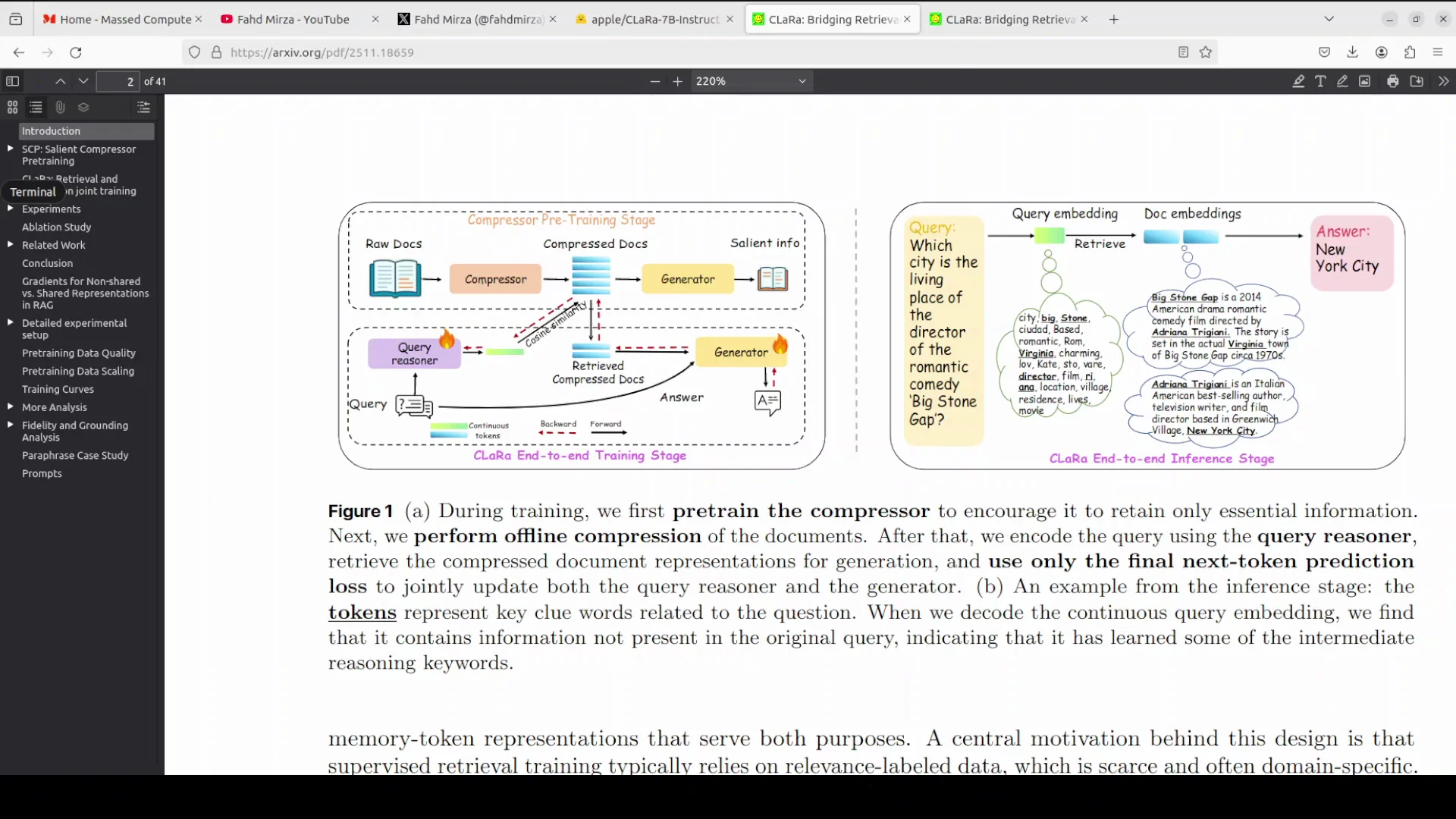
Before I start the installation, I will talk very quickly about this model. Traditional RAG systems optimize retrieval and generation separately, where the retriever selects documents based on surface level similarity and the generator processes raw text, creating a broken gradient that prevents end-to-end learning. This is where Apple's new model is trying to help.
CLaRa addresses this by mapping both documents and queries into a shared continuous representation space. I will be talking more about its architecture and training, but for now, I will get started with the installation.
Quick Overview of How CLaRa Works
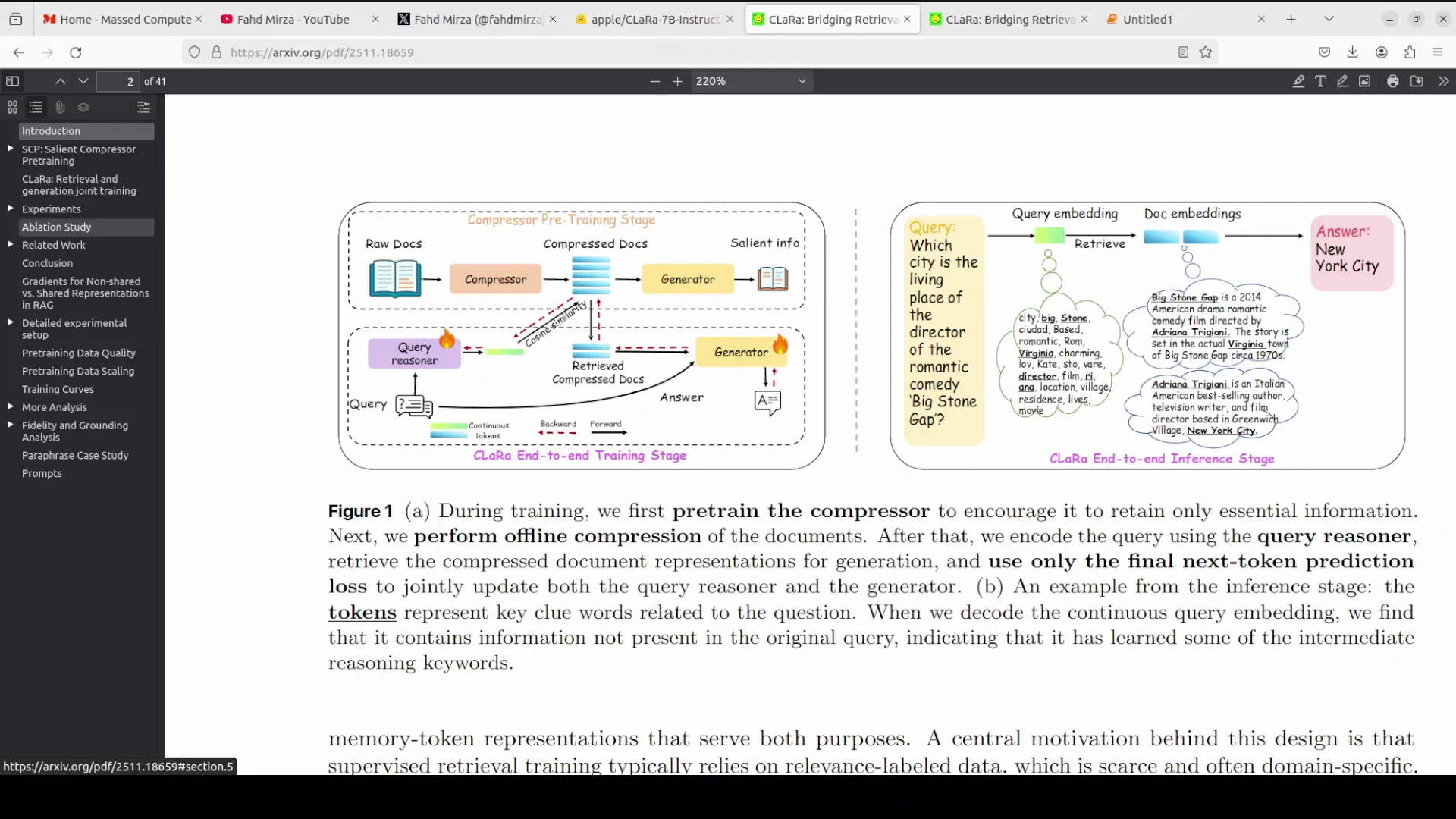
In this approach, instead of retrieving raw text, the model retrieves compact memory tokens that represent the documents. This allows the system to pass gradients from the final answer generation back to the retriever process.
That feedback loop ensures the retriever learns to select documents that actually help answer a specific query. If you have been using RAG in your organization by providing your own data to the models, this can be a significant issue with RAG oriented systems. Apple is aiming to help so that everything remains in the context.
I will also cover a concept called SCP, which is salient compressor pre-training. For now, I will carry on with the installation.
System and Hardware Setup
This setup uses Ubuntu with an Nvidia RTX 6000 GPU that has 48 GB of VRAM. The goal is to run the model locally and verify practical resource usage.
Once everything is ready, I will download the model, load it, and run a quick test in a Jupyter notebook.
At a Glance
| Component | Detail |
|---|---|
| OS | Ubuntu |
| GPU | Nvidia RTX 6000 - 48 GB VRAM |
| Model | CLaRa-7B - geared toward RAG |
| VRAM usage when loaded | Under 15 GB |
Installation Steps for Apple CLaRa-7B
Install Transformers From Source
- Install the Transformers library from source so you get the latest version.
- The installation takes a couple of minutes.
- Keep your environment ready for PyTorch and GPU acceleration.
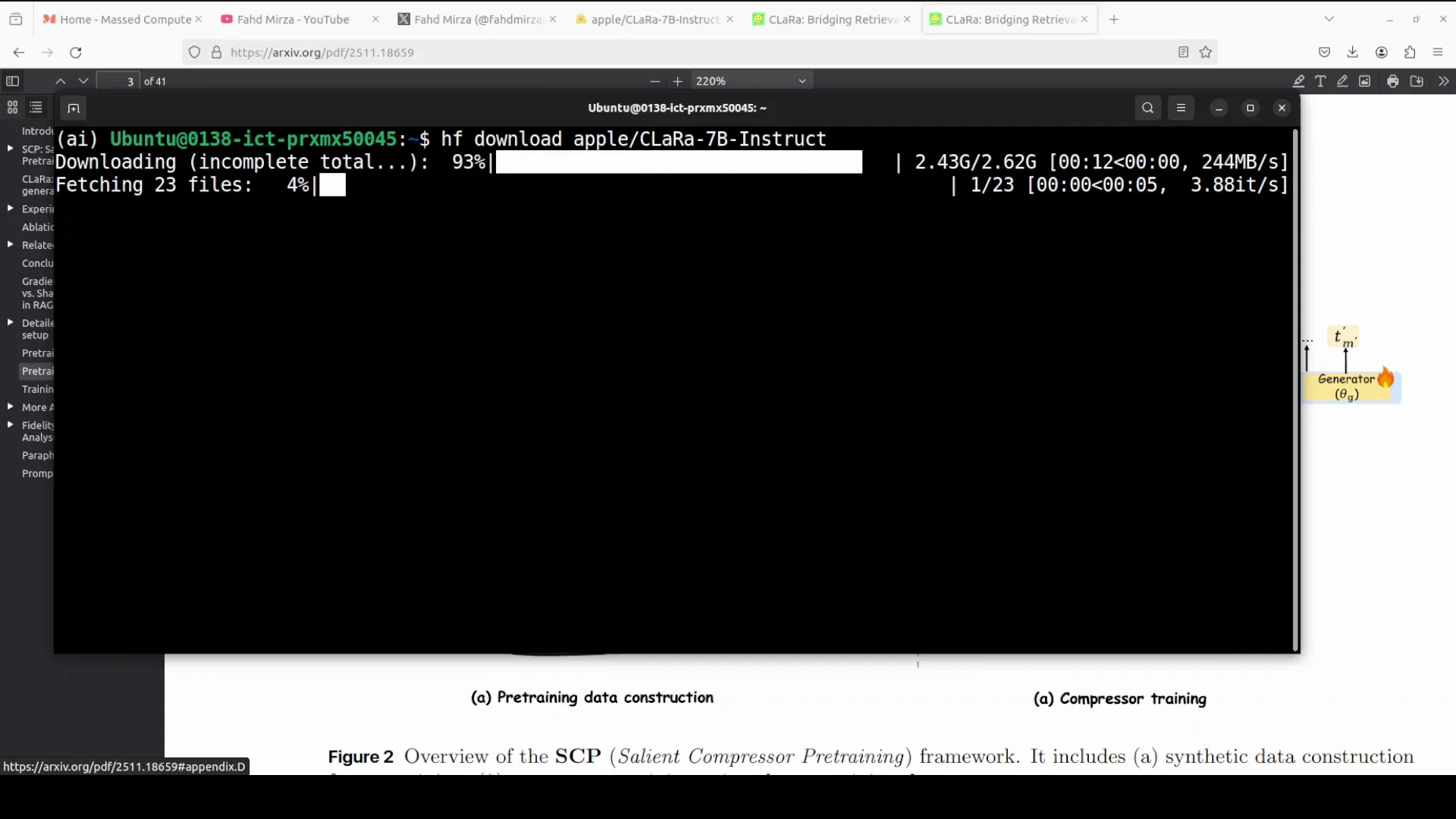
Download CLaRa-7B From Hugging Face
- Log in to Hugging Face.
- Use a free access token from your profile to authenticate.
- Apple has released various checkpoints on Hugging Face, and there is also a GitHub repository.
- Download everything in one go to avoid confusion.
- The model is not very large for local inference - it is a 7 billion parameter model focused on RAG.
Launch Jupyter and Load the Model
- Launch a Jupyter notebook to run your tests.
- Import the required libraries: Transformers and, if needed, Torch.
- Load the model checkpoint you downloaded.
- Check VRAM consumption - it should be under 15 GB with this setup.
Apple CLaRa-7B: What Happens Inside
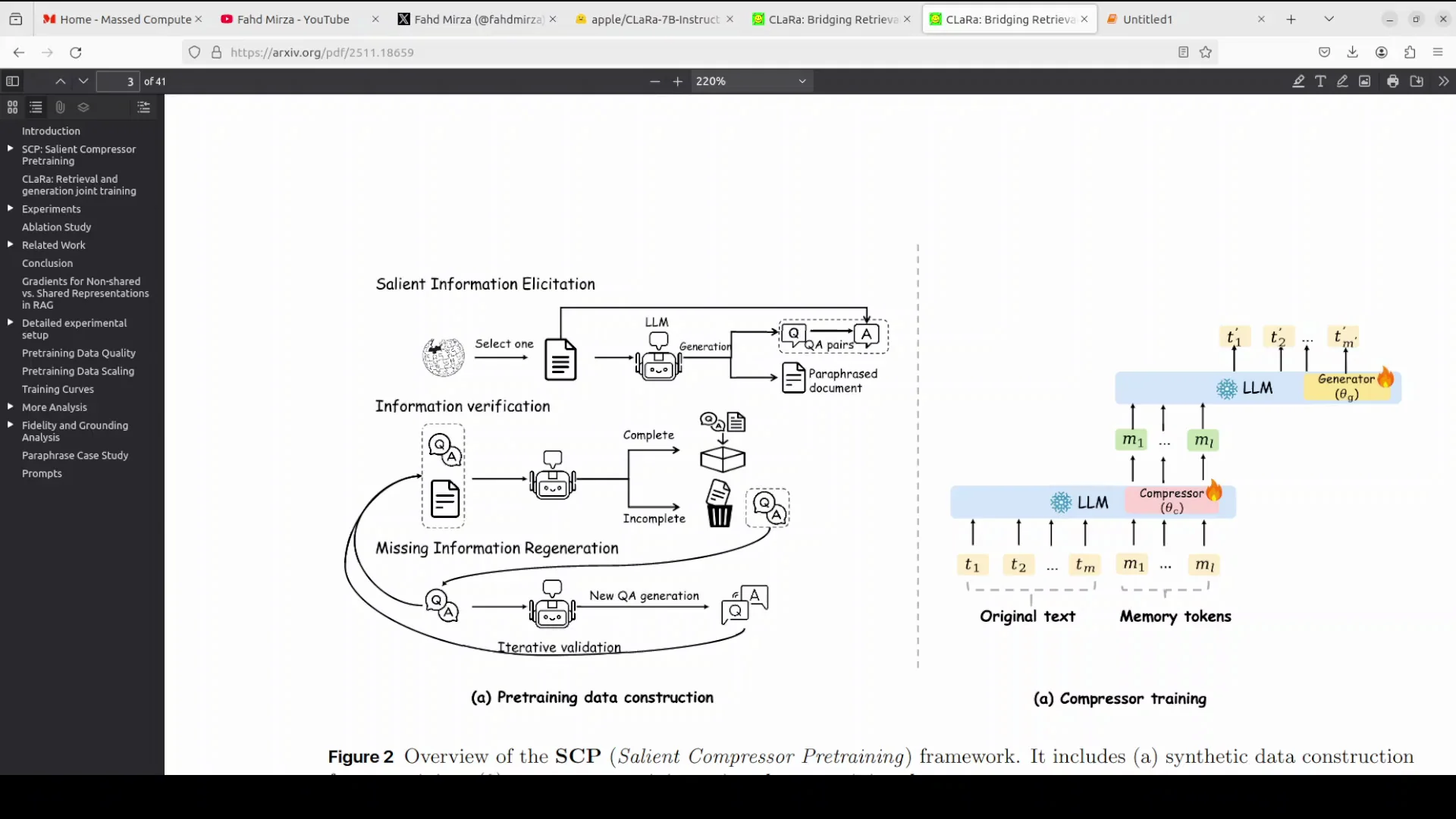
As noted earlier, CLaRa works in a shared continuous representation space. Instead of retrieving raw text, it retrieves compact memory tokens that represent documents.
This structure allows gradients from the final answer generation to flow back to the retriever. That ensures the retriever learns to select documents that truly support the answer to the specific query, rather than purely matching surface level patterns.
For teams that have been using RAG with proprietary or organizational data, this approach is aimed at keeping the retrieval and generation tightly aligned with the task context.
Running a Simple Check in the Notebook
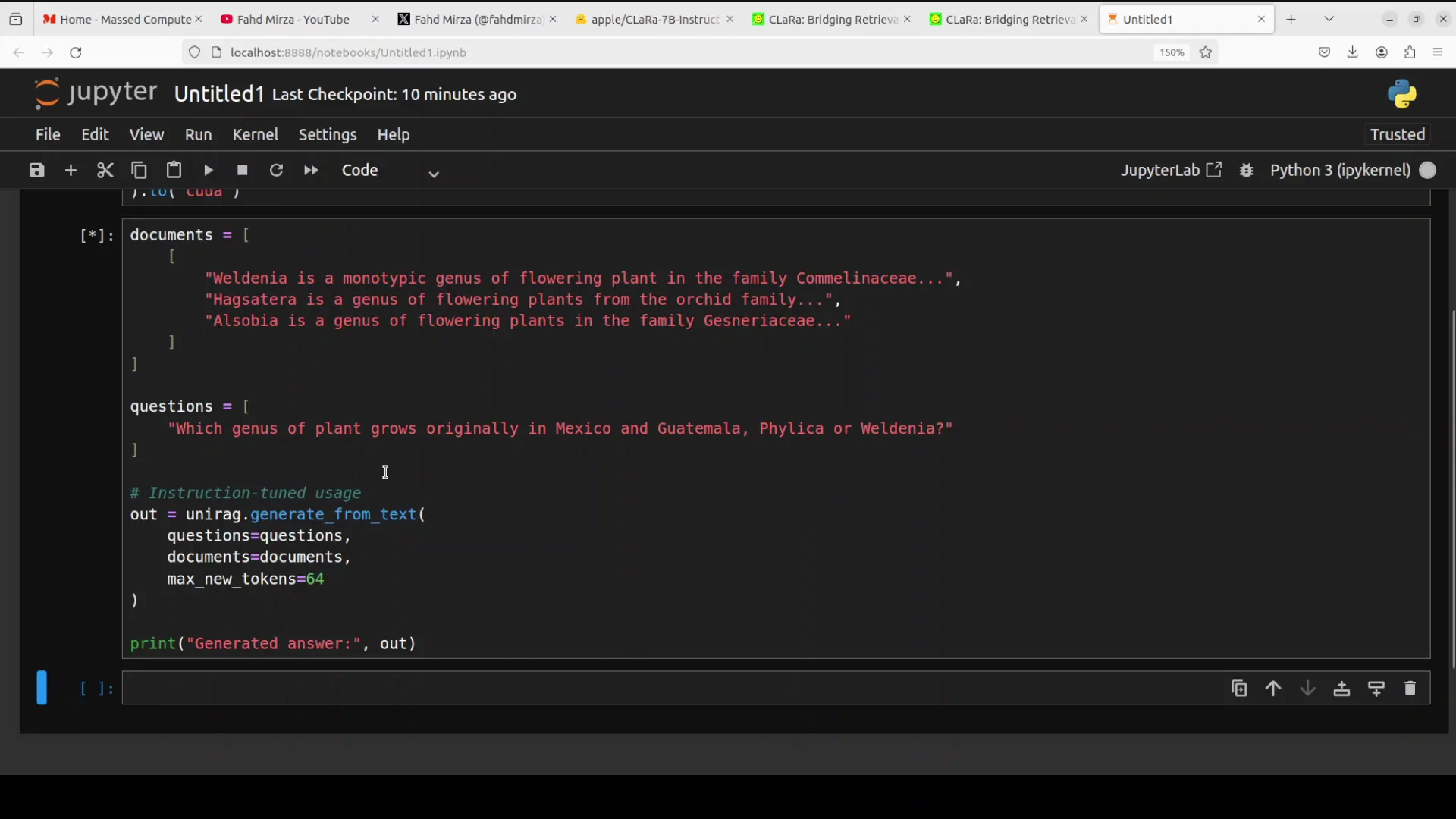
Consider a simple case where the code provides raw text descriptions of plants plus a comparison question to the model. The model compresses the raw text into internal embeddings or dense vectors to generate an answer.
Running the model is quick. It provides a search generated answer. The output confirms that the model identified WINA as the correct genus native to Mexico and Guatemala by reasoning over the provided document context.
This example shows the model's ability to perform instruction tuned question answering. It digests external documents on the fly to answer questions accurately without hallucinating outside information.
Why Apple with CLaRa-7B Matters for RAG
In standard RAG, the retriever and generator are trained separately, which creates a broken gradient. CLaRa operates in a shared continuous space, so the retriever receives feedback directly from the generation loss.
That feedback helps the retriever learn to select documents that actually help answer the question, not just those with surface level similarity. After working on production grade software, I see this as a needed improvement, and Apple has implemented it well.
This architecture is designed to align retrieval with the final objective of accurate generation, which addresses a common shortcoming in traditional RAG pipelines.
SCP - Salient Compressor Pre-training
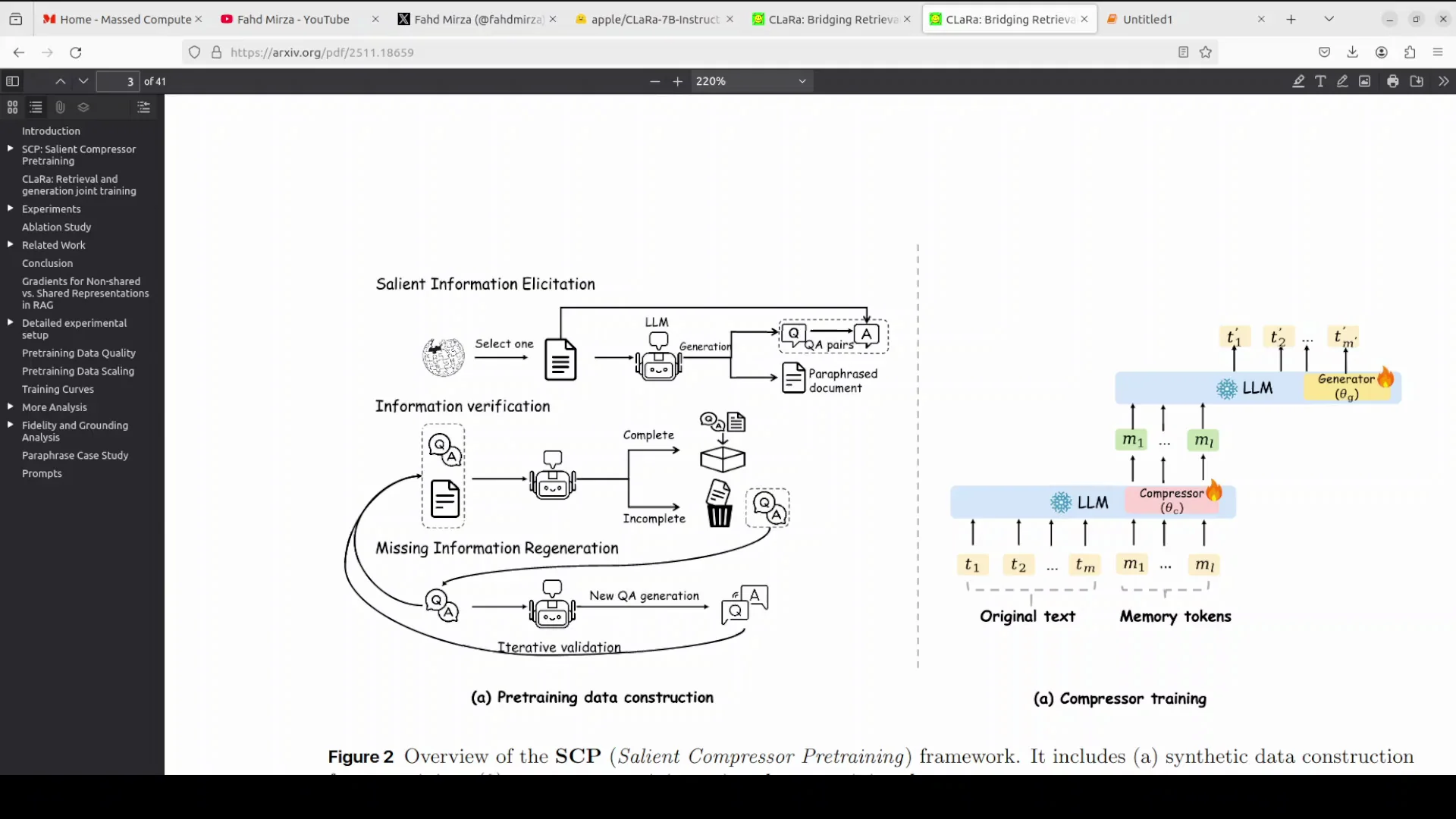
SCP stands for salient compressor pre-training. It ensures that compressed embeddings capture essential meaning rather than superficial patterns.
Standard compression often spends capacity reconstructing trivial tokens. SCP focuses the model on the semantic core of the text. It does this by using an LLM to synthesize a training dataset comprising simple QA, then complex QA, and paraphrase documents.
The compressor is trained on this data to generate compressed vectors that can answer these questions or reconstruct the paraphrased meaning. This process ensures the resulting embeddings are semantically rich and digest the document's salient information before end-to-end training begins.
Practical Implications of SCP
If you need to analyze logs and streaming data, this approach could be very useful. Focusing on semantic content rather than trivial reconstruction improves how compressed representations support downstream question answering and reasoning.
The emphasis on salient information sets up the model to perform well when it has to work with compressed memory tokens rather than raw text.
Compact Memory Tokens and Efficiency
CLaRa compresses documents into compact memory tokens, also called dense vectors, instead of feeding raw text into the LLM. This drastically reduces the context length required.
Shorter context means the model can process more documents faster and with lower computational cost than standard models. That efficiency is important for local setups and for any workflow that needs to handle larger collections of documents.
The combination of compressed memory and shared continuous training targets both retrieval quality and generation accuracy at once.
Final Thoughts
Apple is late to the AI race in some respects, but they are closing the gap quickly and steadily. Keep an eye on Apple. They might continue to surprise with releases like CLaRa-7B.
This model still seems to be flying under the radar. It may be too new. I am curious to see how it evolves.
One point I am still unsure about is the license. That will become clear in time. Other than that, this is good work from Apple.
Subscribe to our newsletter
Get the latest updates and articles directly in your inbox.

Related Posts

8 Best Claude Code Plugins in 2026 (You Need to Know)
8 Best Claude Code Plugins in 2026 (You Need to Know)

7 Best Claude Code Skills (You Need to Know)
7 Best Claude Code Skills (You Need to Know)

Claude Code Desktop IDE Features (You Need to Know)
Claude Code Desktop IDE Features (You Need to Know)