
Table Of Content
- Bolmo 1B Byte-Level: Full Hands-on Tutorial and Explanation
- Byte-Level Modeling in Bolmo 1B Byte-Level
- Local Setup for Bolmo 1B Byte-Level
- System Used
- Prerequisites
- Architecture of Bolmo 1B Byte-Level
- Overview
- Processing Pipeline
- Architecture Summary Table
- Simple Explanation
- Installing and Running Bolmo 1B Byte-Level
- Step-by-Step Setup
- Download the Model
- Run Inference
- A Quick Reality Check
- Benchmarks and Comparison for Bolmo 1B Byte-Level
- Why Bolmo 1B Byte-Level Matters
- Appendix: Practical Notes on Bolmo 1B Byte-Level
- What Byte-Level Changes in Practice
- Model Size and Resource Notes
- Minimal Inference Checklist
- Full Process Recap for Bolmo 1B Byte-Level
- 1. Understand the Model
- 2. Prepare the Environment
- 3. Download and Run
- 4. Evaluate Results
- Final Thoughts on Bolmo 1B Byte-Level

What is Bolmo 1B Byte‑Level LLM?
Table Of Content
- Bolmo 1B Byte-Level: Full Hands-on Tutorial and Explanation
- Byte-Level Modeling in Bolmo 1B Byte-Level
- Local Setup for Bolmo 1B Byte-Level
- System Used
- Prerequisites
- Architecture of Bolmo 1B Byte-Level
- Overview
- Processing Pipeline
- Architecture Summary Table
- Simple Explanation
- Installing and Running Bolmo 1B Byte-Level
- Step-by-Step Setup
- Download the Model
- Run Inference
- A Quick Reality Check
- Benchmarks and Comparison for Bolmo 1B Byte-Level
- Why Bolmo 1B Byte-Level Matters
- Appendix: Practical Notes on Bolmo 1B Byte-Level
- What Byte-Level Changes in Practice
- Model Size and Resource Notes
- Minimal Inference Checklist
- Full Process Recap for Bolmo 1B Byte-Level
- 1. Understand the Model
- 2. Prepare the Environment
- 3. Download and Run
- 4. Evaluate Results
- Final Thoughts on Bolmo 1B Byte-Level
Bolmo 1B Byte-Level: Full Hands-on Tutorial and Explanation
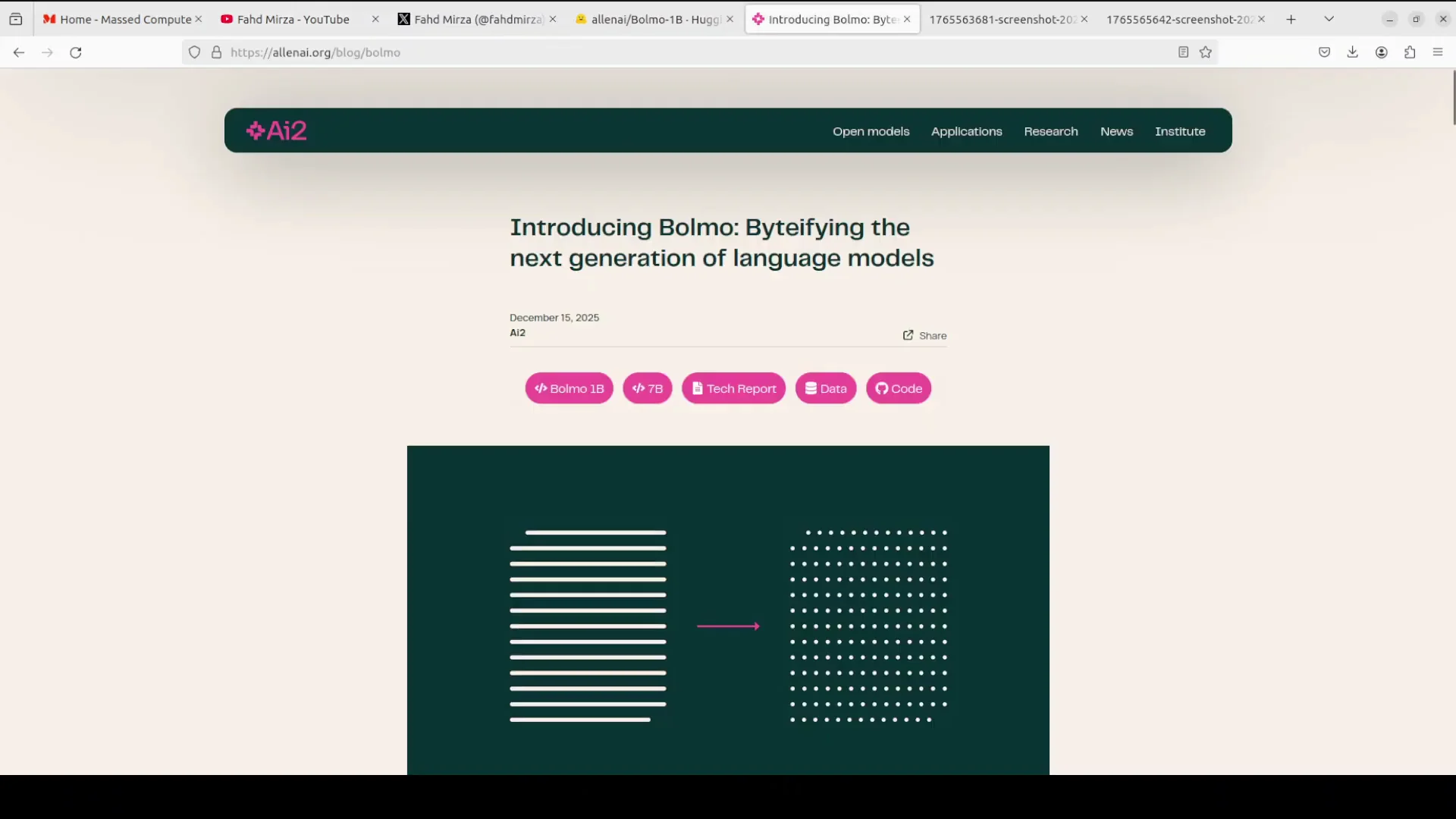
Lenai has released a new family of byte-level language models in two sizes: 1 billion and 7 billion parameters. I am installing the 1 billion model locally. Before I start, I will explain what byte-level language models mean in simple terms.
Byte-Level Modeling in Bolmo 1B Byte-Level
Most modern LLMs rely on subword tokenization. For example, a word like international might be split into inter and national. Bolmo does not do that. Bolmo operates directly on raw UTF8 bytes, the fundamental units of text encoding.
This byte-level approach removes the need for a fixed vocabulary or tokenizer. It is robust to spelling errors, rare words, whitespace oddities, and multilingual text. In their words, by byte-ifying existing high quality subword models, starting from their own 3 checkpoint, Bolmo reuses proven capabilities while adding byte-level flexibility through a short and efficient additional training process that uses less than 1% of typical pre-training compute.
I will explain the architecture in simple words shortly. For now, I will install the model and set up the environment.
Local Setup for Bolmo 1B Byte-Level
System Used
I am working on an Ubuntu system with one GPU: Nvidia RTX 6000 with 48 GB of VRAM.
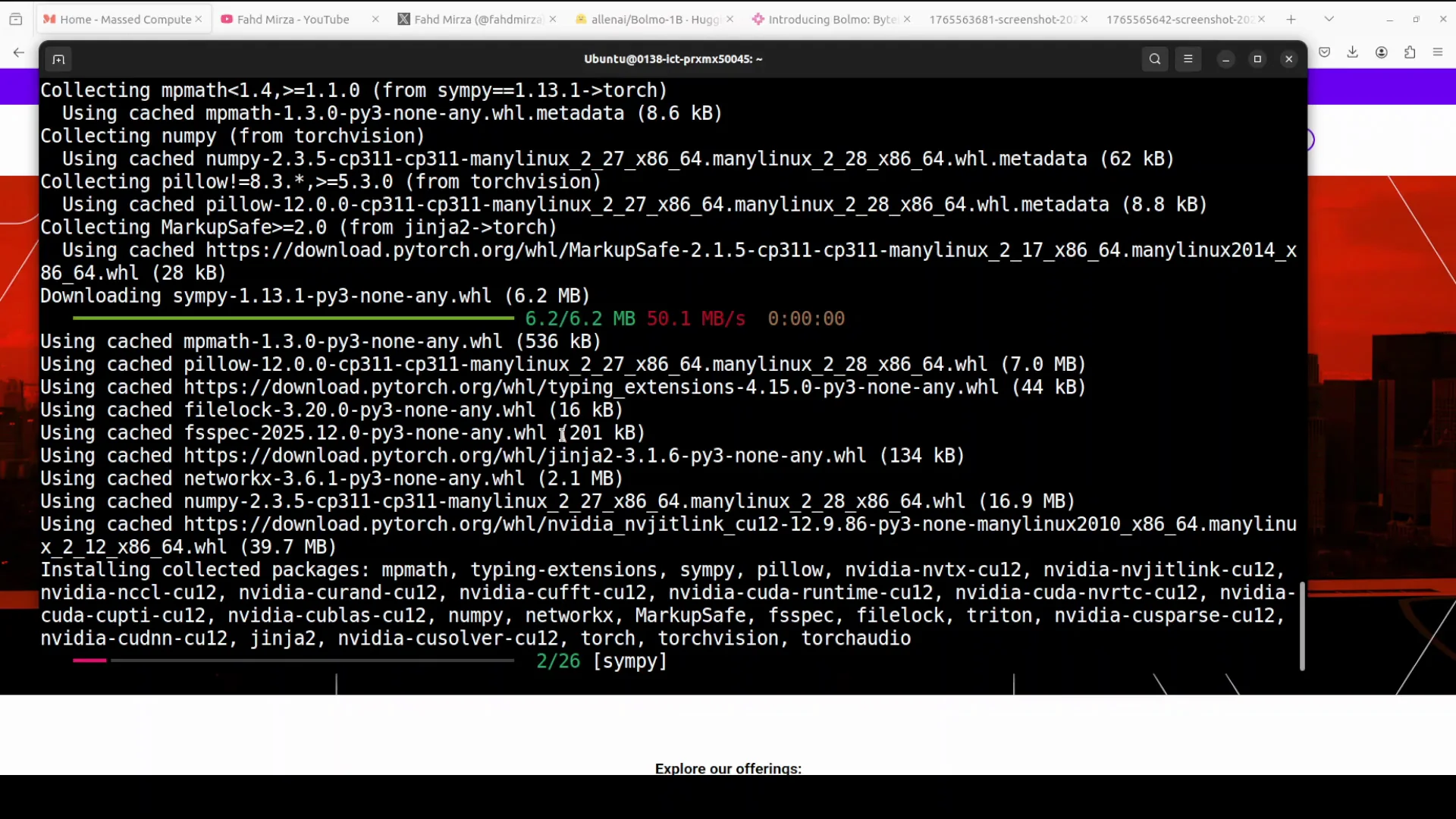
I am creating a virtual environment with Gund. Then I install the prerequisites and launch a Jupyter notebook.
Prerequisites
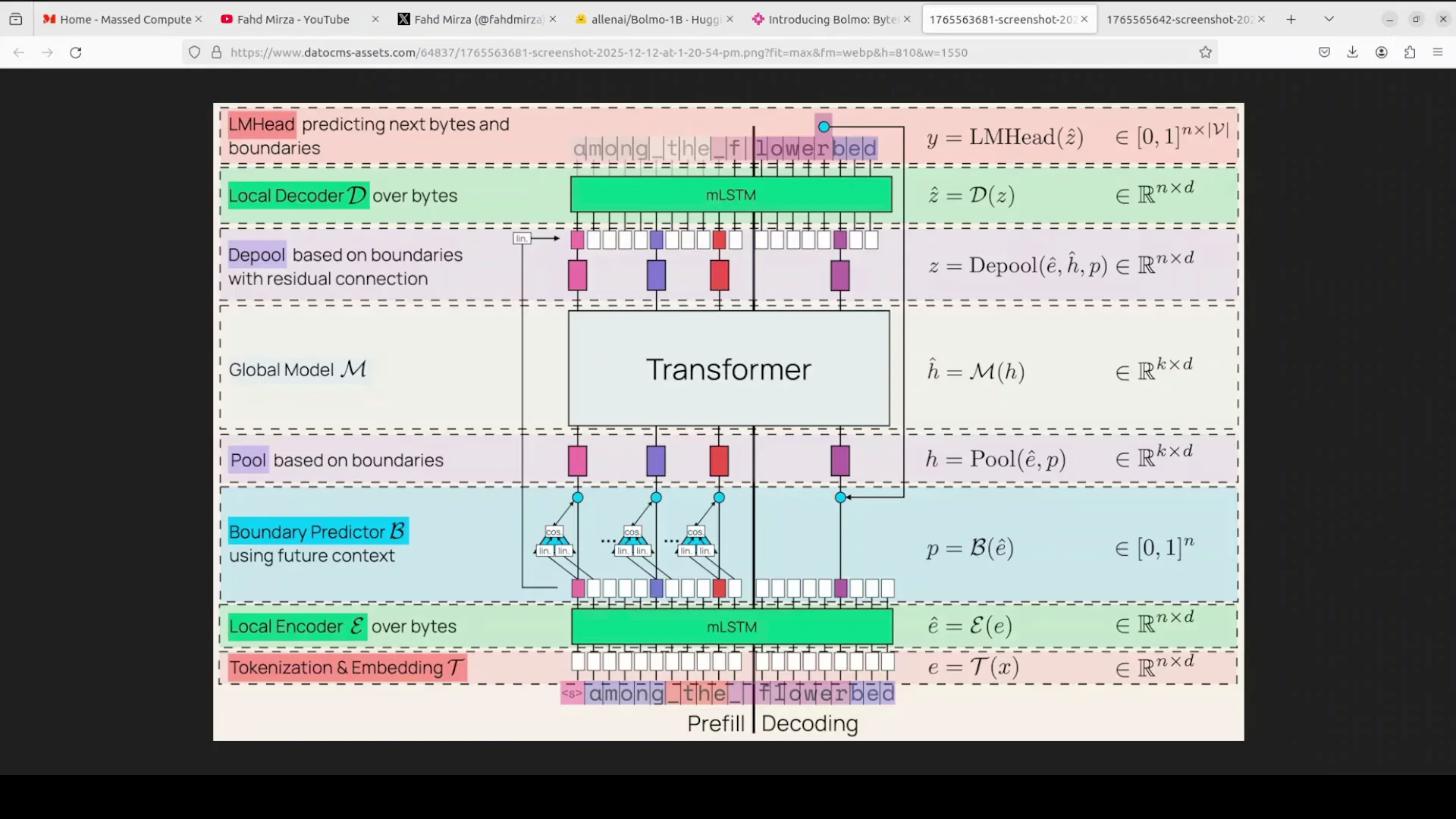
- Use a recent version of the Transformers library.
- Install the xLSTM package.
- Launch Jupyter Notebook.
xLSTM is required in this case. xLSTM is an upgraded version of LSTM. LSTM is a type of RNN that remembers information from earlier in a sequence for a long time and uses special gates. xLSTM adds features like exponential gating and matrix memory, which makes it more parallel and more scalable. The xLSTM package is the official open source Python library that lets you implement and use xLSTM models.
While the installation runs, here is a clear overview of the architecture and how it works.
Architecture of Bolmo 1B Byte-Level
Overview
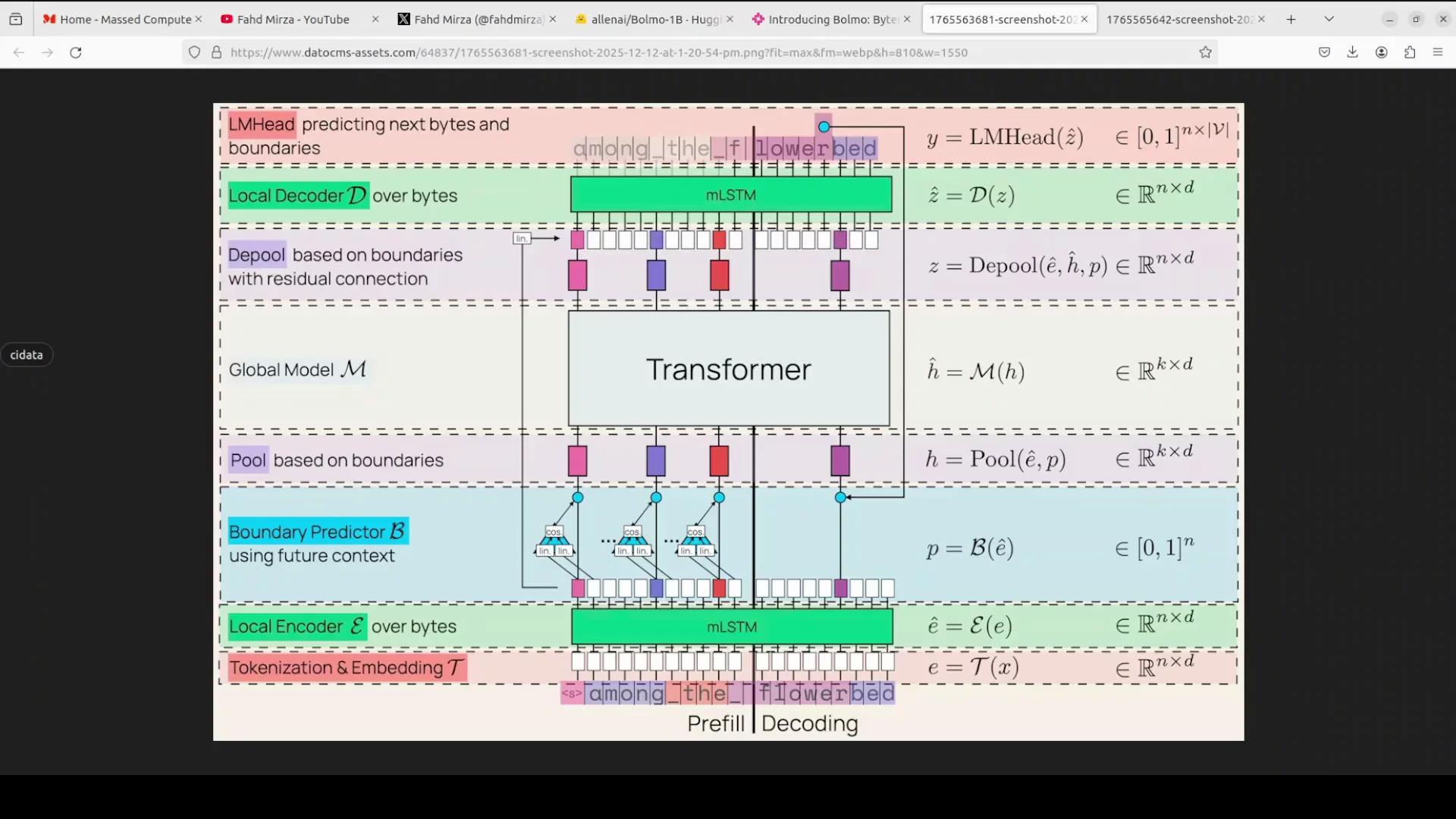
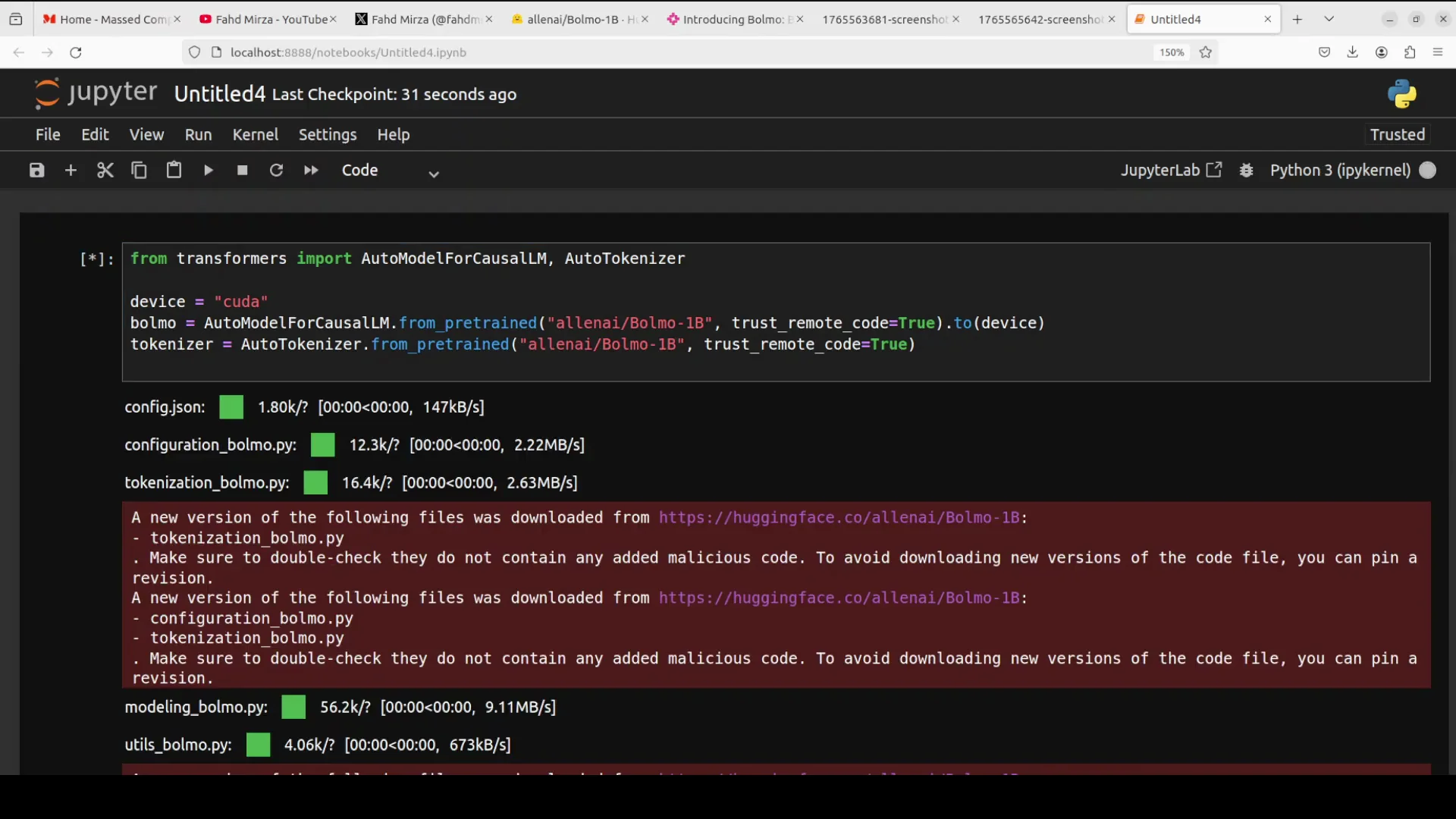
The architecture uses a hierarchical latent tokenizer design that efficiently connects byte-level input with a transformer backbone. A byte-level model processes and predicts text at the level of individual bytes. There are 256 possible byte values. This is different from subword tokens used in most LLMs.
Traditional subword models compress text effectively. They often struggle with fine-grained character handling or unknown words. Bolmo is designed to address that with a structured approach that stays byte-native while still benefiting from a strong transformer core.
This is not the first byte-level model. There have been others. I will share how it compares shortly.
Processing Pipeline
Here is the pipeline at a glance:
-
Tokenization and embedding at the byte level:
- The input text is embedded byte by byte.
-
Local encoder with mLSTM:
- A lightweight local encoder uses an mLSTM layer to contextualize these byte embeddings.
-
Boundary predictor:
- A non-causal boundary predictor peeks one byte ahead to mimic a real tokenizer.
- It dynamically groups bytes into variable-length patches.
-
Pooled patches into a global transformer:
- The patches are pooled and fed into a global transformer.
- This global component is reused from their prior 3 model.
-
Depooling and local decoding:
- After the transformer, the representation is depooled.
- A local decoder, which is another mLSTM stack, refines the representation.
-
Output heads:
- The LM head predicts the next byte and the boundary.
-
Residual connections:
- With residual connections and pooling-depooling, the model achieves fast inference.
- It keeps the parameter count similar to the base model.
Architecture Summary Table
| Stage | Purpose | Key Detail |
|---|---|---|
| Byte embedding | Convert raw bytes to vectors | Works on 256 possible byte values |
| Local mLSTM encoder | Add local context | Lightweight, focuses on nearby structure |
| Boundary predictor | Predict and group byte boundaries | Non-causal peek by 1 byte |
| Pooled patches | Compress variable-length groups | Prepared for transformer processing |
| Global transformer | Model global context | Reused from their 3 checkpoint |
| Depooling | Expand back to finer granularity | Restores local detail |
| Local mLSTM decoder | Refine local predictions | Works before the output heads |
| LM head | Predict next byte and boundary | Byte-level output and boundary signal |
Simple Explanation
In simple words, the model processes and predicts text at the level of individual bytes rather than subword tokens. That is the core idea. This helps avoid common issues tied to tokenization. It can pick up typos and work with code at a fine level. It also keeps byte-level modeling practical.
My Jupyter notebook is launched. This is how long it takes to get the environment running and all prerequisites installed. I will now download the model and run inference.
Installing and Running Bolmo 1B Byte-Level
Step-by-Step Setup
- Open a new terminal on Ubuntu.
- Create a virtual environment with Gund.
- Install a recent version of Transformers.
- Install the xLSTM package.
- Launch Jupyter Notebook.
Once Jupyter is running, proceed to download the model.
Download the Model
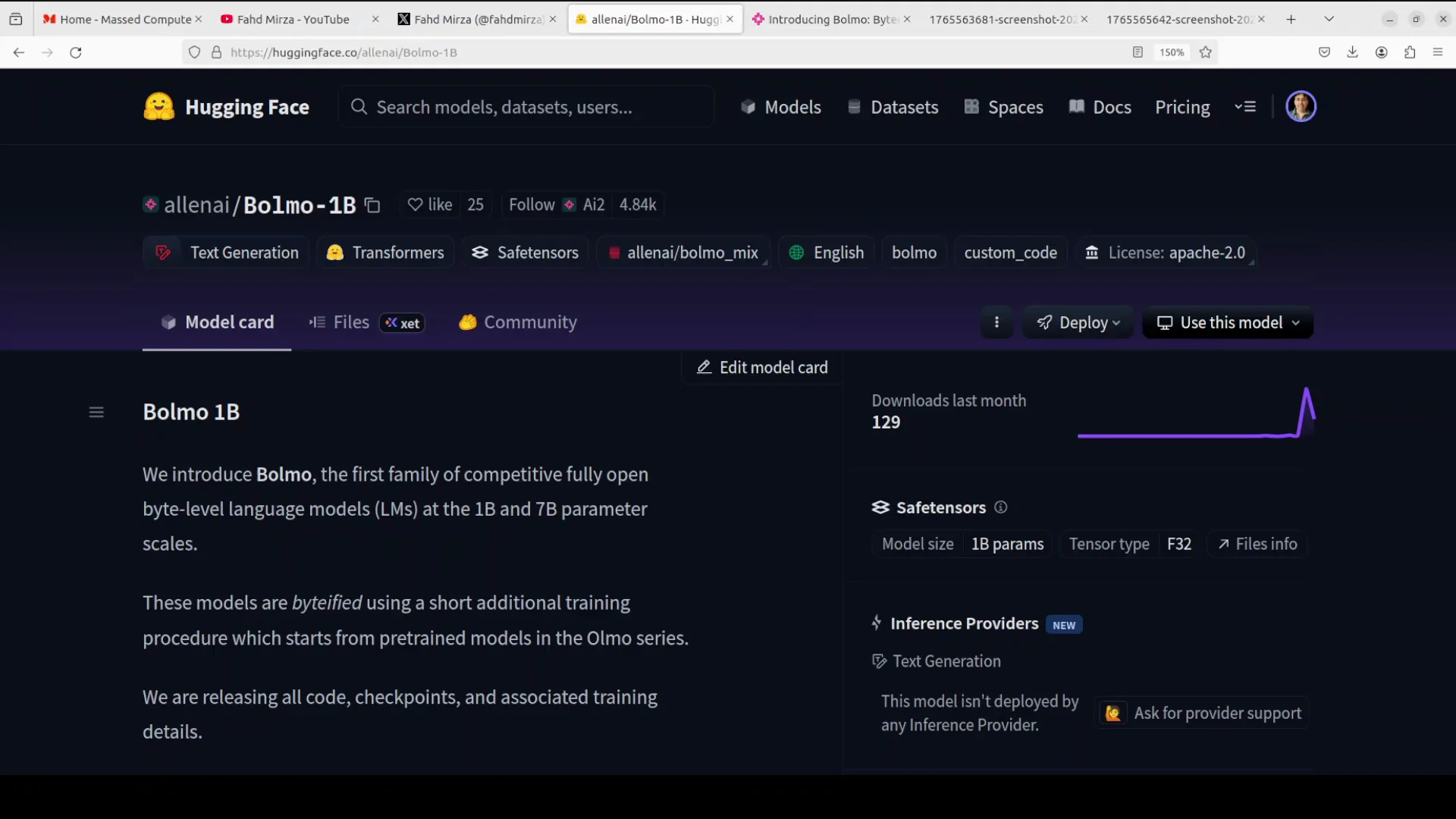
I download the model. The download shows two shards. After the download finishes, I move on to inference.
Run Inference
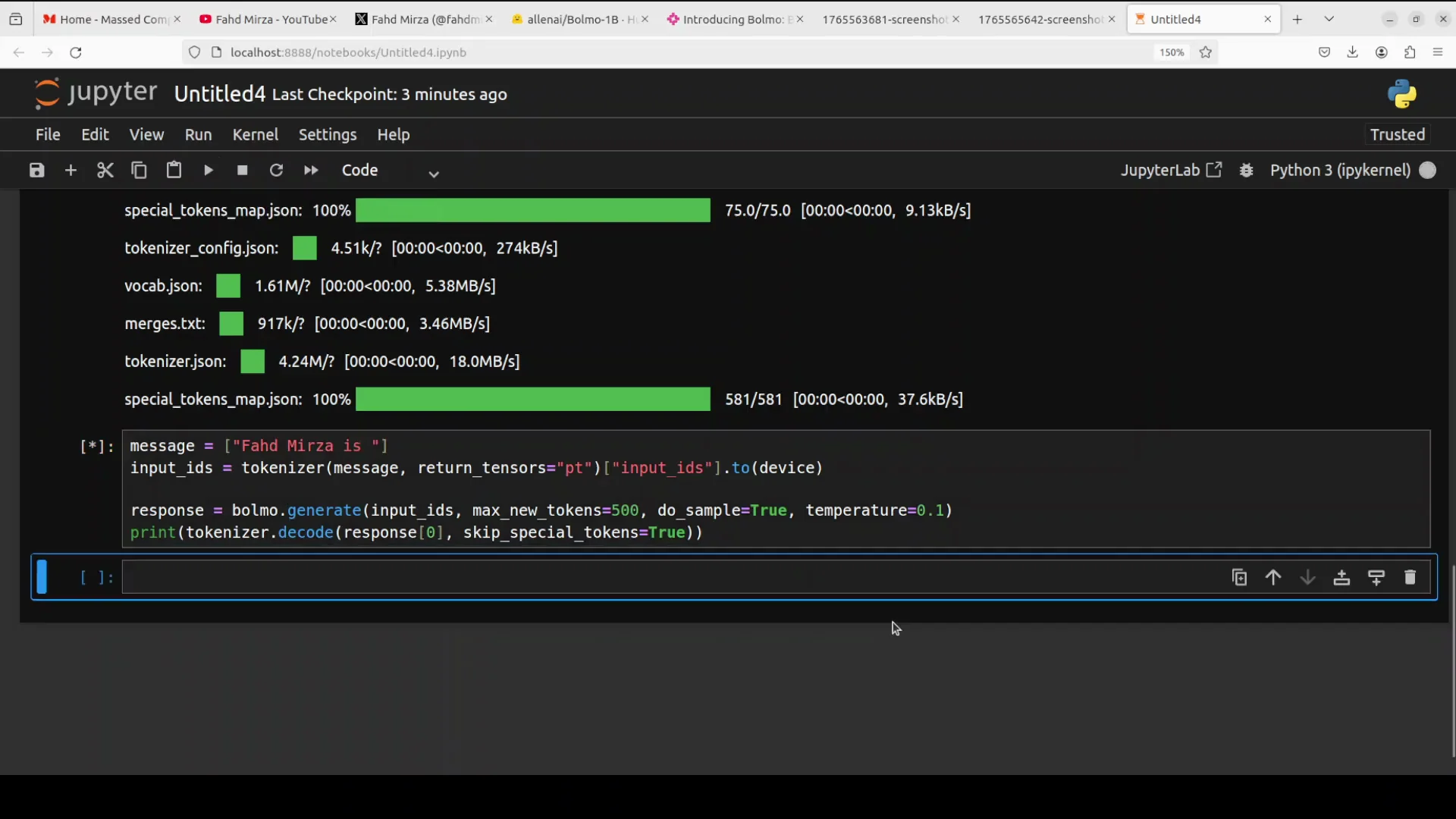
I start with a simple sentence to see how the base pre-trained model completes it. This is not an instruction-tuned or chat model, so I am not using a chat format or creative writing prompts. I am testing plain text generation.
- max_new_tokens controls how many bytes it will generate.
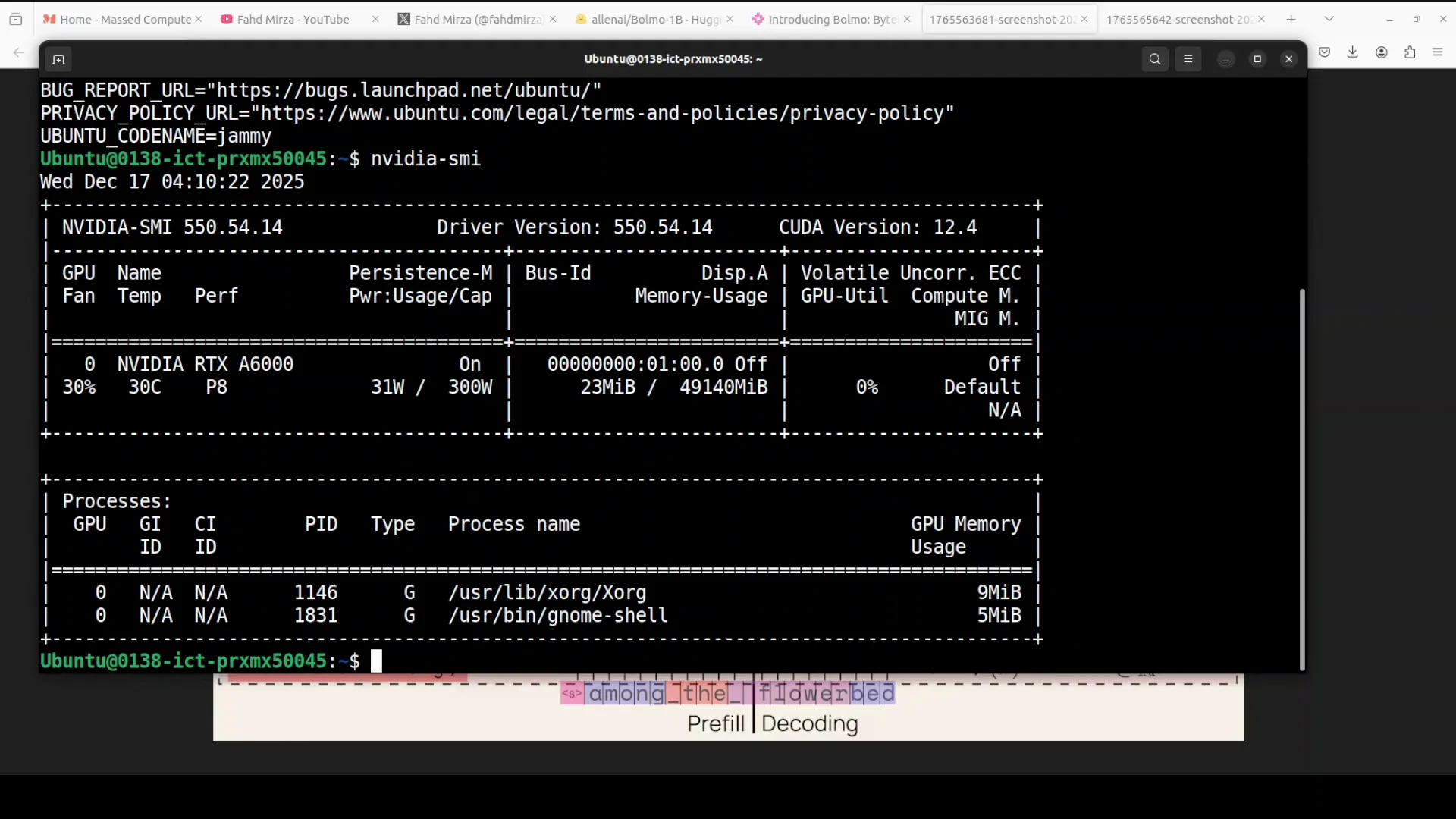
- While it runs, I check GPU memory use.
The model uses just under 6 GB of VRAM. It returns an answer quickly, and the answer looks good for a base pre-trained model. I increase max_new_tokens to 500. It takes longer but stays under 6 GB of VRAM and produces more text.
Remember, this is only a pre-trained model. There is no instruction tuning here. The creators have shared a fine-tuning recipe, and testing becomes more meaningful after that.
A Quick Reality Check
I ask the model a question about me to see if it has any knowledge. It responds by saying I am a writer. I ask again, and it repeats the same claim. It even adds a phone number with a +92 code, which is incorrect. That is hallucination. It is a reminder to expect base pre-trained behavior and to treat outputs appropriately, especially without fine-tuning.
Benchmarks and Comparison for Bolmo 1B Byte-Level
The benchmark information shows strong performance patterns. The model family matches or approaches its subword parent, which is near 37 billion parameters, on broad tasks. Most of the public numbers focus on the 7 billion model rather than the 1 billion model, but they are still informative.
Compared with other byte-level peers like a byte or Tfree hat, the results look strong. From hands-on experience with those peers, the performance here stands out.
Why Bolmo 1B Byte-Level Matters
For my use case, a byte-level model is valuable. It is cost efficient to run. It is easy to fine-tune. It does not require much in terms of resources. If you are looking for a model with those traits, this is a good choice.
Appendix: Practical Notes on Bolmo 1B Byte-Level
What Byte-Level Changes in Practice
-
No fixed vocabulary:
- You do not need a tokenizer trained on a specific corpus.
- Text is read as bytes, so any script or rare token flows through unchanged.
-
Better handling of rare and noisy text:
- Misspellings and typos do not break tokenization.
- Code and symbol-heavy text can be processed at byte resolution.
-
Stability across languages:
- Multilingual text passes through uniformly as UTF8 bytes.
Model Size and Resource Notes
| Model Size | Notes from this setup |
|---|---|
| 1B | Runs under 6 GB VRAM during generation |
| 7B | Benchmarks mostly reported for this variant |
Minimal Inference Checklist
- Environment created and activated with Gund.
- Transformers updated to a recent version.
- xLSTM installed and ready.
- Jupyter Notebook launched and connected to the GPU.
- Model downloaded successfully, shards in place.
- Prompt prepared for byte-level generation.
- max_new_tokens set according to the desired output length in bytes.
- GPU memory monitored during generation.
Full Process Recap for Bolmo 1B Byte-Level
1. Understand the Model
- Bolmo processes raw UTF8 bytes instead of subword tokens.
- A hierarchical latent tokenizer design connects byte embeddings to a global transformer through local mLSTM encoders and decoders.
- A boundary predictor peeks one byte ahead to form variable-length patches that are pooled into the transformer, then depooled and refined before output.
2. Prepare the Environment
- Ubuntu with an Nvidia RTX 6000 GPU.
- Virtual environment created with Gund.
- Install Transformers and xLSTM.
- Launch Jupyter Notebook.
3. Download and Run
- Download the 1B model. The download includes two shards.
- Test with a simple sentence using the base pre-trained checkpoint.
- Keep in mind that max_new_tokens equals the number of output bytes.
- Expect VRAM use under 6 GB in this setup.
- Treat outputs as pre-trained predictions. For better task adherence, apply instruction tuning.
4. Evaluate Results
- Generation quality is solid for a base model.
- Hallucinations can occur, as seen in identity-related prompts and fabricated details.
- Benchmarks indicate the family approaches the performance of its subword parent near 37B parameters on broad tasks, with most numbers reported for the 7B model.
- Against other byte-level peers like a byte or Tfree hat, performance appears strong.
Final Thoughts on Bolmo 1B Byte-Level
Bolmo 1B Byte-Level shows how moving to bytes can simplify text handling end to end. It avoids tokenization fragility and keeps compute lean through a short additional training pass. The hierarchical design brings local byte context together with a proven global transformer.
Running the 1B model locally is straightforward. It fits within modest GPU memory and returns results quickly. It is well suited for experimentation, fine-tuning, and use in setups that favor small, efficient models.
Subscribe to our newsletter
Get the latest updates and articles directly in your inbox.

Related Posts

8 Best Claude Code Plugins in 2026 (You Need to Know)
8 Best Claude Code Plugins in 2026 (You Need to Know)

7 Best Claude Code Skills (You Need to Know)
7 Best Claude Code Skills (You Need to Know)

Claude Code Desktop IDE Features (You Need to Know)
Claude Code Desktop IDE Features (You Need to Know)