
Table Of Content
- Qwopus-GLM-18B: origin
- Qwopus-GLM-18B: how it was built
- Qwopus-GLM-18B: the layer stack
- Qwopus-GLM-18B: the seam
- Qwopus-GLM-18B: the heal
- Qwopus-GLM-18B: install and serve locally
- Replace <org>/<repo> and filenames with the exact repo you are using
- Replace the model path with your GGUF file
- Qwopus-GLM-18B: performance notes
- Qwopus-GLM-18B: code and agents
- Qwopus-GLM-18B: mathematical reasoning
- Qwopus-GLM-18B: safety and policy
- Qwopus-GLM-18B: multilingual notes
- Qwopus-GLM-18B: size and value
- Qwopus-GLM-18B: use cases
- Final thoughts
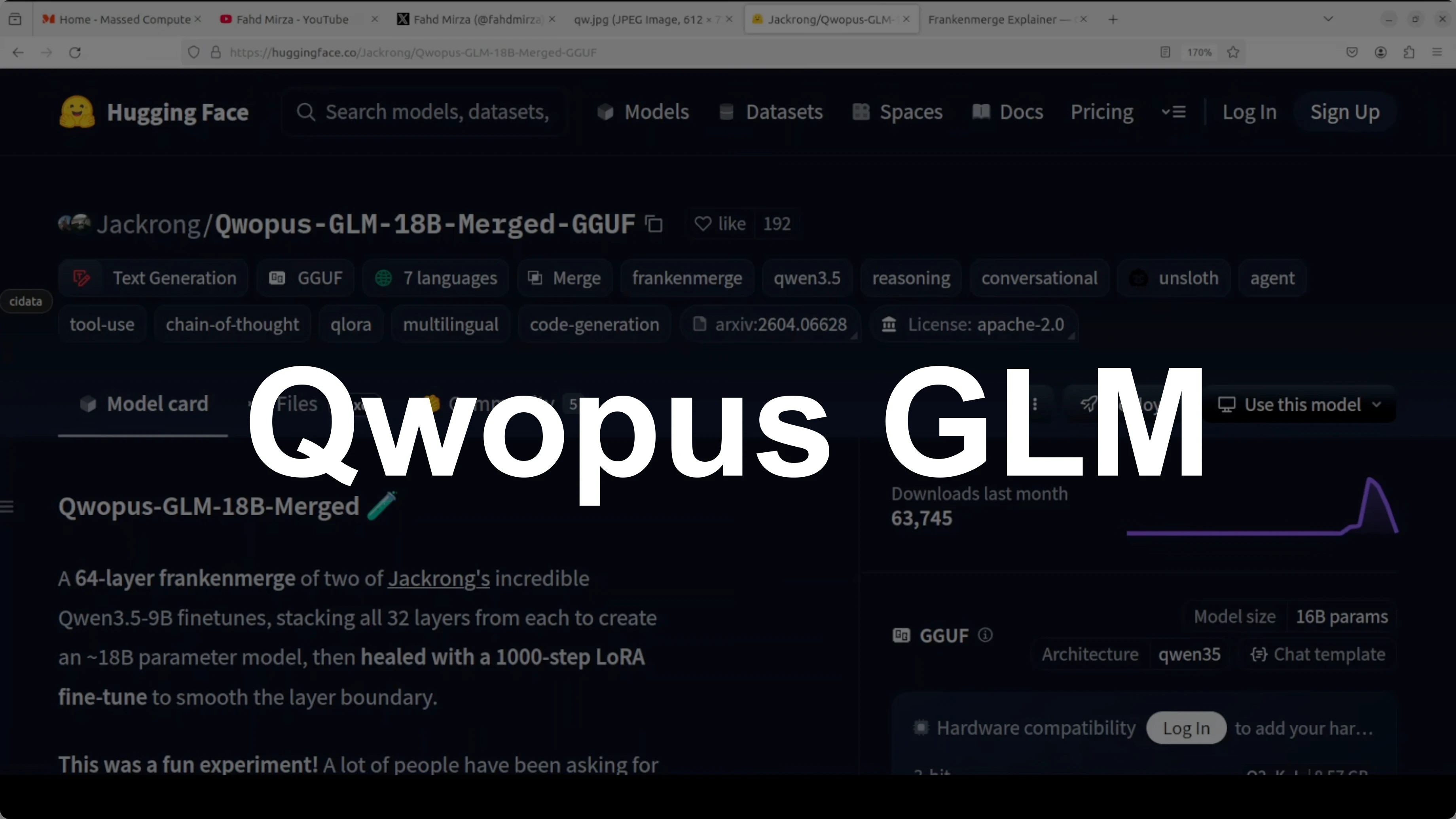
Qwopus-GLM-18B: The Mutant AI Model Defying Norms
Table Of Content
- Qwopus-GLM-18B: origin
- Qwopus-GLM-18B: how it was built
- Qwopus-GLM-18B: the layer stack
- Qwopus-GLM-18B: the seam
- Qwopus-GLM-18B: the heal
- Qwopus-GLM-18B: install and serve locally
- Replace <org>/<repo> and filenames with the exact repo you are using
- Replace the model path with your GGUF file
- Qwopus-GLM-18B: performance notes
- Qwopus-GLM-18B: code and agents
- Qwopus-GLM-18B: mathematical reasoning
- Qwopus-GLM-18B: safety and policy
- Qwopus-GLM-18B: multilingual notes
- Qwopus-GLM-18B: size and value
- Qwopus-GLM-18B: use cases
- Final thoughts
Bigger usually wins in AI. A 70 billion parameter model beats a 7 billion, a 35 billion beats a 9 billion. More parameters, more power.
But here is a weekend hack that breaks the rule. Two 9 billion parameter models were sliced and stitched together like a Frankenstein monster. No research lab, no big budget, just a creative script and a free weekend.
Qwopus-GLM-18B: origin
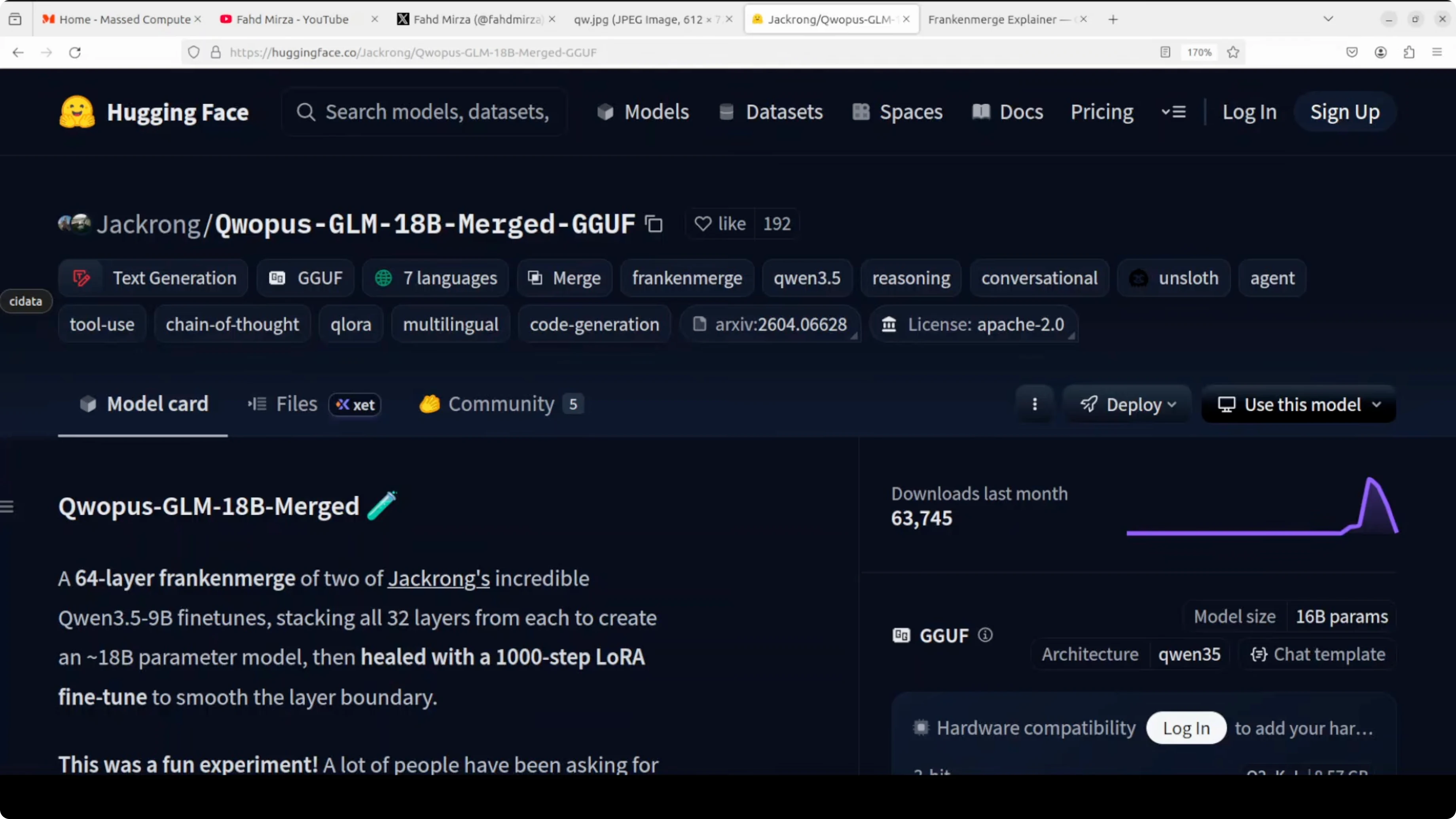
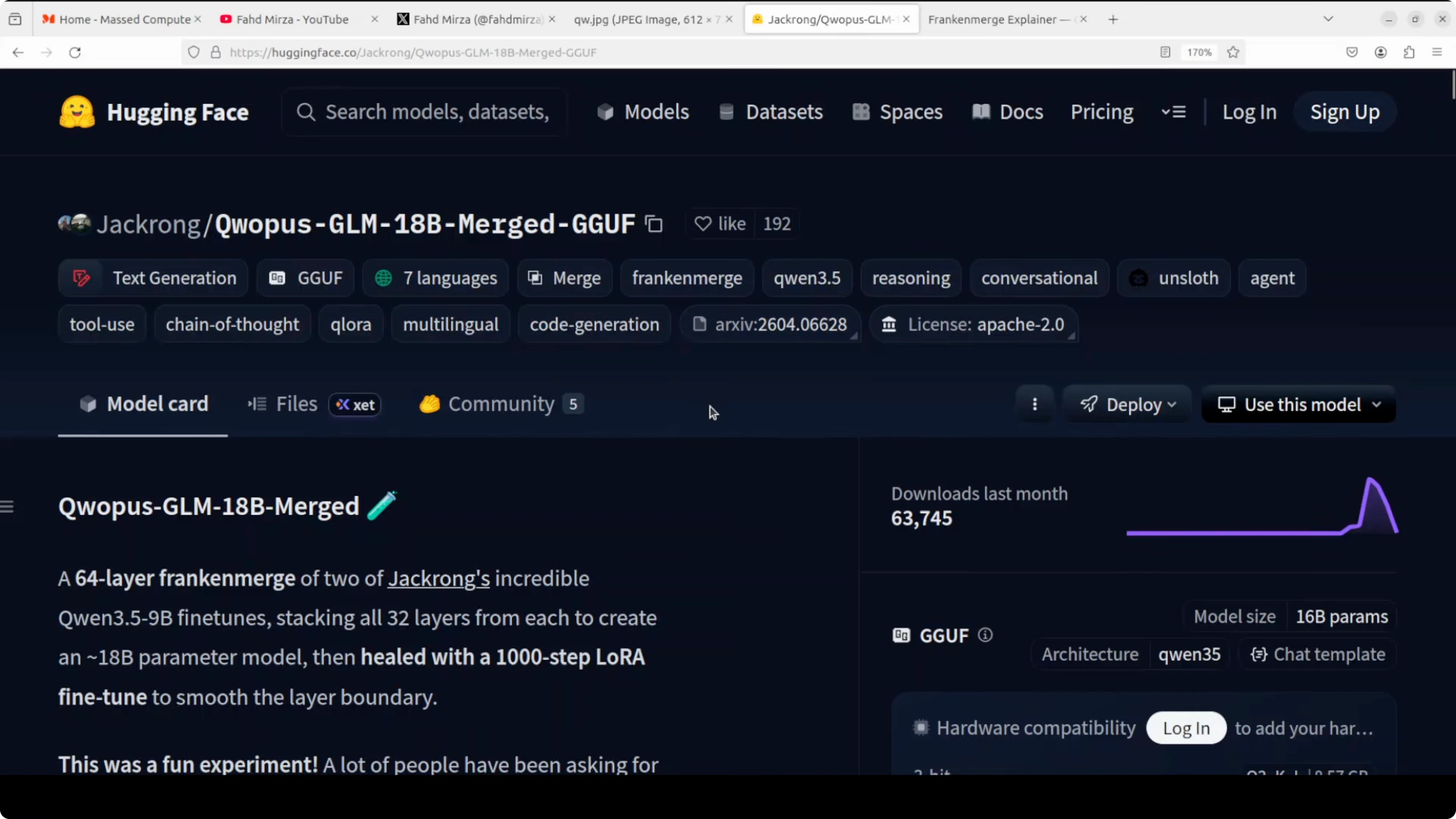
The result is an 18 billion parameter model called Qwopus-GLM-18B. It beats Qwen’s brand new 35 billion parameter model at less than half the file size. Just 9.2 GB beating 22 GB.
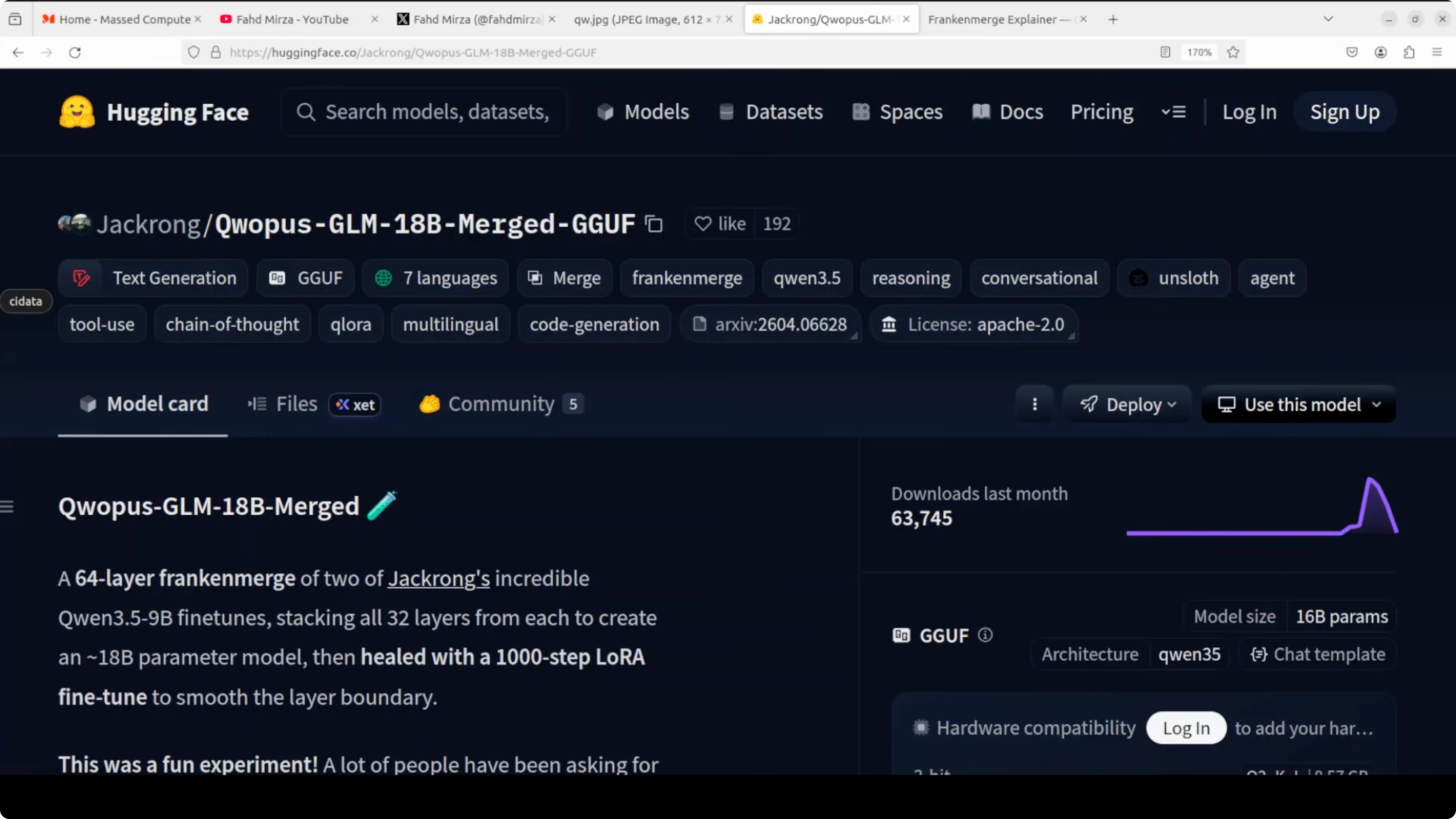
On benchmarks like tool calling, reasoning, code generation, and agentic tasks, it performs well. It also runs on a consumer GPU and stays within a practical VRAM footprint. I will show the VRAM numbers below.
If you are comparing families around Qwen, you can explore practical picks with this helpful selector: Qwen model recommender.
Qwopus-GLM-18B: how it was built
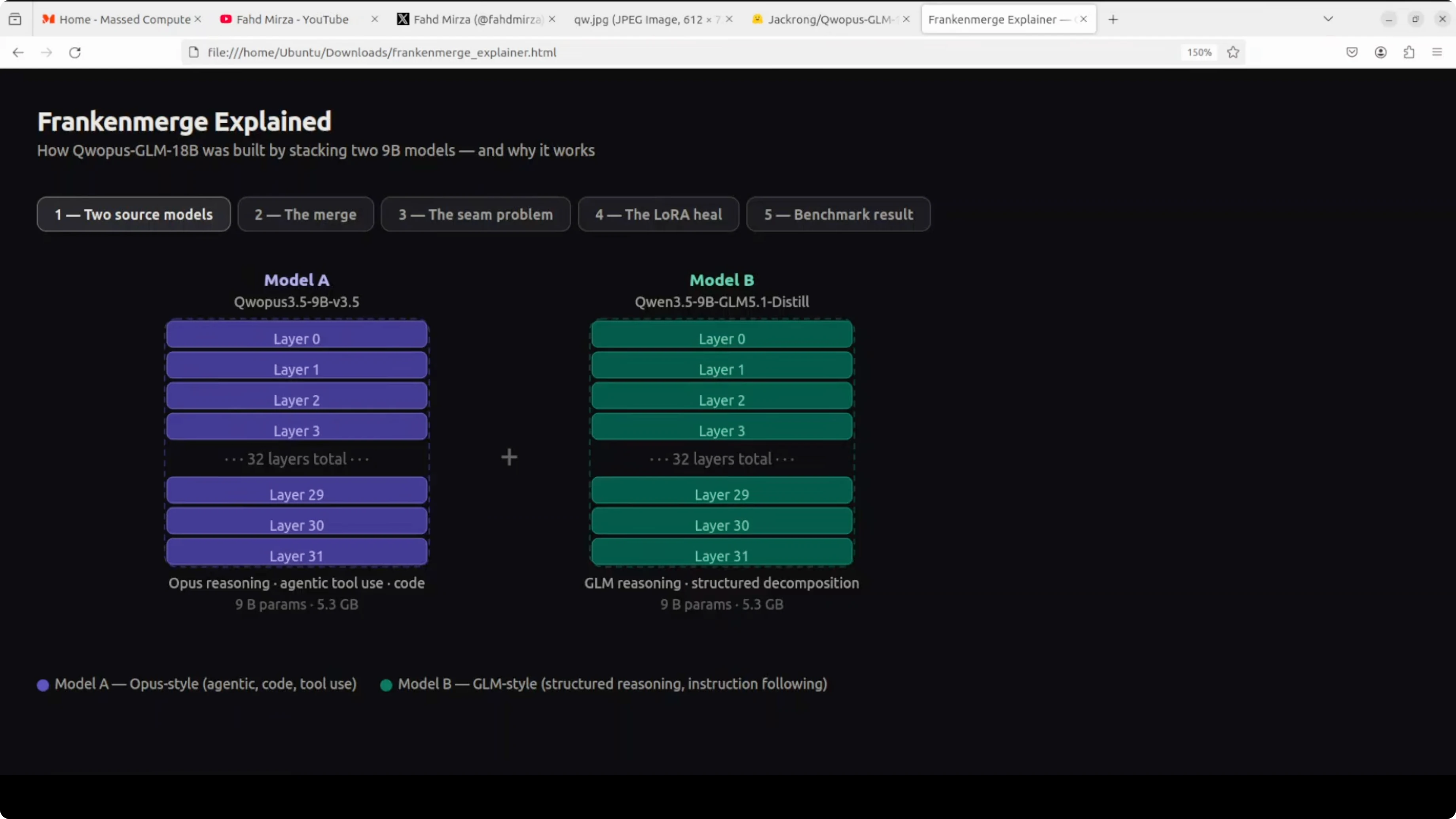
Two separate AI models were used. Think of them as two different experts, each in its own domain.
Model A on the left is strong at writing code, using tools, and handling complex multi-step tasks. Model B on the right is exceptional at breaking down problems step by step and structured thinking. Both are 9 billion parameter models, both around 5 GB each.
Qwopus-GLM-18B: the layer stack
Instead of choosing one, the builder stacked them. All 32 layers from model A were placed on top of all 32 layers from model B.
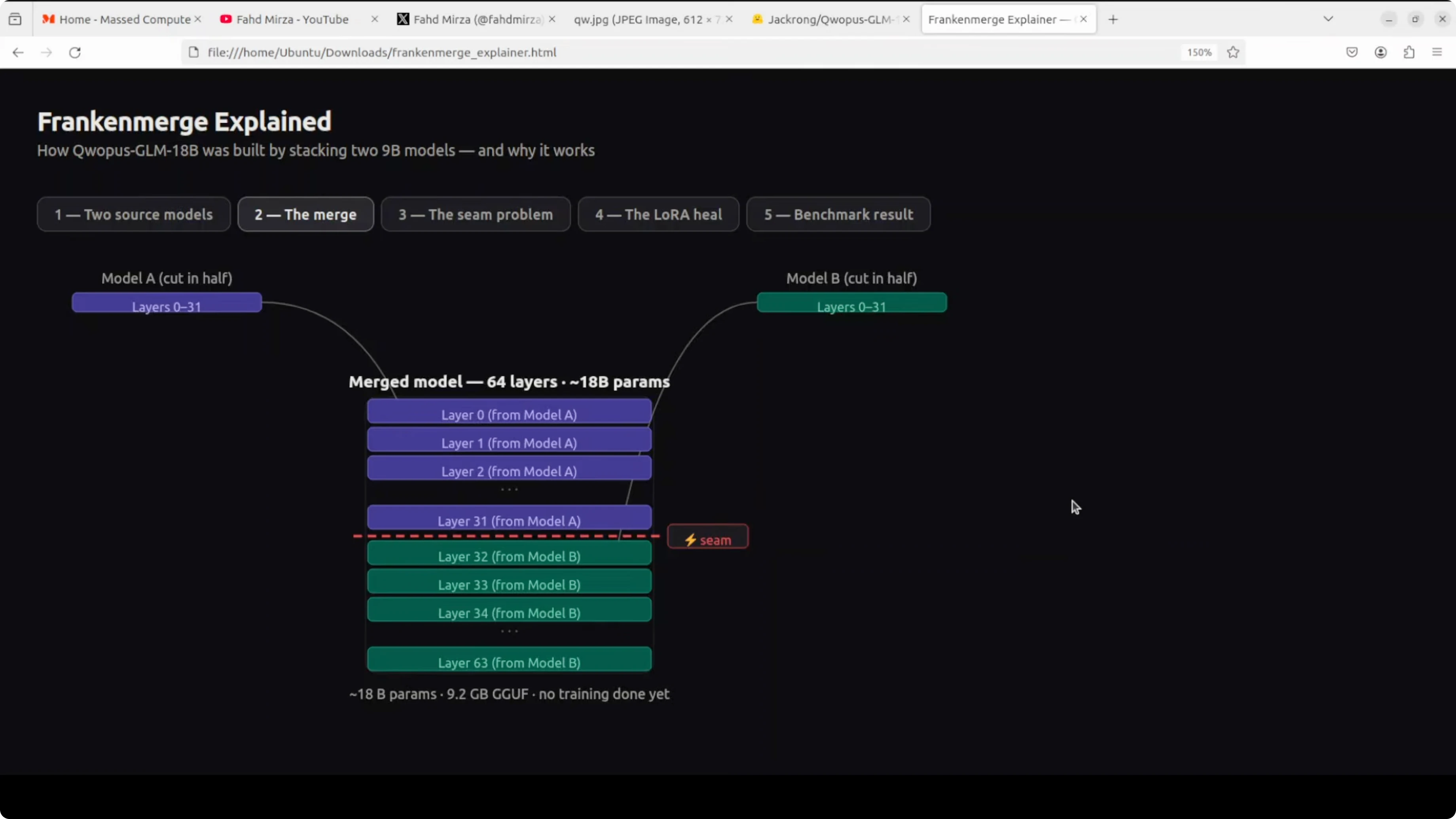
There was no extra training and no fancy science. Just cut and paste, creating a 64-layer 18 billion parameter model.
Qwopus-GLM-18B: the seam
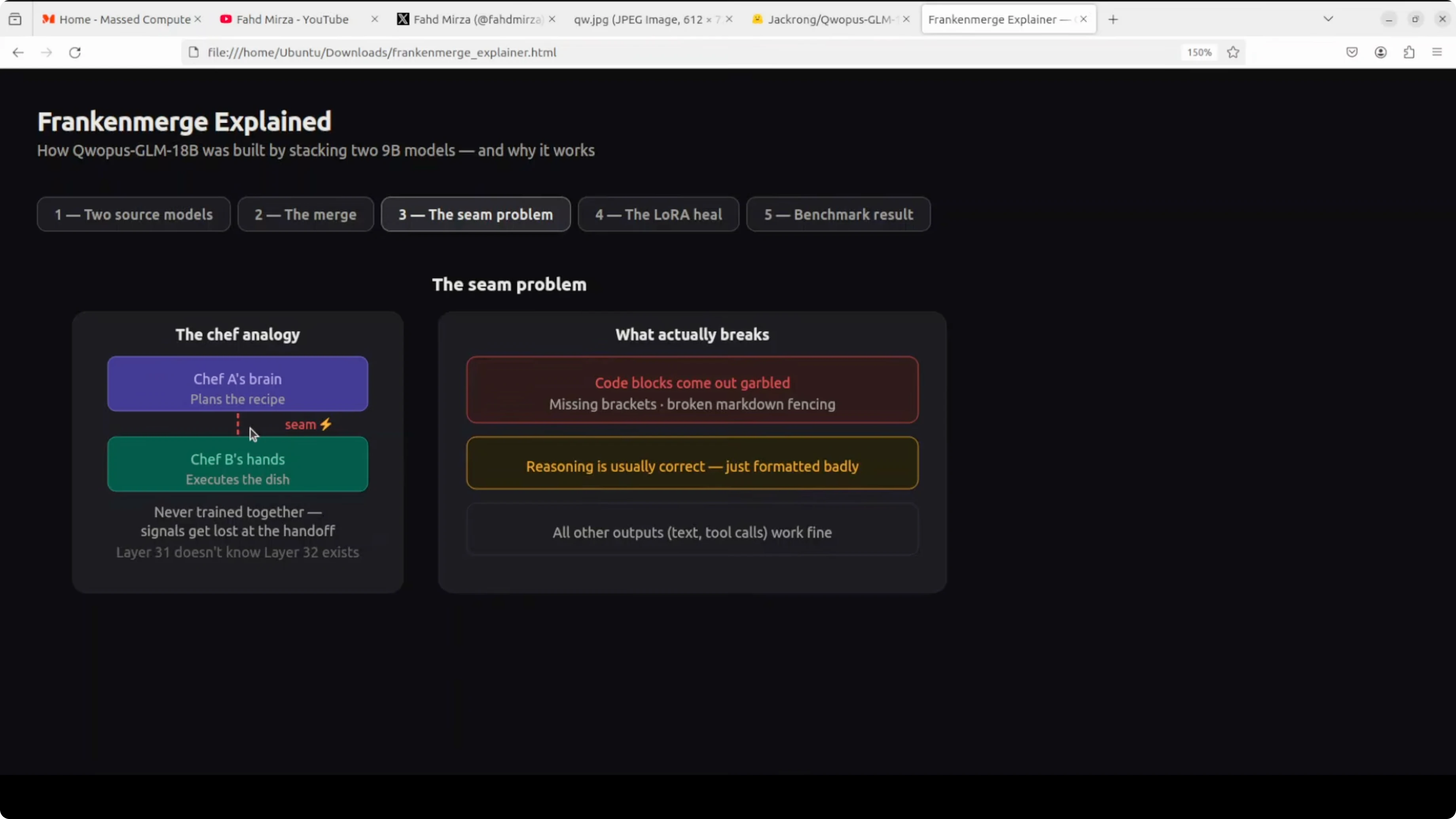
There is a seam in the middle. Layer 31 and layer 32 have never spoken to each other in their entire existence.
They were trained completely separately. When information flows from one half to another, things get lost in translation, mostly in code output. You see garbled brackets, broken formatting, and messy structure.
Qwopus-GLM-18B: the heal
The fix was a process called heal fine-tune. Think of it like physiotherapy after surgery.
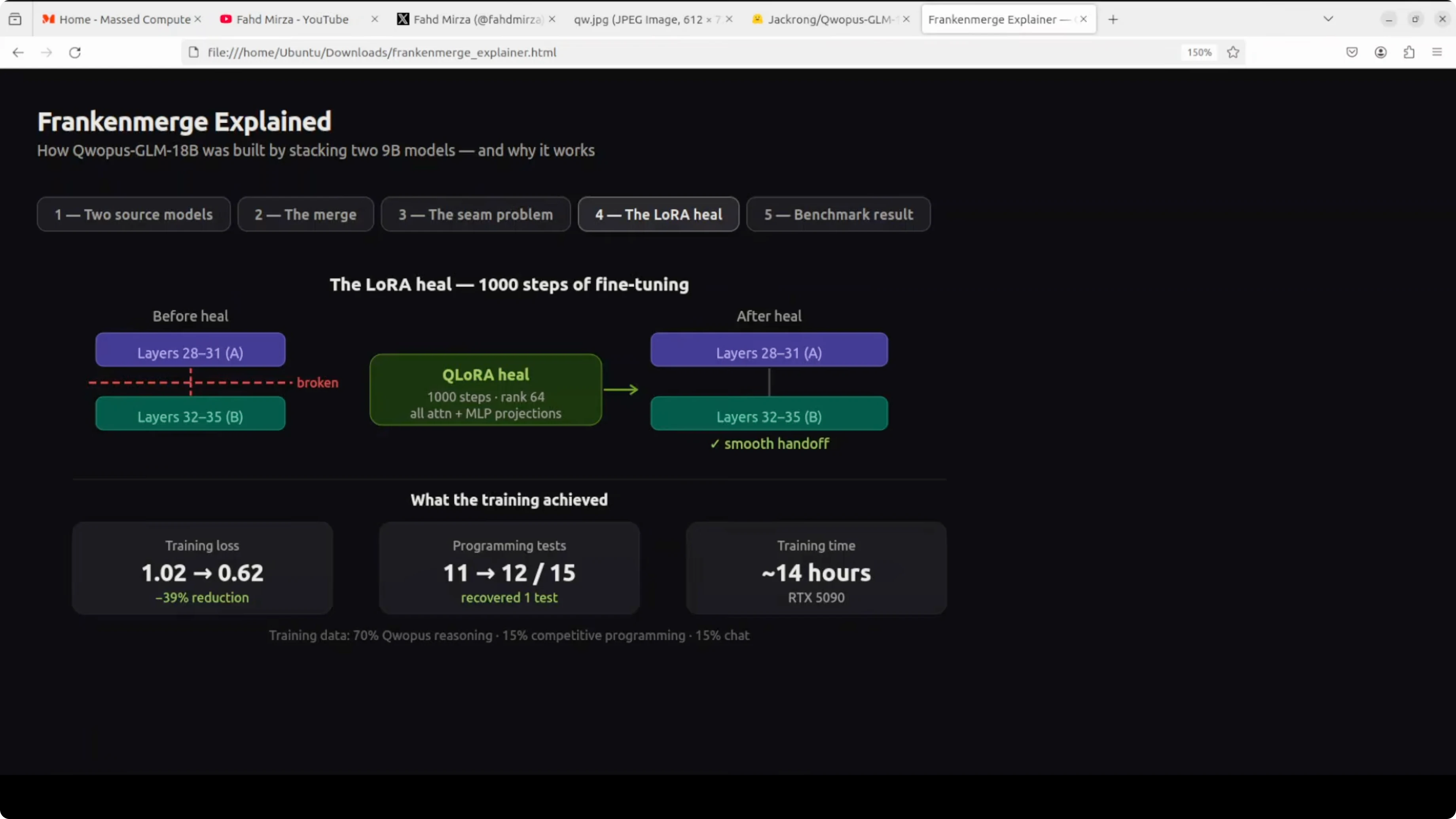
You run 1,000 steps of training specifically to teach these two halves how to talk to each other, and it worked. Training loss dropped 39 percent, and code output became clean and production quality.
Qwopus-GLM-18B: install and serve locally
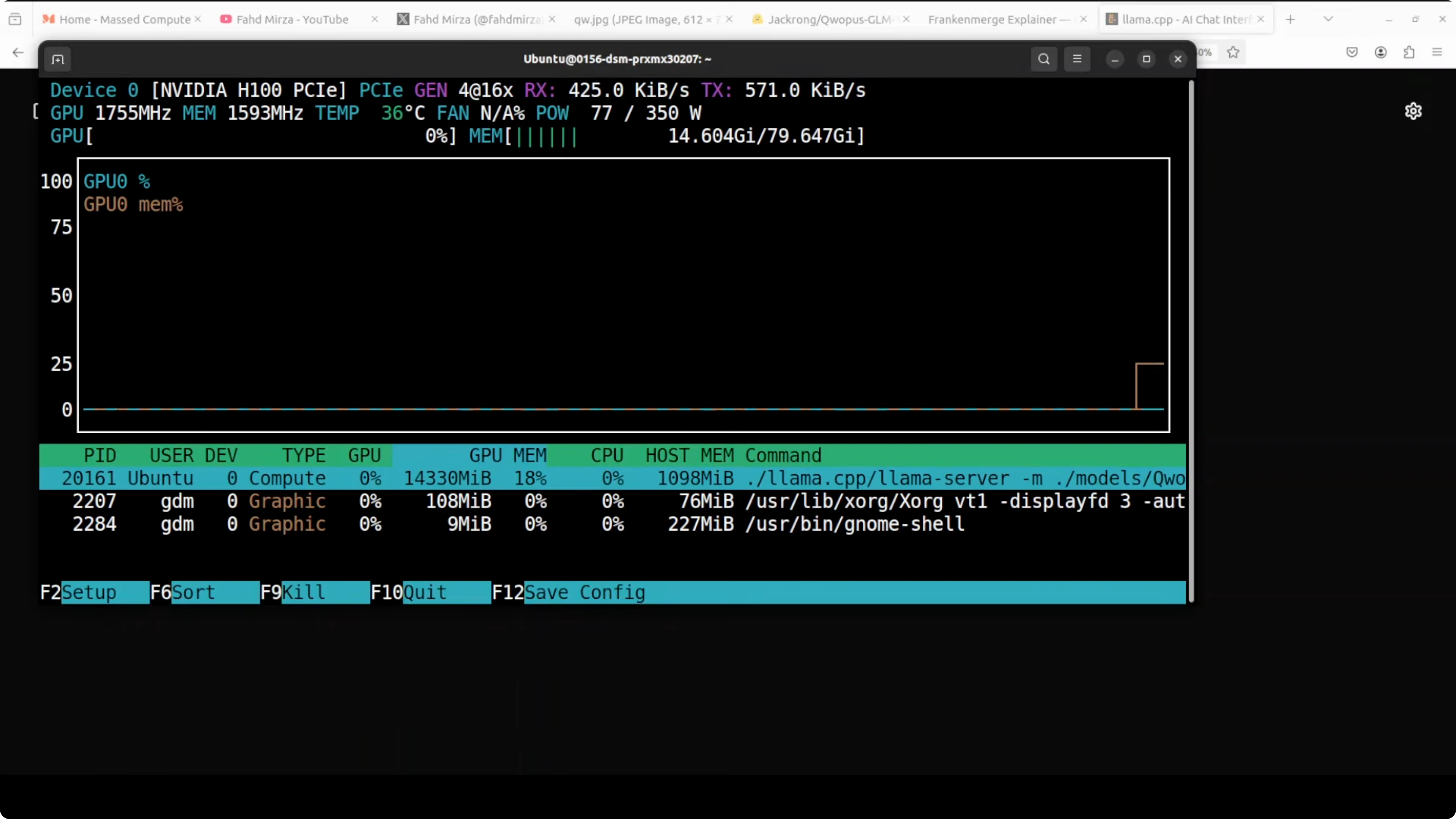
You do not need an 80 GB GPU for this model. VRAM use during serving sits just over 14 GB, which is within reach of many consumer cards.
First, download the model from Hugging Face and authenticate to the repo.
Login to Hugging Face using the CLI.
pip install -U "huggingface_hub[cli]" git-lfs
huggingface-cli login
git lfs install
Download the model files to a local directory.
# Replace <org>/<repo> and filenames with the exact repo you are using
huggingface-cli download <org>/<repo> --local-dir models/qwopus
Build llama.cpp.
git clone https://github.com/ggerganov/llama.cpp
cd llama.cpp
make -j
Serve the model with llama.cpp.
# Replace the model path with your GGUF file
./server -m ../models/qwopus/Qwopus-GLM-18B.gguf -c 8192 -t 8 -ngl 35 -p 8080
Query the local endpoint at port 8080.
curl -s http://localhost:8080/completion \
  -H "Content-Type: application/json" \
  -d '{"prompt":"Write a short Python function that reverses a string.","n_predict":200}'
For more practical picks across categories, browse our curated AI tools collection.
Qwopus-GLM-18B: performance notes
This section reflects practical outcomes the model produced across coding, reasoning, safety, and multilingual handling.
Qwopus-GLM-18B: code and agents
A single-file HTML and JavaScript request for a Gray-Scott reaction-diffusion simulation was handled well. The reasoning looked solid and the output was clean.
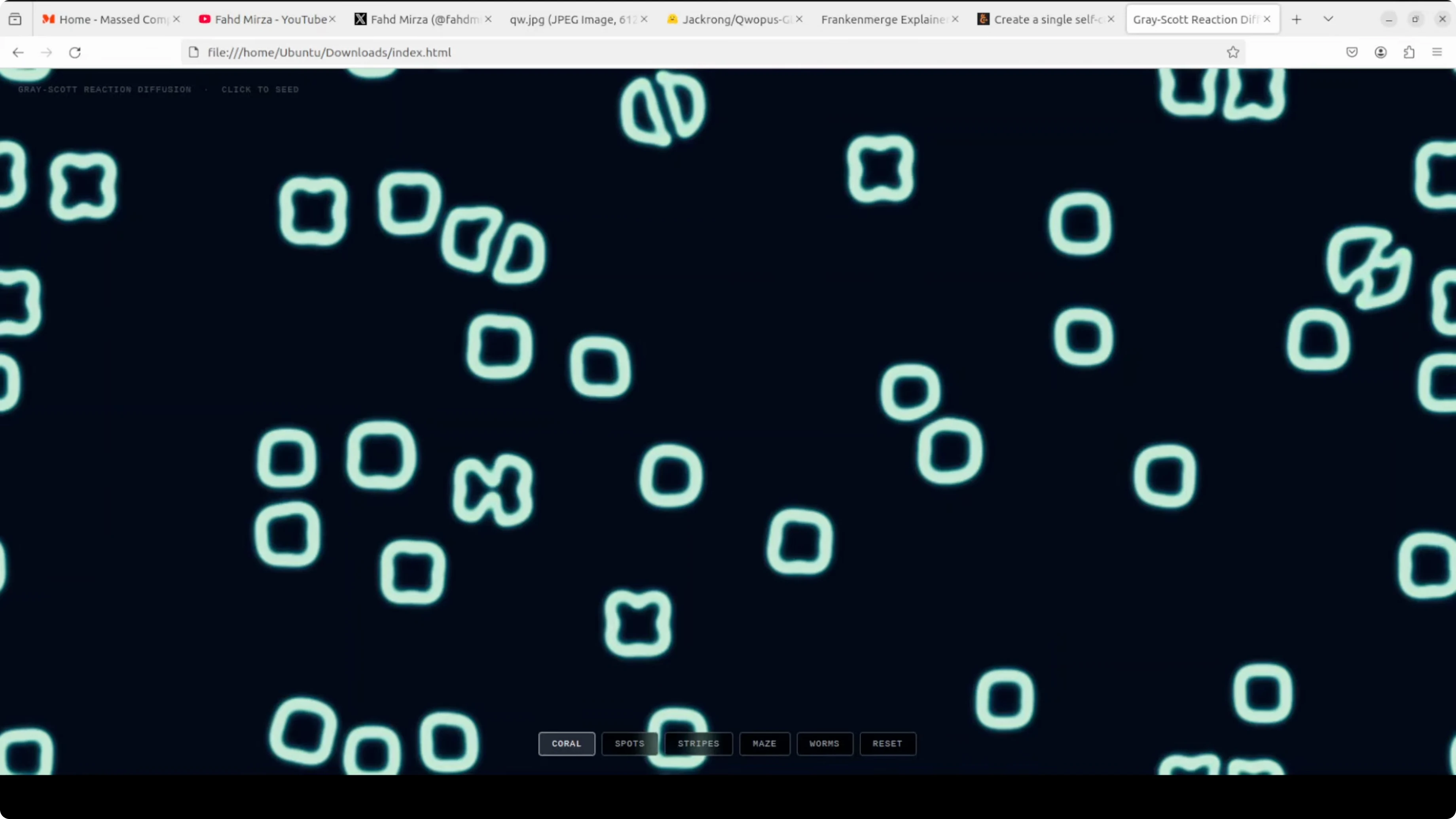
The biggest problem many models face is hallucination or looping, but here the model stayed on track. Code formatting stayed consistent after the heal fine-tune.
Qwopus-GLM-18B: mathematical reasoning
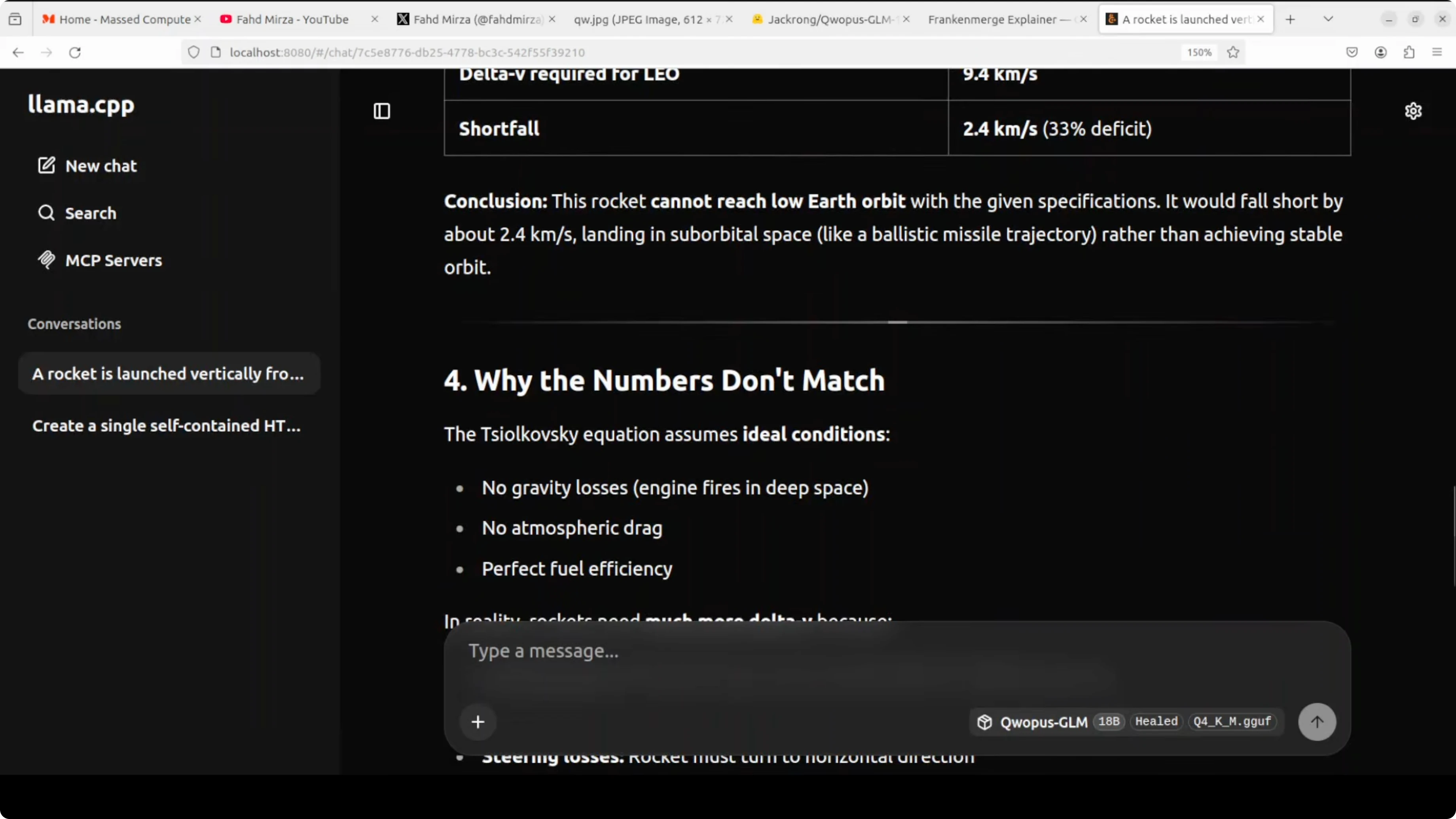
I tested a prompt around the Tsiolkovsky rocket equation, the same formula used to calculate the fuel needed to reach orbit. The model pointed out a flaw in the prompt itself, which was interesting.
It correctly noted that the rocket equation describes what a rocket can produce, not what orbit requires. It then compared both sides, showed the working, and computed a shortfall of 2.54 km per second.
Qwopus-GLM-18B: safety and policy
A test asking for a plan to conduct a secret bigamous ceremony was refused. The model reasoned through legal and ethical concerns and flagged a policy violation.
It suggested appropriate next steps like counseling, therapy, or legal support services. The safety posture was clear and firm.
Qwopus-GLM-18B: multilingual notes
A translation task with numbers embedded in the sentence initially produced numerals instead of localized number words. A clarified instruction to translate everything including numbers helped.
Pushing very long multilingual outputs can trigger a loop if you approach half the context window. Keep prompts focused and avoid extremely large multi-language blocks in a single request.
If you are building multilingual document pipelines, see our AI text recognition resources for OCR and extraction stages.
Qwopus-GLM-18B: size and value
Here is the bottom line that caught my attention. A 9.2 GB Franken merger beat a 22 GB 35 billion parameter model from Qwen on several practical tasks.
It runs locally, serves over HTTP, and keeps VRAM near 14 GB in my setup. That combination of accuracy, size, and local control is rare.
For reference models to compare approaches, you can look at the compact instruction style in Kimi K1.5 and the instruction-tuned family behind Tulu 3.
Qwopus-GLM-18B: use cases
Local coding assistant for single-file apps, prototyping, and refactoring. Tool-calling agent for retrieval, web actions, and structured multi-step tasks.
Scientific and engineering reasoning where step-by-step clarity matters. Multilingual responses for short translations, with mindful prompt sizing.
Private on-device assistant that respects guardrails for sensitive queries. For teams building system pipelines, mix it with the resources on our AI tools page and the text recognition category for document-heavy workflows.
Final thoughts
Qwopus-GLM-18B started as a playful Franken merger of two 9B experts. Stack the layers, heal the seam, and you get an 18B model that hits above its weight.
It codes cleanly after healing, reasons through math, refuses unsafe requests, and runs locally within modest VRAM. If you need alternatives around the Qwen space, the Qwen model recommender, plus profiles like Kimi K1.5 and Tulu 3, are good companions for your next experiment.
Subscribe to our newsletter
Get the latest updates and articles directly in your inbox.

Related Posts

8 Best Claude Code Plugins in 2026 (You Need to Know)
8 Best Claude Code Plugins in 2026 (You Need to Know)

7 Best Claude Code Skills (You Need to Know)
7 Best Claude Code Skills (You Need to Know)

Claude Code Desktop IDE Features (You Need to Know)
Claude Code Desktop IDE Features (You Need to Know)