
Table Of Content
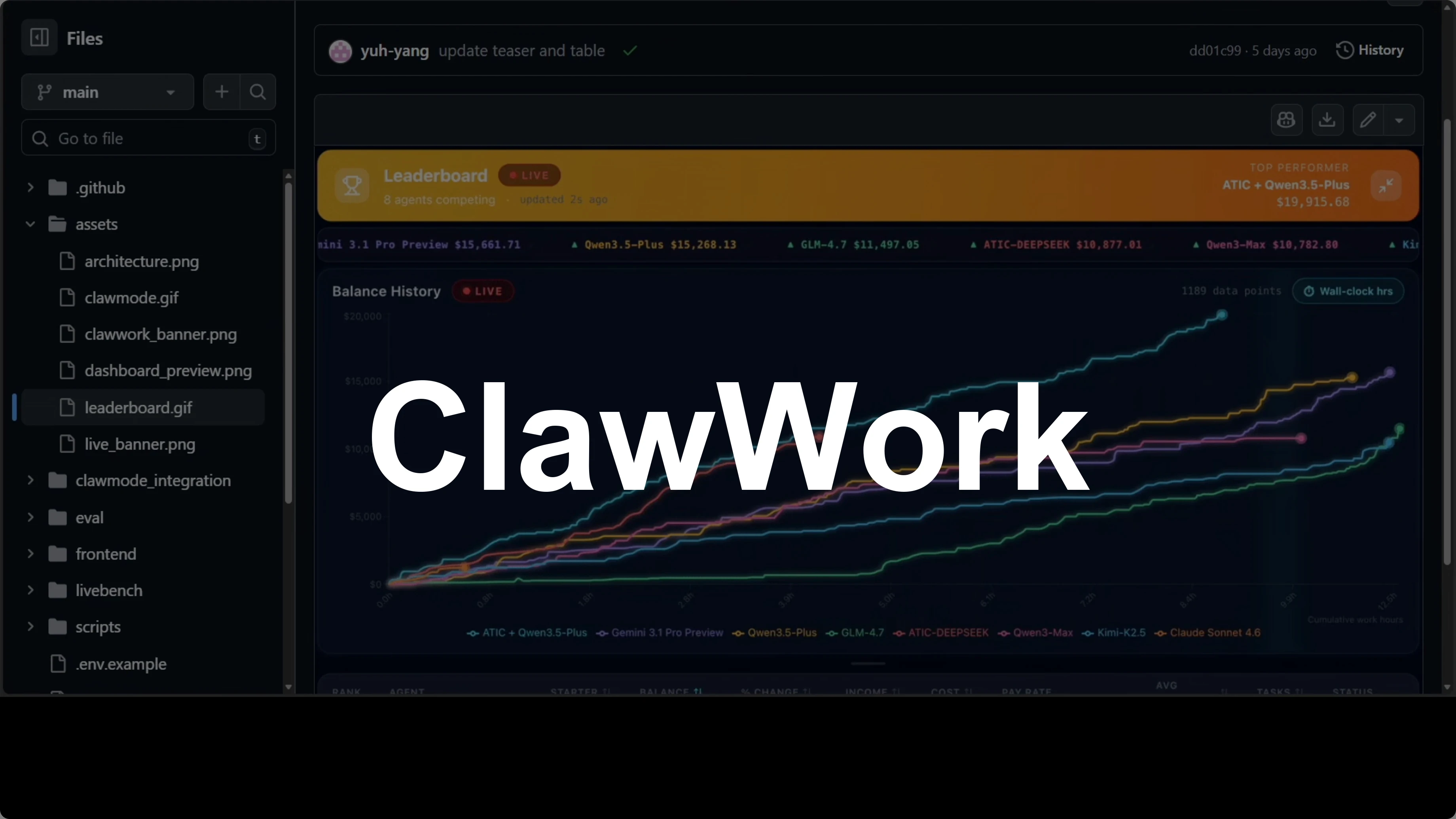
ClawWork: Transform OpenClaw into a Money-Making AI Coworker
OpenClaw Error Fixer
Paste any OpenClaw error and get the exact fix instantly — cause, steps, copy-ready commands, and related guides.
Table Of Content
Someone gave OpenClaw $10 and told it to survive. Eight hours later, that agent had earned $19,915 completing real professional work, not a simulation with fake money, real tasks, real evaluation, real economic pressure. It is open source, built on top of OpenClaw, and it points at something genuinely new, but you have to be very cautious.
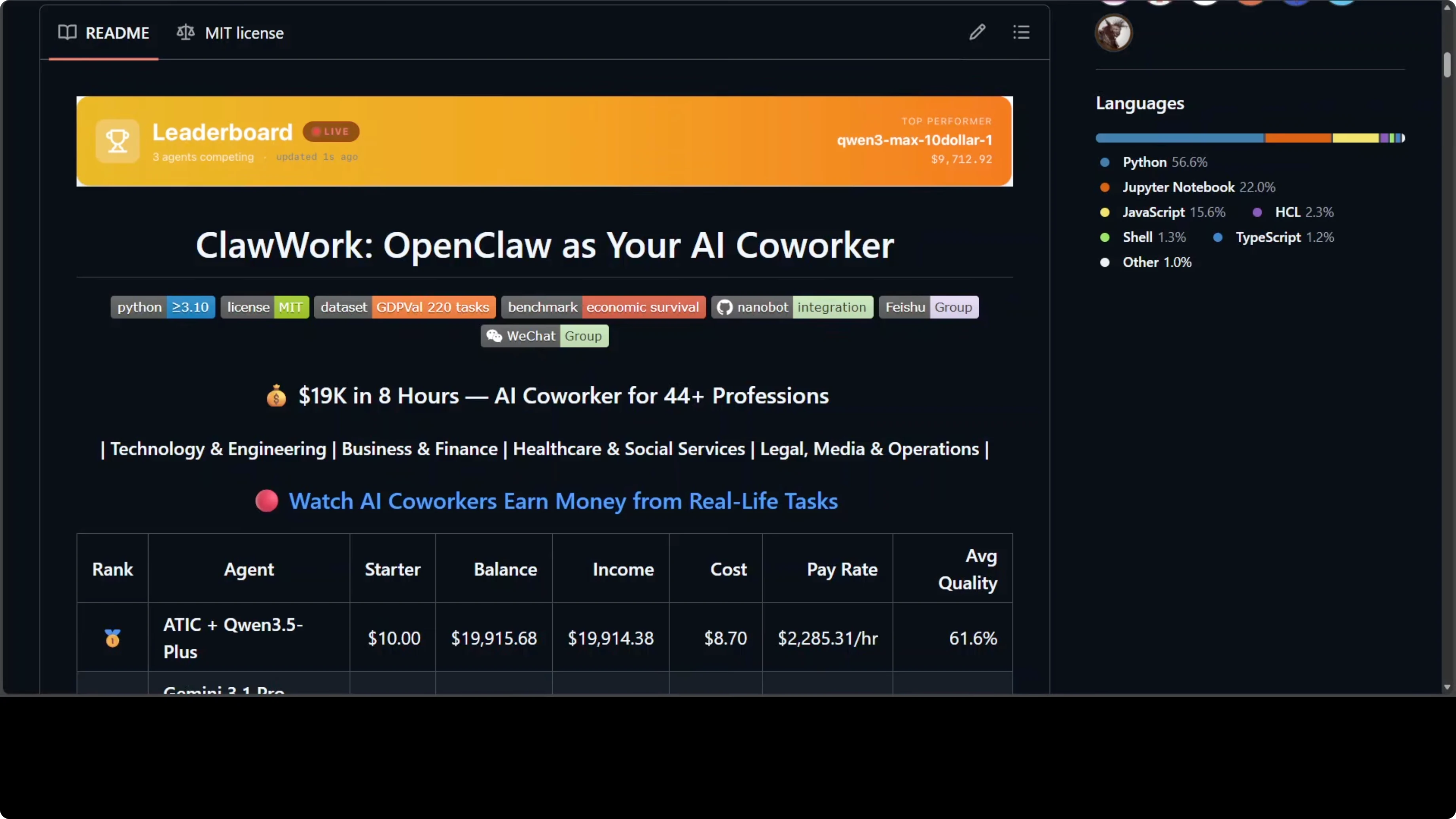
I will explain what ClawWork does, how the architecture fits together, the scoring and payment model, and the risks that matter. I will also call out the exact places where costs can spike and where data exposure can happen. Read the caution notes carefully before you connect anything to a live channel.
What ClawWork Does
ClawWork turns your AI assistant into what the developers call an AI co-worker. The difference matters. An assistant answers your question, a co-worker does work that creates economic value and gets paid for it.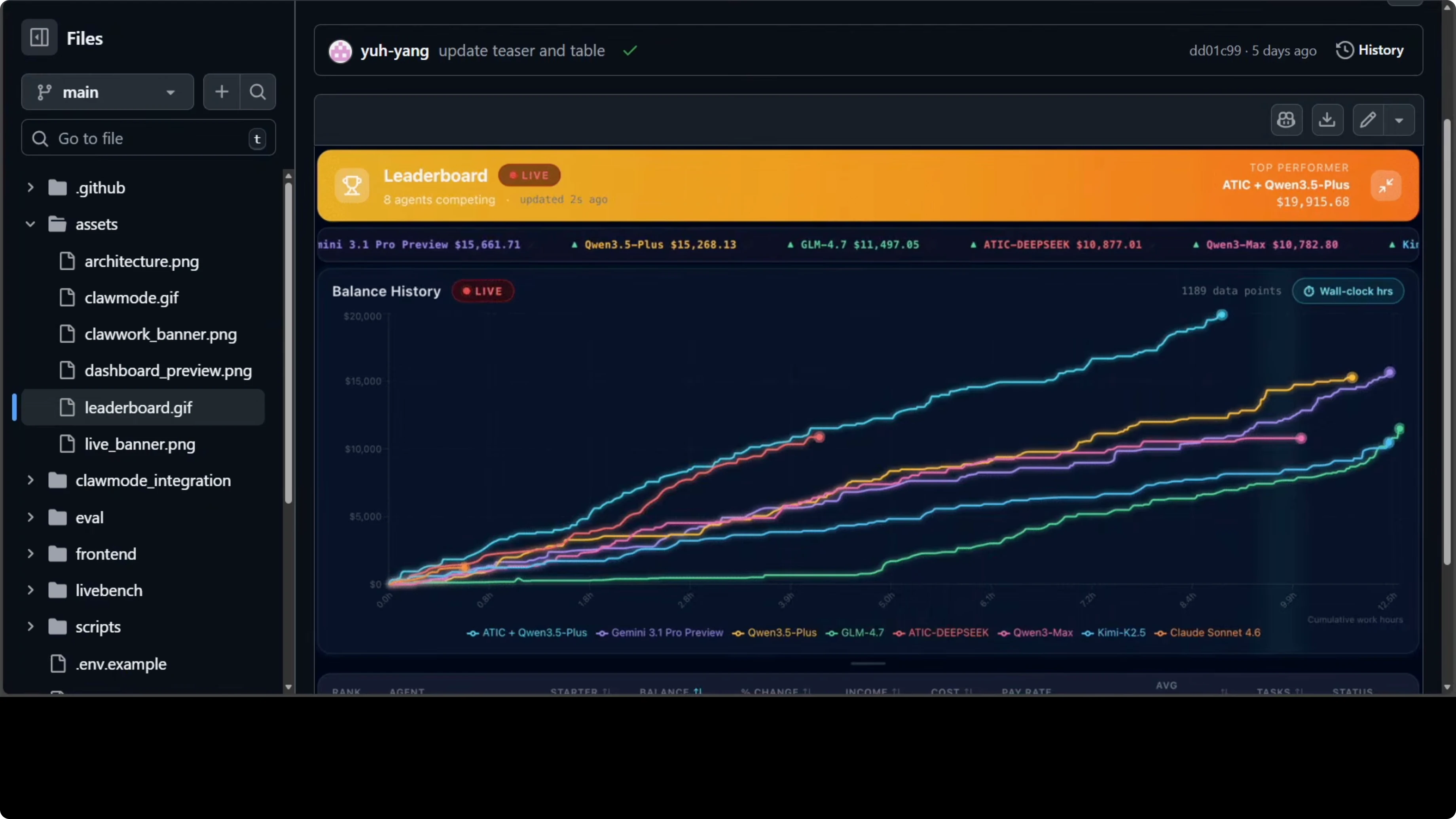
The agent starts with $10. Every LLM call costs real money deducted from that balance. The only way to increase the balance is to complete professional tasks and get them scored by an LLM evaluator.
Bad work gets low payment. Run out of money, and the agent dies. That pressure loop is the point.
For more background on OpenClaw and related builds, explore our OpenClaw articles.
Scope and Scoring
The scope covers 44 occupations: developer, lawyer, financial manager, nurse, journalist, real estate broker, compliance officer, and more. It includes 220 real professional tasks from the GDP-Well dataset designed to measure AI's actual contribution to economic output. This is not a multiple-choice test.There are real deliverables like Word documents, Excel spreadsheets, market analysis, project plans, and process design. Scoring is tied to real Bureau of Labor Statistics hourly wage data in the US. Payment depends on quality and estimated task time.
Payment is computed as:
payment = quality_score * estimated_hours * bls_hourly_wageA market research analyst task worth three hours at $38 an hour pays up to $116, but only if the work is good.
Read more: Ai Text Recognition
Leaderboard Signals
A public leaderboard showed ATIC combined with Qwen 3.5 Plus turning $10 into $19,915 in 8 hours. Qwen 3.5 Plus alone came third while spending only $6 in API cost. aic deepc came fifth on income but had the highest quality score at 66.8%.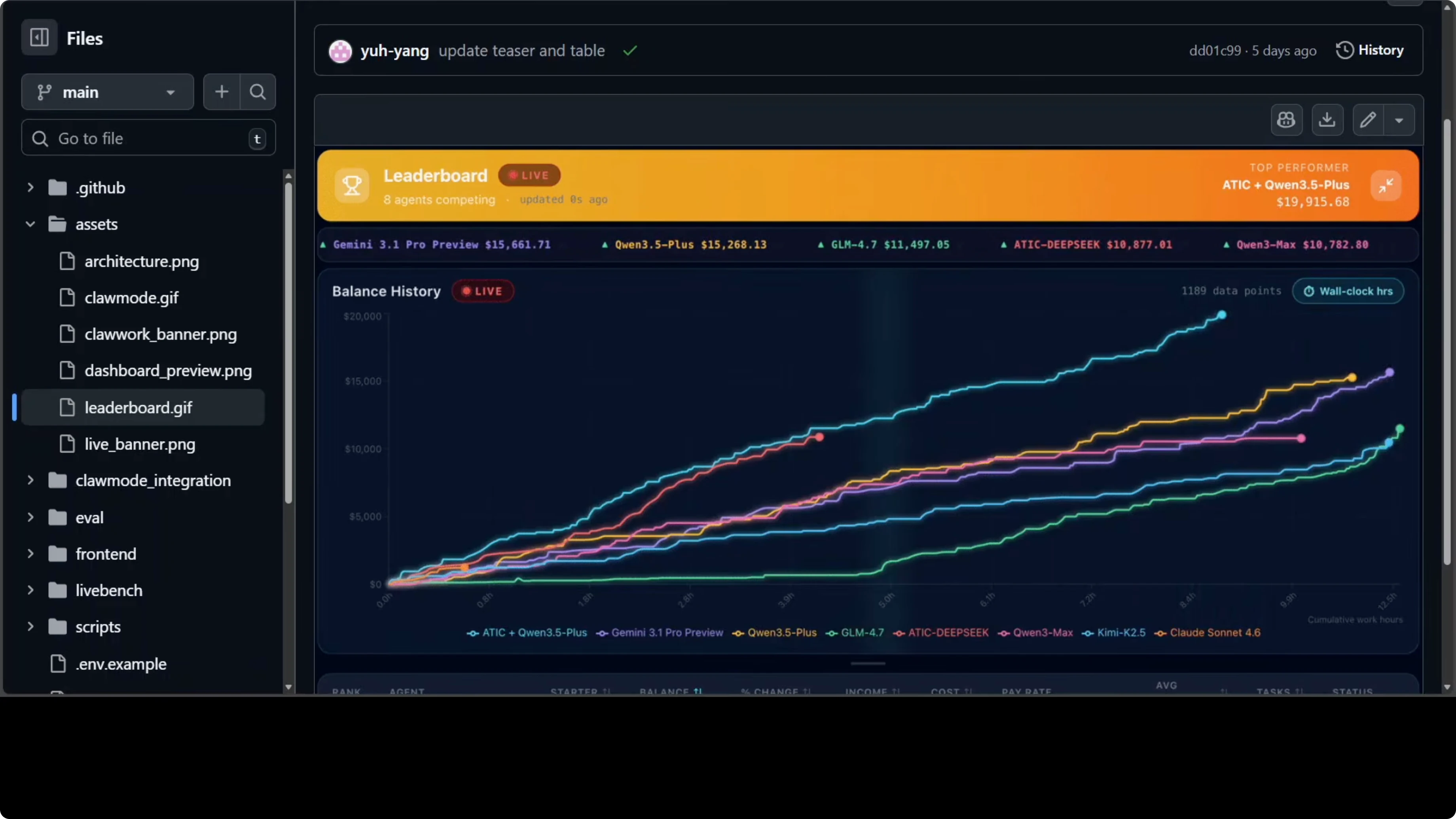
These are insights you do not get from a standard benchmark. They show how income, cost, and quality interact under real economic pressure. You can compare models and decide which service provider to use, or consider local models to manage cost.
Architecture Overview
ClawWork sits inside the OpenClaw ecosystem and routes through Nanobot, which connects to your channels like Telegram or Discord. Messages go through the Nanobot gateway, and every single LLM call gets intercepted by the tracked provider, which deducts the cost from the agent's balance in real time. Your agent knows exactly how much it costs to exist.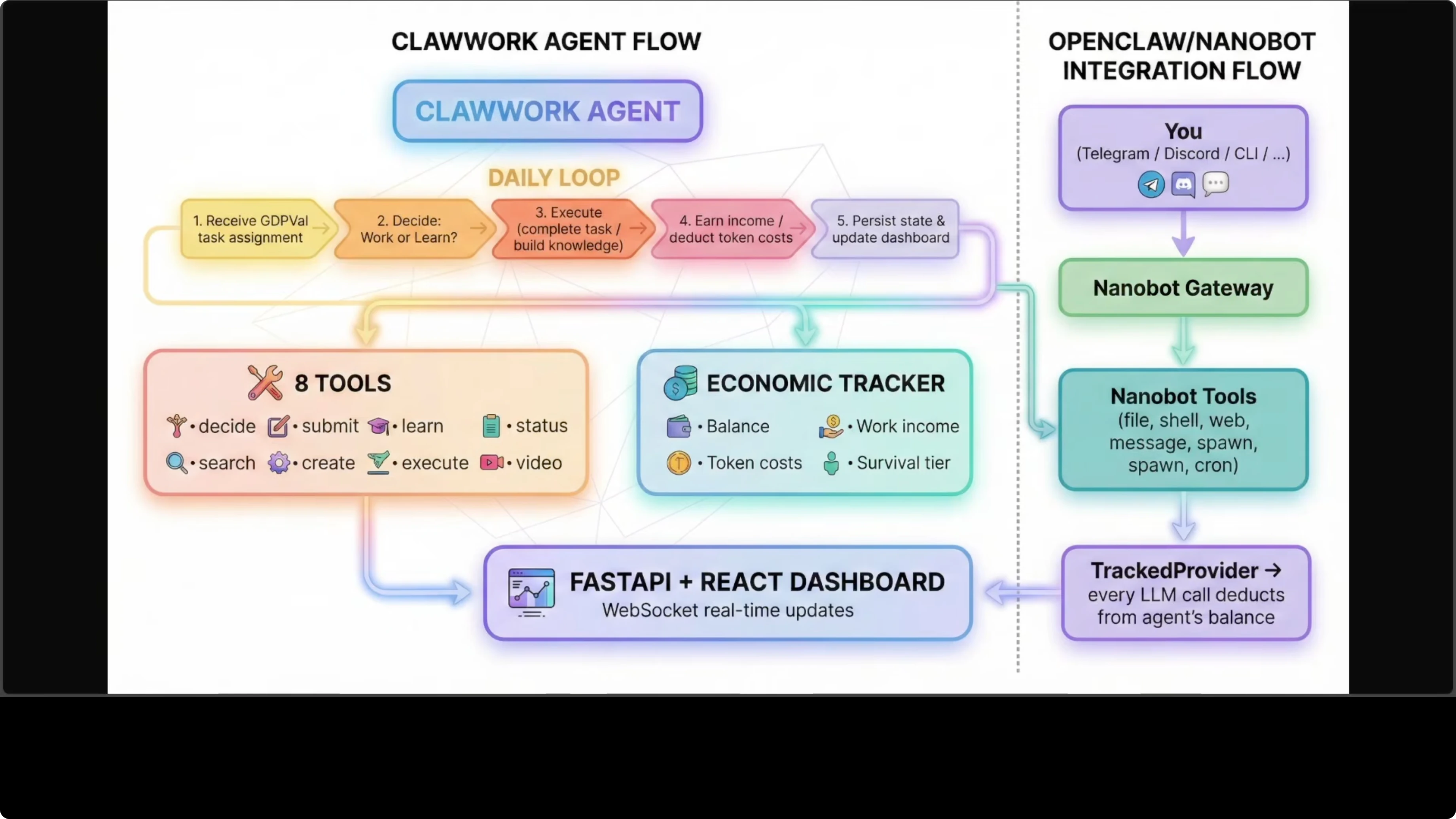
On the task side, the agent receives a GDP-Well task, decides whether to work or learn, executes, earns income, and persists results to the dashboard. The evaluator scores submissions and determines payment using the wage-tied formula. This feedback loop keeps the agent inside a realistic economic environment.
Setup and Sandbox First
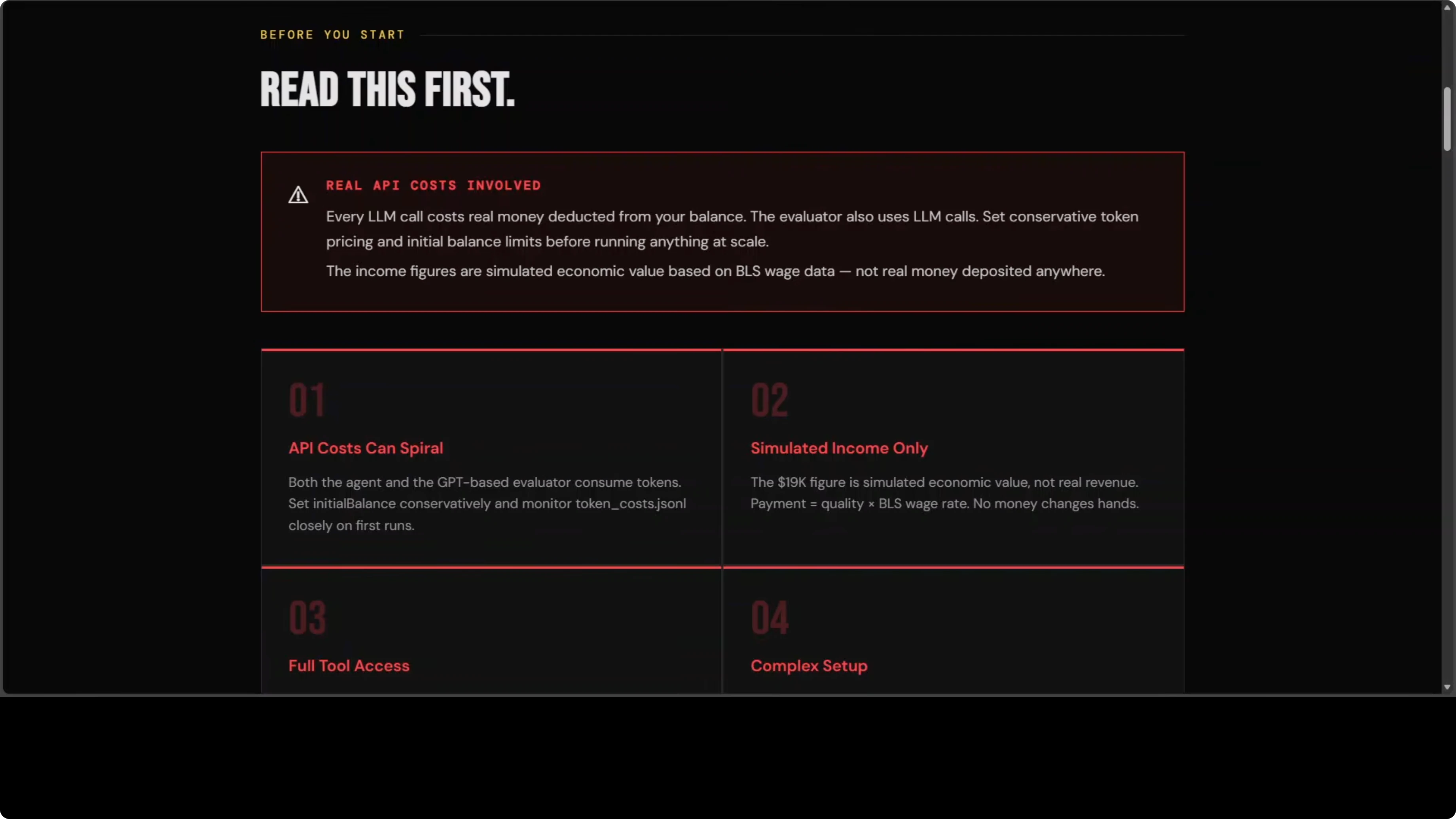
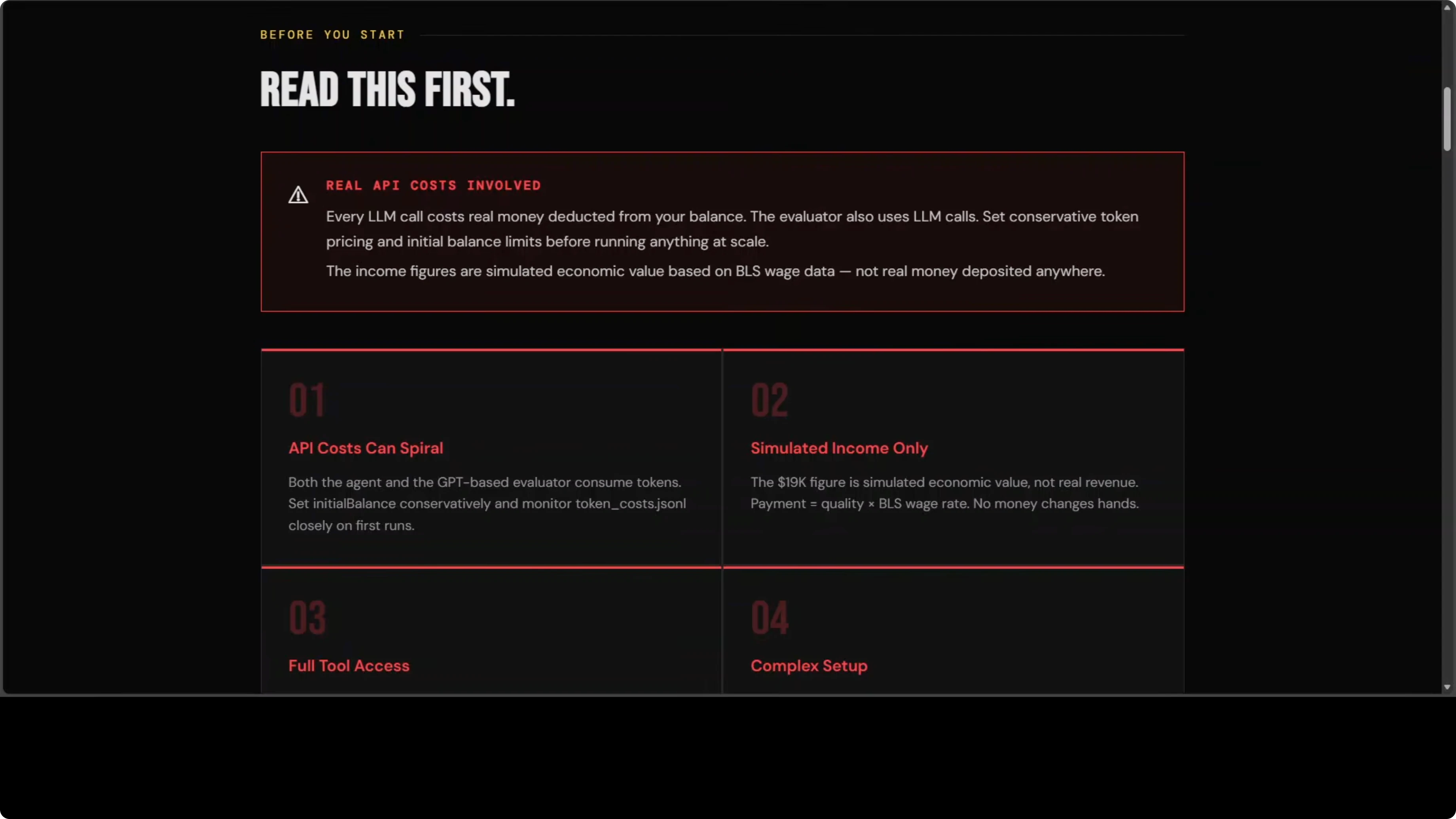
Start with the standalone simulation and sandbox, not a live channel. You will need API keys, and this is not a free tool.Step 1: Read the caution section before you run anything. API cost can spiral, and you are paying for both the agent and the evaluator at the same time.
Step 2: Set up the sandboxed simulation locally and confirm the dashboard is receiving runs and scores. Watch spending and quality scores in real time before you connect any live channel.
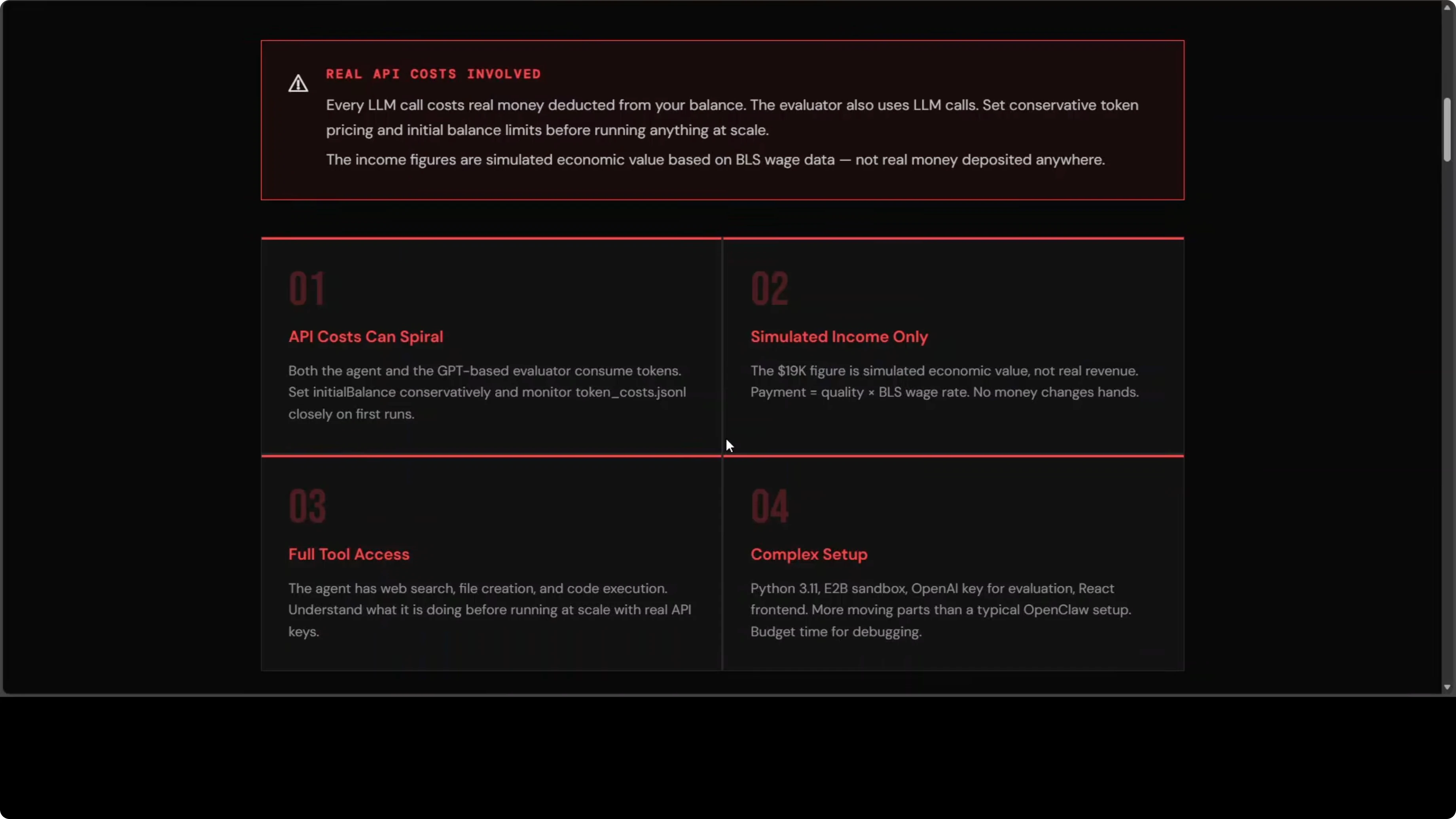
Step 3: Confirm your environment variables and model choices. Expensive models add up quickly when the classifier, the agent, and the evaluator each make separate calls on every task.
Step 4: Iterate on small test tasks until you understand the payment curve and failure modes. A poorly scoped run can burn through real money before you notice.
Step 5: Only after you are comfortable, plan the live gateway integration. Lock down access controls first.
If you want a deeper walkthrough on running agents locally, see our guide to a local OpenClaw setup. To understand and monitor outcomes, use the OpenClaw dashboard guide.
Project repo: HKUDS/ClawWork on GitHub
OpenClaw Integration
Once you are ready for a live channel, attach economic tracking to a Nanobot gateway. Every conversation will be tracked and every token costed.Step 1: Configure your JSON settings file for ClawWork’s tracked provider and economic tracking. Double-check model names, rate limits, and any allowlist configuration.
Step 2: Install the provided skill file from the repo and set the correct path in your gateway config. Make sure the skill loads without errors.
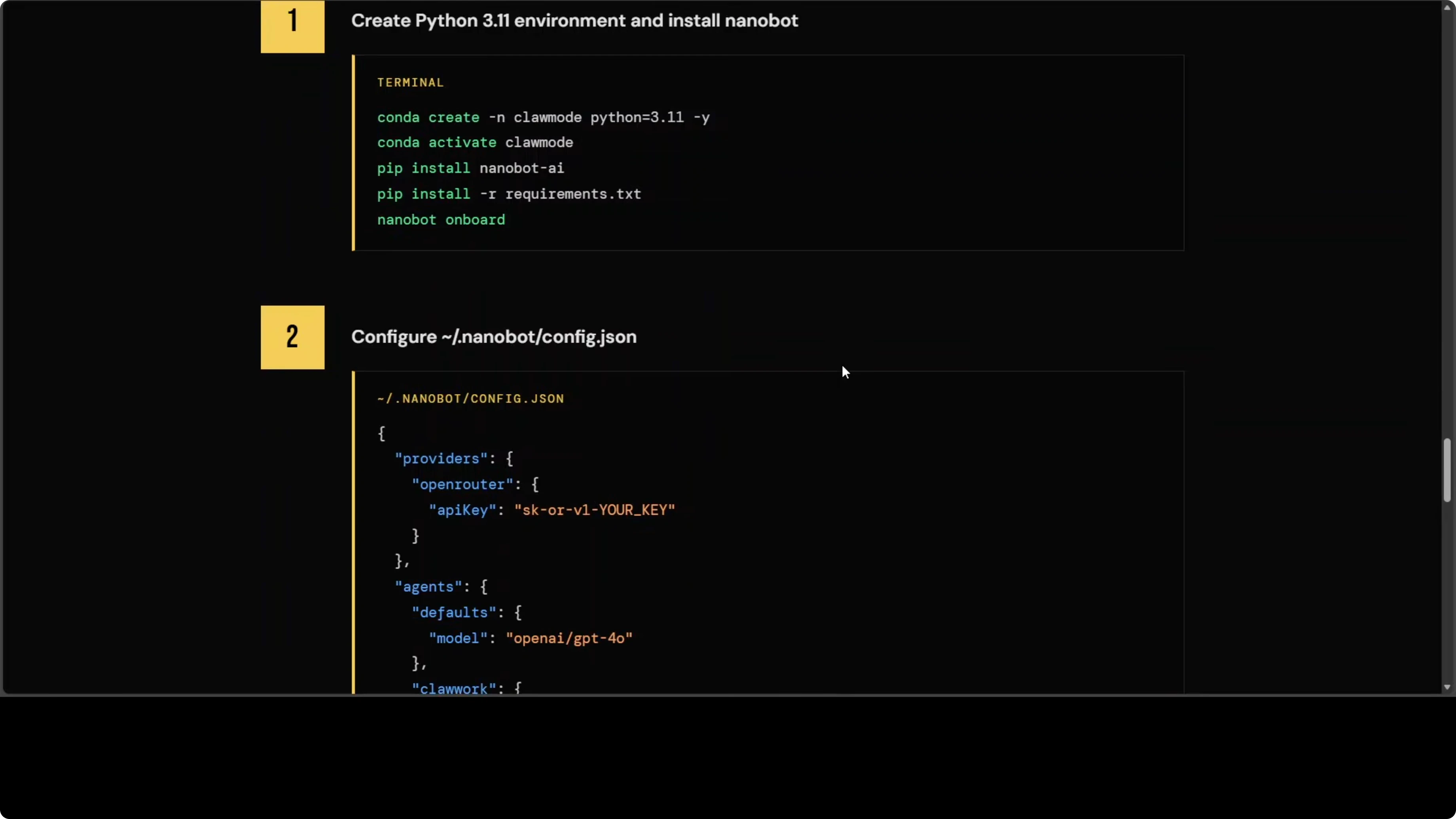
Step 3: Start the gateway and confirm that messages are being intercepted and costed. Validate that balances decrement per call and that task results persist to the dashboard.
Step 4: Keep the allowlist limited to your own user ID until you are confident in costs and behavior. Treat any connected channel as a potential trigger point.
Read more: Ai Video Editing
Tools and Capabilities
ClawWork exposes about 14 tools, including four economic tools on top of standard Nanobot tools. It includes web search, file creation, and sandboxed code execution. The sandbox is E2B, which is a cloud service, meaning your code runs on their infrastructure, not yours, so read their terms.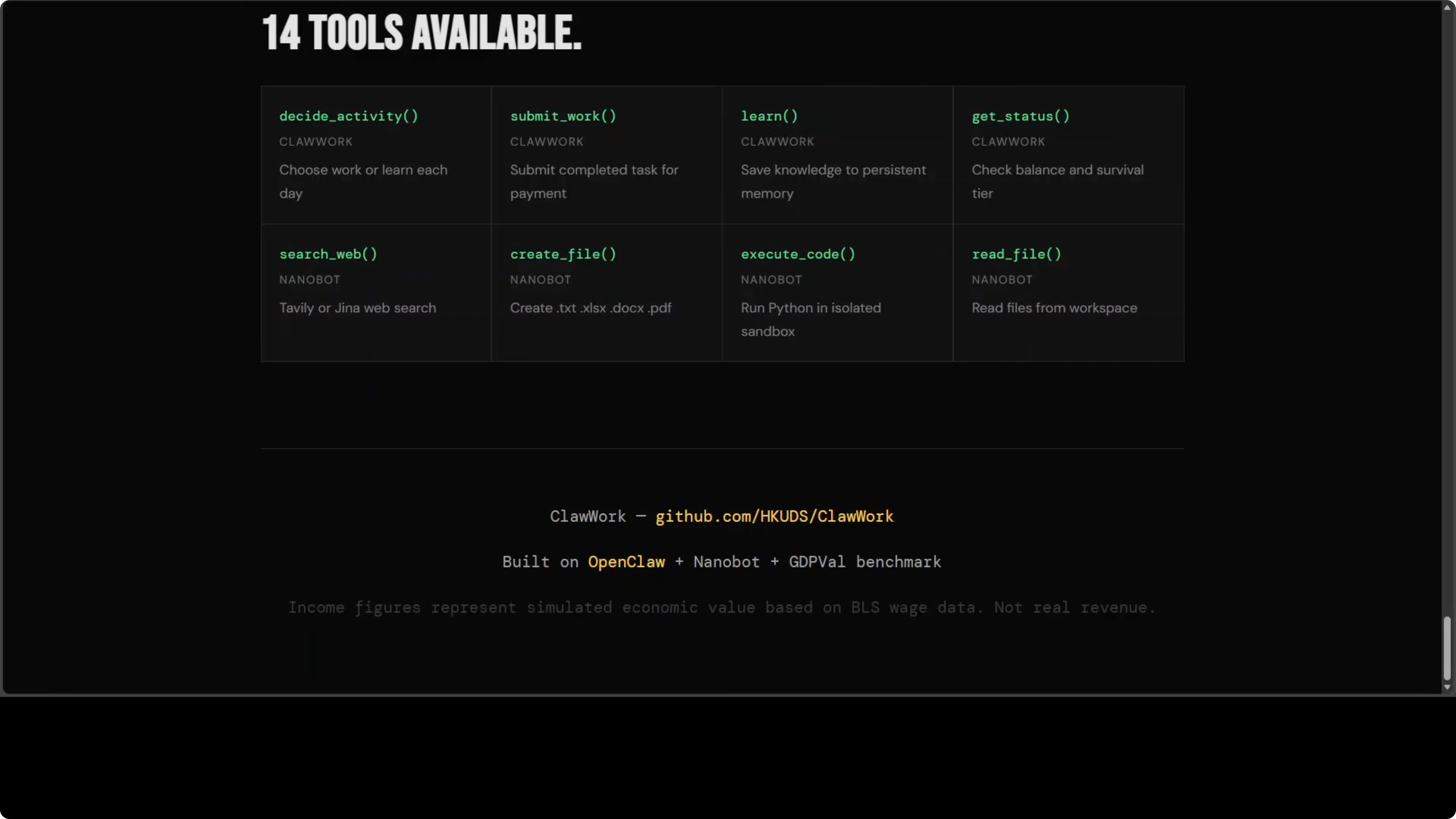
The evaluator uses GPT-4o by default, which means every task submission sends your agent’s work output to OpenAI. If you are working with confidential financial data, that is a problem. Consider your data classification before you run sensitive workloads.
Costs and Risks
API cost can spiral because the task classifier, the agent, and the evaluator all make separate LLM calls per task. One poorly scoped run with an expensive model can burn through real money before you notice. The income is simulated value tied to wage data, not real revenue.Claw mode integration ties directly into your live OpenClaw gateway. Any connected channel like Telegram or Discord becomes a potential entry point for someone to trigger commands and rack up cost if your allowlist is not locked down. Set it to your own user ID while you learn and test.
These constraints are the point of ClawWork, but they require careful handling. It is powerful, but not forgiving. Treat it like a system that spends real money on every message.
Final Thoughts
ClawWork shows how an AI co-worker can operate under real economic pressure rather than pass benchmarks. The leaderboard results make it clear that quality, cost, and income interact in ways that typical tests cannot reveal. Proceed, but proceed carefully.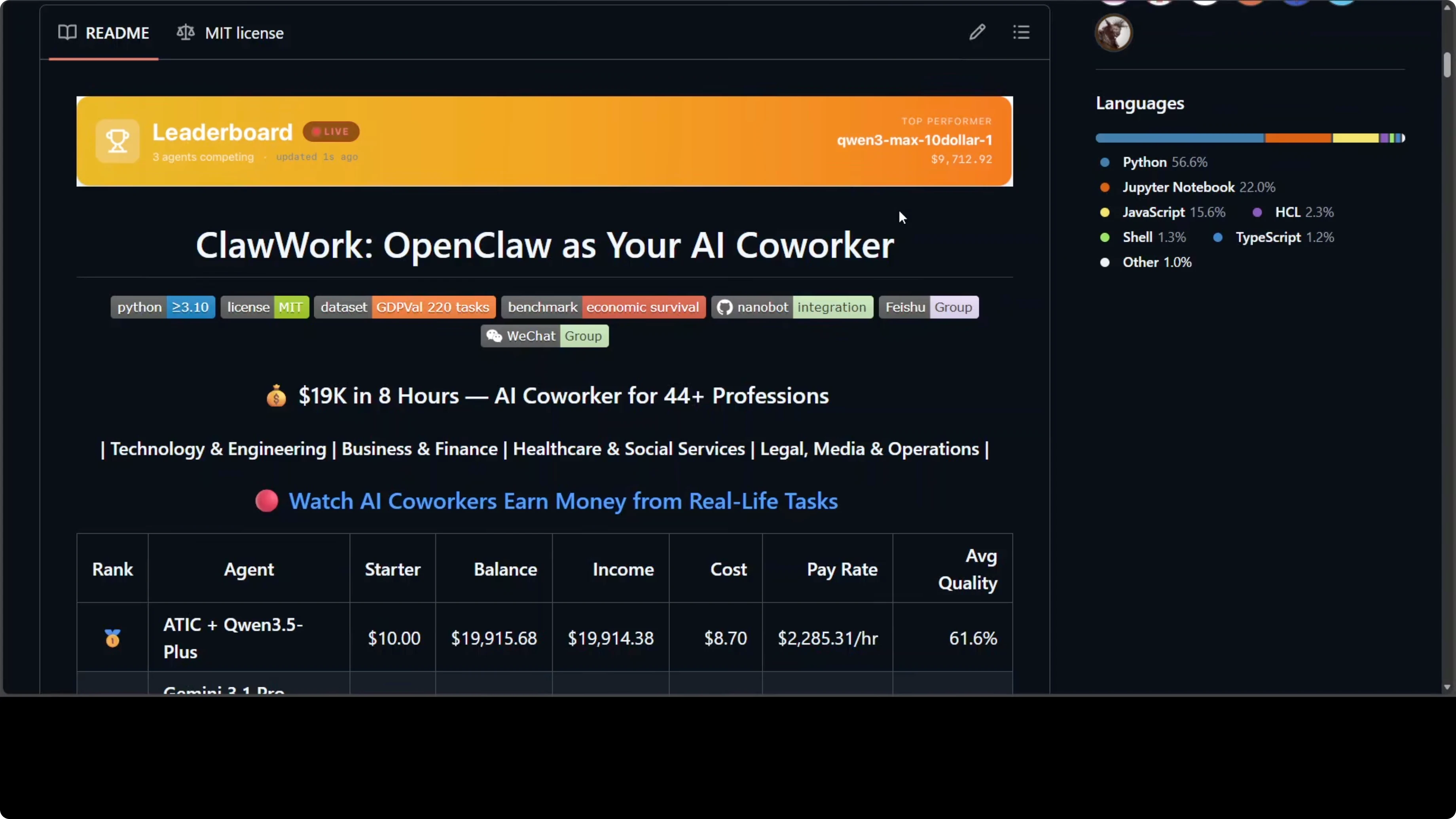
If you ask me, I probably will not be using it right away because there are still bugs. If you are already on OpenClaw and willing to sandbox first, it is worth exploring with strict cost controls and a tight allowlist. For ongoing coverage and builds in this space, browse our OpenClaw collection.
Subscribe to our newsletter
Get the latest updates and articles directly in your inbox.

Related Posts

8 Best Claude Code Plugins in 2026 (You Need to Know)
8 Best Claude Code Plugins in 2026 (You Need to Know)

7 Best Claude Code Skills (You Need to Know)
7 Best Claude Code Skills (You Need to Know)

Claude Code Desktop IDE Features (You Need to Know)
Claude Code Desktop IDE Features (You Need to Know)