
How to Run OpenClaw Instantly Without Any Installation
OpenClaw Error Fixer
Paste any OpenClaw error and get the exact fix instantly — cause, steps, copy-ready commands, and related guides.
OpenClaw is viral. One of the frequently asked questions was how to get it installed easily. Here is one of the most easy way to get it installed in no time with minimal cost possible. Deploy OpenClaw on Simple Application Server in Alibaba Cloud in no time. No coding required, no complex setup. Just click deploy and go.
Run OpenClaw Instantly Without Any Installation
Deploy on Alibaba Cloud Simple Application Server
- Go to Alibaba Cloud and log in. You can also go for the free trial.
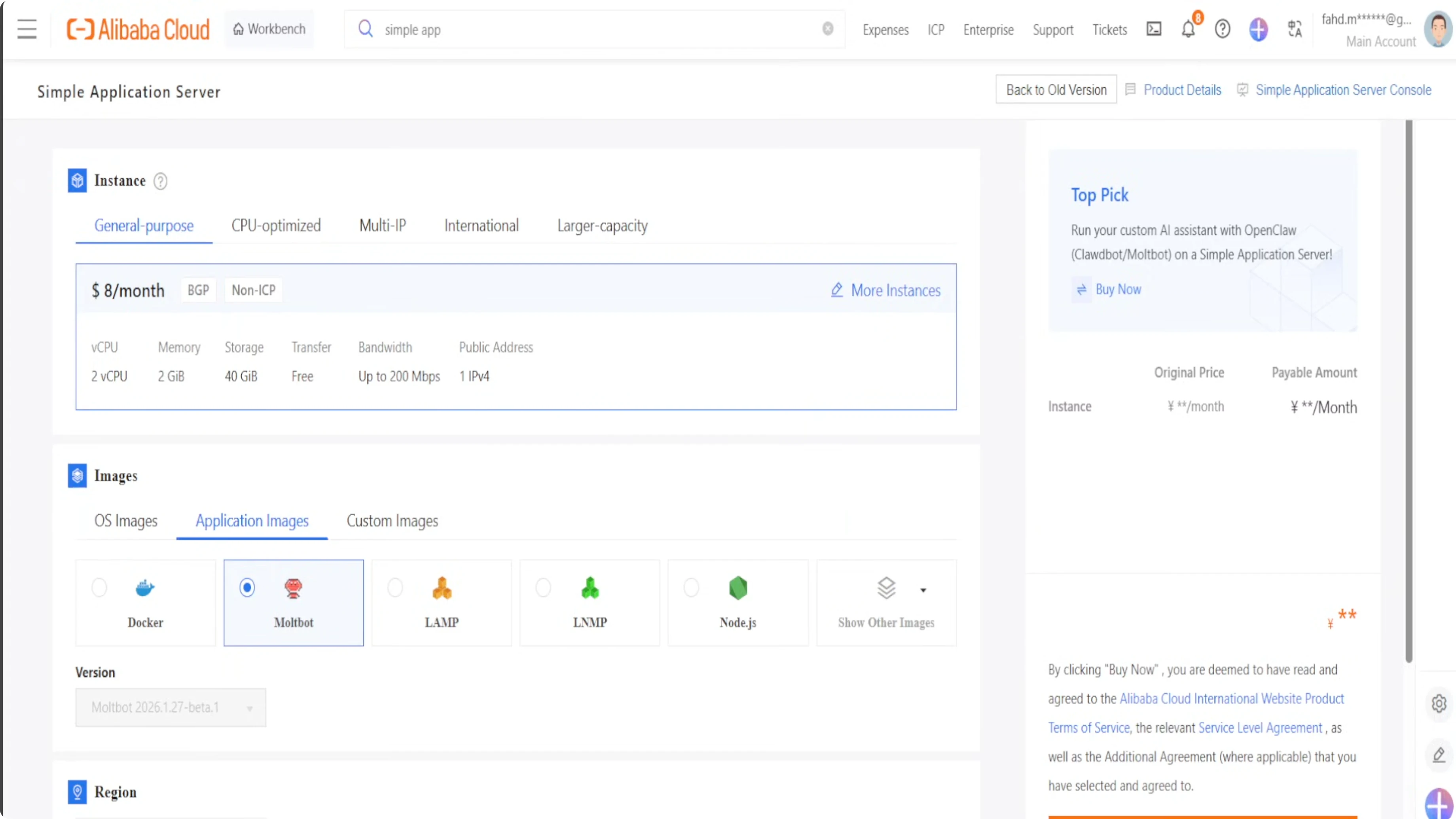
- In the search box, click on Simple Application Server.
- Click Create Server. You will be presented with the server configuration screen.
- For the purpose of OpenClaw, select General Purpose. Just $8 a month. Make sure that you have 2 GB of memory because that is required for OpenClaw.
- For Application Images, go with Maltbot. Maltbot is a previous name of OpenClaw, which was also called Cloudbot.
- Select any region closer to you. I am in Sydney, Australia, so I am going to go with Singapore.
- Quantity 1 is fine. Select 1 month. I am not going to enable auto renewal.
- Click Buy Now.
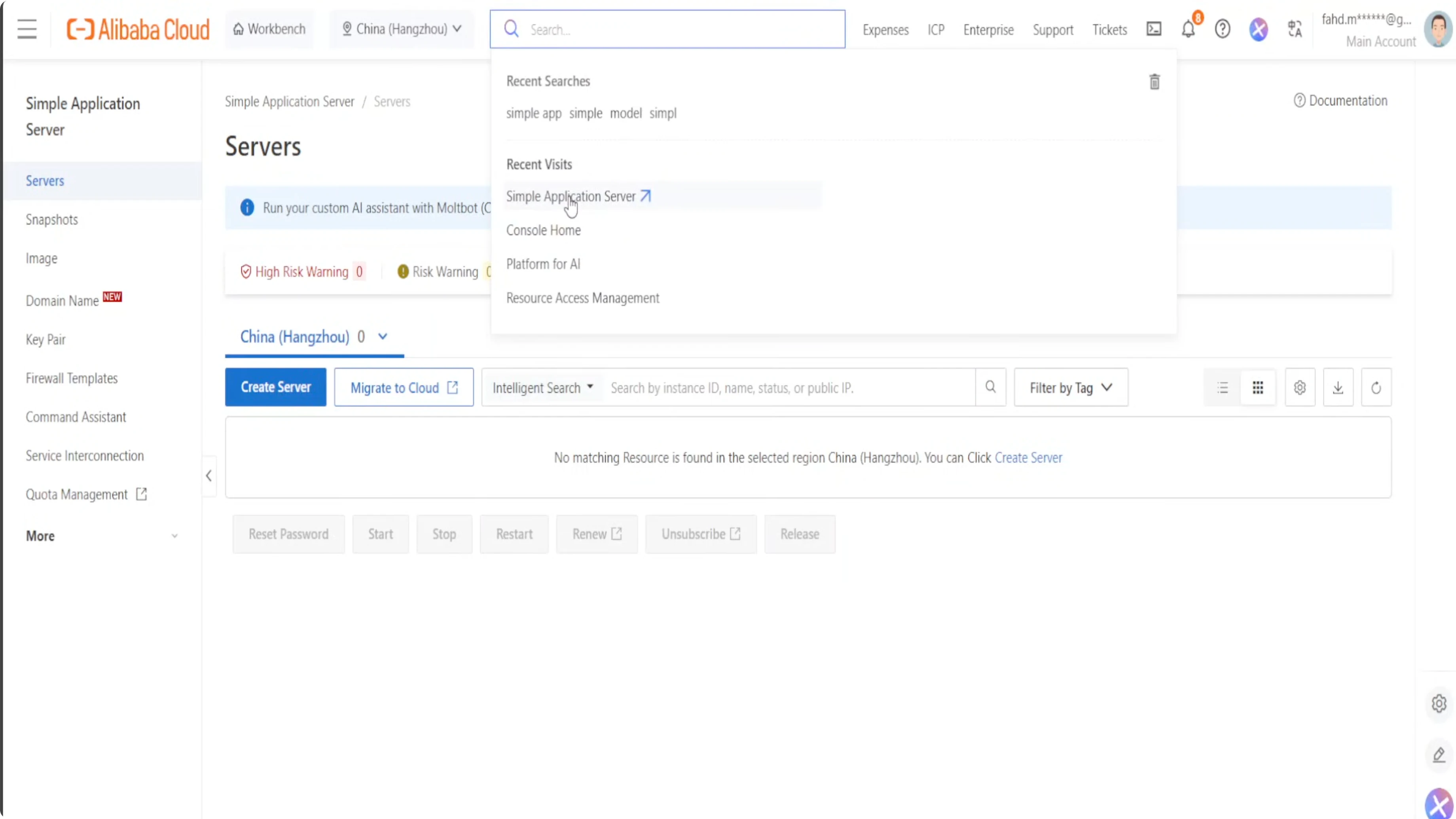
Within a few seconds, your server for Clawbot or Maltbot is running. OpenClaw is now running on this server and you did not have to do any installation or any effort.
What OpenClaw Is Doing Under the Hood
At its core, OpenClaw runs as an LLM powered agent which means it can interpret natural language, maintain context, and autonomously execute tasks across platform. This foundation is what really makes OpenClaw more than a chatbot. It is a true automation assistant.
To unlock its full potential, OpenClaw needs to be connected to a model provider. That is where Alibaba Cloud’s Model Studio comes into play. Model Studio provides an enterprise-grade LLM backbone that OpenClaw taps into, ensuring reliable performance, scalability, and access to AI models.
Connect OpenClaw to Alibaba Cloud Model Studio
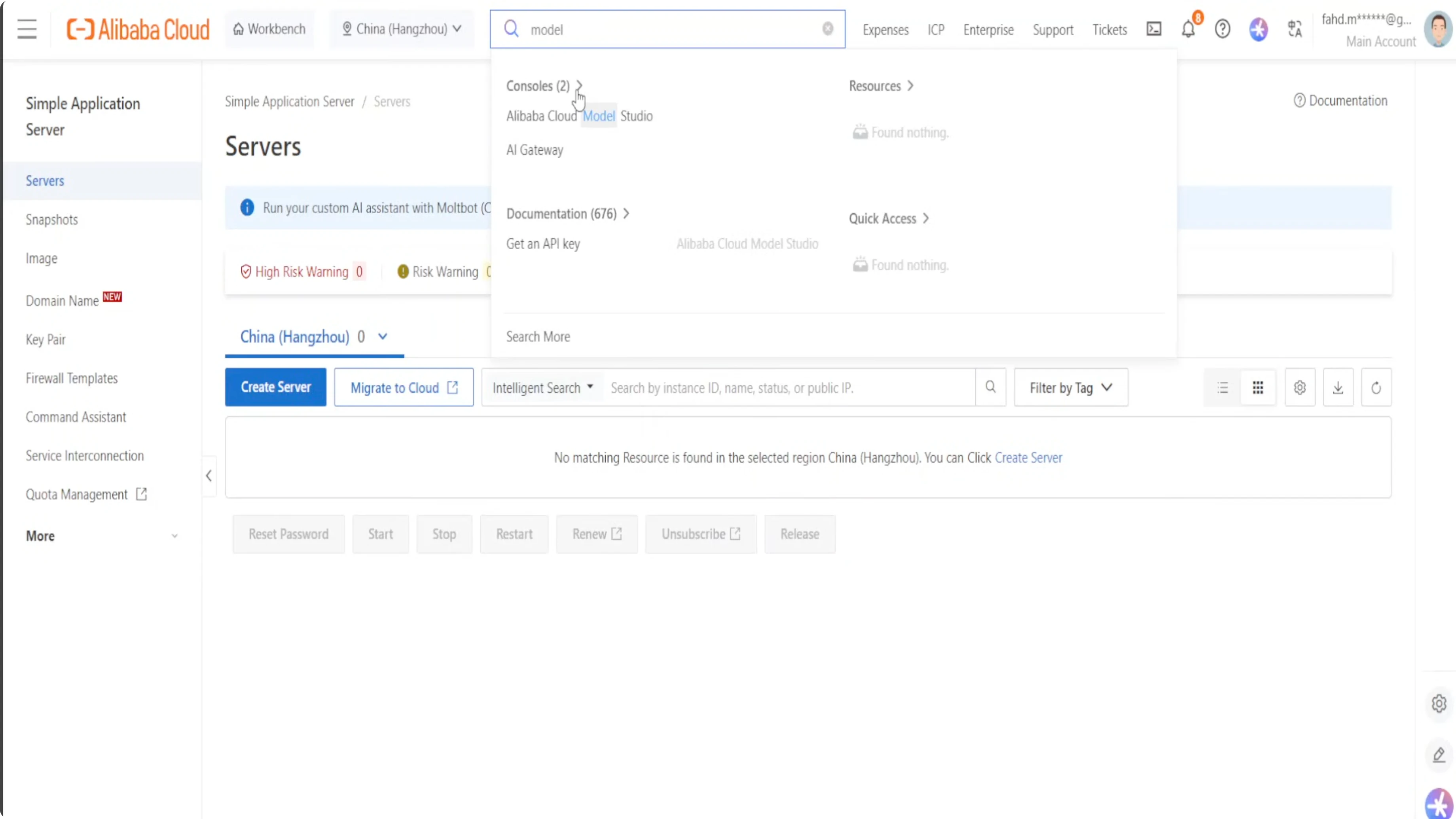
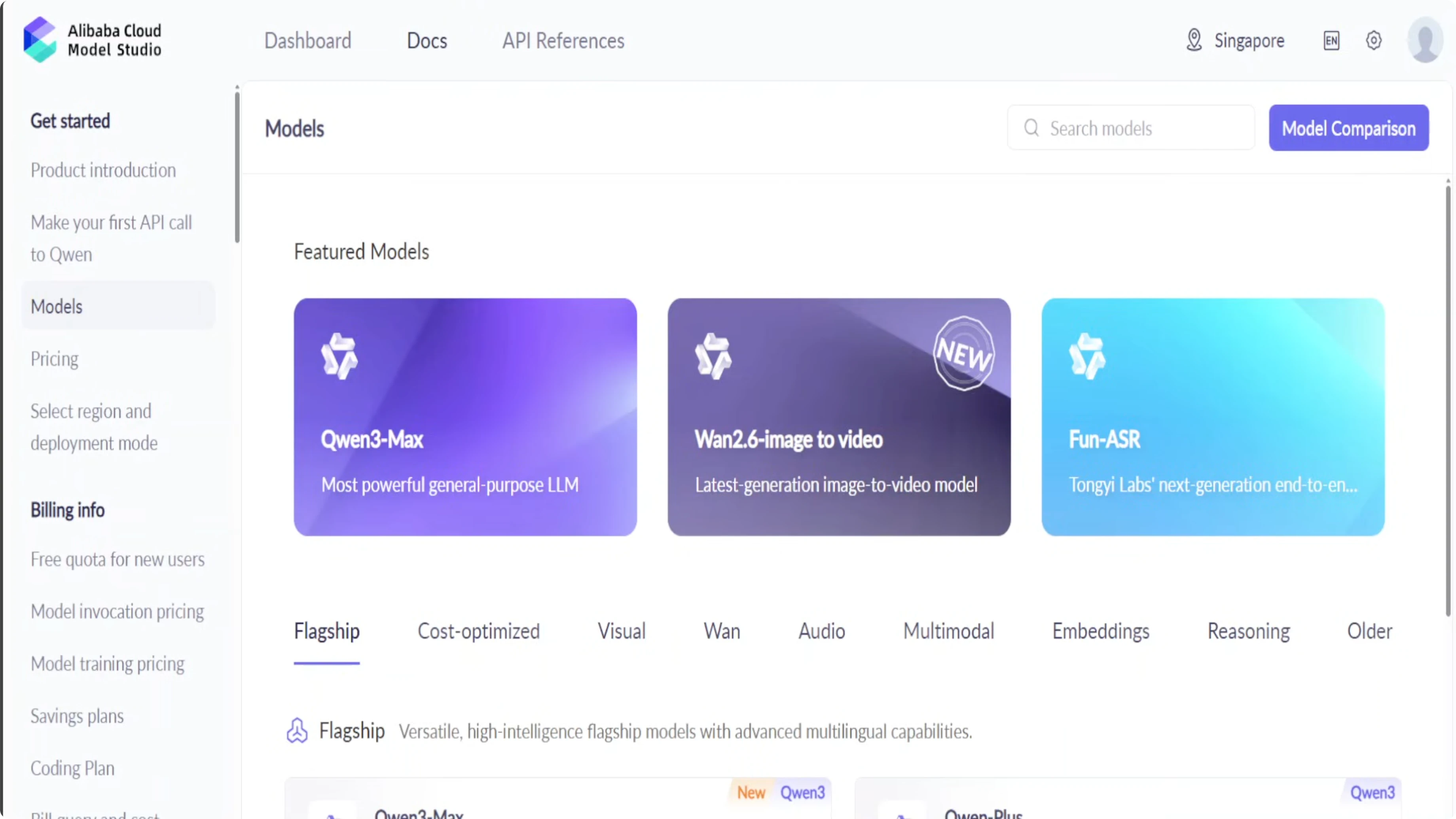
- Log in to Alibaba Cloud and go to Model Studio. In the search box, type Model Studio and click on it.
- In the Model Studio console, create an API key:
- Click Make your first API call to Qwen.
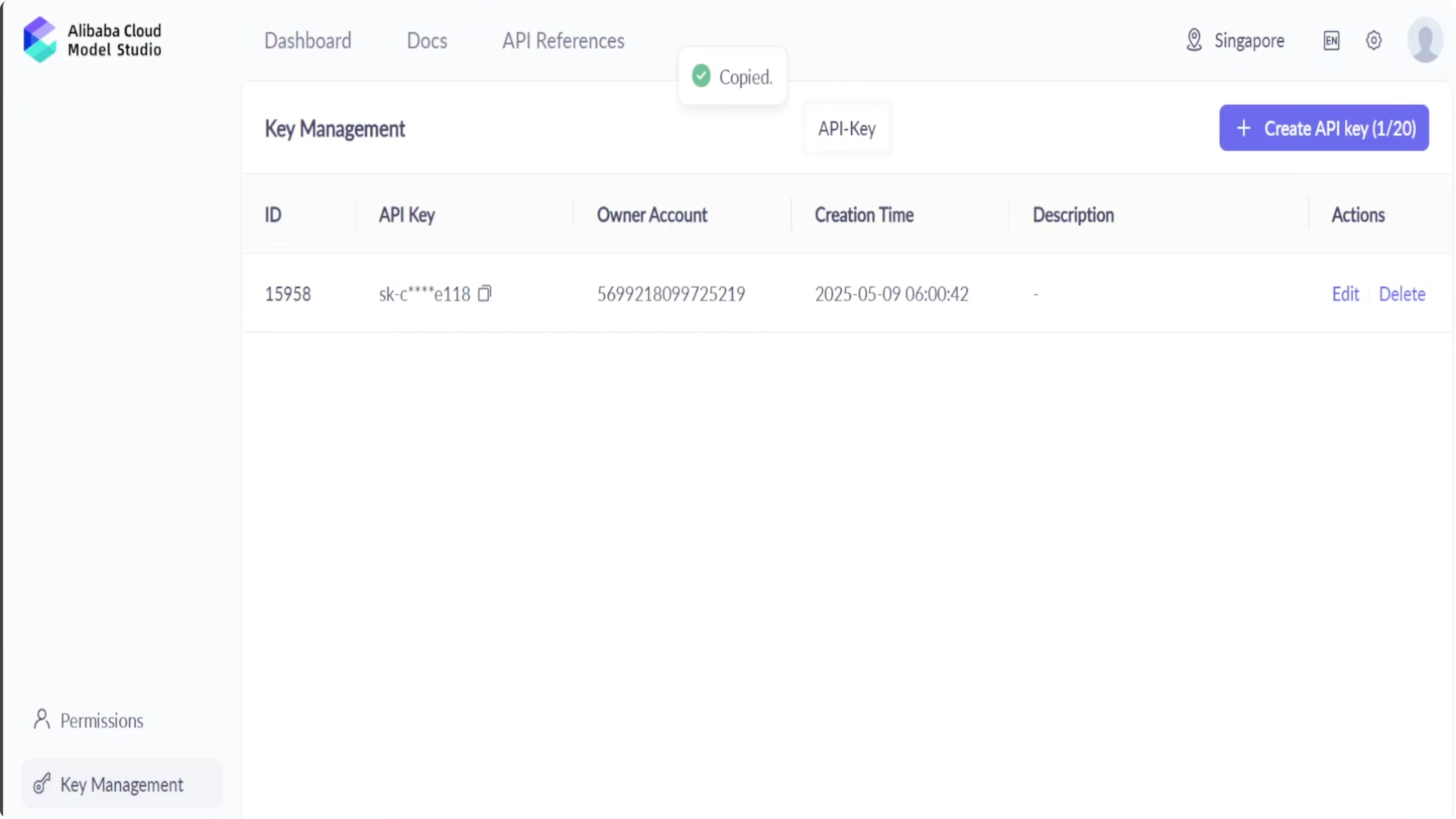
- Click Key Management.
- Click Create to generate an API key.
- Copy your API key.
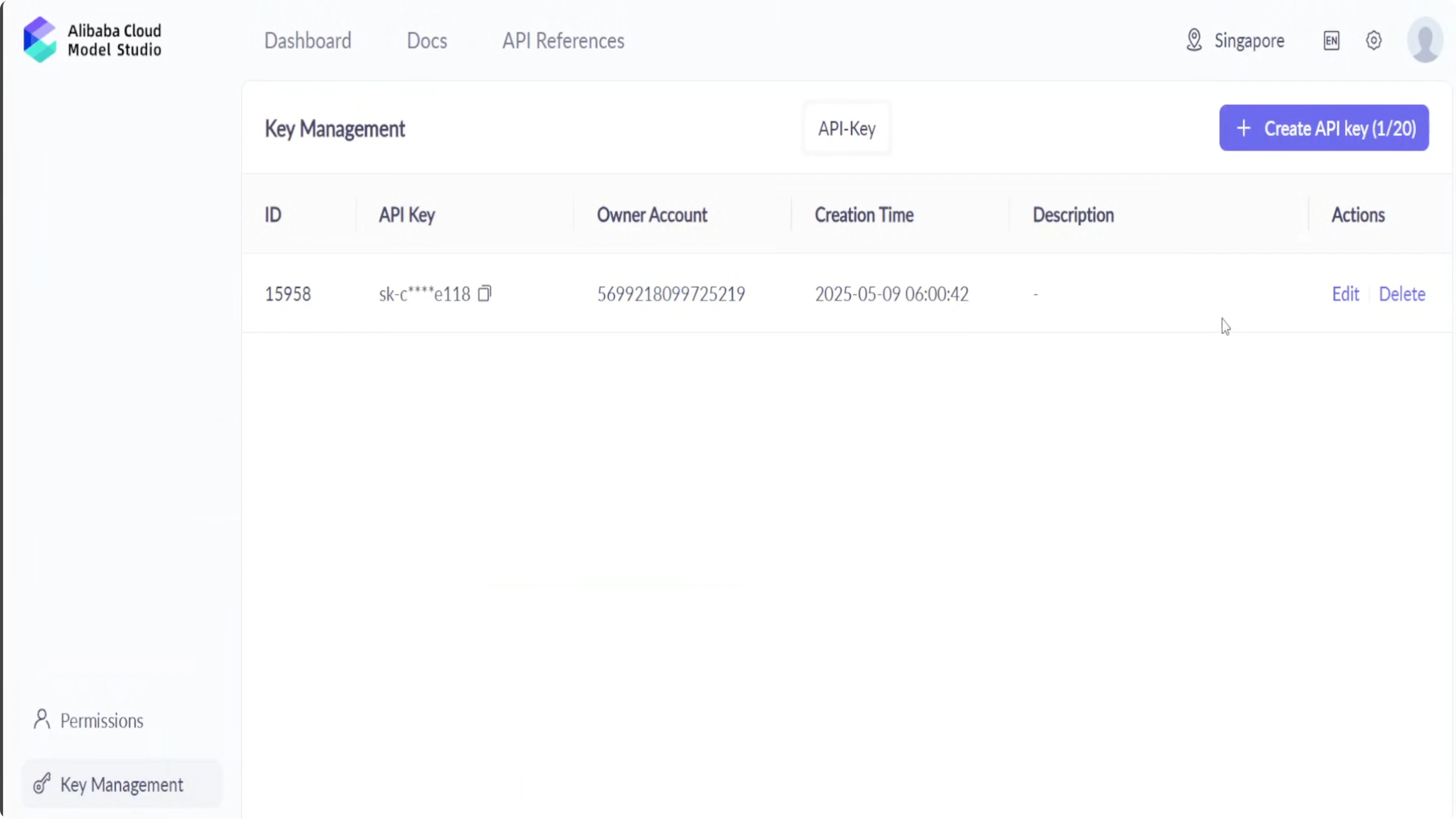
Configure your OpenClaw instance with this API key:
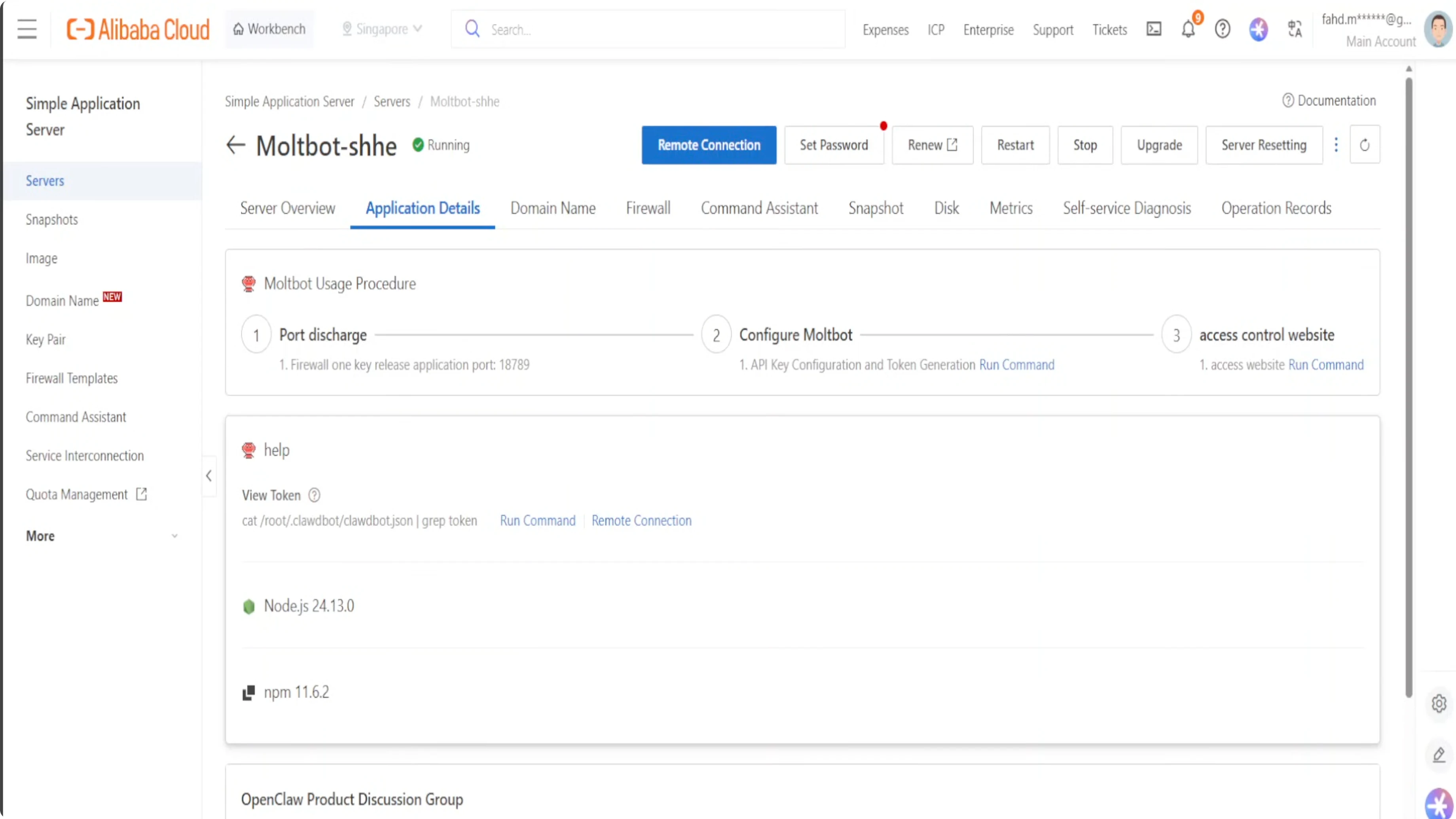
- Go back to your instances and click on the instance.
- Click the Application Details tab.
- Click One-click Enable and confirm.
- Click Run Command.
- Paste your API key, then click Next.
- OpenClaw is now integrated with your API key in Model Studio.
Access the OpenClaw Dashboard
- Click Access Website. It will build the website URL for you in a few seconds.
- Click the interface link to open the OpenClaw dashboard.
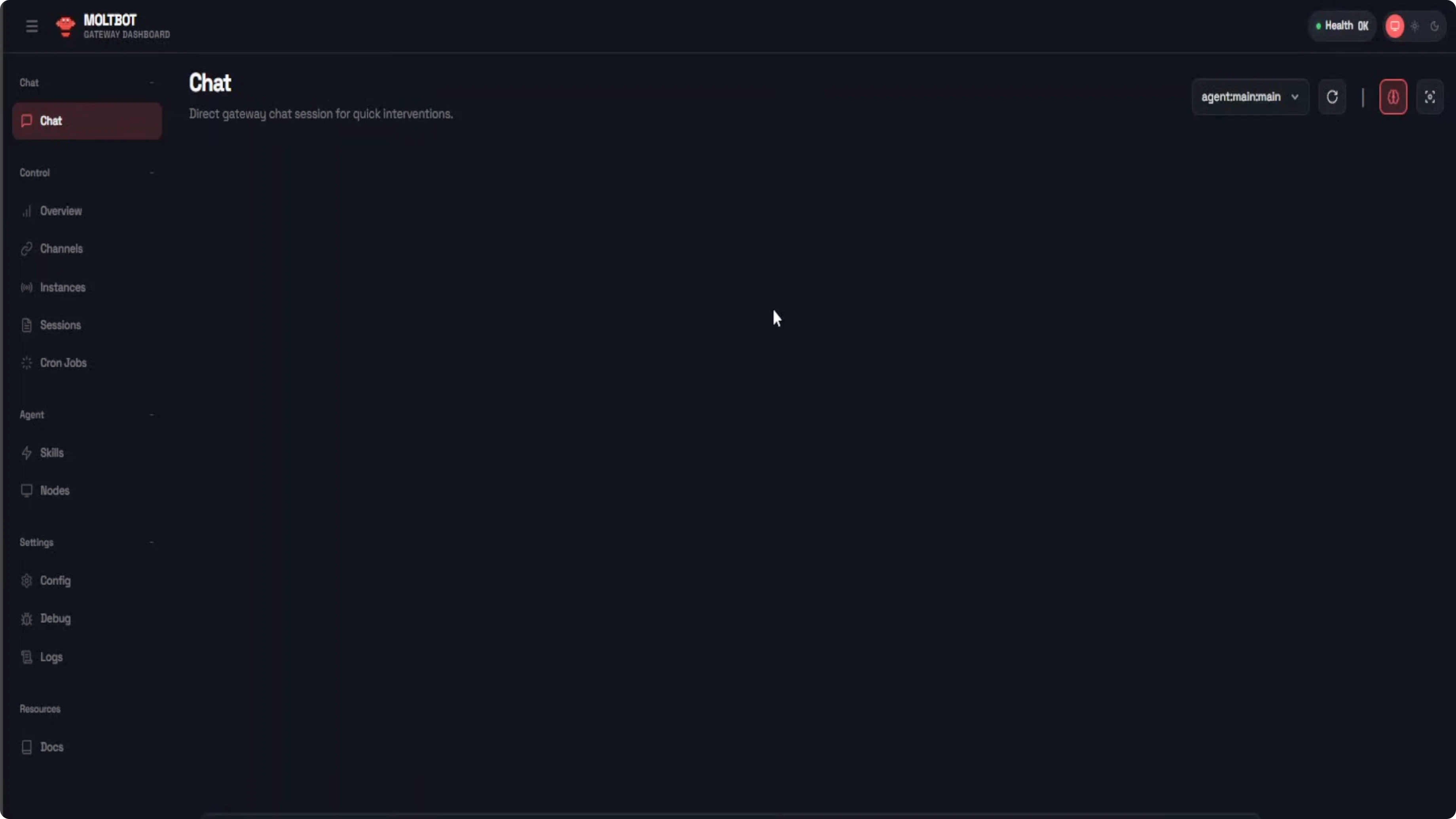
You can chat with the model. You can add skills. You can add nodes. You can have multiple sessions to your heart’s content. Behind the scene, Alibaba’s celebrated models are being used. The Qwen family is available. You can assign tasks and you can do a lot of automation.
Why Run OpenClaw Instantly Without Any Installation
Installing it locally is great for testing. The moment you want it always on, always available, and hassle-free, Alibaba Cloud Simple Application Server is the way to go.
- No more worrying about your laptop sleeping.
- No more dependency conflicts.
- No more hardware limit.
- You do not have to rent or own a GPU.
- A reliable, scalable environment starting at just $8 a month.
The best part is that you can also claim 1 million free tokens per Qwen model on Alibaba Cloud’s Model Studio.
Final Thoughts
It is easy to run OpenClaw without coding, dependencies, or installation. Spin up a Simple Application Server, connect Model Studio with an API key, and you are ready to chat, add skills, create nodes, and automate tasks with Qwen models powering the backend.
Subscribe to our newsletter
Get the latest updates and articles directly in your inbox.

Related Posts

8 Best Claude Code Plugins in 2026 (You Need to Know)
8 Best Claude Code Plugins in 2026 (You Need to Know)

7 Best Claude Code Skills (You Need to Know)
7 Best Claude Code Skills (You Need to Know)

Claude Code Desktop IDE Features (You Need to Know)
Claude Code Desktop IDE Features (You Need to Know)