
Table Of Content
- Qwen3-ForcedAligner: How to Get Precise Word Timestamps Locally
- What Qwen3-ForcedAligner does
- Local setup and requirements
- Install and run Qwen3-ForcedAligner
- Prepare your environment
- Load the model and align
- Run and inspect output
- Practical examples
- Find a single word’s timing
- Test accuracy with different words
- Multilingual alignment
- VRAM and performance
- Architecture overview in simple terms
- Final Thoughts on Qwen3-ForcedAligner: How to Get Precise Word Timestamps Locally
Qwen3-ForcedAligner: How to Get Precise Word Timestamps Locally
Qwen Model Recommender
Not sure which Qwen model fits your GPU? Pick your VRAM, use case, and task type — get matched to the right model instantly. Covers Qwen3, QwQ, QVQ, Qwen2.5-VL, Qwen3-Coder, Qwen3-TTS, and 80+ models.
Table Of Content
- Qwen3-ForcedAligner: How to Get Precise Word Timestamps Locally
- What Qwen3-ForcedAligner does
- Local setup and requirements
- Install and run Qwen3-ForcedAligner
- Prepare your environment
- Load the model and align
- Run and inspect output
- Practical examples
- Find a single word’s timing
- Test accuracy with different words
- Multilingual alignment
- VRAM and performance
- Architecture overview in simple terms
- Final Thoughts on Qwen3-ForcedAligner: How to Get Precise Word Timestamps Locally
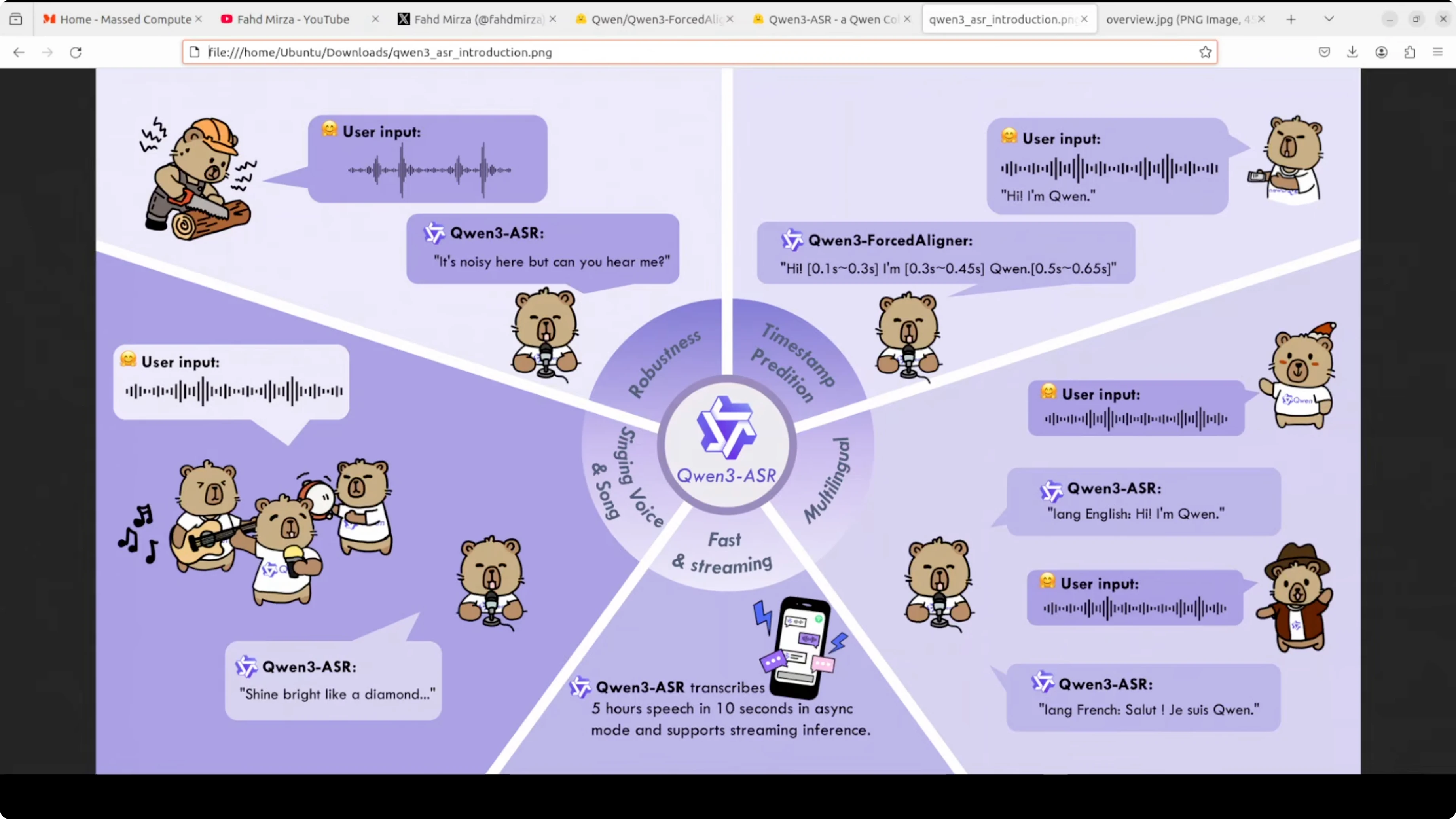
Forced aligner is part of the Qwen3 ASR family. This model solves a very practical problem: finding the exact timing of every word in an audio recording. Imagine you have an audio file and its transcript. This model tells you precisely when each word was spoken down to the millisecond.
For example, if someone says “hello world,” the model can tell you that “hello” was spoken from 0.5 to 1.2 seconds and “world” from 1.3 to 2 seconds. This is incredibly useful for creating accurate subtitles, karaoke apps, language learning tools, podcast editing, and any application where you need perfect synchronization between text and audio.
I installed and ran it locally to show exactly how it works. I am using an Ubuntu system with a single RTX 6000 48 GB GPU, but it is a small model. I don’t think it is going to take that much VRAM, and you can easily run it on CPU. It’s just 6 billion.
Qwen3-ForcedAligner: How to Get Precise Word Timestamps Locally
What Qwen3-ForcedAligner does
- Aligns a provided transcript to an audio file.
- Outputs each word with precise start and end times in seconds.
- Works well for subtitles, editing, and any text-audio sync task.
Local setup and requirements
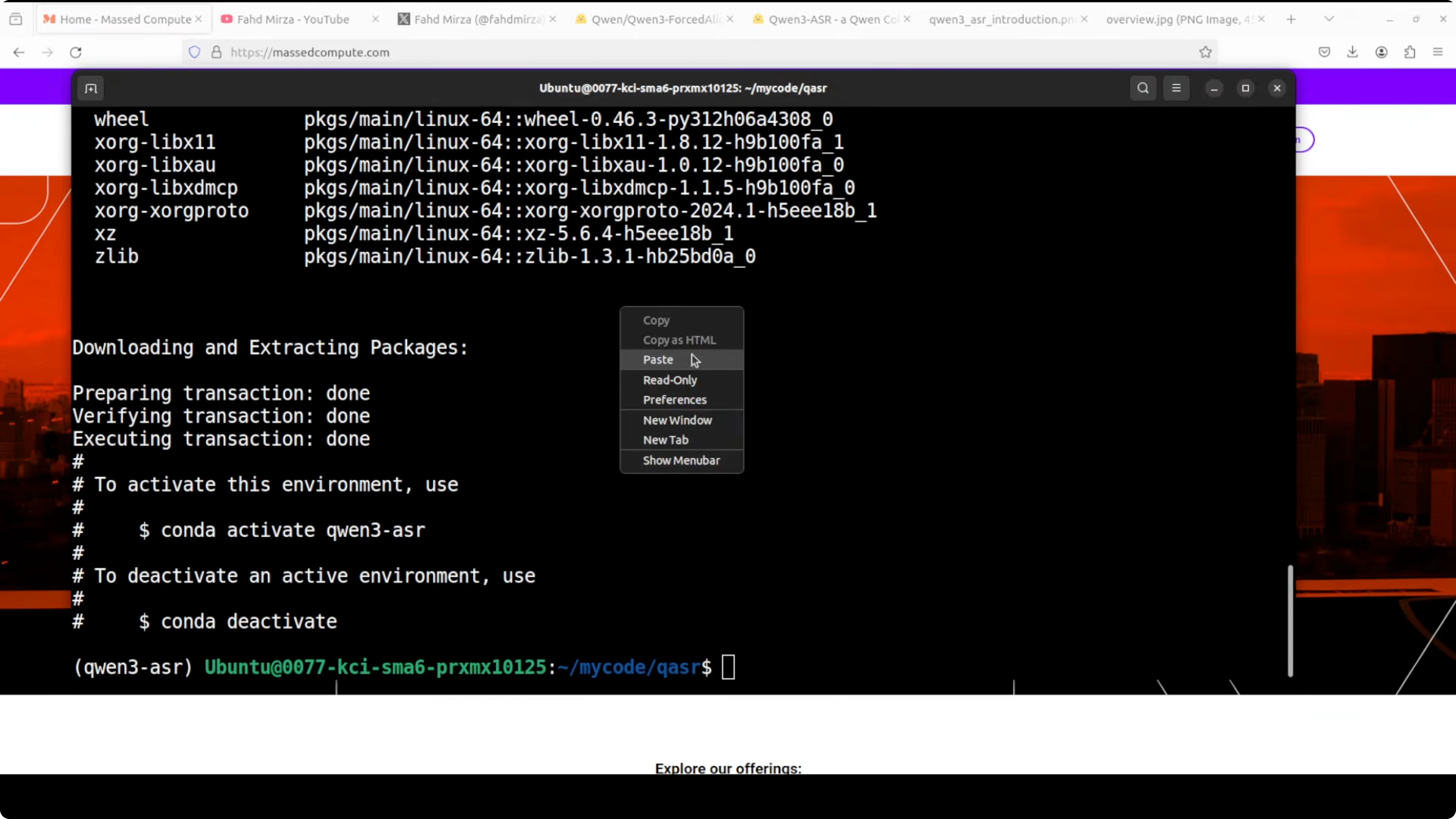
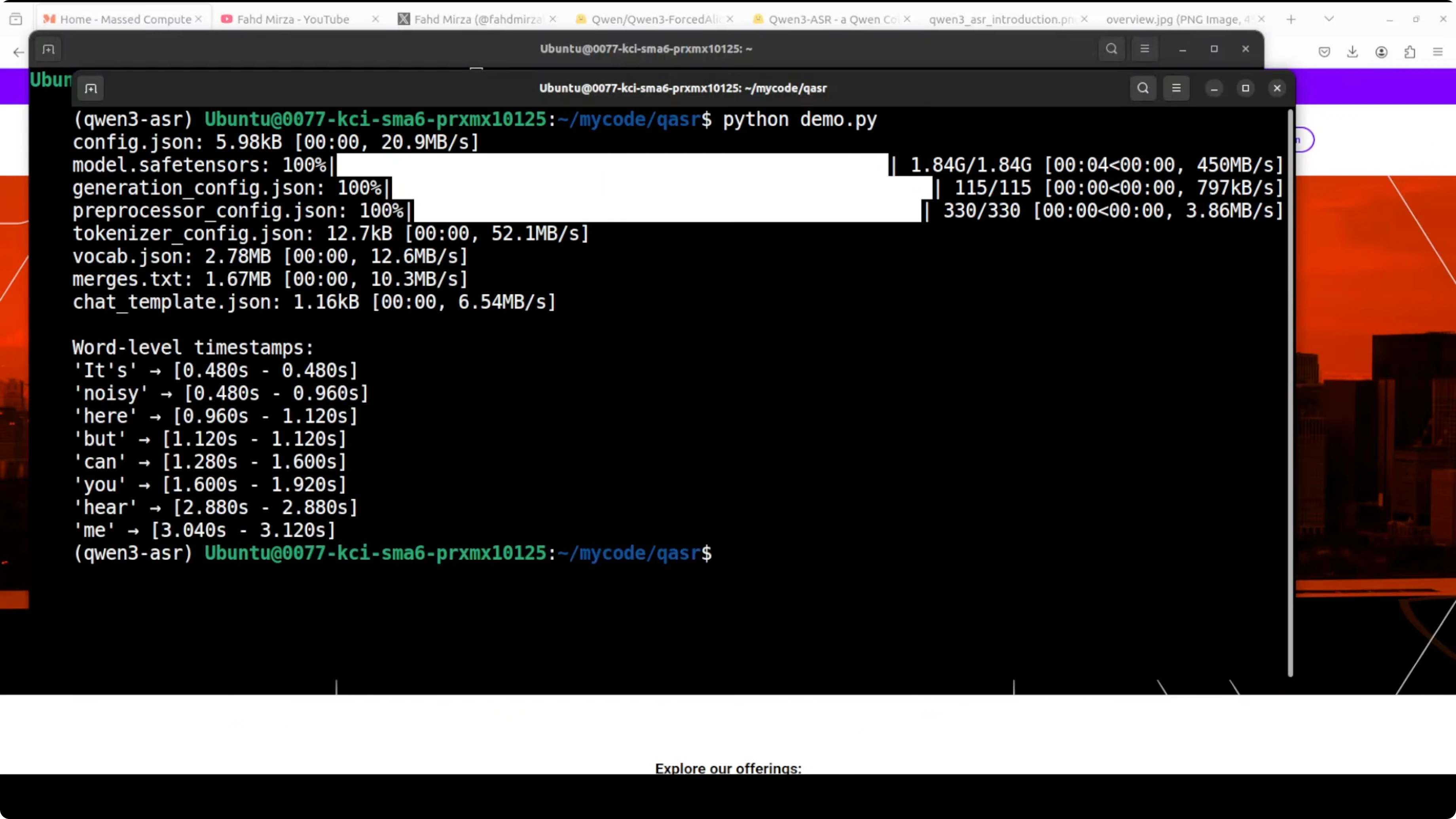
I created a virtual environment and installed the Qwen ASR package. After that, I loaded the model and ran it on a sample. The model download is small, and the runtime memory footprint is modest.
- GPU is optional. You can remove the device line or set it to CPU if you do not have a GPU.
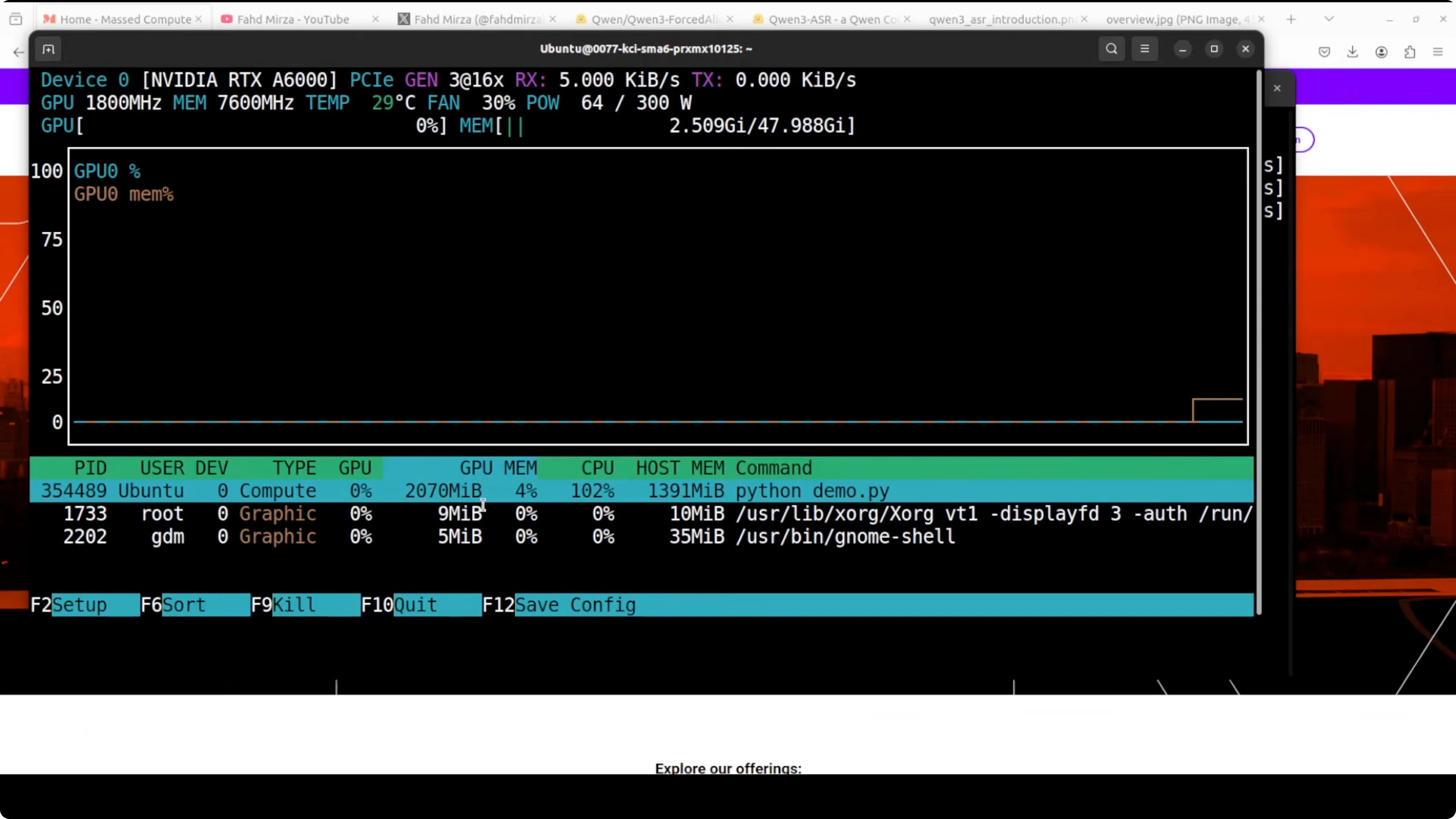
- VRAM use in my run was just over 2 GB, which further confirms CPU is fine for most cases.
Install and run Qwen3-ForcedAligner
Prepare your environment
- Create a virtual environment.
- Install the Qwen ASR package.
Load the model and align
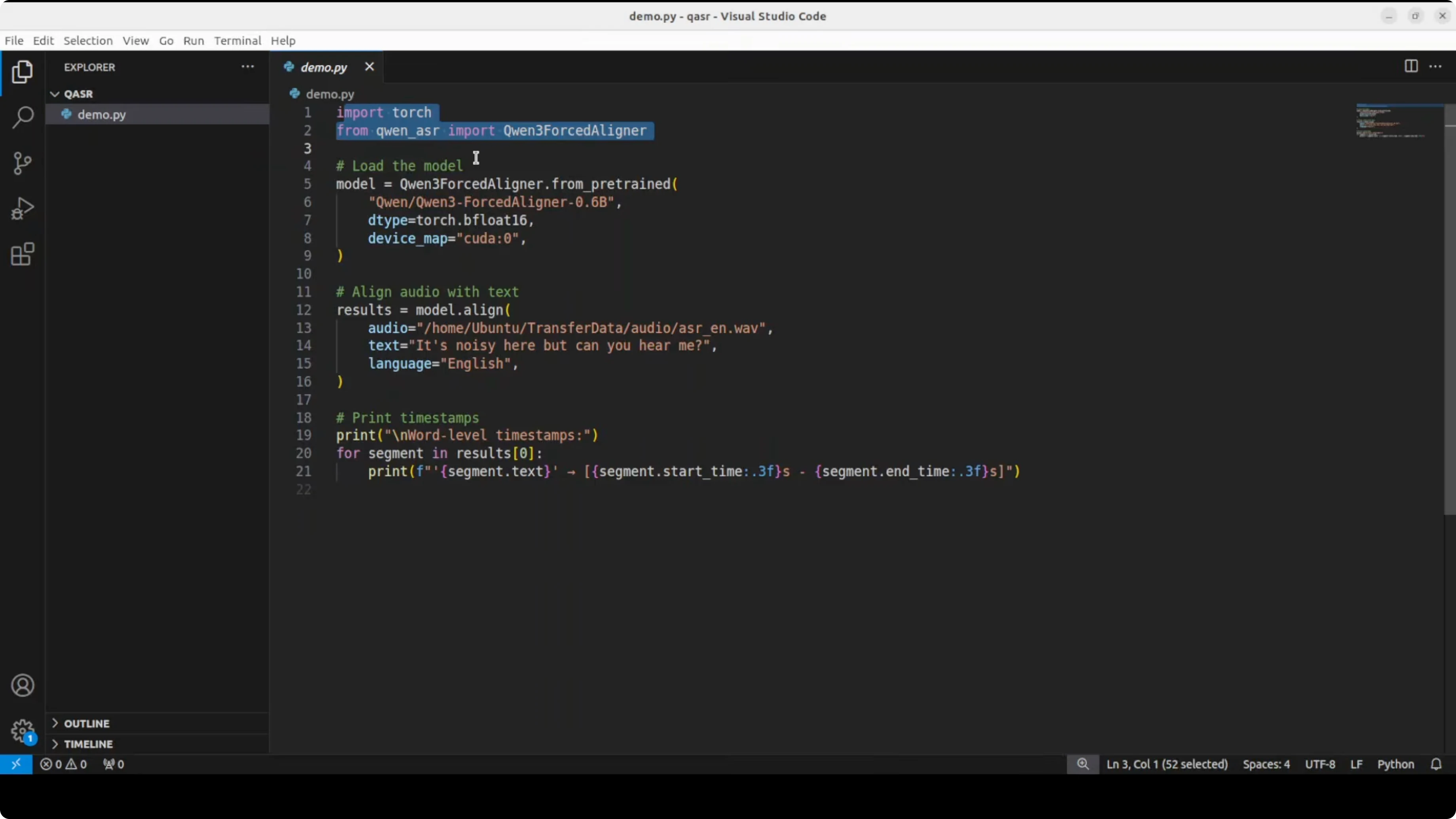
- Import the libraries, download the model, and load it on GPU or CPU.
- Provide:
- The path to your local audio file.
- The exact text you want aligned.
- The language, for example English.
- The model aligns your audio and produces timestamps for each word in the text.
Run and inspect output
- Run your script (for example: python demo.py).
- You will get a readable list of words with start and end times in seconds.
- On my system, the model downloaded quickly and produced a clean timestamp for every word.
Practical examples
Find a single word’s timing
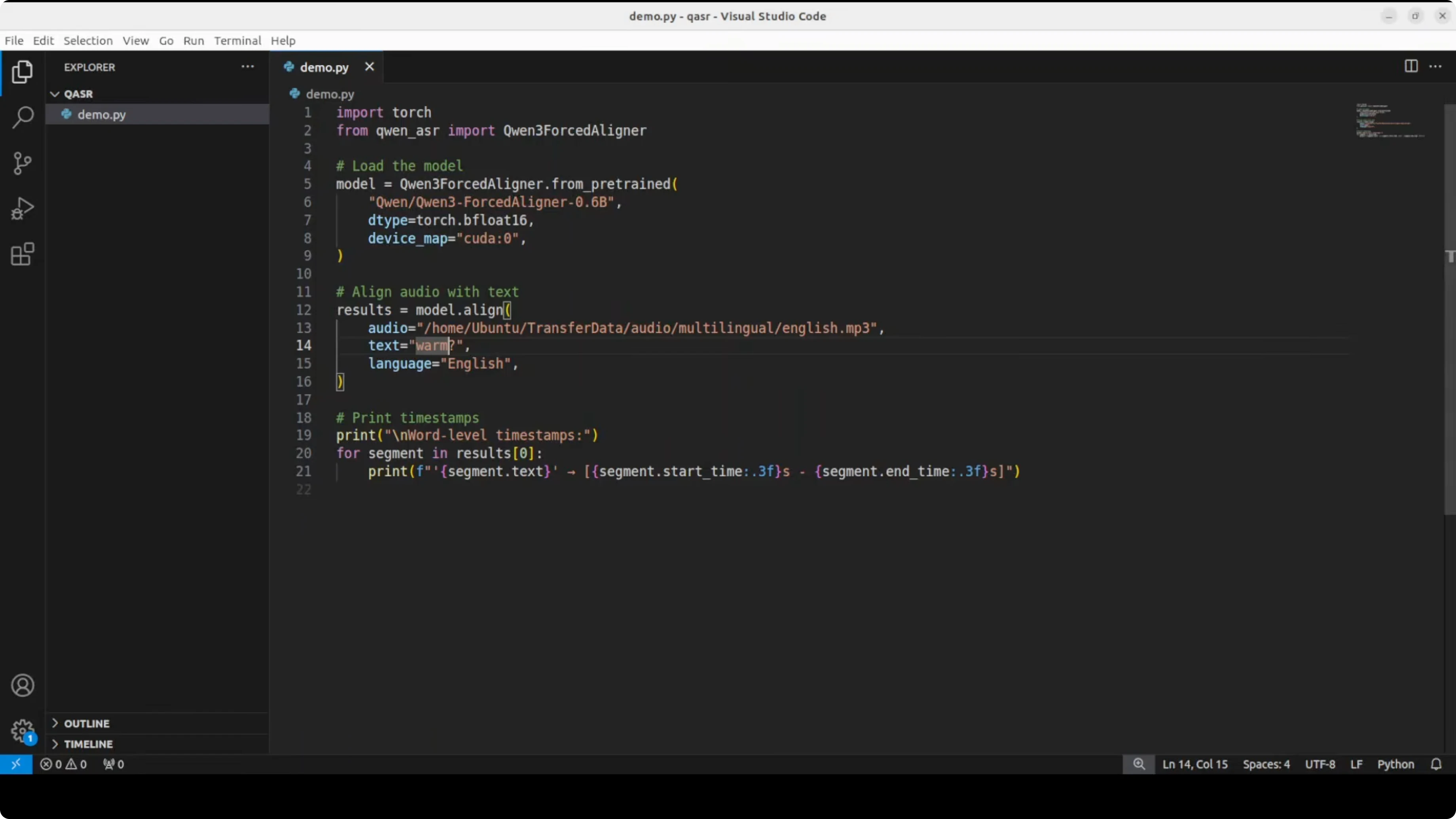
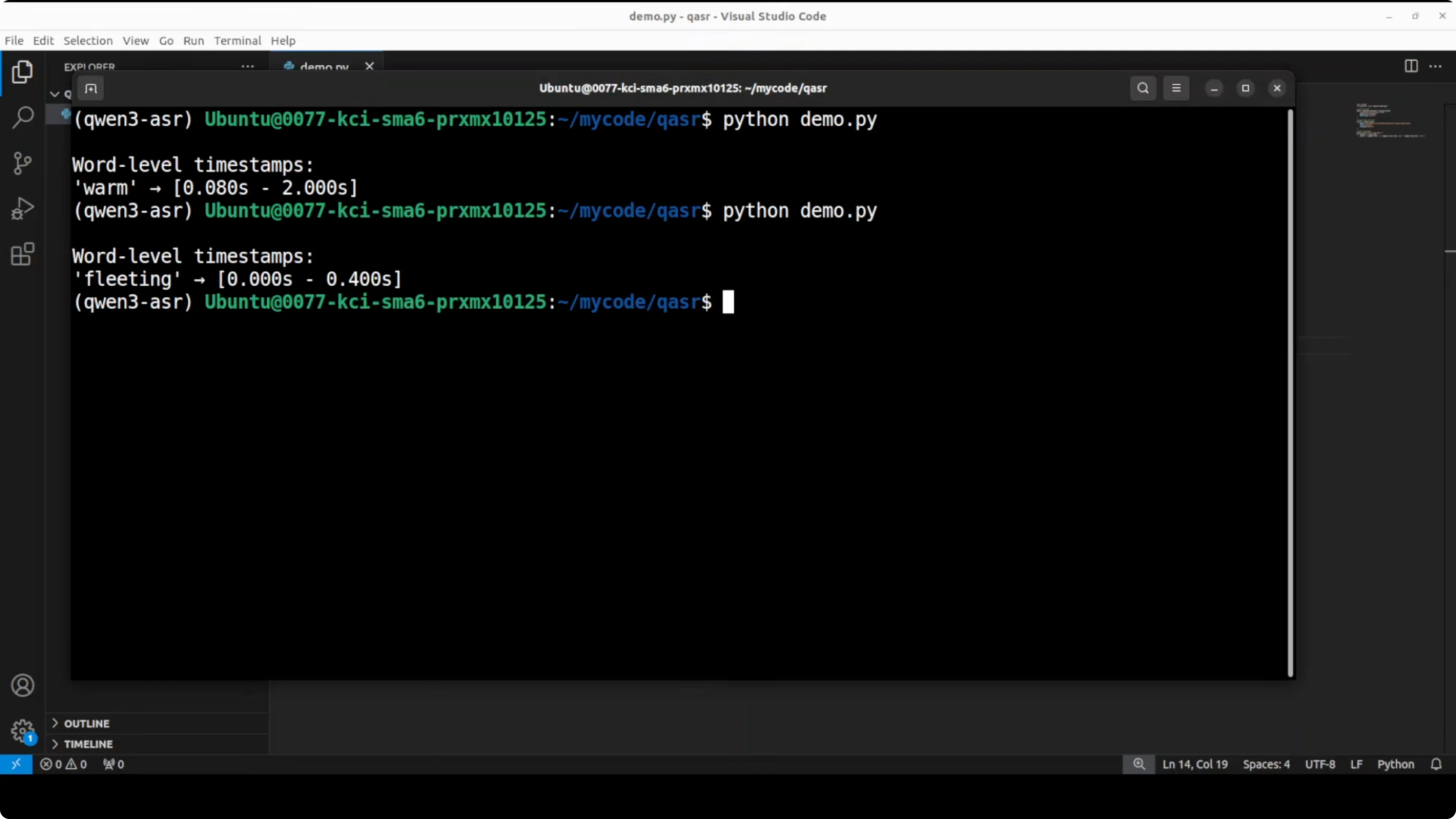
I tested with an audio clip: “Happiness is a fleeting feeling that can be found in life’s simplest moments... a warm conversation with a loved one...” I set the text to just the word “warm.” The word “warm” appears one time, and the model found it with the correct timing.
Test accuracy with different words
I also tried “fleeting.” It got it right. The model is quite accurate and gives the range where that word has appeared.
Multilingual alignment
This is a multilingual model. It supports around 11 languages:
- Chinese
- English
- Cantonese
- French
- German
- Italian
- Japanese
- Korean
- Portuguese
- Russian
- Spanish
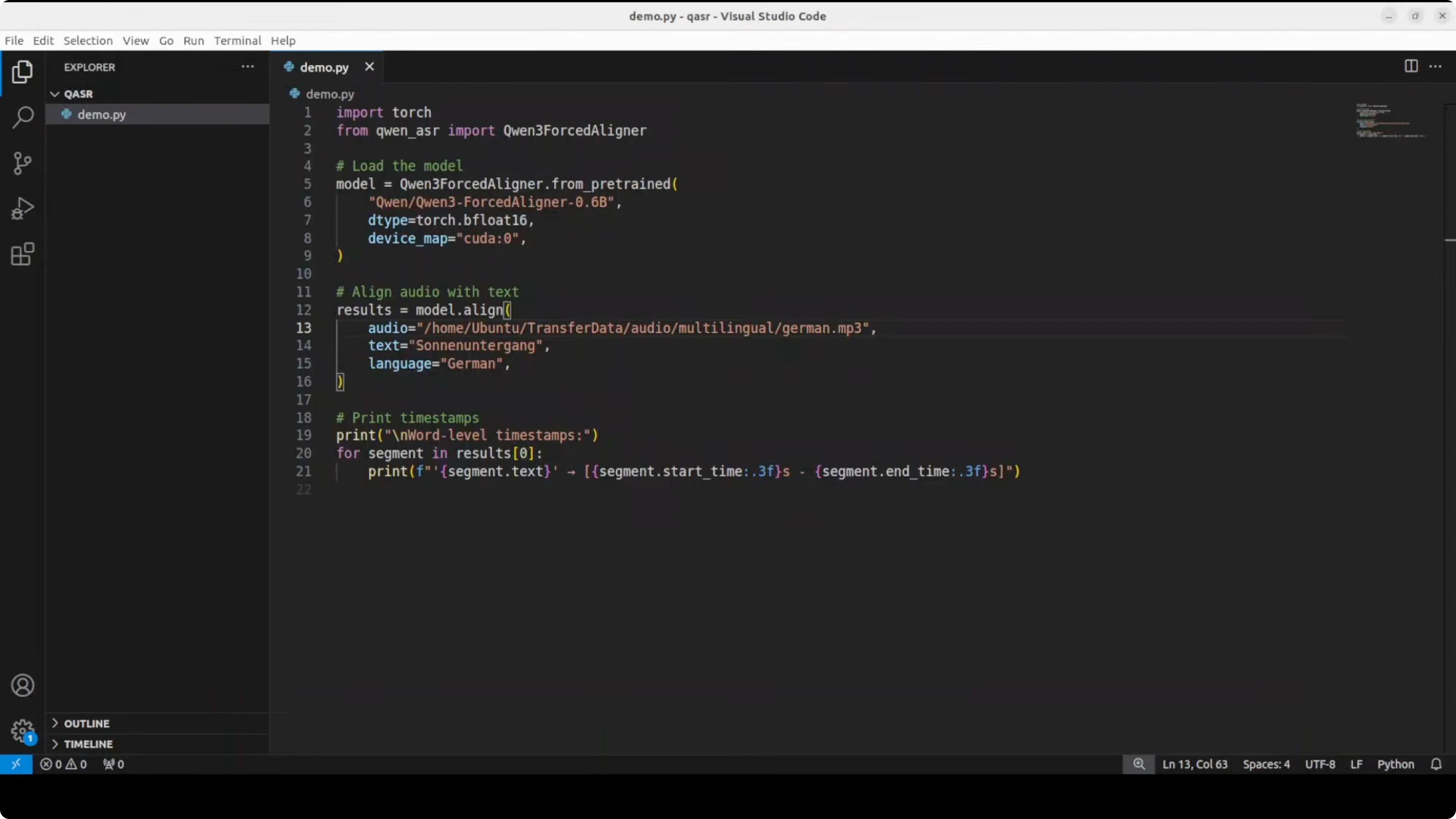
I tried German audio and text. Make sure the file path and capitalization are correct. The output looked correct to me based on the transcription.
VRAM and performance
I re-ran the demo and checked VRAM consumption. It barely moved from idle and peaked just over 2 GB of VRAM, which is very reasonable. You can easily run it on your CPU.
Architecture overview in simple terms
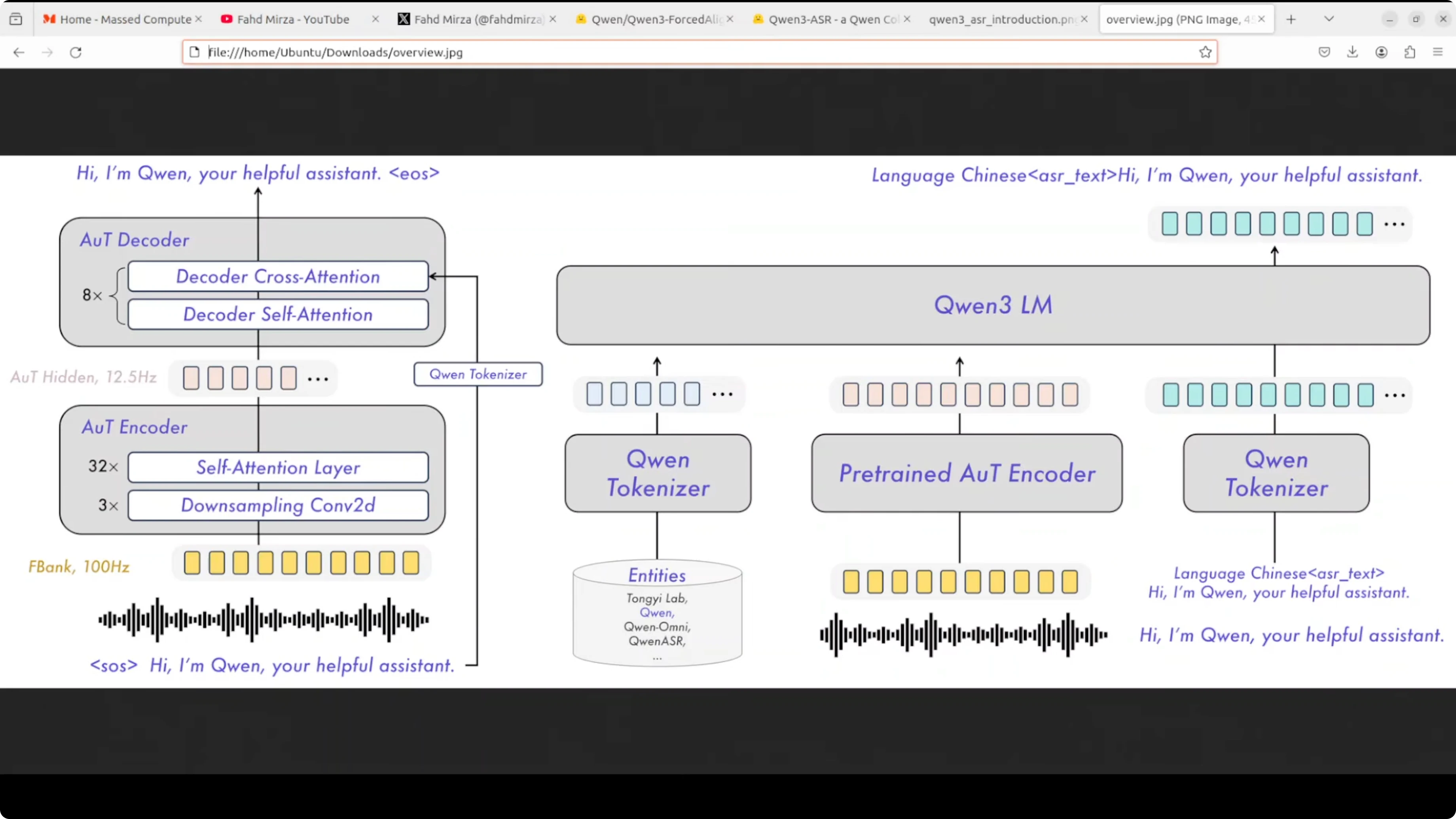
Here is a very quick overview of how the system works:
- The audio waveform first goes through an audio to text encoder, which converts sound into a hidden representation at 12.5 Hz using self attention layers and downsampling.
- These audio features are then fed into the Qwen3 language model along with a specialized tokenizer that handles both audio tokens and text tokens.
- The language model processes everything together and generates the transcription as text output.
- There is also an audio decoder that can work in reverse, taking text and the hidden audio features to reconstruct or verify the audio. This helps the model learn better alignment between what it hears and what it transcribes.
Final Thoughts on Qwen3-ForcedAligner: How to Get Precise Word Timestamps Locally
Qwen3-ForcedAligner gives precise per-word timestamps when you provide audio and the corresponding text. Installation and setup are straightforward, GPU is optional, and VRAM usage is low. It performed accurately in English examples and supports 11 languages, making it a practical tool for subtitles, editing, and any text-audio synchronization task. I think they have done quite good work on this model’s design and alignment quality.
Subscribe to our newsletter
Get the latest updates and articles directly in your inbox.

Related Posts

8 Best Claude Code Plugins in 2026 (You Need to Know)
8 Best Claude Code Plugins in 2026 (You Need to Know)

7 Best Claude Code Skills (You Need to Know)
7 Best Claude Code Skills (You Need to Know)

Claude Code Desktop IDE Features (You Need to Know)
Claude Code Desktop IDE Features (You Need to Know)