
Table Of Content
- Hy3 Preview overview
- Install and access
- Hy3 Preview benchmarks
- Coding test: Hy3 Preview and Langton’s Ant
- Steps to reproduce
- Example HTML (single file)
- Research agent test: Hy3 Preview and nutmeg
- Steps to reproduce
- Multilingual test: Hy3 Preview roleplay
- Practical use cases
- Final thoughts on Hy3 Preview: Inside Tencent’s Most Powerful AI Model Yet

Hy3 Preview: Inside Tencent’s Most Powerful AI Model Yet
Table Of Content
- Hy3 Preview overview
- Install and access
- Hy3 Preview benchmarks
- Coding test: Hy3 Preview and Langton’s Ant
- Steps to reproduce
- Example HTML (single file)
- Research agent test: Hy3 Preview and nutmeg
- Steps to reproduce
- Multilingual test: Hy3 Preview roleplay
- Practical use cases
- Final thoughts on Hy3 Preview: Inside Tencent’s Most Powerful AI Model Yet
Tencent started as a messaging app in 1998 in a college dorm. Today, it is one of the world's largest companies and it just dropped a serious open-source AI model. Meet Hy3 Preview, a 295 billion parameter mixture of experts model from Tencent’s Hunyuan team.
I have been covering their releases for a long time. I have not been impressed by the quality of their earlier models compared to labs like Qwen or DeepSeek. This one caught my eye for a few reasons.
Hy3 Preview overview
Although the total size is massive, Hy3 Preview only activates 21 billion parameters at a time. That makes it far more efficient to run than the headline number suggests. It also supports a 256k context window, meaning it can process entire code bases in one go.
There is a built-in reasoning mode you can dial up or down depending on task difficulty. That degree of control matters a lot in real work. If you are comparing tools for your stack, check our curated directory of production-ready options at AI tools.
Install and access
I tried to install it locally but could not, because I have one GPU and it does not fit even on 80 GB of VRAM. It is a huge model. I used a hosted endpoint to run tests.

Hy3 Preview benchmarks
I will not go into much detail on the numbers. The team evaluated Hy3 Preview on some of the hardest challenges out there, including international math Olympiad problems, frontier science questions, and a Chinese university PhD level math qualifying exam. On coding and agentic tasks, it held its own against much larger models, which is where the team says they pushed hardest.
It scored competitively on real world software engineering benchmarks. It also showed strong results in following complex instructions and working through lengthy messy documents. These are the kinds of tasks that matter in production.
If you are comparing instruction tuned families, you can also see our summary of Tulu 3 for context on how models approach long context and adherence.
Read More: Step3 Vl Stepfun Ai
Coding test: Hy3 Preview and Langton’s Ant
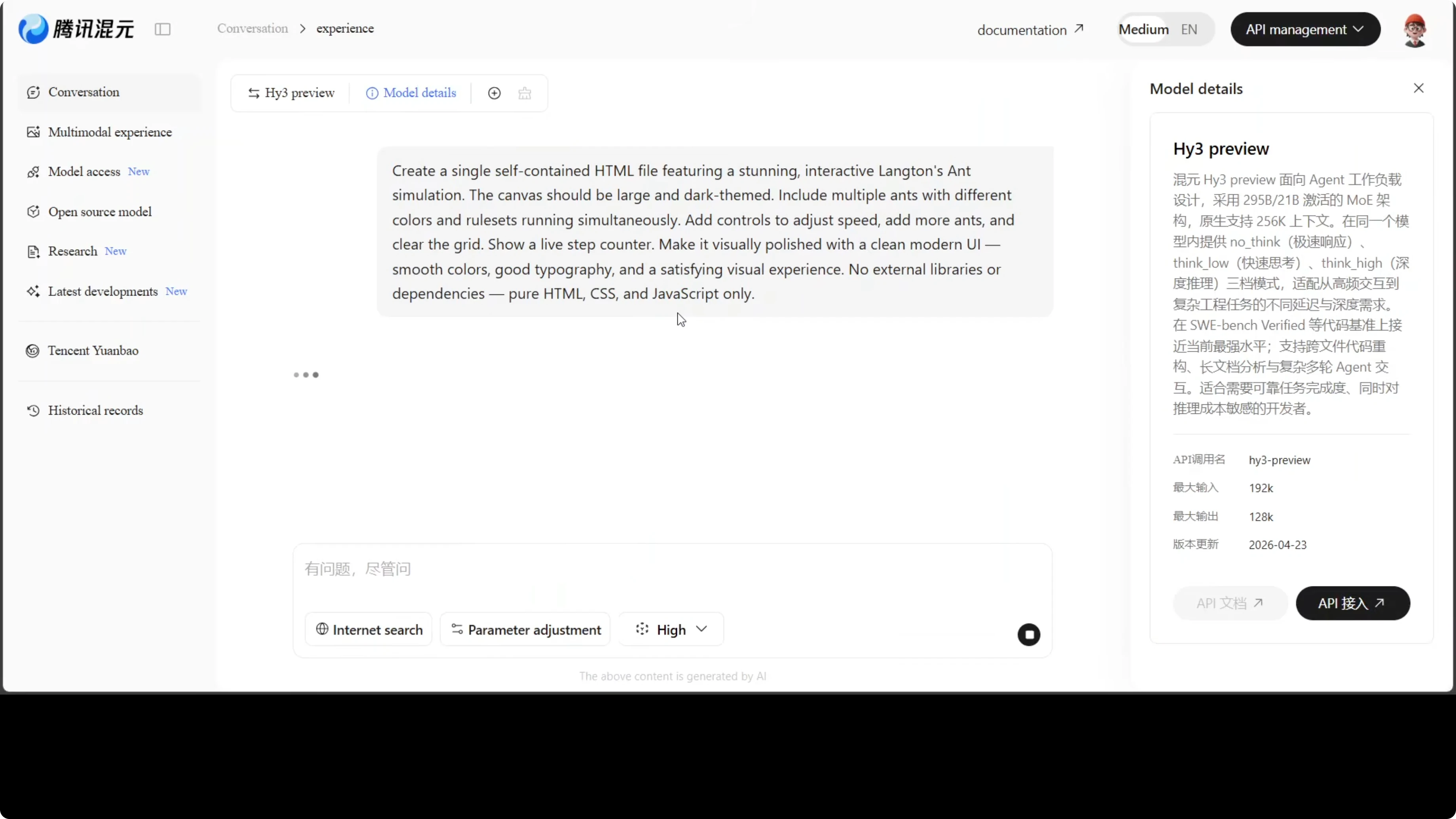
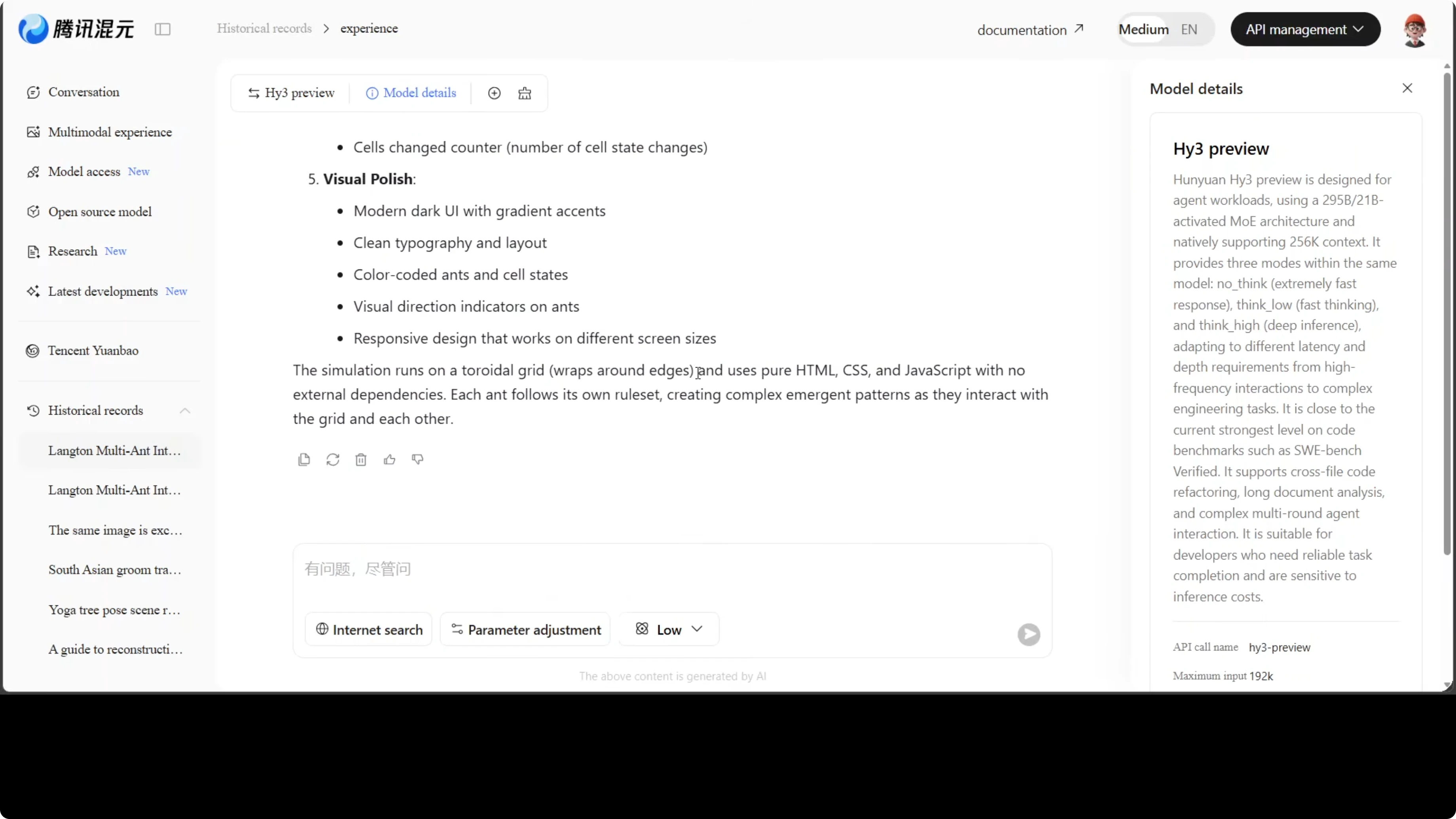
I asked Hy3 Preview to create a single self-contained HTML file featuring an interactive Langton’s Ant simulation. Langton’s Ant is a grid simulation where a tiny ant follows two simple rules, and from that surprisingly complex patterns emerge. I tested if it could handle canvas rendering, multiple ants, controls, a speed slider, a running counter, and clean pure HTML, CSS, and JavaScript.
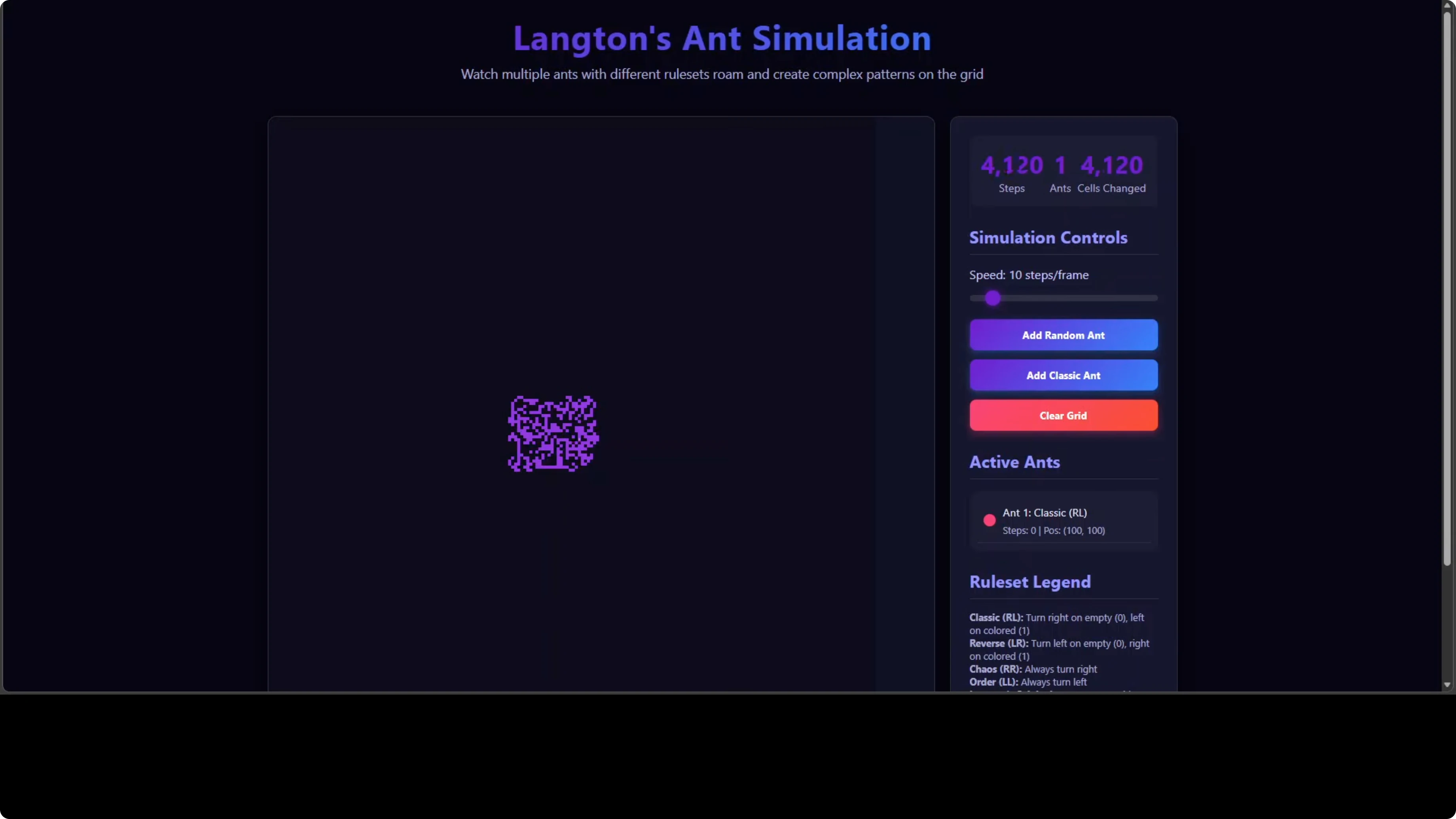
The generated project was complete and ran well in the browser. The UI was clean with a working speed slider, a step counter, a control panel, and a clear grid option. In the code, I noticed a getCellRuleSet function that was a lazy stub, ignoring which rule actually colored each cell.
If you are choosing a family for code and tooling work, try our Qwen model recommender to match tasks with the right checkpoints.
Steps to reproduce
Open your client and select Hy3 Preview.
Prompt the model: Create a single self-contained HTML file that implements an interactive Langton’s Ant simulation on an HTML5 canvas. Include multiple ants support, an Add Random Ant button, a Clear Grid button, a speed slider, a live step counter, and a simple rule legend. Use only inline CSS and JS in one HTML file. Keep the UI simple and readable.
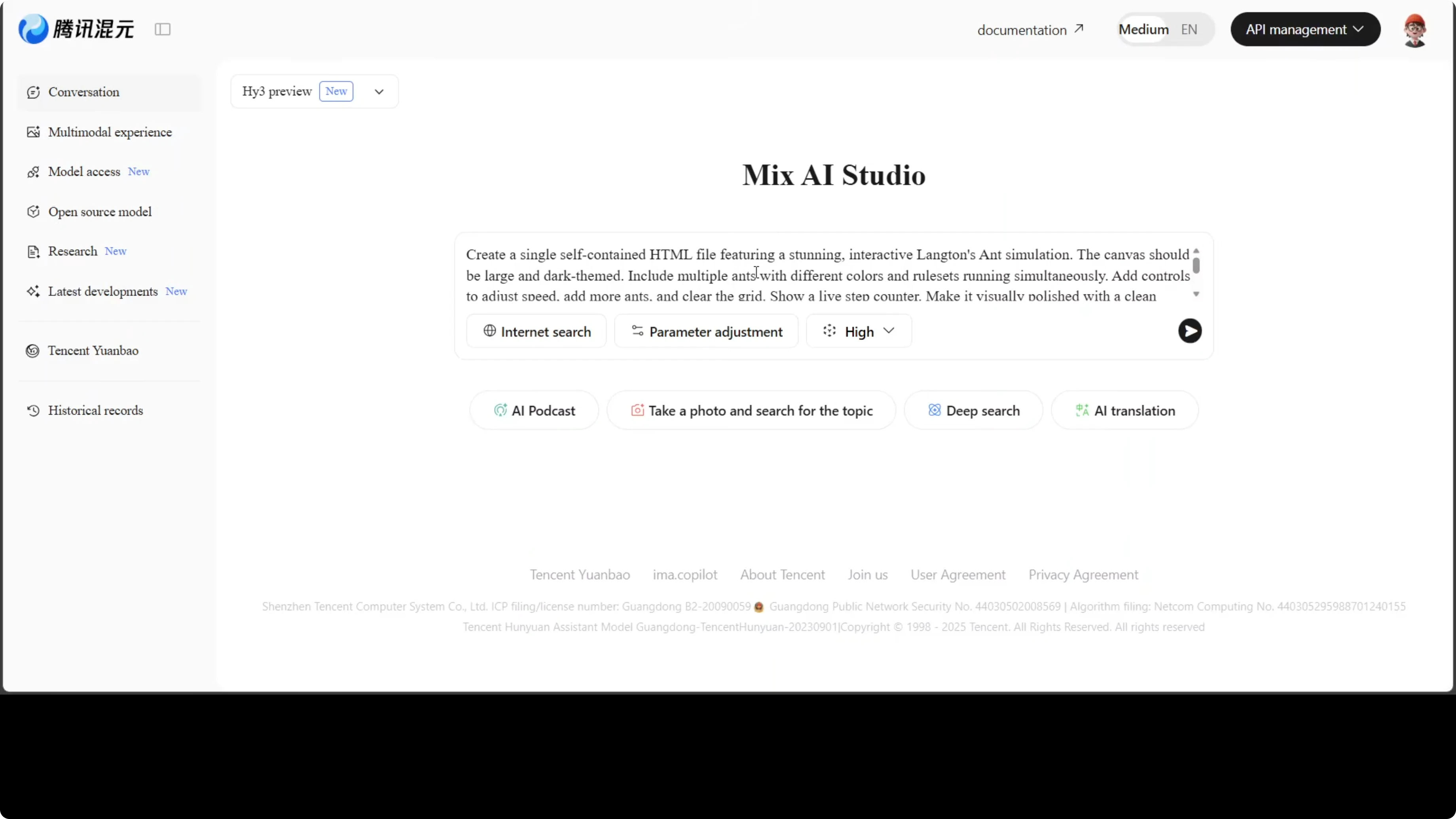
Save the response to an .html file and open it in a browser.
Example HTML (single file)
<!doctype html>
<html lang="en">
<head>
<meta charset="utf-8">
<title>Langton's Ant - Self Contained</title>
<style>
:root { color-scheme: light dark; }
body { font-family: system-ui, sans-serif; margin: 0; background: #111; color: #eee; display: grid; grid-template-rows: auto 1fr; height: 100vh; }
header { padding: 12px; background: #1a1a1a; border-bottom: 1px solid #333; display: grid; gap: 8px; }
.controls { display: grid; grid-template-columns: repeat(auto-fit,minmax(180px,1fr)); gap: 8px; }
.panel { background: #151515; border: 1px solid #2a2a2a; border-radius: 6px; padding: 10px; }
label { font-size: 14px; display: block; margin-bottom: 6px; color: #bbb; }
button, input, select { width: 100%; padding: 8px; background: #222; color: #eee; border: 1px solid #333; border-radius: 4px; }
main { display: grid; grid-template-columns: 1fr 320px; gap: 0; }
#stage { background: #000; display: grid; place-items: center; }
#stats { background: #121212; border-left: 1px solid #2a2a2a; padding: 12px; overflow: auto; }
canvas { image-rendering: pixelated; background: #000; border: 1px solid #333; }
.legend { font-size: 12px; color: #bbb; line-height: 1.4; }
.ant-list { font-size: 12px; }
.row { display: flex; gap: 8px; }
</style>
</head>
<body>
<header>
<div class="controls">
<div class="panel">
<label for="rule">Rule (e.g., LR, RLLR):</label>
<input id="rule" value="LR" />
</div>
<div class="panel">
<label for="speed">Speed (steps per frame): <span id="speedVal">25</span></label>
<input id="speed" type="range" min="1" max="200" value="25"/>
</div>
<div class="panel">
<label>Actions</label>
<div class="row">
<button id="addAnt">Add Random Ant</button>
<button id="clear">Clear Grid</button>
</div>
</div>
<div class="panel">
<label>Run Control</label>
<div class="row">
<button id="toggle">Pause</button>
<button id="stepOnce">Step</button>
</div>
</div>
</div>
<div class="legend">
Rule legend: L = turn left, R = turn right, N = no turn, U = U turn. Colors cycle by state index.
</div>
</header>
<main>
<div id="stage">
<canvas id="c" width="960" height="640"></canvas>
</div>
<aside id="stats">
<div class="panel">
<div>Steps: <strong id="steps">0</strong></div>
<div>Cells visited: <strong id="visited">0</strong></div>
<div>Ants: <strong id="antCount">0</strong></div>
</div>
<div class="panel">
<div><strong>Ant list</strong></div>
<ul id="ants" class="ant-list"></ul>
</div>
<div class="panel">
<div><strong>State snapshot</strong></div>
<pre id="snapshot" style="white-space: pre-wrap;"></pre>
</div>
</aside>
</main>
<script>
const canvas = document.getElementById('c');
const ctx = canvas.getContext('2d');
const W = canvas.width, H = canvas.height;
const cellSize = 4;
const cols = Math.floor(W / cellSize);
const rows = Math.floor(H / cellSize);
const stepsEl = document.getElementById('steps');
const visitedEl = document.getElementById('visited');
const antCountEl = document.getElementById('antCount');
const antsEl = document.getElementById('ants');
const snapshotEl = document.getElementById('snapshot');
const speed = document.getElementById('speed');
const speedVal = document.getElementById('speedVal');
const ruleInput = document.getElementById('rule');
const addAntBtn = document.getElementById('addAnt');
const clearBtn = document.getElementById('clear');
const toggleBtn = document.getElementById('toggle');
const stepOnceBtn = document.getElementById('stepOnce');
let running = true;
let stepCounter = 0;
// Grid: Map "x,y" -> stateIndex (0..k-1)
const grid = new Map();
function key(x, y) { return x + ',' + y; }
function parseKey(k) { const [x, y] = k.split(',').map(Number); return { x, y }; }
// Colors for up to 8 states
const palette = ['#000000', '#ffffff', '#ff7f0e', '#2ca02c', '#1f77b4', '#d62728', '#9467bd', '#8c564b'];
// getCellRuleSet: returns the rule string but ignores per-cell provenance (lazy stub)
function getCellRuleSet() {
// Intentionally does not track which rule colored a cell
// The current global rule drives behavior
return ruleInput.value.trim().toUpperCase() || 'LR';
}
const ants = [];
function addRandomAnt() {
const x = Math.floor(Math.random() * cols);
const y = Math.floor(Math.random() * rows);
const dir = Math.floor(Math.random() * 4); // 0 up, 1 right, 2 down, 3 left
ants.push({ x, y, dir });
renderAntList();
}
function clearGrid() {
grid.clear();
stepCounter = 0;
stepsEl.textContent = '0';
visitedEl.textContent = '0';
ctx.fillStyle = '#000';
ctx.fillRect(0, 0, W, H);
renderAntList();
snapshotEl.textContent = 'Cleared';
}
function renderAntList() {
antCountEl.textContent = String(ants.length);
antsEl.innerHTML = '';
ants.forEach((a, i) => {
const li = document.createElement('li');
li.textContent = `#${i + 1} at (${a.x},${a.y}) dir ${a.dir}`;
antsEl.appendChild(li);
});
}
function drawCell(x, y, state) {
ctx.fillStyle = palette[state % palette.length];
ctx.fillRect(x * cellSize, y * cellSize, cellSize, cellSize);
}
function turn(dir, turnCode) {
if (turnCode === 'L') return (dir + 3) % 4;
if (turnCode === 'R') return (dir + 1) % 4;
if (turnCode === 'U') return (dir + 2) % 4;
return dir; // 'N'
}
function stepAnt(a) {
const k = key(a.x, a.y);
const rule = getCellRuleSet();
const kStates = rule.length; // number of states
const current = grid.has(k) ? grid.get(k) : 0;
const turnCode = rule[current] || 'R';
a.dir = turn(a.dir, turnCode);
const next = (current + 1) % kStates;
grid.set(k, next);
drawCell(a.x, a.y, next);
if (a.dir === 0) a.y = (a.y - 1 + rows) % rows;
if (a.dir === 1) a.x = (a.x + 1) % cols;
if (a.dir === 2) a.y = (a.y + 1) % rows;
if (a.dir === 3) a.x = (a.x - 1 + cols) % cols;
}
function statsSnapshot() {
const visited = grid.size;
stepsEl.textContent = String(stepCounter);
visitedEl.textContent = String(visited);
if (stepCounter % 50 === 0) {
// lightweight snapshot of a few cells
const peek = Array.from(grid.keys()).slice(0, 10).map(k => {
const { x, y } = parseKey(k);
return `(${x},${y})=${grid.get(k)}`;
}).join(' ');
snapshotEl.textContent = `Visited ${visited} cells. Sample: ${peek}`;
}
}
function loop() {
if (running) {
let stepsPerFrame = Number(speed.value) || 1;
for (let i = 0; i < stepsPerFrame; i++) {
ants.forEach(stepAnt);
stepCounter++;
if (i % 10 === 0) statsSnapshot();
}
}
requestAnimationFrame(loop);
}
// Init
ctx.fillStyle = '#000';
ctx.fillRect(0, 0, W, H);
addRandomAnt();
addRandomAnt();
renderAntList();
loop();
// UI bindings
speed.addEventListener('input', () => speedVal.textContent = speed.value);
addAntBtn.addEventListener('click', addRandomAnt);
clearBtn.addEventListener('click', clearGrid);
toggleBtn.addEventListener('click', () => {
running = !running;
toggleBtn.textContent = running ? 'Pause' : 'Resume';
});
stepOnceBtn.addEventListener('click', () => { if (!running) { ants.forEach(stepAnt); stepCounter++; statsSnapshot(); } });
</script>
</body>
</html>Research agent test: Hy3 Preview and nutmeg
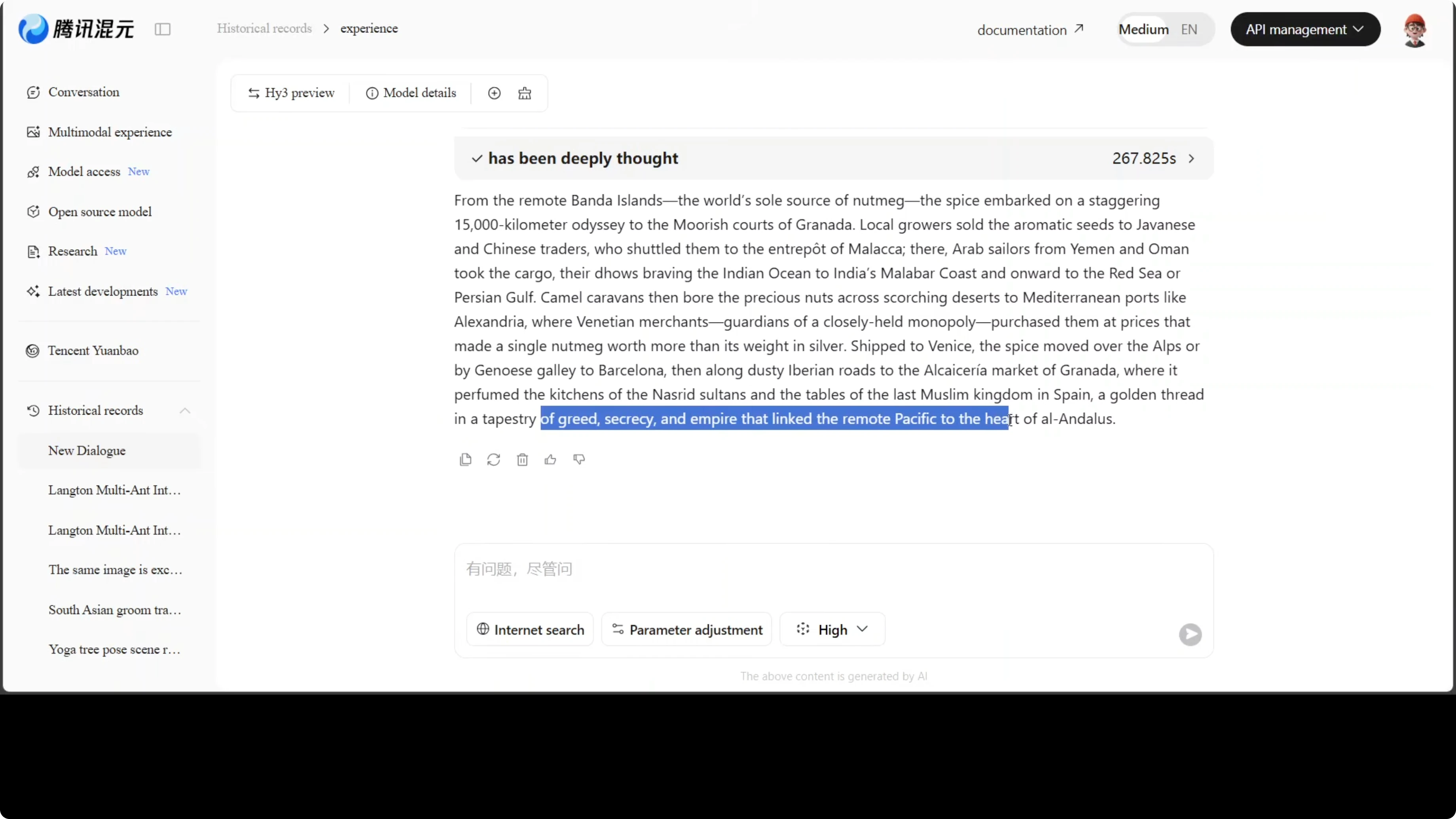
I asked the model to act as a research agent with high thinking enabled and internet search turned on. The task was to trace the historical journey of nutmeg from Banda Island in the Indonesian archipelago, through the spice trade, to Granada in southern Spain. I asked for one compelling paragraph that captures the human drama, the distances, and the hands it passed through.

The model took time to respond because it queued work in the background, then returned a coherent, sourced trail with the tools panel showing the lookups it performed. It nailed the full chain from Banda to Granada without hallucinating a shortcut. One line stood out to me: a golden thread in a tapestry of greed, secrecy and empire that linked the remote Pacific to the heart of Andalusia.
If you track Chinese open releases for research and reading workflows, you might also want a look at Kimi K1.5 as a comparator for scanning long documents.
Steps to reproduce
Switch the model’s reasoning mode to the highest setting.
Enable web search or browsing tools.

Prompt the model: You are a research agent. Trace the historical journey of nutmeg from Banda Island in the Indonesian archipelago through the spice trade routes to Granada in southern Spain. Include the traders, empires, and sea routes involved, then return one paragraph that captures the human drama, the distances, and the hands it passed through.
Multilingual test: Hy3 Preview roleplay
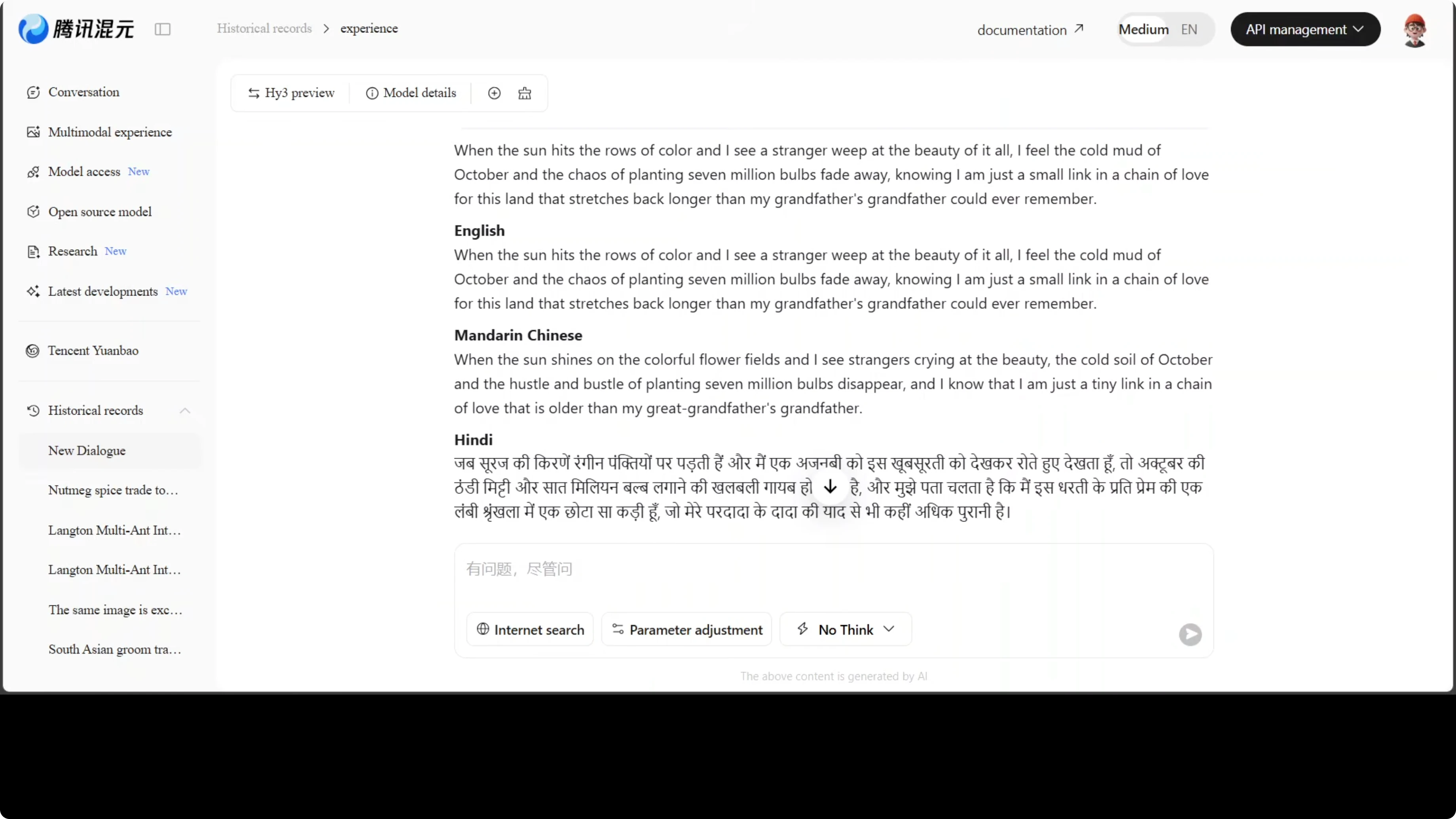
I prompted a Dutch tulip farmer from Lisse who has tended the same fields for 40 years, just outside the Keukenhof gardens. I asked for one warm personal line about what the tulip season means to the farmer’s family and village, then requested immediate translations across 76 languages. The goal was to test creative voice first, then push multilingual range.
English was strong, several European languages were solid, and Chinese was good. Some low resource languages were literal or awkward, and a few like Hindi, Arabic, and Urdu seemed off. The direction is promising, but quality still varies across the long tail.
Practical use cases
Code generation for complex interactive apps with canvas, state tracking, and multi component UI. Hy3 Preview handled end to end HTML, CSS, and JavaScript in one pass and accepted follow up edits cleanly.
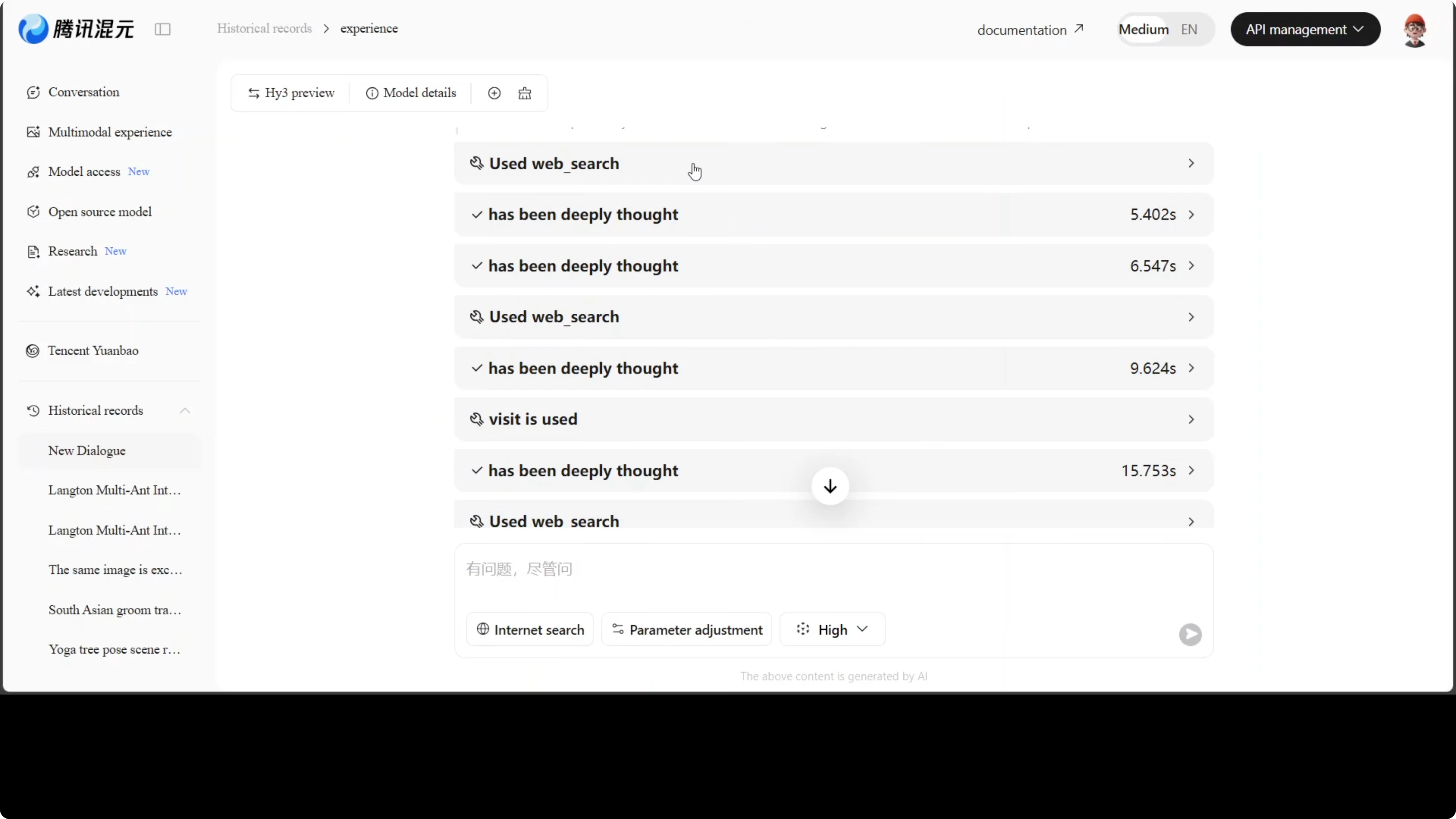
Research and agentic workflows that combine retrieval, tool use, and summarization into a final narrative output. The nutmeg test showed careful chaining and restraint on fabricating shortcuts.
Long context processing for software engineering tasks, including reading and editing large code bases, or following complex instructions across lengthy documents. For broader discovery across categories, browse our AI tools index.
Final thoughts on Hy3 Preview: Inside Tencent’s Most Powerful AI Model Yet
Hy3 Preview is not an earthshattering model, but it is a clear improvement over previous Tencent releases. The mixture of experts routing, long context, and adjustable reasoning made a real impact on coding and research tasks. I came away more optimistic about where this series is heading.
If your work depends on model selection and evaluation, keep an eye on instruction following performance and long context stability. For related families and benchmarks, see our summary of Tulu 3 and this quick picker for Alibaba’s stack at Qwen model recommender.
Read More: Step3 Vl Stepfun Ai
Subscribe to our newsletter
Get the latest updates and articles directly in your inbox.

Related Posts

8 Best Claude Code Plugins in 2026 (You Need to Know)
8 Best Claude Code Plugins in 2026 (You Need to Know)

7 Best Claude Code Skills (You Need to Know)
7 Best Claude Code Skills (You Need to Know)

Claude Code Desktop IDE Features (You Need to Know)
Claude Code Desktop IDE Features (You Need to Know)