
Table Of Content
- ERNIE Image Turbo vs FLUX: Which Performs Better Locally?
- What is ERNIE Image
- Local setup
- 1) Environment
- 2) GPU PyTorch
- 3) Serving and UI
- 4) Serve ERNIE Image Turbo
- Replace <MODEL_PATH_OR_ID> with your local path or repository id
- Architecture notes
- Browser interface and VRAM
- Visual quality tests
- Ancient hutong alleyway
- Portrait with peaches
- Four cats with breed placement
- Vintage travel poster for Sofia
- Comic strip with speech bubbles
- Comic strip lawnmower and trampoline
- Infographic with a 2x2 grid
- JWST technical diagram
- Workflow tips
- Use cases
- Final thoughts
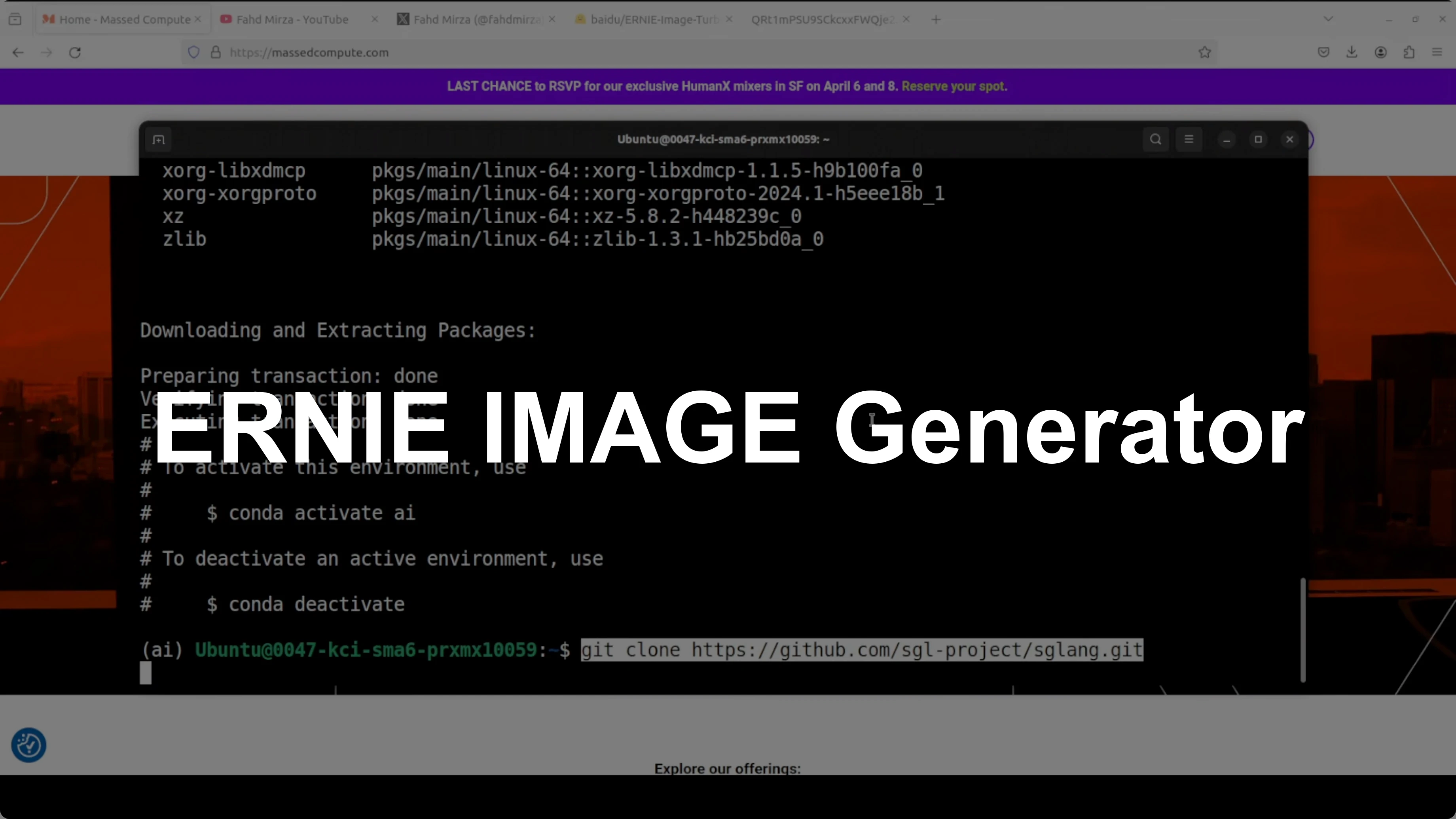
ERNIE Image Turbo vs FLUX: Which Performs Better Locally?
Table Of Content
- ERNIE Image Turbo vs FLUX: Which Performs Better Locally?
- What is ERNIE Image
- Local setup
- 1) Environment
- 2) GPU PyTorch
- 3) Serving and UI
- 4) Serve ERNIE Image Turbo
- Replace <MODEL_PATH_OR_ID> with your local path or repository id
- Architecture notes
- Browser interface and VRAM
- Visual quality tests
- Ancient hutong alleyway
- Portrait with peaches
- Four cats with breed placement
- Vintage travel poster for Sofia
- Comic strip with speech bubbles
- Comic strip lawnmower and trampoline
- Infographic with a 2x2 grid
- JWST technical diagram
- Workflow tips
- Use cases
- Final thoughts
Baidu’s ERNIE models have been quietly impressive for a long time. From language to multimodal work, the ERNIE family keeps delivering. I installed ERNIE Image Turbo locally and put it through a wide range of stress tests.
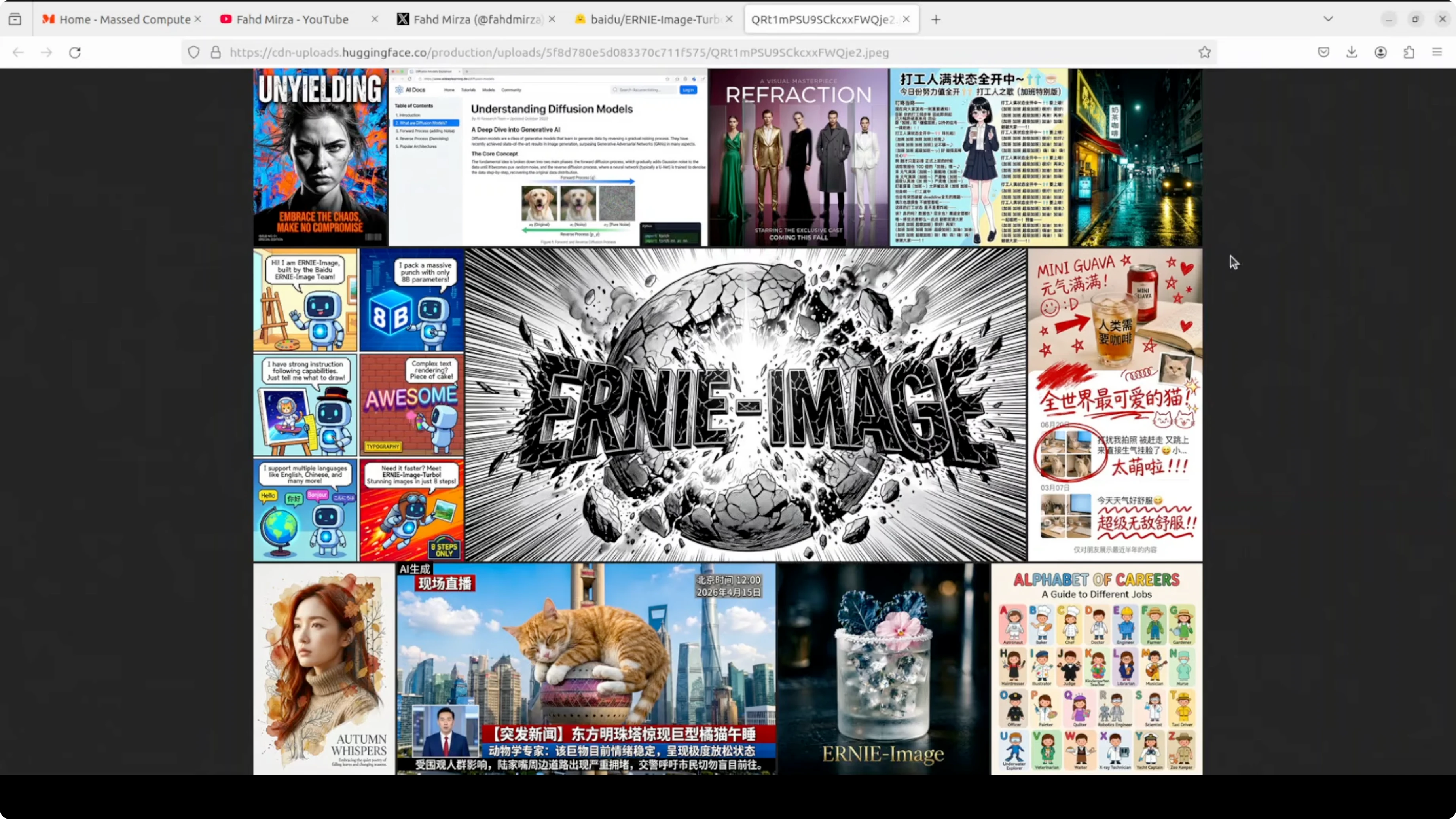
This build runs on my Ubuntu system with an NVIDIA RTX 6000 card and 48 GB of VRAM. The focus is local performance and instruction following with only eight inference steps. If you need broader context on tooling, explore our image generation category for more workflows and model picks.
I am testing poster design, comics, multi panel compositions, dense text overlays, structured infographics, and technical diagrams. ERNIE Image Turbo is an open text to image model built on a single stream diffusion transformer architecture. The distilled Turbo release targets high image quality with very few steps.
For readers who prefer a cloud notebook workflow, you can also check a quick start for Colab runs in our guide on running Z Image Turbo on Google Colab and adapt the steps to your model of choice.
ERNIE Image Turbo vs FLUX: Which Performs Better Locally?
I focused my evaluation on ERNIE Image Turbo running entirely on a local GPU. The headline claim is eight inference steps without compromising instruction following or text rendering. The tests below show where it shines and where it still stumbles.
What is ERNIE Image
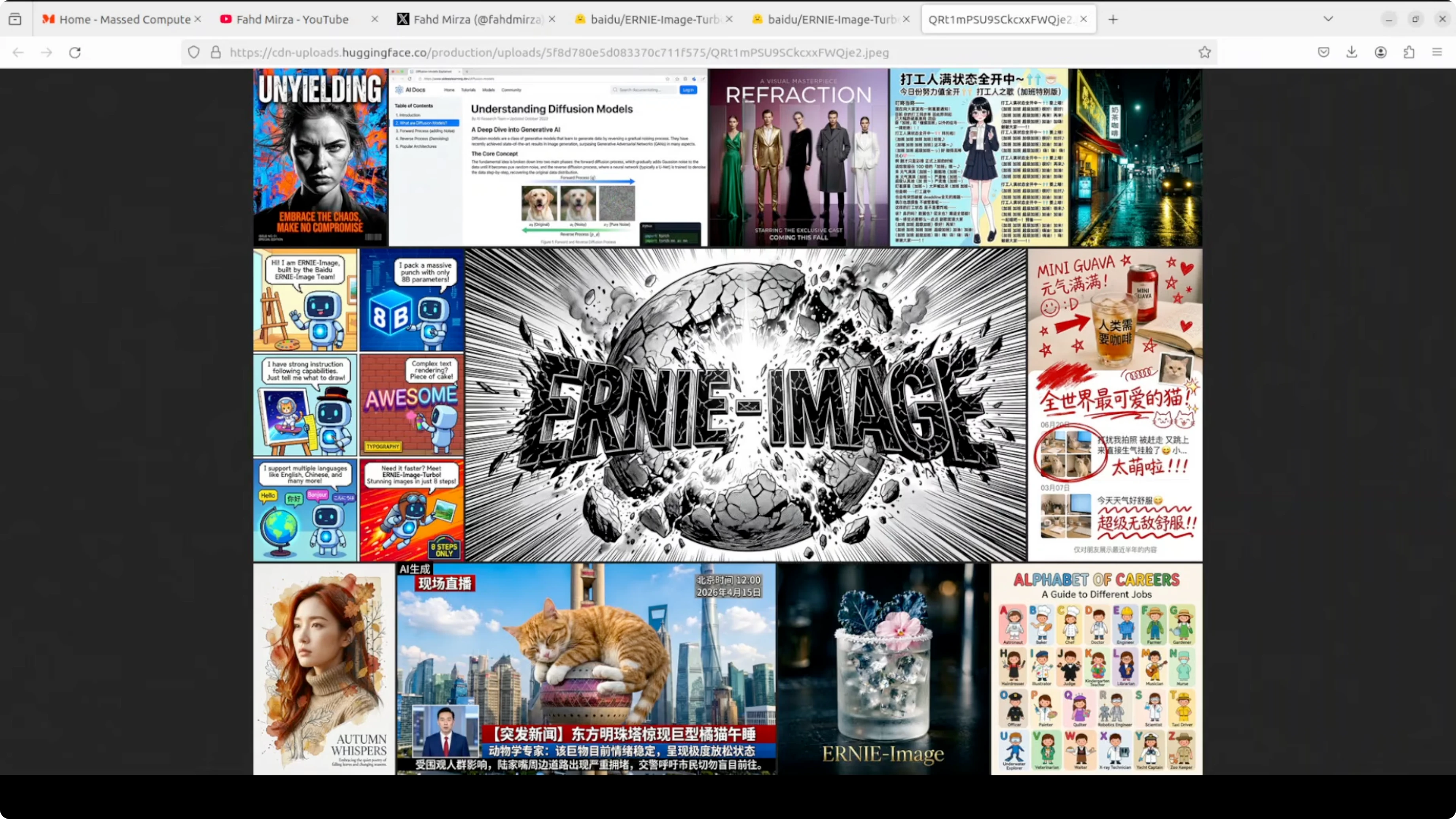
ERNIE Image is Baidu’s text to image family built around diffusion transformer architectures. ERNIE Image Turbo is a distilled variant that generates high quality images in eight steps. It aims to keep composition, text rendering, and instruction following strong while cutting latency.
The model provides positional encoding weights that tell the system where things are spatially in the image. A positional encoding tokenizer supports that system. A scheduler controls the denoising schedule across the eight steps.
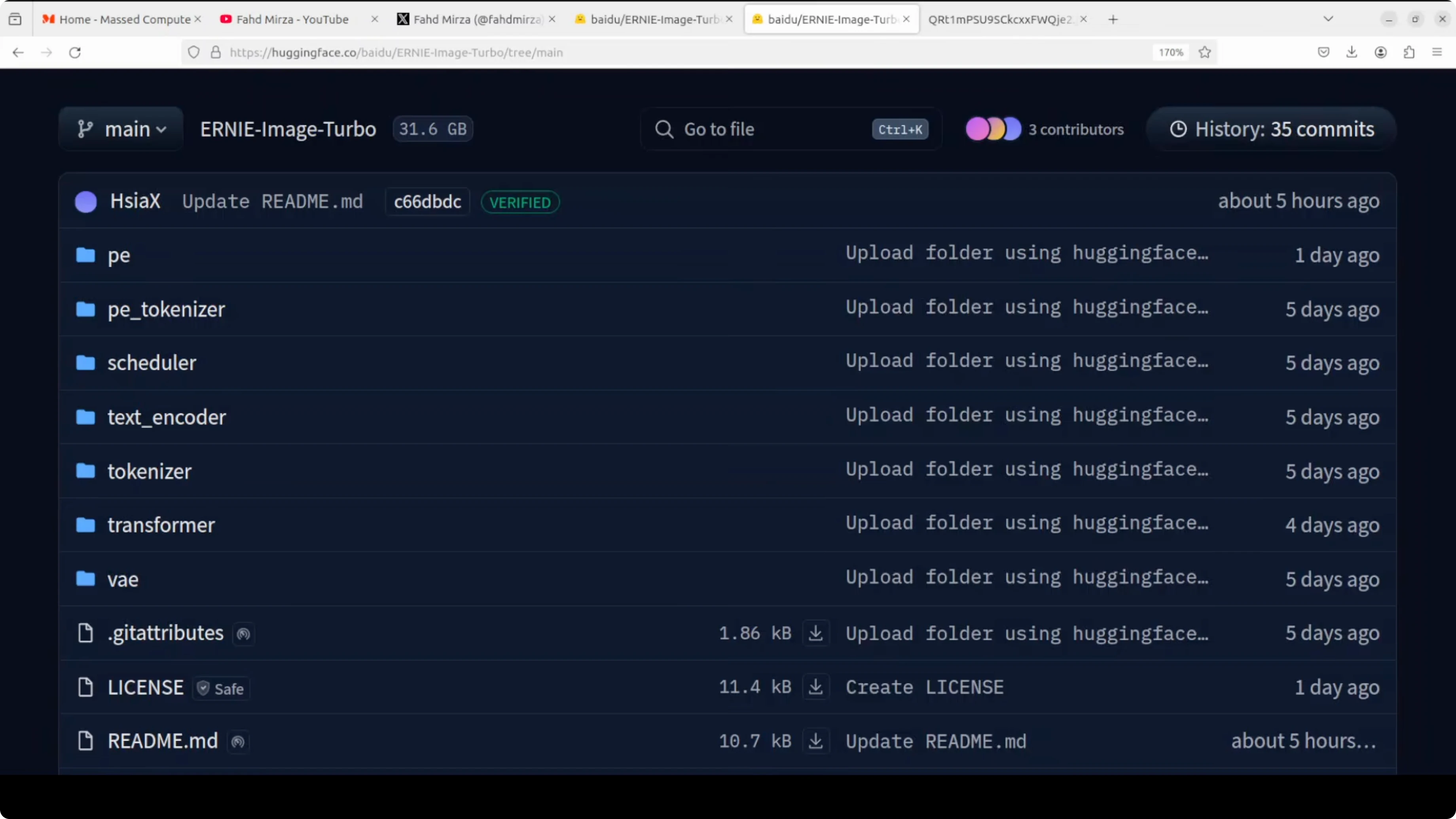
A text tokenizer breaks your prompt into tokens before the text encoder converts it into embeddings. The diffusion transformer is the main model that generates latent representations. A variational autoencoder compresses images into latent space for generation and decodes them back to pixels.
Local setup
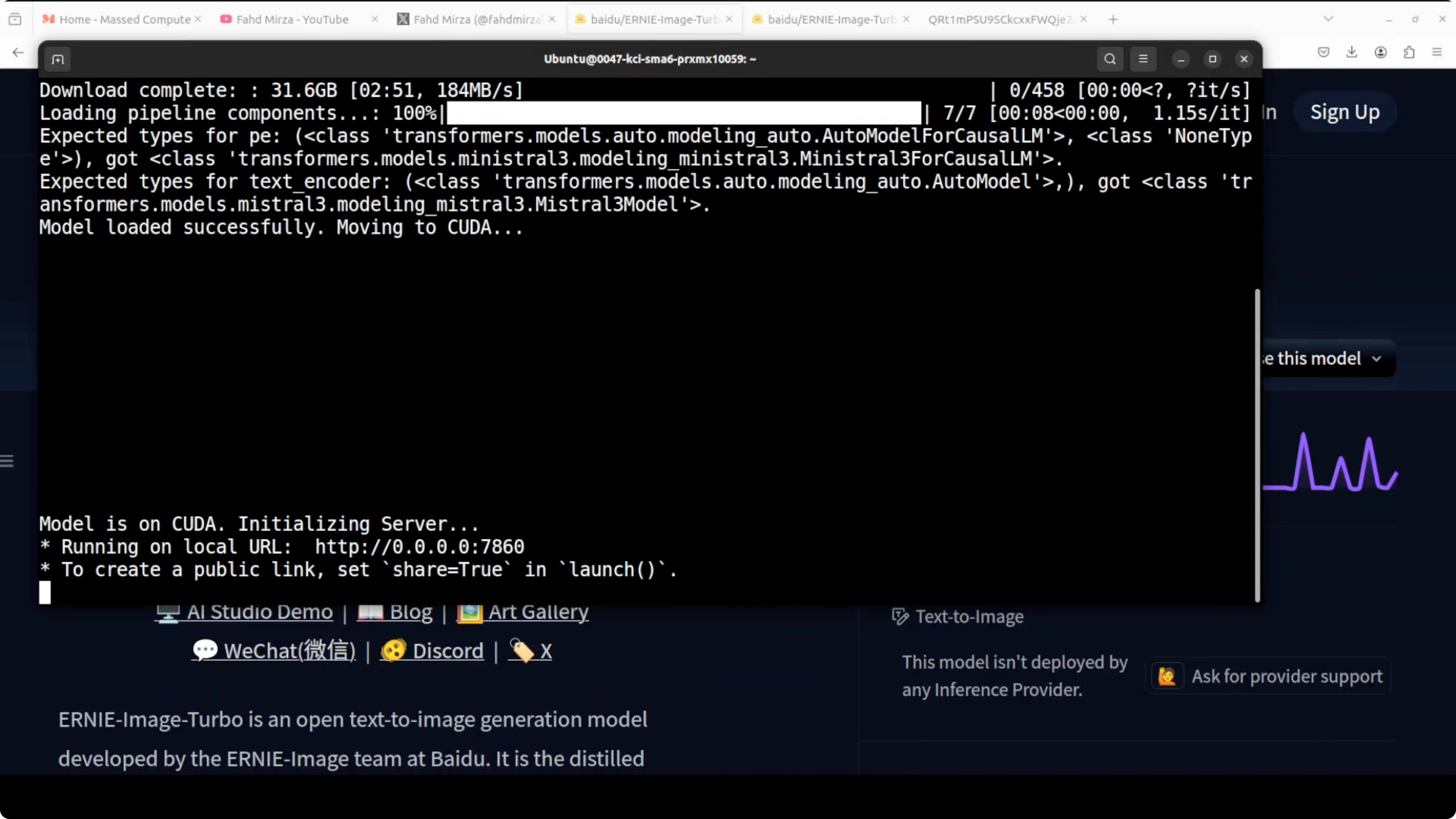
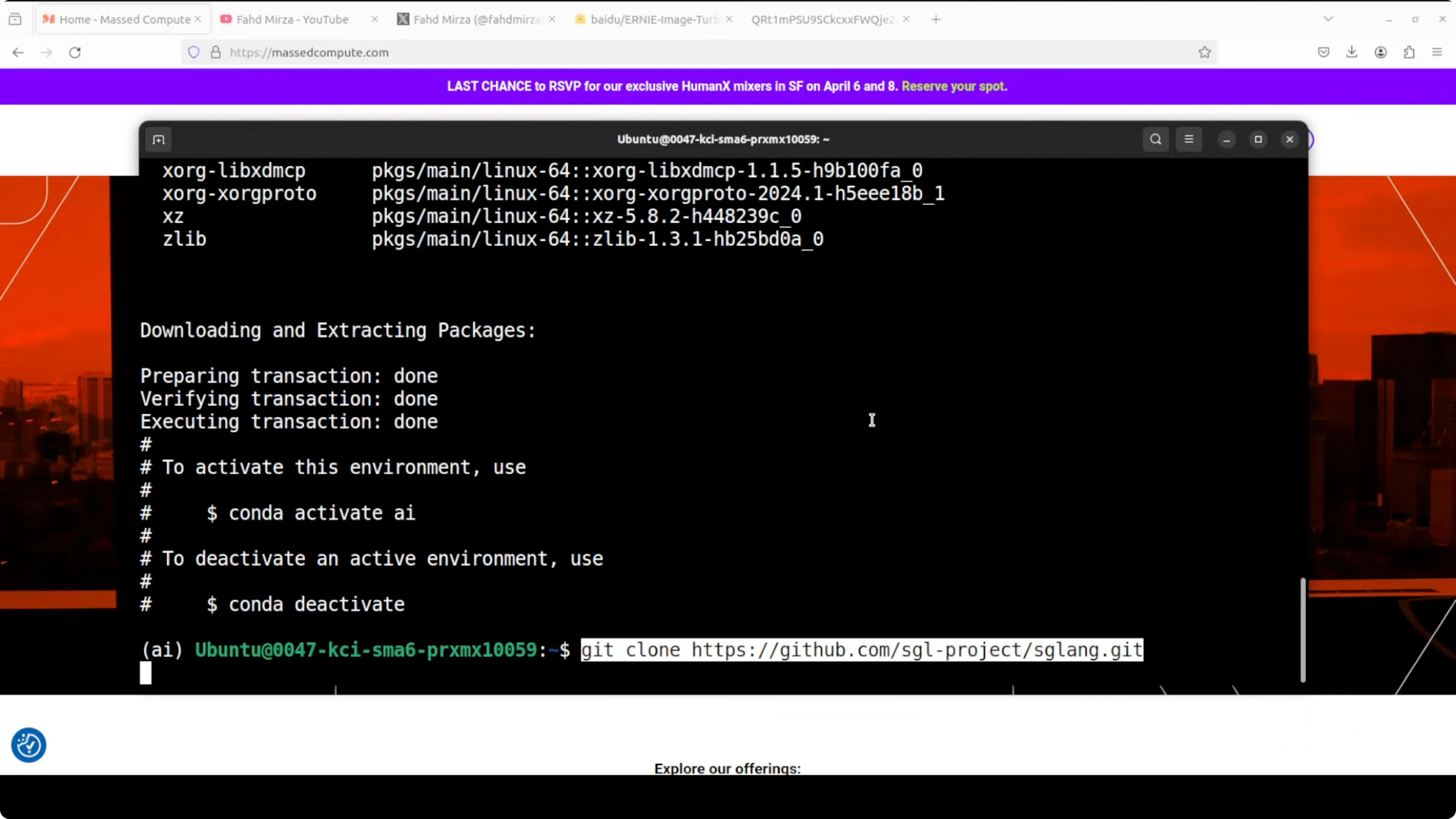
This is the exact setup I used for local tests. Ubuntu with an NVIDIA RTX 6000 and 48 GB of VRAM. Gradio provided a simple browser interface at port 7860.
Install the stack.
Create and activate a Python environment.
Install dependencies.
Serve the model.
Access the Gradio UI at localhost on port 7860.
Example commands:
# 1) Environment
conda create -n ernie-image-turbo python=3.10 -y
conda activate ernie-image-turbo

# 2) GPU PyTorch
pip install --upgrade pip
pip install torch torchvision --index-url https://download.pytorch.org/whl/cu121

# 3) Serving and UI
pip install sglang gradio

# 4) Serve ERNIE Image Turbo
# Replace <MODEL_PATH_OR_ID> with your local path or repository id
sglang serve --model <MODEL_PATH_OR_ID> --port 7860
If you prefer a simple Gradio wrapper, adapt this minimal UI to your local pipeline. Replace the generate function with your ERNIE Image Turbo inference call that runs with eight steps.
import gradio as gr
from PIL import Image

def generate(prompt, steps=8, seed=42):
    # Replace with your ERNIE Image Turbo pipeline call
    # Example:
    # image = pipe(prompt, num_inference_steps=steps, generator=torch.manual_seed(seed)).images[0]
    # return image
    return Image.new("RGB", (768, 768), color="white")

demo = gr.Interface(
    fn=generate,
    inputs=[gr.Textbox(label="Prompt"), gr.Slider(1, 50, value=8, step=1, label="Steps"), gr.Slider(0, 999999, value=42, step=1, label="Seed")],
    outputs=gr.Image(type="pil"),
    title="ERNIE Image Turbo"
)

demo.launch(server_port=7860)
For more creation oriented tools and picks, skim our image generator collection. If you work in the FLUX ecosystem, you will also find category specific updates in our Flux section.
Architecture notes
The single stream diffusion transformer here is the core of how ERNIE Image Turbo generates images. Eight inference steps are enough to reach strong image quality while keeping instruction fidelity. The provided components include positional encoding weights, a PE tokenizer, a scheduler, a text tokenizer, a text encoder, the diffusion transformer, and a VAE.
This structure explains why the model can handle complex compositions with strong layout intelligence. Posters, comics, multi panel layouts, and dense text are all explicitly targeted. Handling all of this at low step counts is the standout capability.
Browser interface and VRAM
The model loaded and ran locally at Gradio port 7860. With my tests it consumed just under 30 GB of VRAM. That budget remained fairly stable across different prompts.
Visual quality tests
Ancient hutong alleyway
Prompt asked for an ancient Beijing hutong alleyway at golden hour with weathered gray brick walls and detailed scene elements. The composition is excellent with perspective down the corridor that draws the eye. Red lanterns look crisp and vibrant, a persimmon tree shows remarkable detail, and an elderly man with a bicycle adds cultural authenticity.
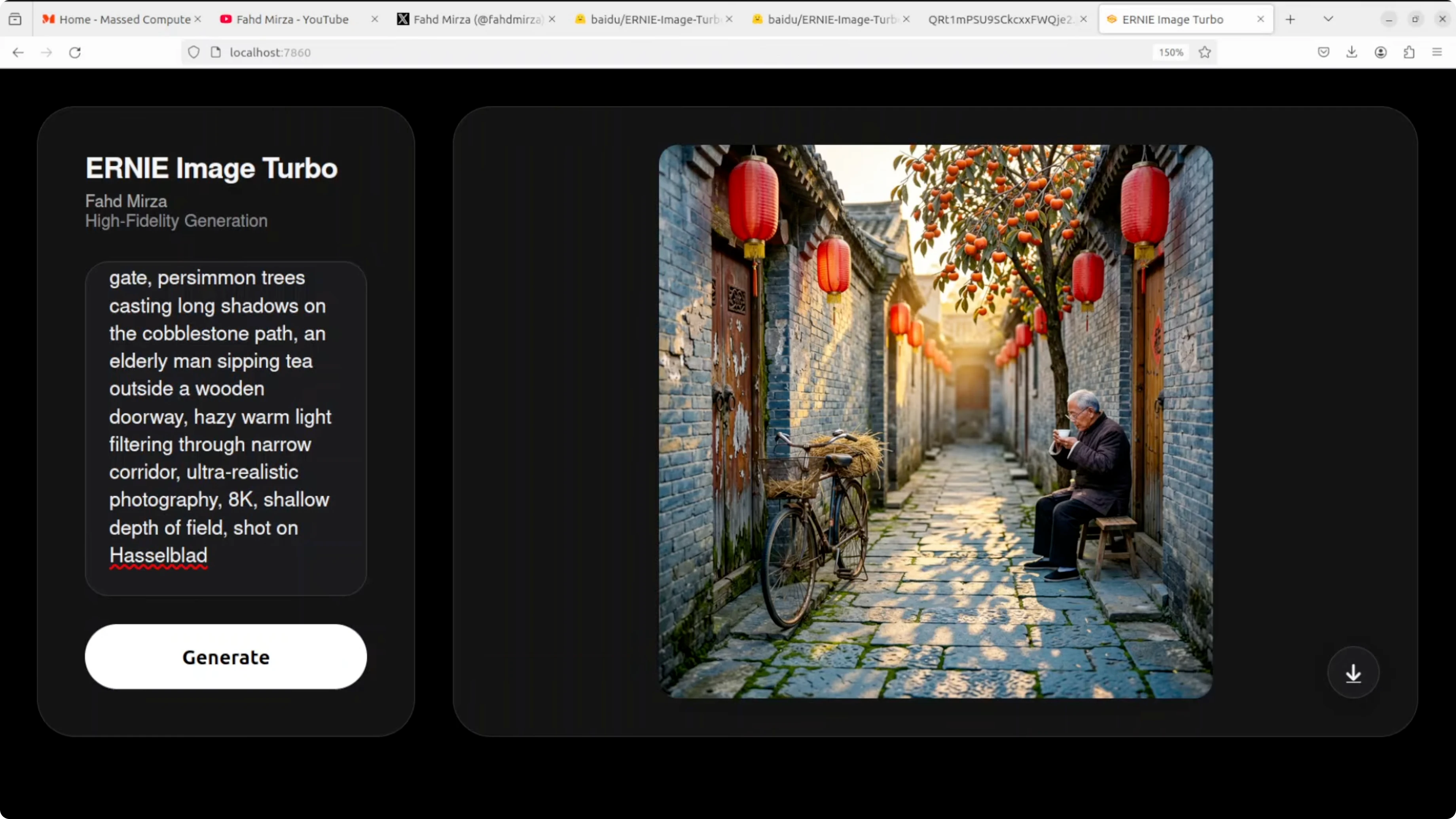
Lighting is cinematic and warm. The bicycle looks slightly muddy and shows a bit of artificiality on close inspection. Hands and a teacup lack some detail which is a typical weak spot for small human elements in diffusion transformer models.
Cobblestone texture is quite good overall. This is a strong result for eight steps. Instruction following is solid and the image feels convincing.
Portrait with peaches
Prompt defined a young woman with short wavy brown hair and a slightly messy look holding two ripe peaches near her face. Skin texture is photorealistic and clean with a natural wink. Peach color, texture, and stems are accurate while hair and a headband accessory are well rendered.
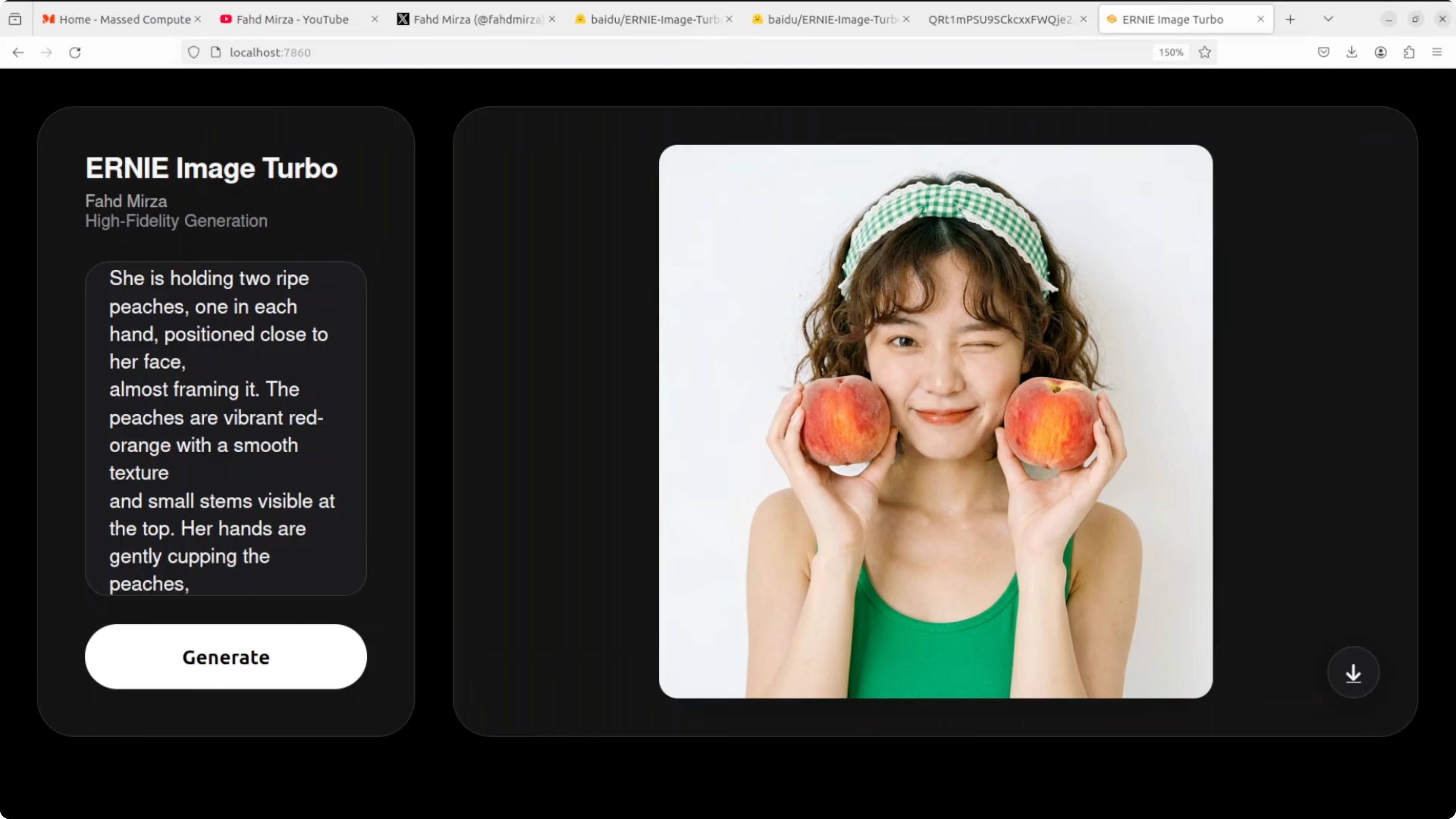
The overall studio photo feel is convincing. Left hand fingers look a bit off in proportion where they grip the peach. Background is slightly flat but object realism and placement are strong.
Four cats with breed placement
The prompt specified four cats with a specific breed per position and included a GoPro camera with a visible logo. The model nailed all four breeds in the correct order with accurate object inclusion and background detail. The GoPro placement and logo are accurate and lighting matches well.
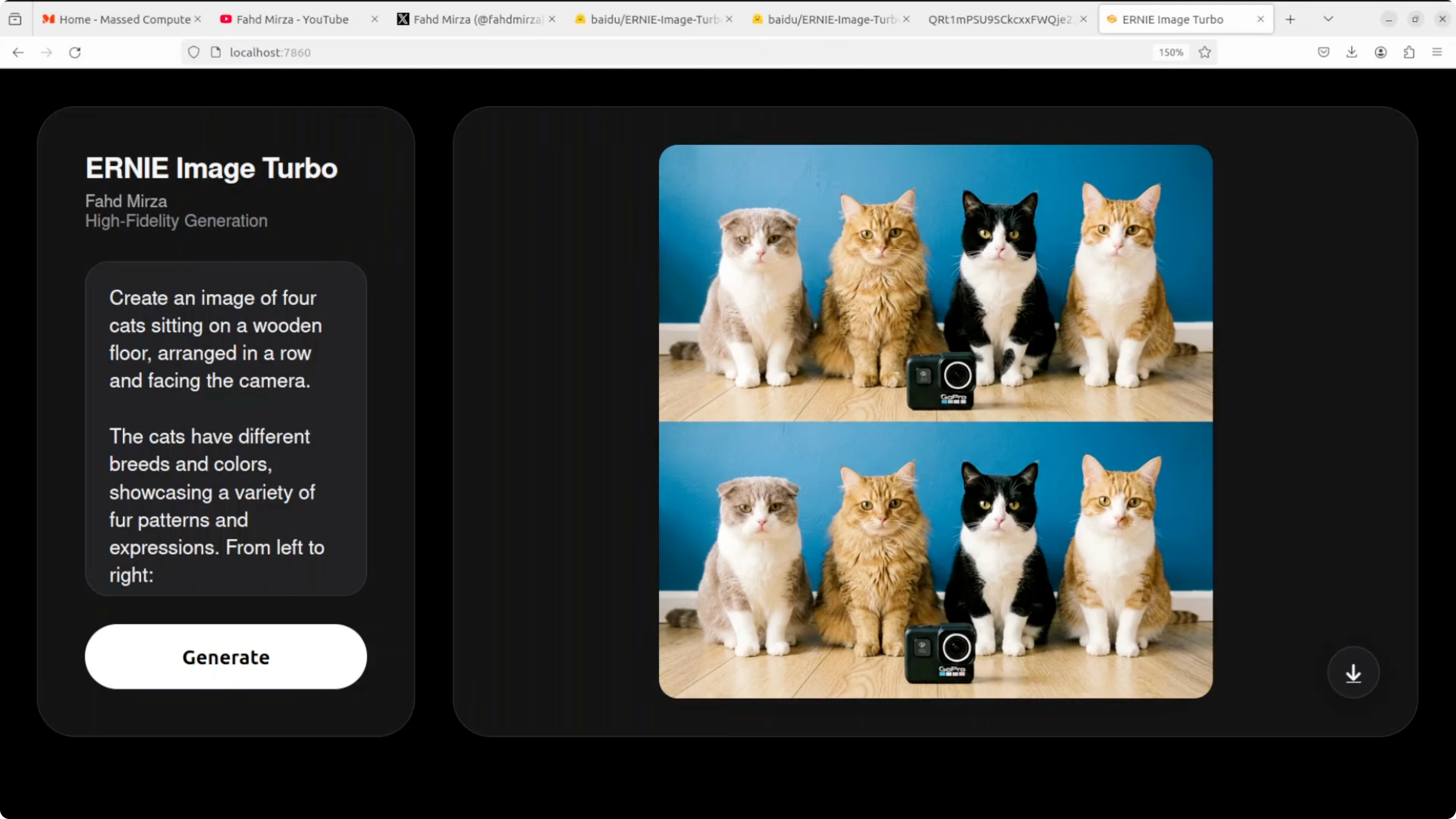
One run duplicated the panel output and stacked the same image twice. A second pass resolved the duplication. Outside of that one issue, instruction following here is very good.
Vintage travel poster for Sofia
The prompt requested a vintage style travel poster for Sofia, Bulgaria with top text Visit Sofia, the Alexander Nevsky Cathedral with gold domes, Vitosha Mountain in the background, autumn trees, and a retro palette. Visual composition and layout are outstanding. Visit Sofia at the top is bold, clean, and correctly spelled.
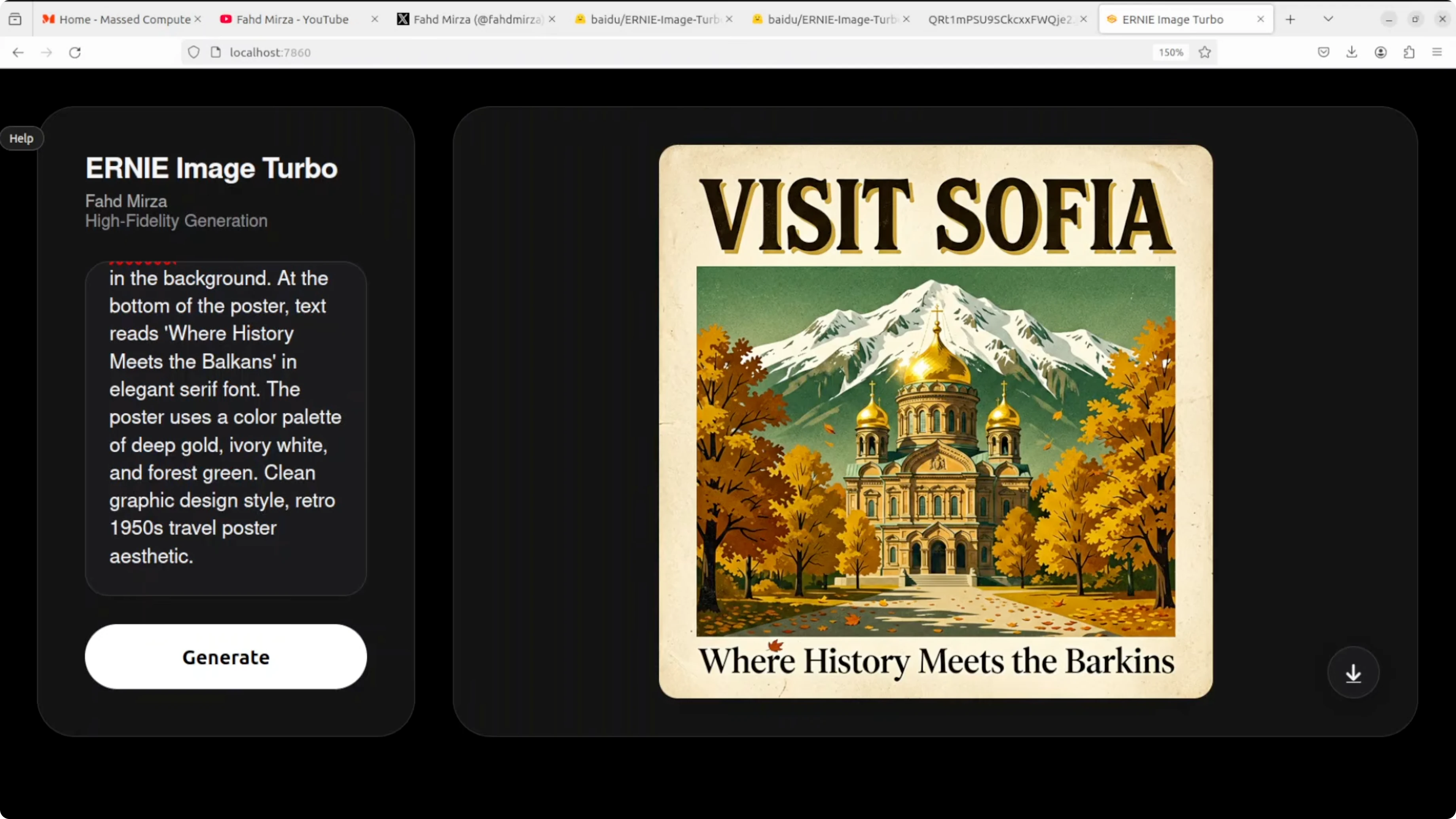
The cathedral and mountain are right and the overall aesthetic is nailed. Bottom text reads Barkkins instead of Balkans which is a classic text rendering failure on uncommon words. Visual layout remains excellent while uncommon body text still trips the model sometimes.
If you plan to refine text or composite assets after generation, our image editing resources will help with quick fixes and cleanup. That includes swapping corrected text layers and minor retouching work.
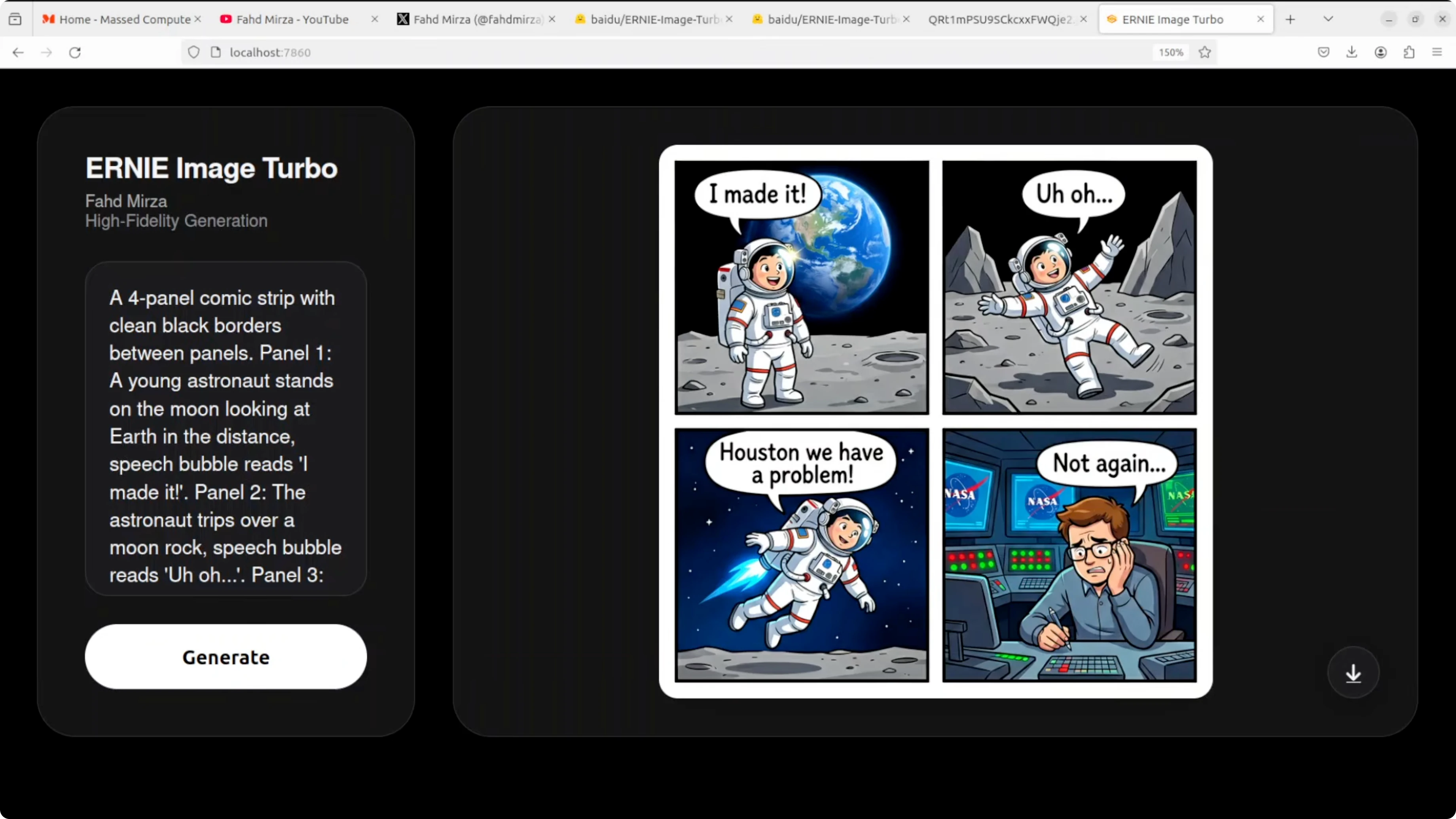
Comic strip with speech bubbles
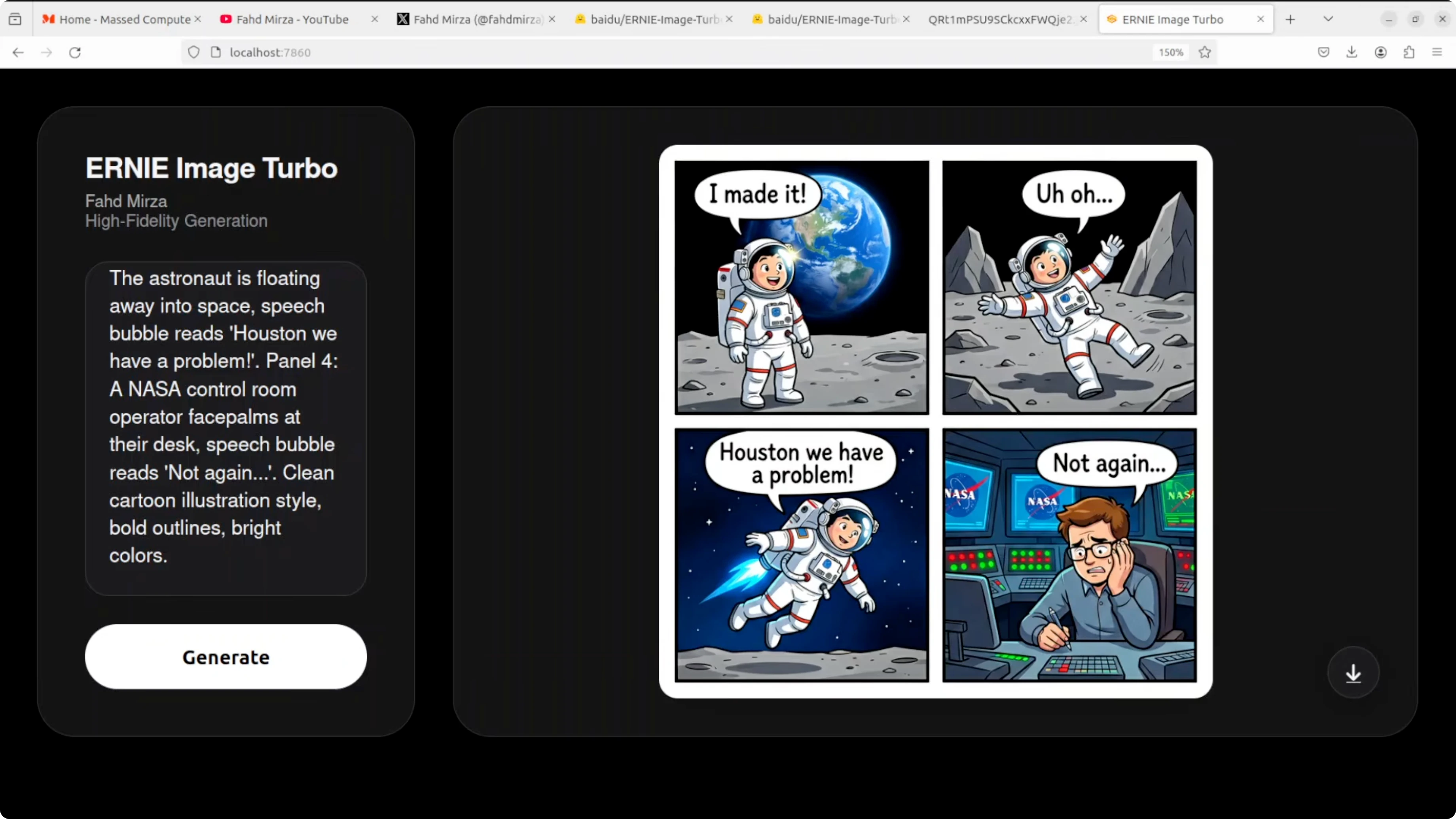
This test targeted a four panel comic with clean black borders, a sequential narrative, speech bubbles, and text accuracy. All four speech bubbles are perfectly spelled and correctly placed. The narrative flows logically panel to panel and character consistency is impressive.
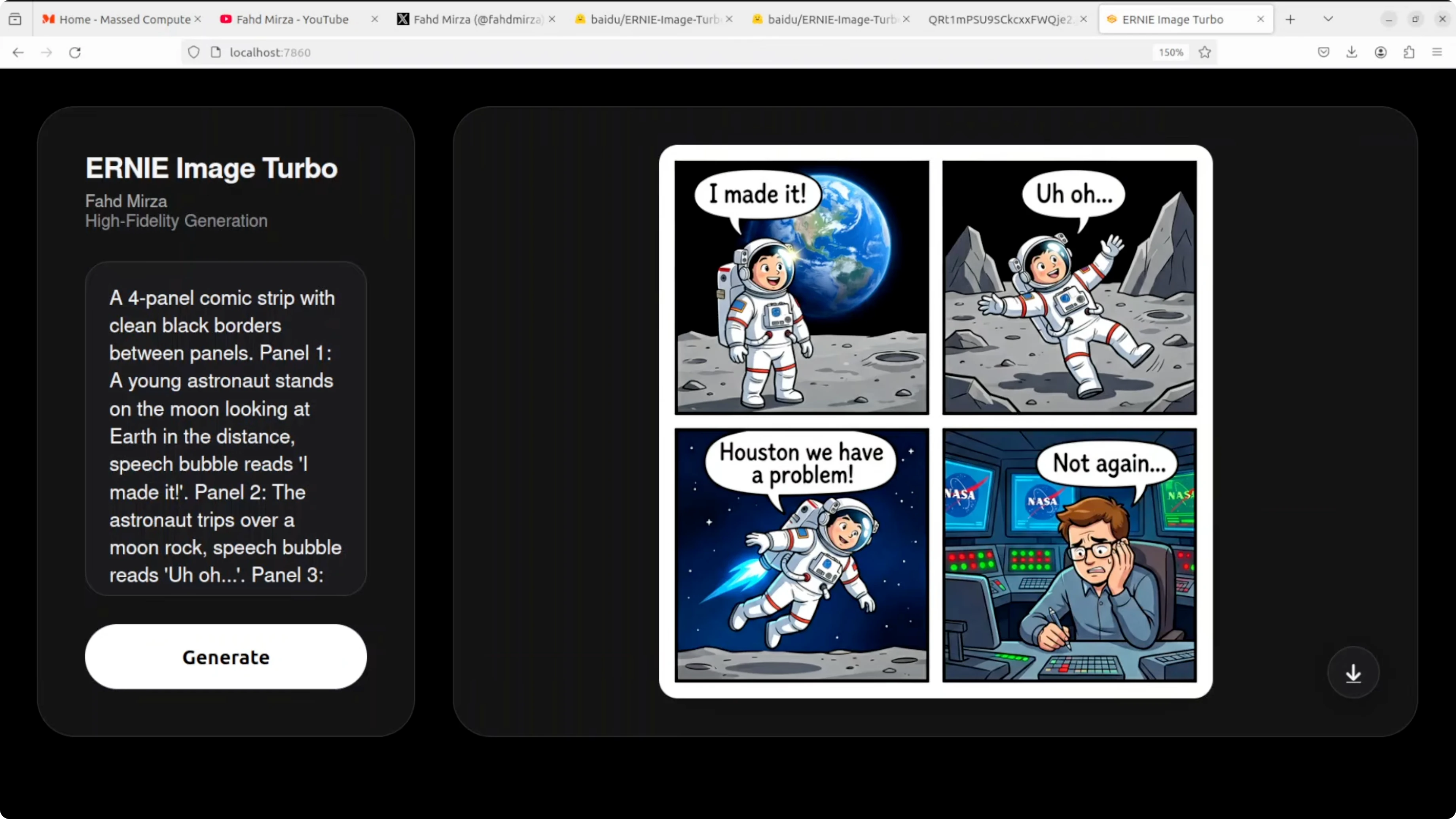
The NASA control room detail in the final panel stands out along with facial expressions. Panel two shows an astronaut waving rather than tripping over a rock which misses the action beat. The floating in panel three reads more like rocket powered flight than helpless drifting but text rendering in bubbles is flawless.
Comic strip lawnmower and trampoline
Another four panel comic prompt covered an over mowed backyard, a trampoline gag, expressive closeups, and a final wink. The over mowed dirt lawn is perfect and consistent across panels. Suburban fence and setting are well handled with correctly spelled text and a coherent left to right flow.
Expressions are funny and appropriately exaggerated. Panel one duplicates a speech bubble on the same character and panel four shows the woman holding the speech bubble like a sign. The trampoline has turned into a tiny ground level disc and the final line is assigned to the wrong character, yet comedy and scene coherence remain impressive overall.
Infographic with a 2x2 grid
The prompt specified a structured 2 by 2 grid layout with icons, body text, a header, and a footer. The layout is pixel perfect with correct icons like a brain, heart, and shield. The color scheme matches exactly and the footer bar looks professionally made.
Two spelling errors appear in the body text like Androies instead of antibodies and sappers instead of repair. One section repeats daily and another misses often risk heart disease. Structural and layout intelligence are exceptional and a second pass would likely fix the text issues.
JWST technical diagram
The final prompt asked for a scientifically accurate diagram of JWST, the James Webb Space Telescope, with labels and leader lines. All requested labels are present and clean such as primary mirror, NIRCam, and sunshield. Label text is readable and it is impressive that the model understands JWST’s general structure.
The telescope shape is wrong and looks more like Hubble. JWST’s large hexagonal segmented gold mirror and diamond shaped five layer sunshield do not appear here and the primary mirror label appears twice. Label placement and text are strong while the model hallucinates a generic satellite instead of the correct JWST structure.
Workflow tips
Use eight inference steps for speed and iterate on seeds to refine composition. For text heavy assets, generate multiple candidates and composite the best text from each. For small human elements like hands, plan a quick inpaint pass or a patch swap if needed.
If you want a broader survey of generators for different aesthetics, review our image generator lineup. For experiments and comparisons around local pipelines that include FLUX, browse our dedicated Flux category for updates and tooling notes.
Use cases
Poster design benefits from the model’s strong layout and title text handling. Comics gain from panel consistency, face expressions, and bubble placement accuracy. Infographics work well due to the model’s grid discipline and icon placement.
Marketing one sheets and social graphics are a good fit when you need bold headers and clean composition. Product showcase shots with simple props can look convincing, especially with controlled lighting prompts. Technical training visuals are viable if you review for structural accuracy and correct any mislabeled or misdrawn parts.
Final thoughts
ERNIE Image Turbo is a serious contender among open image generation models. The eight step pipeline delivers strong composition, reliable instruction following, and surprisingly clean text in headers and speech bubbles. Uncommon words in small body text still fail sometimes and small human elements need care.
Structured layouts are a standout with posters, comics, and infographics looking polished. Technical diagrams reveal knowledge gaps in specific shapes like JWST even when labels look correct. Running locally was smooth with sub 30 GB VRAM usage and a straightforward Gradio interface.
If your work centers on local generation with tight iteration loops, ERNIE Image Turbo is absolutely worth testing. For more end to end guides and tooling comparisons, explore our broader image generation hub. You can also use our Colab quick start as a reference when you need a GPU run without local setup.
Subscribe to our newsletter
Get the latest updates and articles directly in your inbox.

Related Posts

8 Best Claude Code Plugins in 2026 (You Need to Know)
8 Best Claude Code Plugins in 2026 (You Need to Know)

7 Best Claude Code Skills (You Need to Know)
7 Best Claude Code Skills (You Need to Know)

Claude Code Desktop IDE Features (You Need to Know)
Claude Code Desktop IDE Features (You Need to Know)