
How to fix Sorry, Stitch is unavailable error?
Seeing a persistent “Sorry, Stitch is unavailable” banner is frustrating. Here’s the fastest path to get Stitch working again, ranked by what fixes it most often.
How to fix Sorry, Stitch is unavailable error?
Users report a blocking banner that says “Sorry, Stitch is unavailable” immediately after sign-up or on first launch. The message can persist for days even after trying multiple browsers, toggling VPN, and allowing third‑party cookies.
This typically points to one of three issues: account ineligibility (Workspace settings or age), unsupported region/language, or cached/broken session data. Some users also hit temporary capacity limits.
The Problem
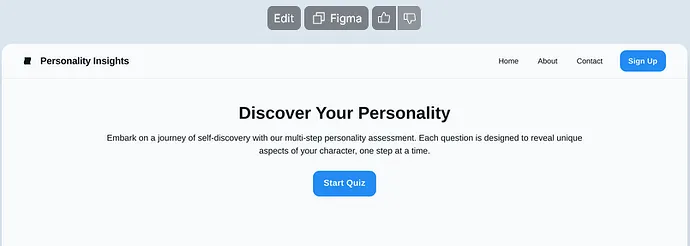
If you see the banner on every load, you’re likely stuck in an eligibility or rollout gate. Changing to a supported account and region, then resetting Stitch site data, usually fixes it within minutes.
Solution Overview
| Aspect | Detail |
|---|---|
| Root Cause | Account not eligible or region/language not supported; cached session locking you out; occasional service capacity. |
| Primary Fix | Use a supported Google account (personal or admin-enabled Workspace), set language/region to US English, clear Stitch/Labs site data, then relaunch. |
| Complexity | Easy |
| Estimated Time | 10–15 minutes |
Read More: Troubleshoot common Stitch errors
How to fix Sorry, Stitch is unavailable error?
Step-by-Step Solution
1) Confirm your account is eligible (fastest win)
- If you’re on Google Workspace: ask your admin to turn on the service for your org.
- Admins: follow “Turn services on or off for users” in Google Admin console: Admin help.
- Prefer a personal Google Account if your Workspace org blocks early-access/experimental services.
- Make sure the account is 18+ and not managed by Family Link.
2) Switch to a supported language/region (US works most reliably)
- Set Google Account language to English (United States): myaccount.google.com/language
- In your browser:
- Chrome: Settings > Languages > Add/Move “English (United States)” to the top.
- Safari: System Settings > General > Language & Region > add English (US).
- Optional: verify your public IP region:
curl https://ipinfo.ioLook for "country": "US". If not US and Stitch is region-limited for you, use a reputable US connection and repeat sign-in.
3) Reset only Stitch/Labs site data and cookies
- Chrome: Settings > Privacy and security > Site settings > View permissions and data stored across sites > search for:
- stitch.google.com
- labs.google.com
- ai.google.dev (if applicable)
- Remove data for each.
- Safari: Settings > Privacy > Manage Website Data… > search and remove the same hosts.
- Then fully sign out of your Google Account and sign in again in a fresh window.
Tip: If you allow blocking third‑party cookies, make a temporary exception for stitch.google.com and labs.google.com. See Chrome cookie controls: Link
4) Try a clean session
- Open an Incognito/Private window.
- Disable extensions temporarily (especially content blockers, privacy filters).
- Sign into the eligible Google account and retry Stitch.
5) Hard refresh network/DNS (rarely needed but quick)
- macOS:
sudo dscacheutil -flushcache
sudo killall -HUP mDNSResponder- Windows (run Command Prompt as Administrator):
ipconfig /flushdns- Linux (systemd):
sudo resolvectl flush-cachesThen quit and relaunch your browser.
6) Check for temporary capacity or outage
- If you previously saw “busy” messages, it may be rate/capacity. Re‑try later and check Google status: Google status dashboard
If you fixed availability but now see a different Stitch error, see this focused guide: Read More: Detailed Stitch troubleshooting steps
Alternative Fixes & Workarounds
Use a different Google account
- Create/sign into a personal Gmail not tied to your employer’s Workspace. Some org policies block early-access tools.
Change only one variable at a time
- Start with account swap, then region/language, then cookie reset. This isolates the winning fix and helps future issues.
Try a different browser profile
- New Chrome profile:
- Chrome menu > Settings > You and Google > Add new profile.
- Sign in only with the eligible account and test Stitch there.
Waitlist or availability changes
- If Stitch is still rolling out to your country/account type, check Labs Help Center for current availability: Labs Help
Troubleshooting Tips
- Check you’re signed into the right account in the top-right avatar; mismatched multi‑login sessions often trigger this.
- Time/Date mismatch on your device can break auth. Set time automatically and sync clock.
- Developer Console check:
- Open DevTools (F12) > Console and Network tabs; look for 403/409 responses from stitch.google.com or labs.google.com. A 403 usually indicates eligibility/region.
- Network filters:
- Corporate VPNs, DNS filters, or parental controls can block experimental endpoints. Test on a mobile hotspot to rule this out.
- If you get a “Something unexpected” message after unblocking availability, there’s a targeted fix here: Read More: Fix the “Something unexpected” Stitch message
- For users debugging token/response limits in related AI tools, this article can help your mental model: Read More: Understanding 1024-token errors
Best Practices
- Keep a dedicated browser profile for AI tooling with minimal extensions.
- Avoid frequent account switching in the same session; use separate profiles or Incognito.
- Periodically clear site data for labs.google.com and stitch.google.com after major updates.
- Stick to supported language/region settings until Stitch announces broader availability.
- If on Workspace, coordinate with IT to keep experimental services enabled for your OU.
Final Thought
Most “Sorry, Stitch is unavailable” cases are eligibility or region gates stuck in cached session data. Use a supported account, set US language/region, clear Stitch/Labs site data, and sign back in—this resolves the issue for the majority of users within minutes.
Subscribe to our newsletter
Get the latest updates and articles directly in your inbox.

Related Posts
How to fix Issues with code export and Figma copying in Antigravity?
How to fix Issues with code export and Figma copying in Antigravity?

How to fix Exporting Stitch to Figma issues?
How to fix Exporting Stitch to Figma issues?
How to fix My Stitch project is not loading in Antigravity?
How to fix My Stitch project is not loading in Antigravity?