
Table Of Content
- Qwen-Image 2.0:
- Quick start - generation and editing in one place
- Prompt example - complex infographic
- Photorealistic multi-person composition with architectural detail
- Focused portrait - shorter prompt for emotional nuance
- Dense English text on reflective surfaces
- Editing tests - text, relighting, object insertion
- Final thoughts on Qwen-Image 2.0
Qwen-Image 2.0: How AI Blends Infographics with Photorealism?
Qwen Model Recommender
Not sure which Qwen model fits your GPU? Pick your VRAM, use case, and task type — get matched to the right model instantly. Covers Qwen3, QwQ, QVQ, Qwen2.5-VL, Qwen3-Coder, Qwen3-TTS, and 80+ models.
Table Of Content
- Qwen-Image 2.0:
- Quick start - generation and editing in one place
- Prompt example - complex infographic
- Photorealistic multi-person composition with architectural detail
- Focused portrait - shorter prompt for emotional nuance
- Dense English text on reflective surfaces
- Editing tests - text, relighting, object insertion
- Final thoughts on Qwen-Image 2.0
Within just 6 months, the team merged their two separate models - one for generation and one for editing - into a single unified system called Qwen-Image 2.0.
Look at what you can generate: strong infographics, photorealism in human form, and clean English text. They say they have improved adding or editing text in English and Chinese a lot. The image quality they show on their model page is simply sublime.
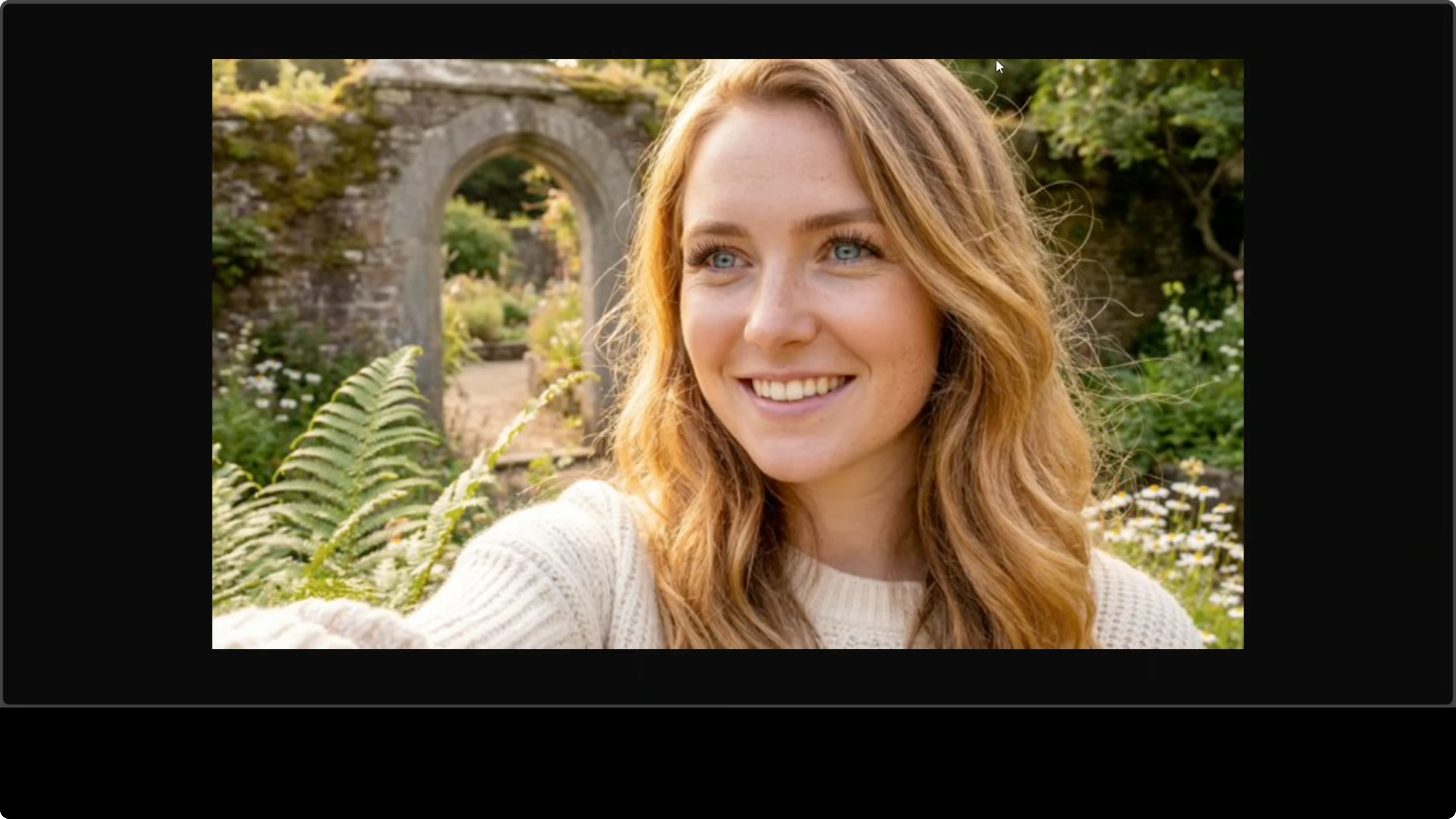
I tested it on their hosted platform and through API. The model generated outputs in about 4 to 5 seconds for most of my prompts.
Qwen-Image 2.0:
Quick start - generation and editing in one place
- Open the chat interface.
- Select Create image.
- Confirm you are using the latest image model.
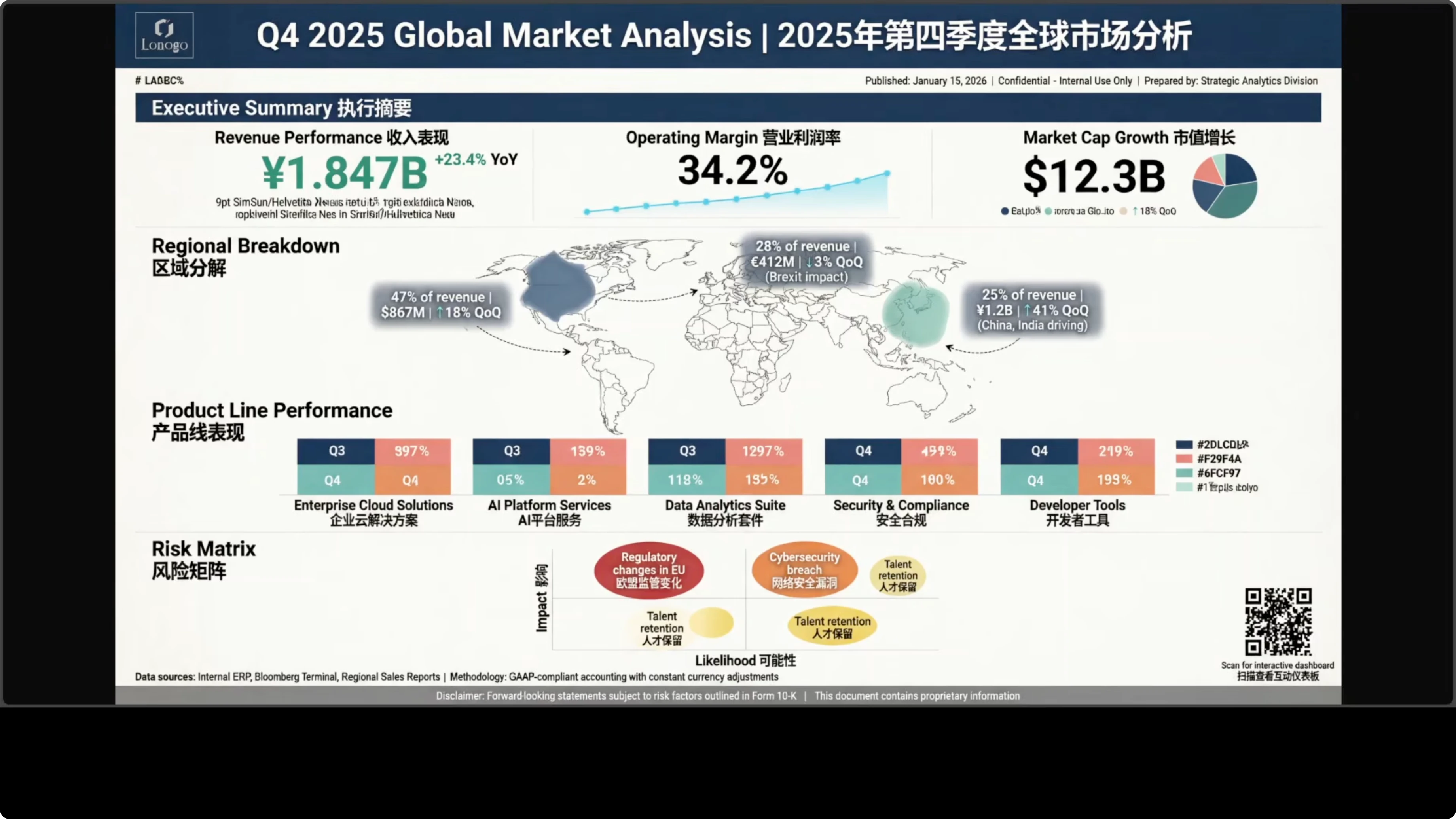
Prompt example - complex infographic
Create a vertical A3 size financial quarterly report infographic with a lot of text, a lot of sections, and a regional background.What this prompt tests:
- Multilingual infographic with complex typography
- Data visualization
- Nested layouts
- Mixed calligraphic styles
Results:
- Bilingual typography is pixel perfect. Complex Chinese characters and English headers render cleanly with proper font weights.
- Numerical data like 34.2 percent and values in yen are sharp and readable.
- Complex layout execution: distinct zones like executive summary boxes, a world map with callouts, stacked bar charts, a bubble chart, and risk metrics - all properly aligned and spaced.
- Data visualization: sparklines, an operating margin trend section, a pie chart breakdown, stacked horizontal bars with precise percentage labels, and a 2x2 risk bubble chart. Very sophisticated chart generation and capabilities.
- Attention to detail: dotted connector lines from the map to regional callouts and a color-coded legend for product lines show the model understood nested requirements.
- Minor nitpicks: some text in the revenue performance subcaption appears slightly garbled. I am not a native Chinese reader, so I cannot fully validate Chinese characters, but they look okay to me. For an actual business use case on the first go, this is simply amazing.
Photorealistic multi-person composition with architectural detail
I prompted for a photorealistic multi-person composition with complex lighting, precise spatial relationships, and architectural detail rendering.
Prompt highlights:
Photorealistic wide-angle shot at golden hour inside the grand atrium of a Victorian era glass conservatory. Multiple people placed with specific positions (for example, back left), architectural floor details, and background audience - 40 to 50 attendees seated on mismatched vintage chairs like Windsor and Victorian styles.
Results:
- Fingers mostly look okay, though one finger is not good.
- The Victorian era styling missed the mark. The atrium is quite good, but detail is not good enough.
- This may be because the prompt was too big, and part of it got cut off. To be fair, I tried a shorter but complete prompt.
Focused portrait - shorter prompt for emotional nuance
Prompt:
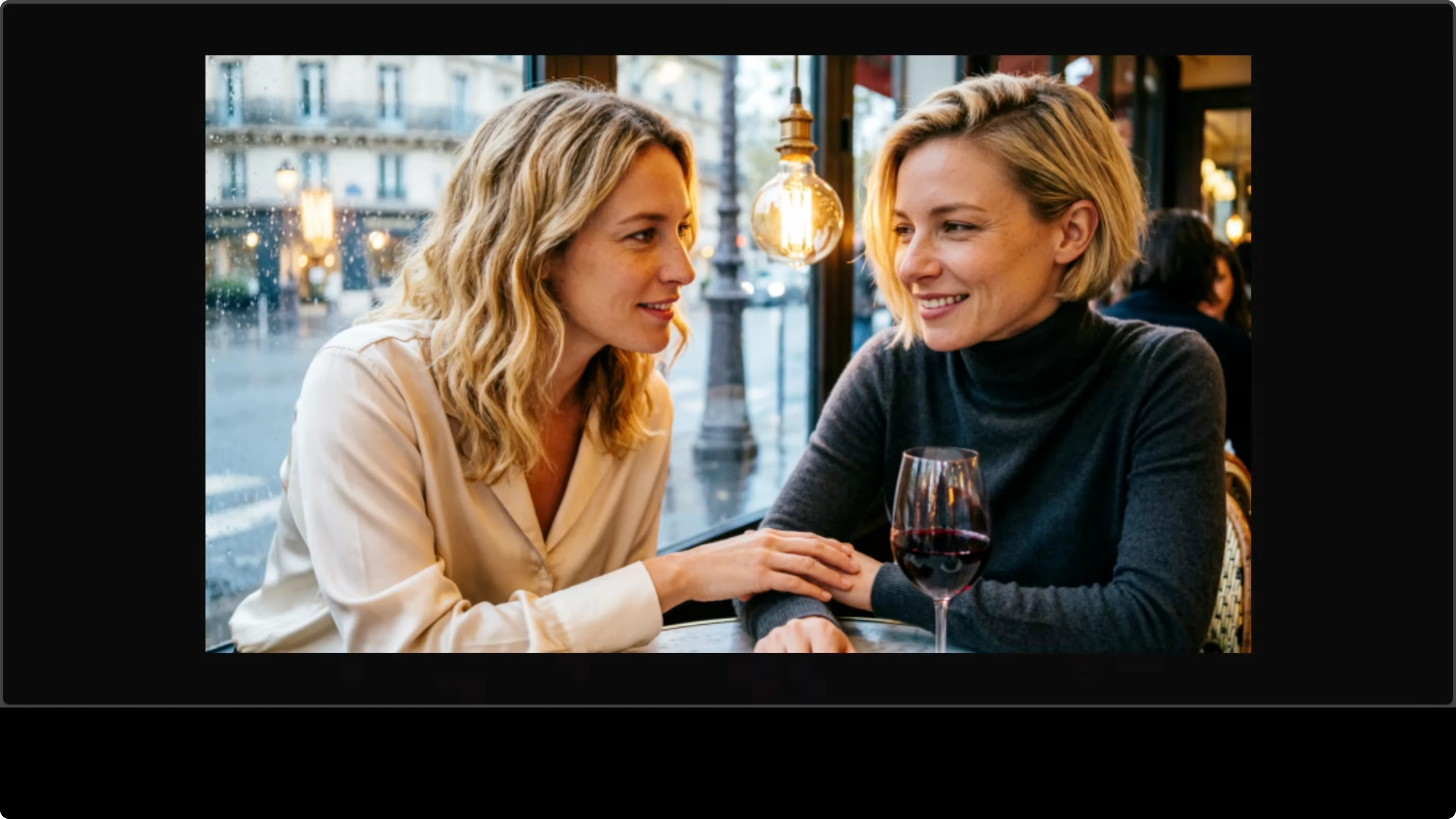
A candid photograph of two blonde women in their early 30s sharing an intimate moment in an upscale Parisian cafe at dusk. The woman on the left has shoulder-length hair. Include a single glass of red wine catching the golden light from a vintage Edison bulb overhead.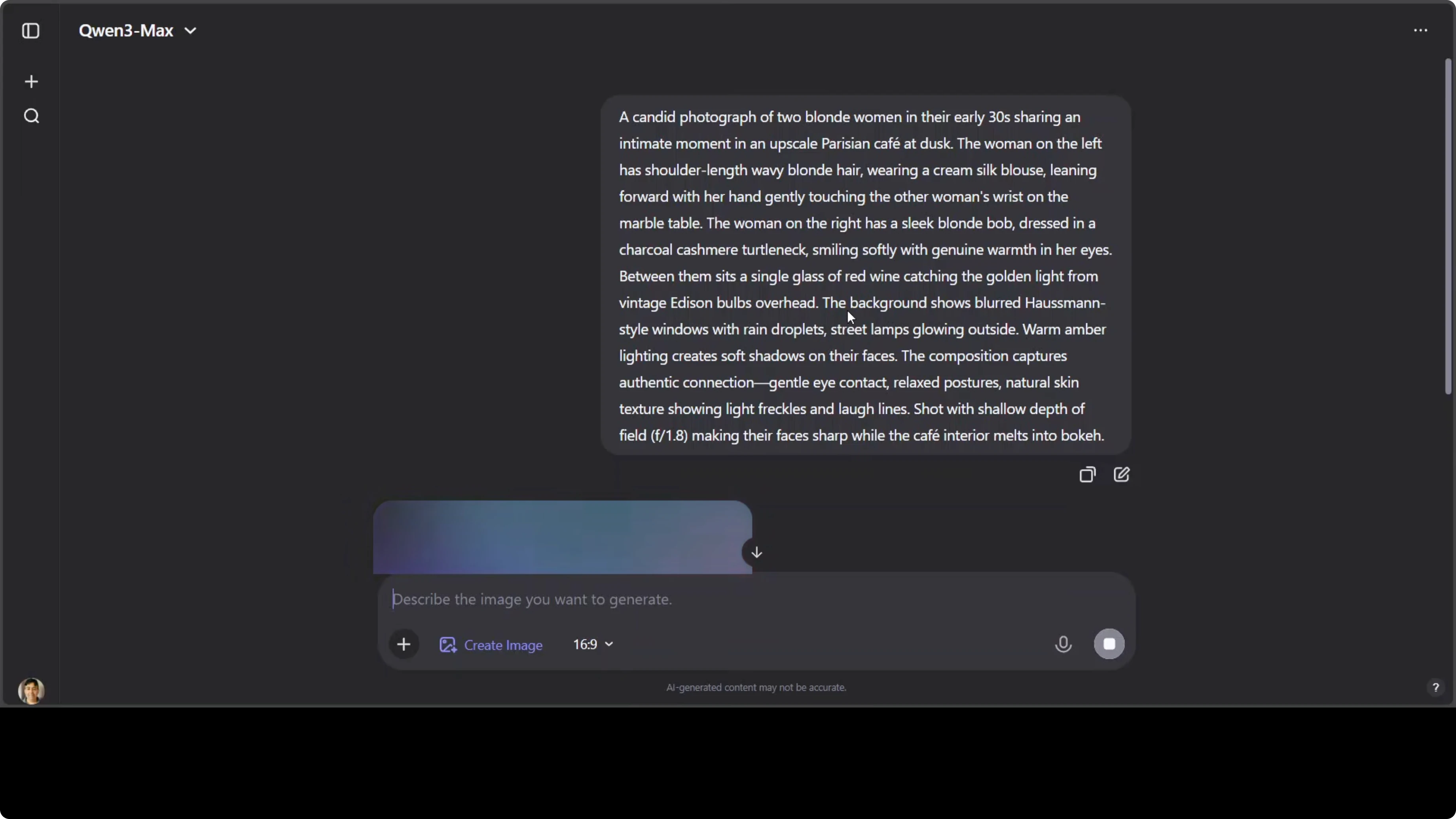
Results:
- The photo realism is exceptional - natural skin texture with visible pores and fine lines.
- Authentic hair highlights catch the Edison bulb. The bulb placement feels a bit in-between.
- Facial expressions show warmth. Proper depth of field with sharp subjects and a beautifully blurred rainy Parisian background.
- Excellent material rendering on the silk blouse and cashmere. The warm amber color grading and bouquet quality are professional grade.
- Weak points: hand placement on the wine glass looks slightly unnatural, and the bulb looks a bit unnatural. Not bad overall.
Dense English text on reflective surfaces
Test objective:
- Dense English text rendering on a reflective surface
- Natural handwriting variation
- Perspective distortion
- Realistic office environment
Results:
- It generated the text very well. There are very minor spelling mistakes here and there, but most of it is right.
- The surrounding meeting room scene is strong, and the person in the image looks fine.
Editing tests - text, relighting, object insertion
I used an AI generated image from my local system for editing.
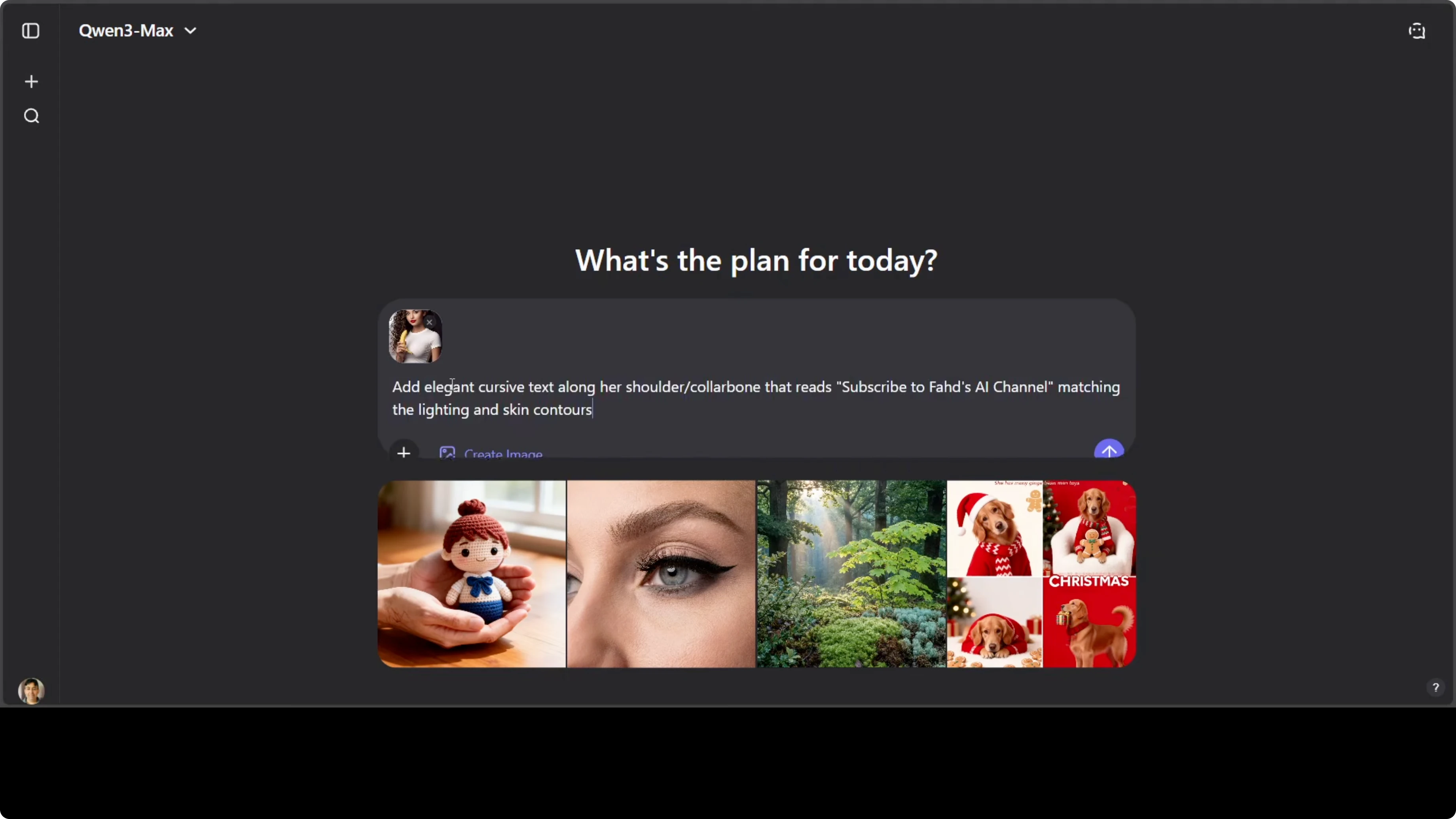
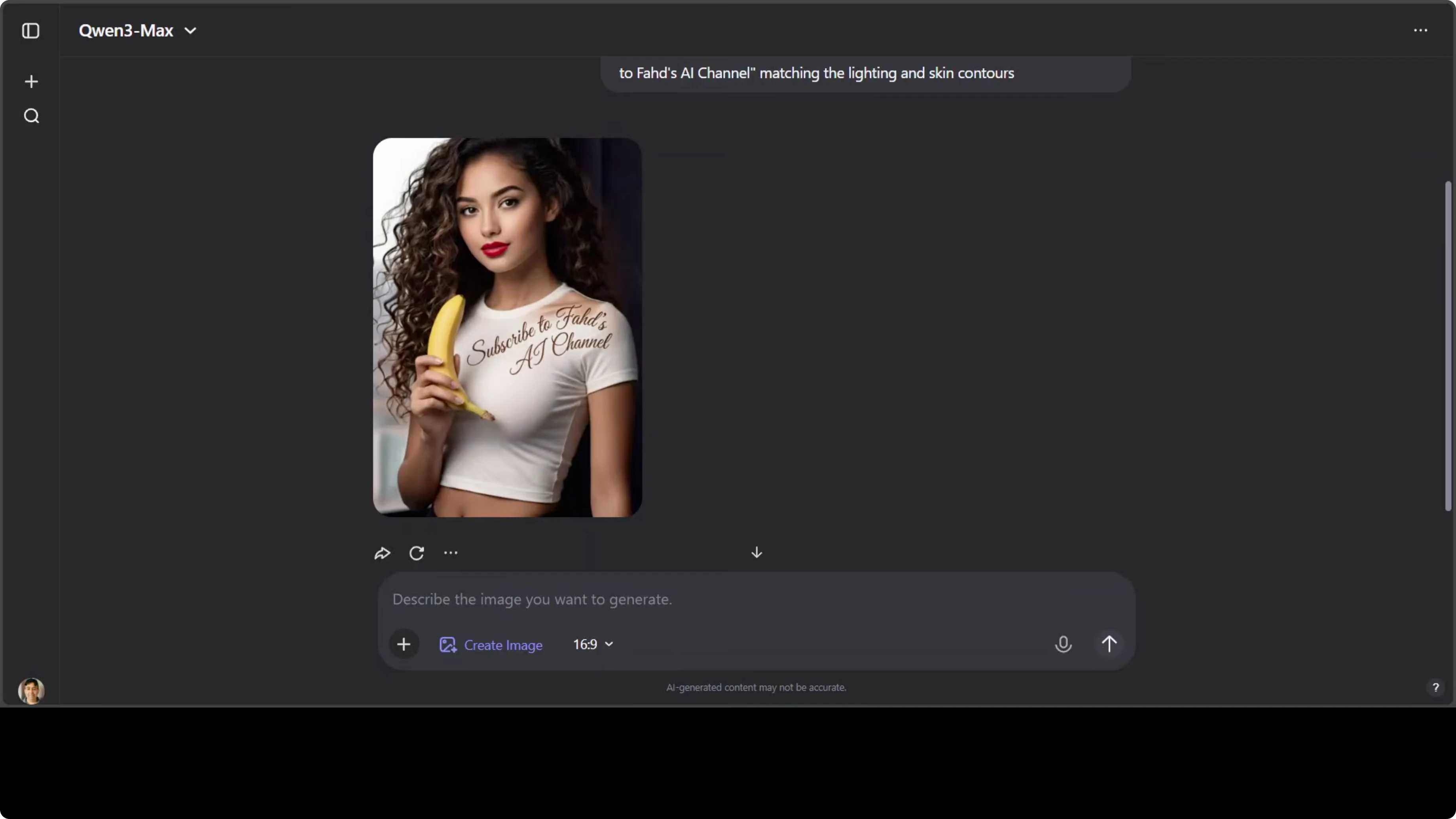
- Add localized text near the shoulder area
- The model added the text correctly in the specified region.
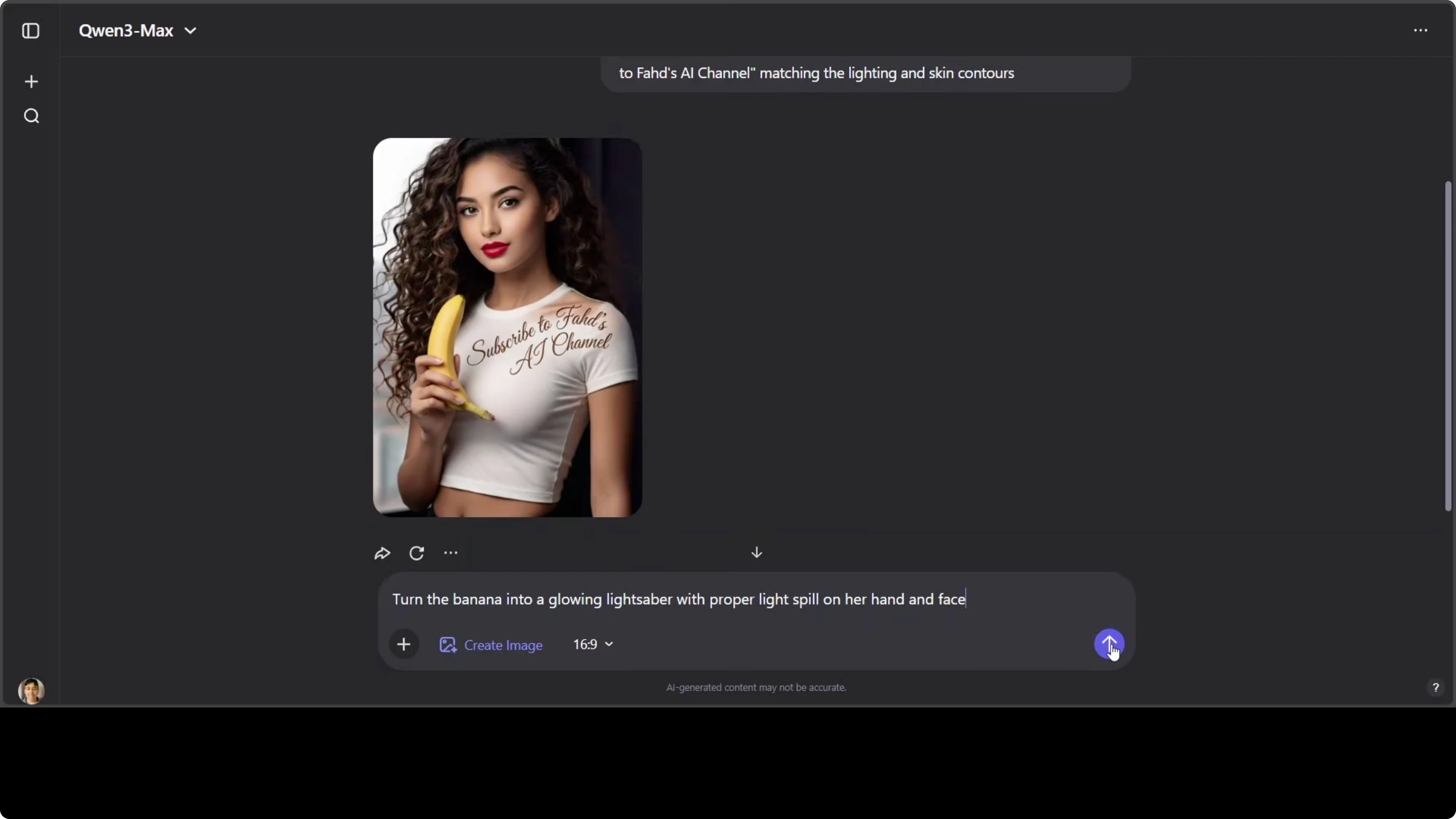
- Turn a banana into a glowing lightsaber with proper light spill on hand and face
- It maintained light spill and replaced the object quite well.
- Some areas do not look good. Multiple iterations might improve it.
- Light spill is good overall, though some spots could be better. Shadows could be refined.
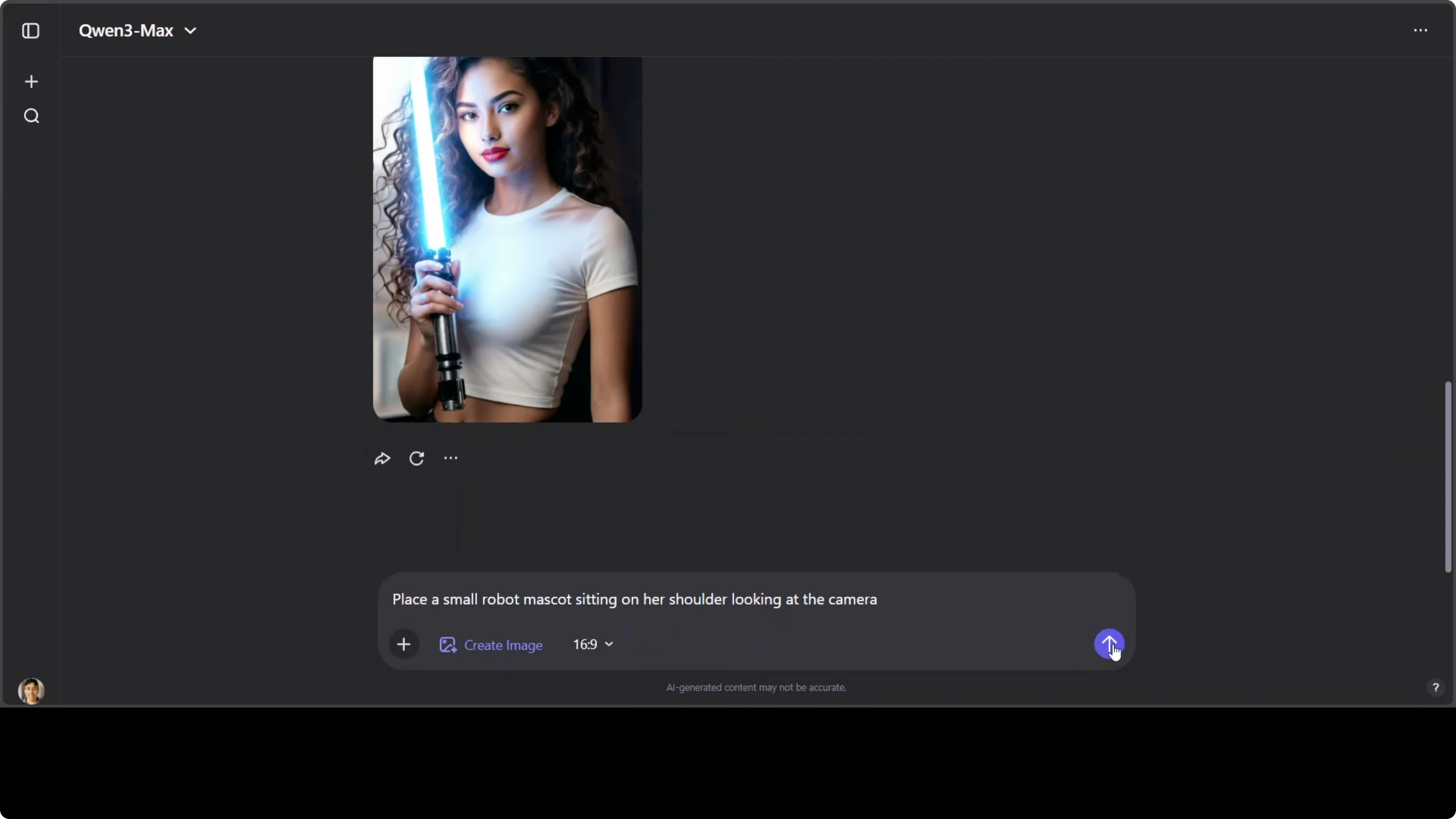
- Place a small robot mascot on the shoulder looking at the camera
- The mascot insertion worked and looks good.
Final thoughts on Qwen-Image 2.0
Qwen-Image 2.0 is one model that generates and edits, with professional grade text rendering at 2K resolution. It shows major improvements over previous models I tested locally, especially in bilingual typography, complex infographic layout, and sophisticated chart elements.
Photorealistic portraits can be excellent with nuanced lighting and material rendering, though very long prompts and complex multi-person scenes may need iteration. It is not open source yet, but it is available on a hosted platform and through API.
Subscribe to our newsletter
Get the latest updates and articles directly in your inbox.

Related Posts

8 Best Claude Code Plugins in 2026 (You Need to Know)
8 Best Claude Code Plugins in 2026 (You Need to Know)

7 Best Claude Code Skills (You Need to Know)
7 Best Claude Code Skills (You Need to Know)

Claude Code Desktop IDE Features (You Need to Know)
Claude Code Desktop IDE Features (You Need to Know)