
Table Of Content
- Kling 2.6 Pro: First Impressions
- Kling 2.6 Pro: Image-to-Video vs Text-to-Video
- Kling 2.6 Pro: Text-to-Video - Camera Motion and Physics
- Aggressive Low Angle POV in an Icy Forest
- Bird’s Eye Aerial Shot with Crane-Up and Rotation
- Full Dolly Zoom With Background Wrap
- First-Person Parkour Sequence
- FPV Drone Drop Through a Red Rock Canyon
- Rack Focus to Reveal a Drone in the Trees
- Kling 2.6 Pro: More Text-to-Video Generations
- Kling 2.6 Pro: Audio, Emotion, and Cinematic Framing
- Sample Dramatic Scene With Rain and Sirens
- Over-the-Shoulder Scene - Prompt Iterations
- Kling 2.6 Pro: Prompt Structure That Works
- Three-Layer Structure - Breakdown
- Micro Details Checklist
- Step-by-Step Prompting Guide
- Sample Prompt Structure Applied
- Kling 2.6 Pro: Access, Pricing, and Guidelines
- AI Influencers: Source Image vs Text
- Creating Strong Source Images
- Kling 2.6 Pro: Quick Capability Summary
- Kling 2.6 Pro: My 24-Hour Test - Takeaways
- Kling 2.6 Pro: Final Thoughts
Kling 2.6 Pro: Next‑Level Update AI Video + Audio
Table Of Content
- Kling 2.6 Pro: First Impressions
- Kling 2.6 Pro: Image-to-Video vs Text-to-Video
- Kling 2.6 Pro: Text-to-Video - Camera Motion and Physics
- Aggressive Low Angle POV in an Icy Forest
- Bird’s Eye Aerial Shot with Crane-Up and Rotation
- Full Dolly Zoom With Background Wrap
- First-Person Parkour Sequence
- FPV Drone Drop Through a Red Rock Canyon
- Rack Focus to Reveal a Drone in the Trees
- Kling 2.6 Pro: More Text-to-Video Generations
- Kling 2.6 Pro: Audio, Emotion, and Cinematic Framing
- Sample Dramatic Scene With Rain and Sirens
- Over-the-Shoulder Scene - Prompt Iterations
- Kling 2.6 Pro: Prompt Structure That Works
- Three-Layer Structure - Breakdown
- Micro Details Checklist
- Step-by-Step Prompting Guide
- Sample Prompt Structure Applied
- Kling 2.6 Pro: Access, Pricing, and Guidelines
- AI Influencers: Source Image vs Text
- Creating Strong Source Images
- Kling 2.6 Pro: Quick Capability Summary
- Kling 2.6 Pro: My 24-Hour Test - Takeaways
- Kling 2.6 Pro: Final Thoughts
Kling 2.6 Pro: First Impressions
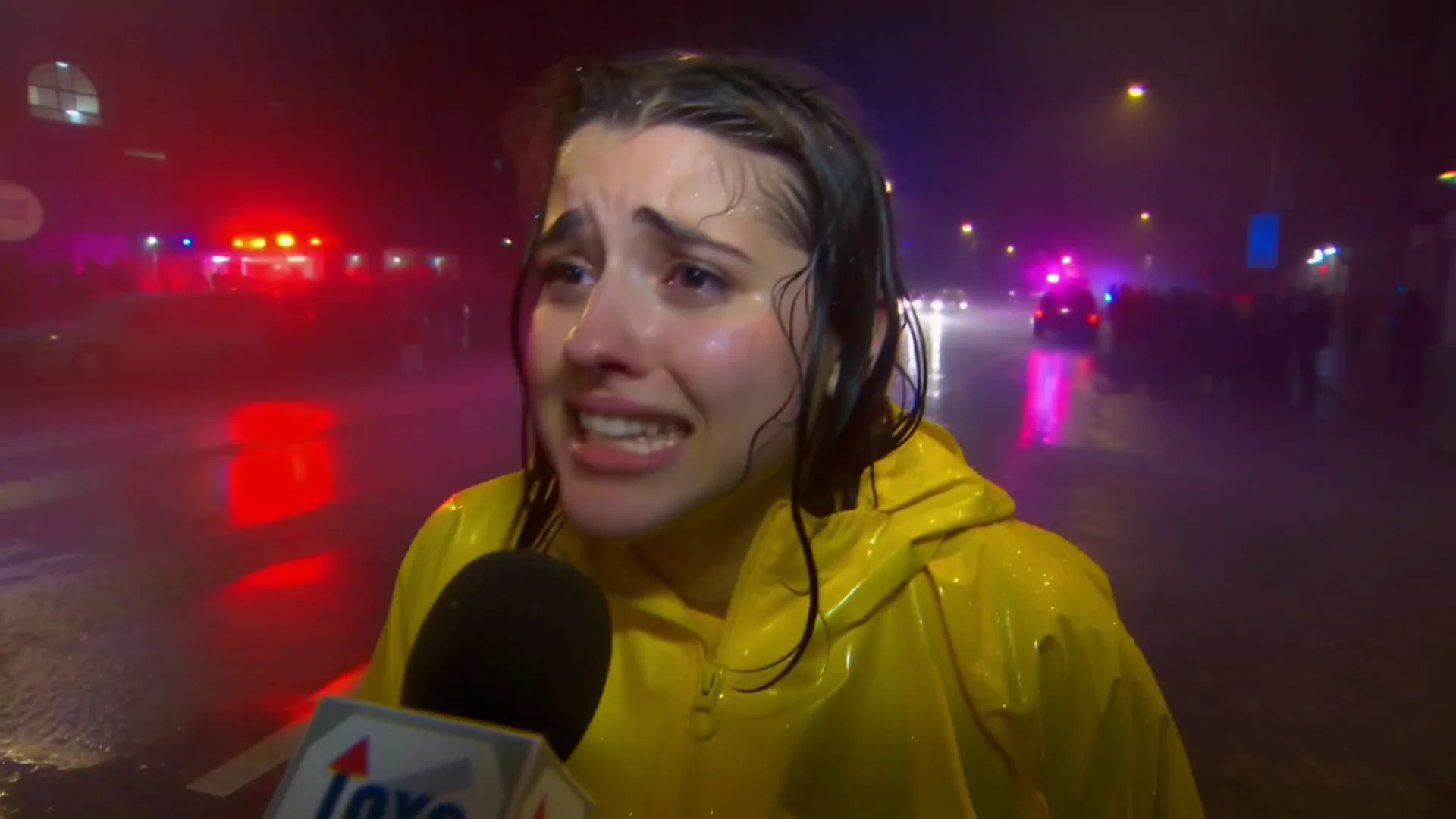
Kling 2.6 just dropped. It is the most realistic video model I have seen, and it generates audio. Everything you see here is created entirely with Kling 2.6 using image to video.
I will do a full breakdown of how I achieved these results in the next video. Today, I want to walk you through some of my first tests and prompts with Kling 2.6 Pro.
Kling 2.6 Pro: Image-to-Video vs Text-to-Video
Kling 2.6 Pro supports both text to video and image to video. From what I have seen, image to video works much better when you feed it a strong source image, especially compared to text to video.
It might not be a Sora killer for text to video, but it is extremely good for image to video because you can use photos of real people. The videos I am referencing were generated from the source images shown alongside them.
A great source image does most of the heavy lifting. However, prompting still remains very important.
Kling 2.6 Pro: Text-to-Video - Camera Motion and Physics
First, let’s go over text to video with Kling 2.6 Pro and explore camera motion before we explore the audio capabilities. Kling 2.6 Pro does exceptionally well with camera motion, focus, and physics.
Aggressive Low Angle POV in an Icy Forest
This is a POV of a camera flying through an icy forest. The motion holds up with little to no morphing. The shot is smooth, and the frame stays coherent.
- Prompt keywords:
- aggressive low angle POV camera
Bird’s Eye Aerial Shot with Crane-Up and Rotation
This shot is a complete shift in perspective. The camera switches from aggressive low angle motion to a calm, dramatic aerial shot. It starts directly above a woman, looking straight down as she is curled into the snow. The camera begins to rise vertically, almost like a crane pulling upward, revealing more and more of the frozen surroundings. As it lifts, it rotates counterclockwise, creating a spiral effect.
Kling 2.6 Pro handles vertical movement, rotation, and atmospheric depth at the same time without introducing wrapping.
- Prompt keywords:
- bird's eye view
- aerial shot
- crane up
- rotate counterclockwise
Full Dolly Zoom With Background Wrap
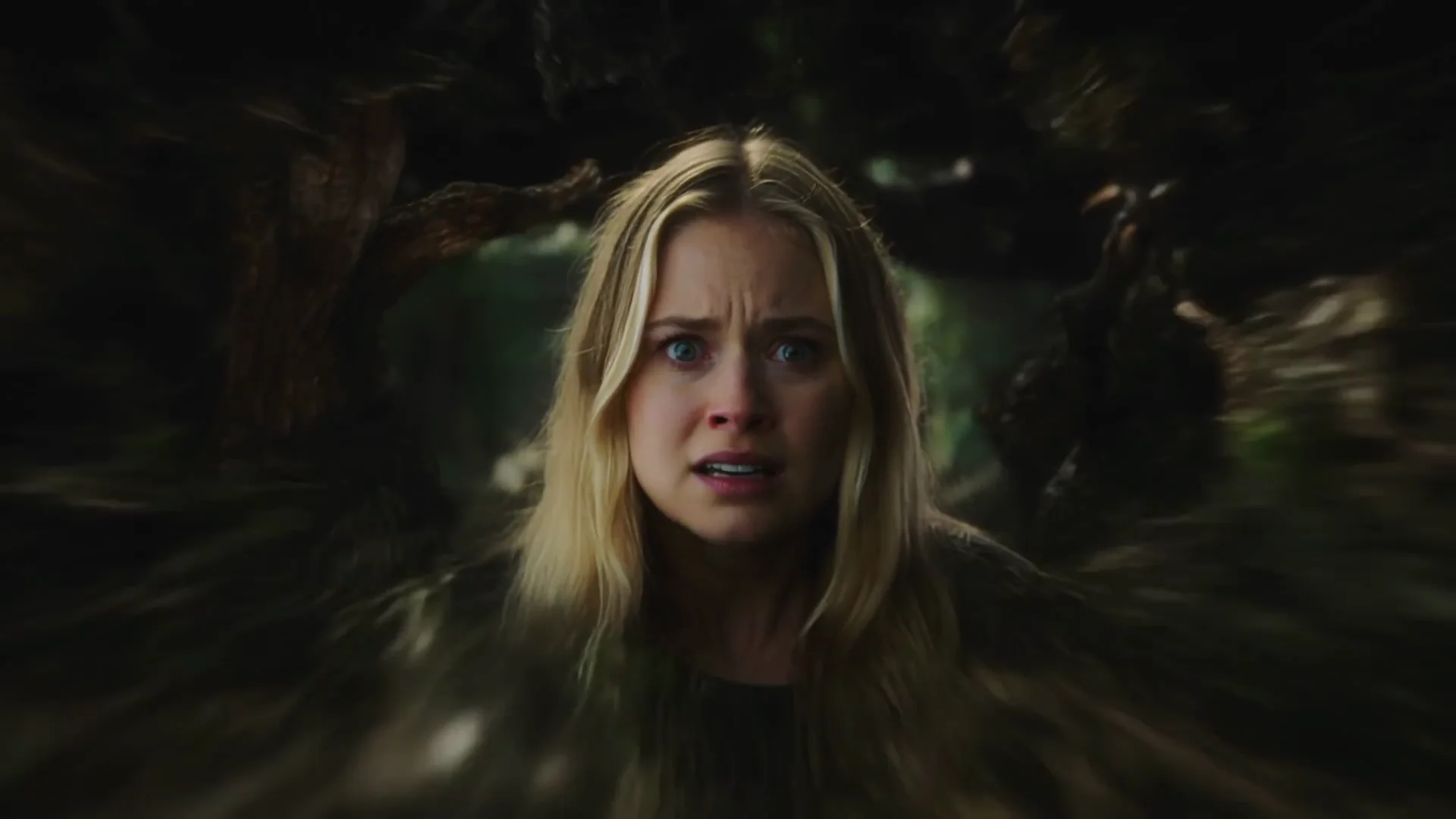
This shot is a full cinematic dolly zoom, also called a zali. The camera rushes toward a blonde woman's face while the lens zooms out. The combination creates a vertigo effect where the background stretches, wraps, and pulls away while she stays centered in the frame. The forest behind her feels like it is expanding into a tunnel.
The model generates cinematic audio that matches the frame, and the sound effects are accurate.
- Prompt keywords:
- dolly zoom
- camera rush forward
- zoom out
- background wrap
- vertigo effect
First-Person Parkour Sequence
This one is a full first-person parkour sequence that feels like you are part of the shot. The legs and arms move exactly where they should. Kling 2.6 Pro handles the physics very well.
- Prompt keywords:
- first person POV
- rooftop run
- camera shake
- jump gap
- vertigo height
FPV Drone Drop Through a Red Rock Canyon
This shot has full FPV drone energy. It starts way above a red rock canyon, calm, and then drops straight down into a tiny crevice. At the last second, it pulls up and blows through the river at what feels like 100 miles an hour. The speed feels intense. Everything is generated with Kling 2.6 Pro. It follows the prompt better than expected for a shot with so much going on.
- Prompt keywords:
- FPV drone shot
- high-speed drop
- vertical drop
- motion blur
Rack Focus to Reveal a Drone in the Trees
This one is about focus shift, something Kling 2.6 Pro does very well. The autofocus feels genuine. The focus starts super close on frozen strands of hair in the foreground while everything else is blurred. Then the focus slowly racks to the background, revealing a glowing orange drone floating between the trees. It happens smoothly like a real camera.
- Prompt keywords:
- rack focus
- focus shift
- anamorphic bokeh
- slow dolly forward
Kling 2.6 Pro: More Text-to-Video Generations
Here are a few more examples I really like. All of these are text to video generations.
Kling 2.6 Pro: Audio, Emotion, and Cinematic Framing
Like Sora 2 and V3.1, Kling 2.6 Pro comes with audio and speaking capabilities.
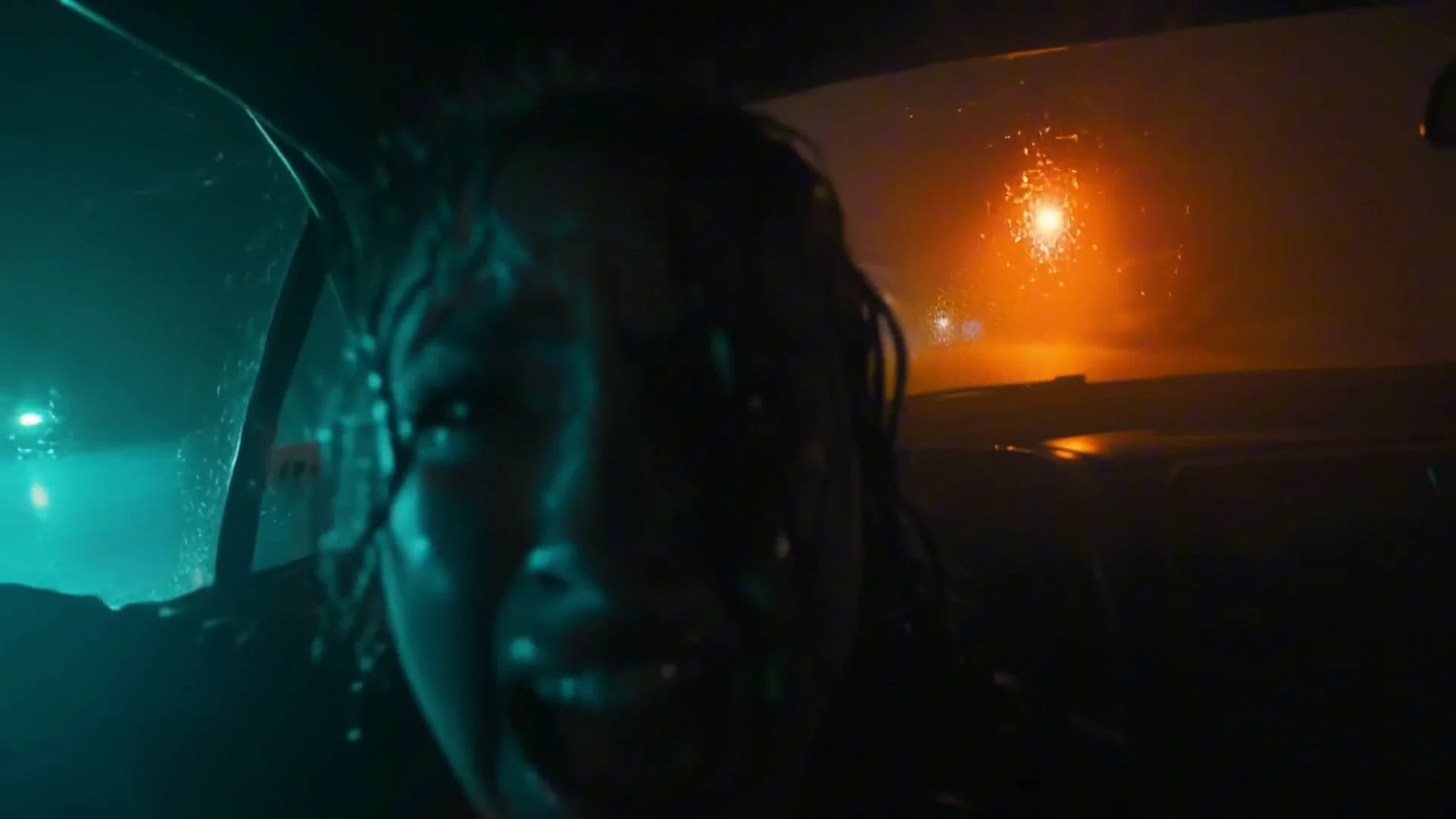
Sample Dramatic Scene With Rain and Sirens
- Generated dialogue:
- "It wasn't a storm. I saw it. It came down from the clouds. It made this sound like like METAL SCREAMING. WHY ISN'T ANYONE listening to us?"
I would have liked to hear the sound of the rain and the ambulance in the back. Overall, it is solid, but it looks a bit too polished.
- Prompt used:
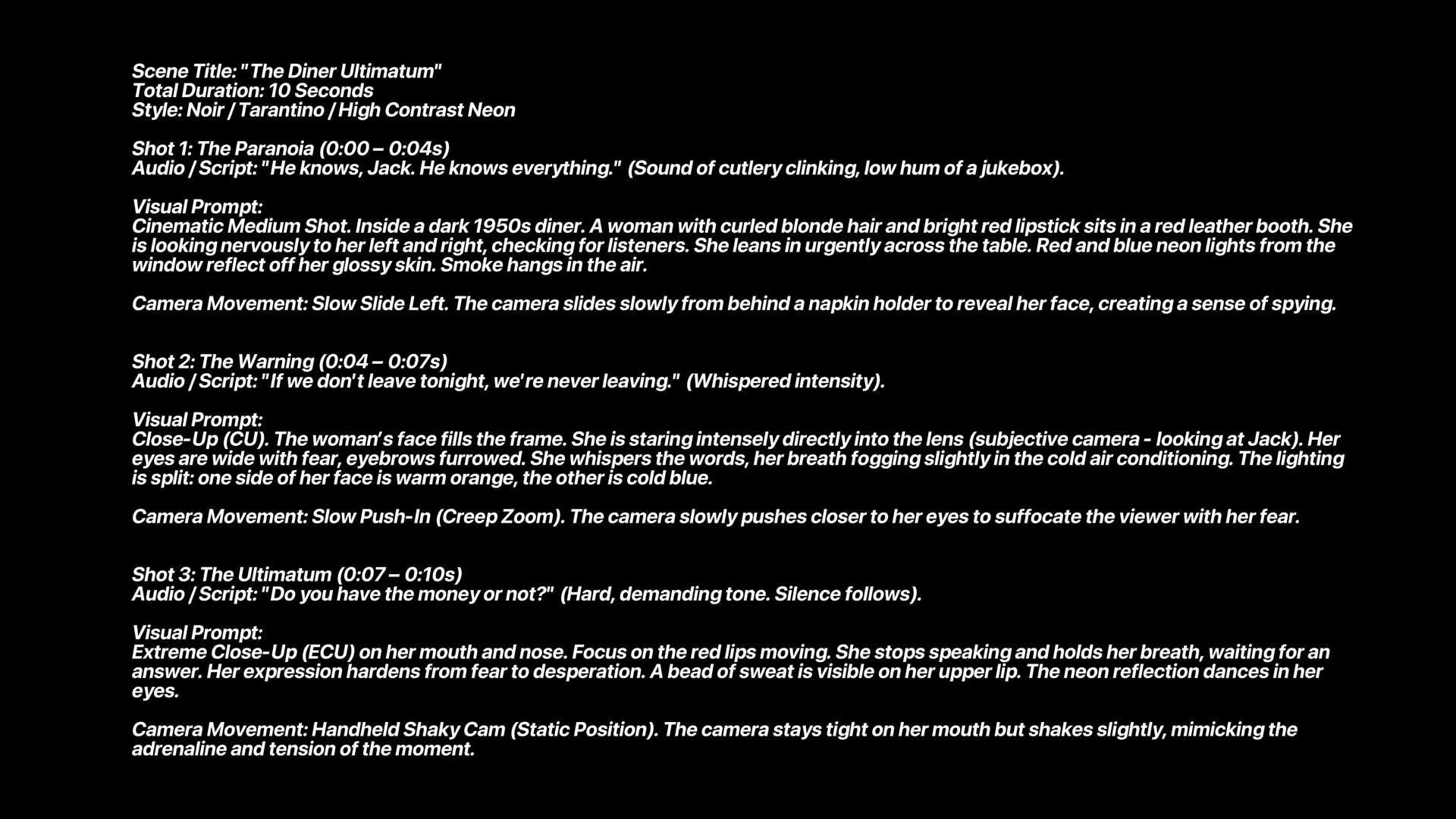
- "He knows, Jack. He knows everything. If we don't leave tonight, we're never leaving. Do you have the money or not?"
Over-the-Shoulder Scene - Prompt Iterations
This one is a cinematic over-the-shoulder shot. It looks cool, though a bit cartoony. Here is a version I used, and a better prompt structure that improved it. Watch it closely.
- Version 1:
- "He knows, Jack. He knows everything. If we don't leave tonight, we're never leaving. Do you have the money or not?"
- Version 2:
- "He knows Jack. He knows everything. If we don't leave tonight, we're never leaving. Do you have money now?"
- Version 3:
- "He knows Jack. He knows everything. If we don't leave tonight, we're never leaving."
- "Do you have the money or not?"
The recent examples are better than the first one because the prompt was more detailed and structured.
Kling 2.6 Pro: Prompt Structure That Works
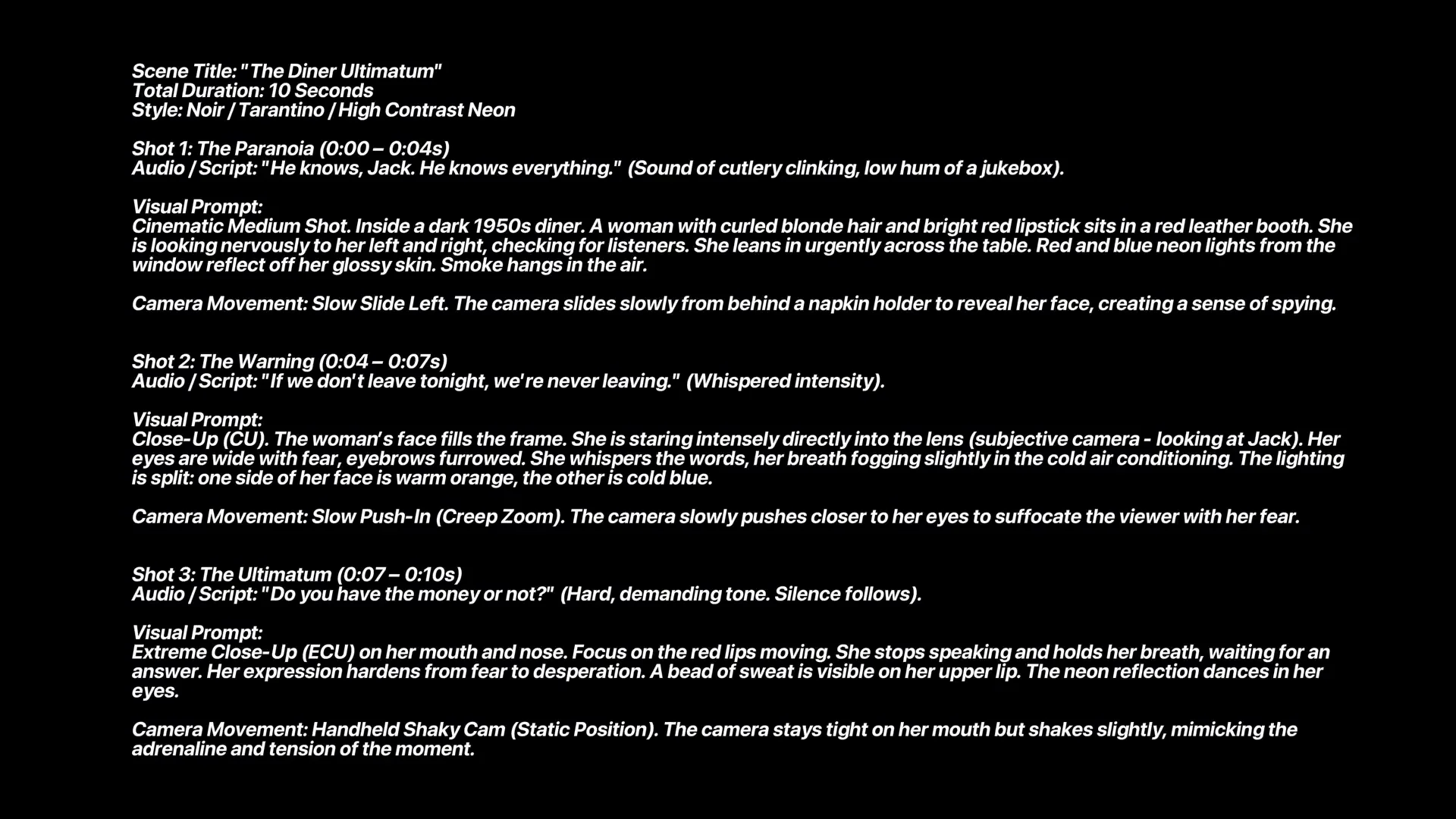
The prompt is split into three layers. This structure gives the model context, timing, and precise direction.
Three-Layer Structure - Breakdown
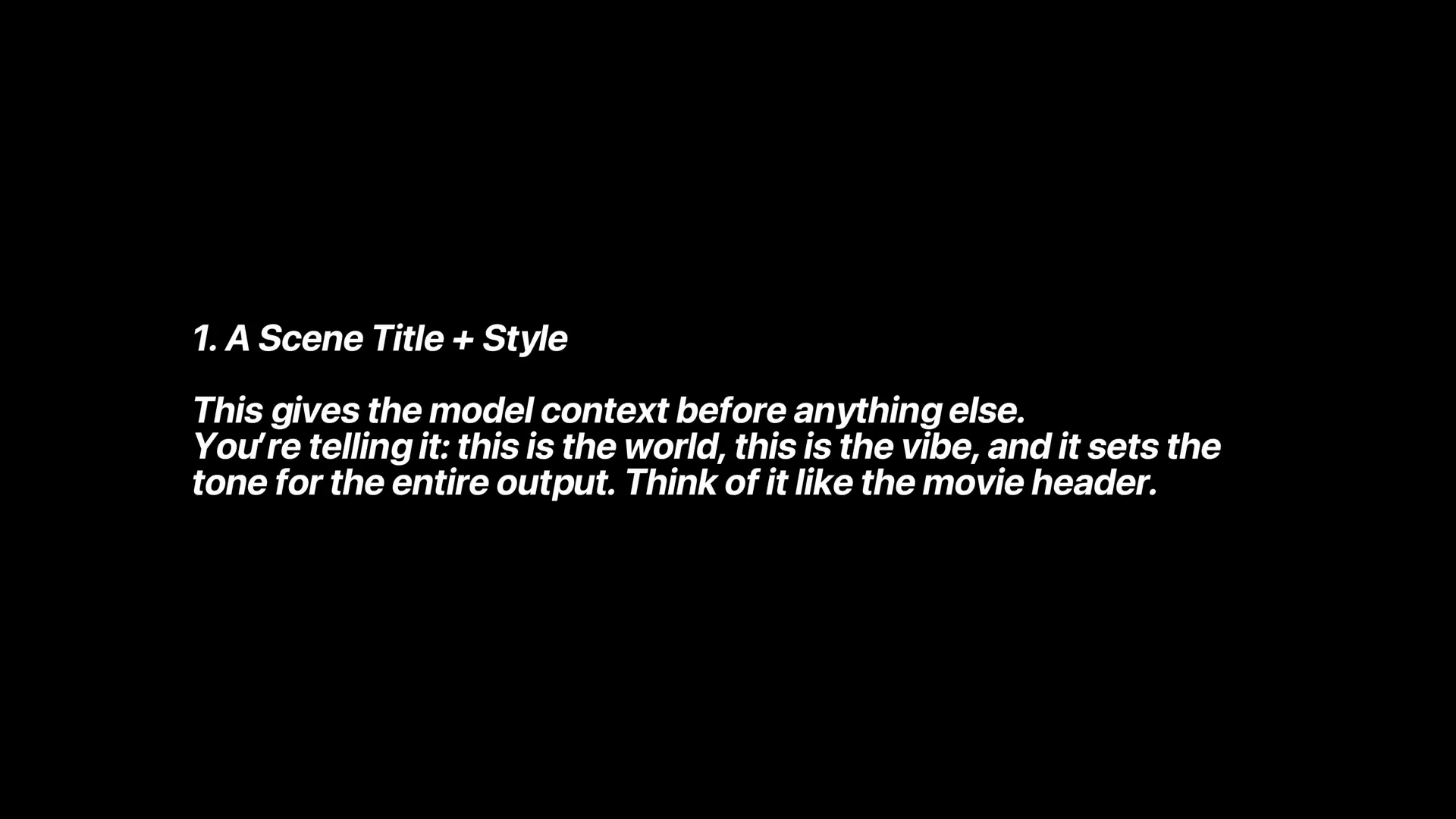
- Layer 1 - Scene title and style:
- This gives the model context before anything else.
- You are telling it: this is the world, this is the vibe, this is the tone.
- Think of it like a movie header. This is not a traditional prompt format, but it works well.
- Layer 2 - Timeline plus shots:
- The prompt is broken down into small chunks of time like a storyboard.
- Each beat includes:
- Audio line
- Visual description
- Camera movement
- This makes the shot predictable. Instead of one paragraph, the model receives clear beats to follow.
- Layer 3 - Micro details for each shot:
- This is where the magic happens inside each shot.
Micro Details Checklist
- Emotion
- Fear, urgency
- Lighting and reflections
- Warm, cold
- Framing
- Medium shot, over the shoulder
- Movement
- Side, left, creep, zoom, handheld shake
- Atmosphere
- Smoke, dinner noise, reflections
Step-by-Step Prompting Guide
- Start with a scene title and style.
- Break the scene into a timeline with timestamps or beats.
- For each beat, include:
- Audio line to deliver emotion or plot
- Visual description of the subject and setting
- Camera movement and lens behavior
- Add micro details:
- Emotion cues
- Lighting and reflections
- Framing and composition
- Movement descriptors
- Atmosphere and ambient elements
- Keep language specific, and keep related instructions grouped per beat.
Sample Prompt Structure Applied
This is the prompt structure I used for the earlier over-the-shoulder example. It is split into three parts. It has a scene and a title. It has a timeline shot. It has the audio line, the visual description, and the camera movement for each of the shots. It also has all the micro details.
Following this exact prompt structure, I generated this other video:
- "Tell me you're coming back. Lie to me."
- "I can't lie to you anymore."
Here are some more examples:
- "Stop the car."
- "I SAID STOP THE DAMN CAR."
- "YOU CAN'T TO WALK AWAY FROM THIS."
Kling 2.6 Pro: Access, Pricing, and Guidelines
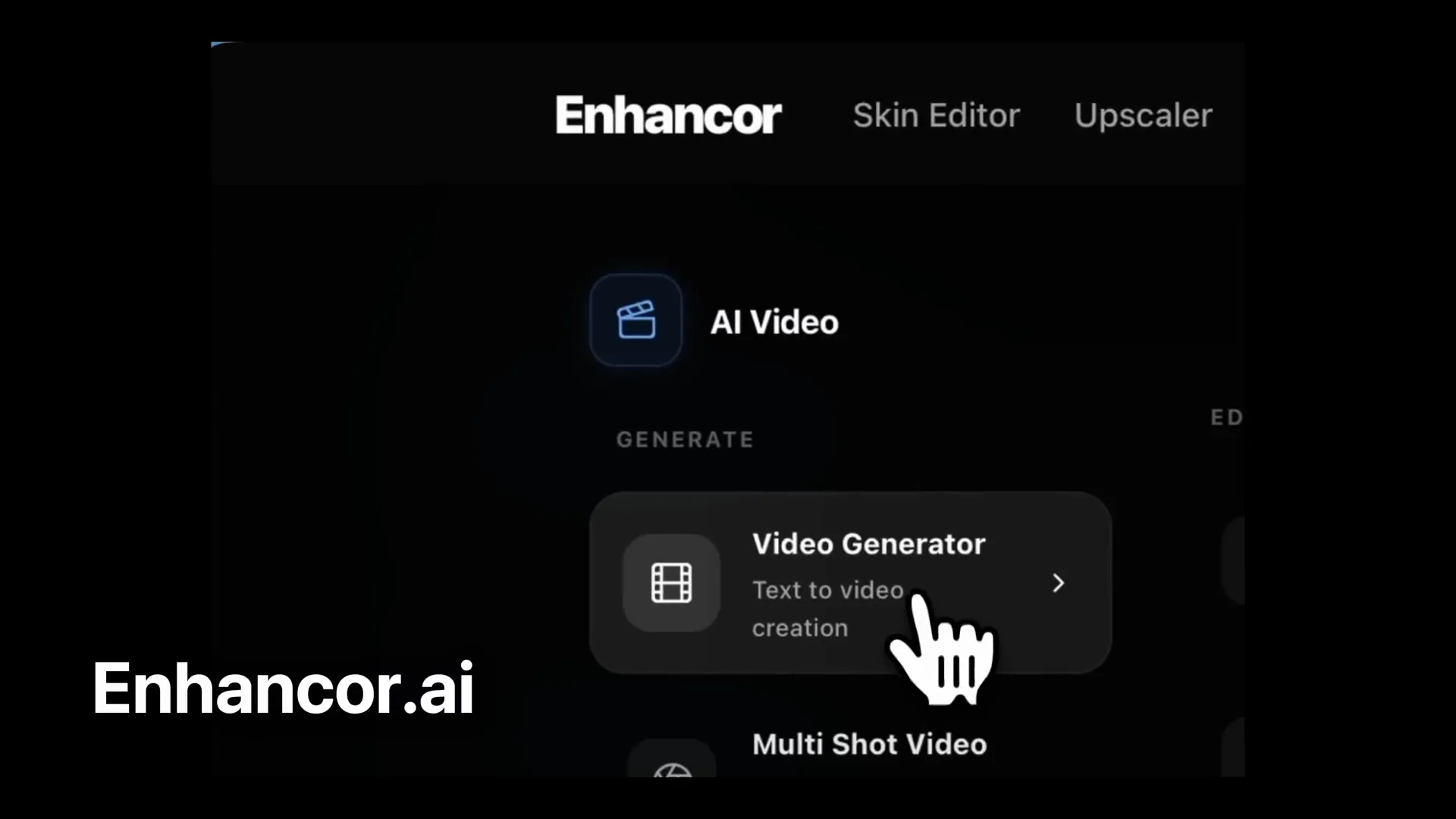
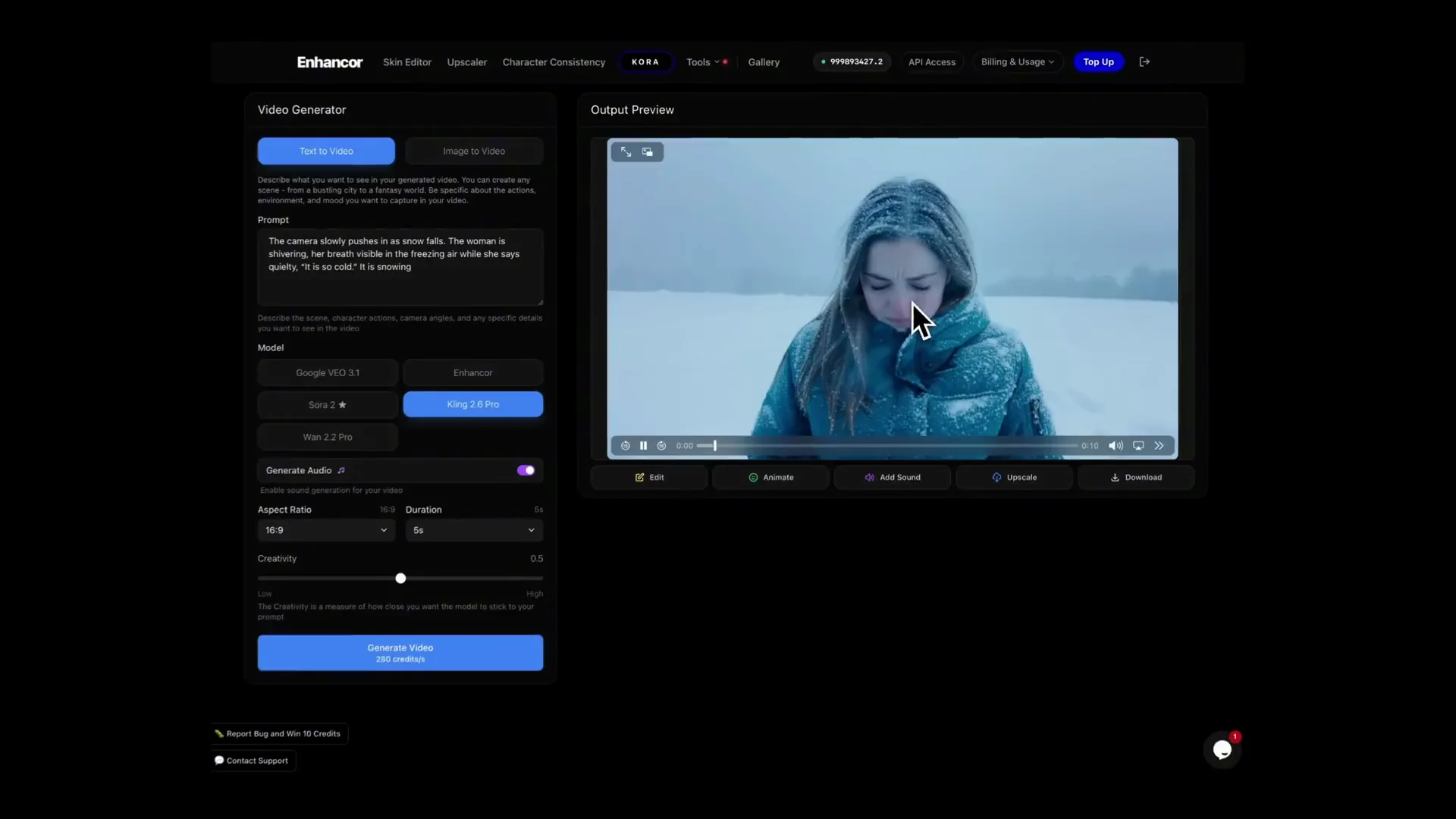
You can access Kling 2.6 Pro inside Enhancer by going to Tools - Video Generator and selecting Kling 2.6. It is cheaper and faster than Veo 3.1 and Sora 2.
Based on my tests, it is not very strict with content guidelines, so you are able to generate shots that could get flagged by other models.
AI Influencers: Source Image vs Text
Kling 2.6 is great with AI influencers, but only when you prompt from a source image. If you use text only, you may get results like these:
- "Yan, good morning. I literally just woke up and I'm already late. Does anyone else just want to rot in bed today? Because same. So, are we feeling the oversized blazer or is it giving grandpa? I have 10 minutes to leave and I literally hate everything I own. Help me."
That is not ideal. You want results more like these:
- "So, I told my boyfriend I'm visiting my grandma in Ohio, but I'm actually on a flight to Miami to see his best friend."
- "I know I said I wasn't hungry and I know I ordered a salad, but yours just looks better. Open wide. Just kidding. This is mine."
- "Me looking at my bank account after saying I'm saving money."
- "But realizing this matcha was $9, but it's green, so it's health, right? That's girl math."
Creating Strong Source Images
To get similar results, you need a great source image. Kling 2.6 Pro does very well when you feed it a source image. I generated mine with Sora or Z image. This image was generated with Z image and then upscaled.
You can do the same inside Enhancer. Click on Sora and select Sora Pro or Z-Image as your foundation model, and start generating your avatar.
Kling 2.6 Pro: Quick Capability Summary
| Mode | Notes from testing |
|---|---|
| Image to video | Strongest results, especially with photos of real people and great source images. |
| Text to video | Solid motion, focus, physics, and audio - still benefits from detailed prompts. |
| Audio | Adds dialogue and effects; sometimes too clean; needs a bit more ambient nuance. |
Kling 2.6 Pro: My 24-Hour Test - Takeaways
This was my 24 hours with Kling 2.6 Pro. I also spent 12 hours to generate one of the videos. My takeaway is clear. While Kling might not be a Sora killer for traditional text to video, it is a standout for image to video.
It can maintain a character’s look and clothing through complex camera motion. The physics and camera work are strong, and the dolly zoom results are especially impressive.
Sometimes the lip syncing is not perfect. The lips do not always sync perfectly, and the audio can sound a little too clean. That area needs a bit of work. This is the first version of Kling that allows us to generate videos with audio.
I am doing a full free step-by-step breakdown video tutorial this week so you can see exactly how I created the work that took me half a day.
Kling 2.6 Pro: Final Thoughts
Thank you for being here, friend, and thank you for spending your time with me. If you want to support what I do, head over to Enhancer and use Kling 2.6 Pro in there. It is the most stable and the less restrictive version of Kling 2.6 in the market.
The real magic of AI is not what it can do for you, but how it empowers you to do what you have always wanted. It is making me a filmmaker. I made this video and this other one. I love it. See you soon, friend. Until then, create without limits.
Subscribe to our newsletter
Get the latest updates and articles directly in your inbox.

Related Posts

8 Best Claude Code Plugins in 2026 (You Need to Know)
8 Best Claude Code Plugins in 2026 (You Need to Know)

7 Best Claude Code Skills (You Need to Know)
7 Best Claude Code Skills (You Need to Know)

Claude Code Desktop IDE Features (You Need to Know)
Claude Code Desktop IDE Features (You Need to Know)