
Table Of Content
- Understanding the Issue — This Is How I Fixed the Failed Generation Error in VEO 3
- Step 1: Check Your Plan in Flow — This Is How I Fixed the Failed Generation Error in VEO 3
- Step 2: Tune Your Prompt — This Is How I Fixed the Failed Generation Error in VEO 3
- Step 3: Avoid Policy Triggers — This Is How I Fixed the Failed Generation Error in VEO 3
- Step 4: Don’t Use Real People’s Names or Others’ IP — This Is How I Fixed the Failed Generation Error in VEO 3
- Alternative Fixes and Tips — This Is How I Fixed the Failed Generation Error in VEO 3
- Final Thoughts — This Is How I Fixed the Failed Generation Error in VEO 3
This Is How I Fixed the Failed Generation Error in VEO 3
Table Of Content
- Understanding the Issue — This Is How I Fixed the Failed Generation Error in VEO 3
- Step 1: Check Your Plan in Flow — This Is How I Fixed the Failed Generation Error in VEO 3
- Step 2: Tune Your Prompt — This Is How I Fixed the Failed Generation Error in VEO 3
- Step 3: Avoid Policy Triggers — This Is How I Fixed the Failed Generation Error in VEO 3
- Step 4: Don’t Use Real People’s Names or Others’ IP — This Is How I Fixed the Failed Generation Error in VEO 3
- Alternative Fixes and Tips — This Is How I Fixed the Failed Generation Error in VEO 3
- Final Thoughts — This Is How I Fixed the Failed Generation Error in VEO 3
If you've been getting this Veo 3 failed generation error message over and over and over again, you're just like me. I spent so much time—I think I lost like a day—just generating images and having them fail all day long. I searched for answers and it seems like I found a good solution to this. Seems like there are a couple different issues and a couple different possibilities, but I finally figured out what's going on.
We are going to be working with Flow. You need to be using the Ultra plan. This is not with the Pro plan. That could be why you're only getting so many images generated.
Understanding the Issue — This Is How I Fixed the Failed Generation Error in VEO 3
One of the issues that can cause VEO 3 to not generate or to fail to generate is the way you're writing your prompts. I found that there's a sweet spot between being specific—giving times of day, colors, lighting, and where the camera is or a camera move—but not over confusing the model with a super complex long prompt. The prompts are going to only be 8 seconds long, so if you give it a really long scene, it's not going to do well.
The number one reason why I think mine were failing to generate—and probably yours are failing to generate—is you're breaking their use policy. Flow wants the experience to be fun and safe, so they prohibit users from knowingly generating harmful, illegal, or inappropriate content. If you put any kind of text in your prompt, and even if you're not trying to make blatantly offensive or controversial content, using certain words are going to trigger the prompt and you're going to get a failed generation message and it's not going to work.
Step 1: Check Your Plan in Flow — This Is How I Fixed the Failed Generation Error in VEO 3
- Open Flow.
- Make sure you’re using the Ultra plan. This is not with the Pro plan.
- If you’re on Pro, switch to Ultra and try your generation again.

That could be why you're only getting so many images generated.
Step 2: Tune Your Prompt — This Is How I Fixed the Failed Generation Error in VEO 3
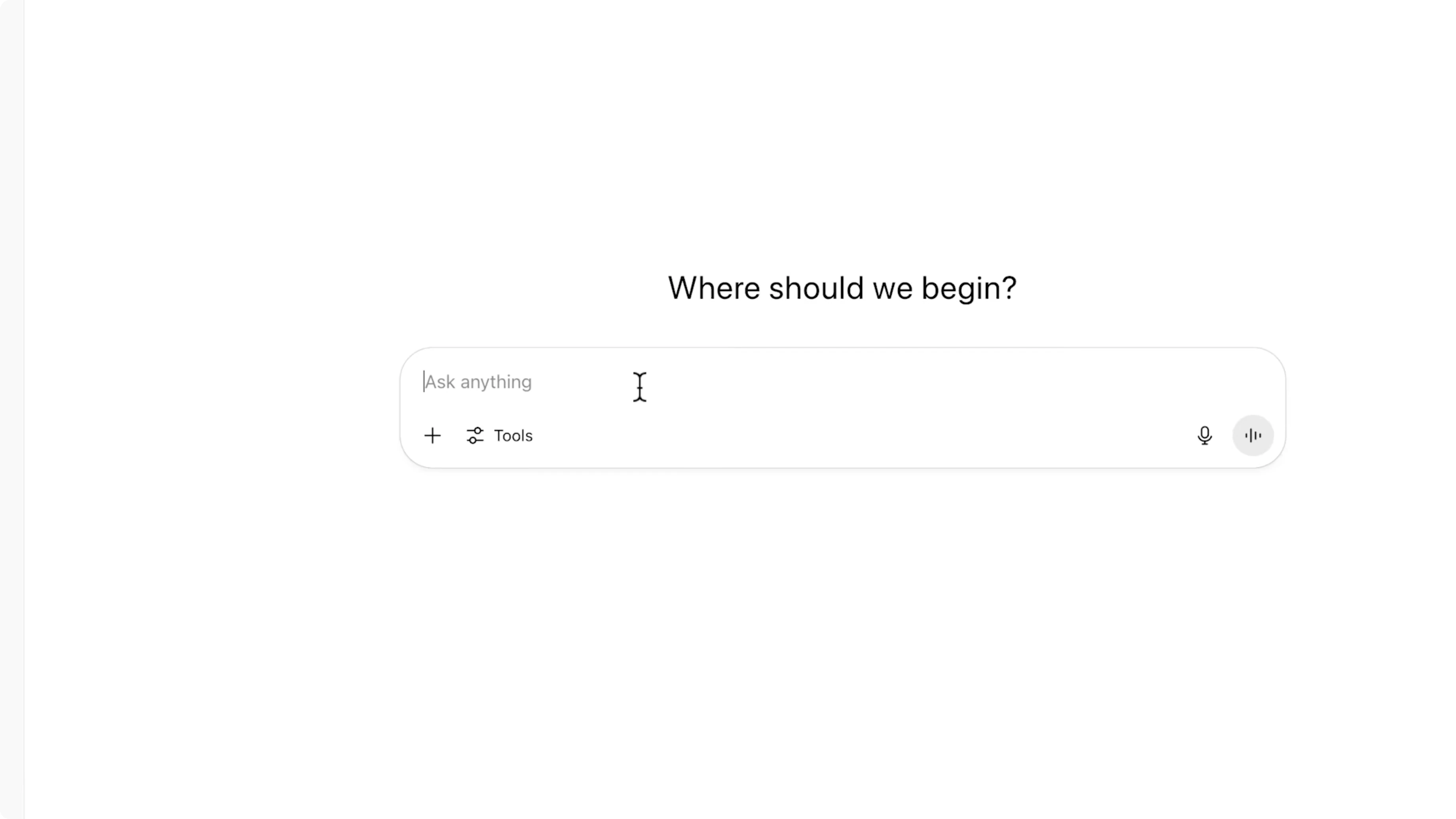
- If you want help drafting, ask another large language model such as Gemini or ChatGPT to write your prompt for you. I'm using ChatGPT right now. This is the free unpaid version.
- Keep it short and clear. The prompts are only 8 seconds long, so a really long scene is not going to do well.
- Be specific without piling on too many ideas. There’s a sweet spot: times of day, colors, lighting, and where the camera is or a camera move.
- Avoid over-complication. I think in a way maybe ChatGPT was too advanced—it gave it too many different things.
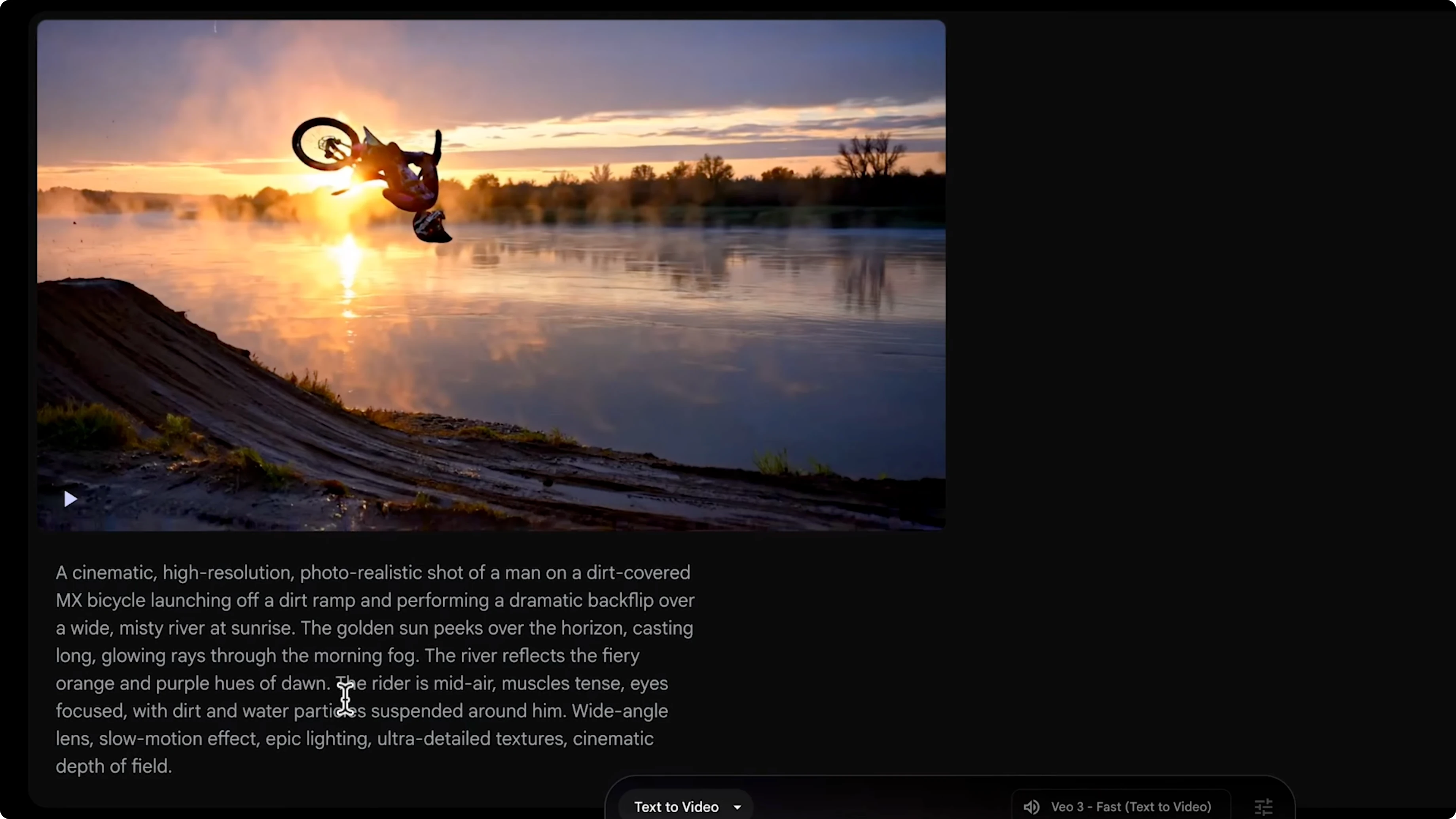
- Simple example prompt idea: jumping over a river at sunrise doing a back flip.
Step 3: Avoid Policy Triggers — This Is How I Fixed the Failed Generation Error in VEO 3

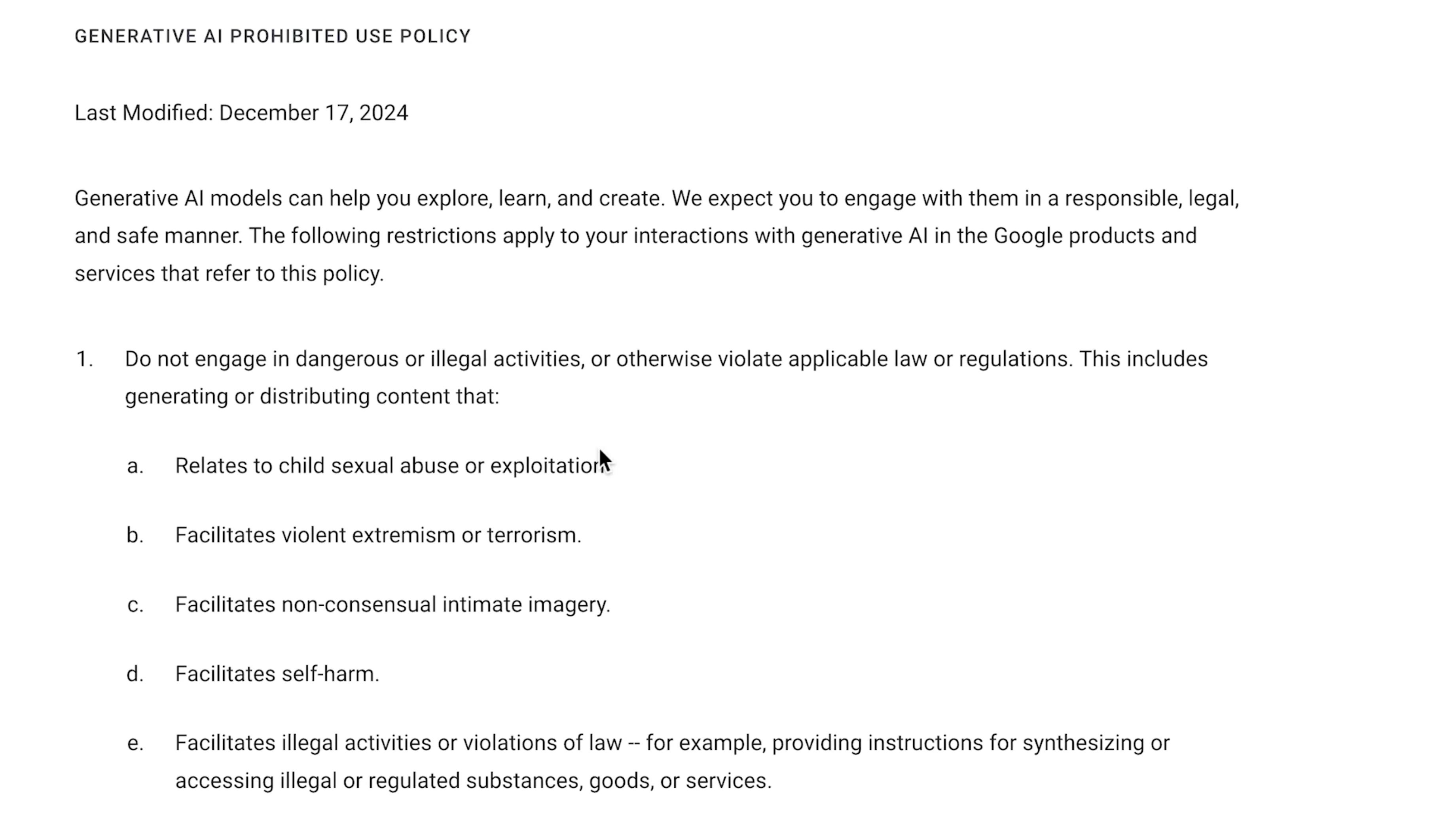
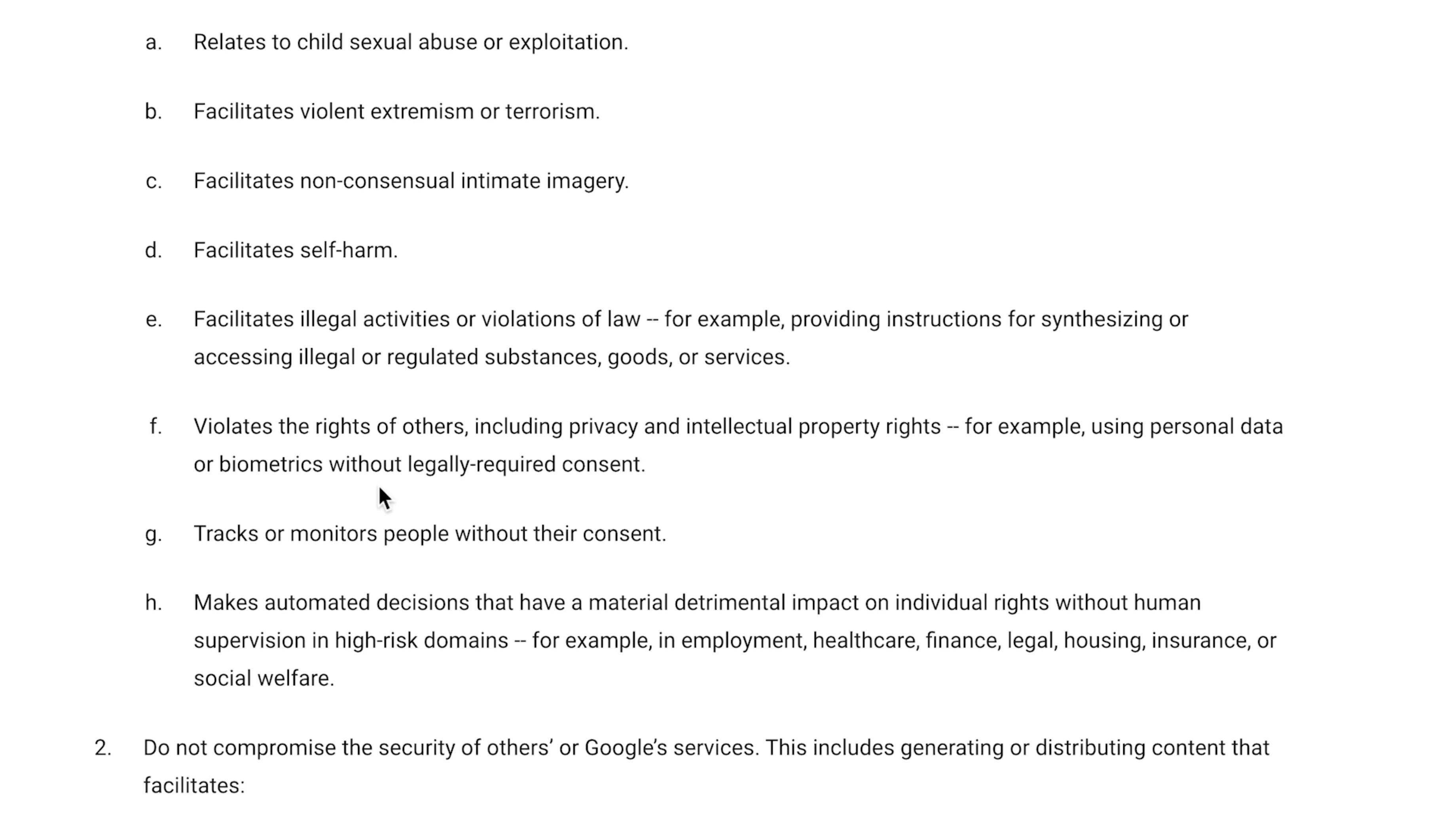
Check the Flow Help Center’s Generate AI Prohibited Use Policy. This is probably the number one reason why you are getting these failed messages.
Do not include or imply:
- Dangerous or illegal activities or anything that violates laws or regulations.
- Content that relates to child sexual abuse or exploitation.
- Violent extremism or terrorism.
- Non-consensual intimacy images.
- Self-harm.
- Disturbing content, hate or hate speech, harassment, bullying, intimidation, or violence.
- Sexually explicit content. You can't do any pornography. You can't have any nudity.
- Fraud, scams, or other deceptive actions.
If you put any kind of text in your prompt, even if you're not trying to make blatantly offensive or controversial content, certain words are going to trigger the prompt and they’re going to give you a failed generation message.
Step 4: Don’t Use Real People’s Names or Others’ IP — This Is How I Fixed the Failed Generation Error in VEO 3
I was working on a parody video and I was trying to make videos of people who exist in real life—like I was doing a parody of Jeff Bezos—and that is not going to work.
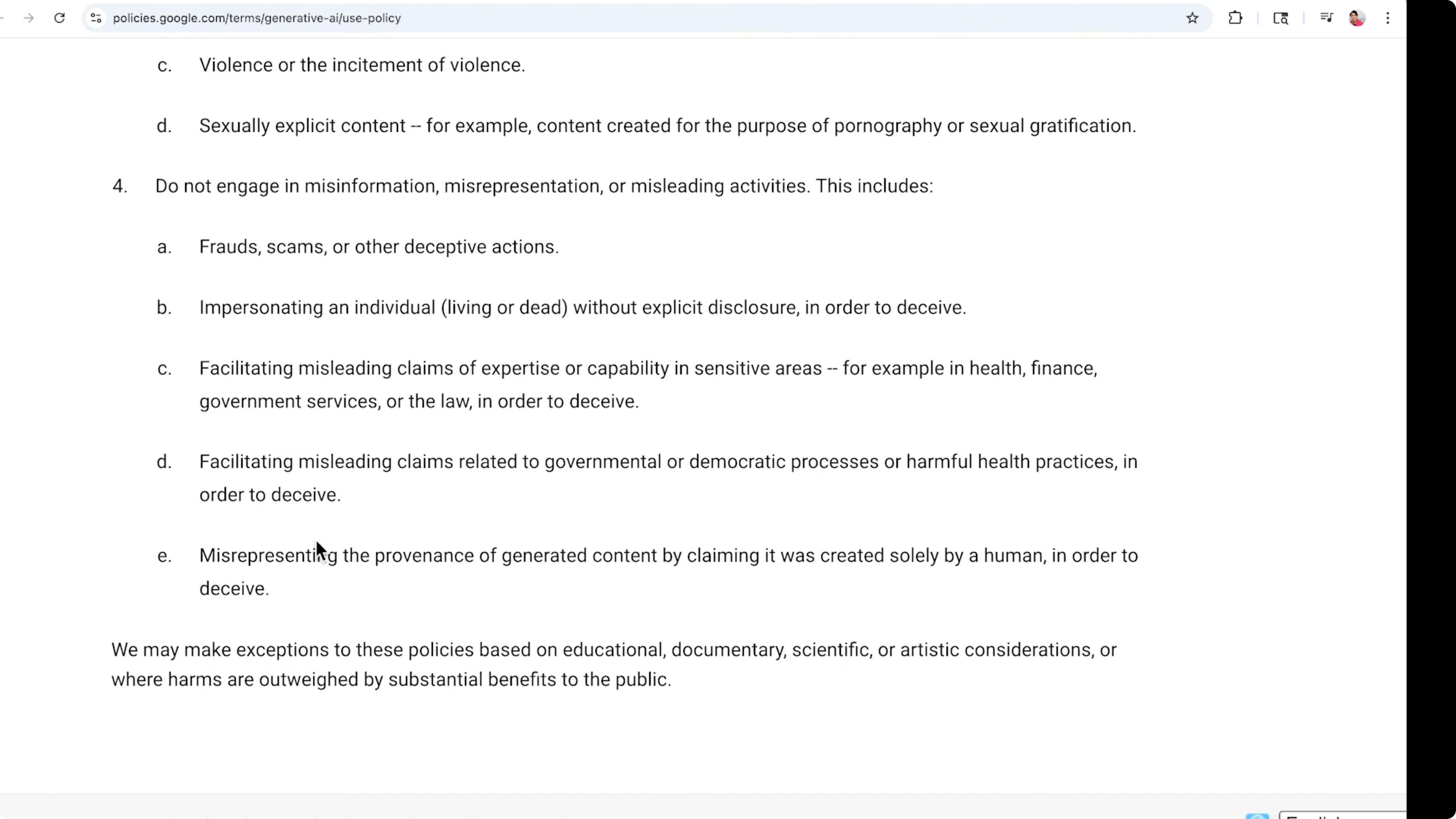
- Don’t put in famous people's names.
- Don’t put in intellectual property that belongs to other people.
- Rephrase characters and concepts so they’re generic and original.
This is going to trigger it to fail to generate if you don’t.
Alternative Fixes and Tips — This Is How I Fixed the Failed Generation Error in VEO 3
- Try Fast VEO 3. Flow did just launch this new version. You can do a Fast VEO 3 and it only costs 20 credits instead of the 100 credits. It’s a good way to test prompts without burning through credits.

Final Thoughts — This Is How I Fixed the Failed Generation Error in VEO 3
For me, the biggest culprit was the prohibited use policy. After I stopped using real people’s names, kept prompts within the 8-second scope, and stayed specific without overloading the model, the failed generation messages stopped. Make sure you’re on the Ultra plan, keep the prompt tight and compliant, and you should be able to generate without constant failures.
Subscribe to our newsletter
Get the latest updates and articles directly in your inbox.

Related Posts

8 Best Claude Code Plugins in 2026 (You Need to Know)
8 Best Claude Code Plugins in 2026 (You Need to Know)

7 Best Claude Code Skills (You Need to Know)
7 Best Claude Code Skills (You Need to Know)

Claude Code Desktop IDE Features (You Need to Know)
Claude Code Desktop IDE Features (You Need to Know)