
Table Of Content
- Understanding the Issue — Fix Agent Terminated Due to Error in Antigravity?
- Step 1: Disable MCP servers — Fix Agent Terminated Due to Error in Antigravity?
- Step 2: Restart the app and start a new conversation — Fix Agent Terminated Due to Error in Antigravity?
- Step 3: Switch away from cloud models — Fix Agent Terminated Due to Error in Antigravity?
- Step 4: Switch Google account — Fix Agent Terminated Due to Error in Antigravity?
- Alternative Fixes — Fix Agent Terminated Due to Error in Antigravity?
- Final Thoughts — Fix Agent Terminated Due to Error in Antigravity?
How to Fix Agent Terminated Due to Error in Antigravity?
Table Of Content
- Understanding the Issue — Fix Agent Terminated Due to Error in Antigravity?
- Step 1: Disable MCP servers — Fix Agent Terminated Due to Error in Antigravity?
- Step 2: Restart the app and start a new conversation — Fix Agent Terminated Due to Error in Antigravity?
- Step 3: Switch away from cloud models — Fix Agent Terminated Due to Error in Antigravity?
- Step 4: Switch Google account — Fix Agent Terminated Due to Error in Antigravity?
- Alternative Fixes — Fix Agent Terminated Due to Error in Antigravity?
- Final Thoughts — Fix Agent Terminated Due to Error in Antigravity?
If you get the “Agent terminated due to error” in Google Antigravity, this guide shows how to resolve it. Follow the instructions very carefully. This error stops the agent from running, so fix it quickly and then verify by starting a fresh conversation.
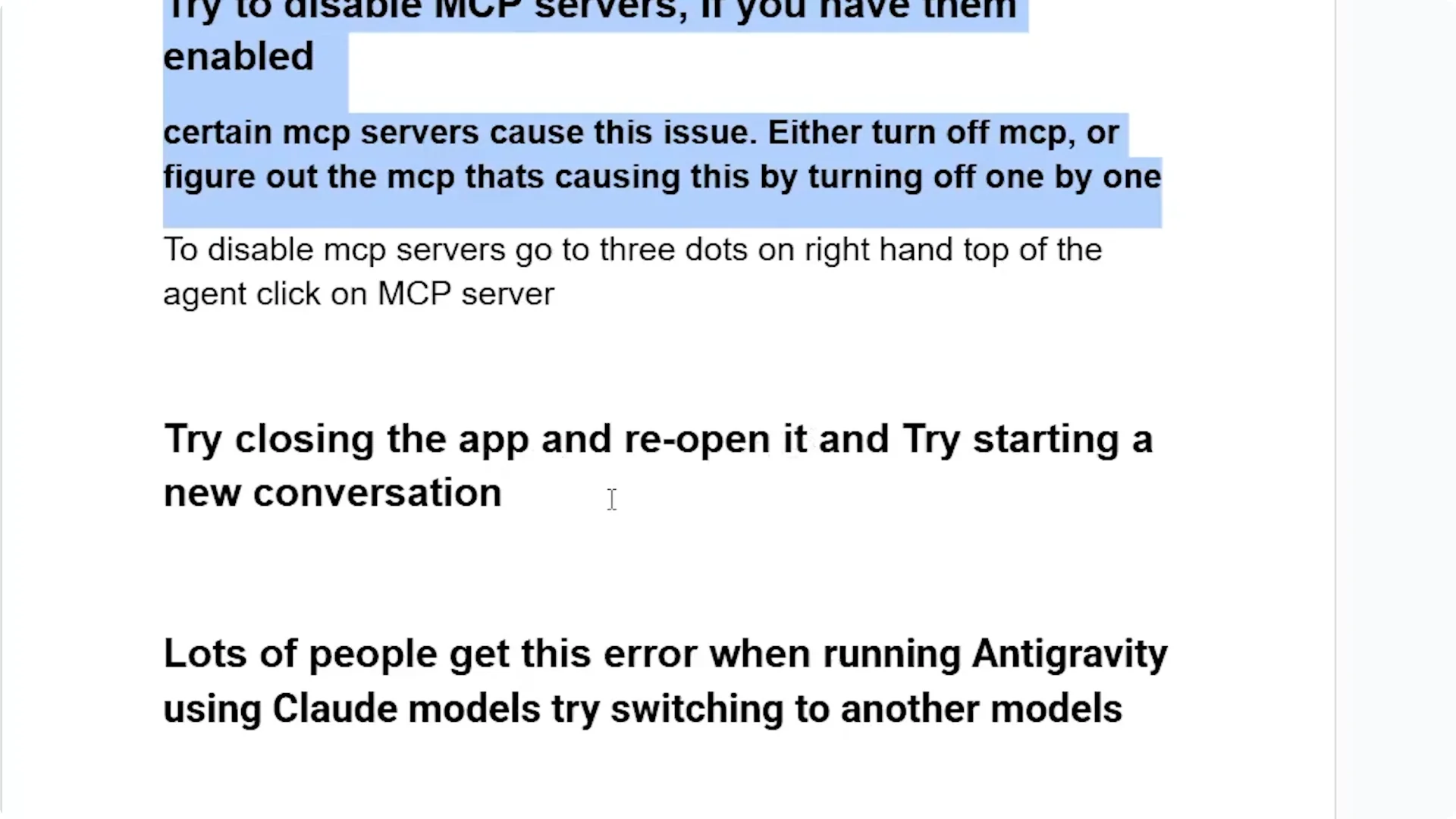
Certain MCP servers cause this issue, and lots of people get it when running Antigravity using cloud models. In some cases, you may have hit the quota on your Google account.
Understanding the Issue — Fix Agent Terminated Due to Error in Antigravity?
- Certain MCP servers trigger the agent to terminate.
- Many users see this when using cloud models.
- Hitting account quota can also cause the same error.
Step 1: Disable MCP servers — Fix Agent Terminated Due to Error in Antigravity?
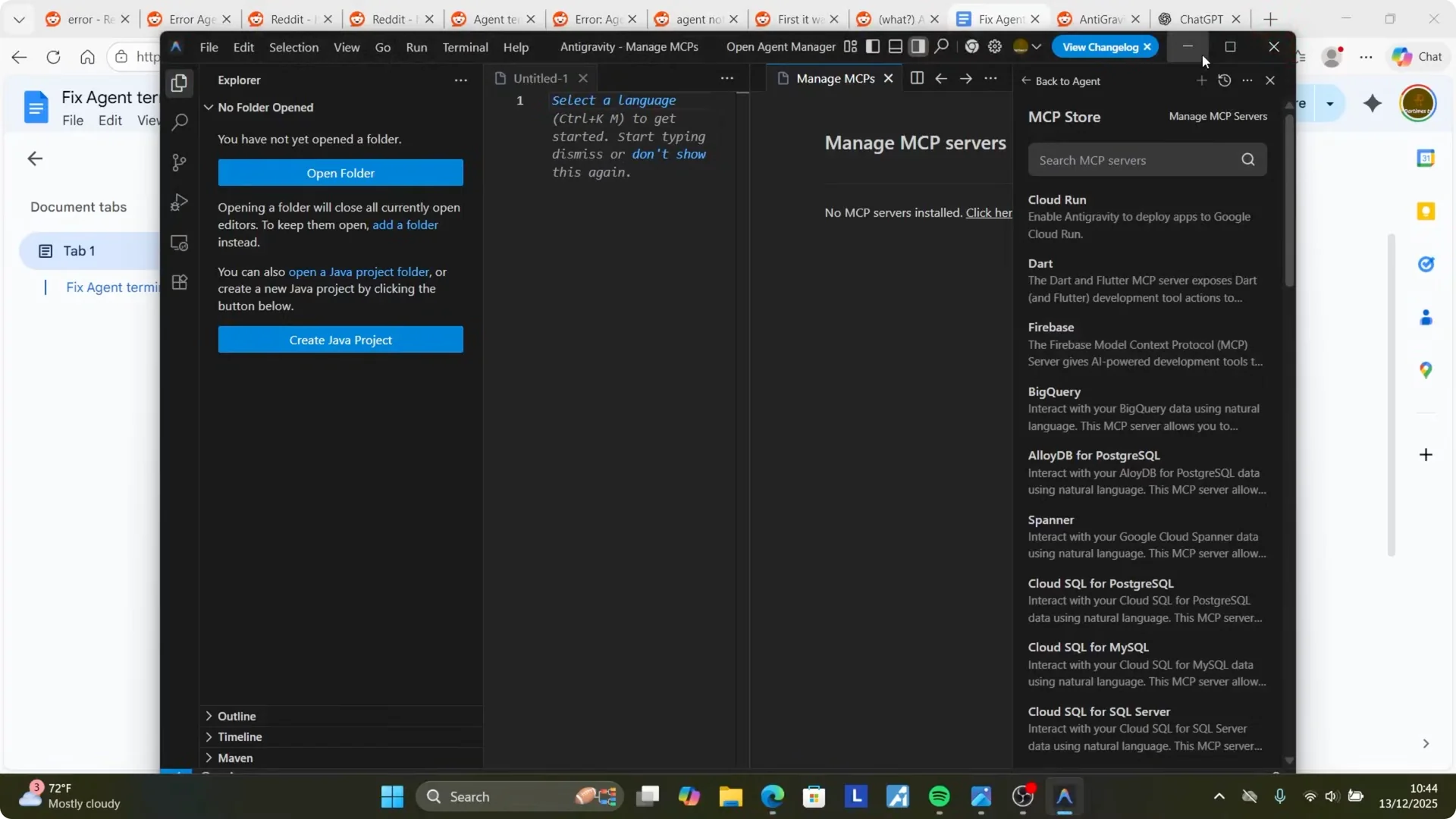
- Open Google Antigravity.
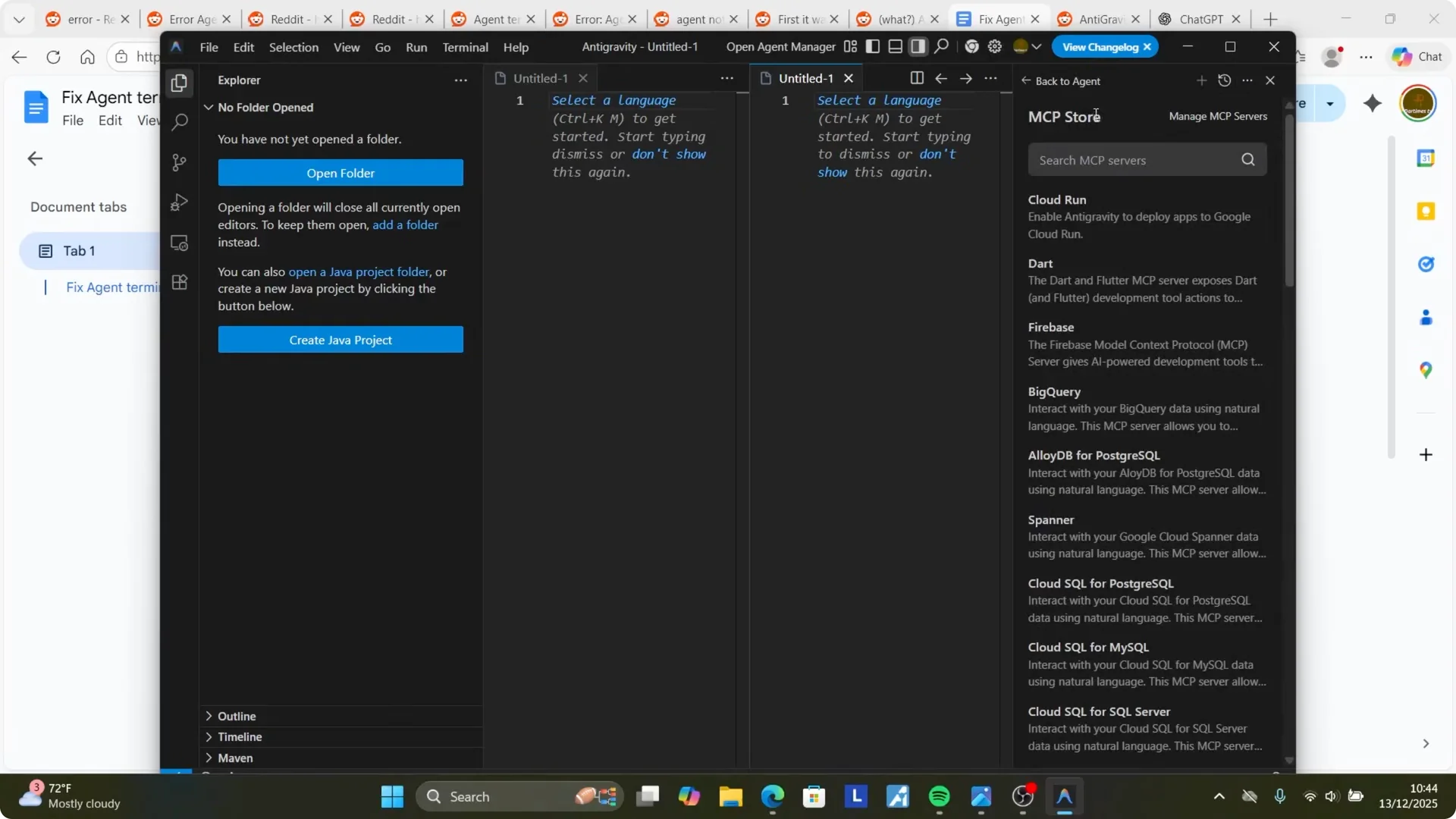
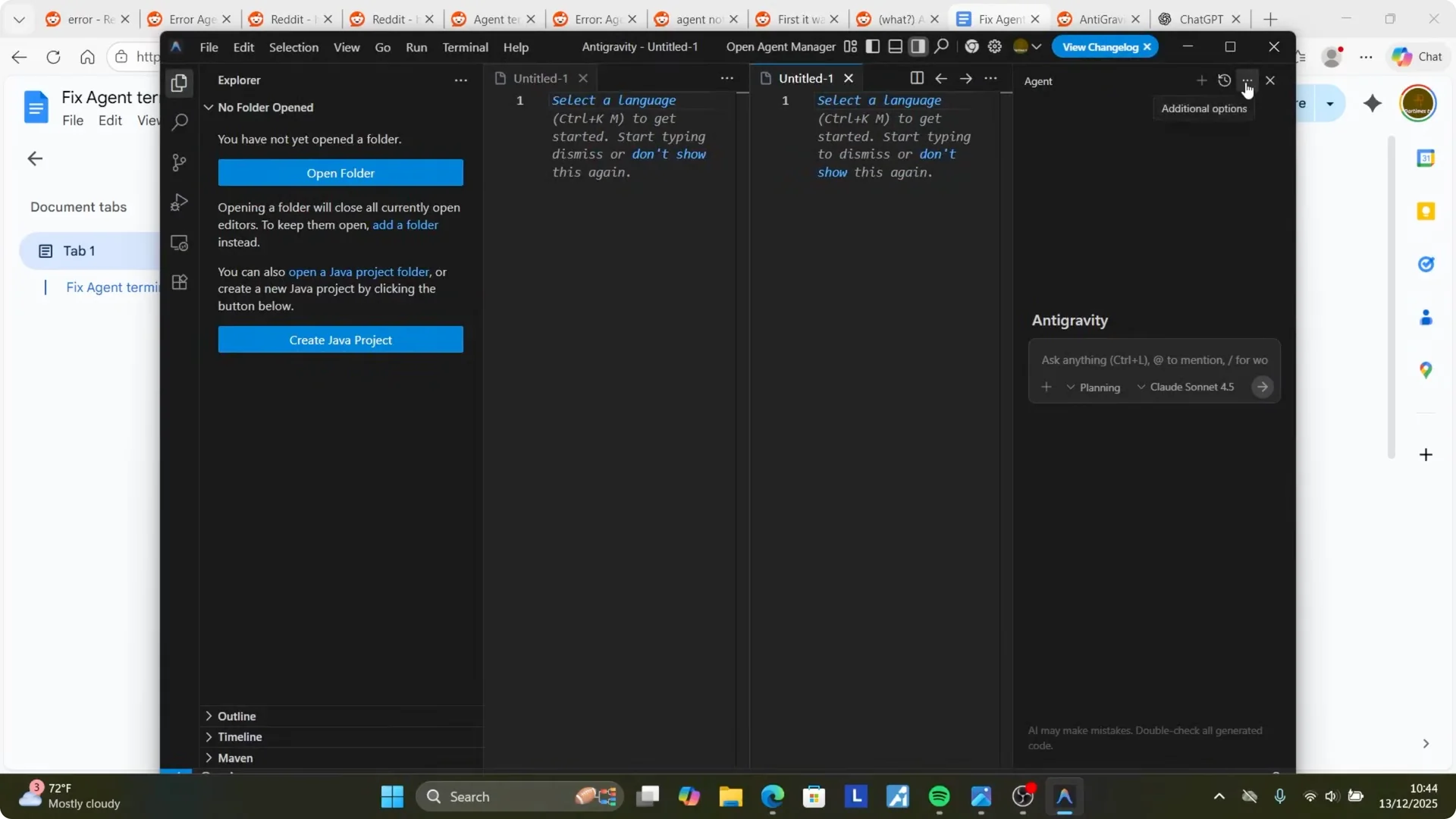
- Click the three dots on the top right corner.
- Select Additional options.
- Click MCP Servers.
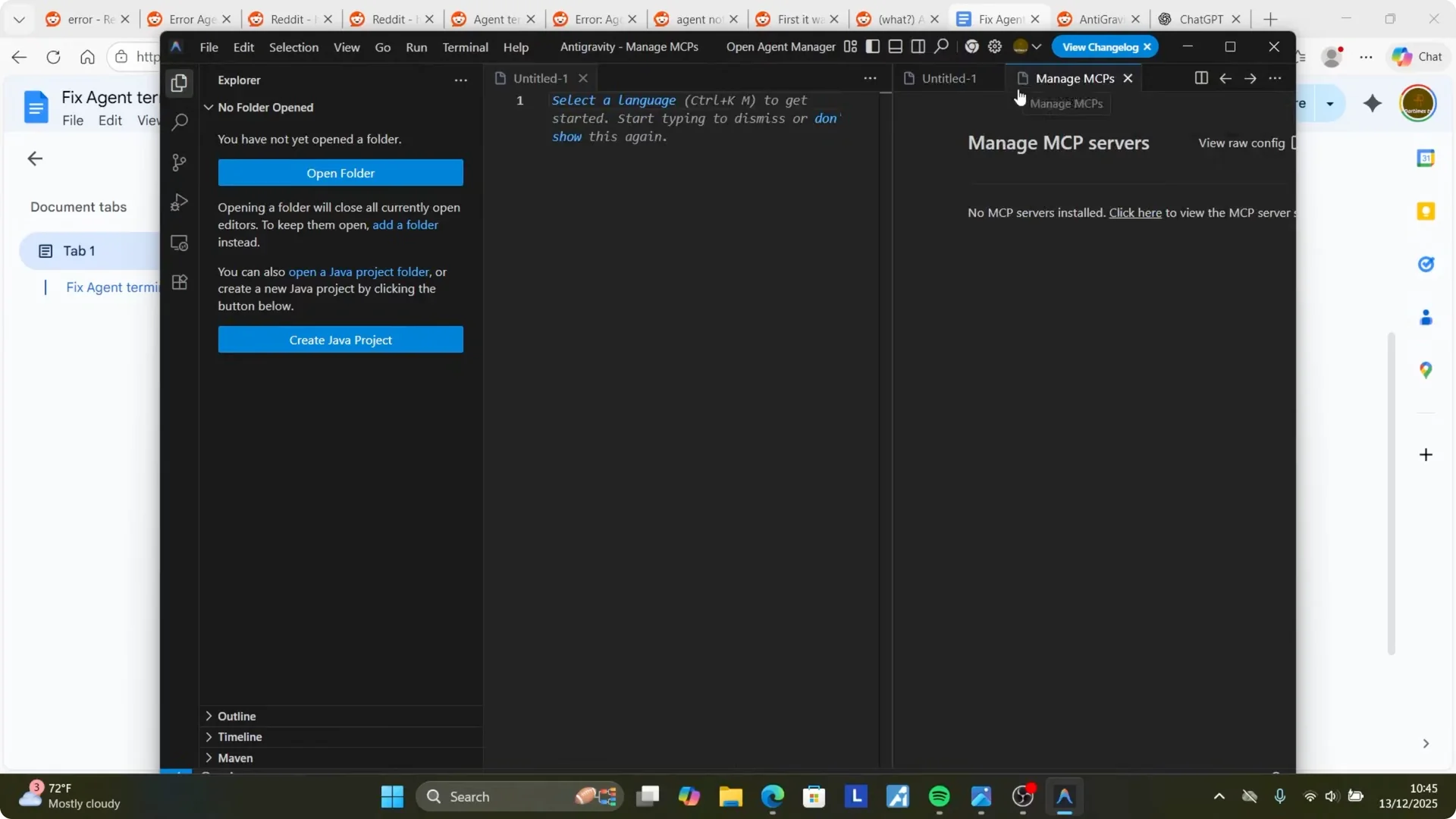
- If MCP is enabled, click Manage MCP Servers.
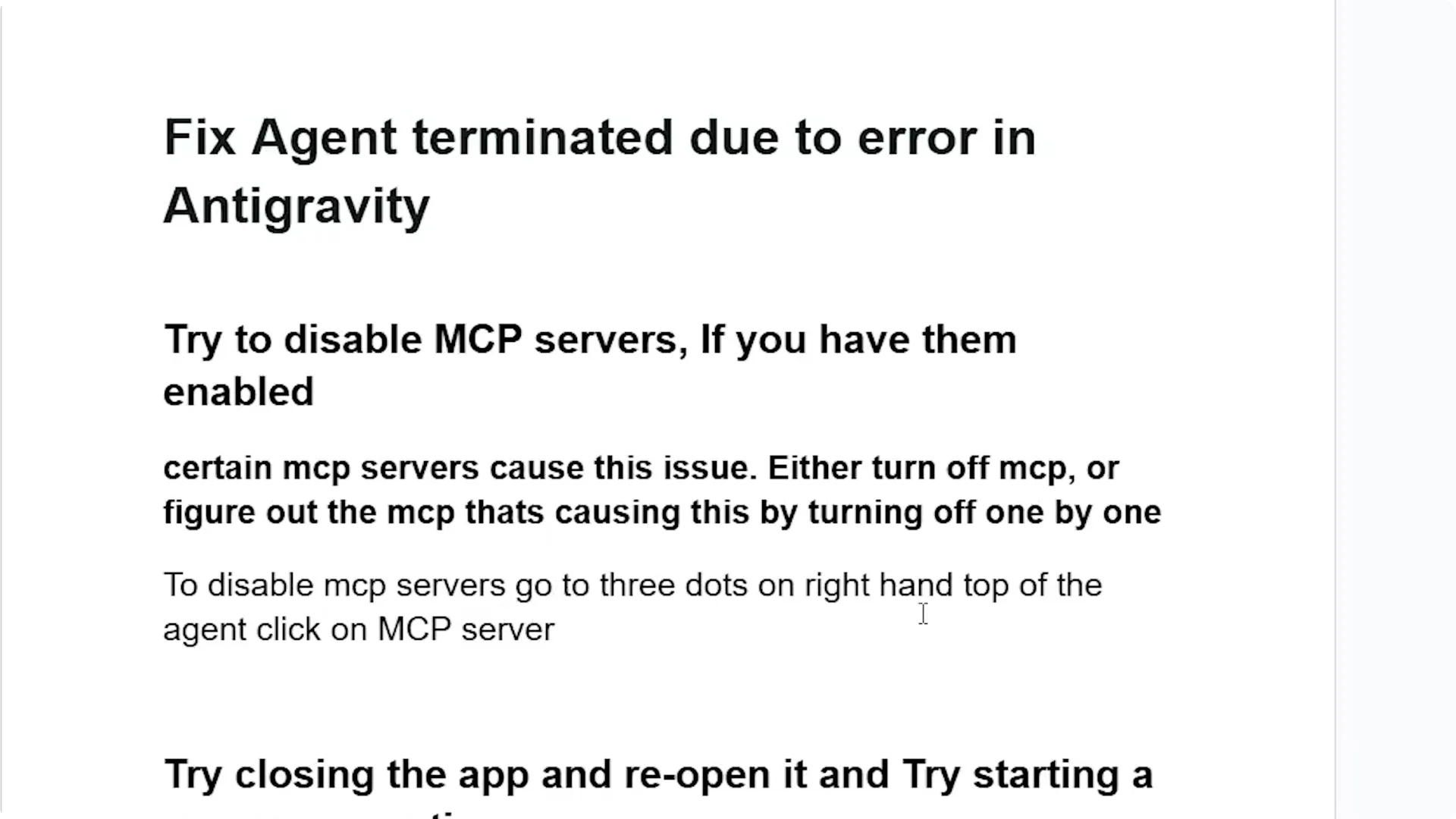
- Disable MCP servers. Either turn off MCP entirely, or turn them off one by one to figure out the MCP that’s causing it.
If you don’t have MCP servers, or you still face the same issue after disabling them, go to the next step.
Step 2: Restart the app and start a new conversation — Fix Agent Terminated Due to Error in Antigravity?
- Close the Antigravity app.
- Relaunch it.
- Start a new conversation and check if the error is gone.
Step 3: Switch away from cloud models — Fix Agent Terminated Due to Error in Antigravity?
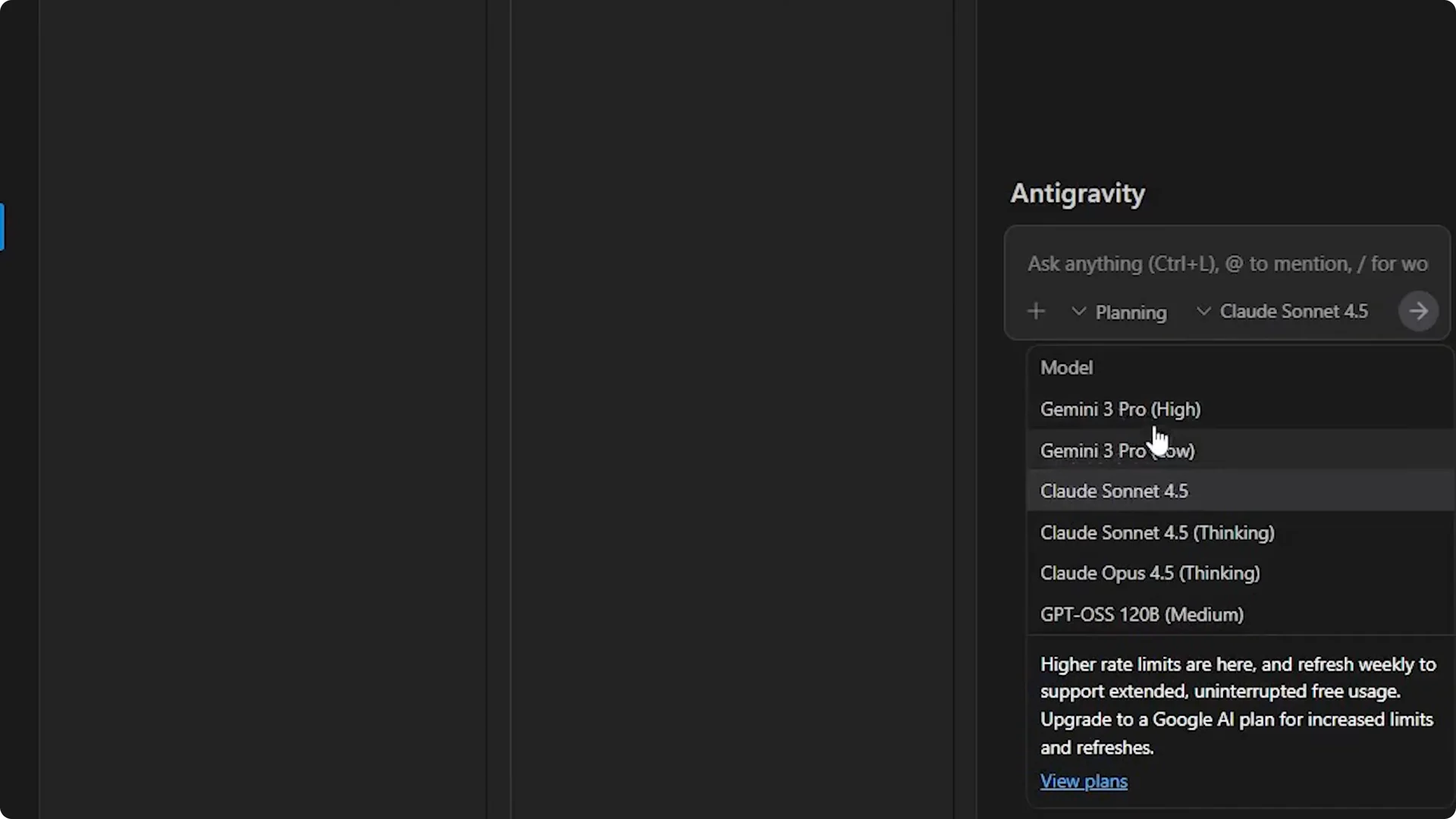
Lots of people get this error when running Antigravity using cloud models. Try switching to another model.
- Close the Antigravity app, then relaunch it.
- Open Models.
- If you’re using any cloud model, switch to another model.
- Try Gemini 3 Pro or other models like GPT and check if the problem is resolved.
Step 4: Switch Google account — Fix Agent Terminated Due to Error in Antigravity?
If it all fails, switch to another Google account. You may have hit the quota.
Alternative Fixes — Fix Agent Terminated Due to Error in Antigravity?
- If MCP is the cause, turn servers off one by one to identify the specific server and leave others enabled.
- If you don’t use MCP servers, focus on restarting, starting a new conversation, and changing models.
- When cloud models keep failing, switching to Gemini 3 Pro or GPT usually clears the error.
Final Thoughts — Fix Agent Terminated Due to Error in Antigravity?
Disabling MCP servers resolves this for many users. If not, restart the app, start a new conversation, switch away from cloud models, and, if necessary, switch Google accounts in case you hit a quota. Follow the steps carefully and confirm the fix by running a fresh session.
Subscribe to our newsletter
Get the latest updates and articles directly in your inbox.

Related Posts

8 Best Claude Code Plugins in 2026 (You Need to Know)
8 Best Claude Code Plugins in 2026 (You Need to Know)

7 Best Claude Code Skills (You Need to Know)
7 Best Claude Code Skills (You Need to Know)

Claude Code Desktop IDE Features (You Need to Know)
Claude Code Desktop IDE Features (You Need to Know)