
Table Of Content
- How to fix Google AI Pro Antigravity quota showing multi-day lockouts?
- Solution Overview
- How to fix Google AI Pro Antigravity quota showing multi-day lockouts?
- Step-by-Step Solution
- 1) **Confirm your Pro entitlement is active and synced**
- 2) **Check per-model quota buckets and secondary caps**
- 3) **Hard-refresh the local quota cache**
- 4) **Verify API behavior (separate from Antigravity UI)**
- Replace $API_KEY with your key
- 5) **Escalate if you’re still misclassified**
- Alternative Fixes & Workarounds
- Troubleshooting Tips
- Best Practices
- Final Thought
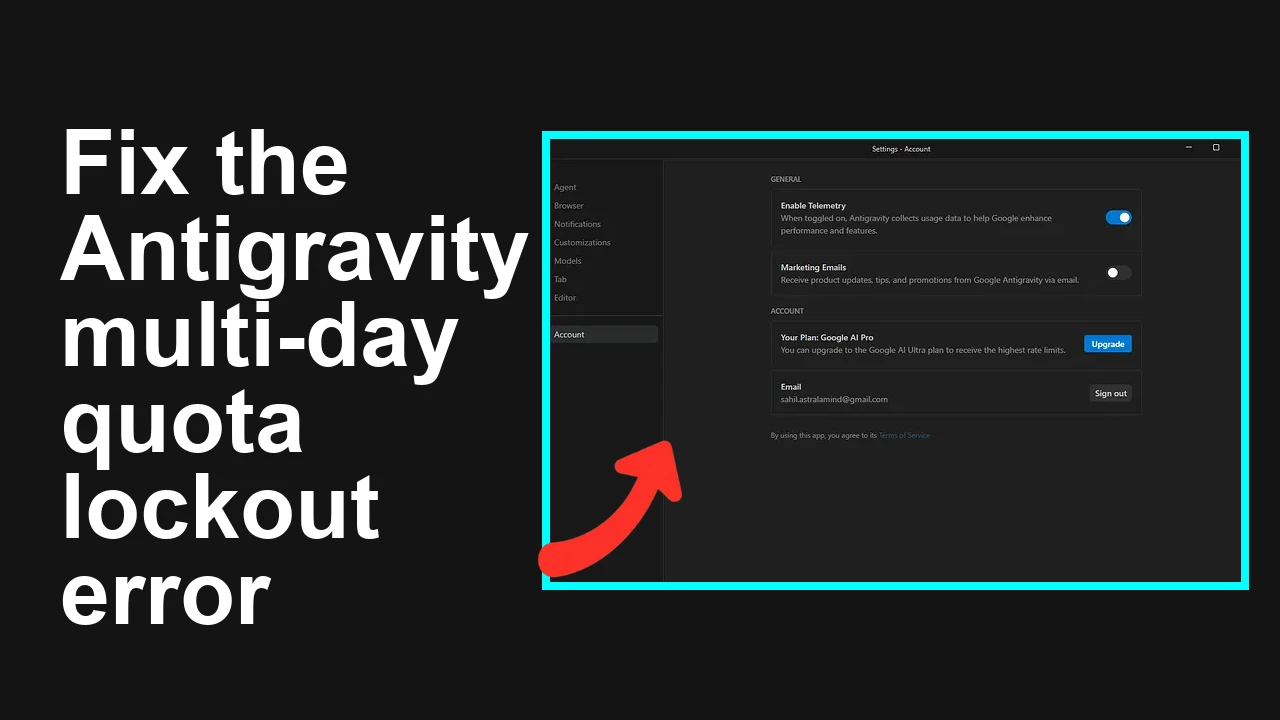
How to fix Google AI Pro Antigravity quota showing multi-day lockouts?
Gemini API Pricing Calculator
Dynamically estimate your Google Gemini API costs for text, audio, images, and context caching. Covers new 3.1 Pro, Flash, and 2.5 models.
Table Of Content
- How to fix Google AI Pro Antigravity quota showing multi-day lockouts?
- Solution Overview
- How to fix Google AI Pro Antigravity quota showing multi-day lockouts?
- Step-by-Step Solution
- 1) **Confirm your Pro entitlement is active and synced**
- 2) **Check per-model quota buckets and secondary caps**
- 3) **Hard-refresh the local quota cache**
- 4) **Verify API behavior (separate from Antigravity UI)**
- Replace $API_KEY with your key
- 5) **Escalate if you’re still misclassified**
- Alternative Fixes & Workarounds
- Troubleshooting Tips
- Best Practices
- Final Thought
Seeing 9–18 hour or multi‑day quota lockouts in Google Antigravity even though you’re on Google AI Pro? Here’s how to restore the advertised 5‑hour refresh behavior fast.
How to fix Google AI Pro Antigravity quota showing multi-day lockouts?
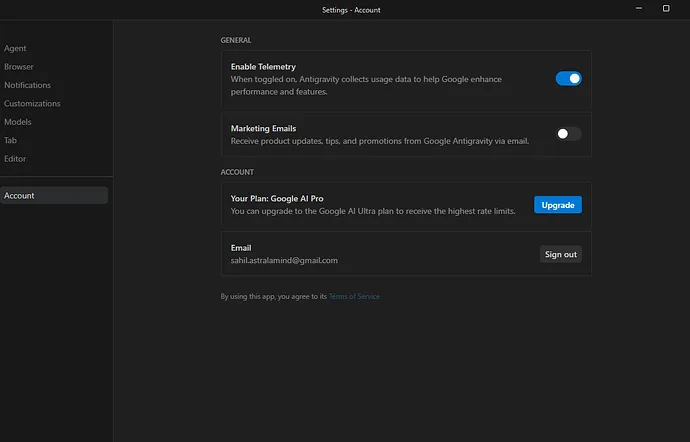
Your Antigravity quota panels show long cooldowns like “Refreshes in 9 hours, 43 minutes” or “18 hours, 10 minutes” for models such as Gemini 3.1 Pro, Gemini 3 Flash, Claude Sonnet/Opus 4.6, and GPT‑OSS 120B. You expected Pro’s “high, generous quota, refreshed every five hours,” but the UI looks more like weekly lockouts some users report.
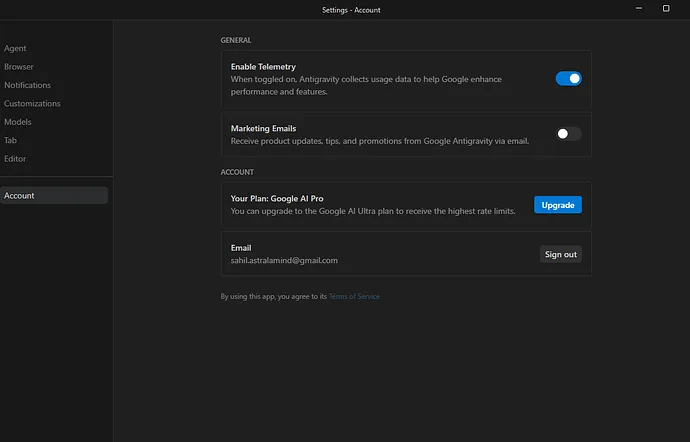
This typically points to one of three things: an entitlement sync issue that misclassifies your account, partner-model weekly caps taking effect (not always spelled out in-product), or a stale quota cache in the Antigravity client.
Solution Overview
| Aspect | Detail |
|---|---|
| Root Cause | Entitlement cache desync, partner/weekly caps applied to certain model families, or stale client-side quota cache |
| Primary Fix | Re-sync Pro entitlements, then verify and adjust per-model usage to avoid weekly caps; refresh local quota cache |
| Complexity | Easy |
| Estimated Time | 10–20 minutes |
For a compact overview of how Pro quotas are supposed to work, see this quick primer: Pro subscription quota guide.
How to fix Google AI Pro Antigravity quota showing multi-day lockouts?
Step-by-Step Solution
1) Confirm your Pro entitlement is active and synced
A stale entitlement often makes Pro look like the free/weekly-limited tier.
- In Antigravity, open your account/profile menu and confirm it shows “Pro” and your active billing status.
- If it doesn’t, or if it looks off, do a quick entitlement refresh:
- Sign out of Antigravity.
- Close all Antigravity tabs.
- Sign back in with the same Google account that owns the Pro plan.
- If you manage subscriptions via a workspace org, ensure you’re logged into the correct org/account.
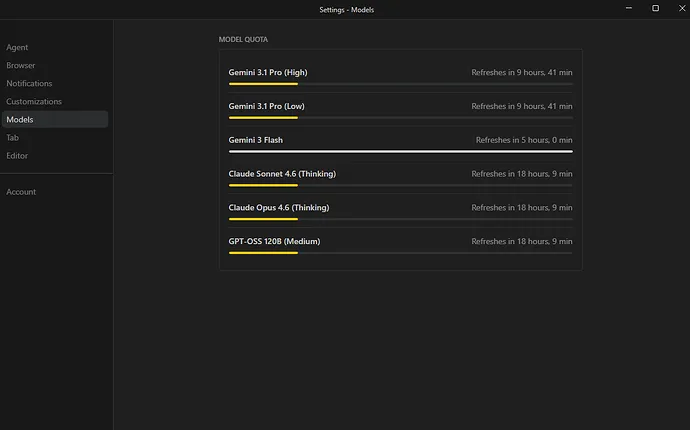
Tip: If there’s a “Manage plan” or “Refresh entitlements” link in the subscription area, use it after re-auth.
2) Check per-model quota buckets and secondary caps
Some model families, especially partner models (e.g., Claude, GPT‑OSS), can have weekly caps on top of rolling windows. Hitting these leads to 9–18 hour or multi‑day timers.
- Open the Antigravity “Usage & quotas” or per-model quota panels.
- Compare model families:
- Gemini 3.x may still show rolling windows close to 5 hours.
- Claude/GPT‑OSS often enforce separate weekly buckets.
- If a panel mentions “weekly” or shows a long future refresh window, you’ve likely hit a secondary cap. Switch to a different capacity tier (e.g., Gemini 3 Flash) or wait for the window to reset.
Reference: Google’s public docs on quotas can help interpret rolling vs. period caps:
3) Hard-refresh the local quota cache
The UI can cache countdowns and stick to old timers.
- Try an incognito/private window and re-open Antigravity.
- If using Chrome:
- With the Antigravity tab active, press Ctrl+Shift+R (Cmd+Shift+R on Mac) for a hard reload.
- Optional: Clear site storage (DevTools > Application > Storage > Clear site data). Guide: Clear site data in Chrome DevTools
Then re-check the quota panels.
4) Verify API behavior (separate from Antigravity UI)
Sometimes the UI locks while the API key still works for eligible models within Pro limits.
- Test a quick Gemini call using your API key:
# Replace $API_KEY with your key
curl -s -X POST \
 -H "Content-Type: application/json" \
 -H "Authorization: Bearer $API_KEY" \
 "https://generativelanguage.googleapis.com/v1beta/models/gemini-1.5-pro-latest:generateContent" \
 -d '{
 "contents":[{"parts":[{"text":"Say hello from a quota test."}]}]
}'- If the API succeeds while the UI shows a long timer, it’s a strong signal the client cache or UI quota renderer is stale. Repeat Step 3 and re-auth.
Note: For setup help, see Google’s Gemini API quickstart (cURL).
5) Escalate if you’re still misclassified
Collect these and open a support ticket from within Antigravity or your account portal:
- Screenshots of the quota panels (model and timer)
- Your plan status page showing “Pro”
- Timestamps, timezone, and the models impacted
- Clarify you expect a 5‑hour refresh per the Pro plan for in‑scope models
Ask support to “verify entitlement mapping for my account in Antigravity and clear any stale association with weekly/free buckets.” This phrasing helps route the ticket correctly.
If you need an operational playbook for day-to-day quota planning, see this stepwise guide: manage Pro quota.
Alternative Fixes & Workarounds
Ranked by effectiveness:
- • Switch model family or tier temporarily If Claude or GPT‑OSS shows long timers, switch to Gemini 3.1 Pro or Gemini 3 Flash to continue work. Often only one family is capped.
- • Spread tasks across buckets Distribute runs across High/Low or different families to avoid hitting the same weekly bucket repeatedly.
- • Use the API while UI cools down If your API key has quota, proceed via API for time-sensitive tasks (Step 4).
- • Schedule runs just after reset windows Identify the reset pattern (e.g., 5-hour rolling vs. weekly) and align heavier jobs right after the reset.
For background and examples of typical Pro caps, you might find this explainer helpful: in-depth explainer.
Troubleshooting Tips
- Check you’re logged into the correct Google account and workspace; many “weekly lockout” cases are an account mix-up.
- Confirm billing is current; expired cards can silently downgrade entitlements.
- If you see exactly the same long timer across different browsers/devices, it’s less likely to be cache and more likely to be a server-side cap.
- If only partner models are locked, it’s likely a provider-specific weekly bucket. Shift to Gemini temporarily.
- Don’t chain-retry aggressively; hitting protection thresholds can extend cooldowns.
Best Practices
- Track usage per model family so you don’t bump into hidden weekly caps during critical windows.
- Keep an “alternate model” plan (e.g., Gemini 3 Flash) for time-sensitive tasks.
- Re-auth once a week to avoid entitlement drift if you switch orgs or accounts often.
- Bookmark official quota pages and check changes periodically:
- AI Studio pricing
- Gemini API quotas
If you need a quick refresher on how Pro quotas are meant to behave inside Antigravity, skim this short guide: AI Pro quota quick guide.
Final Thought
Most Pro users seeing 9–18 hour or multi‑day windows are hitting a secondary cap or a stale entitlement. Re-sync your Pro status, refresh the local cache, and—if needed—shift to a different model family. This restores the expected 5‑hour refresh behavior for eligible models and keeps your work moving.
Subscribe to our newsletter
Get the latest updates and articles directly in your inbox.

Related Posts
How to fix Browser agent not working in Antigravity?
How to fix Browser agent not working in Antigravity?
How to fix Antigravity CLI (agy) on WSL broken launcher and missing scripts?
How to fix Antigravity CLI (agy) on WSL broken launcher and missing scripts?
How to fix Antigravity model list disappeared and stuck on loading models?
How to fix Antigravity model list disappeared and stuck on loading models?